

Table of Contents
What Is Claude AI and Why Does It Matter for Lead Generation?
What Can Claude Actually Do for Lead Generation?
How to Build Your ICP and Target the Right Leads with Claude
How to Generate Leads on Autopilot with Claude Code
Using Claude Cowork to Generate Leads on LinkedIn
How to Write High-Converting Outreach with Claude AI
Claude + Lead Enrichment Tools: The Stack That Runs Leads on Autopilot
How to Use Claude for Lead Generation for Free (And What Has Limits)
Common Mistakes to Avoid When Using Claude for Lead Generation
How Cleverly Uses AI-Powered Systems to Deliver Qualified B2B Leads
Conclusion
Frequently Asked Questions
Modified On :
April 29, 2026
Key Takeaways
- Claude for lead generation goes way beyond writing emails — it can define your ICP, research prospects, score leads, and automate full outreach workflows when paired with the right tools.
- SDRs currently spend up to 40% of their day on manual prospecting research — Claude can compress that work from hours to seconds with the right prompts.
- Claude Code unlocks agentic, autopilot lead generation: input a company name, get a fully researched prospect brief, route to your CRM — all automatically.
- Claude Cowork connects directly to LinkedIn, enabling automated outreach personalization, connection management, and follow-up sequencing for non-developers.
- Claude's free plan is a solid starting point for ICP building and outreach copy — but real scale requires pairing it with enrichment tools like Clay, Apollo, or n8n.
- AI generates volume; human strategy and relevance close the deals. Claude accelerates the machine — but your ICP clarity and messaging still determine the output quality.
Most SDRs are still grinding through prospect research the hard way. The average SDR spends 40% of their day on manual prospecting — researching accounts, finding contact info, verifying emails, and checking ICP fit.
That's hours every single day spent on work that doesn't require human judgment.
Claude AI is changing that math completely. It's not just a writing tool. In 2026, it's emerging as one of the most capable B2B lead generation systems available — handling everything from ICP refinement and prospect research to outreach personalization and workflow automation.
Average task completion time drops from 3.1 hours without AI to approximately 15 minutes with Claude — a 92% time reduction. And teams using AI-powered prospecting report up to a 90% reduction in research time and a 35% improvement in engagement rates.
This guide is for SDRs, founders, growth teams, and agencies who want to use Claude AI for lead generation — the right way.
We'll cover how Claude actually works for prospecting, the use cases, the tools to pair it with, and how to build workflows that run on autopilot.
What Is Claude AI and Why Does It Matter for Lead Generation?
Claude is Anthropic's AI model — built specifically for reasoning, research, and complex, multi-step tasks. It's not a standard chatbot. It thinks through problems before answering, handles long-form context without losing coherence, and executes at a depth that generic AI tools don't match.
For B2B lead generation, that distinction matters a lot. Most AI tools help you write a template. Claude helps you build a system.
What Makes Claude Different for Sales Use Cases
Standard lead gen AI chatbots are good at generating generic output. Claude is good at reasoning through your specific situation — your ICP, your product, your buyer's pain points — and producing something that's actually usable.
Key capabilities that separate Claude from the pack for lead gen:
- Deep research — synthesizing information from across the web into structured prospect briefs
- Complex writing — producing outreach copy that's tailored, not templated
- Data analysis — turning raw firmographic or behavioral signals into prioritized lead lists
- Automation via Claude Code — executing agentic, code-driven workflows without a developer
- Desktop automation via Claude Cowork — enabling non-developers to automate LinkedIn and file-based tasks
The 2026 Shift: From Writing Assistant to Lead Gen System
Claude usage is shifting from collaborative assistance toward autonomous task execution in enterprise environments. Teams that used to prompt Claude for a first draft are now prompting it to run entire research and outreach workflows.
That's the unlock. Claude isn't just a faster way to write emails. It's a way to build a lead generation system that runs without you.
🤖 Free Leads Still Need Closing Systems
We turn AI-generated prospects into booked meetings. LinkedIn, cold email & calling—fully done-for-you.
What Can Claude Actually Do for Lead Generation?
Let's get specific. Here's what Claude AI lead generation workflows actually look like in practice — not in theory.
ICP Definition and Refinement
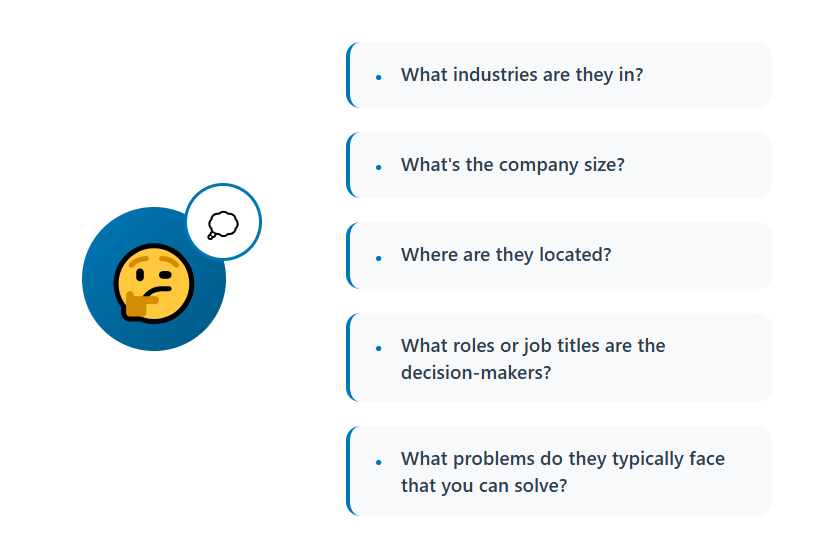
Feed Claude your 10 best existing customers and ask it to find the patterns. It'll surface shared firmographic traits, roles, business models, and pain points you may have never explicitly articulated. That becomes your targeting foundation.
Prospect Brief Generation
Give Claude a company name and LinkedIn URL. It returns a structured brief: company overview, recent news, likely pain points, team structure, and suggested outreach angles. What used to take 15 minutes per prospect now takes under a minute.
Personalized Outreach Copy
Claude generates cold email sequences, LinkedIn outreach messages, and cold calling scripts that are tailored to a specific buyer persona — not just a role. The output quality is a direct function of how well you prompt it (more on that below).
Lead Qualification and Scoring Frameworks
Paste in a list of 50 prospects. Ask Claude to score them against your ICP based on firmographic data, job titles, and company signals. It returns a ranked list with reasoning — saving hours of manual lead qualification.

Intent Signal Analysis
Claude can analyze job postings, press releases, LinkedIn activity, and tech stack changes to identify which accounts are showing buying triggers. Feed it the signals; it tells you who to prioritize.
How to Build Your ICP and Target the Right Leads with Claude
This is where claude for lead generation starts — not with outreach, but with targeting clarity. A bad ICP means Claude generates highly personalized messages to the wrong people. Don't skip this.
Step 1 — Feed Claude Your Best 10 Existing Clients
Start a Claude conversation with a simple prompt: "Here are my 10 best customers. Analyze them for common patterns across company size, industry, growth stage, tech stack, team structure, and pain points."
Paste in whatever data you have — LinkedIn URLs, company descriptions, deal context. Claude will surface the patterns.
Step 2 — Extract Firmographic and Behavioral Attributes
From Claude's analysis, pull out the specific attributes that define your buyer. Not vague categories like "SMB SaaS" — precise ones like "Series A SaaS companies with 25–100 employees, actively hiring their first SDR, using HubSpot."
That specificity is what makes downstream targeting precise instead of generic.

Step 3 — Stress-Test Your ICP Against Real Market Data
Ask Claude to challenge your ICP: "Are there edge cases in this profile? What segments might appear to fit but typically underperform? What attributes correlate most with fast time-to-close?"
This kind of adversarial analysis is where Claude's reasoning depth earns its keep.
Step 4 — Build Targeting Criteria for Sales Navigator or Apollo
Once the ICP is defined, prompt Claude to translate it into exact filter criteria for your prospecting tool of choice. It'll output a ready-to-use filter set — company size ranges, industry codes, seniority levels, geographic parameters — that you can copy directly into Sales Navigator or Apollo.
🚀 Don’t Just Generate Leads. Convert Them.
$312M pipeline generated across outbound channels. We handle outreach → replies → booking. You close.
How to Generate Leads on Autopilot with Claude Code
Claude Code is where claude code lead generation becomes genuinely automated. It's not just a chat interface — it's an agentic, code-execution-capable system. You give it a task. It builds and runs the code to complete it.
What Claude Code Is (and How It's Different)

Standard Claude is a conversational reasoning model. Claude Code is an agent — it can write scripts, run them, interact with APIs, read files, and chain multi-step tasks together without manual prompting at each step.
Claude Code reached $2.5 billion in annualized revenue by February 2026, with business subscriptions quadrupling since January 2026. Enterprise teams aren't paying for that because it's a novelty. They're paying because it delivers measurable productivity.
Building an Automated Lead Research Pipeline
Here's what a generate leads on autopilot with Claude workflow looks like using Claude Code:
Step 1: Input a company name or a list of company names into your Claude Code session.
Step 2: Claude pulls company overview, recent news, tech stack indicators, hiring signals, and LinkedIn data from available sources.
Step 3: Claude generates a formatted prospect brief — name, role, company context, recommended outreach angle — in under a minute per contact.
Step 4: Claude routes hot leads automatically to your CRM via API (HubSpot, Salesforce, Airtable), or drops them into a Google Sheet or Slack channel for your team.
The result: a research pipeline that would take an SDR 4–6 hours runs in 15–20 minutes. Users reported a 12x speedup on tasks with Claude on average — 14.8 minutes with AI versus 3.8 hours without.

Setting Up Recurring Research Tasks
Claude Code supports scheduled workflows. Set up a /schedule command to run your prospect research pipeline daily or weekly — pulling new accounts that match your ICP from Apollo or Sales Navigator, researching them, and delivering a prioritized list to your inbox every morning.
That's lead generation on autopilot in its literal form.
Using Claude Cowork to Generate Leads on LinkedIn
Claude Cowork is Anthropic's desktop automation agent — built for non-developers who want to automate workflows without writing code.
It's the bridge between Claude's reasoning capabilities and real-world tools like LinkedIn.
What Claude Cowork Actually Does
Cowork launched in January 2026 with a plugin system that connects Claude to LinkedIn, HubSpot, Salesforce, Clay, Slack, Notion, and more. Claude Cowork turns Claude into a full LinkedIn agent — not a chatbot that drafts text, but an autonomous system that researches prospects, sends connection requests, monitors engagement, and manages outreach sequences.
Key LinkedIn Workflows You Can Automate
- Morning lead prioritization — Claude reviews overnight LinkedIn activity from your target accounts and surfaces the highest-priority contacts to reach out to that day.
- Connection request personalization at scale — instead of sending generic requests, Claude pulls each prospect's recent posts, job changes, or company news and generates a personalized first line automatically.
- Outreach sequence management — Claude tracks conversation state across your active LinkedIn threads and triggers follow-ups based on time elapsed or response signals.
- Content posting cadence — Claude drafts and schedules LinkedIn content aligned to your ICP's pain points, generating inbound interest alongside your outbound.
Claude Cowork vs. Manual LinkedIn Outreach
Teams running the Claude Cowork LinkedIn integration in 2026 report 3–4x more outreach volume at the same operator hours, 2.8x higher reply rates versus templated outreach, and a 70%+ reduction in time spent on follow-up management.
One important note on compliance: Claude Cowork integrates via authenticated API — not browser scraping. That means you're operating within LinkedIn's terms of service, not around them. Safe usage means staying within daily connection and message limits even when automating.
How to Write High-Converting Outreach with Claude AI
Most teams use Claude wrong for outreach. They open a new chat, type "write me a cold email for my SaaS product," and get a generic paragraph that sounds like every other cold email in their prospect's inbox.
The problem isn't Claude. It's the prompt.
The Right Prompting Framework

Good Claude ai lead generation copy starts with context. Claude needs four things before it can write something that converts:
1. Persona — Who is this going to? Role, seniority, company type, likely pain points.
2. Product — What does your product do and what problem does it solve, specifically?
3. Pain Point — What's the one thing this prospect is probably struggling with right now that your product addresses?
4. Tone — Conversational or formal? Direct or nurturing? What does "good" sound like for your audience?
A solid prompt looks like this: "Write a 3-sentence cold email first line for a VP of Sales at a 50-person B2B SaaS company who is probably struggling to hit pipeline targets with a small SDR team. My company [X] helps teams book 2–3x more qualified meetings through done-for-you LinkedIn outreach. Tone: direct, peer-level, no corporate fluff."
That prompt produces something usable. The generic version produces noise.
Going Beyond "Book a Demo" CTAs
Most cold email CTAs are lazy. Claude can generate offer angles that are lower friction and more compelling than "hop on a 30-minute call":
- A free cold email audit against your current sequences
- A one-page breakdown of what top performers in their industry are doing differently
- A live example of what your outreach would look like for their specific ICP
Ask Claude: "Give me 5 CTA options for this email that are lower friction than 'book a demo' and tied to a concrete value." Pick the best one. Test two.
Personalizing First Lines at Scale
Feed Claude enriched lead data — recent LinkedIn posts, job change timing, company funding news, tech stack — and ask it to generate unique first lines for each prospect. Combined with Clay or Apollo, this becomes a semi-automated personalization engine that produces reply rates templated outreach can't touch.
Claude + Lead Enrichment Tools: The Stack That Runs Leads on Autopilot

Claude is a reasoning engine. It needs data inputs to generate qualified leads. Here's the tool stack that makes generating leads on autopilot with Claude actually work.
Why Claude Alone Isn't Enough
Claude doesn't have real-time access to contact databases, LinkedIn profiles, funding data, or CRM records by default. You need to pipe that data in. The tools below handle the input layer so Claude can focus on analysis, qualification, and output generation.
Best Tools to Pair with Claude
🔥 Clay — The most powerful pairing. Clay pulls multi-source enrichment data (Apollo, LinkedIn, Clearbit, Hunter, and 50+ sources), then uses Claude via its AI columns feature to write personalized outreach at scale. One workflow: Clay finds the lead → enriches them → Claude writes the first line → sends to your sequencer.
🔥 Apollo / ZoomInfo — Your prospect database. Use Apollo's 265M+ contact database to build ICP-matched lists, export them, and feed them into Claude for research and qualification.
🔥 n8n / Zapier — Automation middleware that connects Claude to everything else. Build workflows where a new CRM record triggers a Claude research task, which returns a prospect brief, which routes to your SDR's Slack.
🔥 Clearcue / Amplemarket — Buying signal detection. Teams using signal-based prospecting can see up to 5–7x higher reply rates compared to cold outreach, with response rates that often exceed 30%. Feed those signals into Claude for qualification and messaging. Clearcue
How to Wire the Stack
Signal detection → Claude qualification → enrichment → outreach
A simple version: Clearcue detects a company hiring their first SDR → triggers an n8n workflow → Claude pulls their website and LinkedIn, scores them against your ICP, writes a personalized prospect brief → routes to Apollo sequence.
Free stack option: n8n free tier + Hunter.io free tier + Claude free plan + Google Sheets as your CRM. Not fully automated, but enough to validate the workflow before spending money.
How to Use Claude for Lead Generation for Free (And What Has Limits)
Yes, you can use claude for lead generation for free. Here's what's actually available — and where the ceiling is.
What You Can Do on the Free Plan
Claude's free plan gives you access to the core language model. For lead generation, that covers:
- ICP building — feed it your customer data, get a structured ideal customer profile back
- Outreach copy — cold email sequences, LinkedIn messages, call scripts, follow-up variants
- Prospect research prompts — manual research assistance using information you paste in
- Lead scoring frameworks — build a scoring rubric for your sales team to apply manually
- Offer angle generation — brainstorm CTAs, value props, and positioning angles
That's a genuinely useful free stack if you're a founder or solo SDR manually running outbound.
Where the Free Plan Hits Its Limits
The free plan has no automation, no Claude Code access, and no Cowork. Everything is manual — you prompt, Claude responds, you copy the output. There's no looping, no API access, no scheduled tasks.
For true Claude AI lead generation at scale — autopilot research pipelines, CRM integrations, Cowork-driven LinkedIn workflows — you need Claude Pro ($20/month) at minimum, or Claude Max ($100/month) for heavier agentic use.
Realistic Expectation Setting
"Unlimited leads for free" is a headline, not a literal promise. What's actually free: the “intelligence layer”. What you still need to add: data sources, enrichment tools, and some form of outreach infrastructure.
A realistic free stack for a solo operator:
- Claude free → ICP + copy
- Apollo free tier → 10 export credits/month for prospect data
- n8n free tier → basic automation workflows
- Google Sheets → list management and tracking
- Hunter free tier → email verification
That's a workable starter setup. It won't run at scale, but it'll validate your approach before you invest in paid tools.
Common Mistakes to Avoid When Using Claude for Lead Generation
Getting Claude set up is easy. Getting it to produce pipeline-ready output is where most teams stumble. Here's what goes wrong.
❌ Using Claude as a One-Shot Copy Tool
This is the most common mistake. Teams open a new chat, generate one email, and move on. Claude's real value is in building repeatable systems — prompts you refine over time, workflows that chain multiple steps, frameworks that get better with each iteration.
❌ Feeding Claude Vague Prompts
"Write a cold email for my product" produces garbage. "Write a 3-sentence cold email for a Head of Revenue at a Series B SaaS company who's struggling to scale outbound past 5 reps, for a done-for-you LinkedIn service that books 15+ meetings/month" produces something you can actually send.
The quality of Claude's output is a direct function of the specificity of your input.
❌ Skipping Data Enrichment
Claude can't research contacts from nothing. If you paste in a name and expect a full prospect brief, you'll get a hallucinated answer. Feed Claude real data — LinkedIn URLs, company websites, job postings, recent news — and the output becomes genuinely useful.
❌ Over-Automating Without Human Review
Autopilot outreach without human spot-checks is a deliverability and brand risk. 61% of sales teams say AI has helped them close more deals by automating top-of-funnel tasks — but the winning teams use AI to scale human judgment, not replace it. Review sequences before they go live. Spot-check personalization. Keep a human in the loop on reply handling.
❌ Treating Claude as a Strategy Replacement
Claude is a force multiplier for a strategy that already works. If your ICP is unclear, your offer isn't compelling, or your sales process isn't defined — Claude will scale those problems, not solve them. Fix the fundamentals first.
How Cleverly Uses AI-Powered Systems to Deliver Qualified B2B Leads
There's a gap between knowing how to use Claude for lead generation and actually running a full outbound system at a professional level. That gap is where most in-house teams lose months of time and budget.
At Cleverly, we run AI-augmented outbound — not AI-only automation. Our team uses enrichment tools, intent signals, and Claude-style AI to define ICPs, build verified lead lists, and generate personalized outreach copy across LinkedIn lead gen, cold email campaigns, and cold calling.
We then execute the campaigns end-to-end, monitor performance, and optimize based on reply data.

What that means for you: you don't have to figure out which tools to connect, how to wire the automation, or how to write prompts that actually produce usable output. Our specialists do that work at a professional level, every day, across thousands of campaigns.
The difference between renting AI tools and having a full team operate them is the difference between a system that theoretically works and one that consistently books qualified meetings.
We've generated $312M in pipeline and 53K appointments for 10,000+ B2B companies — and none of that came from generic, untested AI workflows.
If you want leads generated and qualified without building the system yourself, we're the team to call.
🔥 Book a free strategy call with Cleverly and we'll show you exactly what our outbound system would look like for your ICP.
Conclusion
Claude is one of the most powerful AI tools available for B2B lead generation in 2026 — and the free plan is a legitimate starting point for solo operators and small teams.
But the biggest unlock isn't the tool itself. It's knowing how to prompt it precisely, pair it with the right data sources, and wire it into automated workflows that keep running while you focus on closing.
Start simple: ICP clarity, outreach copy, manual prospect research. Then layer in Claude Code for automation, Cowork for LinkedIn workflows, and enrichment tools like Clay to feed the machine real data.
AI generates volume. Human strategy and relevance determine whether that volume converts into revenue.
Frequently Asked Questions
Free Resource
How to Scale a Profitable Cold Call System
Get the complete guide — download it instantly now.

Free Ebook
Download the Free Guide
Enter your details to get instant access.
You're all set! 🎉
Your ebook is downloading now.
Click below if the download didn't start automatically.


