Table of Contents
Why Claude Works Better for Cold Outreach Than Other AI Tools
How to Set Up Claude for Cold Outreach (No Code Required)
Claude Prompts for Cold Email Outreach
How to Use Claude to Write Cold Emails at Scale
Claude Prompts for LinkedIn Outreach
Claude Prompts for Follow-Up Sequences
How to Get Better Results from Claude: Prompt Mistakes to Avoid
How Cleverly Uses AI-Assisted Outreach to Book Qualified Meetings
Conclusion
Frequently Asked Questions
Modified On :
April 17, 2026
Key Takeaways
- AI-generated outreach fails not because of the tool, but because of weak prompts — garbage in, garbage out.
- Claude writes more natural, peer-to-peer outreach than most AI tools because it reasons about context, not just pattern-matches to templates.
- You don't need Claude Code or any developer setup to use Claude for cold outreach — Claude Projects alone handles 80% of the workflow.
- Every high-performing outreach prompt has three ingredients: a clear ICP, a defined offer, and tight constraints (word limit, forbidden phrases, CTA format).
- Claude can't send emails or sync your CRM — but it can produce a send-ready copy that slots directly into Instantly, Smartlead, or Apollo in minutes.
- Pairing Claude with a done-for-you lead generation agency like Cleverly is the fastest path from prompts to a full pipeline system.
One uncomfortable truth about AI-written outreach: it's not the tool's fault when the emails flop.
According to Hunter.io's State of Email Outreach report, 69% of US-based decision makers say it bothers them when AI was used to write the email — which means the real problem isn't AI itself, it's AI that sounds like AI. Generic openers. Bloated sentences. Pitches that could have been sent to anyone.
Sopro's research shows that 81% of decision-makers will engage with cold outreach when it's tailored to their company or context — but only 57% feel most outreach they receive actually meets that bar.
The gap between "AI-assisted outreach" and "AI-generated noise" comes down to one thing - “how you prompt”.
This guide is for SDRs, founders, B2B sales teams, and lead gen agencies who want to use Claude for cold outreach the right way.
You'll get a ready-to-use prompt library for cold email, LinkedIn, and follow-up sequences — plus a workflow that requires zero code and zero developer setup.
Why Claude Works Better for Cold Outreach Than Other AI Tools
Tone Is the Real Differentiator
Most AI tools default to a polished, slightly formal register. The outputs sound like an email template that's been through one too many corporate reviews. Claude is different (and we love it)!
Claude is trained to reason about context, not just generate plausible-sounding text. When you give it a specific ICP, a real pain point, and a constraint like "write this like a peer talking to a peer — not a sales rep," it actually does that. The output lands closer to how a sharp account executive writes to a C-suite contact than how a content tool writes a "personalized" blast.
Claude Follows Constraints Better Than Most
Cold outreach lives and dies by constraints. The 80-word rule. The single-CTA rule. No buzzwords. No passive voice. No "I hope this email finds you well."
Claude is unusually good at holding these rules across an entire piece of copy. Other tools tend to drift — they'll nail the opening line and then slip into a generic close. Claude stays disciplined when you give it precise instructions, which is exactly what cold outreach needs.
What Claude Can't Do (And How to Bridge the Gap)
Let's be honest about the limits. Claude cannot send emails. It doesn't integrate with your CRM, doesn't schedule sequences, and doesn't pull live prospect data.
What it does is produce copy — fast, precise, and tailored. You take that copy into any cold email outreach tool, or whatever sequencer you're running, and you build from there. Think of Claude as the best copywriter on your team, available at 2am, who never complains about rewrites.
🚀 Skip the Prompt Guesswork. Get a Full Outbound System.
We run done-for-you LinkedIn outreach and cold email campaigns — ICP targeting, verified lists, copy, sequences, and reply management, all handled. Generated $312M in pipeline for 10,000+ B2B companies. Plans start at $397/month!
How to Set Up Claude for Cold Outreach (No Code Required)
Start With Claude Projects
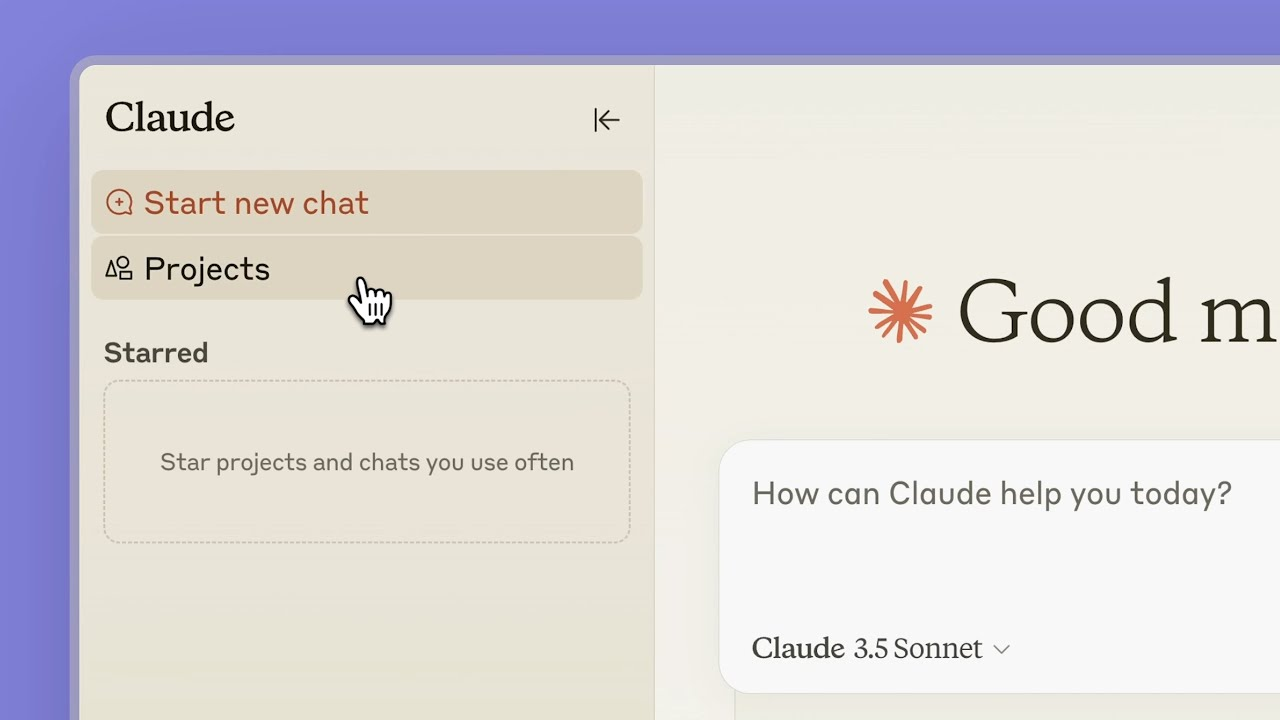
Before you write a single prompt, set up a Claude Project at claude.ai. This is where the real leverage is.
A Project lets you load persistent context that applies to every conversation inside it. Instead of re-explaining your ICP, offer, and messaging rules every time you open a new chat, Claude already knows them.
Here's what to load into your Project:
- ICP definition — job titles, company size, industry, pain points, what a bad month looks like for them
- Your offer — what you do, who you do it for, and the one outcome you deliver
- Messaging rules — word limits, forbidden phrases, tone guidelines, CTA format
That's it. Three inputs. Everything you generate from that Project will be grounded in this context without you having to restate it.
The Base System Prompt Structure
Before any outreach prompt, use this framework as your starting layer. Copy it into your Project instructions or paste it before each prompt if you're not using Projects:
You are a B2B outreach copywriter for [Company Name].
ICP: [Job title] at [Company type], typically [size], who struggles with [specific pain point].
Offer: We help [ICP] [achieve outcome] through [mechanism].
Tone: Peer-to-peer. Conversational. Direct. Not salesy.
Constraints: Max [X] words. No buzzwords. No passive voice. Single soft CTA at the end.
Forbidden phrases: "I hope this finds you well", "touch base", "circle back", "synergy", "leverage".
Give Claude a persona, give it rules, give it context. Everything else follows from there.
Claude Prompts for Cold Email Outreach

The Anatomy of a High-Converting Prompt
A weak cold email prompt looks like: "Write me a cold email about our sales software."
A strong one looks like this:
"You are a senior SDR writing to a VP of Sales at a 50-200 person B2B SaaS company. Our product reduces time-to-close by 30% by removing manual CRM data entry. Write a 75-word cold email that leads with a pain point — not a feature. Use one soft CTA: 'Worth a quick look?' No pitch in the first two sentences. No buzzwords."
The difference is constraints. Word limit, persona, forbidden openings, CTA format. The more specific you are, the more your output sounds like copy and less like content.
Copy-Paste Prompt Library for Cold Email
First-Touch Cold Email (Generic ICP)
Write a 70-word cold email from [Your Name] at [Company] to [ICP Title] at [ICP Company Type].
Lead with a problem they likely have: [specific pain].
Do not mention our product in the first two sentences.
Offer: [one-line description of what you do].
CTA: Soft ask — "Open to a quick exchange?"
No buzzwords. No passive voice. No "I hope this finds you well."
Trigger-Event Email (Hiring Signal, Funding, New Role)
Write a 75-word cold email referencing the fact that [Company] recently [trigger event — e.g., raised Series B / is hiring SDRs / just appointed a new VP Sales].
Use this as the hook — connect it to why our offer is timely right now.
Offer: [one-line].
CTA: "Worth a 15-minute call this week?"
Tone: Curious, not congratulatory. Peer-to-peer. Max 3 sentences before the CTA.
Competitor Displacement Email
Write a 70-word cold email for [ICP] who is likely using [Competitor].
Do not name the competitor explicitly. Instead, reference the common frustrations users have with that type of tool: [list 2 pain points].
Position our offer as the alternative.
CTA: "Happy to show you a side-by-side in 20 minutes."
Constraints: No feature-dumping. Lead with the pain. One CTA only.
Social Proof / Case Study Email
Write a 75-word cold email that leads with a customer result.
Result: [Client type] achieved [specific outcome] in [timeframe].
ICP: [job title] who cares about [relevant KPI].
Offer: [one-line].
CTA: "Want to see how we did it?"
Do not start with "I" or "We". Start with the result.
No adjectives like "incredible" or "massive". Just the numbers.
Problem-Led Cold Email
Write a 65-word cold email that opens with a problem statement — not a company intro.
Problem: [specific, observable pain the ICP experiences].
Position our offer as the fix in one sentence.
CTA: "Does this resonate? Happy to share how we've solved it."
Tone: Direct and empathetic. No enthusiasm. No exclamation marks.
Before/After: What the Right Prompt Actually Changes
Before (bad prompt output): "Hi [Name], I hope this message finds you well! I'm reaching out today because I think our innovative solution could be a great fit for your company. We help businesses like yours streamline their processes and improve efficiency. Would love to connect!"
After (structured prompt output): "Most VP Sales leaders we talk to are spending 6+ hours a week chasing pipeline data their CRM should be surfacing automatically. We fix that — [Company] syncs deal signals directly into your forecast in real time. Worth a quick look?"
Same tool. Completely different output. The prompt is everything.
🔥 Turn AI Prompts Into Real Pipeline
$312M pipeline generated across outbound channels. We handle targeting, copy & booking. You just close. Pay per meeting ready lead!
How to Use Claude to Write Cold Emails at Scale
Batch Personalization With Claude
One of Claude's most practical use cases for cold email at scale is generating unique first lines for a contact list. Here's the workflow:
- Pull your prospect list with enriched data — name, title, company, recent news, LinkedIn activity
- Paste 5–10 rows into Claude with this prompt:
Here is a list of B2B prospects. For each one, write a personalized opening line (max 20 words) that references something specific about them or their company.
Reference the data I've provided — do not invent details.
Tone: Casual, peer-to-peer. No flattery.
[Paste prospect data]
- Review, edit, export, and drop into your sequencer
This isn't full automation — it's supervised personalization at speed. You're reviewing every line before it goes out, which keeps quality high and avoids the AI-detection problem.
When to Use Claude Code vs. Claude.ai
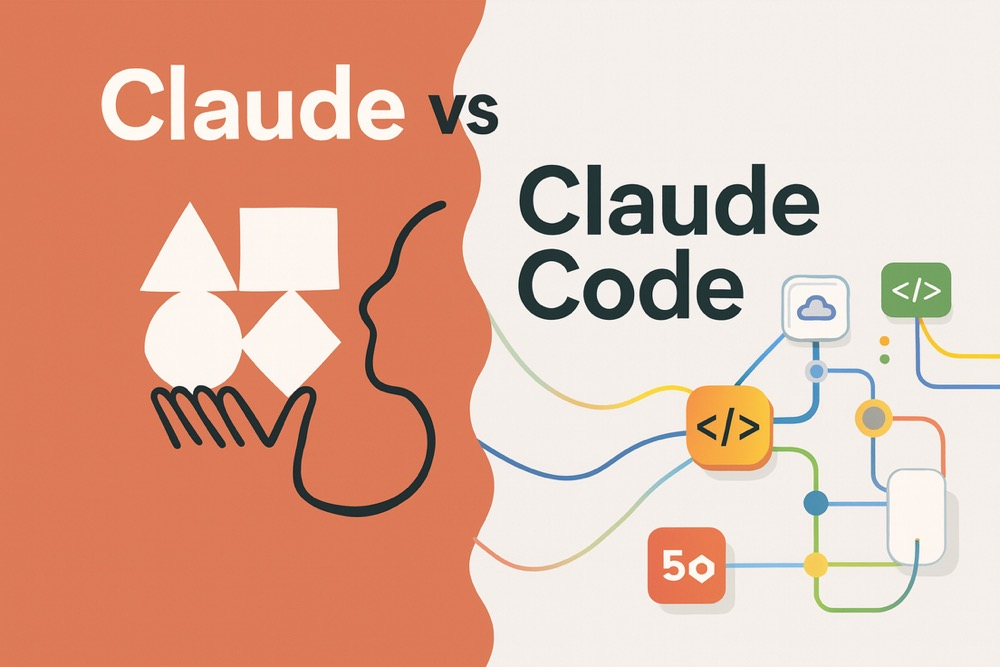
Claude.ai (the browser chat interface) is sufficient for 90% of cold outreach use cases: drafting emails, writing sequences, generating first lines, refining copy.
Claude Code is a command-line tool designed for developers who want to automate repetitive workflows. A basic Claude Code setup for cold email might look like this:
- Input: a CSV of prospects with enriched fields
- Process: Claude generates a personalized email per row using a template prompt
- Output: a new CSV with personalized email drafts ready for upload
This is genuinely powerful for agencies or large teams running high-volume outbound. But if you're not a developer — or don't have one on your team — stick with Claude.ai Projects. The output quality is identical; the automation layer is what Claude Code adds.
Connecting Claude Output to Your Sending Stack
Claude exports as plain text. Your workflow from there:
- Instantly or Smartlead: copy drafts into sequence steps, run inbox rotation
- Apollo: paste into sequence editor, use per-step variable fields
- Clay: combine Claude-generated first lines with Clay's enrichment columns before pushing to your sequencer
No API required for any of this. Claude produces the copy; your existing stack handles the sending.
Claude Prompts for LinkedIn Outreach
Why LinkedIn Requires a Different Approach
LinkedIn messages are not short emails. They live in a social context — someone has just accepted your connection request or seen your profile. The rules change completely.
The tone needs to drop a register. Shorter. More conversational. Less structured. A LinkedIn message that sounds like a cold email immediately reads as automated, and recipients are quick to disengage when messages feel templated or synthetic.
The connection request has a 300-character limit and should never pitch. The first message after connection should never pitch either. That's the rule — and it's also the most commonly broken one.
Copy-Paste Prompt Library for LinkedIn
Connection Request (No Pitch)
Write a LinkedIn connection request under 280 characters for [ICP Title] at [Company Type].
Context: I'm reaching out because [genuine reason — shared industry, relevant topic, their recent post/news].
Do not pitch anything. Do not mention our product.
Tone: Genuine and brief. End with a simple, open statement — not a question.
First Message After Connection (Warm Opener)
Write a LinkedIn first message (under 60 words) to [ICP Title] who just accepted my connection.
Do not pitch immediately.
Reference something relevant to their world — [industry challenge / recent company news / shared context].
End with a light, curiosity-driven question that's easy to answer.
No "I noticed your profile" openings. No exclamation marks.
Value-Add Follow-Up
Write a LinkedIn follow-up message (under 70 words) for a prospect who hasn't replied.
Add a new piece of value — reference [a relevant stat / insight / resource] that's genuinely useful to [ICP Title].
Do not re-pitch. Do not reference that they haven't replied.
Tone: Generous, no pressure. The message should stand alone as useful content.
Soft CTA Message
Write a LinkedIn message (under 65 words) moving a warm conversation toward a meeting.
Context: We've exchanged [X] messages. They've shown some interest in [topic].
Soft CTA: Offer a specific time or ask if they're open to a 15-minute call.
Do not say "pick a time that works for you" — make a specific suggestion.
No urgency language. Keep it casual.
Re-Engagement for Cold Connections
Write a LinkedIn re-engagement message (under 60 words) for a connection I made 3+ months ago with no conversation.
Reference something current — [relevant industry news / recent company development / new content].
Do not apologize for the delay. Do not reference the silence.
Just re-open naturally. Treat it like the first message.
Common LinkedIn Prompt Mistakes
The three most common errors SDRs make when prompting Claude for LinkedIn:
❌ Pitching too early. Asking Claude to "write a LinkedIn message that books a demo" when the connection was just made. That's the wrong job for message one.
❌ Over-personalizing with stale data. Feeding Claude an outdated job title or referencing a role the prospect left 8 months ago. Always verify prospect data before it goes into the prompt.
❌ Forgetting the character limit. Claude doesn't automatically know LinkedIn's connection request cap is 300 characters unless you tell it. Specify the limit every time.
Claude Prompts for Follow-Up Sequences
Why Most Follow-Ups Don't Work
The most common follow-up failure isn't timing — it's repetition. The best follow-up emails feel like replies, not reminders, and each step needs to bring something new to the conversation.
If your follow-up is essentially a shorter version of your first email with "Just following up" on top, Claude can't fix that. The prompt has to specify a new angle, a new insight, or a new hook.
Copy-Paste Follow-Up Prompt Library
Follow-Up #1: New Insight or Data Point
Write a follow-up email (50–60 words) to [ICP Title] who didn't respond to my first email about [offer].
This email should add a new piece of value — a relevant stat, industry trend, or insight they probably don't have.
Stat or insight to use: [provide it].
Do not reference the first email directly. Let this stand alone.
Soft CTA at the end.
Follow-Up #2: Shift the Angle (Pain → Opportunity)
My first email led with the problem [ICP] faces with [pain point].
Write a 55-word follow-up that flips the angle — focus on the opportunity they're missing, not the problem.
Frame it as: "Here's what [peers/competitors] are doing differently."
Tone: Curious and constructive. Not fear-mongering.
Single CTA: "Interesting angle for your team?"
Follow-Up #3: Social Proof / Mini Case Study
Write a 65-word follow-up email leading with a brief customer result.
Customer: [Company type similar to ICP] achieved [specific outcome] in [timeframe].
Connect this result to the exact pain point I've been referencing with this prospect.
CTA: "Happy to share the specifics in a quick call."
Do not start with "I". Start with the result.
Break-Up Email
Write a final "break-up" email (40–50 words) that closes the loop with a prospect who's gone quiet.
Tone: Light, no hard feelings, a small door left open.
Do not guilt-trip. Do not say "I'll never reach out again."
Leave one low-friction out: "If the timing changes, I'm easy to find."
Subject line suggestion: "Closing the loop"
How to Get Better Results from Claude: Prompt Mistakes to Avoid
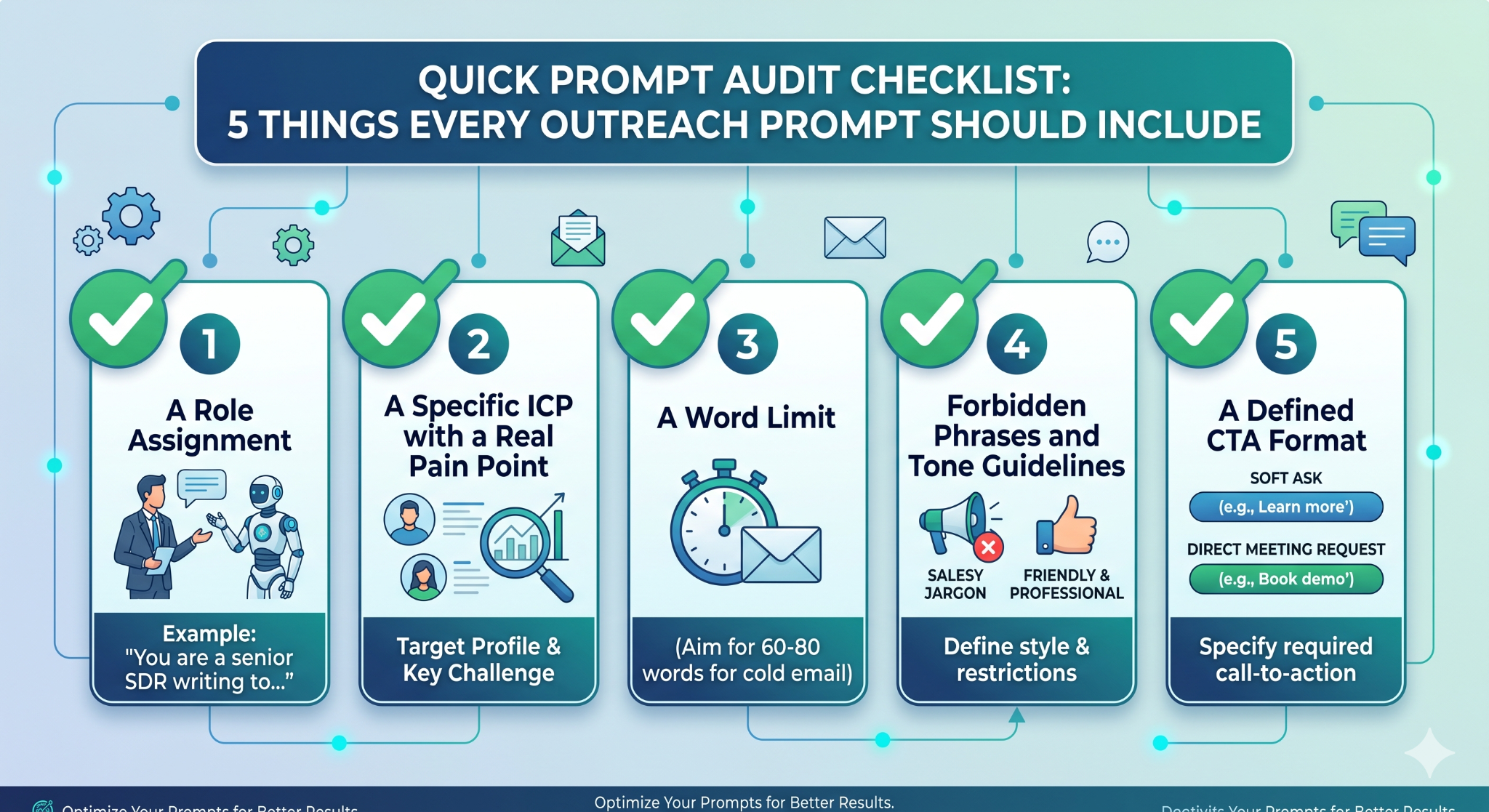
❌ Mistake #1: No Role or Persona Assignment
If you don't tell Claude who it's writing as, it defaults to a generic content-writer voice. Always assign a role: "You are a senior SDR writing to..." This single line changes the entire tone of the output.
❌ Mistake #2: Skipping the Constraints
No word limit + no forbidden phrases + no CTA format = bloated emails. Constraints aren't optional. They're the difference between a usable copy and a first draft that needs a full rewrite.
❌ Mistake #3: Vague ICP or Offer
"Write a cold email about our marketing tool for B2B companies" gives Claude almost nothing to work with. The output will be just as vague. Specificity in equals specificity out.
❌ Mistake #4: Outdated or Irrelevant Prospect Data
Feeding Claude a prospect's LinkedIn headline from 18 months ago, or referencing a funding round that happened two years back, creates personalization that reads as lazy. Verify data before it goes into the prompt.
❌ Mistake #5: Skipping the Human Review Pass
Claude is not your compliance officer. AI-generated copy can include factual errors, overstated claims, or phrasing that triggers spam filters. Always read the output before it goes into your sequencer. This isn't a step to automate away.
Quick Prompt Audit Checklist — 5 Things Every Outreach Prompt Should Include
How Cleverly Uses AI-Assisted Outreach to Book Qualified Meetings
Prompts alone can't fix bad strategies.
A well-worded email sent to the wrong ICP, from a poorly warmed domain, with no follow-up sequence behind it — still produces nothing. The copy is only one layer of a working outbound system. What sits underneath it — verified list quality, domain infrastructure, message testing, reply handling, ongoing optimization — is where most in-house teams get stuck.
At Cleverly, we combine AI-assisted copywriting with human-verified ICP targeting across our LinkedIn lead generation and cold email outreach services. Every campaign starts with a clean list built from multiple data sources, not a CSV export and a prayer.
What that looks like in practice:
- ICP alignment and list building before a single message is written.
- A/B tested messaging refined against real reply data, not assumptions.
- Reply management and handoffs so your sales team only touches qualified conversations.
- Full campaign infrastructure — domains, warmup, sequences — all managed for you.
We've generated $312M in pipeline and booked 53,000+ appointments across 10,000+ B2B clients. That's not prompt engineering — that's a full outbound system operating at scale.
Want outreach handled end-to-end so your team shows up to qualified meetings instead of building the system?
🔥 Book a free strategy call with Cleverly
Conclusion
Claude is one of the most capable tools available for writing cold outreach — but it rewards people who prompt with precision. The teams getting strong results aren't using different AI, they're using better inputs: tighter constraints, clearer ICPs, defined CTAs, and a human review pass before anything goes live.
Build your prompt library, test it against real reply data, and iterate. Start with one channel, prove the formula, then expand.
And if you want to skip the trial-and-error entirely — a lead generation agency that's already running these systems at scale will get you to the pipeline faster than months of in-house experimentation.
Frequently Asked Questions
Free Resource
How to Scale a Profitable Cold Call System
Get the complete guide — download it instantly now.

Free Ebook
Download the Free Guide
Enter your details to get instant access.
You're all set! 🎉
Your ebook is downloading now.
Click below if the download didn't start automatically.