Table of Contents
What Are Sales Intelligence Tools?
How to Evaluate the Best Sales Intelligence Tools for B2B
How We Evaluated These Sales Intelligence Tools
How to Test Sales Intelligence Data Accuracy Before You Buy
10 Best Sales Intelligence Tools for B2B Teams in 2026
How to Choose the Right Sales Intelligence Tool for Your Sales Motion
Sales Intelligence Tools vs Traditional Lead Databases
How B2B Teams Use Sales Intelligence Across the Funnel
How Cleverly Uses Sales Intelligence to Generate Qualified Meetings
Conclusion
Frequently Asked Questions
Modified On :
August 26, 2026
Key Takeaways
- Sales intelligence tools give you WHO to target, WHEN to reach out, and WHY they might care, not just contact info.
- Top tools vary by need: ZoomInfo for enterprise, Apollo for affordability, 6sense for ABM, LinkedIn Sales Navigator for social selling.
- Data accuracy matters more than headline database size. Test each provider against your target market before signing an annual contract.
- Intent signals and buying triggers boost reply rates 2-3x compared to cold database prospecting.
- AI powered sales intelligence tools are force multipliers that automate research but still require strong execution to close deals.
- Pair intelligence with multi-channel outreach (LinkedIn, email, phone) for best results - data alone doesn't book meetings
Sales intelligence tools help B2B teams identify suitable accounts, find decision-makers, detect buying signals, and understand why outreach may be relevant now.
The hard part is choosing a platform whose data performs well in your market. A vendor may advertise millions of contacts while providing weak coverage for your industries, regions, or job functions. Another may provide excellent intent data but require several additional tools before a rep can act on it.
This guide compares ten B2B sales intelligence tools by their primary use case, data strengths, workflow fit, and current pricing model. It also explains how to test accuracy with your own sample before committing to a contract.
What Are Sales Intelligence Tools?
Sales intelligence tools are platforms that give you real-time data and insights about your prospects and accounts before you even reach out.
Think of them like X-ray vision for sales. Instead of cold calling blind, you know who's hiring, which companies just raised funding, what tech they're using, and who the decision-makers are.
Here's What They Actually Do
Sales intelligence tools help you:
- Identify high-fit prospects based on firmographics, technographics, and buying signals.
- Prioritize which accounts to hit first based on intent and timing.
- Personalize your outreach with actual research, not generic templates.
How Sales Intelligence Differs From Databases, CRMs, and Sales Engagement Tools
The categories overlap, so define them by their primary job rather than by a rigid feature boundary.
A contact database helps you find people and companies. A CRM stores account history, ownership, activity, and pipeline. A sales engagement platform manages outreach sequences and rep activity. A B2B sales intelligence platform helps your team decide which accounts to pursue, who belongs in the buying group, what changed, and why outreach may be timely.
Many products now combine two or more of these functions. Apollo combines data with engagement. ZoomInfo combines company data, intent, enrichment, and workflow products. LinkedIn Sales Navigator combines network data, account research, relationship signals, and prospecting tools.
The useful question is not which label a vendor uses. It is whether the platform solves the specific research, data, prioritization, or workflow problem slowing down your sales team.
Where They Fit in Your Stack
Modern B2B sales intelligence tools sit between your research and execution. You use them to build target lists, find buying signals, then feed that intel into your LinkedIn outreach, cold email campaigns, and cold calling scripts.
Intelligence without action is just expensive data. Action without intelligence is just spam. You need both.
Also Check: Best Sales Productivity Tools for Modern B2B Sales Teams
🎯 Turn Better Sales Data Into Qualified Meetings
Cleverly combines precise targeting, human-reviewed campaign strategy, and multichannel outreach to start conversations with the accounts your team wants to reach.
How to Evaluate the Best Sales Intelligence Tools for B2B
Not all sales intelligence tools are created equal. We've tested dozens, and here's what actually matters when you're choosing one for your team.
Data Accuracy Beats Data Volume Every Time
You don't need 500 million contacts. You need the RIGHT contacts with phone numbers and emails that actually work.
The strongest platforms should provide:
- Clear verification statuses rather than one generic “verified” label
- The date each record was last checked
- Separate treatment for valid, catch-all, unknown, role-based, and invalid addresses
- Current employment and company-domain matching
- Source or confidence information that can be audited
- A suppression process for previously failed records
A database of 50 million accurate contacts destroys a database of 200 million outdated ones.
Coverage That Actually Helps You Sell

Look for B2B sales intelligence tools that give you:
- Firmographics: Company size, revenue, location, industry. The basics you need to qualify accounts.
- Technographics: What software they're using. If you sell to companies using Salesforce, you need to know who has Salesforce.
- Intent data: Which accounts are actively researching solutions like yours right now. This is gold.
Static data tells you who they are. Intent data tells you when they're ready to buy.
AI Signals vs Static Database Info
The newest AI powered sales intelligence tools use machine learning to surface:
- Job changes and promotions (warm outreach opportunities)
- Funding announcements and hiring sprees (expansion signals)
- Website visitor behavior (who's checking you out)
These signals give you a reason to reach out that isn't "just checking in."
Integration With Your Actual Workflow
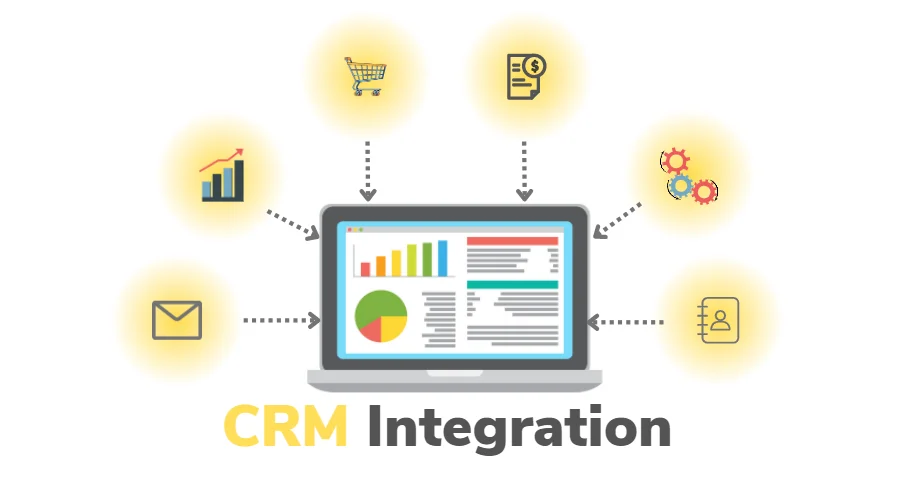
Your sales intelligence tools should plug directly into:
- Your CRM (Salesforce, HubSpot, Pipedrive)
- Your email sequencing platform
- Your LinkedIn automation or manual outreach process
If you have to export CSVs and manually upload them everywhere, you'll stop using the tool in two weeks.
Compliance and Data Freshness
This stuff isn't sexy, but it matters:
- GDPR and CCPA compliance: Especially if you're targeting EU or California accounts
- Data decay rates: B2B contact data goes stale at about 30% per year. How often does the tool refresh?
- Source transparency: Where is this data actually coming from?
Bottom line? The best sales intelligence tools give you accurate, actionable data that fits into how you already work. Everything else is noise.
Learn More: Best Lead Scoring Tools for B2B Sales Teams
How We Evaluated These Sales Intelligence Tools
A useful tool comparison needs more than feature lists and vendor-reported database sizes. Evaluate each platform against the sales motion it is expected to support.
Use these seven criteria:
1. Data Accuracy
Check whether the exported contact still works at the stated company and whether the email, phone number, title, and company domain are current. Keep separate accuracy rates for each field. A correct company record does not prove that its contact data is correct.
2. Coverage in the Target Market
Test the countries, industries, company sizes, and job functions your team actually targets. A provider can perform well for U.S. technology companies and poorly for Indian manufacturers, European professional-services firms, or small regional businesses.
3. Signal Quality
Confirm what each intent or trigger signal means, where it came from, when it occurred, and whether it identifies a person or only an account. A signal that cannot be explained to a sales rep is difficult to turn into responsible outreach.
This guide to B2B buying signals explains how to separate meaningful account changes from weak signals that do not justify outreach.
4. Workflow Fit
Review CRM connections, enrichment controls, duplicate handling, field mapping, ownership rules, suppression syncing, and sequence activation. A strong database can still create a messy workflow if reps depend on manual CSV transfers.
5. Compliance and Governance
Ask which sources the vendor uses, how it handles suppression and deletion requests, what regional controls are available, and whether administrators can restrict exports. A compliance badge does not remove the customer’s responsibility to use data lawfully.
6. Cost of Usable Data
Compare the total annual cost with the number of records your team can actually use. Include platform fees, seats, credits, phone-data charges, enrichment, implementation, and any separate engagement software.
7. Operational Results
Measure whether the platform improves valid-contact rate, research time, speed from signal to outreach, conversations, qualified meetings, and pipeline. Do not declare success because reps exported more contacts.
📈 From Intelligence to 53,000+ Booked Meetings
See how Cleverly turns account research and buying context into LinkedIn, cold email, and cold calling campaigns built to create qualified conversations.
How to Test Sales Intelligence Data Accuracy Before You Buy
Do not test a sales intelligence platform using ten familiar accounts selected by the vendor. Build your own sample from the market your sales team needs to reach.
Step 1: Create a Representative Sample
Select 100 to 200 contacts across your normal regions, industries, company sizes, departments, and seniority levels. Include difficult segments, not only large companies with extensive public information.
Step 2: Export the Same Fields From Each Provider
Compare like with like:
- Current employer
- Current job title
- Business email
- Direct dial or mobile number
- Company domain
- Employee range
- Industry
- Technology data
- Verification status
- Date last checked
Step 3: Validate Independently
Cross-check employment and company information against current public sources. Verify emails through a separate service and test a controlled batch. For phone data, have reps record whether the number connects to the intended person, another employee, a switchboard, or nobody.
Compare the export with independent email verification tools instead of accepting the provider’s status as final proof of deliverability.
Step 4: Score Each Field Separately
Do not collapse every result into one “accuracy” percentage. Report:
- Current employment match rate
- Valid business-email rate
- Intended-person phone connect rate
- Duplicate rate
- Missing-field rate
- Catch-all or unknown email rate
- Hard-bounce rate from the controlled send
- Correct firmographic-field rate
Step 5: Calculate Cost Per Usable Record
A cheaper subscription can become more expensive if much of the exported data is missing, stale, or outside the ICP.
Use this formula:
Cost per usable record = total platform cost ÷ records that are accurate, complete enough, and approved for the intended workflow
Run the same test again before renewal. Data products change, and a vendor that performed well last year may not remain the strongest provider for the same market.
10 Best Sales Intelligence Tools for B2B Teams in 2026
1. ZoomInfo
ZoomInfo is the heavyweight champion of B2B sales intelligence tools. If you're at an enterprise company or mid-market firm that needs serious data volume and accuracy, this is probably already on your radar.
It's pricey, but there's a reason it's the industry standard. The data is clean, the intent signals are legit, and the direct dials actually connect. We've seen teams cut prospecting time in half just by having access to verified mobile numbers and real-time buying signals.
Core Data Strengths:
- 260M+ contact profiles with 135M+ verified phone numbers (including direct dials and mobiles).
- Real-time intent data showing which companies are actively researching solutions.
- Deep technographic data on what software companies are using.
- Organizational charts and buying committee mapping.
- Automatic CRM enrichment and data hygiene.
Primary Ideal Place in the Sales Workflow:
Top of funnel prospecting and account research. Use ZoomInfo to build your target list, identify decision-makers, spot intent signals, then push that intel into your outreach campaigns (LinkedIn, email, cold calling). The Chrome extension makes it easy to grab contact info while you're researching accounts.
Best For:
- SDRs: High-volume prospecting with verified contacts
- AEs: Deep account research and buying committee mapping
- RevOps/Marketing: ABM strategy and CRM data enrichment
- Mid-market to Enterprise teams with serious pipeline goals
Pricing:
ZoomInfo doesn't publish pricing (you have to talk to sales). Expect:
- Professional: ~$15K–$18K/year for small teams
- Advanced: ~$25K+/year with intent data and more credits
- Elite: ~$40K+/year for the full suite
Not cheap, but the ROI shows up fast if you're actually using it.
2. Apollo.io
Apollo.io is the Swiss Army knife of sales intelligence tools. It combines a massive contact database, email sequencing, calling, and AI writing all in one platform. No more paying for three different tools.
We see a lot of startups and SMBs using Apollo because it's affordable and actually gets the job done. The data quality isn't quite ZoomInfo level, but for most teams, it's more than good enough. Plus, the Chrome extension makes LinkedIn prospecting stupid simple.
Core Data Strengths:
- 275M+ contacts and 73M+ companies with verified emails and direct dials.
- Buyer intent signals to find accounts actively searching for solutions.
- 65+ filters including technographics, job changes, and buying committees
- Waterfall enrichment that pulls from multiple sources for accuracy
- LinkedIn Chrome extension for instant data capture
Primary Ideal Place in the Sales Workflow:
Prospecting and multi-channel outreach. Build your list in Apollo, enrich contacts, then launch sequences that hit prospects via email, LinkedIn, and phone. Everything syncs back to your CRM automatically. It's your entire top-of-funnel engine in one tool.
Best For:
- SDRs: High-volume list building and automated outreach
- AEs: Managing their own pipeline without waiting on marketing
- RevOps: CRM enrichment and data cleansing
- Startups/SMBs looking to replace multiple expensive tools with one platform
Pricing:
Apollo pricing is straightforward (billed annually):
- Free: Limited credits, good for testing
- Basic: $49/user/month with 5K yearly credits
- Professional: $79/user/month with 10K credits, dialer, and AI writing
- Organization: $119/user/month with 15K credits and advanced features
Way more affordable than enterprise tools, especially if you're bootstrapped.
3. LinkedIn Sales Navigator
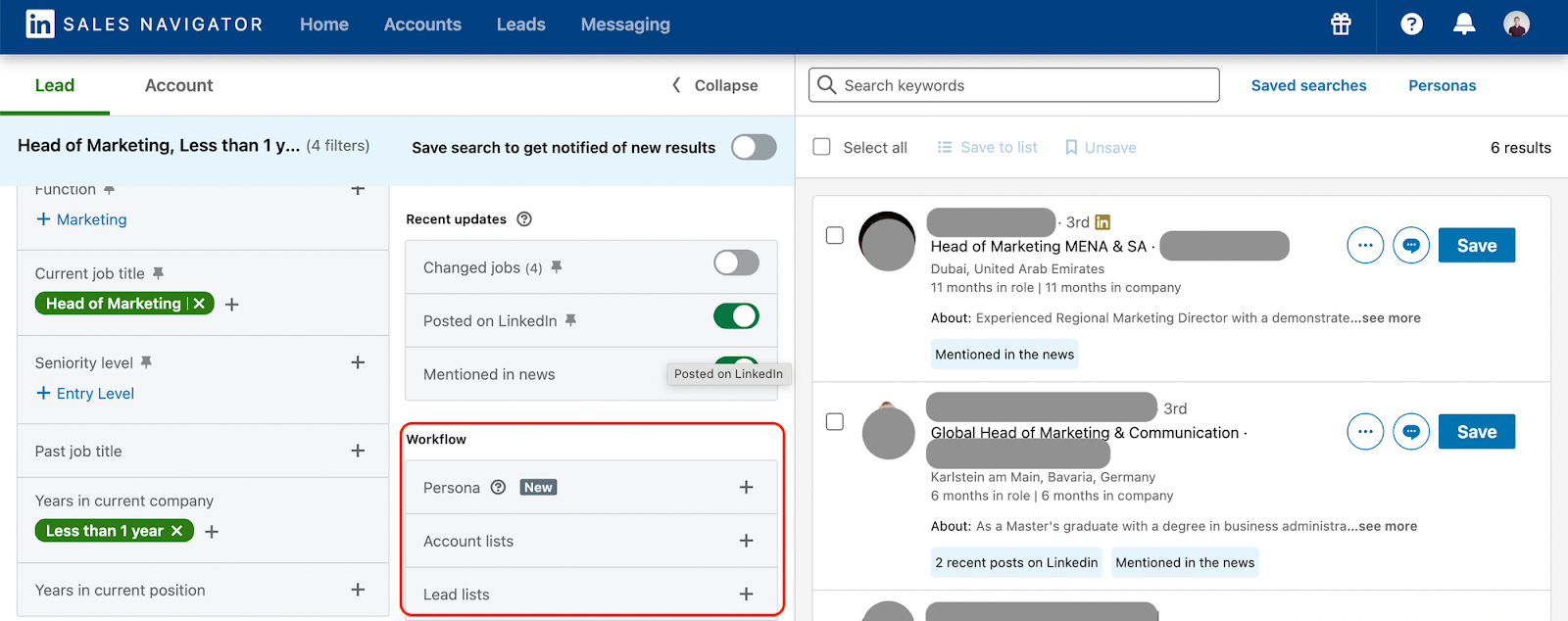
LinkedIn Sales Navigator isn't just another sales intelligence tool. It's built on top of LinkedIn's 1 billion+ member network, which means the data comes straight from the source (people updating their own profiles). No scraped, stale contact info here.
The real power is in the behavioral signals and timing. You get alerts when prospects change jobs, post content, or check out your LinkedIn profile. That's your window to reach out when you're actually relevant, not just another cold message in their inbox.
Core Data Strengths:
- Real-time job change alerts (catch decision-makers during transitions)
- Self-reported, verified data updated directly by users
- 50+ advanced search filters (seniority, company growth, tech stack)
- Behavioral intent signals (who's engaging with your content or visiting your profile)
- TeamLink relationship mapping to find warm introductions through your network
- AI-powered Account IQ with instant company news and pain point summaries
Primary Ideal Place in the Sales Workflow:
Prospecting, account mapping, and warm outreach. Use Sales Navigator to build laser-focused target lists, map buying committees, spot engagement signals, then reach out via InMail or connection requests. Layer this intel into your LinkedIn outreach strategy or export leads to your CRM for multi-channel campaigns.
Best For
- SDRs: Finding and engaging decision-makers with personalized context
- AEs: Multi-threading accounts and identifying warm moments to reach out
- Account Managers: Tracking client changes for upsell/cross-sell opportunities
- RevOps: Managing territories and measuring social selling effectiveness
Pricing
LinkedIn Sales Navigator pricing (monthly):
- Core: $119.99/month for individuals, 50 InMails/month
- Advanced: $159.99/month with TeamLink and Account IQ
- Advanced Plus: Custom pricing for enterprise CRM integrations
Worth it if LinkedIn is a core channel for your outreach strategy.
4. Cognism

Cognism is the go-to sales intelligence tool if you're selling in Europe or running serious cold calling campaigns. Their Diamond Data® (human-verified mobile numbers) gives you 3x better connect rates than standard databases.
What sets Cognism apart is compliance. If you're worried about GDPR, CCPA, or getting slapped with DNC violations, they've got you covered. They scrub data against 13 international Do-Not-Call lists automatically. That's huge for enterprise teams that can't afford legal headaches.
Core Data Strengths:
- Diamond Data® with human-verified direct dial mobile numbers for higher connect rates.
- Best-in-class EMEA coverage (UK, Europe, Middle East).
- Strict GDPR and CCPA compliance with DNC list checking.
- Bombora intent data integration to find in-market accounts.
- Real-time CRM enrichment to keep Salesforce and HubSpot clean.
Primary Ideal Place in the Sales Workflow:
Cold calling and account-based prospecting. Use Cognism to build lists of verified mobile numbers, spot intent signals, then hit prospects with targeted calls when they're actually researching solutions. The Chrome extension works on LinkedIn for instant contact capture. Perfect for teams that live on the phone.
Best For:
- SDRs: Cold calling teams that need verified direct dials
- Mid-market to Enterprise sales orgs with compliance requirements
- RevOps: Maintaining data hygiene across CRM systems
- EMEA and global sellers targeting European markets
Pricing:
Cognism uses custom annual contracts (no self-service):
- Typically starts around $15K–$25K+/year
- Split into Grow (essential data) and Elevate (advanced features + intent)
Not cheap, but the data quality and compliance make it worth it for serious sales teams.
5. HubSpot Breeze Intelligence, Built With Clearbit Data
HubSpot acquired Clearbit and incorporated its B2B data capabilities into the HubSpot platform. Breeze Intelligence is now the more relevant option for teams that want data enrichment and buyer-intent information inside HubSpot rather than another standalone prospecting database.
Core Data Strengths:
- Contact and company record enrichment inside HubSpot
- Firmographic, demographic, and technographic attributes
- Automatic enrichment of existing CRM records
- Buyer-intent signals based on company website activity
- Form shortening using known contact and company data
- Native connection with HubSpot scoring, routing, reporting, and workflow tools
HubSpot explains that Breeze Intelligence provides company phone numbers but does not sell contact email addresses or contact phone numbers. It is therefore better suited to enriching known records and identifying company-level interest than building a cold prospect list from scratch.
Best For:
- HubSpot customers with incomplete CRM records
- Revenue operations teams that want automated enrichment
- Marketing teams using website activity for account prioritization
- Companies that want intelligence inside their existing CRM workflow
Pricing
Breeze Intelligence and advanced data features use HubSpot’s current subscription and credit structure.
6. Demandbase
Demandbase is the heavyweight B2B sales intelligence tool for teams running serious account-based strategies. This isn't just a contact database. It's an AI-powered engine that tells you which accounts are in-market right now and what they're researching.
The intent data here is next level. Demandbase pulls from 3 million+ websites to track buying behavior, then shows you exactly which companies are actively looking for solutions like yours. No more wasting time on cold accounts.
Core Data Strengths:
- Triangulated intent data combining first-party, third-party, and bidstream signals from 3M+ websites.
- Account identification that reveals anonymous website visitors and their behavior.
- Deep technographic data covering 34,000+ technologies.
- Buying group intelligence that maps decision-makers and influencers.
- AI-powered predictive scoring to prioritize accounts most likely to close.
Primary Ideal Place in the Sales Workflow:
Account-based prospecting and prioritization. Demandbase identifies which target accounts are showing buying intent, then helps you map the buying committee and coordinate multi-channel campaigns (ads, email, sales outreach). Perfect for aligning sales and marketing around high-value accounts.
Best For:
- SDRs: Prioritizing hot accounts and personalizing outreach with intent signals
- AEs: Managing key accounts and tracking competitor engagement
- Marketing/Demand Gen: Orchestrating ABM campaigns and measuring pipeline impact
- RevOps: Aligning sales and marketing on target account strategy
Pricing:
Demandbase is enterprise-grade with custom annual contracts:
- Base pricing typically $45K–$60K+
- Total costs often reach $100K–$250K+ depending on modules and company size
This is for serious ABM teams with budgets to match. Not a tool for startups.
7. LeadIQ
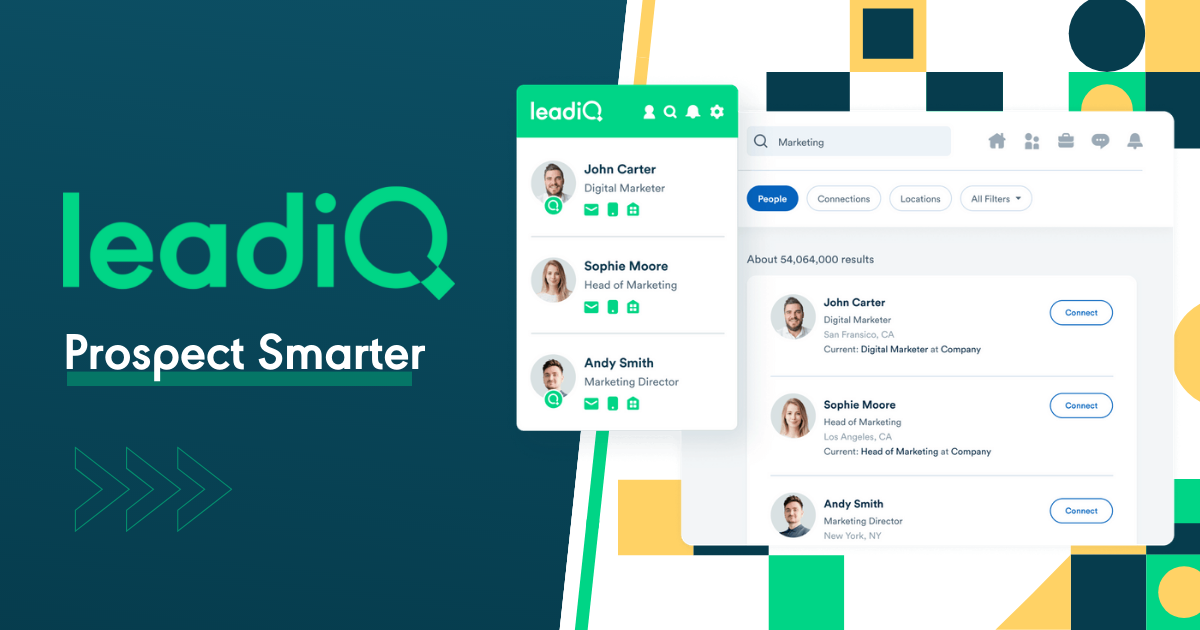
LeadIQ is the speed demon of sales intelligence tools. It's built for one thing: getting prospect data from LinkedIn into your CRM as fast as humanly possible. One click, and you've got verified emails and phone numbers ready to go.
The Chrome extension is stupid simple to use. You're scrolling LinkedIn, you see a good prospect, you click the LeadIQ button, and boom - contact info is in Salesforce or HubSpot. No more copy-pasting between 17 browser tabs.
Core Data Strengths:
- Waterfall email enrichment that pulls from multiple sources for accuracy.
- Direct LinkedIn and Sales Navigator integration for instant data capture.
- Real-time contact verification to keep bounce rates low.
- Job change tracking alerts when past champions move to new companies.
- Scribe AI that generates personalized email copy based on prospect data.
Primary Ideal Place in the Sales Workflow:
Top-of-funnel lead capture. Use LeadIQ while you're prospecting on LinkedIn to instantly grab contact info and push it into your CRM or sequencing tool (Outreach, Salesloft, Apollo). It eliminates the manual data entry that kills SDR productivity.
Best For:
- SDRs: High-volume prospecting without manual data entry
- Mid-market sales teams looking to speed up list building
- AEs: Tracking key contacts as they move between companies
- Sales Ops: Maintaining CRM data hygiene through auto-sync
Pricing:
LeadIQ pricing (monthly estimates):
- Free: 50 verified emails/month for testing
- Essential: ~$36–$45/user/month with limited credits
- Pro: ~$79/user/month with higher volume and AI features
- Enterprise: Custom pricing for unlimited prospecting
Affordable for most teams, especially compared to enterprise platforms.
8. Seamless.ai
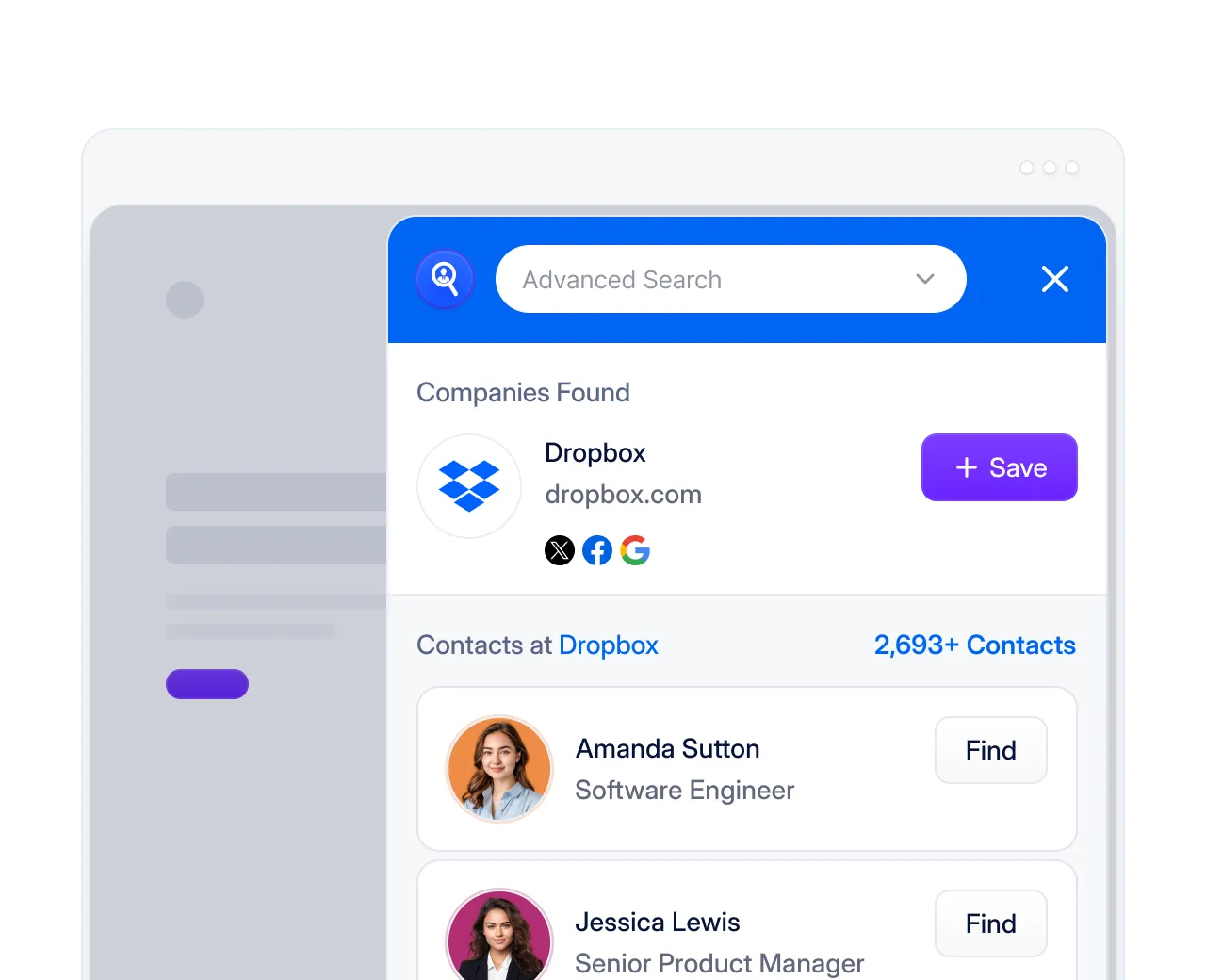
Seamless.ai is the real-time hunter of sales intelligence tools. Instead of pulling from a static database, it searches and verifies contact info on the spot. That means you're getting fresh data, not something that's been sitting around for six months.
The big win here is mobile numbers. 414 million+ cell phone numbers means you're actually reaching decision-makers, not their gatekeeper's desk phone. For cold calling teams, that's the difference between 2% and 10% connect rates.
Core Data Strengths:
- Real-time data generation (not static, outdated databases)
- 414M+ verified mobile numbers for direct access to decision-makers
- 1.8 billion+ validated business emails and direct dials
- One-click LinkedIn Chrome extension for instant contact capture
- Pitch Intelligence with personalized prospect insights
- Intent data showing companies actively searching for solutions
Primary Ideal Place in the Sales Workflow:
List building and CRM enrichment for outbound campaigns. Use Seamless.AI to build fresh prospect lists with verified mobiles and emails, enrich incomplete CRM records, then feed those contacts into your cold calling and email sequences. The real-time verification means fewer bounces and dead numbers.
Best For:
- SDRs: Rapid list building for high-volume cold calling and emailing
- AEs: Finding decision-makers and mapping buying committees
- RevOps: Filling data gaps in CRM for better reporting
- Sales teams that need to scale prospecting fast
Pricing
Seamless.ai pricing (billed annually):
- Free Trial: 50 lifetime credits to test it out
- Basic: ~$147/month for ~250 credits/month
- Pro: Custom pricing, typically requires 5+ users, ~1K daily credits
Solid option for teams that need fresh data without enterprise budgets.
9. 6sense
6sense is the mind reader of AI-powered sales intelligence tools. It tracks over a trillion buying signals every month to tell you which accounts are researching solutions right now—even when they're browsing anonymously.
This is what separates good ABM from great ABM. 6sense uncovers "dark funnel" activity (all the research happening before someone fills out a form) and tells you exactly what stage of the buying journey each account is in. You're not guessing. You know.
Core Data Strengths:
- 1 trillion+ monthly intent signals tracking keyword searches, web visits, and ad engagement.
- Anonymous visitor identification that matches website traffic to specific accounts.
- Predictive AI that scores accounts by buying stage (Awareness, Consideration, Decision).
- Technographic insights showing what software target accounts are using.
- Buying committee mapping to identify all stakeholders in the deal.
Primary Ideal Place in the Sales Workflow:
Account prioritization and early-stage engagement. 6sense sits at the top of your funnel identifying which accounts are in-market before they even contact you. SDRs focus on "surging" accounts showing high intent, while AEs use it to spot expansion opportunities in existing customers and accelerate stalled deals.
Best For:
- SDRs: Prioritizing outbound based on actual buying signals, not cold guesses
- AEs: Identifying upsell/cross-sell opportunities and deal acceleration
- RevOps/Marketing Ops: Running sophisticated ABM campaigns with intent data
- Mid-market to Enterprise with complex, multi-stakeholder sales cycles
Pricing:
6sense is enterprise-grade with credit-based custom pricing:
- Typically $50K+/year with 2-year commitments
- Free tier with 50 credits/month for testing
This is for serious revenue teams with ABM budgets to match.
10. Lusha
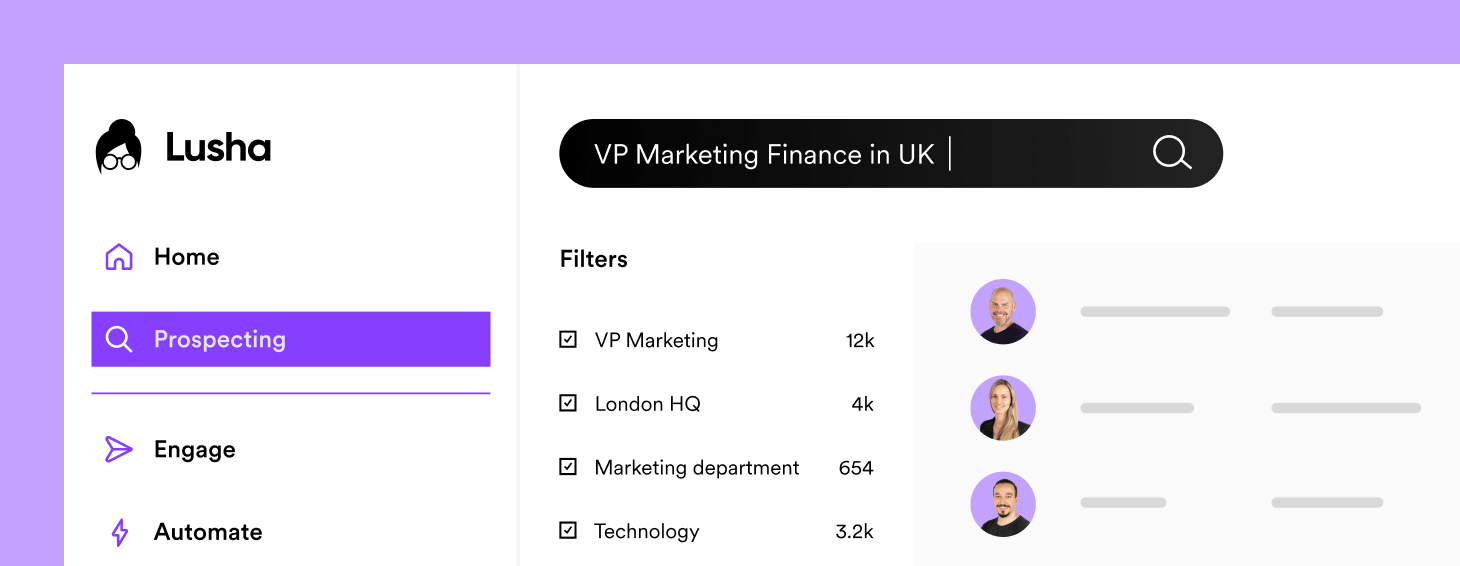
Lusha is the scrappy underdog of sales intelligence tools that punches way above its weight. It's simple, fast, and ridiculously good at one thing: getting you verified direct dials and mobile numbers so you can actually reach decision-makers.
No bloated features. No complicated dashboards. Just a Chrome extension that gives you contact info in seconds while you're browsing LinkedIn. For teams that need clean data without the enterprise price tag, Lusha delivers.
Core Data Strengths:
- High-accuracy direct dials and mobile numbers (bypassing gatekeepers).
- Verified business emails with strong deliverability rates.
- Real-time CRM enrichment that auto-updates job titles and company data.
- 300M+ profiles with intent, technographic, and firmographic filtering.
- GDPR and CCPA compliant data sourcing.
Primary Ideal Place in the Sales Workflow:
Fast prospecting and CRM enrichment. Use the Lusha Chrome extension while researching on LinkedIn to grab contact info instantly, push it to your CRM, then hit prospects with calls and emails. Perfect for phone-first teams that need to move fast without getting bogged down in complex tools.
Best For:
- SDRs: Rapid prospecting with verified contact data
- AEs: Finding decision-makers for account-based outreach
- RevOps: Automated CRM data cleaning and enrichment
- Recruiters looking for candidate contact info
Pricing:
Lusha keeps it simple (monthly pricing):
- Free: ~5 credits/month for testing
- Pro: ~$39/user/month for small teams
- Premium: ~$59–$79/user/month with more credits and integrations
- Scale: Custom pricing for larger teams with unlimited access
Affordable entry point for startups and SMBs that need reliable data now.
More Tools: Best Prospecting Tools for B2B Sales Teams (Free & Paid)
How to Choose the Right Sales Intelligence Tool for Your Sales Motion
Start with the sales constraint, not the feature list.
Choose a Contact-Data Platform When:
- Reps cannot find valid emails or direct dials
- Existing records are missing essential fields
- List building takes too much manual research
- Data quality varies sharply between markets
Choose an Intent or ABM Platform When:
- The target-account list is already defined
- Reps need help prioritizing accounts
- Sales and marketing need a shared account view
- The company has enough traffic and engagement data to interpret signals
If intent data feeds prioritization, define the B2B lead scoring rules before allowing the platform to route accounts automatically.
Choose a LinkedIn-Centered Tool When:
- LinkedIn is the primary prospecting channel
- Current roles and job changes matter
- Relationship paths support the sales process
- Reps need faster account and stakeholder research
Choose an Enrichment Platform When:
- The CRM already contains useful leads and accounts
- Records are incomplete or inconsistent
- Routing and scoring depend on missing fields
- Operations wants to update data without repeated manual research
Use lead enrichment when the CRM already contains useful records but lacks the firmographic, employment, or routing data needed to act on them.
Choose an All-in-One Intelligence and Engagement Platform When:
- A small team wants fewer tools
- Reps need data, sequencing, calling, and task management together
- The team accepts less specialization in exchange for simpler administration
Choose Conversation Intelligence When:
- The problem begins after prospects agree to speak
- Managers need call review, coaching, and deal-risk information
- The team has enough conversations to identify repeatable patterns
Shortlist no more than three vendors. Run the same data sample and workflow through each one, then compare usable records, rep time saved, adoption, and downstream sales outcomes.
If the bottleneck is execution rather than research, compare these sales prospecting tools before adding another data subscription.
Sales Intelligence Tools vs Traditional Lead Databases
One truth most sales teams learn the hard way: having a contact's email doesn't mean they're ready to buy.
👉 Traditional lead databases (Apollo, ZoomInfo's contact lists) give you names, titles, emails, and phone numbers. That's it. You're essentially flying blind, hoping your timing is right.
👉 Sales intelligence tools tell you WHO to call, WHEN to call them, and WHY they might actually care.

Why Databases Alone Fail to Predict Readiness
A static database shows you that Sarah is VP of Sales at Acme Corp. Cool. But it doesn't tell you:
- Acme just laid off 15% of their sales team (hiring freeze signal)
- They're actively researching sales engagement platforms (buying intent)
- Sarah posted on LinkedIn about pipeline problems last week (pain point identified)
- They use Salesforce but not Outreach (gap in their stack)
Without this context, you're just another cold email in an inbox full of cold emails.
The Role of Intent, Timing, and Context
Sales intelligence tools layer in the signals that matter:
- Intent data shows which accounts are actively researching solutions like yours right now. Not last quarter. Right now.
- Timing triggers alert you when prospects change jobs, get promoted, raise funding, or hit other moments when they're open to conversations.
- Context gives you technographic data, company news, and buying committee maps so your outreach is relevant, not generic.
This is why B2B sales intelligence tools consistently deliver 2-3x higher reply rates and meeting conversion than pure database prospecting.
How Sales Intelligence Improves Reply and Meeting Rates
We've seen this at Cleverly working with thousands of sales teams:
👉 Database-only outreach: "Hi Sarah, I saw you're VP of Sales at Acme. Want to chat about our platform?"
👉 Intelligence-powered outreach: "Hi Sarah, saw Acme is hiring 5 new AEs this quarter. Most teams scaling that fast hit pipeline visibility issues. We helped [similar company] solve this with..."
One is spam. One gets replies.
The data backs it up. Teams using sales intelligence tools see:
- 40-60% higher email open rates (better targeting)
- 2-3x more meeting bookings (relevant timing)
- Shorter sales cycles (engaging in-market buyers)
When a Database Is Enough (And When It Isn't)
A database alone works fine if:
- You're doing high-volume, spray-and-pray outreach
- Your product has universal appeal (everyone needs it)
- You're just starting out and need cheap contact data fast
You need sales intelligence when:
- You're selling complex, high-ticket B2B solutions
- Timing matters (your product solves pain points that come and go)
- You're running account-based strategies targeting specific companies
- Your reply rates are garbage and you're burning through leads
Bottom line: Databases give you the phone book. Sales intelligence tools tell you who's actually looking to buy. That's the difference between wasting time and closing deals.
Explore Further: Top Data Enrichment Tools to Boost Lead Generation
How B2B Teams Use Sales Intelligence Across the Funnel
Sales intelligence tools aren't just for finding emails. The best teams use them across the entire buyer journey to work smarter, not harder.
Here's how AI powered sales intelligence tools actually get deployed in high-performing B2B orgs.
ICP Refinement and Account Prioritization
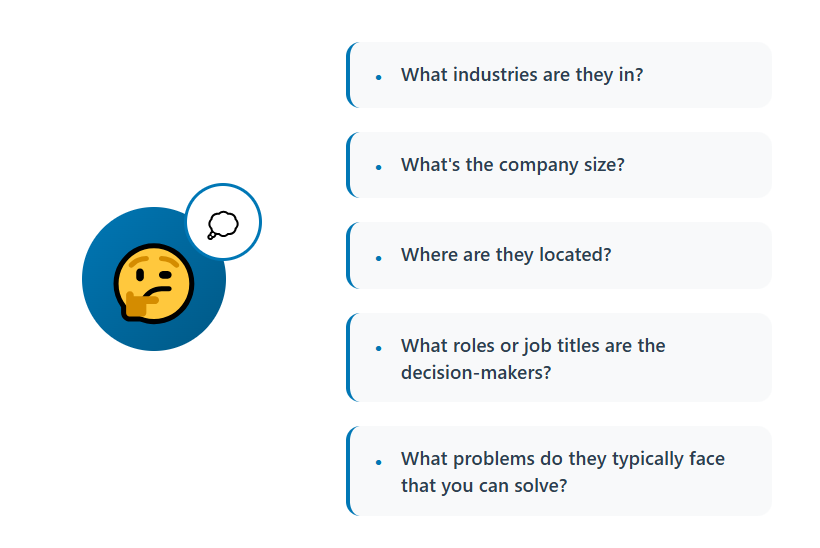
Your ICP isn't static. It evolves as you close deals and learn what actually converts.
AI powered sales intelligence tools help you:
- Analyze closed-won deals to find common patterns (tech stack, company size, funding stage)
- Build lookalike audiences based on your best customers
- Score accounts by fit AND intent (not just one or the other)
- Focus SDR time on accounts actually showing buying signals
Instead of working 500 mediocre accounts, you're working 50 accounts that are ready to buy. That's how you hit quota without burning out your team.
Buying Committee Mapping
The days of selling to one person are over. B2B deals involve 6-10 stakeholders on average.
B2B sales intelligence tools show you:
- Who the economic buyer is (signs the contract)
- Who the technical buyer is (evaluates the product)
- Who the champions are (internal advocates)
- How they're connected on LinkedIn (warm intro paths)
You're not just emailing the VP of Sales anymore. You're multi-threading across Finance, Ops, and IT with personalized messages for each persona.
Personalization at Scale
Generic outreach is dead. But researching every prospect manually doesn't scale.
This is where AI powered sales intelligence tools shine:
- Auto-generate personalized email openers based on recent news, job changes, or posted content.
- Reference specific pain points based on the prospect's tech stack.
- Customize messaging by buying stage (awareness vs decision-ready).
- Use AI to write relevant outreach without spending 20 minutes per email.
You get the conversion rates of hyper-personalized outreach with the volume of automated sequences.
Trigger-Based Outbound Campaigns
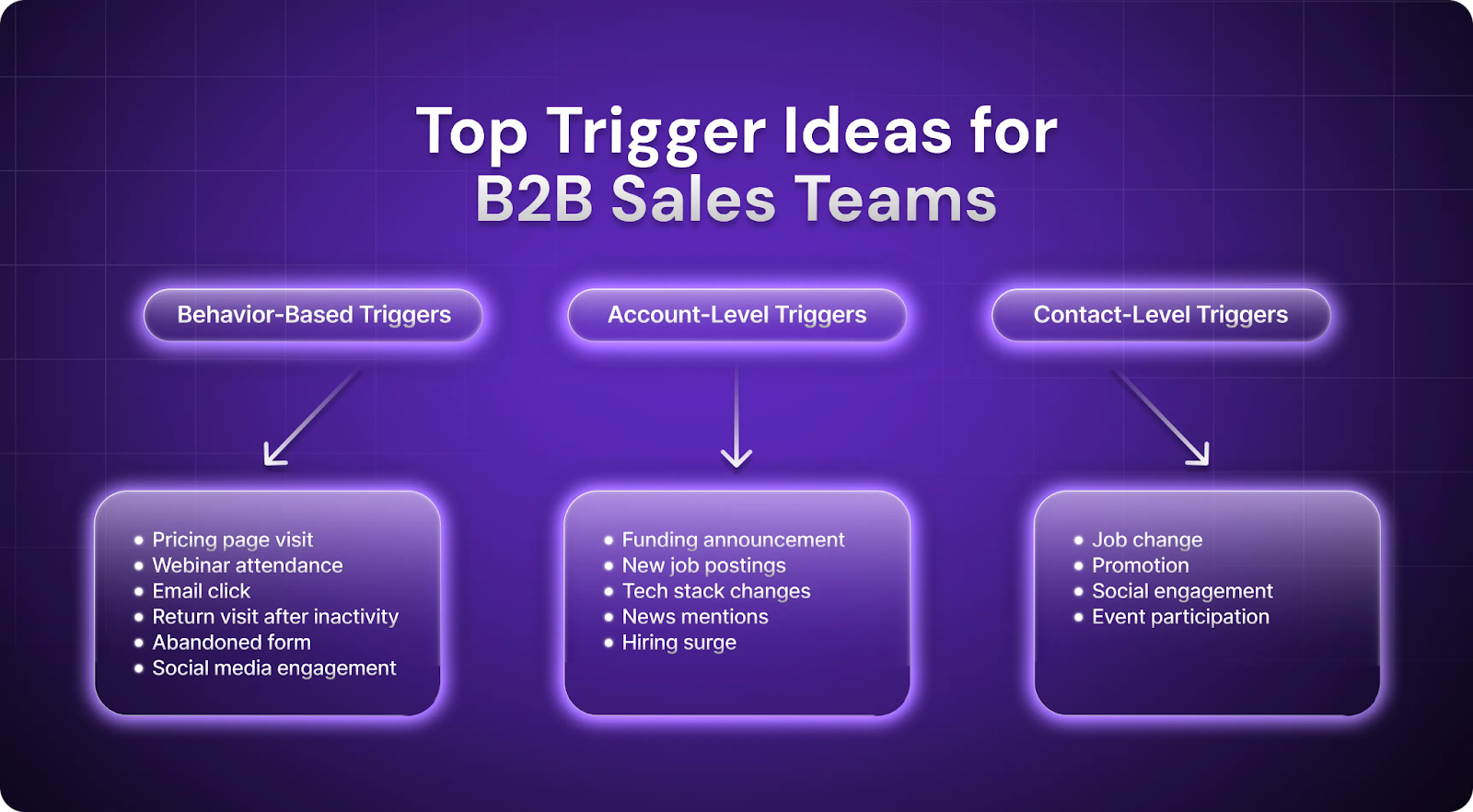
The best outreach happens when prospects are in motion. Sales intelligence tools alert you to moments that matter:
- Hiring sprees: Company posts 10 new sales roles (they're scaling, need tools)
- Funding rounds: Just raised Series B (budget unlocked, building teams)
- Job changes: Your champion moved to a new company (warm door opener)
- Tech changes: Switched from Competitor A to Competitor B (open to new vendors)
These triggers give you a legitimate reason to reach out that isn't "just checking in." Your reply rates go through the roof.
Sales and Marketing Alignment
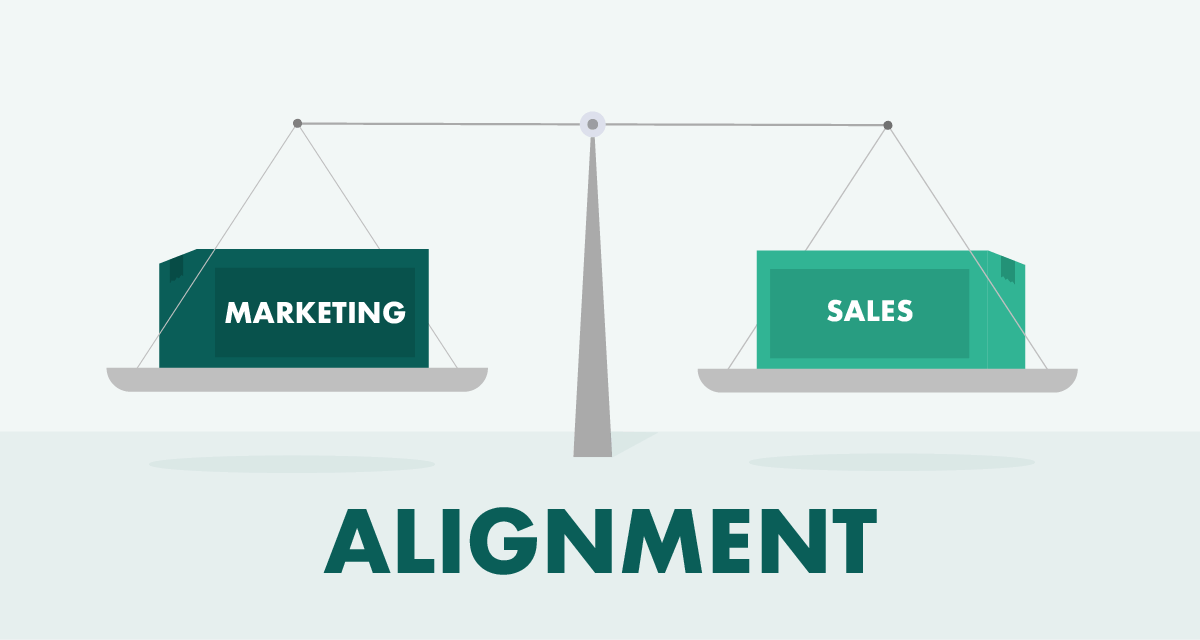
B2B sales intelligence tools finally give sales and marketing a shared source of truth.
Marketing uses intent data to:
- Run targeted ads to accounts showing buying signals
- Create content addressing topics prospects are researching
- Score and route leads based on engagement + intent
Sales uses the same data to:
- Prioritize accounts marketing has warmed up
- Time outreach when accounts hit decision stage
- Provide feedback on which accounts actually convert
No more finger-pointing about lead quality. Both teams are looking at the same accounts, same signals, same priority list.
When sales and marketing actually work together using AI powered sales intelligence tools, pipeline doesn't just grow. It explodes.
How Cleverly Uses Sales Intelligence to Generate Qualified Meetings
The problem with sales intelligence tools: they give you data, then leave you to figure out execution.
At Cleverly, we're a lead generation agency that does both. Intelligence + outbound execution = qualified meetings.
How We Layer Intelligence Into Outbound
Data + Intent + Human Research
- We use tools like ZoomInfo and Apollo to build your target list
- Our team validates every contact and identifies buying signals
- Hiring sprees, funding rounds, job changes, tech stack gaps
Multi-Channel Execution
- LinkedIn: Personalized outreach based on prospect activity
- Cold Email: Trigger-based campaigns referencing real company events
- Cold Calling: Trained SDRs hitting verified mobile numbers
Why Intelligence Without Execution Fails
Perfect data means nothing if your outreach is generic.
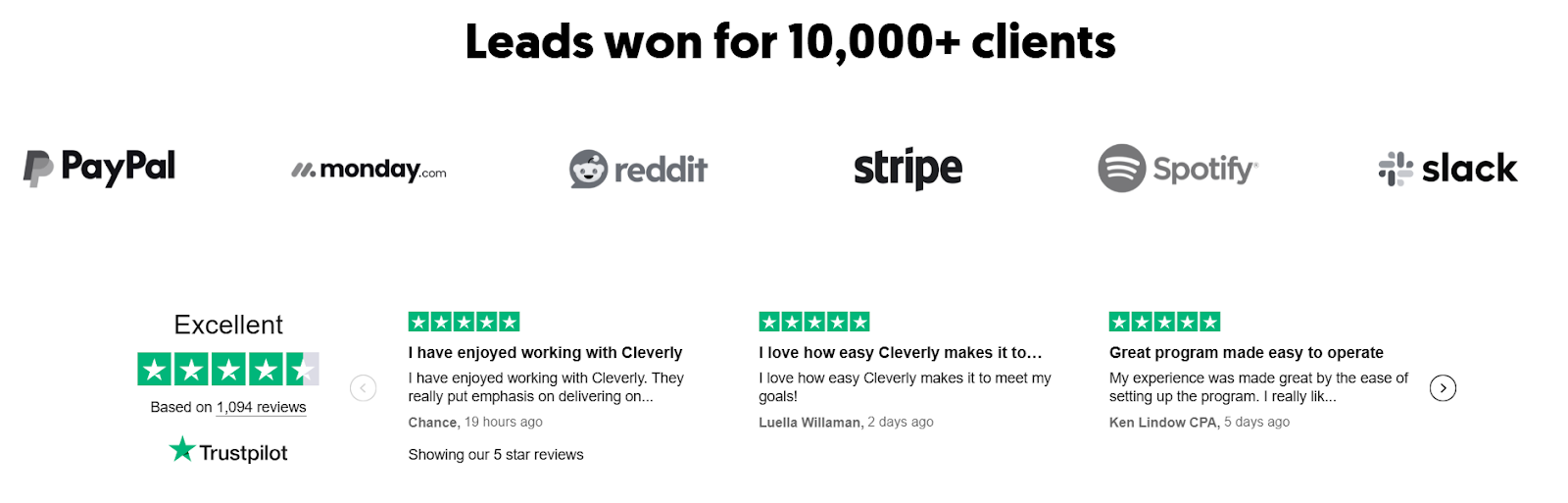
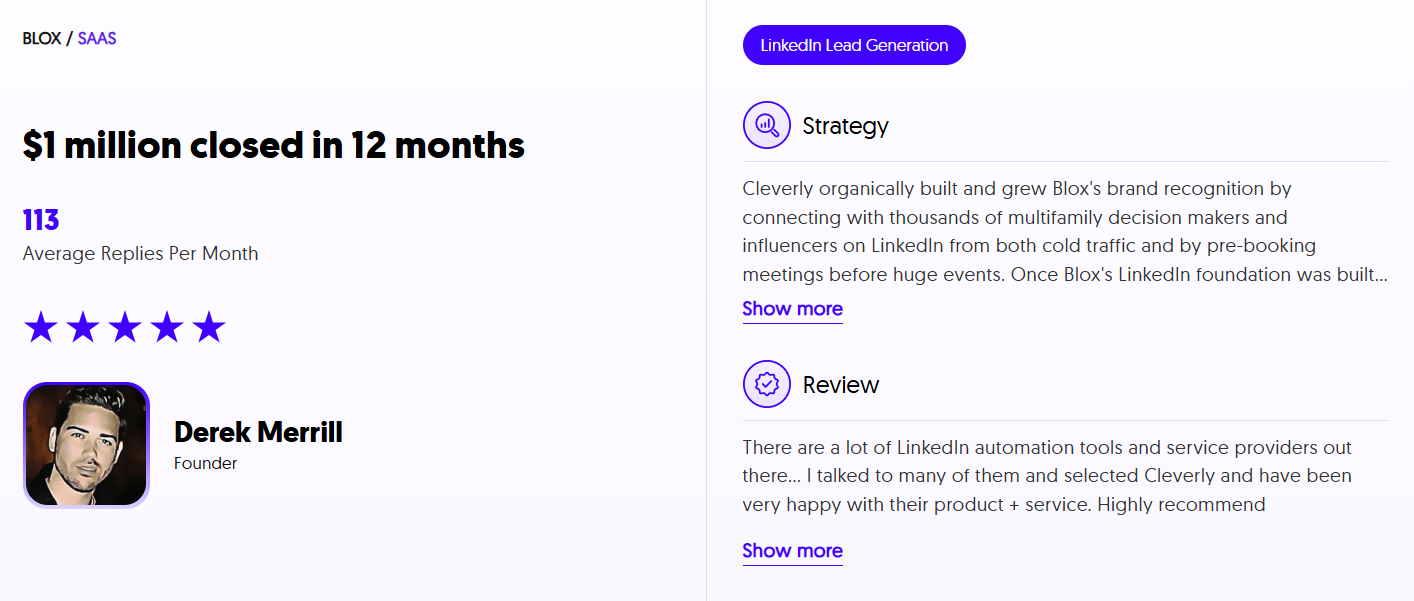
We've booked 53,000+ appointments because we combine the right data, timing, message, and channels.
Our Results
🔥 LinkedIn & Cold Email
- Starting at $397/month
- Cold email: pay only for meeting-ready leads
- $312M pipeline generated, $51.2M closed
🔥 Cold Calling
- 10-30 qualified calls/month guaranteed
- Trained SDRs, scripts, tech included
- Half the cost of in-house
Sales intelligence tells you where to aim. Cleverly books the meetings.
Ready to turn data into pipeline? Let's talk.
Conclusion
The right sales intelligence platform depends on what your team cannot do reliably today. If contacts are stale, fix data quality. If the target-account list is already strong, better intent or trigger data may improve prioritization. If useful signals sit untouched for days, the problem is workflow and execution.
Shortlist vendors against a defined use case, test them with the same representative sample, and measure usable data rather than advertised database size. Then connect the winning platform to a process that turns intelligence into relevant outreach, conversations, and pipeline.
A tool can show your team where to look. It still takes accurate targeting, sound judgment, and disciplined execution to create a sales opportunity.
Frequently Asked Questions
Free Resource
How to Scale a Profitable Cold Call System
Get the complete guide — download it instantly now.

Free Ebook
Download the Free Guide
Enter your details to get instant access.
You're all set! 🎉
Your ebook is downloading now.
Click below if the download didn't start automatically.