Table of Contents
What Is Email Sequence Software & How Does It Work?
Key Features to Look for in the Best Email Sequence Software
12 Best Email Sequence Software Tools in 2026
Cold Email Sequence vs Marketing Automation Sequences (Key Differences)
Best Practices for Creating Sequences in Any Email Software
How to Choose the Right Email Sequence Software for Your Team
How Cleverly Builds High-Performing Email Sequences for Clients
Conclusion
Frequently Asked Questions
Modified On :
August 11, 2026
Key Takeaways
- Not every email sequence tool is built for cold outreach -- using the wrong one can tank your deliverability before you've sent a hundred emails.
- There's one feature most buyers skip when comparing tools that ends up costing them the most meetings.
- Free plans seem like a smart starting point, but two of the tools on this list have free tiers that will actually limit your results before you realize it.
- Multi-channel sequencing looks the same on every marketing page - what separates the tools that execute it well from those that don't is worth knowing before you commit.
- The right tool for a solo rep running 500 emails a month is a different platform than what works for an agency scaling 50,000.
Sending one cold email and hoping for a reply? That's like fishing with no bait.
Email sequence software automates your follow-ups, keeps your messaging consistent, and actually gets responses. We're talking multiple touchpoints that feel personal without you lifting a finger after the first setup.
Here's what you're solving with the right email sequencing tools:
- No more manual follow-ups – Stop copying, pasting, and wondering if you followed up on day 3 or day 5.
- Consistent messaging – Your entire team sends the same quality outreach, not a mixed bag.
- Higher reply rates – Strategic sequences hit prospects when they're ready to engage.
- Deliverability control – Avoid spam folders with tools that monitor sender reputation and optimize send times.
If you're doing B2B sales or lead gen in 2026, email sequence software isn't optional anymore. It's how you scale outreach without scaling headcount.
Let's look at the 12 best options that'll actually move the needle for your pipeline.
What Is Email Sequence Software & How Does It Work?
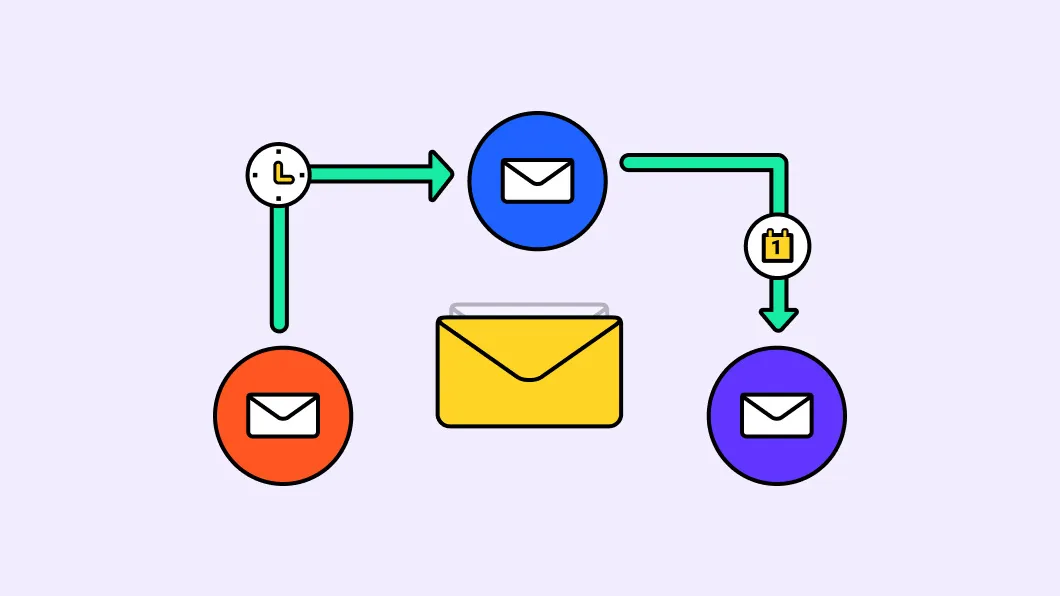
An email sequence tool is software that automatically sends a series of emails to prospects over time based on triggers you set.
You write your emails once, set the intervals (day 1, day 3, day 7, etc.), and the tool handles the rest. If someone replies, the sequence stops. If they don't, the next email goes out automatically.
Types of Email Sequencing Tools
Not all email sequence software is built the same. Here's what's out there:
- Cold email sequence tools – Built specifically for outbound prospecting (think Instantly, Lemlist, Smartlead).
- Sales engagement platforms – Heavy-duty tools with calling, LinkedIn, and multi-channel outreach (like Outreach and Salesloft).
- Marketing automation tools – Focused on nurturing leads already in your funnel (HubSpot, ActiveCampaign).
- CRM-based sequencing – Email sequences tied directly into your CRM workflows (Salesforce, Pipedrive).
Why Use Software Instead of Doing It Manually?
Simple: automation, personalization at scale, and consistency. You can't manually follow up with 500 prospects without dropping the ball. Software lets you stay in front of leads without burning out your team.
Key benefits you get:
- Follow-ups happen on schedule, every time.
- Reply rates jump because you're staying top-of-mind.
- Leads get nurtured through your pipeline automatically.
- Workflow triggers let you adjust sequences based on behavior (opened, clicked, replied).
Bottom line: email sequencing tools turn your outreach into a system, not a daily scramble.
Also Check: Email Sequence Strategy to 3x Your Replies in 2026 (Templates + Examples)
🔥 Done-For-You Cold Email Sequences
Let Cleverly build and run your campaigns while you only pay for meeting-ready leads delivered to your inbox.
Key Features to Look for in the Best Email Sequence Software
Not all email sequence software is created equal. The difference between a tool that gets you meetings and one that gets you flagged as spam comes down to features.
Here's what actually matters when you're evaluating the important features of sales email sequencing tools.
Email Deliverability & Warm-Up Features
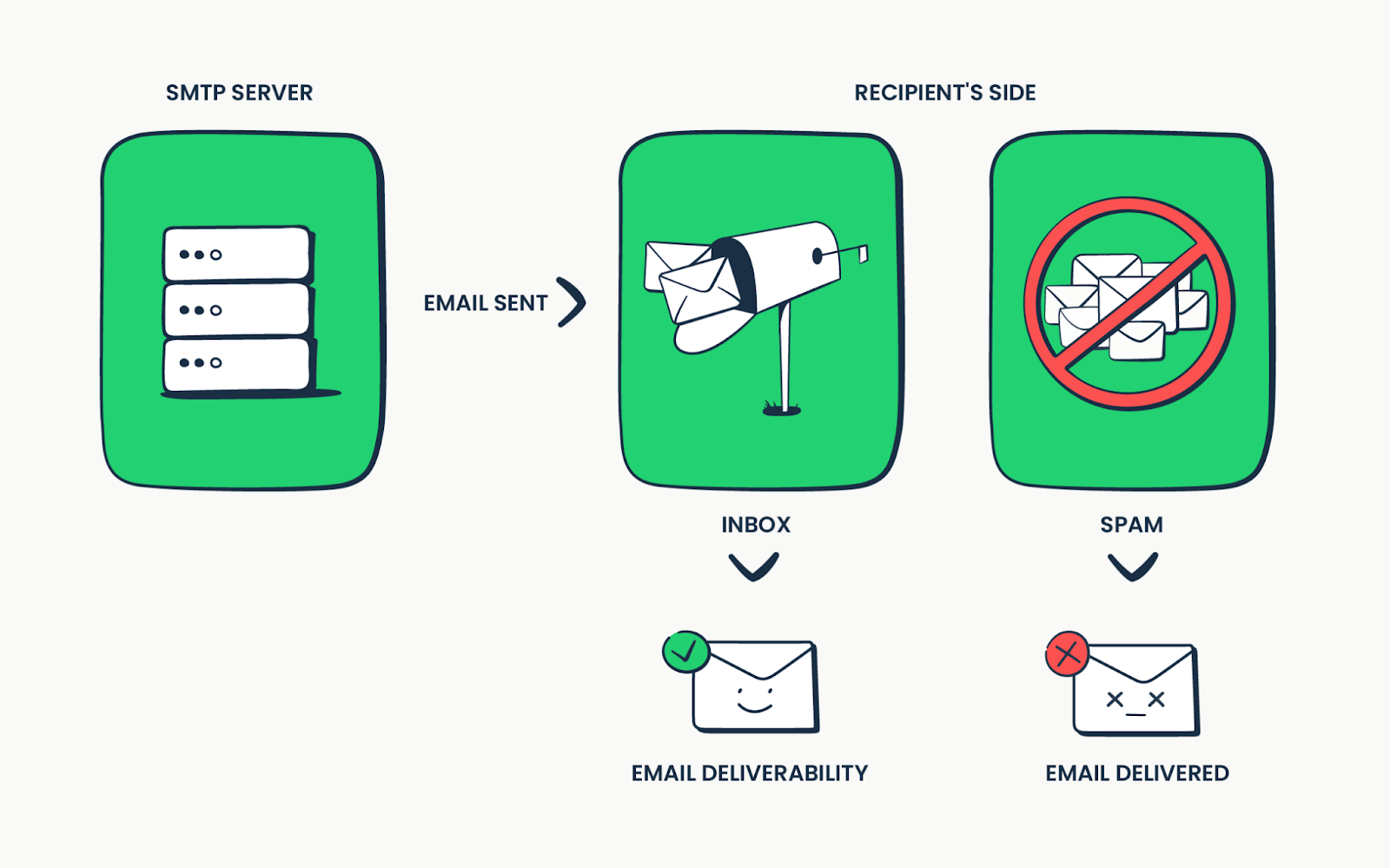
If your emails land in spam, nothing else matters. Look for tools with built-in email warm-up that gradually increases your send volume and maintains sender reputation. This keeps you out of spam folders and in actual inboxes.
Here’s More: Email Warm-Up Tools to Improve Deliverability
Personalization at Scale
Generic emails get ignored. You need dynamic variables (first name, company name, pain points) and ideally AI personalization that customizes intro lines based on prospect data. Personal feel, zero manual work.
A/B Testing
Guessing what works is expensive. A/B testing lets you test subject lines, email copy, and send times so you're always improving your reply rates based on real data.
Multi-Channel Sequencing
Email alone isn't enough anymore. The best email sequencing tools let you add LinkedIn tasks, call reminders, and SMS into your sequences. Hit prospects where they actually pay attention.
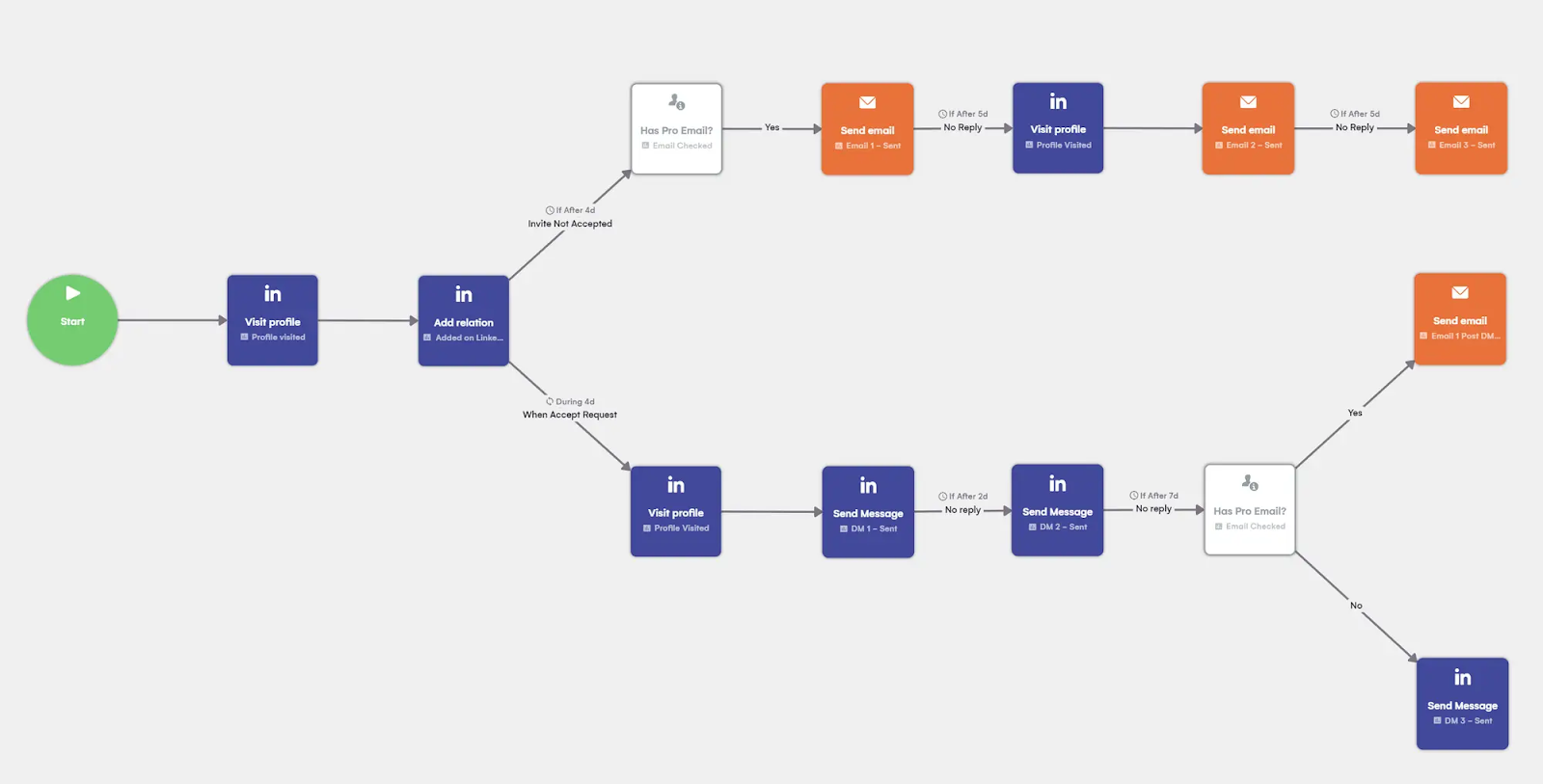
Inbox Rotation
Sending from multiple email accounts distributes volume and protects your main domain. Inbox rotation cycles through your sending accounts automatically, keeping each one healthy.
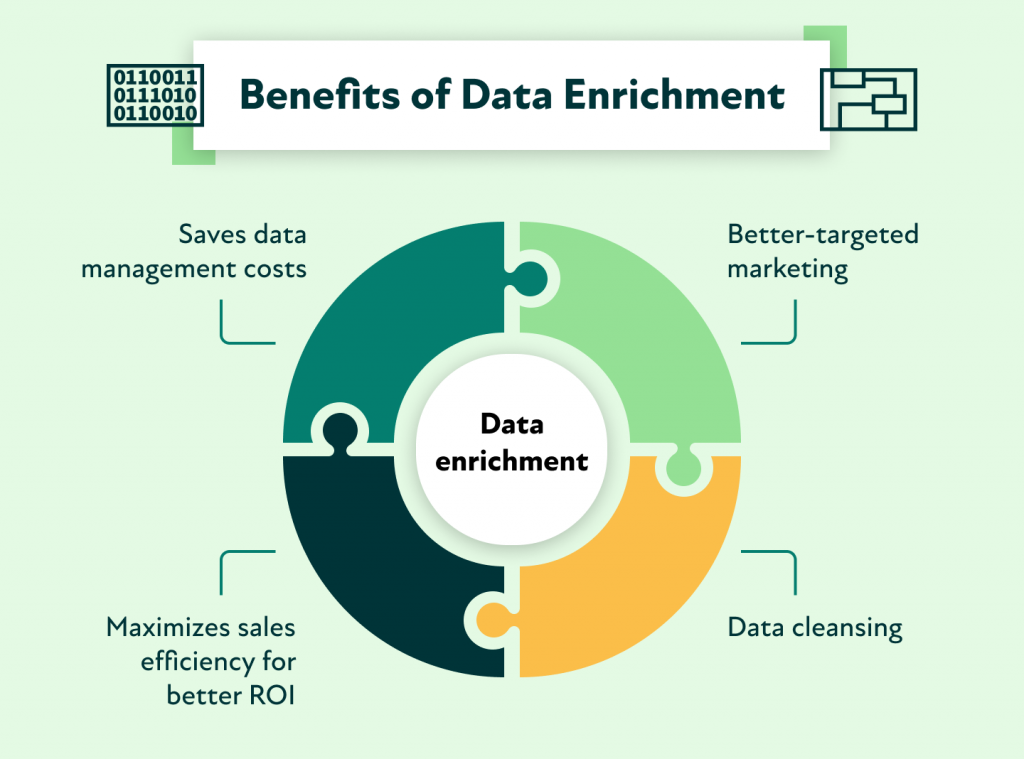
Data Enrichment Integrations
You can't personalize what you don't know. Tools that integrate with data enrichment platforms (Clearbit, Apollo, ZoomInfo) pull in job titles, company info, and other details that make your emails relevant.
CRM Sync + 2-Way Data Flow
Your sequences should talk to your CRM. Two-way sync means replies, opens, and outcomes flow back into Salesforce, HubSpot, or Pipedrive automatically. No manual logging.
Sequence Analytics
You need to see what's working. Track email open rates, reply rates, positive reply rates, and conversion metrics. If you can't measure it, you can't improve it.
Safety Rules
Blasting 1,000 emails a day gets you blacklisted. Look for daily send limits, automatic unsubscribe handling, and spam word detection to keep your campaigns compliant and safe.
Mobile & Chrome Extension Availability
Your reps aren't always at their desks. Mobile apps and Chrome extensions let your team manage sequences, reply to prospects, and update data from anywhere.
At a Glance: Email Sequence Software Comparison
12 Best Email Sequence Software Tools in 2026
1. Apollo.io
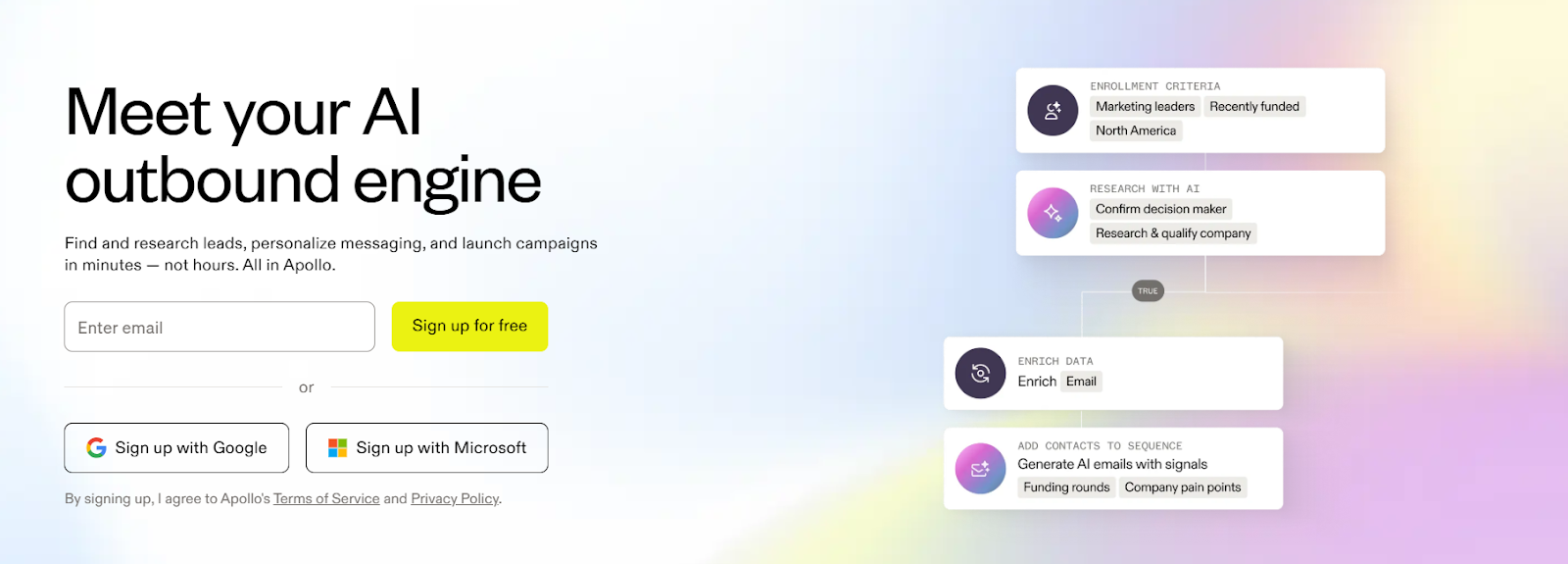
Apollo.io is an all-in-one sales intelligence platform that combines a massive B2B database with email sequence software for automated outreach.
You're not just getting sequencing—you're getting 275 million contacts, a built-in dialer, and AI writing tools all in one place.
It's built for teams that want prospecting and engagement in a single platform. Whether you're a solo rep or running a 50-person sales org, Apollo scales with you. The sequences are solid, the data is clean, and the CRM integrations actually work.
Key Features:
- B2B database with 275M+ contacts and 73M+ companies for targeted prospecting.
- Email sequences with multi-touch automation (email, calls, LinkedIn).
- CRM integration syncs with Salesforce, HubSpot, and others.
- A/B testing to optimize sequence performance.
- AI writing assistance for personalized emails and templates.
- Built-in dialer with call recording, whisper coaching, and voicemail drops.
- Advanced search filters based on job title, company size, industry, and intent data.
Best For: Sales teams of all sizes—from solo reps testing outbound to enterprise teams running high-volume prospecting campaigns.
Pricing:
- Free: $0/month – Basic features, 2 sequences, 60 email credits/month
- Basic: $49/user/month – Unlimited sequences, advanced filters, CRM sync
- Professional: $79/user/month – A/B testing, AI writing, built-in dialer
- Organization: $119/user/month – Enterprise features and customization
2. Mailshake
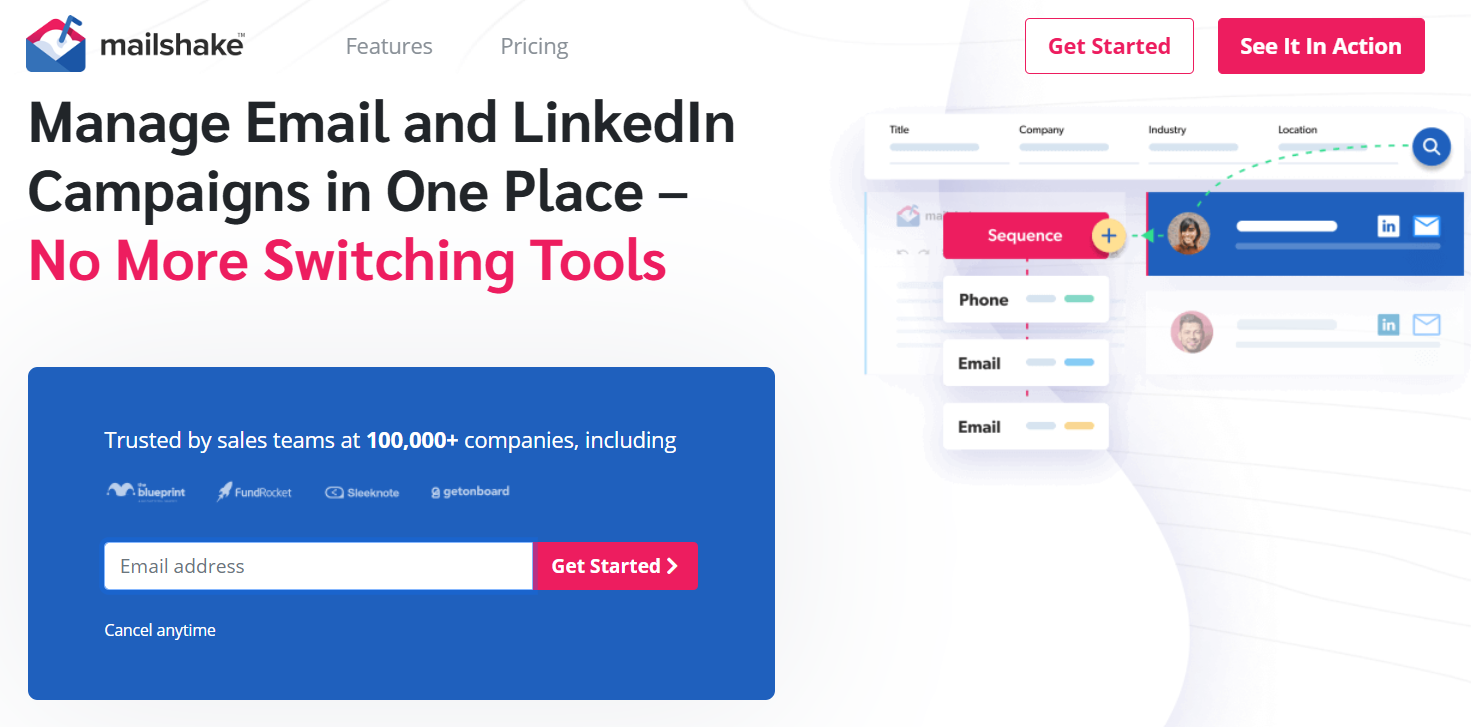
Mailshake is straightforward email sequence software built for cold outreach without the bloat.
It's designed for sales and marketing teams that want to automate follow-ups, personalize at scale, and actually track what's working—all without a steep learning curve.
What makes Mailshake solid is how it handles the essentials really well. Automated sequences, A/B testing, deliverability tools, and even LinkedIn automation if you need multi-channel. It's not trying to be everything—it's just really good at cold email.
Key Features:
- Automated follow-up sequences that pause when prospects reply.
- Personalization tools with mail merge, conditional logic, and AI writing support.
- A/B testing to find winning campaign variations.
- Performance tracking for open rates, click-through rates, and reply rates.
- Deliverability tools including email verification and spam score detection.
- Integrations with Google Sheets, Salesforce, Pipedrive, and more.
- LinkedIn automation for multi-channel engagement.
- Data Finder to search and filter prospects by role, company, and criteria.
Best For: B2B sales and marketing teams running high-volume cold email campaigns who want simplicity and solid tracking without enterprise complexity.
Pricing:
- Starter: $29/month – Basic email outreach features
- Email Outreach: $49/month – Full sequences, personalization, and analytics
- Sales Engagement: $99/month – Adds LinkedIn automation and advanced integrations
3. Salesloft
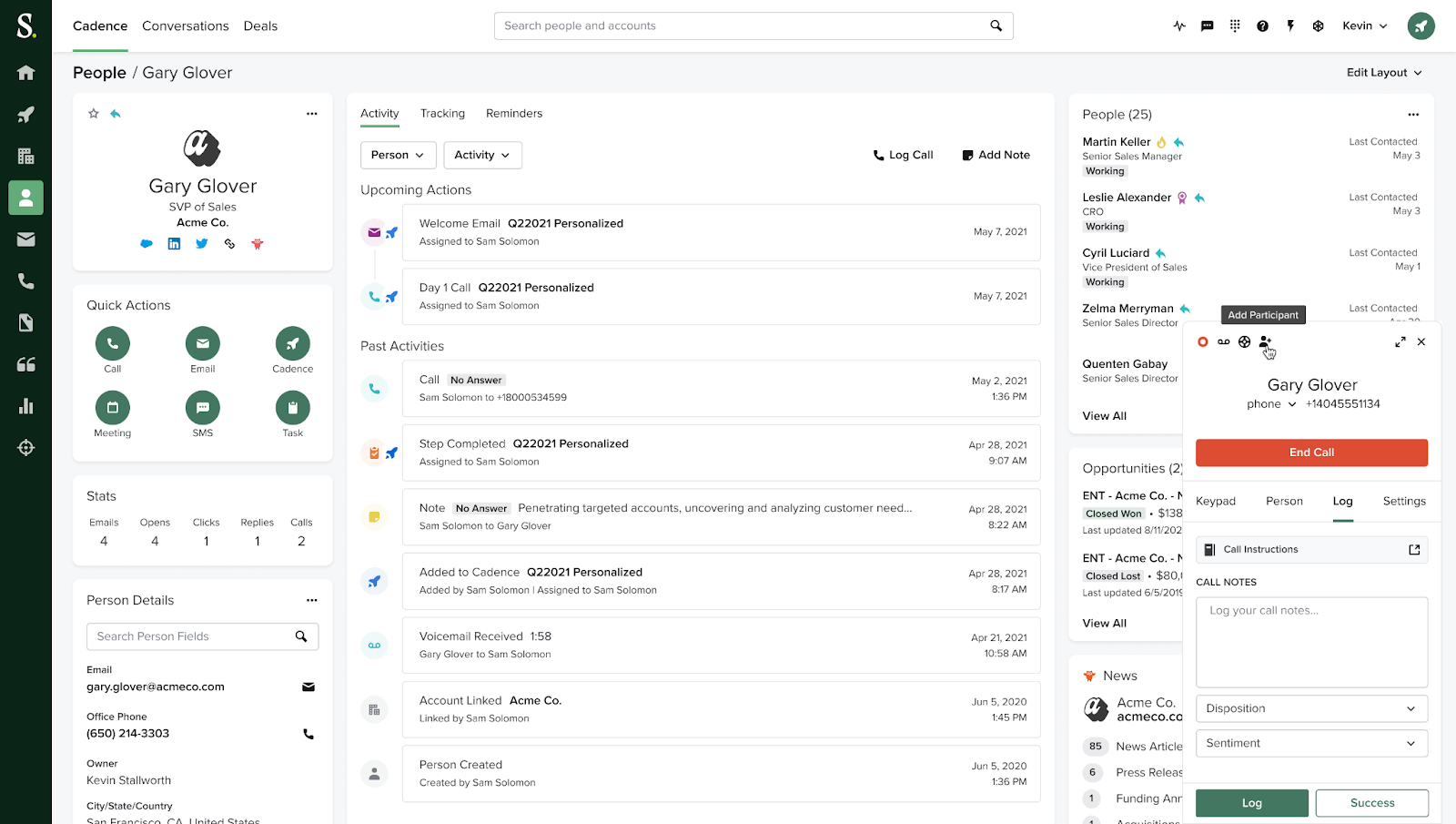
Salesloft is an AI-powered sales engagement platform built for teams running serious, multi-channel outreach at scale.
This isn't just email sequence software—it's a full sales execution system with email, calls, LinkedIn, and analytics all tied together.
If you're running enterprise sales or managing a team that needs structure, cadence discipline, and deep reporting, Salesloft delivers. It's powerful but comes with complexity and a price tag to match. Not for solo reps testing outbound—this is for teams with process.
Key Features:
- Automated cadences with multi-channel touchpoints (email, calls, LinkedIn, SMS).
- Personalized email templates powered by AI.
- A/B testing to optimize messaging across sequences.
- Advanced analytics and reporting dashboards for sales leadership.
- CRM integration with Salesforce, Microsoft Dynamics, and others.
- Conversation intelligence with call recording and AI insights.
- Deal management tools to track pipeline in real-time.
- Coaching features to train and improve rep performance.
Best For: Mid-market to enterprise sales teams running complex, multi-channel outreach who need deep analytics, coaching tools, and process enforcement.
Pricing: Custom pricing—contact Salesloft sales for a quote based on team size and features needed.
4. Close CRM
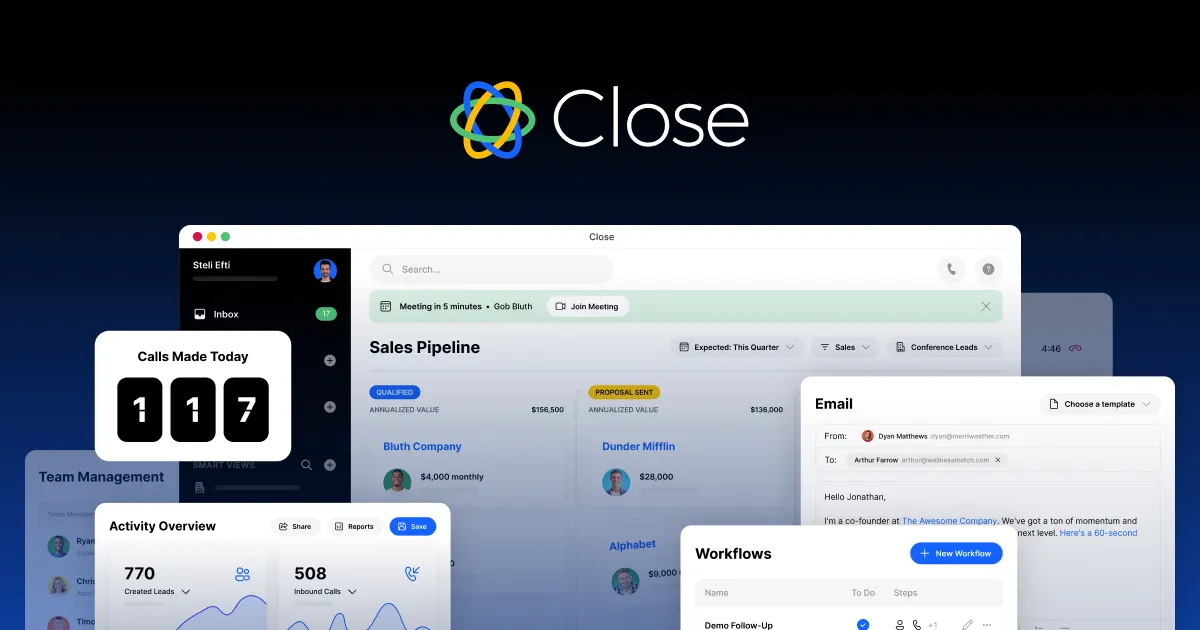
Close is a sales-focused CRM that doubles as email sequence software with built-in calling, SMS, and automation.
It's designed for teams that live on the phone and in their inbox—everything happens in one place, no tab-switching required.
What sets Close apart is how communication-centric it is. You're not bolting tools together—calling, texting, emailing, and sequencing are all native. If your team does outbound cold calling and email follow-ups, Close keeps the workflow tight and fast.
Key Features:
- Communication-centric interface with built-in calling, SMS, and two-way email sync.
- Sales automation for follow-ups, reminders, and lead routing.
- Email sequences for automated, personalized outreach.
- Customizable pipelines to match your sales process.
- Power Dialer to maximize call volume and efficiency.
- Reporting and analytics for tracking team performance.
- Integrations via pre-built connectors and API.
- Mobile access with full feature functionality.
Best For: Small to medium-sized sales teams that focus heavily on outbound calling and email outreach, and want everything in one platform instead of juggling multiple tools.
Pricing: Free trial for 14 days
- Solo: $9/user/month (annual) or $19/month (monthly)
- Essentials: $35/user/month (annual) or $49/month (monthly)
- Growth: $99/user/month (annual) or $109/month (monthly)
- Scale: $139/user/month (annual) or $149/month (monthly)
5. Skylead
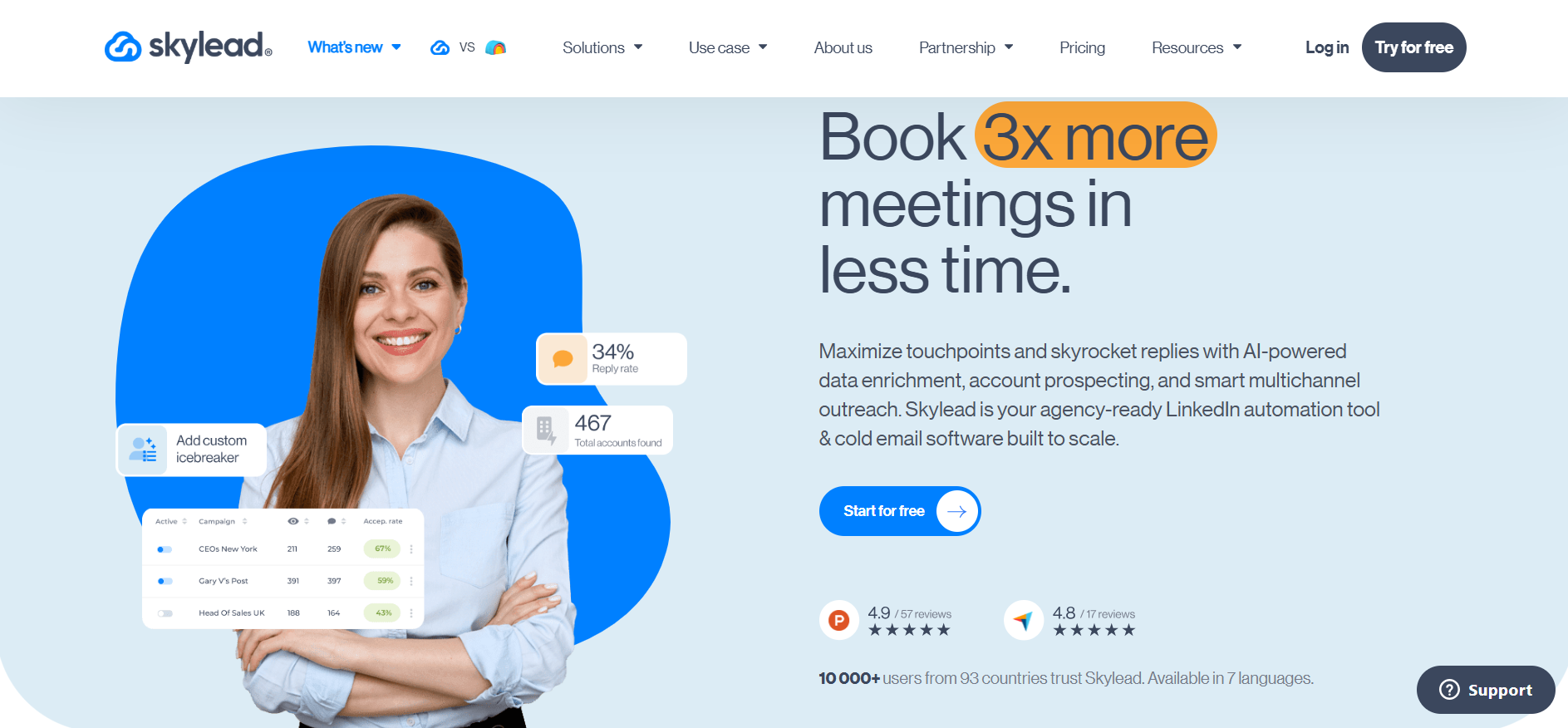
Skylead is a LinkedIn automation and cold email software built for agencies and sales teams that want to automate more of the outbound process in one place.
Its smart sequences combine cold email, LinkedIn connection requests, messages, and InMails, with conditional branches that adapt to prospect actions. Skylead also handles the work around those sequences: its AI data enrichment uses 20+ providers and 10+ account and contact signals to help teams identify their ICP, while its AI SDR can take over from a lead’s first reply through to a booked call.
Unlike most tools in this category, Skylead has agency-specific features for scaling client outreach. Agencies can train the AI SDR with feedback and reusable AI Training Sets, turning their sales know-how into protected intellectual property that clients can use without viewing, copying, or editing it. Flat agency pricing also avoids per-seat costs as the client roster grows.
Key Features:
- Smart multi-channel sequences across email and LinkedIn with automated follow-ups and conditional branching.
- AI data enrichment through 20+ providers, using 10+ signals across companies and contacts to narrow in on the right ICP.
- AI SDR that manages LinkedIn and email conversations from the first reply to a booked call.
- Agency-owned AI Training Sets that capture proven sales expertise and can be applied across client campaigns.
- Unlimited email accounts, inbox rotation, and email warm-up at no extra cost.
Best For: Agencies managing outreach for multiple clients, plus sales teams that need prospecting, data enrichment, LinkedIn and email sequencing, and AI-assisted reply handling in one platform.
Pricing:
- All-in-One Outreach: $100/user/month
- Agency: $999 for 50 seats
- Unlimited Agency: $1,999 for unlimited seats
- AI SDR and AI data enrichment: $1 per 100 credits
6. Yesware
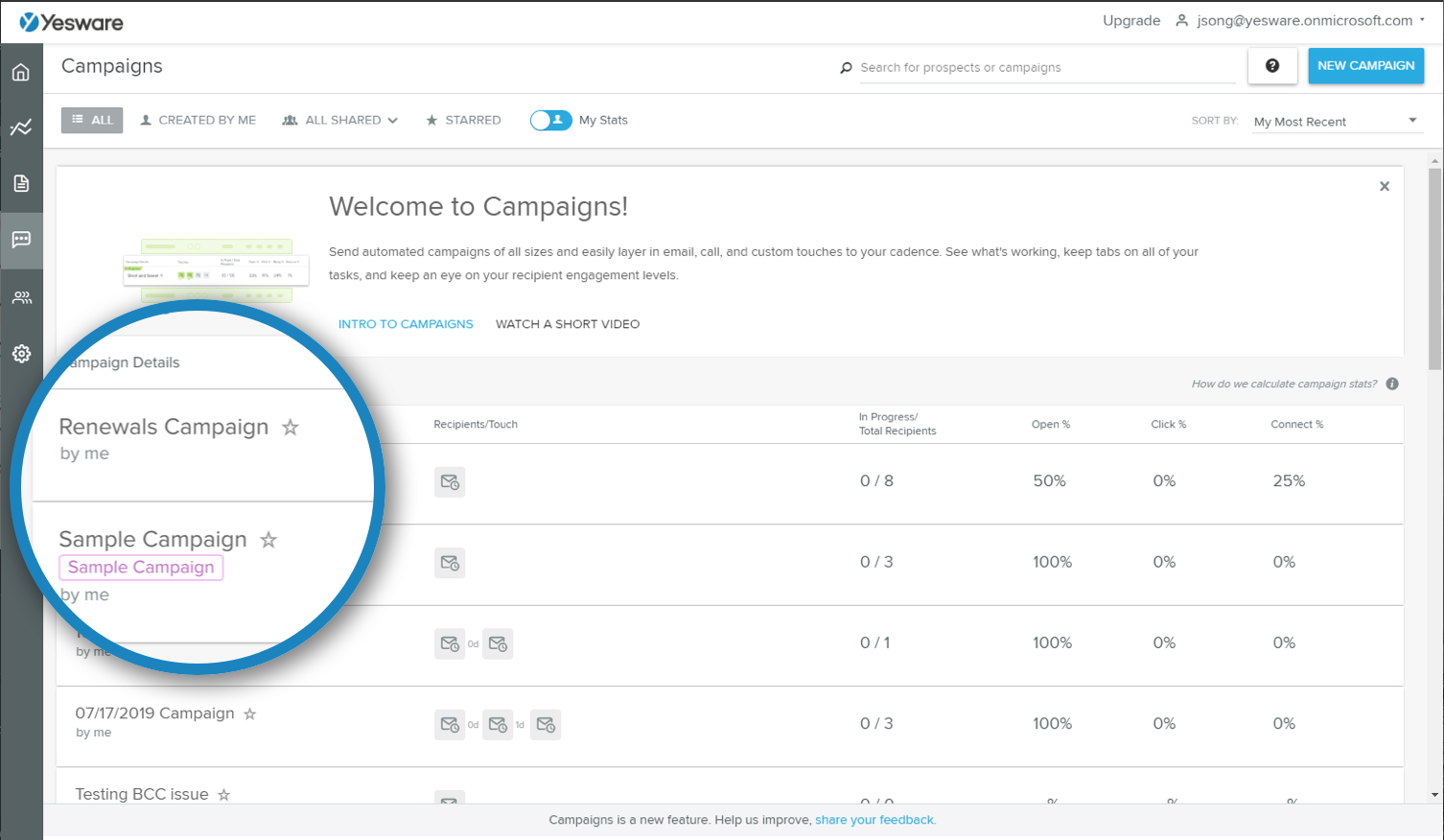
Yesware is email sequence software that lives directly inside Gmail and Outlook. No switching tabs, no separate platforms—your sequencing, tracking, and analytics happen right in your inbox where you're already working.
It's built for sales teams that want email automation without changing their workflow.
Track opens and clicks in real-time, automate multi-stage campaigns, and sync everything back to your CRM. It's lightweight but powerful enough to handle serious outbound volume.
Key Features:
- Real-time email tracking with notifications for opens, clicks, and attachment views.
- Email automation for multi-stage sequences sent directly from your inbox.
- Collaboration tools including shared templates and team reporting.
- CRM integration with Salesforce for activity sync and data flow.
- Lead sourcing to find and engage potential customers.
- Attachment tracking to see who viewed your decks or PDFs.
- Team reporting for managers to track outreach performance across reps
Best For: Sales teams who live in Gmail or Outlook and want email sequencing tools that integrate seamlessly with their inbox, plus CRM sync for Salesforce users.
Pricing:
- Free: Basic email tracking with limited campaign recipients
- Pro: $15/user/month (annual) – Unlimited tracking and personal reports
- Premium: $35/user/month (annual) – Unlimited campaigns and team reporting
- Enterprise: $65/user/month (annual) – Advanced CRM integration and customization
7. Lemlist
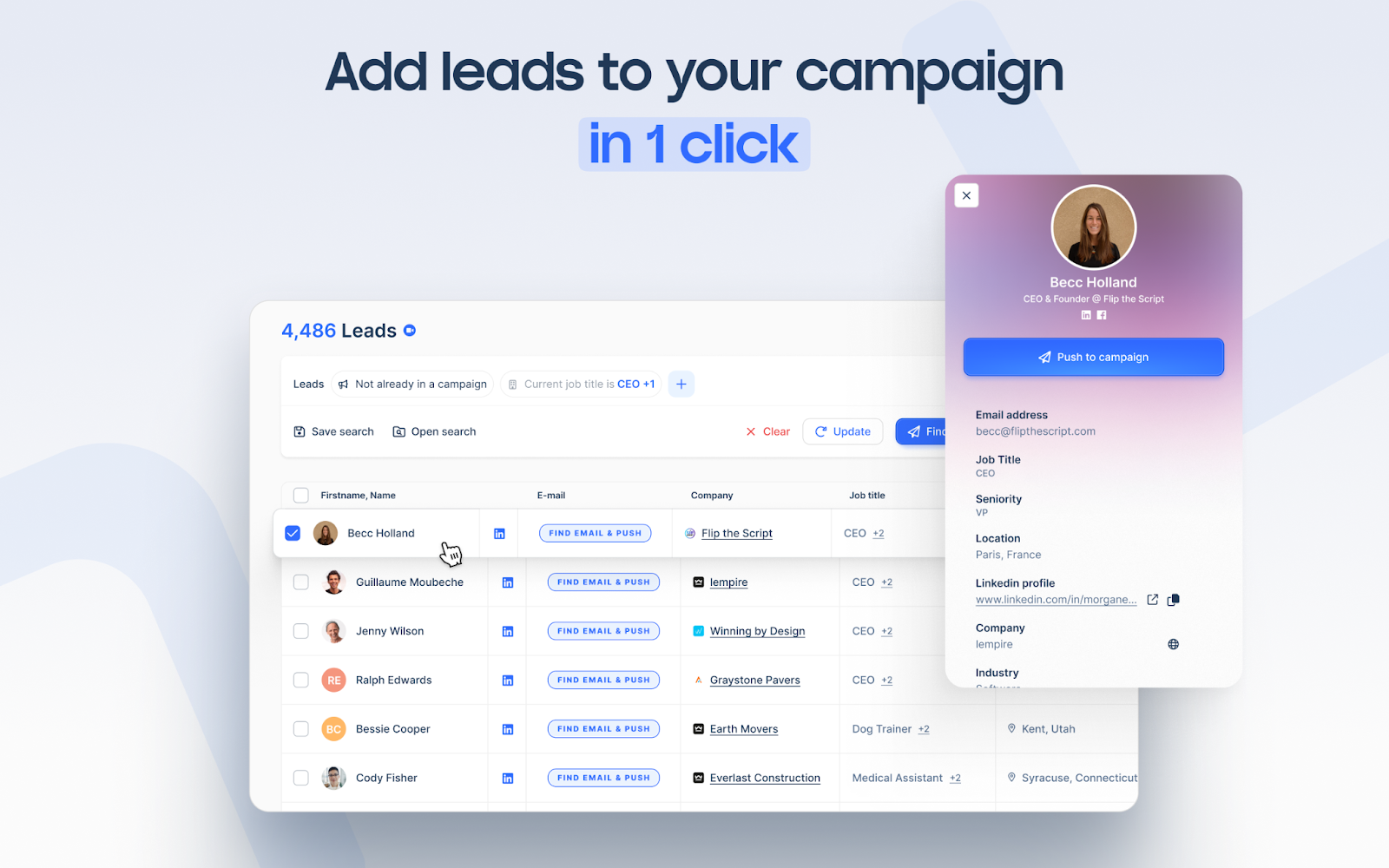
Lemlist is AI-powered email sequence software that goes heavy on personalization and deliverability. It's not just about sending sequences—it's about making every email feel like it was written specifically for that person, at scale.
What makes Lemlist stand out is the combination of AI personalization, multichannel outreach (email, LinkedIn, calls), and a built-in warm-up tool to protect your sender reputation.
If you want sequences that don't look or feel like sequences, Lemlist delivers.
Key Features:
- AI-driven personalization that customizes email copy based on prospect data.
- Automated follow-ups across email, LinkedIn, and call tasks.
- Built-in email warm-up to maintain deliverability and avoid spam folders.
- Multichannel sequences combining email, LinkedIn messages, and phone calls.
- Dynamic landing pages personalized for each recipient.
- Lead sourcing to find and verify prospects.
- Advanced analytics to track reply rates and campaign performance.
- Custom image and video personalization to stand out in crowded inboxes.
Best For: B2B sales teams and marketers who want advanced personalization, multichannel outreach, and strong deliverability features in one platform.
Pricing:
- Free Plan: Limited features for testing the platform.
- Email Starter: $39/month – Core email sequences and personalization.
- Email Pro: $69/month – Adds AI features and advanced analytics.
- Multichannel Expert: $99/month – Full multichannel outreach with LinkedIn and calls
8. Instantly.ai
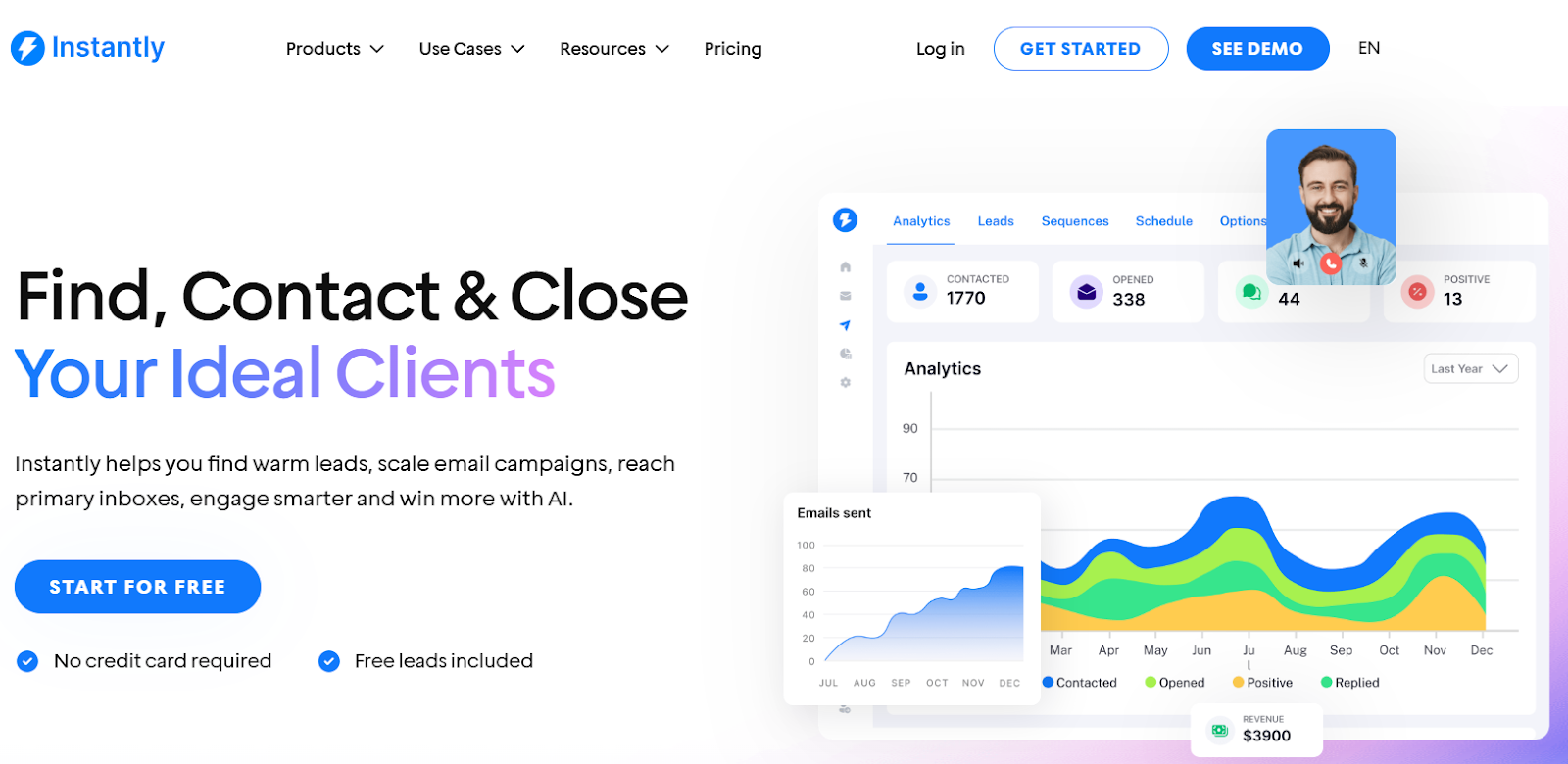
Instantly.ai is AI-powered email sequence software built specifically for cold outreach at scale. It's become one of the go-to tools for teams running high-volume campaigns because it prioritizes deliverability, automation, and simplicity.
The standout feature? Unlimited email warmup across unlimited accounts. That means you can rotate inboxes, keep sender reputation healthy, and scale your outreach without hitting spam folders.
Add in AI personalization and a unified inbox (Unibox) to manage replies, and you've got a solid cold email machine.
Key Features:
- AI-powered personalization to create engaging, customized sequences.
- Unlimited email warmup to improve deliverability and avoid spam filters.
- Unibox – a centralized inbox for managing replies across multiple email accounts.
- Lead generation tools with the Instantly Lead Finder to source and verify prospects.
- Campaign analytics to track performance and optimize sequences.
- Email verification to reduce bounce rates and protect sender reputation.
- Inbox rotation across unlimited email accounts for volume sending.
Best For: Sales and marketing teams focused on cold email outreach who need to scale campaigns efficiently while maintaining strong deliverability across multiple accounts.
Pricing:
- Growth Plan: $37/month – Unlimited accounts and warmup, limited contacts and monthly emails.
- Hypergrowth Plan: $97/month – Higher volume allowances for contacts and emails.
- Light Speed Plan: $358/month – Significantly higher contact and email capacity for large-scale campaigns
9. Reply.io
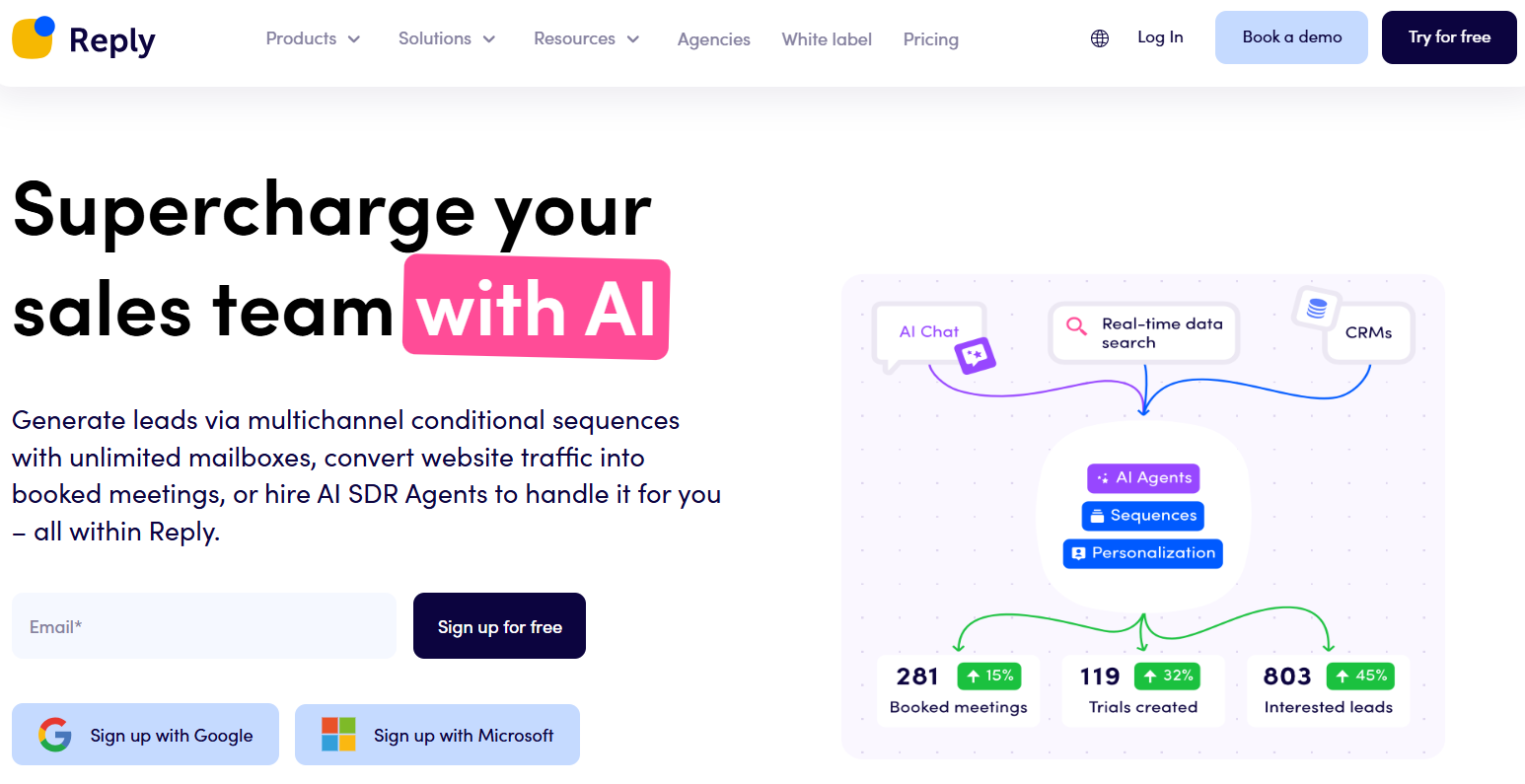
Reply.io is a sales engagement platform that combines email sequence software with multi-channel automation.
You're not just doing email—you can layer in LinkedIn messages, calls, and SMS to hit prospects where they're most responsive.
What makes Reply.io solid is the balance between automation and personalization. AI helps you write emails that don't sound robotic, and the platform handles email warm-up, validation, and tracking so your campaigns stay healthy and effective. It's built for teams that want control without complexity.
Key Features:
- Multi-channel automation across email, LinkedIn, SMS, and calls.
- AI-powered personalization for human-sounding, customized emails.
- Email tracking with detailed analytics on opens, clicks, and replies.
- Email warm-up to improve deliverability for new accounts.
- Email validation to prevent bounces and protect sender reputation.
- CRM integrations to sync data and keep workflows connected.
- Advanced reporting to monitor campaign performance and optimize sequences.
- Task automation for follow-ups, reminders, and lead routing.
Best For: Sales and marketing teams looking to automate cold outreach across multiple channels while maintaining personalization and strong deliverability.
Pricing:
- Free: Basic tools and limited data search credits
- Starter: $49/user/month – Email automation, one mailbox, basic tracking
- Professional: $89/user/month – Multi-channel automation, more mailboxes, advanced reporting
- Ultimate: $139/user/month – Premium support, enterprise features, additional mailboxes
10. Woodpecker
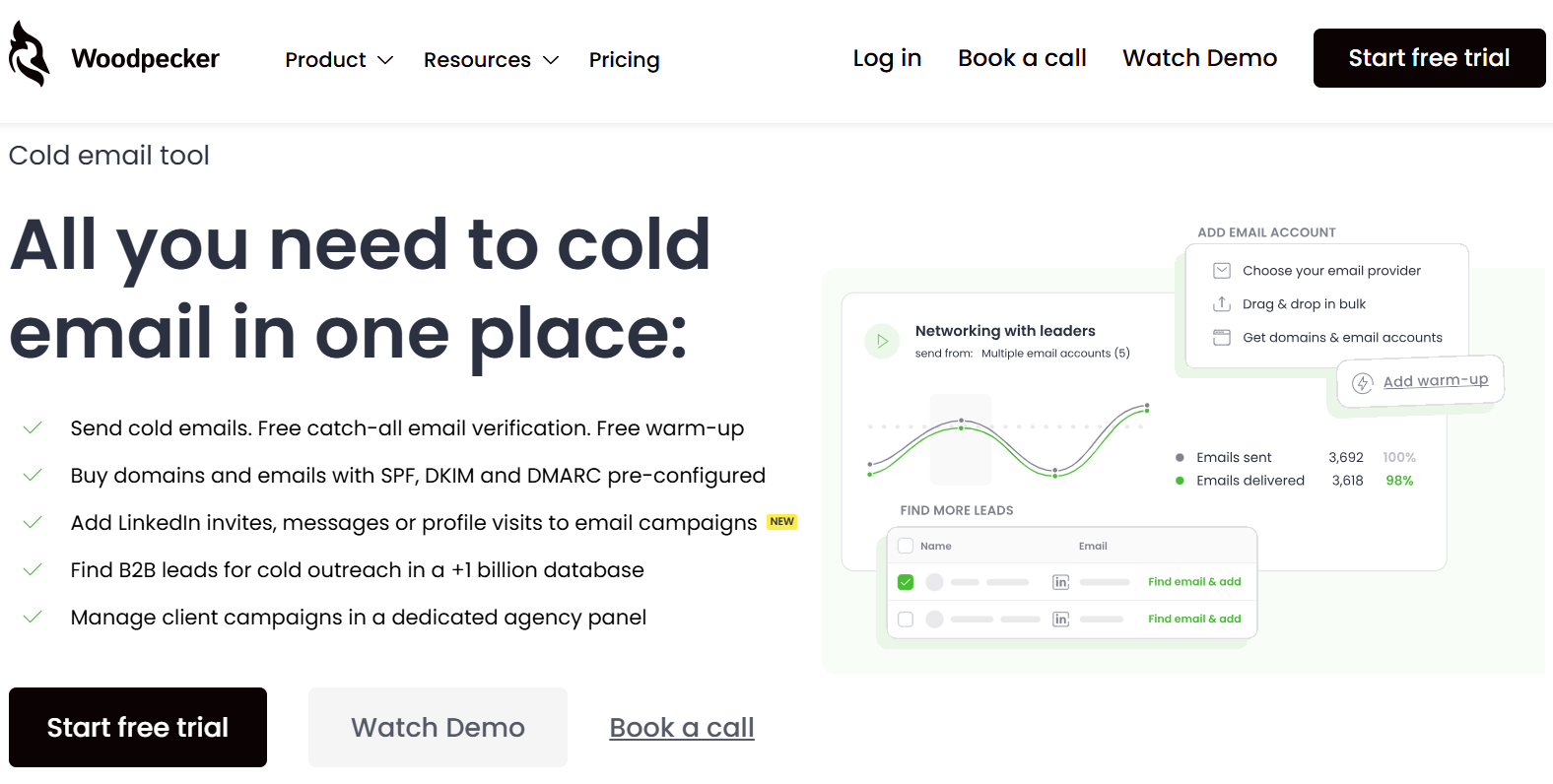
Woodpecker is cold email outreach software laser-focused on deliverability and personalization. It's built specifically for B2B teams that live and die by their cold email campaigns and need to make sure every message actually lands in the inbox.
What sets Woodpecker apart is how seriously it takes sender reputation. Inbox rotation, adaptive sending, and free email warm-up are baked in to protect your deliverability.
Add in condition-based campaigns and A/B testing, and you've got a tool that's built for teams who treat cold email like a science.
Key Features:
- Inbox rotation to distribute sending across multiple accounts.
- Adaptive sending to optimize delivery times based on recipient behavior.
- Free email warm-up service to maintain sender reputation.
- Automated email sequences with time-based and condition-based follow-ups.
- Personalization tools for customized, engaging outreach.
- Unified inbox to manage all replies in one place.
- Free email verification to reduce bounces and protect deliverability.
- A/B testing to optimize campaign performance.
- GDPR compliance for data protection and legal peace of mind.
Best For: B2B sales and marketing teams focused on cold email outreach, and agencies managing campaigns for multiple clients who need strong deliverability tools.
Pricing:
- Starter: $24/month – Basic sequences and deliverability features.
- Growth: $126/month – More advanced automation and inbox management.
- Scale: $903/month – High-volume campaigns with full feature access.
- Max: $6,666/month – Enterprise-level capacity for massive outreach operations
11. GMass
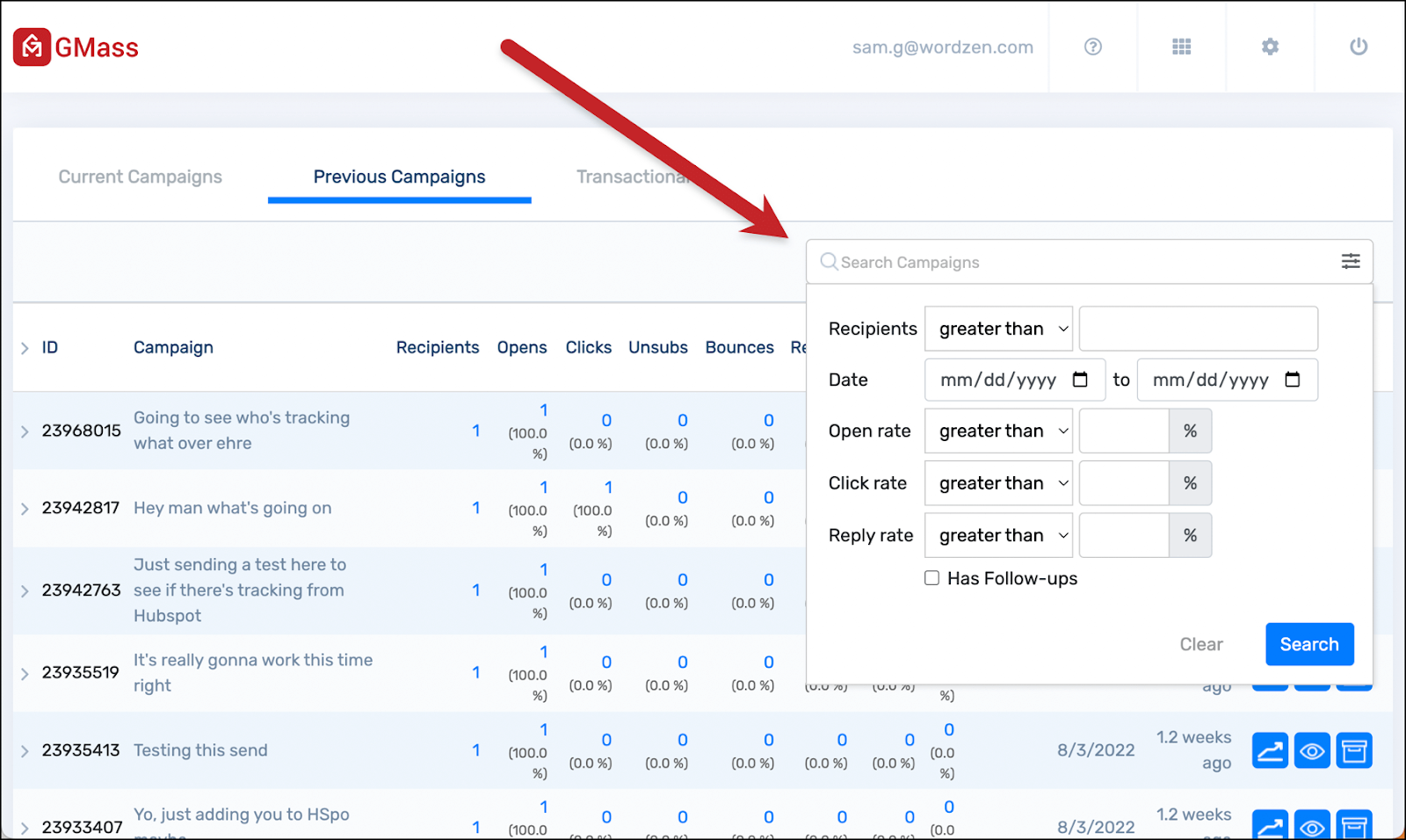
GMass is email sequence software that lives entirely inside Gmail. No new platform to learn, no separate login—just enhanced sequencing, automation, and tracking built directly into the inbox you're already using every day.
If you want to run cold email campaigns but don't want to abandon Gmail's simplicity, GMass is the move. It handles mass emailing, automated follow-ups, personalization, and A/B testing without forcing you into a complex sales platform.
Perfect for solopreneurs, small teams, or anyone who just wants their Gmail to do more.
Key Features:
- Native Gmail integration – works directly in your inbox.
- Mass emailing with personalization at scale.
- Automated follow-ups that pause when recipients reply.
- A/B testing for subject lines and email copy.
- Mail merge for dynamic personalization using Google Sheets.
- Email tracking for opens, clicks, and replies.
- Campaign reports with detailed analytics.
- Spam solver to check deliverability before sending.
- Schedule sending to optimize delivery times.
Best For: Individuals and small teams who want powerful cold email automation without leaving Gmail—ideal for sales outreach, link building, and recruitment.
Pricing:
- Standard: $25/month – Basic sequences and mass email features
- Plus: $35/month – Adds auto follow-ups and advanced personalization
- Professional: $55/month – API access, advanced reporting, and team features
12. Smartlead
Smartlead is a cold email platform built for high-volume outreach and agency use. Where most tools cap you on email accounts or charge per inbox, Smartlead's model gives you unlimited email accounts on every plan - which makes it a natural fit for agencies managing campaigns across multiple clients or sales teams running serious volume.
The deliverability setup is one of the strongest in the category. Built-in AI warm-up runs across all connected accounts automatically, and the master inbox pulls every reply into a single view regardless of how many sending addresses you're running.
What sets Smartlead apart at the agency level is the white-label capability. You can generate reports with your own branding, manage client campaigns in isolated workspaces, and hand clients a dashboard that looks like your product, not Smartlead's.
For solo senders or small teams, Smartlead can feel like more infrastructure than you need. The interface has more moving parts than a tool like GMass or Woodpecker, and the learning curve is real. But if you're running 10,000+ emails a month or managing outreach for multiple clients, the control you get is worth it.
Key Features:
- Unlimited email accounts and inbox rotation on all plans
- AI-powered email warm-up across all connected accounts
- Behavior-based subsequences - separate paths for opens, clicks, and no engagement
- Master inbox aggregating all replies across every account
- White-label reporting and agency client management
- Spintax support for copy variation at scale
- Multi-channel outreach combining email and SMS
- Custom CRM for pipeline tracking without leaving the platform
Best For: Agencies running outbound campaigns for multiple clients, and sales teams sending high volumes who need deliverability infrastructure without per-inbox pricing.
Pricing:
- Basic: $39/month -- unlimited accounts, warm-up, basic sequences
- Pro: $94/month -- advanced analytics, subsequences, multi-channel
- Custom: $174/month and up -- white-label, API access, dedicated support
Looking for Free Email Sequence Software?
If you're testing before committing to a paid plan, three tools on this list offer free tiers:
- Apollo.io: Free plan includes 2 active sequences and 60 email credits per month - good for basic testing but restrictive for actual prospecting volume.
- Yesware: Free tier covers basic email tracking with a cap on the number of campaign recipients. Useful for light outreach directly from Gmail or Outlook.
- Reply.io: Free plan includes core email automation tools with limited data search credits. Most multi-channel features require a paid plan.
The honest assessment: free plans across this category are trial wrappers, not working tools. They let you understand the interface and test basic functionality, but deliverability features like email warm-up, inbox rotation, and spam detection are locked behind paid tiers. If the goal is actual cold outreach at any real volume, a $25-40/month paid plan is the floor.
🚀 Replace Tools With Real Results
Skip complicated software. Cleverly books qualified leads for you. Trusted by 10,000+ clients, including Google & Amazon.
Cold Email Sequence vs Marketing Automation Sequences (Key Differences)
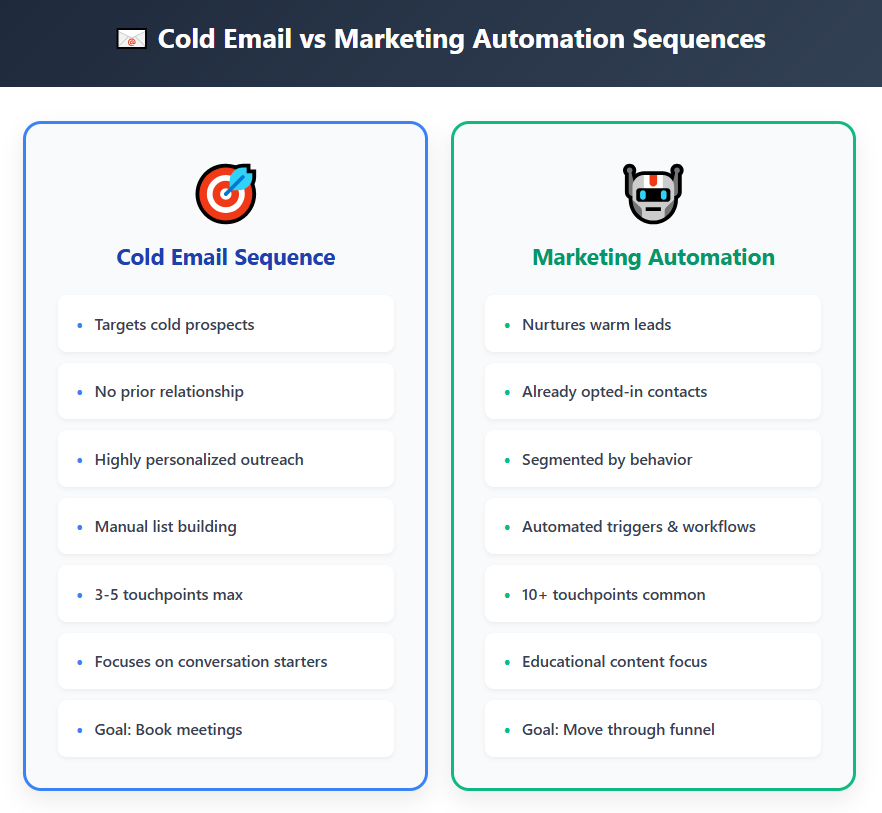
Not all email sequencing tools are built for the same job. Sending cold outreach to strangers is completely different from nurturing leads who already know you. Here's how they stack up.
Cold Email Sequences – Built for Outbound Sales
Cold email sequences are all about reaching people who've never heard of you. They're:
- Outbound and targeted – You're prospecting specific ICPs, not waiting for inbound interest.
- Sales-driven – Every email is designed to book a meeting or start a conversation.
- Plain-text focused – No logos, no fancy formatting. Just text that looks like it came from a real person.
- Deliverability obsessed – If you land in spam, game over. Cold email platforms prioritize sender reputation, warm-up, and inbox placement.
Think of cold email tools like Instantly, Smartlead, or Lemlist. They're laser-focused on getting your first email into the inbox and your follow-ups read.
Marketing Automation Sequences – Built for Nurturing
Marketing sequences work with people already in your funnel. They've downloaded something, attended a webinar, or signed up for your list. These sequences are:
- Inbound-focused – You're nurturing warm contacts who opted in.
- Branded and designed – HTML emails with your logo, images, and call-to-action buttons.
- Educational and relationship-building – The goal is to move leads down the funnel over weeks or months.
- Less deliverability risk – Since recipients expect your emails, spam isn't as much of a concern.
For businesses focused more on customer nurturing than outbound prospecting, there are also email marketing platforms designed around visual branding and lifecycle automation. Tools like Flodesk emphasize creator-friendly email design, ecommerce workflows, and audience engagement rather than cold outreach, making them a better fit for newsletters, product updates, and relationship-building campaigns.
More Marketing Tools: Best Marketing Attribution Software
Why Deliverability Matters More for Cold Email
When you're emailing strangers, ISPs are watching. High bounce rates, spam complaints, or bad sender behavior get you blacklisted fast.
That's why email sequencing tools built for cold outreach include features like:
- Email warm-up protocols
- Spam word detection
- Send time optimization
- Inbox rotation across multiple accounts
Marketing tools assume you're emailing people who want to hear from you, so they don't build in the same safeguards.
Outbound vs Inbound Sequencing – Know Your Use Case
If you're doing outbound cold prospecting, you need cold email software that prioritizes deliverability and personalization at scale.
If you're nurturing inbound leads, marketing automation handles that better with workflows and content delivery.
The best teams use both. Cold email tools fill the pipeline. Marketing automation nurtures it. Pick the right email sequencing tools for the job you're actually doing.
Best Practices for Creating Sequences in Any Email Software
You can have the best email sequence software on the planet, but if your sequences suck, you're still not getting replies. Here's how to build email sequences that actually work.
Keep Emails Short and Conversational
No one reads walls of text from strangers. Keep your emails under 100 words. Write like you're messaging a colleague, not pitching at a conference. Short, punchy, human.
Personalize the First Line
Generic openers get deleted. Your first sentence should prove you did research. Reference something specific about their company, a recent post, or a pain point relevant to their role. This is where email sequences live or die.
Avoid Links in Early Emails
Links in your first email scream "spam" to email filters. Save the calendar link, case study, or demo page for email 2 or 3 after you've built some trust. Plain text first, resources later.
Space Out Follow-Ups Strategically
Don't email someone three days in a row. A solid email sequence spacing looks like:
- Email 1: Day 1
- Email 2: Day 4
- Email 3: Day 7
- Email 4: Day 14
Give people time to breathe and actually see your message before the next one lands.
Use Soft CTAs
"Book a 15-minute call?" feels pushy in email one. Try softer asks like "Worth a quick chat?" or "Make sense to explore this?" It lowers resistance and feels more like a conversation starter.
Test Subject Lines
Your subject line determines if the email even gets opened. A/B test different styles: questions, curiosity gaps, plain statements. Let data tell you what works with your audience.
Use Data to Refine Your Sequence
Track open rates, reply rates, and positive reply rates for every email in your sequence. If email 3 gets no opens, kill it or rewrite it. If email 2 gets tons of replies, double down on that approach. Your email sequence should evolve based on what's actually working.
Always Verify Lead Emails Before Launching
Sending to bad emails tanks your deliverability. Use an email verification tool (ZeroBounce, NeverBounce, Bouncer) to scrub your list before you hit send. Bounces hurt your sender reputation fast.
Follow these rules and your sequences will outperform 90% of what's landing in inboxes. It's not rocket science—it's just doing the basics really well.
How to Choose the Right Email Sequence Software for Your Team
Picking the wrong email sequence tool costs you time, money, and meetings. Here's how to choose one that actually fits what you're trying to do.
Match the Tool to Your Use Case
Not every email sequence software does the same thing. Figure out what you need first:
- Cold email prospecting? Look for tools built for outbound (Instantly, Smartlead, Lemlist)
- Lead nurturing? Go with marketing automation platforms (HubSpot, ActiveCampaign)
- Multi-channel sales engagement? You need heavier platforms (Outreach, Salesloft, Apollo)
Don't buy a Ferrari if you just need to get to the grocery store.
Team Size & Sending Volume
Your team size changes what you need:
- Solo or small team (1-5 people): Simple tools with affordable pricing work fine. You don't need enterprise features yet.
- Mid-sized teams (5-20 people): Look for collaboration features, shared templates, and multi-user access.
- Large teams (20+ people): You need admin controls, reporting dashboards, and integrations that don't break at scale.
Also consider sending volume. If you're sending 10,000+ emails a month, you need inbox rotation and warm-up features built in.
Deliverability Tools & Inbox Health Support
If your email sequence tool doesn't help you stay out of spam, it's useless. Must-haves include:
- Built-in email warm-up
- Spam score checking before you send
- Bounce detection and list cleaning
- Sender reputation monitoring
Deliverability isn't optional. It's everything.
AI Features for Personalization
The best tools now use AI to personalize email copy at scale. Look for features like:
- AI-generated first lines based on prospect data.
- Dynamic content that adapts to industry or role.
- Subject line generators that test what converts.
Personalization is what separates replies from crickets.
CRM & Workflow Integrations
Your email sequence software should play nice with your CRM. Check for:
- Native integrations with Salesforce, HubSpot, Pipedrive, or whatever you use.
- Two-way sync so replies and engagement data flow back automatically.
- Zapier or API access if you need custom workflows.
If your tool doesn't sync with your CRM, you're doing double data entry. Pass.
Pricing and Scalability
Understand what you're actually paying for:
- Per-user pricing can get expensive as you grow.
- Per-email pricing works if you send high volumes.
- Flat-rate pricing is predictable but may cap features or sending limits.
Pick something that won't force you to switch tools in six months when you scale.
Checklist for Selecting the Right Platform
Before you commit, ask yourself:
✅ Does this tool match my use case (cold email, nurturing, or sales engagement)?
✅ Can it handle my team size and sending volume?
✅ Does it prioritize deliverability with warm-up and spam protection?
✅ Does it offer AI personalization features?
✅ Does it integrate with my CRM and workflows?
✅ Is the pricing scalable as we grow?
✅ Do they offer good support and onboarding?
The right email sequence tool should make your life easier, not add more complexity. Choose wisely.
How Cleverly Builds High-Performing Email Sequences for Clients
Look, you can spend months testing email sequence software, tweaking copy, and figuring out deliverability—or you can let a cold email agency that's already cracked the code do it for you.
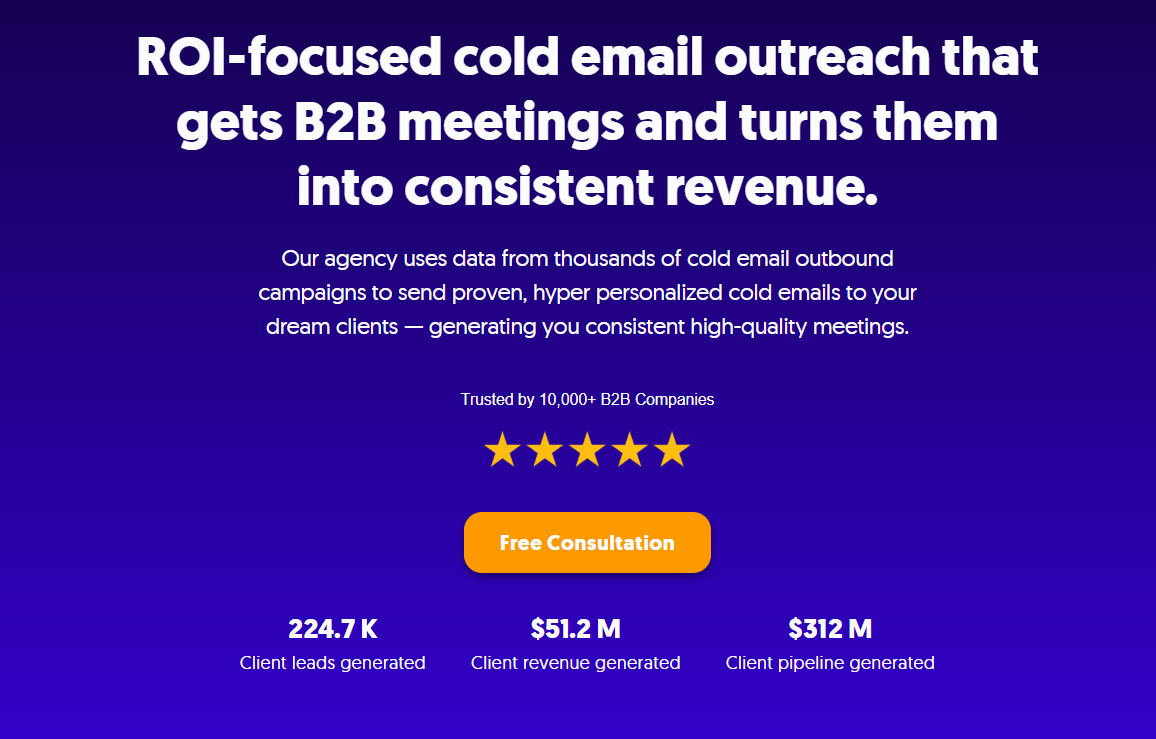
At Cleverly, we've built email sequences that generated $312 million in pipeline revenue and $51.2 million in closed revenue for over 10,000 clients. We're talking companies like Amazon, Google, Uber, PayPal, Slack, and Spotify.
Here's how we do it differently:
- Done-for-you sequences – We write, test, and optimize every email so you don't have to.
- Multi-channel outreach – LinkedIn, cold email, and cold calling lead gen all working together.
- Deliverability handled – We manage sender reputation, warm-up, and inbox health so your emails actually land.
- You only pay for results – Our pricing model is simple: pay per meeting-ready lead. You only pay when we send qualified prospects your way.
No retainers. No wasted ad spend. Just leads that are ready to talk.
If you want the results without the trial-and-error, we've already done the heavy lifting. Let's talk about filling your pipeline with actual meetings, not just open rates. 🔥
🔥 Book a call with Cleverly →

Conclusion
The right email sequence software makes the difference between cold outreach that gets ignored and campaigns that actually fill your pipeline.
Whether you're running solo prospecting or managing a full sales team, automation saves you time, keeps your messaging consistent, and scales your outreach without scaling your headcount.
Pick a tool that matches your use case, prioritizes deliverability, and integrates with your workflow. Test your sequences, track what works, and keep refining based on real data.
Stop chasing prospects manually. Let email sequence software do the heavy lifting while you focus on closing the meetings that actually come through.
Frequently Asked Questions
Free Resource
How to Scale a Profitable Cold Call System
Get the complete guide — download it instantly now.

Free Ebook
Download the Free Guide
Enter your details to get instant access.
You're all set! 🎉
Your ebook is downloading now.
Click below if the download didn't start automatically.