Table of Contents
What Is Call Tracking Software & Why It Matters?
Key Features to Look For in the Best Call Tracking Software
10 Best Call Tracking Software for 2026
Free vs Paid Call Tracking Software — Which Should You Choose?
Best Call Tracking Software for Agencies
Best Call Tracking Software for Sales Teams
How to Choose the Right Call Tracking Platform for Your Business
How to Use Call Tracking to Improve Performance & Lead Quality
How Cleverly Uses Call Tracking Insights to Deliver Better B2B Lead Generation
Conclusion
Frequently Asked Questions
Modified On :
June 24, 2026
Key Takeaways
- Call tracking software connects every phone lead back to its source, showing you which campaigns drive revenue, not just traffic.
- Dynamic number insertion, AI transcription, and CRM integration are must-have features for teams serious about attribution and performance.
- Free tools work for testing, but paid platforms become essential once call volume hits 100+ monthly or attribution drives budget decisions.
- Use call recordings and AI analysis to refine scripts, coach reps with real data, and identify exactly what messaging converts prospects.
- The right platform depends on your size and needs, solo SDRs need simplicity, enterprises need compliance and scale.
You're spending thousands on B2B lead generation, but here's the uncomfortable truth: you have no idea which marketing channels are actually bringing in sales calls that close.
We've been there. You're running LinkedIn ads, cold email campaigns, maybe some Google Ads, and your phone's ringing.
But when a prospect calls, you're flying blind. Was it the Facebook ad they clicked last week? The cold email your SDR sent? That blog post they read three months ago?
That's where call tracking software changes everything.
Here's what we've learned from generating over $312M in pipeline: the difference between good and great lead generation isn't just getting more calls. It's knowing exactly which efforts drive quality conversations that turn into closed deals.
Call tracking software gives you that visibility.
In this guide, we're breaking down the best call tracking software options that actually move the needle on lead quality and close rates. We've tested these tools in the trenches, and we're showing you exactly what works when you're serious about ROI.
Let's dive in.
What Is Call Tracking Software & Why It Matters?
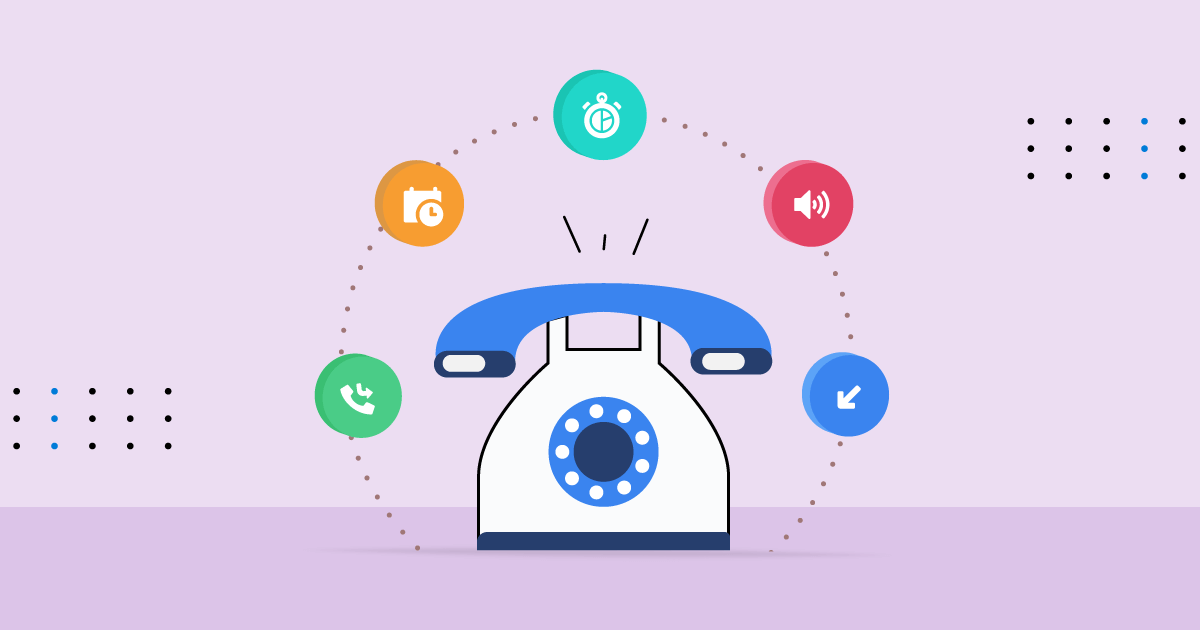
Call tracking software is a tool that shows you exactly where your phone leads are coming from. Simple as that.
Here's how call tracking software works: it assigns unique phone numbers to different marketing channels, campaigns, or even individual ads.
When someone calls one of those numbers, the software logs everything—which source they came from, what page they were on, and the complete customer journey that led to that call.
Think of it like putting a GPS tracker on every lead. Instead of all your calls flowing into one generic business line, you get granular data on what's actually working.
Why B2B Teams Can't Afford to Skip This
We see call tracking software making a massive difference in these scenarios:
- Cold calling operations – Track which lists, scripts, or SDRs are generating callbacks and booked meetings. If you're running outbound at scale, you need to know which efforts are driving real pipeline, not just dials.
- Inbound demo requests – See whether that demo call came from your LinkedIn ad, a Google search, or a referral link. Attribution matters when you're scaling what works.
- PPC attribution – Google Ads eating your budget? Call tracking tells you which keywords actually drive sales conversations versus which ones just burn cash.
- SDR coaching – Record calls automatically and review what messaging lands with prospects. Turn your top performers into a playbook for the whole team.
Before vs After: The Reality Check
Before call tracking: Your Google Ads drive 50 calls this month. You spent $8,000. Some closed, most didn't. You have no clue which keywords or ads generated the good leads versus the junk.
After call tracking: You see that 40 of those calls came from one expensive keyword that never converts. The other 10 came from a different campaign with a 30% close rate. You kill the first keyword, double down on the second, and cut your cost per acquisition in half.
That's the difference. You stop guessing and start scaling what actually works.
Also Check: Sales Call Reports - Templates, Examples & How to Create Them
🔥 Smarter Outreach With Call Tracking
Cleverly tracks every reply, call, and touchpoint across cold email + LinkedIn to send you higher-quality, meeting-ready leads.
Key Features to Look For in the Best Call Tracking Software
Not all call tracking software is built the same. We've tested dozens of tools, and here's what separates the winners from the time-wasters.
Dynamic Number Insertion (DNI)
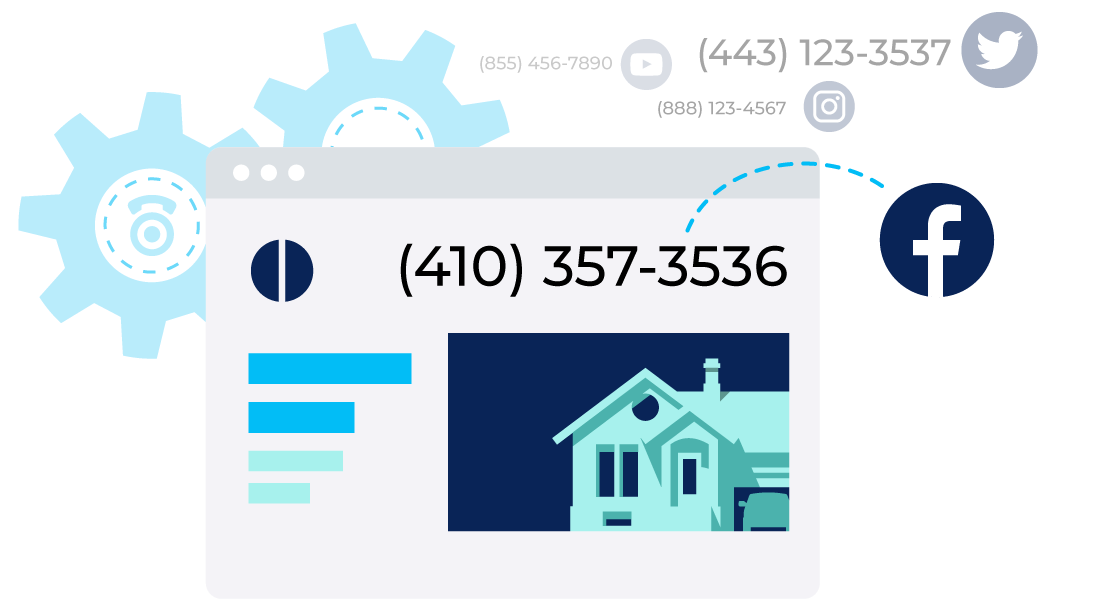
This is the backbone of real call tracking. DNI automatically swaps phone numbers on your website based on where the visitor came from.
Someone clicks your Google Ad? They see one number. Another person comes from LinkedIn? Different number. Same website, different tracking numbers, complete attribution. If a tool doesn't have DNI, you're not really tracking calls properly.
Multi-Channel Attribution
The best call tracking software doesn't just track one channel. It connects dots across your entire lead generation engine—PPC campaigns, cold email sequences, LinkedIn outreach, organic search, even direct mail if you're old school.
You need to see the full customer journey, not just the last click before they called.
For a broader look at how attribution works across all channels (not just calls), our guide to multi-touch attribution walks through the models and when to use each.
CRM & Dialer Integrations
Your call tracking data is worthless if it sits in a silo. Look for native integrations with HubSpot, Salesforce, Pipedrive, and whatever CRM you're actually using.
Same goes for dialers for cold calling like Aircall, RingCentral, or Close. The data should flow automatically—no manual exports, no spreadsheet gymnastics.
Call Recording + Transcripts + AI Analysis
Recording calls are table stakes. But here's what matters: automatic transcripts you can search through, and AI that flags sentiment, objections, and conversion signals.
We use this to identify what messaging works and coach our SDRs on real conversations, not role-play scenarios.
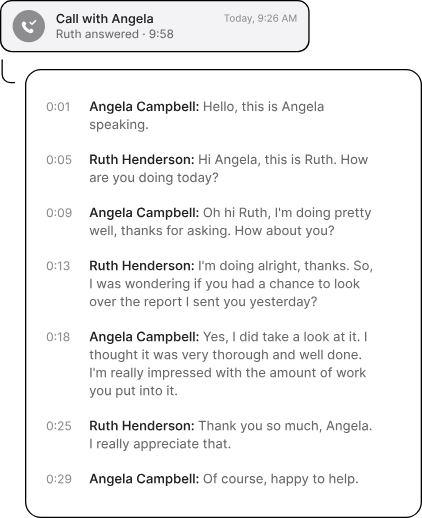
If you want a deeper look at how transcription specifically works and which tools handle it best, our guide to call transcription software covers the category in full.
Reporting Dashboards & Automation
You need real-time visibility without logging into five different tools. Look for dashboards that show cost per call, conversion rates by source, and ROI at a glance.
Bonus points for automated reports that hit your inbox weekly so you're never flying blind.
Lead Scoring, Tagging & Routing
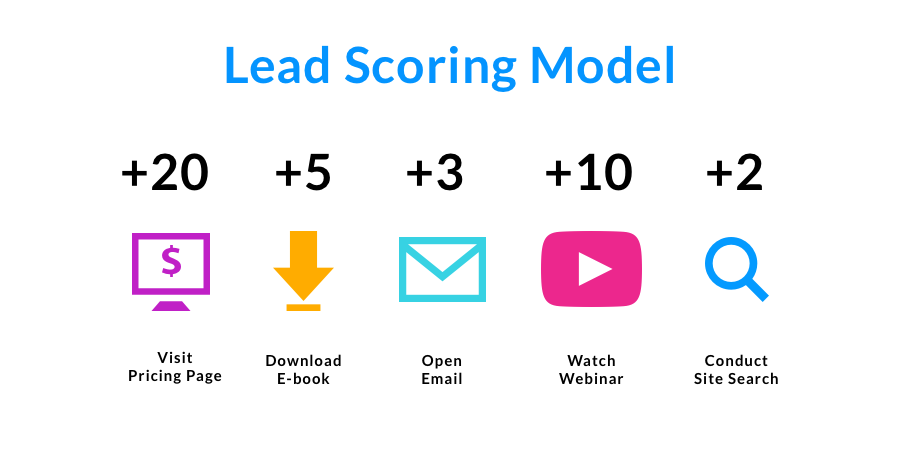
Not every call is worth the same. Smart call tracking software lets you score leads based on source, behavior, and conversation quality.
Tag them by industry, intent, or deal size. Route high-value calls to your closers and filter out tire-kickers before they waste your team's time.
Learn the Difference: Prospect vs Lead (with B2B Examples)
Pricing Transparency + Free Tier Availability
Some platforms hide pricing behind sales calls (red flag). The best ones are upfront about costs. And if you're just starting out or running a lean operation, free call tracking software options exist—they're limited, but they'll get you tracking basics without spending a dime.
So, the bottom line is choose call tracking software that integrates with your existing stack, gives you attribution clarity, and doesn't require a data science degree to use.
10 Best Call Tracking Software for 2026
If you're serious about improving lead quality and close rates, you need tools that actually show you what's working.
Here are the call tracking software for lead generation platforms we've seen deliver real results in 2025 and heading into 2026.
Quick Comparison: 10 Best Call Tracking Software
1. CallRail
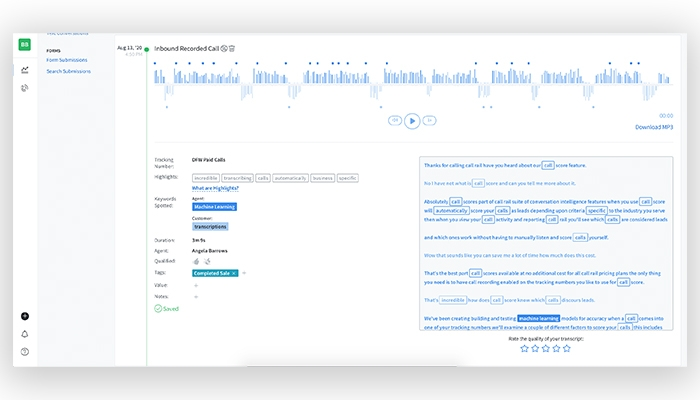
What it is: CallRail is a call tracking software that connects your marketing spend directly to revenue. It tracks both phone calls and form submissions, showing you exactly which campaigns, whether it's PPC, SEO, or even offline ads, are driving real leads.
Their Conversation Intelligence feature uses AI to transcribe calls, spot keywords, and analyze sentiment so you can optimize what's actually being said on the phone.
Best for:
- Marketing teams that need to prove ROI beyond vanity metrics.
- High-volume call businesses like law firms, dental practices, real estate agencies, and home services.
- Agencies managing multiple client campaigns who need clean attribution data.
Standout features:
- Dynamic Number Insertion (DNI) that shows unique tracking numbers based on visitor source and channel.
- Conversation Intelligence with AI transcription, keyword spotting, sentiment analysis, and automated call scoring.
- Multi-channel attribution that connects calls and forms back to specific campaigns.
- Form tracking that captures submissions and ties them to marketing sources.
- Smart call routing, IVR, and automated lead tagging that gets calls to the right person fast.
- Native integrations with HubSpot, Salesforce, and other major CRMs.
- Real-time dashboards and automated email reports so you're never digging for data.
Pricing: Base call tracking plans start around $45-$50/month. If you want the full package with AI-powered Conversation Intelligence and form tracking, expect $95-$195+/month depending on call volume and features. They offer a 14-day free trial so you can test it risk-free before committing.
2. HubSpot Call Tracking
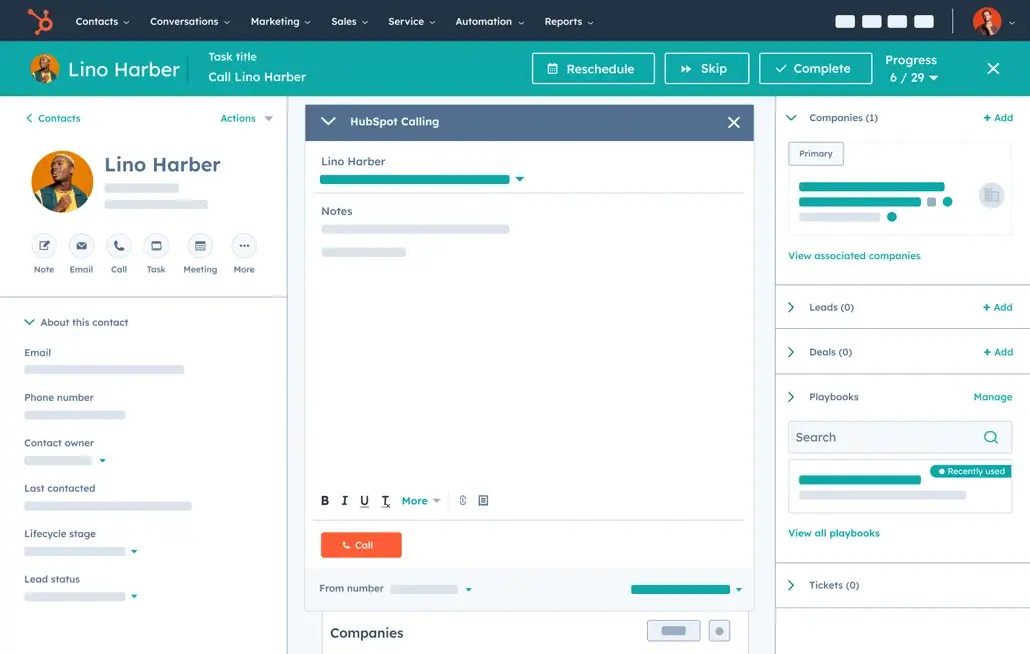
What it is: HubSpot's call tracking software lives inside their Sales Hub, which means everything—calls, contacts, deals—sits in one place. It's not as feature-rich as standalone call tracking platforms, but if you're already running HubSpot for your CRM, it eliminates the headache of juggling multiple tools.
AI transcribes your calls, highlights key moments, and ties call data directly to contact records so your sales team has full context before every conversation.
Best for:
- Sales and support teams that want communication history living inside their CRM, not scattered across platforms.
- Marketing teams tracking which campaigns generate actual phone conversations, not just form fills.
- Companies already using HubSpot who'd rather add calling than integrate another third-party tool.
Standout features:
- Automatic call logging that eliminates manual data entry—every call syncs to the right contact or deal record.
- Conversation Intelligence with AI transcription that flags important moments for coaching and deal progression.
- Call attribution that shows which marketing efforts are driving inbound calls.
- Click-to-call directly from contact records so reps can dial without leaving HubSpot.
- Call recording and outcome tracking to measure what's working across your team.
- Built-in analytics that connect call activity to pipeline and closed revenue.
Pricing: HubSpot offers a free tier with basic calling (around 15 minutes per user/month) to test it out. The Starter plan runs about $15/user/month with 500 minutes. Professional starts at $90/user/month for 3,000 minutes, call recording, and reporting. Enterprise hits $150/user/month with 12,000 minutes and advanced analytics. All prices are typically billed annually.
3. Invoca
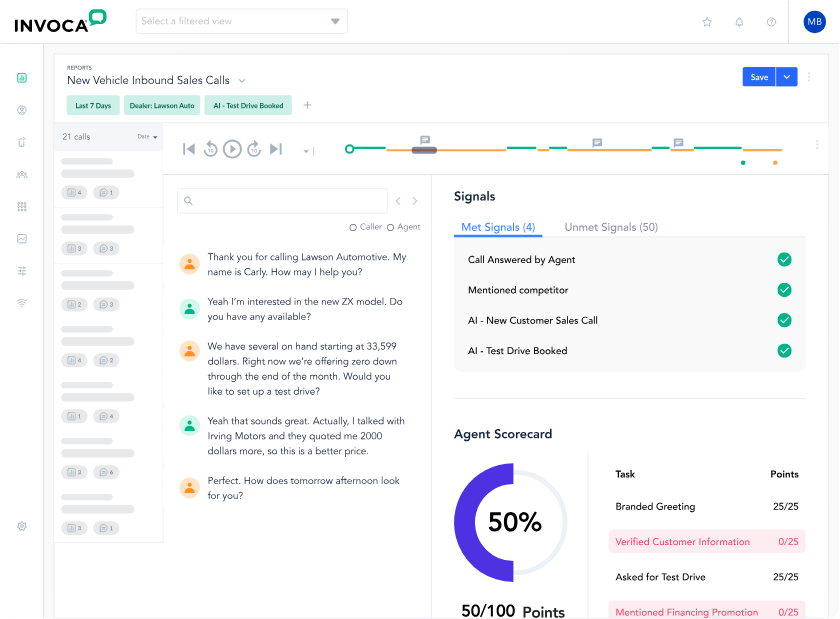
What it is: Invoca is an enterprise-grade call tracking software built for companies that handle serious call volume and need AI to do the heavy lifting. It goes beyond basic tracking—Invoca's AI analyzes every conversation for intent, sentiment, and outcomes, then connects those calls back to specific keywords and campaigns.
If you're running multi-channel marketing at scale and need to prove exactly which efforts drive revenue, this is the tool built for that complexity.
Best for:
- Enterprise marketing teams managing large budgets across multiple channels who need ironclad attribution.
- High-volume call centers separating sales calls from support inquiries to optimize routing and performance.
- Multi-location businesses like franchises tracking which locations and campaigns perform best.
- Regulated industries (healthcare, finance, insurance) that need HIPAA, GDPR, and SOC2 compliance baked in.
Standout features:
- Dynamic Number Insertion (DNI) that assigns unique numbers based on visitor source, campaign, or even individual keywords.
- AI Conversation Intelligence that analyzes calls for buyer intent, sentiment, agent performance, and conversion signals.
- Keyword-level attribution that shows exactly which search terms drive calls that close—not just clicks.
- Multi-channel attribution connecting phone calls to paid search, social ads, display, and every other touchpoint.
- Smart call routing that gets callers to the right agent or department based on data, not guesswork.
- Call recording and transcription for compliance, quality assurance, and coaching.
- Deep integrations with Salesforce, Adobe Marketing Cloud, and other enterprise platforms.
Pricing: Invoca doesn't list prices publicly—it's custom enterprise pricing based on call volume and features. They offer Pro, Enterprise, and Elite tiers that scale with your needs, but this isn't a plug-and-play $50/month tool. Expect annual contracts and a price tag that matches enterprise expectations. They do offer a free trial, but no ongoing free plan. If you're a small business or startup, this is probably overkill.
4. WhatConverts
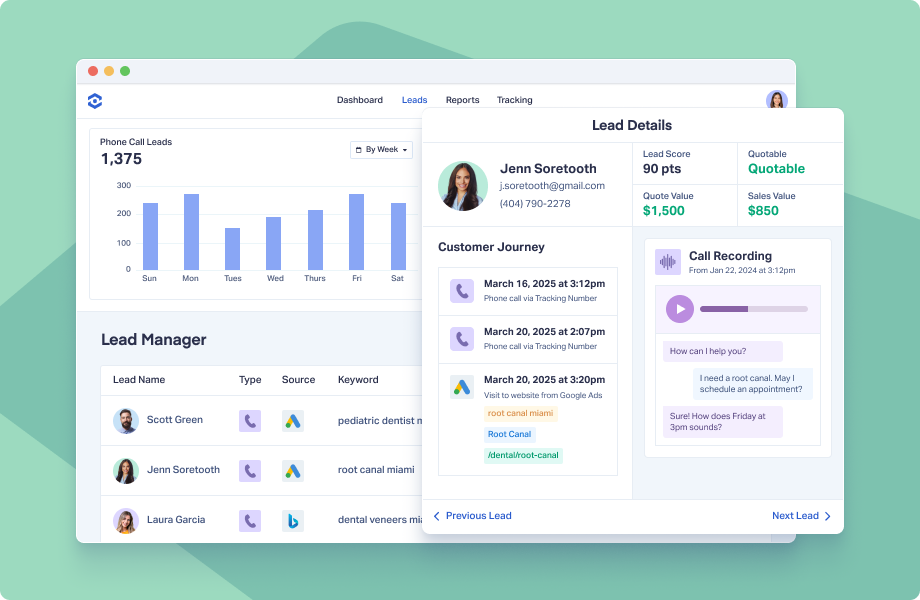
What it is: WhatConverts is a call tracking software for lead generation that tracks more than just phone calls—it monitors forms, chats, and every other way leads reach you, then connects them back to the exact marketing source that drove them.
It's built for marketers and agencies who are tired of reporting vanity metrics and need to show actual ROI from their campaigns. You'll see which specific ads, keywords, and channels are generating revenue, not just traffic.
Best for:
- PPC marketers and agencies that need to prove which ad spend actually converts into paying customers.
- Businesses running multi-channel campaigns who want one dashboard for calls, forms, and chats instead of three separate tools.
- Lead generation companies tracking the complete lead journey across every touchpoint.
Standout features:
- Marketing attribution that ties every call, text, and form submission directly to the campaign, keyword, or ad that drove it.
- Dynamic Number Insertion (DNI) showing unique tracking numbers based on where each visitor came from.
- Call recording and AI-powered transcripts that summarize conversations and identify buyer intent automatically.
- Customer journey mapping so you can follow a lead's complete path from first click to closed deal.
- Lead Intelligence with AI that scores and qualifies leads based on conversation quality and intent signals.
- Native integrations with Google Ads, HubSpot, Pipedrive, Google Sheets, and other platforms agencies actually use
Pricing: Plans start around $30/month for basic call tracking and core features—way more affordable than enterprise tools. They offer a 14-day free trial so you can test it before committing. Pricing tiers scale with features (Call Tracking, Plus, etc.), but even their higher plans stay competitive for small to mid-sized teams.
5. RingCentral
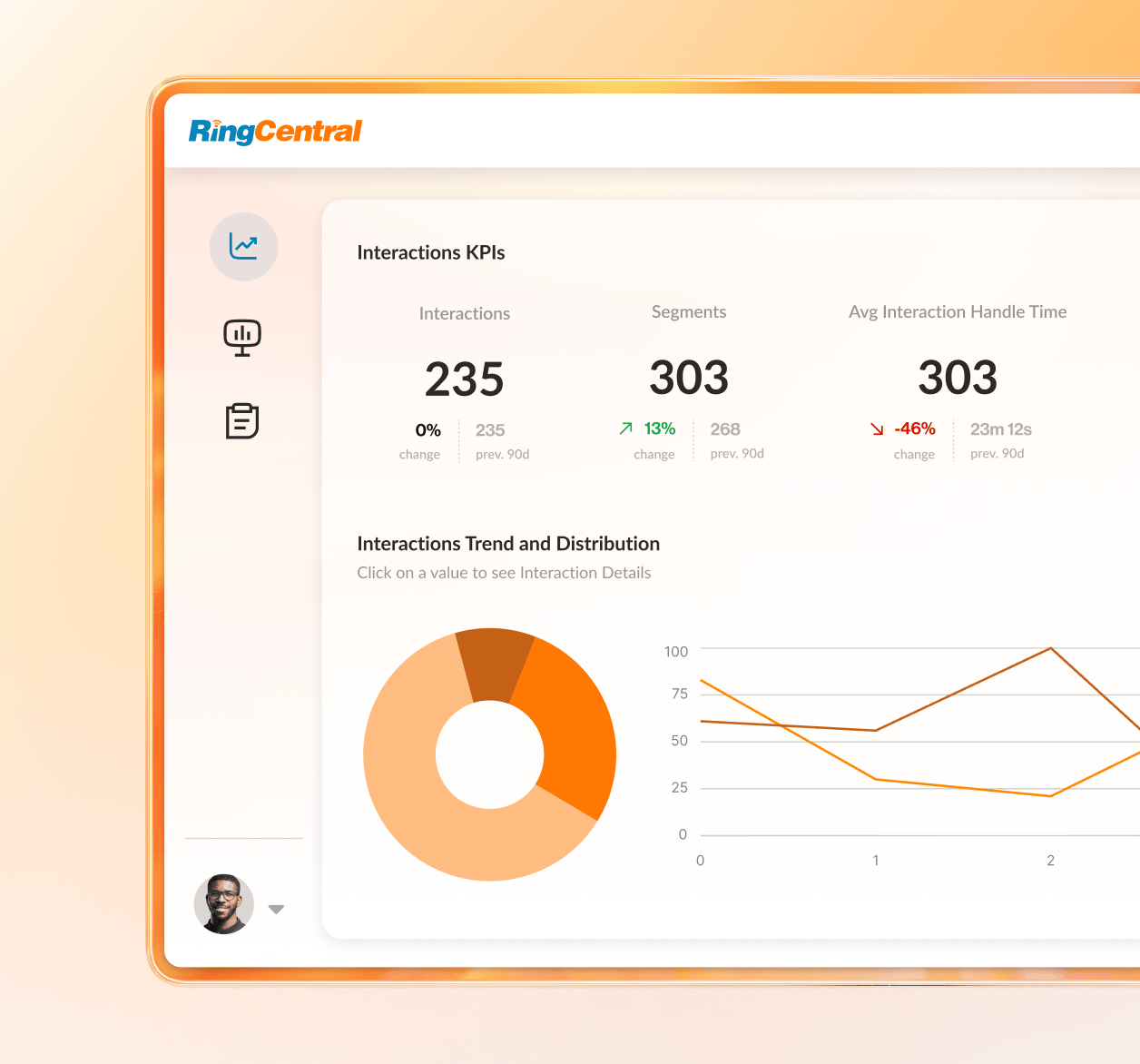
What it is: RingCentral isn't a standalone call tracking software—it's a full unified communications platform (RingEX) and contact center solution (RingCX) with call tracking baked in. You get analytics, call monitoring, detailed logs, and AI-powered insights as part of a broader system that handles voice, video, and messaging.
If you need call tracking plus a complete business phone system, RingCentral consolidates everything into one platform instead of forcing you to stitch together multiple tools.
Best for:
- Businesses that want unified communications and call tracking in one platform rather than managing separate vendors.
- Sales and support teams that need performance monitoring, live call coaching, and detailed analytics to improve agent effectiveness.
- Remote or hybrid teams managing calls from anywhere—RingCentral's cloud-based setup works seamlessly across devices.
- Regulated industries (healthcare, finance) requiring HIPAA, PCI DSS, and GDPR-compliant call recording and data handling.
Standout features:
- Advanced analytics and reporting with real-time dashboards tracking call volume, handle time, first call resolution, and abandonment rates.
- Call monitoring that lets supervisors listen live, whisper coaching to agents, barge into calls, or take them over completely.
- Call recording with AI transcription that automatically generates summaries and action items from conversations.
- Detailed call logs with searchable history showing origin, duration, timestamps, and call type—all filterable and downloadable.
- CRM integrations with Salesforce, Zendesk, and other platforms so call data syncs directly to customer profiles.
- RingSense AI Conversation Intelligence (add-on) that analyzes sentiment, extracts insights, and helps sales teams predict next steps.
Pricing: Call tracking features come bundled with RingCentral's main plans, not sold separately. RingEX (unified communications) starts at $20/user/month for the Core plan with basic call logs, $25/user/month for Advanced (which adds analytics and CRM integrations), and $35/user/month for Ultra with full analytics and unlimited storage. RingCX (contact center) starts around $65/user/month. The RingSense AI add-on is $60/user/month. All pricing is annual billing—no free tier, but you get enterprise-grade features at every level.
6. CallScaler
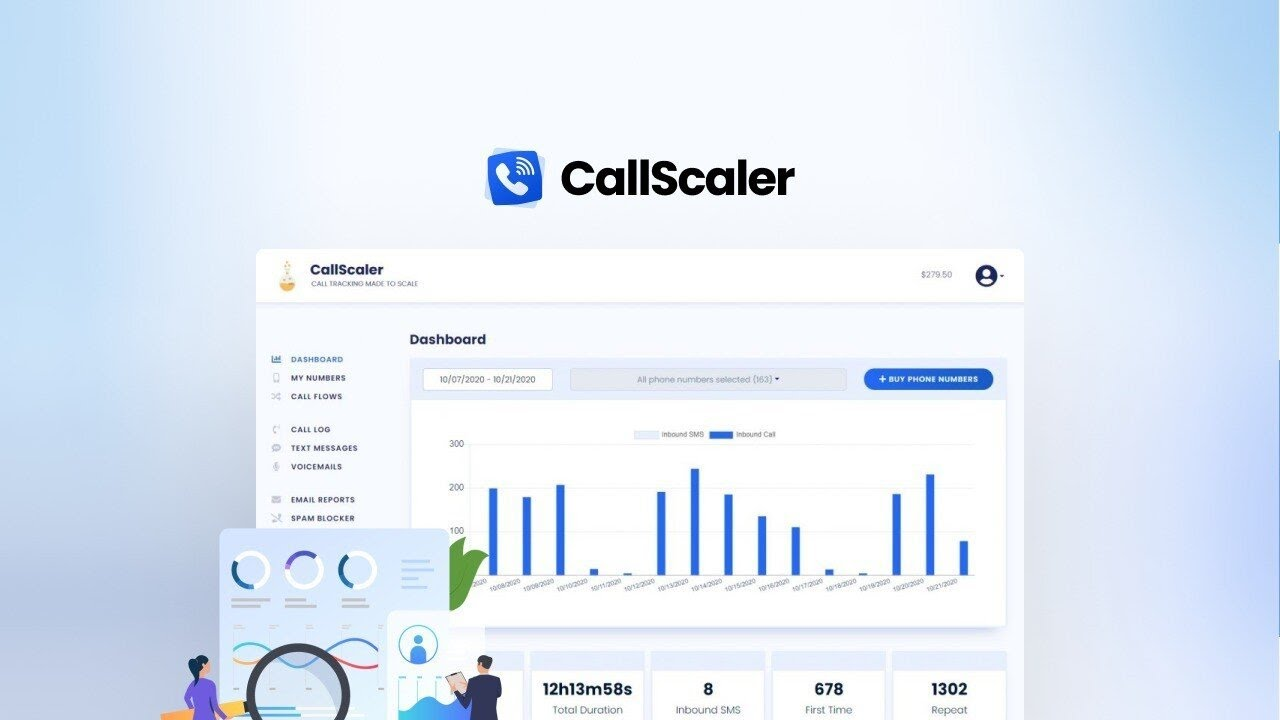
What it is: CallScaler is a no-nonsense call tracking software built for teams that don't want to blow their budget on enterprise tools. It gives you unique tracking numbers for every campaign, call recording, smart routing, and AI transcription without the complexity or price tag of bigger platforms.
If you're a small business or agency managing multiple clients and need scalable lead attribution that actually fits your budget, CallScaler delivers the essentials without the fluff.
Best for:
- Small businesses that need powerful call tracking without enterprise pricing or unnecessary features.
- Marketing agencies juggling multiple client campaigns who want affordable tracking numbers and client portals for transparency.
- Performance marketers running high volumes of tests across online and offline channels who need cheap numbers to track everything.
Standout features:
- Extremely affordable tracking numbers—local and toll-free numbers cost just $0.20 to $0.50 each, so you can test campaigns aggressively without worrying about costs piling up.
- Call recording and customizable routing that directs calls to the right team or person based on source or time of day.
- AI transcription and call summaries that automatically analyze conversations for keywords and intent.
- Automated reporting showing which campaigns are driving calls and conversions.
- Client portals for agencies—give clients login access to see their own data without sharing your entire dashboard.
- SMS tracking for inbound text messages so you're not blind to leads coming through texts.
Pricing: CallScaler keeps it simple with monthly plans. Business at $49/month covers core tracking, recording, AI, and reporting. Client Pro at $79/month adds client portals and pay-per-call billing for agencies. Unlimited at $399/month is for agencies with tons of clients who need the best usage rates. No hidden fees, no annual contract requirements—just straightforward pricing that scales with your needs.
7. CallSource
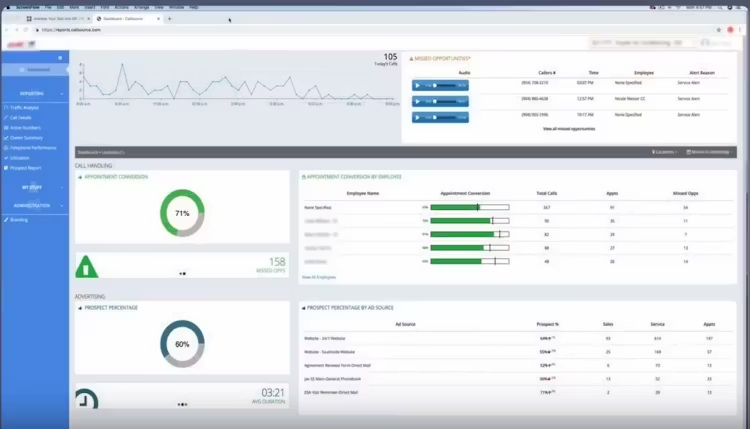
What it is: CallSource is a call tracking software for lead generation that goes beyond basic tracking—it's a full performance management platform. You get call tracking, analytics, and lead management, but also tools for coaching agents, managing reviews, and proving marketing ROI.
It's designed for businesses that handle high call volumes and need to optimize both the marketing side (which campaigns drive calls) and the operations side (how well your team handles those calls).
Best for:
- Local businesses and multi-location companies (franchises, dealerships, healthcare groups) that need centralized tracking and performance insights across all locations.
- Automotive dealerships, home services, and healthcare providers where phone leads are the primary revenue driver.
- Companies that want to connect marketing ROI with agent performance—not just track calls, but improve what happens on those calls.
Standout features:
- Call tracking and analytics with unique numbers for each campaign, dynamic number insertion, keyword tracking, and detailed call data.
- Lead management that captures caller info, scores leads based on quality, routes calls intelligently, and helps manage follow-ups.
- Performance coaching tools including real-time call monitoring, agent scorecards, and call review systems for ongoing feedback.
- Marketing ROI reporting that ties calls directly to specific ads and campaigns so you know what's working.
- Review management that automates review requests, monitors feedback across platforms, and provides response tools.
- CRM integration with Salesforce and other systems to sync customer data automatically.
- Phone coverage management to ensure all calls get answered, even during peak traffic.
Pricing: CallSource doesn't publish standard pricing—it's customized based on your business size, call volume, and features needed. You'll need to request a quote. User reviews mention it offers solid value compared to competitors, but expect pricing conversations before getting access. No free tier or publicly available trial info.
8. CallTrackingMetrics (CTM)
What it is: CallTrackingMetrics is a conversation analytics software that tracks calls, texts, and form submissions, then connects them back to the exact ads and campaigns that generated them. It's built for teams that need more than basic tracking—CTM uses AI to analyze conversations, score call quality, and provide real-time coaching for sales reps.
If you're running multi-channel campaigns and need to prove which efforts drive actual pipeline, this platform gives you the data to back it up.
Best for:
- Marketers who need to prove ROI on Google Ads, Facebook campaigns, and other digital spend by showing which ads generate quality leads.
- Sales teams that want real-time conversation insights, call scoring, and coaching tools to improve close rates.
- Agencies managing multiple clients who need white-labeling and sub-account capabilities.
- Businesses of all sizes that need detailed data to make smarter decisions about advertising spend and sales performance.
Standout features:
- Call and marketing attribution with dynamic number insertion that links every call, text, and form fill to specific ads on Google, Facebook, and other platforms.
- Conversation Intelligence powered by AI (AskAI feature) that scores calls, identifies buyer intent, and provides real-time coaching for reps during conversations.
- Omnichannel support handling calls, live chat, and SMS from one unified platform.
- Automation and smart routing with workflow builders, IVR systems, and intelligent call routing based on geography, agent skill, or lead score.
- Deep integrations with Salesforce, HubSpot, Google Analytics 4, and other tools your team already uses.
- HIPAA and GDPR compliance built in for regulated industries that need secure call handling.
Pricing: CTM uses tiered pricing based on features and usage. Plans like Marketing Lite start around $39-$65/month for basic access, Pro runs about $179/month, and Sales Engage hits $329/month for advanced features. Each plan includes allowances for calls, minutes, and forms—overages cost extra. Enterprise pricing is custom for larger organizations with high volumes. It's usage-based, so costs scale with your activity.
9. JustCall
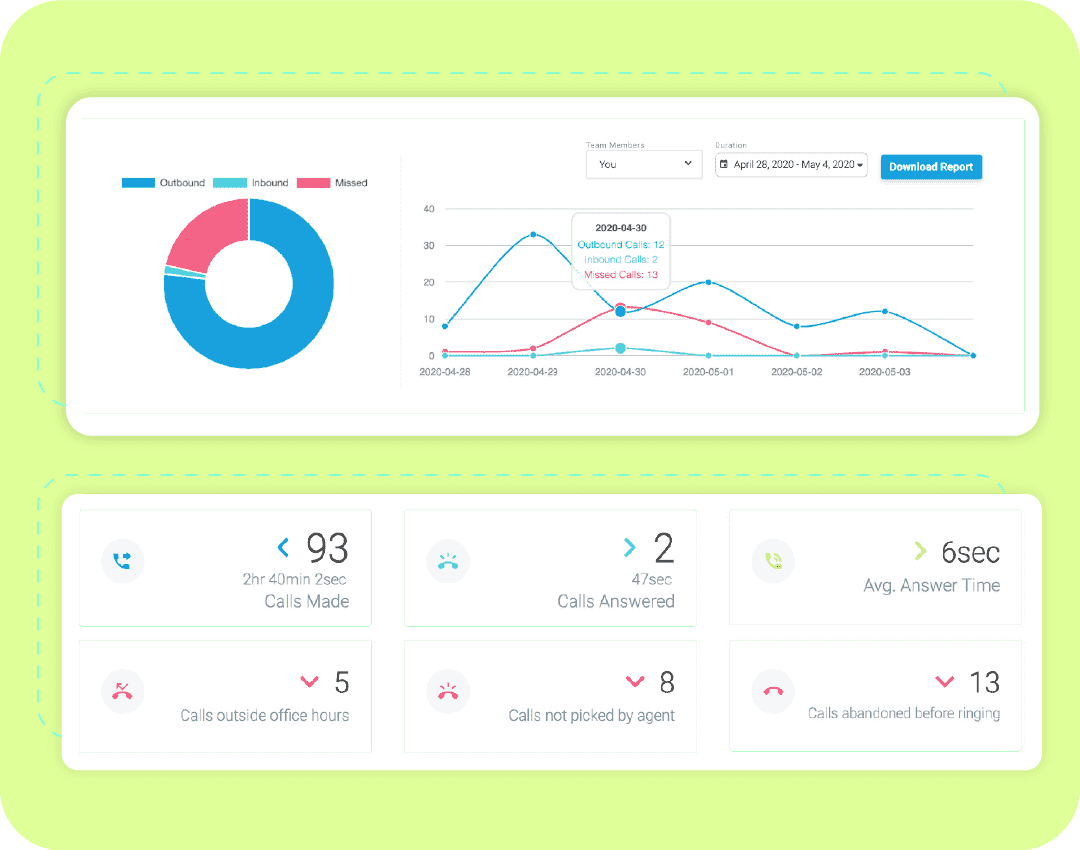
What it is: JustCall is an AI-powered call tracking software that handles voice, SMS, and WhatsApp from one platform. It's built for teams that need more than passive tracking—you get advanced dialers (predictive, power, progressive), smart call routing, AI coaching, and deep CRM integration that logs everything automatically.
If your sales or support team lives on the phone and needs tools to boost conversion rates while tracking performance, JustCall delivers both the tracking and the productivity features to make it happen.
Best for:
- Sales teams running high-volume outbound campaigns who need predictive dialers, local presence dialing, and bulk SMS capabilities.
- Customer support teams managing omnichannel communication (calls, texts, WhatsApp) from one unified interface.
- Remote and hybrid teams managing calls globally with agents working from anywhere.
- Companies that want seamless CRM integration where every call, text, and note syncs automatically to Salesforce, HubSpot, or Zoho.
Standout features:
- AI-powered insights with real-time agent assist, sentiment analysis during calls, and automated call summaries after every conversation.
- Advanced dialing modes—power dialers, predictive dialers, and progressive dialers for teams making hundreds of calls daily.
- Intelligent call routing and automated distribution that gets calls to the right agent based on skill, availability, or priority.
- Analytics and reporting with live call tracking, performance dashboards, and detailed metrics on call outcomes and team productivity.
- Deep CRM integration with automatic logging, click-to-call, and call disposition syncing directly into Salesforce, HubSpot, and other platforms.
- Omnichannel communication managing calls, SMS, and WhatsApp from one interface.
- Productivity tools including call recording, voicemail transcription, bulk SMS, and call disposition tracking.
Pricing: JustCall uses tiered pricing starting around $19-$29/user/month (annual billing) for the Essentials/Team plan with core calling and basic analytics. The Pro/Standard tier adds unlimited US/Canada calling, better CRM integration, and call recording. Premium/Pro Plus includes international calling, advanced analytics, and priority support. Enterprise pricing is custom for large teams needing dedicated account managers, custom features, and enhanced security. Free trials are typically available so you can test before committing.
10. Google Analytics + VOIP Call Tracking Stack (Free Workaround)
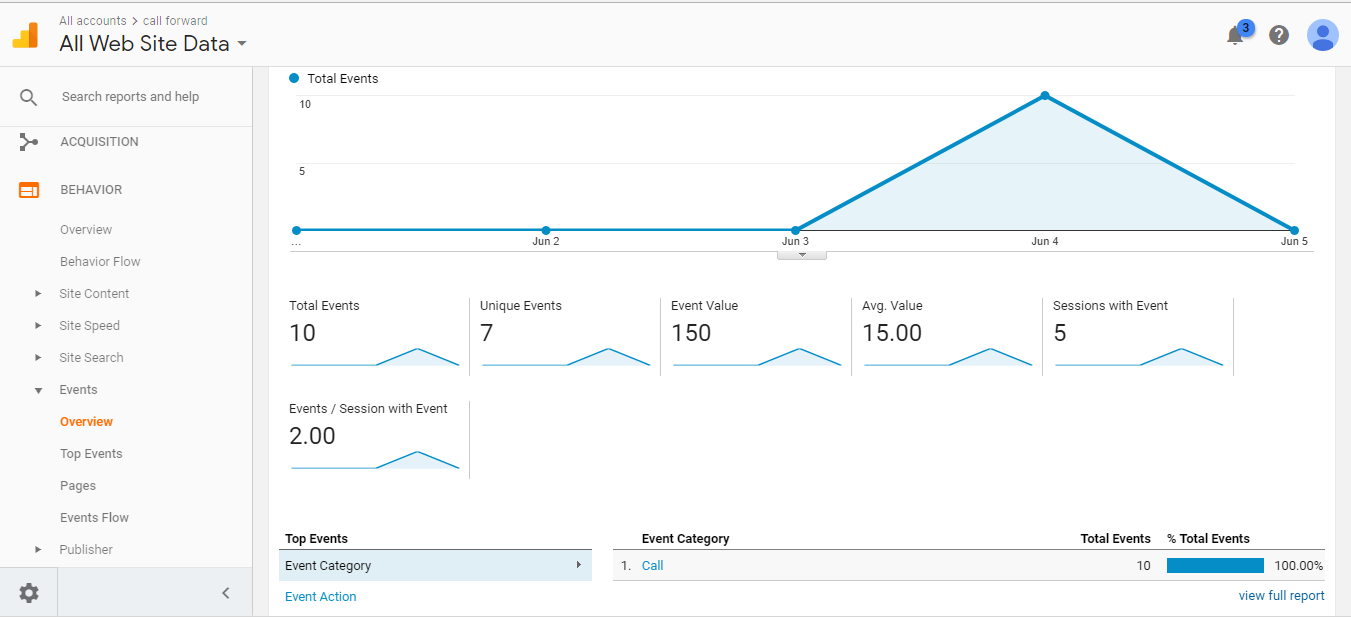
What it is: This isn't a single platform—it's a DIY free call tracking software setup using Google Analytics combined with a basic VOIP service that supports call forwarding and logging. You manually set up unique forwarding numbers for different campaigns, track those numbers as goals or events in Google Analytics, and use your VOIP provider's call logs to see which sources drive calls.
It's scrappy, requires some technical setup, and won't give you AI transcription or fancy dashboards, but it works when you're bootstrapping and need basic attribution without spending a dime.
Best for:
- Startups and solo entrepreneurs with zero budget who need basic call attribution to understand which marketing efforts generate phone leads.
- Small businesses testing call tracking before committing to paid software.
- Teams with technical chops who can handle manual setup and don't mind piecing together data from multiple sources.
Standout features:
- Completely free if you use Google Analytics (free tier) and a VOIP service you're already paying for or one with a free plan.
- Campaign-level tracking by assigning unique forwarding numbers to different ads, landing pages, or channels.
- Google Analytics integration lets you track calls as conversion events alongside web traffic and form submissions.
- Call logs from VOIP providers like Google Voice, Grasshopper, or OpenPhone give you basic data on call duration, timestamps, and caller info.
- Flexible and customizable—you control the setup and can tweak it based on what you need.
Pricing: Free for Google Analytics. VOIP costs depend on your provider—Google Voice offers free or very cheap numbers, while services like OpenPhone or Grasshopper have low-cost plans starting around $10-$15/month. No fancy AI tools, no automated reporting, but for teams willing to do manual legwork, this gets you basic call tracking without breaking the bank.
The catch: You're manually connecting the dots. There's no dynamic number insertion, no AI analysis, no automated attribution. If a lead calls, you'll need to cross-reference call logs with GA data to figure out the source.
It's time-consuming and doesn't scale well, but when you're just starting out or validating whether call tracking matters for your business, this workaround gets the job done.
🚀 Close More Calls With Real Insights
We use call tracking + call recordings to refine messaging, warm leads, and boost close rates—while you only pay per qualified meeting.
Free vs Paid Call Tracking Software — Which Should You Choose?
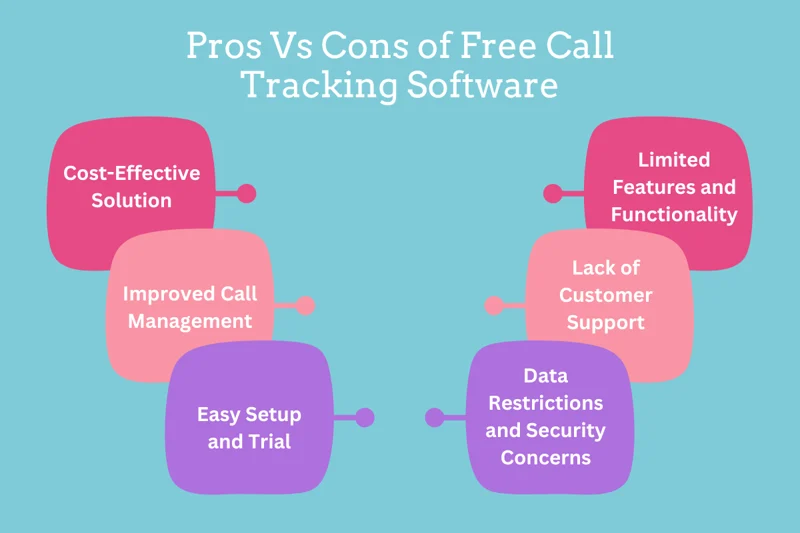
Free call tracking software can work when you're just starting out, but it comes with serious trade-offs.
The question isn't whether free tools exist—it's whether they'll actually help you close more deals or just give you surface-level data that doesn't move the needle.
When Free Tools Are Enough
Free call tracking software makes sense if you're running a lean operation with low call volume. We're talking:
- Small teams testing call tracking for the first time to see if attribution even matters for your business.
- Businesses getting fewer than 50 calls per month where manual tracking won't kill your productivity.
- Solo entrepreneurs or early-stage startups with zero budget who need basic "which campaign drove this call" data.
If you're just trying to figure out whether your Google Ads or LinkedIn posts are generating phone leads, a free setup like Google Analytics paired with a basic VOIP service gets you directional answers without spending money.
The Limitations Hit Fast
Here's where free call tracking software falls apart:
- No call recordings – You can't coach your team, review what messaging works, or verify what was actually said on the call. You're flying blind on conversation quality.
- No dynamic number insertion – Free tools don't automatically swap tracking numbers based on visitor source. You're stuck manually assigning numbers to campaigns and hoping people don't mix them up.
- Limited reporting – Forget dashboards, automated reports, or multi-touch attribution. You're exporting CSVs and building spreadsheets to connect the dots yourself.
- Zero AI analysis – No transcription, no sentiment tracking, no lead scoring. You won't know if a call was a qualified lead or a waste of time without listening to every single one.
- Compliance gaps – If you're in healthcare, finance, or any regulated industry, free tools likely don't offer HIPAA or GDPR compliance. That's a dealbreaker.
Diver Deeper Into: Cold Calling vs Warm Calling - Which Works Better for B2B Sales?
When to Upgrade to Paid
You need paid call tracking software when:
- Your sales team is scaling and you can't manually review every call or piece together attribution data.
- You're running multi-channel campaigns (PPC, email, LinkedIn, direct mail) and need to know which sources drive closable leads.
- Call volume is climbing above 100+ per month and manual tracking becomes a bottleneck.
- You need compliance features for regulated industries.
- Attribution matters for budget decisions—you're spending real money on ads and need ROI proof, not guesses.
- Your team needs coaching tools, call recordings, and AI insights to improve conversion rates.
Once call tracking becomes critical to revenue decisions, free tools cost you more in missed insights than you save on software fees.
More Tools: BEST Marketing Attribution Software (We Use #1 Personally)
Quick Comparison
Basically, start free if you're testing the waters, but plan to upgrade the moment call tracking becomes a revenue driver instead of just a curiosity.
Best Call Tracking Software for Agencies
Running call tracking for your own pipeline is one thing. Managing it across 10, 20, or 50 client accounts is a different problem entirely. Agencies need platforms that give each client clean, isolated data — ideally with client-facing dashboards they can log into without seeing your entire account — and pricing that doesn't collapse your margins.
Here are the platforms that actually work for agency use cases:
CallScaler — Best for per-client affordability
At $49–$79/month with client portal functionality, CallScaler is built for agencies managing multiple campaigns. Each client gets their own login and view of their tracking data without touching yours. Local and toll-free tracking numbers cost $0.20–$0.50 each, so you can spin up numbers for testing without eating into client budgets.
WhatConverts — Best for PPC agency attribution
If you're managing Google Ads or paid social for clients, WhatConverts gives you granular keyword-level attribution that you can actually present in a client report. Every call, form fill, and chat event ties back to the exact ad and campaign that drove it. The reporting exports cleanly into a format clients understand — not a dashboard that requires a 30-minute walkthrough.
Phonexa — Best for white-label branding
Phonexa lets agencies fully white-label the call tracking experience — custom dashboards, branded reports, client notifications — all under your own agency identity. If your clients don't need to know what platform you're running, Phonexa makes that invisible. It also includes fraud detection for agencies running pay-per-call campaigns, where traffic quality directly affects client ROI.
What to look for when evaluating call tracking for your agency:
- Sub-accounts or client portals — can clients see their own data without accessing yours?
- White-label options — can you brand reports and dashboards with your own name?
- Per-tracking-number pricing — flat monthly fees work at low volume; per-number pricing scales better across many clients
- Reporting exports — can you pull a clean PDF or CSV without reformatting everything?
- Multi-channel attribution — if you manage both paid and organic for clients, the platform should track both, not just one
For agencies running outbound campaigns specifically, our cold calling agency integrates call tracking directly into how we manage SDR performance — so you see call outcomes tied to campaigns, not just dial counts.
Best Call Tracking Software for Sales Teams
Marketing teams use call tracking to answer "which campaign drove this call?" Sales teams use it to answer "why did this rep close 40% while everyone else closed 15%?" The questions are different, and the features that matter are different too.
For sales teams — especially outbound SDR operations — the priorities are call recording quality, AI transcription that's searchable, rep-level performance dashboards, and CRM sync that logs everything automatically so reps aren't manually updating Salesforce after every call.
What sales teams actually need from call tracking software:
- Rep-level analytics — who's booking meetings, what's their average call duration, where are they losing prospects?
- Call recording + searchable transcripts — so managers can review calls by keyword ("pricing," "competitor," "not interested") instead of listening to hours of recordings
- CRM auto-logging — every call should hit the contact record automatically; manual entry creates gaps and reps skip it
- AI coaching cues — real-time suggestions or post-call scoring that flags where reps are losing conversations
- Outbound tracking — most platforms are built for inbound attribution; sales teams also need to track callbacks, voicemail response rates, and which outbound sequences generate call-backs
Top picks for sales teams:
- JustCall — built for high-volume outbound with predictive dialers, CRM sync, and AI summaries after every call. Best for SDR teams making 50–200+ calls per day.
- CallTrackingMetrics (CTM) — strong omnichannel tracking with real-time coaching features and deep CRM integration. Better for teams where calls come from both inbound and outbound.
- HubSpot Call Tracking — best option if your team already lives in HubSpot. Calls log automatically, conversation intelligence highlights key moments, and everything ties to the deal record without extra setup.
For teams building out their outbound function, call tracking data becomes the foundation for everything — scripts, timing, rep coaching, and campaign ROI. Understanding your cold calling metrics and KPIs before choosing a platform helps you set up tracking that actually captures the numbers you'll manage to.
How to Choose the Right Call Tracking Platform for Your Business
Picking the best call tracking software isn't about finding the one with the most features—it's about matching the tool to how your business actually operates.
A solo SDR has completely different needs than a 50-person sales floor, and choosing wrong means either overpaying for stuff you won't use or outgrowing your platform in three months.
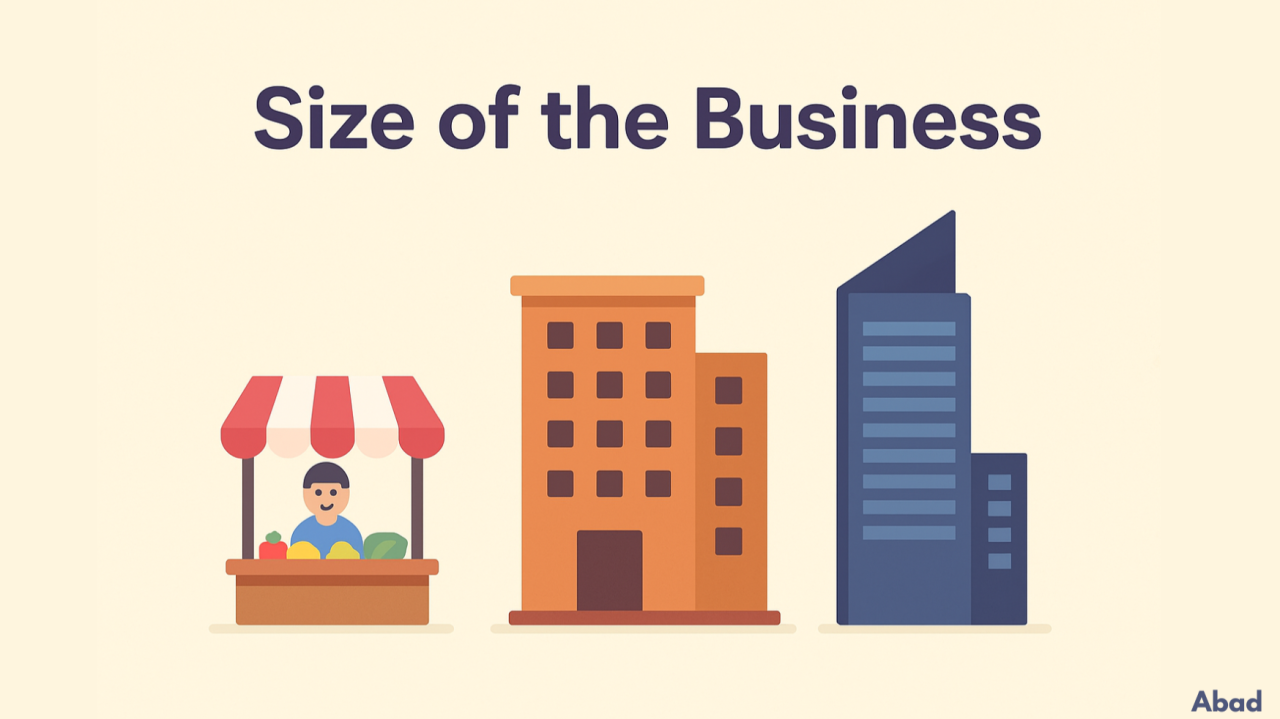
Match the Tool to Your Business Size
- Solo SDR or small team (1-5 reps)
You need something simple that tracks where calls come from without requiring a PhD to set up. Look for affordable platforms like CallScaler or WhatConverts that give you basic attribution, call recording, and CRM sync without enterprise complexity. Budget: $30-$100/month. - Growing SMB (5-25 reps)
You're scaling fast and need tools that grow with you. Dynamic number insertion, multi-channel attribution, and AI transcription become critical. Platforms like CallRail, CallTrackingMetrics, or JustCall handle higher call volumes while keeping costs reasonable. Budget: $100-$500/month. - Enterprise (25+ reps, multiple locations)
You need compliance, advanced routing, dedicated support, and integrations that don't break. Invoca, RingCentral, or CallSource deliver enterprise-grade features with HIPAA/GDPR compliance and custom reporting. Budget: $500-$5,000+/month depending on volume.
Compare Based on What Actually Matters
Don't get distracted by flashy features you'll never use. Focus on these three filters:
- Call volume – If you're handling 1,000+ calls monthly, you need a platform built for scale with robust analytics and routing. Low volume? Don't overpay for enterprise features.
- Attribution needs – Running one channel? Basic tracking works. Running PPC, email, LinkedIn, cold calling, and offline ads? You need multi-touch attribution that connects every touchpoint to revenue.
- Integrations – If your CRM is HubSpot or Salesforce, make sure the call tracking software syncs natively. Manual data entry kills productivity and accuracy.
Your Pre-Purchase Checklist
Before you sign up for any best call tracking software, answer these questions:
Does it sync with your CRM automatically?
If you're copying call data manually into Salesforce or HubSpot, you're wasting time and losing accuracy. Native integration is non-negotiable for teams above five reps.
Does it support both outbound and inbound tracking?
Most tools handle inbound well, but if you're running outbound cold calling campaigns, you need a platform that tracks callbacks, voicemails, and follow-up sequences too.
Does it offer compliance-grade recording and QA tools?
If you're in healthcare, finance, or insurance, HIPAA and GDPR compliance aren't optional. Even if you're not regulated, recording and QA features help you coach reps and improve close rates.
Can it scale with you?
Don't pick a tool you'll outgrow in six months. Check whether pricing and features scale reasonably as your team and call volume increase.
Is the reporting actually usable?
Some platforms bury insights in complicated dashboards. You need real-time data you can act on—cost per call, conversion rates by source, and ROI metrics that tie directly to revenue.
The 30-Day Evaluation Framework
Most call tracking software offers free trials. Here's how to use that time to make the right call:
✅ Week 1: Setup and integration
Connect it to your CRM, set up tracking numbers for your main campaigns, and test call routing. If setup takes more than a few hours or requires a consultant, that's a red flag.
✅ Week 2: Track real calls
Let actual leads flow through the system. Check whether attribution data is accurate, recordings are clear, and integrations work without manual fixes.
✅ Week 3: Analyze reporting
Pull reports on cost per call, lead quality by source, and conversion rates. Can you quickly see which campaigns are worth scaling? If you're digging through exports and building spreadsheets, the reporting isn't good enough.
✅ Week 4: Test support and coaching features
Review call recordings with your team. Test any AI analysis or lead scoring features. Reach out to customer support with a question. If support is slow or unhelpful during the trial, it won't get better after you're paying.
By day 30, you should know whether this tool saves you time, improves attribution clarity, and helps close more deals. If any of those are "no," keep looking.
How to Use Call Tracking to Improve Performance & Lead Quality
Having call tracking software for lead generation is one thing. Actually using it to close more deals is another.
Most teams install tracking, glance at a dashboard once, and never touch the real features that separate average performance from crushing quota.
Here's how we use call tracking to improve both lead quality and team performance.
Learn Which Outreach Channels Drive the Best Calls
Not all leads are created equal, and call tracking software for lead generation shows you exactly which channels bring in calls that actually close.
We've seen teams waste thousands on LinkedIn ads that generate tons of calls—but when you dig into the data, those calls convert at 5%. Meanwhile, a smaller cold email campaign with half the call volume converts at 35%. Without tracking, you'd scale the wrong channel and wonder why revenue isn't growing.
Use your call tracking data to answer: Which campaigns drive the highest-quality conversations? Which sources bring in tire-kickers versus buyers? Then kill what's not working and double down on what converts.
Here’s a Blueprint: Best Cold Email Blueprint to Generate Leads (100% Tested)
Use Call Recordings to Refine Your Scripts
Call recordings aren't just for compliance—they're your best coaching tool for improving conversion rates.
Listen to calls from your top performers and identify what they're saying differently. Are they asking better qualifying questions? Handling call objections smoothly? Using specific phrases that resonate with prospects? Take those patterns and build them into your cold call scripts.
Then listen to calls from reps who aren't converting. Where are they losing prospects? Are they talking too much? Missing buying signals? Fumbling the close? Call tracking software with AI transcription makes this process faster—search for keywords like "not interested," "budget," or "think about it" to find exact moments where deals die.
We've refined entire cold calling scripts by analyzing 100+ recorded calls and identifying which call opening lines, value props, and closes actually work in real conversations.
Read More: Cold Calling Rejection - How Top SDRs Turn “No” Into “Next”
Use Lead Scoring and Tagging to Qualify Faster
Not every call deserves the same follow-up. Call tracking software for lead generation with AI scoring helps you prioritize which leads are worth your closers' time versus which ones should go to nurture sequences.
Set up automated tagging based on conversation signals:
- High intent keywords like "pricing," "timeline," or "demo" get tagged as hot leads.
- Objections like "not the right time" get tagged for follow-up in 3 months.
- Low-quality calls (wrong number, spam, customer service issues) get filtered out entirely.
This means your sales team spends time on qualified opportunities instead of chasing dead ends. We've seen teams cut their follow-up time in half by using lead scoring to route calls intelligently.
Support SDR Coaching and Performance Improvement
Call tracking software turns your SDR team into a data-driven operation instead of relying on gut feel and hopes.
Pull performance dashboards by rep: Who's booking the most meetings? Who has the highest talk time? Who's converting at 40% while everyone else is at 15%? Those gaps tell you exactly where coaching is needed.
Use call analytics to identify specific improvement areas:
- Low connection rates? They need better prospecting or timing strategies.
- High talk time but low conversions? They're not qualifying properly or handling objections well.
- Lots of calls but few follow-ups logged? There's a process breakdown.
We coach our SDRs using real call examples—not generic advice. When you can play a recording and say "here's exactly where you lost them, and here's how Sarah handled the same objection," improvement happens fast.
Build Data-Driven Outreach Decisions
The best teams don't guess what messaging works—they let call tracking software for lead generation show them.
Track which value propositions drive callbacks. Does mentioning ROI get more responses than mentioning time savings? Does leading with a case study convert better than leading with a pain point? Your call data will tell you.
We've completely rewritten email sequences, LinkedIn messages, and cold call scripts based on what prospects actually respond to. When you analyze 500 calls and see that mentioning "guaranteed appointments" drives 3x more interest than "lead generation services," that's not opinion—that's data telling you how to win.
Use your tracking data to answer: What messaging gets prospects to take calls? What objections come up most frequently, and how should we preempt them? Which industries or company sizes convert best? Then adjust your entire outreach strategy based on what actually converts, not what sounds good in theory.
How Cleverly Uses Call Tracking Insights to Deliver Better B2B Lead Generation
Tools alone don't guarantee better results—strategy plus execution does. That's why we built call tracking directly into our system at Cleverly, the B2B lead generation agency that's generated over $312M in pipeline for clients like Amazon, Google, and PayPal.
We Track What Actually Matters
Most agencies hand you leads and disappear. We track the entire journey—from first touchpoint to booked call to closed deal—so you know exactly what's working.
- Cold email outreach – We don't just track open rates and replies. We connect those replies to actual booked calls and measure which messaging drives conversations that show up and close.
- LinkedIn lead generation – We warm leads through strategic engagement before calls happen, then track which LinkedIn touches (profile views, connection requests, message sequences) lead to qualified phone conversations.
- Cold calling appointments – We record calls, analyze what scripts and objections handling techniques work, and continuously refine our approach based on real data. Our SDRs don't guess—they follow playbooks built from thousands of successful calls.
What Our Clients Actually See
When you work with a B2B lead generation agency that uses call tracking strategically, the results are different:
- Higher qualified calls because we're optimizing for conversations that close, not just volume.
- Improved closing rates because our SDRs are trained on scripts that actually work in real sales situations.
- Clear reporting and attribution so you see exactly which channels and messaging drive pipeline, not fluff metrics.

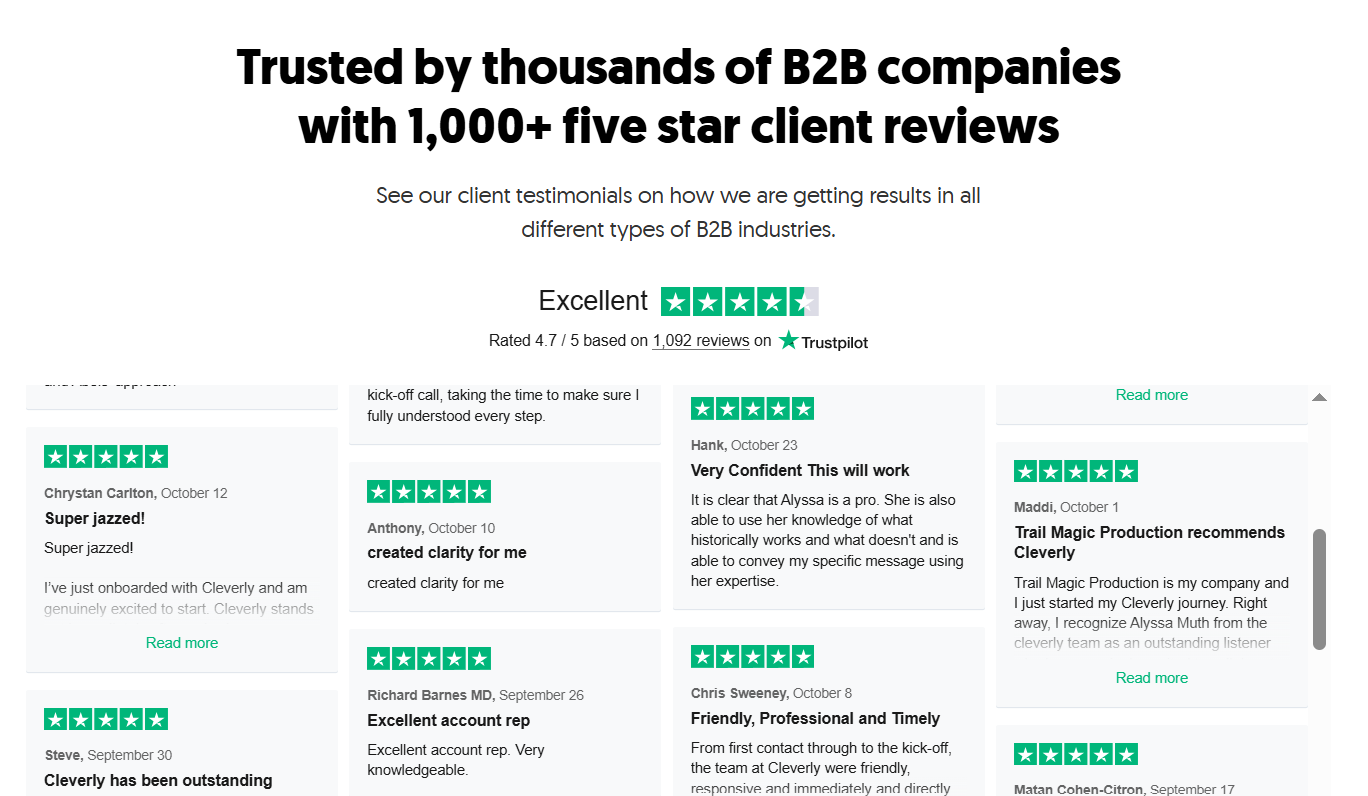
Check More of Our Client Reviews Here
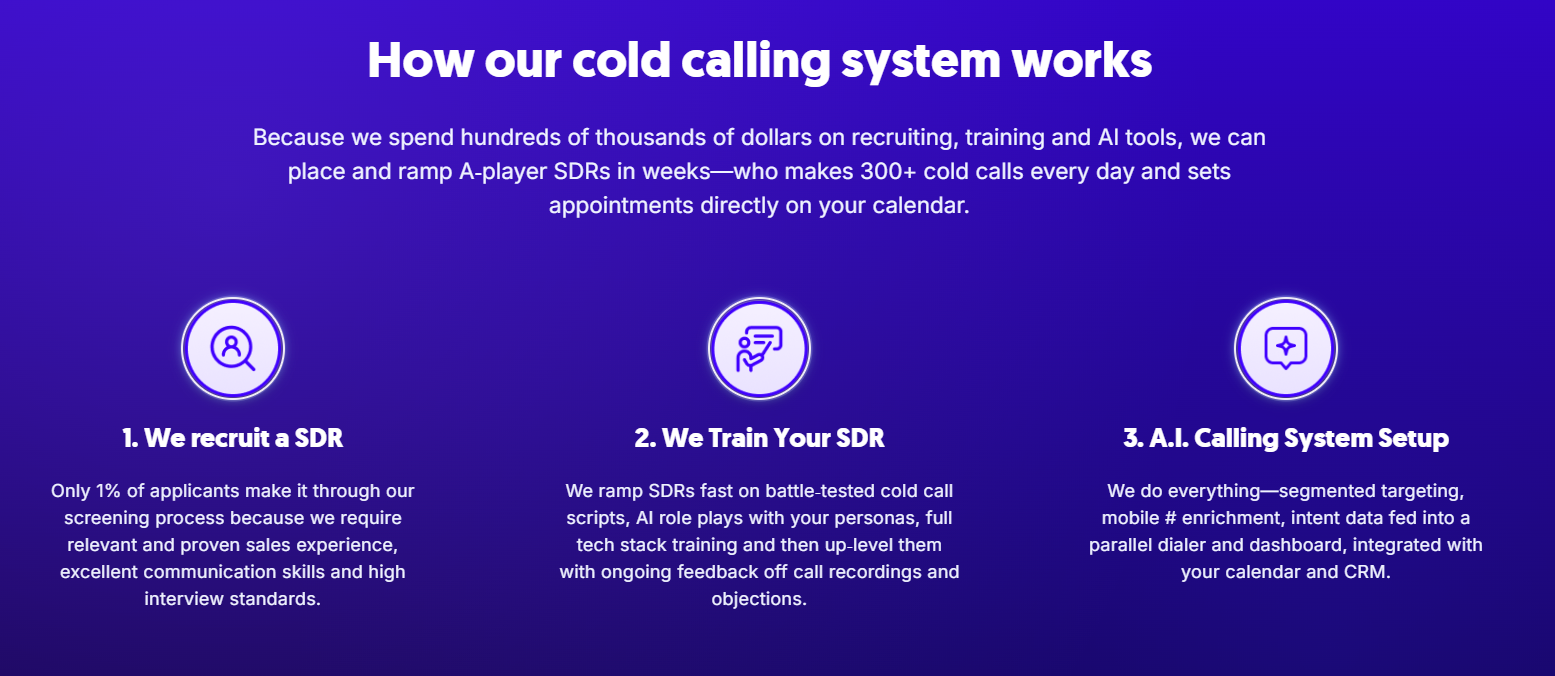
Our $5M Cold Calling System
We don't just set up software and hope for the best. We place a no-accent appointment setter on your team, rigorously train them to go live in 2 weeks, write breakthrough call scripts based on proven data, and include all the data, tech, and power dialers you need.
It's half the cost of building in-house, and we guarantee appointments—or we replace the SDR.
Results speak louder than features: 1M+ cold calls made, 53K appointments set, $312M in pipeline generated.
If you're tired of lead gen agencies that deliver junk calls and vague reports, let's talk about how we use call tracking and proven systems to book you 10-30 qualified sales calls every month—guaranteed.
🔥 Book a strategy call with Cleverly →
Conclusion
The difference between guessing and growing comes down to one thing: knowing which efforts actually drive revenue.
Call tracking software isn't just another marketing tool—it's how you stop wasting budget on channels that don't convert, coach your team with real data instead of gut feel, and scale what's actually working.
We've given you the tools. We've shown you how to use them. Now it's time to stop flying blind and start closing more deals.
Pick a platform from this list, run the 30-day test, and let the data tell you what your next move should be. Your pipeline will thank you.
And if you want a team that's already figured this out—one that books qualified calls using proven systems, not guesswork—we're here when you're ready to scale.
Frequently Asked Questions
Free Resource
How to Scale a Profitable Cold Call System
Get the complete guide — download it instantly now.

Free Ebook
Download the Free Guide
Enter your details to get instant access.
You're all set! 🎉
Your ebook is downloading now.
Click below if the download didn't start automatically.