Table of Contents
What Is a Sales Call Report?
What Should a Sales Call Report Include? (Core Components)
Sales Call Report Template
Sales Call Report Example
How to Write a Sales Call Report Step-by-Step
Key Metrics to Track in Sales Call Reporting
Tools for Creating & Automating Sales Call Reports
How Sales Call Reporting Improves Team Performance & Conversion Rates
Common Mistakes in Sales Call Reports (And How to Avoid Them)
How Cleverly Helps Companies Generate More Qualified Sales Calls
Conclusion
Frequently Asked Questions
Modified On :
September 1, 2026
Key Takeaways
- Sales call reports transform individual conversations into scalable revenue strategies by documenting what works and what doesn't across your entire team.
- Log reports immediately after each call. Waiting even a few hours destroys accuracy and costs you critical context for follow-ups.
- Focus on qualification scores, pain points, objections, and specific next steps rather than writing novel-length summaries that nobody reads.
- Track metrics that matter: connect rate, meeting set rate, objection frequency, and deal velocity to identify exactly where your process needs improvement.
- Use a consistent sales call report template across your team so data is comparable, coaching is targeted, and forecasting is actually accurate.
- Automate where possible with tools like Gong, HubSpot, or Aircall, but don't let tool selection delay implementation—manual reporting beats no reporting.
Every sales call you make is packed with insights; but without a solid sales call report, those insights disappear the moment you hang up.
We've made over 1 million cold calls at Cleverly, and here's what we've learned: the difference between average and elite sales teams isn't just how many calls they make, it's how well they document and learn from each one.
Sales call reporting gives you three things most teams lack: visibility, coaching and conversion improvement.
Just think about it: sales calls are your highest-intent touchpoint. Someone gave you their time. They're listening. If you're not tracking what happened on that call, you're essentially flying blind.
This guide covers everything you need to create sales call reports that actually drive revenue: templates you can copy, real sample sales call reports, the KPIs that matter, and step-by-step frameworks on how to report sales calls effectively.
Whether you're an SDR logging your first discovery call, an AE managing complex deals, a sales manager coaching a team, or a founder trying to build a scalable sales process—this is for you.
What Is a Sales Call Report?
A sales call report is a structured record of what happened during a sales conversation—who you spoke with, what was discussed, objections raised, next steps agreed on, and how qualified the lead is.
It's not a transcript. It's not busywork. It's the documented intelligence that turns individual calls into scalable revenue strategies.
Why Companies Use Sales Call Reporting
We use sales call reporting at Cleverly to manage thousands of conversations across our cold calling, LinkedIn, and email campaigns. Here's why it matters:
- Improve forecasting – When every call is documented with deal stage and likelihood, your pipeline predictions actually match reality instead of wishful thinking.
- Identify opportunities – Patterns emerge fast. If 60% of your calls mention the same pain point, that's your new messaging angle. If prospects keep asking about a feature you don't highlight, that's a gap in your positioning.
- Train reps – New hires can review top performers' call reports to see exactly how deals progress. Managers can coach based on data, not guesswork.
- Track performance – Who's booking meetings? Who's getting stuck at objection handling? Sales call reporting shows you where each rep excels and where they need support.
- Ensure follow-up consistency – Nothing kills deals faster than "I think we talked about pricing?" Clear call reports mean every follow-up references the right context and moves deals forward.
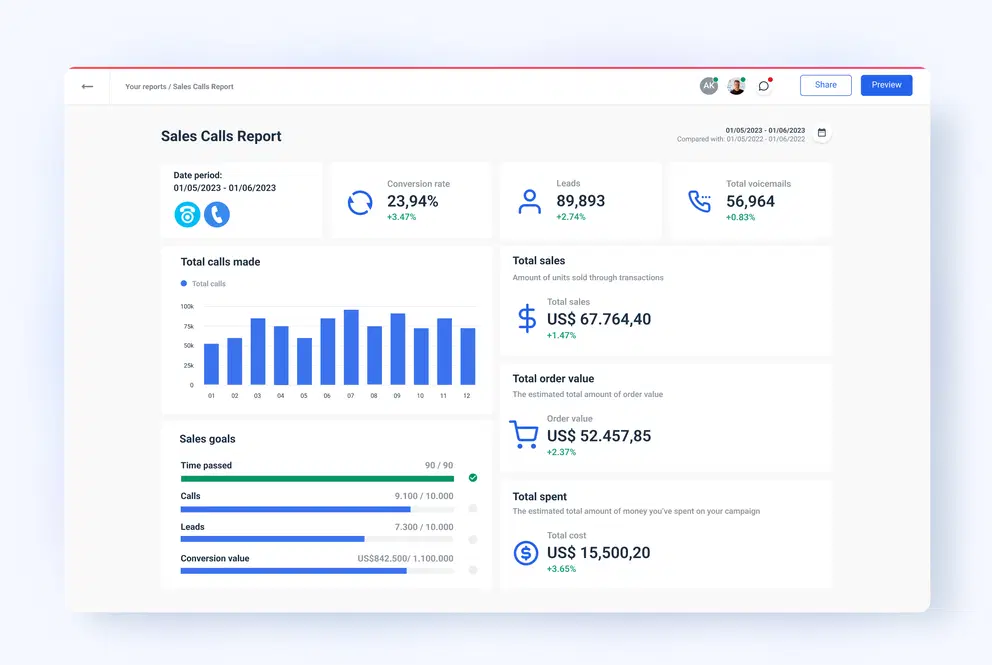
Whether you're managing an in-house team or working with an outsourced sales development representative, consistent call reporting is the foundation of any coaching program worth running.
Manual vs Automated Reporting
Manual reporting means reps fill out forms after each call. It's flexible and cheap to start, but it's slow, inconsistent, and often skipped when teams get busy.
Automated reporting uses tools that transcribe calls, extract key details, and populate your CRM automatically. It's faster and more consistent, but requires the right tech stack and can miss nuances that matter.
Most high-performing teams use a hybrid approach—automated transcription with manual review of key fields like qualification level and next steps.
That's how we handle our 53,000+ appointments at Cleverly without drowning in admin work.
Before you can report on a call effectively, you need a consistent sales call structure — what you're doing in each phase determines what's worth documenting.
Also Check: Sales Call Structure We Used to Generate $16,000,000+
🔥 More Qualified Calls, Less Admin
Cleverly delivers meeting-ready leads so your team spends time closing deals—not filling reports.
What Should a Sales Call Report Include? (Core Components)
Knowing how to report sales calls properly starts with capturing the right information. Miss a key field, and your follow-up falls flat. Include too much fluff, and nobody reads it.
Here's exactly what belongs in every sales call report:
Prospect Details
Name, title, company, contact info – Sounds basic, but you'd be surprised how many reps forget to log the decision-maker's exact title. This tells you who has buying power and whether you're talking to the right person.
Read More: Prospect vs Lead - What’s the Real Difference (with B2B Examples)
Pre-Call Preparation Notes
A sales call report isn't just post-call documentation — it starts before you dial. Reps who review account history and set a clear call objective before picking up the phone close at measurably higher rates because they arrive with context, not just a script.
Your pre-call section should capture:
- Previous call notes reviewed: Yes / No — Did you review the last call report before dialing?
- Research completed: What do you know about this prospect's company, role, and recent activity?
- Call objective: What is the one thing this call needs to accomplish? (Book a follow-up? Confirm budget? Get CFO intro?)
- Anticipated objections: Based on their profile, what pushback do you expect?
- Opener planned: What's your first line after "Is this a good time?"
At Cleverly, our appointment setters review account notes before every call — including previous objections and pain points. Reps who skip this step routinely re-ask questions the prospect already answered, which signals they weren't listening and kills rapport fast.
Call Purpose & Stage
What was this call meant to accomplish? Discovery? Demo? Pricing discussion? Knowing the stage helps you measure progress and forecast accurately. A discovery call that turns into a pricing conversation is a fast-moving deal—your report should flag that.
Summary of Discussion
2-3 sentences max. What did you actually talk about? Not a transcript—just the core topics. Example: "Discussed current lead gen gaps. They're using in-house SDRs but struggling with consistency and accent/quality issues."
Pain Points Identified
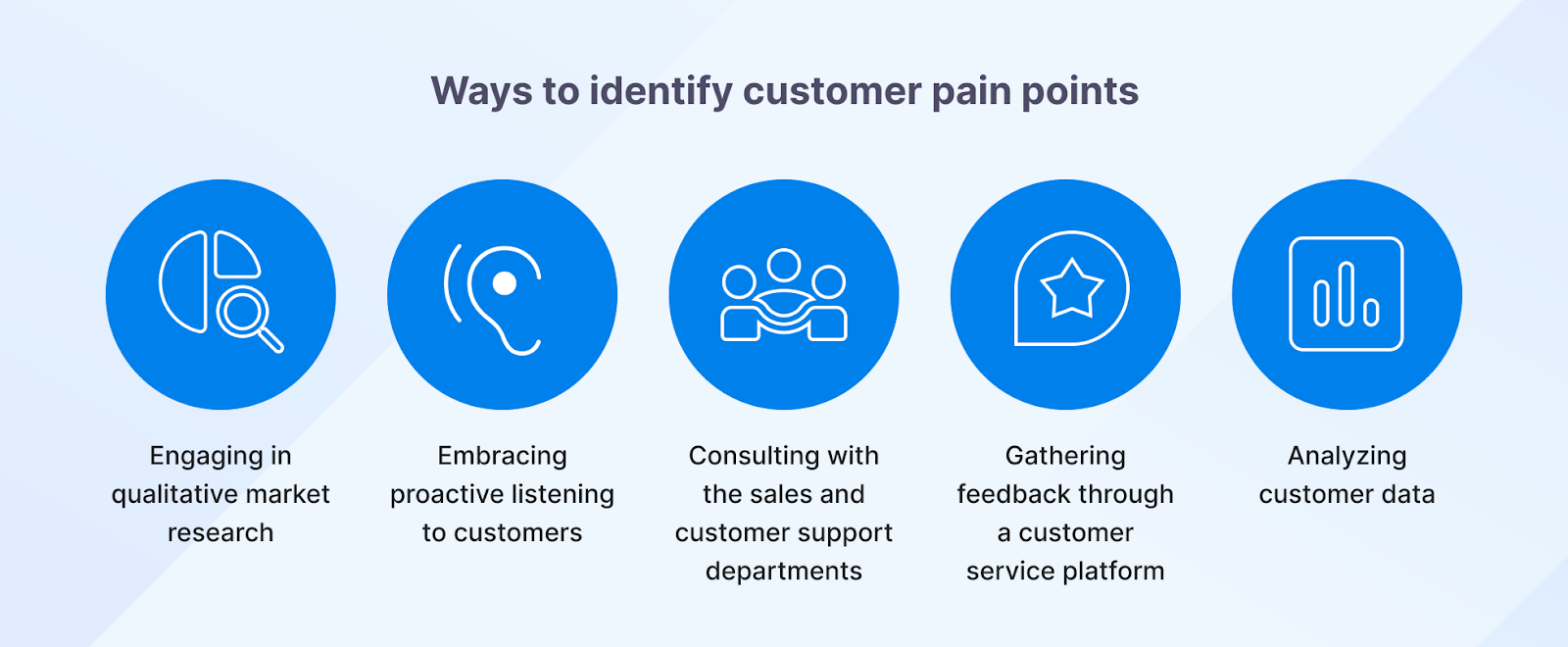
This is gold. What problems are they trying to solve? At Cleverly, when prospects mention "our SDRs aren't booking enough qualified calls," that's a pain point we can solve with our cold calling system. Document these clearly—they become your closing ammunition.
Budget & Timeline Info
When do they need a solution? What's their buying capacity? Even rough answers matter. "Q1 priority" hits different than "exploring options." Budget clarity tells you if this is a real opportunity or just research.
Objections Raised
What hesitations came up? Price concerns? Implementation timeline? Competitor comparisons? Documenting objections helps you prepare better responses and reveals patterns across your pipeline. If 10 calls mention the same objection, your pitch needs work.
Here’s More: Common Cold Calling Objections & How to Overcome Them
Next Steps + CTA
Be specific. Not "follow up next week"—try "Send pricing comparison by Friday, schedule implementation call for Dec 10th." Clear next steps keep deals moving and hold both sides accountable.
Follow-Up Date
Assign a calendar date. If you don't schedule the next touchpoint immediately, deals go cold. This field ensures nothing slips through the cracks.
Rep Notes or Call Recording Link
Anything unusual or important. Maybe they mentioned a competitor, dropped a name you should reference, or shared intel about internal processes. If you're using call recording tools, link it here for training and context.
Qualification Scores (BANT/CHAMP/SPICED)
Rate the opportunity. Does this prospect have Budget, Authority, Need, and Timeline? Using frameworks like BANT helps you prioritize high-intent leads and kill zombie deals that waste time.
When we train our no-accent appointment setters at Cleverly, proper sales call reporting is built into the process from day one. It's how we guarantee 10-30 qualified calls per month—because we track what "qualified" actually means and coach our team accordingly.
Call Analysis
Qualification score tells you if a lead is worth pursuing. Call analysis tells you what to do next and how hard to push.
Include these fields after every call:
- Closing potential (1-5): Honest gut-check. A 5 means deal is close and the prospect is moving. A 2 means low intent or a long road ahead. Be honest — inflated scores create bad forecast data.
- Estimated deal size: Even a rough number helps prioritize. A $50K opportunity should get more follow-up effort than a $3K one.
- Account expansion potential: Is this a one-time buy, or could this account grow? If they have 10 offices and you're selling to one, that's worth flagging.
- Additional decision-makers to involve: Who else has a say that wasn't on this call? Getting multi-threaded early prevents the "I need to loop in my CFO" stall at the finish line.
- Biggest risk to closing: What's the one thing most likely to kill this deal? Budget? Timeline slipping? A competitor they're also evaluating?
Filling this in honestly takes 90 seconds and gives your manager the real picture — not the optimistic one.
Sales Call Report Template
A good sales call report template eliminates guesswork and keeps your team consistent. You don't need a different form for every call type—you need one flexible template that adapts to your process.
Here's the universal sales call report template we use at Cleverly. Copy it, customize it, and plug it into Google Sheets, your CRM, Notion, Excel, or whatever system your team actually uses.
Universal Sales Call Report Template
How to Adapt This Template
This sales call report template works across different call types:
- For SDR prospecting calls – Focus heavily on qualification fields (BANT), pain points, and next steps. Keep the summary brief since these are shorter calls.
- For AE discovery calls – Expand the pain points and current solution sections. Add more detail to decision-maker mapping and budget discussions.
- For demo calls – Add a "Features Demoed" field and track which parts resonated most. Note technical questions or implementation concerns.
- For follow-up calls – Reference previous call notes and focus on objection handling, updated timeline, and moving to the next stage.
The beauty of one universal template is consistency. When every sales call report follows the same structure, you can actually compare performance, spot trends, and coach effectively.
Weekly Sales Call Report Template
Individual call reports track what happened on one conversation. A weekly sales call report rolls up the week for your manager or for your own pipeline review. Here's the format:
Run this review every Friday. It takes 10 minutes and gives your manager everything they need to coach you without a one-hour debrief.
At Cleverly, our cold calling SDRs use this exact framework—adapted into our CRM—to log every conversation. It's how we've set 53,000+ appointments and generated $312M in pipeline. The template isn't magic, but the consistency is.
🚀 Fill Your Call Schedule With Buyers
Get sales-qualified leads sent directly to your reps. Pay only for the meetings you actually get, no wasted spend.
Sales Call Report Example
Here's a complete sample sales call report so you can see what a filled-in version looks like in practice. This is based on the type of discovery call our appointment setters handle daily.
Rep Name: Marcus T.Date: June 4, 2026 | Time: 10:15 AM | Duration: 22 minutes
PROSPECT INFORMATIONName: David KimTitle: VP of SalesCompany: Meridian IT Solutions (Series A, ~80 employees)Phone/Email: dkim@meridianit.com | (312) 555-0192
CALL TYPE: Discovery
CALL GOAL: Qualify for cold calling service. Determine if they have budget, an active need, and a decision-maker on the call.
DISCUSSION SUMMARY:
- Current outbound is fully in-house — two junior SDRs making ~40 calls/day each
- Connect rate around 4-6%, which David flagged as "pretty terrible"
- Main pain: SDR quality inconsistency and high turnover — lost two reps in 90 days
- Open to outsourcing if they can see a guaranteed volume metric before signing
PAIN POINTS IDENTIFIED:
- Primary: SDR churn disrupting pipeline consistency
- Secondary: Low connect rate, suspects bad data and wrong call times
BUDGET & TIMELINE:
- Budget: ~$3K-$5K/month available, pending CFO approval
- Timeline: Wants to launch something in Q3 (within 60 days)
- Decision-makers: David + CFO (CFO not on this call)
OBJECTIONS RAISED:
- "We've tried outsourced calling before and the quality was poor" — addressed with no-accent setter model and training process
- "We need CFO buy-in before moving forward" — agreed to loop in CFO on a follow-up call
QUALIFICATION SCORE (BANT):
- Budget: Yes (conditional on CFO)
- Authority: Partial (David is champion, CFO is approver)
- Need: Yes
- Timeline: Yes
CALL ANALYSIS:
- Closing potential: 4/5 — strong need, budget exists, timeline is real
- Est. deal size: $4K/month ($48K ARR)
- Additional stakeholders: CFO approval needed before contract
- Next best action: Send case study from IT services client, schedule 3-way call with CFO
NEXT STEPS:
- Rep: Send Meridian IT case study by June 6 + calendar invite for 3-way call
- Prospect: Forward case study to CFO, confirm availability for week of June 10
- Next call: June 11 at 2:00 PM CT — David + CFO
NOTES: David mentioned they're also evaluating Belkins. Competitive — move fast. Call recording linked in HubSpot.
This report took 4 minutes to complete. It gives the AE everything they need to pick up the deal cold, run the CFO call, and close without a handoff debrief.
How to Write a Sales Call Report Step-by-Step
Knowing how to report sales calls efficiently means having a repeatable process. Here's the exact framework we train our SDRs to follow at Cleverly—it takes 3-5 minutes per call and ensures nothing critical gets lost.
Step 1: Review Call Notes or Call Recording
Right after the call ends, pull up your notes or replay key moments from your recording. Don't wait until end-of-day when details blur together. Fresh memory = accurate sales call reporting.
Step 2: Fill Key Details First
Start with the basics—prospect name, company, title, call type, date. These anchor fields help you (and your team) quickly identify the call later. If you're managing 20+ conversations a week, this context matters.
Step 3: Summarize Conversation in Bullet Points
Keep it tight. What were the 3-4 main topics discussed? Example:
- Current lead gen process relies on in-house team
- Struggling with call quality and accent issues
- Interested in guaranteed appointment model
- Budget approved for Q1 implementation
No need for paragraphs. Bullets are faster to write and easier to scan later.
Step 4: Record Objections & Pain Points
This is where deals are won or lost. What concerns did they raise? Price? Timeline? Competitor comparisons? And what problems are they actually trying to solve? Document both clearly. When we analyze our cold calling campaigns, objection patterns tell us exactly where to refine our scripts.
Step 5: Assign Qualification Score
Use BANT, CHAMP, SPICED, or whatever framework your team follows. Rate the lead honestly—Budget, Authority, Need, Timeline. A "medium" qualified lead that you chase for months wastes more time than disqualifying early and focusing on high-intent prospects.
Step 6: Define Clear Next Steps + Follow-Up
Be specific. Not "touch base next week"—instead write "Send case study by Thursday, schedule demo for Dec 12th at 2pm." Both parties should know exactly what happens next and when. This is how we ensure our guaranteed appointments actually convert into pipeline.
Step 7: Update CRM Accurately
Push everything into your CRM immediately. Don't rely on memory or sticky notes. Accurate sales call reporting in your system means your manager can forecast properly, your AE can pick up context seamlessly, and automation can trigger the right follow-ups.
Step 8: Share Report with Team/Manager If Needed
High-value opportunities? Hot leads? Unusual objections? Loop in your manager or relevant teammates. At Cleverly, when our appointment setters identify a prospect mentioning specific pain points around SDR performance, that intel gets shared so our closers can tailor their approach.
The faster you complete your sales call report, the faster you can move to the next conversation. This process should feel like a routine, not a chore—because when it's dialed in, it directly impacts how many deals you close.
Explore More: 15+ Sales Call Script Templates to Close More Deals
Key Metrics to Track in Sales Call Reporting
Sales call reporting isn't just about logging what happened—it's about measuring what matters. The right metrics tell you where your process is strong and where it's bleeding revenue.
Here are the KPIs we track across our 1 million+ cold calls at Cleverly, and how to measure each one:
Connect Rate
- What it is: Percentage of dials that result in actual conversations with a decision-maker.
- How to measure: (Conversations ÷ Total Dials) × 100
- Why it matters: Low connect rates mean your calling times, data quality, or targeting is off. If you're dialing 100 times to get 3 conversations, you're wasting hours. We optimize for 8-12% connect rates on cold calls by using quality data and calling during high-answer windows.
Meeting Set Rate
- What it is: Percentage of conversations that result in a booked appointment.
- How to measure: (Meetings Booked ÷ Conversations) × 100
- Why it matters: This shows how effective your pitch and qualification are. Our cold calling system guarantees 10-30 qualified appointments per month because we've dialed in scripts and trained our no-accent setters to consistently hit 15-20% meeting set rates.

Qualified Call Rate
- What it is: Percentage of conversations where the prospect meets your qualification criteria (BANT, budget, authority, etc.).
- How to measure: (Qualified Leads ÷ Total Conversations) × 100
- Why it matters: Talking to the wrong people tanks your conversion. If only 20% of your calls are actually qualified, you need better targeting. High qualified call rates mean less wasted effort and faster deal cycles.
Objection Frequency
- What it is: How often specific objections appear across your calls.
- How to measure: Track objections by type (price, timing, competition, etc.) and calculate frequency: (Times Objection Raised ÷ Total Calls) × 100
- Why it matters: Patterns reveal messaging problems. If "too expensive" comes up in 60% of calls, your value prop isn't landing. If "bad timing" dominates, your urgency framing needs work. We use objection data to refine our cold calling scripts continuously.
Conversion Per Call
- What it is: How many calls it takes to close one deal.
- How to measure: Total Calls ÷ Closed Deals
- Why it matters: This tells you the efficiency of your entire funnel. If it takes 50 calls to close one customer, you know exactly how much activity you need to hit revenue goals. Lower is better—it means your targeting and pitch are tight.
Follow-Up Completion Rate
- What it is: Percentage of promised follow-ups that actually happen on time.
- How to measure: (Completed Follow-Ups ÷ Scheduled Follow-Ups) × 100
- Why it matters: Deals die in the follow-up gap. If you're only completing 60% of your scheduled touchpoints, you're leaving money on the table. Proper sales call reporting with clear next steps keeps this number above 90%.
Deal Velocity After Call
- What it is: How quickly deals progress from initial call to close.
- How to measure: Track days between call and close for won deals, then calculate average.
- Why it matters: Faster velocity means better qualification and urgency creation. If your discovery calls take 90 days to close but competitors close in 30, you're losing deals to speed. We've generated $312M in pipeline by keeping deal velocity high through consistent follow-up and clear next steps.
Positive vs Negative Call Sentiment
- What it is: Overall tone and engagement level during the conversation.
- How to measure: Manual rating (1-5 scale) or automated sentiment analysis from call recordings.
- Why it matters: Positive sentiment predicts conversion. If prospects are engaged, asking questions, and expressing interest, close rates jump. Negative sentiment early means poor fit or weak positioning. Track this to identify which reps build rapport effectively and which need coaching.
When you combine these metrics in your sales call reporting system, you stop guessing and start scaling what works.
At Cleverly, this data-driven approach is how we've set 53,000+ appointments and helped clients close $51.2M in revenue—because we measure, optimize, and repeat.
The eight metrics covered here overlap with the broader cold calling metrics and KPIs your team should be tracking at the campaign level.
Learn More: Multithreading in Sales - The Complete Guide to Closing More Deals
Tools for Creating & Automating Sales Call Reports
The right tools turn sales call report creation from a 15-minute task into a 2-minute one. Here's what actually works:
CRM Platforms
- HubSpot – Best for small to mid-size teams. Built-in call logging, easy customization, and solid reporting dashboards. Great if you want everything in one place.
- Salesforce – Enterprise-grade power. Highly customizable sales call reporting with advanced automation. Overkill for startups, essential for large teams.
- Close CRM – Built specifically for sales teams making high call volumes. Fast call logging, click-to-call, and pipeline management without the bloat.
AI Transcription & Coaching
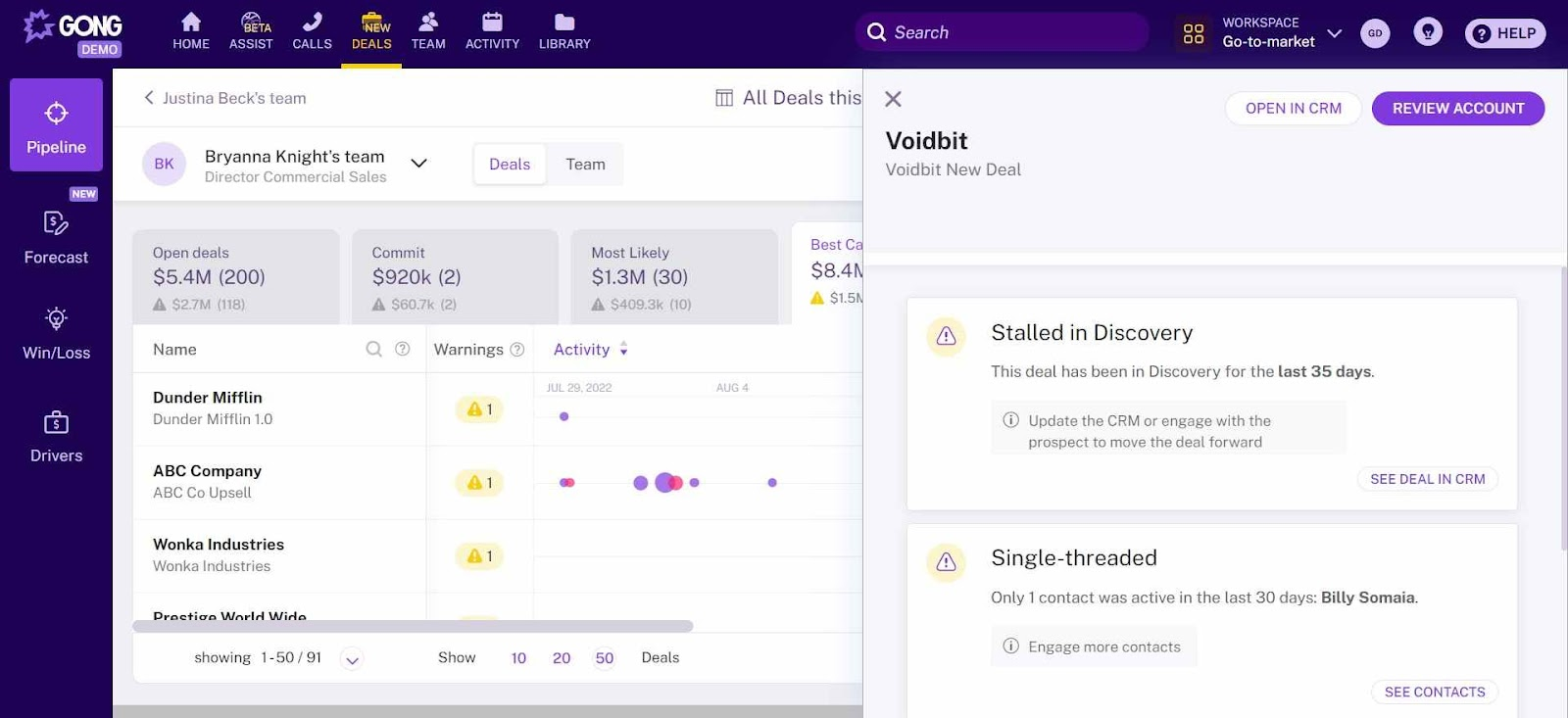
- Gong.io – Records, transcribes, and analyzes every call automatically. Flags objections, tracks talk time, and gives coaching insights. Best for teams focused on performance improvement.
- Otter.ai – Simple transcription tool. Records calls and generates searchable text. Budget-friendly option if you just need basic transcripts without heavy analytics.
Dialers with Built-In Reporting
Aircall / JustCall – Cloud-based phone systems that log calls automatically and integrate with your CRM. Good middle ground between manual and fully automated sales call reporting.
Customizable Workspaces
Notion – Create custom sales call report templates that your team can fill out collaboratively. Flexible and cheap, but requires manual input.
Sales Engagement Platforms
Salesloft / Outreach – Automate call logging, follow-up sequences, and reporting in one workflow. Best for teams running multi-channel campaigns (calls + email + LinkedIn).
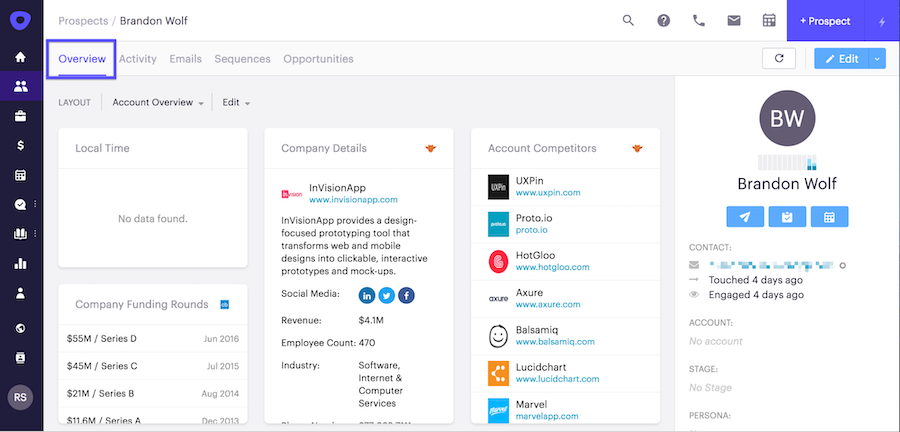
The best tool is whichever one your team will actually use consistently—fancy features mean nothing if adoption is low.
How Sales Call Reporting Improves Team Performance & Conversion Rates
Good sales call reporting doesn't just document conversations—it turns individual calls into team-wide performance improvements. Here's exactly how it moves the needle:
Identifies Top-Performing Scripts
When you log every call with outcomes, patterns emerge fast. You'll see which opening lines get past gatekeepers, which questions uncover budget, and which closing techniques actually book meetings.
We've refined our cold calling scripts by analyzing thousands of conversations—now our appointment setters use proven frameworks instead of winging it.
Reveals Common Objections
Sales call reporting shows you what's really blocking deals. If "we're already working with someone" appears in 40% of calls, that's not bad luck—that's a positioning problem.
When we noticed prospects frequently mentioning SDR quality issues, we built our entire cold calling offer around no-accent setters and rigorous training. That intel came directly from call reports.
Learn More: Cold Calling Rejection - How Top SDRs Turn “No” Into “Next”
Facilitates Coaching & Roleplay
Managers can't coach what they can't see. Detailed call reports give you concrete examples: "Here's where you lost the prospect" or "This objection handling closed three deals this week—let's replicate it."
Studies show that sales teams with structured coaching improve win rates by 25-30%. Call reports make that coaching specific and actionable.
Improves Forecasting Accuracy
When every call includes qualification scores and deal stage updates, your pipeline predictions actually match reality.
Sales teams using consistent sales call reporting see forecast accuracy improve from 60% to 85%+. That's the difference between planning for growth and scrambling when numbers miss.
Tracks Pipeline Movement Precisely
How long do deals sit between discovery and demo? Which stage has the highest drop-off? Call reports show exactly where momentum stalls.
At Cleverly, tracking this across 53,000+ appointments helped us identify follow-up gaps that were costing clients deals—now our process includes guaranteed touchpoints.
Replicates Winning Behaviors Across Team
Your top rep closes at 30% while others sit at 15%? Call reports show what they're doing differently—maybe they're asking better qualification questions, handling objections smoother, or creating more urgency.
Document those behaviors, train the team, and watch average performance rise. Research shows that top performers are 3-5x more productive than average reps—sales call reporting helps you clone that success.
This is why we've generated $312M in pipeline and $51.2M in closed revenue at Cleverly. We don't just make calls—we analyze them, learn from them, and systematically improve. Every conversation becomes data. Every data point becomes an edge.
Common Mistakes in Sales Call Reports (And How to Avoid Them)
Even experienced reps mess up sales call reports. Here are the mistakes that kill pipeline—and how to avoid them:
❌ Mistake #1: Waiting Too Long to Fill Out Reports
The problem: You finish five calls, then try to remember details hours later. Everything blurs together, critical info gets lost.
The fix: Log reports immediately after each call while context is fresh. Block 3-5 minutes post-call in your calendar. At Cleverly, our SDRs complete their sales call report before moving to the next dial—it's non-negotiable.
❌ Mistake #2: Being Too Vague
The problem: "Had a good conversation. They seemed interested. Will follow up." This tells you nothing. What made it good? Interested in what? Follow up when?
The fix: Use specifics. "Prospect confirmed $50K budget, decision by Q1, main pain point is inconsistent lead quality. Demo scheduled for Dec 10th." Concrete details drive action.
❌ Mistake #3: Skipping Objections
The problem: Reps only document positive info because objections feel like failures. But untracked objections mean you never improve your responses.
The fix: Log every objection verbatim. "Too expensive," "Bad timing," "Already have a vendor"—capture exact wording. When patterns emerge across your sales call reports, you'll know exactly what to fix in your pitch.
❌ Mistake #4: No Clear Next Steps
The problem: "Touch base next week" isn't a next step—it's a wish. Deals without specific actions die in limbo.
The fix: Define who does what by when. "Rep: Send pricing comparison by Friday. Prospect: Review with CFO and respond by Monday. Next call: Dec 12 at 2pm." Accountability keeps deals moving.
❌ Mistake #5: Overcomplicating the Template
The problem: Your sales call report has 40 fields including "prospect's favorite color" and "weather during call." Nobody fills it out completely, so data gets inconsistent.
The fix: Keep it lean. Capture only what impacts decisions: qualification, pain points, objections, next steps. Our cold calling teams use 12 core fields—enough for insights, not so many that it becomes busywork.
❌ Mistake #6: Not Updating CRM in Real-Time
The problem: You log calls in spreadsheets or notes, planning to "update the CRM later." Later never comes, and your pipeline data is fiction.
The fix: Report directly into your CRM or use tools that sync automatically. If your manager can't trust the data, they can't forecast. If your AE can't see the call context, they can't close.
❌ Mistake #7: Ignoring Qualification Signals
The problem: Every prospect gets marked "high priority" because reps want their pipeline to look healthy. Reality: you're chasing unqualified leads.
The fix: Use honest BANT scoring. If they don't have the budget or authority, mark it. We've set 53,000+ appointments by ruthlessly qualifying—it's better to kill a bad-fit lead early than waste weeks on a deal that won't close.

❌ Mistake #8: No Team Review or Analysis
The problem: Reports get filed and forgotten. Nobody looks at trends, patterns, or coaching opportunities.
The fix: Weekly pipeline reviews using sales call report data. What objections spiked? Which reps are crushing it? Where are deals stalling? At Cleverly, this analysis directly feeds our script updates and training—it's how we maintain quality across 1M+ cold calls.
Avoid these mistakes, and your sales call reports become a revenue engine instead of a compliance checkbox.
How Cleverly Helps Companies Generate More Qualified Sales Calls
Here's the truth: perfect sales call reports don't matter if you're not getting enough qualified calls in the first place.
At Cleverly, we've cracked the code on consistent, high-quality sales conversations. We're not just a B2B lead generation agency—we're a full-stack outbound system that fills your calendar with prospects who actually want to talk.
Our Multi-Channel Lead Generation Engine
- LinkedIn Outreach – We've helped 10,000+ clients generate leads with companies like Amazon, Google, Uber, PayPal, Slack, and Spotify. Our LinkedIn campaigns engage decision-makers where they're most active, creating warm conversations before calls even happen.
- Cold Email Lead Generation – Personalized, sequence-driven campaigns that cut through inbox noise. We don't spray and pray—we target, personalize, and follow up strategically until meetings get booked.
- Cold Calling That Actually Works – Our $5M cold calling system books 10-30 qualified sales calls every month, guaranteed. You get a no-accent appointment setter, rigorously trained in 2 weeks, using breakthrough scripts we've perfected across 1M+ dials. Data, tech, power dialer—all included. It's half the cost in-house with zero of the headaches.
The Results? $312M in pipeline revenue. $51.2M in closed revenue. 53,000+ appointments set.

Check More of Our Case Studies
We handle the prospecting, qualification, and appointment setting. You handle the closing. And with proper sales call reporting on every conversation, you'll know exactly what's working and where to double down.
If you're tired of inconsistent lead flow and want a predictable stream of qualified sales calls, let's talk. 🔥

Conclusion
A solid sales call report is the difference between hoping deals close and knowing why they do.
When you document every conversation with structure and consistency, you unlock three things: visibility into what's really happening, coaching that's based on data not guesswork, and conversion rates that actually improve over time.
Start simple. Grab the sales call report template from this guide, plug it into your CRM or Google Sheets, and make it a non-negotiable part of your process. Use automation tools where it makes sense, but don't let perfect be the enemy of good—even basic, consistent reporting beats no reporting every single time.
Your sales calls are packed with revenue insights. Start capturing them, and watch your close rates climb.
Now go build that pipeline.
Frequently Asked Questions
Free Resource
How to Scale a Profitable Cold Call System
Get the complete guide — download it instantly now.

Free Ebook
Download the Free Guide
Enter your details to get instant access.
You're all set! 🎉
Your ebook is downloading now.
Click below if the download didn't start automatically.