

Table of Contents
What Is B2B Account Mapping?
Why Mapping the Whole Buying Committee Matters
Buying Committee Roles: Who Is Actually at the Table
How to Map a B2B Buying Committee in 7 Steps
Buying Committee Map Template
How to Map Hundreds of Accounts Without Losing Quality
How to Reach Every Committee Member: Order, Channel, and Message
Tools for Buying Committee Mapping
Common Buying Committee Mapping Mistakes
How to Measure Buying Committee Coverage
How We Help B2B Teams Reach Every Stakeholder at a Target Account
Conclusion
Frequently Asked Questions
Modified On :
November 5, 2026
Key Takeaways
- Map roles, not titles. A role describes what someone does in this deal, and one person can hold several.
- Committee size depends on who is counting. Plan for 4 to 6 core roles first, then widen for bigger deals.
- Label every name with its evidence: verified, supported, inferred or missing. Never present a guess as a fact.
- Map before you reach out, then refresh the map when a trigger hits: a job change, a reply, a stage change or a new function joining.
- Measure verified and engaged coverage, not the number of names in your CRM.
The demo went well. Your champion says the rest is paperwork. Then the deal goes quiet for six weeks because a security reviewer, a finance lead and a procurement manager you never met all have questions.
That is what happens when B2B account mapping stops at one contact. Good buying committee mapping fixes it before the first message goes out.
The numbers explain why. Forrester’s State of Business Buying, 2026 found that the typical decision includes 13 internal stakeholders and nine external influencers. Gartner’s 2025 survey of 632 buyers found that groups that reach consensus are 2.5 times more likely to report a high-quality deal. Yet 74% of buying teams show unhealthy conflict along the way.
This guide gives you a role table, a 7-step mapping process, a fillable template, and an outbound-first workflow for reaching everyone you map. It’s written for SDRs, AEs, RevOps and founders who sell to groups, not individuals.
What Is B2B Account Mapping?
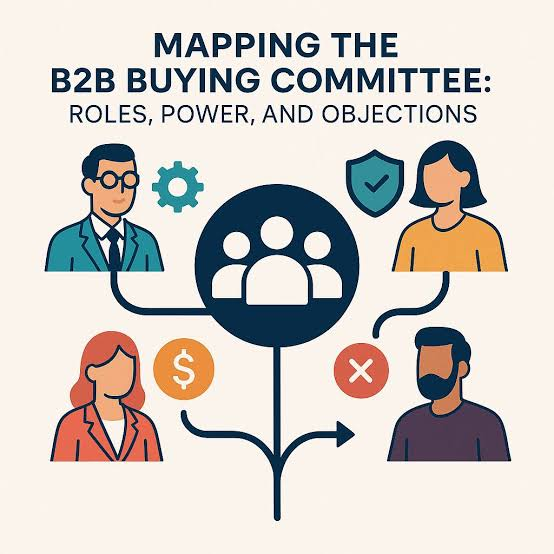
B2B account mapping is the process of identifying the people involved in a purchase at a target account, then recording each person’s role, influence and status. It shows who has to say yes, who can block the deal, and who you have actually reached. Done well, it turns a company name into a plan.
The term gets used for three different things, and mixing them up causes confusion:
- Choosing accounts and territories. Deciding which companies to pursue and who owns them.
- Mapping people inside one account. This is what this guide covers.
- CRM account-contact hierarchy. Parent and child accounts and the contacts linked to them.
Some tools, Apollo included, split account mapping from buying-group mapping the same way.
Org Chart vs. Buying Committee Map
An org chart shows reporting lines. A buying committee map shows who matters for this specific purchase. The VP of Engineering may sit three levels below the CEO and still hold a veto on your deal. Use the org chart as an input, never as the answer.
Buying Committee, Buying Group, Decision-Making Unit
You will see these three terms used interchangeably, and in practice they mean the same thing.
A buying committee is the group of people who evaluate and approve one purchase. Buying group is the term Gartner and Forrester prefer. Decision-making unit is the older label for the same idea.
The terms that do not mean the same thing are the org chart and the CRM account hierarchy.
An org chart maps reporting lines across the company. An account hierarchy maps parent and child records in your CRM. A buying committee map covers only the people involved in one specific purchase, and it sits on top of both.
🎯One Account. Multiple Decision-Makers. One Smart Strategy.
Don't let key stakeholders slip through the cracks. Cleverly helps you reach the right buyers across your target accounts.
Why Mapping the Whole Buying Committee Matters
Every deal we’ve watched die quietly had the same shape. One champion carried the whole thing. Then that person changed jobs, got busy or lost an internal argument, and nobody else knew we existed.
That is a single-threaded risk. With one contact, there is no fallback.
A few facts make the case:
- Procurement is not a late-stage formality. Forrester’s 2026 release says procurement professionals are decision-makers in 53% of buying cycles and engage from the start.
- Most purchases stall. Forrester’s 2024 report put the figure at 86% of B2B purchases stalling during the buying process.
- Conflict is a tech-buying problem too. Gartner’s July 2026 tech buying study found that 68% of buying teams experience unhealthy conflict, which brings three times more project delays and seven times more purchase regret.
Here is the seller consequence. You cannot help a group reach consensus if you only know one member of it.
Mapping also decides your outbound plan. It tells you who gets contacted first and how many threads you open per account.
Buying Committee Roles: Who Is Actually at the Table
Here is the principle everything else builds on. Roles describe behavior in this deal. Titles describe seniority. One person can hold several roles, and the same person can play a different role in your next deal.
The sections below add detail on the roles people confuse most.
Economic Buyer vs. Champion: How to Tell Them Apart
The economic buyer vs. champion question trips up a lot of reps.
- Economic buyer: controls budget release and sign-off.
- Champion: builds internal consensus, often with no budget authority at all.
Behavior gives them away. This table is our judgment from running outbound campaigns, not a published standard:
Two warnings. A CFO is not automatically the economic buyer, because authority often sits lower for smaller purchases. And enthusiasm is not an influence. A friendly manager who loves your product may have no say in the decision.
The rule we use: the economic buyer is a hypothesis until someone confirms who can authorize this purchase.
Technical Evaluators, End Users, and Procurement
Each of these roles needs different proof and a different question in discovery:
- Technical evaluators (IT, security, RevOps, data): they care about integration, architecture and risk. Bring them in before they ask. Ask: “Who will review how this connects to your current stack?”
- End users: they care about adoption and workflow fit. Ask: “Who would use this day to day, and what would they need to see?”
- Procurement and legal: they care about terms and vendor risk, and they’re involved in 53% of buying cycles per Forrester. Ask: “How did you handle vendor review for your last similar purchase?”
- Executive sponsor: this person links the purchase to a company priority and breaks deadlock. Ask: “Which company goal does this support?”
Blockers and Hidden Buyers
Blockers usually defend something already in place. The owner of the incumbent tool is the classic example. They aren’t against you personally. Your deal creates work and risk for them.
Hidden buyers sit in finance, legal, security and compliance. They often surface late and can stall or kill a deal after you thought it was won.
You rarely get names for these people early. So plan by function. Assume a security reviewer and a finance approver exist at every mid-market and enterprise account, even when you can’t name them yet.
External Influencers: The Part of the Committee Your CRM Never Shows
Forrester counts nine external participants per decision. These include analysts, consultants, implementation partners and peer references.
You can find them in places like:
- Review sites and community forums
- Analyst coverage of your category
- Partner and integrator ecosystems
- Customer references
You will rarely contact external influencers directly. Your job is to make sure the committee can verify you through them.
🚀 Get in Front of the Entire Buying Committee
Reach decision-makers and influencers with targeted multichannel outreach. Let Cleverly turn your account lists into qualified sales meetings.
How to Map a B2B Buying Committee in 7 Steps
Here is the short version, snippet-friendly:
- Define the decision and the expected committee
- Resolve the account and its structure
- Find candidates by function and seniority
- Uncover hidden members with buying signals
- Score role, influence and evidence
- Validate the map through conversations
- Keep the map current
Steps 1 to 4 happen before outreach. Steps 5 to 7 continue through the deal.
Step 1: Define the Decision and the Expected Committee
Start with one sentence: The account is deciding whether to [change] to get [outcome], subject to [constraints]. It keeps you from mapping people who have nothing to do with the purchase.
Then build your buying committee map hypothesis from history. Pull your last 20 to 30 closed-won and closed-lost deals and group them by segment. Look at who showed up in each. This method comes from ZoomInfo, and it works.
No CRM history yet? Use customer success retros and customer interviews instead.
Write your role hypotheses before you open LinkedIn. Otherwise familiar titles will narrow your search.
Step 2: Resolve the Account and Its Structure
Confirm which entity actually buys: the parent, a subsidiary, a business unit or a region. Purchasing authority sometimes sits at the parent company even when your contact works at a subsidiary.
Check your CRM first for the account owner, open opportunities, past conversations and customer status. Skipping this step is how two reps from the same company end up emailing the same executive in the same week. Clean company hierarchy data saves you from that.
Step 3: Find Candidates by Function and Seniority
To identify buying committee members, search by function and seniority, not exact titles. Titles vary widely between companies, so a search for “Head of RevOps” will miss the “Director of Sales Operations” who does the same job.
Scan three layers:
- Reporting lines: your champion’s manager and skip-level
- Adjacent functions: IT, security, finance, procurement
- Corporate family: parent and sister entities
Can LinkedIn show the full committee? No. It finds likely people. Label everyone you find from it as suspected.
Step 4: Uncover Hidden Members With Buying Signals
Some committee members only appear through buying signals. Watch for:
- Job changes and new hires in the relevant function
- Intent surges
- Website and content engagement from different functions
- Funding or reorganization news
- Names mentioned on calls
A new executive often reshapes the committee. Treat any job change as a trigger to re-map.
Stack your signals. One low-intent signal is not a reason to add someone to the map. Two or three pointing the same way is.
We go deeper in our guide to intent-based outreach.
Step 5: Score Role, Influence, and Evidence
For good stakeholder mapping, record six things for every person: their role, their influence (high, medium or low), their stance (supporter, neutral, skeptic or blocker), their top priority, your access path to them, and the evidence status.
Use four plain evidence states. Skip made-up numeric confidence scores, because they look precise and mean nothing.
- Verified means the person or a reliable source confirmed it in conversation.
- Supported means two or more independent clues point to it.
- Inferred means it is based on title or function alone.
- Missing means you have not found a candidate yet.
Keep facts and inferences separate in your notes. “Owns the CRM migration per our call” is a fact. “May own the CRM because of their title” is not.
A filled row might read like this: Priya N., Director of RevOps. Technical evaluator, high influence, neutral stance. Top priority is clean CRM data. Reached through a champion intro. Evidence status is verified, because she said on a call that she runs tool reviews.
Step 6: Validate the Map Through Conversations
A map is only a hypothesis until real conversations test it. Questions that surface the committee:
- “Who else will weigh in on this?”
- “Who signs off on a purchase like this?”
- “Who could block it, and why?”
- “How did you handle a similar purchase last time?”
A real champion shares the internal process, makes introductions and helps align requirements. Friendly replies alone don’t count.
If two or three conversations don’t reveal any other stakeholders, treat the deal as less certain, not safer.
For every missing role, assign one next action and one owner.
Step 7: Keep the Map Current
Don’t refresh on a calendar alone. Refresh on triggers:
- A job change
- A reply or meeting
- A stage change
- A new function entering the conversation
- A promised step passing without action
Keep the map in your CRM so it survives territory changes and shows up in forecast reviews. Tie checks to your normal CRM hygiene, because data decays whenever people change roles.
Buying Committee Map Template
A buying committee map template should be simple enough that reps actually fill it in. Use these columns:
How to Map Hundreds of Accounts Without Losing Quality
You cannot give every account a full map. A tiered model keeps your effort where it pays off.
Tier 1 accounts get a full map with conversation-based validation. These are your highest-value targets, and the AE owns the map with SDR support.
Tier 2 accounts get core roles only: the budget owner, the likely champion and the technical evaluator. This is SDR work, and it keeps coverage honest without eating the whole week.
Tier 3 accounts get role-based list building by function. You are not hunting for named individuals here. You are building clean lists of the right functions, and RevOps helps keep the list quality high.
Use the Belkins numbers as a starting point for contact counts: about 4.6 titles for SMB, 5.6 for mid-market and 6.0 for enterprise. Then adjust from your own win data.
One rule above all: map only when you are ready to engage. A map with no outreach plan is busywork.

How to Reach Every Committee Member: Order, Channel, and Message
A map has no value until someone contacts the people on it. That is where most mapping efforts fall apart, and it’s where multi-threaded outreach either works or becomes spam.
Set four rules before you send anything:
- One account owner
- One thread owner per person
- A shared account story
- A check for existing activity before each new contact
Sequence Order: Champion First, Then Expand
For multithreading sales with a champion in place, go in this order:
- Win the champion.
- Ask who signs off and who could block.
- Ask for introductions.
- Bring executives in through the champion. Don’t go around them.
- Send security, legal and procurement their material before they ask.
When no champion exists yet, as in most outbound-first accounts, open two or three threads at once in different functions. Use a different message for each. Sending the same note to five people at the same company is how you get flagged as noise.
Match the Channel to the Role
A multi-channel outreach buying committee plan assigns channels by role, not by habit.
LinkedIn works best for functional leaders and likely champions where you know the exact title. Connection limits apply, so confirm the current cap and save requests for your high-value roles.
Cold email gives you volume across technical and operational roles, and it is the easiest way to run follow-up. Deliverability and list quality decide how well it works.
Cold calling earns its place on priority accounts, with hard-to-reach roles, and when email stays silent. It needs trained callers and good timing.
This matches how we run it. LinkedIn is strongest for exact titles, email adds volume, and calling speeds up priority accounts.
Give Each Role Proof That Fits
Good role-based messaging B2B starts with one shared account story. Then each person gets proof that fits their concern.
From there, match the proof to the role from the role table above. Finance worries about payback and risk, so send a payback model. IT and security worry about integration and data handling, so send integration and security detail.
End users worry about extra work, so send a short workflow demo. Procurement worries about vendor risk, so send references and standard terms.
Tools for Buying Committee Mapping
Almost every top-ranking guide on this topic comes from a software vendor. So we will stay neutral, skip the rankings and group the tools by what they do for B2B account mapping. Check each vendor’s site for current features and pricing before you commit.
- LinkedIn Sales Navigator. Helps you find likely committee members by function and seniority. It shows suspected people, not confirmed roles, so label everyone you find there accordingly.
- Apollo. A prospecting database that helps you find contacts at a target account and pull their details. Useful for building the candidate list in Step 3.
- ZoomInfo. A data platform with company and contact records. It helps with account structure and candidate discovery, and its reporting lines should be treated as inferences until verified.
- Salesforce. A place to store the map itself. Account and opportunity contact roles let you record who plays which role in a deal and keep it visible in forecast reviews.
- HubSpot. Works the same way for teams on HubSpot. Contact associations with labels, plus a custom evidence-status field, keep the map attached to the deal.
- Google Sheets. A lightweight option for small teams or early pilots. A shared sheet using the template above is enough until volume grows.
- Intent and job-change alert tools. These surface the buying signals from Step 4, such as new hires and role changes, so you know when to add someone or re-map an account.
- AI assistants through connectors. They can pull CRM and research data into one place and suggest candidates quickly. Org charts and reporting lines they produce are inferences, and some vendors say so about their own output. Treat AI suggestions as suspected until a conversation confirms them.
If you are comparing platforms, our breakdown of Cleverly vs. Apollo.io may help.
Common Buying Committee Mapping Mistakes
Mapping titles instead of roles. A VP title tells you seniority, not what the person does in this deal. Record behavior and evidence, not just the job title.
Stopping at the champion. One friendly contact feels like progress, but it is a single point of failure. Ask for introductions in every call.
Going around the champion. Skipping them to reach an executive can cost you your best internal ally. Brief executives through the champion instead.
Mapping once and never refreshing. People change roles and priorities shift. Re-map on triggers like a job change, a stage change or a missed step.
Ignoring procurement, security and external influencers. They surface late and can stall a deal you thought was won. Assume they exist by function and prepare their material early.
Counting names as coverage. A long contact list means little if nobody is confirmed or engaged. Count verified and engaged roles instead.
Treating inferred hierarchies as facts. Reporting lines from data tools and AI are guesses. Put an evidence status on every row so nobody mistakes a guess for a fact.
Mapping with no outreach plan. A map that nobody acts on is just a document. Map only when you are ready to engage.
How to Measure Buying Committee Coverage
Buying committee coverage is not “how many contacts we have.” Start with three views.
Candidate coverage asks whether a plausible person exists for the role.
Verified coverage asks whether the role is confirmed.
Engaged coverage asks whether there is recent two-way contact.
Then add two checks. Single-thread concentration shows how much of your engagement sits with one person, and a high number is a warning sign. Multi-role meetings count how many meetings include two or more distinct roles.
Finally, add a stage check built from your own pipeline stages. As an example only, a reply might need a champion or functional lead, a meeting might need one more role beside the champion, an evaluation might need the technical evaluator and end user, and a proposal might need the economic buyer, procurement and security. Build yours from how your deals actually move.
Coverage is not win probability. A fully covered committee can still say no. It just means you are not losing for lack of visibility.
We cover related pipeline measures in our ABM metrics guide. We have not invented any benchmarks here, and you should not either. Build yours from your own deals.
How We Help B2B Teams Reach Every Stakeholder at a Target Account
Mapping gives you names. Someone still has to reach four to six people per account with different messages and handle the replies. That’s where most teams stall. Outreach capacity runs out, so they stop at the champion.
That’s the gap we fill. Our done-for-you LinkedIn lead generation service builds your targeted lists, writes and sends personalized messages, and hands positive replies to you.
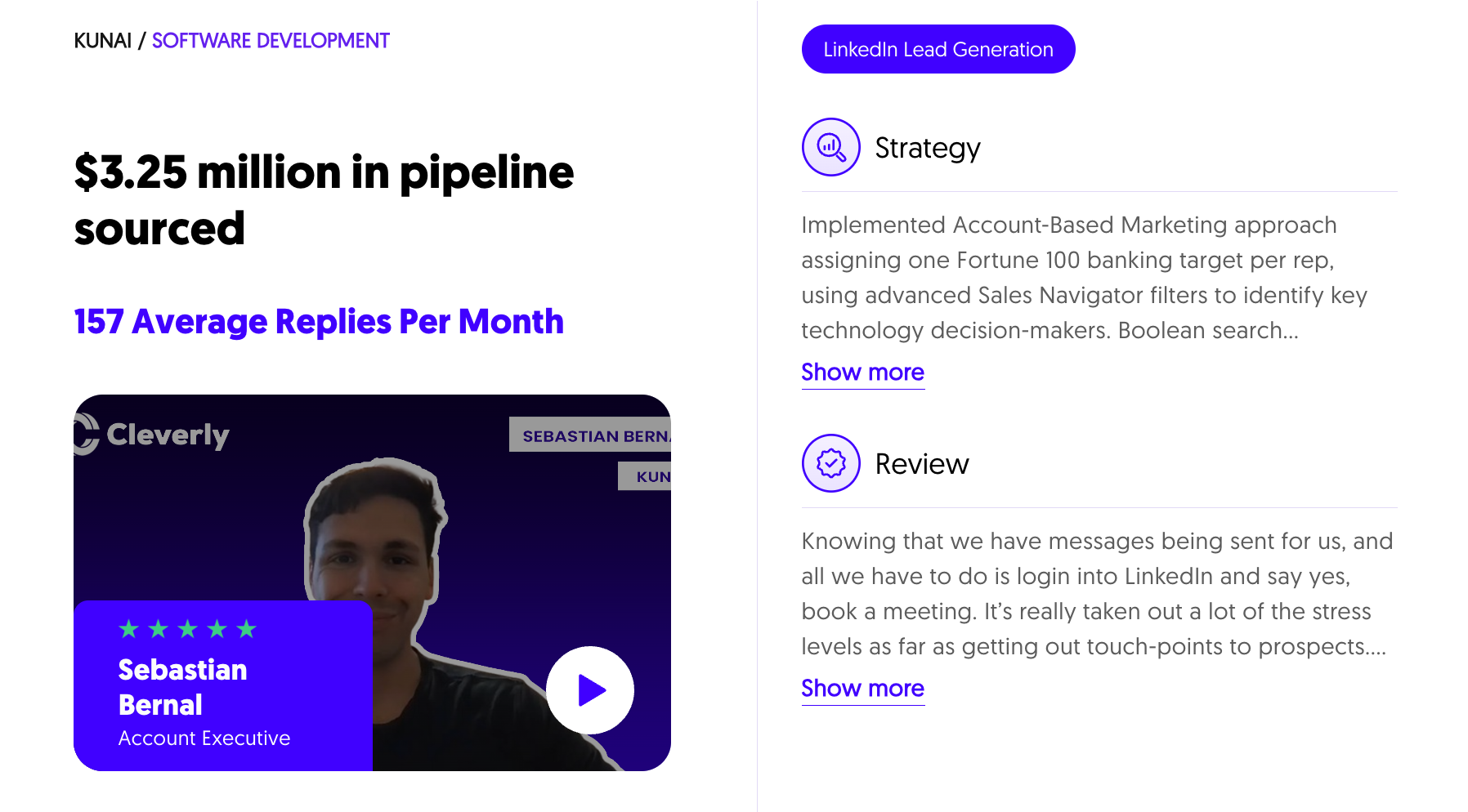
Kunai, a software development firm, targeted one Fortune 100 banking account per rep using Sales Navigator filters. They sourced $3.25M in pipeline and averaged 157 replies per month. Productiv targeted procurement executives and saw a 49% reply rate and 37 deals closed in 12 months.
Want every stakeholder in your target accounts reached, not just one? Book a free strategy call.
Conclusion
Three things matter most in B2B account mapping. Map roles, not titles. Label your evidence honestly. And reach more than one person. Each of them makes the next conversation easier and your forecast more honest.
A buying committee map is a living document, not a one-time task. Start with your template, fill in one real account this week, and let the gaps tell you who to contact next.
Frequently Asked Questions
Free Resource
How to Scale a Profitable Cold Call System
Get the complete guide — download it instantly now.

Free Ebook
Download the Free Guide
Enter your details to get instant access.
You're all set! 🎉
Your ebook is downloading now.
Click below if the download didn't start automatically.


