Table of Contents
What Is Voicemail Drop Software?
How Voicemail Drop Works (And Why It Saves Reps Hours)
What to Look For in Voicemail Drop Software
10 Best Voicemail Drop Software Tools in 2026
Free Voicemail Drop Software: What You Can and Can't Get
Is Voicemail Drop Legal? TCPA and Compliance Essentials
Common Voicemail Drop Mistakes to Avoid
How to Measure Whether Voicemail Drop Is Working
How Cleverly's Cold Calling Service Turns Dials Into Booked Meetings
Conclusion
Frequently Asked Questions
Modified On :
September 9, 2026
Key Takeaways
- Voicemail drop software buys back rep time, not callback rates. The tool makes leaving a message cheaper. It does not make the message better.
- The real decision is not "which tool has the most features," it is "does this tool's answering machine detection actually protect my callers from dropping onto live prospects."
- Ringless voicemail and standard voicemail drop are legally and technically different things. Treating them as interchangeable is where most compliance risk starts.
- Software pricing in this category has moved away from transparency. Several of the biggest names now require a sales call just to get a number, so budget the time for that conversation into your evaluation.
- Dial volume, message quality, and contact data accuracy all move the needle independently. A team that only tracks drop count is measuring the part of the funnel that matters least.
Most of the calls your reps make today are never going to reach a person. They're going to reach a voicemail box.
If your team is still recording a fresh message every single time that happens, you're paying your best closers to narrate the same 20 seconds of pitch, over and over, dozens of times a shift.
Voicemail drop software exists to fix exactly that. A rep pre-records a message, drops it into the prospect's voicemail with one click, and moves straight to the next dial instead of waiting through a ring, a greeting, and a beep. The payoff isn't subtle.
Teams that adopt it consistently get more dials per hour out of the same headcount, and every prospect hears a tested, consistent message instead of a rep's tenth tired take of the day.
There's a catch, and it's worth naming upfront. In November 2022, the FCC ruled that ringless voicemail counts as a "call" under the Telephone Consumer Protection Act (TCPA), which means consent rules apply even though the recipient's phone never rings.
We'll walk through exactly what that means for your outreach later in this guide, because it changes how you should think about a few of the tools on this list.
This guide covers what voicemail drop software actually is, how the mechanics work, what separates a good tool from a risky one, a shortlist of 10 tools worth evaluating in 2026, what "free" really gets you, the compliance basics, and the mistakes that quietly waste the productivity gain you're trying to buy.
It's written for SDR managers, sales ops leads, founders running their own outbound, and agencies managing call volume across multiple client accounts.
What Is Voicemail Drop Software?
Voicemail drop software lets a rep deposit a pre-recorded voicemail into a prospect's inbox with a single click, instead of speaking the message live every time a call goes unanswered.
The rep hits drop, the message starts delivering, and the rep is already dialing the next number before the recording finishes playing on the other end.
There are two distinct models here, and the difference matters more than most vendors let on:
- Standard voicemail drop: the rep actually dials the number, the call rings, it hits voicemail, and the pre-recorded message drops in.
- Ringless voicemail (RVM): the message gets delivered straight into the prospect's voicemail inbox without the phone ever ringing.
Most of the time, this capability lives inside a bigger tool, a power dialer or a broader sales engagement platform, rather than standing alone.
It earns its keep fastest on high-volume outbound teams, where every dial saved translates directly into more conversations and, eventually, more meetings.
One honest caveat before you go shopping: voicemail drop is a productivity tool, not a callback-rate tool. It makes leaving a voicemail cheaper. It does nothing to make the voicemail itself more persuasive. That part is still on you.
📞 More Calls. More Meetings.
Cleverly’s done-for-you cold calling helps B2B teams turn 70–100 daily dials into more conversations and qualified meetings.
How Voicemail Drop Works (And Why It Saves Reps Hours)
The mechanics are simple once you see them laid out. A rep builds a small library of recorded messages ahead of time. The dialer places the call. The software's answering machine detection identifies that the call has hit voicemail rather than a live person.
The rep clicks drop, the recording plays into the voicemail box, and the rep is immediately dialing the next contact.
Answering machine detection is the whole game
This is the piece that separates a tool worth paying for from one that creates real risk. AI-based detection has to distinguish a voicemail greeting from a live "hello" in a fraction of a second. Get it wrong, and your rep's pre-recorded pitch drops onto a live human who just picked up, which is exactly the kind of moment that turns a warm prospect cold.
The time math is worth doing on paper
Most estimates put the time saved per voicemail at roughly 30 seconds, which sounds small until you multiply it across a full day of dialing. A rep making 150 calls a day, with even half hitting voicemail, is looking at real, recoverable time back in their shift, time that goes straight into more live conversations.
Ringless voicemail works differently under the hood
Standard voicemail drop still requires the call to connect and hit voicemail. Ringless delivery skips that step entirely, routing the message directly to the carrier's voicemail system without ever ringing the recipient's phone. It's a meaningfully different technical process, and as you'll see later in this guide, regulators treat it differently too.

Consistency beats improvisation
Every prospect hears the same tested, refined message instead of whatever version of the pitch a rep happens to remember on their fortieth call of the day. That consistency is where a lot of the real value sits, not just in the time saved.
One practical caveat carries through the whole guide: leaving more voicemails doesn't automatically mean getting more callbacks. If the script is weak, a faster way to deliver it just means a faster way to get ignored.
What to Look For in Voicemail Drop Software
Not every tool in this category is built the same way, and the differences show up fastest once you're running real volume. Here's what actually separates the tools worth paying for:
- Answering machine detection accuracy. This is the single biggest differentiator on this whole list. A weak detector either misses voicemails (wasting the time savings you bought the tool for) or drops messages onto live people.
- Dialer type. Parallel, power, or predictive dialing changes your throughput dramatically. A power dialer moves through one number at a time with no delay; parallel dialers ring several lines at once.
- Message library management. You want multiple recordings, easy switching mid-session, and ideally some personalization variables so every drop doesn't sound identical.
- CRM integration depth. Drops should log automatically as activities in your CRM. If your team is manually noting "left voicemail" after every call, the tool isn't earning its subscription fee.
- Ringless capability, and whether it's compliant. Not every vendor that offers ringless delivery has built real consent tracking around it. Ask directly.
- Reporting. You want drop counts, callback attribution, and per-message performance, not just a total call log.
- Compliance features. DNC scrubbing, consent tracking, and state-level controls should be built in, not something you bolt on separately.
- Call quality and deliverability. Carrier relationships affect whether your calls get flagged as spam before they even reach voicemail.
- Pricing model. Per-user pricing scales differently than per-drop pricing. Model your actual volume before you commit to either.
- Setup and admin overhead. Some tools demand real technical lift to configure properly. Factor that time in, not just the monthly invoice.
🚀 Scale Your Outbound
With 1M+ cold calls, 53,000+ meetings booked, and $312M+ pipeline generated, Cleverly helps 10,000+ businesses build predictable pipeline.
10 Best Voicemail Drop Software Tools in 2026
This is a shortlist organized by use case, not a strict ranking. The right pick depends on whether you need voicemail drop as a standalone feature or as part of a bigger sales engagement stack, and how much you're willing to pay for AI-driven answering machine detection versus a more basic setup.
1) Kixie
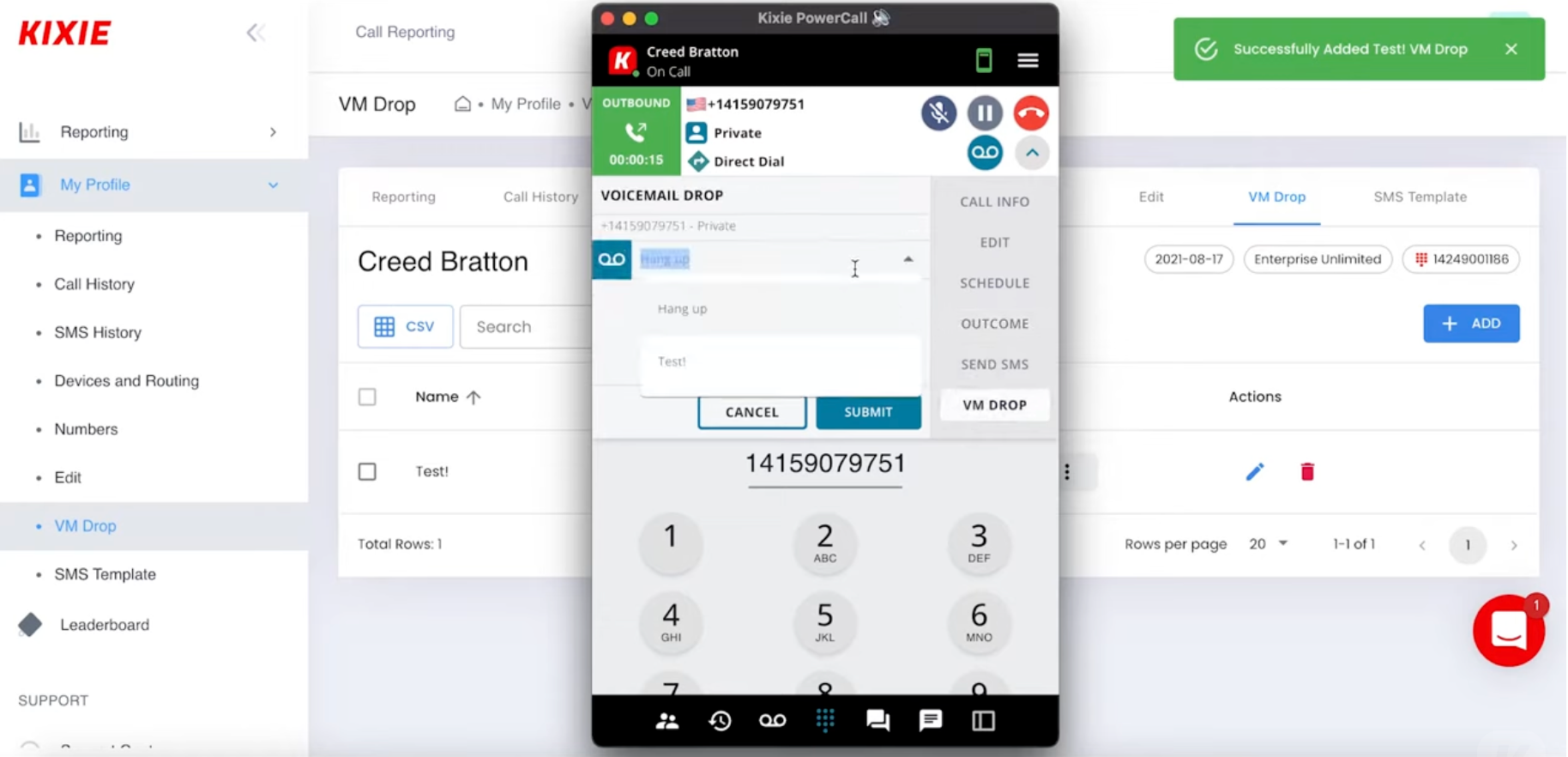
Kixie is a sales engagement platform built around a multi-line power dialer, and voicemail drop is one piece of a much larger toolkit that includes AI-driven call routing, SMS automation, and native CRM sync. It's aimed squarely at outbound teams that want dialing, texting, and coaching tied together in one system rather than stitched across separate tools.
The AI Human Voice Detection feature is Kixie's answer to the answering machine detection problem, and it's sold as a premium add-on rather than bundled into every tier.
- Best for: high-volume outbound teams that want voicemail drop inside a full sales engagement platform, not a standalone tool.
- Standout features: multi-line PowerDialer (up to 10 lines), AI-driven human voice detection, built-in SMS follow-up, live call coaching and call whispering.
- Integrations: native connections to HubSpot, Salesforce, Pipedrive, Zoho CRM, and Zendesk.
- Pricing: Kixie no longer publishes per-seat pricing on its site as of 2026. Plans are named Professional, Single-Line PowerDialer, and Multi-Line PowerDialer, but every price requires a sales quote. Third-party estimates place seats anywhere from roughly $35 to $95 per user per month before add-ons, though these figures aren't confirmed by Kixie itself, so treat them as a rough starting point rather than a number to budget against.
- Limitation: the feature depth is real, but it can be more platform than a smaller team actually needs, and the lack of published pricing makes it hard to comparison-shop without booking a call first.
2) PhoneBurner
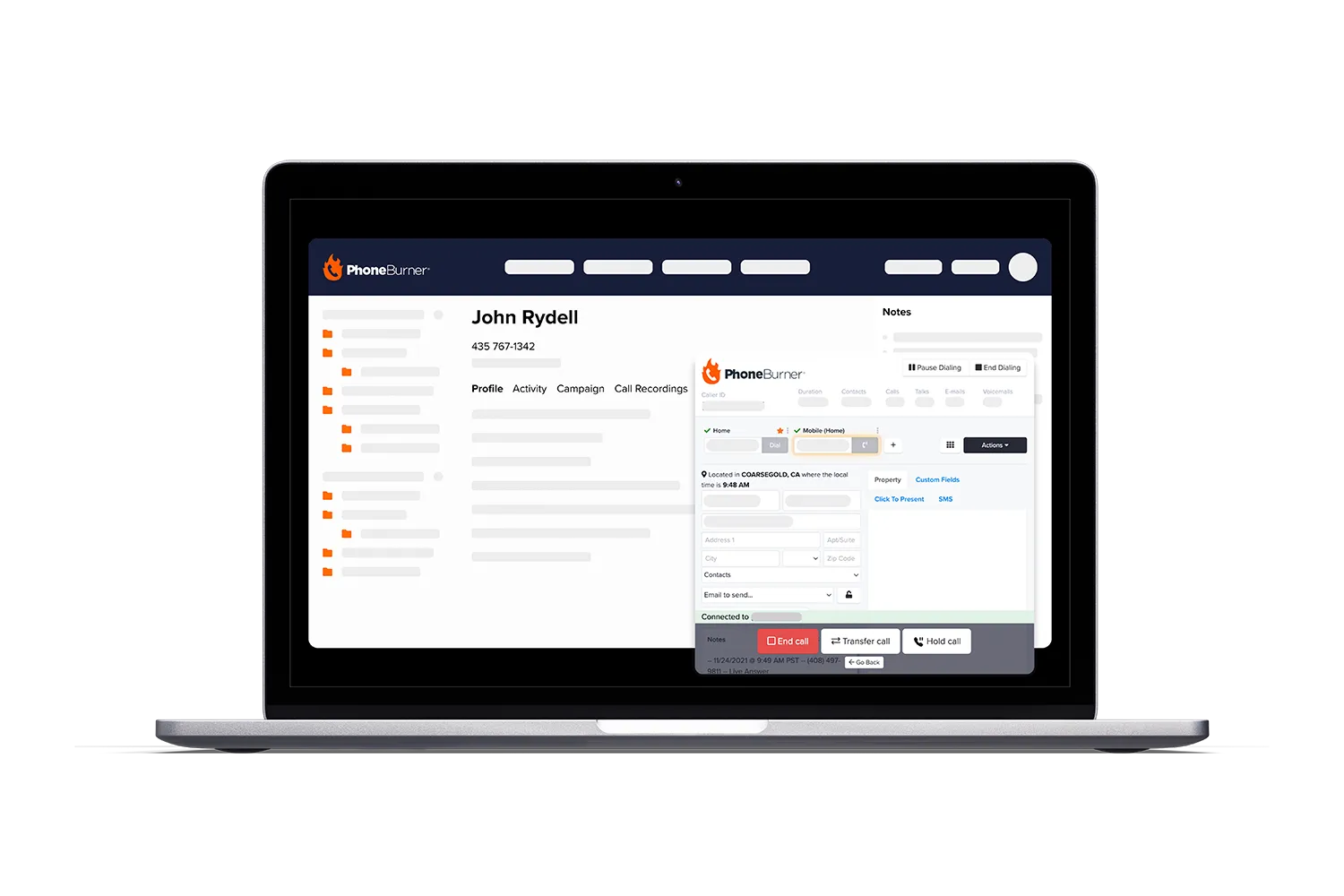
PhoneBurner is a dedicated power dialer built around eliminating the "telemarketer delay," the awkward pause predictive dialers create when a call connects. It's a pure outbound volume tool first, with voicemail drop, post-call automation, and a lightweight built-in CRM layered on top.
Teams choose PhoneBurner specifically because the no-delay connection means reps are talking the instant a prospect answers, which matters a lot at high dial volume.
- Best for: teams that want maximum contacts-per-hour with no connection lag, and are willing to pay a premium entry price for it.
- Standout features: unlimited dialing with no telemarketer delay, one-click voicemail drop, built-in email tracking, and workflow automation tied to call outcomes.
- Integrations: open API access on higher tiers, plus standard CRM connections.
- Pricing: PhoneBurner publishes its pricing directly, which is more transparent than several competitors on this list. As of mid-2026, plans run Standard at $140 per user per month, Professional at $165, and Premium at $183, all on annual billing (monthly billing runs higher, at $165, $195, and $215 respectively). Texting and AI note-taking are gated to the top Premium tier.
- Limitation: the entry price is genuinely steep for what the Standard tier includes, since call monitoring and coaching tools aren't available until you move up a level, and international calling outside the US and Canada is limited.
3) CloudTalk
CloudTalk is a cloud-based call center platform that layers a power dialer, CRM sync, and AI call analytics on top of a fairly affordable base seat. It's built for SMB and mid-market teams that need both inbound and outbound calling handled in one system, rather than a pure outbound specialist tool.
The catch is that CloudTalk's true outbound firepower, the actual dialer, sits behind an add-on rather than being bundled into every plan.
- Best for: SMB and mid-market teams making high daily dial volume who also need solid inbound call handling in the same platform.
- Standout features: voicemail drop paired with Smart Dialer and Power Dialer options, skill-based routing, and AI-driven conversation analytics.
- Integrations: native HubSpot and Salesforce sync (HubSpot generally requires the Essential tier or higher), plus an open API.
- Pricing: CloudTalk's published tiers run roughly $19 to $25 per user per month for the entry Lite or Starter plans on annual billing, up to around $49 to $50 per user per month for the Expert tier, with a custom quote-based plan above that. The outbound Power Dialer itself is typically an add-on running an additional $15 to $39 per user per month depending on tier, so a team that needs real outbound dialing volume should model the seat plus the dialer add-on together, not just the headline seat price.
- Limitation: the entry-level pricing looks attractive until you add the dialer, conversation intelligence, and other add-ons that outbound teams actually need, which can meaningfully change the real monthly cost.
4) JustCall
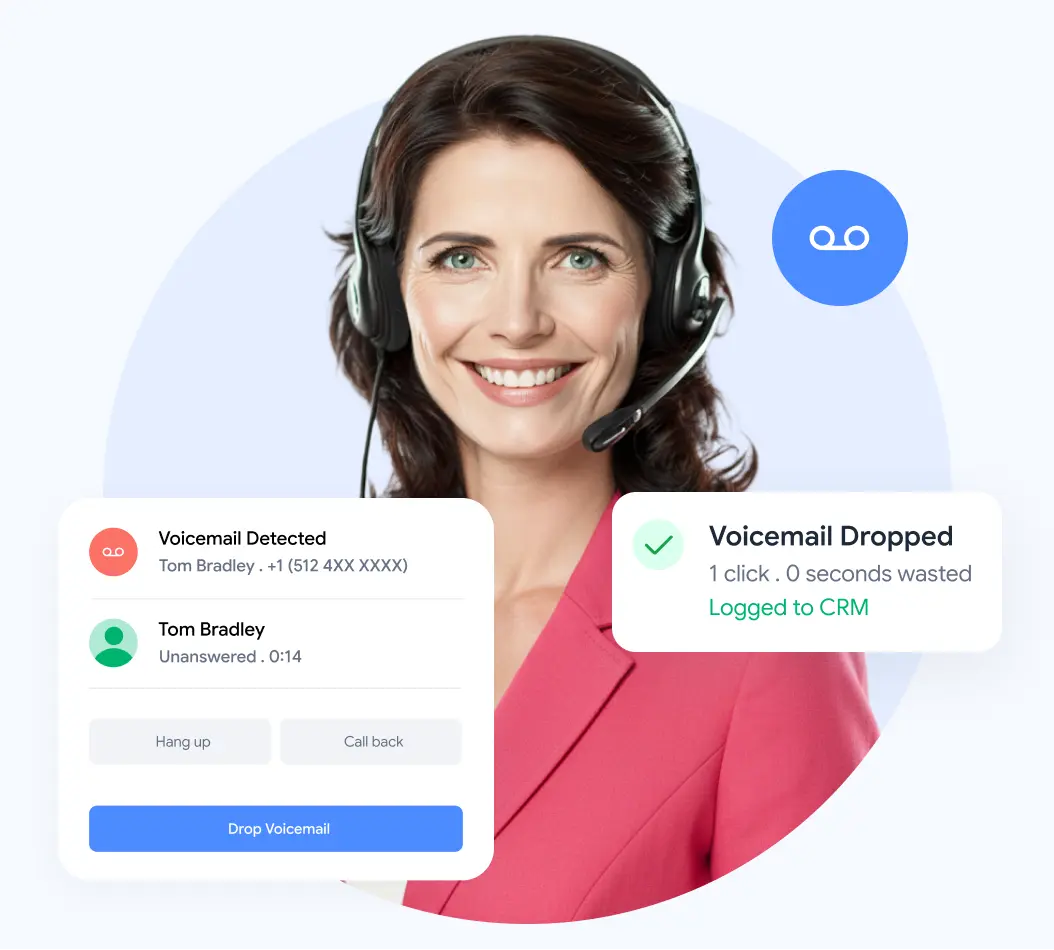
JustCall positions itself as a straightforward, lower-priced entry into core outbound calling features: power dialing, voicemail drop, call recording, and automatic CRM logging, without the enterprise price tag of some competitors.
It's a solid fit for teams that want the fundamentals done well and don't need the deepest automation layer on the market.
- Best for: teams that want core dialing and voicemail drop features at a more accessible price point than platform-heavy competitors.
- Standout features: power dialing, voicemail drop, automatic call logging to CRM, and AI-based call transcription included from the entry tier.
- Integrations: Salesforce and HubSpot sync are available, though full CRM integration depth typically requires moving up from the entry Team plan.
- Pricing: JustCall publishes its rates directly: Team at $29 per user per month, Pro at $49, and Pro Plus at $89, all on annual billing, with a custom-quoted Business tier above that. Every standard plan carries a two-user minimum, so the real entry cost is closer to $58 per month than the $29 headline number. The AI Voice Agent is priced separately at $0.99 per minute on top of any plan.
- Limitation: fewer advanced automation and coaching features than premium competitors, and the two-seat minimum plus per-minute AI charges can push the real bill higher than the sticker price suggests.
5) VoiceDrop.ai
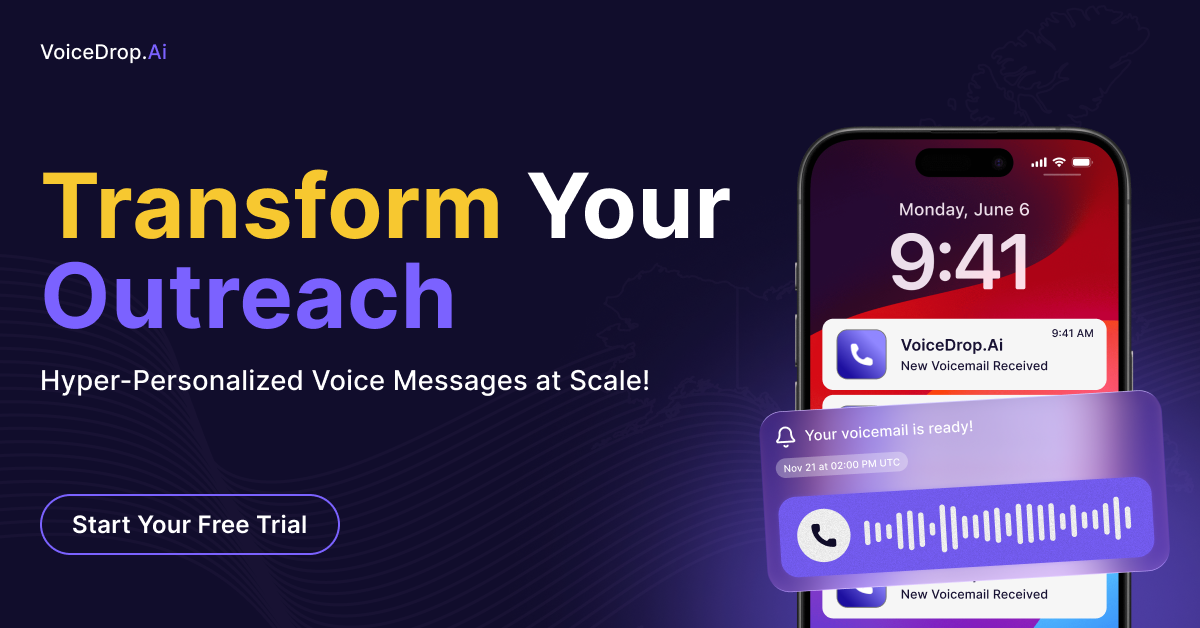
VoiceDrop.ai is a standalone ringless voicemail platform, not a full dialer or engagement suite. It leans heavily into AI voice cloning, letting teams send personalized-sounding ringless voicemails at scale, and it bills only for messages that actually deliver successfully rather than charging for failed attempts.
This makes it a common pick for growth teams and agencies running ringless campaigns as one channel inside a broader outbound motion.
- Best for: growth teams and agencies that specifically want ringless voicemail at scale, run alongside a separate dialer or engagement platform.
- Standout features: AI voice cloning for personalized-sounding messages, a built-in AI Inbound Agent, two-way SMS, and billing based only on successful deliveries.
- Integrations: connects with a wide range of CRMs and scheduling tools including ActiveCampaign, Calendly, and Google Sheets.
- Pricing: plans start at $95 per month for roughly 1,000 ringless voicemail credits, with usage-based tiers scaling up to $495 per month for higher volume (around 6,500 units). New accounts typically get a small free credit allotment to test the platform before committing.
- Limitation: it's a standalone tool built specifically for ringless delivery, so teams still need a separate dialer or sales engagement platform to handle the rest of their outbound motion.
6) Salesloft
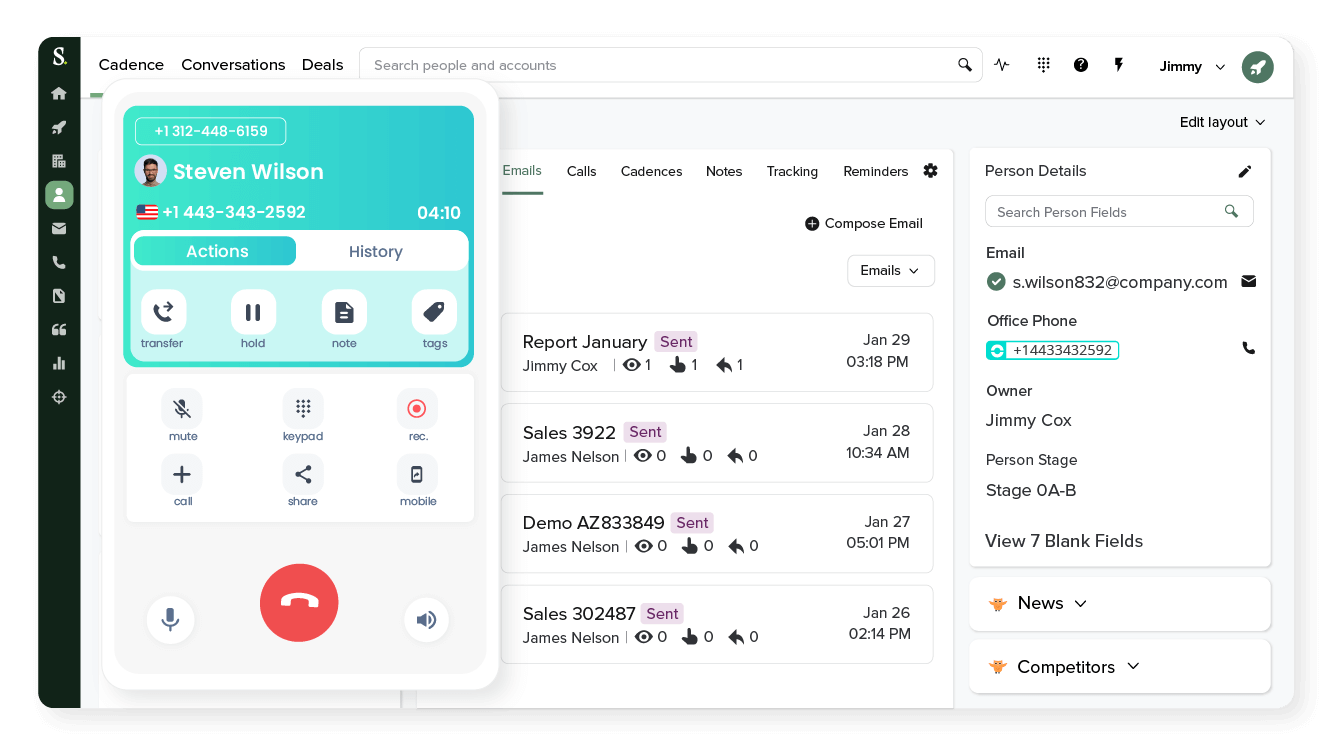
Salesloft is an enterprise sales engagement platform built around cadence management, deep analytics, and coaching, with voicemail drop functioning as one small piece of a much larger revenue workflow tool.
It's worth noting that Salesloft completed a merger with the forecasting platform Clari in December 2025, and the combined company has been repackaging its offering under a "Predictive Revenue System" positioning through 2026, which is reshaping how deals get quoted.
- Best for: enterprise sales organizations that need voicemail drop embedded inside a full cadence and coaching workflow, not a lightweight dialer.
- Standout features: deep multi-channel cadence automation, conversation analytics, coaching tools, and forecasting capability strengthened by the Clari integration.
- Integrations: broad CRM and calendar connections typical of enterprise sales stacks, with a separate Dialer add-on for calling.
- Pricing: Salesloft does not publish pricing publicly. Third-party procurement data from 2026 places typical list pricing in the range of roughly $125 to $165 per user per month, with negotiated mid-market deals sometimes landing closer to $100 to $130. The calling Dialer is a separate add-on, generally estimated at $200 to $400 per user per year on top of the base license. These figures come from procurement trackers rather than Salesloft's own site, so confirm directly with their sales team before budgeting.
- Limitation: the pricing opacity alone is a real cost, since every deal requires a sales conversation, and the calling functionality specifically requires a paid add-on rather than being included in the base license.
7) Outreach
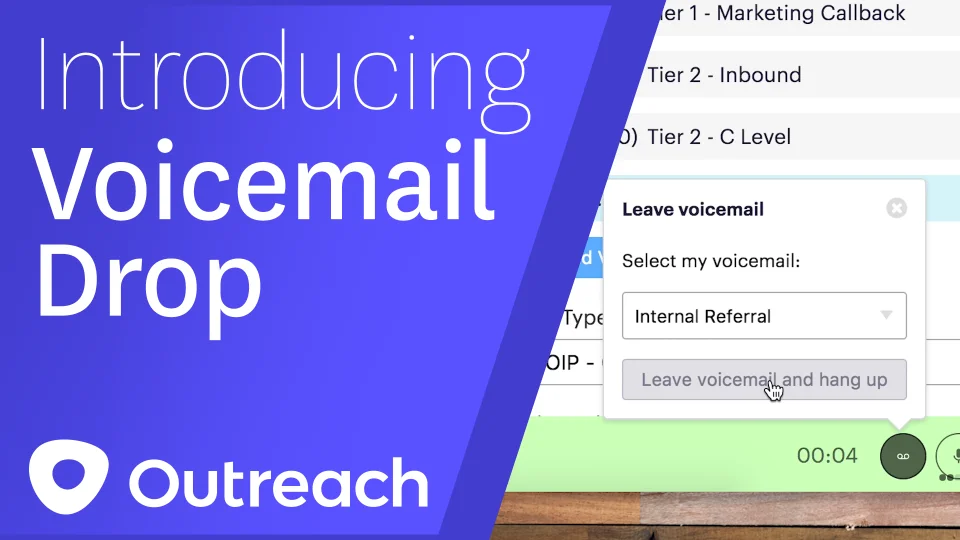
Outreach (rebranded from Outreach.io to Outreach.ai during 2026) is a large-scale sales engagement platform built for standardized, high-volume outbound sequencing across email, phone, and social touches.
In 2026, the company restructured its entire pricing model into four "Amplify" tiers, Essentials, Core, Plus, and Pro, defined by an allotment of AI credits rather than a simple per-seat feature list, adding a consumption-based cost layer on top of the seat price.
- Best for: large outbound teams already standardized on a single sequencing platform who need voicemail drop as part of broader multichannel cadences with strong reporting.
- Standout features: voicemail drop delivered through Outreach's own Voice dialer, integrated as one step inside multichannel sequences, with AI-driven research and personalization agents layered in at higher tiers.
- Integrations: deep CRM sync (particularly Salesforce) plus video conferencing integrations including Zoom, Microsoft Teams, and Cisco Webex at the Plus tier and above.
- Pricing: Outreach does not publish pricing on its site. Reported per-seat costs in 2026 run approximately $100 per user per month for the entry Amplify Core tier, up to $130 to $160+ for Plus and Pro, all requiring annual contracts. On top of the seat price, buyers should expect implementation fees that can run from a few thousand dollars up to $25,000 or more depending on complexity, plus a separate annual platform fee.
- Limitation: significant implementation and administrative overhead, a fully quote-gated pricing model, and a consumption-based AI credit system that makes total spend harder to predict month to month than a flat per-seat fee.
8) Aircall
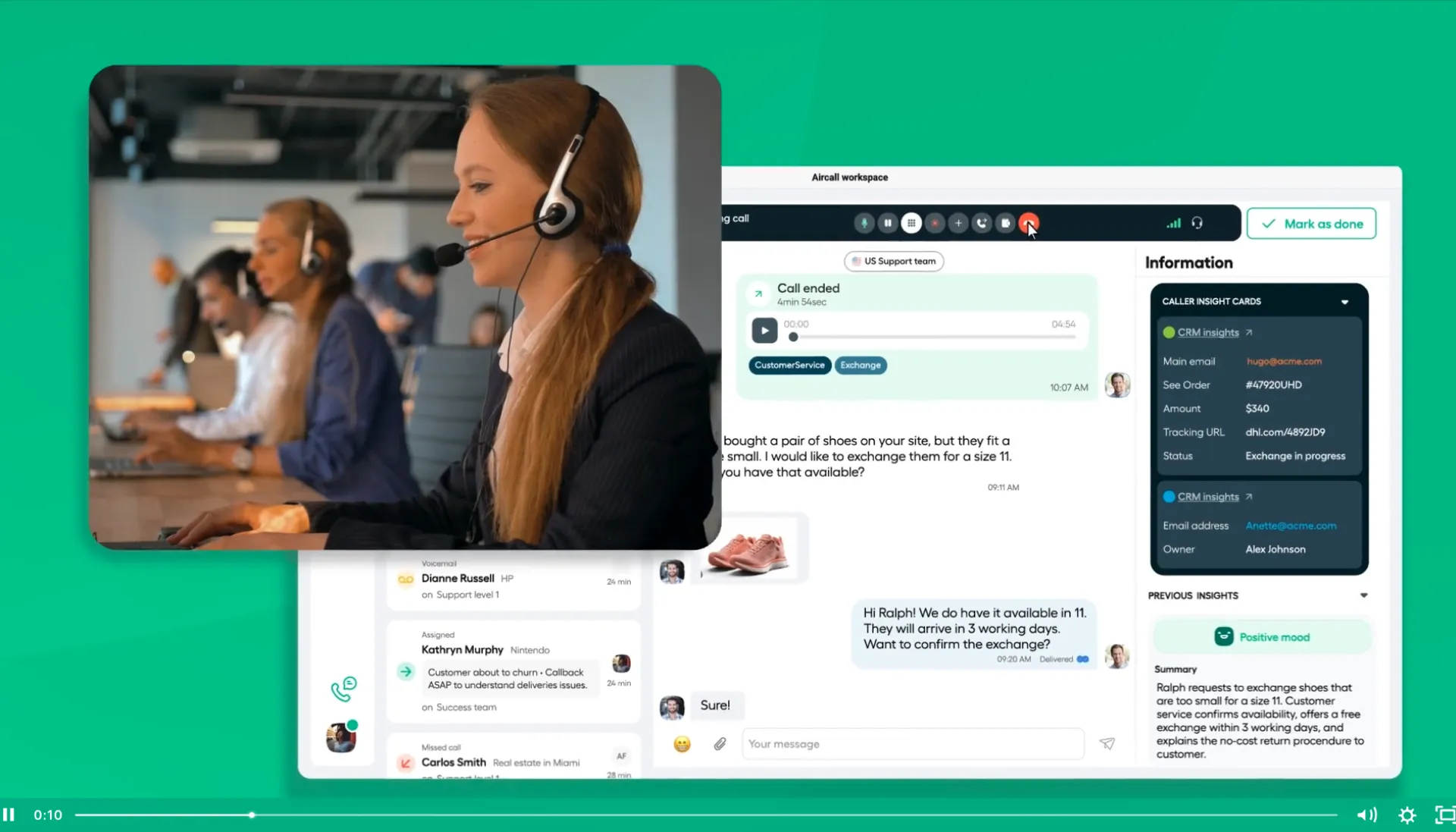
Aircall is a cloud phone system built primarily for support and sales teams that need reliable call quality and a broad integration ecosystem, with voicemail drop and power dialing available as part of its calling toolkit rather than the headline feature.
It's an easier setup than most of the dedicated outbound dialers on this list, which makes it a reasonable fit for teams that don't want to manage a specialized dialer separately from their phone system.
- Best for: teams that want a general-purpose cloud phone system with drop functionality built in, rather than a dedicated high-volume outbound dialer.
- Standout features: broad third-party integration ecosystem, straightforward setup, and a Power Dialer available starting at the Professional tier.
- Integrations: native connections to HubSpot, Pipedrive, Salesforce, and Zoho, among others.
- Pricing: Aircall publishes two seat tiers directly: Essentials at $30 per user per month and Professional at $50 per user per month, both on annual billing, plus a quote-based Custom tier above that. Both published plans carry a three-license minimum, so the real entry cost for a small team is closer to $90 per month rather than the $30 headline figure. Monthly billing raises those rates to $40 and $70 per license.
- Limitation: the Power Dialer and voicemail drop functionality aren't available on the entry Essentials plan, which pushes outbound-focused teams straight to Professional, and the three-seat minimum inflates the real starting cost for very small teams.
9) Close
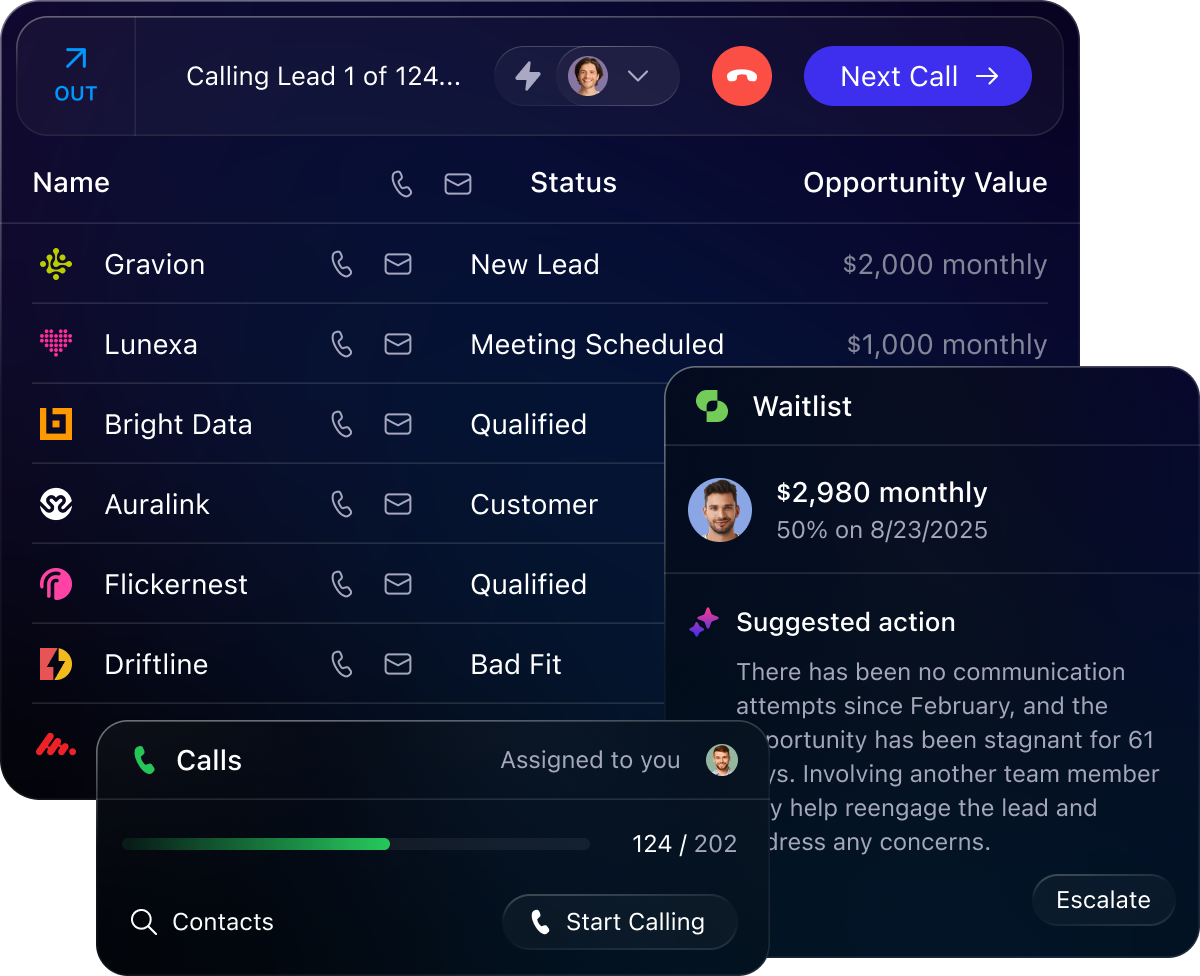
Close is a sales CRM with calling built directly into the platform rather than bolted on as an integration, which appeals to smaller teams that want one tool instead of a CRM plus a separate dialer plus a separate voicemail drop app.
The tradeoff is that the calling features people actually choose Close for, the Power Dialer and Predictive Dialer, are locked behind the higher-priced tiers rather than included at the entry level.
- Best for: startups and SMB teams that want an all-in-one CRM and dialer combination, and are willing to pay for the mid-tier plan to unlock real outbound calling power.
- Standout features: built-in Power Dialer (Growth tier) and Predictive Dialer (Scale tier), integrated SMS, task management, and AI Call Assistant on higher tiers.
- Integrations: native email and calendar sync, plus a broad set of third-party connections through Zapier.
- Pricing: Close publishes transparent per-seat pricing directly on its site: Solo at $9 per user per month, Essentials at $35, Growth at $99, and Scale at $139, all on annual billing. The Power Dialer requires the Growth tier at minimum, and the Predictive Dialer requires Scale. Call minutes and phone credits bill separately on top of every plan.
- Limitation: the calling features most outbound teams actually want aren't available on the cheaper Solo or Essentials tiers, so the real entry point for a phone-first team is closer to $99 per seat than the $9 headline price, and call minutes add further usage-based cost.
10) Drop Cowboy
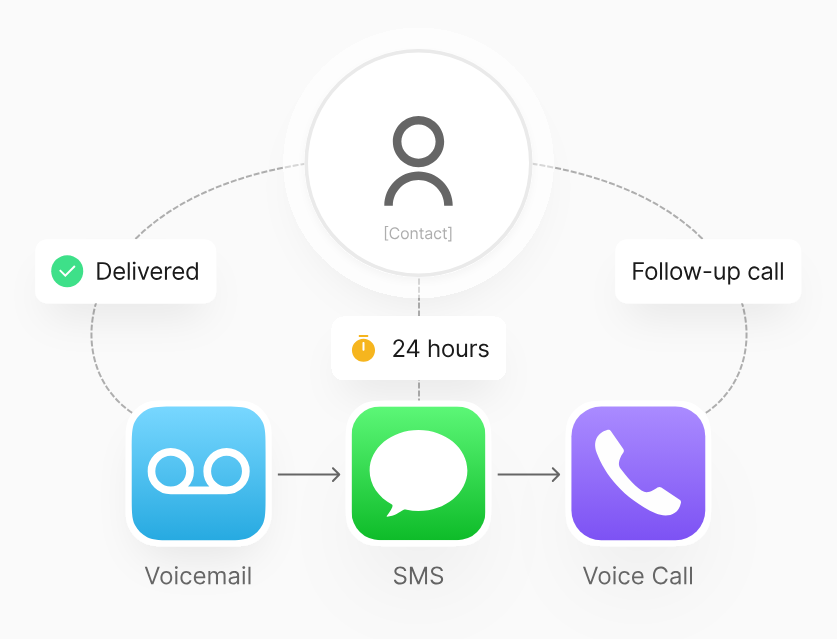
Drop Cowboy is a dedicated ringless voicemail platform, and one of the earlier specialists in the category. Where most tools on this list treat voicemail drop as a feature inside a bigger dialer, Drop Cowboy is built as the primary product itself, with plans priced per message rather than per seat.
- Best for: teams whose primary use case is ringless voicemail specifically, rather than a full outbound calling stack.
- Standout features: AI voice cloning through its "Mimic AI" technology, quiet-hours scheduling to stay within TCPA calling windows, A/B testing on message variants, and built-in compliance tools like suppression list management.
- Integrations: connects with major CRMs and marketing automation platforms, though the integration list is narrower than platform-style competitors.
- Pricing: Drop Cowboy publishes pricing starting at $125 per month for its plan-based tiers, or a "bring your own carrier" (BYOC) model priced as low as $0.004 per drop for high-volume senders. A separate compliance fee of roughly $0.0031 per message and Mimic AI voice cloning charges of about $0.005 per 100 characters apply on top of the base rate.
- Limitation: a narrower feature set than full platform tools, since it's purpose-built for ringless delivery rather than general outbound calling, and per-message compliance and AI fees can add up quickly at real volume.
Free Voicemail Drop Software: What You Can and Can't Get
Let's be direct about this: there is essentially no full-featured free voicemail drop software on the market in 2026. What exists in "free" territory is a handful of trials and freemium tiers with real limits attached, and it's worth knowing exactly what you're getting before you build a workflow around it.
What free tiers and trials typically offer
Most of the tools on this list offer a free trial rather than a permanent free plan. A few, like VoiceDrop.ai, throw in a small starting credit balance (commonly around $20 worth) so you can test real delivery before paying. What you typically get: a capped number of drop credits, single-user access, a basic message library, and no CRM sync.
What you almost never get for free
Reliable answering machine detection, ringless delivery at any real volume, built-in compliance tooling like DNC scrubbing and consent tracking, and meaningful analytics are all gated behind paid tiers across every vendor on this list. If a free tool is offering all of that with no catch, look closely at what "unlimited" actually means in the fine print.
When free is genuinely fine
If you're a solo founder making a small number of calls a day, or you're simply validating whether voicemail drop helps your specific pitch before committing a budget, a free trial is exactly the right move. Run it against your real script and your real list before you pay for anything.
When free costs more than it saves
Any team where rep time is the expensive input should treat a capped free tier as a short-term test, not a long-term plan. If your reps are hitting credit limits mid-shift or working around missing CRM sync by manually logging calls, the free tier is quietly costing you more in wasted rep hours than a paid plan would.
Is Voicemail Drop Legal? TCPA and Compliance Essentials
This is the section most vendors would rather you skip past, and it's the one that carries the highest cost if you get it wrong.
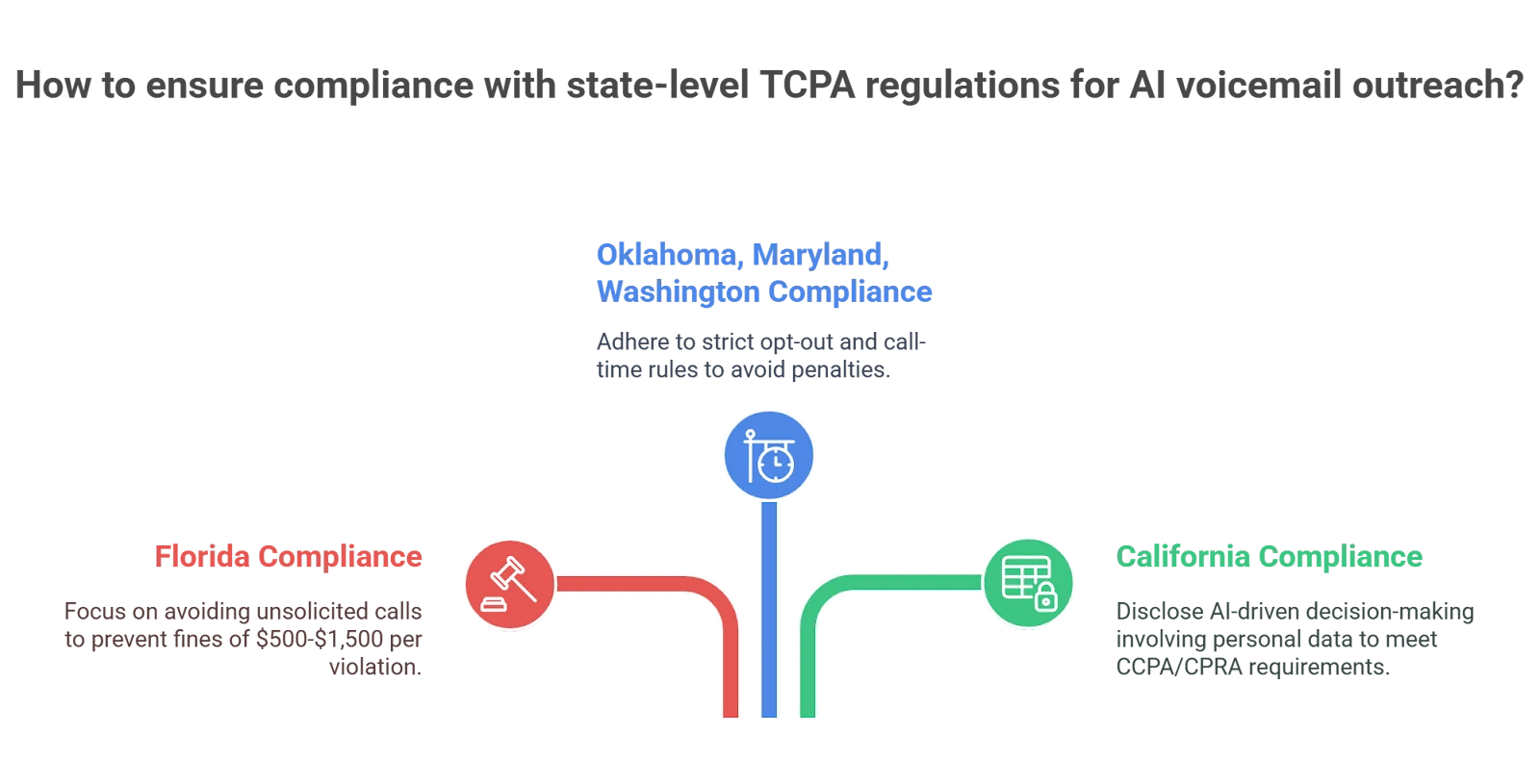
On November 21, 2022, the FCC issued a declaratory ruling finding that ringless voicemail counts as a "call" under the Telephone Consumer Protection Act, because it's made using an artificial or prerecorded voice, regardless of the fact that the recipient's phone never actually rings.
That means the same prior express consent requirements that apply to a live robocall apply to a ringless voicemail drop. The ruling came after the FCC received thousands of public comments, almost all opposed to treating ringless voicemail as exempt from TCPA rules.
The B2B assumption that gets teams into trouble
A lot of outbound teams assume B2B outreach sits outside TCPA scope entirely. It doesn't. The rules attach to the number being called, not the industry of the person you're calling. A business contact's personal mobile number, or a message that includes promotional content, can trigger the same consent requirements as any consumer call.
Standard voicemail drop (where the call actually rings first) sits in somewhat different legal territory than ringless delivery, but neither is automatically exempt just because the recipient works in B2B sales.
Baseline compliance practices worth building into your process
- Document consent for every number you're dropping ringless voicemails to.
- Scrub against the national Do Not Call registry on a regular, documented cadence.
- Check applicable state-level DNC registries, since requirements vary by state.
- Honor opt-out requests immediately, not at the end of a campaign cycle.
The real exposure here
TCPA violations carry per-message penalties, and the volume of TCPA class action filings has continued to rise. This isn't a technicality to work around; it's a real business risk with real financial exposure attached.
Confirm your specific approach with counsel rather than relying on a vendor's marketing claims about compliance, since the vendor isn't the one who gets sued if something goes wrong.
Common Voicemail Drop Mistakes to Avoid
❌ Running one generic recording across every segment
It's tempting to record a single message and use it for every list, every industry, and every persona you target. The problem is that a message written for a VP of Sales doesn't land the same way with a founder or an ops leader, and a generic script reads as exactly what it is: automated and impersonal. Building even a small library of three or four messages by persona or scenario takes an afternoon and meaningfully changes how the message is received.
❌ Recording messages that run too long
There's a hard ceiling here that most reps blow past without realizing it. Anything past 25 to 30 seconds tends to get deleted before the listener hears the point. The instinct to explain the full value proposition in the voicemail works against you; the goal of the message is to earn a callback, not to close the deal in someone's voicemail inbox.
❌ Pitching the product instead of selling the callback
This is the single most common script mistake in the category. A voicemail isn't the moment to explain features, pricing, or how your product works. It's the moment to give the prospect one specific, credible reason to call back. The best voicemail scripts sound almost incomplete on purpose, because the incompleteness is what creates the reason to respond.
❌ Dropping a voicemail on every single attempt
If a prospect gets the same or a similar voicemail on their third, fourth, and fifth missed call, the pattern becomes obvious fast, and it reads as automated outreach rather than a real person trying to reach them. Spacing out when you drop a message, and varying the message when you do, keeps the channel from feeling like spam.
❌ Not pairing the drop with a same-day follow-up email
A voicemail creates a small window of awareness. That prospect now knows your name and has heard your voice. If no email arrives that same day reinforcing the message, most of that awareness evaporates before it ever turns into a callback. The drop and the follow-up email work as a pair, not as separate channels.
❌ Ignoring answering machine detection accuracy
Teams get excited about drop volume and stop paying attention to whether the detection is actually working. A detector with a meaningful error rate is quietly dropping pre-recorded pitches onto live humans who just answered, which does real damage to how those prospects perceive your outreach going forward.
❌ Treating drop volume as the success metric
The number of voicemails left is an activity metric, not an outcome metric. A team that hits its weekly drop target but sees no lift in callbacks or meetings booked has succeeded at the wrong thing. Track callback rate and meetings booked from drop-touched accounts, not just how many messages went out.
❌ Skipping consent documentation on ringless campaigns
Given the TCPA exposure covered above, this isn't a small administrative gap. Running ringless voicemail without a documented consent trail is one of the more expensive mistakes a team can make in this category, and it's entirely avoidable with basic process discipline.
❌ Letting the same recording run for months
A message that worked well in Q1 doesn't automatically stay effective through Q4. Prospect expectations shift, your offer evolves, and a stale recording starts to feel disconnected from everything else in your outreach. Refreshing recordings on a regular cadence, and testing new versions against the old ones, keeps the channel performing instead of quietly decaying.
How to Measure Whether Voicemail Drop Is Working
The mistake most teams make here is measuring one number and calling it done. Voicemail drop actually needs to be evaluated on two separate axes: whether it's saving time, and whether the message itself is generating callbacks. A tool can succeed at one and fail completely at the other.
Test message variants against each other rather than asking whether voicemail drop "works" as a category. That question is too broad to act on. A specific script tested against a specific segment gives you something you can actually improve.
One upstream dependency worth flagging: bad contact data caps your results no matter how good the tool is. If half your numbers are wrong or disconnected, no amount of answering machine detection accuracy or message polish will fix the underlying data problem. Fix the data first, then optimize the message.
How Cleverly's Cold Calling Service Turns Dials Into Booked Meetings
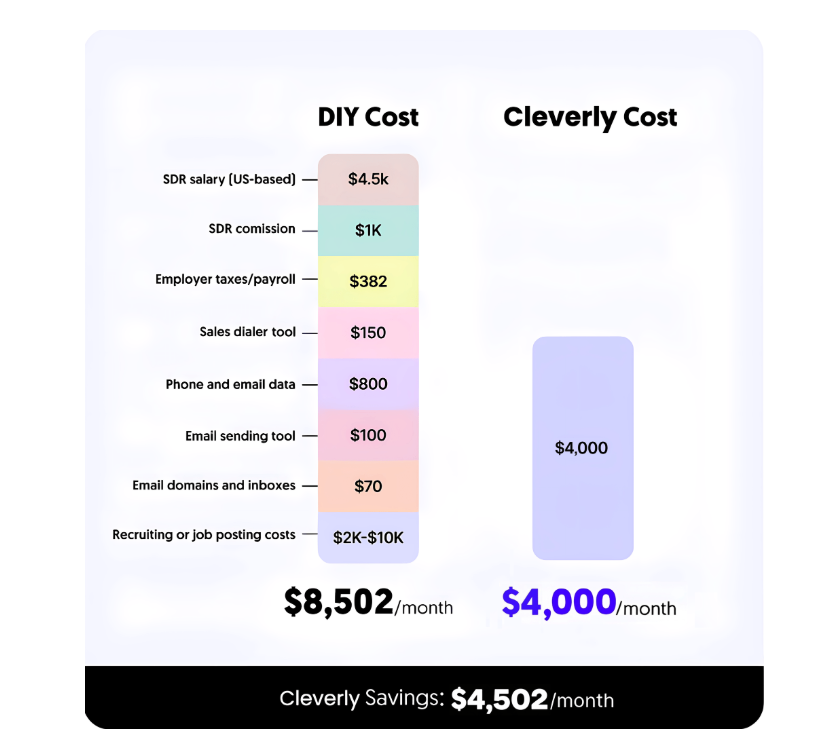
Software makes a rep faster. It doesn't fix a weak contact list, a script that's never been tested against real objections, or the simple absence of a trained caller on the other end of the line, and that's exactly where most outbound programs actually break down.
Cleverly runs cold calling as a complete system rather than a tool you configure yourself. That means verified direct-dial data so calls and voicemails reach actual decision-makers instead of switchboards and dead extensions, a dedicated SDR trained specifically for your ICP, and call-plus-voicemail scripts refined across thousands of live conversations rather than written once and left alone. SDRs are coached on their own call recordings, not left to guess what's working.
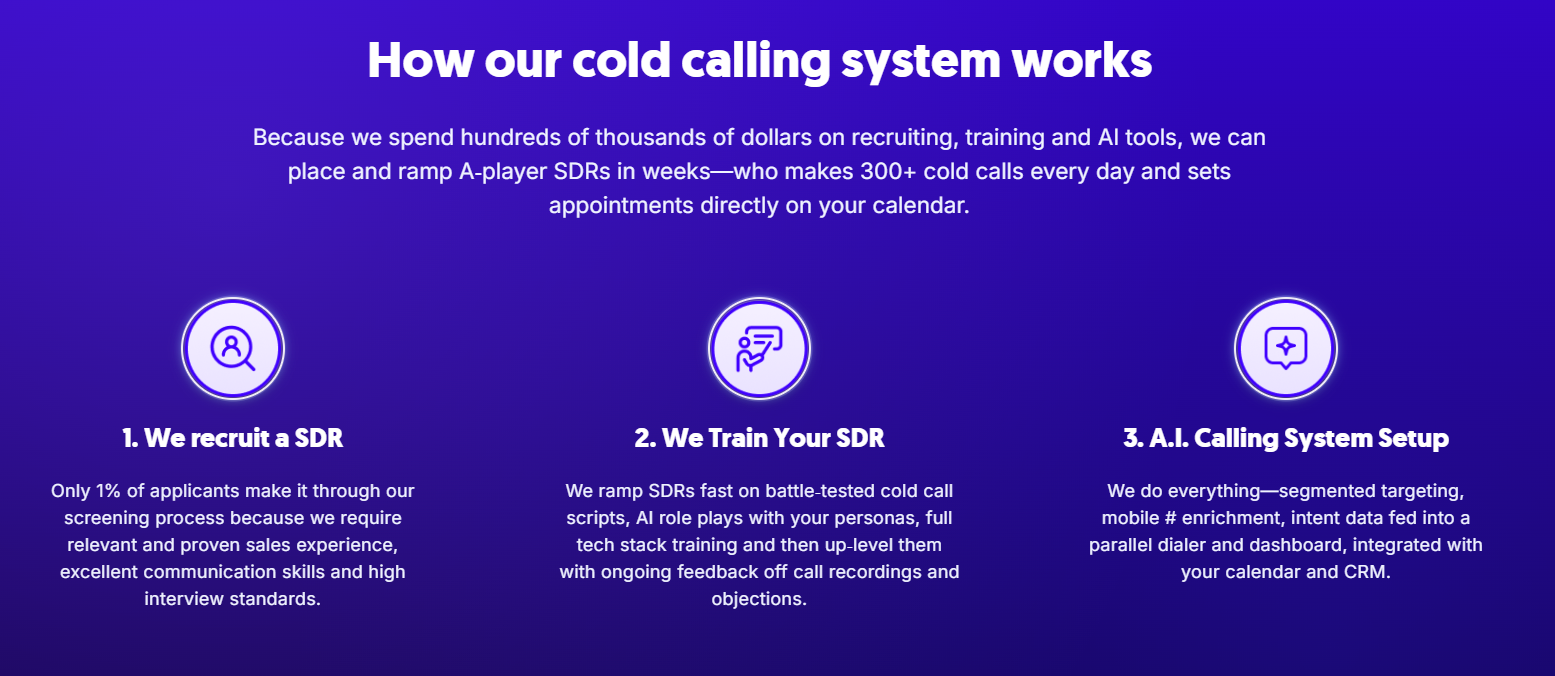
Accurate data matters more than any tool feature on this list. Every dialer, every answering machine detector, every voicemail script performs worse when it's pointed at a bad number. Cleverly's process closes that gap before the first dial ever happens.
The optimization target is also different. Cleverly's cold calling service is built around booked, qualified meetings, not dial counts or drop volume.
Across its client base, Cleverly has made 1M+ cold calls and set 53,000 appointments for clients. If your team is choosing between buying another tool to manage or handing the whole motion to a team that already runs it daily, that's the real decision.
Book a free consultation with Cleverly to see what a done-for-you cold calling system looks like for your pipeline.
Conclusion
Voicemail drop software is a genuine productivity multiplier for teams making real outbound volume, but it's a multiplier, not a fix. It amplifies whatever process you already have, good or bad.
If your quick decision shortcut looks something like this: pick a platform tool if you need engagement and dialing together, pick a dedicated dialer if pure volume is the priority, and only touch a ringless-specific tool once your compliance process is actually built out, not just assumed.
Message quality and contact data accuracy drive callbacks far more than which tool you choose, and the compliance question covered earlier in this guide remains the single highest-cost mistake in this entire category.
The practical next step is straightforward: shortlist two tools that fit your volume and budget, trial both against your actual dial list, and measure dials per hour alongside callback rate before you commit to either one.
Frequently Asked Questions
Free Resource
How to Scale a Profitable Cold Call System
Get the complete guide — download it instantly now.

Free Ebook
Download the Free Guide
Enter your details to get instant access.
You're all set! 🎉
Your ebook is downloading now.
Click below if the download didn't start automatically.