Table of Contents
What to Look for in a CRM for Cold Calling Teams
CRMs for Cold Calling Teams — Quick Comparison
10 Best CRMs for Cold Calling Teams in 2026
How to Choose the Right CRM for Your Cold Calling Team
How Cleverly's Cold Calling Agency Builds Pipeline Without the CRM Headache
Conclusion
Frequently Asked Questions
Modified On :
June 8, 2026
Key Takeaways
- The best CRM for cold calling includes either a native power dialer or a clean integration with one — without it, reps waste hours on manual dialing and data entry every week.
- Automatic call logging is non-negotiable: if reps have to document calls themselves, dialing output drops and pipeline visibility suffers immediately.
- Close is the strongest all-in-one option for phone-first teams; HubSpot is the only major CRM offering basic calling features on a free plan.
- Choosing your dialer type first (power dialer, parallel dialer, or click-to-call) should drive your CRM decision — not the other way around.
- If building and managing a cold calling stack in-house feels like too much, a fully done-for-you cold calling agency like Cleverly is a faster path to qualified meetings.
Cold calling remains one of the most direct ways to book qualified pipeline — but the CRM your team uses either accelerates that output or quietly kills it.
Reps who spend 20% of their day logging calls, hunting for contact records, and manually updating deal stages are losing dozens of dials every week. Over a quarter, that's thousands of missed conversations.
The problem is that most CRMs are built for pipeline management, not for teams that live on the phone. The features that actually matter for cold calling — power dialers, automatic call logging, rep activity dashboards, call coaching, and smart contact lists — are either buried in expensive add-on tiers or missing entirely.
And the wrong choice compounds over time. According to Salesforce research, sales reps spend only 28% of their week actually selling. The rest goes to admin, tool switching, and data entry. A CRM that adds to that burden instead of reducing it quietly becomes a drag on your entire outbound operation.
This guide covers the 10 best CRMs for cold calling teams in 2026 — what each does best, who it's built for, real pricing, and how to choose the right one based on your team size and dialing workflow.
What to Look for in a CRM for Cold Calling Teams
Before you shortlist any platform, get clear on which features actually move the needle for cold calling teams. Not every CRM prioritizes the same things, and the gaps matter more than most people realize during evaluation.
Built-In or Native Dialer Integration
The difference between a CRM with a native dialer and one that requires a third-party integration is significant in practice. Native dialers log calls automatically, surface contact data in real time, and eliminate the context-switching that eats into rep productivity. If a CRM forces you to bolt on a separate dialer, check how clean and reliable that integration actually is before you commit.
For high-volume teams, the dialer type matters as much as the CRM itself. Power dialers queue contacts sequentially and eliminate manual dialing. Parallel dialers place multiple calls simultaneously and connect reps only when a live person answers. Click-to-call is the baseline — useful, but not a productivity multiplier.
Automatic Call Logging
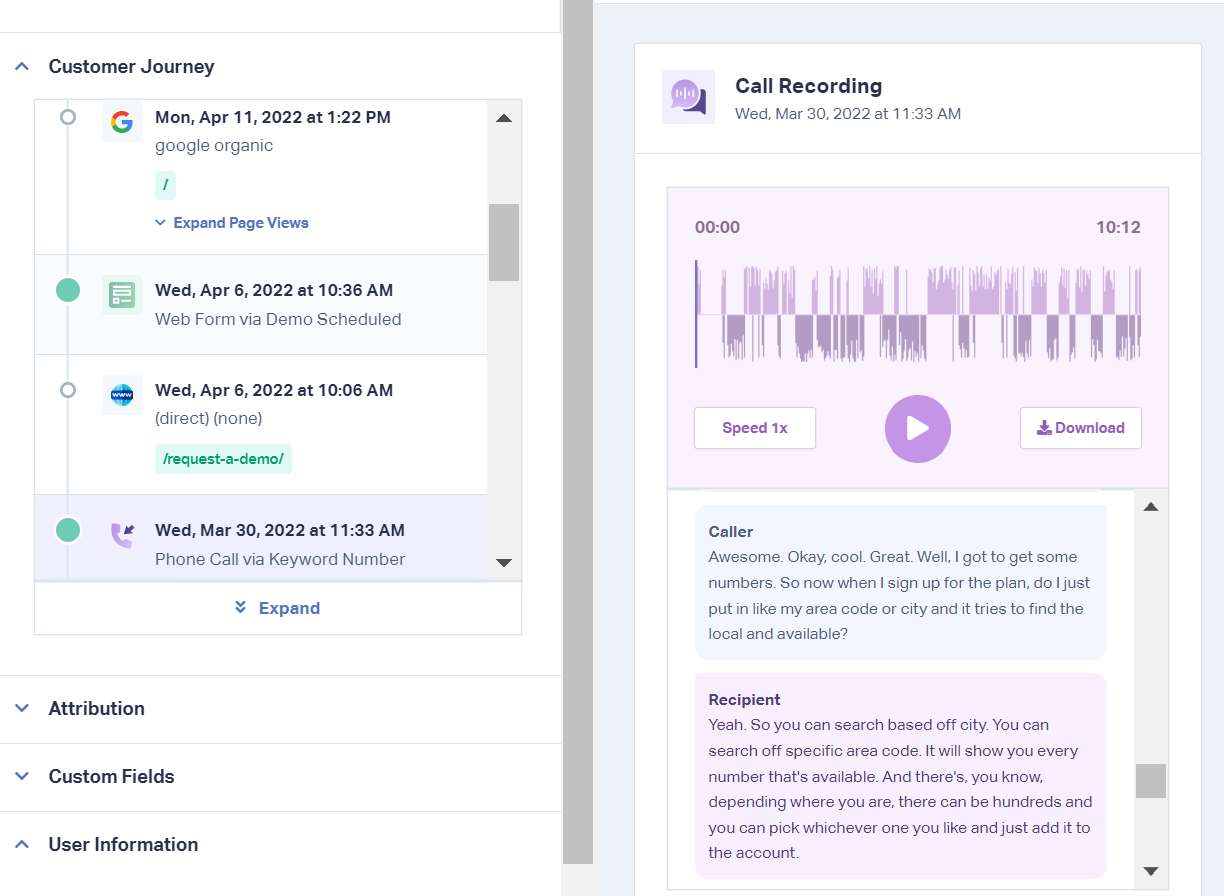
This one is critical. Every call, voicemail, disposition, and follow-up note should write itself to the contact record the moment the call ends. If reps are manually logging even 30–40% of their calls, your CRM data degrades fast — and so does your ability to coach, forecast, and follow up accurately.
Call Recording and Transcription
Recording every call is table stakes in 2026. Transcription turns those recordings into searchable, reviewable content that your team can use for coaching, QA, and identifying what messaging actually works in conversations.
Rep Activity Tracking
Dials, connects, talk time, voicemails left, meetings booked — these should be visible at the rep and team level without building custom reports. If a manager can't see this week's call activity in under 30 seconds, the CRM is working against you.
Ease of Call List Building
Cold calling reps should be able to surface their next batch of contacts in a few clicks — not run a filter, export a spreadsheet, and re-import it into a dialer. Look for CRMs where prioritized call queues are built directly into the workflow.
Other Factors to Check
- Integration depth with your sequencer, enrichment tools, and email platform.
- Mobile usability for reps calling from the field.
- Pricing transparency — many CRMs hide calling features behind higher tiers or usage-based add-ons
- Pipeline visibility tied to calling activity, not just deal stages
📞 A Great CRM Won’t Fix a Weak Outbound System
We provide trained SDRs, proven scripts & a complete calling operation. 10–30 qualified meetings booked every month. Guaranteed.
CRMs for Cold Calling Teams — Quick Comparison
Here's a side-by-side look at all 10 best CRM software for cold calling options covered in this guide.
10 Best CRMs for Cold Calling Teams in 2026
1. Close — Best All-in-One CRM for Phone-First Sales Teams
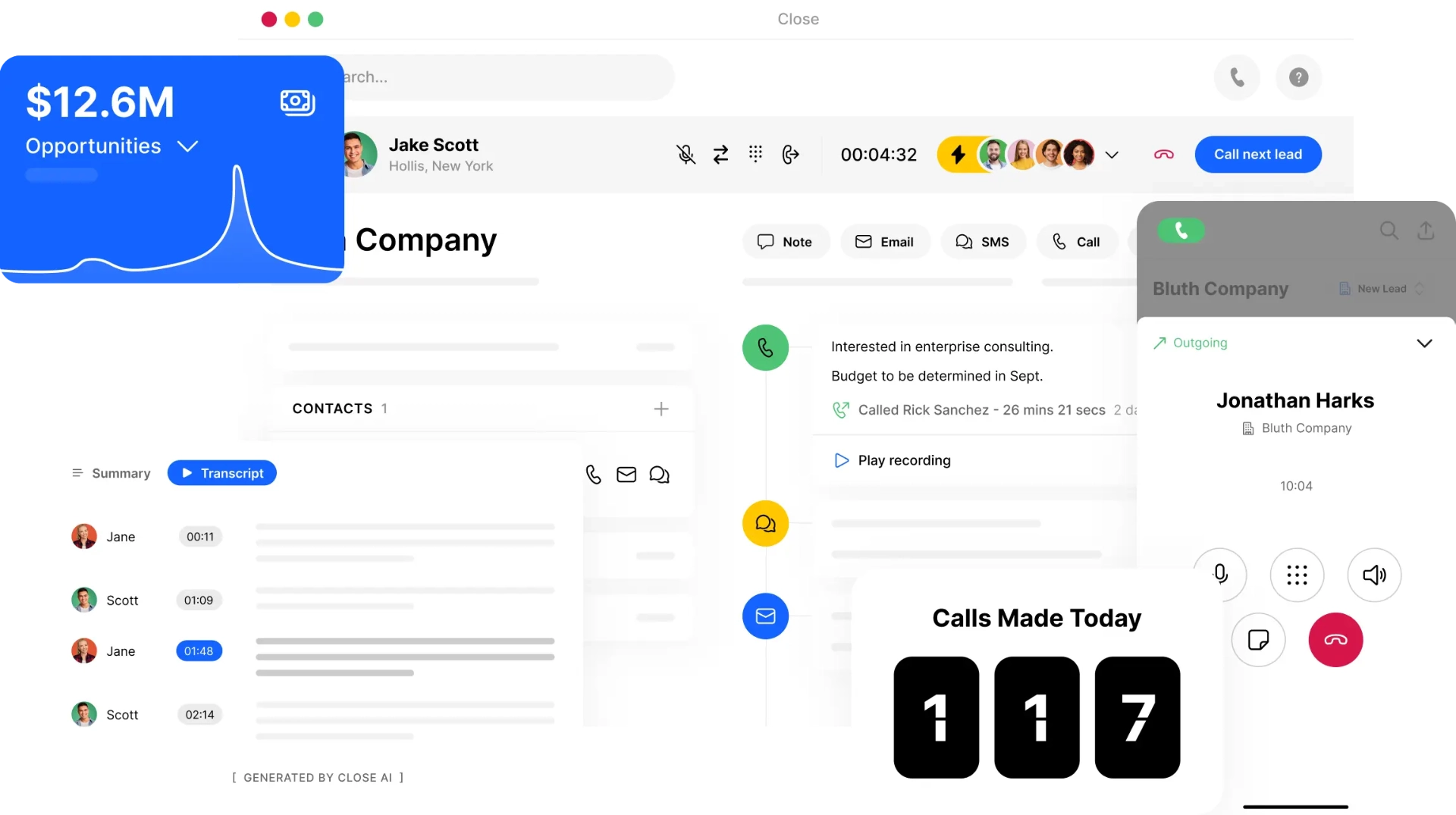
Close is the only CRM on this list that was built from day one specifically for outbound sales teams. There's no general-purpose DNA here — the entire product is designed around the idea that calling is the primary way your team generates pipeline.
The result is a CRM where cold calling feels native, not bolted on. Reps have everything they need — contact record, call history, email threads, SMS — in a single unified inbox without switching tabs or tools.
What it's best at:
Close's Power Dialer is its most important differentiator for crm for cold calling use cases. Reps using it typically go from 20 manual dials per hour to 70+ within the first week.
The dialer queues contacts automatically, logs every call and outcome, and surfaces the next contact the moment one call ends. There's no manual setup between calls.
Standout cold calling features:
- Power Dialer (Growth plan) and Predictive Dialer (Scale plan) — both fully native.
- Smart Views: dynamic, rule-based call lists that automatically surface the right contacts based on activity, status, and custom criteria — no manual list-building.
- Click-to-call, automatic call logging, and call recordings all included with no additional integrations.
- Call coaching suite: listen in, whisper coaching, and barge-in for managers.
- Unified inbox: email, SMS, and calling in one view.
Limitations: Calling add-ons (Call Assistant, premium numbers, per-minute charges) can push the real cost significantly above the base tier price. Budget $150–$250/rep/month for a fully equipped Close setup.
Best for: SMB and mid-market B2B sales teams where cold calling is the primary pipeline channel and rep productivity is the bottleneck.
Pricing: Growth plan at $99/user/month (monthly) or $79/user/month (annual). Power Dialer included. Scale plan at $139/user/month (annual) adds Predictive Dialer.
G2 rating: 4.7/5 across 2,000+ reviews.
2. HubSpot CRM — Best Free CRM for Cold Callers Getting Started
HubSpot's free CRM is the only major platform on this list that includes calling features at zero cost. For early-stage teams, founders, or companies that want to test a calling workflow before investing in a dedicated dialer, it's a genuinely useful starting point.
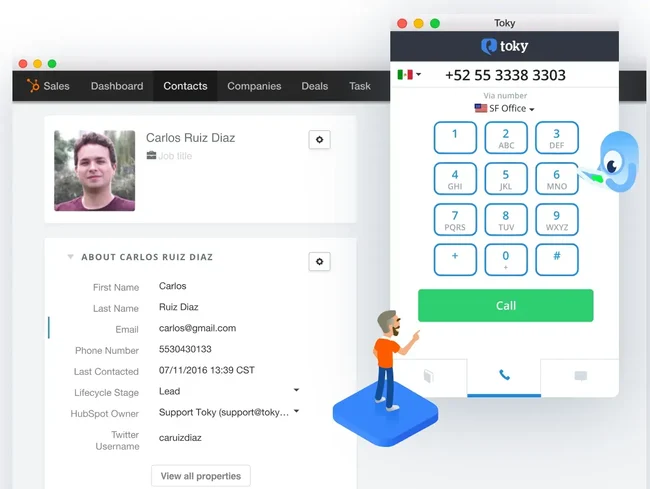
The free tier includes click-to-call via browser, automatic call logging to contact records, and basic call recording — features that many paid CRMs still don't include natively. That's a real differentiator at the $0 price point.
What it's best at:
HubSpot's strength is breadth. Beyond calling, you get lead lifecycle tracking, behavioral segmentation, sequences, and a clean pipeline view in one platform.
For teams that want to build a calling workflow on top of an existing HubSpot setup — without adding another tool — it's a natural fit.
Standout cold calling features:
- Free click-to-call and automatic call logging (500 minutes/month on Starter).
- Lifecycle stage and behavior-based segmentation for targeted call list building.
- Sequences: automate multi-touch follow-ups across call, email, and LinkedIn in one workflow.
- Native integration with Aircall, Kixie, and JustCall for teams that need power dialing added on.
- Shared call recording accessible across the team for QA and coaching.
Limitations: HubSpot's free and Starter tiers don't include a power dialer or parallel dialer natively. Advanced calling features require a third-party integration, which adds cost and setup complexity. Sequences are gated behind Professional ($100/user/month).
Best for: Early-stage teams, founders, and companies that need a capable free CRM for cold callers before investing in a dedicated dialing stack.
Pricing: Free tier available. Sales Hub Starter at $20/user/month; Professional at $100/user/month.
3. Salesforce — Best CRM for Enterprise Cold Calling Operations
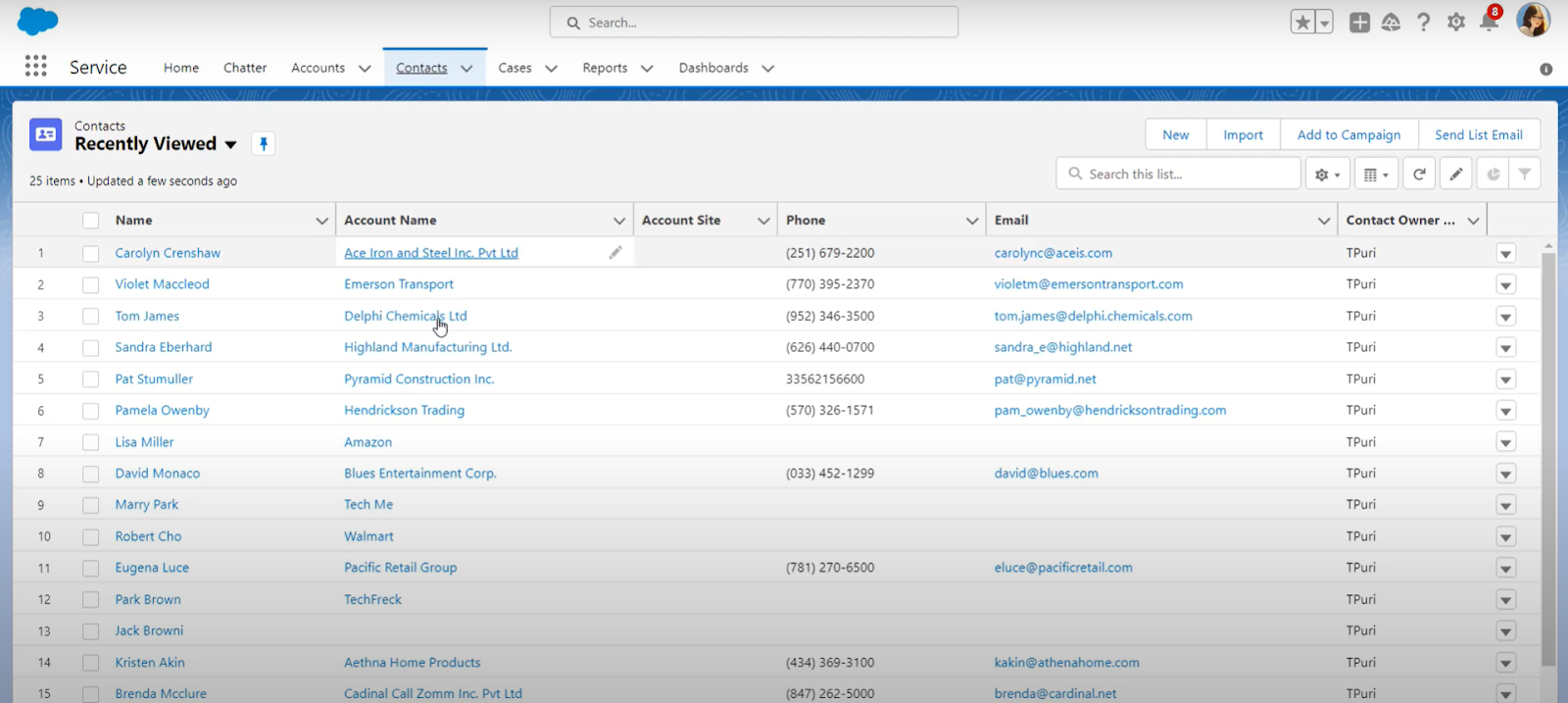
Salesforce is the platform that enterprise sales organizations build around. It's not the easiest CRM to set up for cold calling, and it's definitely not the cheapest — but for complex, multi-team outbound operations with RevOps resources to manage the stack, nothing else comes close in terms of depth.
The trade-off is real: you get more data, more customization, and more integration options than any other CRM on this list, but you also take on more configuration overhead to get there.
What it's best at:
Salesforce's core strength for cold calling teams is data depth and call orchestration at scale. Every rep has complete contact history, account intelligence, and touchpoint data available before and during every call.
Combined with a native dialer integration (Orum, Nooks, Gong, Revenue.io, or Salesforce's own Dialer add-on), you get one of the most powerful calling environments available for enterprise teams.
Standout cold calling features:
- Full contact and account history visible to reps before every call, in real time.
- Einstein AI: predictive lead scoring that surfaces which contacts to prioritize for outbound — reduces wasted dials on low-intent prospects.
- Native integrations with Orum, Nooks, and Revenue.io for parallel dialing and AI-powered call coaching at scale.
- Manager-level dashboards: dials, connects, talk time, and pipeline contribution tracked at rep and team level.
- Deep customization: build call workflows, prioritization logic, and activity reporting specific to your outbound motion.
Limitations: Salesforce's complexity is a real barrier for smaller teams. Setup takes weeks, admin overhead is ongoing, and the learning curve is steep without dedicated RevOps support. Not a practical choice for teams under 15–20 reps.
Best for: Enterprise sales organizations with complex pipelines, multiple simultaneous call campaigns, and dedicated RevOps resources to configure and maintain the platform.
Pricing: Starter Suite from $25/user/month. Enterprise from $165/user/month. Salesforce Dialer available as a paid add-on; enterprise pricing by custom quote.
4. Pipedrive — Best CRM for Visual Pipeline + Cold Calling Workflow
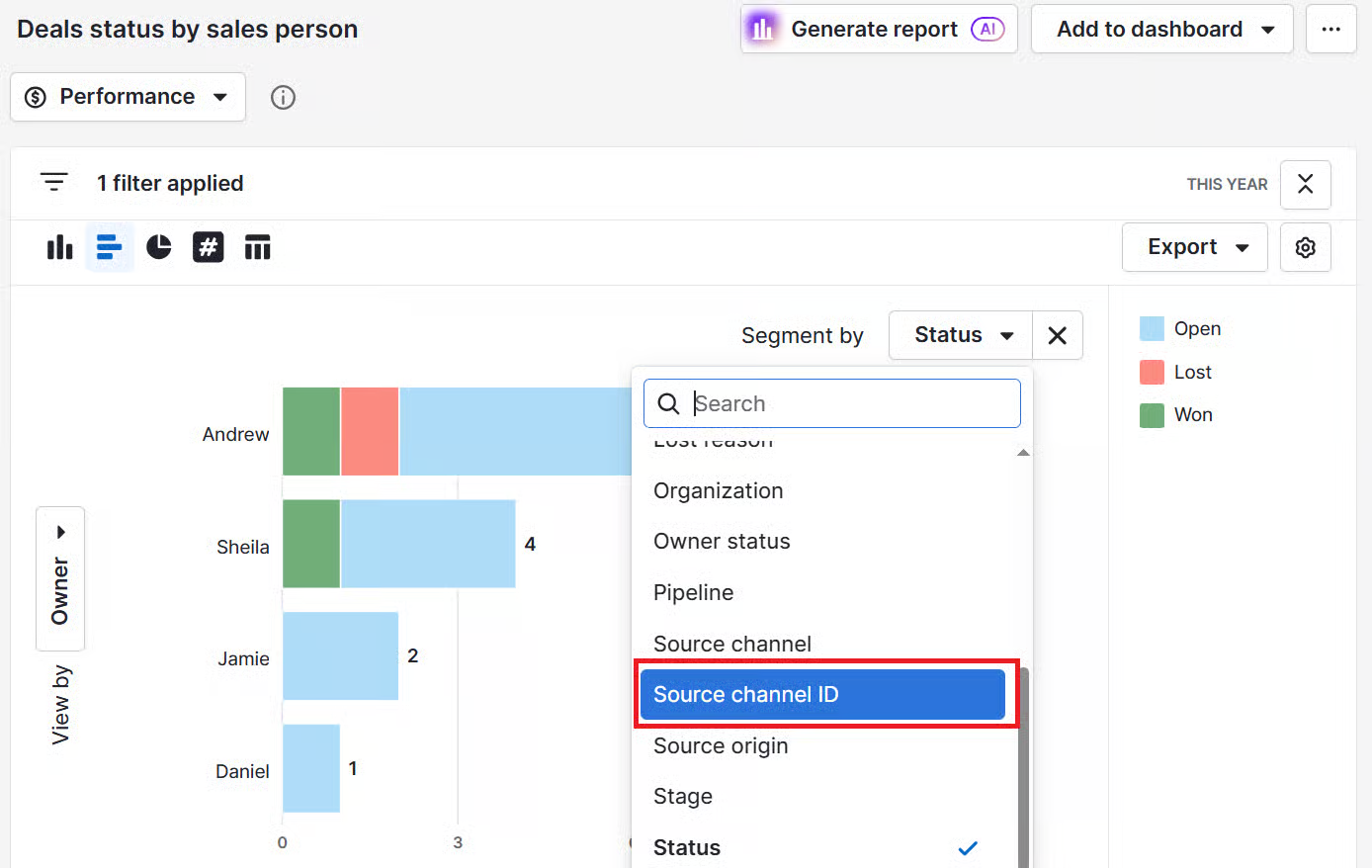
Pipedrive is where visual pipeline management meets practical calling workflows. It's not a phone-first CRM, but it's one of the cleanest, most intuitive platforms on the market for teams that want to combine deal tracking with a structured calling process.
The core value proposition is speed. Teams can set up Pipedrive and start calling from within the platform within hours of signing up — no complex onboarding, no admin overhead, no technical configuration required.
What it's best at:
Pipedrive's Activities system is what makes it work well for cold calling. Every deal and contact can have scheduled call tasks attached. Reps are prompted when something needs a call, what stage it's at, and when the last touchpoint was — so nothing falls through the cracks even if the dialer you're using is a third-party integration.
Standout cold calling features:
- Native click-to-call with automatic call logging and recording (no external integration required for basics).
- Activities system: scheduled call tasks surface automatically based on deal stage and follow-up timing.
- Clean integration with Aircall, JustCall, and Kixie for teams that need power dialing layered on top.
- AI-powered suggestions for next actions based on deal activity, recency, and stage — helps reps prioritize without manual triage.
- Fast, intuitive pipeline view that makes it immediately obvious which deals need a call and when.
Limitations: No native power dialer — teams that need high-volume dialing will need to pair Pipedrive with Aircall or Kixie, which adds cost. Limited AI features on lower-tier plans.
Best for: SMB and mid-market teams that want a clean, easy-to-use CRM for cold calling alongside a structured pipeline workflow, without the complexity of a phone-first platform.
Pricing: Lite plan from $14/user/month (annual); Growth from $39/user/month. 14-day free trial available.
5. Zoho CRM — Best Budget-Friendly CRM with Native Calling
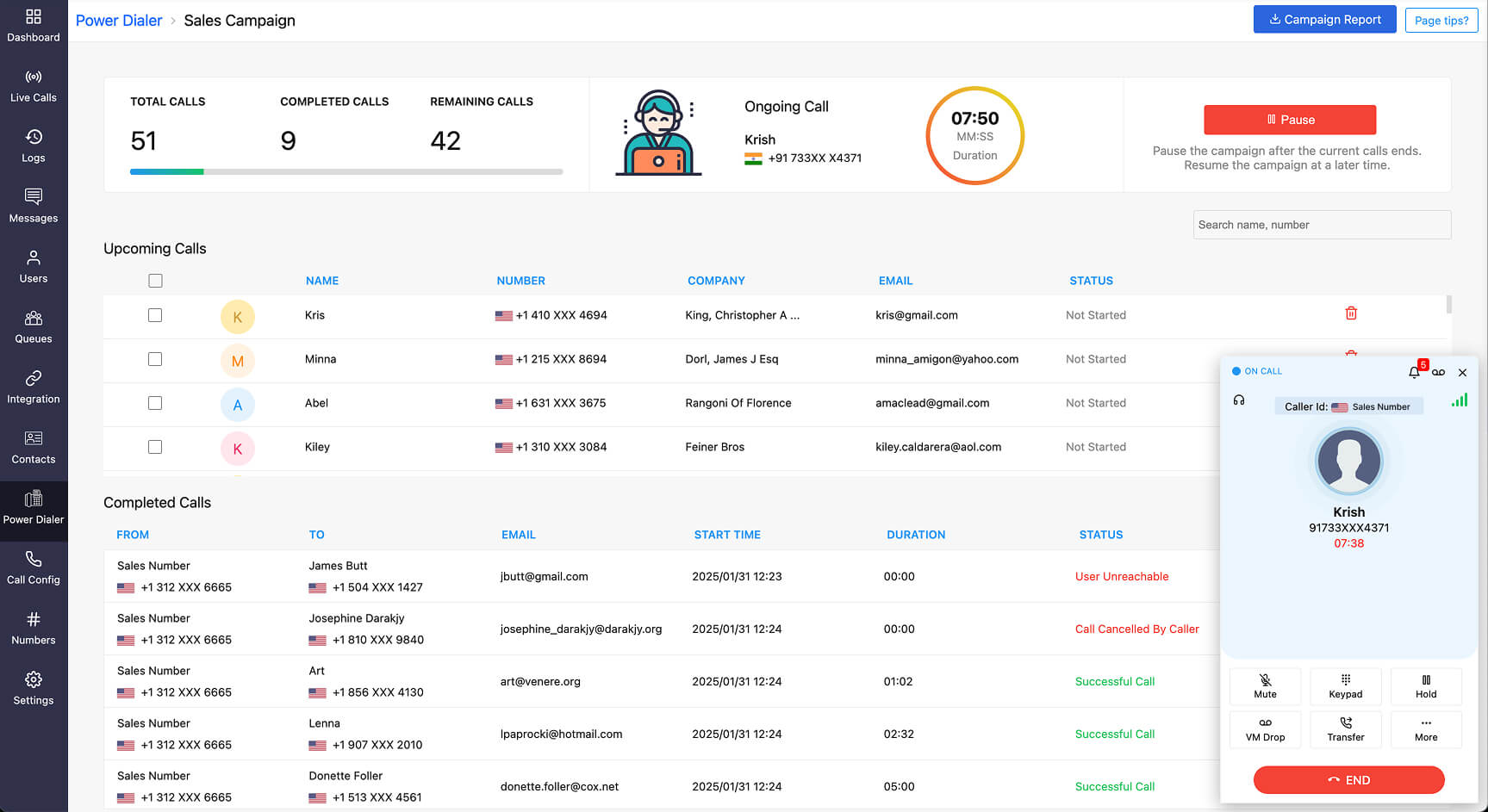
Zoho CRM is the most full-featured platform on this list at its price point. If your team needs solid calling capabilities, CRM depth, and AI-powered prioritization without paying Salesforce or Close prices, Zoho is the most credible option in that range.
It's not the sleekest interface on the market, and there's a learning curve — but for teams willing to invest setup time upfront, the functionality-to-cost ratio is genuinely hard to beat.
What it's best at:
Zoho PhoneBridge is the built-in telephony layer that enables click-to-call, automatic call logging, and call recording across 50+ telephony providers including Aircall, RingCentral, and Twilio.
It's not a native power dialer, but it connects cleanly to the tools that are — without paying for a separate CRM integration.
Standout cold calling features:
- Zoho PhoneBridge: click-to-call, call logging, and recording with 50+ telephony provider integrations.
- Zia AI: intelligent lead scoring and next-best-action suggestions surface which contacts reps should call first.
- Workflow automation: auto-create follow-up call tasks triggered by email opens, deal stage changes, and contact inactivity.
- Rep-level activity dashboards: dials, connects, call outcomes, and talk time tracked without manual reporting.
- Free plan for up to 3 users — useful for small teams evaluating before committing.
Limitations: Interface complexity is higher than Pipedrive or HubSpot. Setup takes longer, and configuring automation and AI features requires admin time. Not ideal for teams looking for instant out-of-the-box calling.
Best for: Growing B2B teams that want a feature-rich best CRM for cold calling at a mid-range price point, and are willing to invest in setup to get the full value.
Pricing: Standard from $14/user/month; Professional from $23/user/month (annual). Free plan available for up to 3 users.
6. Kixie — Best for High-Volume Parallel Dialing Teams
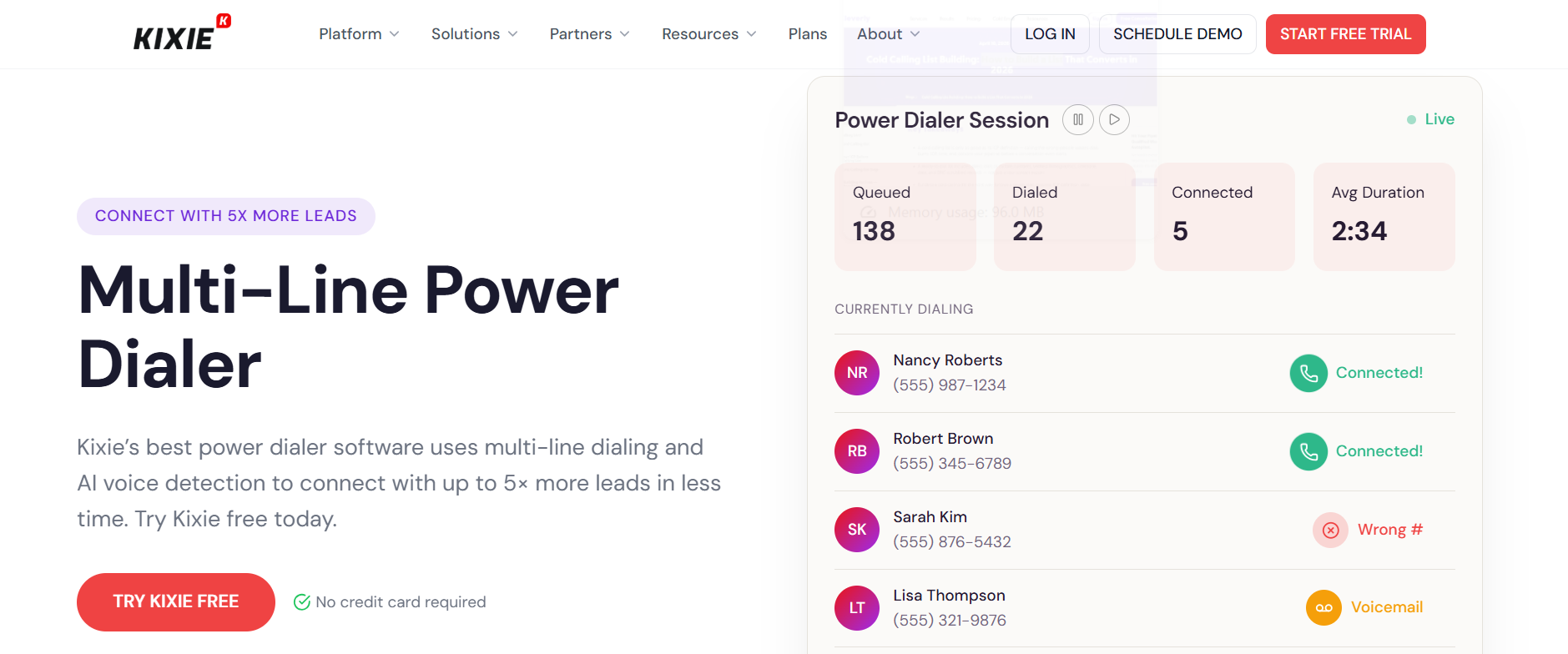
Kixie sits at the intersection of dialer and CRM. It's primarily a calling platform — but with built-in contact management and pipeline tracking, it functions as a standalone environment for teams whose entire workflow revolves around the phone.
If connect rate and dialing volume are your top priorities, Kixie's PowerCall parallel dialer is one of the most effective tools available for hitting those numbers.
What it's best at:
The PowerCall parallel dialer places multiple outbound calls simultaneously and connects reps the moment a live person answers. There are no abandoned calls, no ringing time wasted, and no downtime between conversations.
For crm for cold calling teams doing 100+ dials per day, the productivity difference over a standard power dialer is significant.
Standout cold calling features:
- PowerCall parallel dialer: simultaneous multi-line dialing with live-connection routing — only connects reps to answered calls.
- Intelligent local presence: displays a local area code to the prospect, which meaningfully improves answer rates.
- Built-in TCPA compliance and automatic DNC scrubbing — reduces legal exposure without slowing reps down.
- Auto-logging of all calls, voicemails, SMS, and dispositions to contact records.
- Deep native integrations with HubSpot, Salesforce, and Pipedrive — Kixie's dialing power works alongside whatever CRM your team already uses.
Limitations: Pricing isn't published publicly — custom quotes required. Based on third-party data, plans range from $35 to $95+/user/month. Some advanced features (AI call detection, local presence) are priced as add-ons.
Best for: High-volume B2B cold calling teams that need parallel dialing, compliance automation, and deep CRM integration in a single platform.
Pricing: Approximately $35–$95/user/month depending on tier. Custom quote required. Free trial available.
7. Aircall — Best for Remote and Distributed Cold Calling Teams
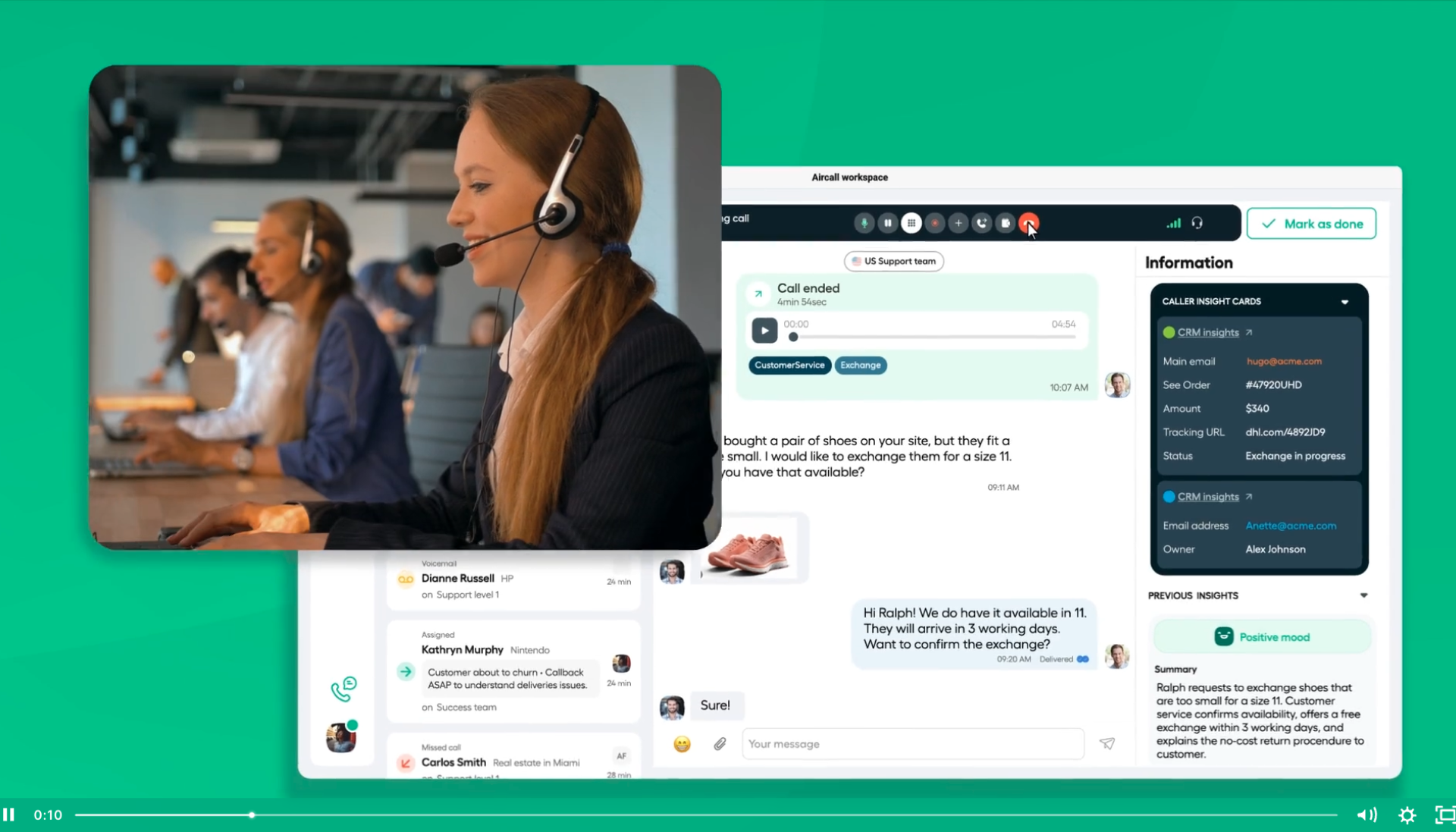
Aircall is a cloud-based VoIP platform built specifically for sales and support teams that operate across multiple locations, time zones, or geographies.
It's not a standalone CRM — but as the calling layer sitting on top of HubSpot, Salesforce, or Pipedrive, it's one of the most reliable and full-featured options available.
What it's best at:
Aircall's value is in the quality and depth of its CRM integrations. Calls log automatically to the connected CRM the moment they end — no manual data entry, no lag, no dropped activity records. For distributed teams where clean, consistent CRM data is critical to pipeline visibility, that reliability is a real differentiator.
Standout cold calling features:
- Power dialer: queue call lists and move through contacts without manual dialing — reps stay focused on conversations, not admin.
- Automatic bidirectional sync with HubSpot, Salesforce, Pipedrive, and 100+ other platforms.
- Call recording, transcription, and tagging built in — managers can review, annotate, and share calls for coaching.
- Real-time activity feed: managers see which reps are on calls, waiting, or available at any moment.
- Dedicated local numbers across 100+ countries — critical for international cold calling operations.
Limitations: No standalone CRM — Aircall works best paired with an existing platform. Salesforce integration requires the Professional plan ($50/user/month). Power dialer also requires Professional.
Best for: Distributed or remote best crm software for cold calling environments where teams need a reliable cloud dialer with deep, two-way CRM sync across multiple platforms.
Pricing: Essentials from $30/user/month; Professional from $50/user/month (annual). 7-day free trial available. 3-user minimum on all plans.
8. Monday CRM — Best for Flexible SMB Teams That Want Simple Calling Workflows
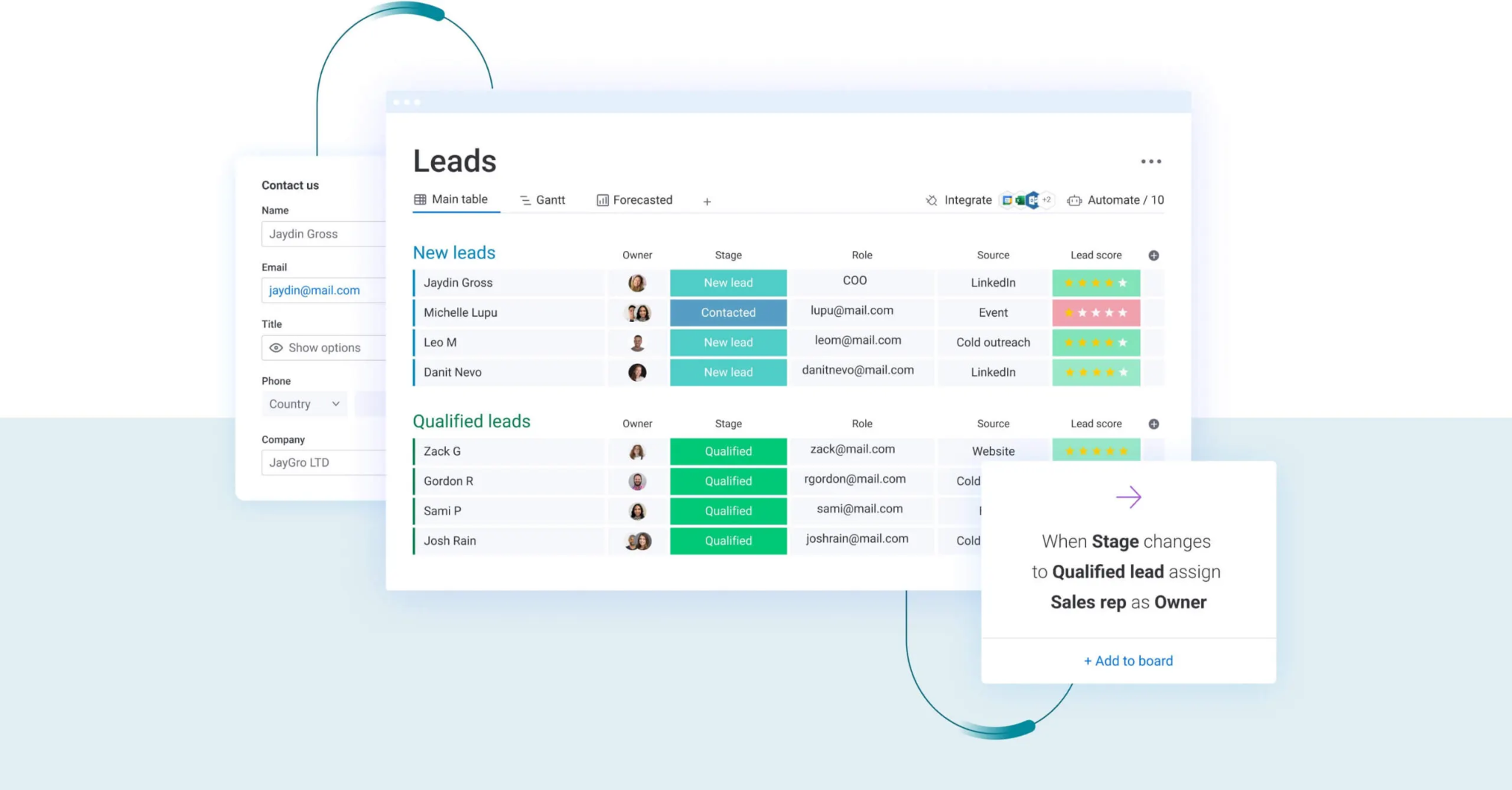
Monday CRM is built on Monday.com's Work OS platform, which means it's highly visual, quick to set up, and easy for non-technical teams to adopt without long onboarding cycles.
It's not a phone-first CRM, but for SMB teams that want a flexible, easy-to-customize sales environment with calling workflows layered in, it works.
What it's best at:
Monday CRM's flexibility is its headline feature. You can build custom call activity boards that show exactly who needs a called, what their status is, the outcome of the last interaction, and what follow-up is due — all in a visual layout that the whole team can use without training.
Standout cold calling features:
- Native integration with Aircall and JustCall — calls log automatically to Monday CRM contact records the moment they end.
- Customizable call activity boards: build views that surface call queues, follow-up status, and call outcomes at a glance.
- Automation: trigger call tasks, update pipeline stages, and kick off follow-up sequences based on call dispositions.
- Email sequences added in 2026 — basic multi-touch outreach now available natively, though not as advanced as dedicated platforms.
- Clean visual pipeline that makes deal status obvious without digging into individual records.
Limitations: Not a phone-first CRM. Calling requires a third-party integration. Less suited for teams making 100+ dials per day or managing complex call campaign workflows. Power dialer not available natively.
Best for: SMB teams that want a flexible, visually intuitive CRM for cold calling with basic calling workflows, and don't need a dedicated dialing infrastructure.
Pricing: Basic from $15/user/month; Standard (recommended for calling workflows) from $20/user/month; Pro from $33/user/month (annual). 3-user minimum.
9. Freshsales — Best AI-Assisted CRM with Built-In Calling
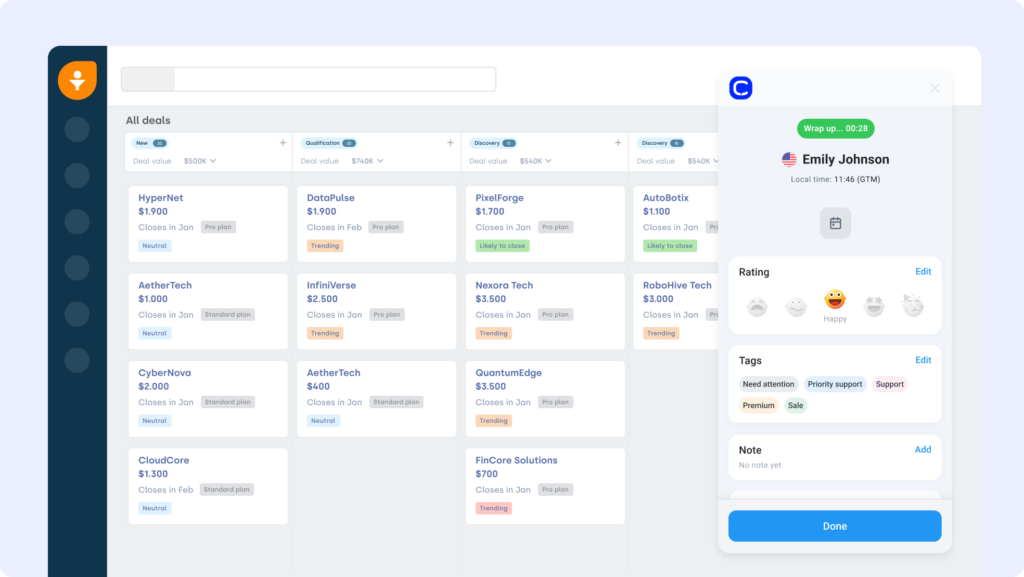
Freshsales is a smart, underrated CRM from Freshworks that brings together built-in telephony, AI-powered lead prioritization, and multi-step outreach sequences in one platform — at a price point that's genuinely hard to match.
If your team wants a best CRM for cold calling setup with AI-guided prioritization without the configuration complexity of Zoho or the cost of Close, Freshsales is worth a serious look.
What it's best at:
Freddy AI is the feature that sets Freshsales apart at its price point. It scores every contact in your CRM based on engagement, behavior, and demographic signals, then surfaces the ones most likely to convert — so your reps are calling the right people first, not just working down a flat list.
Standout cold calling features:
- Built-in telephony: click-to-call, automatic call logging, and call recording with no third-party integration required.
- Freddy AI: contact-level lead scoring based on activity signals — guides rep prioritization without manual triage.
- Phone number masking and local presence dialing to improve connect rates.
- Built-in multi-step sequences combining calls, emails, and SMS in one automated workflow.
- Rep activity reporting: dials, talk time, and meetings booked tracked at individual and team level.
- 21-day free trial — the longest evaluation window in this comparison.
Limitations: Freddy AI scores contacts already in your CRM, but doesn't generate new leads or identify website visitors. Integration ecosystem is smaller than HubSpot or Salesforce. Power dialer requires the Pro plan ($39/user/month).
Best for: Mid-market B2B teams that want an AI-assisted best CRM for cold calling with smart prioritization and built-in calling, without complex configuration or enterprise pricing.
Pricing: Free plan available (basic features). Growth from $9/user/month; Pro from $39/user/month (annual).
10. Copper CRM — Best for Google Workspace-First Cold Calling Teams
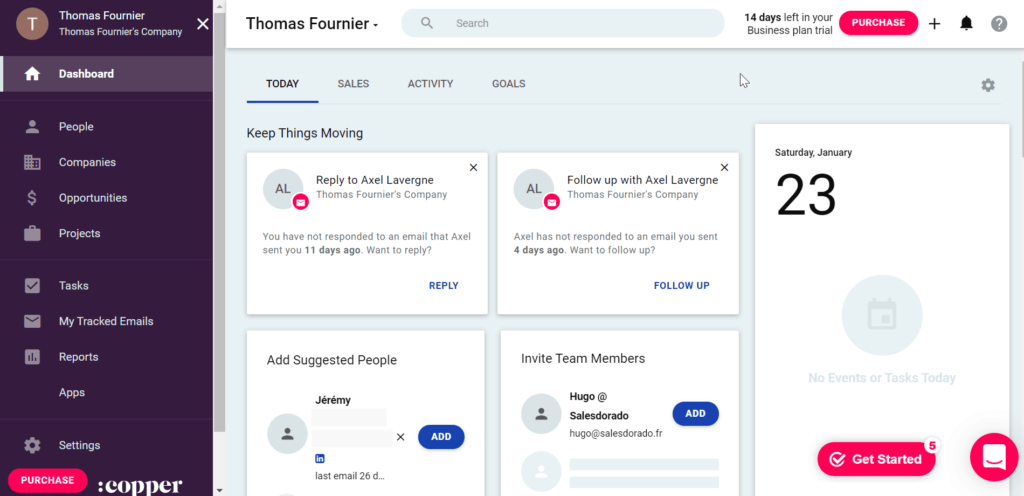
Copper is the only CRM built natively inside Google Workspace. Contact records, call logs, pipeline tracking, and follow-up tasks all live within Gmail and Google Calendar — so if your team already runs on Google, the workflow is immediately familiar.
It's a niche fit, but for teams fully committed to the Google ecosystem, Copper removes the friction of switching between a CRM and your inbox.
What it's best at:
Copper's auto-capture feature is genuinely impressive. It pulls contact information, email threads, and activity history from Gmail automatically — so reps don't need to manually create or update contact records.
Every email exchange builds the contact profile in the background, giving reps rich context before they pick up the phone.
Standout cold calling features:
- Native Google Workspace integration: CRM data lives inside Gmail — reps never leave their inbox.
- Integration with JustCall and Aircall for click-to-call directly within the Google ecosystem.
- Automatic contact record population from Gmail threads — zero manual data entry.
- Activity reminders and follow-up prompts surface contacts that haven't been reached recently.
- Clean pipeline view accessible from inside Gmail without switching tools.
Limitations: Copper's value drops significantly outside Google Workspace. Multi-step email sequences require the Business plan ($99/user/month). Not suited for high-volume dialing operations. Contact limits apply on lower tiers.
Best for: Small B2B sales teams and founders who live in Gmail and want a lightweight free CRM for cold callers setup with calling integrations built into their existing workflow.
Pricing: Starter from $9/user/month; Basic from $23/user/month; Professional from $59/user/month (annual). 14-day free trial available.
🚀 Most Teams Need More Conversations—Not More Software
1M+ cold calls made. 53K+ appointments set. We fill your calendar while your CRM fills with opportunities.
How to Choose the Right CRM for Your Cold Calling Team
Picking the wrong CRM creates friction your team will fight around every single day. Here's a straightforward process for narrowing down the right choice.
Step 1: Assess Your Team Size and Stage
Small teams (1–5 reps) need speed and simplicity — not configurability. HubSpot Free, Freshsales Growth, or Copper cover the basics without requiring admin resources.
Mid-market teams (5–25 reps) need automation, activity tracking, and either a native dialer or a clean integration. Close, Pipedrive + Aircall, or Zoho Professional are the natural fit.
Enterprise teams (25+ reps) need data depth, custom workflows, and compliance controls — Salesforce with a native dialer integration is the right call.
Step 2: Decide on Your Dialer Type First
This is the most important decision, and most teams make it backwards. Figure out what kind of dialing your reps actually need:
- Click-to-call is the baseline — fine for teams doing 20–40 dials per day.
- Power dialer is right for teams doing 50–100 dials per day and want to eliminate manual dialing time.
- Parallel dialer is built for 100+ dials per day teams where connect rate and live conversation volume are the primary metric.
Once you know your dialer type, narrow the CRM list to platforms that support it natively or integrate cleanly with the dialer you need.
Step 3: Prioritize Automatic Call Logging
Run a quick test during any trial: make a call, hang up, and check the contact record. If you have to manually log that call, reps will either skip it or document it inconsistently. Data integrity disappears fast on teams doing 50+ dials per day without automatic logging.
Step 4: Check Integration Depth With Your Existing Stack
Your CRM doesn't work in isolation. Check how it connects with your sequencer, email platform, enrichment tools, and calendar. A CRM with shallow integrations creates data silos that slow down follow-up and hurt pipeline visibility.
Step 5: Run a Real Pilot Before Committing
Every CRM in this guide offers a 7–21 day trial. Use it with your actual contact list, your real call workflows, and your reps doing their normal daily volume. Evaluate on three things: how fast reps can start calling, how clean the call logging is, and how easy it is to see activity data after a week.
🚩 Red Flags to Watch For
- Manual call logging required after every call.
- No rep-level activity reporting without building custom dashboards.
- Power dialer locked behind an expensive tier or a separate paid tool.
- Poor mobile experience for reps calling outside the office.
- Pricing that looks low on the surface but balloons with add-ons and usage charges.
How Cleverly's Cold Calling Agency Builds Pipeline Without the CRM Headache
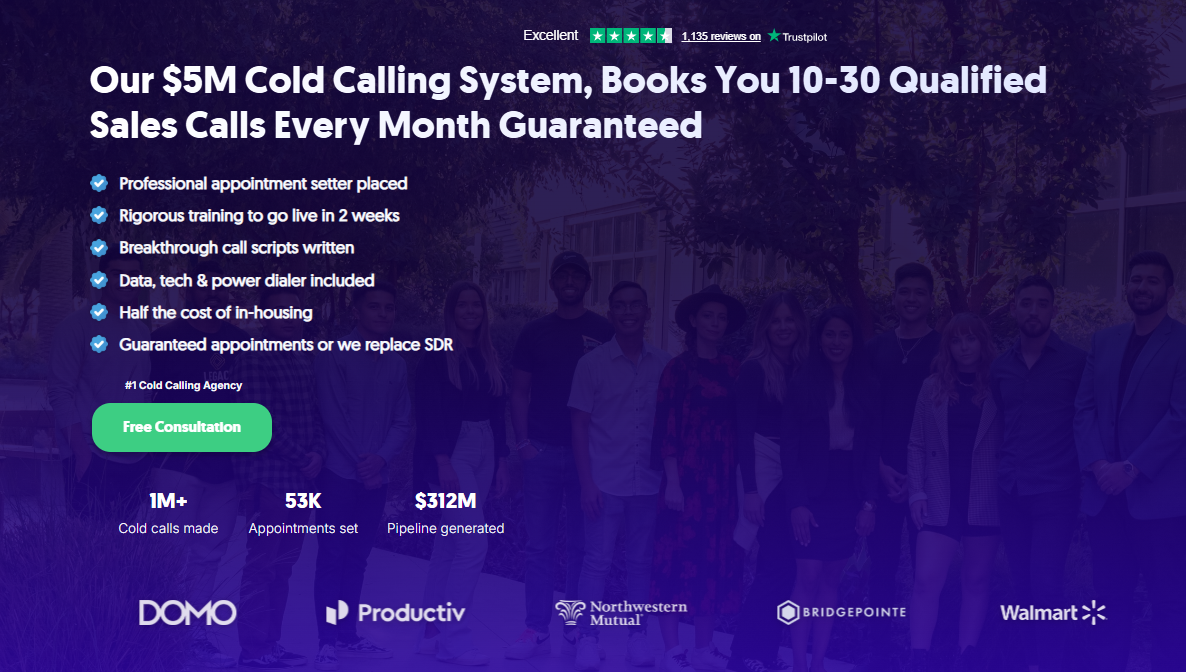
Setting up the right CRM for cold calling, pairing it with the right dialer, sourcing verified contact data, training reps on scripts, and managing call quality week-over-week is a significant operational lift.
Most B2B companies underestimate how long it takes to go from "we have a CRM" to "we have a functioning cold calling system that actually books meetings."
That's exactly what we built at Cleverly.
Our cold calling lead generation system handles everything your team would otherwise spend months standing up — contact data, dialing infrastructure, custom call scripts, rep management, live call monitoring, and appointment setting — all managed by a dedicated, trained appointment setter placed specifically for your campaign. The whole system is built to get live in two weeks.
The outcome is straightforward: 10–30 qualified sales calls booked into your calendar every month, without your team managing CRMs, dialers, or rep performance in-house.
With over 1 million cold calls made and 53,000 appointments set, we've built enough campaigns across enough industries to know what works and what wastes time.
For B2B teams that want cold calling results without building the operational infrastructure from scratch, it's a significantly faster path to pipeline.
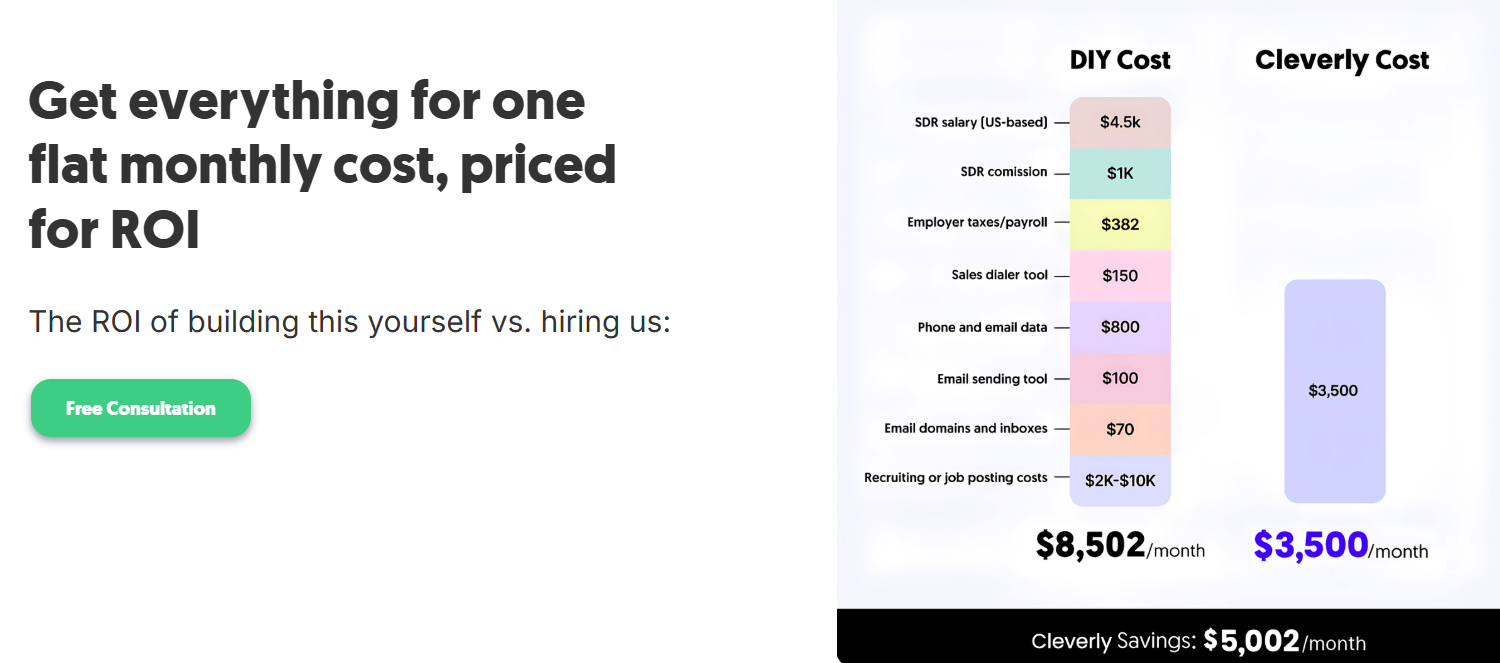
The cost is around $3,500/month — roughly half what it costs to build and manage this in-house, with guaranteed appointments or we replace the SDR.
Want cold calling handled end-to-end by a team built for B2B outbound? Book a strategy call with Cleverly.
Conclusion
The right CRM for cold calling removes friction from your outbound operation. The wrong one adds it — and that cost compounds every week in missed dials, incomplete call records, and follow-ups that slip.
For teams where cold calling is the primary pipeline channel, Close is the strongest all-in-one option. For teams already running on HubSpot or Salesforce, pairing your existing CRM with a dedicated dialer like Aircall or Kixie is the fastest path to higher output without switching platforms.
Start with your dialing workflow and work backwards to the CRM. Get the logging, the list-building, and the activity reporting right first. The tool that makes all of that frictionless for your reps is the right one — regardless of what the feature list says.
Frequently Asked Questions
Free Resource
How to Scale a Profitable Cold Call System
Get the complete guide — download it instantly now.

Free Ebook
Download the Free Guide
Enter your details to get instant access.
You're all set! 🎉
Your ebook is downloading now.
Click below if the download didn't start automatically.