Table of Contents
What Is a LinkedIn Scraper?
What to Look for in a LinkedIn Scraper
12 Best LinkedIn Scrapers in 2026 [Free & Paid]
Free LinkedIn Scrapers — What You Can (and Can't) Expect
LinkedIn Profile, Post & Company Scrapers — Which Do You Actually Need?
How to Scrape LinkedIn Data Without Getting Your Account Banned
How Top Sales Teams Turn Scraped LinkedIn Data into Booked Meetings
How Cleverly Helps B2B Teams Turn LinkedIn Lists Into Pipeline
Conclusion
Frequently Asked Questions
Modified On :
May 11, 2026
Key Takeaways
- LinkedIn scrapers automate the extraction of profile, company, and post data at scale, replacing hours of manual prospecting with structured, campaign-ready lead lists.
- The best tool depends entirely on your use case: Sales Navigator exports, bulk email enrichment, post engagement targeting, or developer-grade custom workflows.
- Free tiers are good for testing, but verified contact data at volume requires a paid plan.
- Account safety is non-negotiable: cloud-based tools carry far less ban risk than browser-only scrapers running on your primary LinkedIn account.
- A scraped list is just the starting point. The teams that actually book meetings invest as much in their outreach strategy as they do in list building.
LinkedIn has crossed 1.3 billion registered users as of early 2026, with over 310 million active on the platform every month.
For B2B sales teams, that's not just a social network stat. It's the largest, most accurate professional database on the planet, updated in near real time by the people who care most about keeping it current.
The problem? You can't manually scroll your way to the pipeline.
According to the Salesforce State of Sales report, sales teams spend roughly 70% of their time on non-selling tasks, and prospect research is the single biggest cost center inside that 70%. That math doesn't work for any team trying to scale.
That's exactly where LinkedIn scrapers come in.
These tools automate the extraction of profile data, company information, post engagement signals, and contact details at scale, so your SDRs spend time selling, not copy-pasting job titles into a spreadsheet.
The opportunity is there. The question is whether you're extracting it efficiently.
This guide covers the 12 best LinkedIn scraper tools in 2026 — free and paid — what to look for, how to avoid getting your account banned, and how smart sales teams turn raw scraped data into booked meetings.
What Is a LinkedIn Scraper?
A LinkedIn scraper is a tool that automatically extracts structured data from LinkedIn — profiles, company pages, job listings, posts, and search results — without manual copy-paste work.
How they work depends on the tool.
- Browser extensions run inside your Chrome session and pull data as you browse.
- Cloud-based scrapers run independently in the background, using their own infrastructure to mimic human browsing at scale.
- API-based scrapers give developers direct programmatic access to LinkedIn data with structured JSON output.
The types of data they extract include: name, job title, company, location, email address, phone number, skills, connection count, post engagement data, and more — depending on the tool and the type of scrape you're running.
Why LinkedIn scrapping tools matter for B2B outreach: instead of spending 4 hours manually building a 200-person prospect list, a scraper does it in minutes and outputs a clean CSV or CRM-ready file your team can actually use.
On the legal side: LinkedIn's Terms of Service prohibit automated scraping. That said, US courts have consistently upheld the right to scrape publicly available data.
Scraping public data is legal in the US after the hiQ Labs case, but it can still violate LinkedIn's Terms of Service. Most teams operate in this gray zone. Assess your risk tolerance — and for large enterprise use cases, consult legal counsel.
🚀 Scraping Leads Is Easy. Booking Meetings Isn’t.
We turn LinkedIn data into qualified sales calls—done for you. No hiring. No tools. No busywork.
What to Look for in a LinkedIn Scraper
Not all LinkedIn scrapers are built the same. Here's what actually matters when you're evaluating options:
✅ Data accuracy and freshness
Outdated profiles waste outreach effort and tank deliverability. Look for tools that pull live data, not stale cached records from 2022.
✅ Type of data extracted
Profile-level scraping, company-level scraping, post engagement signals, and Sales Navigator-specific scraping are four distinct use cases. Make sure the tool matches your workflow.
✅ Email enrichment and verification
Raw LinkedIn data doesn't include email addresses. The best tools either have built-in email finding or integrate cleanly with data enrichment tools downstream.
✅ Account safety
Page scrapers carry the highest LinkedIn account-flag risk; native enrichment hybrids the lowest. Cloud-based tools generally offer better protection than browser extensions running directly through your session.
✅ Ease of use
No-code tools like PhantomBuster and Waalaxy work well for non-technical users. Developer teams typically prefer API-first platforms like Apify or Bright Data.
✅ CRM and outreach integrations
The cleaner the path from scrape to CRM (HubSpot, Salesforce, Apollo, etc.), the less time your team wastes on manual data handling.
✅ Pricing model
Credits-based, subscription, or pay-as-you-go pricing each suits different usage patterns. Map the pricing model to how your team actually operates before committing.
✅ Compliance
GDPR and CCPA-aware tools matter if you're operating in or selling into European markets.

12 Best LinkedIn Scrapers in 2026 [Free & Paid]
Each tool below is reviewed based on what it's best for, standout features, free tier availability, and current pricing. Ordered from most versatile to most specialized.
1) PhantomBuster
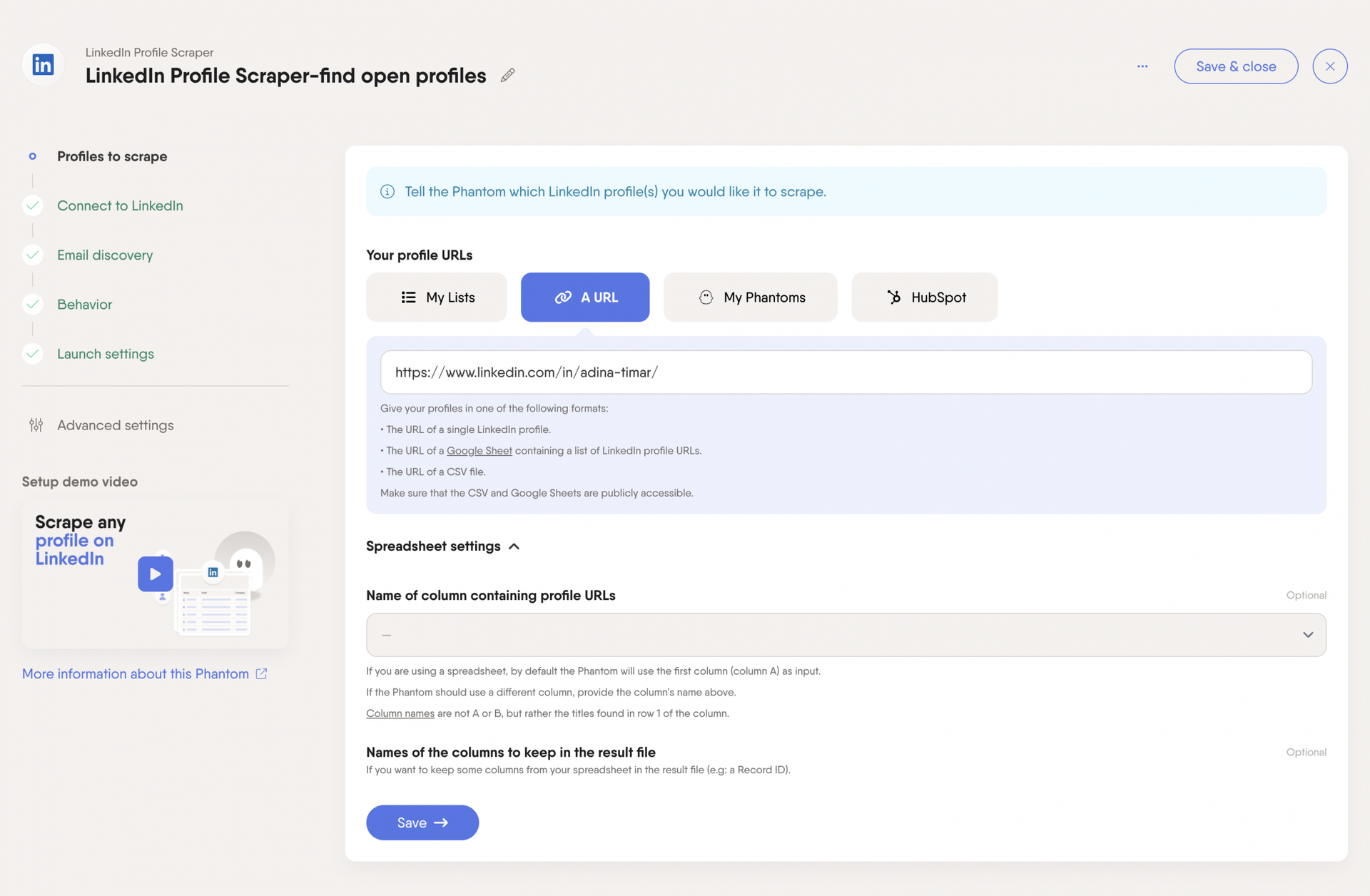
PhantomBuster is one of the most flexible no-code automation platforms in this space. It runs on pre-built scripts called "Phantoms" that handle specific tasks — exporting Sales Navigator searches, scraping post commenters, pulling group members, auto-connecting with prospects, and more. It covers 100+ automation workflows across LinkedIn and other platforms.
If your team needs to run multi-step sequences (scrape + connect + message) without writing code, PhantomBuster gives you that out of the box.
Scraping types: Profile, company, post, Sales Navigator
Free tier: 14-day trial
PhantomBuster offers three paid plans based on slots, execution time, and credits — Starter at $56/month, Grow at $128/month, and higher tiers above that. The multi-metric billing model takes some getting used to. Unused hours reset monthly, so plan your usage accordingly.
Best for: Complex automation sequences and multi-source scraping
Watch out for: PhantomBuster carries higher risk for LinkedIn account restrictions. Its automated scraping can trigger LinkedIn's detection systems more easily than browser-extension-based tools.
2) Evaboot
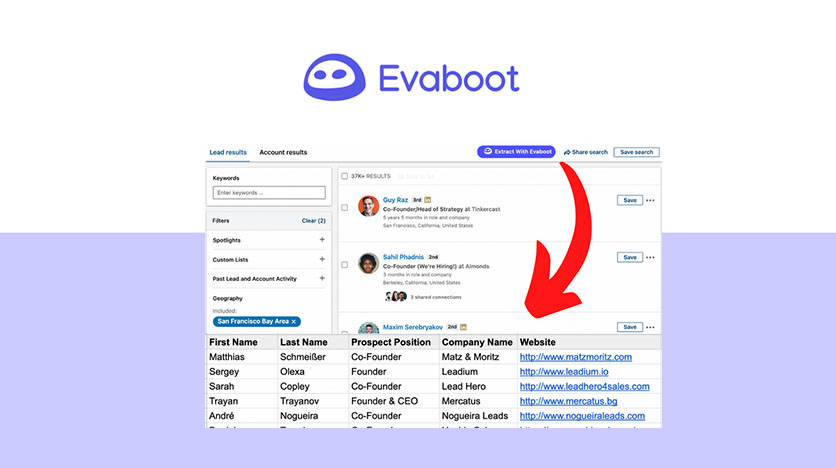
Evaboot solves one specific problem extremely well: getting Sales Navigator prospect lists out of LinkedIn and into a usable format. It adds an Export button directly to Sales Navigator — click it, and it exports your search results to a clean CSV with auto-deduplication, AI-powered data cleaning, and built-in email finding.
No extra setup, no Phantom configuration, no learning curve. Just clean data, fast.
Scraping types: Sales Navigator profile and company data
Free tier: Limited trial
Evaboot's paid plans start around $9–$29 per month for roughly 100–500 credits . Worth noting: Evaboot's true cost is $118–$238/month once you factor in the mandatory Sales Navigator subscription on top of any paid plan. Budget accordingly.
Best for: Sales teams that live inside Sales Navigator and want clean exports without friction.
3) Apify
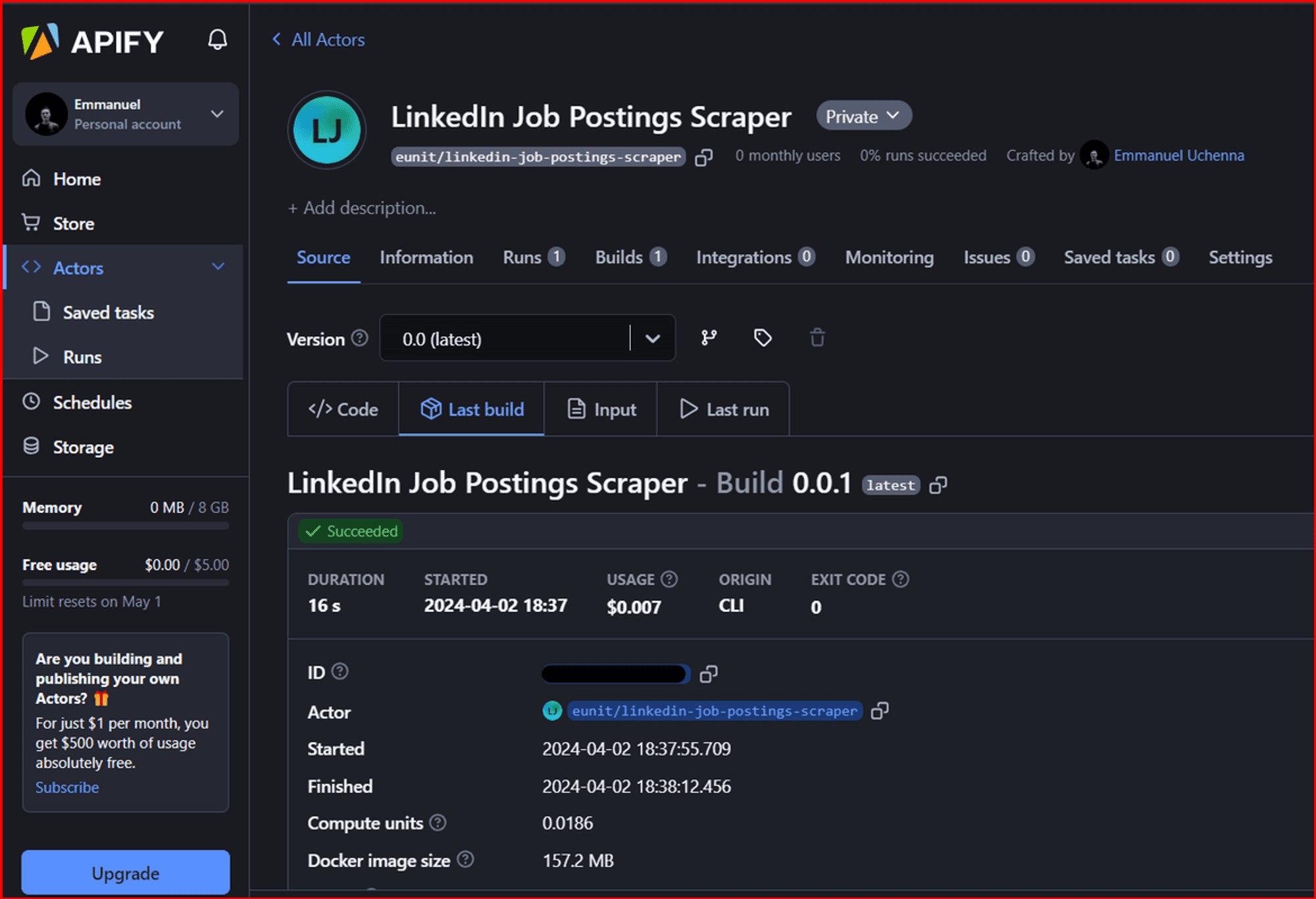
Apify is a developer-first platform with a marketplace of 100+ pre-built LinkedIn scrapers (called Actors) covering profiles, companies, posts, job listings, and Sales Navigator. It's open-source, API-first, and built for teams that want full control over their scraping architecture.
Scraping types: Profile, company, post, job listings, Sales Navigator
Free tier: Free plan available
Pricing: Starting from $26/ month + pay as you go
Best for: If your team has technical resources and needs high-volume scraping across multiple sources, Apify is one of the most cost-effective options at scale.
4) Bright Data

Bright Data is the engineering team's choice. It combines a dedicated LinkedIn Scraper API with a residential proxy network, delivering structured JSON output built for large-scale data pipelines. Separate APIs for profiles, companies, posts, and jobs, each independently optimized for accuracy.
Bright Data provides a robust suite of tools for extracting public LinkedIn data at scale — LinkedIn Profile, Company, Jobs, and Posts Scraper APIs — making it particularly useful for competitive analysis, lead generation, and CRM enrichment.
Scraping types: Profile, company, job listings, posts — via API
Free tier: Trial available
Pricing: Usage-based. Starting at roughly $1.50 per 1,000 records for pay-as-you-go, or lower ($1.30/1K) with monthly commitments of $499+
Engineering-grade options like Bright Data can be cheaper per row at very high volumes but carry a fixed-cost floor. It's overkill for small teams, but right-sized for data pipelines processing tens of thousands of records monthly.
Best for: Enterprise-scale scraping with maximum reliability and uptime
5) Dux-Soup

Dux-Soup has been in the LinkedIn automation space longer than most tools on this list. It auto-visits profiles, scrapes contact data, auto-connects, and sends follow-ups — all while exporting everything to CSV for outreach campaigns. CRM integrations include HubSpot, Pipedrive, and Salesforce.
Scraping types: Profile data
Free tier: Yes (Lite version)
Pricing: Starting at $14.99/month (Pro), $55/month (Turbo), and $99/month (Cloud), with 25% savings for annual billing
Best for: It's a solid entry-level option for small teams that want scraping and basic LinkedIn automation bundled together. For higher-volume teams that need more sophistication, the more modern tools on this list will serve you better.
6) Skrapp.io
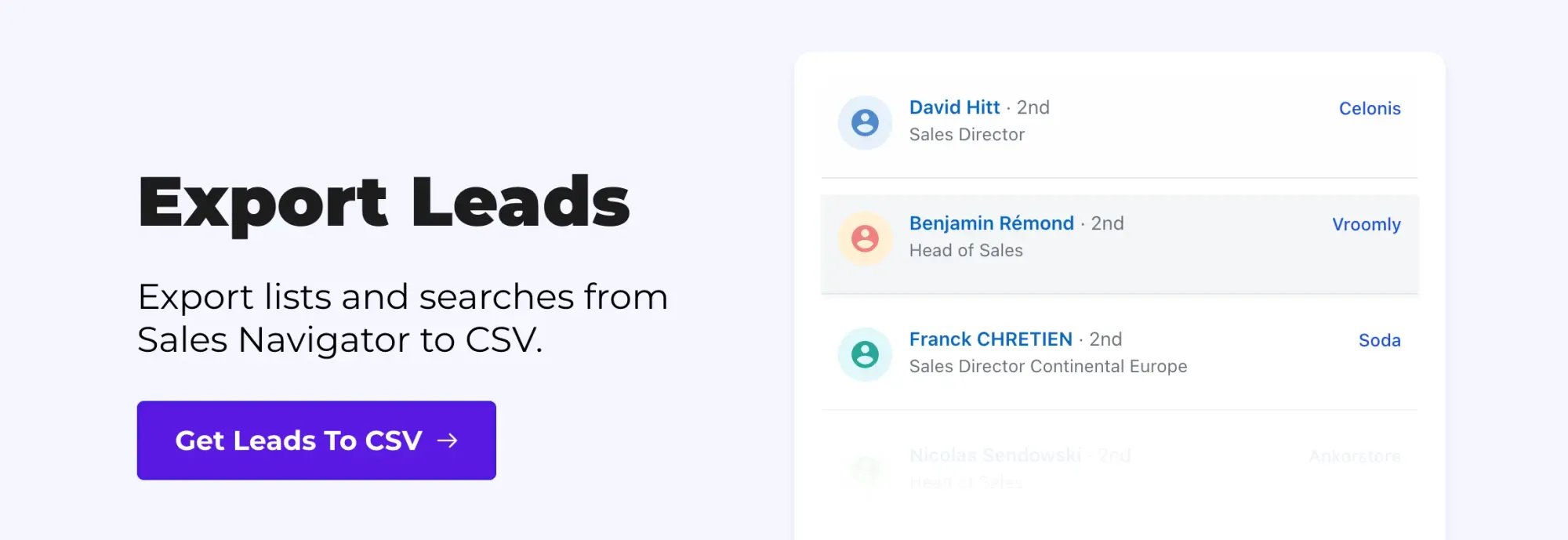
Skrapp is built specifically for email finding. It extracts up to 2,500 verified business emails per operation at 25 profiles per second, with a 92% average success rate across all industries, and provides access to a continuously refreshed database of 200M+ prospects.
It runs as a Chrome extension that sits on top of LinkedIn and Sales Navigator, making it easy to grab verified emails at scale without switching platforms.
Scraping types: Profile email enrichment
Free tier: 150 searches/month
Pricing: From $49/month (Note: verify current pricing at skrapp.io before purchasing)
Best for: If your primary need is "I have LinkedIn profiles, I need their verified business emails," Skrapp handles that faster than almost anything else in this category.
7) Apollo.io

Apollo is the most complete tool on this list. It combines a 275M+ contact database, a Chrome extension for real-time LinkedIn scraping, email and phone enrichment, and built-in sequencing in a single platform. You can find, enrich, and reach out to prospects without leaving Apollo.
Scraping types: Profile and company data
Free tier: Yes (10,000 email credits per month). Paid plans start at $49/month
Best for: For SDRs and small sales teams that want one tool to run their entire prospecting workflow, Apollo delivers the best all-in-one value on the market. The tradeoff is that Sales Navigator's targeting filters are more granular — teams that rely heavily on Sales Nav boolean search often pair Apollo with a dedicated Sales Nav scraper.
8) Lusha
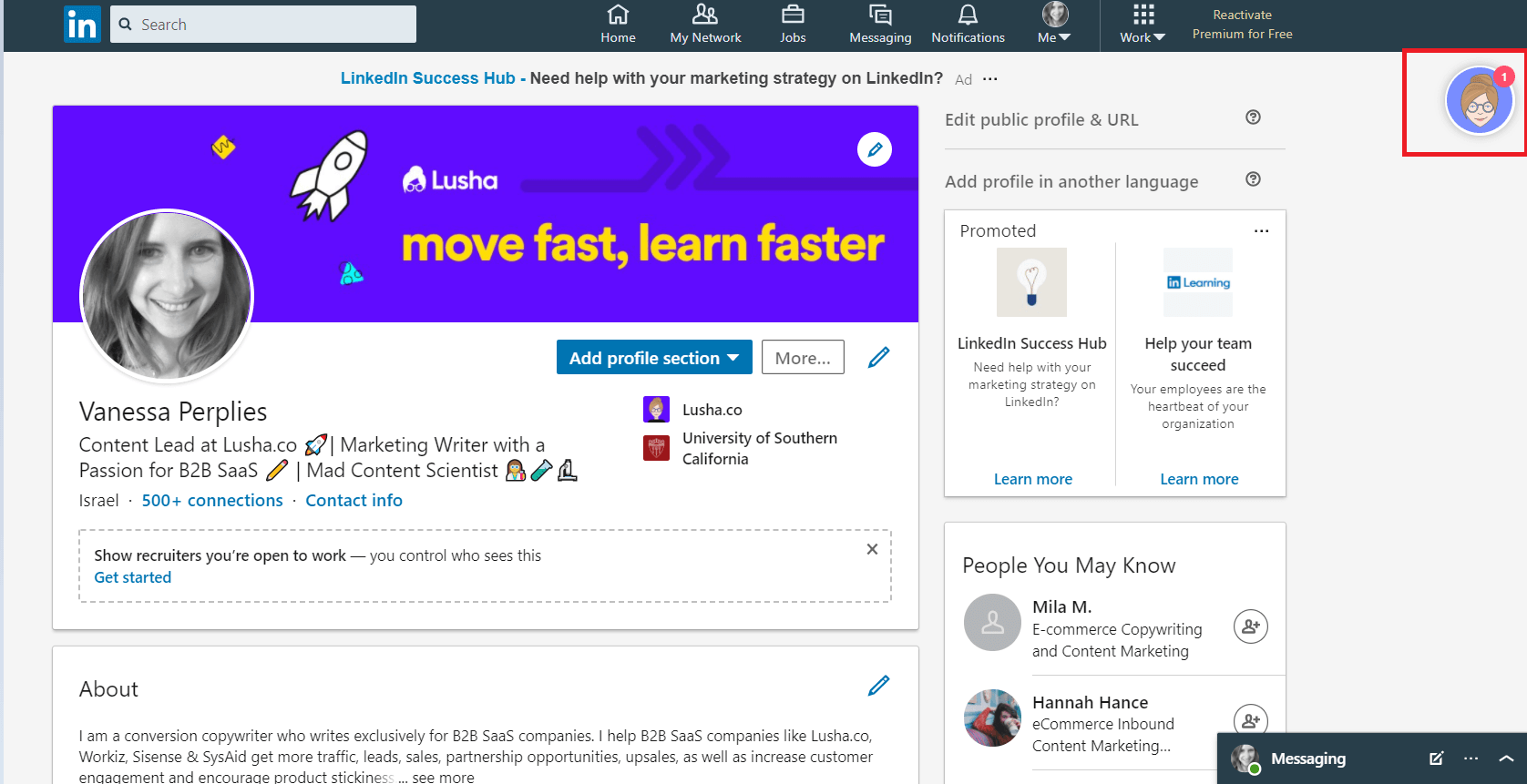
Lusha's Chrome extension sits on LinkedIn and surfaces verified emails, mobile numbers, and direct dials directly on profile pages. CRM sync with Salesforce and HubSpot is built in, and the platform is GDPR/CCPA compliant.
Where Lusha stands out is phone data. Lusha prioritizes ease of use and is one of the more accessible tools for teams that need reliable direct dial coverage alongside email enrichment.
Scraping types: Profile enrichment
Free tier: 40–70 credits per month for one user
Pricing: Pro Plan ($22.45–$29.90/user/month), Premium Plan ($52.45–$69.90/user/month) and Scale Plan (Custom Pricing)
It's not a bulk scraper — it's a fast enrichment tool for reps who need contact data in real time while they're actively prospecting on LinkedIn.
9) Waalaxy

Waalaxy combines LinkedIn profile scraping with automated outreach sequences in a single platform. You build a list and launch a sequence without jumping between tools. The built-in Waalaxy Email Finder adds email addresses to profiles automatically, and the no-code interface means non-technical users can be up and running quickly.
Scraping types: Profile data
Free tier: Yes (limited monthly actions)
Pricing: From approximately $40/month
The platform has built-in sending limits to protect your LinkedIn account, which is a thoughtful design choice for beginners who might otherwise overrun LinkedIn's detection thresholds.
Best for: Beginners and small teams wanting scraping and outreach in one no-code tool
10) Lobstr.io
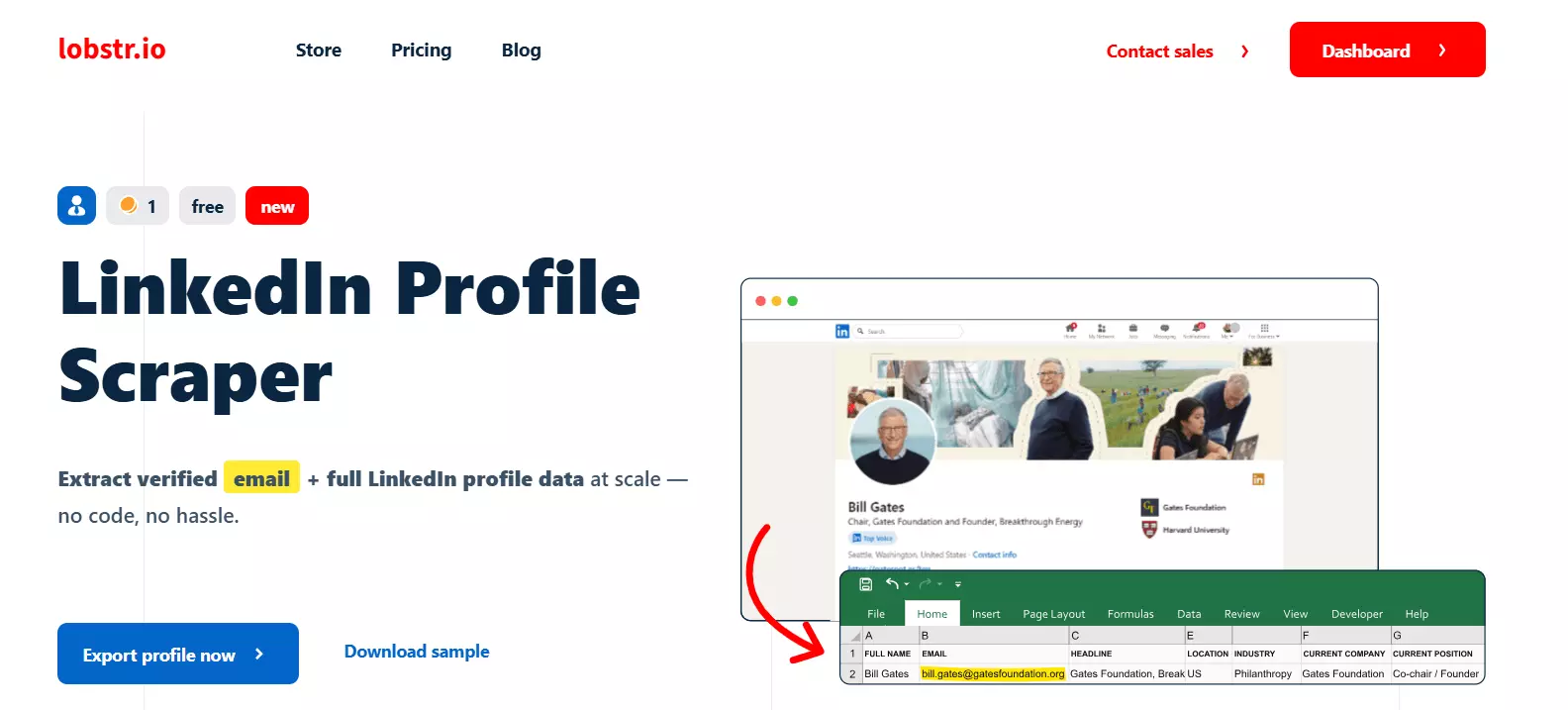
Lobstr is one of the most cost-efficient LinkedIn scrapers for teams that need volume without enterprise pricing. Cost per fully enriched lead in 2026 ranges from roughly $0.01 at scale to $0.40+ at lower volumes — Lobstr sits comfortably at the affordable end of that spectrum with verified emails and strong multi-account scaling.
Scraping types: Profile, company data
Free tier: Free (100 credits per month)
Pricing: Starter ($20 - $25/mo): 10,000 credits (roughly 10,000 profile scrapes without email), Pro ($75 - $100/mo): 100,000 credits, Team ($500/mo): 1,000,000 credits
It's a safety-first tool by design. Rate limiting and proxy support are baked in, making it a solid choice for teams doing consistent high-volume scraping without wanting to babysit account health.
Best for: Affordable scraping at scale with low bounce rates.
11) Octoparse
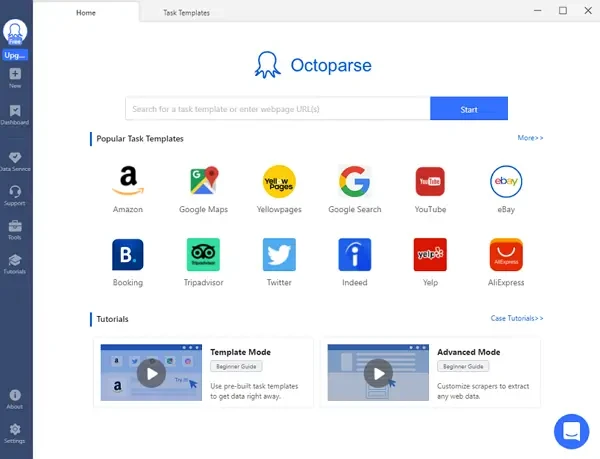
Octoparse uses a visual point-and-click interface with AI-assisted data field detection. You point at what you want to scrape, and the tool figures out the structure. It supports both local and cloud scraping modes, and its template library includes pre-built setups for LinkedIn profiles, company pages, and job listings.
Scraping types: Profile, company, job listings
Free tier: "Free Forever" plan
Pricing: Starting around $69–$99/month (when billed annually) for cloud-based automation
Best for: For teams that don't have technical resources and want a free way to test scraping before committing to a paid platform, Octoparse is the strongest option in this category.
12) GiveMeLeads

GiveMeLeads is purpose-built for Sales Navigator extraction with a beginner-friendly interface and verified emails included. It helps you extract leads with verified emails, clean prospect data, and fresh leads at scale — with an interface clean and simple enough for teams that have never used a scraping tool before.
Scraping types: Sales Navigator profiles and companies
Free tier: Trial available (10 exports with verified emails)
Pricing: Basic Plan: ~$49 per month for roughly 1,000 to 1,500 leads/credits, Premium Plan: ~$99 per month for 5,000 leads/credits , Pro Plan: ~$199 per month for 15,000 leads/credits
Best for: If you're a sales team that wants the output of a Sales Navigator scrape without the configuration overhead of PhantomBuster or Apify, GiveMeLeads is a straightforward option.
💼 Most Teams Collect Data. We Generate Pipeline.
10,000+ clients used Cleverly to scale outbound. We handle targeting, outreach & booking—you close.
Free LinkedIn Scrapers — What You Can (and Can't) Expect

Free tools are genuinely useful for testing and low-volume prospecting. But there are real limits you should plan around before treating a free tier as a production-grade solution.
What you typically get for free:
- Name, job title, company, LinkedIn URL
- Basic surface-level profile data
- Limited monthly exports (usually 50–200 profiles)
What you typically won't get for free:
- Verified email addresses
- Phone numbers or direct dials
- Bulk export at scale
- API access
- Sales Navigator compatibility
Best free options worth starting with: Apollo.io's free plan (10,000 email credits/month), Apify's $5 monthly credit, Octoparse's free plan for no-code scraping, and Dux-Soup Lite for basic LinkedIn automation.
Native enrichment tools price by credits, with $9/month for approximately 4,000 credits being a typical entry tier in 2026. The jump from free to paid doesn't have to be expensive.
When to upgrade: once you're running outreach campaigns consistently and need verified contact data at volume. A 3% bounce rate on a 5,000-person cold email sequence can do real damage to your sender reputation. That risk alone justifies the cost of verified data.
LinkedIn Profile, Post & Company Scrapers — Which Do You Actually Need?
The type of scraper you need depends on what you're trying to accomplish. Most teams either use the wrong type or don't realize there are three distinct use cases here.
LinkedIn Profile Scraper
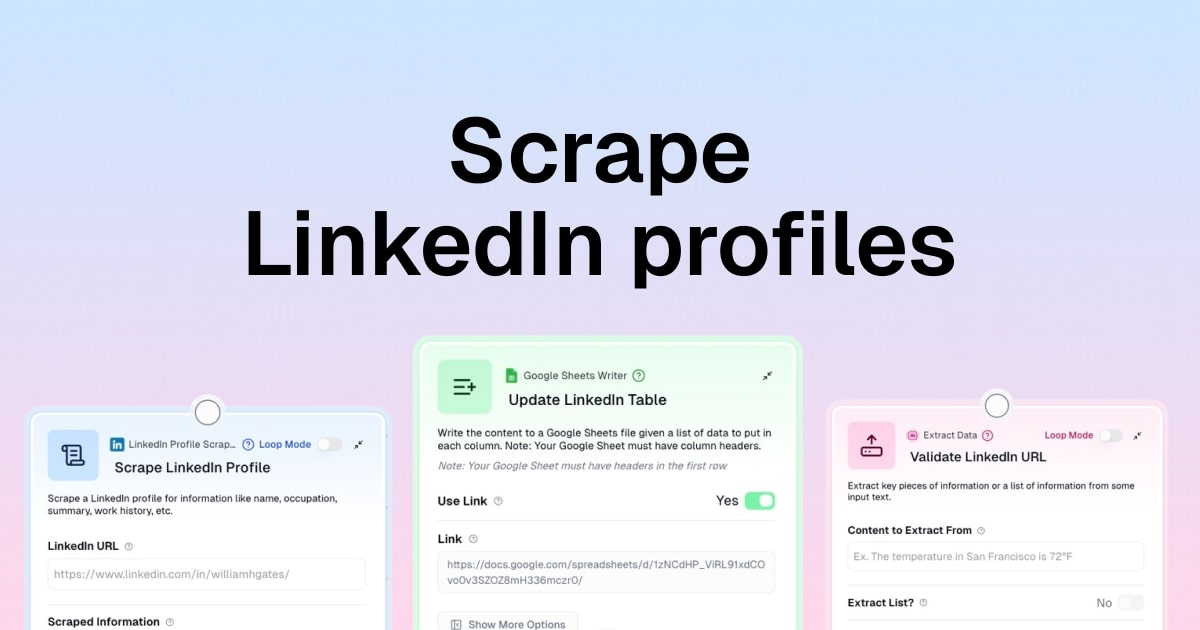
Extracts individual contact data — name, title, company, email, location, LinkedIn URL. This is the standard use case for scraping LinkedIn profiles in a B2B sales context.
Best for SDR list building, recruiting, and account-based prospecting. Every tool on this list does some version of this.
LinkedIn Company Scraper

Extracts company-level data — headcount, industry, location, revenue signals, employee lists, follower count. Best for account-based selling when you need to understand the organization before reaching out, or for building TAM lists by industry and size.
PhantomBuster, Apify, and Bright Data all have strong company scraping capabilities.
LinkedIn Post Scraper

Extracts engagement data from posts — who commented, liked, or shared specific content. This is the most underused scraper type and arguably the most valuable for intent-based outreach.
Someone who just commented on a post about sales process automation is a far warmer prospect than someone randomly pulled from a keyword search. PhantomBuster's "Post Commenters" phantom and Apify's post actors cover this use case well.
How to choose: match the scraper to your outreach objective. Profile data for direct prospecting, company data for account-based strategies, post data for warm, intent-showing audiences. Multi-type tools like PhantomBuster and Apify cover all three if your workflows need flexibility.
How to Scrape LinkedIn Data Without Getting Your Account Banned
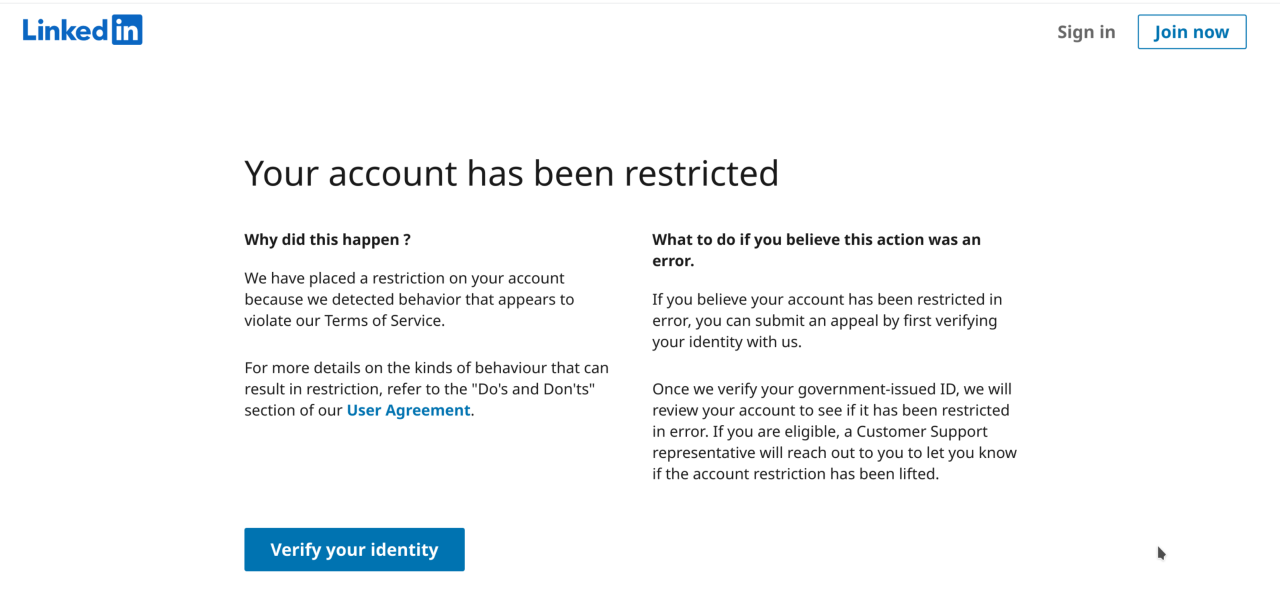
This is where most teams make mistakes. The tool matters less than how you use it.
Use cloud-based scrapers over browser-only tools. The biggest single risk factor is using your real LinkedIn cookie with a tool that doesn't manage rate limits well. Cloud tools run on their own infrastructure, not through your active session.
Respect rate limits. Scraping 2,000 profiles in an hour will flag your account far faster than spreading the same volume across a day. Most safety-first tools (Evaboot, Waalaxy, Lobstr.io) build rate limiting in automatically.
Use a dedicated secondary account for high-volume scraping. Two safer paths: pick a tool that doesn't ask you to paste your LinkedIn cookie into a third-party cloud, or use a dedicated secondary LinkedIn account for scraping that's separate from your professional one.
Only target publicly visible profile fields. Trying to access private or premium-gated data increases both detection risk and legal exposure.
Match your scraping volume to your plan type. The biggest mistake to avoid is scraping too fast and too much with the wrong tools. Be smart about how much you extract and on what timeline.
How Top Sales Teams Turn Scraped LinkedIn Data into Booked Meetings
Here's the truth most tools won't tell you: a scraped list does not equal pipeline. A list of 10,000 names that you blast with generic messages is a deliverability disaster waiting to happen.
The teams consistently booking meetings from LinkedIn outreach follow a specific workflow:
scrape → verify email → enrich with firmographic data → segment by ICP → personalize messaging → execute outreach.
Every step matters. Skipping any of them shows up as a lower reply rate.
The most common mistake we see: treating a scraped list as campaign-ready without validation or personalization.
Email-found rates run 40–70% on B2B lists. No tool delivers 100% accuracy — treat any vendor that claims otherwise as a red flag. Always run your exports through a verification step before launching campaigns.
A 500-person list of highly relevant, verified contacts from a tight ICP will outperform a 5,000-person generic list every single time. The companies hitting consistent pipeline from LinkedIn outreach invest as much in targeting logic and message quality as they do in list size.
The gap most teams hit isn't their scraping workflow — it's what happens after the list is built. They have the data. They don't have the outreach system to convert it.
How Cleverly Helps B2B Teams Turn LinkedIn Lists Into Pipeline
Building a clean scraping workflow is one thing. Converting scraped LinkedIn profiles into actual booked meetings is an entirely different skill set. That's the part most in-house teams underestimate — and it's exactly what we do at.
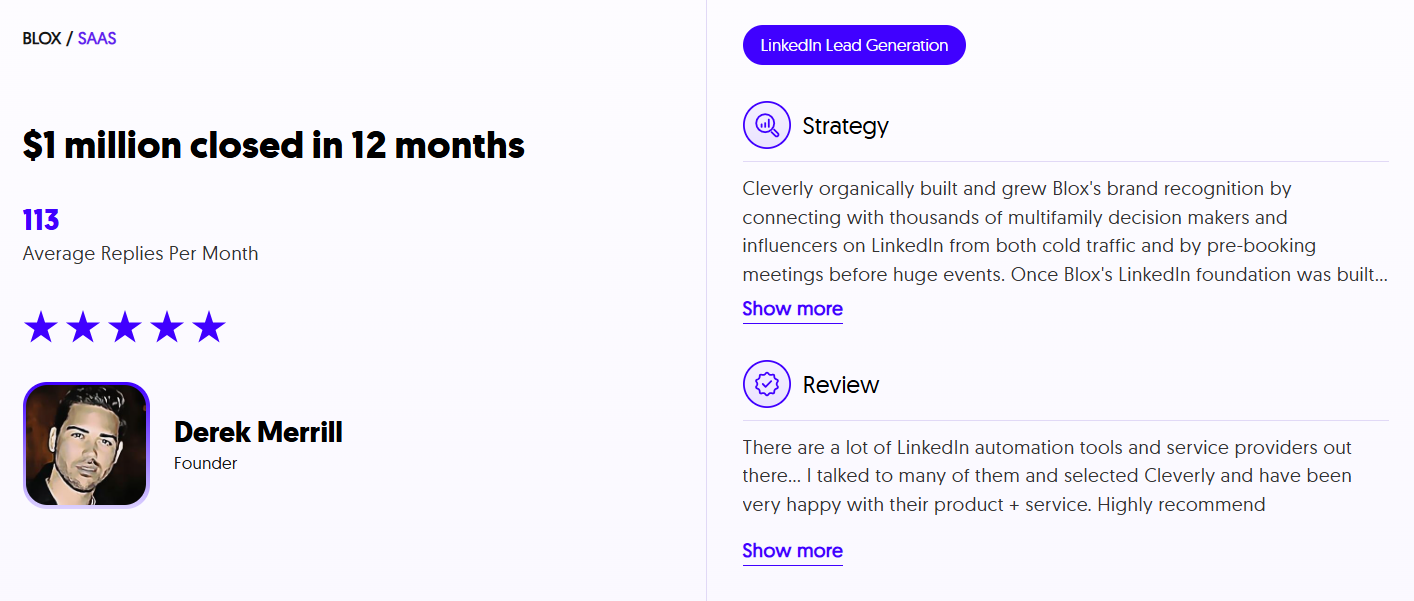
We've helped 10,000+ B2B companies run LinkedIn outreach that actually converts, working with companies like Amazon, Google, Uber, PayPal, Slack, and Spotify.
That's resulted in $312M in pipeline revenue and $51.2M in closed revenue — not from spamming lists, but from smart targeting, multi-layer personalization, and message sequences built to get replies.
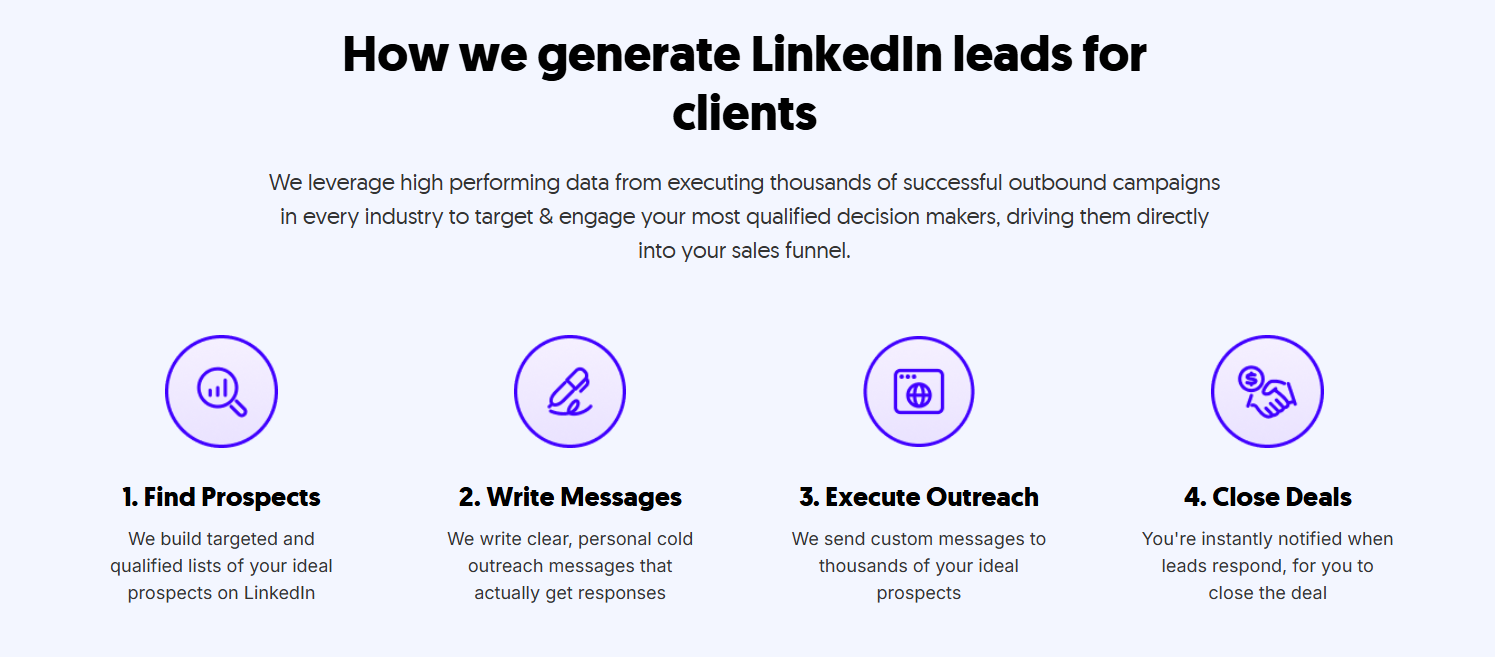
Our approach starts with identifying the right LinkedIn profiles for your ICP, then running done-for-you outreach sequences with the kind of personalization that gets responses — not ignored. LinkedIn lead generation services start at $397/month with no long-term contracts.
Already have a solid scraping workflow but not seeing enough replies?
See how Cleverly's done-for-you LinkedIn outreach converts your lists into booked meetings.
Conclusion
If you're running B2B outreach in 2026 without a LinkedIn scraper in your stack, you're leaving significant time and pipeline on the table. The platform has 1.3 billion professionals and it's updated daily. The data is there — the question is how efficiently you're extracting it.
The right tool depends on your workflow. PhantomBuster for automation depth and multi-step sequences. Evaboot for clean Sales Navigator exports. Apify for developer-grade custom builds. Apollo for all-in-one prospecting and outreach. Octoparse if you need a free no-code starting point.
But remember: the scraper fills your list. Your outreach strategy is what fills your calendar.
Frequently Asked Questions
Free Resource
How to Scale a Profitable Cold Call System
Get the complete guide — download it instantly now.

Free Ebook
Download the Free Guide
Enter your details to get instant access.
You're all set! 🎉
Your ebook is downloading now.
Click below if the download didn't start automatically.