

Table of Contents
What Is PhantomBuster?
PhantomBuster Features Breakdown
PhantomBuster Pricing — What Does It Actually Cost in 2026?
PhantomBuster Pros and Cons
What Real Users Are Saying About PhantomBuster in 2026
PhantomBuster Alternatives Worth Considering in 2026
How Cleverly Approaches LinkedIn Lead Generation Differently
Conclusion
Frequently Asked Questions
Modified On :
September 4, 2026
Key Takeaways
- PhantomBuster offers 100+ automations and workflows across more than 15 platforms, with paid plans starting at $69 per month or $56 per month when billed annually.
- Ratings are mixed: G2 shows 4.4/5 from 139+ reviews and Capterra shows 4.5/5 from 63+ reviews — but Trustpilot tells a different story with 109 reviews and polarized sentiment.
- LinkedIn Phantoms run via stored session cookies, which violates LinkedIn's Terms of Service — account bans are a real outcome at volume, and no configuration eliminates this risk entirely.
- All credits — execution hours, email credits, AI credits — expire monthly with no rollover, and campaigns hard-stop when limits are hit.
- PhantomBuster is best suited for technically comfortable solo users and growth teams who need multi-platform data extraction, not agencies managing multiple clients at scale.
- Teams that need a complete LinkedIn outreach system — from list building to booked meetings — will need either a more specialized tool or a done-for-you partner.
If you're evaluating LinkedIn automation tools in 2026, PhantomBuster has almost certainly come up.
It's been one of the most talked-about platforms in the B2B lead generation space for years — beloved by growth hackers, sales teams, and agencies for its flexibility and no-code Phantom library.
But here's the thing: the reviews are all over the place. G2 gives it a 4.4/5 from 139+ reviews, Capterra shows a 4.5/5 from 63+ reviews, while Trustpilot paints a much murkier picture — with complaints about pricing changes, LinkedIn account bans, and confusing plan limits dominating the negative reviews.
That split makes it genuinely hard to know what you're actually signing up for.
This PhantomBuster review cuts through it. We're covering every major feature, breaking down how the pricing actually works, sharing what real users are saying across platforms in 2026, and comparing it to the best alternatives on the market.
By the end, you'll know exactly who PhantomBuster is built for — and when it stops being the right call.

What Is PhantomBuster?
PhantomBuster is a cloud-based platform for data extraction and automation across multiple channels, including LinkedIn, Twitter, Instagram, and Facebook. Instead of writing code, you can deploy pre-built "Phantoms" or chain them into "Flows" to collect leads, enrich data, and trigger outreach sequences.
It was built to solve a real problem: manual prospecting is brutally slow.
PhantomBuster finds warm leads by scanning live activity across 15+ platforms instead of using old static databases. The platform runs automations 24/7 to capture real intent signals like job changes, post engagement, and social activity.
Today, PhantomBuster is used by solo founders, SDR teams, growth marketers, recruiters, and lead generation agencies. It's built for growth teams who want signal-based leads from LinkedIn activity, Sales Navigator, and social platforms rather than static database exports.
A few things that set it apart from standard LinkedIn tools:
- 150+ pre-built Phantoms across LinkedIn, Instagram, Twitter, Google Maps, and more — no coding required.
- Cloud-based execution — automations run in the background without keeping your browser open.
- Chained workflows — link multiple Phantoms together for end-to-end prospecting sequences.
- CRM integrations — native connections to HubSpot, Salesforce, Pipedrive, and more.
- Email finding and AI enrichment — built-in credits to find and verify emails and generate personalized copy.
The real question, as always, is how well each piece holds up in practice.
🚀 PhantomBuster Finds Leads. We Book Meetings.
Skip scraping, setup, and maintenance headaches. We run LinkedIn, cold email & calling—done-for-you.
PhantomBuster Features Breakdown
LinkedIn Automation Phantoms

LinkedIn is where PhantomBuster does its best work, and it's the reason most B2B teams sign up in the first place.
Core LinkedIn capabilities include profile scraping, Sales Navigator export, connection automation, and follow-up messaging sequences. The workflow is straightforward: provide a LinkedIn search URL or list of profile URLs, configure your Phantom settings, and let it run in the cloud. Extracted data exports to CSV, or pushes directly to your CRM.
The Sales Navigator export Phantom is a particular standout. It saves all the hassle of copy-pasting data from Sales Navigator to Excel, with multiple ways to convert your data from one form to another as needed.
Profile visit automation also deserves a callout — you can trigger profile views to warm up prospects before sending connection requests, which mimics natural human behavior and tends to lift acceptance rates.
Multi-Platform Scraping (Beyond LinkedIn)

PhantomBuster's automation capabilities go beyond LinkedIn, covering Instagram, Twitter/X, Slack, GitHub, Facebook, and more. You can pull follower lists, extract event attendees, scrape Google Maps data, and build cross-platform enrichment flows.
This breadth is genuinely one of PhantomBuster's strongest differentiators. No other tool at this price point gives you a library this wide across this many channels.
The honest limitation: non-LinkedIn Phantoms are less refined and more prone to breaking, requiring time to reconfigure when they do. If you're relying on Instagram or Twitter Phantoms for production workflows, budget time for maintenance.
Workflows (Multi-Step Automation Chains)

One particularly powerful feature is the ability to chain Phantoms and Flows together. For example, you can start with a Phantom that collects leads from LinkedIn company posts, then feed its CSV output directly into a Flow that sends personalized connection requests and follow-up messages.
Conditional logic allows behavior-based branching in follow-up sequences. This is what gives PhantomBuster its "growth hacking" reputation — the ability to build end-to-end outbound workflows without writing a single line of code.
In practice, chaining works well for technically comfortable users. If you're not familiar with data inputs and outputs, the setup curve is steep.
Is PhantomBuster Reliable Enough for Production Workflows?
PhantomBuster can support recurring production workflows, but it should not be treated as maintenance-free infrastructure. Automations depend on external platforms, saved sessions, input formats, rate limits, and workflow settings that can change or fail.
Production teams should add several controls:
- Monitor failed runs and incomplete exports
- Save source data outside PhantomBuster
- Record the settings used for each workflow
- Test changes on a small dataset before scaling
- Set alerts for depleted execution time and credits
- Review LinkedIn activity for warnings or restrictions
- Keep a manual recovery process for critical workflows
The platform is a better fit for teams that can actively monitor automation than teams expecting every workflow to run indefinitely without oversight. For business-critical data pipelines, keep source records and CRM history outside the platform so one failed Phantom does not interrupt the entire process.
AI-Powered Features

PhantomBuster now includes AI credits for profile analysis and personalized content generation at scale. The AI Phantom can generate personalized outreach copy from scraped LinkedIn data, and natural language prospecting makes audience targeting faster.
The catch: AI credits are capped per plan and don't roll over monthly — exhaustion pauses that feature until the next billing cycle. On the Start plan, you'll hit that ceiling quickly if AI personalization is core to your workflow.
Email Finding & Enrichment

Email credits let you find and verify professional email addresses from LinkedIn profiles. Waterfall enrichment via multiple data providers increases match rates beyond what a single source would deliver.
Same caveat as AI credits: email credits expire at the end of every billing cycle. Unused credits are lost. This is one of the harder constraints to work around — once you hit your limit, that feature pauses until the next cycle, with no top-up option mid-month.
CRM Integrations

Outputs push directly to HubSpot, Lemlist, Zapier, Make, or chain into another Phantom. Native bidirectional integrations exist for HubSpot, Salesforce, and Pipedrive.
One friction point worth flagging: there's no native Google Sheets or Airtable integration. You'll need Zapier or Make to bridge that gap — which adds both cost and setup time for teams that run simpler workflows.
Safety & LinkedIn Compliance

PhantomBuster provides safety presets and human-like pacing options, but the responsibility for compliance rests with the user. You configure your own rate limits, delays, and behavior patterns. If misconfigured, aggressive automation can trigger LinkedIn's detection systems.
Phantoms use your stored LinkedIn session cookie, violating LinkedIn's Terms of Service. Risk scales with volume and account age — 20+ daily connections, constant automation, or new accounts flag significantly faster. No configuration eliminates this risk entirely.
This is not a minor caveat. It's the most important thing to understand before signing up.
Free Trial & Dashboard

PhantomBuster offers a 14-day free trial with no credit card required. You get access to all features, but with limited resources: 2 execution hours, 5 phantom slots, and 50 email credits. Data exports during the trial are capped at 10 rows per result file.
After the trial ends, your account converts to a Free plan — not deleted — with 30 minutes of monthly execution time and 1 phantom slot. It's a nice touch that lets you keep access without committing to a paid plan immediately.
PhantomBuster Pricing: What Does It Cost in 2026?
PhantomBuster has a free trial and three paid plans: Start, Grow, and Scale. Pricing is based primarily on monthly execution time and the number of automation slots, with separate allowances for email, AI, and URL Finder credits.
Annual billing reduces the monthly equivalent by 20%. The official pricing page currently lists Start at $56 per month, Grow at $128 per month, and Scale at $352 per month when billed annually.
Free Trial
The free trial is designed for testing PhantomBuster before paying for a plan. It includes:
- Five automation slots
- Two execution hours
- 50 email credits
- 1,000 AI credits
- 100 URL Finder credits
- Exports limited to 10 rows
This is enough to test a few Phantoms and understand the setup process, but the export limit makes it unsuitable for running a real prospecting campaign.
Start: $69 Monthly or $56 With Annual Billing
The Start plan supports lightweight outbound workflows and includes:
- Five automation slots
- 20 execution hours per month
- 500 email credits per month
- 10,000 AI credits per month
- 1,000 URL Finder credits per month
- Unlimited users and exports
Start is best for solo operators running occasional scraping, enrichment, or small LinkedIn workflows. The five-slot and 20-hour limits become restrictive when several automations need to run regularly.
Grow: $159 Monthly or $128 With Annual Billing
Grow is the most practical plan for sales and growth teams running several workflows. It includes:
- 15 automation slots
- 80 execution hours per month
- 2,500 email credits per month
- 30,000 AI credits per month
- 10,000 URL Finder credits per month
- Unlimited users and exports
This tier gives teams more room to combine prospect extraction, enrichment, and outreach. Execution time still needs active monitoring because complex workflows can consume the monthly allowance faster than expected.
Scale: $439 Monthly or $352 With Annual Billing
Scale is designed for teams running always-on automations. It includes:
- 50 automation slots
- 300 execution hours per month
- 10,000 email credits per month
- 90,000 AI credits per month
- 20,000 URL Finder credits per month
- Unlimited users and exports
Scale offers significantly more capacity, but the cost only makes sense when the team can consistently use the added execution time and automation slots.
How PhantomBuster Credits and Execution Time Work
Execution time measures how long Phantoms and Workflows actively run in the cloud. A workflow that extracts profiles, enriches emails, and sends data to another system can consume several resources during the same campaign.
Email credits are used to find professional email addresses. AI credits support AI filtering and writing, while URL Finder credits are used to locate profile URLs from available prospect information.
These allowances are separate. Having email or AI credits remaining does not help if the account runs out of execution time. When execution time is exhausted, active automations pause until the allowance resets or the user upgrades.
Which PhantomBuster Plan Should You Choose?
Choose Start if you are a solo operator testing light extraction and enrichment workflows.
Choose Grow if you run several recurring workflows and need enough capacity for a regular outbound program.
Choose Scale if multiple users or campaigns require concurrent automations and substantially more execution time.
Do not choose a plan based only on the number of contacts you want to process. Estimate the number of workflows, their run frequency, execution time, and credit consumption before committing.
Pricing and plan limits can change. Confirm the latest figures on PhantomBuster’s official pricing page before purchasing.
Is PhantomBuster Cost-Effective for Agencies?
PhantomBuster can work for an agency that needs flexible data extraction across LinkedIn and other platforms. The challenge is estimating capacity when several client workflows run at the same time.
Agency teams should calculate:
- The number of client workflows running each week
- How many automation slots those workflows require
- Monthly execution time across all client accounts
- Email, AI, and URL Finder credit usage
- Time spent monitoring errors and reconnecting sessions
- Connector costs for any external workflow tools
Scale provides the most room for concurrent automations, but the software fee is only part of the operating cost. Someone still needs to build, monitor, troubleshoot, and document each workflow.
For a small agency with occasional extraction work, Grow may provide enough capacity. Agencies running continuous client campaigns should test their highest-volume workflow during the trial before selecting a paid plan.
📈 Stop Debugging Tools. Start Closing Deals.
$312M pipeline generated across outbound channels. We handle targeting → outreach → booking. You close.
PhantomBuster Pros and Cons
Pros
✅ Broadest automation library at its price point
100+ automations and workflows across LinkedIn, Instagram, Twitter/X, Slack, GitHub, and Facebook — more platform coverage than any comparable tool.
✅ No-code setup
A single Phantom takes less than 5 minutes to be operational and doesn't need to be updated — easy to use even without technical skills.
✅ Cloud-based execution
Automations run in the background without keeping your browser open or your PC running — set it up and close it.
✅ Per-workspace pricing
Multiple users can collaborate under one workspace subscription without multiplying costs on a per-seat basis.
✅ Strong native CRM integrations
Native bidirectional sync with HubSpot, Salesforce, and Pipedrive keeps your CRM enriched without manual exports.
✅ 14-day free trial, no credit card required
Full access to all Phantoms and Flows during the trial makes it easy to test before committing.

Cons
❌ LinkedIn account safety is entirely your problem
At least one reviewer reported staying under the recommended daily limit and still getting a LinkedIn warning after just 50 enriched records. Cookie-based automation carries real risk regardless of your settings.
❌ Credits expire with zero rollover
Execution hours, email credits, and AI credits all reset monthly. Unused credits are gone. Hard stops when limits are hit — no partial top-up option.
❌ Pricing increased significantly in late 2025
Users report a steep learning curve and pricing changes that restricted usage without notice. Multiple reviewers called this out specifically as the reason they downgraded or left.
❌ Agency use compounds cost fast
Each client workspace needs its own subscription. There's no multi-client or white-label pricing built in.
❌ Non-LinkedIn Phantoms break regularly
Several users report that Phantoms fall into breakdown often and error logs don't provide much detail, requiring time to reconfigure everything.
❌ No native Google Sheets or Airtable integration
Requires paid third-party connectors (Zapier or Make) for workflows that involve simpler data tools.
❌ No phone number finding
Unlike several competitors, PhantomBuster doesn't surface direct dials — a gap for teams running multichannel outbound.
What Real Users Are Saying About PhantomBuster in 2026
G2: 4.4/5 (139+ reviews)

G2 reviewers consistently praise the ease of use, time-saving automation features, and LinkedIn integration. Users highlight intuitive setup, broad Phantom coverage, and reliable execution. The most common negative tags are learning curve complaints and pricing issues.
One recurring frustration worth flagging: users report that 80 hours of monthly execution time get used up quickly when running automations continuously across available slots — leading teams to upgrade primarily for more time rather than features they actually need.
Capterra: 4.5/5 (63+ reviews)

Capterra reviewers skew positive on the core functionality. The cloud-based execution model gets consistent praise — no RAM drain, no browser dependency. Pricing shows up as the dominant negative theme, with multiple reviewers calling it "too high for intensive use."
One French power user noted that intensive use forces you to buy similar tools at lower cost just to cover your running time and slot needs — a signal that the plan structure doesn't scale cleanly for high-volume operators.
Trustpilot: 3.5/5 (109 reviews)

Trustpilot sentiment is polarized — with 54% five-star and 32% one-star reviews. The gap is stark.
Positive reviews praise fast setup, cloud convenience, and Sales Navigator export capabilities. Negative reviews cluster around three themes: LinkedIn account warnings even within recommended limits, confusing plan restrictions post-upgrade, and billing or cancellation friction.
One reviewer stayed under the recommended daily limit — enriching 60 records rather than 80 — and still received a LinkedIn warning after 50 records. That's a meaningful data point for anyone evaluating whether PhantomBuster's safety guardrails are reliable enough for production use.
The Takeaway
The G2/Trustpilot sentiment gap tells you something important: PhantomBuster works well for technically comfortable users who approach it as a data extraction tool and manage their own risk carefully.
It frustrates users who expect a plug-and-play outreach system that handles LinkedIn safety for them.
PhantomBuster Alternatives Worth Considering in 2026
1. Waalaxy

Best for: Sales teams focused exclusively on LinkedIn prospecting who want a simpler, purpose-built tool.
Waalaxy is the closest LinkedIn-focused competitor to PhantomBuster — rated 4.8★ on Trustpilot with 1,000+ reviews. It's built specifically for LinkedIn outreach: connection requests, message sequences, and email finding in a single workflow.
The key difference from PhantomBuster is UI simplicity. There's no execution hour management, no slot juggling, and no cookie configuration. You set up a campaign and it runs. Better fit for teams that want LinkedIn results without the technical overhead.
The limitation: Waalaxy doesn't offer multi-platform scraping or the depth of automation customization PhantomBuster provides.
Compare: Cleverly vs. Waalaxy
2. Expandi

Best for: Teams where LinkedIn account safety is a non-negotiable priority.
Expandi is cloud-based LinkedIn automation with dedicated IPs per user — a fundamentally different (and safer) architecture than PhantomBuster's cookie-based approach. Smart limits, randomized delays, and blacklist protection are built in rather than left to user configuration.
The trade-off: higher price point and LinkedIn-only focus. If you need multi-platform data extraction, Expandi doesn't help. If protecting your LinkedIn account is the primary concern, it's a meaningful upgrade in safety assurance.
Compare: Cleverly vs. Expandi
3. Apollo.io

Best for: Revenue teams running full outbound programs who need prospecting, sequencing, and CRM in one platform.
Apollo gives you a 275M+ contact database, email sequences, a built-in dialer, intent data, and CRM functionality under one roof. It's a more complex product at a higher learning curve, but it replaces the need to stitch together PhantomBuster, a sequencer, and a data source separately.
Better fit for SDR teams running structured outbound programs. Not the right call if you primarily need multi-platform scraping or custom automation workflows.
Compare: Cleverly vs Apollo.io
4. Clay

Best for: Technical growth teams building custom multi-source data pipelines.
Clay is the best tool on the market for advanced enrichment — pulling data from PhantomBuster, Apollo, Clearbit, and 50+ sources in a single workflow. It works well alongside PhantomBuster for teams that want to go beyond LinkedIn scraping into deep, multi-signal enrichment.
The steep learning curve is real. Clay rewards operators who are comfortable with workflow logic and data manipulation. For non-technical users, the setup cost is high.
Compare: Cleverly vs Clay
How Cleverly Approaches LinkedIn Lead Generation Differently
Managing LinkedIn automation tools like PhantomBuster in-house means more than just picking a software plan. You're signing up for ongoing technical setup, safety monitoring, data management, and messaging optimization — and you're carrying the account risk personally.
The harder truth is that even with the right tool, results depend on ICP accuracy, messaging quality, and outreach consistency. These are areas where software alone consistently falls short.
Most teams running PhantomBuster independently discover this after a few months of mediocre reply rates — the automation ran, but the meetings didn't come.
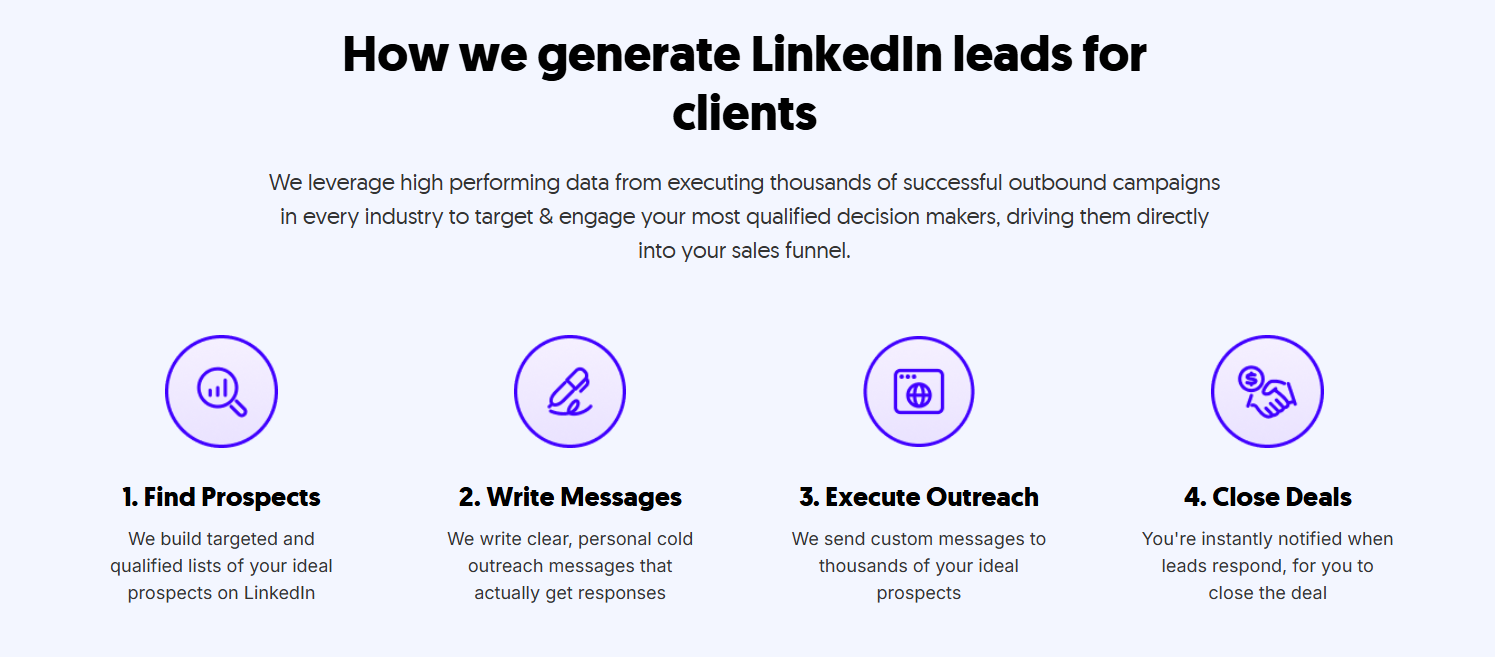
At Cleverly, we build and run done-for-you LinkedIn lead generation systems for B2B companies, covering everything from ICP targeting and multi-source list building to connection outreach, personalized messaging sequences, and reply management. Our teams handle the strategy and execution — you show up to qualified meetings.
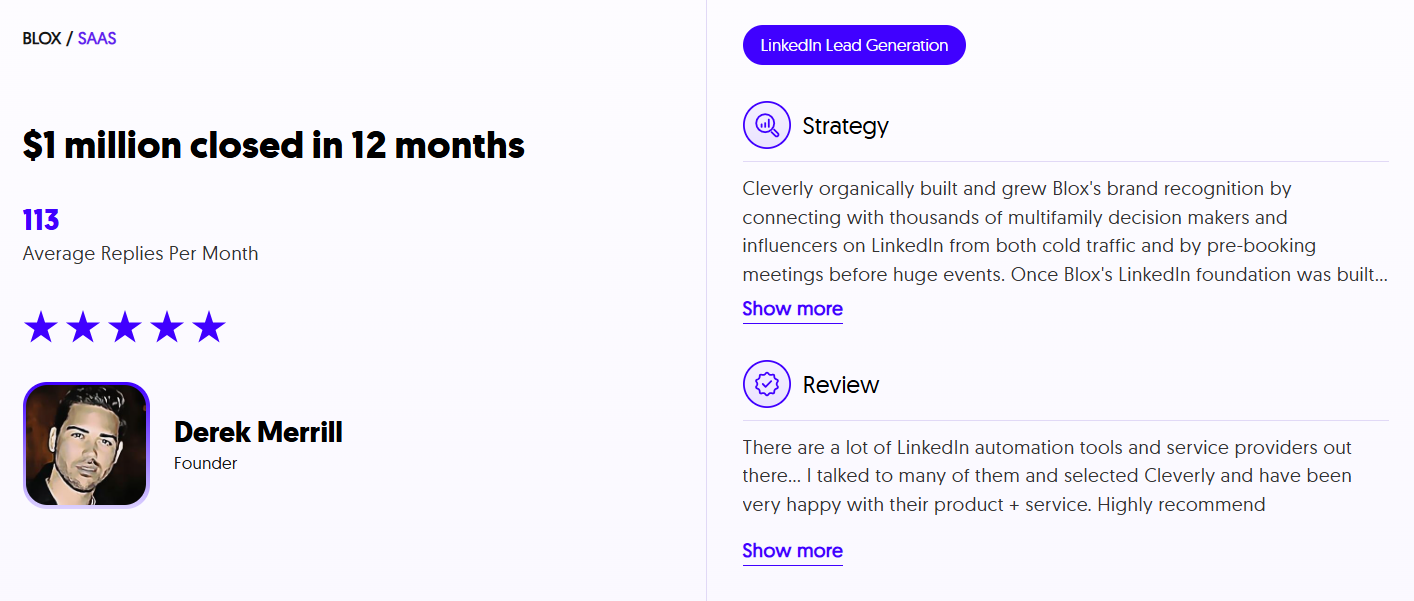
The difference between configuring PhantomBuster yourself and having a professional team run a full LinkedIn outreach system isn't just technical. It's the testing infrastructure, the messaging frameworks refined across thousands of campaigns, and the account safety practices that come from doing this at scale for 10,000+ clients.
We've generated $312M in pipeline and set 53K+ appointments through LinkedIn outreach alone — and we can show you exactly how we'd approach yours.
📅 Want LinkedIn lead generation handled end-to-end without the tool complexity? Book a strategy call with Cleverly and we'll show you what's possible for your pipeline.
Conclusion
PhantomBuster is a genuinely capable automation and scraping platform. The Phantom library is unmatched at its price point, the cloud-based execution model is a real advantage, and for technically comfortable users, it can meaningfully speed up LinkedIn prospecting and multi-platform data extraction.
PhantomBuster is a strong fit if you:
- Need multi-platform scraping across LinkedIn, Instagram, Twitter, and beyond
- Are comfortable managing rate limits, cookie-based automation, and execution hour caps yourself
- Want a no-code automation tool for growth experiments and data extraction workflows
- Are a solo user or small team — not an agency managing multiple clients at scale
Consider an alternative if you:
- Need LinkedIn account safety built into the tool itself — PhantomBuster puts that responsibility entirely on you
- Are an agency managing multiple clients — per-workspace pricing gets expensive fast
- Want a plug-and-play outreach system that handles conversations and meeting booking, not just data extraction
- Need predictable, reliable outreach volume without monthly credit hard stops
The pricing model changes in late 2025, combined with the cookie-based LinkedIn risk and no credit rollover, make it harder to justify for teams that need consistent, scalable outreach. Choose PhantomBuster for data extraction flexibility. Consider a done-for-you LinkedIn lead gen partner if your real goal is booked meetings.
Frequently Asked Questions
Free Resource
How to Scale a Profitable Cold Call System
Get the complete guide — download it instantly now.

Free Ebook
Download the Free Guide
Enter your details to get instant access.
You're all set! 🎉
Your ebook is downloading now.
Click below if the download didn't start automatically.


