Table of Contents
What Is a LinkedIn Email Finder?
How LinkedIn Email Finder Tools Work Behind the Scenes
Is It Legal and Safe to Find Emails from LinkedIn?
Quick Picks: Best LinkedIn Email Finder at a Glance
10 Best LinkedIn Email Finder Tools (Tested & Compared)
Free vs Paid LinkedIn Email Finder Tools
How to Choose the Right LinkedIn Email Finder
How Cleverly Uses LinkedIn Email Data to Drive Real Conversations
Conclusion
Frequently Asked Questions
Modified On :
September 29, 2026
Key Takeaways
- LinkedIn email finder tools turn profiles into actionable contacts with verified emails in seconds.
- Prioritize tools with real-time SMTP verification (85–95% accuracy) to protect your sender reputation.
- Free plans work for low-volume prospecting (5–100 contacts/month), but paid tools are necessary for sales teams running campaigns at scale.
- Stay compliant by using enrichment-based tools (not scrapers), focusing on B2B work emails, and always including unsubscribe options in outreach.
- The best tool depends on your use case: Apollo and RocketReach for volume, Hunter and Lusha for simplicity, Kaspr for European markets.
- Finding emails is step one. Real results come from verified data + personalized messaging + consistent follow-up.
Finding verified emails on LinkedIn shouldn't feel like detective work. Yet here we are, staring at promising prospects with no way to reach their inbox.
LinkedIn email finder tools have become non-negotiable for B2B outreach.
Why? Because while LinkedIn's great for browsing profiles, it's terrible for actual conversations. You need emails to run campaigns, nurture leads, and book meetings at scale.
We've tested dozens of email finder LinkedIn solutions to see what actually works in 2026. Some deliver verified emails in seconds.
Others? They're glorified guessing games that'll tank your sender reputation.
In this guide, we're breaking down the 10 best tools that consistently find accurate emails from LinkedIn profiles.
Whether you're running LinkedIn lead generation campaigns or just need to reach specific decision-makers, these tools will save you hours of manual research.
Let's find those emails.
What Is a LinkedIn Email Finder?
A LinkedIn email finder is a tool that pulls professional email addresses using data from LinkedIn profiles. Simple as that. You feed it a name, company, or LinkedIn URL, it gives you a verified email address.
But not all email finder LinkedIn tools work the same way. Here's how they actually find those emails:
- Domain matching: The tool identifies the company domain (like @cleverly.com) and tests common email patterns (firstname@, firstname.lastname@, etc.) until it finds a match.
- Data enrichment: Tools tap into massive B2B databases that already have millions of verified contacts. When you search a LinkedIn profile, they cross-reference it with their existing records.
- Public data aggregation: They scan publicly available sources—company websites, social profiles, online directories—to piece together contact information.
- Verification layers: Good tools don't just guess. They verify emails in real-time using SMTP checks and validation protocols to confirm the address is active.
Scraping vs. Enrichment: Know the Difference
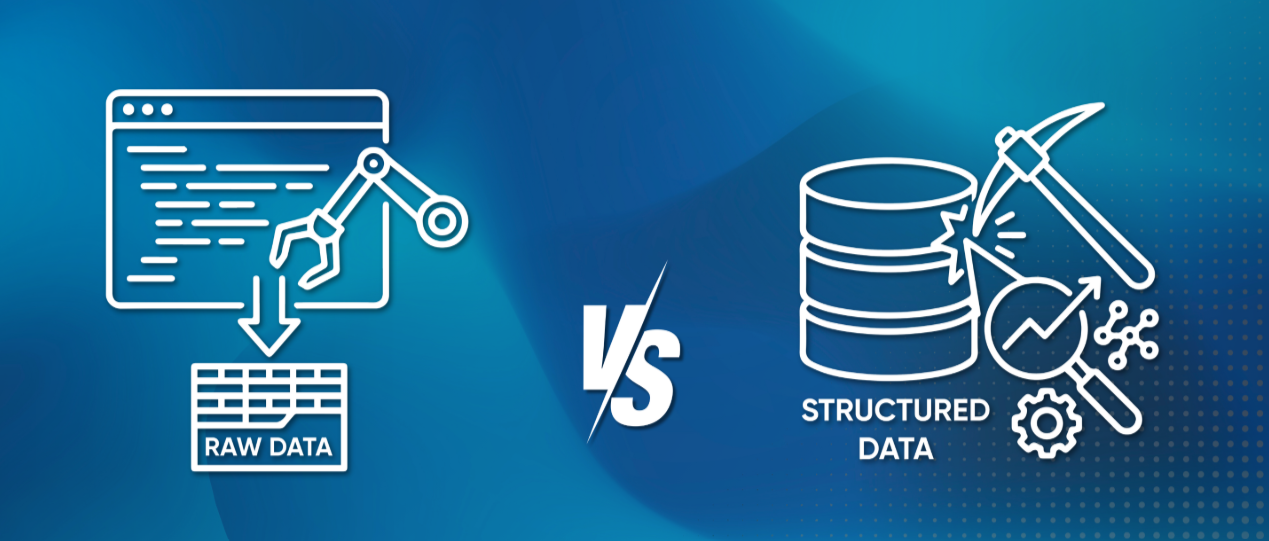
Scraping tools extract data directly from LinkedIn (think Chrome extensions that grab info while you browse). They're fast but risky—LinkedIn's terms don't love this, and you might get flagged.
Enrichment-based tools don't touch LinkedIn's data directly. They use your input (name + company) to search their own verified databases. More compliant, usually more accurate, and safer for your account.
If you're serious about LinkedIn lead generation, go with data enrichment-based tools. They keep you compliant while delivering emails that actually work.
Learn More About: Data Enrichment & How Does It Work
🔥 Turn LinkedIn Profiles Into Meetings
Cleverly runs done-for-you LinkedIn outreach that turns verified contacts into meeting-ready leads. No tools to manage.
How LinkedIn Email Finder Tools Work Behind the Scenes
Ever wonder how an email finder from linkedin actually discovers someone's email in seconds?
It's not magic. It's a multi-step process that combines data, pattern recognition, and verification.
The Process: From Profile to Inbox

Step 1: Profile data extraction
You input a LinkedIn profile or search criteria (name, title, company). The tool pulls basic info like the person's full name and their company.
Step 2: Company domain identification
The tool identifies the company's email domain. For someone at Salesforce, that's @salesforce.com. For smaller companies, it might check the company website to confirm the domain.
Step 3: Email pattern detection
Here's where it gets smart. Most companies follow predictable email formats:
- firstname@company.com
- firstname.lastname@company.com
- firstinitiallastname@company.com
The email finder from LinkedIn tests these patterns against its database to find the right match.
Step 4: Database enrichment
Top tools don't just guess—they cross-reference with massive B2B contact databases containing millions of verified emails. If the email already exists in their system, you get it instantly.
Step 5: Real-time verification
Before handing you an email, solid tools verify it's actually active using SMTP validation and bounce detection. This separates working emails from dead ends.
Why Verification Actually Matters

Skip verification, and you're playing with fire. Here's what happens when you use unverified emails:
- High bounce rates: Sending to invalid addresses signals to email providers that you're spamming. Your bounce rate spikes.
- Tanked deliverability: ISPs notice those bounces and start routing your emails straight to spam—even for valid contacts.
- Ruined sender reputation: Once your domain gets flagged, it's hard to recover. Future campaigns suffer even if your list is clean.
Use These: Best Email Verification Tools
Accuracy: What to Expect
Not all LinkedIn email finder tools deliver the same results. Here's the reality:
- Premium tools: 85–95% accuracy for mid-to-large companies with standard email patterns.
- Mid-tier tools: 70–85% accuracy, more hit-or-miss with smaller businesses.
- Free tools: 60–75% accuracy, minimal verification, higher bounce risk.
The accuracy gap comes down to database size, verification tech, and how often they update their data. For LinkedIn lead generation at scale, that 10–20% difference in accuracy can mean thousands of wasted emails—or worse, a blacklisted domain.
Is It Legal and Safe to Find Emails from LinkedIn?
Let's address the elephant in the room: yes, figuring out how to find someone's email on LinkedIn is legal—but there are rules you need to follow.
The Legal Landscape: GDPR, CAN-SPAM, and You
- GDPR (for EU contacts): You can contact B2B professionals under "legitimate interest" if you're reaching out about relevant business opportunities. The key? Your outreach must be professional, relevant to their role, and they must have an easy way to opt out.
- CAN-SPAM (for US contacts): Pretty straightforward. Include your business info, add an unsubscribe link, and honor opt-out requests within 10 days. You're good to go.
Bottom line: If you're doing genuine B2B outreach and respecting unsubscribe requests, you're legally covered in most scenarios.
B2B Emails vs. Personal Emails: Know the Difference
Here's where people get confused when learning how to find someone's email on LinkedIn:
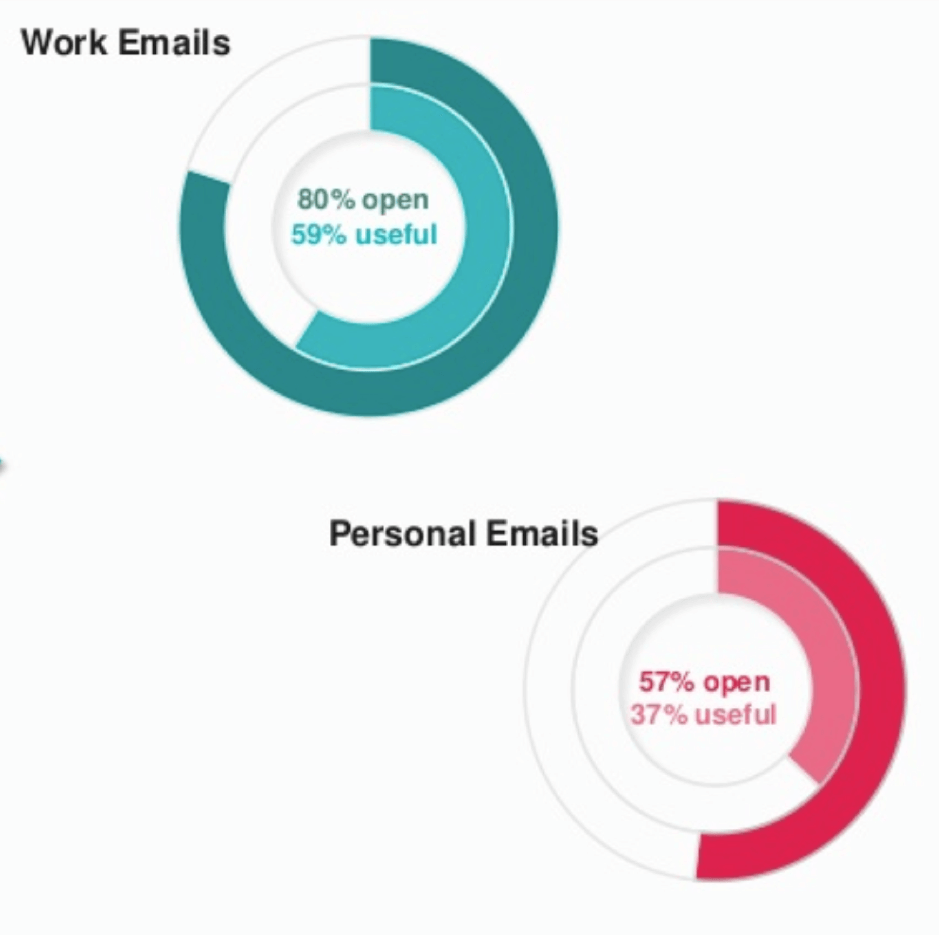
- B2B/work emails (john@company.com): Generally fine to contact for business purposes. These are considered professional channels.
- Personal emails (john.doe@gmail.com): Tread carefully. These fall under stricter privacy rules, especially in the EU. Unless someone publicly shares it for business inquiries, avoid it.
Most LinkedIn email finder tools focus on work emails for exactly this reason, it keeps you compliant and relevant.
Best Practices to Stay Compliant
Want to find emails and use them responsibly? Follow these simple rules:
1. Stick to business emails: Use tools that prioritize work domains, not personal Gmail or Yahoo addresses.
2. Make it relevant: Only reach out if your message actually relates to their role or industry. Random prospecting to irrelevant people is spam, plain and simple.
3. Always include an unsubscribe option: One-click opt-out. No excuses. It's required by law and just good practice.
4. Respect opt-outs immediately: Someone unsubscribes? Remove them from your list right away. Ignoring this can get you fined and blacklisted.
5. Don't scrape LinkedIn directly: Using tools that violate LinkedIn's Terms of Service puts your account at risk. Stick with enrichment-based email finder from LinkedIn tools that use third-party databases.
6. Keep records: Document consent and legitimate interest, especially if you're dealing with EU contacts under GDPR.
The reality? If you're doing honest B2B outreach with tools designed for compliance, you're in the clear.
Just don't be shady, respect people's inboxes, and you'll build a sustainable LinkedIn lead generation engine without legal headaches.
More Tools to Explore: Best Reverse Email Lookup Tools
🚀 Skip the Tools. Book Calls.
We identify, engage, and convert LinkedIn prospects into real sales conversations. Starting at just $397/mo.
Quick Picks: Best LinkedIn Email Finder at a Glance
Not sure which tool to read about first? Here is the short version:
Read the full breakdowns below, including which tool fits your team size, use case, and budget.
10 Best LinkedIn Email Finder Tools (Tested & Compared)
We tested dozens of LinkedIn email finder tools to see which ones actually deliver verified emails without burning through your budget. Here are the 10 that made the cut.
1. Hunter.io
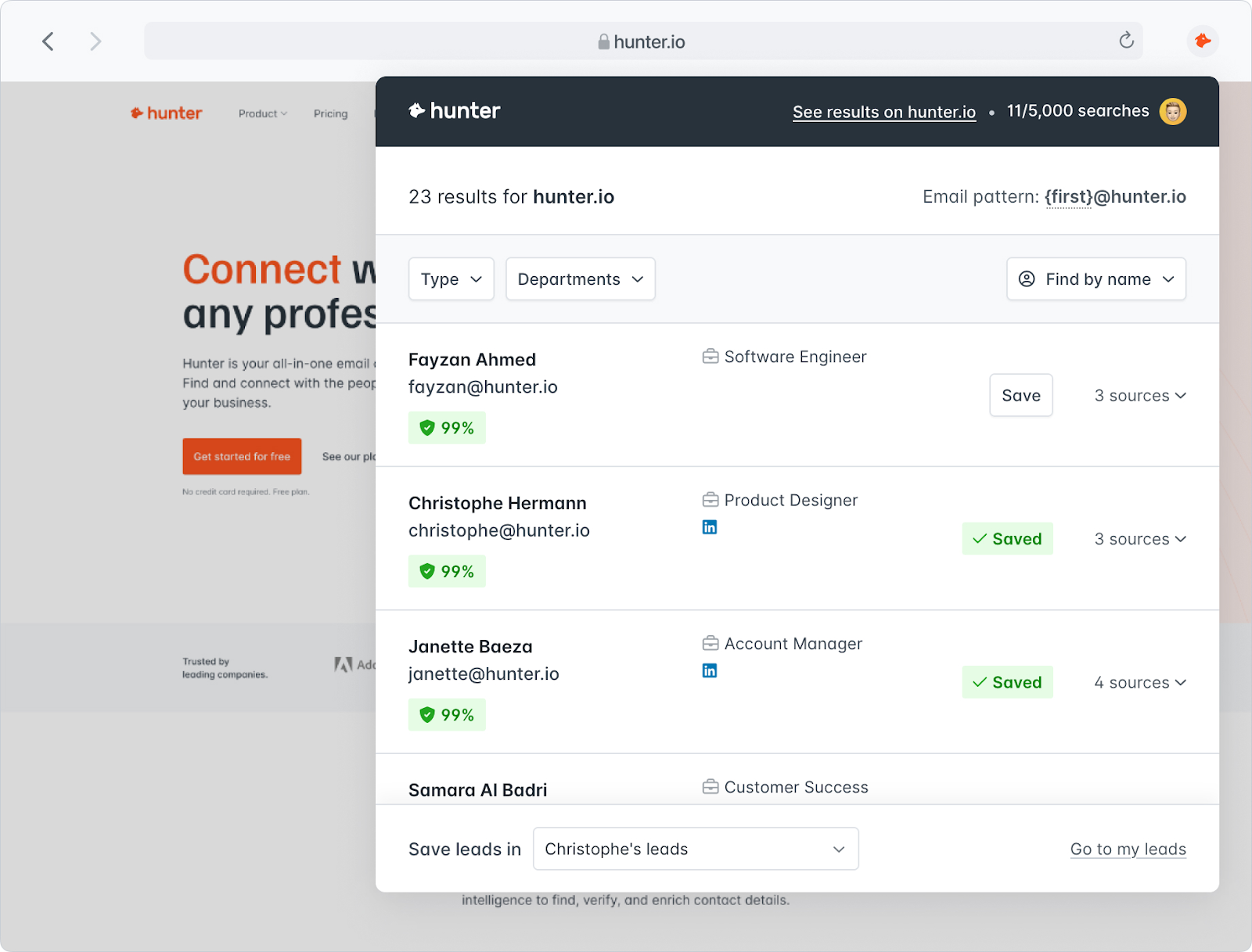
Hunter.io is one of the most reliable tools for finding professional email addresses tied to specific companies and domains. It's built for B2B prospecting and works seamlessly as a LinkedIn email finder extension through its Chrome plugin.
What makes Hunter stand out is its verification layer—it doesn't just guess emails, it confirms they're deliverable before you waste a credit. Whether you're researching one contact or enriching an entire list, Hunter keeps it simple and accurate.
Key Features:
- Domain Search: Pull all email addresses associated with a company or website.
- Email Finder: Get verified emails by entering a person's name and company.
- Author Finder: Discover contact info for blog authors and content creators.
- Email Verifier: Check if any email address is valid and deliverable.
- Chrome extension: Find emails directly on LinkedIn, company sites, or anywhere you browse.
- Integrations: Connects with Gmail, Salesforce, HubSpot, and other CRM tools.
Best For: Sales, marketing, and recruitment teams who need verified B2B emails for outreach and LinkedIn lead generation.
Pricing: Free plan includes 25 searches/month. Paid plans start at $34/month (billed annually) for more searches and advanced features.
2. Snov.io

Snov.io is a complete B2B prospecting suite with a solid email finder LinkedIn tool baked right in. It's designed for teams who want to find emails, verify them, and immediately push them into outreach campaigns—all from one platform.
What sets Snov.io apart is the full ecosystem. You're not just finding emails; you're managing drip campaigns, tracking engagement, and organizing leads in their built-in CRM. If you want an all-in-one solution for LinkedIn lead generation, this is it.
Key Features:
- LinkedIn integration: Extract emails directly from LinkedIn profiles and Sales Navigator results.
- Bulk email search: Find hundreds of verified emails from prospect lists simultaneously.
- Email verification: Built-in validator ensures high deliverability before you hit send.
- CRM integrations: Syncs with Salesforce, HubSpot, Pipedrive, and other popular tools.
- Full prospecting platform: Includes cold email outreach campaigns, a built-in CRM, and a tech stack checker for complete prospecting automation in one platform.
Best For: Sales teams, recruiters, and marketers running targeted B2B campaigns who want prospecting and outreach in one tool.
Pricing: Free plan available with limited credits. Paid plans scale based on credits and email volume, starting at affordable monthly or annual rates.
3. Apollo.io
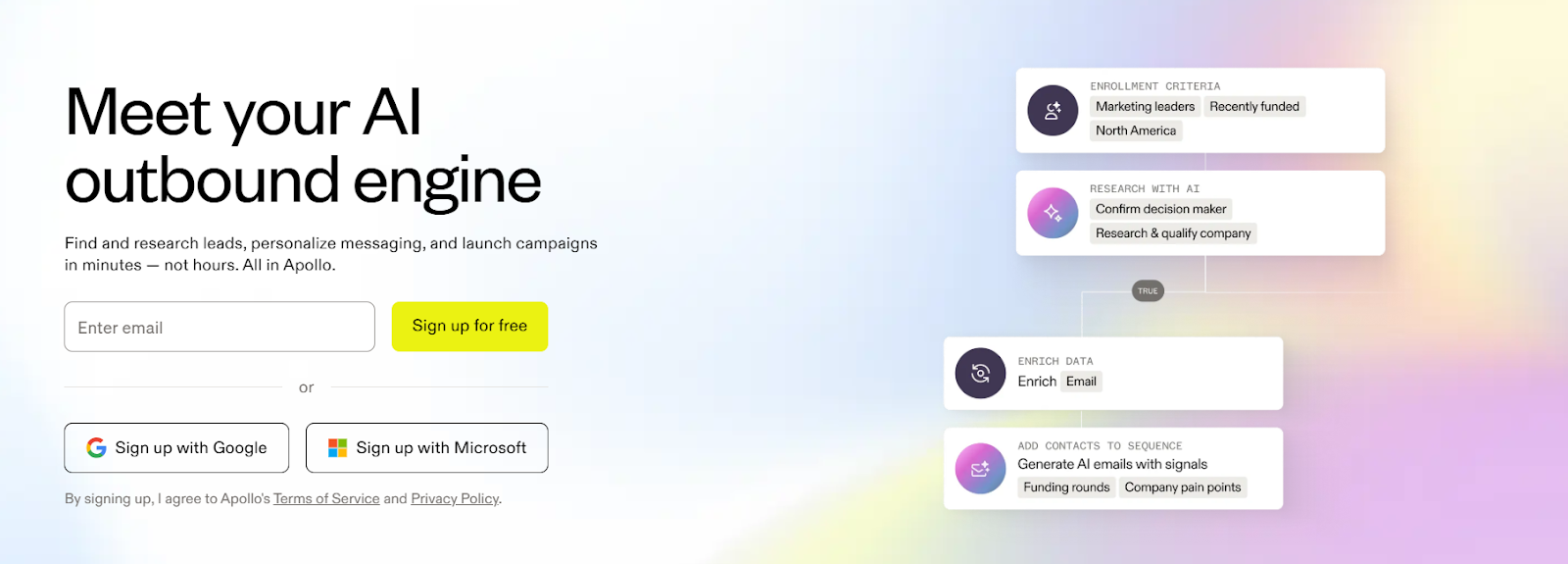
Apollo.io is a sales intelligence powerhouse that doubles as a LinkedIn email finder extension. With over 275 million contacts in its database, it's built for teams who need high-volume prospecting without sacrificing accuracy.
What makes Apollo a favorite is the all-in-one approach. Find emails on LinkedIn, verify them instantly, then drop prospects straight into automated sequences—all without leaving the platform. It's prospecting, enrichment, and outreach combined into one tool.
Key Features:
- Chrome extension: Pull verified emails and phone numbers directly from LinkedIn and Sales Navigator.
- Massive B2B database: Access 275+ million contacts and 73+ million companies for instant enrichment.
- Real-time email verification: Validate emails on the spot to protect deliverability and sender reputation.
- Advanced filtering: Target prospects using 65+ data points like job title, company size, location, and tech stack.
- CRM integration: Sync contacts and activities seamlessly with Salesforce, HubSpot, and other CRMs.
- Automated sequences: Add found leads directly into multi-step email, call, and LinkedIn outreach campaigns.
Best For: Small to mid-sized sales teams and startups running high-volume LinkedIn lead generation and email-first outbound strategies.
Pricing (billed annually):
- Free: $0/user/month – 900 credits/year, basic features
- Basic: $49/user/month – 30,000 credits/year, unlimited sequences, CRM integrations
- Professional: $79/user/month – 48,000 credits/year, US dialer, call recordings, advanced analytics
- Organization: $119/user/month (min. 3 users) – 72,000 credits/year, international dialer, custom reports
4. Lusha
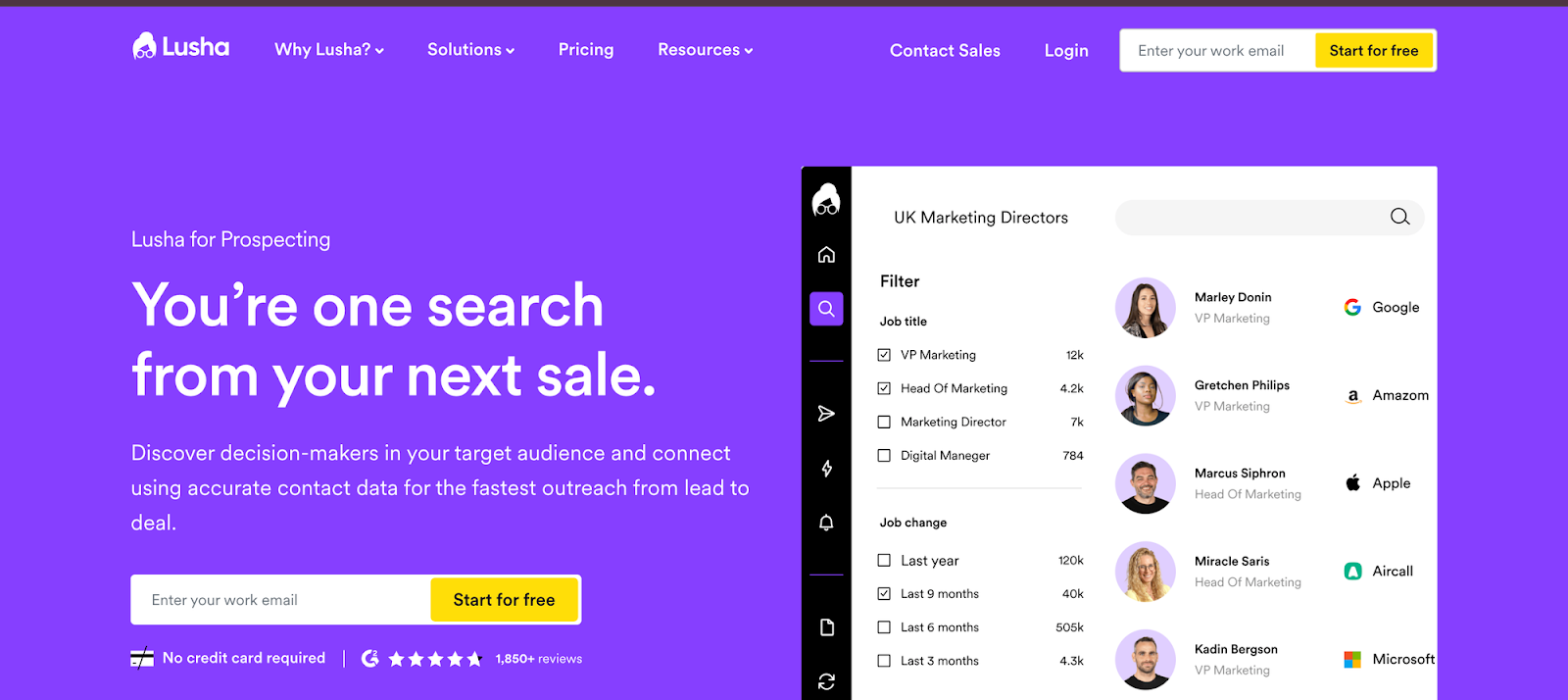
Lusha is a streamlined B2B prospecting tool that specializes in finding verified emails and direct dial phone numbers. Its LinkedIn email finder extension makes it ridiculously easy to grab contact info while browsing LinkedIn or Sales Navigator—no extra steps, no complicated workflows.
What users love about Lusha is the simplicity. It's not trying to be an all-in-one platform. It does one thing really well: gives you accurate contact data fast, then syncs it straight to your CRM. Perfect for teams who want speed and accuracy without the learning curve.
Key Features:
- Browser extension: Instantly pull emails and phone numbers from LinkedIn, Sales Navigator, and company websites.
- High-accuracy data: Access a regularly updated database of verified B2B contact information.
- CRM integration: Sync prospects directly into Salesforce, HubSpot, Pipedrive, and other CRMs.
- Bulk data enrichment: Upload CSV lists to auto-fill missing contact and company details.
- Advanced search filters: Build targeted lists using job title, industry, location, and company size.
- GDPR and CCPA compliant: Adheres to major data privacy regulations for safe prospecting.
Best For: Small to mid-sized sales, marketing, and recruitment teams who need fast, accurate B2B contact data that integrates seamlessly into existing workflows—especially on LinkedIn.
Pricing:
- Free Plan: Limited monthly credits (50 emails + 5 phone numbers or 70 total credits)
- Pro Plan: Starting at ~$29.90/month (billed annually)
- Premium Plan: ~$52.45/month (billed annually) with more credits
- Scale Plan: Custom pricing for larger teams with higher volume needs
5. Skrapp
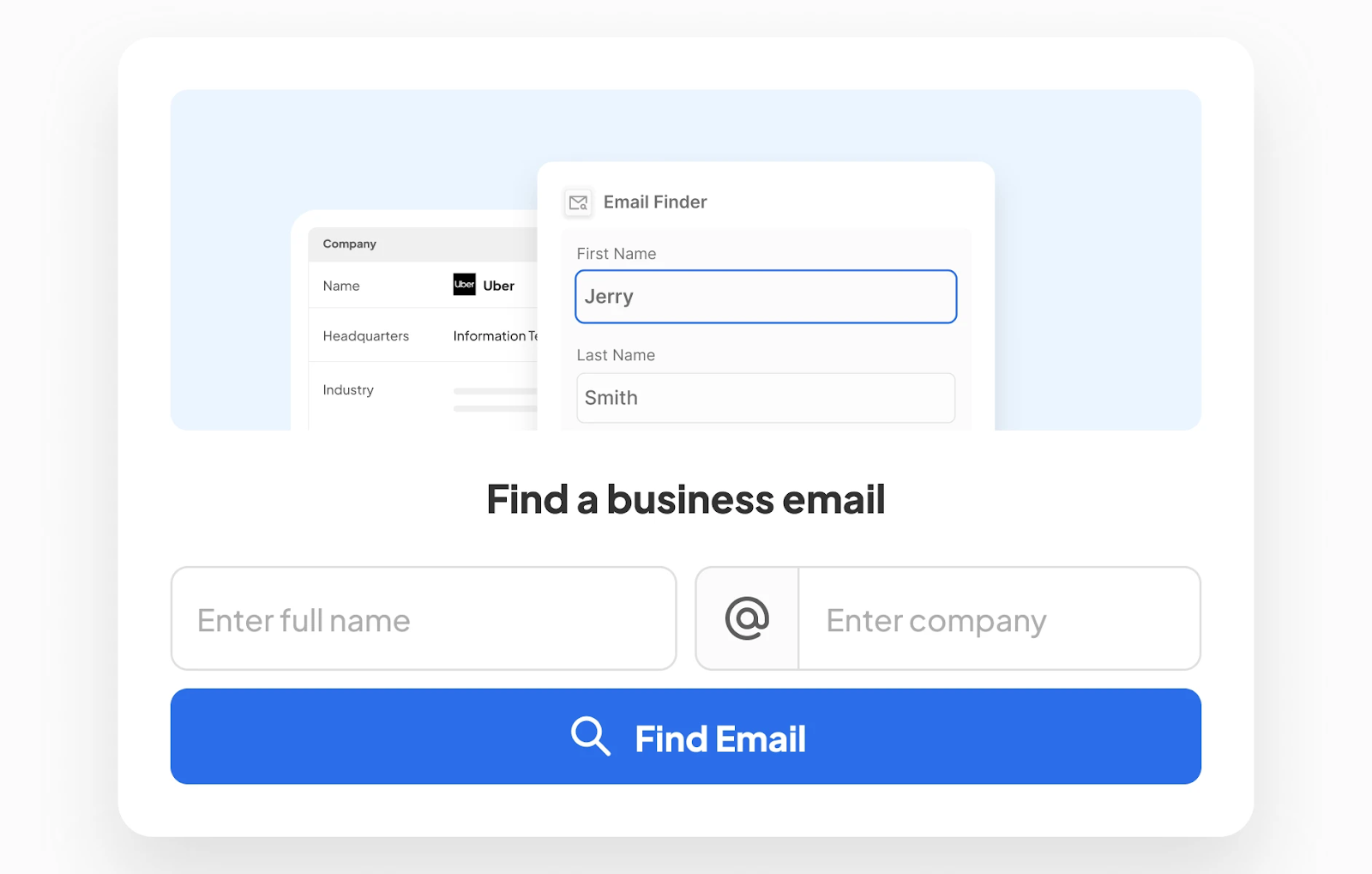
Skrapp is a straightforward B2B email finder that focuses on accuracy and bulk processing. With a 92% average success rate on verified emails, it's one of the more reliable options when you need email finder from LinkedIn that actually delivers working contact info.
What makes Skrapp stand out is the balance between simplicity and scale. The Chrome extension makes one-off searches easy, but it really shines when you're processing thousands of emails at once. Perfect for teams who need volume without sacrificing accuracy.
Key Features:
- Chrome extension: Extract verified emails directly from LinkedIn profiles and search results.
- 92% accuracy rate: Real-time verification ensures high deliverability and protects sender reputation.
- Bulk processing: Extract and verify thousands of emails in one operation.
- 200+ million contact database: Access regularly updated professional contact information.
- Lead management: Organize prospects into lists and export as CSV files.
- CRM integration: Sync leads seamlessly with HubSpot, Salesforce, Pipedrive, and other platforms.
Best For: Sales teams, recruiters, and marketers who need a simple, accurate, and cost-effective way to build targeted B2B email lists from LinkedIn.
Pricing:
- Free: $0/month – 100 email credits/month, 1 user
- Professional: $39/month (or $30/month billed annually) – 1,000 credits/month, 2 users
- Enterprise: Starting at $349/month (or $262/month billed annually) – 50,000 credits/month, 15 users, custom options available
6. GetProspect
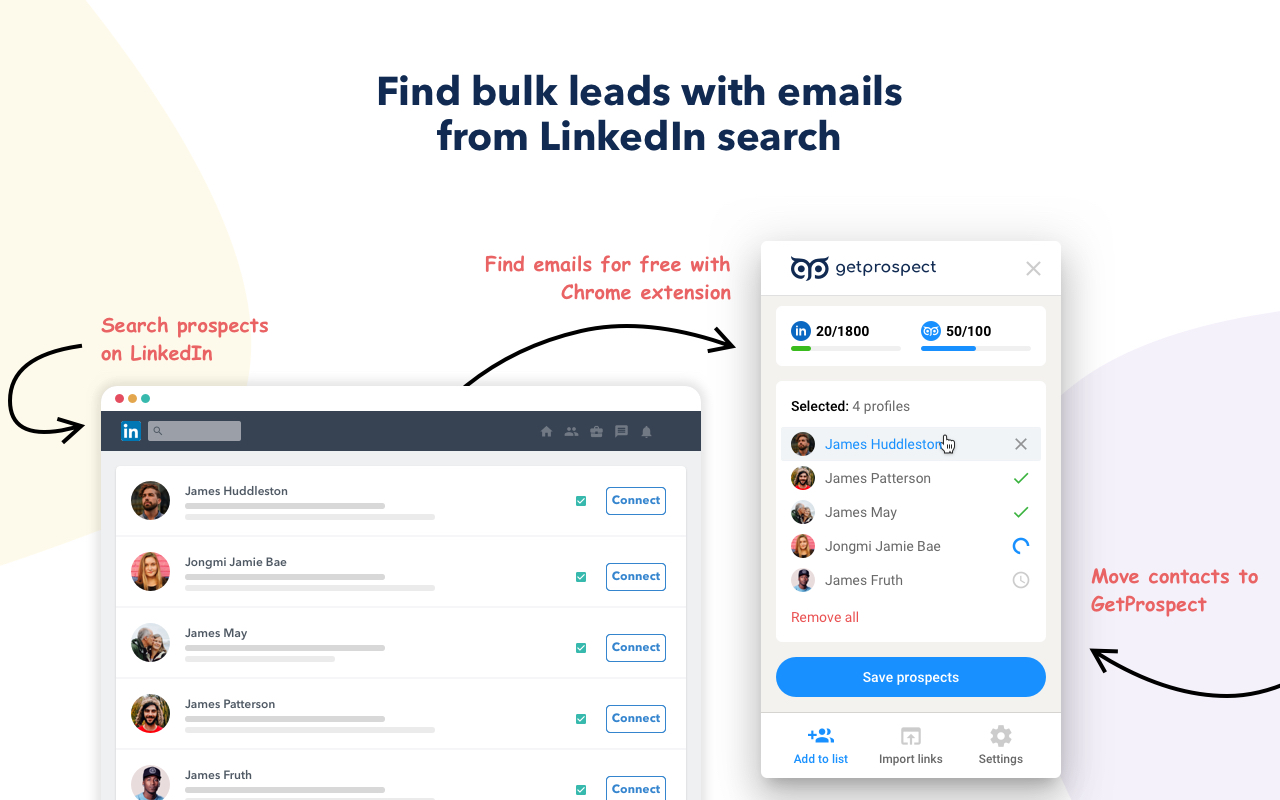
GetProspect is a lead generation platform that guarantees 95% data accuracy on verified emails—one of the highest accuracy rates in the industry. It's built for teams who can't afford bad data and need confidence that every email finder LinkedIn result is actually deliverable.
Beyond just finding emails, GetProspect enriches your contact lists with 40+ data attributes, giving you the full picture on each prospect. Combined with 17+ search filters, you can build laser-targeted lists that actually convert.
Key Features:
- Chrome extension: One-click email extraction from LinkedIn profiles and search results.
- 200+ million contact database: Access verified B2B emails and company information.
- 95% accuracy guarantee: Real-time verification using pattern-matching and live SMTP checks with confidence scores.
- Bulk email finding: Quickly build extensive lead lists with mass verification.
- 17+ search filters: Target prospects by job title, location, industry, company size, and more.
- CRM integrations: Native connections with HubSpot, Salesforce, Pipedrive, and Zoho.
- Data enrichment: Add 40+ attributes to existing contact lists for deeper insights.
- LinkedIn-safe extraction: Adheres to viewing limits to protect your account.
Best For: Sales teams, recruiters, and marketers who need fast, accurate, verified B2B email lists and can't afford high bounce rates.
Pricing:
- Free Plan: 50 new emails + 100 verifications/month
- Starter: $49/month (or ~$34/month billed annually) – 1,000 valid emails + 2,000 verifications
- Higher tiers: Scale up to 50,000 emails/month for $399/month
7. Kaspr
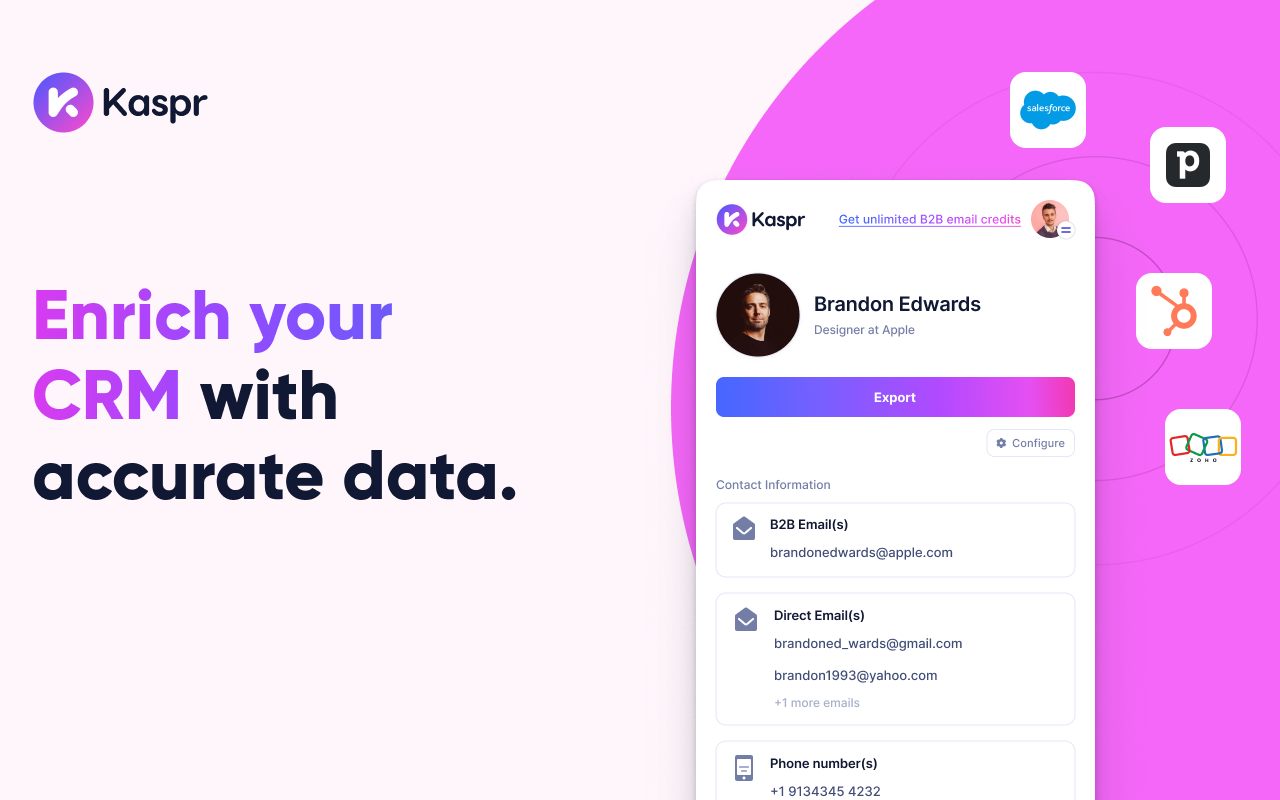
Kaspr is a LinkedIn email finder extension that specializes in European contact data and real-time verification. If you're prospecting in Europe, Kaspr's accuracy is hard to beat—it pulls verified emails and phone numbers directly from LinkedIn profiles with impressive precision.
What sets Kaspr apart is the unlimited B2B email credits on paid plans (with fair use). No more worrying about running out of credits mid-campaign. Plus, it's fully GDPR and CCPA compliant, so you can prospect confidently without legal concerns.
Key Features:
- LinkedIn Chrome extension: Instantly reveal emails and phone numbers on LinkedIn, Sales Navigator, and Recruiter Lite.
- Real-time verification: Validates contact data using 150+ sources for high accuracy and deliverability.
- Unlimited B2B emails: Paid plans include unlimited professional email credits (fair use policy applies).
- Bulk enrichment: Upload CSV files or enrich contacts directly from LinkedIn search results.
- CRM integrations: Export data seamlessly to HubSpot, Salesforce, Pipedrive, and other CRMs.
- Lead management dashboard: Organize prospects into lists, add notes, and set follow-up tasks.
- GDPR & CCPA compliant: All data collection meets global privacy regulations.
Best For: Individual sales reps, recruiters, and founders—especially those targeting European markets—who need quick, accurate B2B contact info on a budget.
Pricing (per user/month, billed annually):
- Free: €0 – 15 B2B email credits + 5 phone credits/month
- Starter: €45 (~$49 USD) – Unlimited B2B emails + 1,200 phone credits/year
- Business: €79 (~$79 USD) – Unlimited B2B emails + 2,400 phone/direct email credits/year + API access
- Enterprise: Custom pricing for large teams with unlimited credits and advanced features
8. UpLead
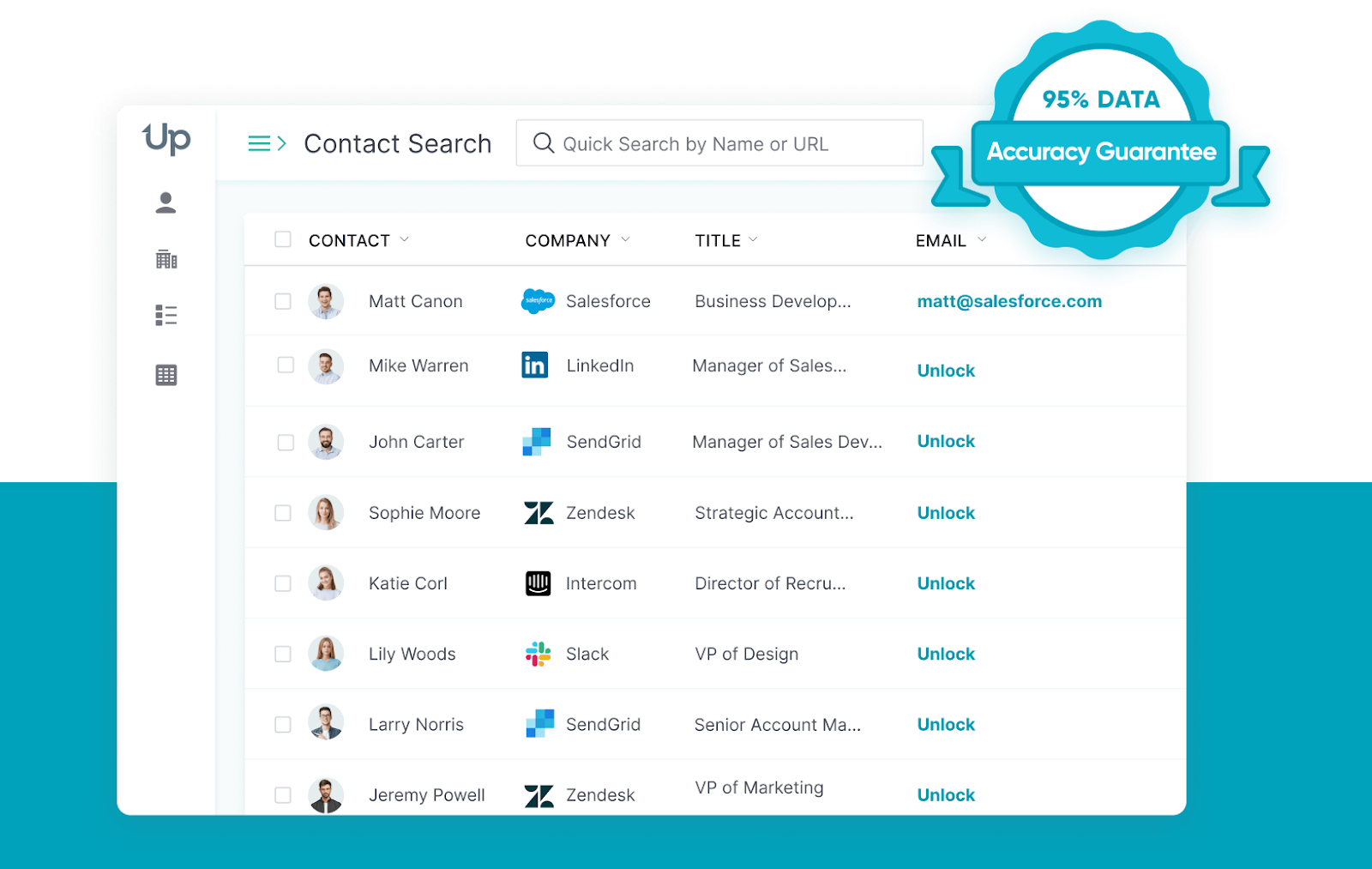
UpLead is a B2B data intelligence platform with a 95% data accuracy guarantee—and they actually stand behind it. If an email bounces, you get your credit back. That level of confidence makes it one of the most reliable email finder from LinkedIn tools for teams who can't afford bad data.
With 180+ million contacts and 50+ search filters, UpLead goes beyond basic email finding. You get technographics, buyer intent data, and mobile direct dials—everything you need to build hyper-targeted lists that convert.
Key Features:
- Chrome extension: Capture verified contact data directly from LinkedIn profiles and company websites.
- Real-time email verification: Validates emails before download to reduce bounce rates and protect sender reputation.
- 180+ million contact database: Access worldwide B2B contacts with 50+ search filters (industry, job title, location, etc.).
- Data enrichment: Add missing phone numbers, technographics, and firmographics to existing lead lists.
- Technographics filtering: Find companies using specific software or tech stacks.
- CRM integrations: Seamlessly sync data with Salesforce, HubSpot, Pipedrive, and other platforms.
- Buyer intent data: Identify companies actively researching relevant topics (Professional plan).
- Mobile direct dials: Access decision-makers' personal phone numbers, not just headquarters lines.
Best For: Small to mid-sized sales and marketing teams who need highly accurate, verified B2B contact data for targeted outreach without locking into expensive annual contracts.
Pricing (credit-based):
- Essentials: $99/month (or $74/month annually) – 170 credits/month
- Plus: $199/month (or $149/month annually) – 400 credits/month
- Professional/Enterprise: Custom pricing for advanced features like buyer intent data and full API access (annual only)
- Free Trial: 7-day trial with 5 credits
9. RocketReach
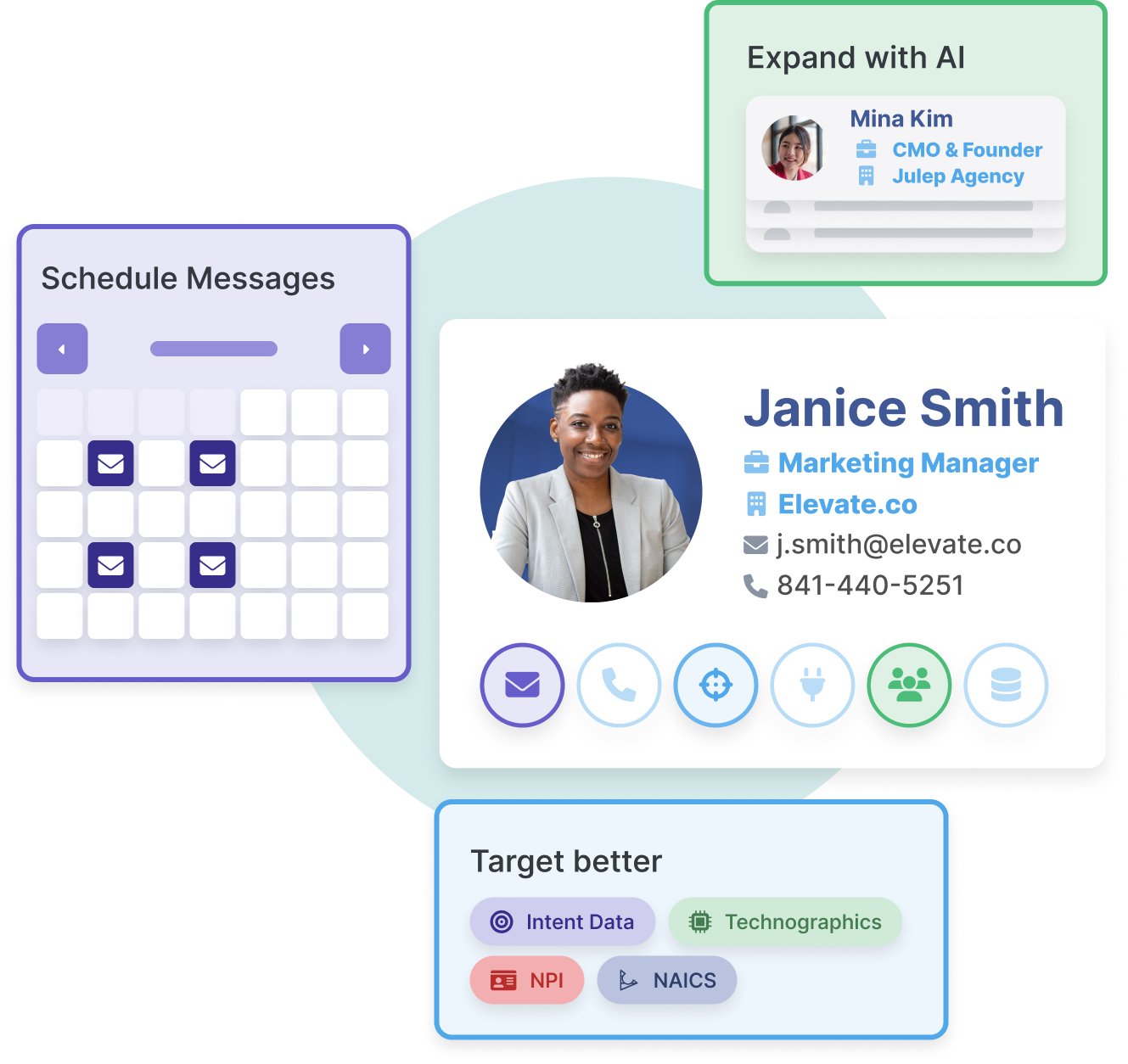
RocketReach is a massive lead intelligence platform with access to over 700 million professional profiles—one of the largest databases in the LinkedIn email finder space. It's built for scale, offering verified emails, direct phone numbers, and advanced search capabilities that go way beyond basic prospecting.
What makes RocketReach powerful is the depth of data and filtering. With 100+ search filters, you can build incredibly specific lists. Higher-tier plans even include AI-powered email authoring and intent data to identify companies actively looking for solutions like yours.
Key Features:
- 700+ million profile database: Access verified contact info for professionals and 60+ million companies worldwide.
- Browser extension: Instantly find emails and phone numbers while browsing LinkedIn and company websites.
- Real-time verification: Ensures high deliverability and reduces bounce rates before you download.
- 100+ search filters: Pinpoint exact prospects using job title, industry, location, company size, and more.
- Bulk lookups & export: Efficiently process and export large contact lists for scaled campaigns.
- CRM integrations: Sync seamlessly with Salesforce, HubSpot, and other sales tools.
- AI email authoring & automation: Built-in Autopilot features for campaign management (higher tiers).
- Intent data: Discover companies actively researching solutions in your space (higher tiers).
Best For: Sales teams, recruiters, and marketers who need fast access to verified contact information for targeted B2B outreach and LinkedIn lead generation at scale.
Pricing (individual annual plans, billed annually):
- Free: 5 lookups/month
- Essentials (Email Only): ~$33–$48/month – Set number of annual lookups and exports
- Pro (Email & Phone): ~$75–$108/month – Adds mobile/direct dial numbers and more exports
- Ultimate (All Features): ~$175–$249/month – Full API access, intent data, AI automation, advanced features
Best RocketReach Alternatives for LinkedIn Email Finding
RocketReach gives you one of the largest contact databases available — 700M+ profiles, 100+ search filters, and both email and phone data. But for many B2B teams, it is more database than they need, at a price point that is hard to justify when the alternatives include everything RocketReach offers plus features RocketReach does not.
Here is how the top alternatives compare on the dimensions that matter most:
If you want built-in sequencing alongside email finding: Apollo.io is the clearest upgrade. RocketReach finds contacts; Apollo finds them and lets you run full email and LinkedIn sequences from the same platform. For teams spending money on both a contact tool and an outreach tool, consolidating into Apollo typically reduces total cost.
If you want a higher accuracy guarantee: UpLead offers a 95% data accuracy guarantee with a credit-back policy — if an email bounces, you get the credit returned. RocketReach does not offer this. For teams where bounce rates directly affect sender reputation, the UpLead model reduces risk.
If you want simpler pricing and faster lookups: Lusha is the one-click alternative. No complex interface, no annual minimum, and GDPR/CCPA compliance built in. RocketReach is more powerful at scale; Lusha is faster for smaller teams doing individual lookups.
If you prospect heavily in Europe: Kaspr offers unlimited B2B email credits on paid plans and is specifically built for EMEA prospecting with strong GDPR infrastructure. RocketReach covers European contacts but does not specialize the way Kaspr does.
If you need phone numbers verified before download: Wiza (covered below) verifies both phone and email in real time during the Sales Navigator export. RocketReach provides phone numbers but does not run the same real-time SMTP validation layer on the export.
For a full comparison of any of these tools, see their detailed entries below.
For outreach that converts those verified contacts into booked meetings, see our guide to LinkedIn outreach strategy — it covers the messaging frameworks that actually get replies.
10. Wiza
Wiza is built around a single idea most email finders skip: validate the email before it ever leaves the platform. While other tools hand you a list and let you discover the bounce rate later, Wiza runs real-time SMTP verification during export — so what you download is clean before you send your first message.
It operates natively inside LinkedIn Sales Navigator. Run a search in Sales Navigator, activate the Wiza extension, and it processes the results page into a verified contact list while you wait.
Every contact comes enriched with 20+ data points: job title changes, company growth signals, location, seniority, and direct phone numbers alongside the email address — which makes it one of the few tools on this list that answers the "verify phone numbers and emails before download" use case directly.
The pay-as-you-go pricing model means you are not locked into a monthly credit ceiling. For teams running occasional high-volume list builds, that flexibility is worth more than a flat monthly plan with unused credits.
Key Features:
- Sales Navigator-native workflow — processes search result pages directly inside Sales Navigator without leaving the platform
- Real-time verification during export — SMTP checks run before the list is delivered, not after
- Phone numbers + emails — both contact types returned in a single lookup
- 20+ enrichment fields — job title changes, company headcount, seniority, and growth signals per contact
- Pay-as-you-go pricing — no monthly commitment; cost scales with actual usage
- CRM integrations — syncs to Salesforce, HubSpot, Outreach, and Salesloft
Pros:
- The only tool on this list that verifies emails in real time during the export step — not after you have already downloaded
- Phone numbers included without a separate add-on credit pool
- Strong fit for Sales Navigator users who build large lists by filtering search results
- Pay-as-you-go removes the pressure of using credits before a billing cycle resets
- 20+ enrichment fields per contact is among the highest data density on this list
Cons
- Pay-as-you-go pricing can run higher than flat-rate plans at consistent high volume
- No built-in email sequencing — Wiza hands off the data, you send through your own tool
- Free plan is limited to 20 emails + 5 phones per month, so it does not stretch far for team testing
Best For: Sales teams , any team running multi-channel outreach, teams with variable prospecting volume
Pricing:
- Free: 20 email credits + 5 phone credits/month
- Starter: $49/month — 100 email + 35 phone credits, plus bulk export from Sales Navigator
- Growth: $99/month — 300 email + 75 phone credits
- Advanced: $199/month — 900 email + 200 phone credits
Free vs Paid LinkedIn Email Finder Tools
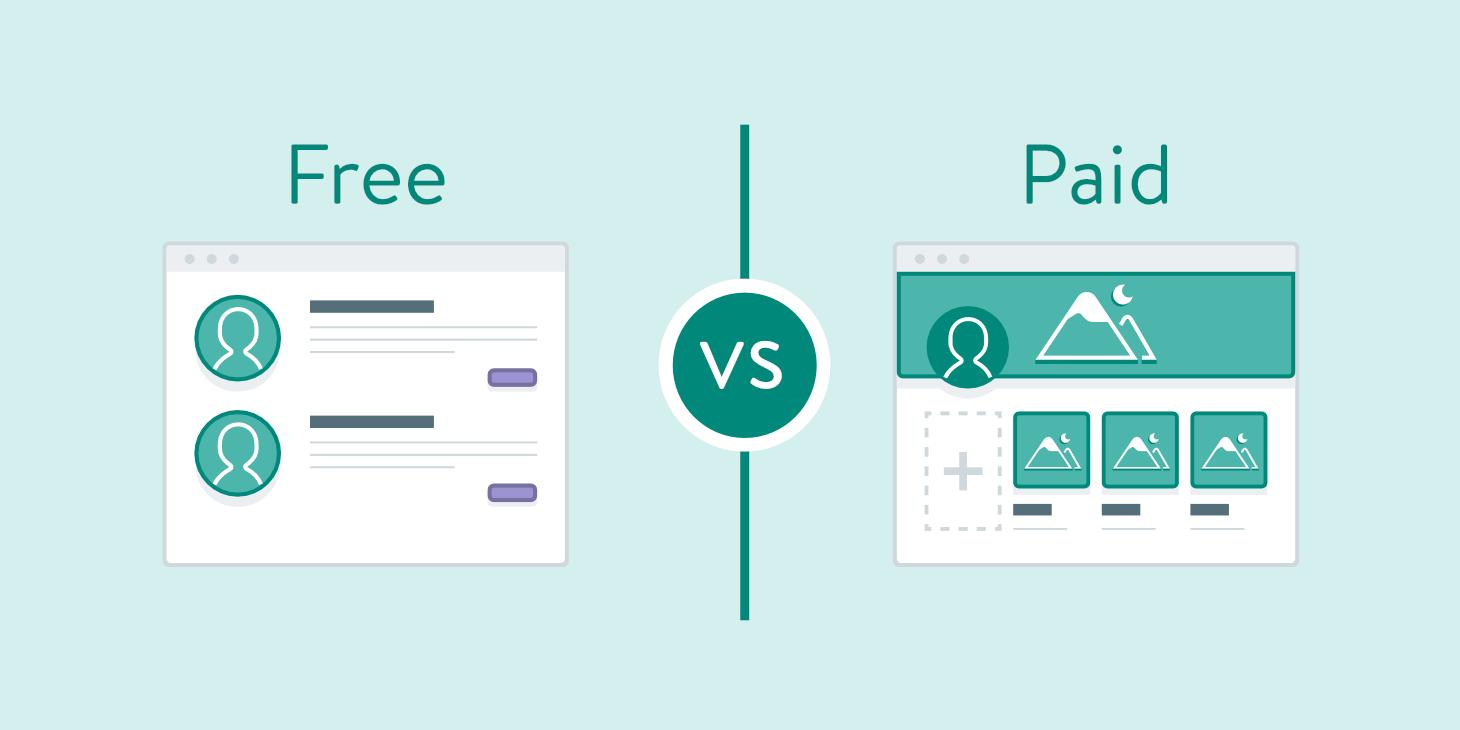
Free LinkedIn email finder tools work great if you're prospecting occasionally or testing the waters. They're perfect for finding a handful of contacts each month, validating emails you already have, or exploring what a tool offers before committing.
What free tools are good for:
- Low-volume prospecting (5–50 contacts/month)
- Email verification for small lists
- Testing a platform before upgrading
- Solo entrepreneurs or freelancers with minimal needs
Limitations of free plans:
- Restricted credits: Usually 5–100 emails per month, which burns fast
- Limited verification: Basic validation without deep SMTP checks or confidence scoring
- No bulk features: Manual one-by-one searches with no CSV upload or mass enrichment
- Missing integrations: Often can't sync with your CRM or outreach tools
- Lower accuracy: Free tiers may access older databases with less frequent updates
When paid tools make sense:
If you're running LinkedIn lead generation campaigns at scale, free plans won't cut it. Paid tools become essential when you're:
- Building lists of 100+ prospects monthly
- Running outbound campaigns where bounce rates matter
- Managing a sales team that needs consistent, reliable data
- Integrating email finding into automated workflows
- Operating an agency serving multiple clients
If you are also looking to automate connection requests, follow-up messages, and LinkedIn touchpoints alongside email finding, our guide to LinkedIn automation tools covers the full prospecting stack.
How to Choose the Right LinkedIn Email Finder
The right tool depends on three things: your monthly volume, whether you need phone numbers alongside emails, and how much accuracy matters for your sender reputation.
Choose by volume: If you are prospecting fewer than 100 contacts per month, start with a free tier — Hunter.io, Apollo, or GetProspect each offer enough free credits to run real outreach without paying. Once you cross 200 contacts per month consistently, the free plans become a bottleneck and a paid tool pays for itself in time saved.
Choose by accuracy requirement: Bounce rates above 5% damage your sending domain and are hard to recover from.
If you are sending at any meaningful volume, prioritize tools with SMTP verification and confidence scoring. UpLead offers a credit-back policy if an email bounces. GetProspect charges only for valid emails. Wiza verifies in real time before export. These three are the clearest choices for teams where deliverability is non-negotiable.
Choose by phone number need: Most tools on this list find business emails. Fewer verify phone numbers at the same accuracy level.
If you are running multi-channel outreach that combines email with phone or LinkedIn touchpoints, prioritize Kaspr (EMEA focus, unlimited emails on paid plans), Wiza (real-time phone + email verification before download), or Lusha (quick one-click lookup for both).
Choose by compliance requirement: If you are prospecting into European markets, GDPR compliance is not optional. Kaspr and Lusha have explicit GDPR and CCPA infrastructure. Hunter.io does not scrape LinkedIn directly, which reduces account suspension risk for teams concerned about LinkedIn's Terms of Service.
Apollo and RocketReach are both compliant for B2B use, but use enrichment-based (not scraping-based) tools when LinkedIn account safety matters.
Choose by integration: If your outreach tool is HubSpot or Salesforce, every tool on this list integrates with both. The differentiator is whether the integration is bidirectional. Apollo, Snov.io, and UpLead all offer two-way CRM sync; Skrapp and GetProspect offer one-way CSV-based exports on lower tiers.
For teams who would rather skip the tool stack altogether, Cleverly runs fully managed LinkedIn lead generation that handles targeting, verified contact data, personalized messaging, and follow-up in one done-for-you program.
How Cleverly Uses LinkedIn Email Data to Drive Real Conversations
Finding emails is one thing. Turning those emails into booked meetings? That's where most teams fall short.
At Cleverly, we don't just help you find contact info—we run the entire LinkedIn lead generation engine for you. We've helped 10,000+ clients generate leads with companies like Amazon, Google, Uber, PayPal, Slack, and Spotify.
…The results? $312 million in pipeline revenue and $51.2 million in closed revenue through strategic LinkedIn outreach.

Here's how we're different:
We combine verified contact data with messaging that actually gets responses. No generic templates. No spam. Just personalized outreach that starts real conversations with decision-makers who matter to your business.
What you get with Cleverly:
- Verified emails and LinkedIn profiles of your ideal prospects.
- Personalized messaging written by our expert copywriters.
- Multi-touch campaigns across LinkedIn and email.
- Meeting-ready leads delivered straight to your calendar.
- Full campaign management—you focus on closing, we handle everything else.
Pricing starts at just $397/month. No long-term contracts. No hidden fees. Just qualified leads and real conversations.
Ready to stop hunting for emails and start booking meetings? Let's talk about how LinkedIn lead generation should actually work.

Get Started with Cleverly →
Conclusion
LinkedIn email finder tools are non-negotiable for modern B2B prospecting. But finding emails is just step one. The real results come from what you do with them.
Three things separate successful outreach from spam:
- Verified data: Use tools with real-time verification to protect your sender reputation and avoid bounces.
- Relevant messaging: Personalized outreach that speaks to actual pain points, not generic templates.
- Consistent follow-up: Most deals happen after multiple touchpoints, not the first email.
Choose your tool based on your reality. Running LinkedIn lead generation solo? Start with a free or low-tier plan like Hunter or Lusha. Managing a sales team doing 500+ contacts monthly? You need the verification depth and CRM integrations of Apollo, UpLead, or RocketReach.
The best email finder from LinkedIn is the one that fits your volume, integrates with your workflow, and delivers emails that actually work.
Frequently Asked Questions
Free Resource
How to Scale a Profitable Cold Call System
Get the complete guide — download it instantly now.

Free Ebook
Download the Free Guide
Enter your details to get instant access.
You're all set! 🎉
Your ebook is downloading now.
Click below if the download didn't start automatically.