Table of Contents
Why LinkedIn Is Still the Best B2B Lead Gen Channel in 2026
What Does a LinkedIn Lead Gen Campaign Under $500/Month Look Like?
Step 1 — Define Your ICP and LinkedIn Targeting
Step 2 — Optimize Your LinkedIn Profile for Outbound
Step 3 — Write LinkedIn Outreach Copy That Gets Replies
Step 4 — Choose the Right Tools for Your Budget
Step 5 — Launch, Manage, and Optimize Your Campaign
Common Mistakes That Kill LinkedIn Lead Gen Campaigns Under $500/Month
How Cleverly Runs Done-for-You LinkedIn Lead Gen for Under $500/Month
Conclusion
Frequently Asked Questions
Modified On :
September 18, 2026
Key Takeaways
- LinkedIn has 1.2 billion+ members, including 65 million decision-makers — making it the highest-converting B2B outreach channel available at any budget.
- A LinkedIn lead gen campaign under $500/month is built on outbound outreach, not paid ads — LinkedIn Ads average $75–$110 per lead, leaving little room on a tight budget.
- With Sales Navigator (~$99.99/month) and an outreach automation tool (~$50–$100/month), you can run a full campaign for $150–$200/month in tools.
- The realistic output at this budget: 400–600 connection requests per month, with 5–20 qualified conversations depending on your ICP and offer quality.
- Done-for-you LinkedIn outreach starts at $397/month with Cleverly — the fastest way to get a fully managed system running without the time commitment of doing it yourself
LinkedIn is the only B2B platform where you can send a direct message to a VP at a 500-person SaaS company and hear back the same day. No paid gatekeeping. No algorithm lottery. Just one professional reaching out to another.
LinkedIn drives 80% of all B2B social media leads and generates leads at a rate 277% higher than Facebook. The platform is home to 65 million decision-makers and 10 million C-level executives. And yet, most guides on LinkedIn lead generation read like they were written for enterprise teams with $10K/month to spend before seeing a single result.
The reality? You don't need that kind of budget. You need the right strategy.
LinkedIn's visitor-to-lead conversion rate sits at 2.74% — compared to 0.77% on Facebook and 0.69% on X/Twitter. That conversion advantage holds even at small scale, which is exactly why a well-targeted lead gen campaign on LinkedIn in budget can produce real pipeline for founders, SDRs, and lean sales teams.
This guide covers exactly how to build that system — from ICP targeting and profile setup to message copy, tool selection, and daily execution — all for under $500/month.
Why LinkedIn Is Still the Best B2B Lead Gen Channel in 2026
When you're working with a limited budget, channel selection matters more than almost anything else. Spending $500/month on the wrong channel produces nothing. Spending it on LinkedIn, with the right setup, produces consistent conversations with qualified buyers.
LinkedIn's 1.12 billion member count is impressive, but the actionable figure is 424 million monthly active users — a concentrated, high-value audience of professionals actively using the platform for content consumption, networking, and business decisions. That's who you're reaching with your outreach.
The key distinction here is this: there are two ways to generate leads on LinkedIn — paid ads and outbound outreach. They are not the same thing, and under a $500/month budget, one of them simply doesn't work.
LinkedIn Ads vs. LinkedIn Outreach
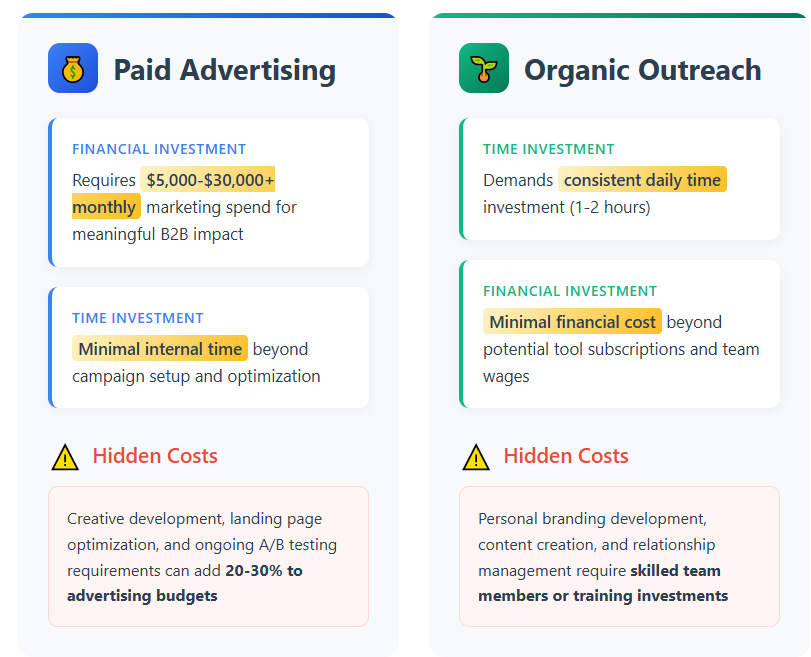
According to 2026 B2B marketing benchmarks, typical LinkedIn ad CPL ranges from $80–$200 depending on industry and offer. At $500/month in ad spend, you're looking at 2–6 leads. That's before you factor in the time to manage campaigns, write ad creative, and iterate on targeting.
LinkedIn outbound outreach flips this entirely. Instead of paying per lead, you're paying a flat monthly tool cost — and the output scales with your execution, not your budget.
A single well-targeted sequence to 400 prospects can generate more conversations than months of ad spend at this budget level.
The other advantage of outbound that rarely gets discussed: trust. When you connect with someone on LinkedIn, you're showing up as a person with a profile, a network, and a track record. That social proof converts at a level no banner ad can replicate.
Why Spend $5,000+ When $397 Works?
Get done-for-you LinkedIn lead generation starting at just $397/mo. We handle targeting, outreach, follow-ups & booking.
What Does a LinkedIn Lead Gen Campaign Under $500/Month Look Like?
Let's be concrete about what $500/month actually buys you, because vague budget advice doesn't help anyone.
The DIY Tool Stack
Here's a realistic monthly cost breakdown for running a LinkedIn lead gen campaign under $500:
That's $150–$280 in tools per month, leaving the rest of your budget as buffer — or freeing it up entirely if you're cost-constrained.
What That Budget Produces
At 400–600 connection requests per month with well-targeted copy:
- Connection acceptance rate: 20–40% (80–240 new connections)
- Reply rate on follow-up: 5–15% (depending on ICP and message quality)
- Qualified conversations per month: 5–20, realistically
The first 30 days are about building momentum. By month two or three, your network is growing, your profile is getting more organic views, and replies start coming in from people who saw your activity even before you reached out.
The Done-for-You Alternative
If your time is the real constraint — and for most founders and sales leaders, it is — Cleverly's done-for-you LinkedIn lead generation starts at $397/month. That's a fully managed campaign with ICP targeting, sequence copywriting, daily execution, and reply management included. More on that below.
Step 1 — Define Your ICP and LinkedIn Targeting
A LinkedIn lead gen campaign lives or dies on targeting quality. You can have the best copy in your industry and still get zero replies if you're reaching the wrong people.
Before you open Sales Navigator, write down the specific answers to these ICP questions:
- What industry are you targeting?
- What company headcount range fits your offer?
- What job title holds budget and buying authority?
- What seniority level makes sense (Director, VP, C-Suite)?
- What geography matters — local, national, or global?
- Are there any technographic signals worth filtering on?
Once you have those answers, Sales Navigator's advanced search makes the execution straightforward.
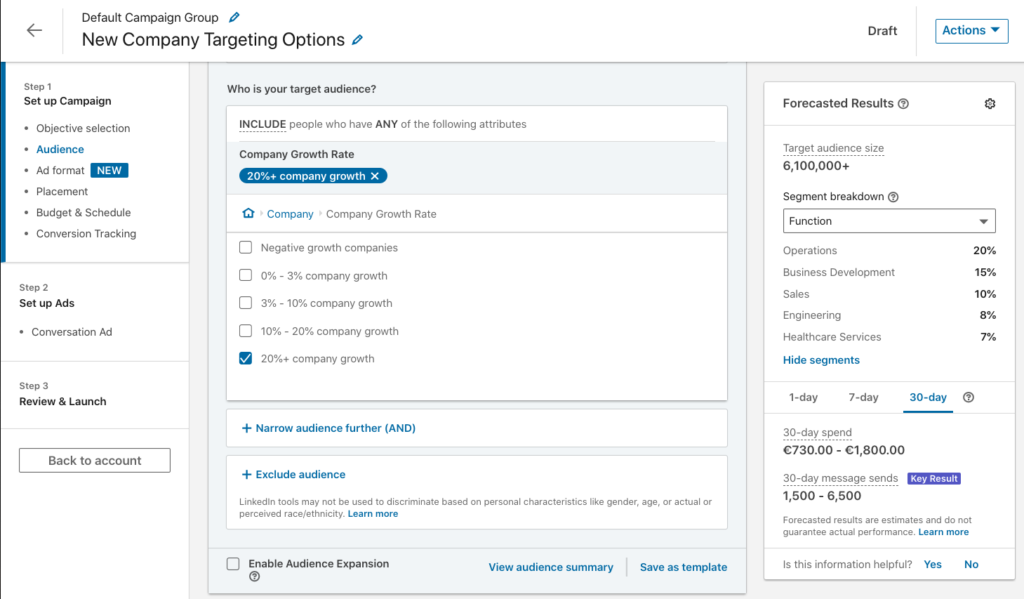
How to Build a Precision Target List in Sales Navigator
Sales Navigator Core costs $119.99/month billed monthly, or $89.99/month on an annual plan — and it's the only non-negotiable in this entire stack. The standard LinkedIn search filters are too limited to build properly segmented lists. Sales Navigator gives you 40+ filters, saved searches, and lead alerts that standard LinkedIn simply doesn't have.
For a $500/month campaign, build a target list of 400–600 decision-makers per month. Here's how to refine it:
Boolean search for job titles: Instead of searching "VP of Sales" alone, try "VP of Sales" OR "Head of Sales" OR "Director of Sales" — this catches all the title variations your ICP uses.
Company size filter: Match headcount to your deal size. If you sell to SMBs, filter 50–200 employees. If you're going mid-market, 200–1,000. This alone eliminates most irrelevant prospects.
Growth signals: Use the "Changed Jobs" filter to find decision-makers who just stepped into a new role. They're actively evaluating vendors and building their stack. The "Posted on LinkedIn" filter surfaces prospects who are actively engaged — they're far more likely to respond.
Save your searches: Once you find a filter combination that works, save it. Sales Navigator will surface new prospects that match your criteria every month without you rebuilding from scratch.
The tighter your targeting, the higher your reply rates. Broad lists generate noise. Focused lists generate pipeline.
💼 Most Companies Overpay for Pipeline
No expensive ads. No SDR hiring. No management headaches. Just qualified meetings delivered straight to your calendar.
Step 2 — Optimize Your LinkedIn Profile for Outbound
Your profile is your landing page. When someone gets your connection request, the first thing they do is click on your name. If your profile looks like a resume from 2019, you're losing 30–50% of your potential acceptance rate before the conversation even starts.
Five profile elements have a direct, measurable impact on outbound campaign performance:
Profile photo. Professional, clear, and approachable. LinkedIn members visit an average of 7.98 pages in a single session — your photo is usually the first filter they apply. Skip the casual photo or the cropped group shot.
Headline. This is not your job title. It's a value statement. "VP of Sales at Acme Corp" tells a prospect nothing about why they should connect with you. "Helping B2B SaaS teams book more qualified meetings through LinkedIn outreach" tells them exactly what's in it for them.
About section. Write it for your ICP, not your resume. Lead with the problem you solve, who you solve it for, and what makes you credible. Keep it to 3–4 short paragraphs maximum.
Featured section. Use this to add social proof — a case study link, a testimonial graphic, or a lead magnet that gives prospects a reason to explore further after accepting your request.
Recent activity. Posting 2–3 times per week keeps you visible in your prospect's feed before they even accept your connection request. They've seen your name before your message arrives. That familiarity increases acceptance rates meaningfully.
One-time setup: 2–3 hours. Ongoing content: 1–2 hours per week. Worth every minute.
Step 3 — Write LinkedIn Outreach Copy That Gets Replies
LinkedIn connection requests have a 300-character limit. That's roughly two sentences. Every word has to earn its place.
The biggest mistake people make in LinkedIn outreach copy is confusing the connection request with the sales pitch. They're not the same conversation, and trying to combine them collapses your reply rate.
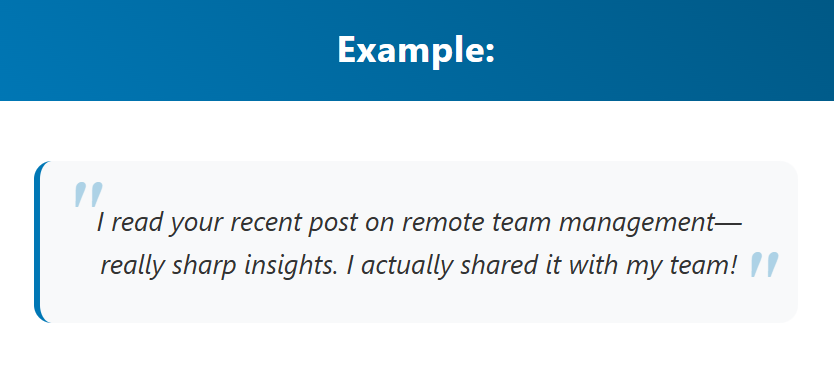
The Anatomy of a High-Converting Connection Request
What it needs: A relevance hook that explains why you're reaching out — a shared industry observation, a specific thing about their company, or a genuine professional reason to connect.
What it must not have: A pitch. The connection request is not the place to sell. It's the place to earn permission for the next conversation.
What it should sound like: A person, not a script.
✅ Good example: "Saw you're leading sales at [Company] — been following some of the growth you've had this year. Would love to connect and stay on each other's radar."
❌ Bad example: "Hi [Name], I help B2B companies like yours book more meetings. Would love to connect and share how we've helped 500+ teams like yours grow revenue."
The bad example is technically about them. It still reads like an ad.
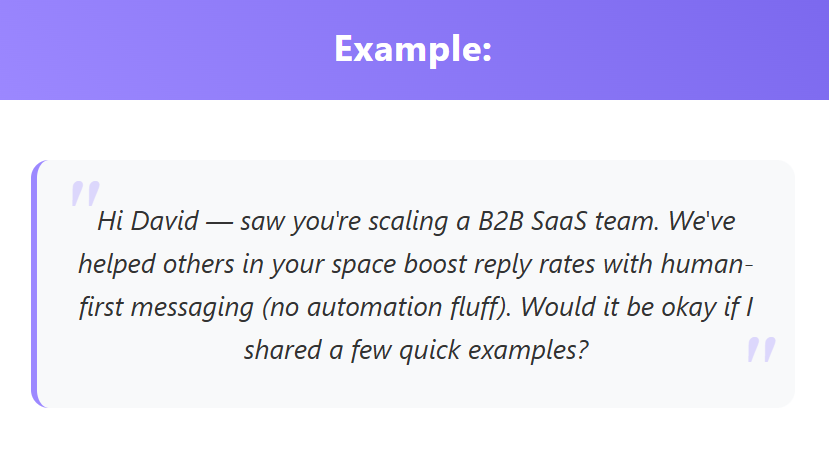
The 3-Touch Follow-Up Sequence
Once someone accepts your connection request, the sequence kicks in:
Touch 1 (Day 1–2 after connecting): Deliver value first. A relevant insight, a resource they'd find useful, or a specific observation about their business. Soft ask at the end — a question, not a pitch.
Touch 2 (Day 5–7): More direct, but still concise. Reference your first message briefly. One clear question or ask.
Touch 3 (Day 12–14): Short, genuine, and final. Something like: "Happy to share some ideas that worked for [similar company] — totally understand if the timing isn't right." Then move on.
A/B test your copy from the start. Run two variations on 50 connections each. Measure reply rate, not just acceptance rate. Double down on what works and kill what doesn't within 30 days.
Step 4 — Choose the Right Tools for Your Budget
You don't need an expensive stack to run a LinkedIn lead gen campaign. Three tools cover 90% of what you need.
LinkedIn Sales Navigator (~$99.99/month)
Sales Navigator Core at $89.99/month (billed annually) includes advanced lead and company search, saved searches, alerts, custom lists, and 50 InMail credits. It's the only non-negotiable in this stack — standard LinkedIn search simply isn't precise enough for targeted outbound.
Pro tip: Use the "Changed Jobs" and "Posted on LinkedIn" filters regularly. They surface high-intent prospects who are actively engaged on the platform and far more likely to respond to outreach.
LinkedIn Outreach Automation Tool (~$50–$100/month)
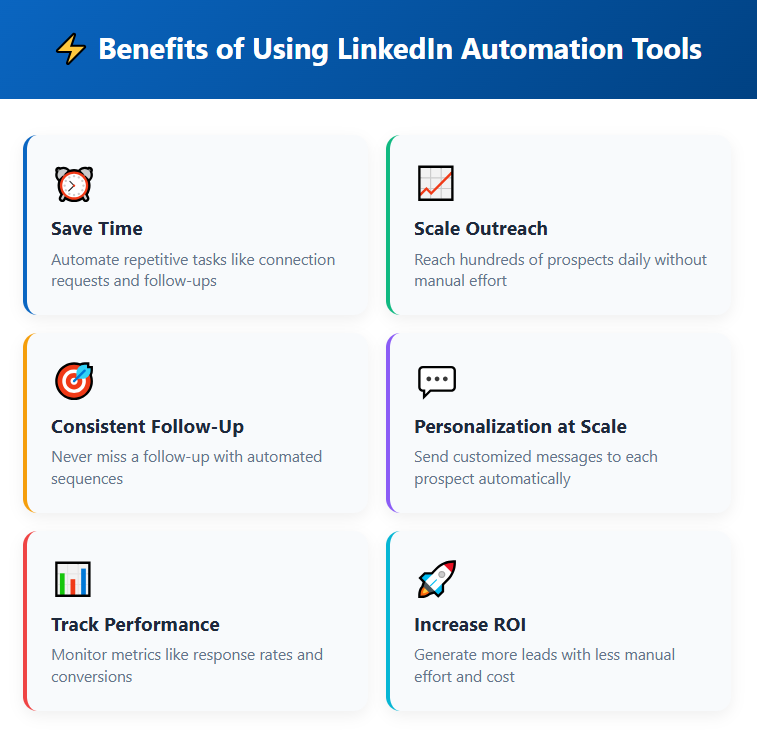
Manually sending 400–600 connection requests per month is technically possible. It's also 10–15 hours of your time per month that could go toward actual selling. An automation tool handles the sending while you focus on the replies.
Options at different price points:
- Expandi: ~$99/month — good conditional logic and inbox management
- Meet Alfred: ~$59/month — solid for multi-channel sequences
- Linked Helper: ~$15/month — budget-friendly, slightly more technical to set up
What to look for: safe sending limits that stay within LinkedIn's daily activity thresholds (20–30 connection requests per day is the safe zone), a sequence builder with conditional logic, and automatic reply detection that stops the sequence when a prospect responds. Getting a reply and then sending them an automated follow-up is one of the fastest ways to destroy a warm conversation.
Safety note: Always stay within LinkedIn's recommended connection limits. Accounts that send too many requests too fast get flagged and sometimes restricted. Slow and steady wins here.
CRM or Tracking Spreadsheet (~$0–$30/month)
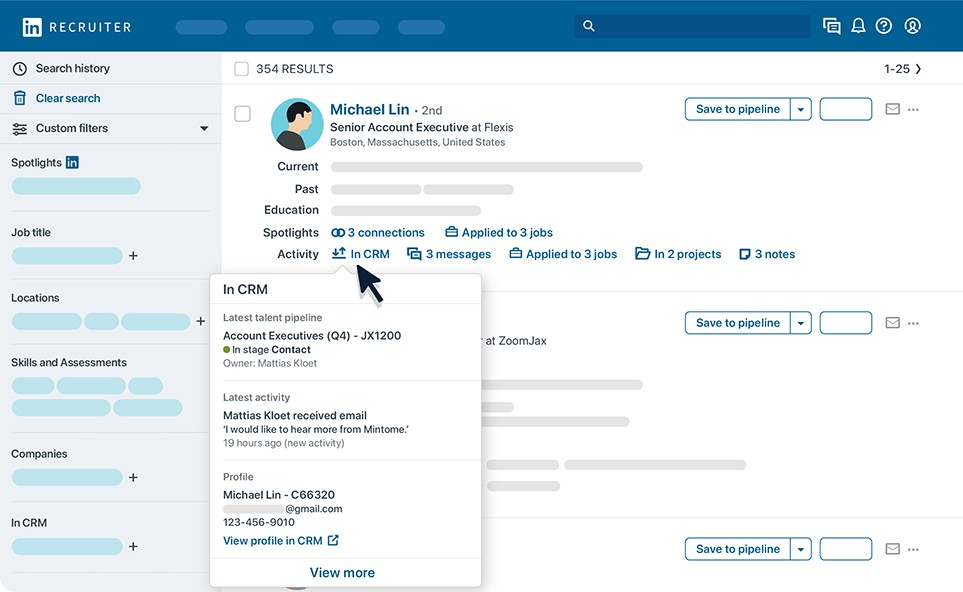
Every conversation your campaign generates needs to live somewhere structured. Interested prospects who don't book immediately can become pipeline with the right follow-up — but only if you have a system to track them.
Free option: A Google Sheet with columns for contact name, company, connection status, reply status, date of last touch, and next action. Simple and effective for solo operators.
Paid option: HubSpot Free CRM or Pipedrive Essentials for teams that want automated follow-up reminders and pipeline visibility across reps.
The teams that generate pipeline from LinkedIn aren't just the ones with the best copy. They're the ones who follow up on replies within 24 hours, nurture warm prospects systematically, and never let an interested lead fall through the cracks.
Step 5 — Launch, Manage, and Optimize Your Campaign
Setup is one thing. Execution is where campaigns live or die.
Week 1: Connect your tools, upload your target list, and activate your connection request sequence. Start at 20–25 connection requests per day — not more. You're warming up the account and staying well within LinkedIn's safe thresholds.
Weeks 2–3: Follow-up messages start going out to accepted connections. Monitor your acceptance rate closely. If you're below 20% after 100+ requests, your ICP targeting or profile needs work — not your copy. If your reply rate is below 5% after 50 follow-ups, the copy needs work.
Week 4: Pull your first month of data. Connection rate, reply rate, positive reply rate, and meetings booked. This is your baseline. Every month after this is about improving on it.
Month 2: Scale what's working. If a particular ICP segment is responding at 15% vs. your overall 8%, shift more volume toward that segment. Test a new message angle on 50 connections alongside your control version.
Month 3: You're starting to see compounding returns. Your network is larger, your profile is getting more organic views, and prospects are seeing your activity in their feed before you even reach out. The channel rewards consistency in a way most outbound channels don't.
Weekly Metrics to Track
When to pivot: Acceptance rate below 15% after 100+ requests → revisit targeting. Reply rate below 3% after 50+ follow-ups → rewrite your sequence. Don't wait 90 days to fix something that's showing problems in week three.
Common Mistakes That Kill LinkedIn Lead Gen Campaigns Under $500/Month
These aren't edge cases. These are the specific mistakes that kill most campaigns before they have a chance to produce results.
❌ Targeting too broad. Connecting with anyone who holds a relevant job title without filtering by company size, industry, or geography produces high volume and low conversion. You'll hit your connection limit, burn through your list, and wonder why nobody's replying. Precision targeting is more valuable than list size at this budget.
❌ Pitching in the first message. The number one reason reply rates collapse. LinkedIn is a relationship platform. When someone accepts your connection and immediately gets a product pitch, they don't engage — they disconnect and sometimes report your account. The pitch belongs in touch two or three, after you've earned the conversation.
❌ Neglecting profile optimization. Sending 500 connection requests from a bare or generic-looking profile loses you 30–50% of potential acceptance before a single message is read. This is fixable with 2–3 hours of upfront work. There's no excuse for skipping it.
❌ Inconsistent daily activity. LinkedIn rewards accounts that show up consistently. Pausing campaigns for days or weeks disrupts momentum, hurts your content reach, and resets the compounding effect you've been building. Treat it like a daily habit, not a quarterly project.
❌ Not following up. The majority of positive responses come on the second or third touch. Teams that send one message and then wait are leaving the best pipeline on the table. Silence after the connection request is not a "no" — it's just not a yes yet.
❌ Zero personalization. You don't need to write a custom paragraph for every prospect. But visible copy-paste with no personalization — the same message word for word, clearly applicable to anyone — kills trust immediately. Minimal personalization (company name, specific role, one relevant observation) is enough. None at all is not.
How Cleverly Runs Done-for-You LinkedIn Lead Gen for Under $500/Month
Running a linkedin lead gen campaign yourself takes real time — targeting, copywriting, daily execution, reply management, list refreshes, and ongoing optimization. For founders and sales leaders with full calendars, that time has a cost that often exceeds what they'd spend on a service.
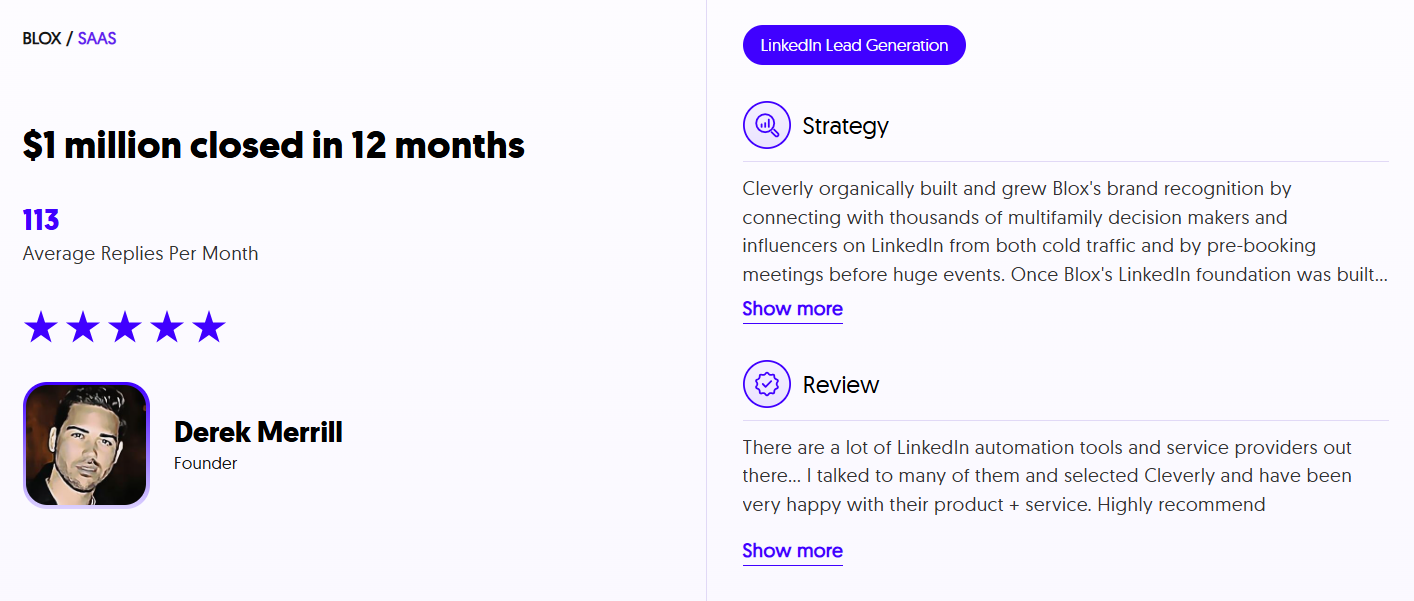
Cleverly is a LinkedIn lead generation agency that handles all of this end-to-end. Our team builds your ICP-aligned target list in Sales Navigator, writes and tests your outreach sequences, manages daily campaign execution, and ensures replies are handled so interested prospects land on your calendar — not in an unread inbox.
The pricing angle that makes this particularly practical: our LinkedIn lead generation starts at $397/month. That means you can have a fully done-for-you LinkedIn outreach system running for under $500/month, without learning tools, managing sequences, or spending 10–15 hours per month on execution.
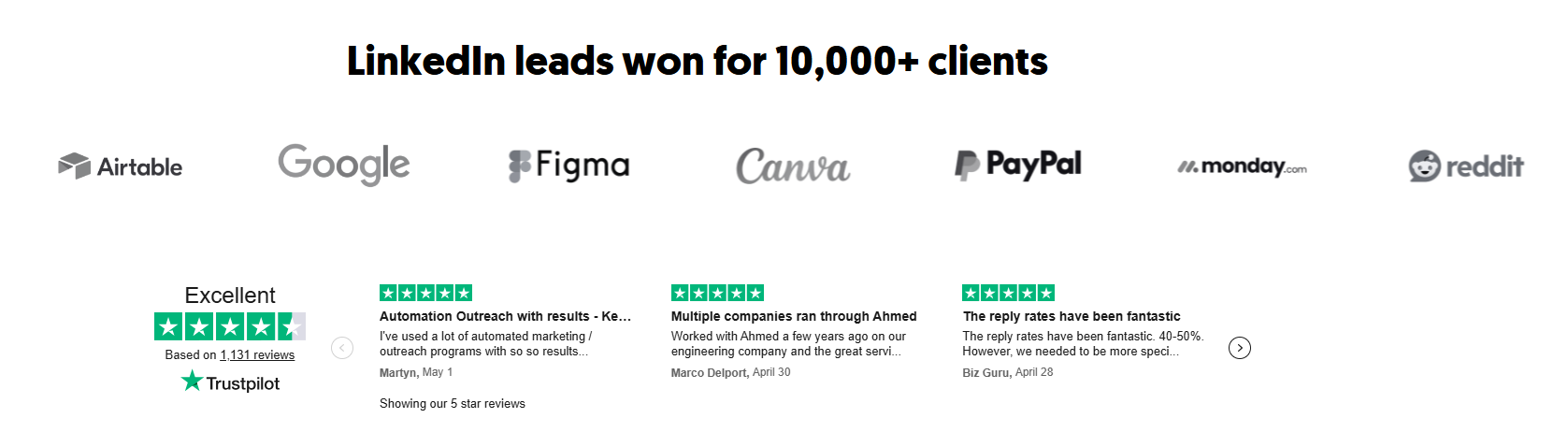
We've helped 10,000+ clients generate pipeline across companies like Amazon, Google, Uber, PayPal, and Slack — and we've built the systems that make consistent outbound repeatable at any company size.
The comparison is straightforward: DIY runs you $150–$280 in tools plus your time every month. Done-for-you at $397/month eliminates the execution overhead entirely, and you start with proven sequences that have already been tested across thousands of campaigns — not copy you're writing and guessing on for the first 60 days.
For lean teams where the founder or a single SDR is handling outbound alongside everything else, done-for-you at under $500/month is usually the smarter investment.
Want LinkedIn lead generation handled end-to-end for under $500/month? Book a free strategy call with Cleverly.
Conclusion
Running a LinkedIn lead gen campaign under $500/month is one of the most practical ways to build B2B pipeline in 2026 — not because it's the easiest option, but because the channel's targeting precision and conversion rates are genuinely hard to match at this budget level.
The system isn't complicated: get your ICP dialed in, make your profile do the selling before your message arrives, write copy that earns the reply rather than demanding it, and execute consistently over 60–90 days. The returns compound in a way that most outbound channels don't.
Whether you run it yourself or hand it to a done-for-you team at $397/month, the under-$500/month threshold is achievable and proven. The only real mistake is waiting for a larger budget to start.
Frequently Asked Questions
Free Resource
How to Scale a Profitable Cold Call System
Get the complete guide — download it instantly now.

Free Ebook
Download the Free Guide
Enter your details to get instant access.
You're all set! 🎉
Your ebook is downloading now.
Click below if the download didn't start automatically.