Table of Contents
Why Your LinkedIn Profile Is a Sales Asset, Not a Resume
Step 1 — Define Your Profile Goal Before Touching Anything
Step 2 — Fix Your Profile Photo and Banner
Step 3 — Rewrite Your Headline (The Most Underused Sales Asset)
Step 4 — Fix Your About Section
Step 5 — Fix Your Featured Section
Step 6 — Fix Your Experience Section
Step 7 — Fix Your Skills and Endorsements
Step 8 — Get Recommendations (The Trust Signal Almost Nobody Uses)
Step 9 — Fix Your Activity Section and Post Consistently
Step 10 — Turn On Creator Mode and Customize Your URL
Common LinkedIn Profile Mistakes and How to Fix Them
LinkedIn Profile Optimization Checklist for Sales
How Cleverly Helps You Turn a Fixed Profile Into a Lead Generation Machine
Conclusion
Modified On :
May 27, 2026
Key Takeaways
- Profiles with professional photos get 21x more views and 36x more messages — your photo is doing more selling than your pitch deck.
- Your headline has 220 characters to work with. Use them to speak to buyers, not impress recruiters.
- The Featured section sits above the fold and most profiles leave it empty — it's the highest-value real estate on your entire profile.
- A full profile rebuild can take your visitor-to-conversation rate from under 1% to nearly 3% in 90 days.
- A great profile alone doesn't book meetings — it converts the traffic that outreach sends its way.
Your LinkedIn profile is working against you right now — and you probably don't know it.
Somewhere along the way, most sales professionals set up their LinkedIn profile the same way they'd write a resume. Job title at the top, a list of responsibilities underneath, a headshot if they remembered. That's fine for a job hunt. It does almost nothing for a sales motion.
Profiles with photos get 21 times more views and 9 times more connection requests. And complete profiles also receive 40 times more opportunities, and headlines carry 40 to 45% of your search weight on the platform.
The core issue isn't that your profile is incomplete. It's that it's built for the wrong audience. Recruiters want to know where you've been.
Buyers want to know what you can do for them. Those are completely different documents.
This guide walks through every key section of your profile — what's broken and exactly how to fix your LinkedIn profile for sales.
If you're an SDR, AE, founder, or anyone using LinkedIn as part of your outbound motion, these fixes are for you.
Why Your LinkedIn Profile Is a Sales Asset, Not a Resume
Before a prospect accepts your connection request, before they reply to your outreach, before they agree to a call — they check your profile. That's not speculation, it's standard buying behavior. You do it too.
If what they find looks like a career bio, trust takes a hit. A profile full of job titles and bullet-pointed responsibilities signals "this person is either job hunting or doesn't know how LinkedIn works." Neither of those builds confidence.
LinkedIn profile fixing starts with a mindset shift: your profile is a landing page, not a CV. Every section either moves a prospect closer to trusting you or gives them a reason to scroll away. The question to answer isn't "what have I done?" It's "who do I help, how do I help them, and what happens when they work with me?"
Once you see it that way, the fixes get obvious fast.
🚀 A Better Profile Won’t Matter If Nobody Sees It
We run LinkedIn outreach that puts your profile in front of buyers. Done-for-you starting at just $397/mo.
Step 1 — Define Your Profile Goal Before Touching Anything
This is where most people skip ahead and end up with cosmetic changes that don't move metrics.
Before you rewrite a single word, pick the one action you want profile visitors to take. Book a call. Send a DM. Visit a landing page. Download something. Pick one, maybe two. Everything you write from here should push visitors toward that action.
Without a defined goal, you'll end up with a better-looking profile that still doesn't convert. The copy, the featured section, the CTA in your About section — all of it needs to work together. That only happens when you know what you're working toward.
How to fix your LinkedIn profile isn't just a formatting question. It's a strategy question first.
Step 2 — Fix Your Profile Photo and Banner
You have roughly three seconds. That's it. Your photo and banner are the first things a prospect sees, and both are doing heavy lifting before they read a single word.
Profile Photo
- Use a professional headshot with a clean, simple background.
- Face should take up 60% of the frame — clear, well-lit, no distractions.
- Skip logos, group shots, casual selfies, or anything more than a couple years old.
- Profiles without photos get rejected 9x more often — that gut reaction to a blank profile is universal.
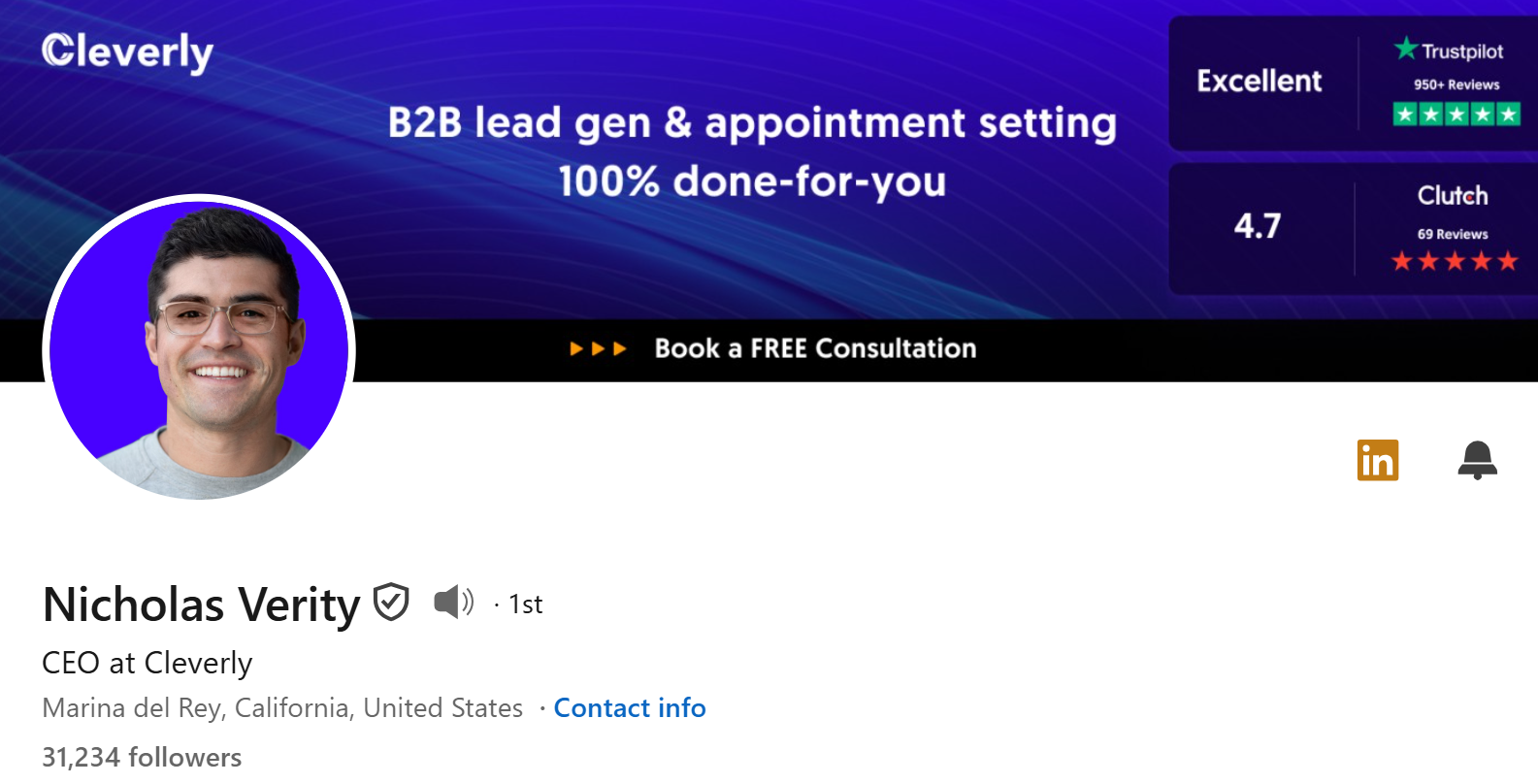
Banner
The default blue LinkedIn banner is a missed opportunity every time. Your banner is free ad space for your value proposition, and most people leave it completely blank.
A good banner does one of three things: states who you help, shows your offer, or displays a CTA. Something like "Helping B2B SaaS teams book more qualified meetings | Book a call below" takes 15 minutes to build in Canva using their LinkedIn banner template and works around the clock.
Don't overthink the design. Clean, readable, and specific beats pretty every time.
💼 Your Profile Should Support Outreach—Not Replace It
10,000+ clients generated pipeline with Cleverly. We handle targeting, outreach & booking—you close.
Step 3 — Rewrite Your Headline (The Most Underused Sales Asset)
The default move is "Account Executive at [Company]." That tells a buyer exactly nothing about whether you can help them.
You have 220 characters to work with. Only the first 40 to 50 characters show up in search results, so front-loading your value isn't optional. Profiles with optimized headlines receive 5x more connection requests compared to generic titles.
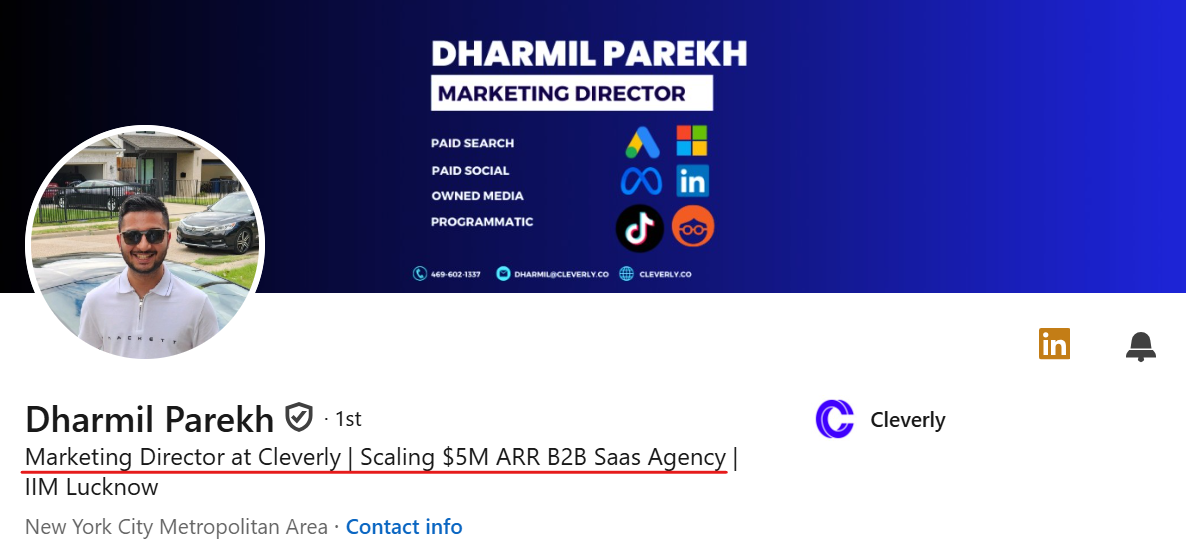
One of the formulas that work:
"I help [target audience] achieve [specific outcome] with [method or expertise]"
Example: "I help B2B SaaS founders book qualified meetings with outbound | LinkedIn + Cold Email"
That LinkedIn headline tells the right prospect who you work with, what you deliver, and how. It also includes terms your ICP actually searches. That's three jobs done in one line.
What to avoid: buzzwords like "passionate" or "results-driven," generic titles without context, and anything that sounds like it was written for a job application.
This is the highest-leverage edit you'll make on your entire profile. Do this one first.
Step 4 — Fix Your About Section
Your About section is the place most salespeople write a career bio. It's also the place most buyers stop reading.
The first two lines are all that's visible before someone clicks "See More." If those lines don't hook a reader, nothing else gets read.
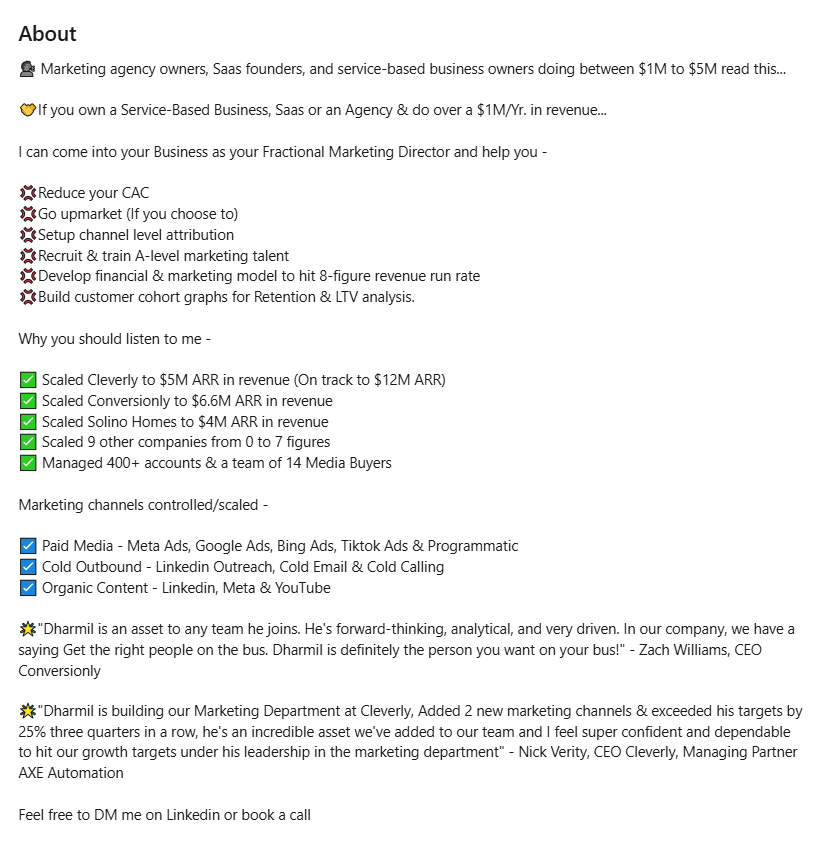
Strong About Section Structure
Hook: Lead with the problem your ICP is dealing with or a bold outcome statement. Not your job history.
Who you help and how: One to two short paragraphs. Specific, not vague.
Proof: A client outcome, a number, something concrete. Even one real result beats three paragraphs of claims.
CTA: A clear next step. Your calendar link, email address, or both. A lot of prospects won't DM — they'll email. Make it easy.
LinkedIn's algorithm also uses the About section for search ranking, so include your primary keywords naturally throughout. Don't stuff them — just write the way your prospects talk.
How to fix your LinkedIn profile About section comes down to one question: if a cold prospect read this and nothing else, would they know exactly what you do and how to reach you?
Step 5 — Fix Your Featured Section
The Featured section sits right below your intro card — above the fold, visible before someone scrolls. It's the most valuable content real estate on your profile, and the vast majority of people either leave it empty or drop a company logo there and call it done.
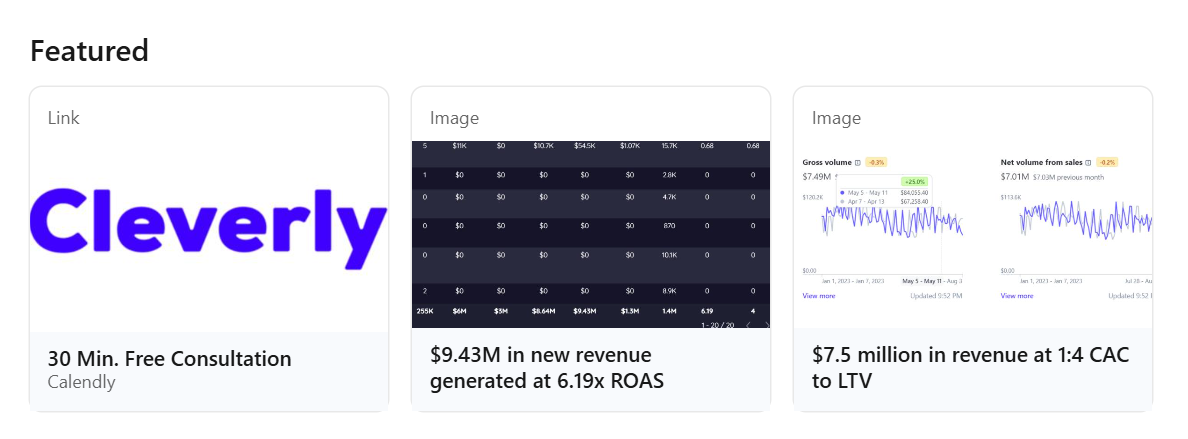
What to add instead (3 to 5 items maximum):
- Your best-performing LinkedIn post — shows social proof and voice.
- A case study or specific client result — the strongest trust signal you have.
- A booking link or lead magnet — make it easy to take action right from the profile.
- Your website or relevant landing page.
What to avoid: stock images, outdated posts, anything generic that doesn't serve your ICP.
Think of your Featured section as your silent sales deck. It runs 24/7, costs nothing, and works even when you're not doing outreach. If yours is empty right now, that's the next fix.
Step 6 — Fix Your Experience Section
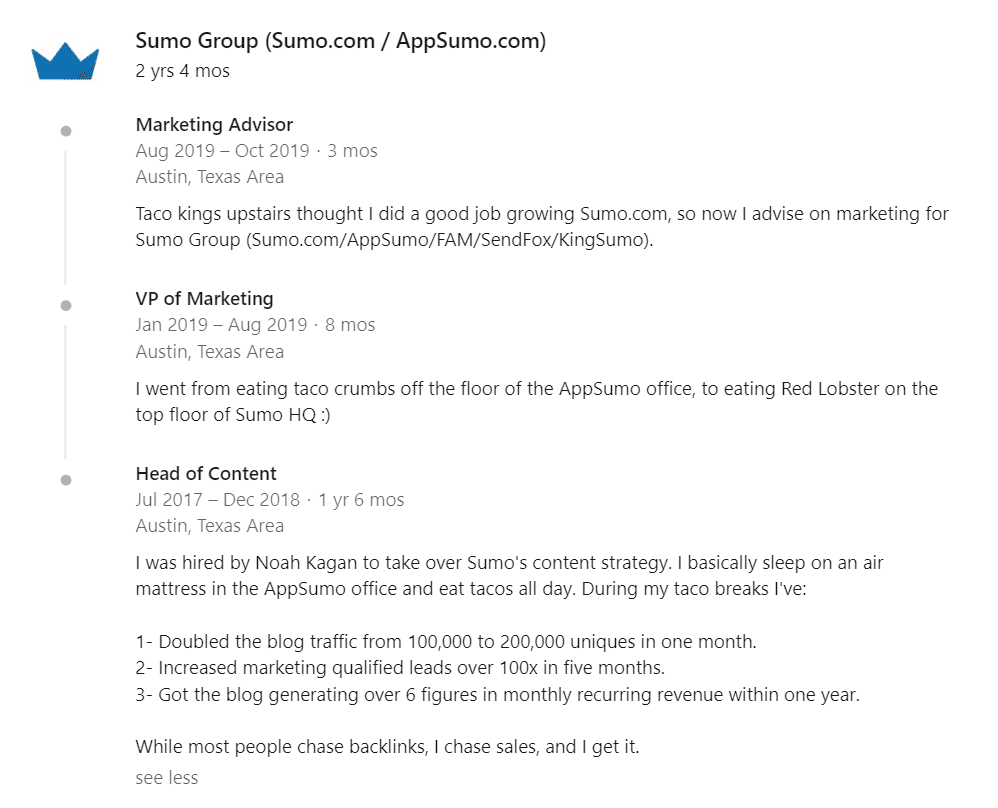
The most common mistake in the Experience section: listing responsibilities instead of outcomes. "Managed outbound sales campaigns" says nothing. "Generated $1.2M in pipeline through cold email and LinkedIn outreach in Q3" says everything.
For each role, write 2 to 4 bullet points that show measurable impact. Revenue generated, pipeline built, deals closed, team size, meetings booked. Pair those numbers with context — what was the situation, what did you build, what changed.
You can also add links to content, case studies, or company pages directly within each role. That turns a static history into a live portfolio.
The Experience section isn't about proving you've held jobs. It's about proving you've delivered results. There's a difference, and buyers read it immediately.
Common LinkedIn profile mistakes in this section are easy to fix — every bullet point either has a number or it doesn't. If it doesn't, find one.
Step 7 — Fix Your Skills and Endorsements
LinkedIn's algorithm uses skill endorsements as a ranking signal. Listing at least 5 relevant skills increases your discoverability by 31 times. Skills with 50+ endorsements outperform the same skill with zero endorsements in search placement.
The fix:
- Keep 15 to 25 skills that are specific and relevant to your niche and ICP.
- Remove generic ones like "Microsoft Office" or "teamwork" — replace with searchable, specific skills your buyers care about.
- Pin your 3 most important skills to the top featured spots.
- Send one short message to past colleagues or clients asking them to endorse your top 3 to 5 skills — takes 10 minutes and has a compounding effect over time.
LinkedIn profile fixing in the skills section is low-effort, high-return. It's the kind of change that improves your visibility in LinkedIn search without any ongoing work after setup.
Step 8 — Get Recommendations (The Trust Signal Almost Nobody Uses)
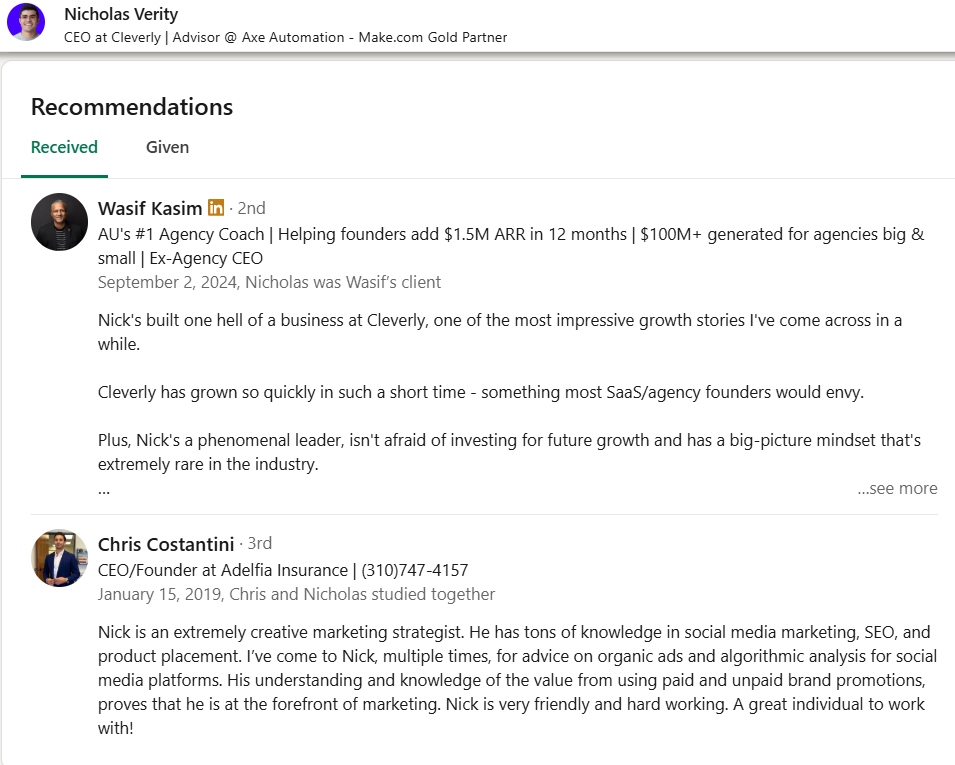
A written recommendation from a real client or colleague is the most credible thing on your LinkedIn profile. It's also the most ignored.
Think about it from a buyer's perspective. Anyone can write a compelling headline. Nobody can fabricate three detailed recommendations from real clients talking about specific results they got working with you.
Who to ask: Current and past clients, managers, colleagues who witnessed your results directly.
How to ask: Don't send a vague request. Tell them exactly what outcome to highlight. Something like: "Hey, would you mind writing a recommendation that covers the problem you were dealing with before we worked together, what we did, and the result you saw? Even 3 to 4 sentences would be great."
What a strong recommendation covers: The problem they had, what you specifically did, and the outcome. That's the structure. Quality matters more than quantity — 3 detailed ones beat 10 generic ones.
Fixing common LinkedIn profile mistakes in this area costs you nothing but a few short messages. Most people just never ask.
Step 9 — Fix Your Activity Section and Post Consistently
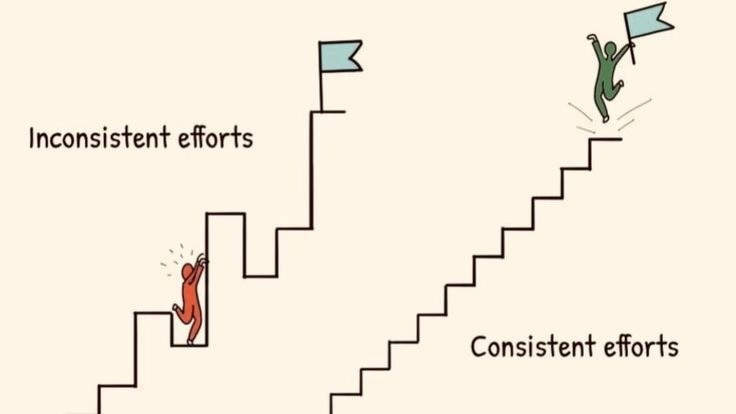
When a prospect checks your profile, they scroll down to see what you've been posting. An empty activity section sends a signal: this person doesn't engage with LinkedIn. That makes your outreach feel colder.
You don't need long-form articles. Two to three posts per week is enough to build visible credibility over time. The content types that work best for sales:
- Client results (anonymized if needed)
- Industry observations or contrarian takes
- Behind-the-scenes from actual sales work
- Short frameworks or lessons from real campaigns
One more tactic that gets overlooked: comment on a prospect's posts before sending a connection request. When your request arrives and they recognize your name from their notifications, acceptance rates go up meaningfully.
Consistent posting drives a 40% increase in profile visibility. 90 days of regular activity compounds into real inbound interest. Start before you feel ready.
Step 10 — Turn On Creator Mode and Customize Your URL
Two quick fixes that most people skip over.
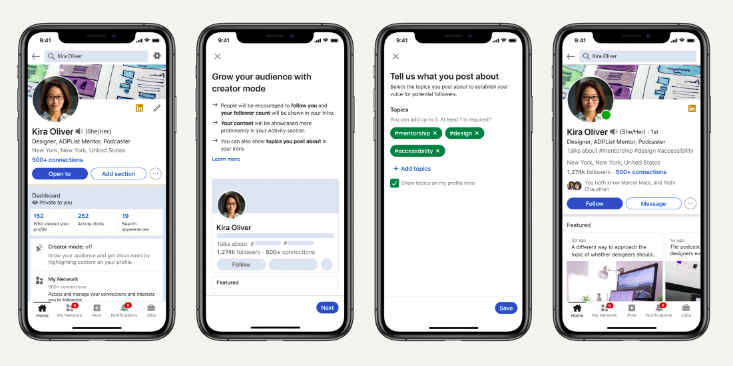
Creator Mode
Turning on Creator Mode does a few useful things:
- Displays your follower count at the top of your profile (social proof at a glance).
- Adds your most important link right at the top of the profile, directly under your headline — the best CTA placement on the entire page.
- Switches the default button from "Connect" to "Follow," which expands your content reach to people outside your first-degree network.
If you're using LinkedIn for content or outreach, Creator Mode should be on.
Custom URL
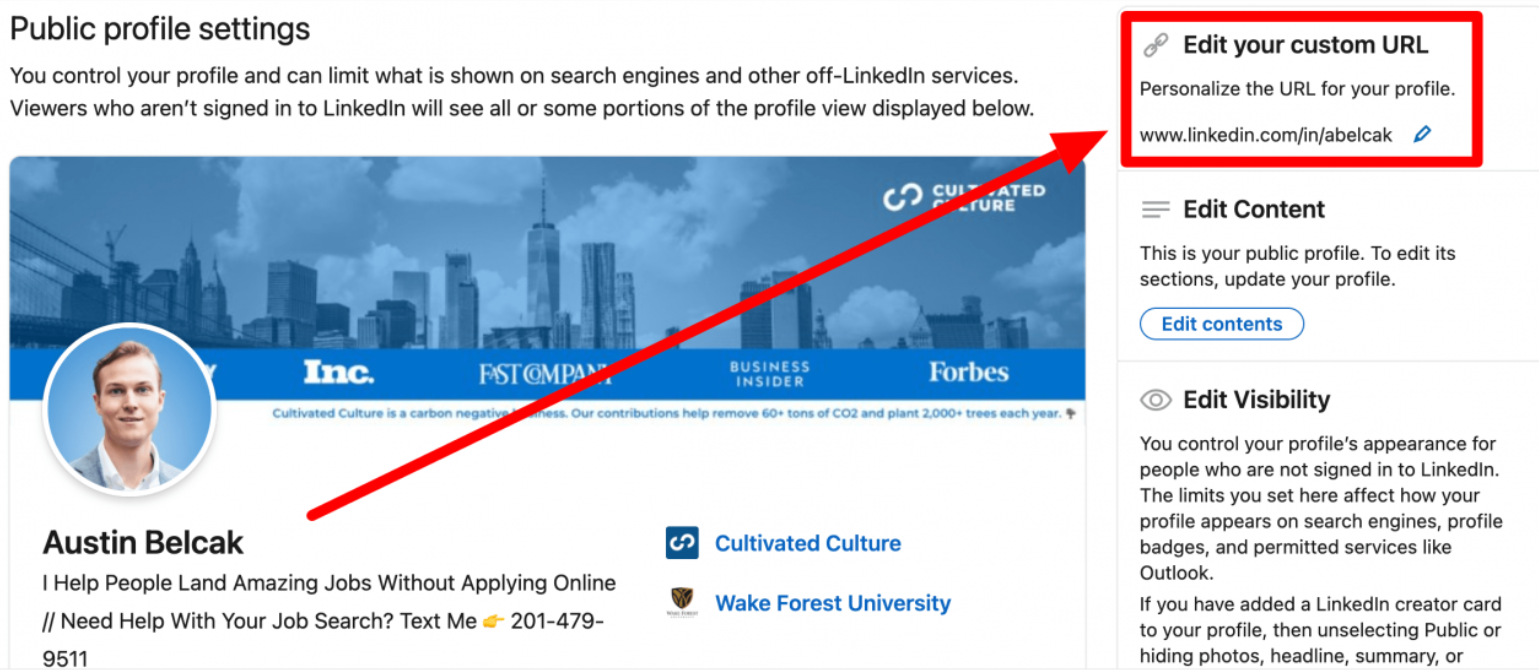
Your default LinkedIn URL is a string of numbers and letters. It looks unpolished and it's hard to share. Fixing it takes 90 seconds: go to Settings, click "Edit public profile URL," and set it to linkedin.com/in/firstname-lastname.
Use it in email signatures, outreach messages, and business cards. A clean URL signals attention to detail before anyone opens your profile.
Common LinkedIn Profile Mistakes and How to Fix Them
Here's a quick reference for the biggest common LinkedIn profile mistakes and how to fix them:
If your profile has more than three of these right now, you're leaving pipeline on the table every day.
LinkedIn Profile Optimization Checklist for Sales
Use this before you call your profile done. Every box matters.Run through this once. The fixes that are missing are exactly where your profile is losing prospects.
- Professional headshot uploaded (face takes up 60% of frame, clean background)
- Custom banner designed with value prop or CTA
- Headline uses "I help X do Y" formula with ICP and outcome front-loaded
- About section opens with a hook and closes with CTA + contact info
- Featured section includes 3 to 5 items: post, case study, and booking link at minimum
- Experience section shows outcomes with numbers, not responsibilities
- 15 to 25 focused skills added; top 3 pinned to featured spots
- 3+ recommendations received from clients or colleagues
- Custom LinkedIn URL set (linkedin.com/in/firstname-lastname)
- Creator Mode activated
- Posting or commenting at minimum 3x per week
How Cleverly Helps You Turn a Fixed Profile Into a Lead Generation Machine
A great profile sitting idle doesn't generate pipeline. Outreach does.
The full equation is: optimized profile plus targeted connection requests plus personalized messaging plus consistent follow-up equals meetings booked.
Every piece depends on the others. Skip the profile work and your outreach feels cold. Skip the outreach and your profile just sits there looking good.
That's where we come in.
At Cleverly, we run fully done-for-you LinkedIn lead generation for B2B companies — ICP targeting, connection campaigns, personalized messaging sequences, and qualified meeting delivery, all handled by our team.
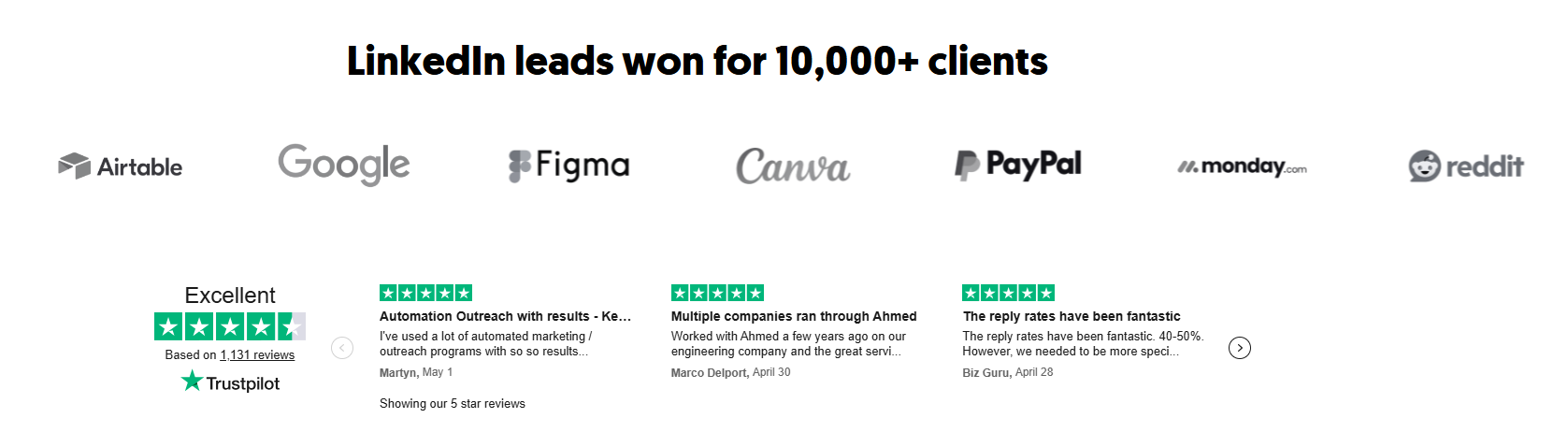
We've worked with 10,000+ clients and generated over $312M in pipeline revenue. We know what a buyer-optimized profile needs to back up a strong outreach campaign, and we help our clients get both right.
Our LinkedIn services start at $397/month with no long-term contracts, month to month.
If you want your profile to actually start booking meetings and not just collect views, book a strategy call with Cleverly and we'll show you exactly how the system works for your market.
Conclusion
Your LinkedIn profile is the first thing a prospect checks when your outreach lands — and it either supports the conversation you're trying to start or undermines it.
The three highest-leverage fixes: your headline (rewrite it for buyers using the "I help X do Y" formula), your Featured section (add a booking link and a case study today), and your About section (hook at the top, CTA at the bottom). Everything else — skills, recommendations, activity — compounds those gains over time.
The full rebuild takes one focused afternoon. The ROI compounds for months afterward. Fix your LinkedIn profile once, then pair it with consistent outreach and posting to build the kind of pipeline that keeps growing on its own.
Frequently Asked Questions
Free Resource
How to Scale a Profitable Cold Call System
Get the complete guide — download it instantly now.

Free Ebook
Download the Free Guide
Enter your details to get instant access.
You're all set! 🎉
Your ebook is downloading now.
Click below if the download didn't start automatically.