Table of Contents
What Is an Email Signature Generator?
What to Look for in the Best Email Signature Generator
Best Email Signature Generator Tools - Quick Comparison
10 Best Email Signature Generator Tools in 2026
Free Email Signature Generator Tools — What You Can (and Can't) Expect
Business vs. Personal Email Signature Generators — Which Do You Need?
How Email Signatures Impact Cold Email Outreach Performance
How Cleverly Uses Professional Email Signatures to Support Cold Email Campaigns
Conclusion
Frequently Asked Questions
Modified On :
April 21, 2026
Key Takeaways
- A professional email signature isn't optional in 2026 — branded signatures increase trust with recipients by up to 76% and boost response rates by 22%.
- The best email signature generator for you depends on your use case: free and simple for solo professionals, centralized and scalable for growing teams.
- Free tools like HubSpot and MySignature are genuinely useful for individuals, but they fall short when teams need bulk deployment and brand consistency.
- For cold email outreach, image-heavy or HTML-bloated signatures are a deliverability risk — plain-text or minimal signatures outperform every time.
- Enterprise-grade tools like Exclaimer and SyncSignature solve team-wide deployment in minutes but are overkill (and overpriced) for solo users.
- Only about 25% of companies currently use email signature software company-wide — which means most teams are leaving a free branding channel completely untapped.
Every email you send is a touchpoint. And a missing or poorly designed signature at the bottom of that email is a missed opportunity — to build trust, reinforce your brand, and drive the reader to take action.
In 2026, that gap compounds fast. According to Statista, the number of emails sent daily is expected to reach 426 billion by 2026. With that kind of volume, standing out starts at the bottom of your message — and a clean, professional signature is one of the cheapest ways to do it.
The numbers back this up. Branded email signatures increase trust by 76%, boost response rates by 22%, and generate 60,000–80,000 impressions per month for a 100-person team — at zero incremental cost. And yet, only around 25% of companies currently use email signature software to manage and standardize signatures company-wide. Most are leaving an always-on marketing channel completely unoptimized.
This guide covers the best email signature generators in 2026 — what each tool does best, who it's built for, pricing, and key limitations.

What Is an Email Signature Generator?
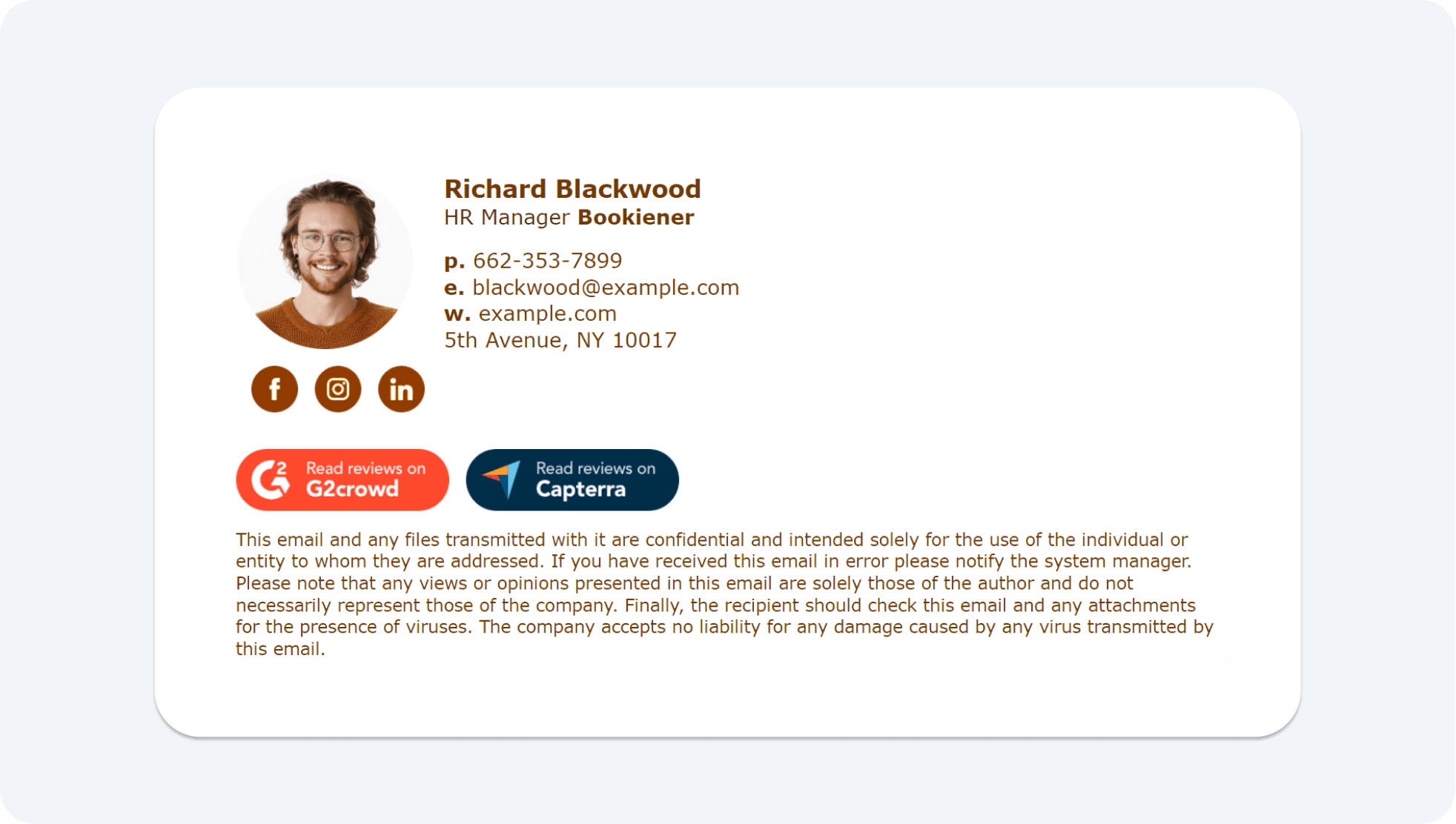
A professional email signature generator is an online tool that lets you create a formatted, branded email signature — without writing HTML code or using a design app.
What a good generator produces: a clean HTML signature with your name, title, company, contact info, logo, social links, CTAs, and promotional banners — all properly formatted to display across Gmail, Outlook, Apple Mail, and mobile devices.
The difference between a basic generator and an advanced signature management platform comes down to scale.
A basic tool helps one person create one signature. An enterprise platform lets an admin deploy and update signatures for hundreds of employees simultaneously, synced to Active Directory or Google Workspace — no IT tickets, no manual installs.
Manually creating signatures leads to exactly what you'd expect: inconsistency, broken formatting, outdated contact details, and a brand that looks sloppy across every email your team sends.
A generator solves all of that in one setup.
📩 Your Signature Isn’t the Problem. Your Pipeline Is.
We turn emails into booked meetings with cold outreach done-for-you. You only pay for qualified calls we deliver.
What to Look for in the Best Email Signature Generator
Before jumping into the tools, here's what actually separates a great generator from a mediocre one:
✅ Ease of Use
A drag-and-drop editor that requires zero technical skills. If it takes more than 10 minutes to set up a signature, the tool is getting in your way.
✅ Customization Options
Fonts, colors, logos, social icons, CTAs, and promotional banners. A good generator gives you enough flexibility to match your brand without overwhelming you with options.
✅ Email Client Compatibility
Your signature needs to render correctly in Gmail, Outlook, Apple Mail, and on mobile. This is the single biggest technical failure point — image-only signatures especially tend to break on Outlook.
✅ Team Management Features
Centralized control, master templates, bulk updates, and directory sync matter the moment you have more than a handful of users. Without them, keeping signatures consistent across a growing team becomes a full-time job.
✅ Analytics and Tracking
Click rates, banner impressions, and engagement metrics turn your signature from a passive contact block into an active performance channel.
✅ Deliverability Considerations
For cold email outreach specifically, image-heavy or HTML-bloated signatures increase spam filter risk. Look for tools that support plain-text or minimal HTML output when needed.
Best Email Signature Generator Tools - Quick Comparison
🚀 Every Email Should Drive Revenue
We don’t just optimize signatures—we run your entire outbound. More replies. More meetings. Zero busywork.
10 Best Email Signature Generator Tools in 2026
1) WiseStamp — Best for Small Businesses & Solopreneurs
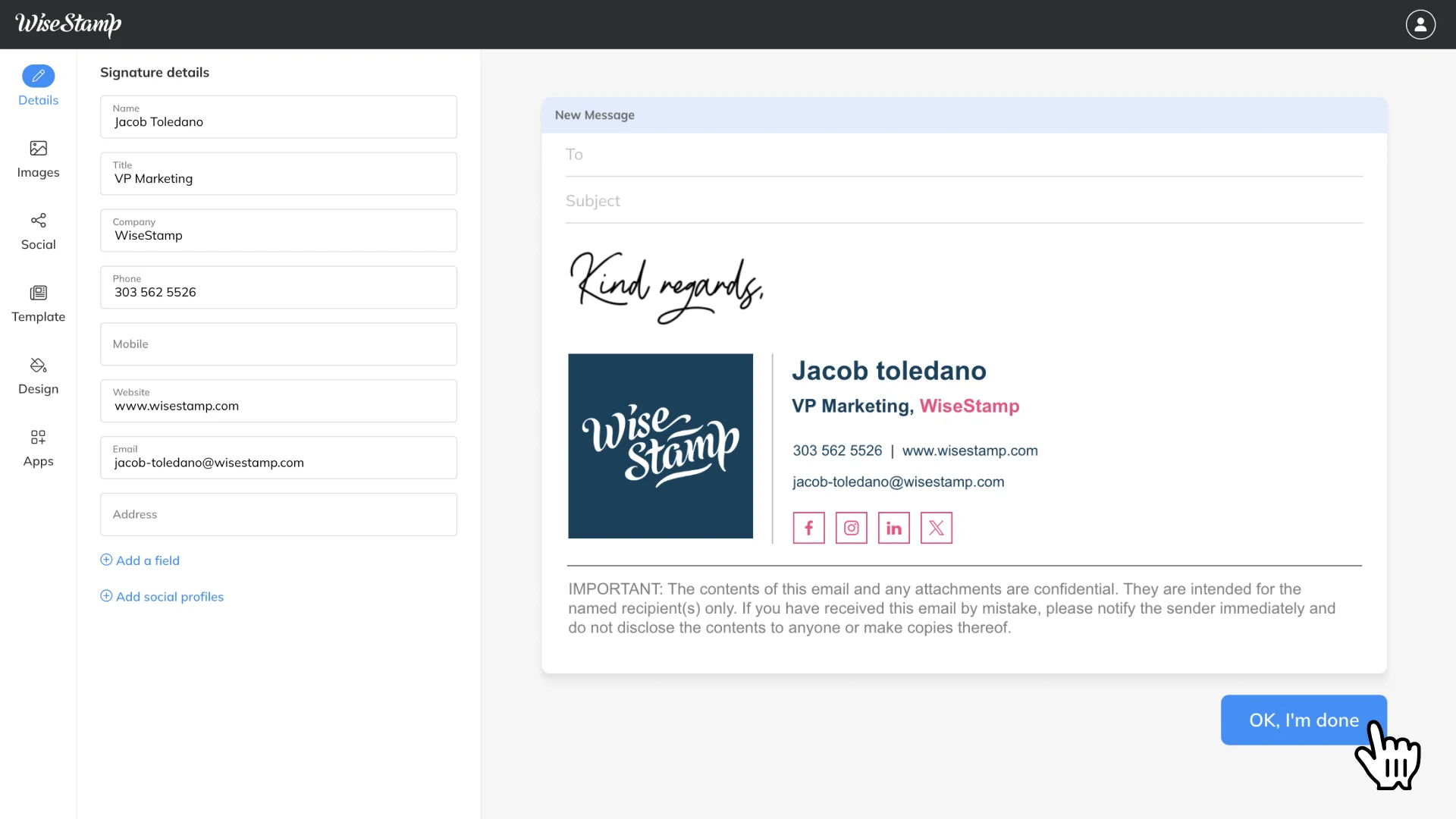
WiseStamp is one of the most widely used email signature generators on the market, trusted by over 1.2 million customers worldwide. It's built for the sweet spot between "too basic" and "too complex" — giving small businesses professional signatures with genuine customization without enterprise-level complexity.
The chrome extension model is WiseStamp's standout feature. It auto-populates your signature in Gmail as soon as you start composing an email — no manual copying or pasting required. For solopreneurs sending a high volume of outbound emails, that kind of frictionless setup matters.
WiseStamp supports Gmail, Outlook Web, Yahoo Mail, and all Chromium-based browsers, and is SOC 2 Type II certified, GDPR and CCPA compliant, and compatible with SPF, DKIM, and DMARC. For teams managing signatures centrally, it connects to Google Workspace and Microsoft 365 with a single admin setup — letting marketing run updates independently of IT.
Standout Features:
- Chrome extension with auto-populate in Gmail
- Central management for Google Workspace and Microsoft 365
- Campaign tracking with click and impression analytics
- Promotional banner support with A/B testing capability
- SOC 2 Type II certified, GDPR and HIPAA compliant
Pricing: Free tier available (with WiseStamp branding); paid plans start at approximately $69.60/year for individuals.
Limitation: Some users report billing and cancellation friction on paid plans. Multiple signature management across accounts has also had consistency issues in long-term use.
2) HubSpot Email Signature Generator — Best Free Tool for Individuals
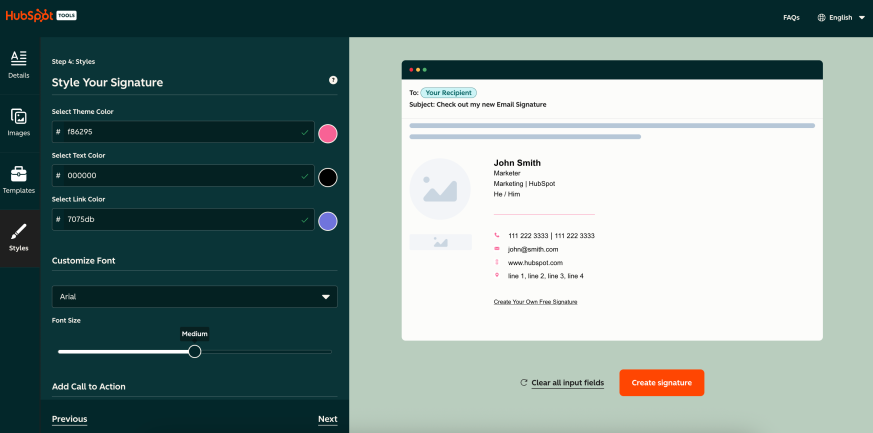
If you need a clean, professional signature quickly and don't want to pay anything, HubSpot's free generator is the easiest starting point on this list. There's no account required, no hidden credits, and no upsell wall blocking basic functionality.
You get a fully mobile-responsive HTML signature with your name, title, company, phone, social links, logo, and headshot. The output integrates directly with HubSpot CRM — so if your team is already running HubSpot, the connection is seamless. You paste the generated HTML code directly into Gmail, Outlook, or Apple Mail.
Standout Features:
- Completely free with no plan required
- Mobile-responsive HTML output
- CRM integration with HubSpot
- Logo and headshot upload supported
- Works across all major email clients
Pricing: Free.
Limitation: Basic templates only. No team management, bulk updates, or analytics. One person, one signature — that's the scope of the tool.
3) Newoldstamp — Best for Marketing-Focused Teams

Newoldstamp is built for teams that want to treat email signatures as an active marketing channel, not just a contact block at the bottom of an email. Newoldstamp lets you build and manage distinct designs for each department, adjust fonts, colors, and social icons with a live preview that updates in real time.
One important caveat worth knowing: Newoldstamp uses hosted images that stop rendering on cancellation — meaning if you cancel your subscription, previously sent emails will show broken image slots in recipients' inboxes. Factor that into your commitment decision.
Standout Features:
- Promo banners with scheduling and basic click analytics
- Master signature feature for bulk team updates
- CSV upload for fast team deployment
- Real-time preview editor with no coding required
- Integrates with Google Workspace and Microsoft 365
Pricing: Paid plans starting at approximately $1.80/signature/month (annual billing).
Limitation: No free plan. Hosted image dependency means signatures break post-cancellation.
4) MySignature — Best for Freelancers & Small Teams
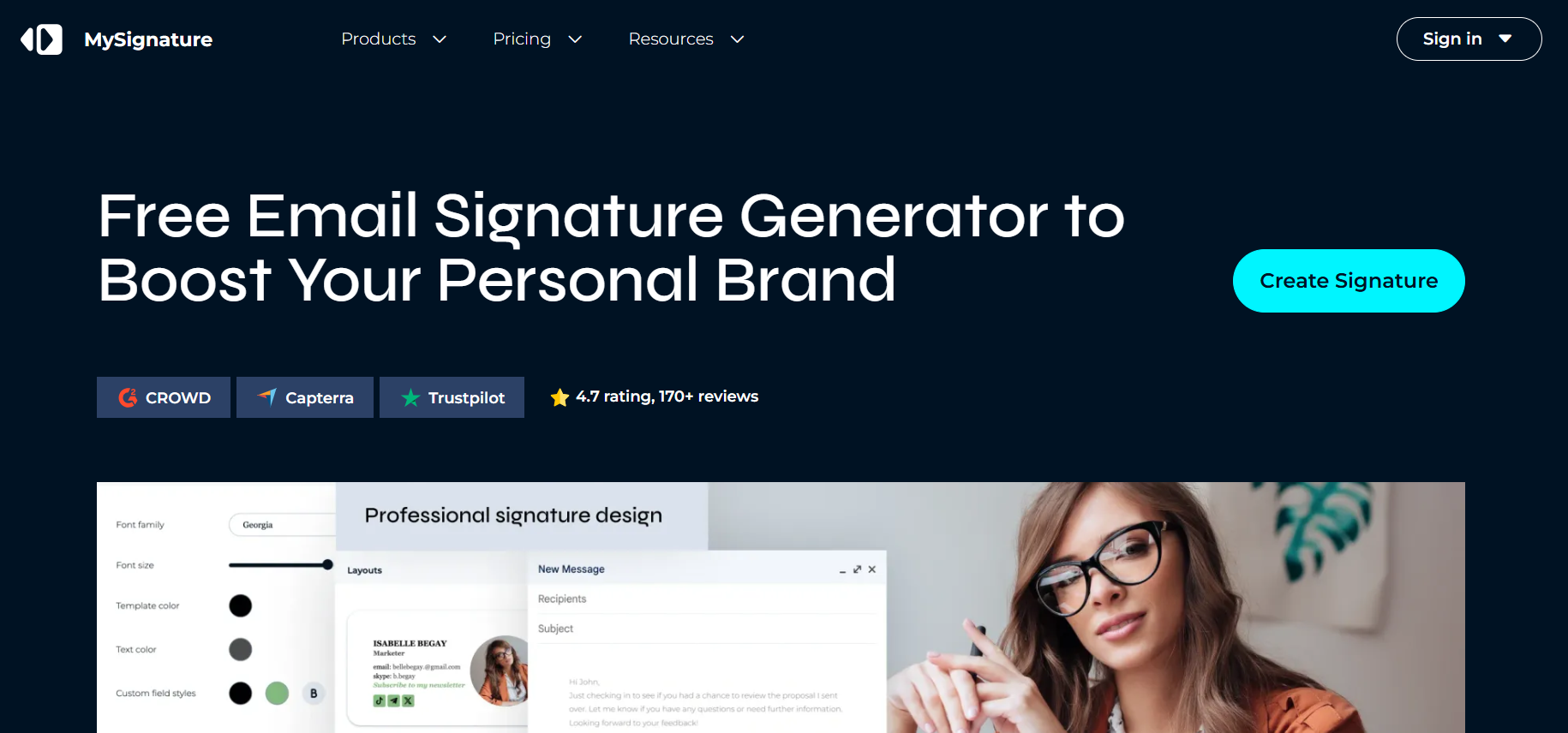
MySignature is the go-to free email signature generator for individual professionals and small teams who need a polished result without paying enterprise-level prices. Plans start at $4 per month per signature, and there's also a free version with basic features.
The tool is genuinely designed for freelancers. You can add a portfolio link, appointment scheduler URL, and social profile links directly into your signature — so every email you send doubles as a lightweight personal brand touchpoint. Email tracking for Gmail (opens and link clicks) is available as a feature, which is a nice add-on at this price tier.
According to MySignature's own 2025–2026 user research, 77.8% of users check their email inbox more than five times daily, and the most prevalent goal for using professional email signatures in business is generating leads — cited by 18.8% of respondents.
Standout Features:
- Free tier with useful functionality
- Email tracking for Gmail (opens and clicks)
- Google Workspace and Microsoft 365 integration
- Digital business card support
- Clean, fast editor with dozens of templates
Pricing: Free tier available; paid plans from $4/month.
Limitation: No advanced marketing features or team analytics. Not built for centralized company-wide management at scale.
5) SyncSignature — Best for Growing Teams & Enterprises
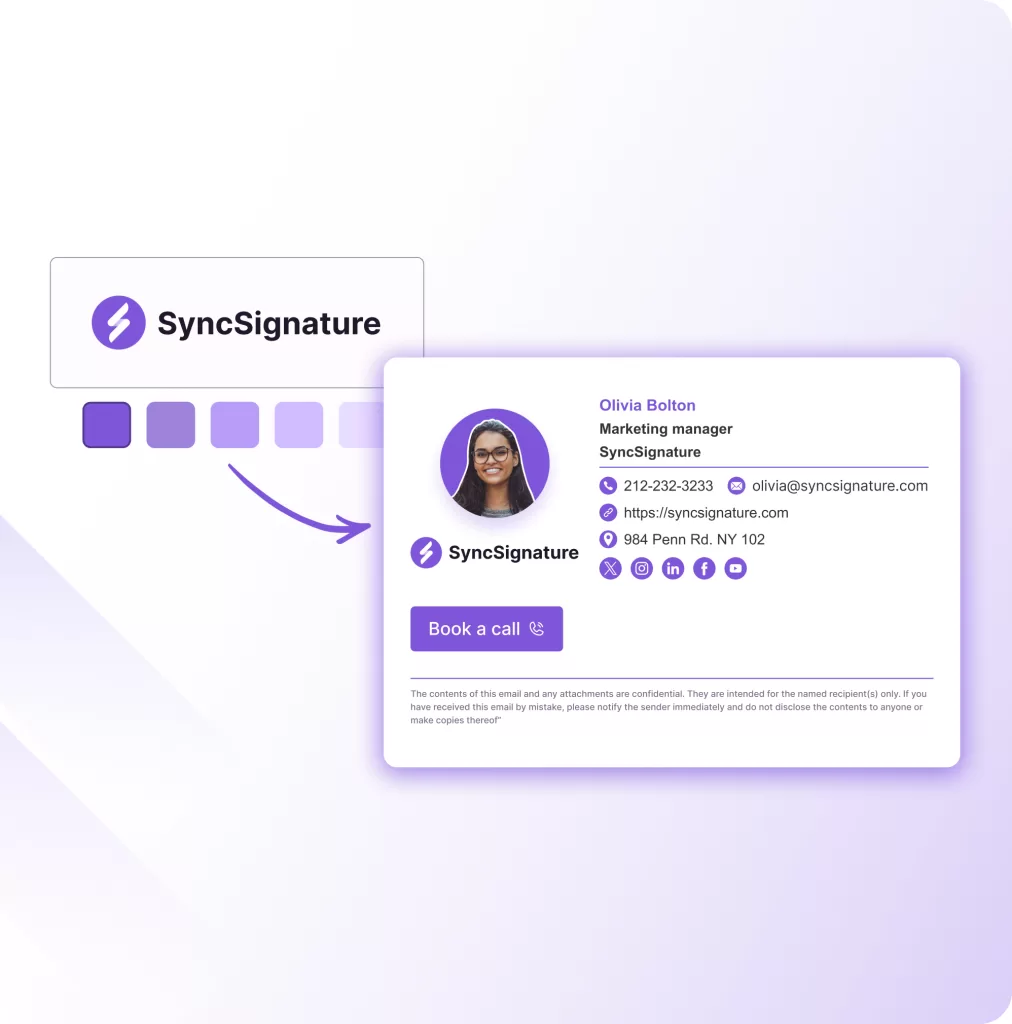
SyncSignature is built for speed and scale. SyncSignature claims teams can deploy to 500+ users in under five minutes — which, if you've ever tried to manually roll out signature updates across a 100-person team, is a genuinely compelling value proposition.
The tool supports dark mode, tests signatures across 40+ email clients, and includes ROI analytics to track banner performance.
For agencies managing multiple client accounts, SyncSignature is the only tool in this comparison with native multi-workspace support — each client gets a dedicated workspace with isolated templates, users, and branding, managed from a single parent dashboard.
Standout Features:
- Deploy to 500+ users in under 5 minutes
- Tests signatures across 40+ email clients
- Dark mode compatibility
- Multi-workspace for agencies
- Analytics and ROI tracking built in
Pricing: Free plan for individuals; team plans from ~$2/user/month.
Limitation: No SSO, SCIM, or on-premise Exchange support — not suited for teams with strict enterprise IT requirements.
6) Gimmio — Best for Agencies & Deep Customization
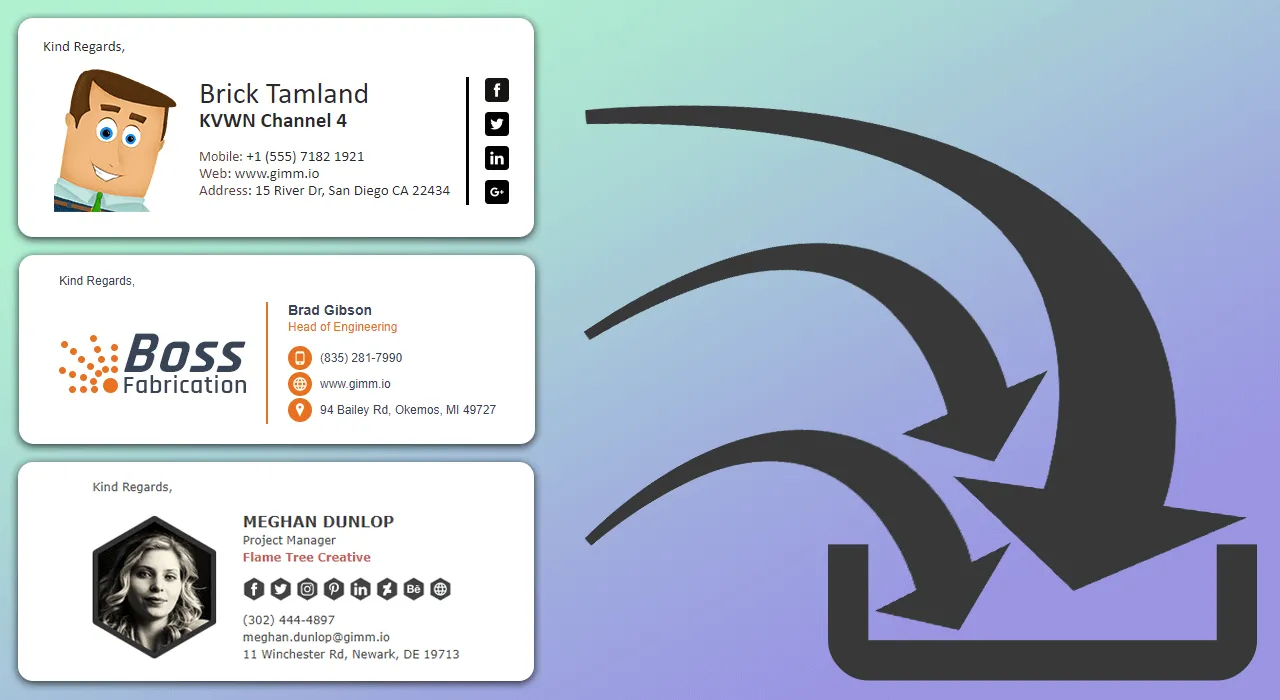
Gimmio (formerly ZippySig) is the most flexible business email signature generator on this list in terms of raw customization. It's a web-based tool that helps businesses design HTML signatures using styling options for fonts, social icons, spacing, images, borders, and banners — and lets marketing agencies bulk import customer details via CSV, Excel, or Active Directory.
For agencies managing client signatures at scale, the white-label option and group-based management are the draw. You can organize signatures by department or location, update them in bulk, and give clients a branded experience. The 1,000+ font library and element-level precision control go deeper than most tools at this price point.
Standout Features:
- 55+ highly customizable templates
- Bulk editing with group/department organization
- CSV, Excel, and Active Directory import
- White-label option for agencies
- Granular element-level styling control
Pricing: Paid plans starting at approximately $2.33/month. Monthly and annual subscriptions available.
Limitation: More complex interface than most tools — new users without design or technical experience may find the setup curve steep.
7) Exclaimer — Best for Enterprise Teams

Exclaimer is the market leader in business email signature generator software at the enterprise level. Exclaimer commands an estimated 32% market share in 2026, with a customer base exceeding 75,000 organizations and over 9 million monthly active users.
What separates Exclaimer from every other tool on this list is server-side signature injection. Rather than relying on a browser extension or client-side install, Exclaimer adds the signature after the email is sent — guaranteeing consistent rendering across all devices, including mobile, without any user action required.
Exclaimer offers ISO 27001 security, works well for large teams using Microsoft 365, and automatically manages standardized signatures and legal disclaimers on all devices. Active Directory sync, campaign A/B testing, and GDPR compliance tools round out the feature set.
Standout Features:
- Server-side signature injection (works on all devices)
- Active Directory and Azure AD sync
- Campaign A/B testing built in
- ISO 27001 + GDPR compliance tools
- Handles billions of emails annually at enterprise scale
Pricing: Custom enterprise pricing. Not publicly listed.
Limitation: Priced and built for enterprise. Overkill for individuals, freelancers, or teams under 50 people.
8) Rocketseed — Best for Email Signature Marketing
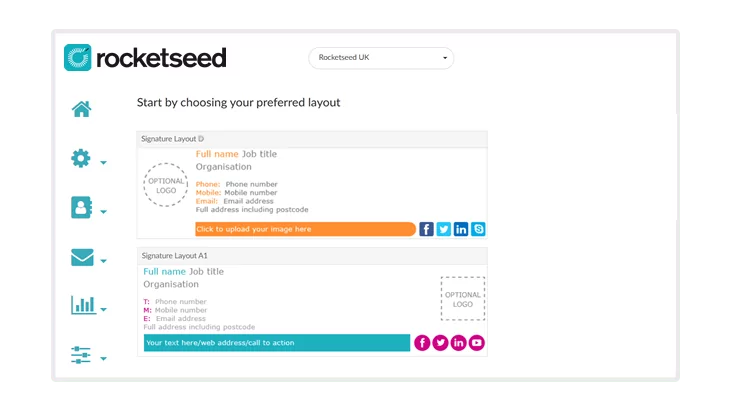
Rocketseed sits at the intersection of signature management and email marketing. You can run multiple live banner campaigns in rotation directly within employee email signatures — so a product launch and a webinar can run simultaneously — with advanced segmentation allowing different banners based on sender role or recipient domain.
The analytics depth on Rocketseed exceeds most competitors — click tracking, engagement rates, and banner performance reporting all feed back into a centralized dashboard. If you want to treat every employee email as a scalable marketing touchpoint, Rocketseed gives you the infrastructure to do it at scale.
Standout Features:
- Rotating promotional banner management
- Advanced click and engagement analytics
- Active Directory sync for automated updates
- Recipient targeting by department, role, or domain
- Strong compliance framework for regulated industries
Pricing: Minimum spend of $75/month; signature plans from $1/sender/month, campaign plans from $2.50/sender/month.
Limitation: Can be complex to manage without a dedicated marketing admin. Not suitable for individuals or very small teams.
9) Canva — Best for Visual Branding
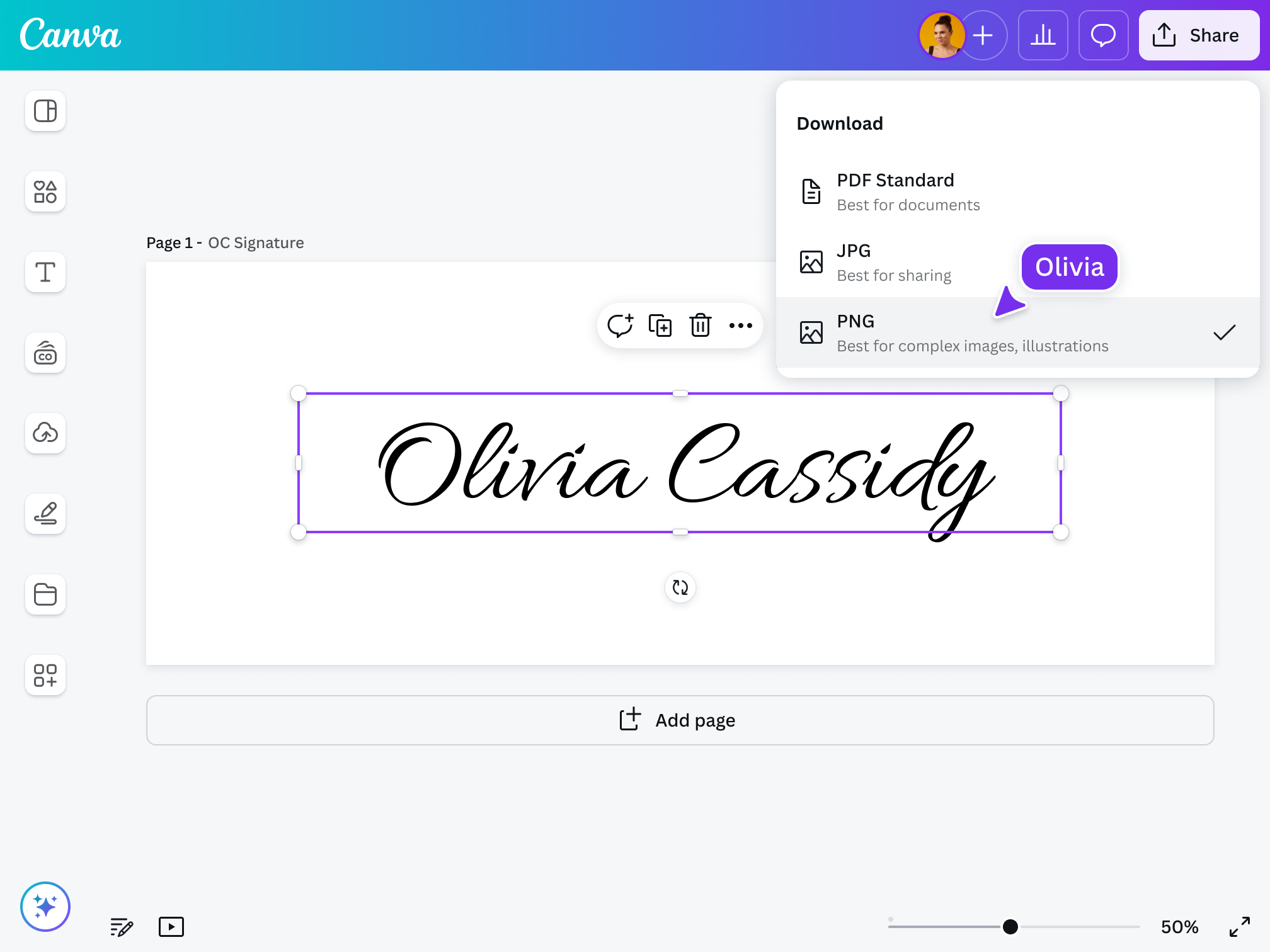
Canva needs no introduction as a design tool, and its email signature templates are exactly what you'd expect: visually polished, highly branded, and easy to put together using the same drag-and-drop editor Canva is known for.
The brand kit integration is the real value here for small businesses. You import your logo, brand colors, and fonts once — and Canva applies them across your signature automatically. For design-conscious founders or marketing teams producing visual content regularly, keeping your signature in the same workspace as the rest of your brand assets makes sense.
Standout Features:
- Extensive template library with professional designs
- Brand kit integration for consistent visual styling
- Familiar drag-and-drop editor with zero learning curve
- Canva Pro plan adds premium templates and assets
Pricing: Free tier available; Canva Pro from $15/month.
Limitation: Canva outputs image-based signatures, not HTML. Image-only signatures can break rendering on Outlook, affect accessibility, and — importantly for outbound teams — trigger spam filters in cold email campaigns.
10) Smartlead Email Signature Generator — Best for Cold Email Teams
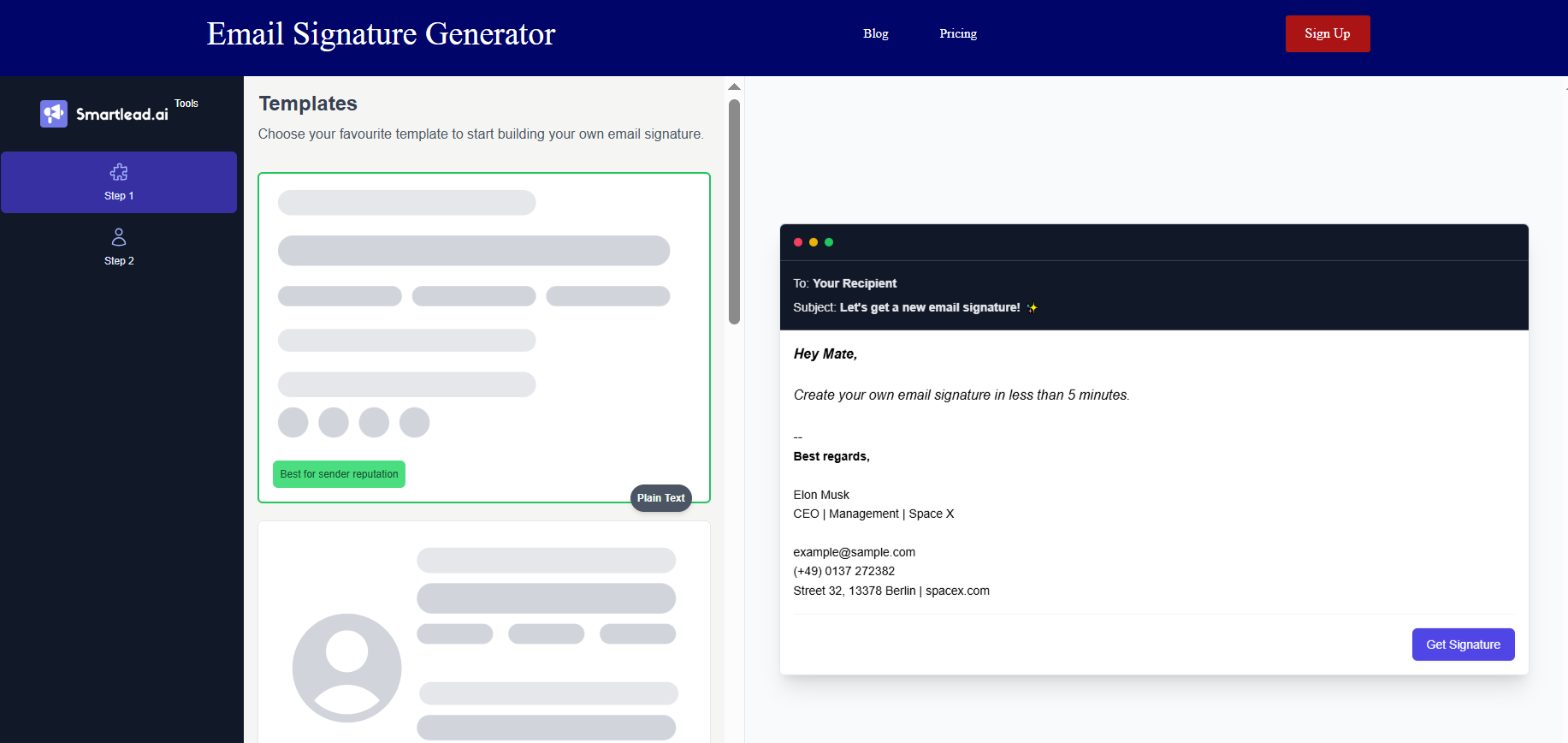
Every other tool on this list is built around looking good. Smartlead's free signature generator is built around landing in the inbox.
For SDRs and outbound teams running cold email sequences, the deliverability risk of a design-heavy signature is real. Images, tracking pixels, and HTML-heavy formatting all increase the chance of your email landing in spam — especially on new domains. Smartlead's generator solves this by prioritizing plain-text, minimal HTML output that won't trigger spam filters.
It's free, fast to set up, and focused on one thing: keeping your cold emails out of the spam folder. You won't get analytics or banners. That's not the point.
Standout Features:
- Plain-text signature support for deliverability
- Free with no subscription required
- Built specifically for cold email outreach workflows
- No tracking pixels or image dependencies
Pricing: Free.
Limitation: Minimal design and branding options. Not suitable for teams that need visual branding or centralized management.
Free Email Signature Generator Tools — What You Can (and Can't) Expect
Not all free tiers are created equal. Here's what you actually get — and where the walls are.
What Free Tools Typically Include
- Basic templates with name, title, and contact fields
- Social media icon links
- Logo and headshot upload
- Single-signature creation
- HTML output compatible with major email clients
What Free Tools Usually Don't Include
- Analytics and click tracking (usually paywalled)
- Team management or bulk deployment
- Centralized admin controls
- Advanced CTAs or promotional banners
- GDPR compliance features
Free tools worth using for individuals: HubSpot (fastest setup), MySignature (best design flexibility for free), Canva (best visual output), Smartlead (best for cold email teams).
When free tools fall short: The moment you have more than 3–5 people on your team and brand consistency matters. Manual updates across individual users breaks down fast.
Business vs. Personal Email Signature Generators — Which Do You Need?
The right tier of tool depends entirely on your use case.
Personal Use
Solo professionals, freelancers, consultants, and job seekers. You need one clean signature, quick setup, and the ability to update it without IT help. HubSpot or MySignature covers this completely — at zero or near-zero cost.

Business Use
Teams, agencies, and enterprises. You need centralized management, master templates, automated directory sync, and consistent rendering across every employee's device. That's where WiseStamp (small teams), Newoldstamp or SyncSignature (mid-size), and Exclaimer or Rocketseed (enterprise) earn their price.
Quick decision guide
How Email Signatures Impact Cold Email Outreach Performance
If you run cold email outreach, your signature is the first trust signal a prospect sees before they read a single word of your message. It tells them whether this email came from a real person at a real company — or a mass-blast operation.
A professional signature increases reply rates and reduces skepticism. It signals legitimacy. But there's a deliverability tradeoff that most SDRs get wrong.
The Deliverability Risk of Heavy Signatures
Image-heavy, HTML-bloated signatures trigger spam filters. Every image requires an external server call. Tracking pixels add suspicious code. Multiple links in your signature increase your spam score. On new or lightly-warmed domains, this combination can push your emails out of the primary inbox — before a single prospect reads your offer.
What Works for Cold Outreach
- Plain-text or minimal HTML signatures
- One link maximum (a LinkedIn URL or calendar booking link)
- No images or promotional banners
- No open tracking pixels
- Name, title, company, and phone — nothing more
A professional signature checklist for cold email includes: full name and specific job title, direct phone number, company website URL, one clear CTA (calendar link preferred), LinkedIn profile for credibility, and a clean mobile-friendly single-column design.
The goal with a cold email signature isn't to impress — it's to not get filtered. Keep it clean, keep it minimal, and let the copy do the selling.
How Cleverly Uses Professional Email Signatures to Support Cold Email Campaigns
Most teams spend weeks perfecting their cold email copy and zero time thinking about the technical details underneath it — including the signature at the bottom of every message.
At Cleverly, every element of our cold email lead gen campaign is built with deliverability and conversion in mind. That includes the signature. Our cold email outreach campaigns use clean, minimal signatures specifically configured to stay out of spam folders and build trust with cold prospects who've never heard of you before.
Before we write a single line of copy for a client, the infrastructure is set up correctly — sending domains, mailboxes, DNS authentication, warm-up protocols, and yes, signature configuration. We know from running thousands of campaigns that a signature stuffed with images and tracking links on a fresh domain is a direct path to the spam folder.
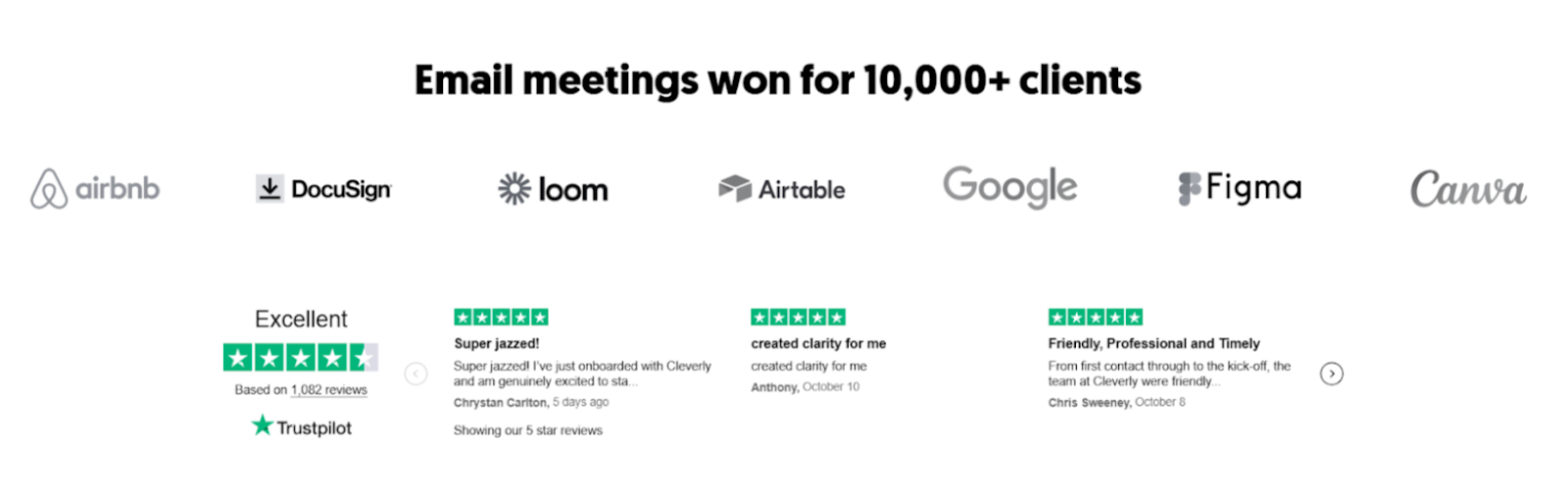
We've helped 10,000+ B2B companies generate $312M in pipeline and $51.2M in closed revenue across our outreach programs. The details matter — and most of those details happen before the prospect ever reads your subject line.
🤝 Want cold email outreach built to land in the inbox and convert? Book a strategy call with Cleverly and we'll show you exactly how we'd approach your outbound.
Conclusion
Your email signature isn't a formality — it's a branding channel you're already using, just probably not optimizing. Every email you send is an impression. A professional signature compounds that across thousands of sends.
The right email signature generator depends entirely on your situation. For individuals: HubSpot or WiseStamp. For small-to-mid teams: SyncSignature or Newoldstamp. For enterprises: Exclaimer. For cold email teams prioritizing deliverability: Smartlead.
Pick the right tool for your use case, get it set up once, and let the compounding work in your favor.
Frequently Asked Questions
Free Resource
How to Scale a Profitable Cold Call System
Get the complete guide — download it instantly now.

Free Ebook
Download the Free Guide
Enter your details to get instant access.
You're all set! 🎉
Your ebook is downloading now.
Click below if the download didn't start automatically.