Table of Contents
What Is Email Deployment?
How Email Deployment Works — The Full Process
Email Deployment Checklist — What to Verify Before Every Send
Best Practices for Email Deployment
Best Email Deployment Tools in 2026
Email Deployment for Cold Email — Key Differences to Know
How Cleverly Handles Cold Email Deployment for B2B Companies
Conclusion
Frequently Asked Questions
Modified On :
April 8, 2026
Key Takeaways
- Email deployment is a complete system involving list prep, authentication, scheduling, monitoring, and post-send analysis, not just clicking send.
- Skipping any phase of the email deployment process creates compounding deliverability and performance problems across future campaigns.
- A thorough email deployment checklist run before every send prevents the most common causes of missed inboxes, bounces, and spam flags.
- Cold email deployments require dedicated sending domains, structured inbox warm-up, and inbox rotation that standard marketing ESPs simply don't support.
- The best email deployment platforms for B2B cold outreach in 2026 include Instantly.ai, Smartlead, Lemlist, and Apollo.io, each suited to different use cases and team sizes.
- Keeping bounce rates under 2% and spam complaint rates under 0.1% are the two most critical thresholds to monitor during every email deployment.
You spent hours writing the perfect email. The copy is tight, the subject line is punchy, and the offer is genuinely compelling. So why did half your list never see it?
Because writing a great email and successfully deploying one are two completely different things.
Email deployment is the system that sits between your draft and your prospect's inbox. And if that system is broken or skipped entirely, even the best email in the world ends up in spam, bounces back, or simply never arrives.
Globally, only about 60% of emails actually reach a visible inbox location, meaning nearly 4 in 10 emails disappear before anyone ever reads them.
For B2B teams running outbound campaigns, that's not just a deliverability problem. It's a revenue problem.
This guide covers everything you need to know: what email deployment actually means, how the process works from end to end, a pre-send checklist you can use before every campaign, the best email deployment tools for 2026, and what makes cold email deployment fundamentally different from regular marketing email.
What Is Email Deployment?
Email deployment is the end-to-end process of preparing, sending, and delivering an email campaign to a targeted list. It covers everything that happens between the moment you finalize your email copy and the moment it lands (or doesn't) in someone's inbox.
A lot of people treat email deployment and email marketing as the same thing. They're not. Writing an email is a strategy. Deploying one is execution. And execution involves a whole set of technical, operational, and logistical steps that most teams either skip or don't know about.
What proper email deployment involves:
- List preparation: Cleaning and segmenting your contact database before a single email goes out.
- Template setup: Building and testing your email across clients and devices.
- Authentication: Confirming SPF, DKIM, and DMARC records are correctly configured.
- Scheduling: Timing sends for maximum engagement and safe volume pacing.
- Sending: Managing inbox rotation, daily limits, and volume distribution.
- Monitoring: Tracking deliverability, opens, bounces, replies, and complaints in real time.
- Post-send: Updating lists, analyzing performance, and building follow-up sequences.
In B2B, the stakes for email deployments are especially high. You're reaching decision-makers with targeted, often personalized outreach.
A missed inbox, a spam flag, or a bounce doesn't just hurt your campaign. It damages your sender reputation, which affects every future send from that domain.
The bottom line: Email deployment is not a single action. It's a system. Teams that treat it like one consistently outperform teams that treat it like just hitting send.
📧 Deploy Emails. Or Deploy Meetings.
Cleverly runs done-for-you cold email campaigns that send meeting-ready leads straight to your calendar. You only pay for qualified calls we book.
How Email Deployment Works — The Full Process
Understanding the full lifecycle of email deployments helps you identify exactly where things can go wrong. There are five phases, and skipping any one of them creates compounding problems downstream.
Phase 1: Preparation

This is where you do the work that makes every other phase easier. You segment your audience, clean your contact list, verify personalization data fields are populated, and finalize your email copy. Poor list hygiene at this stage leads to hard bounces, spam complaints, and deliverability problems that follow you for months.
Phase 2: Configuration
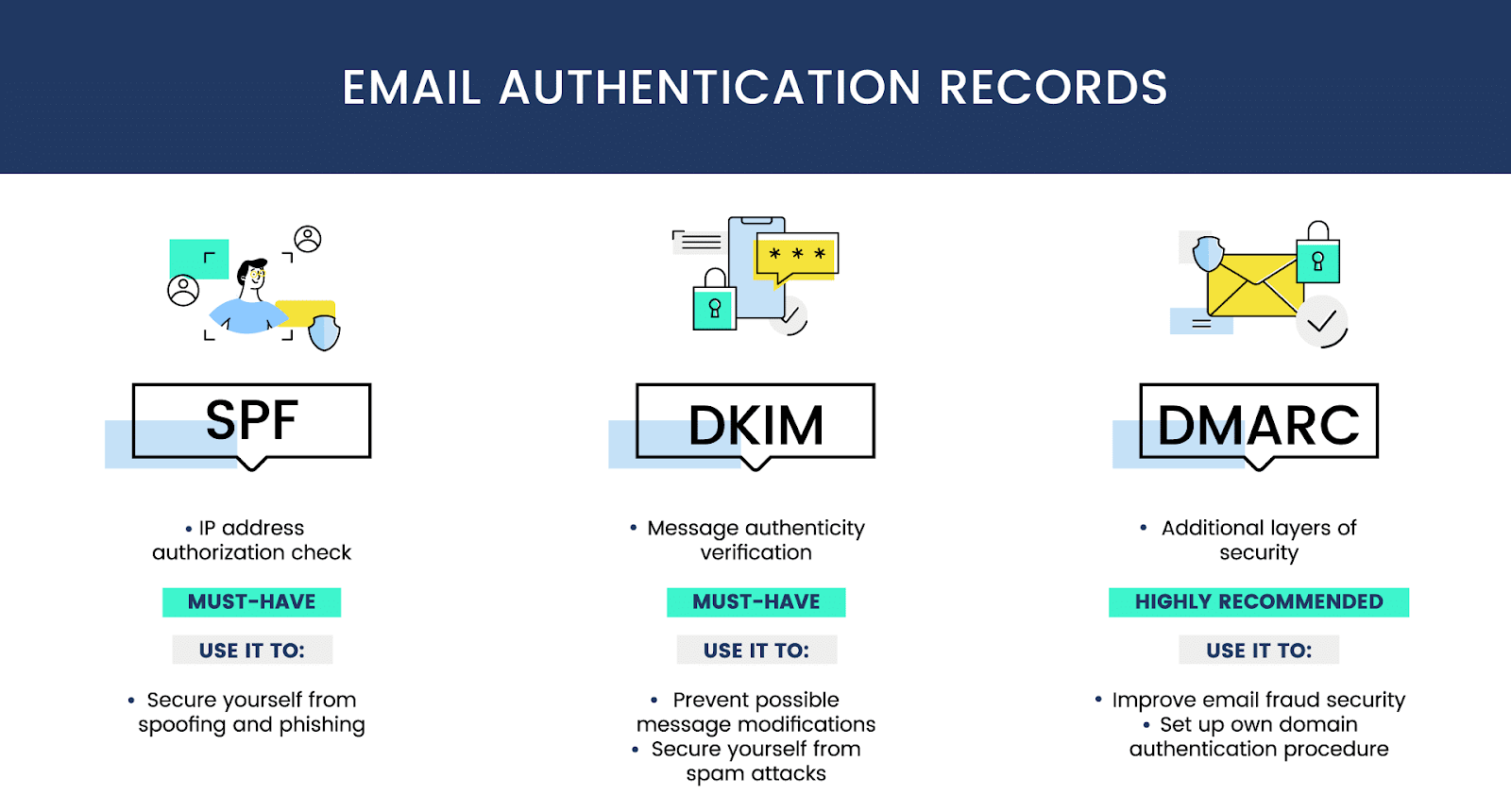
Before a single email goes out, your cold email infrastructure setup needs to be airtight. That means confirming your SPF, DKIM, and DMARC records are correctly configured, verifying your sending domain and inbox are warmed up, checking your domain and IP against major blacklists, and making sure your sender name and reply-to address are set correctly. This phase is where most teams cut corners, and where most deliverability problems originate.
Phase 3: Sending
Not all sends are created equal. Responsible email deployment means scheduling sends at optimal times for your audience's time zone, setting appropriate daily sending limits per inbox, enabling inbox rotation if you're running at scale, and pacing your volume instead of blasting your full list at once.
Phase 4: Monitoring

The job isn't done when you hit send. Real-time monitoring means tracking deliverability rates, open and reply rates, bounce rates, and spam complaints as the campaign runs. If your bounce rate spikes or your spam complaint rate creeps above 0.1%, you need to catch that fast and pause the campaign before the damage compounds.
Phase 5: Post-Send
After every campaign, you update your suppression list, remove hard bounces, analyze performance, and build follow-up email sequences for engaged contacts. Skipping this phase means you carry the same bad data into your next email deployment and repeat the same mistakes.
Email Deployment Checklist — What to Verify Before Every Send
Think of this as your pre-flight checklist. Run through it before every campaign, every time. No exceptions.
List and Audience Checks
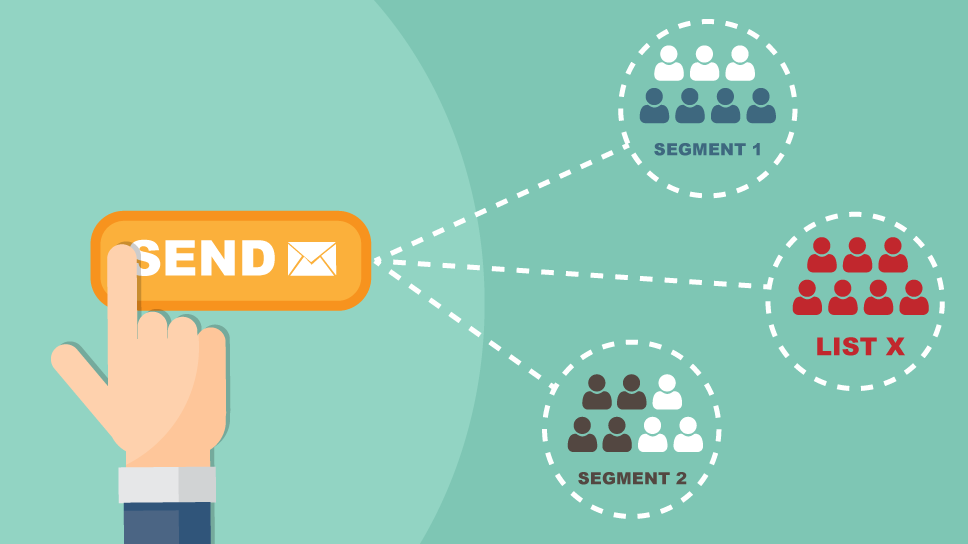
- Verify your list is cleaned and validated. Remove invalid, duplicate, and known spam-trap emails.
- Confirm your segmentation matches the campaign intent and messaging angle.
- Remove all unsubscribes, hard bounces, and suppression list contacts.
- Validate that every personalization field used in the email is actually populated for every contact.
Authentication and Technical Checks
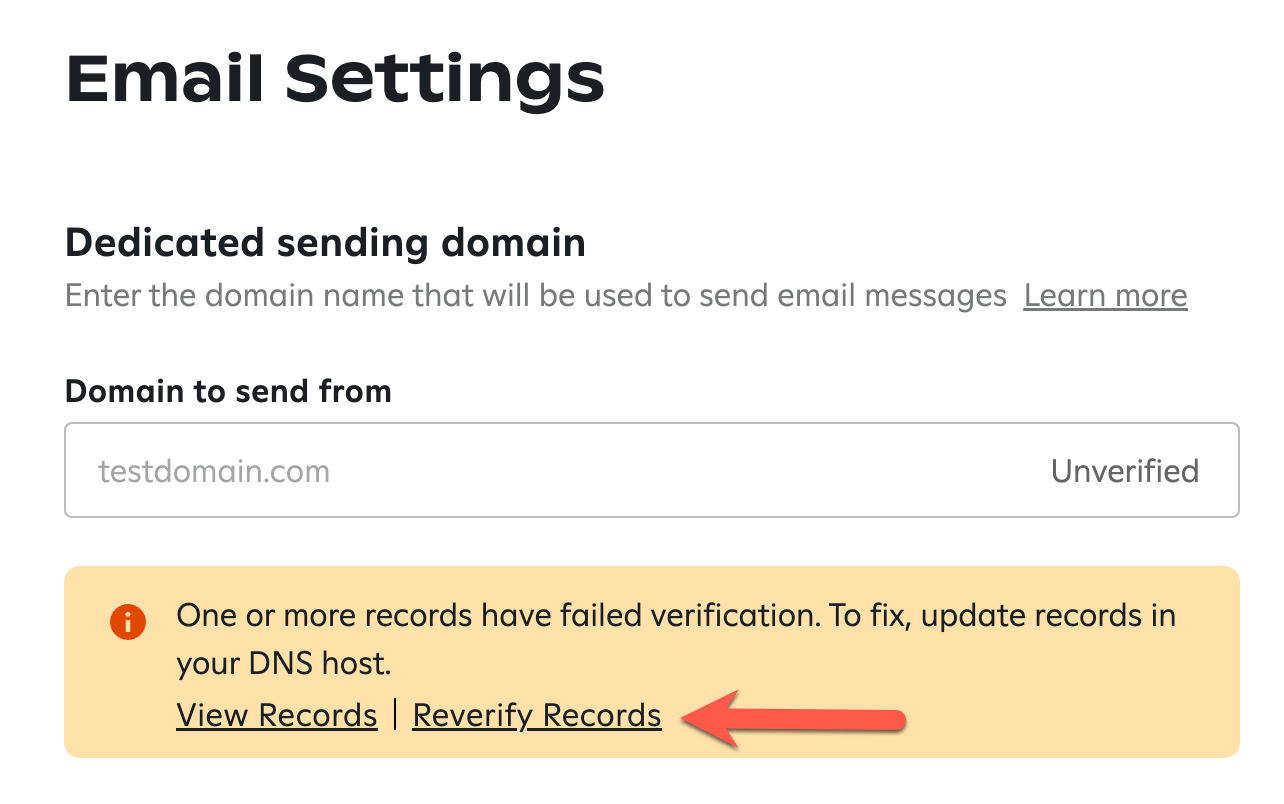
- Confirm SPF, DKIM, and DMARC records are correctly configured for your sending domain.
- Verify your sending domain and inbox are fully warmed up before deploying at volume.
- Check your domain and IP against major blacklists (MXToolbox, Google Postmaster Tools).
- Confirm your sender name, from address, and reply-to address are all set correctly.
Content and Copy Checks
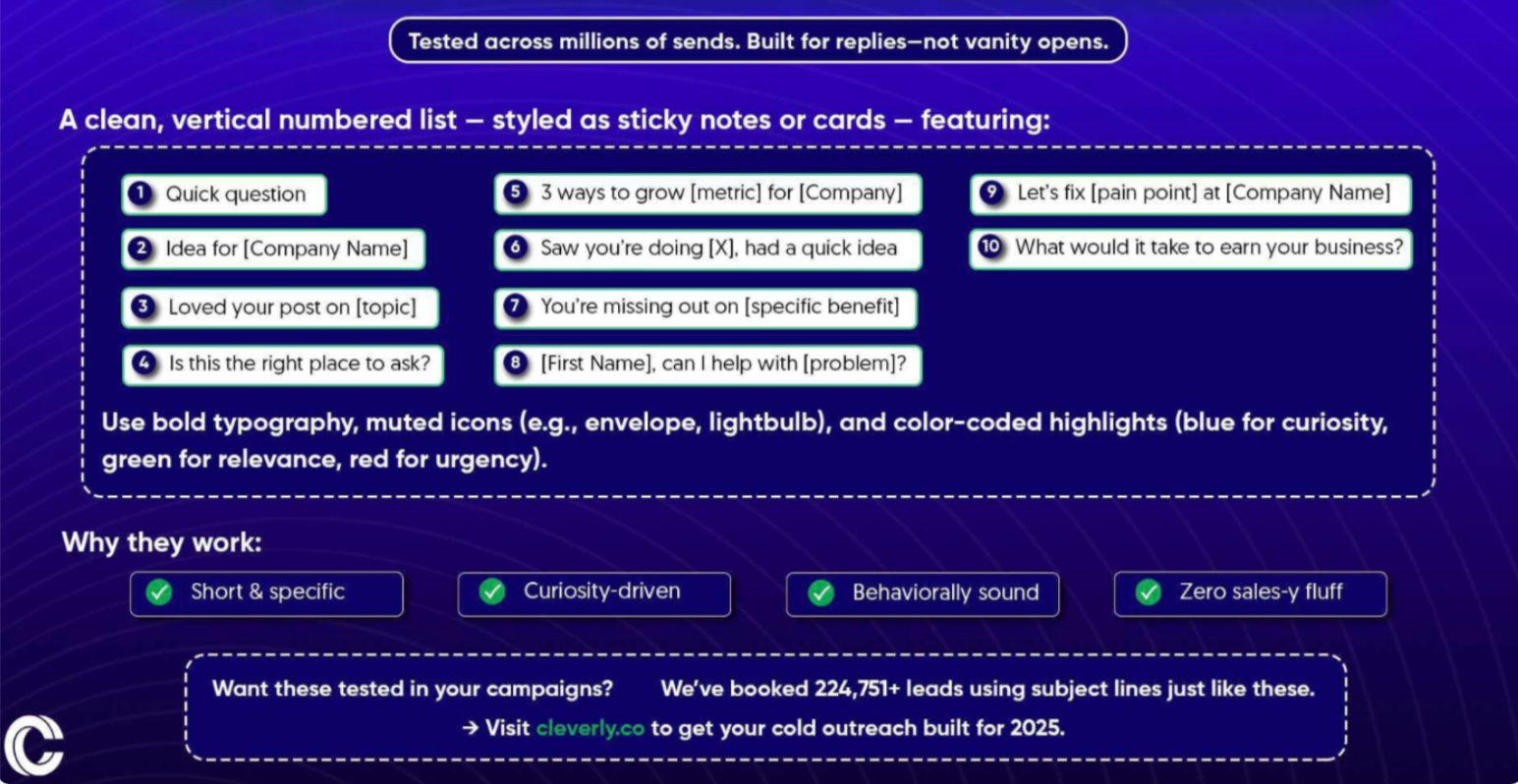
- Review your subject line for spam trigger words and make sure it's under 60 characters.
- Check that your preview text is optimized and not getting cut off in the inbox.
- Confirm all personalization variables render correctly, especially first name and company fields.
- Test every link and CTA to confirm they work and point to the right URLs.
- Make sure a plain-text version of your email is present and readable.
Rendering and Compatibility Checks

- Test email rendering across Gmail, Outlook, and Apple Mail at minimum.
- Confirm mobile rendering is clean and responsive on both iOS and Android.
- Verify images load correctly (if you're using them) and include descriptive alt text.
- Check that image-to-text ratio won't trigger spam filters.
Sending and Scheduling Checks
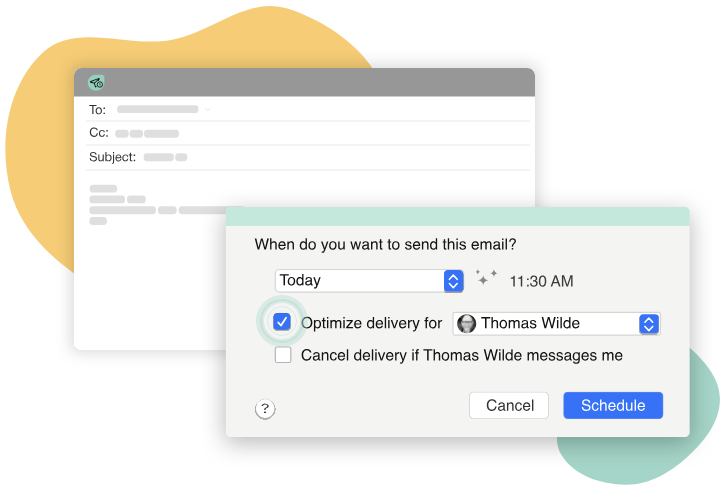
- Confirm your send time aligns with your audience's time zone and peak engagement windows.
- Set the correct daily sending limits per inbox, typically 30 to 50 emails per inbox per day for cold outreach.
- Enable inbox rotation if you're sending at scale across multiple domains.
- Confirm tracking settings (opens, clicks) are configured in a way that supports deliverability, not just reporting.
🚀 Skip the Email Ops Headache
Domains, warmups, deliverability, copy, sending — we handle the entire cold email system. You just show up to qualified sales meetings.
Best Practices for Email Deployment
Getting your email deployment right is as much about discipline as it is about tools. Here are the practices that separate high-performing campaigns from ones that quietly disappear.
✅ Always send from warmed-up, authenticated domains.
Never use your primary business domain for cold outreach. Set up dedicated sending domains, warm them up over several weeks, and authenticate them properly before deploying any volume.
✅ Segment your list before every deployment.
One message does not fit all. Sending a generic email to your entire list tanks engagement, raises spam complaint rates, and hurts your sender reputation. Match your message to your segment.
✅ Pace your sends.
Don't blast your entire list in one go. Spread sends across inboxes and days. Sudden volume spikes are a major red flag to spam filters.
✅ Use plain text or minimal HTML for cold outreach.
Rich HTML, heavy images, and fancy templates are for newsletters and marketing emails. For cold email services and outbound campaigns, plain or near-plain text typically outperforms heavily designed emails and is far less likely to trigger spam filters.
✅ Monitor bounce rates in real time.
If your hard bounce rate exceeds 2%, pause the campaign immediately. Continuing to send to bad addresses destroys your sender reputation fast.
✅ Keep spam complaint rates below 0.1% at all times.
This is the threshold Google and Yahoo use for bulk senders. Exceeding it consistently leads to domain blacklisting.
✅ Always include a clear and functional unsubscribe mechanism.
This is both a legal requirement and a deliverability signal. Senders who include easy opt-out options consistently show lower complaint rates.
✅ Run A/B tests before full deployment.
Test subject lines and send times on a small segment before rolling out to your full list. The data you get from a 10% test can dramatically improve results for the other 90%.
✅ Maintain a suppression list and update it after every campaign.
Every hard bounce, unsubscribe, and spam complaint needs to be captured and suppressed before your next send.
✅ Document your deployment process.
If your process only lives in one person's head, it will break the moment they're unavailable. A documented, repeatable process keeps quality consistent across campaigns and team members.
Best Email Deployment Tools in 2026
Not every email deployment platform is built for the same use case. The right cold email software depends on who you're emailing, how much volume you're sending, and whether you're running cold outreach, marketing campaigns, or transactional sends.
Here's a breakdown of the best options in 2026.
Instantly.ai
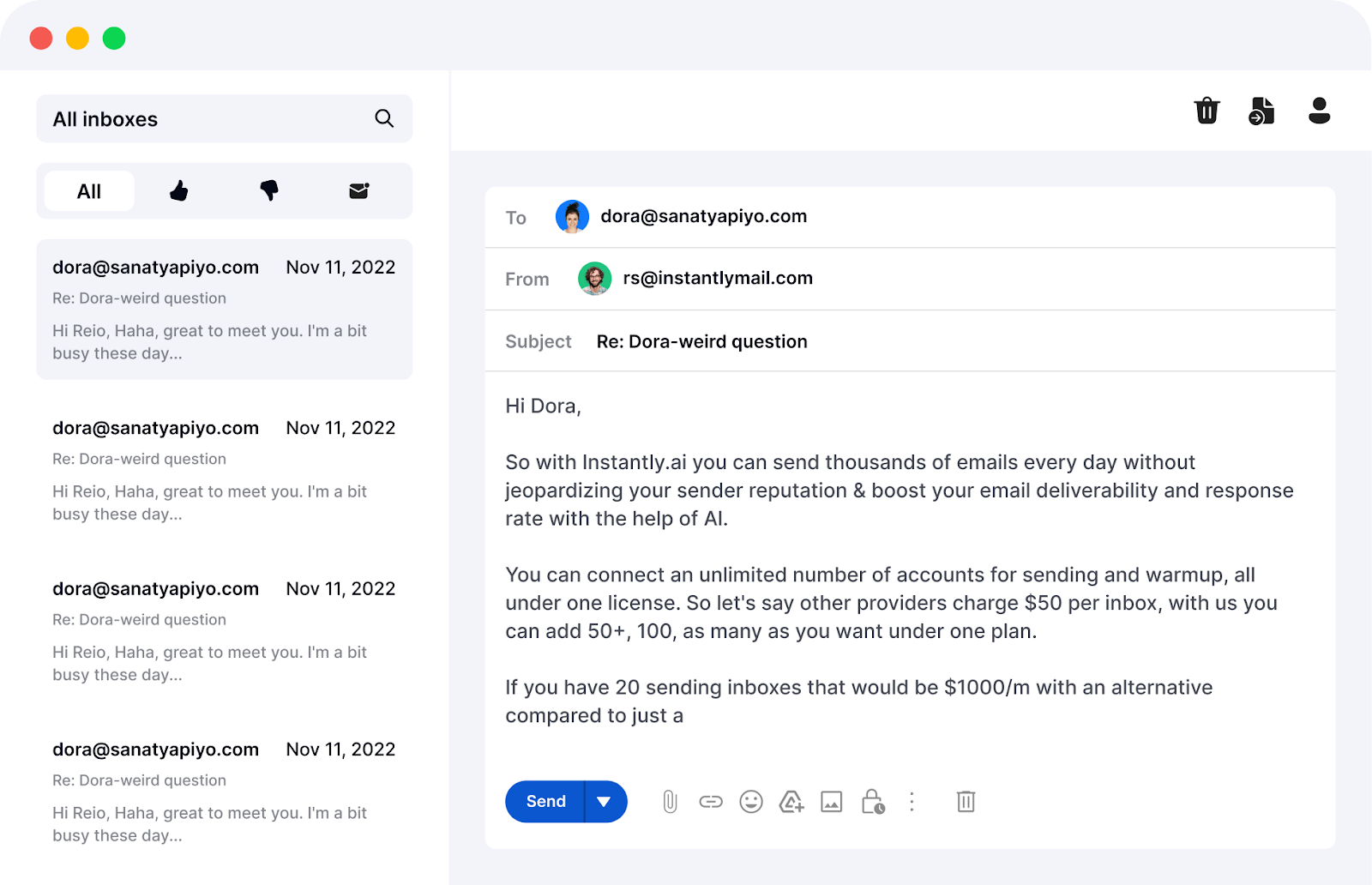
Best for: High-volume cold email deployment with unlimited sending accounts
Instantly is one of the most popular cold email deployment platforms for SDR teams and agencies. It offers unlimited email accounts on flat-fee plans starting around $47/month, making it cost-effective for teams running horizontal sending strategies across multiple domains.
Standout features include a built-in warm-up network of 4.2 million accounts, automatic inbox rotation, an AI sequence builder, and an AI reply agent that responds to incoming emails in under five minutes. Its SuperSearch database gives access to 450M+ verified B2B contacts for prospecting within the same platform.
Best fit for SDR teams and agencies scaling cold outreach across multiple domains without paying per-inbox fees.
Smartlead
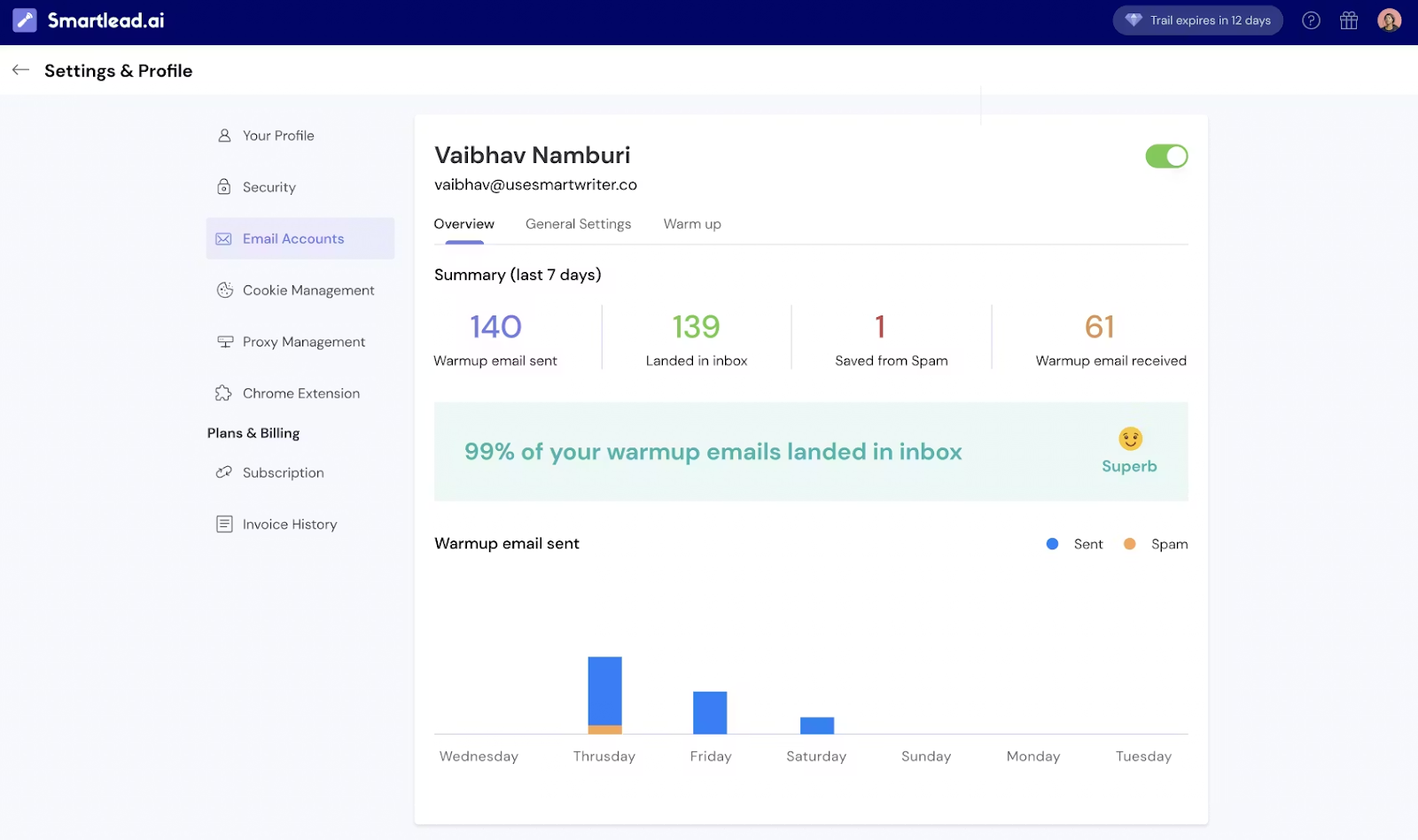
Best for: Agencies managing multiple client email deployments
Smartlead is a strong alternative to Instantly with a focus on raw sending power and multi-client management. Every plan includes unlimited email accounts, and the SmartSenders feature automates SPF, DKIM, and DMARC setup out of the box.
The platform supports multi-channel outreach including LinkedIn, WhatsApp, and SMS in addition to email. Pricing starts around $39/month, and agencies can white-label the platform for clients at $29/client/month.
Best fit for technical teams running high-volume campaigns across multiple clients who want strong deliverability controls and API access.
Lemlist
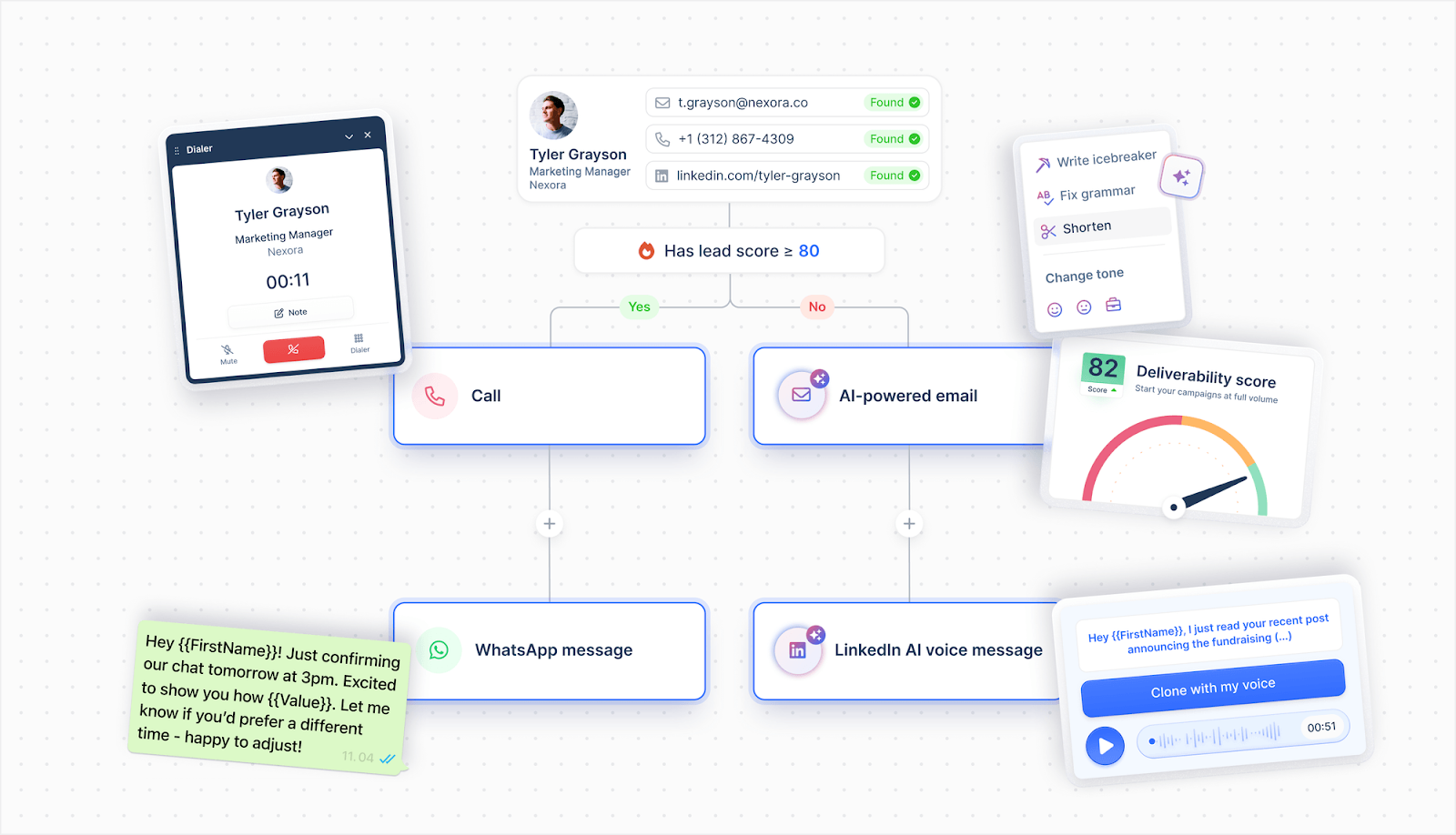
Best for: Personalization-heavy email deployments with multichannel sequences
Lemlist pioneered personalization in cold email with features like dynamic image personalization, personalized video thumbnails, and custom landing pages that update per recipient. It also supports LinkedIn automation (visits, connection requests, messages) and cold calling steps within the same sequence.
Pricing as of early 2026 is $79/user/month for Email Pro and $109/user/month for Multichannel Expert. The per-seat pricing model makes it more expensive at scale than flat-fee tools, but for smaller teams targeting high-value prospects, the personalization lift is worth it.
Best fit for teams prioritizing creative personalization and multichannel sequences over pure volume.
Apollo.io
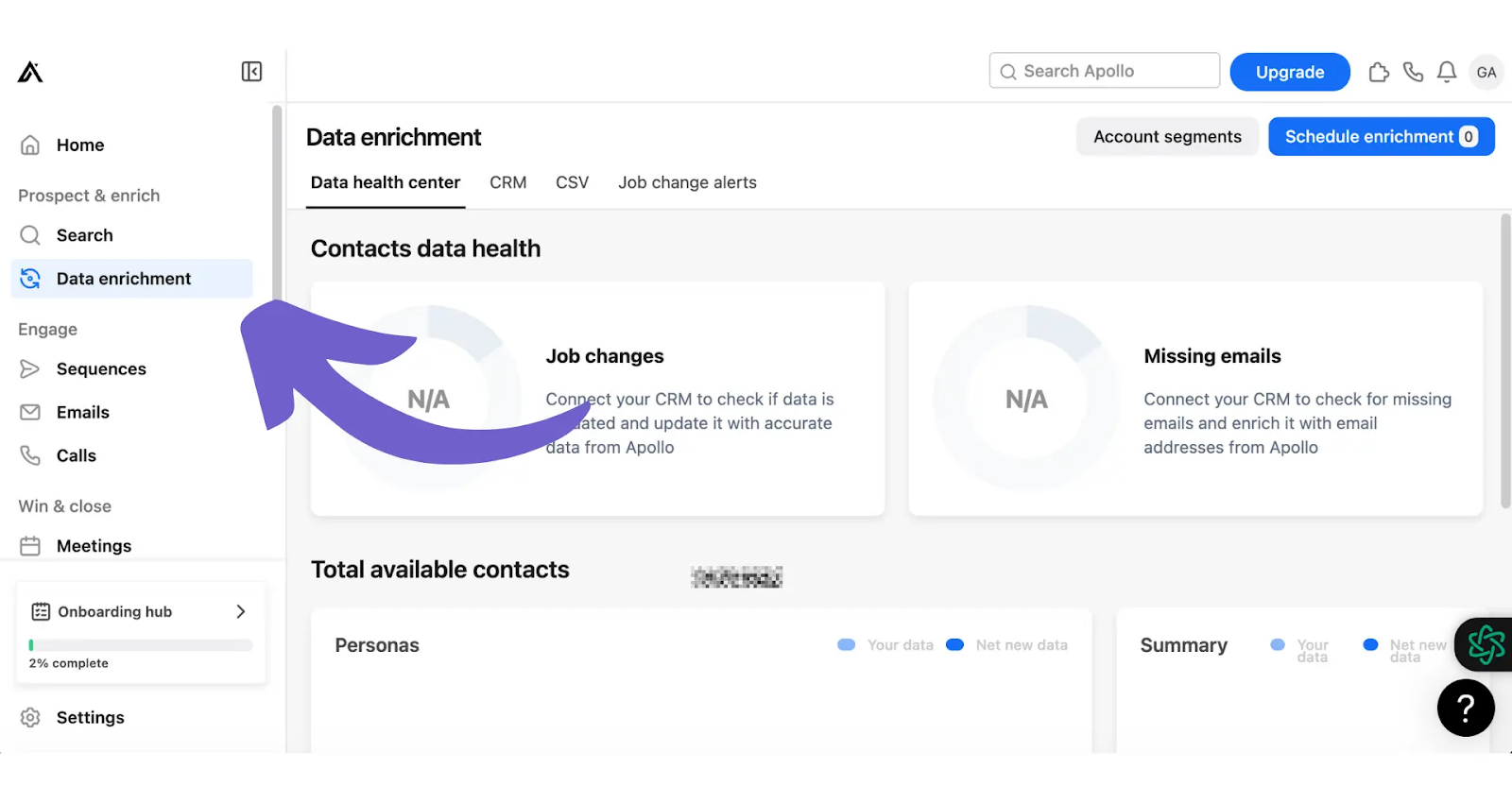
Best for: Combined prospecting and email deployment in one platform
Apollo combines a large B2B database with built-in outreach capabilities, including email sequencing, LinkedIn steps, calling, and CRM integrations. It's particularly strong for revenue teams that want their prospecting data and outreach execution in the same place.
However, Apollo uses per-seat pricing, which compounds quickly for larger teams, and its deliverability infrastructure isn't as purpose-built for cold outreach at volume as Instantly or Smartlead.
Best fit for in-house sales teams running full outbound programs who prioritize data depth and CRM connectivity.
Mailchimp and ActiveCampaign

Best for: Newsletter and marketing email deployment
If you're running inbound nurture campaigns, marketing automation, or newsletter sends to opted-in lists, Mailchimp and ActiveCampaign are solid choices.
Both offer rich template builders, strong automation workflows, detailed audience segmentation, and broad ESP integrations. Neither is the right tool for cold outreach. They're built for permission-based marketing email, not B2B cold prospecting.
Best fit for marketing teams running campaigns to engaged, opted-in subscriber lists.
SendGrid and Amazon SES
Best for: Transactional and high-volume programmatic email deployment
SendGrid and Amazon SES are API-first infrastructure tools built for developers. If you're building a custom email deployment pipeline, sending transactional emails at scale (receipts, password resets, notifications), or need developer-friendly SDKs and deliverability APIs, these are the go-to options.
They're not built for campaign management or sequencing out of the box.
Best fit for engineering teams building custom sending infrastructure at volume.
Email Deployment for Cold Email — Key Differences to Know

Cold email deployment operates under a different set of rules than marketing email, and confusing the two is one of the most common mistakes B2B teams make.
What makes cold email deployments different:
- Domain separation is non-negotiable. B2B cold outreach should never come from your primary business domain. Use dedicated sending domains to protect your main domain's reputation.
- Warm-up is required. New domains and inboxes need to be gradually warmed up over several weeks before sending any meaningful volume. Skipping this step almost guarantees spam placement.
- Inbox rotation is essential at scale. Instead of sending 200 emails a day from one inbox, you rotate sends across 10 to 20 inboxes sending 20 to 30 emails each. This approach protects sender reputation and improves deliverability.
- Volume limits are much tighter. Cold email platforms typically cap per-inbox sends at 30 to 50 per day. Marketing ESPs are built for much higher volume from single senders.
- Reply handling works differently. Cold email is a two-way conversation. Tools like Instantly use centralized inboxes and AI reply agents to manage responses at scale. Traditional ESPs are designed for broadcast sending, not conversation management.
- Plain text performs better. Rich HTML templates built for marketing emails perform poorly in cold outreach. Plain text or minimal HTML gets better inbox placement and feels more personal.
The biggest mistake teams make is running cold outreach through a marketing ESP like Mailchimp or ActiveCampaign. These platforms are not designed for cold email deployment, and using them this way puts your sender reputation at serious risk.
How Cleverly Handles Cold Email Deployment for B2B Companies
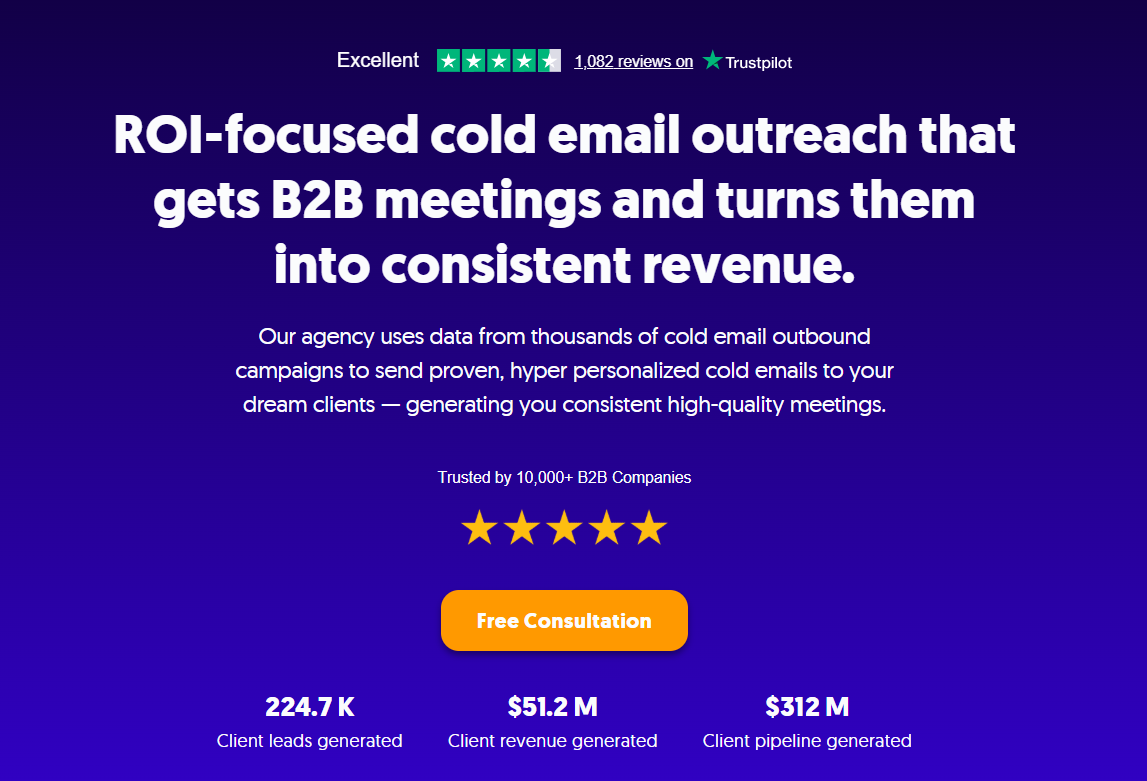
At Cleverly, proper email deployment is the foundation of every campaign we run. A lot of agencies will hand you an email copy and a list and call it done. We don't. We handle the full deployment stack from day one.
What we manage end-to-end for every client:
- Domain setup and authentication: We set up dedicated sending domains, configure SPF, DKIM, and DMARC correctly, and keep you off blacklists.
- Inbox warm-up: Every new inbox goes through a structured warm-up process before we deploy any outreach volume.
- List building: We build targeted, verified lists of your ideal decision-makers using our database of millions of contacts across every industry.
- Hyper-personalized email writing: We write cold emails that actually get responses, using data from thousands of successful B2B campaigns across every industry we've worked in.
- Outreach execution: We send personalized emails to thousands of your ideal clients every month at the right volume, paced correctly across your inboxes.
- Ongoing monitoring: We track deliverability, bounce rates, reply rates, and sender reputation in real time, so problems get caught and fixed before they compound.
The result? You get consistent, high-quality meetings booked directly onto your calendar. You just show up and close.
Trusted by 10,000+ B2B companies, we've generated $312M in client pipeline and 224,700+ client leads through cold email services that actually work.
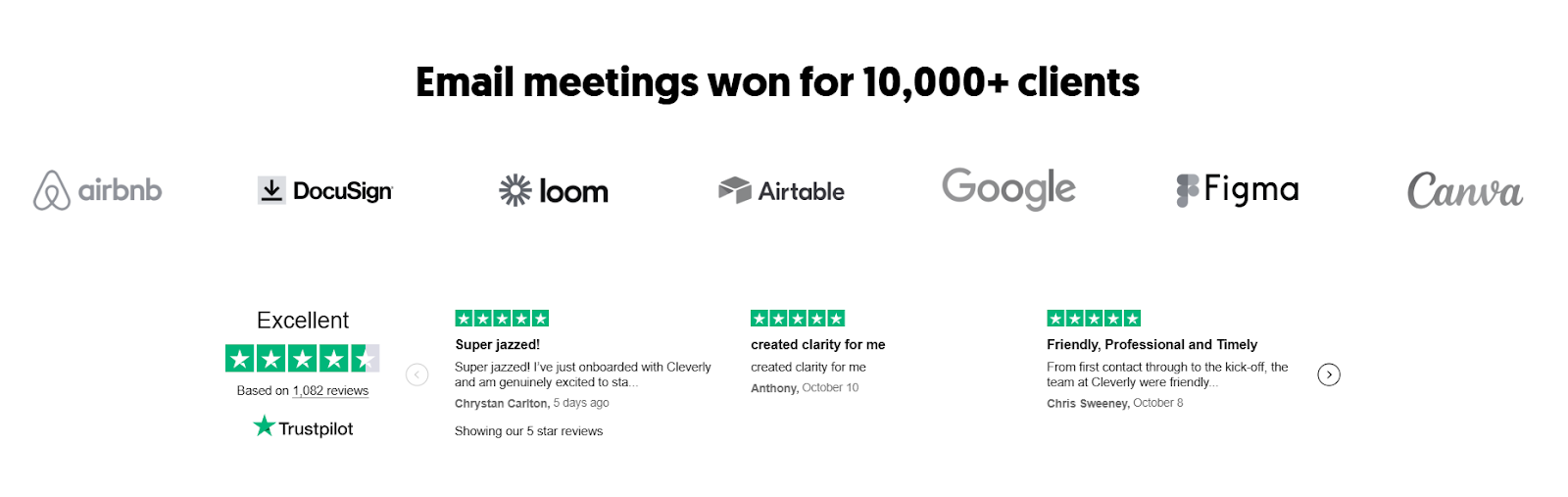
We operate on a Pay Per Performance model with no long-term contracts. Month to month, results you can see.
Want cold email deployed correctly from day one? Book a strategy call with Cleverly.
Conclusion
Email deployment is not just hitting send. It's the system of preparation, configuration, execution, and monitoring that determines whether your emails actually reach the people you're trying to reach.
Teams that treat deployment as a repeatable process consistently outperform teams that treat it as an afterthought.
Start with the fundamentals: clean lists, authenticated domains, warmed inboxes, and controlled sending volume. Get those right, and everything else gets easier.
Frequently Asked Questions
Free Resource
How to Scale a Profitable Cold Call System
Get the complete guide — download it instantly now.

Free Ebook
Download the Free Guide
Enter your details to get instant access.
You're all set! 🎉
Your ebook is downloading now.
Click below if the download didn't start automatically.