Table of Contents
What Is Email Bounce Rate? (Soft vs Hard Bounce Explained)
Why Cold Emails Bounce (Key Causes to Fix Before Using AI)
How AI Helps Reduce Email Bounce Rate (Core Benefits)
Top AI Tools That Reduce Bounce Rates
How AI Fixes Bad Email Lists (Step-by-Step Process)
AI for Domain Warm-Up and Deliverability Protection
AI-Enhanced Email Outreach Framework to Maintain Low Bounce Rates
What Is a Good Cold Email Bounce Rate?
Common Mistakes That Increase Bounce Rate
How Cleverly Reduces Bounce Rates & Improves Cold Email Campaigns
Conclusion
Frequently Asked Questions
Modified On :
August 3, 2026
Key Takeaways
- Keep your email bounce rate under 5%, ideally below 3%, to protect domain reputation and maintain strong deliverability.
- Always verify your email list with AI tools before every campaign, even if you've used the list before, because data decays at 22% per year.
- Domain warm-up isn't optional, skip it, and even verified emails will bounce or land in spam on new domains.
- AI eliminates human error by catching invalid emails, spam traps, role-based addresses, and outdated data automatically before you hit send.
- Monitor bounce rates daily and pause campaigns immediately if they spike above your threshold.
Let's talk about something that quietly kills email success in cold email outreach - bounces.
You've spent hours building your cold email prospect list, crafting the perfect message, and hitting send. Then reality hits: 15%, 20%, maybe even 30% of your emails never reach an inbox. They just... bounce.
See, email bounce rates aren't just annoying metrics. They're reputation killers. When emails bounce, ESPs notice. Your sender score drops. Suddenly, even your good emails start landing in spam or getting blocked entirely.
We've sent millions of cold emails at Cleverly, and we've learned this the hard way: reducing email bounce rates is the foundation of any successful cold outreach campaign.
The good news? AI is changing the game. Instead of manually scrubbing lists and hoping for the best, you can now use smart tools that catch bad emails before they tank your email deliverability.
In this guide, we're breaking down exactly how AI reduces bounce rates in cold email outreach, and how you can use it to keep your sender reputation clean and your meetings calendar full.
What Is Email Bounce Rate? (Soft vs Hard Bounce Explained)
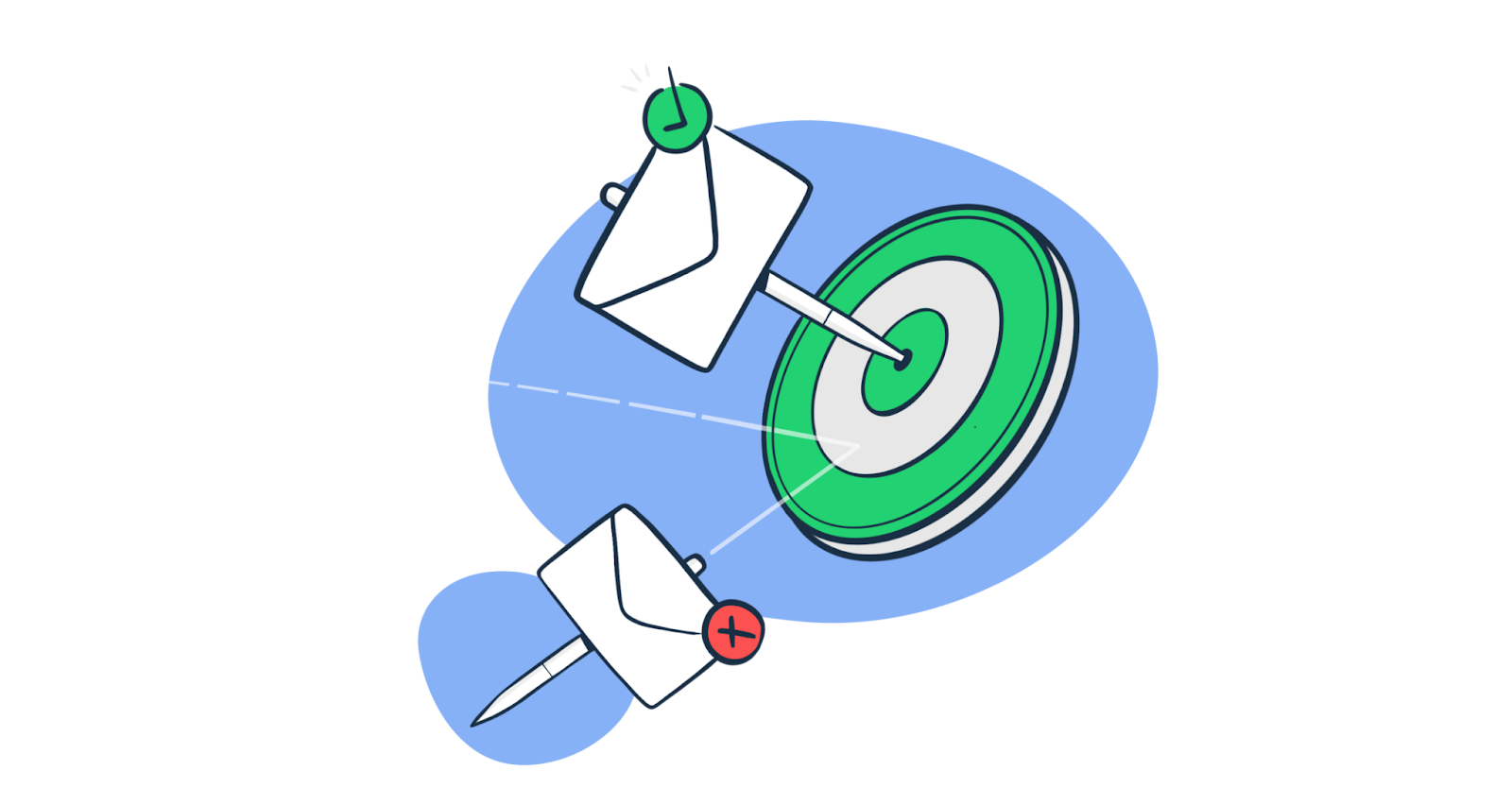
To begin with the main question - what is email bounce rate? Simple, it's the percentage of emails that don't get delivered. You send 100 emails, 10 bounce back, that's a 10% bounce rate.
Email bounce rate = bounced emails ÷ total emails sent × 100
If 40 of 2,000 emails bounce, the bounce rate is 2%. Calculate hard and soft bounce rates separately as well, because permanent address failures require a different response from temporary server deferrals.
But not all bounces are created equal.
Hard Bounces vs Soft Bounces
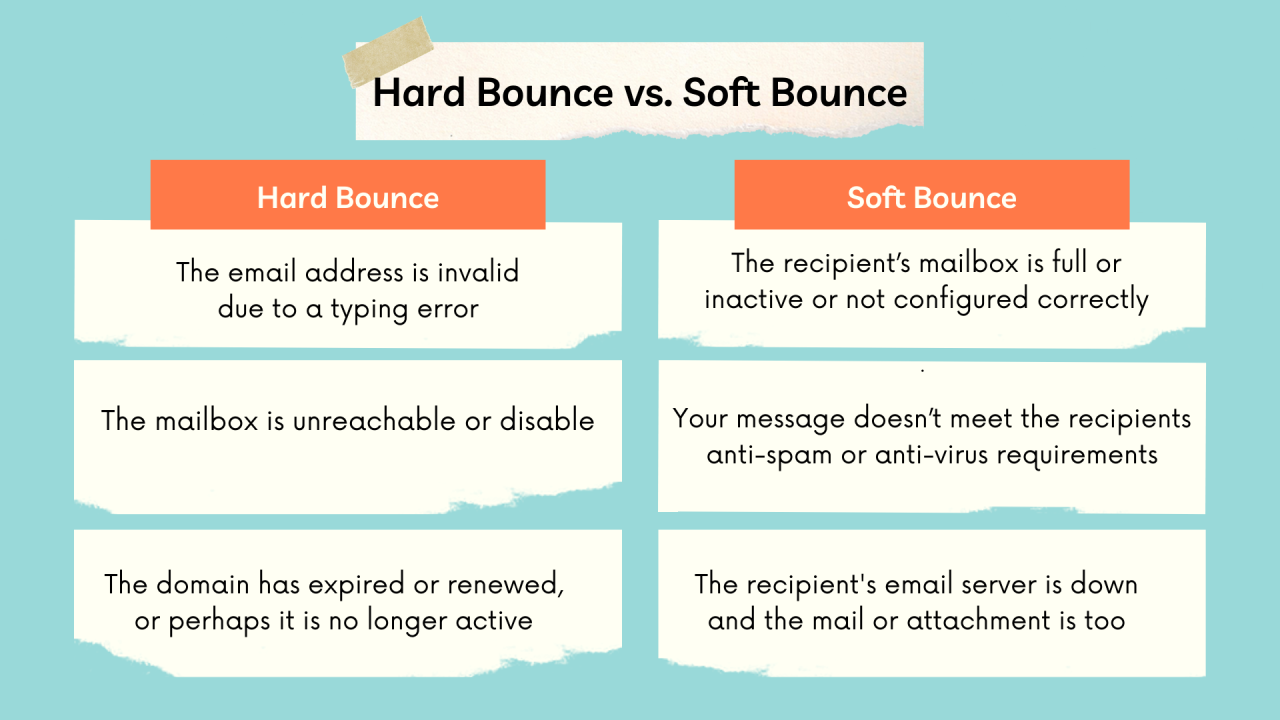
Hard bounces are permanent failures. The email address doesn't exist, the domain is invalid, or the recipient's server has completely blocked you. These emails will never get delivered, no matter how many times you retry.
Soft bounces are temporary issues. Maybe the recipient's inbox is full, their server is down, or your email was too large. These might go through if you try again later—but they're still red flags.
Here's what most people miss:
Hard and soft bounces should not be treated as equivalent. A hard bounce usually means the mailbox or domain does not exist, so suppress the address immediately. A soft bounce indicates a temporary condition such as a full mailbox, server problem, or rate limit. Review the SMTP response before deciding whether to retry.
Repeatedly sending to permanently invalid addresses is a clear list-quality failure. A sudden wave of temporary deferrals may point to volume, authentication, reputation, or recipient-server issues instead.
What's a Dangerous Bounce Rate?
Let's get specific:
- Below 5% = You're in good shape. This is where we keep our campaigns at Cleverly.
- 5–10% = Warning zone. Your deliverability is starting to suffer.
- Above 10% = Danger territory. ESPs are likely throttling or blocking your emails.
Why This Matters for Cold Outreach
In cold email, your domain reputation is everything. Internet Service Providers (ISPs) and email service providers track your email bounce rate obsessively.
Send too many emails to bad addresses, and they'll assume you're a spammer—even if you're not.
Once your reputation drops, even perfectly crafted emails to valid addresses end up in spam. You're not just losing that one campaign. You're damaging your ability to run cold email outreach for months.
The fix? Keep your cold email bounce rate under control from day one, and protect your domain like it's your business lifeline, because it is.
Bounce vs. Rejection, Deferral, and Spam Placement
A bounce tells you that the receiving server did not accept or permanently retain the message. It does not automatically tell you that the email address was invalid.
Use the SMTP response and sending-platform classification to identify what failed:
Do not respond to every category by buying another email list. Invalid recipients require better data. Authentication failures require DNS corrections. Deferrals require volume and reputation analysis. Spam placement requires a broader deliverability review.
🔥 AI-Powered Cold Email That Lands
Cleverly uses advanced data + AI to send high-deliverability campaigns—and delivers meeting-ready leads you only pay for.
Why Cold Emails Bounce (Key Causes to Fix Before Using AI)
Before AI can help you, you need to understand why your cold email bounce rate is high in the first place.
We've audited hundreds of campaigns at Cleverly, and the culprits are usually the same.
The Biggest Bounce Rate Killers
Unverified lists are the #1 problem we see. Someone scrapes 5,000 emails from LinkedIn or buys a "targeted list," then wonders why 20% bounce. If you haven't verified those emails exist, you're gambling with your domain reputation.
Outdated contact information is everywhere. People change jobs. Companies go under. That VP of Sales email from 2022? Probably dead by now. Email lists decay at roughly 22% per year—so if your list is old, your cold email bounce rate will reflect it.
Purchased lists are even worse. You don't know where those emails came from, how old they are, or if they were ever valid. Plus, you're emailing people who never opted in, which is a fast track to spam folders and bounces.
Also Check: Improve Cold Email Open Rate - Proven Steps + Templates
Technical Mistakes That Cause Bounces
Here's what kills deliverability on the technical side:
- No domain warm-up: Sending 500 emails from a brand new domain screams "spammer" to ESPs. You need to gradually build sending volume and reputation.
- Role-based emails: Addresses like info@, support@, or hr@ often bounce or auto-filter your messages. They're rarely monitored by actual decision-makers anyway.
- Volume spikes: Going from 50 emails a day to 500 overnight triggers spam filters and increases bounces.
- Spam triggers: ALL CAPS subject lines, too many links, or sketchy formatting can get you blocked before the email even tries to deliver.
Do Role-Based Email Addresses Bounce More?
Role-based addresses such as info@, sales@, support@, and hr@ do not automatically bounce more simply because they are role based. Some are valid and actively monitored. Others are disabled, routed to ticketing systems, or protected by stricter filters.
Their larger problem in cold outreach is usually poor targeting. A shared inbox does not identify a specific decision-maker, may generate automated replies, and may attract complaints when the message is irrelevant.
Treat role-based status as one risk signal, not proof that the address is invalid. Verify the mailbox, separate it from person-level contacts, and use it only when the role inbox is genuinely appropriate for the request.
Poor List Hygiene = Bounce Rate Death
If you're not regularly cleaning your email lists, you're letting bad data pile up. Inactive emails, typos, spam traps, they all increase your cold email bounce rate and hurt deliverability for every future campaign.
The reality?
Most bounce rate problems start way before you hit send. Fix these issues first, then let AI handle the heavy lifting.
Why Did My Cold Email Bounce Rate Suddenly Spike?
A sudden bounce spike usually means something changed in the list, sending setup, or recipient mix. Start with the most recent change rather than auditing the entire program at once.
Check the List Source
Compare the affected campaign with the previous stable campaign:
- Was a new contact-discovery platform used?
- Was a new CSV imported?
- Did the list come from a different market or region?
- Were guessed addresses included?
- Were catch-all and unknown results allowed into the send?
- How much time passed between discovery, verification, and launch?
If one source produced most of the hard bounces, quarantine every unsent record from that source.
Check Recipient-Domain Concentration
A campaign can spike even when the list is mostly valid if too much volume reaches one mailbox provider or company domain at once. Break the failures down by recipient domain.
If Microsoft-hosted addresses are deferring while Google-hosted addresses deliver, the issue is unlikely to be a universal list-quality failure.
Check Authentication and Infrastructure Changes
Confirm whether anyone recently changed:
- SPF, DKIM, or DMARC records
- Sending domain or From address
- Sending platform
- Tracking domain
- Mailbox provider
- Daily volume
- Number of concurrent sends
- Message structure or link use
A configuration error can produce policy rejections that appear in a dashboard beside invalid-recipient bounces.
Read the SMTP Responses
Do not diagnose from the percentage alone. Google documents 550 5.1.1 as a nonexistent account and 553 5.1.2 as an invalid recipient domain. Other 4xx and 5xx codes can indicate throttling, authentication failures, policy blocks, or temporary server conditions. (Gmail SMTP errors)
Group the errors by code and fix the largest category first.
How AI Helps Reduce Email Bounce Rate (Core Benefits)
This is where things get interesting. Email bounce rate reduction used to mean manually checking emails one by one or running basic validation tools.
Now? AI does the heavy lifting—faster, smarter, and way more accurate.
Real-Time Email Verification
AI-powered tools don't just check if an email format looks right. They ping the actual mailbox in real-time to confirm it exists and can receive messages. No guessing. No hoping. You know before you send.
We use this approach at Cleverly to keep our bounce rates consistently below 3%. It's not magic—it's just better data.
Fixing Outdated and Wrong Data
People change jobs. Domains get updated. AI-based enrichment tools catch these changes automatically.
They cross-reference multiple databases, spot discrepancies, and update contact info so you're not emailing someone who left the company six months ago.
Spotting High-Risk Emails
Role-based emails like info@, admin@, or sales@ are bounce magnets. AI flags these instantly.
It also identifies disposable email addresses, spam traps, and catch-all domains that might accept your email but never actually deliver it to a human.
Predicting Deliverability Issues
Here's where AI gets really smart. It analyzes your historical sending patterns—bounce rates, open rates, engagement—and predicts which emails in your current list are likely to cause problems. You can remove them before they hurt your sender reputation.
Cleaning the Messy Stuff
AI handles the tedious work humans mess up:
- Removes duplicate emails across lists.
- Fixes syntax errors (missing @ symbols, extra spaces, typos).
- Standardizes formatting so everything is clean before launch.
Optimizing Your Sending Reputation
AI doesn't just clean your list—it optimizes when and how you send. It analyzes the best sending times, volumes, and cadences based on your domain's reputation.
This keeps ISPs happy and your email bounce rate low.
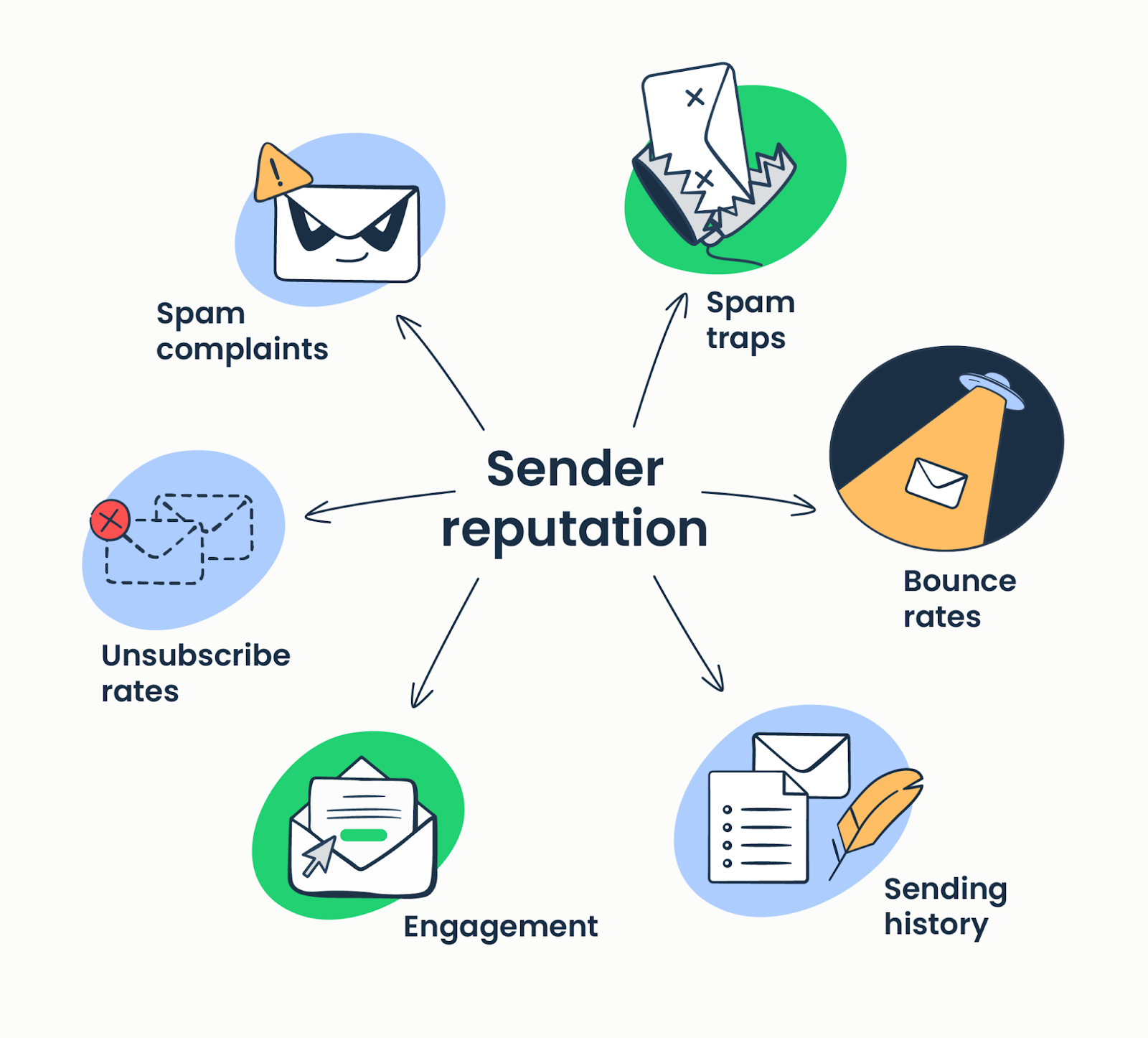
Verified Decision-Maker Segmentation
Instead of blasting your entire list, AI segments contacts based on verification status, engagement likelihood, and decision-making authority.
You're only reaching out to people who actually exist and matter for your campaign.
Deliverability Scoring Before You Launch
Before you hit send on a cold email outreach campaign, AI gives you a deliverability score. It tells you exactly how risky your list is and what needs fixing.
No more crossing your fingers and hoping for the best.
The Bottom Line: Accuracy Without the Grunt Work
Humans make mistakes. We miss typos, overlook duplicates, and can't verify thousands of emails in minutes. AI eliminates that error margin.
Email bounce rate reduction becomes automatic, scalable, and way more effective—so you can focus on writing better emails, not babysitting your contact list.
Here’s More: Best Cold Email Blueprint to Generate Leads (100% Tested)
🚀 Zero Bounce. More Meetings.
Stop guessing deliverability. Let Cleverly run your outreach and send you qualified, booked appointments on autopilot.
Top AI Tools That Reduce Bounce Rates
Building email outreach strategies with low bounce rates requires the right tools. Here's what's actually working in 2025—broken down by what each tool type does best.
1) AI Email Verification Tools
These are your first line of defense against bounces.
ZeroBounce, NeverBounce, MillionVerifier, and Bouncer all do the same core job: they check if an email address is real before you send. They detect dead mailboxes, catch temporary delivery issues, and flag spam traps that could destroy your sender reputation.
The AI component? These tools ping mailboxes in real-time and use machine learning to identify patterns—like catch-all domains or addresses that look valid but never actually deliver emails to humans.
If you're running cold email outreach at scale, verification tools aren't optional. They're the baseline for keeping your email bounce rate under control.
Also Check: 12 Best Email Verification Tools to Improve Deliverability
2) AI Data Enrichment Tools

Verification tells you if an email works. Enrichment makes sure you're contacting the right person.
Clay, Apollo, and Clearbit use AI to update contact information automatically. Someone changed jobs? AI finds their new email. Company rebrand? AI catches the domain switch. Outdated title? Fixed.
These tools cross-reference multiple databases and use predictive algorithms to fill in gaps. Instead of manually researching every lead, AI keeps your list current—which directly impacts deliverability and reduces bounces from outdated data.
Check More: Top 9 Data Enrichment Tools to Boost Lead Generation in 2025
3) AI Sender Reputation & Deliverability Tools
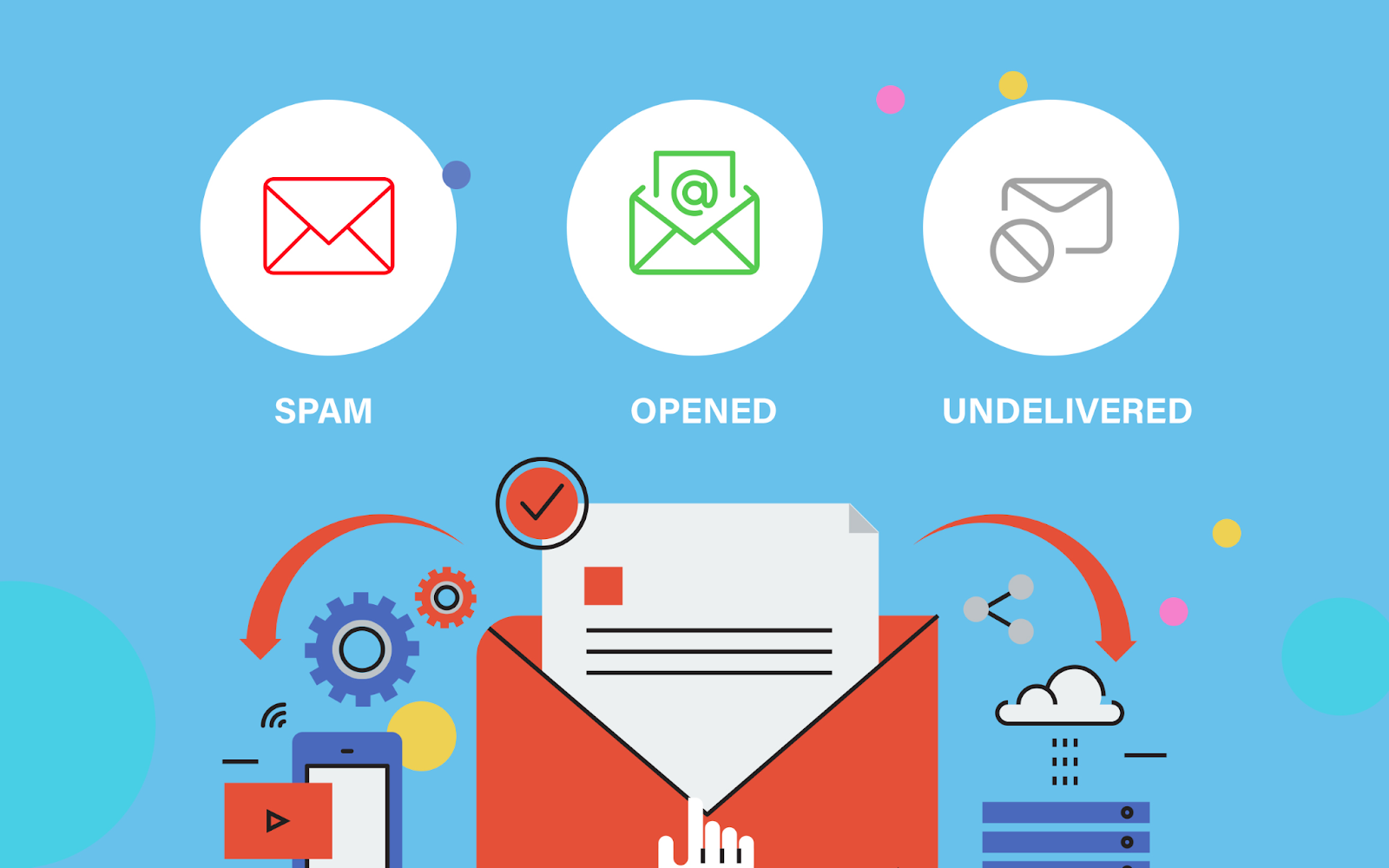
Even with a clean list, sending behavior matters. Send too fast from a new domain, and ISPs will block you.
Warmy, Warmup Inbox, Instantly Warmup, and Mailreach use AI to monitor your sending patterns and adjust volume automatically. They simulate real engagement (opens, replies) to build your domain's reputation gradually, so your emails don't trigger spam filters.
These tools also track your sender score across major ESPs and alert you when something's off—before your email bounce rate spikes.
At Cleverly, we never skip the warm-up phase. It's how we protect deliverability for every client campaign.
4) AI List Cleaning & Segmentation Tools
Not every verified email should get your message. Some contacts are just riskier than others.
Smartlead AI filters and Instantly segmentation use AI to remove high-risk contacts—role-based emails, low-engagement domains, or addresses flagged for past deliverability issues. They also segment your list based on engagement likelihood, so you're prioritizing the contacts most likely to respond.
This is where email outreach strategies low bounce rates get smart. You're not just cleaning your list—you're optimizing who you contact and when, based on AI predictions.
The Takeaway
You don't need all of these tools. But you do need a strategy that covers verification, data enrichment, reputation management, and segmentation.
Combine them right, and your cold email bounce rate stays low while your reply rates go up.
How to Evaluate Contact-Discovery and Verification Platforms
A platform’s database size tells you little about the deliverability of the exported records. Evaluate the full path from contact discovery to mailbox validation.
Ask each vendor:
- Does “verified” mean syntax checked, domain checked, SMTP checked, or mailbox confirmed?
- How are catch-all domains classified?
- Are inferred addresses clearly labeled?
- When was each record last verified?
- Does the platform provide source and confidence metadata?
- Can invalid, unknown, role-based, and disposable addresses be excluded before export?
- Can verification results be exported for auditing?
- How does the platform handle job changes and company-domain migrations?
- Does it automatically suppress prior hard bounces?
- Can performance be measured by data source and confidence level?
If a platform export produces a 30% bounce rate, do not assume that every discovery platform is inaccurate. First determine whether the file contained inferred or unknown records, whether it received an independent verification pass, and whether SMTP policy blocks were counted as invalid-recipient bounces.
How AI Fixes Bad Email Lists (Step-by-Step Process)
Wondering how to reduce bounce rates in email lists? Here's the exact process we follow at Cleverly—and how AI makes it faster and more accurate than doing it manually.
Step 1: Run AI Verification
First, verify every email on your list. AI tools ping each mailbox in real-time to confirm it exists and can receive messages. This catches obvious problems—invalid domains, typos, non-existent addresses—before they bounce.
This single step typically removes 10-15% of a cold list. That's 10-15% fewer bounces dragging down your sender reputation.
Step 2: Enrich Missing Information
AI doesn't just verify emails—it fills in gaps. Missing job titles? Outdated companies? Old contact info? AI enrichment tools cross-reference databases to update records automatically.
This matters because how to reduce bounce rates in email lists isn't just about valid emails. It's about current, accurate data. An email might technically work, but if that person left the company, it's still a dead end.
Step 3: Remove High-Risk or Role-Based Emails
AI flags addresses that are verified but risky:
- Role-based emails (info@, support@, sales@)
- Catch-all domains that accept everything but deliver nothing
- Disposable email services
- Known spam traps
Remove these before you send. They might not bounce immediately, but they'll hurt your deliverability over time.
Read More: How to Actually Get B2B Clients With Cold Email
Step 4: Score Contacts by Confidence Level
Not all verified emails are equal. AI assigns a confidence score to each contact based on data quality, domain reputation, and historical deliverability patterns.
High-confidence contacts get priority. Low-confidence ones get additional verification or removal. This tiered approach protects your email bounce rate while maximizing reach.
Step 5: Segment Into Priority Tiers
AI segments your list based on:
- Verification status (verified, risky, unknown)
- Engagement likelihood (based on domain and job role)
- Decision-making authority (ICP fit)
You send to Tier 1 first. If deliverability stays strong, you move to Tier 2. If bounces spike, you stop and recheck. This prevents one bad segment from tanking your entire campaign.
Step 6: Use AI to De-Duplicate Contacts
Duplicate emails inflate your list size and waste sends. Worse, sending multiple emails to the same address can trigger spam filters.
AI catches duplicates across formats (john.doe@company.com vs jdoe@company.com), identifies the best version to keep, and removes the rest. It also flags contacts who appear in multiple campaigns to avoid over-emailing.
Step 7: Recheck Before Sending
Email lists decay fast. Someone verified last month might have changed jobs this week. AI rechecks your list right before launch to catch any last-minute changes.
We do this at Cleverly before every campaign. It's a small step that consistently shaves 2-3% off our bounce rate.
The Result: High-Quality Inputs = Low Bounce Rates
Here's the truth about how to reduce bounce rates in email lists: garbage in, garbage out. AI doesn't magically fix bad data—it systematically removes, updates, and optimizes your list so only high-quality contacts remain.
By the time you hit send, you're not hoping your emails land. You know they will.
How AI Can Reduce Hard Bounces Without Overpromising
AI helps most when it combines multiple weak signals into a usable risk score. It does not turn uncertain contact data into guaranteed delivery.
What AI Can Do
- Detect malformed addresses and domain typos
- Check whether a domain has valid mail-exchange records
- Compare the email domain with the contact’s current employer
- Identify likely role-based and disposable addresses
- Flag catch-all and unknown verification results
- Find duplicates across files and campaigns
- Detect a list source producing abnormal failure rates
- Classify SMTP responses and group likely root causes
- Recommend whether to send, recheck, quarantine, or suppress a record
What AI Cannot Reliably Guarantee
- That every “valid” mailbox belongs to the intended person
- That a catch-all address exists
- That every spam trap can be identified
- That a verified address will accept the message at send time
- That a valid email will reach the inbox
- That warming activity will repair a damaged reputation
- That low bounce rates make unsolicited mail compliant or wanted
A Practical AI Risk Model
AI should make uncertain records easier to isolate. It should not provide a nicer label for sending to them anyway.
AI for Domain Warm-Up and Deliverability Protection
Here's what most people miss: email bounce rate reduction isn't just about clean lists. It's about how ESPs perceive your sending behavior.
Send too aggressively from a new domain, and even verified emails will bounce or land in spam. This is where AI-powered warm-up and deliverability protection become critical.
Authentication is a prerequisite, not an optional reputation tactic. Gmail requires all senders to personal Gmail accounts to use SPF or DKIM, valid forward and reverse DNS, and TLS. Senders reaching roughly 5,000 messages per day must use SPF, DKIM, and DMARC, align the From domain, and support one-click unsubscribe for relevant commercial messages. (Google’s email sender guidelines)
Google also advises senders to reduce volume when messages begin bouncing or being deferred, review SMTP responses, and increase volume gradually only after the error rate falls.
AI-Driven Warm-Up Mimics Natural Patterns
New domains have zero sender reputation. If you immediately blast 500 cold emails, ISPs flag you as a spammer—even if every address is verified.
AI email warm-up tools solve this by simulating real email activity. They send messages between your domain and real inboxes, gradually increasing volume while generating opens, replies, and positive engagement signals. To ESPs, it looks like you're a legitimate sender building organic relationships.
We warm up every client domain at Cleverly before launching campaigns. It's non-negotiable for protecting deliverability.
Inbox Placement Testing
AI doesn't just warm up your domain—it tests where your emails actually land. Are they hitting the primary inbox? Promotions tab? Spam folder?
These tools continuously monitor inbox placement across major ESPs (Gmail, Outlook, Yahoo) and alert you when something shifts.
If your emails start landing in spam, AI adjusts sending patterns before your email bounce rate climbs.
Check These: Best Reverse Email Lookup Tools
Adjusting Sending Velocity Based on Domain Health
AI monitors your domain's real-time health—bounce rates, spam complaints, engagement metrics—and adjusts sending velocity automatically.
Strong engagement? AI increases volume gradually. Seeing warning signs? It throttles back to protect your reputation. You're not guessing when it's safe to scale—AI tells you based on actual data.
Rotating Multiple Inboxes to Protect Reputation
Sending thousands of emails from a single inbox is risky. One bad batch, one spam complaint, and that inbox is burned.
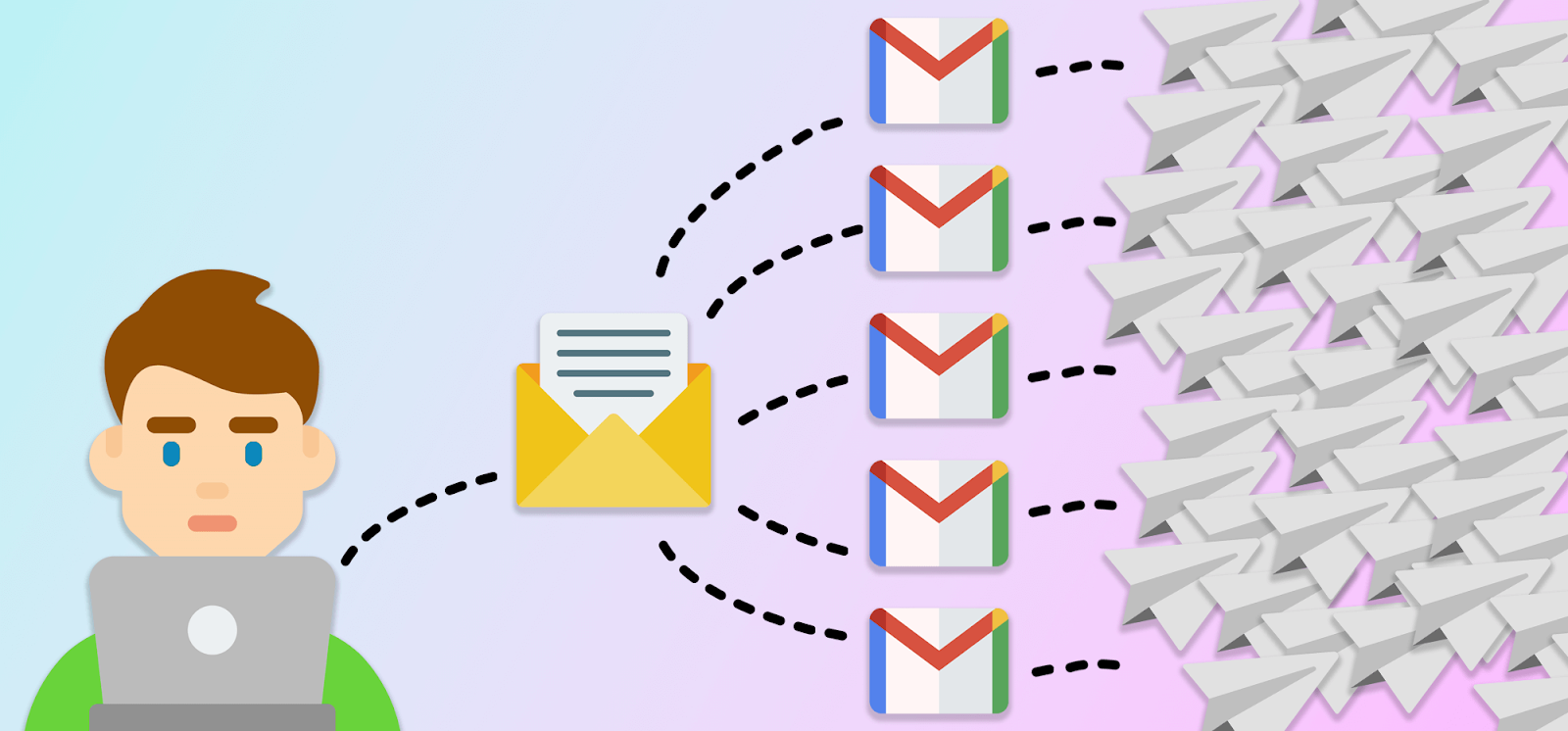
AI-powered tools rotate sending across multiple inboxes automatically, distributing volume so no single address gets flagged.
If one inbox has deliverability issues, the others stay clean. This redundancy is how we maintain consistent email bounce rate reduction at scale.
Recommending Sending Limits to Avoid Spikes
AI doesn't just execute—it advises. Based on your domain age, current reputation, and historical performance, it recommends daily sending limits that keep you under ISP radar.
For a new domain, that might be 50 emails per day. For a seasoned domain with strong engagement, it could be 500+. The key is gradual growth, and AI makes sure you don't accidentally spike and trigger blocks.
The Bottom Line
You can have the cleanest email list in the world, but if your sending behavior looks suspicious, you'll still see bounces and spam placements.
AI handles the technical side—warm-up, velocity, rotation, testing—so your cold email outreach stays deliverable from day one.
AI-Enhanced Email Outreach Framework to Maintain Low Bounce Rates
Want to keep your cold email bounce rate consistently low? Here's the exact framework we use at Cleverly—combining AI tools with smart outreach practices.
1. Verify Before You Send
Always run AI verification on your list before launching a campaign. No exceptions. This single step prevents 90% of avoidable bounces and protects your domain reputation from day one.
2. Use AI Personalization (Keep It Short)
AI personalization tools can pull in custom data points—company name, recent news, mutual connections—to make emails feel relevant. But keep personalization lines short and natural.
Long, over-personalized intros scream "automation" to spam filters. A quick, genuine opener works better: "Saw you're hiring SDRs—timing might be perfect."
3. Stick to Plain-Text Emails
Fancy HTML templates, images, and heavy formatting trigger spam filters and increase bounce risk. Plain-text emails look more human, pass through filters easier, and actually get higher engagement.
We've tested this extensively. Plain text wins every time for cold email outreach.
4. Avoid Heavy Formatting
No ALL CAPS subject lines. No excessive punctuation!!! No walls of bold text. ESPs flag these as spam, which increases the chance your email gets blocked before it even tries to deliver.
Simple formatting = better deliverability = lower cold email bounce rate.
5. Warm Up Your Domain Using AI
Never skip the warm-up phase. Use AI tools to gradually build your sending reputation over 2-4 weeks before launching cold campaigns. This tells ESPs you're legitimate, not a spammer.
6. Send with Multiple Domains and Inboxes
Don't put all your eggs in one basket. Rotate sending across multiple domains and inboxes so a single issue doesn't kill your entire outreach operation.
AI tools handle this rotation automatically, balancing volume and protecting each sender's reputation. If one inbox has a problem, the others keep running clean.
7. Monitor Bounce Rates Daily with AI Alerts
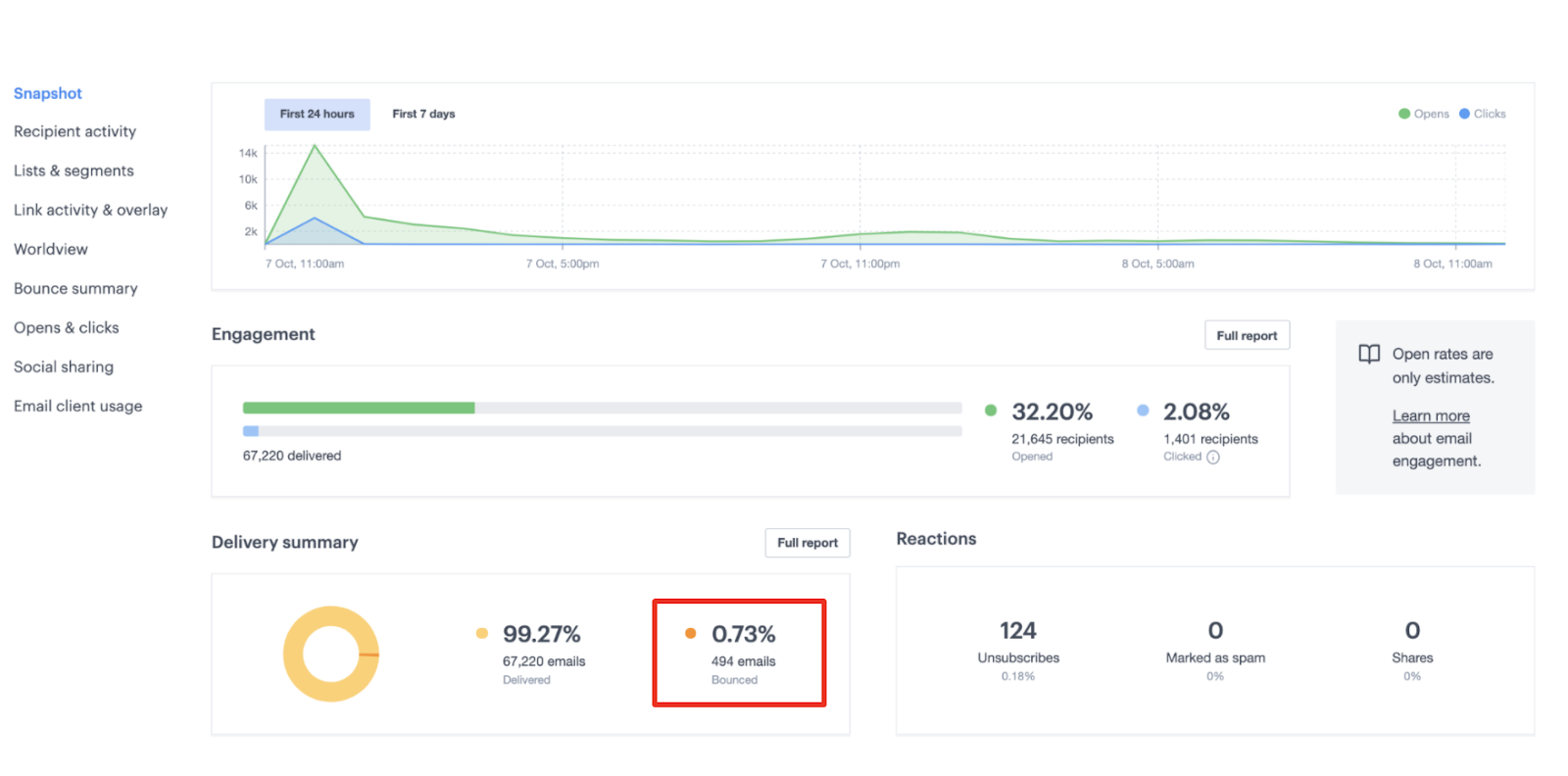
Set up AI alerts to notify you the moment your bounce rate spikes above your threshold (we use 5%). Catching issues early—before they snowball—is the difference between a quick fix and a burned domain.
Most AI deliverability tools offer real-time monitoring. Use it. Check your dashboard daily, especially in the first week of a new campaign.
8. Treat Bounce Rate Spikes Immediately
If your cold email bounce rate jumps suddenly:
- Pause the campaign immediately.
- Run verification on the remaining list.
- Check for data quality issues (bad source, outdated contacts).
- Review your sending behavior (volume spike, new domain, formatting changes).
- Fix the root cause before resuming.
Ignoring a bounce spike is how you go from a 7% bounce rate to a blacklisted domain in 48 hours. Act fast.
The Framework in Action
This isn't theory. At Cleverly, we've used this AI-enhanced framework across 10,000+ campaigns. Our cold email bounce rate stays under 3%, our deliverability stays high, and our clients get meetings—not spam complaints.
The secret? AI handles the technical heavy lifting (verification, warm-up, monitoring), while we focus on the human side (messaging, targeting, follow-up). That's how you scale cold email outreach without sacrificing quality.
What Is a Good Cold Email Bounce Rate?
There is no universal bounce-rate threshold used by every mailbox provider. Your sending platform may also count bounces differently, so first confirm whether the dashboard reports hard bounces, soft bounces, or both.
Use the following operating ranges for cold outreach:
These are operating guardrails, not promises about how every provider will treat your mail. For context, Amazon SES recommends staying below 2%, reviews accounts at 5%, and may pause sending at 10%.
Track the rate by list source, campaign, sending inbox, recipient domain, and bounce type. An account-wide average can hide one newly imported segment producing most of the failures.
How AI Helps You Stay in the Green
Maintaining a healthy email bounce rate manually is nearly impossible at scale. AI keeps you in the under-5% range by:
- Verifying emails in real-time before every send.
- Removing high-risk contacts automatically.
- Monitoring domain health and adjusting volume.
- Flagging list quality issues before they cause damage.
We use AI verification and monitoring for every Cleverly campaign. It's how we consistently stay under 3% while sending millions of emails.
What to Do When Bounce Rates Spike
Bounce rates don't just climb—they spike suddenly when something breaks. Here's your action plan:
Immediate actions:
- Pause all active campaigns
- Run AI verification on your remaining contacts
- Check your recent list sources (new vendor? scraping tool?)
- Review sending volume for unexpected spikes
Root cause analysis:
- Did you skip verification on a new batch?
- Is your data source outdated?
- Are you hitting too many role-based emails?
- Did you import a purchased list?
Recovery steps:
- Remove all unverified contacts
- Re-verify your entire list with AI tools
- Lower your sending volume temporarily
- Monitor daily for 1-2 weeks until stability returns
Why a Newly Exported Outreach List Causes Bounces
A contact-discovery platform does not necessarily return verified, current mailboxes. It may return addresses collected from public pages, inferred from company naming patterns, matched from older databases, or generated from a likely email format.
That creates several failure points between export and send:
- The contact changed jobs. The profile may be current while the email record belongs to a previous employer.
- The platform guessed the address. A correct company pattern does not prove that the mailbox was created.
- The company changed domains. Rebrands, acquisitions, and domain migrations can invalidate otherwise plausible addresses.
- The domain is catch-all. The server may accept verification probes without confirming the individual mailbox.
- The export mixes confidence levels. Verified, inferred, unknown, and stale records may appear in the same CSV.
- Verification happened too early. An address validated during discovery may be stale by the campaign launch.
- The sending platform reclassifies responses. One platform may label a policy rejection as a hard bounce while another separates it from invalid-mailbox failures.
Pre-Send Process for Every New Export
Never upload a new export directly into a full-volume campaign. The first batch should test the data source, not the domain’s tolerance for bad data.
The Reality Check
Here's what most people don't tell you: one bad list can destroy months of domain reputation building. That's why we're obsessive about verification at Cleverly. Every email, every campaign, every time.
Your email bounce rate isn't just a metric—it's a direct measurement of your list quality and sending practices. Keep it low, and everything else (deliverability, reply rates, meetings) becomes easier.
Common Mistakes That Increase Bounce Rate
We've audited hundreds of failed campaigns at Cleverly. The bounce rate problems almost always trace back to the same avoidable mistakes.
Here's what kills email outreach strategies low bounce rates—and how to fix it.
❌ Imported Lists Without Verification
This is the #1 killer. Someone hands you a CSV with 10,000 "verified" contacts, you upload it, and hit send. Then 18% bounce.
Never trust a list at face value—even from reputable sources. Email data decays at 22% per year. If you didn't verify it yourself with AI tools right before sending, assume it's partially bad.
❌ Skipping Domain Warm-Up
Starting cold outreach on a brand new domain without warm-up is like walking into a bank wearing a ski mask. ESPs immediately flag you as suspicious.
Warm-up isn't optional. Use AI tools to build your domain's reputation over 2-4 weeks before launching real campaigns. Skip this, and even verified emails will bounce or land in spam.
❌ Using One Domain for Bulk Sending
Sending thousands of emails from a single domain concentrates all your risk in one place. One bad batch, one spam complaint, and your entire operation shuts down.
Smart email outreach strategies low bounce rates involve rotating across multiple domains and inboxes. AI handles this automatically—distributing volume and protecting each sender's reputation.
❌ Not Checking for Spam Traps
Spam traps are email addresses that look real but exist only to catch spammers. Hit one, and your sender reputation takes a massive hit.
You can't spot these manually. AI verification tools identify and remove known spam traps before they destroy your deliverability. We check every list at Cleverly specifically for this.
❌ Sending Too Fast, Too Soon
Ramping from 50 emails a day to 500 overnight screams "spammer" to ISPs. They'll throttle your sends, block your domain, or route everything to spam—which increases bounces.
AI monitors your sending velocity and adjusts gradually based on domain health. You scale safely without triggering red flags.
❌ Not Cleaning Lists Regularly
Email lists aren't "set it and forget it." People change jobs, companies shut down, domains expire. If you're using the same list from six months ago without re-verification, expect your email bounce rate to climb.
Run AI verification before every campaign—even on lists you've used before. It takes minutes and saves your domain reputation.
❌ Over-Personalizing Using Risky Merge Fields
AI personalization is powerful, but cramming too many merge fields into one email can backfire. If one field pulls bad data (wrong company name, outdated title), your email looks broken and spammy.
Keep personalization short and simple. One or two relevant data points beats a paragraph of auto-filled nonsense.
❌ Relying on Outdated Data Sources
LinkedIn scrapes from 2022. Purchased contact lists. Old CRM exports. These sources are bounce rate landmines.
AI enrichment tools update outdated data automatically, but they can't fix fundamentally bad sources. Always vet where your data comes from before importing it into your campaigns.
The Pattern We See
Most bounce rate disasters aren't random bad luck. They're the result of skipping verification, rushing warm-up, or trusting old data. Fix these mistakes, and your cold email bounce rate drops immediately.
At Cleverly, we treat every campaign like our domain reputation depends on it—because it does. That's how we've sent millions of emails while keeping bounce rates under 3%.
How Cleverly Reduces Bounce Rates & Improves Cold Email Campaigns
AI tools are powerful, but they're not a silver bullet. The campaigns that actually work combine AI automation with human intelligence—and that's exactly what we've built at Cleverly.
AI + Human Expertise = Low Bounce Rates + High Reply Rates
We use AI-powered list verification and enrichment to scrub every contact before sending. But we don't stop there. Our team runs custom list cleaning workflows, manually reviewing high-risk segments that AI flags so nothing slips through.
Our AI-driven deliverability management handles domain warm-up, sending velocity, and real-time monitoring across a multi-domain infrastructure. You're not sending from one inbox hoping it survives—we rotate intelligently to protect reputation at scale.
And here's what separates us: handwritten personalization lines. AI helps us research and identify the hook, but humans craft the actual message.
It's the difference between "Hey {{FirstName}}, saw {{Company}} is growing" and a genuinely relevant opener that gets replies.
We layer in optimized follow-up sequences that feel natural, not robotic—because we've tested millions of sends and know exactly what converts.
The Result?
Bounce rates consistently under 3%. Higher inbox placement. More replies. And most importantly, qualified meetings that turn into revenue.
We've helped 10,000+ clients generate $312 million in pipeline revenue and $51.2 million in closed revenue using this exact approach. Companies like Amazon, Google, Uber, PayPal, Slack, and Spotify trust us with their cold email outreach because we get results, not bounces.

Want us to run your AI-powered cold email outreach? We only charge for meetings with qualified leads—so you're paying for results, not experiments.
🚀 Book a strategy call with Cleverly →
Conclusion
Low bounce rates begin with current contact data, independent verification, correct authentication, a global suppression list, and controlled sending volume. AI can classify risk and detect patterns faster, but it cannot repair poor sourcing or guarantee delivery.
When bounces rise, pause the affected segment and inspect the SMTP responses. Determine whether the failure comes from invalid recipients, temporary deferrals, authentication, reputation, or recipient policy before choosing a fix.
The safest operating rule is simple: verify close to send time, isolate uncertain records, test every new data source, and stop before your provider forces you to.
Frequently Asked Questions
Free Resource
How to Scale a Profitable Cold Call System
Get the complete guide — download it instantly now.

Free Ebook
Download the Free Guide
Enter your details to get instant access.
You're all set! 🎉
Your ebook is downloading now.
Click below if the download didn't start automatically.