Modified On :
July 31, 2026
Key Takeaways
- Most spam issues are technical. Not your email copy, so fix SPF, DKIM, and DMARC first.
- Verify every email address before sending to avoid bounces that destroy your domain reputation.
- Warm up new domains for 14-21 days starting at 20-30 emails/day before scaling up.
- Keep emails plain-text, under 90 words, with one link maximum to avoid spam triggers.
- Domain reputation depends on engagement—aim for 5-10% reply rates minimum.
- Never send to unengaged contacts after 3-4 attempts; they're dragging down your metrics.
- Recovery takes 2-4 weeks if your domain is already damaged, so prevention beats cure.
Something that'll make you rethink your entire cold email strategy: 17% of your cold emails never even reach the inbox.
They're gone before anyone reads your carefully crafted subject line or that killer opening hook you spent an hour perfecting.
Most people immediately blame their email copy when my emails are going to spam. They tweak the CTA, remove that one "salesy" word, maybe add another personalization token.
But here's the truth we've learned after sending millions of cold emails at Cleverly: about 90% of spam placement has nothing to do with your content. It's your technical setup and sender reputation doing the damage.
So why is my email going to spam when your message is genuinely valuable and your offer is solid?
Because Gmail and Outlook don't care how good your copy is if your domain looks sketchy or your authentication is broken.
Every email that hits spam instead of the inbox is a missed opportunity. No inbox placement = no opens. No opens = no replies. No replies = no revenue. It's that simple.
We're going to walk you through exactly how to prevent emails from going to spam, starting with the technical foundations most people completely ignore.
Let's fix this.
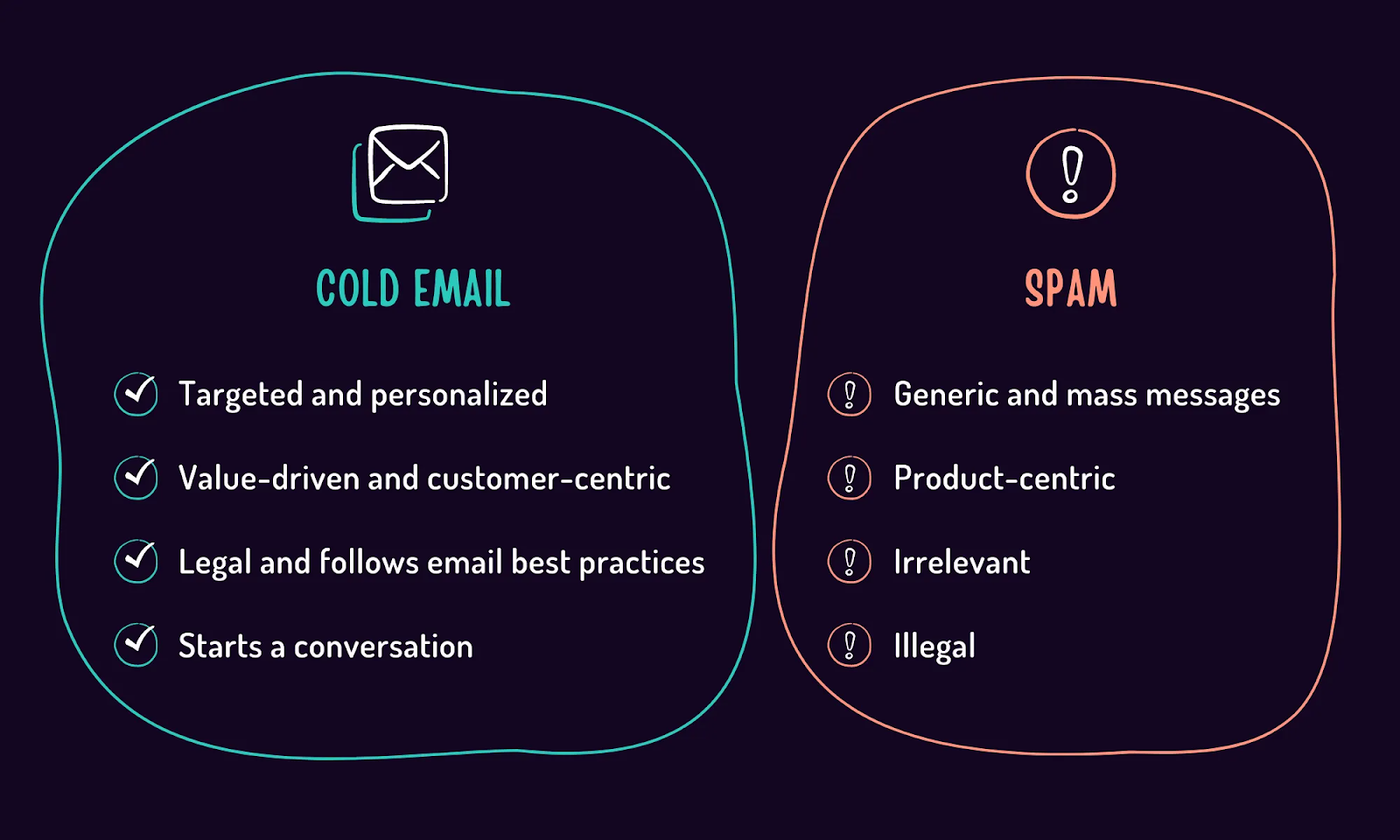
Why Emails Go to Spam: The Real Reasons Most People Miss
If you're wondering "why is my email going to spam," the answer usually isn't what you think. We've analyzed thousands of campaigns at Cleverly, and we keep seeing the same patterns.
Let's break down the actual culprits.
Reason #1 — Poor Domain Reputation
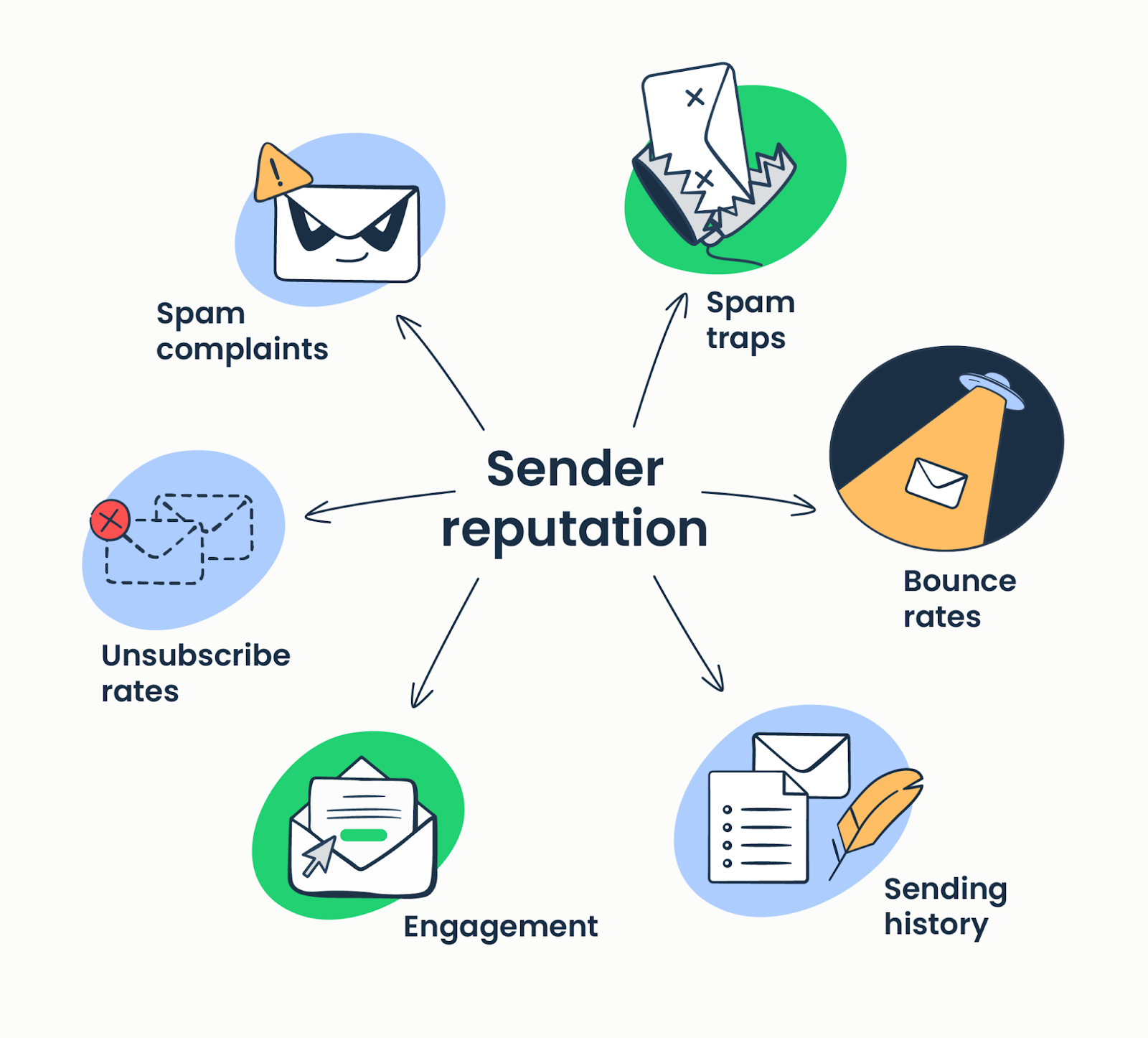
Think of domain reputation like a credit score for your email address. Mailbox providers like Gmail, Outlook, and Yahoo constantly monitor how recipients interact with emails from your domain. They're tracking everything—and they're not shy about penalizing you.
What tanks your domain reputation:
- High bounce rates (sending to invalid addresses)
- Low engagement (nobody opens or replies to your emails)
- Spam complaints (people hitting "report spam")
- Rapid volume spikes (going from 50 to 500 emails overnight)
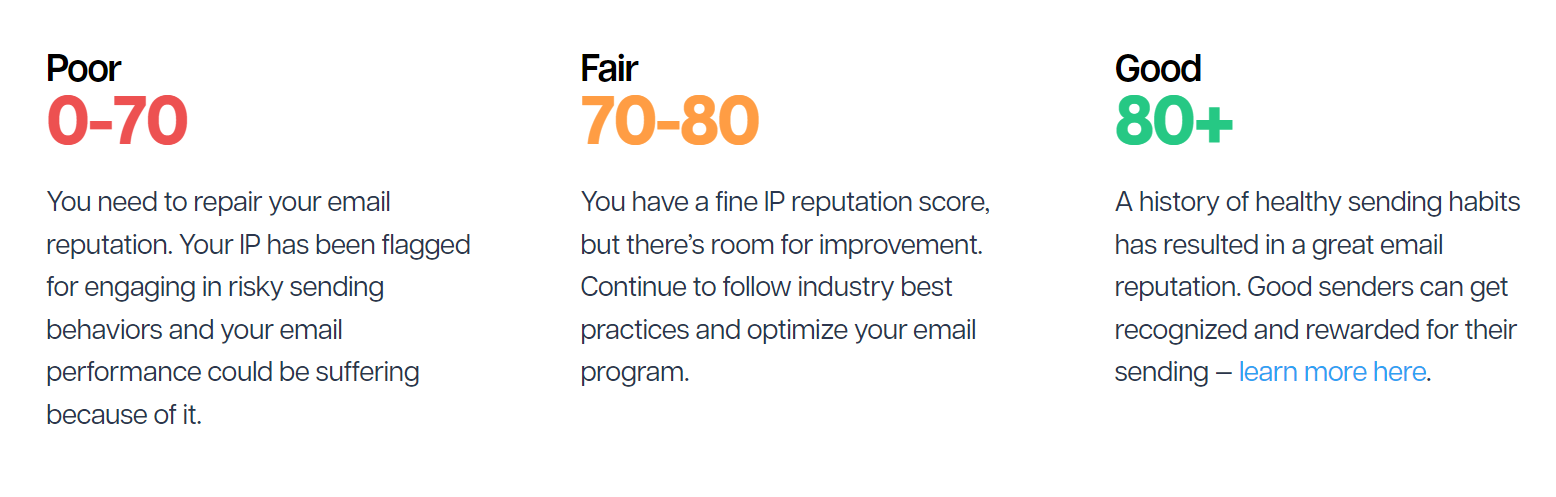
You can check your domain reputation using tools like Google Postmaster Tools, Cisco Talos Intelligence, or Microsoft SNDS. If your score is "low" or "bad," that's exactly why is your email going to spam.
Here's what most people miss: new domains need to be warmed up properly. You can't just spin up a fresh domain and blast 300 cold emails on day one.
Mailbox providers see that pattern and immediately flag you. Start with 20-30 emails per day and gradually increase over 4-6 weeks.
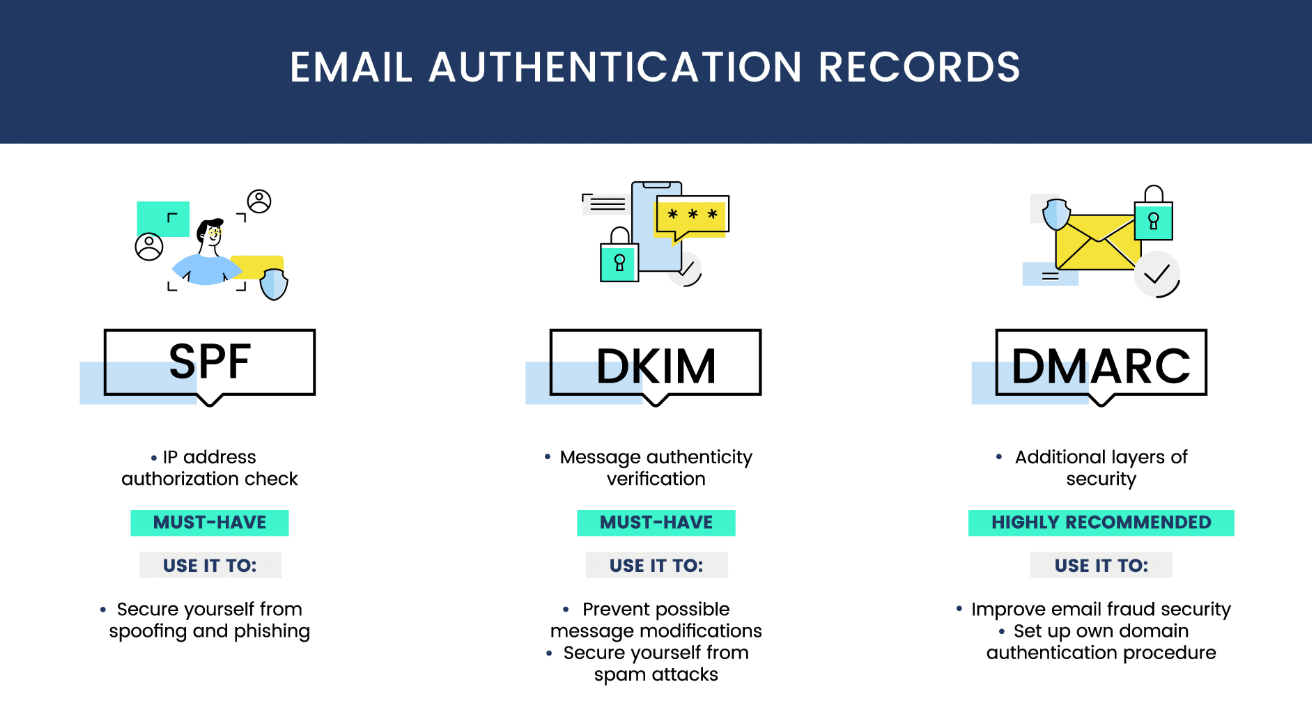
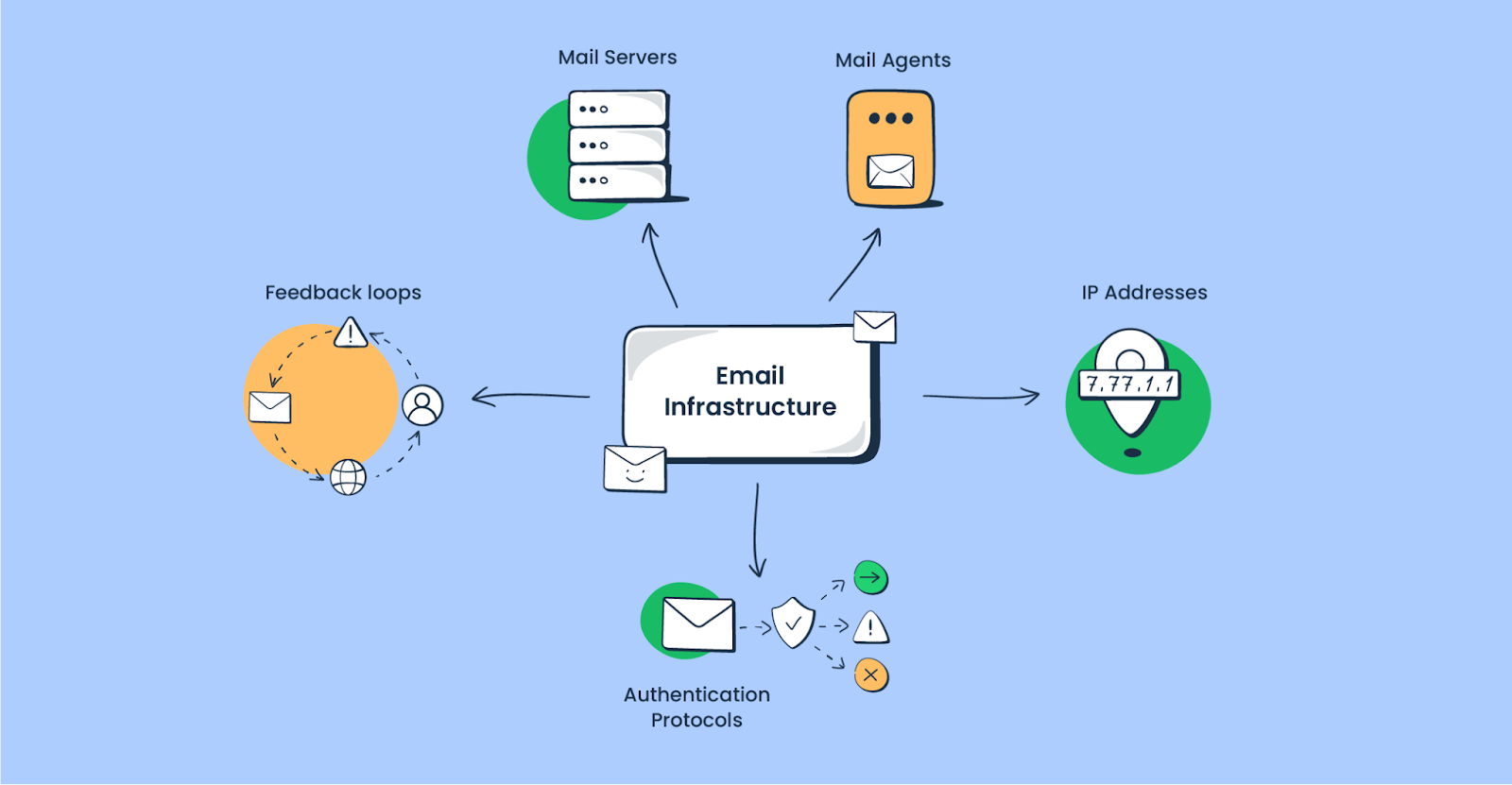
Reason #2 — Incorrect Email Authentication (SPF, DKIM, DMARC)
If you're not technically inclined, this section might sound like alphabet soup. But stick with us—this is probably why your emails are going to spam even when everything else looks fine.
- SPF (Sender Policy Framework) tells receiving servers which IP addresses are allowed to send emails from your domain.
- DKIM (DomainKeys Identified Mail) adds a digital signature proving your email wasn't tampered with.
- DMARC (Domain-based Message Authentication) tells servers what to do if SPF or DKIM checks fail.
Without proper authentication, mailbox providers assume you're a spammer or impersonator. It's that simple.
How to verify your authentication:
- Use a free tool like MXToolbox or Mail-Tester
- Send a test email and check the headers
- Look for "PASS" status on SPF, DKIM, and DMARC
DMARC alignment is now essential for cold email. As of 2024, Gmail and Yahoo require DMARC for bulk senders. If you're still ignoring this, you're fighting an uphill battle.
Reason #3 — Sending to Bad or Unverified Email Lists
Bounces are the #1 cause of domain reputation loss. Every time you send to an invalid email address, mailbox providers take notes. Hit enough bounces, and they'll start filtering everything from your domain.
The problem gets worse with spam traps and honeypot emails—fake addresses planted specifically to catch spammers. Send to one of those, and your domain reputation tanks instantly.
This is how to stop your emails from going to spam: verify every email address before sending. Purchased lists are full of dead emails, spam traps, and people who never opted in. They're reputation killers.
We use email verification tools for every campaign at Cleverly. It catches invalid addresses, spam traps, and high-risk contacts before they damage your sending reputation. It's a non-negotiable step.
Why Verified Emails Still Land in Spam (Even After You Clean Your List)
Here's something that trips up almost every team we onboard: they verify their list, watch bounce rate drop to near zero, and still end up in spam.
Verification tools check two things. Is the address formatted correctly, and does the receiving mail server accept it. That's it. They don't confirm a real person is behind that inbox, and they definitely don't confirm that person will ever open your email.
That gap is where four types of "valid" addresses slip through:
- Recycled spam traps. A real person used this address, abandoned it, and the mailbox provider quietly reactivated it as a trap after a year or more of inactivity. Verification tools see a live mail server and mark it "valid." It isn't.
- Catch-all domains. These servers accept mail for every address at the domain, whether the specific mailbox exists or not. Verification tools flag them as "risky," but there's no way to confirm the person is actually there.
- Role-based addresses. info@, support@, admin@ — technically valid, rarely opened by anyone with buying power, and one of the fastest ways to rack up spam complaints.
- Inactive but valid addresses. The mailbox exists. Nobody's opened anything sent to it in over a year. Zero bounces, zero engagement, and it's quietly dragging your domain reputation down with every send.
This is why a fully "verified" list can still produce a 5-8% spam placement rate. Verification checks deliverability. It doesn't check whether anyone's paying attention.
The fix: treat verification as step one, not the finish line. After verifying, strip out role-based addresses and catch-all domains, and cross-reference against recent activity where you can. Tools like Clay, Apollo, and Clearout's risk scoring add that engagement layer that basic verification skips.
And don't treat a verified list as permanent. B2B email data decays at roughly 22% a year, so a list you verified six months ago could already have 10%+ dead or reassigned addresses sitting in it. Anything older than 90 days needs a re-verification pass before you send to it. If you want the full picture on why this happens, we broke it down in our guide on data decay.
How to Avoid Spam Traps in Cold Email
A spam trap is an address designed to catch bad senders, and no verification tool catches all of them, because by design they still accept mail.
There are three types worth knowing:
- Pristine traps. Addresses created solely to catch spammers. They've never belonged to a real person and are never used for anything else. Hitting one means you scraped or bought a list, because no legitimate source would ever hand you this address.
- Recycled traps. A real person's old, abandoned address, reactivated after 12+ months of inactivity. Any list older than a year almost certainly has some sitting in it.
- Typo traps. Addresses like "gmali.com" or "yahooo.com," registered specifically to catch senders who scrape data or accept manually entered emails without validation.
Purchased lists are the number one source of pristine traps. Stale organic lists accumulate recycled traps the longer you sit on them without cleaning. And manual data entry, think trade show badge scans or event sign-up sheets, is where most typo traps sneak in.
Your real defenses, since no single tool catches everything:
- Never buy a list. Full stop.
- Re-verify every list older than 90 days.
- Only build lists from sources where the person actually shared their contact info: LinkedIn, form fills, referrals.
- Use a verification tool with trap database matching. ZeroBounce, for example, runs a proprietary spam trap database as part of its paid tier.
If you suspect you've hit one, move fast. Check Google Postmaster Tools and MXToolbox for a sudden drop in domain reputation, pull your bounce and complaint logs to isolate which segment sent to the trap, quarantine that segment immediately, and if you land on a blocklist like Spamhaus, submit a delisting request within 24-48 hours of the hit. The longer you wait, the longer the damage compounds.
This pairs directly with the email list hygiene practices we cover in more depth, if you want the full cleaning checklist.
Reason #4 — Your Email Copy Has Spam Triggers
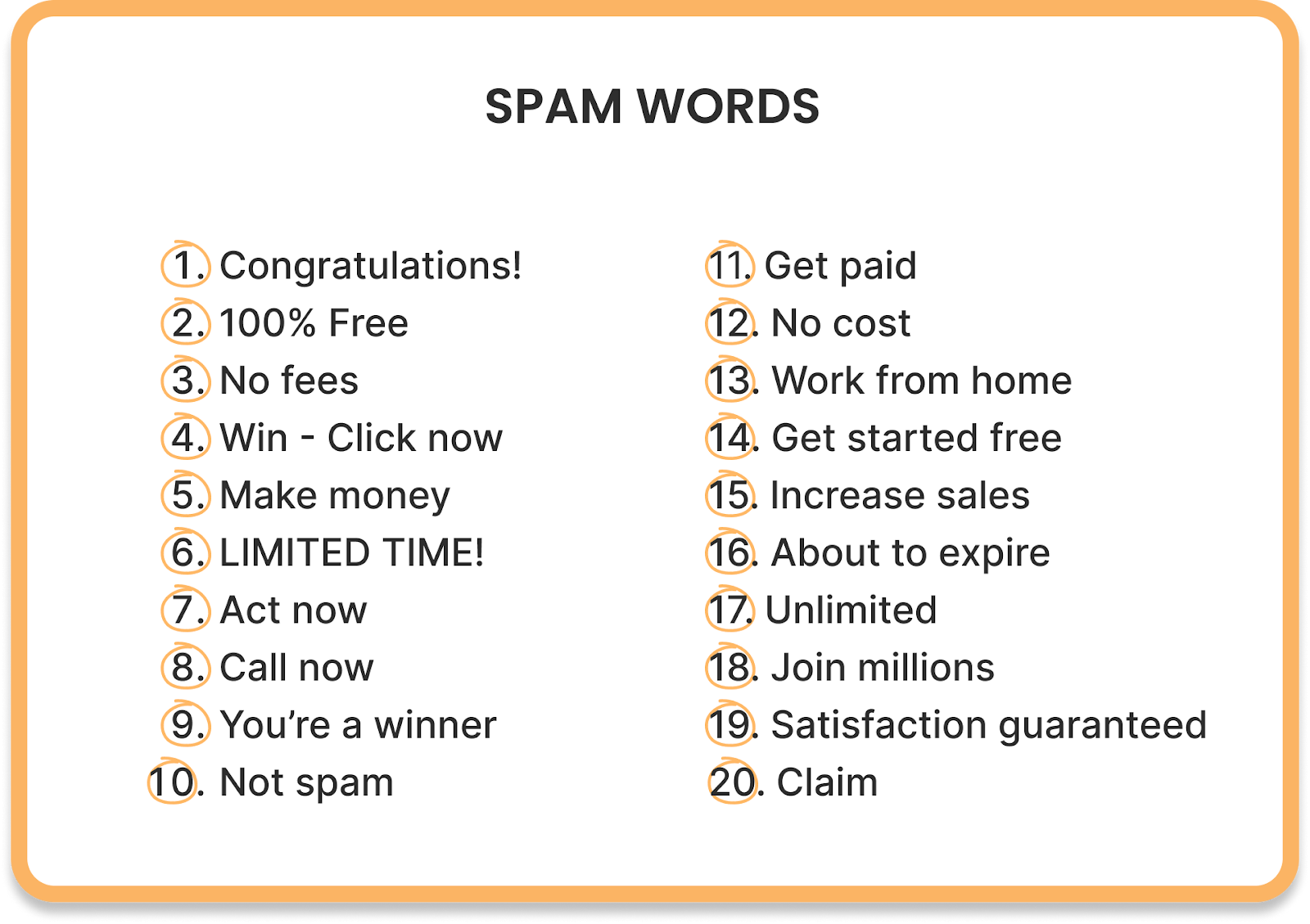
Okay, so content does matter—just not as much as people think. Certain words and formatting patterns will trigger spam filters, even if your technical setup is perfect.
Spam trigger words to avoid:
- "Free," "limited offer," "risk-free," "act now"
- "Guaranteed," "no obligation," "click below"
- Excessive exclamation marks or ALL CAPS
Formatting issues that hurt deliverability:
- Too many links (keep it to 1-2 max)
- Large images or embedded videos
- Excessive HTML formatting or colored text
- Too many personalization tokens (looks automated)
Spam filters also watch for "unnatural selling behavior"—emails that read like obvious sales pitches with no real personalization. If your email screams "mass blast," it's getting filtered.
Learn: How to Write Cold Emails That Get Replies (Complete Guide)
Reason #5 — High Sending Volume Too Fast
We touched on this earlier, but it deserves its own section because sending too much too fast is one of the fastest ways to land in spam.
Safe daily sending limits:
- New domain: 20-30 emails/day for the first 2 weeks
- Warmed domain (4-6 weeks): 50-80 emails/day
- Fully warmed domain (8+ weeks): 100-150 emails/day per inbox
Sudden spikes are instant red flags. If you normally send 50 emails per day and suddenly send 400, mailbox providers assume you've been compromised or you're spamming.
How to scale safely: rotate multiple mailboxes and domains.
At Cleverly, we manage dozens of sending domains per client to maintain healthy volume without triggering filters. This lets us send thousands of emails daily while keeping each individual domain's reputation clean.
Also Check: How To Actually Get B2B Clients With Cold Email

Reason #6 — Low Engagement Signals
Mailbox providers are watching how people interact with your emails. Opens, replies, forwards, and "mark as not spam" actions all signal that your emails are wanted. Zero engagement signals the opposite.
If people consistently ignore your emails—or worse, delete them without opening—providers start filtering you automatically. Low positive engagement equals automatic spam filtering.
Tactics to boost engagement early:
- Hyper-personalize your first emails to warm contacts.
- Target smaller, more relevant audience segments.
- A/B test subject lines for higher open rates.
- Follow up with people who opened but didn't reply.
- Remove unengaged contacts after 3-4 attempts.
The goal is to build a positive engagement history. When Gmail sees that people actually open and reply to your emails, they'll keep delivering them to the inbox.
Look, emails going to spam is a frustrating problem, but it's fixable. Most of these issues come down to technical hygiene and following best practices that mailbox providers have been screaming about for years.
Fix your authentication, warm up properly, verify your lists, and respect engagement signals. That's how to prevent emails from going to spam.
🚫 Stop Hitting Spam. Start Booking Meetings
We fix your deliverability, rewrite your cold emails, and generate meeting-ready leads you only pay for.
How to Fix Emails Going to Spam (Actionable Checklist)
Alright, enough diagnosis. Let's fix this. Here's exactly how to prevent emails from going to spam, step by step. We use this exact checklist at Cleverly for every client campaign.
Step 1: Fix Your Technical Setup First
Before you send another email, verify your authentication is properly configured. This is non-negotiable.
What to do:
- Set up SPF records in your DNS to authorize your sending servers.
- Configure DKIM to add digital signatures to your emails.
- Implement DMARC with a policy of at least "p=quarantine".
- Verify alignment using MXToolbox or Google Admin Toolbox.
- Test by sending emails to Mail-Tester and aiming for a score of 8/10 or higher.
If you're using a cold email outreach agency or email service provider, they should handle most of this for you.
But always verify it yourself—we've seen too many campaigns tank because authentication was misconfigured.
Step 2: Warm Up Your Domain Correctly
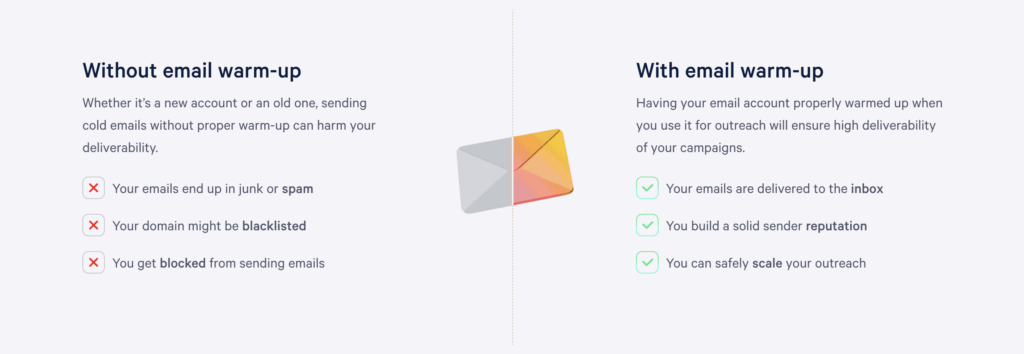
You cannot skip this. New domains need 14-21 days of gradual warmup before they're ready for cold outreach. Warmed domains have significantly better deliverability.
Proper warmup schedule:
- Days 1-7: Send 20-30 emails per day to engaged contacts.
- Days 8-14: Increase to 40-60 emails per day.
- Days 15-21: Scale to 80-100 emails per day.
- Week 4+: Continue gradual increases based on engagement.
Pro tip: Use automated email warmup tools that exchange emails between real inboxes. This builds positive engagement signals before your actual campaign starts.
Step 3: Clean and Verify Your Email Lists
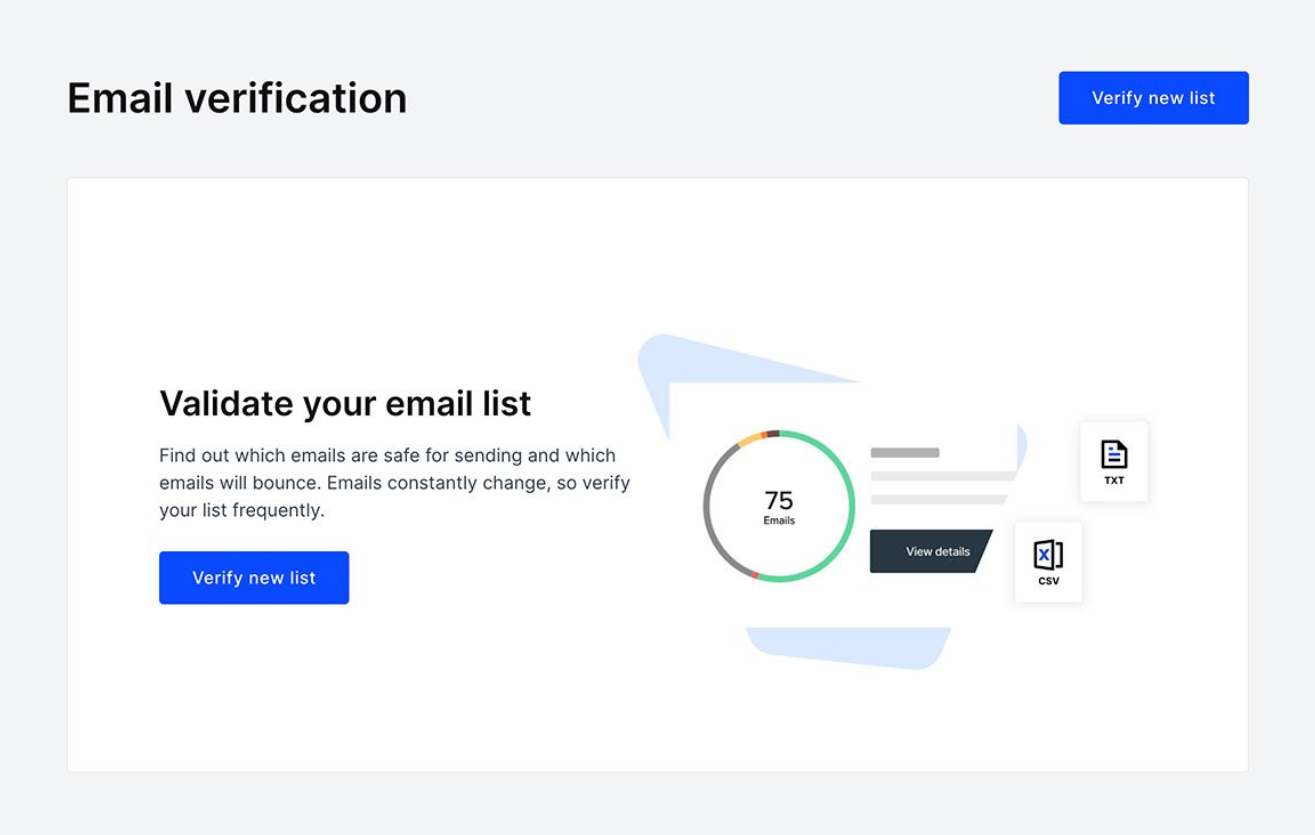
If you're wondering how to stop your emails from going to spam, start here. Invalid emails will destroy your domain reputation faster than anything else.
Verification process:
- Run your list through an email verification tool (NeverBounce, ZeroBounce, Clearout).
- Remove all invalid, catch-all, and disposable email addresses.
- Flag risky addresses and decide whether to include them.
- Re-verify lists older than 90 days.
- Never, ever use purchased lists.
At Cleverly, we verify every single list before launching campaigns. It's added cost upfront but saves your domain reputation long-term.
We've seen verification catch 15-20% invalid addresses in some lists—those would've been direct hits to deliverability.
Related: How to Build a Cold Email List That Actually Works (Step-by-Step Guide)
Step 4: Remove Spammy Elements From Your Copy
Strip out anything that screams "mass email blast." Keep your copy clean, conversational, and personal.
What to remove or reduce:
- Spam trigger words ("free," "guarantee," "limited time")
- Multiple links (stick to one, maximum two)
- Heavy HTML formatting, colored text, or large images
- Excessive personalization tokens that look robotic
- Unsubscribe links in cold emails (they actually hurt more than help)
What to keep:
- Plain text formatting
- One clear, specific call-to-action
- Genuine personalization based on research
- Natural, conversational language
Your email should read like a real person wrote it to another real person. If it looks like a marketing blast, it'll get treated like one.
Step 5: Reduce Your Sending Frequency Temporarily
If your emails are already going to spam, you need to pump the brakes immediately. Continuing to send at high volume will only make things worse.
Recovery protocol:
- Cut your daily volume by 50-70% immediately.
- Focus on your most engaged segments only.
- Give your domain 7-14 days to recover.
- Gradually increase volume again using the warmup schedule.
Think of it like physical therapy for your domain. You need to rebuild strength slowly.
Read More: Best Time to Send Cold Emails (Backed by Data & Research)
Step 6: Improve Your Sender Reputation
This is the long game, but it's worth it. Every positive interaction helps rebuild your reputation over time.
Actions that improve reputation:
- Get people to reply to your emails (even "not interested" helps).
- Ask engaged recipients to whitelist your domain.
- Monitor spam complaint rates and keep them under 0.1%.
- Remove unresponsive contacts after 3-4 touchpoints.
- Maintain consistent, predictable sending patterns.
Focus on quality over quantity. One hundred emails to highly-targeted prospects will always beat 1,000 emails to a random list.
Step 7: Rotate Inboxes and Domains
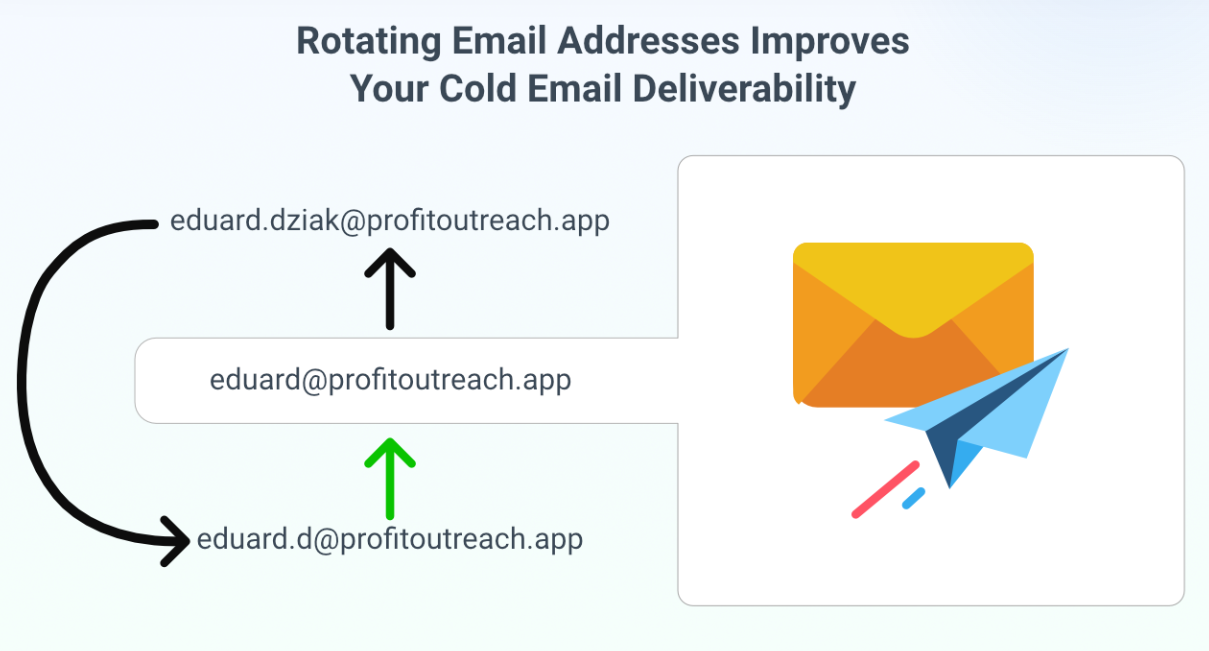
If you're sending high volume, don't put all your eggs in one basket. Spread your sending across multiple inboxes and domains to protect your reputation.
Smart rotation strategy:
- Use 3-5 sending domains for every 500+ emails per day.
- Limit each inbox to 50-80 emails daily.
- Keep domains separate (different registrars, different IPs if possible).
- Monitor each domain's reputation independently.
This is standard practice for any serious cold email outreach agency.
At Cleverly, we manage domain rotation for all our clients—it's how we maintain 95%+ deliverability even when sending thousands of emails per day on their behalf.
Step 8: Stop Sending to Unengaged Contacts
If someone hasn't opened your emails after 3-4 attempts, they're hurting your engagement metrics. Cut them loose.
Engagement hygiene:
- Remove contacts who haven't opened any email after 4 touchpoints.
- Segment highly engaged contacts for future campaigns.
- Track reply rates and adjust targeting accordingly.
- Focus follow-ups on people who showed interest.
Low engagement drags down your entire domain's reputation. Mailbox providers look at aggregate engagement across all your emails. Keep your metrics healthy by only emailing people who might actually care.
All in all, how to prevent emails from going to spam comes down to consistent technical hygiene and respecting the rules mailbox providers have set.
It's not sexy work, but it's what separates campaigns that work from campaigns that die in spam folders.
We follow every single one of these steps at Cleverly because we've learned the hard way what happens when you skip them. Our clients pay for meetings with qualified leads—and we can't deliver those if our emails never reach the inbox.
7 Cold Email Best Practices to Stay Out of Spam
Once your technical setup is solid, your day-to-day sending practices make all the difference.
Here's exactly how to stop your emails from going to spam with these cold email best practices we use for every Cleverly campaign.
1. Keep Emails Plain-Text
Fancy HTML templates might look professional in your eyes, but mailbox providers see them as spam signals. Plain-text emails consistently outperform formatted ones in both deliverability and reply rates.
Skip the branded templates. Write your cold emails like you're emailing a colleague—because that's exactly what you want them to feel like.
2. Keep Your Copy Short (60-90 Words)
Nobody wants to read a novel from a stranger. Long emails scream "sales pitch" and get deleted—or marked as spam. Keep it tight.
If you can't explain your value in 90 words or less, you haven't clarified your message enough. At Cleverly, our highest-performing emails average 75-85 words. Anything longer and reply rates drop noticeably.
3. Personalize Only the First Line
Over-personalization is just as bad as no personalization. When you stuff 5-6 personalization tokens throughout your email, it looks automated—because it is.
Example: "Saw your post about scaling outbound at Series B companies—we've been thinking about the same challenge." That's it. Don't force it elsewhere.
4. Use 1 Link Maximum (Or None)
Multiple links are massive spam triggers. They make your email look like a marketing blast, and mailbox providers know it.
We test this constantly at Cleverly. Emails with zero links in the first touchpoint get 20-30% higher reply rates than emails with links. Save the calendar link for your follow-up.
5. Avoid Images, PDFs, and HTML Formatting
Attachments and images absolutely destroy deliverability. Spam filters hate them, and even when they get through, most email clients block images by default anyway.
Your email signature should be plain text. Your call-to-action should be plain text. Everything should be plain text. If it looks like it was designed by a marketing team, you're doing it wrong.
6. Use Soft CTAs
Aggressive calls-to-action trigger spam filters and turn people off. "Book a demo now!" or "Schedule a call today!" sound desperate and salesy.
Soft CTA examples that work:
- "Worth a quick chat?"
- "Make sense to connect for 15 minutes?"
- "Curious to hear your thoughts on this."
- "Should I send over more details?"
These feel conversational, not pushy. They invite dialogue instead of demanding action. This approach is exactly how to stop your emails from going to spam while also getting better responses.
7. Keep Your Reply Ratio Healthy
This is the metric most people ignore—and it's killing their deliverability. Mailbox providers track how many of your emails get replies versus how many get ignored or deleted.
Aim for at least 5-10% reply rate (including "not interested"). If you're under 3%, you're hurting your domain
At Cleverly, we obsess over reply rates because they're the ultimate signal that our emails are relevant and wanted. When we see reply rates dropping below 5%, we pause and fix the targeting or messaging immediately.
See, these best practices aren't revolutionary. But they work because they align with how mailbox providers actually evaluate your emails.
Every single one of these tactics makes your cold emails look less like spam and more like genuine human communication.
That's the whole game: how to prevent emails from going to spam comes down to sending emails that look, feel, and read like they're from a real person who actually cares about reaching the recipient.
How to Scale Cold Email Campaigns Without Landing in Spam
Once your foundation is solid, the question becomes how to send more without wrecking what you just built.
Here's the part most people get wrong: you don't scale by pushing more volume through the inboxes you already have. Every inbox has a safe daily ceiling, somewhere around 50-80 emails a day once it's fully warmed. Cross that line and you're not scaling, you're just burning reputation faster.
The only real lever is more inboxes and more domains, not more volume per inbox.
How to Structure a Scaling Plan
- Start with 3-5 sending domains for every 300-500 emails/day you're targeting.
- Give each domain 2-3 inboxes.
- Warm every domain independently before it joins your active rotation.
- Use a platform with native inbox rotation (Smartlead, Instantly) so sends distribute automatically instead of you tracking it by hand.
Rough benchmarks for planning purposes:
These are planning benchmarks, not hard rules. The exact number shifts with your sending platform's own limits and how conservative you want to be with per-inbox volume.
Segment instead of blast. Rather than running one big campaign across your entire target list, split it into segments of 100-200 contacts per sending domain. If one segment starts underperforming, you pause it without shutting down the whole campaign.
Monitoring has to scale with volume. At 50 emails a day, checking metrics weekly is fine. At 500 a day, you need daily alerts. At 2,000+ a day, you need real-time bounce and complaint monitoring with automatic pause triggers built into your sending platform, because by the time a human notices a problem manually, the damage is usually already done.
One more lever worth knowing about: ESP matching. This routes your emails through a sending inbox on the same provider as your recipient, Gmail-to-Gmail, Outlook-to-Outlook, instead of always sending from one provider type to every recipient. It won't fix a bad list or broken authentication, but layered on top of a clean setup, it can meaningfully improve inbox placement at scale.
📈 Get Out of Spam & Into Your Prospect’s Inbox
Let Cleverly run your cold email outreach with high-deliverability systems that turn messages into qualified sales calls.
How Cleverly Prevents Spam Issues & Maximizes Cold Email Inboxing
The thing about running cold email campaigns: you can do everything right and still end up in spam.
One misconfigured DNS record, one bad batch of emails, one reputation hit, and suddenly your entire outreach dies.
That's exactly why we built Cleverly the way we did.
We're not just a cold email outreach agency that writes emails and hopes for the best. We're obsessive about deliverability because our entire business model depends on it.
You only pay for meeting-ready leads—which means if our emails don't land in inboxes, we don't get paid. We have serious skin in the game.
Here's what we handle so you don't have to:
- Full technical setup (SPF, DKIM, DMARC configuration done correctly)
- Domain warmup and rotation (we manage multiple sending domains per client)
- List verification and cleaning (every email gets verified before sending)
- Continuous reputation monitoring (we catch issues before they tank your campaigns)
- A/B tested copy (proven templates that avoid spam triggers)
- Engagement optimization (we only send to prospects likely to engage)
We've sent millions of cold emails for 10,000+ clients—companies like Amazon, Google, Uber, PayPal, Slack, and Spotify.
…That's resulted in $312 million in pipeline revenue and $51.2 million in closed revenue.
Those numbers only happen when emails actually reach inboxes.
So yeah, you could spend the next 6 months learning how to stop your emails from going to spam, configuring authentication records, warming up domains, rotating inboxes, and troubleshooting deliverability issues yourself.
Or you could let us handle all of it while you focus on closing the meetings we book for you.
Book a strategy call with Cleverly →

Conclusion
If you've been asking yourself "why is my email going to spam," you now know the real answer: it's almost never about your email copy. It's your technical setup, your sender reputation, your list quality, and your sending practices.
The good news? All of these problems are fixable. Set up proper authentication, warm up your domains correctly, verify your lists, follow cold email best practices, and monitor your engagement metrics. Do those things consistently, and you'll see your deliverability improve dramatically.
The bad news? It takes time, technical knowledge, and constant attention to detail. One mistake—a spike in sending volume, a batch of bad emails, a misconfigured DNS record—can undo weeks of careful work.
That's why thousands of B2B companies let us handle it instead. At Cleverly, we've spent years perfecting cold email deliverability because our pay-per-meeting model depends on it. We only succeed when your emails land in inboxes and book qualified meetings.
“My emails are going to spam” doesn't have to be your reality. Fix the fundamentals, follow the best practices we've outlined, and if you want expert help—you know where to find us.
Now stop losing deals to spam folders. Go fix your cold email setup.
Frequently Asked Questions
Free Resource
How to Scale a Profitable Cold Call System
Get the complete guide — download it instantly now.

Free Ebook
Download the Free Guide
Enter your details to get instant access.
You're all set! 🎉
Your ebook is downloading now.
Click below if the download didn't start automatically.