Modified On :
August 10, 2026
Key Takeaways
- Email deliverability means landing in the inbox, not just getting delivered to the server.
- Authenticate your domain with SPF, DKIM, and DMARC before sending any campaigns.
- Warm up new domains gradually and maintain consistent sending volume to build trust with ISPs.
- Clean your email list regularly and verify contacts before sending to avoid high bounce rates.
- Craft personalized, conversational content and avoid spam trigger words that flag filters.
- Monitor your sender reputation, blacklist status, and engagement metrics weekly (or daily for high-volume senders).
- Encourage replies and engagement—ISPs reward two-way conversations with better inbox placement.
Improving email deliverability starts with identifying where delivery fails. An invalid recipient, temporary server deferral, authentication error, reputation block, and spam placement may all reduce campaign performance, but each requires a different fix.
Email delivery means the receiving server accepted the message. Email deliverability asks whether accepted mail reached the intended inbox rather than spam. A high delivery rate therefore does not prove that recipients can see your email.
Cleverly evaluates cold email performance across recipient data, authentication, sending behavior, SMTP responses, inbox placement, replies, and pipeline.
This guide explains how to improve email deliverability through nine core practices, plus a diagnostic process for links, formatting, tracking, provider-specific failures, and sudden performance declines.

Why Email Deliverability Is a Critical Business Metric
Email deliverability directly impacts your engagement rates, reply rates, conversions, and ultimately your ROI.
If half your emails are hitting spam, you're essentially cutting your results in half before anyone even sees your message.
How Should You Measure Email Deliverability?
A high delivery rate does not prove that messages reached the inbox. Delivery rate usually measures whether the receiving server accepted the message. A message can count as delivered and still land in spam.
Measure deliverability through a combination of:
- Delivery and bounce rates
- SMTP rejection and deferral codes
- Inbox-placement tests
- Spam complaints
- Domain and IP reputation
- Authentication results
- Reply and conversion performance
- Provider-specific monitoring, such as Google Postmaster Tools
Do not present one percentage as a universal deliverability score unless the tool clearly explains what it measures. A 98% delivery rate with poor inbox placement is still a deliverability problem.
Here's what happens when deliverability tanks:
- Your bounce rates spike and spam complaints pile up.
- Email providers start flagging your domain as suspicious.
- You end up on blacklists that are incredibly difficult to get off.
- Your sender reputation takes a hit that affects all future campaigns.
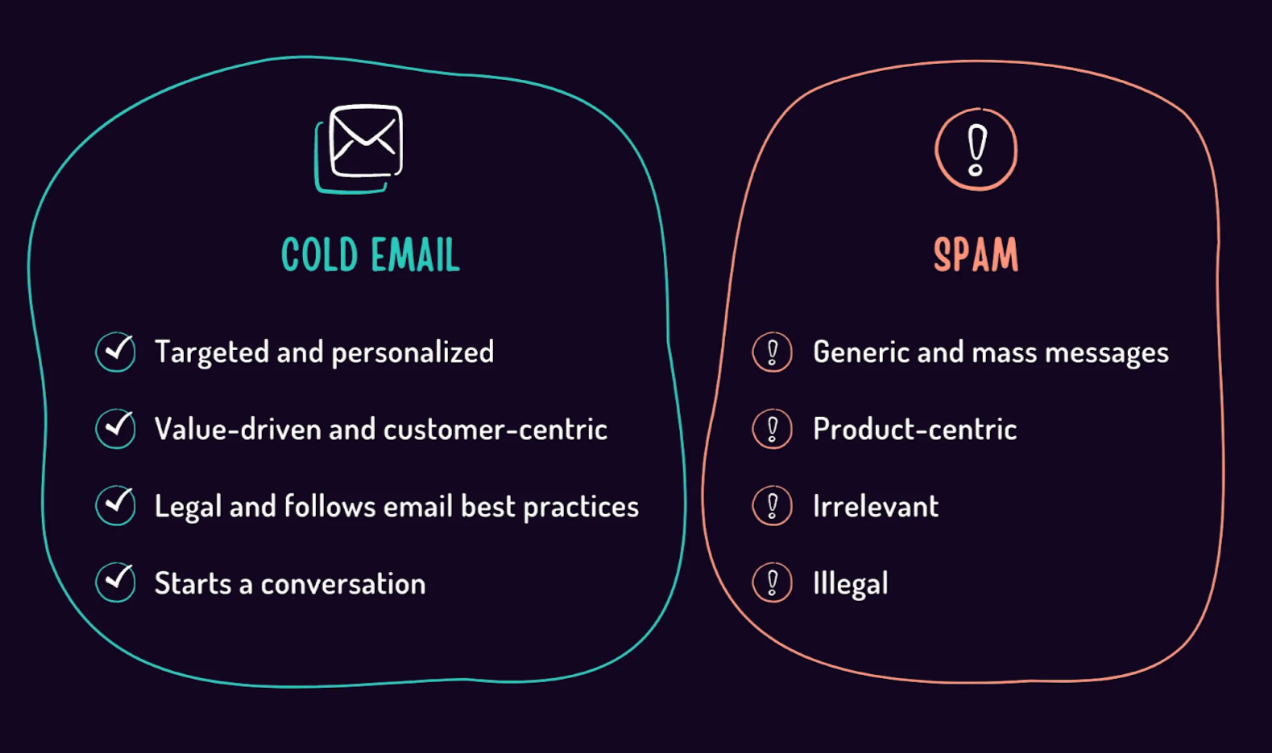
For cold outreach, these risks multiply. You're reaching out to prospects who didn't opt into your list. That means email providers are already watching your activity more closely.
One wrong move, sending to bad addresses, triggering spam filters, getting too many complaints—, and your entire domain could get blocked.
This is why understanding how to improve email deliverability isn't just a technical checkbox. It's fundamental infrastructure work that protects your outreach capability.
✉️ Great Emails Don’t Matter If No One Sees Them
Cleverly fixes your targeting, messaging, and sending patterns so your outreach lands in inboxes — not spam. Done-for-you, pay-per-meeting ready lead!
Top 9 Ways to Improve Email Deliverability
These 9 tactics combine technical best practices, sender-reputation building, content optimization and scheduling strategy.
1. Authenticate Your Domain with SPF, DKIM & DMARC
Your domain's mailing infrastructure matters more than you think. ISPs actively look for authentication protocols to verify you're a legitimate sender.
Without them, you're essentially showing up to a security checkpoint without an ID.
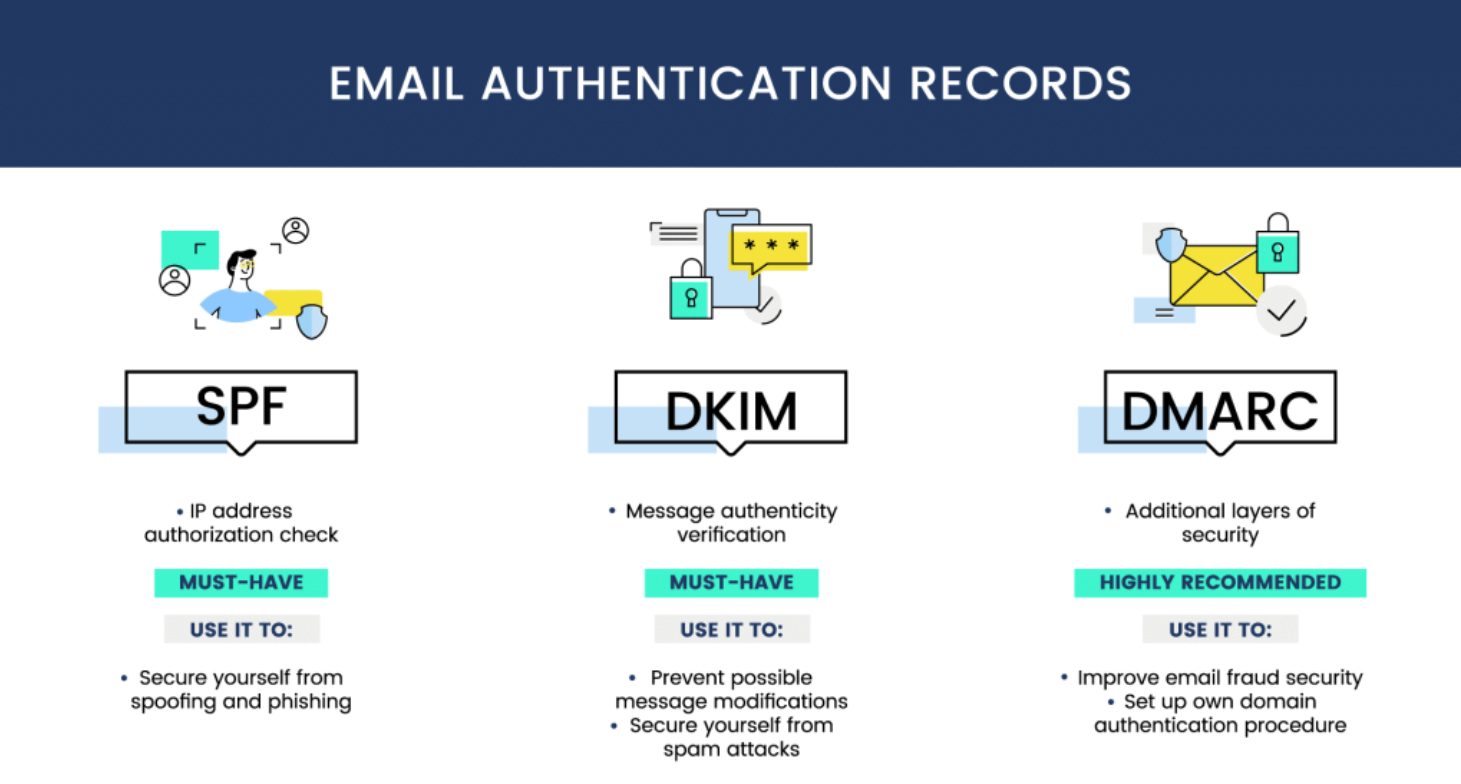
Here's what each protocol does:
1️⃣ SPF (Sender Policy Framework) tells receiving servers which IP addresses are authorized to send emails from your domain.
2️⃣ DKIM (DomainKeys Identified Mail) adds a digital signature to your emails, proving they haven't been tampered with in transit.
3️⃣ DMARC (Domain-based Message Authentication, Reporting & Conformance) builds on both SPF and DKIM, giving you control over what happens when authentication fails.
Current Gmail Sender Requirements
Google requires all senders to personal Gmail accounts to use SPF or DKIM, valid forward and reverse DNS records, TLS, and properly formatted messages. Senders delivering more than 5,000 messages per day to personal Gmail accounts must use SPF, DKIM, and DMARC, maintain domain alignment, and meet additional requirements.
Google tells senders to keep user-reported spam rates below 0.1% and avoid reaching 0.3% or higher. Bulk marketing and subscribed messages must also support one-click unsubscribe and include a visible unsubscribe link. Review the complete Gmail sender guidelines before increasing volume.
These requirements are minimum conditions, not an inbox guarantee. Authentication proves that a message is authorized and helps prevent spoofing. Gmail still evaluates reputation, recipient feedback, sending patterns, content, and other signals when deciding whether to accept or filter a message.
Implementation checklist:
- Add SPF record to your DNS settings
- Configure DKIM signing with your email provider
- Set up DMARC policy (start with "none" for monitoring, then move to "quarantine" or "reject")
- Test your setup using free authentication checkers
Even cold email outreach campaigns must use proper authentication. Skip this step, and ISPs will flag your emails before they even get a chance to be read.
2. Warm Up Your Sending Domain/IP & Ramp Up Volume Gradually
Starting cold with high email volume is like sprinting before you've learned to walk. When you use a new domain or IP for outreach, you need to warm it up to build a reputation with ISPs.
They're watching for suspicious activity, and a brand-new domain suddenly sending hundreds of emails screams "spammer."
Ramp Volume According to Actual Sender Signals
There is no universal warm-up schedule that makes a new domain safe at a predetermined volume. Begin with a small, relevant segment and increase gradually only while authentication, bounces, deferrals, spam complaints, and reputation remain stable.
Use this process:
- Confirm that SPF, DKIM, DMARC, DNS, and TLS are configured correctly.
- Start with a small group of high-confidence recipients.
- Review SMTP responses, bounces, complaints, and provider-specific reputation data.
- Increase volume in small steps instead of making sudden jumps.
- Hold or reduce volume when deferrals, blocks, or complaints increase.
- Diagnose the affected inbox, domain, list segment, or recipient provider before resuming growth.
Google advises senders to reduce volume when messages begin bouncing or being deferred, then increase slowly only after the error rate falls. A calendar-based schedule should never override evidence from the receiving servers.
Check Out: Top Email Warm-Up Tools to Improve Deliverability
3. Clean and Segment Your Email List Regularly
Sending to invalid emails, inactive users, or disengaged contacts is one of the fastest ways to tank your deliverability.
High bounce rates signal to ISPs that you're not maintaining your list properly. Too many unengaged recipients suggest you're spamming people who don't want your emails.
List Hygiene Best Practices
- Suppress hard bounces immediately.
- Review soft bounces and SMTP codes before retrying.
- Keep unsubscribes and complaints on a global suppression list.
- Verify new and older records close to send time.
- Separate valid, catch-all, unknown, role-based, and invalid addresses.
- Compare the email domain with the contact’s current company.
- Track performance by list source and verification status.
- Recheck records after job changes, company rebrands, or long periods without contact.
A role-based address such as sales@ or info@ is not automatically invalid. The larger problem is usually relevance and ownership. Verify these addresses and keep them separate from person-level contacts rather than assuming every role inbox will bounce.
For cold email outreach, this means verifying your leads before you send. Avoid purchased lists or scraped databases full of outdated contacts.
Use email verification tools to catch invalid addresses, role accounts (like info@ or admin@), and disposable email domains. Quality over quantity wins every time when improving email deliverability.
4. Monitor Sender Reputation, Blacklists & Feedback Loops
Your sender reputation is like a credit score for email. ISPs use it to decide whether your messages deserve inbox placement or the spam folder.
You can't improve what you don't measure, so monitoring should be part of your routine.
What to track:
- Domain reputation scores (using tools like Google Postmaster, Sender Score, or Talos Intelligence).
- IP reputation and blacklist status (check sites like MXToolbox, Spamhaus, and Barracuda).
- Spam complaint rates from feedback loops
Set up feedback loops with major ISPs so you're notified when recipients mark your emails as spam.
When you get flagged, take action immediately—suppress those contacts and review what triggered the complaint.
For cold outreach, monitoring these metrics helps you catch deliverability issues early before they snowball into domain reputation damage.
5. Craft Engaging Content & Avoid Spam Triggers
Your email content directly impacts whether ISPs trust you enough to deliver to the inbox.
Certain words, patterns, and formatting choices trigger spam filters faster than you can say "limited time offer."
Content best practices:
- Keep subject lines under 50 characters and avoid ALL CAPS or excessive punctuation.
- Use short paragraphs (2-3 sentences max) for readability.
- Include a plain text version alongside HTML emails.
- Limit images and links (too many scream "marketing blast").
- Personalize the greeting and opening line.
- Add a clear, specific call to action.
Individual words do not automatically send an otherwise credible email to spam. Filters evaluate the complete message alongside sender reputation, authentication, links, formatting, recipient feedback, and sending behavior.
Avoid patterns that make the message deceptive or difficult to trust:
- Misleading “Re:” or “Fwd:” subject lines
- Claims that cannot be substantiated
- Excessive urgency or pressure
- Hidden text or deceptive HTML
- Link text that disguises the destination
- Public URL shorteners
- Unnecessary attachments
- Too many unrelated links or domains
- Image-only messages
- A sender name that conceals who is contacting the recipient
Write direct copy that accurately represents the sender and the purpose of the message. Content cannot repair damaged reputation, but deceptive formatting can make an existing deliverability problem worse.
How Do Links and Formatting Affect Email Deliverability?
Email formatting rarely causes a deliverability problem on its own. Problems appear when the message combines weak sender reputation with misleading links, excessive tracking, broken HTML, hidden content, or attachments that receiving systems treat cautiously.
Use Clear, Trustworthy Links
Recipients should understand where a link will take them before clicking. Google’s sender guidelines state that links should be visible and easy to understand.
Use descriptive anchor text connected to the destination. Avoid displaying one URL while sending the click through an unrelated domain. Twilio SendGrid also warns that tracked links can create confusion when the visible URL does not match the rewritten tracking URL.
For cold outreach:
- Include only links that support the message.
- Avoid public link shorteners.
- Use a branded tracking domain when click tracking is necessary.
- Confirm that every destination uses HTTPS and loads correctly.
- Do not link to domains with an unrelated or poor reputation.
- Remove click tracking during troubleshooting to test whether it affects placement.
- Do not use a link as the only way to respond or opt out.
A first-touch cold email often does not need a link. If the recipient can answer the question by replying, adding a calendar link, case study, homepage, and social profile creates more filtering variables without necessarily helping the conversation.
Keep Formatting Simple
Send a properly formatted message with accurate headers and a readable plain-text version. If you use HTML, keep the structure clean and test it across major mailbox providers.
Avoid:
- Image-only emails
- Large or unnecessary attachments
- Hidden text
- Broken tags or copied formatting from a document editor
- Excessive font sizes, colors, or buttons
- Embedded scripts, forms, or unsupported elements
- A high concentration of links relative to useful text
- Tracking pixels during diagnostic tests
Simple formatting is not a trick for bypassing filters. It removes technical ambiguity and makes it easier to identify whether the problem comes from the message, the sender, or the recipient system.
Separate Content Tests From Infrastructure Tests
Change one major variable at a time. If you change the sending domain, HTML template, tracking setup, subject line, list source, and daily volume together, the results will not reveal which change helped or hurt.
Run a controlled pilot with:
- The same high-confidence audience type
- Stable sending volume
- Correct authentication
- One content or tracking change
- SMTP and inbox-placement monitoring
- A clear stop rule for blocks, deferrals, or complaints
Keep the better-performing configuration only after it produces stable results across more than one send.
6. Maintain Consistent Sending Schedule & Volume
ISPs notice when your sending patterns suddenly change. If you typically send 100 emails a day and then blast 1,000 on Tuesday, that irregularity raises red flags.
Consistency matters, but there is no universally safe number of cold emails per inbox or domain. A mature sender with strong recipient engagement and clean data may tolerate more volume than a new sender, while a poorly targeted campaign can create problems at a much smaller scale.
Set volume according to:
- The sending account’s history
- Domain and IP reputation
- Mailbox-provider limits
- Recipient-domain concentration
- Bounce and deferral patterns
- Spam complaints
- List quality
- Message relevance
- The number of concurrent connections and campaigns
Do not respond to a volume problem by automatically adding more domains. First determine whether the issue comes from data quality, authentication, recipient feedback, infrastructure, or campaign behavior. Distributing a poor campaign across more infrastructure spreads the problem rather than fixing it.
Stay within safe thresholds, and ISPs will see you as a predictable, legitimate sender—which strategy will improve email deliverability more than erratic volume spikes ever could.
Explore Further: Best Time to Send Cold Emails (Backed by Data & Research)
7. Manage Engagement: Encourage Opens, Replies & Clicks
Recipient behavior can affect filtering, but mailbox providers do not publish one universal engagement formula. Google also states that it does not track open rates in Postmaster Tools and cannot verify open-rate figures reported by third parties.
Use engagement as a campaign-quality signal rather than proof of inbox placement. Replies, clicks, removals from spam, complaints, deletions, and ignored messages may contribute to how different providers and users treat future mail, but their weight varies.
For cold outreach, the practical lesson is simple: contact relevant people, make the message useful, and stop contacting recipients who object. Do not manufacture engagement or rely on automated warm-up activity as a substitute for genuine recipient interest.
Tactics to boost engagement:
- Segment your list and send to your most engaged contacts first.
- Write subject lines that spark curiosity without being clickbait.
- Ask genuine questions that invite replies.
- Use personalized calls to action relevant to each recipient.
- Never use "no-reply" email addresses (they kill engagement and look spammy).
For cold outreach, encouraging replies is especially critical. ISPs view two-way conversations as the gold standard of legitimate email.
End your emails with a question or a low-friction response option. Make it easy for prospects to engage, and your deliverability will benefit from those positive signals.
8. Use A/B Testing and Deliverability Monitoring Tools
You can't optimize email deliverability by guessing. Testing and monitoring give you the data to make informed decisions about what works and what doesn't.
Tools to use:
- Inbox placement testers (like GlockApps or Mail-Tester) show you where your emails land across different providers.
- Spam score checkers identify problematic content before you send.
- A/B testing platforms help you test subject lines, sending times, and content variations.
For cold email outreach, run pilot batches before scaling up. Send to a small segment first, check inbox placement rates, and adjust based on the results.
Test different sending times, subject line styles, and email copy to see what generates the best engagement—and the best deliverability.
More to Know: How to Choose the Best Cold Email Outreach Software for Your Sales Team
How to Fix Cold Email Deliverability
Do not begin by rewriting the email. First identify where delivery is failing.
Step 1: Confirm Whether the Message Was Rejected or Filtered
Separate:
- Hard bounces from invalid recipients or permanent rejection
- Soft bounces and temporary deferrals
- Policy or authentication blocks
- Messages accepted by the server but placed in spam
- Messages suppressed by the sending platform before delivery was attempted
A bounce problem, an authentication problem, and a spam-placement problem require different fixes.
Step 2: Group Failures by SMTP Response
Read the response codes instead of diagnosing from the account-wide percentage. Group the largest categories and identify whether they point to invalid recipients, rate limits, authentication, reputation, or recipient policy.
If one recipient provider is deferring messages while others accept them, the problem is not necessarily the entire contact list.
Step 3: Audit Authentication and DNS
Verify:
- SPF includes every authorized sender
- DKIM is signing correctly
- DMARC is published and aligned
- Sending IPs have valid forward and reverse DNS where applicable
- TLS is active
- The visible From domain aligns with SPF or DKIM
- The tracking domain is configured correctly
- No recent DNS change broke a previously working setup
Use this cold email infrastructure guide to check the sending environment before changing campaign copy.
Step 4: Isolate the List Source
Break bounces and complaints down by:
- Contact source
- Export date
- Verification result
- Recipient company and provider
- Campaign
- Sending inbox
- Domain
- Audience segment
If one new export created most of the hard bounces, pause the remaining contacts from that source. Reverify them independently before sending again.
Step 5: Remove Tracking and Content Variables
Send a controlled test using simple copy, no attachment, minimal formatting, and no optional tracking. If placement improves, add the removed elements back one at a time.
This does not prove that plain text always performs better. It identifies whether links, tracking, HTML, images, or attachments contributed to the problem.
Step 6: Reduce Volume and Recover Gradually
When messages begin bouncing or being deferred, Google advises reducing volume until the SMTP error rate falls. Restart with the highest-confidence recipients and increase gradually while monitoring server responses and reputation.
Do not return immediately to the previous volume. A successful small batch is evidence that recovery may be working, not permission to restore full sending at once.
Advanced Email Deliverability Tactics
Once authentication, list quality, suppression, and volume control are stable, use these deeper checks to isolate provider-specific problems.
Segment Performance by Recipient Provider
Track Gmail-hosted, Microsoft-hosted, Yahoo-hosted, and private business domains separately. An account-wide average can hide a sharp decline at one provider.
When one provider behaves differently:
- Review its SMTP responses.
- Check its sender guidance and monitoring tools.
- Reduce volume to that provider.
- Inspect authentication and domain alignment.
- Compare the affected message format with stable campaigns.
- Resume gradually after the failure rate falls.
Separate Mail Streams by Purpose
Do not mix transactional, customer-support, newsletter, and prospecting traffic indiscriminately. Different message types produce different recipient expectations and feedback patterns.
Where operationally appropriate, separate mail streams by purpose and monitor them independently. This makes reputation problems easier to locate and prevents one type of campaign from obscuring another.
Monitor Domain and IP Reputation Separately
A strong sending IP does not cancel poor domain reputation, and a clean domain does not repair a blocklisted or poorly managed IP. Review both.
If valid addresses are being blocked or deferred, use this guide to investigate domain reputation before assuming the list is entirely at fault.
Test the Tracking Domain
Tracked links may be rewritten through a third-party domain. Configure a branded tracking domain when possible and confirm that it uses valid SSL.
If placement falls after enabling click tracking, test the same message without tracking. Twilio SendGrid notes that misleading or mismatched tracked links can create problems for spam filters.
Maintain a Global Suppression List
An unsubscribe, complaint, or permanent failure must remain suppressed across campaigns, inboxes, imports, and sending platforms. A campaign-level exclusion is not enough if the same record can re-enter through another source.
Treat Opens as an Unreliable Diagnostic
Privacy protections, image blocking, and automated security scans can distort open data. Google states that it does not track open rates and cannot verify third-party open-rate reporting.
Use opens only as supporting information. SMTP responses, complaints, reputation, replies, meetings, and provider-specific monitoring offer stronger evidence.
9. Comply with Laws and Provide Clear Opt-Outs
Legal compliance isn't just about avoiding fines—it directly impacts your deliverability. ISPs look at whether you're following regulations like CAN-SPAM (US), GDPR (EU), and CASL (Canada).
Violating these laws increases spam complaints, which destroys your sender reputation.
Email rules vary by jurisdiction, message type, recipient, and the legal basis for contact. Do not treat CAN-SPAM, GDPR, CASL, and local electronic-marketing laws as interchangeable.
For U.S. commercial email, the FTC requires accurate sender information, non-deceptive subject lines, a valid postal address, and a working opt-out process. CAN-SPAM requires businesses to honor opt-out requests within 10 business days. Review the FTC’s CAN-SPAM compliance guide for the complete requirements.
For EU and UK recipients, GDPR interacts with electronic-marketing and national privacy rules. The lawful basis, required notice, and permission standard depend on the context. Ask qualified counsel to review the markets and recipient types in your campaign rather than relying on one global cold-email checklist.
Regardless of jurisdiction:
- Identify the sender accurately.
- Do not use deceptive subject lines.
- Provide a clear way to opt out.
- Process objections and suppression requests promptly.
- Do not contact suppressed recipients through another campaign or provider.
- Keep records supporting your targeting and compliance decisions.
Bottom line: Play by the rules, respect recipient preferences, and your deliverability will stay strong.
How Cleverly Supports Cold Email Outreach with Deliverability Excellence
Look, improving email deliverability takes time, technical know-how, and constant monitoring. For most teams, it's a full-time job on top of everything else you're trying to accomplish.
That's where we come in.
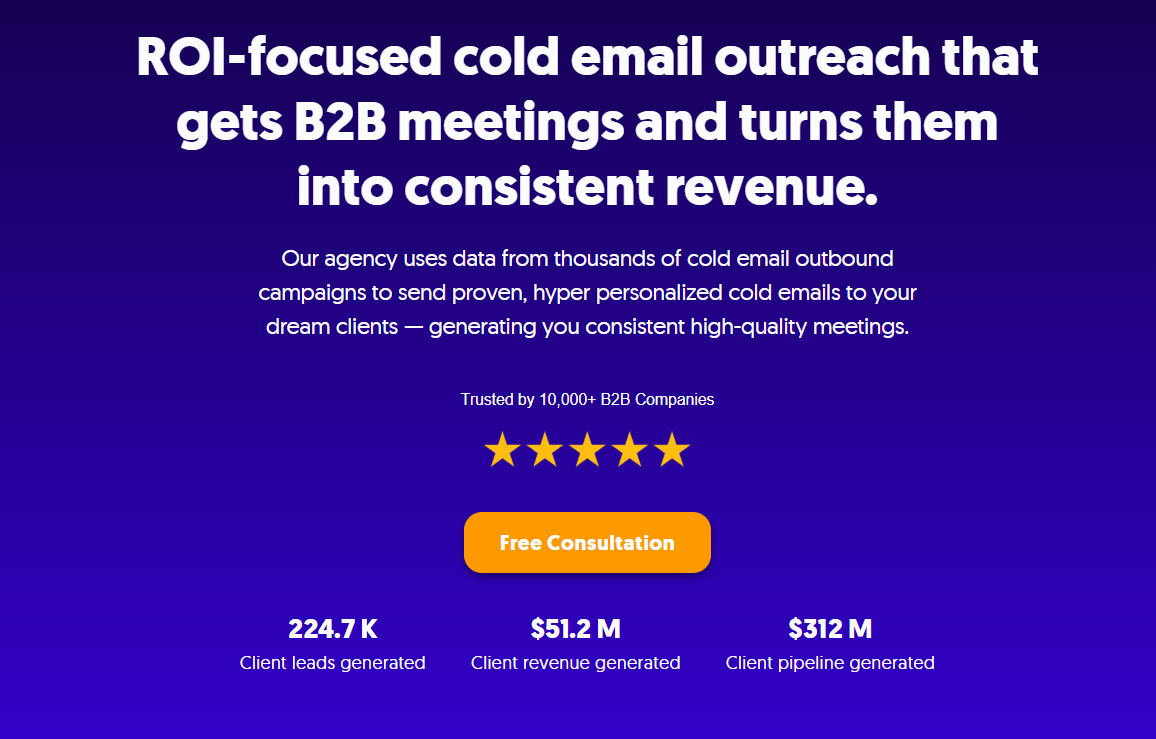
At Cleverly, we've spent years perfecting cold email outreach at scale. We've helped over 10,000 clients generate leads with companies like Amazon, Google, Uber, PayPal, Slack, and Spotify—resulting in $312 million in pipeline revenue and $51.2 million in closed revenue.
Our entire infrastructure is built around deliverability excellence.
We handle the domain authentication, the warm-up schedules, the list cleaning, the content optimization, and the compliance requirements.
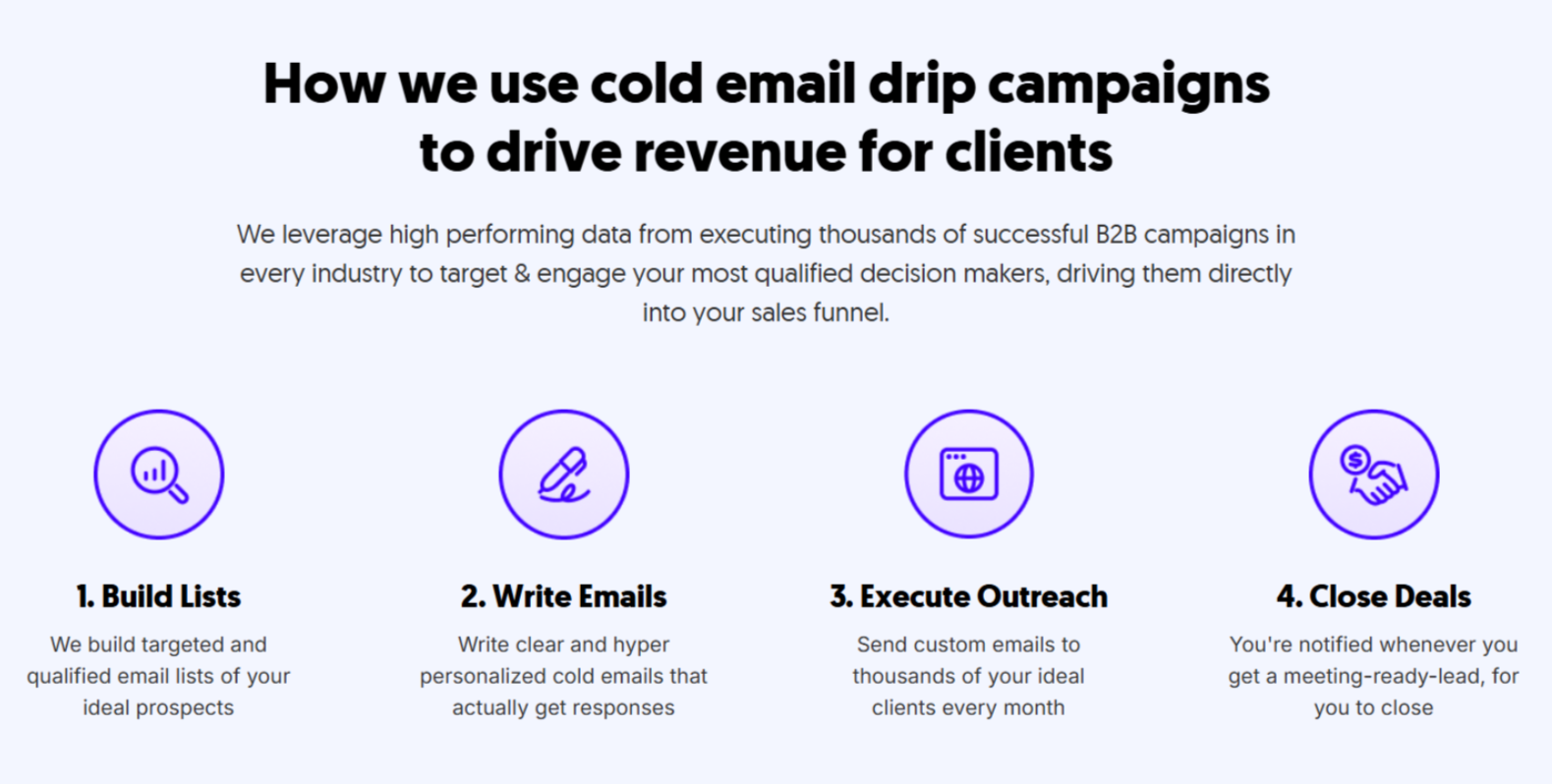
Cleverly manages the operational work behind cold email campaigns, including list preparation, sending setup, campaign monitoring, copy testing, and response handling. Deliverability still depends on receiving-provider decisions and recipient behavior, so no agency or platform can guarantee inbox placement.
And guess what…
We only charge for meeting-ready leads. That's right—you only pay for qualified prospects we successfully send your way.
No upfront costs for emails that might end up in spam. No paying for bounces or uninterested contacts. Just pay for actual results.
🚀 If you want the benefits of high-performing cold email outreach without the deliverability headaches, let's talk.
🚀 Turn Your Inbox Into a Lead-Gen Machine
We optimize your email outreach together to maximize replies and booked calls — without you lifting a finger. Ready to start?
Conclusion
Email deliverability is not one score and it does not have one universal fix. Start by determining whether messages are bouncing, being deferred, rejected for policy reasons, or accepted and filtered into spam.
Build from the fundamentals: authenticate every sending domain, maintain current recipient data, honor suppression requests, control volume, and monitor provider responses. Then test links, tracking, formatting, and copy one variable at a time.
When performance falls, reduce the affected traffic and diagnose by recipient provider, list source, sending inbox, SMTP code, and campaign segment. Resume gradually only after the underlying signal improves.
Frequently Asked Questions
Free Resource
How to Scale a Profitable Cold Call System
Get the complete guide — download it instantly now.

Free Ebook
Download the Free Guide
Enter your details to get instant access.
You're all set! 🎉
Your ebook is downloading now.
Click below if the download didn't start automatically.