Table of Contents
What Is Cold Email Infrastructure?
Why Cold Email Infrastructure Matters More Than Ever in 2026
Core Components of a Cold Email Infrastructure Setup
How to Set Up Cold Email Infrastructure Step-by-Step
Best Practices for Cold Email Infrastructure
Cold Email Infrastructure Providers Worth Knowing
Common Cold Email Infrastructure Mistakes (And How to Fix Them)
How Cleverly Builds and Manages Cold Email Infrastructure for B2B Teams
Conclusion
Frequently Asked Questions
Modified On :
May 12, 2026
Key Takeaways
- Cold email infrastructure is the technical foundation that determines inbox placement — fix it before you touch copy or targeting.
- Sending from your primary domain puts your entire business email reputation at risk; always use dedicated secondary domains for outreach.
- SPF, DKIM, and DMARC are all non-negotiable in 2026 — Google and Microsoft now reject or permanently block non-compliant senders.
- Warming up every inbox for at least 14 to 21 days before going live is the difference between landing in the inbox and landing in spam.
- Safe sending limits are 30 to 50 emails per inbox per day — scale volume by adding more inboxes, not by pushing existing ones harder.
- Keep bounce rates under 2% and spam complaint rates under 0.1%, and monitor both weekly before problems compound into permanent domain damage.
Most cold email campaigns don't fail because of bad copy. They fail before a single email is ever sent.
The real culprit? Cold email infrastructure — or more specifically, the lack of it. According to recent data, up to 17% of cold emails never reach the inbox at all.
And more than 60% of businesses have seen revenue dip because of poor deliverability. Not because the offer was weak, but because the technical foundation was broken.
If you're an SDR, a founder, a sales ops lead, or an agency building outbound systems, this guide is for you. We're walking through everything that goes into a proper cold email infrastructure setup: sending domains, mailboxes, DNS authentication, warm-up, sending limits, tools, and ongoing maintenance.
By the end, you'll know exactly what it takes to build a system where your emails actually land.
What Is Cold Email Infrastructure?
Cold email infrastructure is the technical foundation that determines whether your emails reach the inbox or get routed straight to spam.
Think of it as everything happening behind the scenes when you hit send. It's not your email copy. It's not your subject line. It's the system that either delivers your message to a real person's inbox or kills it silently before they ever see it.
What cold email infrastructure is made up of:
- Sending domains — the domains you actually send from (not your primary business domain)
- Mailboxes — individual inbox accounts tied to those domains
- DNS authentication records — SPF, DKIM, and DMARC records that verify your identity
- Warm-up systems — the process of gradually building sender reputation on new inboxes
- Sending tools and sequencers — the software that sends emails and manages follow-up
- Reply and inbox management — how you handle responses at scale
It's also worth being clear about what it is not. Cold email infrastructure is completely separate from your email marketing setup. Marketing emails go to opted-in subscribers. Cold outreach goes to people who haven't heard from you yet.
The two have different rules, different tools, and different deliverability dynamics. Conflating them is one of the most common (and costly) mistakes teams make.
When you ignore infrastructure, the consequences compound fast. Burned domains. Blacklisted IPs. Tanked reply rates. And by the time most teams notice, the damage is already done.
🚀 Skip the Setup. Start Booking Calls.
Instead of managing domains, warmups, and inboxes, let Cleverly run the entire cold email system for you. You just show up to qualified sales meetings.
Why Cold Email Infrastructure Matters More Than Ever in 2026
The inbox is a lot harder to land in than it used to be. Here's why.
Google and Microsoft both enforced major sender requirement updates in 2024 and 2025. Gmail moved from soft enforcement to permanent rejection of non-compliant messages starting November 2025.
Microsoft followed with its own bulk sender rules in May 2025, outright rejecting emails that fail authentication checks rather than just routing them to junk.
Yahoo and Apple also jumped in with similar requirements. Together, these four providers cover roughly 90% of most B2B email lists. That means there's basically nowhere to hide.
Non-negotiable across all major inbox providers:
- SPF, DKIM, and DMARC authentication (all three — not two out of three)
- Spam complaint rates below 0.3%
- Bounce rates below 2%
- One-click unsubscribe functionality for bulk sends
- Proper rDNS and TLS configuration
The old playbook of blasting high volumes and hoping for the best is gone. High-volume sending without proper cold email infrastructure now leads to permanent domain damage and IP blacklisting. Once a domain is burned, you can't easily recover it. You start over.
The flip side is that good infrastructure creates a real compounding advantage. Clean setup leads to better deliverability, which means more of your emails get seen, which drives more replies, which books more meetings.
Teams that invest in deliverability-first systems consistently outperform those chasing volume.
Core Components of a Cold Email Infrastructure Setup
Before we get into the step-by-step, here's a quick overview of all the moving parts in a proper cold email infrastructure setup:
- Sending domains — secondary domains separate from your main website domain
- Mailboxes — multiple inboxes per domain to distribute sending load
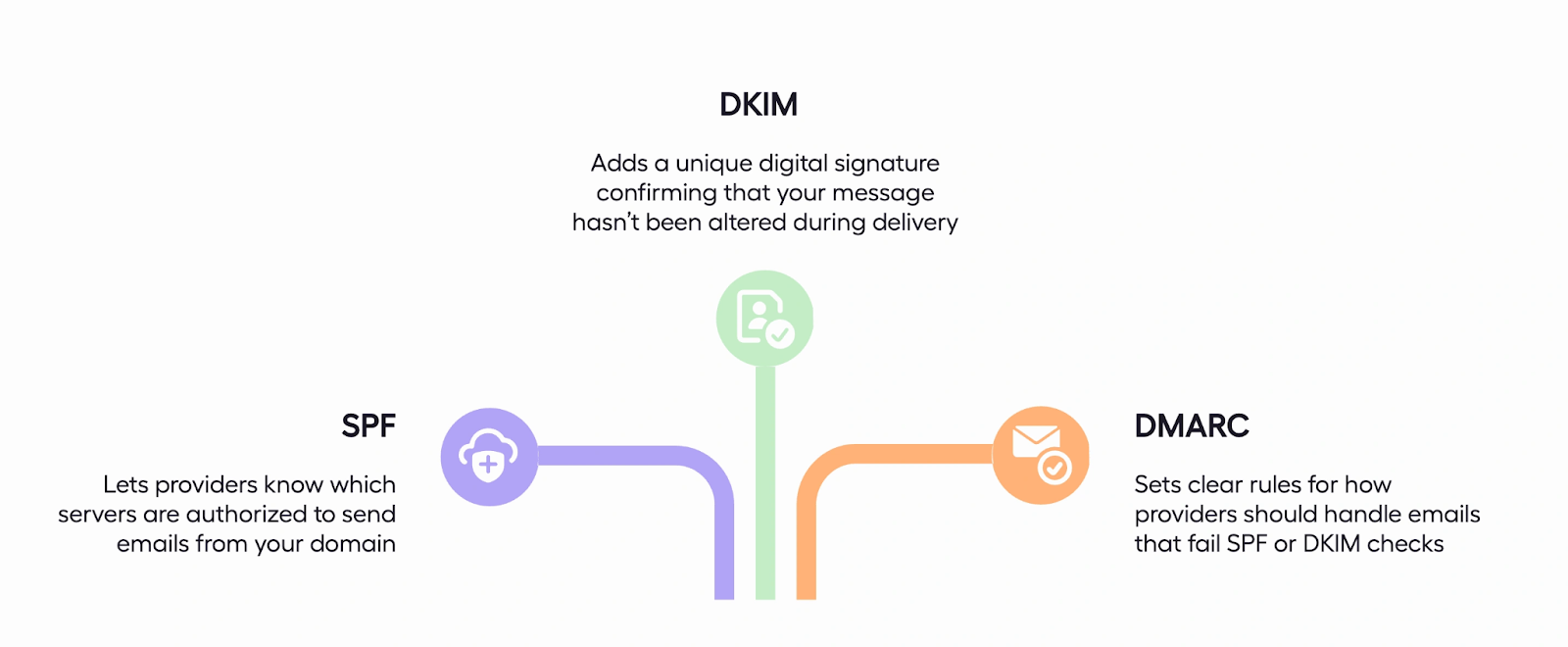
- DNS authentication records — SPF, DKIM, and DMARC to authenticate your sends
- Email warm-up — a ramp-up process to build sender reputation on each inbox
- Sending tools — sequencers that manage multi-inbox outreach at scale
- Reply management — a system to track and respond to inbound replies
Each of these components works together. Skip one, and the whole system underperforms.
📧 Infrastructure Is Step One. Meetings Are Step Two.
Cleverly runs done-for-you cold email campaigns that turn deliverable emails into meeting-ready leads. You only pay for qualified meetings we book.
How to Set Up Cold Email Infrastructure Step-by-Step
Step 1 — Purchase Sending Domains (Not Your Primary Domain)
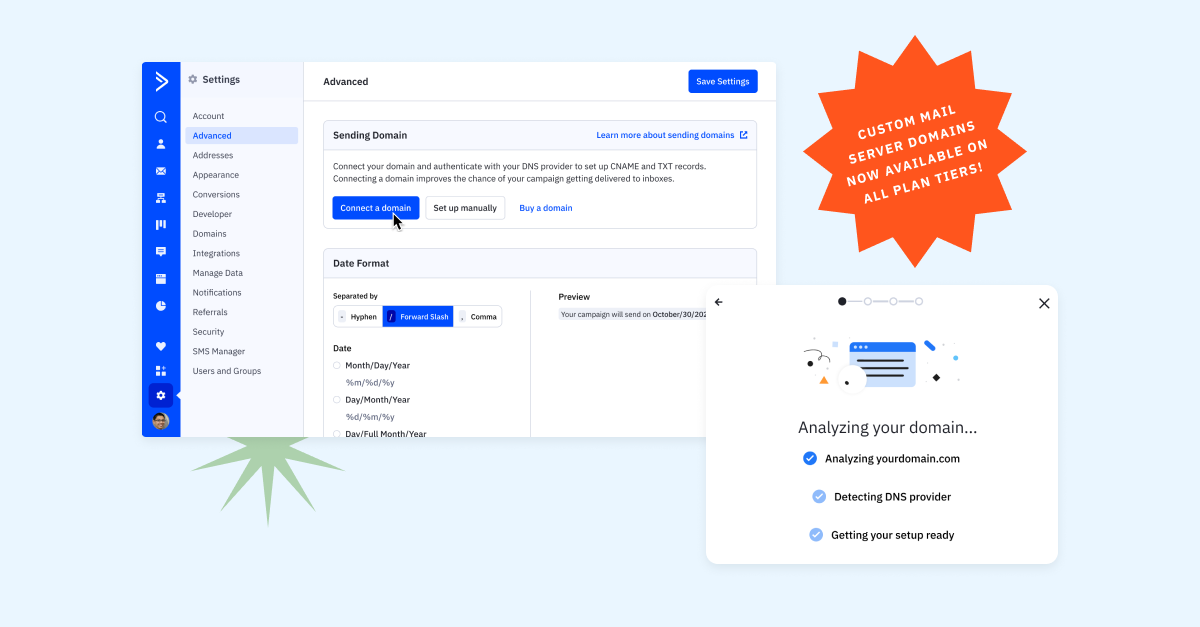
The single most important rule in cold email infrastructure setup: never send cold emails from your main business domain.
Why? Because cold outreach carries inherent deliverability risk. Spam complaints, high bounce rates, and inbox filter flags can all damage domain reputation. If you're sending from yourcompany.com, you're putting your company's entire email reputation on the line. One bad campaign can hurt your ability to send normal transactional and internal emails.
Instead, buy secondary domains — variations of your main domain that still look professional.
Some examples:
- trycompanyname.com
- getcompanyname.com
- companyname-hq.com
- heycompanyname.com
Choose registrars like Namecheap, GoDaddy, or Google Domains. Stick to .com when possible — it carries the most trust with both inbox providers and recipients.
As for how many domains you need: a good rule of thumb is one domain for every three to four inboxes.
If you plan to send 200 emails per day, you'll probably need at least three to four domains and eight to twelve inboxes spread across them. More volume means more domains.
Step 2 — Set Up Mailboxes on Each Domain
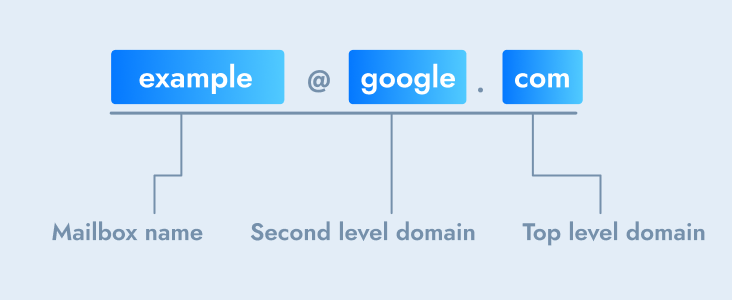
Once your domains are registered, you need to create actual sending inboxes on each one.
Google Workspace vs. Microsoft 365 is the big decision here. Both are solid choices. Google Workspace is generally preferred for B2C-leaning audiences and tends to have strong native deliverability with Gmail recipients. Microsoft 365 performs better for corporate and enterprise B2B outreach, especially when your prospects are predominantly Outlook users.
Some guidelines for mailbox setup:
- Inboxes per domain — keep it to a maximum of three to four inboxes per domain. More than that starts to look suspicious to inbox providers.
- Naming conventions — use human-sounding sender names. john.miller@getcompanyname.com looks real. outreach1@getcompanyname.com does not.
- Avoid shared IP pools — cheap hosting providers often use shared IP ranges that are already flagged for spam. Pay for reputable infrastructure from day one.
Step 3 — Configure DNS Authentication Records
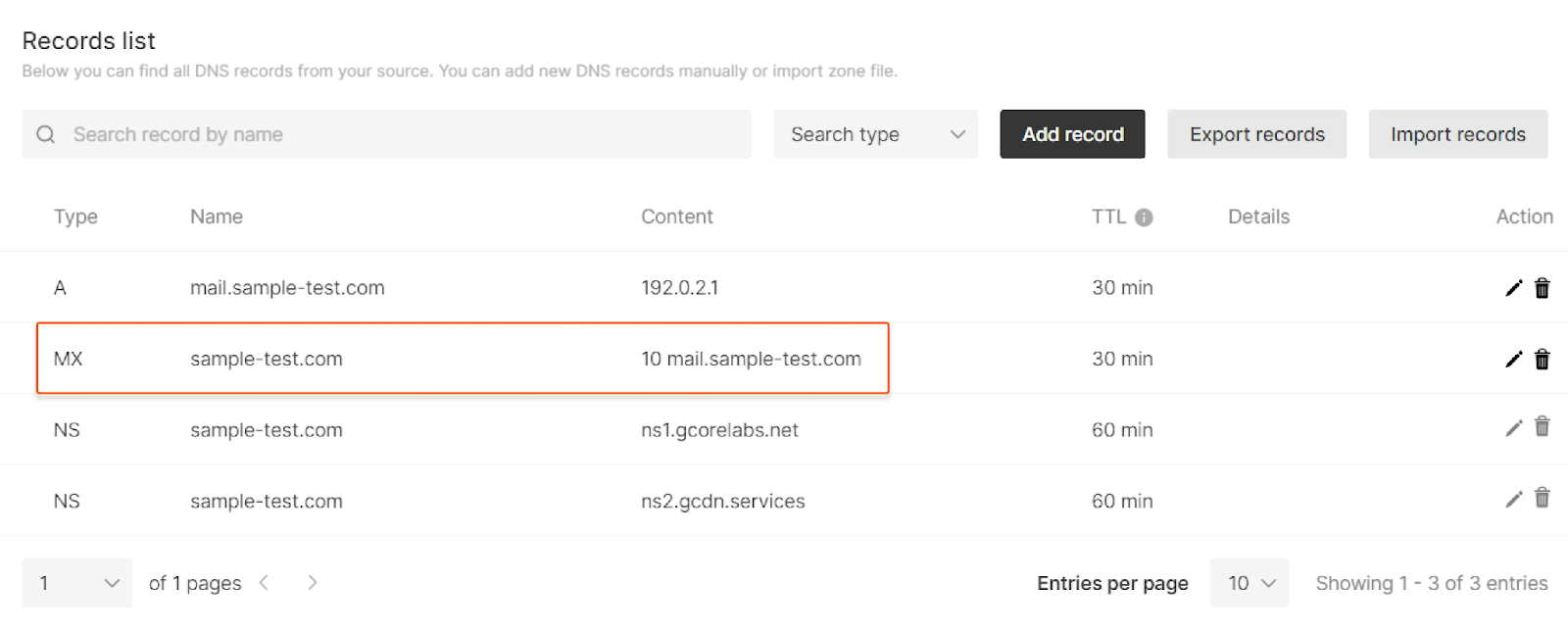
This is where most teams either get it right or quietly tank their entire campaign before it starts. DNS authentication records are non-negotiable in 2026.
What each one does:
1. SPF (Sender Policy Framework): SPF is a DNS TXT record that tells inbox providers which mail servers are authorized to send email from your domain. If your emails are coming from a server that isn't on the SPF list, they fail the check. Misconfiguration here is the number-one cause of deliverability issues.
2. DKIM (DomainKeys Identified Mail): DKIM attaches a cryptographic signature to each email you send, proving that the message hasn't been tampered with in transit. It verifies authenticity and builds trust with inbox providers.
3. DMARC (Domain-based Message Authentication, Reporting, and Conformance): DMARC builds on SPF and DKIM by telling inbox providers what to do when an email fails authentication. Start with p=none (monitoring mode), then progress to p=quarantine, and eventually p=reject for full protection. Google, Yahoo, and Microsoft all require at least a p=none DMARC record for bulk senders.
After configuring all three, verify they're working correctly using tools like MXToolbox or Google's Admin Toolbox. Check them again after any major hosting or DNS changes — settings can break without warning.
Step 4 — Warm Up Every Inbox Before Sending

Email warm-up is the process of gradually building sender reputation on a new mailbox by simulating natural sending behavior before your live campaign starts.
Inbox providers treat new senders with suspicion. A brand-new inbox sending 50 emails on day one looks like a spam operation. Warm-up tells providers: this is a legitimate sender, people are engaging with these emails, the traffic is normal.
How to do it:
- Days 1-7: Send 10 to 20 emails per inbox per day
- Weeks 2-4: Increase by 10 to 20% each week, monitoring for bounces or complaints
- Week 4+: Run an inbox placement test before going live — you want 90%+ of emails landing in the primary inbox
You can warm up manually (by sending real emails back and forth with colleagues) or use automated warm-up tools that simulate real conversations between inboxes. Tools like Instantly, Smartlead, and Warmbox all offer warm-up networks.
A standard warm-up period is 14 to 21 days at minimum. Don't skip this step even on aged domains. Older domains that have been dormant need a re-warm before you fire live campaigns from them.
Step 5 — Set Sending Limits Per Inbox
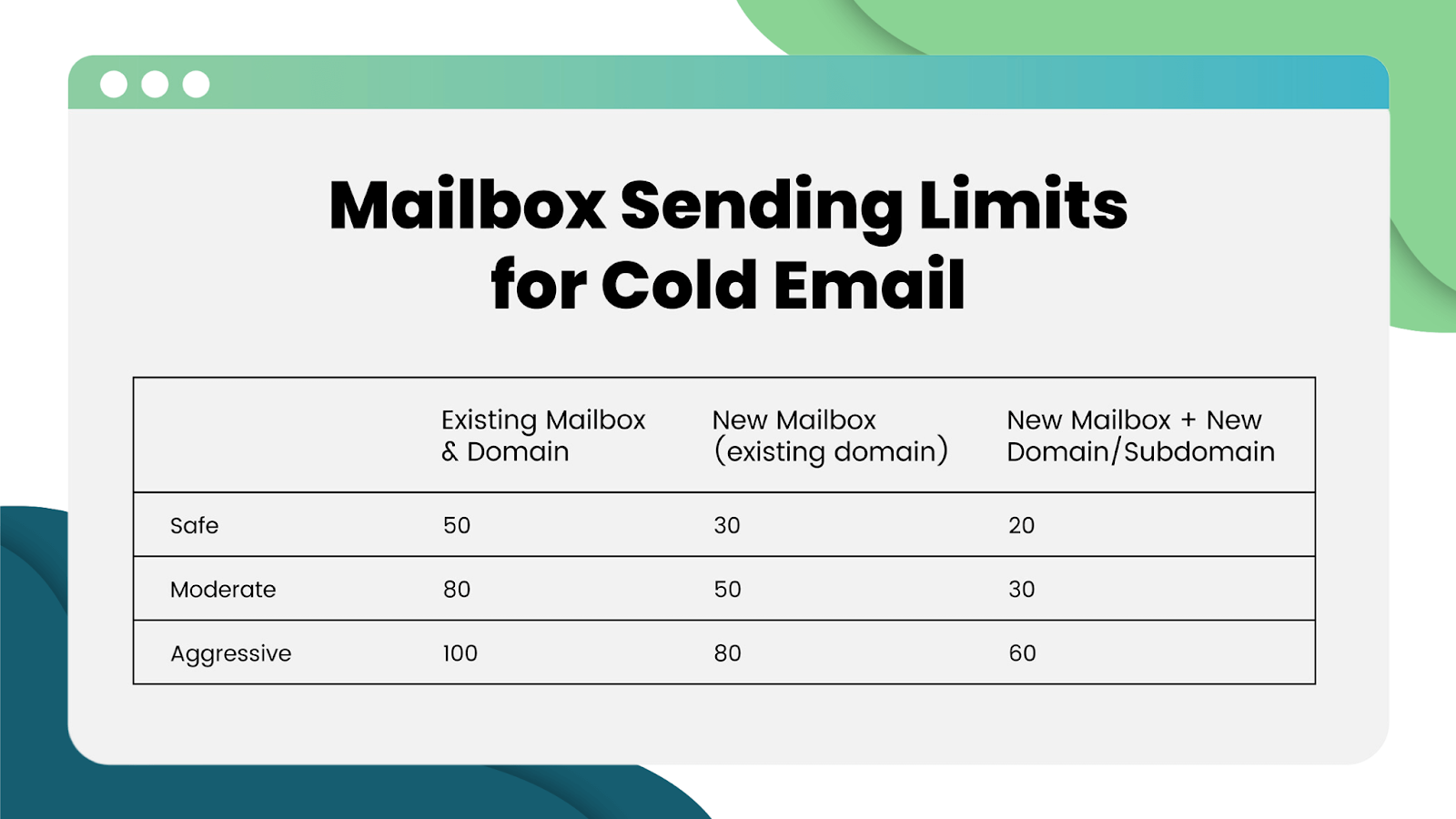
Knowing how many emails you can safely send per inbox per day is one of the most important guardrails in your entire cold email infrastructure setup.
In 2026, the safe daily sending limit per inbox is 30 to 50 emails per day for live campaigns, once fully warmed up. Some teams push to 100, but that carries real risk. If you need more volume, the answer is more inboxes — not more sends per inbox.
A few principles to follow:
- Inbox rotation — distribute your sends across multiple inboxes and domains automatically, so no single inbox carries too much load. Most modern sequencers handle this natively.
- Don't push limits early — even if an inbox is technically warmed up, start at the lower end and let performance guide you upward.
- Stagger send times — spread sends throughout the day rather than blasting them all at once. Random delays between emails look more human.
Step 6 — Connect Infrastructure to Your Sending Tool
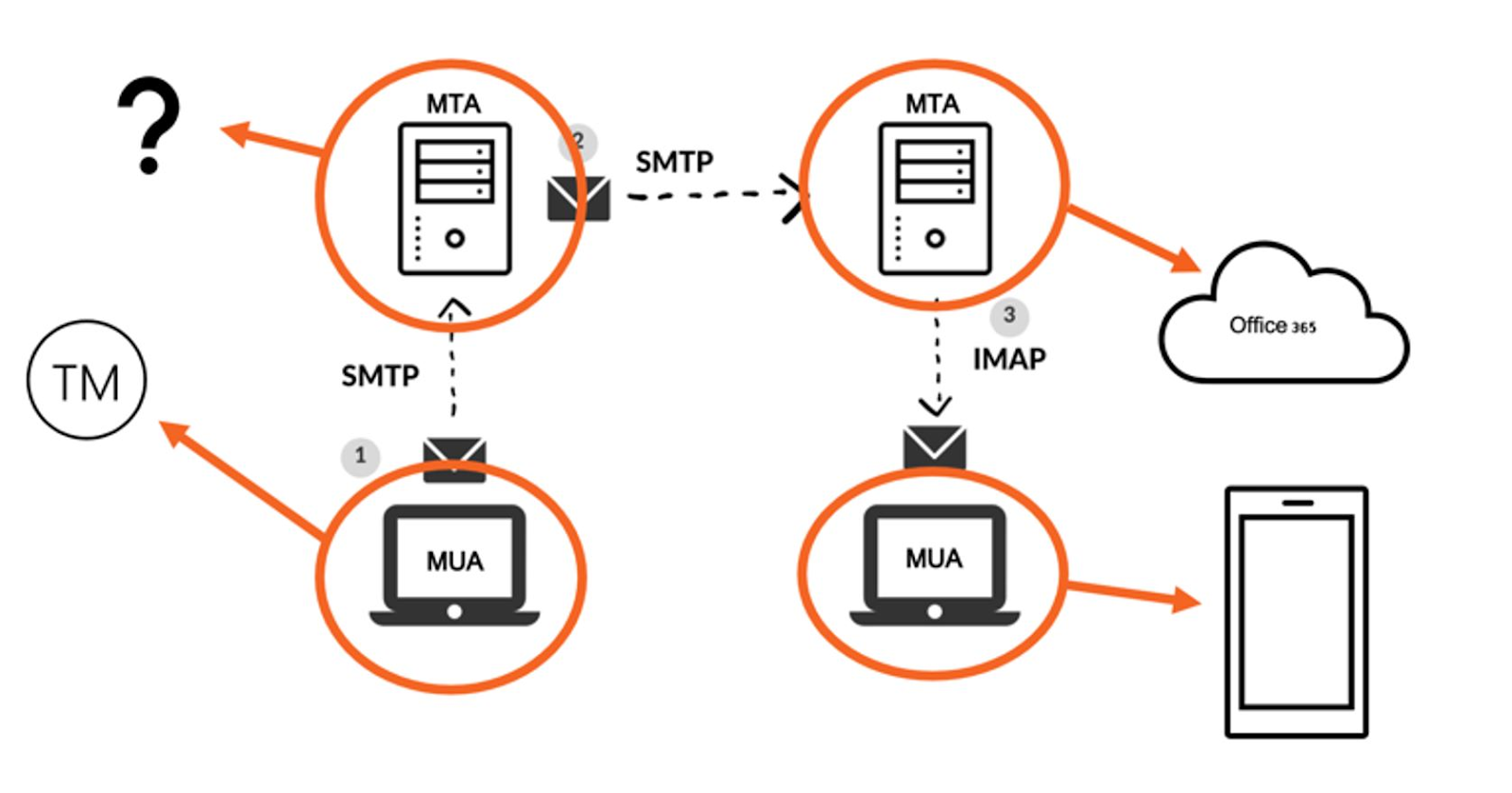
With domains, inboxes, DNS records, and warm-up handled, you're ready to connect everything to your cold email sequencer.
Most modern email sending tools — Instantly, Smartlead, Lemlist, Reply.io, Apollo — support multi-inbox setups and inbox rotation out of the box. When connecting:
- Link each inbox individually (not just the domain)
- Enable inbox rotation so sends are distributed automatically
- Set custom reply detection so positive responses pause the sequence
- Configure sending delays between emails (30 to 120 seconds is typical)
- Turn off open tracking on brand-new domains — tracking pixels can trigger spam filters early on
Before going live with your first campaign, run a test to a seed list or an inbox placement testing tool to confirm your emails are landing where they should.
Step 7 — Monitor, Maintain, and Refresh Regularly

Infrastructure is not a one-time setup. It's an ongoing system that needs regular attention.
Here's what to monitor consistently:
- Inbox placement rate — healthy campaigns land 90 to 95% of emails in the inbox
- Bounce rate — keep it under 2%
- Spam complaint rate — keep it under 0.3% (under 0.1% is the real target)
- Domain reputation — check Google Postmaster Tools and Microsoft's SNDS for signals
- Blacklist status — use tools like MXToolbox to catch any blacklisting early
When should you retire a domain? If a domain starts consistently landing in spam, or if it takes on too many spam complaints, it's often faster to retire it and start fresh than to try to recover it. Build domain rotation into your planning — don't wait until they're burned.
Build a maintenance calendar. Check DNS records monthly. Audit bounce and complaint rates weekly. Review domain health quarterly.
Best Practices for Cold Email Infrastructure
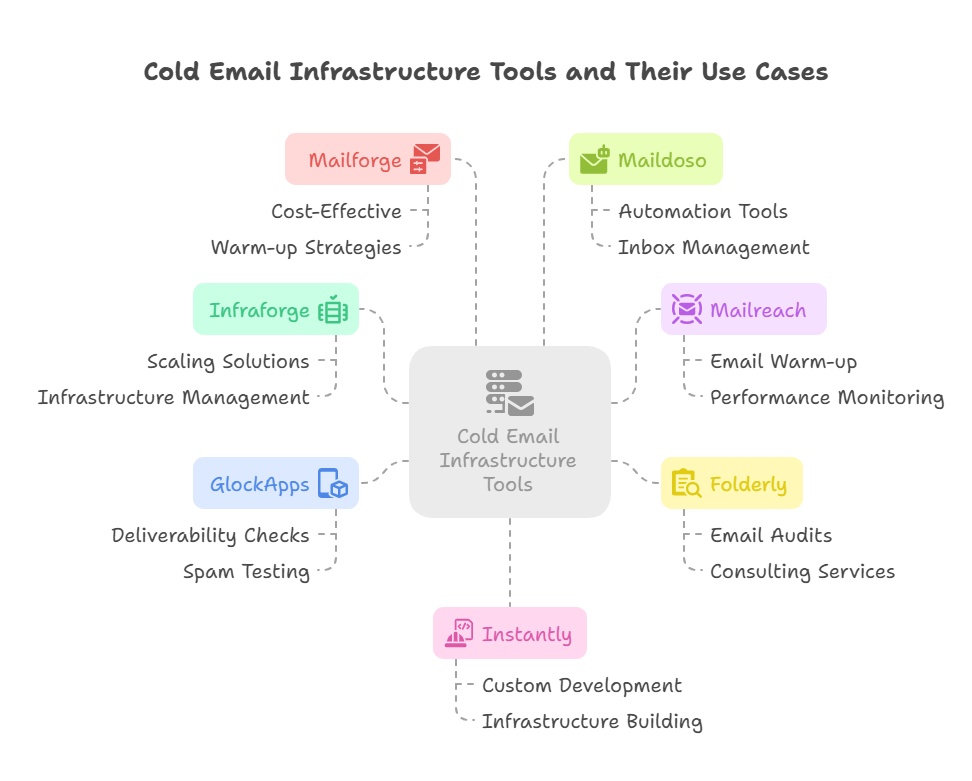
Here are the best practices for cold email infrastructure that separate teams with consistently clean deliverability from everyone else:
✅ Always separate cold outreach domains from your primary domain. No exceptions.
✅ Use one sending tool per infrastructure setup. Splitting traffic across multiple tools creates inconsistent sending patterns that look odd to inbox providers.
✅ Never skip warm-up, even on aged domains. Dormant domains that haven't sent in months need to be re-warmed before live campaigns.
✅ Keep bounce rates under 2% and spam complaints under 0.1%. These are the real guardrails for long-term sender health.
✅ Audit your DNS records regularly. SPF, DKIM, and DMARC settings can break silently when hosting environments change.
✅ Use plain-text or minimal HTML emails. Heavy HTML templates with lots of images, links, and formatting trigger spam filters. Especially on newer domains.
✅ Rotate inboxes proactively, not reactively. Don't wait for performance to drop before rotating. Build it into your schedule.
✅ Document your infrastructure setup. Every domain, every inbox, every tool connection. If someone needs to troubleshoot or take over, they shouldn't have to rebuild from scratch.
Cold Email Infrastructure Providers Worth Knowing
When it comes to building your technical stack, not every provider solves the same problem. Here's a breakdown of the main cold email infrastructure providers and where each fits.
Google Workspace
Google Workspace is the most commonly used email provider for cold outreach, and for good reason. It comes with a trusted sender reputation, strong native deliverability advantages with Gmail recipients, and reliable uptime. If your audience is a mix of Gmail and corporate domains, Google Workspace is usually the safest starting point.
Best for: Teams prioritizing inbox placement and sending to mixed or Gmail-heavy audiences.
Microsoft 365 (Outlook)
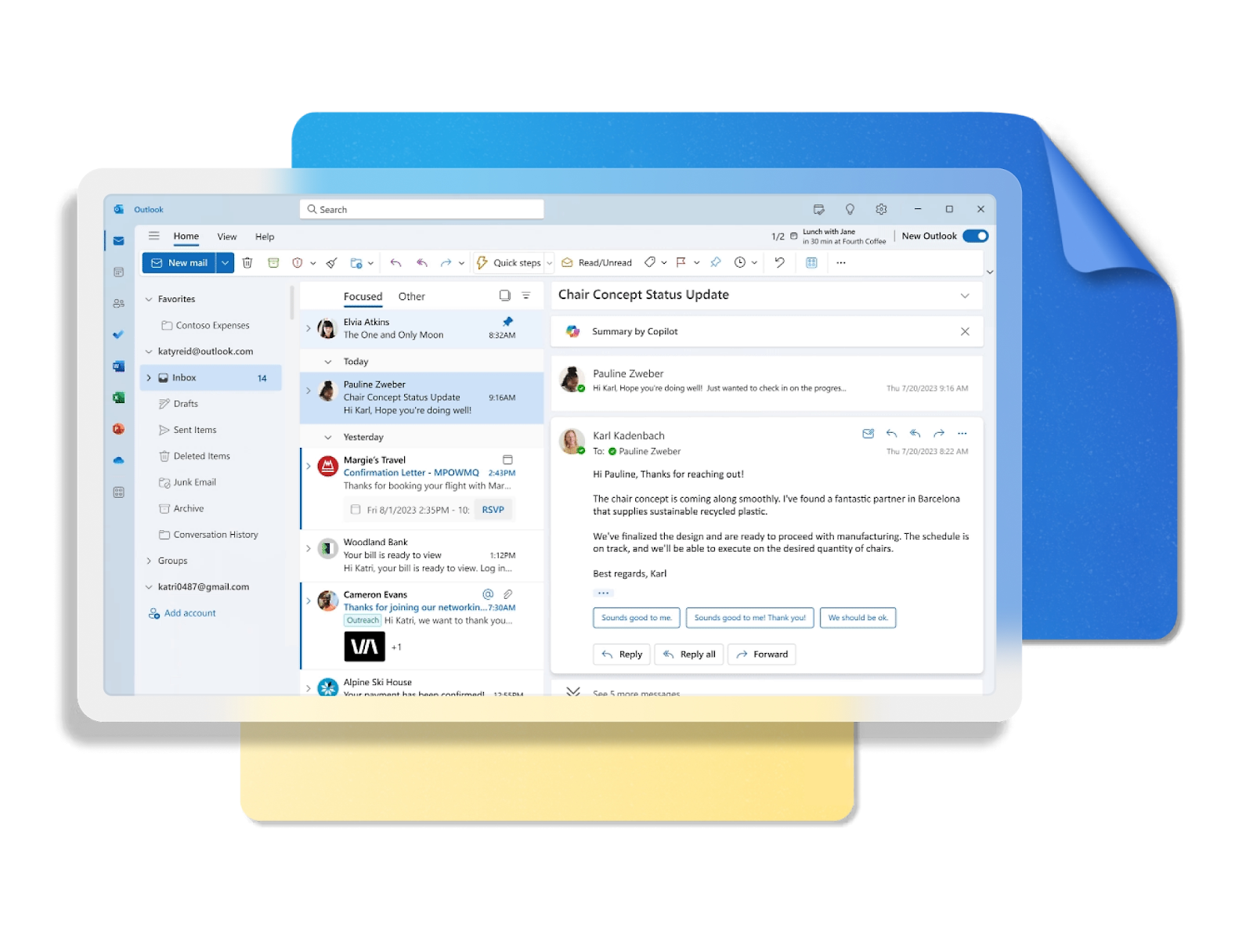
Microsoft 365 is strong for B2B outreach targeting corporate and enterprise buyers. Since many enterprise companies run on Outlook internally, emails coming from Microsoft-hosted domains often get better treatment. Microsoft also weighs IP reputation significantly, so the quality of your sending infrastructure matters a lot here.
Best for: B2B outreach to corporate, mid-market, and enterprise decision-makers.
Instantly.ai

Instantly is one of the most popular all-in-one cold email platforms. It includes built-in inbox warm-up through its Unibox network, support for unlimited sending accounts, inbox rotation, and detailed deliverability monitoring. It's designed specifically for high-volume outreach across many domains.
Best for: Agencies and teams managing large-scale outreach across many clients and domains.
Smartlead
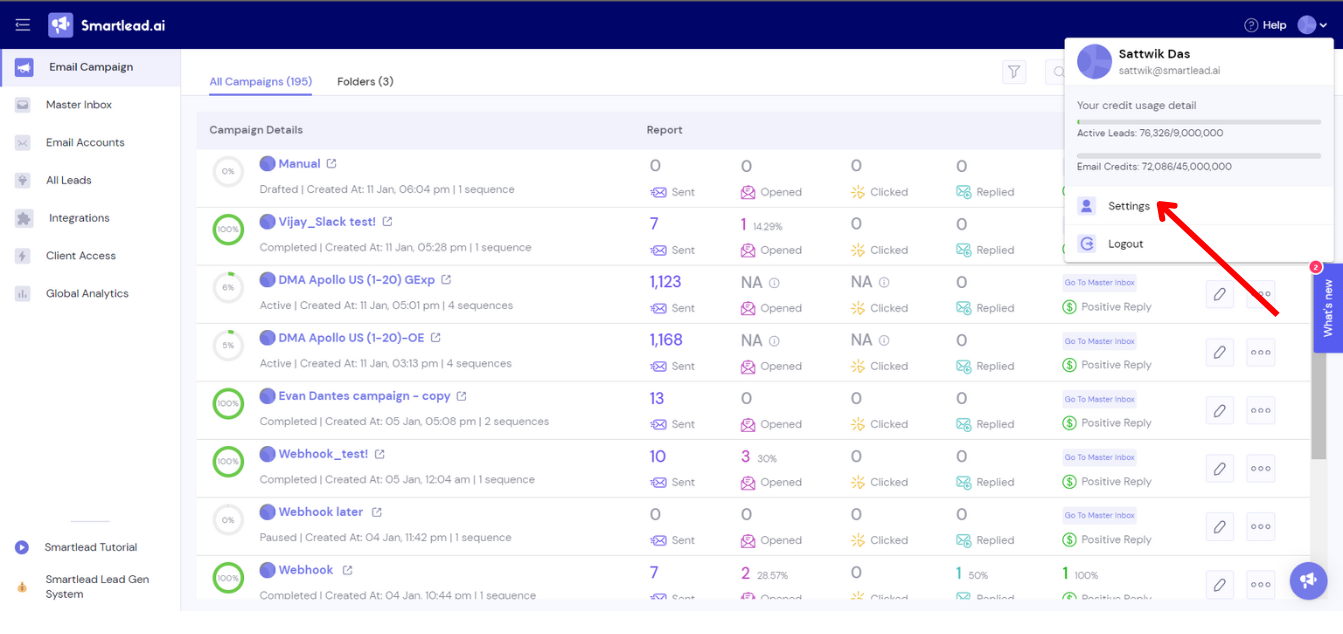
Smartlead offers inbox rotation and automated warm-up on all plans, along with flexible multi-client workspace management. It's a strong option for teams that need to manage outreach for multiple clients or campaigns simultaneously without building separate infrastructure stacks for each.
Best for: Teams running multiple client accounts or campaigns that need clean inbox separation.
Warmy / Mailreach / Warmbox

These are dedicated warm-up network tools rather than full sequencers. They specialize in building sender reputation through simulated engagement between real inboxes. If you want a standalone warm-up layer that works alongside your existing sequencer, either of these fits.
Best for: Teams that want dedicated warm-up infrastructure separate from their sending tool.
Clay
Clay is a data enrichment and prospecting tool rather than a sending platform, but it fits into the infrastructure conversation because it directly impacts who you send to and how. Clean, enriched prospect data means fewer bounces and more relevant targeting — both of which protect your sending reputation.
Best for: Teams building combined data enrichment and infrastructure pipelines who want to feed high-quality, verified leads into their outreach system.
Common Cold Email Infrastructure Mistakes (And How to Fix Them)
Even teams that know better make these mistakes. Here's what to watch out for in your cold email infrastructure setup:
❌ Sending from your primary domain.
This is the most damaging mistake you can make. The fix is simple: set up dedicated sending domains and retire your primary domain from outbound cold outreach permanently.
❌ Skipping or rushing the warm-up phase.
Launching live campaigns on fresh inboxes is almost guaranteed to trigger spam filters. The fix: commit to a 14 to 21 day warm-up before sending a single live email.
❌ Setting up SPF and DKIM but ignoring DMARC.
All three are now required by Google and Microsoft. Without DMARC, you're still not fully compliant. Add a p=none record at minimum and work toward p=quarantine or p=reject over time.
❌ Overloading a single inbox.
If one inbox is sending 150+ emails per day, you're burning it fast. Distribute volume across multiple inboxes and keep each one under 50 daily sends.
❌ Not monitoring bounce and complaint rates until it's too late.
These metrics need weekly attention, not quarterly check-ins. By the time most teams notice the problem, the domain is already damaged.
❌ Using link or open tracking on new domains.
Tracking pixels and redirect links increase your chances of hitting spam filters, especially on fresh domains. Disable them during warm-up and consider whether you need them at all.
❌ Buying cheap domains that share IP reputation with spammers.
Not all domain registrars and hosting providers are equal. Some IP ranges are already flagged. Stick with reputable providers and check IP reputation before using any new domain.
How Cleverly Builds and Manages Cold Email Infrastructure for B2B Teams
Before we write a single line of copy for a client campaign, the first thing we set up is the infrastructure.
At Cleverly, we've run thousands of cold email outbound campaigns across every B2B industry. We know that the best-written email in the world won't save a campaign if it's running on broken infrastructure.
That's why our done-for-you cold email lead generation starts at the technical foundation — domains, mailboxes, DNS authentication, and warm-up — fully managed, before any outreach begins.
How it works in practice:
- We set up dedicated cold email infrastructure with properly configured sending domains that are completely separate from your primary domain.
- We handle full DNS setup (SPF, DKIM, DMARC) and verify every record before going live.
- We warm up every inbox before your first campaign touches a real prospect.
- We run multi-inbox rotation across your sending domains to protect sender reputation at scale.
- We monitor inbox health, bounce rates, and complaint rates on an ongoing basis.
The result? Your emails actually land. And when emails land, they get read. And when they get read by the right people, you book meetings.
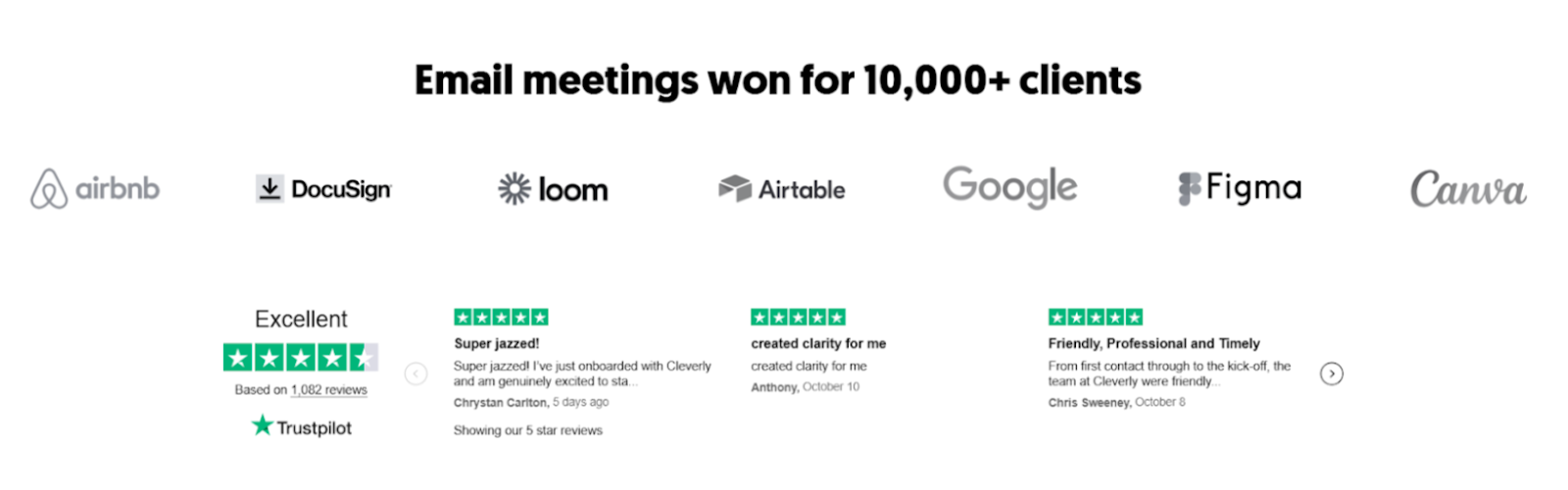
We've helped 10,000+ B2B companies generate 224,700+ client leads, $51.2M in client revenue, and $312M in client pipeline — and none of that happens without clean infrastructure underneath every campaign.
Our model is simple: we build the targeted lists, write the hyper-personalized emails, run the outreach, and deliver meeting-ready leads directly to you. You close the deals. We operate on a pay-per-performance model with no long-term contracts — because we back our work.
Want cold email infrastructure and outreach handled end-to-end?
🔥 Book a strategy call with us!
Conclusion
Cold email infrastructure isn't a one-time setup. It's an ongoing system. The teams that treat it that way — monitoring, maintaining, and refreshing regularly — are the ones that consistently outperform everyone chasing volume with broken setups.
Get the foundation right first: domains, authentication, warm-up, and sending limits. Then scale.
Frequently Asked Questions
Free Resource
How to Scale a Profitable Cold Call System
Get the complete guide — download it instantly now.

Free Ebook
Download the Free Guide
Enter your details to get instant access.
You're all set! 🎉
Your ebook is downloading now.
Click below if the download didn't start automatically.