

Table of Contents
What “Cold Lead” Actually Means
6 Proven Ways to Turn Cold Leads Into Warm Leads
How to Write Re-Engagement Messages That Get Replies
Sequence Structure and Timing
What to Measure
When to Stop Trying
How Cleverly Builds Pipeline Beyond Your Existing Database
Conclusion
Frequently Asked Questions
Modified On :
October 28, 2026
Key Takeaways
- Split your cold list into three types before you do anything: never contacted, gone quiet, and aged CRM records. Each needs a different play.
- Disqualify first. Warming accounts that were never a fit wastes time and hurts your sender reputation.
- Trigger outreach on a company event or a lead’s behavior, not on your own follow-up calendar.
- Lead with something new. A message that only refers to the silence gets ignored.
- Reactivation has a ceiling. Track cost per meeting against fresh outbound so you know when to stop.
A lead who replied twice and vanished is not the same problem as a stranger you found on LinkedIn yesterday. Yet both get dumped into one “cold” bucket. That is why so many attempts to turn cold leads into warm leads fall flat.
Timing and data make it worse. B2B contact data decays at roughly 22.5% a year, based on the widely cited HubSpot and MarketingSherpa modeling, and some studies put it far higher.
Meanwhile, Harvard Business Review’s analysis of 1.25 million leads found that firms contacting a lead within an hour were about 7x more likely to qualify it than firms that waited longer. Stale data and slow follow-up are a bad mix.
This guide covers what “cold” really means, how to segment, six methods that work, how to write the message, what to measure, and when to quit.
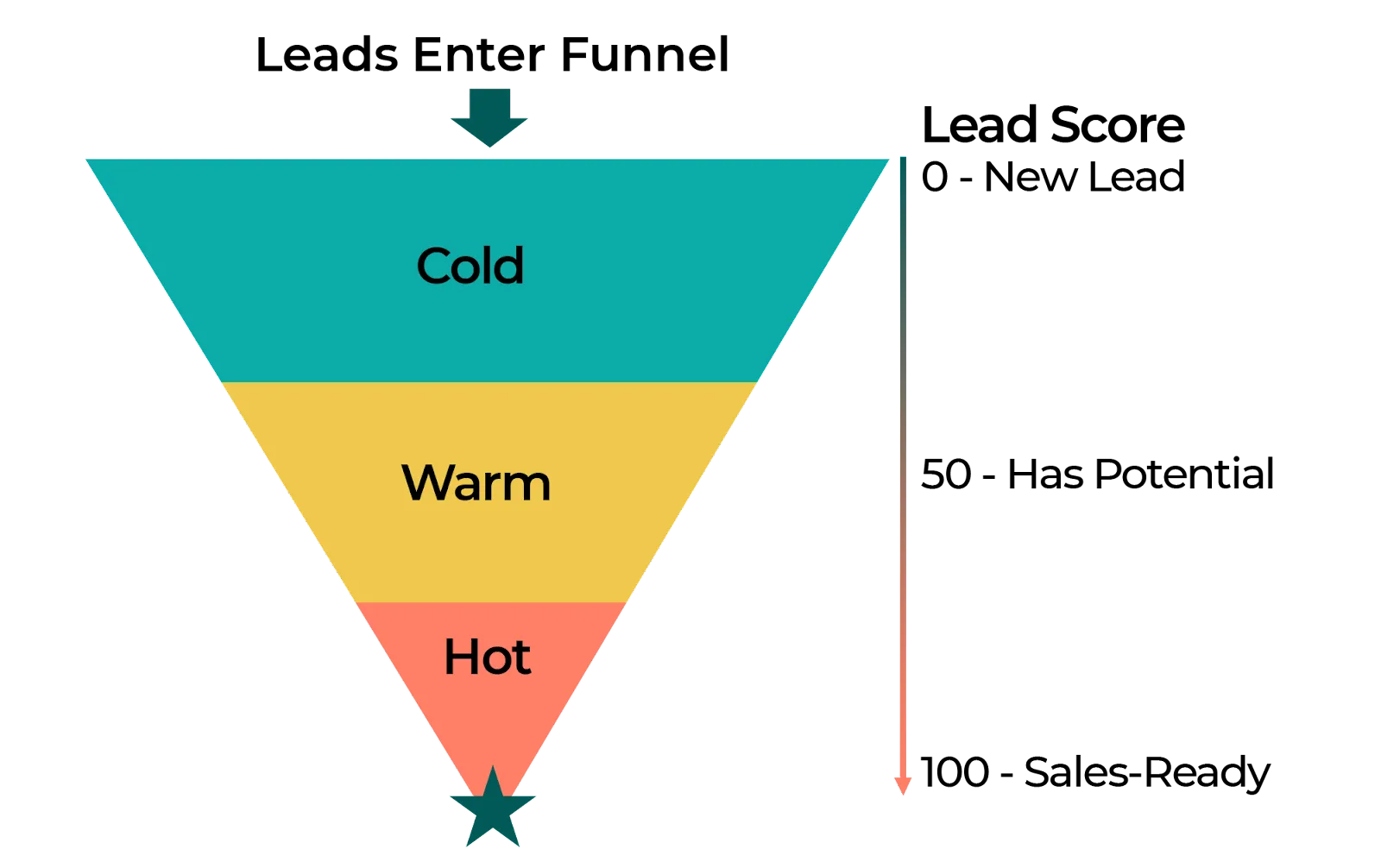
What “Cold Lead” Actually Means
Before you pick a tactic, figure out which kind of cold you have. The right method depends entirely on it.
Never-Contacted Prospects
These people match your ICP but have never heard of you. That is not really a warming problem. It’s a targeting and first-touch problem. You fix it with a sharper list and a message built for a stranger. Don’t treat them like a lead you “lost.”
Engaged Then Went Quiet
They replied, downloaded something, or sat through a demo. Then nothing. This is your warmest cold group, and it’s the one teams mishandle most. The usual mistake is following up with no new reason. “Just checking in” is not a reason.
Aged CRM Records
Old leads, closed-lost deals, and former contacts whose circumstances have likely moved. This is often your highest-value group. Something has changed since you last spoke: a new budget, a new boss, a new priority. Your job is to find out what.
Why the Distinction Matters
A method that works on an aged record fails on someone who never heard of you. A trigger-event email to a stranger reads as creepy. A “problem you raised” email to a lead who never raised one makes no sense.
Do this before anything else: segment your cold list into these three groups. Tag them in your CRM. Everything below builds on it.
Disqualify Before You Warm
This is the section that keeps the rest honest. A good chunk of cold leads are cold because they were never a fit.
Check ICP alignment before you invest effort. Warming the wrong accounts costs time, and it damages your sending reputation when those people ignore or complain about your emails.
Drop or park a lead when you see any of these:
- Wrong company size. Too small to afford you or too big to buy from you.
- Wrong market. Region, industry, or use case you can’t serve.
- No budget authority. And no path to someone who has it.
- A clear no. They told you already.
Next, verify contact data. Many aged records are cold simply because the person left. Run emails through a verifier and check titles on LinkedIn before you send a word. Sending to dead addresses drives up bounces, and bounces hurt every campaign that shares the domain.
Finally, suppress anyone who asked not to be contacted. Do it permanently and across every channel. One “please remove me” should kill the record in email, LinkedIn, and your call list.
Think of disqualifying as the thing that makes the rest of your effort productive. You are not shrinking your pipeline. You are removing the part that never would have converted. If you need to score leads at volume, use a scoring model before you start.
🔥 Cold Leads Don’t Have to Stay Cold
Cleverly uses targeted LinkedIn, cold email, and cold calling to start conversations with your ideal buyers.
6 Proven Ways to Turn Cold Leads Into Warm Leads
Here’s how to run each method, which lead type it suits, and why it works.
1) Re-Engage on a Trigger Event, Not a Calendar Date
Best for: aged records and gone-quiet leads.
Most reactivation runs on a schedule. “It’s been 90 days, send the nudge.” The lead can tell. A trigger event gives you a real reason to write that has nothing to do with your follow-up calendar.
Watch for:
- A funding round
- A hiring push in the team you sell to
- A leadership change
- Expansion into a new market or office
- A competitor they evaluated getting acquired
Example: a closed-lost deal from last year posts three open roles in the exact department you serve. That’s your opening. “Saw you’re hiring for RevOps. Is fixing outbound reporting on the list this quarter?”
Why it works: the reason is theirs, not yours.
2) Lead With Something New, Never a Follow-Up on Silence
Best for: leads who engaged and went quiet.
Skip the apology. Skip the restated pitch. Open with something they haven’t seen: a new asset, a fresh insight from their industry, or a changed circumstance on your side.
Example: “We just published numbers on reply rates for your segment. Happy to send it over if useful. If the timing is off, no worries.”
Notice the exit at the end. Giving an easy out feels backwards, but it raises replies. People answer when they don’t feel trapped.
3) Reference the Problem They Originally Raised
Best for: leads who told you about a specific pain before going quiet.
Go back to your call notes. Find the problem they named, then ask if it’s still live.
Example: “Back in March you mentioned your reps were spending half the day on list building. Is that still the case, or did you solve it?”
Why it works: it proves you listened, and it asks something they can answer in one line. Offer an out if the problem is gone. A “we fixed that” is useful data, and it keeps the record accurate.
4) Switch Channels
Best for: anyone unresponsive on their primary channel.
Silence often reflects channel preference, not lack of interest. Someone who ignores your email may answer a LinkedIn message in an hour. Someone quiet on LinkedIn may pick up the phone.
Run it as a sequence across channels, not a blast on all of them:
- Email touch with the new reason
- LinkedIn connection or message a few days later
- A call attempt, with a short voicemail that matches your email
Keep the message consistent but never copy-paste it. This is the part we see teams skip, because running three channels means three tools and three workflows. It’s also why we run LinkedIn, cold email, and cold calling together for clients instead of in silos.
5) Multi-Thread the Account
Best for: target accounts where your single contact has gone quiet.
Your contact may have left, lost ownership of the project, or never been the decision-maker. Chasing the same person harder won’t fix that.
Reach other stakeholders with role-specific angles:
- Finance: cost and ROI
- Operations: workload and process
- The executive sponsor: the business outcome
Don’t mention that you’ve been chasing someone else. Don’t forward their silence around the building. Write each message as if it’s the first time you’ve contacted the company.
6) Use Behavioral Signals From Your Own Properties
Best for: any lead who returns to your site, opens an old email, or re-engages with content.
A dormant lead showing up on your pricing page is the strongest warming signal you’ll get. They’re doing research again. Act fast, because these signals fade within days.
Set simple rules: pricing page visit, repeat visit to a case study, or a click on an old email triggers an alert to the owner, not an automated sequence. A human message sent the same day beats any template.
How to Write Re-Engagement Messages That Get Replies
Good re-engagement messages share a few traits.
- Short. Readable in under 15 seconds. If it needs scrolling, cut it.
- No reference to the silence. Never “I haven’t heard back” or “sorry to bug you again.”
- One reason. Tied to something that changed.
- A small ask. A yes or no question beats a meeting request on the first re-engagement.
- A graceful exit. It filters out dead leads and improves list quality.
- Plain text. Anything that looks like a campaign reads like one.
- Light on surveillance. Don’t say “I saw you visited our pricing page 3 times.” It feels like tracking, not attentiveness.
A message that works:
Subject: Quick question on hiring
Hi Dana, noticed you’re adding SDRs this quarter. Are you also looking at ways to fill their calendars faster? If it’s not a priority right now, tell me and I’ll drop it.
A message that doesn’t:
Subject: Following up again
Hi Dana, I know you’re busy, but I wanted to circle back on my last three emails. Do you have 30 minutes this week?
The second one talks about the sender. The first one talks about Dana.
🚀 Warm Up Prospects. Fill Your Calendar.
Let Cleverly handle prospecting and outreach while your team focuses on closing.
Sequence Structure and Timing
Keep re-engagement short. A small number of touches over a few weeks is enough to test a segment.
- Space touches out. Far enough apart to feel considered, not automated.
- Add a new angle each time. Never repeat the last message.
- Trigger on behavior or events where you can, not on a fixed date.
- Set the exit rule first. Decide before launch what happens to non-responders: a light periodic track or removal.
A sample starting point to test:
One honest note. Published cadence figures vary widely, and most come from vendors with something to sell. Treat this table as a starting point to test, not a benchmark to defend.
What to Measure
If you only track replies, you’ll fool yourself. A reply is not a meeting, and a meeting is not pipeline.
Stress the last row. It tells you whether reactivation is genuinely cheaper than fresh outbound or just feels cheaper because the leads are already in your CRM. Count the rep hours, the tool costs, and the opportunity cost.
Two more rules:
- Track by lead type, not in aggregate. The three segments behave very differently, and a blended number hides that.
- Watch complaint rates closely on aged records. Consent may have lapsed, and old lists draw more spam reports than fresh ones.
When to Stop Trying
Every lead needs an end point. Without one, you’ll keep emailing people who stopped caring a year ago.
- Set a defined number of attempts before a lead leaves the active list.
- Move non-responders to a light periodic track rather than deleting them, unless they asked to be removed.
- Honor any clear no. Permanently, across every channel and campaign.
Then there’s a pattern worth naming. Teams work old databases hardest when the new pipeline is thin. That’s usually a sign the real problem is upstream. Reactivating old leads can feel productive while the top of your funnel quietly dries up.
A database can only be reactivated so many times. At some point, the answer is new accounts, not new emails to old ones.
How Cleverly Builds Pipeline Beyond Your Existing Database
Reactivation is worth doing, but it has a ceiling. The pool is finite, and it shrinks every time you work it. When the old list stops producing, you need new accounts, and that is where we come in.
We run cold email outreach end to end. That means ICP definition, verified multi-source list building, domain and inbox setup, sequence copywriting, deliverability management, and reply handling through to booked meetings.
You don’t manage tools or write a single email. Clients have seen over $312M in pipeline generated through our work, and what we optimize for is qualified replies and booked meetings, not send volume.
It also protects the work you just did. Re-engaging aged records carries bounce and complaint risk. We run outbound on separate managed infrastructure, so your primary domain stays clean. We also suppress existing contacts, so nobody in your CRM gets hit twice.
Companies pick done-for-you outbound because the hard parts (deliverability, data, copy, constant testing) are a full-time job. If you’d rather spend your week closing than tuning inboxes, that’s what we do.
Run out of old leads to warm up? Cleverly brings new ones. Book a call to see how.
Conclusion
The biggest takeaway: don’t treat “cold” as one problem. Segment first, then disqualify honestly, because warming leads who were never a fit costs effort and sender reputation. Trigger on events and behavior, lead with something new, and keep the ask small.
Your next step is simple. Split your cold list into the three types, pick the gone-quiet group, and run one short trigger-based sequence. Measure meetings and cost per meeting against new outbound. When the database stops giving, put your energy into new accounts instead.
Frequently Asked Questions
Free Resource
How to Scale a Profitable Cold Call System
Get the complete guide — download it instantly now.

Free Ebook
Download the Free Guide
Enter your details to get instant access.
You're all set! 🎉
Your ebook is downloading now.
Click below if the download didn't start automatically.


