Table of Contents
What Is LinkedIn Creator Mode?
Does LinkedIn Creator Mode Improve Visibility?
How to Turn On LinkedIn Creator Mode
How to Optimize Your LinkedIn Profile for Inbound Leads in Creator Mode
What Content to Create to Attract Inbound Leads
How to Convert Creator Mode Followers Into Inbound Leads
How Cleverly Combines LinkedIn Creator Mode With Done-for-You Outbound
Conclusion
Frequently Asked Questions
Modified On :
June 9, 2026
Key Takeaways
- LinkedIn Creator Mode is a free profile setting that switches your primary CTA to "Follow," elevates your Featured section, and signals to the algorithm that you're a content creator — unlocking broader content distribution beyond your immediate network.
- Inbound leads generated through content convert at a significantly higher rate than cold outreach — because by the time they reach out, they've already validated your expertise through your posts.
- Optimizing your headline, Featured section, and About section for your ICP turns your profile into a conversion asset, not just a resume.
- Document posts (PDF carousels) are currently the highest-performing content format on LinkedIn, averaging a 6.60% engagement rate — significantly above text-only posts.
- Creator Mode compounds over time: consistent posting in a specific niche builds follower growth, algorithmic reach, and inbound profile visits that convert at higher rates than any cold touch.
Cold outreach works. We've seen it generate millions in pipeline for B2B companies across every vertical. But there's a different kind of lead that closes faster, requires less convincing, and comes in warmer than anything an outbound sequence can manufacture — and that's the lead that finds you.
LinkedIn Creator Mode was built for exactly this. It flips the lead generation model: instead of chasing your ICP, you build enough visibility and authority that the right people start coming to you.
The numbers back this up. Inbound outreach — where a prospect messages you after consuming your content — converts at 14.6%, compared to just 1.7% for traditional outbound methods.
That's not a marginal difference. That's a fundamentally different conversation. And with 4 out of 5 LinkedIn members driving business decisions, it's the highest-value B2B platform for building that kind of authority.
This guide covers everything you need to actually use Creator Mode for lead generation — not just what it is, but how to set it up, optimize your profile for your ICP, what content to create, and how to turn followers into booked meetings.
What Is LinkedIn Creator Mode?
LinkedIn Creator Mode is a profile setting that shifts how your profile is structured and how your content is distributed — without costing you a cent. It's free, available to any LinkedIn member, and takes about five minutes to turn on.
Creator Mode features include newsletters, enhanced analytics, and AI-driven audience matching. While the original toggle was removed in March 2024, you can access these tools through your profile settings.
Here's what actually changes when you enable it:
Your primary CTA switches from "Connect" to "Follow." This is a bigger deal than it sounds. Visitors can now subscribe to your content without a connection request — removing friction and making it easier for prospects to stay in your orbit without a formal connection.
Your Featured section moves higher on your profile. Prime real estate. Instead of being buried below your Experience section, your Featured content — lead magnets, case studies, booking links — gets seen first.
You unlock LinkedIn Live, Audio Events, and the Newsletter feature. These creator tools are only available once Creator Mode is enabled. The Newsletter alone is one of the most underutilized lead generation tools on the platform.
Your content gets treated differently by the algorithm. LinkedIn actively amplifies posts from creators to audiences beyond your immediate network — reaching people who follow related topics even if they've never interacted with your profile before.
What doesn't change: your ability to connect with people, send messages, or run outbound outreach in parallel. Creator Mode adds an inbound layer — it doesn't replace anything you're already doing.
🚀 Inbound Leads Are Great. Predictable Leads Are Better.
We combine LinkedIn outreach with profile optimization to drive meetings. Done-for-you lead generation starting at just $397/mo.
Does LinkedIn Creator Mode Improve Visibility?
Yes — but the honest answer comes with context.
Creator Mode improves the ceiling of your visibility, not the floor. It amplifies good content posted consistently. It doesn't save mediocre content posted occasionally.
Here's how the LinkedIn algorithm actually treats Creator Mode profiles differently:
Posts from active creators are pushed into the feeds of people who follow similar topics — even those completely outside your network. Accounts that posted three times per week with active inbound engagement outperformed accounts posting daily without it by 4.2x in lead generation. The frequency matters less than the engagement signal immediately after posting.
Follower growth compounds your reach in a way connections can't. LinkedIn caps connections at 30,000. Followers are unlimited. According to LinkedIn, top creators have follower counts exceeding one million — a scale impossible to reach through connections alone. The larger your follower base, the more people your content reaches organically every time you post.
Topical consistency signals algorithmic authority. When you post in the same subject area repeatedly — B2B sales, SaaS GTM, LinkedIn outreach — the algorithm starts associating your profile with that category. You become discoverable to people searching and engaging with those topics, even before they connect with you.
The visibility loop looks like this: consistent content in a defined niche → more followers → larger organic reach per post → more profile visits from qualified prospects → more inbound conversations.
It's worth noting that overall LinkedIn reach has dropped across the platform — views down roughly 50% and engagement down 25% year-over-year. But specific formats are still crushing it. Document posts are hitting 6.60% engagement rates, the highest of any format, with native video close behind at 5.60%.
Creator Mode alone won't generate leads. It creates the conditions for inbound. Your content quality and consistency are what activate those conditions.
How to Turn On LinkedIn Creator Mode
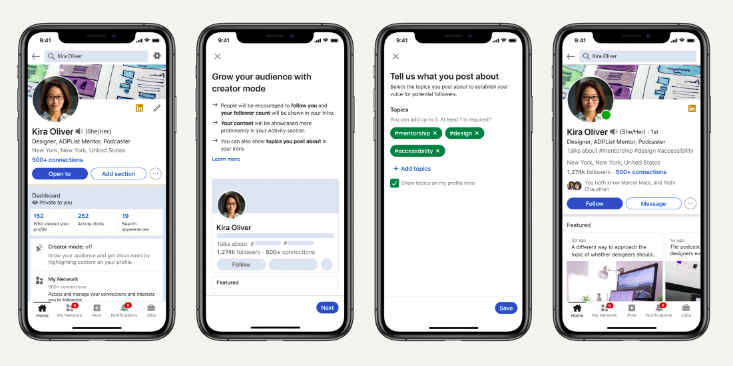
Go to linkedin.com, click your profile picture, and select "View Profile." From there:
- Scroll to the "Resources" section on your profile
- Click "Creator Mode"
- Toggle it on
- Select 1–5 topic hashtags that define your area of expertise
You can also go to Settings & Privacy, click "Visibility," scroll to "Followers," and turn on the "Make follow primary" toggle to enable the Follow button and creator tools.
Choosing your hashtags matters more than most people realize.
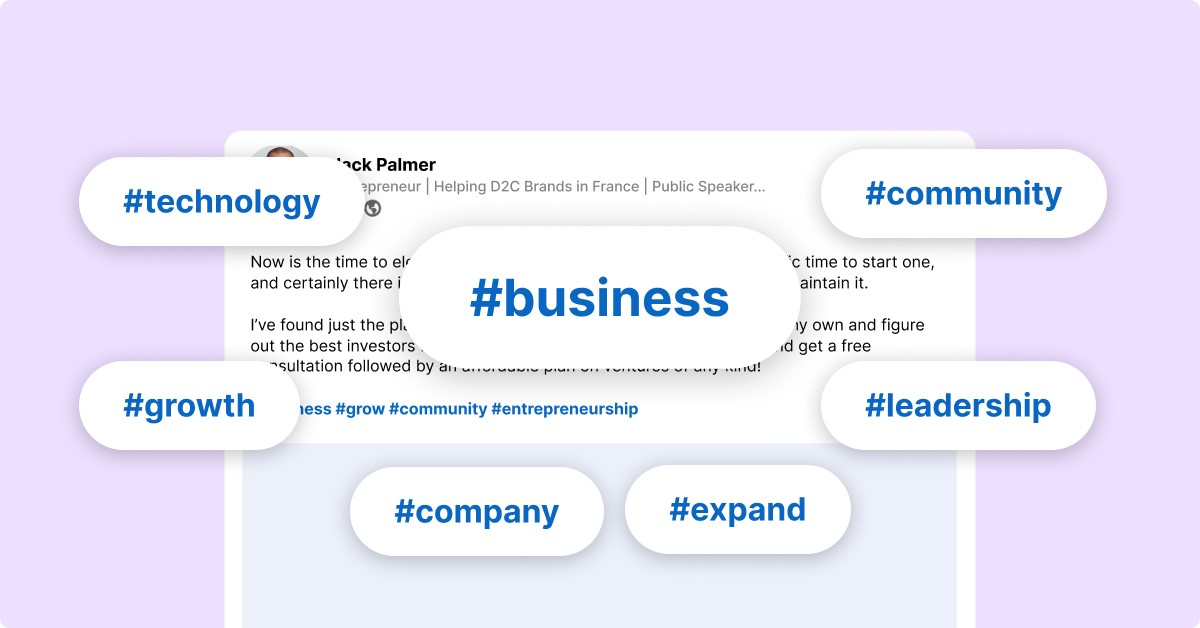
Your hashtags appear prominently on your Creator Mode profile and influence how the algorithm categorizes you. The goal isn't to pick the most popular tags — it's to pick the tags your ICP actually follows and searches.
For B2B professionals: #B2BSales, #SalesLeadership, #RevenueOperations, #LinkedInMarketing, and #SaaS are strong options depending on your audience.
Aim for tags with enough followers to generate reach, but specific enough to reach the right people rather than a general audience.
After enabling Creator Mode, do a quick audit:
- Is your Featured section populated with a strong lead magnet, case study, or booking link?
- Does your headline speak to your ICP's outcome, not your job title?
- Does your About section open with a hook that earns the "see more" click?
These three elements determine whether a profile visitor becomes a lead or bounces.
💼 Creator Mode Gets Attention. Outreach Gets Appointments.
10,000+ clients used Cleverly to generate pipeline on LinkedIn. We handle targeting, outreach & booking—you close.
How to Optimize Your LinkedIn Profile for Inbound Leads in Creator Mode
Creator Mode changes what visitors see first. Your profile now functions like a landing page — and it should be built accordingly. Every section has a job to do.
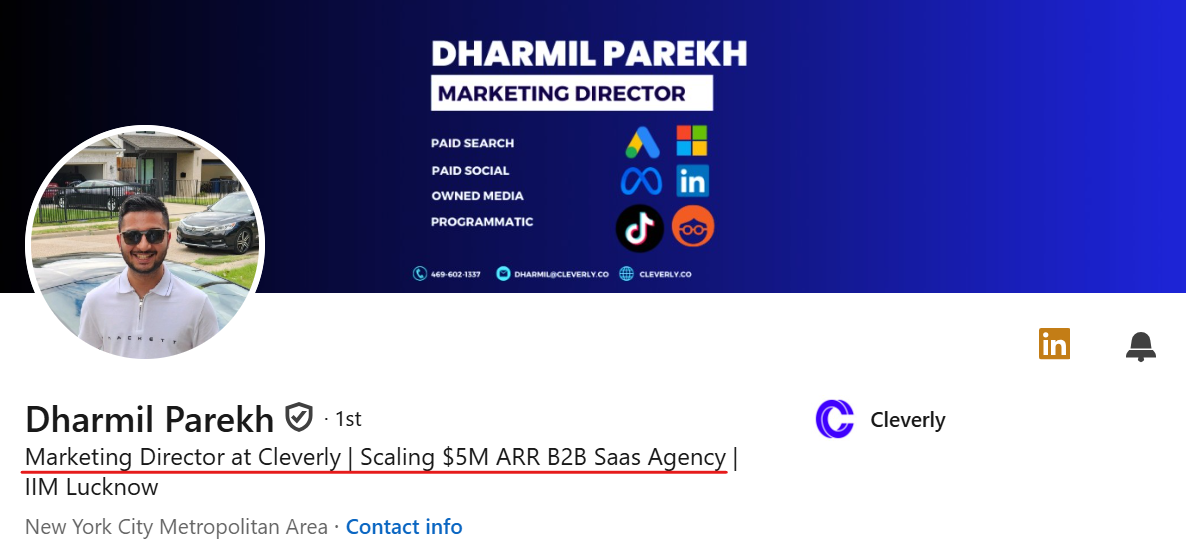
Headline — Your Value Proposition, Not Your Job Title
Your LinkedIn headline is the first thing a visitor reads. Creator Mode makes your headline more prominent, and the algorithm indexes it for keywords — so what you write here affects both human visitors and your discoverability in search.
The format that converts: "[Who you help] + [What outcome you deliver]"
Example: "Helping B2B SaaS founders book more qualified meetings through LinkedIn outreach"
Avoid job titles, company names, and anything generic. "VP of Sales at TechCo" tells a prospect nothing about why they should follow you.
Featured Section — Your Lead Magnet Real Estate
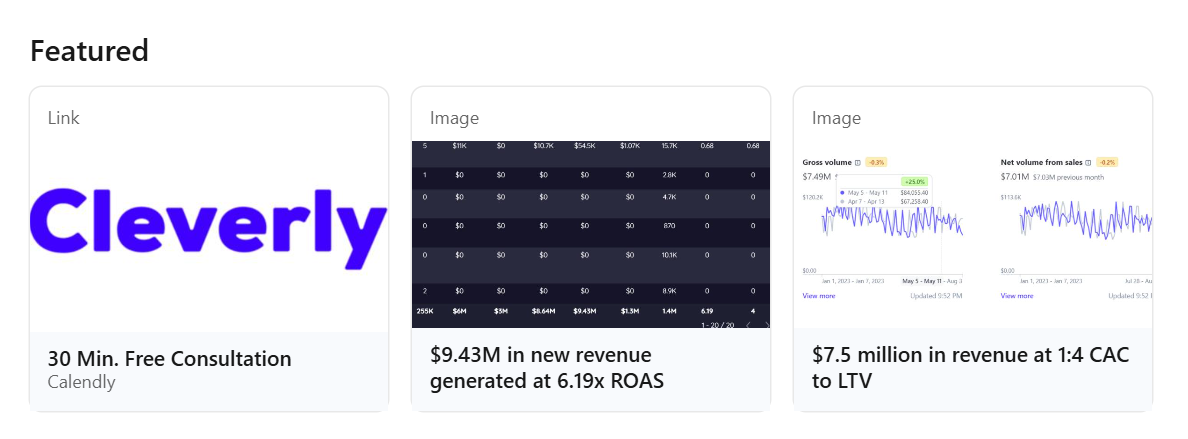
This is the highest-converting real estate on a Creator Mode profile. Because Creator Mode moves the Featured section higher, it's often the first content element a visitor sees after your headline and photo.
Use it for one thing: give visitors a reason to take action.
That could be a downloadable checklist, a link to your newsletter sign-up, a short case study, or a calendar booking link with a clear offer. One strong Featured item with a direct CTA outperforms three generic posts or media links every time.
This is the mechanism that turns profile visitors into leads — without any outbound effort on your part.
About Section — Written for Your ICP, Not LinkedIn
Stop writing your About section like a resume. Write it as a direct message to your ideal client.
Structure it like this:
- Problem your ICP is dealing with right now
- How you solve it — specifically
- Proof — client results, companies you've worked with, measurable outcomes
- CTA — a booking link, DM invitation, or resource link
The first two lines are critical. LinkedIn truncates the About section and hides the rest behind a "see more" click. If your opening doesn't immediately signal relevance to the right person, they won't read further.
Topic Hashtags — Signal Your Expertise to the Algorithm
Your five chosen hashtags appear beneath your name on Creator Mode profiles. Add up to five topic hashtags that represent the subjects you create content about — like #Leadership, #B2BSales, or #ContentMarketing.
Choose hashtags your ICP follows and engages with. For B2B niches, tags in the 50K–500K follower range tend to hit the right balance: large enough to give your content reach, specific enough to reach relevant professionals rather than a generic audience.
Newsletter Feature — Build a Subscriber List Inside LinkedIn
This one is massively underused in B2B.
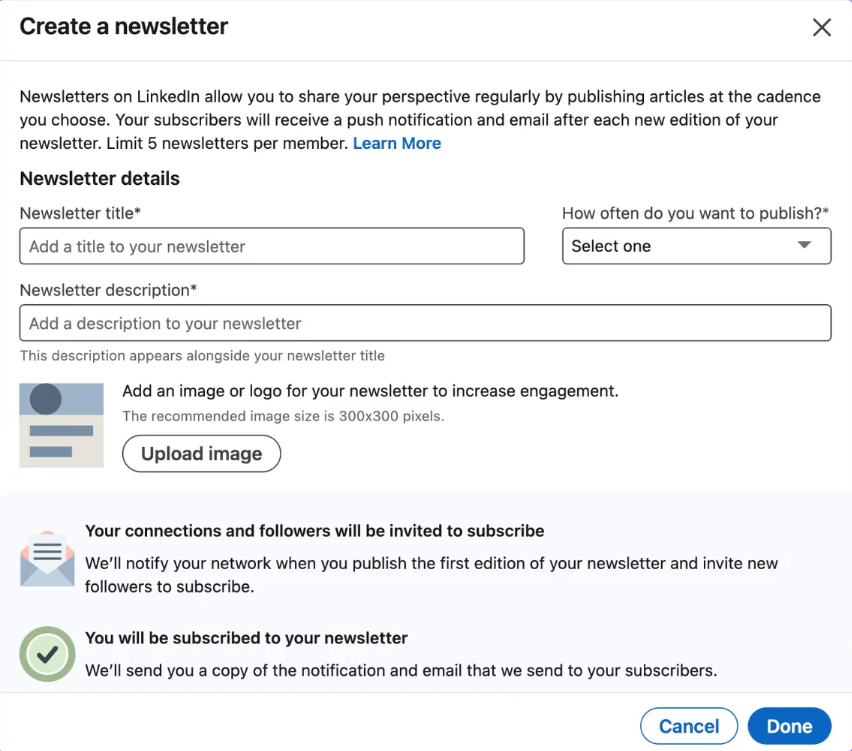
When you publish your first newsletter edition, LinkedIn automatically invites all your connections and followers to subscribe — an immediate distribution boost that regular posts never get.
After that, every new edition triggers three notifications to subscribers: an email to their inbox, a push notification on mobile, and an in-app alert.
LinkedIn newsletter subscriptions averaged 35–45% open rates in 2025 — significantly higher than traditional email marketing. That's a warm, opted-in audience reading your content every time you publish.
The lead generation play: pick a specific topic your ICP cares about, publish weekly or bi-weekly, and include a simple CTA in every issue — a booking link, a resource, or an invitation to reply. Every subscriber is a warm prospect who's already interested enough in what you do to opt in.
What Content to Create to Attract Inbound Leads
All the profile optimization above does nothing without content to drive it. Content is the engine — the profile is the landing page.
Posting frequency for algorithmic consistency: 3–5 posts per week is the highest-ROI range. Beyond five posts per week, engagement per post drops by 18–32%. More is not always better. Consistent is better.
Topical consistency matters more than variety. Posting in the same subject area repeatedly signals authority to the algorithm and builds audience trust faster than hopping between topics.
Content Types That Drive Inbound Leads
Problem-aware posts. Describe a specific pain point your ICP is dealing with right now. These generate comments from people who self-identify as prospects — and those comments are warm signals worth acting on.
Insight posts. Share a non-obvious observation from your client work or industry experience. This builds credibility with people who want more, not just a list of tips they've already seen.
Process posts. Walk through how you actually do something, step by step. This positions you as a practitioner — someone who's done the work, not just researched it.
Result posts. Share a specific client outcome. With or without naming the client, concrete numbers make your offer tangible in a way no amount of positioning language can.
Contrarian takes. Respectfully challenge a common belief in your space. These generate reach through disagreement — and the people who engage in agreement are often your best-fit prospects.
Newsletter posts. Use your regular posts to announce new issues, share excerpts, and invite followers to subscribe. Every new subscriber is an additional warm touchpoint.
Content Formats That Perform in 2026
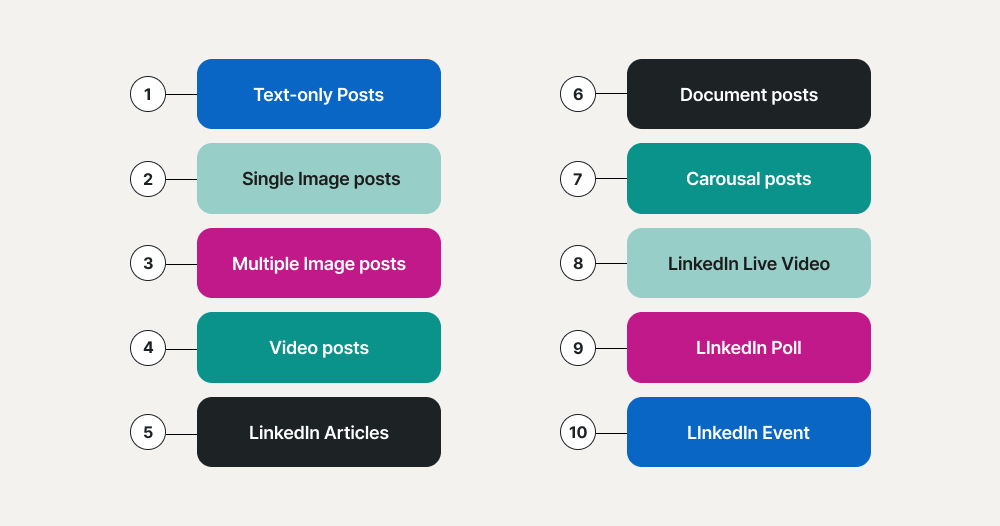
Document posts (PDF carousels) are the highest-performing format on LinkedIn right now. They're hitting 6.60% average engagement rates — the highest of any LinkedIn format, ahead of native video at 5.60% and text-only posts at around 2%. Use them for frameworks, checklists, step-by-step guides, and case study breakdowns.
Short-form video is growing in reach and works best for personal, talking-head content. A two-minute video sharing a specific insight from your work outperforms a polished corporate production every time.
LinkedIn Live and Audio Events are exclusive to Creator Mode profiles. Use them for Q&As, live workshops, or panel conversations — they generate significantly higher real-time engagement than recorded content.
One thing to avoid: external links in your post body. Posts with external links see approximately 60% less reach than posts without them. Put your links in the first comment instead.
How to Convert Creator Mode Followers Into Inbound Leads
Follower counts and post impressions are vanity metrics unless they translate to pipeline. Here's how the conversion layer actually works.
CTA in every post
Not every post needs a hard sell, but every post should have a direction. Ask a question that invites comments. Offer a resource people can DM you for. Drop your booking link in the first comment. Give people a next step.
Reply to every comment within the first hour
The strongest predictor of inbound results isn't how often you post — it's what happens after: replying to comments and engaging with your audience's content in the first 90 minutes after posting. Early engagement signals drive algorithmic reach, and those conversations build direct relationships with the people commenting — many of whom are your ICP.
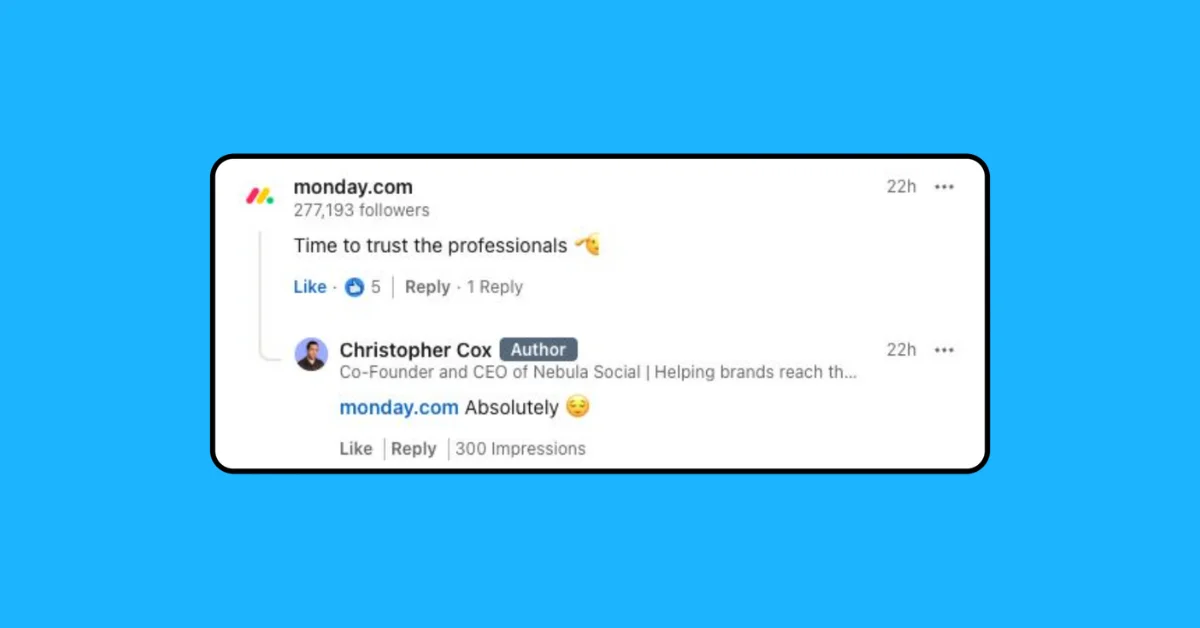
Warm outbound from content engagement
When someone comments substantively on your post, shares it, or visits your profile after reading it, reach out with a brief personalized message referencing their engagement. This is the most natural DM in B2B — context already exists, the ice is already broken.
Featured section as the conversion point
Ensure your booking link or lead magnet is always the first Featured item. Profile visitors who've been warmed by your content convert at significantly higher rates than cold visitors hitting the same page for the first time.
Newsletter-to-lead pipeline
Include a simple CTA in every newsletter issue. Something like: "If this resonates with what you're working on right now, I'd love to connect" with a link to book time or reply directly. Eventually, 2–3% of subscribers will naturally ask about working with you — and these tend to be your best-fit customers.
A well-optimized Creator Mode profile posting 3–5 times per week, with a clear Featured CTA and consistent engagement, can realistically generate 5–20 inbound profile visits from qualified prospects per week within 60–90 days of consistent execution.
How Cleverly Combines LinkedIn Creator Mode With Done-for-You Outbound
Creator Mode is one of the most powerful free tools on LinkedIn. But inbound alone has one significant limitation: it's slow to start. The compounding effect takes 60–90 days to build meaningful momentum, and in that window, your pipeline depends entirely on the outbound work you're doing in parallel.
The highest-performing LinkedIn lead generation strategies in 2026 run both simultaneously. Creator Mode builds your inbound engine — authority, content, followers, warm profile visits.
Done-for-you outbound from Cleverly runs in parallel to generate consistent, immediate pipeline while that engine warms up.
Here's what makes the combination especially effective: when your outbound prospects receive a connection request or message from you, they often check your profile.
If your Creator Mode profile is dialed in — strong headline, a Featured section with a compelling offer, consistent content in their feed — your outbound hits differently. You're not a cold pitch. You're someone they've already been introduced to.
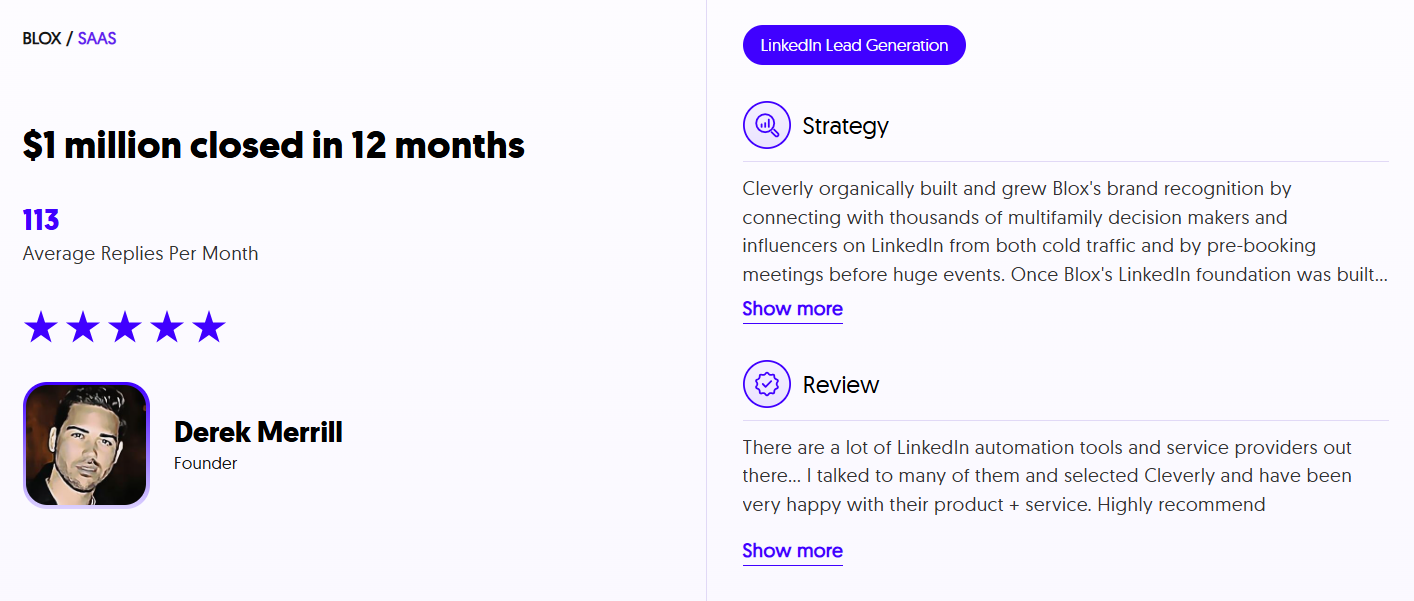
At Cleverly, we've helped 10,000+ B2B companies build LinkedIn outreach systems that book qualified meetings consistently. Our LinkedIn lead generation service is fully done-for-you — ICP targeting, personalized message sequences, reply management, and meeting booking — running from day one so you're not waiting on inbound to build.
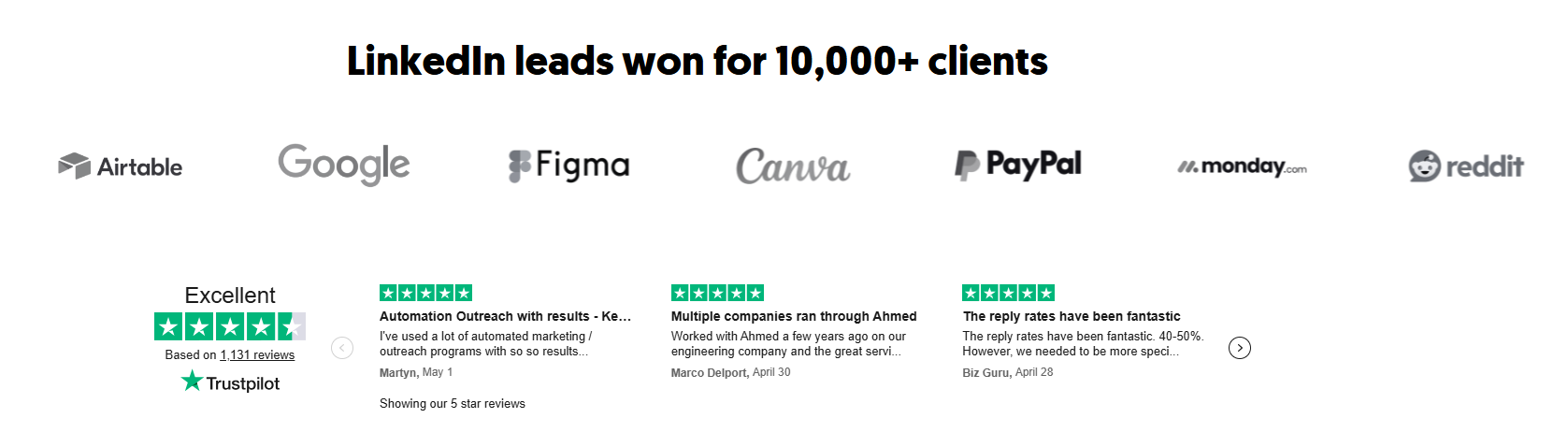
We've generated $312M in pipeline revenue for our clients, and LinkedIn lead generation starts at just $397/month with no long-term contracts.
If you want LinkedIn working for you on both sides — inbound authority through Creator Mode and outbound pipeline through a proven system — book a free strategy call with Cleverly.
Conclusion
LinkedIn Creator Mode is one of the most underused free tools in B2B right now. It costs nothing, takes under 10 minutes to set up, and compounds in value every week you use it consistently.
The formula is straightforward: turn it on, build your profile around your ICP, post content your buyers actually care about three to five times per week, and give every profile visitor a clear next step through your Featured section.
The inbound leads that come through this system are among the warmest in B2B — they've read your content, they know what you do, and they've decided to reach out on their own terms.
Creator Mode doesn't replace outbound — it makes everything you're already doing on LinkedIn work harder.
Frequently Asked Questions
Free Resource
How to Scale a Profitable Cold Call System
Get the complete guide — download it instantly now.

Free Ebook
Download the Free Guide
Enter your details to get instant access.
You're all set! 🎉
Your ebook is downloading now.
Click below if the download didn't start automatically.