Table of Contents
What LinkedIn Premium Actually Includes (And What It Doesn't)
Why Most B2B Users Cancel LinkedIn Premium for Lead Gen
How to Cancel LinkedIn Premium
What Happens After You Cancel LinkedIn Premium
What to Do Instead for B2B Lead Generation on LinkedIn
How Cleverly Generates LinkedIn Pipeline Without Requiring You to Have Premium
Conclusion
Frequently Asked Questions
Modified On :
June 19, 2026
Key Takeaways
- LinkedIn Premium costs $29.99–$119.99/month depending on the tier, but the subscription alone doesn't generate leads — it gives you tools that still require daily execution to produce results.
- To cancel on desktop, go to your profile photo > Access My Premium > Manage your subscription > Cancel subscription; iPhone users must cancel through Apple's Settings app, not LinkedIn.
- Your Premium benefits stay active through the end of your billing period after cancellation — no immediate loss of access.
- Canceling Premium doesn't mean leaving LinkedIn as a lead gen channel. The platform still works — most teams just aren't using it with the right system.
- A managed LinkedIn outreach program produces more consistent pipeline than a self-service Premium subscription because execution, copywriting, and follow-up are handled for you.
LinkedIn Premium renewal hits your card every month. At some point — usually around month three — you open the platform, see roughly the same pipeline you had before, and start wondering what exactly you're paying for.
You're not alone. LinkedIn Premium pricing in 2026 ranges from approximately $29.99/month for Career all the way up to $169.99/month for Recruiter Lite, with Sales Navigator Core sitting at $119.99/month in 2026. That's real money — and for a lot of B2B teams, the ROI question eventually becomes impossible to avoid.
The problem isn't always the product. Personalized LinkedIn messages achieve 93% higher acceptance rates — but Premium doesn't write your messages, build your sequences, or manage your replies. It gives you filters, InMail credits, and a badge. The execution still falls entirely on you or your team.
This guide covers exactly how to cancel LinkedIn Premium on any device, what happens to your account after you do, and — more importantly — what actually moves the needle for B2B lead generation on LinkedIn once you stop paying for a tool that isn't producing.
What LinkedIn Premium Actually Includes (And What It Doesn't)
Before you cancel, it helps to understand what you're walking away from — and what you were never getting in the first place.
The Four Main Tiers
The full list of LinkedIn pricing plans in 2026 includes Premium Career ($29.99/month), Premium Business ($59.99/month), Sales Navigator Core ($99.99/month), Sales Navigator Advanced ($179.99/month), Recruiter Lite ($170/month), and Recruiter Corporate ($835/month).
Each tier is built for a different purpose:
- Premium Career — Job seekers, resume visibility, InMail access to recruiters
- Premium Business — Expanded search, business insights, profile views
- Sales Navigator Core — Advanced ICP filtering, lead lists, CRM sync, 50 InMail credits/month
- Recruiter tiers — Hiring and talent sourcing
What You Get
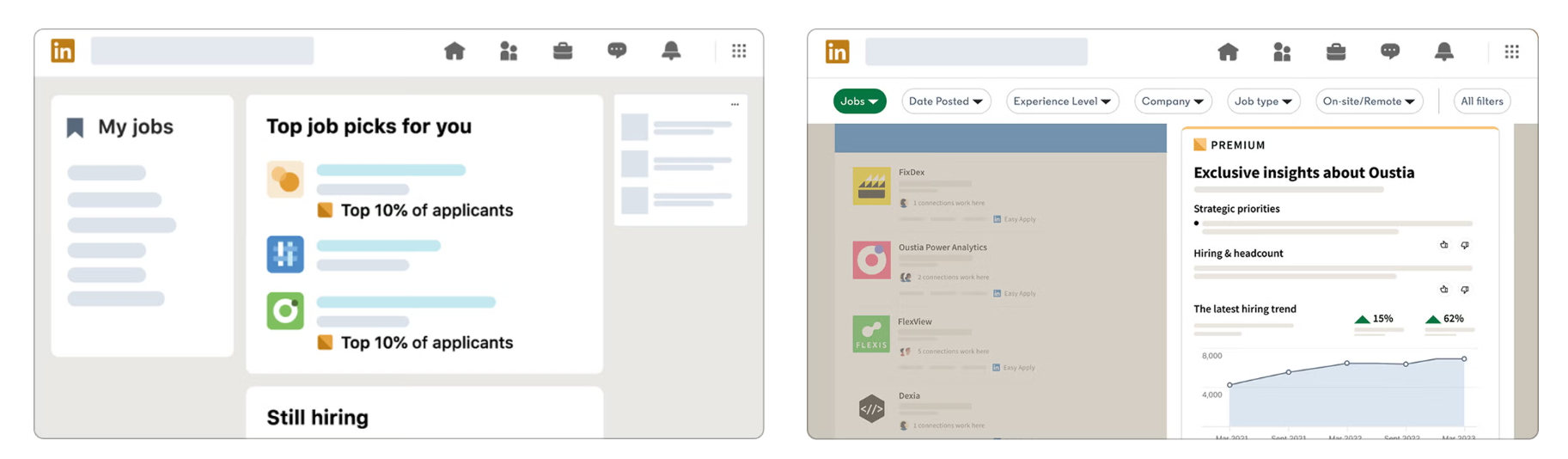
Depending on your tier, Premium gives you some combination of: InMail credits, profile view history, advanced search filters, LinkedIn Learning access, and the Premium badge on your profile. Sales Navigator adds lead list building, account tracking, and CRM integration.
What You Don't Get
No outreach execution. No copywriting. No prospect list building at scale. No follow-up sequences. No reply management. No meetings booked.
LinkedIn Premium is a platform upgrade, not a lead generation system. The distinction matters because most people who end up searching "how to cancel LinkedIn Premium" didn't have a bad tool — they had a tool that required a full outreach system around it to produce results, and that system was never built.
Premium Business is the hardest plan to justify for sales use cases — at $59.99/month it's close enough to Sales Navigator Core that most outbound-focused users should skip it. If you're paying for Business hoping to generate leads, that's the most common mismatch we see.
🚀 Replace LinkedIn Premium With a System That Books 15–30 Meetings Per Month
Most teams don't need more LinkedIn features—they need better targeting, outreach, and follow-up. Our done-for-you LinkedIn lead generation service handles the entire process for you.
Why Most B2B Users Cancel LinkedIn Premium for Lead Gen
The honest version: Premium is sold adjacent to lead generation, but it doesn't generate leads by itself.
The time problem
Running LinkedIn outreach well requires daily activity — connection requests, personalized messages, follow-ups, reply handling, list refreshing. For a founder or a two-person sales team, that's close to a part-time job on top of everything else. Most people start strong for a few weeks, then the activity drops, and the pipeline reflects that.
The InMail problem
Sales Navigator Core includes 50 InMail credits per month, with credits rolling over up to a maximum of 150 (three months' worth). That sounds like a lot until you factor in that most B2B outreach requires 5–7 touches before getting a response.
Fifty credits a month doesn't build meaningful pipeline. And in late 2025, LinkedIn capped Open InMail sends to under 100 per month per account, down from a practical limit of roughly 800 — an 87% reduction in outbound capacity through the Open InMail channel.
The infrastructure problem
Premium doesn't set up sequences. It doesn't warm up your profile. It doesn't A/B test your messaging. It doesn't optimize your connection rate. All of that still needs to be built and managed on top of the subscription.
The ROI problem
At $59–$119/month for a tool that requires hours of additional work every week to work at all, the cost-per-meeting math rarely works out for smaller B2B teams. Especially when the same budget could go toward a managed system that handles the execution layer.
How to Cancel LinkedIn Premium
The cancellation process is straightforward — but it varies depending on how you originally subscribed. If you signed up on LinkedIn's website, you cancel there. If you signed up through your iPhone, you cancel through Apple. Same logic for Android and Google Play.
Important: Cancel at least one day before your next billing date to avoid being charged for another cycle. Your Premium benefits stay active until the end of your current billing period regardless of when you cancel.
How to Cancel on Desktop (Browser)
This is the most common path and takes about 90 seconds.
Step 1: Log in to LinkedIn at linkedin.com.
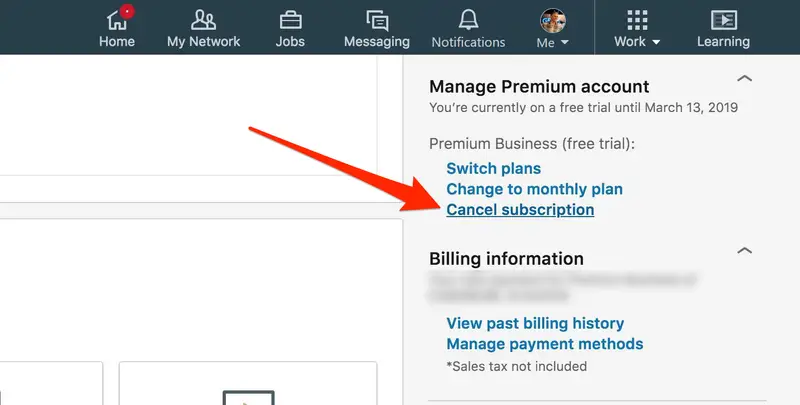
Step 2: Click your profile photo in the top-right corner and select "Access My Premium."
Step 3: Click "Manage your subscription" in the left sidebar.
Step 4: Click "Cancel subscription."
Step 5: Select a reason from the dropdown and confirm.
LinkedIn will likely offer you a discounted rate or a one-month pause before letting you cancel. You can decline both and complete the cancellation. This is standard and doesn't affect anything — just click through.
How to Cancel LinkedIn Premium on Android
If you subscribed through the LinkedIn app on Android:
Step 1: Open the LinkedIn app and tap your profile photo in the top left.
Step 2: Go to Settings > Subscriptions.
Step 3: Tap "Manage Premium Subscription."
Step 4: Select "Cancel Subscription" and confirm.
Note: If you originally subscribed through the Google Play Store, LinkedIn may redirect you directly to your Google Play subscription settings to complete the cancellation.
How to Cancel LinkedIn Premium on iPhone (iOS)
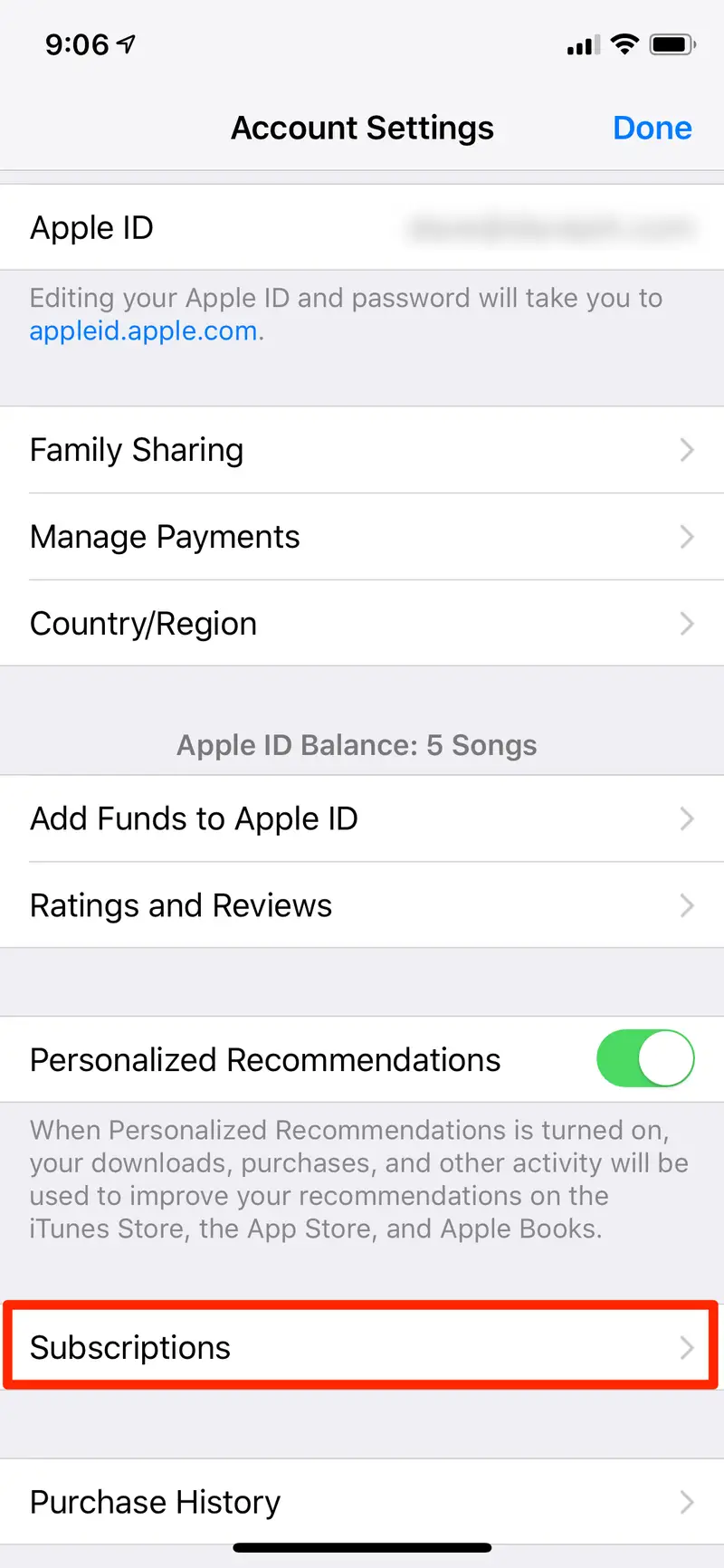
This one catches people off guard. If you subscribed through the iOS app, LinkedIn cannot process the cancellation — Apple controls the billing, and you have to cancel through Apple's settings.
Step 1: Open the Settings app on your iPhone (not the LinkedIn app).
Step 2: Tap your name at the top (your Apple ID).
Step 3: Select "Subscriptions."
Step 4: Find and tap "LinkedIn Premium."
Step 5: Tap "Cancel Subscription" and confirm.
If you try to cancel through LinkedIn's website after originally subscribing via iPhone, you'll either get an error or be redirected. Go straight to Apple's Settings and the process takes less than two minutes.
📈 Generate Pipeline Without Spending Hours on LinkedIn Every Week
Starting at $397/month, Cleverly helps businesses connect with ideal buyers, start more conversations, and turn LinkedIn into a predictable lead generation channel.
What Happens After You Cancel LinkedIn Premium
Your access doesn't end the moment you cancel. Premium benefits stay active through the end of your current billing period. So if you're two weeks into a monthly cycle, you've got two more weeks of InMail credits, advanced filters, and profile view history.
What stops immediately: Automatic renewal. Once you confirm the cancellation, no further charges will occur.

What you lose when the billing period ends:
- InMail credits (any unused credits disappear)
- Advanced search filters (if you're on Sales Navigator)
- Profile view history beyond the 90-day window
- The Premium badge on your profile
What you keep — permanently:
- All your connections
- Your message history
- Your content and posts
- Your full LinkedIn profile
Canceling Premium has zero impact on your organic LinkedIn presence. Your network, your content, your existing conversations — none of that changes.
One thing to do before you cancel: If you're on Sales Navigator and you've built out lead lists, saved accounts, or added notes to prospects — export everything now. Those lists and notes are not accessible on a free account, and you won't be able to recover them once your billing period ends.
What to Do Instead for B2B Lead Generation on LinkedIn
Canceling Premium doesn't mean writing off LinkedIn as a channel. The platform reaches over a billion professionals, and the targeting precision — especially through Sales Navigator — is genuinely strong for B2B. The issue isn't the platform. It's the execution model.
The most productive LinkedIn lead generation happens through structured outreach: ICP-matched targeting, personalized connection requests, multi-touch follow-up sequences, and active reply handling. None of that requires a Premium subscription if the execution layer is already in place.
Here are three directions depending on where you are right now.
Option 1 — Done-For-You LinkedIn Outreach via an Agency
Instead of paying for a tool and doing the work yourself, a LinkedIn lead generation agency manages the full outreach motion — targeting, copywriting, sending, follow-up, and reply handling. The result: qualified meetings landing on your calendar without your team spending hours daily on connection requests and message management.
This works best for founders, AEs, and sales leaders who know their ICP well but don't have the bandwidth to run consistent outreach themselves. Or for teams that tried LinkedIn outreach in-house, saw some early traction, and then hit a capacity ceiling when volume picked up.
The economics are different from a Premium subscription. A managed service costs more than $99/month — but it produces meetings rather than access to filters. That's a different kind of spend with a different kind of accountability.
Option 2 — LinkedIn Outreach as Part of a Multi-Channel Sequence
LinkedIn alone — with or without Premium — is a single-channel approach. And single-channel outreach is increasingly hard to make work.
Coordinated use of cold email, cold calling, and LinkedIn messaging yields up to 250% higher conversion rates than single-channel outreach. The mechanic makes intuitive sense: each touch reinforces the last, and prospects have multiple ways to engage depending on where they're most active that day.
A standard multi-channel sequence looks like this:
- LinkedIn connection request (personalized note)
- Cold email follow-up (same ICP, different angle)
- LinkedIn message (after connection accepts)
- Phone call (for high-value prospects)
Multichannel campaigns that combine LinkedIn, email, and phone outreach can produce up to 3x higher response rates than email-only strategies. The LinkedIn Premium subscription doesn't offer this kind of coordination — a managed outbound program does.
This is particularly effective for B2B teams with longer sales cycles, where multiple touches over several weeks are needed before a prospect is ready for a conversation.
Option 3 — Keep Sales Navigator, Outsource the Execution
If your team is already familiar with Sales Navigator and uses it regularly for ICP targeting, the tool itself isn't the problem. Sales Navigator Core drops from $119.99 to roughly $89.99/month on annual billing — which is defensible if you're actually using the search and list-building features.
The gap for most teams isn't targeting — it's what happens after the list is built. Writing personalized copy for 200 prospects. Sending at the right cadence. Following up without being annoying. Managing the reply inbox. These are the execution steps that eat time and rarely get done consistently.
The hybrid approach: retain a Sales Navigator seat for list-building, and outsource the outreach execution — copy, sending, follow-up, and reply handling — to an agency or specialist. You keep the targeting precision you're already comfortable with and remove the time cost of running the campaign in-house.
How Cleverly Generates LinkedIn Pipeline Without Requiring You to Have Premium
We run done-for-you LinkedIn lead generation for over 10,000 B2B companies — and our clients don't need a Premium subscription to get results from the platform.
Here's how the process works. We start with your ICP: who you're targeting, what problems they have, and what a great meeting looks like for your team. From there, we build targeted prospect lists through Sales Navigator, write personalized connection request copy and multi-touch follow-up sequences, and manage the full outreach motion on your behalf. When replies come in, we handle the initial conversation and book meetings directly to your AE's calendar.
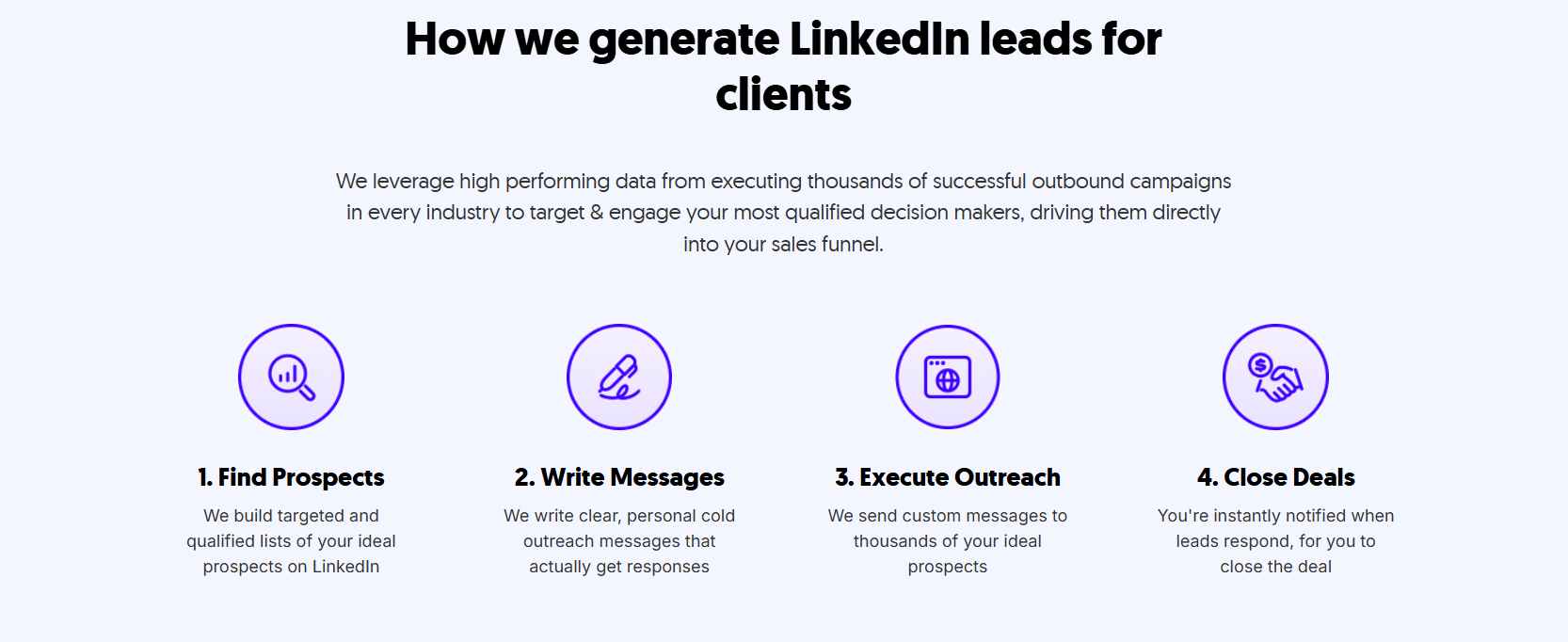
Your team doesn't log into LinkedIn daily. You don't write copy or test messaging. You don't manage a reply inbox. You show up to meetings with qualified prospects who already understand what you do.
What clients stop worrying about when they work with us: connection rate optimization, follow-up timing, message testing, profile warm-up, and wondering why outreach is underperforming.
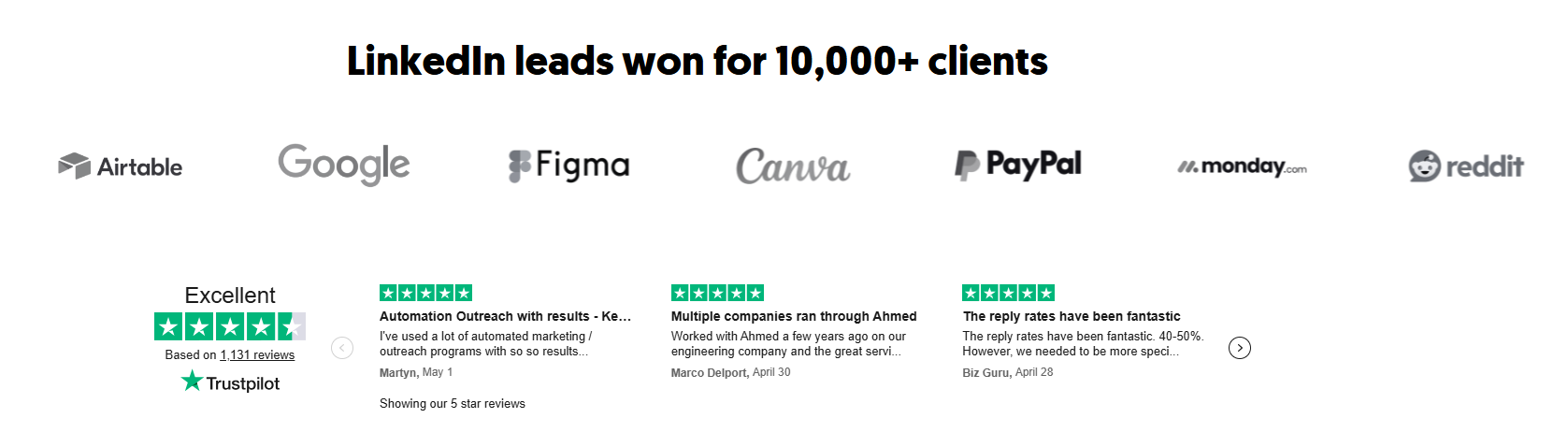
We've generated over $312M in pipeline and set appointments for companies including eBay, Airbnb, DocuSign, Loom, and Airtable. Rated 4.6/5 on Trustpilot across 1,136+ reviews.
LinkedIn outreach starts at $697/month for 600 prospects per month — fully managed, month-to-month, no long-term contracts.
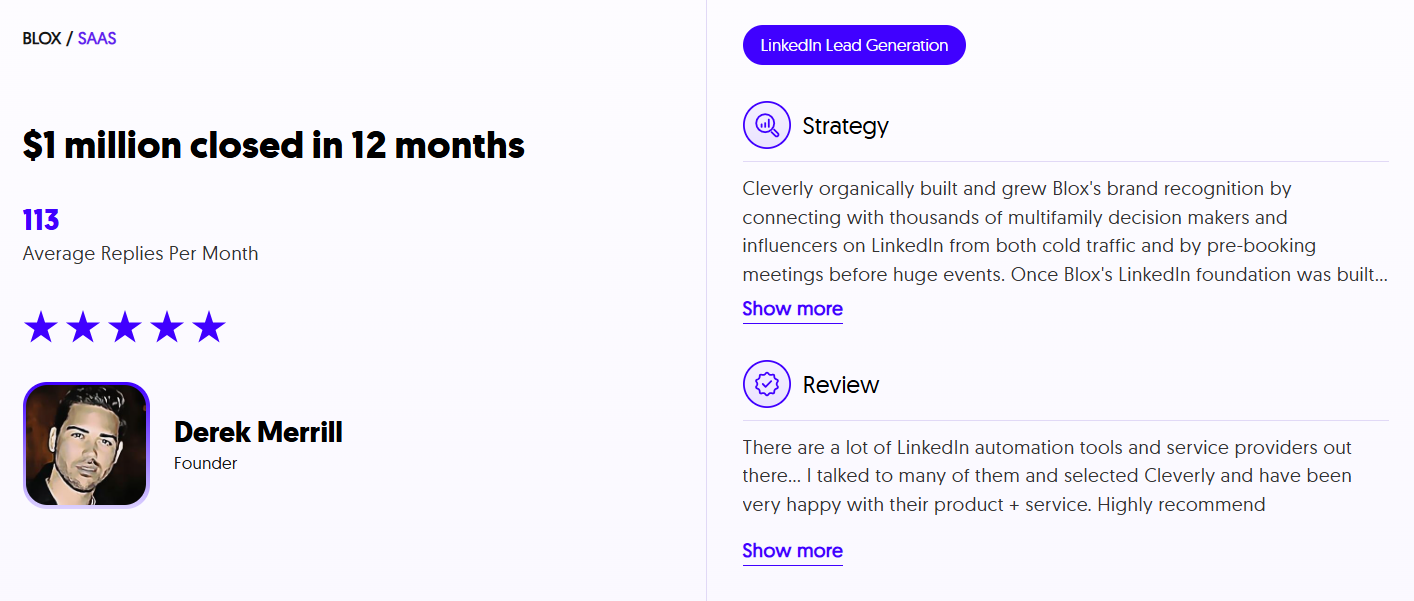
If Premium isn't producing meetings, the subscription isn't the problem worth solving — the outreach system is. Book a strategy call with Cleverly and see what managed LinkedIn outreach looks like in practice.
Conclusion
Canceling LinkedIn Premium is a two-minute process — and for most B2B users who aren't actively using InMail credits or advanced search filters week over week, it's a reasonable call to make.
The more important question isn't whether to keep Premium. It's whether LinkedIn is being treated as a serious pipeline channel with a real outreach system behind it.
The teams that consistently book meetings from LinkedIn aren't necessarily the ones with Premium accounts — they're the ones with structured sequences, ICP-matched targeting, and a follow-up process that runs whether someone has time for it that day or not. That's the gap worth closing.
Frequently Asked Questions
Free Resource
How to Scale a Profitable Cold Call System
Get the complete guide — download it instantly now.

Free Ebook
Download the Free Guide
Enter your details to get instant access.
You're all set! 🎉
Your ebook is downloading now.
Click below if the download didn't start automatically.