Table of Contents
What Claude Can and Can't Do for Lead Scraping
Free Data Sources That Actually Work
The Free Workflow: From ICP to Usable List
Claude Prompts for Free Lead List Building
Compliance: What You Can and Can't Legally Scrape
Where "Free" Stops Being Free
How Cleverly Builds Verified Lists and Runs the Outreach
Conclusion
Frequently Asked Questions
Modified On :
September 15, 2026
Key Takeaways
- Claude is a research and structuring layer, not a data provider. It turns hours of manual list-building into minutes, but it cannot hand you verified contact details it doesn't have.
- The real workflow moves from a specific ICP, to public company research, to named decision-makers, to inferred email patterns, to third-party verification. Skipping any step is where free lists fall apart.
- Public availability is not the same as legal permission to collect and store data. Treat platform terms and privacy law as separate checks, not one combined assumption.
- Free list building trades money for time. It's the right call for validating a new segment or offer, and the wrong foundation for running outbound at scale.
- The competitive edge in 2026 outbound has shifted from who can find names to who can verify, personalize, and execute outreach without burning sender reputation in the process.
Paid data platforms price out a lot of founders before they've sent a single email. That's exactly why "free lead scraping" has become one of the most searched workarounds in B2B, and why so many teams end up asking whether an AI model can just do the job of a data subscription.
Here's the honest premise before you read another word: you can build genuinely useful B2B lead lists for free with Claude. What you can't do is get unlimited verified leads for free. That combination doesn't exist, no matter which tool or prompt promises it.
Sender reputation math backs this up. Cold email bounce rates on unverified data run around 7.5% on average, well past the 3% ceiling that keeps a domain healthy, and 83% of all non-delivery ultimately traces back to poor sender reputation rather than copy or timing.
On the AI adoption side, 61% of B2B teams now use AI somewhere in their lead scoring or prospecting workflow, up sharply from a couple of years ago.
This guide covers exactly where Claude helps, where it can't, the free public sources worth using, a full step-by-step workflow, ready-to-use prompts, and the compliance line you need to know before you send anything. It's written for founders, bootstrapped SDRs, and small teams building outbound without a data budget.

What Claude Can and Can't Do for Lead Scraping
Most content ranking for "Claude lead scraping" either overpromises or stays vague on purpose. Here's the specific, honest breakdown.
What Claude Does Well (For Free)
- Turns a rough ICP into specific, searchable criteria. Instead of "mid-market SaaS companies," you get filterable criteria like company size bands, tech stack signals, funding stage, and buying triggers.
- Finds and researches companies from public web sources. Feed it a search or a list of URLs and it can pull firmographic details, recent news, and hiring signals into a structured format.
- Structures messy data. Deduplicating, normalizing formats, and getting a spreadsheet upload-ready is exactly the kind of repetitive work Claude handles well.
- Infers email patterns from a known format. If you already have one verified email at a company (first.last@ vs firstinitiallast@), Claude can apply that pattern to new names.
- Scores and segments lists against whatever criteria matter to your ICP.
- Drafts per-account research and personalization angles so your first touch doesn't read like a template.
What Claude Can't Do
- It has no built-in contact database. It cannot look up someone's verified email or direct dial on its own, no matter how the prompt is phrased.
- It can't bulk-extract data from platforms that prohibit automated access. More on why that matters in the compliance section below.
- It can't guarantee accuracy or freshness of anything it surfaces from public sources. People change jobs constantly, and a title from six months ago might already be wrong.
- It can't replace an email verification step. An inferred pattern is a guess, not a confirmed address.
The critical warning: if you push Claude for contact details it doesn't actually have, it can produce something that looks like a real email or phone number but isn't sourced from anything real. Never treat unsourced contact data as fact. Verify everything before it touches a sending tool.
The Realistic Mental Model
Claude replaces the research and structuring hours, not the data subscription. Think of it as removing the three or four hours of manual work that used to sit between "I know my ICP" and "I have a spreadsheet ready to send." Free, in this context, means trading your own time for the cost of a paid database, not getting something for nothing.
🎯 Build Better B2B Lists
Cleverly helps 10,000+ businesses find and reach the right prospects with targeted LinkedIn, cold email, and cold calling.
Free Data Sources That Actually Work
Public sources give you companies and names. They almost never give you a verified email or phone number sitting next to the name. That distinction shapes everything else in this guide.
The pattern across every row is the same. You'll walk away with strong company and people data. You'll rarely walk away with a confirmed email address, and that's the gap the rest of this guide is built to close.
The Free Workflow: From ICP to Usable List
This is the full sequence, start to finish. Treat it as sequential, not optional in parts. The teams who get bad results from "free" lead lists almost always skipped a step here, usually verification, and paid for it in bounce rate later. To make this concrete, we'll walk one example account (a mid-market HR software company) through every stage alongside the instructions.
Step 1: Define the ICP With Claude
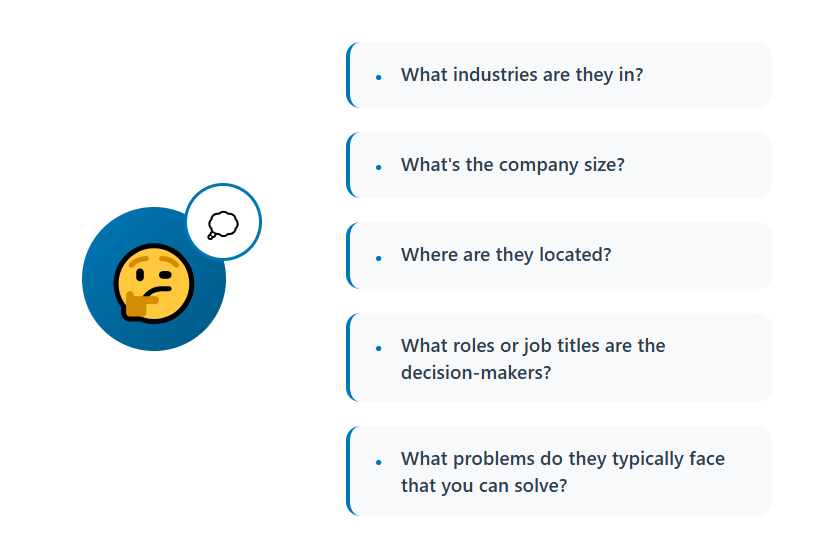
Start by feeding Claude your best existing customers, not a guess at who you think you should be targeting. Include company size, industry, deal size, and what made the deal actually close.
The output you want isn't a paragraph description. It's a checklist you could hand to someone else and have them build the same list you would.
What to include in the prompt:
- 8 to 12 of your best customers (not just your biggest, your best-fit ones)
- Deal size and sales cycle length for each
- Anything you know about why they bought (a trigger event, a pain point, timing)
What good output looks like: specific, filterable criteria such as company size (50 to 500 employees), industry (B2B SaaS, HR tech, or professional services), a tech signal (uses a legacy HRIS or is missing a specific tool category), and a trigger (recently raised funding, recently posted 3+ open roles in the target department).
Worked example: For our HR software company, the pattern that emerges is companies with 100 to 400 employees, no dedicated HR headcount, and at least 2 open roles posted in the last 30 days. That last criterion becomes the timing signal for the rest of the workflow.
Common mistake here: stopping at industry and size. Those two filters alone usually produce a list too broad to convert well. The trigger event is what turns a generic list into one with actual timing behind it.
Step 2: Build a Target Company List From Public Sources
With the ICP defined, start assembling companies that match it using the free sources covered above. This is the step where volume and quality pull against each other. Don't try to build a list of 500 companies in one pass. Build 30 to 50 well-researched ones first.
Sub-steps:
- Pull an initial batch of company names from registries, directories, or open datasets that match your firmographic criteria.
- Feed each company name to Claude and ask it to research the company from public sources: what they do, approximate size, funding stage, and any recent news.
- Cross-check anything Claude finds against the company's own website. Public web research can surface outdated information (an old funding round, a former product line), so a quick manual check on the source page matters more than it feels like it should.
- Score each company against your Step 1 criteria and drop anything that's a weak match rather than forcing it into the list.
What good output looks like: a spreadsheet with one row per company, columns for size, industry, the specific trigger signal you're looking for, and a confidence note on how strong the fit is.
Worked example: For the HR software company, this step produces a list of 40 companies matching the size and industry criteria, with a column flagging which ones currently show open HR-related job postings, the trigger signal from Step 1.
Common mistake here: treating "found on a list" as the same as "verified to exist and match." Directories and open datasets go stale. A company that was hiring aggressively 8 months ago in a dataset snapshot might have already filled that role or shut down entirely.
Step 3: Identify Decision-Makers
Now attach real names to the companies on your list. This step is manual by necessity, since automated LinkedIn scraping is exactly the kind of activity that risks an account ban (covered in the compliance section below).
Sub-steps:
- Check each company's website for a leadership, team, or "About us" page. Smaller companies often list founders and department heads directly.
- Do manual LinkedIn searches (not automated ones) for the specific titles Claude identified as real decision-makers versus influencers for your product category.
- Check press releases, podcast appearances, or conference speaker lists for named executives, since these often come with additional context you can use later for personalization.
- Log the name, title, and source for every contact. The source matters, because it's what you'll lean on later if you ever need to explain how you found someone.
What good output looks like: one to three named contacts per company, each mapped to a specific role (not just "someone in HR," but "VP of People" or "Head of Talent Acquisition"), with the source logged next to the name.
Worked example: For our HR software company, the decision-maker prompt tells us the real buyer is usually a VP of People or Head of Talent, not a generalist HR coordinator. Manual LinkedIn search and the company's own team page together produce two named contacts at each target company.
Common mistake here: defaulting to the highest-ranking title you can find (CEO, Founder) instead of the actual buyer. A busy founder at a 200-person company is rarely the person evaluating HR software line by line.
Step 4: Determine Email Patterns
This is the step people most often shortcut, and the one that causes the most damage downstream if you do.
Sub-steps:
- Find one verified email address at the target company. This usually comes from a press release, a case study, a support page, or a company blog post with an author byline.
- Feed that known email and the new name to Claude and ask it to infer the likely pattern (first.last@, firstinitiallast@, first@, and so on).
- Have Claude flag a confidence level for the guess, not just the guess itself. A pattern based on one confirmed example is a reasonable starting point, not a fact.
- Never skip straight from a Claude-inferred email to a sending tool. This output is an input to Step 5, not a finished contact.
What good output looks like: a spreadsheet column labeled clearly as "inferred, unverified," sitting separately from anything confirmed.
Worked example: One of our target companies has a support page listing a confirmed address in the format first.last@company.com. Claude applies that pattern to the two named contacts identified in Step 3, flagged as unverified until the next step.
Common mistake here: treating an inferred email the same as a real one because it "looks right." A plausible-looking address that bounces still damages your sender reputation exactly the same as an obviously fake one.
Step 5: Verify Every Address
This step is non-negotiable, full stop. Run every single inferred address through an email verification tool's free tier before it goes anywhere near a sending platform.
Sub-steps:
- Batch your unverified addresses and run them through a verifier (most free tiers cover a limited monthly volume, typically in the range of 25 to 100 checks).
- Remove anything that comes back as invalid, risky, or unknown. Don't keep "maybe" addresses in the send list hoping they work out.
- If your batch exceeds a free tier's limit, prioritize verification by account value rather than trying to verify everything in one pass. Verify your top 20 accounts first.
- Re-verify quarterly if you plan to reuse the list. Emails decay. A verified address from four months ago isn't guaranteed to still be live.
What good output looks like: a list where every remaining address has passed verification, with the unverifiable ones either removed or set aside for a manual outreach attempt through LinkedIn instead.
Worked example: Of the four inferred addresses for our HR software company, three pass verification and one bounces back as invalid. That one gets a note to try LinkedIn outreach to the same contact instead of email.
Common mistake here: verifying a sample and assuming the rest of the list behaves the same way. Bounce risk isn't evenly distributed. It clusters around specific patterns (guessed formats at companies with unusual naming conventions), so spot-checking a handful and extrapolating to the whole list is a common way this step gets skipped without anyone noticing.
Step 6: Structure and Segment
With a verified list in hand, clean it up and organize it so it's actually usable by whoever sends the outreach.
Sub-steps:
- Deduplicate by both name and company, since the same contact can end up in your list twice from different sources.
- Normalize formatting across every column (consistent title casing, consistent company naming, consistent phone number formats if you're including them).
- Score each contact by fit, using the criteria from Step 1, so the strongest matches are visible at a glance.
- Segment by persona or by the specific problem you're solving for each group, since a single generic message rarely performs as well as messaging tailored to two or three distinct segments.
What good output looks like: an upload-ready spreadsheet with clear columns (Company, Name, Title, Verified Email, Source, Fit Score, Segment), sorted by priority.
Worked example: The HR software list gets split into two segments: companies actively hiring for HR roles (highest priority, timing signal present) and companies matching the ICP without a current hiring signal (lower priority, nurture segment).

Step 7: Add Research for Personalization
The last step turns a clean list into something your first message can actually use.
Sub-steps:
- For each account, ask Claude to summarize what the company does in one sentence, in plain language, not marketing copy pulled from their homepage.
- Identify one likely pain point connected to your product category, based on what you know about the company (size, industry, trigger signal).
- Draft one specific, non-generic opening line per account. If the line could be sent to any company in your list unchanged, it's not specific enough yet.
- Keep these briefs short. One paragraph per account is enough. The goal is a usable input for a human writing the actual message, not a finished piece of copy.
What good output looks like: a short brief attached to each row of your final list, ready to hand to whoever writes or sends the outreach.
Worked example: For the HR software company's target account with three open HR-related roles posted in the last month, the brief flags that specific hiring signal and suggests an opener referencing the hiring push directly, instead of a generic line about "streamlining HR processes."
By the end of Step 7, you have a small, verified, segmented list with personalization inputs attached, built without paying for a data subscription. What you've spent instead is time, and knowing exactly where that time went is what makes the next section's math easy to follow.
🚀 Turn Lists Into Pipeline
With 224.7K+ leads generated and $312M+ pipeline, Cleverly turns targeted prospect lists into qualified conversations and sales opportunities.
Claude Prompts for Free Lead List Building
Keep these short. Long, over-engineered prompts don't get reused, and reuse is the whole point.
ICP extraction prompt:
"Here are our 10 best customers from the last year, with deal size and industry. Find the shared pattern across company size, industry, tech stack, and likely trigger event. Give me 5 specific, filterable ICP criteria."
(Swap in your own customer list and deal data.)
Company discovery prompt:
"Based on this ICP: [paste criteria]. Search for 20 companies in [industry/region] that plausibly match. For each, note company size, what they do, and one recent signal (funding, hiring, expansion)."
(Swap the ICP and target region.)
Decision-maker mapping prompt:
"For a company selling [your product] to [ICP], which 2-3 job titles are the real decision-makers versus influencers? Explain why for each."
(Swap in your specific product and buyer type.)
Email pattern prompt:
"I know one verified email at [Company]: [email]. Based on that format, what's the likely email for [Name], and how confident should I be?"
(Swap the company, known email, and target name.)
Cleaning and structuring prompt:
"Here's a messy list of companies and contacts [paste data]. Deduplicate, standardize the formatting, and organize into columns: Company, Name, Title, Email (unverified), Source."
(Swap in your raw data.)
Account research prompt:
"For [Company], summarize what they do, one likely pain point related to [your product category], and one specific, non-generic opening line for outreach."
(Swap the company name and your product category.)
Compliance: What You Can and Can't Legally Scrape
This section covers general information, not legal advice. If you're building a list at meaningful volume, talk to someone who can review your specific practices.
Platform terms matter, separately from what's technically possible. LinkedIn's User Agreement explicitly prohibits developing, supporting, or using software, scripts, or automated processes to scrape the platform or copy profiles and other data from it, and it separately prohibits using bots or automated methods to access the service, add or download contacts, or send messages.
Courts have drawn a real distinction here: the Ninth Circuit found that scraping publicly available data generally doesn't violate the Computer Fraud and Abuse Act, but that ruling didn't make scraping LinkedIn safe.
A district court separately found that the same scraping activity breached LinkedIn's User Agreement, and the case ended with a permanent injunction, deleted data, and a $500,000 payment. In plain terms: the criminal law risk is lower than people assume, and the contract risk (account bans, legal letters) is very real and current, since enforcement has visibly tightened through 2025 and 2026.
Public availability does not equal legal to collect and use. This is the single most common and most expensive misconception in this space. A name and title being visible on a public page doesn't automatically mean you have the right to systematically extract, store, and use it at scale, especially once privacy law enters the picture.
GDPR applies to B2B contact data. If you're reaching EU or UK-based contacts, GDPR covers the personal data of any individual located in the EU or UK, including business contacts, work email included.
Legitimate interest is the lawful basis most B2B teams rely on for cold outreach, and it holds up when three conditions are met: the interest is real and documented, the processing is necessary to achieve it, and it doesn't override the prospect's own rights.
That basis comes with real obligations attached: the outreach needs to be relevant to the recipient's professional role, the email needs to come from a professional source, and every message needs a working opt-out. Skipping the documentation isn't a shortcut. Regulators tend to fine the documentation gap itself, not the act of sending a cold email.
CCPA exposure is narrower but not zero for California-based contacts, particularly if your list-building touches consumer-adjacent data alongside business contacts.
The practical safe path: lean on registries, open datasets, company websites, and licensed data providers over automated extraction from platforms that explicitly prohibit it. It's slower. It's also the version of this workflow that doesn't put your domain, your LinkedIn account, or your company at legal risk.
Where "Free" Stops Being Free
Free list building has a ceiling, and it's worth seeing clearly before you build a whole outbound motion on top of it.
- Time cost. Manual sourcing and verification eats hours every week that a paid tool would eliminate outright.
- Accuracy cost. Public data decays fast. People change roles, companies get acquired, and every bounce chips away at your domain's standing with mailbox providers.
- Deliverability cost. A single campaign with a bounce rate above 10% can damage sender reputation for weeks, and that damage doesn't stay contained to the one bad send. It drags down every campaign that follows.
- Coverage cost. Free sources skew toward companies you can find, not contacts you can reach, and toward larger or already-listed businesses over harder-to-find SMBs.
- Scale ceiling. The workflow above genuinely works at low volume. It breaks down fast once you need weekly refreshes across multiple ICPs at once, because every one of those manual steps has to repeat.
The honest framing: free is the right call for validating a motion. It's the wrong foundation for running one at scale. That's the decision point most teams eventually hit, either they build the muscle to run the whole system themselves at volume, or they hand execution to a team that's already built it.
How Cleverly Builds Verified Lists and Runs the Outreach

Most teams that get good at free list building still stall out at the same three points: verification, deliverability, and actually following through on every reply. That's the gap between building a list and running a pipeline.
Cleverly runs the full motion end to end. That starts with ICP definition and multi-source, verified list building, then moves through LinkedIn outreach, cold email, and cold calling, with reply handling all the way through to a booked meeting.
Data quality is where most free workflows quietly fall apart, and it's the piece Cleverly treats as non-negotiable, using multi-source enrichment and verification before a single message goes out. Compliance sits inside that same process instead of getting left for someone to figure out later.
Cleverly actually uses AI for the same repetitive layer this guide walks through, research, enrichment, and structuring, paired with trained humans handling the messaging and qualification that AI alone still gets wrong.
The goal was never list size. It's qualified meetings with real decision-makers, and Cleverly has generated 224.7K leads and $312M in client pipeline running exactly that model.
Spending more time building lists than actually selling? See what Cleverly can take off your plate, request a free pipeline review.
Conclusion
Claude genuinely removes the slowest part of list building: the research, the structuring, the scoring, and the first-draft personalization. What it doesn't remove, and can't, is the need for real verified contact data and a compliance process that holds up if anyone asks where a contact came from.
Free is a legitimate way to validate a new segment or a new offer before you commit budget to it. It's not a foundation for scaled outbound, and treating it like one is usually how a domain ends up burned three weeks in.
The practical next step is to run this workflow once, on one narrow segment, verify every address before sending, and measure reply quality before you decide to scale anything.
The advantage in B2B outbound has quietly shifted. It's no longer about who can find the most leads. It's about who can target sharply enough and execute the outreach well enough to turn a list into actual meetings.
Frequently Asked Questions
Free Resource
How to Scale a Profitable Cold Call System
Get the complete guide — download it instantly now.

Free Ebook
Download the Free Guide
Enter your details to get instant access.
You're all set! 🎉
Your ebook is downloading now.
Click below if the download didn't start automatically.