Table of Contents
Why People Look for a Smartlead Alternative
What to Evaluate in a Smartlead Alternative
Quick Comparison of Smartlead Alternatives
8 Best Smartlead Alternatives in 2026
How to Choose the Right Smartlead Alternative
Why Cleverly Is the Strongest Alternative if You Want Results, Not Software
Conclusion
Frequently Asked Questions
Modified On :
October 14, 2026
Key Takeaways
- Work out why you’re leaving before you compare tools. Cost, agency fees, interface, reliability, and workload each point to a different replacement.
- Sticker price is a poor guide. Warm-up, mailboxes, verification, and per-client fees decide the real monthly bill.
- Swapping one sending tool for another won’t fix a multichannel need or a time shortage. Those are category problems, not feature gaps.
- Test the failure that costs the most. During any trial, check reply sync and inbox reliability at your real volume.
- Migration has a real cost. Moving domains, warm-up, and sequences takes weeks, so only switch for a problem you can name.
The median Smartlead sender gets one reply for every 135 contacts. That’s a 0.74% reply rate across more than 850 million emails. Instantly’s 2026 benchmark report puts its platform average at 3.43%, with the top 10% above 10.7%.
The datasets measure different things, but the gap is the story. The same kind of software produces wildly different results.
So when you search for Smartlead alternatives, ask a sharper question than “what’s better?” Smartlead is a capable platform, and people rarely leave because it’s bad. They leave because one thing is costing them: a bill that grew, a per-client fee, a missed reply, or hours they don’t have.
The search results don’t help much. Almost every list is written by a tool that crowns itself number one and ranks everyone else around it. We’ll do it differently. Start with why you’re leaving, because the right replacement depends entirely on that.
Below, we cover why people switch, what to evaluate, eight options, and how to choose. If you decide to stay, our Smartlead campaign setup guide will help you get more out of it.

Why People Look for a Smartlead Alternative
If you’ve read any Smartlead review, you’ve seen the same shape: a strong engine with some rough edges. We’ll keep the Smartlead pros and cons fair.
Real Cost Versus Sticker Price
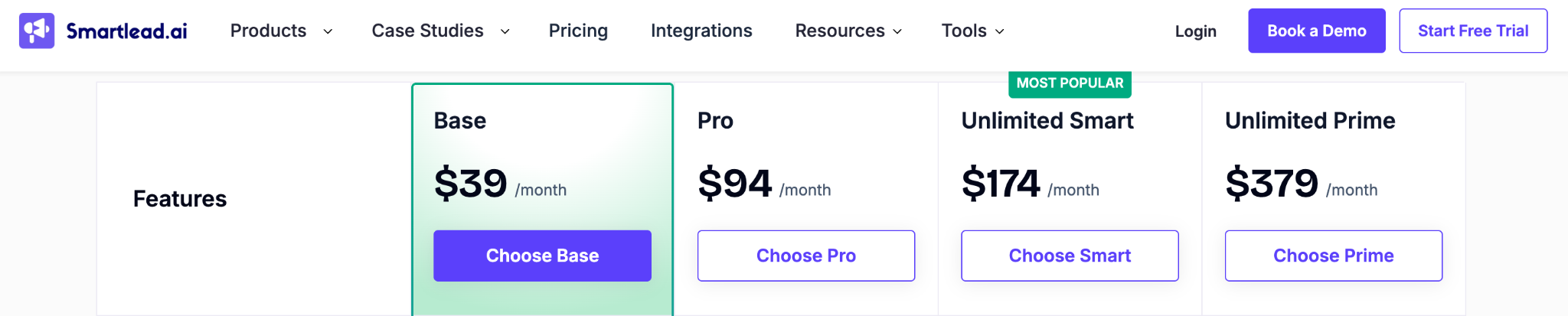
Smartlead pricing looks friendly at first. Monthly plans run $39 (Base), $94 (Pro), $174 (Unlimited Smart), and $379 (Unlimited Prime). Annual billing saves 17%. Every plan includes unlimited email accounts.
The platform fee is only part of the bill. Here is what sits around it:
- Fresh Google mailbox (SmartSenders) - $4.50/mo each, plus $13/yr per domain
- Pre-warmed Google mailbox - $9/mo each, plus $18/yr per domain
- Verified prospect emails - $59/mo add-on on Base and Pro
- Email verification credits - Packs start at $32
- Dedicated server (SmartServers) - $39/server/mo
- Inbox placement testing (SmartDelivery) - From $49/mo
- Client workspace / white-label - $29/mo per client
Run the math on a real setup. Twenty fresh Google mailboxes cost $90 a month before the platform fee. An agency with ten clients on Unlimited Smart pays $174 plus $290 in workspace fees, which is $464 a month.
Agency white-labelling is charged per client per month, so it adds up fast across a portfolio. Unlimited Prime includes three client workspaces.
Pro tip: Before you compare any two tools, build a one-month cost sheet. Use your real mailbox count, monthly sends, contacts, and client count.
Billing and Cancellation Friction
Some user reviews describe two recurring problems. One is that cancelling requires contacting support instead of a self-serve option. The other is incorrect charges, especially around mailbox add-ons.
Treat these as user reports, not a verified pattern. Smartlead serves a very large user base (its pricing page cites over 100,000 businesses), and any large platform collects billing complaints. Its published terms say monthly or annual billing, no lock-in, and cancel any time.
Pro tip: If you stay, review your add-on usage monthly and keep screenshots of your billing settings.
Support Experience
Support gets mixed reviews, not uniformly poor ones. The common theme is inconsistency: fast and helpful one week, slow the next.
That matters most for teams running client campaigns, where downtime has a direct cost. Note where the support tiers sit. A dedicated manager and a private Slack channel come only with Unlimited Prime, and Unlimited Smart adds CSM call access. If you need guaranteed responsiveness, ask what your plan actually includes.
Interface and Learning Curve
Users often describe the interface as functional but unpolished. They mention campaign builder quirks and a steeper learning curve than some rivals.
This matters more for small teams without a dedicated operator. A founder who sends campaigns twice a month will feel the friction more than an SDR who lives in the tool daily.
Reliability Gaps
Some users report warm-up pausing without notification. Others report reply sync lagging on lower plans. These are user reports, so verify them yourself in any trial.
A missed reply is the most expensive failure in cold email. A prospect who answers and hears nothing back rarely answers twice. That’s why this deserves a mention even if it’s rare.
What Smartlead Genuinely Does Well
Here are the strengths, and they’re real:
- Unlimited mailboxes on every plan, with no per-seat or per-mailbox fee
- Warm-up on every plan, with the pool quality stepping up by tier (Foundation, Growth, then Premium)
- API and webhooks from Pro upward
- Client workspaces and white-labelling for agencies
- A free trial with no credit card, and month-to-month billing
Many teams stay for these reasons, and that’s a sensible call. Switching has a cost, and we cover it below.
📧 Tools Won’t Write Your Strategy
Switching platforms won't fix weak targeting or generic emails. Cleverly handles prospect lists, copywriting, and campaign optimization for you.
What to Evaluate in a Smartlead Alternative
Choosing a Smartlead alternative for cold email comes down to nine checks. Score every shortlisted tool against them.
- Pricing model
What to ask: Per seat, per contact, per send, or usage-based?
- Sender and mailbox limits
What to ask: Is rotation included, and are there caps?
- Warm-up
What to ask: Included on all plans or sold separately?
- Deliverability tooling
What to ask: Placement testing and monitoring included?
- Agency features
What to ask: Client workspaces, white-labelling, per-client fees?
- Reply management
What to ask: Does inbox sync hold up at volume?
- Integrations
What to ask: Does it connect to your CRM and enrichment stack?
- Support and cancellation
What to ask: Is cancelling self-serve? How fast is support?
- Migration effort
What to ask: How long to move domains and sequences?
Pro tip: Weight these against your reason for leaving. If billing friction drove you out, cancellation terms count for more than a feature list.
Quick Comparison of Smartlead Alternatives
🚀 Skip the Setup. Start Booking.
Let Cleverly run your cold email campaigns from list building to follow-ups. You get more time to sell.
8 Best Smartlead Alternatives in 2026
1) Cleverly: Best Done-For-You Alternative to Running a Tool Yourself
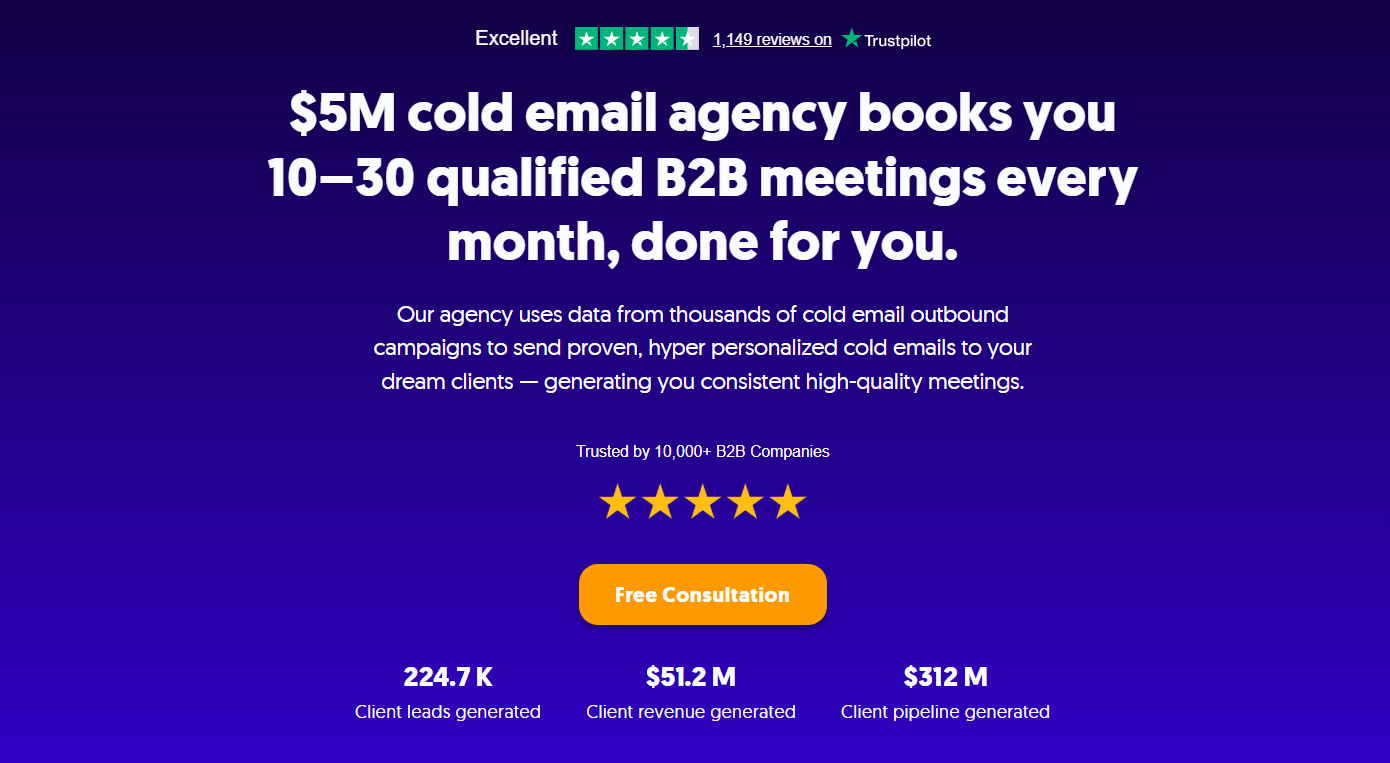
Cleverly isn’t a sending tool. It’s a done-for-you cold email service that runs the whole system and hands you meeting-ready leads. If you’ve decided the real problem isn’t Smartlead but the time it takes to run any tool well, read this entry twice.
Every tool below leaves you owning domains, warm-up, list quality, testing, and the inbox. Even where a tool sells you domains or data, you’re still the one managing them. We remove that work instead of relocating it.
- Best for: Teams who concluded the problem is not the software but the time and expertise needed to run it.
- What’s included:
- ICP definition and verified multi-source list building
- Domain and inbox infrastructure with warm-up
- Sequence copywriting and hyper-personalized first lines
- Deliverability management and split testing
- Reply handling through to booked meetings
- A dedicated account manager, weekly reporting, and monthly strategy calls
- Proof: $312M in client pipeline and $51.2M in client revenue generated across its campaigns.
- Pricing: Two models, month-to-month with no contracts. Scale is pay per lead, and Growth is a flat monthly retainer. Exact pricing is shared on a call.
- Honest limitation: If you want to own and operate the system in-house, a tool is the right answer. The entries below are the ones to compare.
Done managing sending tools? Let Cleverly run cold email end to end. Book a call.
2) Instantly
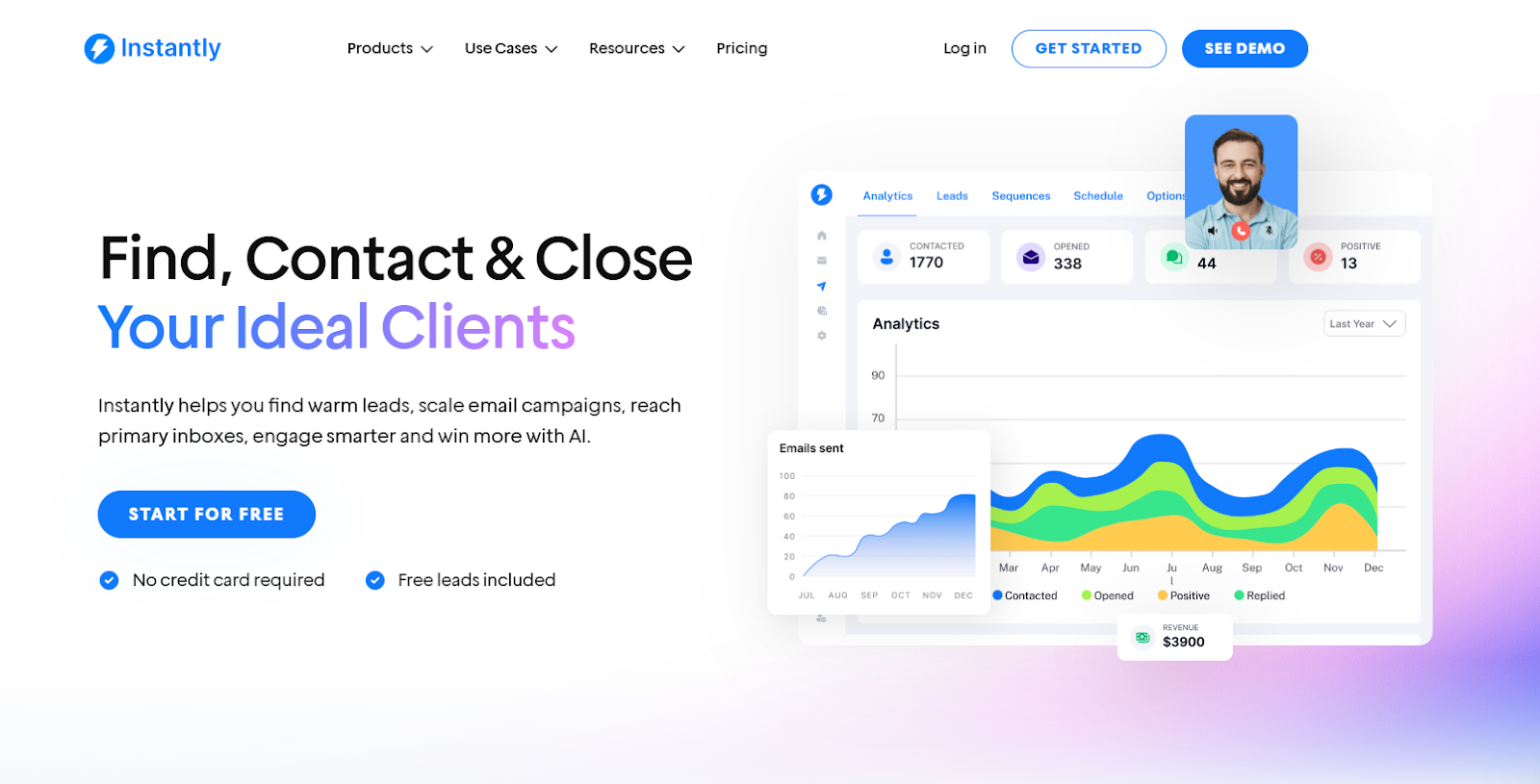
Instantly is the closest like-for-like replacement for high-volume senders. It offers unlimited email accounts and warm-up on every plan, and it keeps adding modules around the core sending product.
- Best for: High-volume senders who want the nearest swap for Smartlead.
- What it does:
- Unlimited accounts and automated warm-up on all plans
- A Deliverability AI Agent from Hypergrowth, and dedicated server and IP rotation on Light Speed
- A lead database (SuperSearch, 450M+ contacts) through a separate credits subscription
- A 14-day free trial with no card
- Pricing: Outreach plans run Growth at $47/mo (5,000 emails, 1,000 uploaded contacts), Hypergrowth at $97/mo (125,000 emails, 25,000 contacts), and Light Speed at $358/mo (500,000 emails, 100,000 contacts). Full in-app Unibox replies start at Hypergrowth.
- Honest limitation: Lead credits and AI credits are billed separately from Outreach, which makes total cost harder to compare.
3) Saleshandy

Saleshandy now sells email outreach and its B2B database as one Platform plan. It suits agencies that want client management without per-client fees.
- Best for: Agencies that want white-labelling without paying per client.
- What it does:
- Unlimited email accounts and warm-up on every plan
- Multichannel sequences covering email, calls, WhatsApp, and tasks
- A Lead Finder database with credits included in every plan (1,500 to 8,000 a month)
- Agency white-labelling, unlimited teams, and a dedicated account manager on Scale
- Pricing: Starter is $34/mo billed annually or $41 monthly (2,000 active prospects, 6,000 emails). Pro is $76 annually or $99 monthly (30,000 prospects, 100,000 emails). Scale is $149 annually or $189 monthly (unlimited active prospects under fair use, 200,000 emails). Its pricing page lists no per-client fee.
- Honest limitation: Agency features sit on the top plan, CRM integrations start at Pro, and the ecosystem is smaller than the bigger platforms.
4) Lemlist

Lemlist leans into personalization and multichannel. It’s the pick when email is one step in a longer sequence.
- Best for: Multichannel sequences that combine email with LinkedIn and calls.
- What it does:
- Strong personalization features and conditional next steps
- LinkedIn automation, SMS, and a built-in dialer on the Multichannel plan
- Warm-up (lemwarm) and deliverability protections on all plans
- A 650M+ lead database
- Pricing: The Email plan is $55/mo billed annually ($69 monthly), with unlimited users and senders and 50,000 emails a month. Multichannel is $87/mo annually ($109 monthly) per user. Lead data credits and the WhatsApp add-on cost extra.
- Honest limitation: Multichannel is priced per user, so five users on annual billing come to $435 a month before add-ons. The cost climbs with headcount.
5) QuickMail
QuickMail’s pitch is simple pricing with no seat math. Senders, LinkedIn accounts, and users are unlimited on every plan.
- Best for: Teams that want unlimited senders and users on every plan.
- What it does:
- Inbox rotation across unlimited senders
- Email and LinkedIn steps in one sequence
- Free warm-up through a MailFlow integration, since QuickMail retired its own warmer
- API access from Growth and webhooks on Agency
- Pricing: Starter is $49/mo (1,000 contacts, 5,000 emails). Growth is $99/mo (25,000 contacts, 100,000 emails). Agency is $299/mo (100,000 contacts, 500,000 emails, two workspaces). Extra workspaces cost $49 each. All plans have a 14-day free trial.
- Honest limitation: It has fewer advanced features than the larger platforms, and warm-up now depends on a second company’s product.
6) Woodpecker
Woodpecker prices on one meter: how many prospects you contact each month. You pay for what you use, not for a flat tier.
- Best for: Lower or variable volume.
- What it does:
- Unlimited email accounts and team seats
- Free follow-ups, since only contacted prospects count
- Free catch-all verification and four free warm-up slots, with extras at $5/mo each
- Condition-based campaigns, plus an agency panel with client sub-accounts
- Pricing: The rate is $7 per 100 contacted prospects, so 500 prospects cost $35 a month. LinkedIn automation is $29/mo per account as an add-on.
- Honest limitation: Costs get harder to predict as volume grows. Add-ons are metered separately, and hitting your monthly cap stops new prospects from being contacted.
7) Reply.io

Reply.io is a sales engagement platform, not a pure cold email tool. It fits teams that want calls and tasks in the same workflow.
- Best for: Teams that want sales engagement, not just cold email.
- What it does:
- Multichannel sequences across email, LinkedIn, calls, SMS, and WhatsApp
- A unified inbox and team reporting on Multichannel
- An AI SDR agent (Jason), sold as a separate product
- A 14-day free trial
- Pricing: Email Volume starts at $49 per user per month on annual billing. Multichannel is about $89 per user per month. LinkedIn automation runs about $69 per account and calls and SMS about $29 as add-ons. Jason starts at $500 a month.
- Honest limitation: It’s a heavier product than most cold email teams need, and per-user pricing plus add-ons stacks quickly.
8) GMass
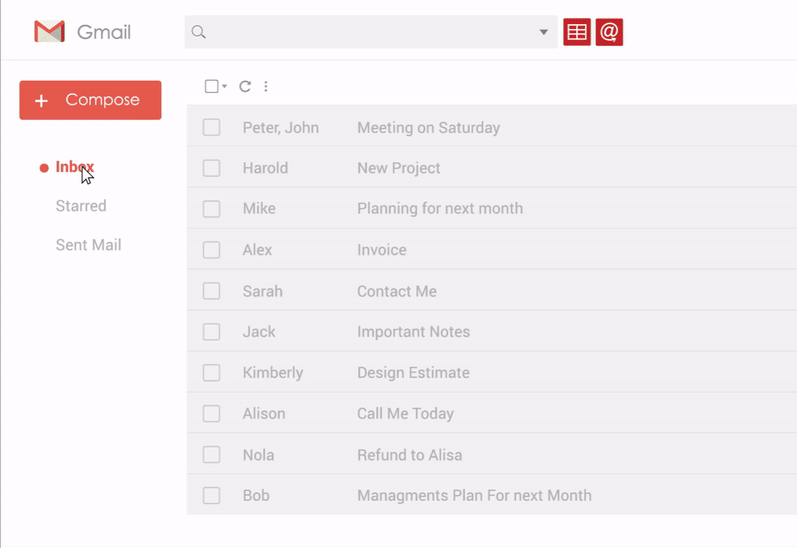
GMass runs inside Gmail, so there’s no separate platform to learn. It suits very small teams and solo senders.
- Best for: Very small teams or solo senders working inside Gmail.
- What it does:
- Mail merge, tracking, and campaign tools inside Gmail
- Free email verification
- Follow-up sequences from Premium, and inbox rotation on Professional
- A 7-day trial
- Pricing: Individual plans are Standard at $29.95/mo, Premium at $39.95, and Professional at $59.95 on monthly billing. Team plans start at $175/mo for five users.
- Honest limitation: It sends from your Google Workspace domain, which is a real deliverability risk at volume. Google’s sender rules push complaint rates under 0.3%, and a damaged primary domain hurts your normal email too.
🚀 Check how Cleverly compares to popular lead generation tools!
How to Choose the Right Smartlead Alternative
This is the most useful part of the guide. Map your reason for leaving to the right replacement.
Match Your Reason to the Replacement
Cost Out the Migration
Before switching at all, price the move. Moving domains, warm-up, and sequences takes weeks. Warm-up history may not transfer cleanly, and any brand-new domains need time to build reputation. Instantly’s benchmark report puts that at 4 to 6 weeks before full volume.
- Export your sequences, templates, and suppression lists
- Reconnect mailboxes and re-check SPF, DKIM, and DMARC
- Plan a parallel run so live campaigns don’t stop
- Budget the learning curve on the new tool
Pro tip: Run the trial with the person who will operate the tool daily, using your real mailbox count and volume. A demo account with two inboxes tells you almost nothing.
Why Cleverly Is the Strongest Alternative if You Want Results, Not Software

For a lot of people searching for Smartlead alternatives, the real problem isn’t Smartlead. Running cold email properly takes domains, warm-up, list building, testing, and daily reply handling. That’s a job, not a login.
That’s the switching trap. Moving tools resets your infrastructure and your learning curve, but the same workload stays on your desk. We built our cold email agency service to remove that workload. We run ICP definition, verified multi-source list building, domain and inbox infrastructure, sequence copywriting, deliverability management, split testing, and reply handling through to booked meetings.
Data quality is where it shows first. Tools now sell enrichment credits, but you still pick the providers, set the rules, and check the output.
We handle that before anything sends. Our frameworks come from thousands of campaigns and 224.7K client leads, so you start from a tested baseline instead of rebuilding on a new platform. We optimize for qualified replies and booked meetings, not sends or inbox counts.
Switching tools again, or switching approach? Talk to Cleverly about running cold email for you.
Conclusion
Decide why you’re leaving before you choose where to go. The best of the Smartlead alternatives depends entirely on that answer. Instantly is the closest like-for-like swap, Saleshandy offers the strongest agency value on paper, and Lemlist is the multichannel pick. Watch the costs that aren’t in the sticker price: warm-up, sending infrastructure, and per-client fees.
Your practical next step is to list your top three frustrations with Smartlead, then trial only the tools that fix those specific things. If the honest answer is that nobody has time to run the tool well, switching software won’t fix it.
Frequently Asked Questions
Free Resource
How to Scale a Profitable Cold Call System
Get the complete guide — download it instantly now.

Free Ebook
Download the Free Guide
Enter your details to get instant access.
You're all set! 🎉
Your ebook is downloading now.
Click below if the download didn't start automatically.