Table of Contents
What Is a Reverse Email Lookup Tool & How Does It Work?
Benefits of Using Reverse Email Lookup Tools for B2B Outreach
What to Look for in the Best Reverse Email Lookup Tools
10 Reverse Email Lookup Tools to Use in 2026
Free Reverse Email Lookup Tools — What You Can (and Can't) Expect
How to Use Reverse Email Lookup Tools for Cold Email Personalization
Common Mistakes to Avoid When Using Reverse Email Lookup Tools
How Cleverly Uses Reverse Lookup + Data Enrichment to Power Cold Email Campaigns
Conclusion
Frequently Asked Questions
Modified On :
May 27, 2026
Key Takeaways
- Email verification confirms an email address is valid and deliverable before you send, protecting your sender reputation and avoiding bounces.
- Reverse email lookup tools turn email addresses into actionable contact data - names, job titles, companies, and social profiles for better personalization.
- Free tools work for light searches, but paid options deliver higher accuracy, more data, and features needed for serious outreach campaigns.
- Always verify emails after lookup—data goes stale fast, and sending to bad addresses kills your deliverability.
- Cross-reference multiple tools for best results, and stay compliant with GDPR, CCPA, and CAN-SPAM to avoid legal trouble.
Ever get an email from someone and think, "Who is this person, really?"
That's where a reverse email lookup tool comes in. It's basically detective work for your inbox, you plug in an email address, and it tells you who's behind it.
We're talking names, job titles, company info, social profiles, sometimes even phone numbers.
If you're doing cold email outreach, prospecting, or just trying to figure out if that lead is legit, reverse email lookup tools are goldmines. They help you verify contacts, enrich your data, and make sure you're not wasting time on dead-end emails.
We've tested dozens of these tools while helping 10,000+ clients generate qualified leads. Some are great. Some are... not.
Here's the thing though — the stakes for getting this right have never been higher. B2B email databases decay at roughly 22.5% annually, which means nearly a quarter of your contact list goes stale every single year. If you're not verifying who you're emailing before you hit send, you're already behind.
So we put together this list of the best reverse email lookup tools - the ones that actually work, won't drain your budget, and give you the intel you need to close deals faster.
Let's dig in.
What Is a Reverse Email Lookup Tool & How Does It Work?
An email reverse lookup tool is pretty straightforward. It takes an email address and pulls up information about the person or business behind it.
Here's how it works:
- You enter an email address into the tool
- It scans its database and pulls from multiple data sources
- Within seconds, you get details about who owns that email
Where does the data come from?
Most reverse email lookup tools pull from:
- Public records and business registries
- Social media profiles (LinkedIn, Twitter, Facebook)
- Company websites and directories
- Previous data enrichment activities
- User-contributed databases
What can these tools actually reveal?
- Full name
- Job title and seniority level
- Company name and industry
- Phone number (sometimes)
- LinkedIn profile and other social accounts
- Location
Quick reality check:
Not every email reverse lookup tool is going to give you someone's personal Gmail account if you plug in their work email.
And privacy laws like GDPR mean some tools have limited data depending on where someone's located. Don't expect miracles—expect solid intel.
Why this matters for cold email:
When you know who you're emailing, you can personalize your message properly. No more "Hey there" or guessing someone's role.
Plus, verifying emails upfront helps you avoid bounces, keeps your sender reputation clean, and makes sure you're actually reaching decision-makers.
Bottom line? The right reverse email lookup tool turns random email addresses into real people you can connect with.
How Reverse Email Lookup Actually Works — The Technical Methods Behind the Data
Most people treat these tools like a black box — you put in an email, data comes out, magic happens. But understanding what's going on behind the scenes helps you use them smarter and set realistic expectations about what you'll get back.
There are three main methods most tools use, and they produce very different results.
Method 1 — Email Parsing
This is the simplest layer. Tools analyze the structure of an email address itself to extract data points before they even touch a database.
Take an address like pierre.landoin@icypeas.com. That one string gives you three immediate data points: a likely first name, a likely last name, and a company domain. From the domain, the tool can look up the company, its industry, size, and website. This is why business email addresses return richer results than Gmail or Yahoo accounts — a work email is tied to a verifiable company. A personal address gives you almost nothing to parse.
Method 2 — SERP-Based LinkedIn Matching
Many tools find LinkedIn profiles without directly scraping LinkedIn (which violates their terms). Instead, they use Google and Bing search indexing. When LinkedIn profiles are publicly indexed, tools can query search engines to match an email to a profile.
The tradeoff here is freshness. Google typically indexes LinkedIn pages with a two to four week lag. Bing indexes faster. So when a tool claims "real-time" LinkedIn matching, take that with some nuance — what you're actually getting is the most recently indexed version of someone's profile, not a live pull.
Method 3 — Proprietary Databases
The big tools — Apollo, Lusha, Hunter, Clearbit — have spent years building their own match databases. They pull from partner data licensing agreements, public records crawling, company directories, and user-contributed data (when users install browser extensions and browse LinkedIn, anonymized data gets fed back into the network).
The result is a massive index of business contacts. The upside is depth and speed. The downside is that the data is only as fresh as when it was last updated — which varies by provider and isn't always clear.
Business emails vs. personal emails — what to realistically expect
If you're looking up a work email, you'll likely get a name, company, job title, and maybe a LinkedIn URL. If you're looking up a Gmail or Yahoo address, most tools will either return nothing or give you only a basic name match from a consumer database.
This matters for B2B outreach specifically. Work emails are designed to be findable. Personal emails are not.
Check Out More: Best Cold Email Software (Tested & Compared)
🚀Stop Chasing Cold Leads. Start Closing Deals.
Let Cleverly deliver 10-30 qualified sales calls every month—guaranteed pipeline, zero wasted time.
Benefits of Using Reverse Email Lookup Tools for B2B Outreach
If you're running cold outreach, reverse email lookup tools aren't just nice to have—they're essential. Here's why we use them for every outreach campaign:
They validate real people behind email addresses
Before you hit send, you want to know there's an actual human on the other end. Reverse email lookup tools confirm that an email belongs to a real person at a real company, not a dead account or random alias.
They protect your sender reputation
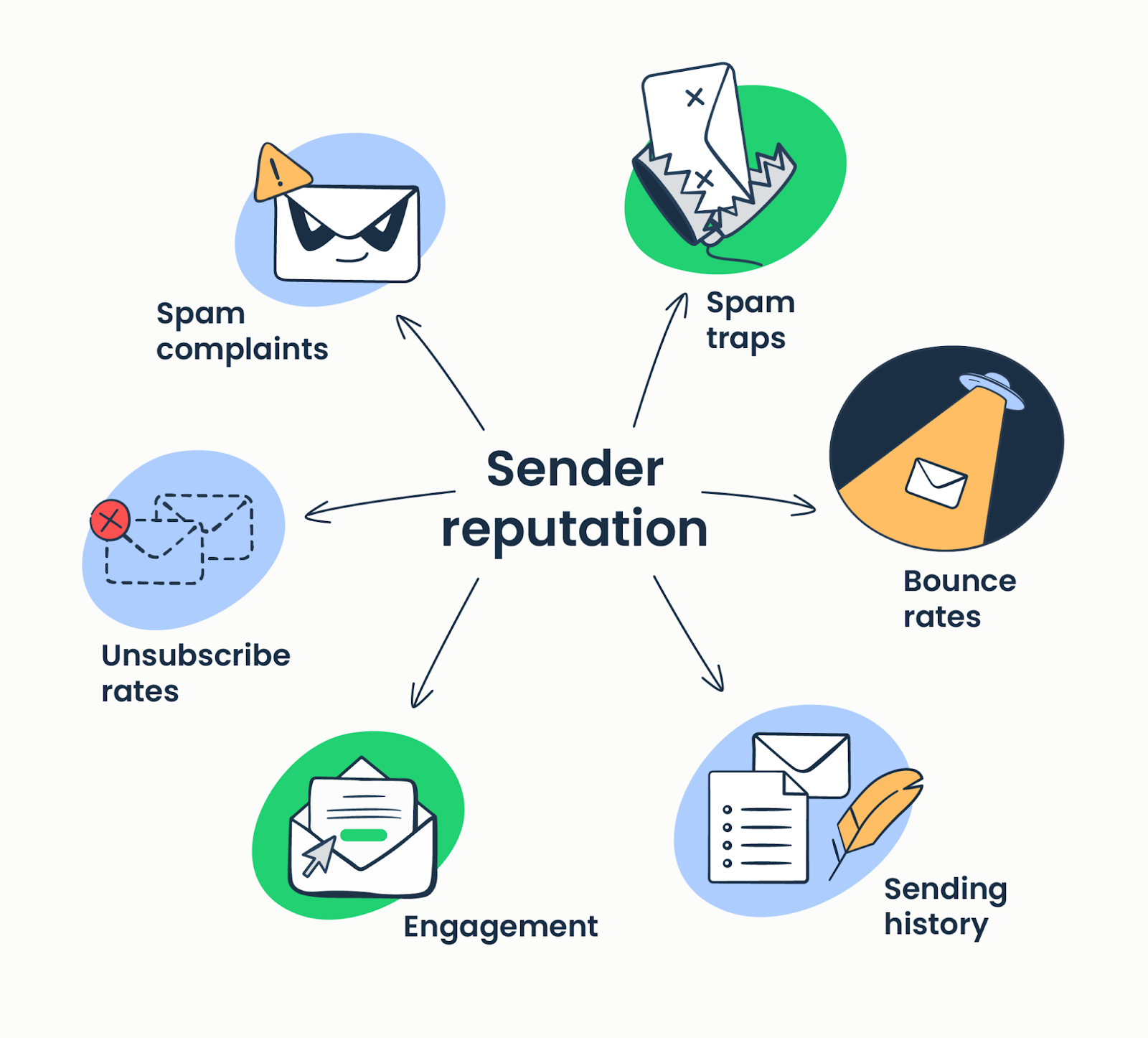
Fake emails, spam traps, and invalid addresses kill your deliverability. When you verify contacts upfront with reverse email lookup tools, you're cutting out the junk that would otherwise tank your email open rates and land you in spam folders.
They unlock better personalization
Generic emails get ignored. When you know someone's job title, company, and background, you can write messages that actually resonate. Reverse email lookup tools give you the context to make your outreach feel relevant, not robotic.
Explore More: High-Converting ChatGPT Prompts for Cold Emails
They improve your lead list quality
Not all leads are created equal. These tools help you filter out low-value contacts and focus on the ones that matter—decision-makers with real buying power who fit your ideal customer profile.
They help you find decision-makers faster
Tired of emailing gatekeepers? Reverse email lookup tools show you who holds what title, so you can go straight to the VP, Director, or whoever actually signs off on deals.
They enable multi-channel outreach
Once you've got someone's email, these tools often surface their LinkedIn profile, Twitter handle, or phone number. That means you can hit them on email, follow up on LinkedIn, and build a real connection across multiple touchpoints.
So, all in all, reverse email lookup tools help you send smarter emails to the right people—and that's how you actually book meetings.
Related: How to Build a Winning Cross-Channel Lead Generation Strategy
What to Look for in the Best Reverse Email Lookup Tools
Not all reverse email lookup tools are built the same. Some give you gold, others give you outdated junk. Here's what separates the best reverse email lookup tool from the rest:
Accuracy of results
If the tool is pulling wrong names, outdated job titles, or dead LinkedIn profiles, it's useless. The best reverse email lookup tool should have a high match rate and verified data—not guesses.
Data freshness
People switch jobs. Companies rebrand. If you're working with stale data from 2022, your emails are going to the wrong person. Data enrichment is the key so, look for tools that update their databases regularly.
Also Check: Top Data Enrichment Tools to Boost Lead Generation
Type of data provided
At minimum, you want:
- Full name
- Job title and seniority
- Company name
- LinkedIn profile
Bonus points if it finds phone numbers, Twitter handles, company size, and location. The more context, the better your outreach.
Integrations
The best reverse email lookup tool plays nice with your CRM, LinkedIn, and other enrichment platforms. If you're manually copy-pasting data between tools, you're wasting time.
Free search options or trial availability
Before you commit, test it. A lot of tools offer free lookups or trials so you can see if the data quality matches the hype.
API support
If you're running outreach at scale, API access is non-negotiable. It lets you automate lookups, enrich lists in bulk, and keep your workflow smooth.
Compliance and data privacy
GDPR, CCPA, CAN-SPAM—these aren't suggestions. The best reverse email lookup tool should be transparent about where data comes from and how it's collected. You don't want legal headaches down the line.
Speed and user experience
If lookups take forever or the interface is clunky, you'll hate using it. The best tools are fast, intuitive, and don't make you jump through hoops to get what you need.
Bottom line: the best reverse email lookup tool gives you accurate, fresh data, integrates with your stack, and doesn't slow you down.
How to Do a Reverse Email Lookup Step by Step
Knowing which tools exist is one thing. Knowing how to actually use them effectively is another. Here's the process we follow at Cleverly when we need to turn an email address into usable prospect data.
Step 1 — Pick the right tool for what you actually need
Not all reverse email lookup tools are built for the same job. Before you open anything, ask yourself what you're trying to accomplish.
- Building a B2B outreach list at scale? You need API access and bulk enrichment — Apollo, Hunter, or Snov.io.
- Doing a quick one-off check on a single contact? A free tier or lightweight paid tool works fine.
- Enriching an existing CRM with missing data? Clearbit or a similar automated enrichment platform is built for that.
- Vetting an individual for background purposes? That's a different category entirely — use BeenVerified or PeopleFinders.
Using a bulk B2B tool to look up one contact is overkill. Using a people-search tool to enrich 5,000 leads is the wrong tool for the job. Match the tool to the task.
Step 2 — Input the email and read what comes back carefully
Most tools return results in under a few seconds. When you get a result, pay attention to what kind of result it is.
A full result typically includes a confirmed name, job title, company, LinkedIn profile, and sometimes a phone number. That's what you want.
A partial result — where you get a company but no name, or a name but no job title — signals that the tool found the domain but couldn't match a specific person. That usually means the email is a generic alias (info@, sales@, contact@) or the person isn't in their database.
Partial results aren't useless, but don't build personalized outreach on incomplete data. Flag it for manual review or skip it.
Step 3 — Cross-reference across two tools when accuracy matters
No single tool has perfect coverage. Single-source databases typically deliver match rates around 62%, while multi-source approaches can reach 98% in controlled tests. When a high-priority contact comes back with incomplete data from your primary tool, run it through a second one. RocketReach
This is especially worth doing for senior-level targets — the people you most want to get right. Ten minutes of cross-referencing on a VP-level contact is time well spent.
Step 4 — Verify deliverability before you add anyone to a sequence
Getting a name and company back from a lookup tool doesn't mean the email is actually deliverable. B2B email data decays at roughly 2.1% per month, and people change jobs constantly. A record that was accurate six months ago may be bouncing today.
Always run emails through a verification step — Hunter's email verifier, NeverBounce, ZeroBounce, or whatever is in your stack — before you add them to any outreach sequence. Email campaigns using non-validated contact data typically see bounce rates of 5–7%, which significantly damages sender reputation and can trigger spam filters that affect your entire sending domain.
That's not a risk worth taking.
👀 Quick free hack: search the email in quotes on Google first
Before you open any tool, paste the email address in quotation marks into Google. Like this: "firstname.lastname@company.com"
You'll instantly surface any public profiles, forum posts, blog comments, press mentions, or archived pages where that exact email was used. It takes five seconds and costs nothing. For a lot of lookups, especially when you're checking whether an email is legitimate, Google gets you 80% of the way there before you've touched a single paid tool.
🔎 Skip the Tools — Get Verified Emails Instantly
We handle data, deliverability and outreach. You get meetings — with zero upfront tool investments.
10 Best Reverse Email Lookup Tools in 2026
1. Pipl
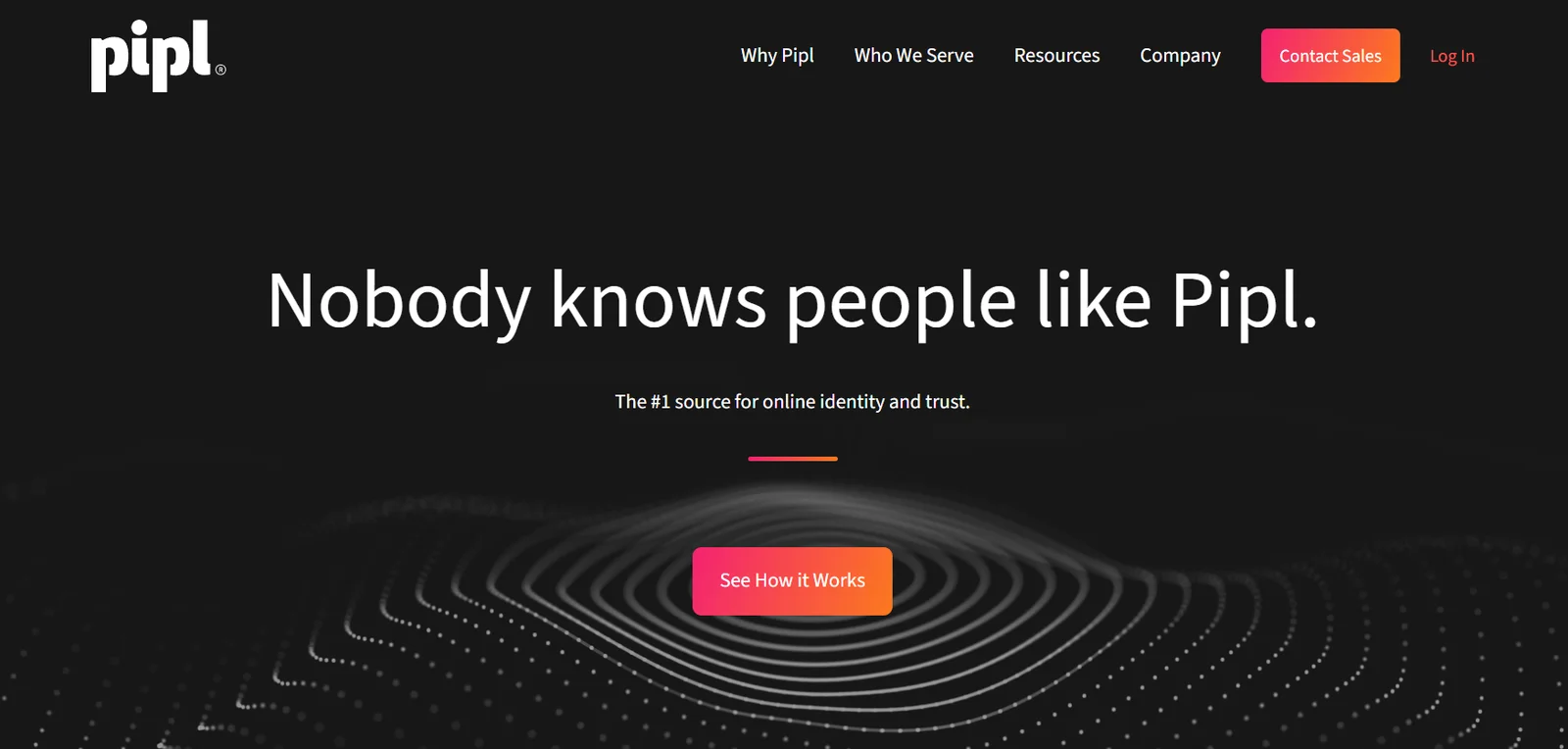
Pipl isn't your average reverse email lookup tool—it's built for serious identity verification. Part of a larger platform, Pipl digs deep into online and offline sources to pull comprehensive profiles on who's behind an email address. We're talking way beyond basic LinkedIn scraping here.
This tool shines when you need more than just a name and job title. It aggregates data from public records, directories, archives, and the "deep web" to give you a full picture of someone's digital footprint.
If you're vetting leads, investigating fraud, or need bulletproof identity verification, Pipl delivers.
Key Features
- Searches deep web and public records, not just surface-level social profiles.
- Provides full name, location, phone numbers, job info, education, and social handles.
- Offers trust signals and identity verification to flag potential fraud risks.
- Global database with billions of records across multiple countries.
- API integration for seamless connection with CRMs and internal systems.
- Includes photos and aliases for more complete identity profiles.
Pricing
Pipl pricing is quote-based and designed for businesses running large-scale operations. It's not a free or budget tool—expect enterprise-level costs with annual subscription models. If you need access, you'll have to contact their sales team for a custom quote.
2. Hunter.io

Hunter.io is one of the most popular tools for finding and verifying professional email addresses. It's built around a massive database of publicly available emails tied to company domains, making it a go-to reverse email lookup tool for recruiters, freelancers, and small teams doing outreach at scale.
What makes Hunter solid is its simplicity. You can search by domain to see all associated emails, verify addresses to avoid bounces, and even run bulk lookups.
Plus, it's got browser extensions and Google Sheets integration, so you're not stuck copying and pasting data manually.
Key Features
- Pulls all publicly available email addresses linked to a specific company domain.
- Locates email addresses for specific people using their name and company.
- Validates emails to improve deliverability and protect sender reputation.
- Run searches and verifications on multiple emails or domains at once.
- Access data directly from your browser or export to spreadsheets.
- Built-in email campaign tools for managing cold outreach.
Pricing
- Free Plan: 25 email searches and 50 verifications per month—no credit card needed.
- Starter Plan: $49/month for 500 searches, 1,000 verifications, and 3 connected email accounts.
- Growth Plan: $99/month for 5,000 searches and premium support.
- Business Plan: $399/month for 50,000 searches and advanced integrations.
Hunter's free plan is solid for testing the waters, and the paid tiers scale nicely if you're ramping up outreach volume.
3. Snov.io
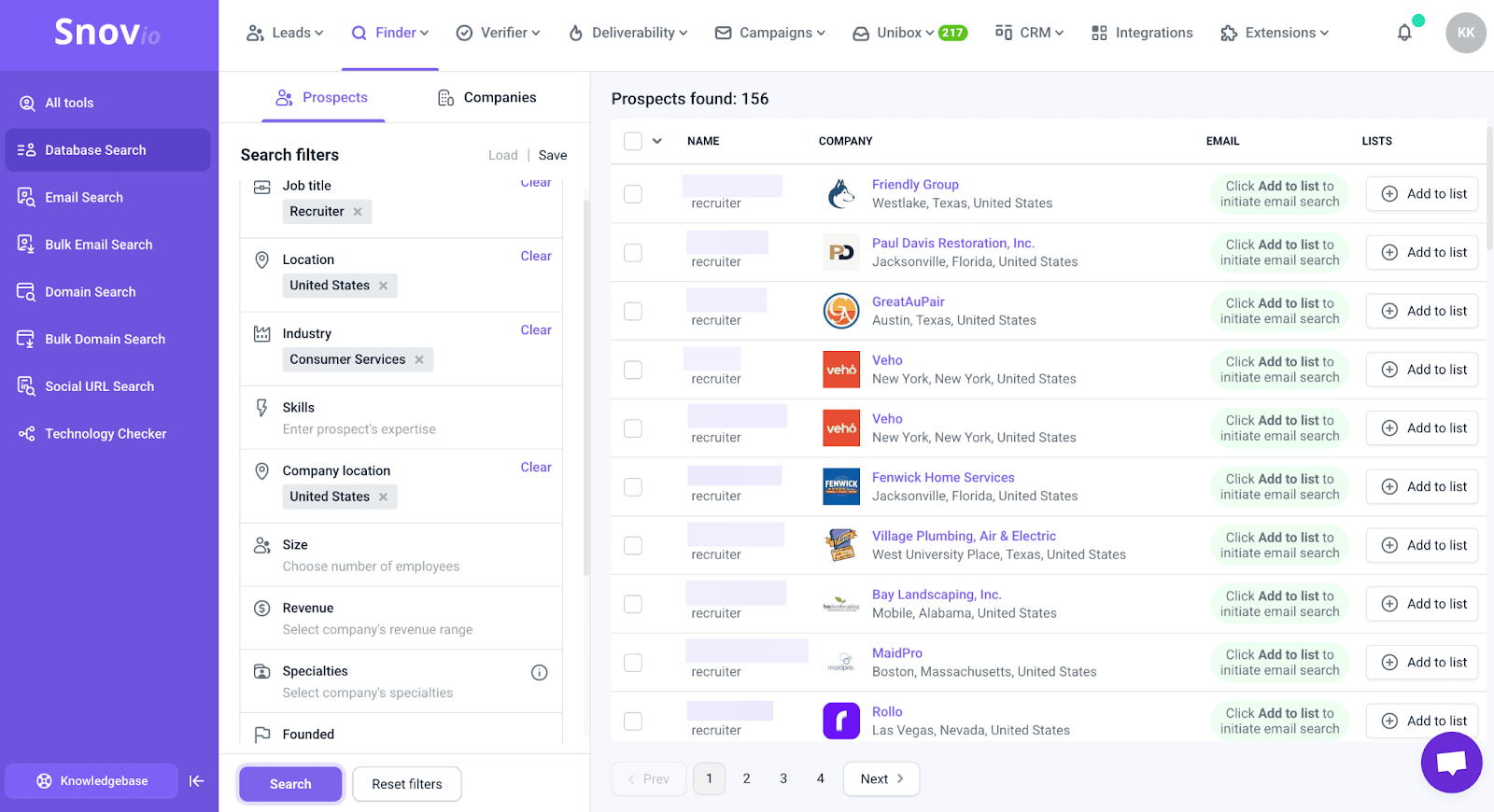
Snov.io is an all-in-one platform that goes beyond just being a reverse email lookup tool. It's built for B2B lead generation, email verification, and outreach—basically everything you need to find prospects, validate their info, and start conversations.
The standout feature here is the Chrome extension that lets you pull emails directly from websites and LinkedIn profiles as you browse.
Combine that with bulk lookup, built-in verification, and a CRM to manage your contacts, and you've got a pretty complete sales stack without juggling five different tools.
Key Features
- Find and save email addresses while browsing websites or LinkedIn.
- Search for multiple emails at once to build lists faster.
- Built-in validator to check if emails are deliverable before you send.
- Manage and organize your contacts directly within the platform.
- Automate outreach sequences without needing a separate tool.
- Pay for what you use with flexible credit allocations.
Pricing (Monthly, with annual billing)
- Free Plan: Limited credits for email searching, verification, and a small number of campaign recipients
- Starter: ~$39/month for 1,000 credits and 5,000 recipients
- Pro 5K: ~$99/month for 5,000 credits and 10,000 recipients
- Pro 20K: ~$189/month for 20,000 credits and 30,000 recipients
- Pro 50K: ~$369/month for 50,000 credits and 50,000 recipients
- Pro 100K: ~$738/month for 100,000 credits and 100,000 recipients
Snov.io's credit system is flexible, and the pricing scales with your outreach volume—good for teams that are growing or testing different campaigns.
4. Apollo.io

Apollo.io is a heavy-hitter in the sales intelligence space. It's not just a reverse email lookup tool—it's a full cold email prospecting platform backed by a massive B2B database with over 270 million contacts. You can filter by job title, company size, industry, location, and more to build ultra-targeted lead lists.
What sets Apollo apart is that it combines database access with outreach automation. You can find emails, verify them, build sequences, and even call prospects—all in one platform.
If you're a sales or marketing team that wants everything under one roof, Apollo's worth serious consideration.
Key Features
- Access to 270+ million email records for finding contacts.
- Search by name, company, job title, industry, location, and more.
- Set up multi-step outreach campaigns with A/B testing.
- Fill in missing contact info to keep your database complete.
- Call prospects directly from the platform for multi-channel outreach.
- Syncs with your existing sales tools for seamless workflows.
- Pull data and prospect directly from your browser.
Pricing
- Free Plan: $0/month with limited credits—good for testing the platform.
- Basic: ~$49/user/month for low-volume prospecting with more email credits and basic automation.
- Professional: ~$99/user/month for advanced automation, A/B testing, and access to the dialer.
- Organization: ~$119–$149/user/month for larger teams needing enterprise features.
Apollo's pricing is per user, so costs can add up if you're scaling a bigger team. But the combo of database access and outreach tools makes it a solid all-in-one option.
5. Lusha
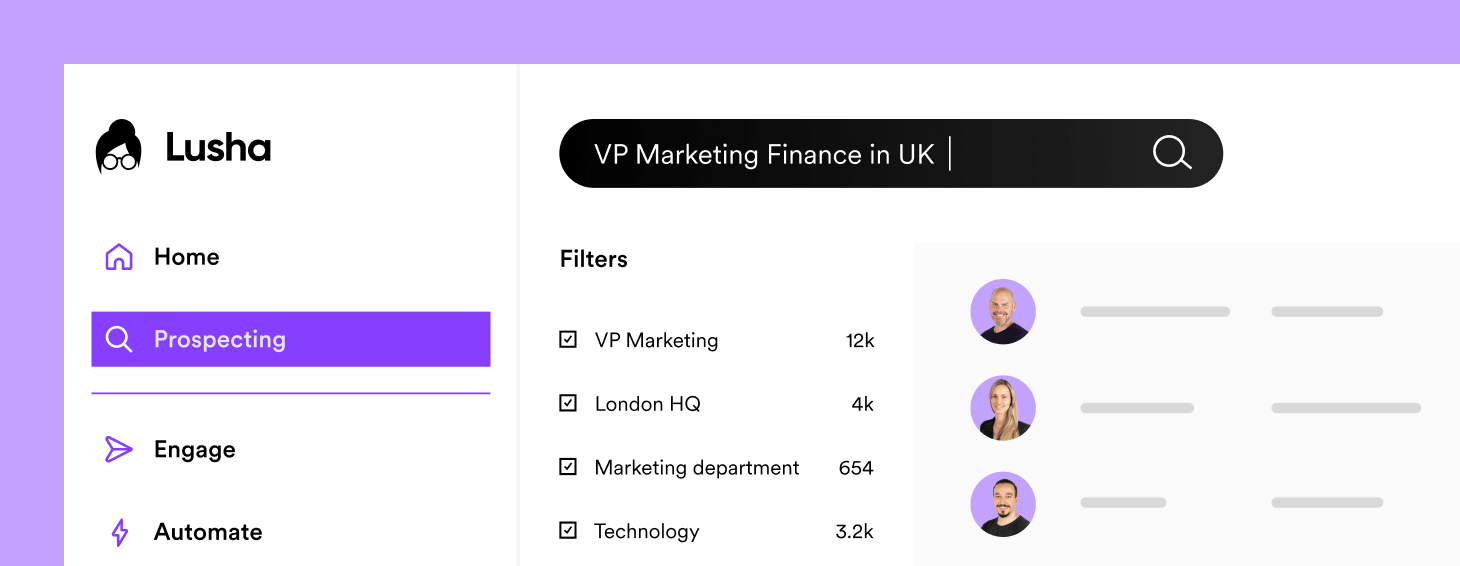
Lusha is a B2B sales intelligence platform focused on finding accurate contact details—emails and phone numbers—for business prospects.
While it's not a traditional reverse email lookup tool where you plug in an email to learn more about someone, it excels at prospecting and enriching contact data for outreach.
What makes Lusha stand out is its accuracy and speed. With a browser extension that pulls contact info directly from LinkedIn, Sales Navigator, and company websites in one click, you can build targeted lists fast.
Key Features
- Instantly find emails and phone numbers from LinkedIn, Sales Navigator, Gmail, and company sites.
- Build targeted lead lists using advanced filters like industry, job title, and location.
- Claims 98% email deliverability and 85% phone accuracy with real-time verification.
- Syncs with Salesforce, HubSpot, Pipedrive, and more for automatic data updates.
- Upload CSV lists to enrich missing contact details at scale.
- Identifies companies actively researching topics related to your product (higher-tier plans).
- Meets major data privacy regulations for safer prospecting.
Pricing
Lusha uses a credit-based system where credits unlock contact info (one credit for an email, more for phone numbers). Annual billing gets you a discount.
- Free: $0/month for 1 user with 70 credits/month, browser extension, and basic integrations.
- Pro: ~$22.45/month (billed annually) for up to 3 users with shared credit pool, CSV export, and job change alerts.
- Premium: ~$52.45/month (billed annually) for up to 5 users with bulk searches and CSV enrichment.
- Scale: Custom pricing for larger organizations with specific needs.
Lusha's free plan is solid for solo prospectors, and the paid tiers scale well for teams doing high-volume outreach.
6. BeenVerified
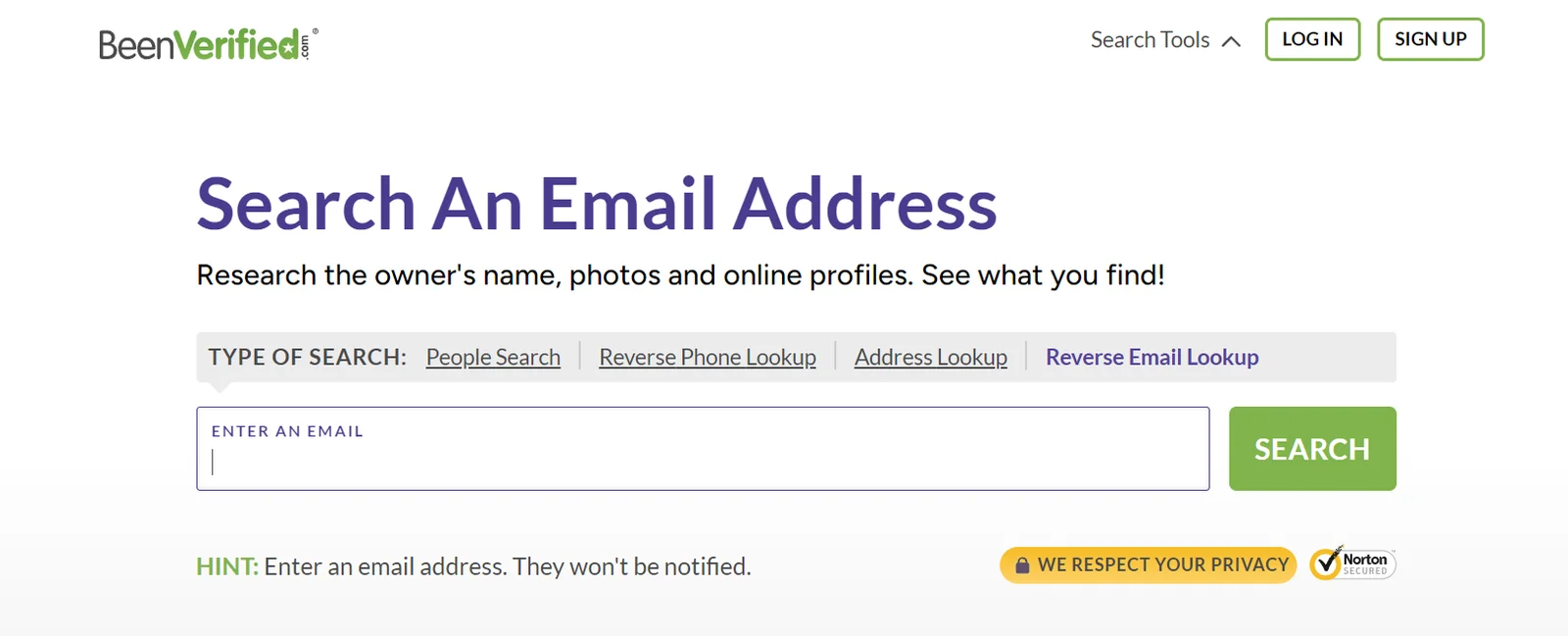
BeenVerified is less about B2B prospecting and more about deep background checks. It's a reverse email lookup tool that searches public records, social media, and online databases to uncover who's behind an email address—complete with location, age, criminal records, and more.
The reports are comprehensive, pulling everything from social profiles to relatives and geographical data.
It's not built for sales teams doing cold outreach, but it's useful if you're vetting leads, screening potential hires, or investigating suspicious contacts. The interface is simple, and there's even a mobile app for lookups on the go.
Key Features
- Includes name, location, age, social media profiles, and even criminal records.
- Pulls data from court documents, property records, and other public sources.
- Surfaces profiles, photos, and online activity tied to the email.
- Easy-to-navigate website and mobile app for quick searches.
- Track changes to a person's report over time with a paid subscription.
- Also works for finding info based on phone numbers.
Pricing
BeenVerified is subscription-based—no one-time report options. You'll need a membership to access searches.
- Monthly Plan: ~$26.89/month for one-month access
- Multi-Month Plan: ~$17.48/month when billed quarterly for better value
If you're only doing a handful of lookups, the subscription model can feel pricey. But if you need ongoing access for vetting or investigations, it's a solid option for detailed background intel.
7. Clearbit
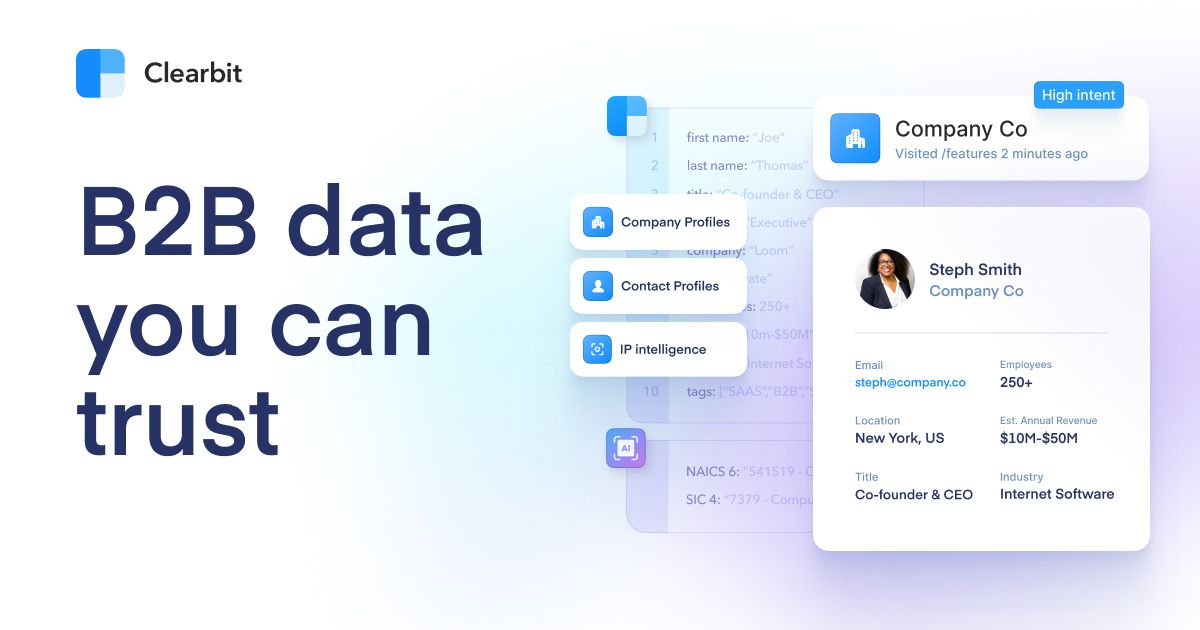
Clearbit isn't your typical reverse email lookup tool—it's a data enrichment platform that works in the background to keep your CRM accurate and complete. Instead of manually searching for contact info, Clearbit automatically fills in missing details about the people and companies already in your system, in real time.
The platform also identifies anonymous website visitors and provides intent data to help you prioritize accounts showing buying signals. It's less about building lists from scratch and more about making your existing data smarter and more actionable.
If your CRM is full of incomplete records or you want to know which companies are checking out your website, Clearbit fills those gaps.
Key Features
- Automatically updates contact and company records as new data becomes available.
- Turns anonymous traffic into actionable leads with company-level insights.
- Spots accounts actively researching solutions like yours to prioritize outreach.
- Filter prospects using firmographic, technographic, and demographic data.
- Find and filter prospects by specific criteria when building new lists.
- Syncs seamlessly with Salesforce, HubSpot, Marketo, and other platforms.
- Build custom workflows and automate enrichment at scale.
Pricing
Clearbit uses custom pricing based on your database size, usage volume, and feature needs. It's credit-based—each enrichment action consumes credits. You'll need to request a quote from their sales team for accurate pricing tailored to your company.
Clearbit is best for teams with established CRMs who want to maintain clean, enriched data without manual effort. If you're just starting out or working with small lists, it might be overkill.
8. Anymail Finder
Anymail Finder is a straightforward reverse email lookup tool focused on finding and verifying business and personal email addresses. You can search by name, company, job title, or domain—either one at a time or in bulk.
What makes it stand out is its "no charge for invalid emails" policy, meaning you only pay for verified, deliverable addresses.
The tool uses direct server validation and multiple verification methods to ensure high accuracy. If you're building lead lists and want to avoid wasting credits on bad emails, Anymail Finder's approach is refreshingly honest. It's a solid pick for sales teams, recruiters, and marketers who need clean data without the fluff.
Key Features
- Uses direct server validation to confirm emails are deliverable before charging you.
- Only pay for verified, working email addresses.
- Upload lists for bulk processing or search one email at a time.
- Find emails using name, job title, company, or domain.
- Search emails across platforms like LinkedIn and Twitter through partner extensions.
- REST API available for developers to integrate email finding into custom workflows
- Connects with Zapier and Make.com for no-code automation.
Pricing
- $49/month: 1,000 verified emails
- $99/month: 5,000 verified emails
- $149/month: 10,000 verified emails
Anymail Finder's pricing is simple and fair—you're only paying for emails that actually work. If you're tired of burning through credits on dead addresses, this tool's worth testing.
9. PeopleFinders
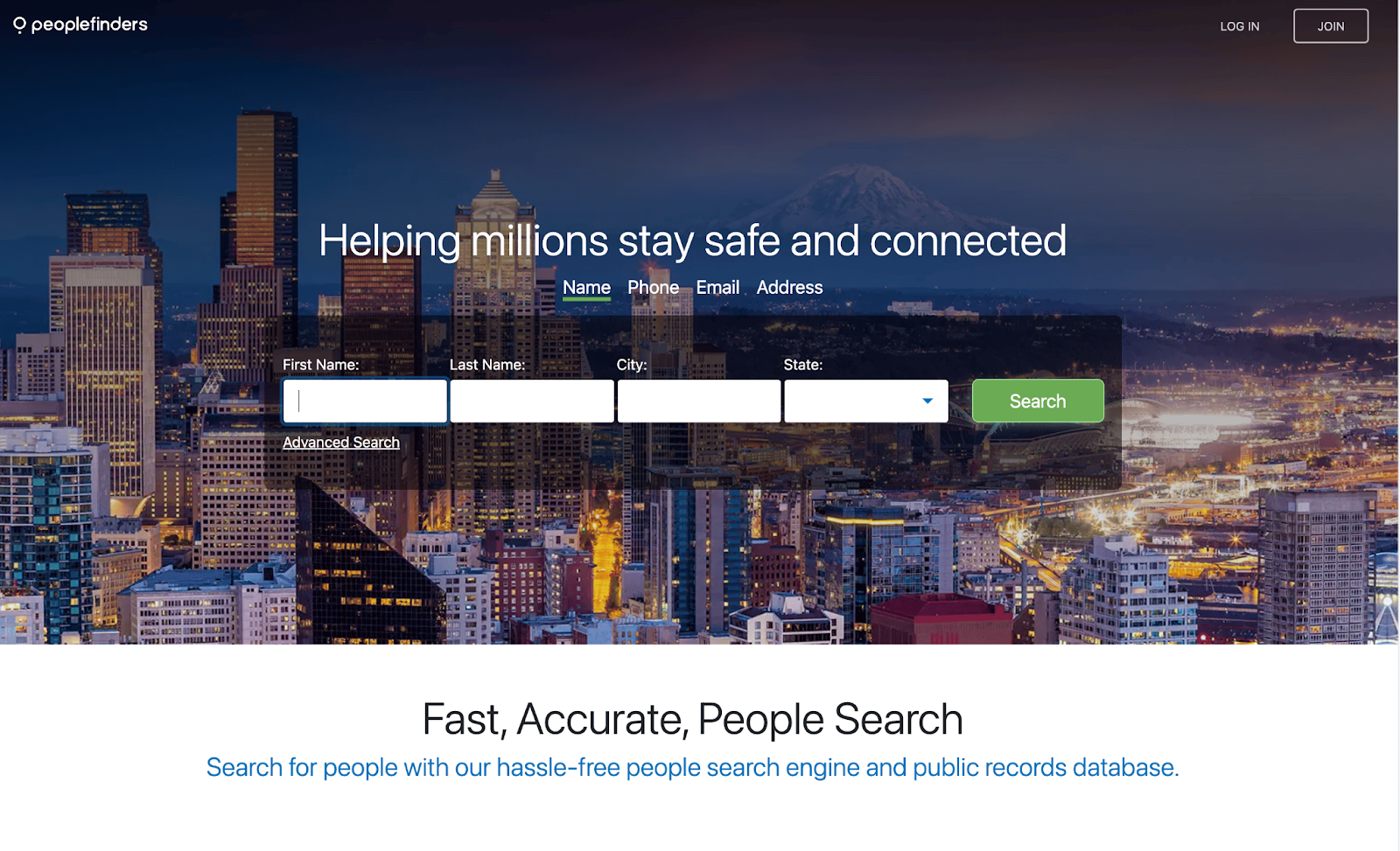
PeopleFinders is a people search platform that includes reverse email lookup as part of its broader suite of tools. It's built for digging into U.S. public records, social media profiles, and contact details tied to an email address. If you're trying to verify an online contact, research a potential client, or figure out who sent you a sketchy email, PeopleFinders can help.
The tool pulls from comprehensive public record databases and generates instant reports with names, locations, phone numbers, and more. It's not a standalone email reverse lookup tool—it's part of a larger background check service.
So if you need deep dives into someone's history beyond just their email, PeopleFinders gives you that option with add-on background reports.
Key Features
- Get contact details, location, and social profiles tied to an email address quickly.
- Searches court documents, property records, and other public databases.
- Surfaces online presence and activity connected to the email.
- Optional deeper searches for criminal records, employment history, and more.
- Also works for reverse phone and address searches.
- Unlimited searches for ongoing vetting or research needs.
Pricing
- Single Report: $1.95 for a basic search report
- Single Background Report: $9.95 per background report search
- Monthly Subscription (Basic): ~$24.95/month for unlimited basic search reports
- Monthly Subscription (Background): ~$29.95/month for unlimited background reports
PeopleFinders is affordable for one-off searches or occasional use. If you're vetting contacts regularly or need ongoing access to public records, the monthly subscription makes sense. But if you're doing B2B prospecting at scale, there are better tools built specifically for that.
10. FindThatLead
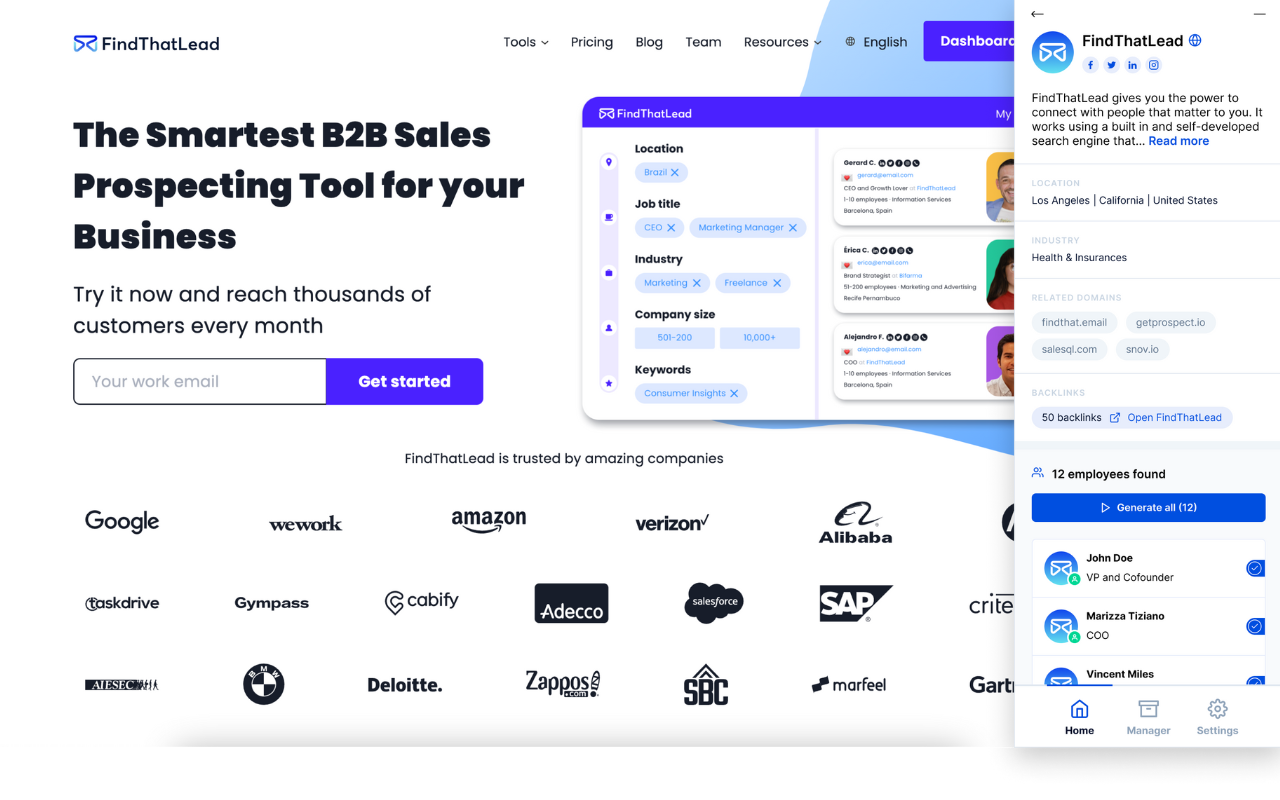
FindThatLead is a simple, affordable reverse email lookup tool designed for freelancers, small businesses, and agencies that need to find and verify professional email addresses. It searches for emails associated with specific domains and lets you build targeted lead lists using filters like job title, industry, and location.
The platform includes a Prospector tool for finding leads by criteria, email verification to keep your lists clean, and a Chrome extension for quick lookups while browsing.
It's not as feature-packed as some of the bigger platforms, but it gets the job done without the enterprise price tag—making it a solid pick for teams on a budget.
Key Features
- Find all publicly available emails associated with a company domain.
- Build lead lists by filtering for job titles, industries, company size, and location.
- Validate emails before sending to improve deliverability and avoid bounces.
- Search for emails and save contacts directly from your browser.
- Upload lists and find multiple emails at once.
- Connect with your existing tools to streamline workflows.
Pricing
FindThatLead uses subscription-based pricing, billed annually for the best rates:
- Growth Plan: ~$49/month (billed annually) for small teams and solo users
- Starter Plans: Begin around $19/month for basic features and lower search volumes
The pricing is straightforward and budget-friendly, especially compared to enterprise-level tools. If you're just starting with email prospecting or running a small operation, FindThatLead offers solid value without overwhelming complexity.
How to Choose the Right Reverse Email Lookup Tool for Your Use Case
Ten tools is a lot of options. And the honest answer is that the best reverse email lookup tool depends entirely on what you're trying to do. Here's a simple decision framework to cut through the noise.
If you're doing B2B cold outreach at scale
You need API access, bulk enrichment, and a large database behind it. Apollo.io, Hunter.io, and Snov.io are built for this. They let you process hundreds or thousands of emails programmatically, integrate with your CRM, and keep your pipeline moving without manual lookups slowing you down.
If you need one-off or low-volume lookups
Free tiers and lightweight tools are more than enough. Hunter's free plan gives you 25 searches per month. FindThatLead's starter is affordable for small-scale use. Anymail Finder's pay-for-what-works model is worth considering if you hate burning credits on bad results.
If you're enriching an existing CRM
Manual lookups won't scale here. You need an automated enrichment platform that runs in the background and updates records continuously. Clearbit is built specifically for this — it integrates directly with Salesforce and HubSpot and keeps contact data current without human intervention.
If you're vetting individuals or running background checks
B2B prospecting tools aren't designed for this, and using them for individual background research creates compliance headaches. BeenVerified and PeopleFinders are purpose-built for this use case — they pull from public records, court documents, and social profiles to give you a more complete picture of who someone is.
If accuracy is the primary concern
Don't rely on a single tool. As mentioned above, single-source databases consistently underperform on match rates compared to multi-source approaches. If a high-priority contact comes back with incomplete data, run it through a second tool. The extra step is worth it.
The mistake most teams make is using whatever tool they signed up for first and assuming it covers every scenario. It doesn't. Match the tool to the task, and you'll get better data with less wasted budget.
Free Reverse Email Lookup Tools — What You Can (and Can't) Expect
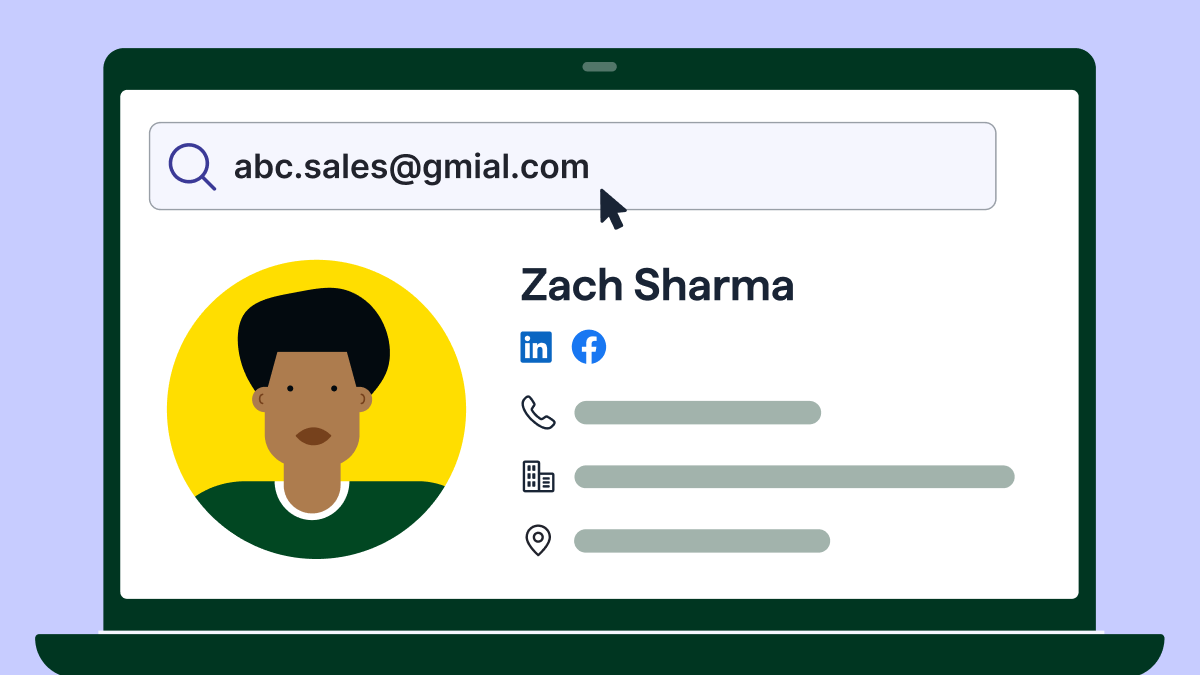
Email reverse lookup tool free options exist, but they come with serious limitations. If you're just doing a quick one-off check, they're fine.
But if you're building lead lists or running outreach campaigns, free tools won't cut it.
What you'll actually get from free tools:
- Basic name associated with the email
- Company domain and website
- Maybe a LinkedIn profile or basic social links
What you won't get:
- Accurate phone numbers
- Detailed job titles or seniority levels
- Verified, deliverable email addresses
- Comprehensive company data or firmographics
Free tools are good for spot checks—like verifying a single contact or doing light research.
But if you're prospecting at scale or need reliable data for cold email campaigns, you'll hit limits fast. Most free tiers cap you at 25-50 searches per month, and the data quality isn't always guaranteed.
Free tools worth trying:
- Hunter.io Free Plan: 25 email searches and 50 verifications per month—solid for testing the waters.
- Lusha Free Tier: 70 credits per month with access to the browser extension.
- FindThatLead Free Lookup: Basic email search with limited monthly credits.
Bottom line: email reverse lookup tool free options are fine for light use, but if you're serious about outreach, invest in a paid tool. The time you save and the data accuracy you gain are worth it.
Free OSINT Methods to Look Up an Email Without a Paid Tool
If you're doing a one-off lookup and don't want to burn credits or pay for a subscription, there are several manual techniques that work surprisingly well. These come from the OSINT (open-source intelligence) world, but they're straightforward enough for any sales or marketing team to use.
Google dorking — the simplest free lookup
Take the email address and search it in quotation marks on Google.
Google will surface any page where that exact address appears publicly — LinkedIn profiles, forum posts, blog comments, press releases, event registrations, and more. It's not exhaustive, but it's instant and free. This works best for business emails tied to a company domain.
The Google Calendar trick
This one is less known but genuinely useful. Create a Google Calendar event and add the email address as a guest. Before you send any invite, Google will often display the linked Google account's profile name and photo right there in the invite UI.
You're not sending anything. You're just previewing the guest field. If the email is tied to a Google account, you'll see the real name attached to it — which you can then use to cross-reference on LinkedIn or confirm identity. It works on Gmail and Google Workspace addresses specifically.
LinkedIn contact import
If you have access to a LinkedIn account, you can upload a CSV of email addresses through LinkedIn's contact import feature. LinkedIn will try to match those addresses to existing profiles and may surface "People You May Know" recommendations based on the matches it finds.
This isn't a guaranteed method, and LinkedIn has tightened this feature over time — but it's worth trying for individual lookups when other methods don't surface enough.
WHOIS lookup for custom domain emails
If the email has a custom domain (company.com rather than gmail.com), run the domain through a WHOIS lookup tool like whois.domaintools.com or simply search "WHOIS [domain]" in Google.
Domain registration records often reveal the company name, registrant city, and sometimes the name of the person who registered it. For smaller businesses especially, the registrant is often the founder or owner — which gives you an identity lead even when nothing else does.
HaveIBeenPwned
HaveIBeenPwned (haveibeenpwned.com) is a free tool designed for data breach awareness. Enter an email address and it tells you which data breaches that address has appeared in — and which platforms the email is registered on.
This isn't about exploiting breached data. What it tells you is which services the email is actively tied to — LinkedIn, Dropbox, Adobe, and so on. That reveals the person's digital footprint and confirms the email is real and in use, even when lookup tools return nothing.
None of these methods replace a solid paid tool for outreach at scale. But for individual lookups, vetting, or simply confirming that an email belongs to a real person before you reach out — they're genuinely effective.
How to Use Reverse Email Lookup Tools for Cold Email Personalization
Generic cold emails get ignored. If you want replies, you need to make your outreach feel human—and that starts with knowing who you're actually talking to.
That's where reverse email lookup tools become your secret weapon.
Identify the person behind the email
Before you hit send, use a reverse email lookup tool to confirm there's a real person on the other end. You'll get their full name, job title, company, and sometimes even their LinkedIn profile. No more "Hi there" or guessing if you're emailing the right person.

Pull job title, company, and LinkedIn for personalization
Once you know their role and company, you can craft a first line that actually resonates. Instead of "I help companies grow," you can say, "Saw you're leading demand gen at [Company]—curious how you're handling attribution with multiple campaigns running."
That's the difference between getting deleted and getting a reply.
Check These: 13+ Sample Emails to Approach New Clients (Proven Templates + Tips)
Use insights to create strong first lines
The best cold emails start with something specific. Reverse email lookup tools give you the intel to reference their role, recent company news, or mutual connections. It shows you did your homework and aren't just blasting the same template to 500 people.
Might Help: How to Write Cold Emails That Get Replies (Complete Guide)
Improve segmentation by role, industry, company size
Not all leads are the same. With enriched data from reverse email lookup tools, you can segment your list by job title, seniority, industry, or company size—and tailor your messaging accordingly. A VP at a 500-person company has different pain points than a founder at a 10-person startup.

Avoid bad emails → protect deliverability → increase open rates
Sending to invalid or fake emails tanks your sender reputation and lands you in spam. Reverse email lookup tools verify contacts upfront, so you're only emailing real, deliverable addresses. That keeps your domain clean, your open rates high, and your emails actually reaching inboxes.
Reverse email lookup tools turn random email addresses into real people with context—and that's how you write cold emails that actually get opened and replied to.
Must See: Tactics to Improve Email Deliverability and Reduce Spam
Common Mistakes to Avoid When Using Reverse Email Lookup Tools
Reverse email lookup tools are powerful, but they're not foolproof. A lot of teams make avoidable mistakes that waste time, hurt deliverability, or even land them in legal hot water. Here's what to watch out for:
❌ Relying on one tool only
No single reverse email lookup tool has perfect data coverage. One might have great LinkedIn info but miss phone numbers. Another might excel at smaller companies but lack Fortune 500 contacts. Cross-reference tools when accuracy matters, especially for high-value prospects.
❌ Not verifying emails after lookup
Just because a tool gives you an email doesn't mean it's deliverable. People change jobs, companies rebrand, domains get updated. Always run emails through a verification step before adding them to your outreach list. Sending to bad addresses kills your sender reputation fast.

❌ Assuming all data is accurate
Even the best reverse email lookup tools pull from outdated sources sometimes. Job titles change. People get promoted. Companies get acquired. Don't take every data point as gospel—do a quick sanity check, especially for high-priority leads.
❌ Over-personalizing using outdated info
Nothing's worse than referencing someone's old role or a company they left two years ago. It screams "I didn't do my research." If you're pulling data from a reverse email lookup tool, verify it's current before you weave it into your cold email. A quick LinkedIn check takes 10 seconds.
❌ Using lookup tools without following data compliance guidelines
GDPR, CCPA, CAN-SPAM—these aren't suggestions. If you're scraping contact data and blasting emails without consent or opt-out options, you're opening yourself up to fines and legal trouble. Make sure the reverse email lookup tool you're using is compliant, and always follow email regulations in the regions you're targeting.
Reverse email lookup tools are only as good as how you use them. Verify your data, stay compliant, and don't assume everything you find is accurate. A little extra diligence goes a long way.
How Cleverly Uses Reverse Lookup + Data Enrichment to Power Cold Email Campaigns
Look, you can have all the reverse email lookup tools in the world—but if you don't know how to turn that data into qualified meetings, it's just noise.
That's where we come in.
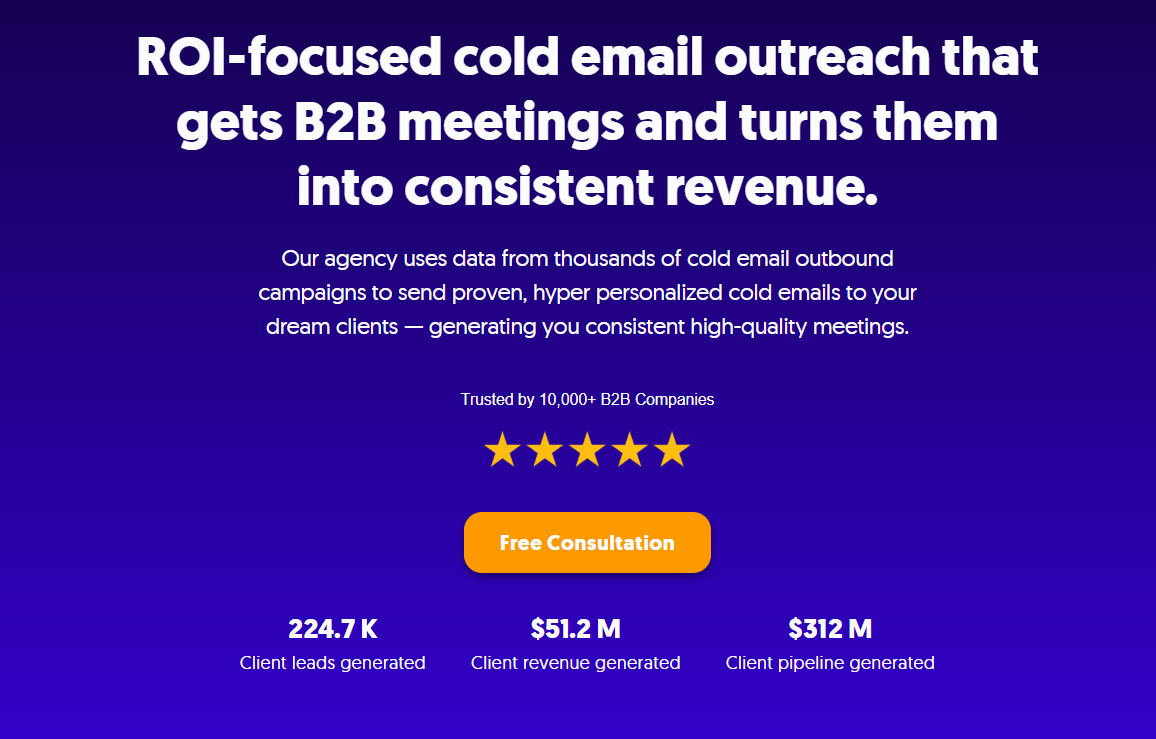
At Cleverly, we've helped 10,000+ clients generate leads with companies like Amazon, Google, Uber, PayPal, Slack, and Spotify.
…The result? $312 million in pipeline revenue and $51.2 million in closed revenue.
As a cold email agency:
- We don't just find emails—we find the right people.
- We write emails that get replies, not deleted.
- You only pay for meeting-ready leads.
If you're tired of burning time and money on cold email campaigns that go nowhere, let's talk.
We'll handle the prospecting, the outreach, and the follow-ups—you just show up to the meetings.
🚀 Book a strategy call with Cleverly →
Conclusion
Finding the right reverse email lookup tool can be the difference between cold emails that convert and campaigns that flop.
The key is knowing what you're looking for. If you're doing light prospecting, free tools like Hunter or Lusha might be enough.
But if you're running serious outreach campaigns, investing in a paid reverse email lookup tool with high accuracy and verification is non-negotiable.
If you want to skip the trial-and-error and work with a team that's already cracked the code on cold email, we're here. At Cleverly, we've turned reverse lookup and data enrichment into an art form—and we only charge you for the qualified leads that land in your calendar.
Ready to stop guessing and start booking meetings? Let's make it happen.

Frequently Asked Questions
Free Resource
How to Scale a Profitable Cold Call System
Get the complete guide — download it instantly now.

Free Ebook
Download the Free Guide
Enter your details to get instant access.
You're all set! 🎉
Your ebook is downloading now.
Click below if the download didn't start automatically.