Table of Contents
What Are LinkedIn Smart Links?
How to Create a LinkedIn Sales Navigator Smart Link
What Smart Link Analytics Actually Show You
How to Use Smart Links to Boost Outreach Performance
Where to Use Smart Links Across the Sales Cycle
Common Mistakes When Using LinkedIn Smart Links
How Cleverly Uses LinkedIn Smart Links in B2B Outreach Campaigns
Conclusion
Frequently Asked Questions
Modified On :
August 17, 2026
Key Takeaways
- LinkedIn Smart Links turn a static file share into a live engagement signal, showing you exactly who opened your content and for how long.
- You can package up to 15 assets (PDFs, decks, videos, images, or URLs) into a single trackable link, available only on Sales Navigator Advanced and Advanced Plus.
- The real value isn't the link itself. It's using the analytics (opens, time spent, forwards) to time your follow-up messages.
- Generic, one-size-fits-all Smart Links sent to every prospect kill engagement fast. Personalization by role or pain point is what makes them work.
- Smart Links perform best as part of an ongoing outreach sequence, not a one-time send you forget about.
You send a PDF to a prospect on LinkedIn. Then you wait. You have no idea if they opened it, skimmed it, or deleted it without a second glance. That guessing game is exactly what LinkedIn Smart Links were built to fix.
Sales teams are under more pressure than ever to prove pipeline impact from every touchpoint. Buying committees now average multiple stakeholders per B2B deal, and outreach that isn't backed by real engagement data tends to get lost in the noise.
A Smart Link solves this by turning any shared file into a trackable, single-link experience. You see who viewed it, what they clicked, and how long they stayed.
This guide covers what LinkedIn Sales Navigator Smart Links are, how to create one step by step, how to actually read the analytics, and how to turn that data into faster, sharper follow-ups.
If you're an SDR, sales rep, or founder running LinkedIn outreach and tired of sending content into a black hole, this one's for you.
What Are LinkedIn Smart Links?
LinkedIn Smart Links are a Sales Navigator feature that let you package content like PDFs, slide decks, images, videos, or website URLs into one shareable, trackable link.
Instead of attaching five different files across five different messages, you consolidate everything into a single clean link.
This feature is only available on Sales Navigator Advanced and Advanced Plus plans. If you're on the Core plan, you won't see the Smart Links tab at all.
Here's what makes them different from a regular attachment:
- Recipients view the content directly in their browser. No downloads, no login walls, no friction.
- You can share it anywhere: LinkedIn messages, InMail, email, or even a LinkedIn post.
- You can bundle up to 15 documents into a single link, so your outreach stays simple on the surface while giving you detailed engagement data underneath.
Think of it less like an attachment and more like a mini landing page you control, built entirely inside your Sales Navigator workflow.
🎯 More Clicks Are Good. More Replies Are Better.
Our LinkedIn outreach campaigns generate 15–30 qualified meetings every month with targeted, personalized messaging.
How to Create a LinkedIn Sales Navigator Smart Link
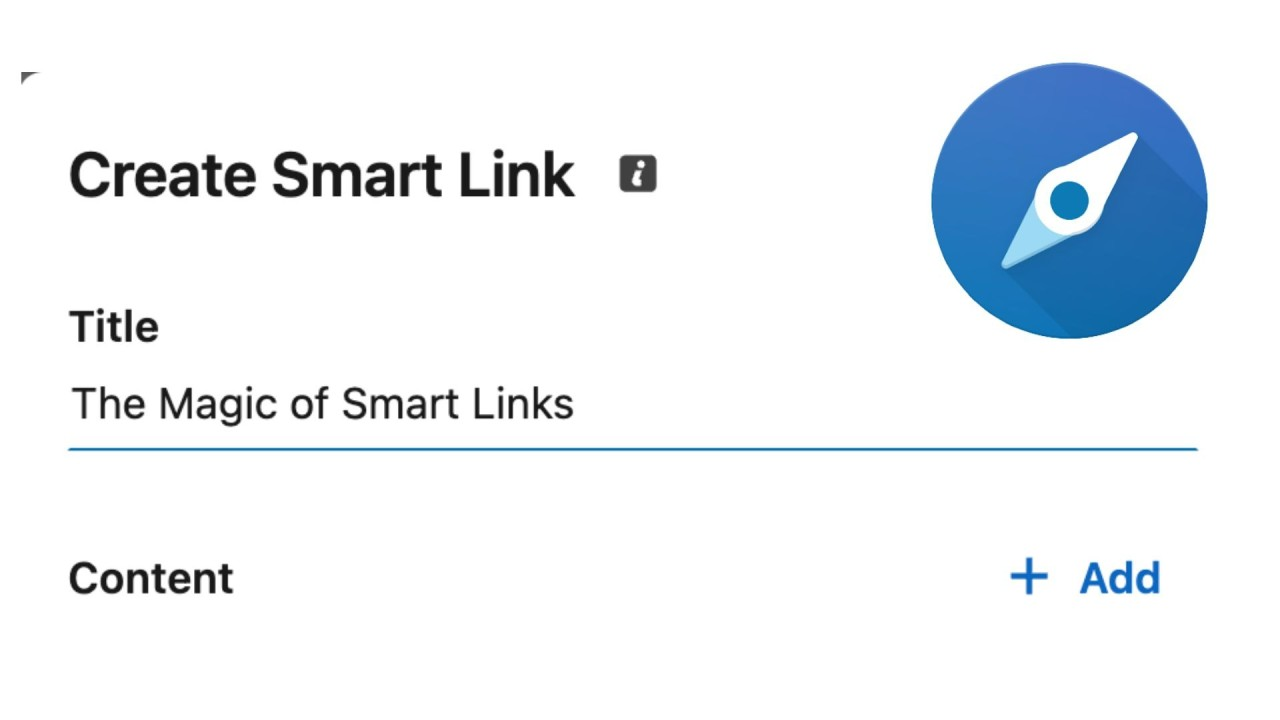
Creating your first Smart Link takes less than five minutes. Here's the process:
Step 1: Open the Smart Links tab. Sign in to Sales Navigator and find "Smart Links" in the top menu.
Step 2: Click "+ New Smart Link." This opens a panel where you'll build out your link.
Step 3: Add a title and pick your content type. Choose from PDF, slide deck, image, video, or a website URL from the dropdown.
Step 4: Upload your content and preview it. Take a minute to check formatting before sending. Once it's live, you can't easily undo a bad first impression.
Step 5: Share it. Copy the generated link and send it through a LinkedIn message, InMail, email, or drop it into a post.
Pro tip: Build a small library of Smart Link templates for your most common use cases (case study, pricing overview, demo video) so you're not building from scratch every time you need one.
What Smart Link Analytics Actually Show You
This is where Smart Links earn their keep. Once a prospect opens your link, you get real data, not guesses.
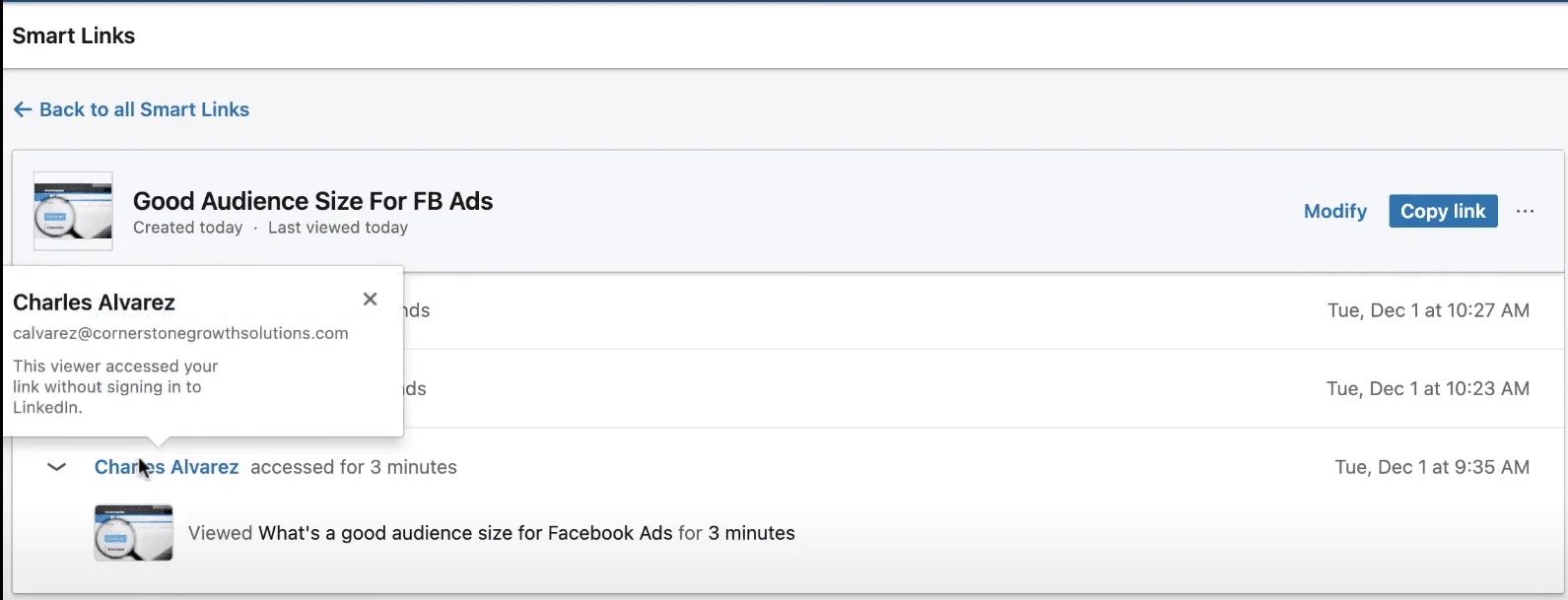
Here's what shows up in your dashboard:
- Who viewed the link and when. No more wondering if your message even got opened.
- Time spent on each piece of content, including whether they scrolled past specific pages or stopped somewhere and lingered.
- Whether the link got forwarded to a colleague. This is one of the strongest buying-committee signals you can get. It means someone else in the org is now looking at your content too.
- Real-time notifications when a prospect opens or comes back to re-engage with what you sent.
The bigger point here: this data tells you who's actually warm. Not who replied fastest, not who seemed nice in the DMs. Who's putting in time with your content. That's a much more reliable signal than gut feel.
🚀 Turn LinkedIn Outreach Into Real Pipeline
With 224.7K+ leads generated, $312M+ in pipeline, and 53,000+ meetings booked, Cleverly helps 10,000+ businesses grow through done-for-you LinkedIn outreach.
How to Use Smart Links to Boost Outreach Performance
The link itself is just packaging. These are the tactics that turn it into a real outreach advantage.
Personalize Content to the Specific Prospect
A single generic Smart Link sent to your entire list is the fastest way to kill engagement. Match the content to whatever pain point or interest came up during your conversation. If they mentioned scaling issues, send the case study that solves that. Rotate formats too. Some prospects respond better to a short video, others prefer a written case study or infographic.
Write Descriptive, Action-Oriented Titles
The title is often the very first thing a prospect sees before they even click. "Deck.pdf" tells them nothing. "How [Similar Company] Cut Onboarding Time by 40%" tells them exactly why it's worth their time.
Use Engagement Data to Time Follow-Ups
When someone opens your link, views a specific section, or spends real time on a resource, that's your cue to follow up. Don't send a generic "just checking in." Reference the actual behavior: "Noticed you spent a while on the pricing page, happy to walk through it if useful." This lands completely differently than a cold nudge.
Keep Content Focused, Not Overloaded
Just because you can add 15 files doesn't mean you should. Stay on theme. A focused, single-purpose Smart Link built around one clear message outperforms a catch-all resource dump every time.
Where to Use Smart Links Across the Sales Cycle
Smart Links aren't a one-stage tool. You can use them at nearly every point of your outreach:
- Cold outreach: Attach a relevant case study or a tight one-pager instead of opening with a pitch that has zero context behind it.
- Post-connection follow-up: Once someone accepts your connection, share a more targeted resource based on their role or something they mentioned.
- Pre-meeting: Send a Smart Link before a call to prime the conversation and set expectations.
- Post-meeting: Follow up with a link that reinforces the key points you covered.
And because Smart Links work across channels, you're not locked into LinkedIn messages alone. Private messages, InMail, email, and even public posts can all carry a Smart Link.
Common Mistakes When Using LinkedIn Smart Links
A few habits quietly kill the effectiveness of this feature:
- Sending the same generic Smart Link to everyone, regardless of their role, industry, or where they are in the buying process.
- Vague titles that don't tell the prospect anything about what they're about to open.
- Ignoring the analytics. Collecting engagement data is pointless if you never act on it with a timely follow-up.
- Overloading a single link with too many unrelated assets instead of keeping it focused on one message.
- Treating it as a one-time send instead of building it into your ongoing follow-up sequence.
Most of these come down to the same root issue: Smart Links are treated as a checkbox instead of an active part of the sales process.
How Cleverly Uses LinkedIn Smart Links in B2B Outreach Campaigns
Smart Links work best when they're paired with a consistent, well-targeted outreach sequence, not used as a one-off tactic dropped into a random message. That's the piece most teams miss. The link is easy to create. Following through on the data it generates, day after day, campaign after campaign, is the hard part.
As a LinkedIn outreach agency, we build multi-touch campaigns that incorporate content-sharing and engagement-tracking tactics like Smart Links to identify which prospects are genuinely warm and worth prioritizing.
Engagement data only creates value if someone is actively watching it and following up at the right moment. That's the part our team manages as a standing part of every campaign we run.
What's included: targeted content sequencing, engagement-based follow-up, and ICP-aligned outreach managed end-to-end so nothing falls through the cracks.
This approach is part of why we've generated over $312M in pipeline for clients across LinkedIn and cold email combined. It's built for B2B companies that want tactics like Smart Links executed consistently, not run inconsistently by whoever has bandwidth that week.
Want LinkedIn outreach that uses engagement data to time every follow-up? Book a strategy call with Cleverly!
Conclusion
Smart Links turn a one-way content share into a two-way engagement signal. You stop guessing whether someone opened your message and start seeing exactly who's interested, what they looked at, and when.
The real value isn't the link itself. It's what you do with the analytics: a timely, personalized follow-up that references actual behavior instead of a generic check-in.
Keep your content focused, keep it specific to the prospect, and treat Smart Links as an ongoing part of your outreach sequence rather than a one-off tactic. Do that consistently, and this small feature becomes one of the sharper tools in your LinkedIn prospecting kit.
Frequently Asked Questions
Free Resource
How to Scale a Profitable Cold Call System
Get the complete guide — download it instantly now.

Free Ebook
Download the Free Guide
Enter your details to get instant access.
You're all set! 🎉
Your ebook is downloading now.
Click below if the download didn't start automatically.