Table of Contents
What Is LinkedIn Mass Messaging?
LinkedIn Mass Messaging Limits You Need to Know in 2026
How to Send Mass Messages on LinkedIn Manually (Without Getting Flagged)
How to Send Mass Messages on LinkedIn Using Automation Tools
How to Send Mass Messages on LinkedIn Sales Navigator
LinkedIn Mass Messaging Best Practices to Avoid Getting Banned
How Cleverly Uses LinkedIn Mass Messaging to Generate Qualified B2B Leads
Conclusion
Frequently Asked Questions
Modified On :
September 18, 2026
Key Takeaways
- LinkedIn mass messaging works in 2026 — but the platform's algorithm now flags volume spikes, repetitive copy, and low reply rates faster than ever before.
- Safe weekly limits sit at 100 messages for free accounts and 150 for Premium or Sales Navigator users — stay 20–30% below those caps to avoid triggering restrictions.
- Sending a high volume of identical messages is the fastest way to land in "LinkedIn jail" — segmentation and personalization are what separate scalable outreach from spam.
- Sales Navigator doesn't have a native bulk send feature — the right workflow is to build your list there, then pair it with a cloud-based automation tool for actual sequencing.
- Cloud-based automation tools are significantly safer than browser extensions for sustained outreach — but no tool eliminates ban risk entirely.
- The teams consistently booking more meetings on LinkedIn aren't sending more messages — they're sending better ones to tighter audiences.
LinkedIn is the most powerful B2B prospecting channel on the planet right now. Over 1.3 billion professionals are on the platform, and LinkedIn generates 75–85% of all B2B social media leads — more than every other social channel combined.
But what most SDRs and founders run into fast: scaling LinkedIn outreach manually is slow, inconsistent, and unsustainable. So they start looking for ways to message more people, faster. And that's where things go sideways.
LinkedIn mass messaging has a bad reputation — but the problem isn't volume. It's how teams go about it. 23% of automation users face account restrictions within 90 days, and LinkedIn's detection systems have become significantly more sophisticated in 2026.
That risk is real. But it's avoidable with the right approach.
This guide covers everything: LinkedIn's native limits, how to manually scale outreach, how to use Sales Navigator for targeted campaigns, which automation tools are worth considering, and the best practices that keep your account safe while your pipeline grows.
What Is LinkedIn Mass Messaging?
LinkedIn mass messaging means running a campaign-based, structured outreach effort to a large group of prospects — not blasting a generic "Hey, let's connect!" to everyone in your network.
Done right, it's relevance-first, ICP-focused, and paced to look human. Done wrong, it's what gets accounts banned.
The distinction matters. Spam is high volume + low relevance. Smart mass messaging is high relevance + controlled volume + proper targeting. The platform penalizes the first. It rewards the second.
Can You Actually Send Mass Messages on LinkedIn Natively?
Yes — with caveats. LinkedIn gives you a few native tools for broader outreach:
- Connection requests with personalized notes (up to 300 characters on Premium)
- Direct messages to 1st-degree connections
- Group messages to up to 50 connections at once
- InMails for reaching 2nd and 3rd-degree connections (credit-based)
- LinkedIn Events and Groups for broader organic reach before going to DMs
What LinkedIn doesn't offer natively is a bulk send button. There's no "select all and message" feature. If you want to reach 500 people with a sequenced campaign, you're either doing it one at a time manually — or you're using a third-party tool.
🚀 Scale Outreach Without Getting Banned
We run safe, compliant LinkedIn outreach that actually books meetings. Starting at just $397/mo—done for you.
LinkedIn Mass Messaging Limits You Need to Know in 2026
Why LinkedIn Enforces Limits — and How the Algorithm Detects Overreach
LinkedIn's limit system exists for three reasons:
- Preventing spam
- Blocking bots and fake accounts
- Keeping the platform a professional networking environment rather than a broadcast channel
The enforcement isn't just about hitting a number. LinkedIn monitors behavioral patterns — rapid-fire actions, identical message templates, suspicious login behavior, and unusually low reply rates.
Accounts sending high-volume outreach with reply rates consistently below 10–15% risk having messages routed to the "Other" inbox, profile reach suppressed in search results, and organic content distribution reduced.
That last part is critical. You can hit all the "safe" volume thresholds and still get quietly suppressed if your reply rates are poor.
Native LinkedIn Limits by Account Type
LinkedIn typically allows 100–200 connection requests per week. There is no strict cap on direct messages to 1st-degree connections, but practical daily and weekly boundaries apply.
A clean breakdown:
Safe Daily Thresholds Practitioners Actually Use
Based on practitioner-tested ranges across 2025–2026:
- Connection requests: 20–30/day for free accounts; 30–40/day for Sales Navigator
- Direct messages to 1st-degree connections: 50–100/day for established accounts
- Total actions per day: Stay under 250 across all activity types combined
📌 Pro tip: Never max out your limit. If your limit is 100, send 70. Leave a margin for organic activity.
The SSI Score Factor
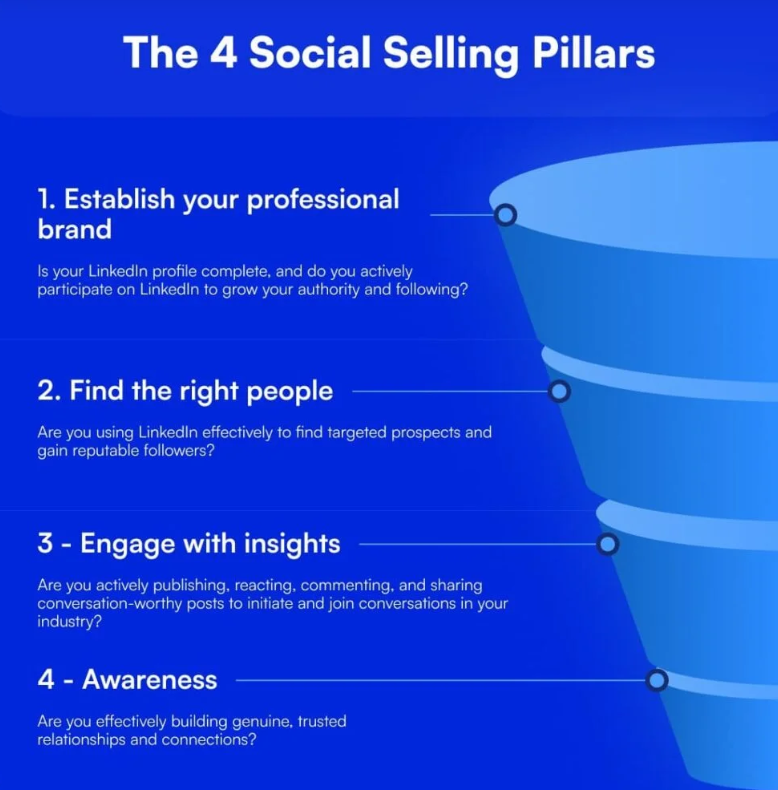
Your Social Selling Index (SSI) score directly affects how much LinkedIn trusts your account — and by extension, how much volume you can sustain safely. Reps with high SSI scores generate 45% more opportunities and are 51% more likely to hit quota.
A strong SSI (65+) signals legitimate behavior to LinkedIn's algorithm and unlocks higher safe thresholds. Accounts with high SSI and acceptance rates above 40% can sustain significantly more outreach before getting flagged.
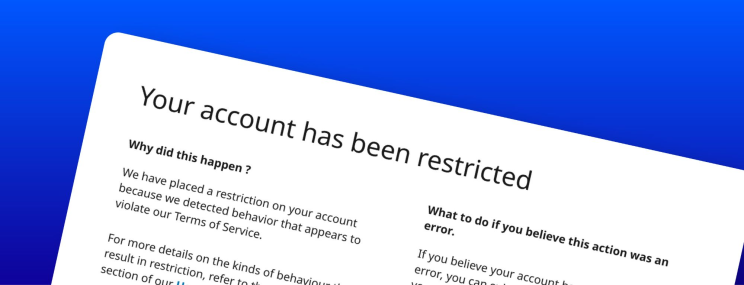
What Triggers a Restriction — and What "LinkedIn Jail" Actually Looks Like
The behaviors that reliably trigger restrictions:
- Sudden volume spikes after a dormant period
- Low acceptance rates (below 30% on connection requests)
- Sending identical messages to large audiences
- Rapid-fire actions in short timeframes (looks like bot behavior)
- Multiple spam reports from recipients
A "LinkedIn Jail" restriction typically lasts from 24 hours to several days for first-time or minor violations. For second blocks or more severe infractions, the restriction may be indefinite until LinkedIn Support manually reviews your account.
Shadow bans are different — and sneakier. Your account looks normal to you, but your messages are being quietly routed to the "Other" folder or your outreach is suppressed in search. You won't get a notification. You'll just notice your reply rates drop off a cliff.
How to Send Mass Messages on LinkedIn Manually (Without Getting Flagged)
When Manual Outreach Makes Sense
Manual mass messaging works well for smaller lists (under 200 prospects), high-value accounts where personalization is essential, or warmer audiences where you already have some connection or signal.
It's slower — but it carries essentially zero ban risk when done within limits.
Method 1: Group Messaging
LinkedIn lets you message up to 50 of your 1st-degree connections at once through the native group message feature. It's found under the messaging tab.
The catch: everyone in the group can see each other and each other's replies. This works fine for alumni groups or event-based outreach — it's not ideal for cold prospecting where you want each conversation to feel individual.
Method 2: Filtered Connection Outreach
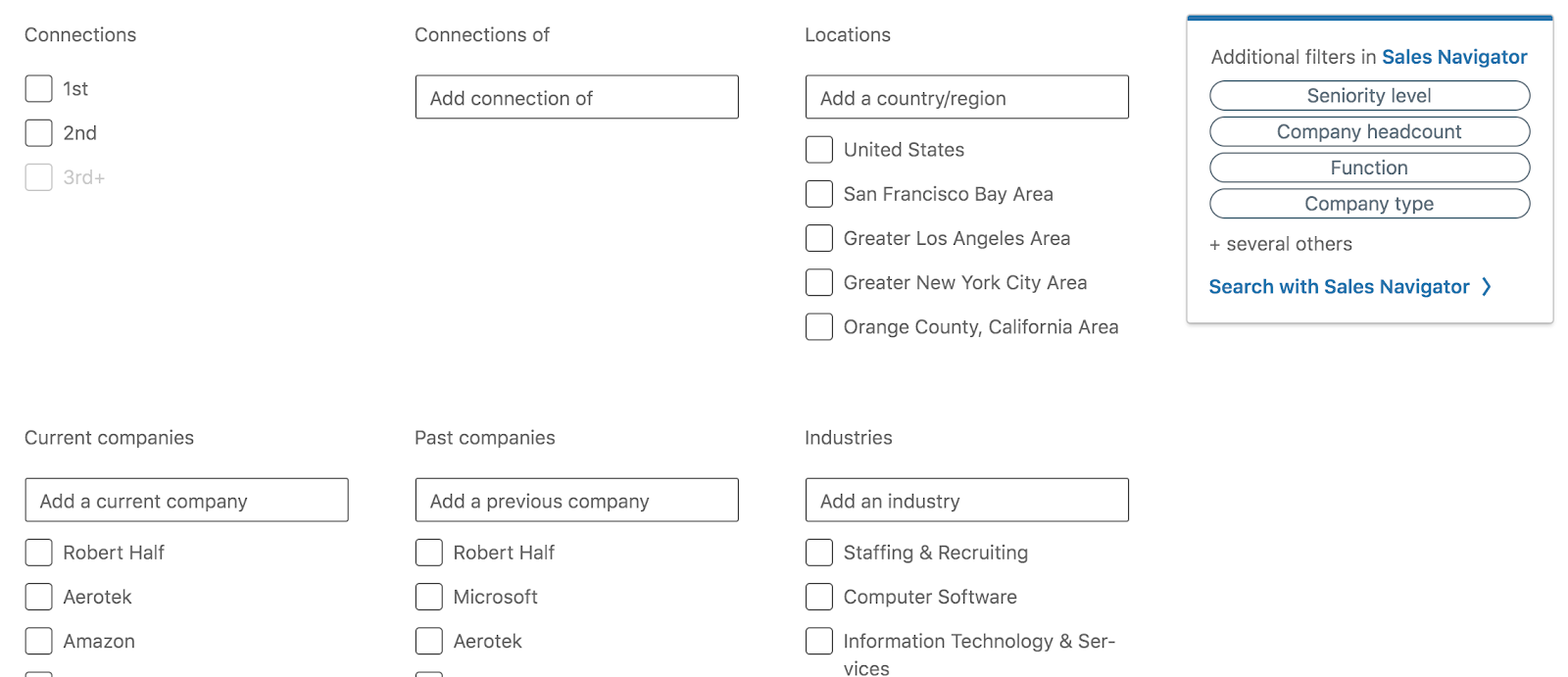
Use LinkedIn's native search to filter your existing connections by job title, company, location, or industry. Then work through the list systematically with a template you're personalizing per person.
The key is tweaking the opening line for each send — referencing a recent post, a role change, a mutual connection, or a company milestone. Even small personalization signals dramatically improve reply rates and tell LinkedIn's algorithm this is genuine outreach.
Method 3: Groups and Events as a Warm-Up Channel
Before going straight to DMs, consider warming up the relationship through LinkedIn Groups and Events. Comment on posts. Engage with their content. Then reach out directly with the context of that interaction.
Warm outreach — where you have engaged with a prospect's content and built familiarity first — consistently outperforms cold outreach by 2–3x.
Rules That Keep Manual Outreach Safe
- Stagger your sends throughout the day — don't send 50 messages in 30 minutes.
- Rotate your message copy every 2–3 days.
- Always personalize the opening line, even with a template base.
- Never pitch in the connection request itself — lead with relevance.
🔥 More Messages. More Replies. More Deals.
10,000+ clients generated pipeline with Cleverly. We handle outreach, replies & booking—you just close.
How to Send Mass Messages on LinkedIn Using Automation Tools
Why Automation Becomes Necessary at Scale
At some point, manual outreach hits a ceiling. You can only send so many thoughtfully LinkedIn personalized messages in a day before it consumes your entire calendar. That's when automation tools enter the picture.
The right tool doesn't blast messages. It mimics human behavior — randomized delays, gradual ramp-up, personalization variables, and smart reply detection that pauses sequences when someone responds.
Browser Extensions vs. Cloud-Based Tools
This is the most important distinction for account safety:
What Good LinkedIn Automation Tools Actually Do
The features worth caring about:
- ✅ Automatic respect for LinkedIn's daily limits
- ✅ Randomized send times and human-like delays between actions
- ✅ Dynamic personalization fields beyond just first name (company, title, recent activity)
- ✅ Smart reply detection that stops the sequence when someone responds
- ✅ CRM integration (HubSpot, Salesforce) for pipeline tracking
- ✅ Analytics: acceptance rates, reply rates, and drop-off by sequence step
Tools B2B Teams Use for LinkedIn Outreach at Scale
A few of the cloud-based tools practitioners rely on in 2026:
- Expandi — cloud-based, strong personalization, good for agencies
- We-Connect — simple UI, strong safety record, solid for SMB teams
- Reply.io — multichannel sequencing (LinkedIn + email + calls)
- LinkedFusion — cloud-based with CRM integrations
- SalesRobot — designed for LinkedIn-first outreach with AI messaging
- Snov.io — combines LinkedIn outreach with email sequencing and a built-in database
One thing to be clear about: No outbound automation tool can eliminate ban risk entirely because the activity itself is what LinkedIn penalizes. Safe limits and genuine personalization still matter regardless of which tool you use.
How to Send Mass Messages on LinkedIn Sales Navigator
What Sales Navigator Actually Is — and What It Doesn't Do
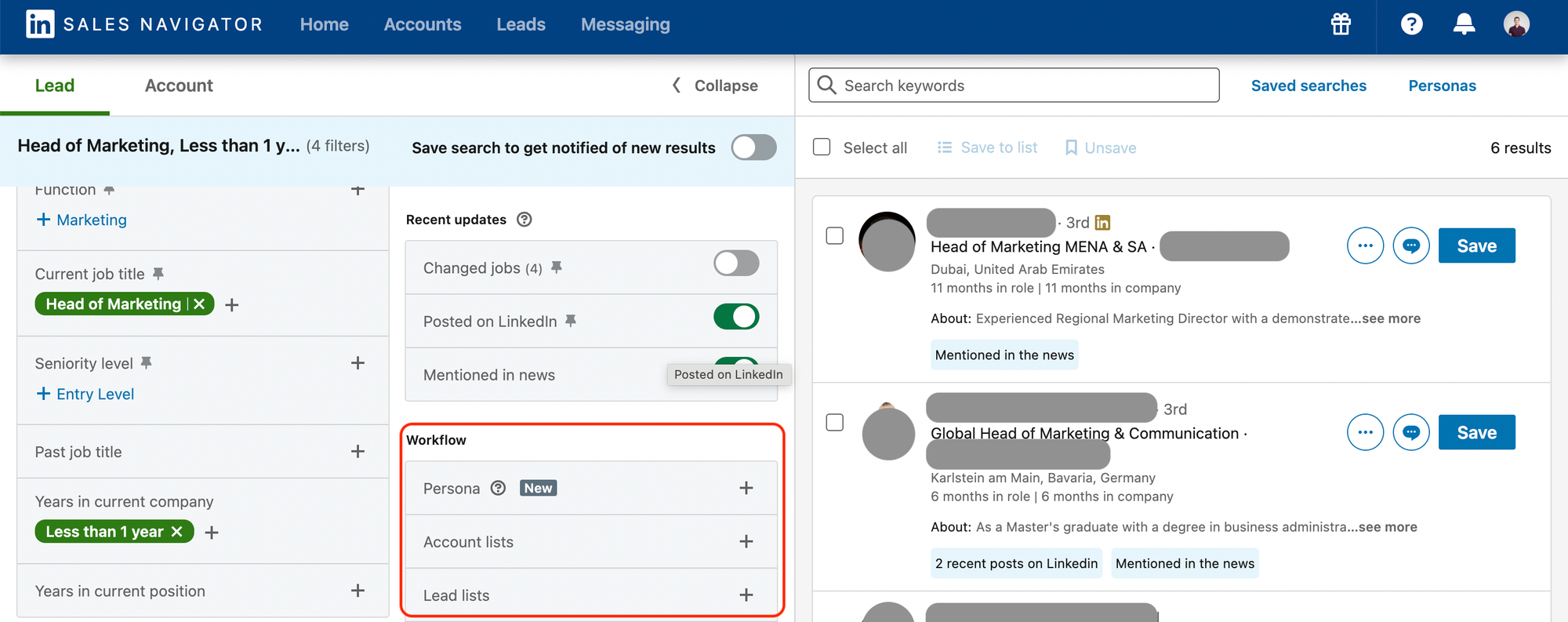
Sales Navigator is LinkedIn's premium prospecting platform. It gives you advanced search filters, InMail credits, and account tracking. What it does not have is a native bulk message send feature.
You cannot select 500 contacts in Sales Navigator and hit "send campaign." InMails cannot be sent in bulk directly from the platform. Many people assume Sales Navigator unlocks mass messaging — it doesn't. It unlocks better targeting for mass messaging done via third-party tools.
What Sales Navigator Does Offer for Scale
Where Sales Navigator genuinely earns its cost:
- 40+ advanced filters — title, seniority, company size, geography, tech stack, headcount growth, recent job changes, and more.
- InMail credits — reach prospects outside your network without a connection request (50 credits/month on core plans, with rollover).
- Sequences feature — available on certain plans, allows automated multi-touch outreach natively (still limited vs. third-party tools).
- Lead and account saving — organize your lists and track prospect signals over time.
- Measurable pipeline and win-rate lift. This is the part that's easy to miss when you're only looking at the filters. LinkedIn's own data shows Sales Navigator users see a 45% average increase in deal size and a 29% lift in sales opportunities. A Forrester study LinkedIn commissioned found similar direction at the enterprise level, reporting an 8% year-over-year revenue increase and a 17% improvement in win rates, though that data came from teams with dedicated SDRs on the Advanced Plus plan, so treat it as a ceiling rather than a baseline. Activity matters more than the license itself: sellers who take five or more actions in the platform each week report a 38% larger pipeline and 6% higher win rates, well above passive users.
Treat these as directional benchmarks, not guarantees. Sales Navigator earns its cost through better targeting, and that targeting only shows up in win rate and deal size when it's paired with consistent weekly use, not from the subscription sitting idle.
How InMails Work on Sales Navigator
InMails are direct messages to 2nd and 3rd-degree connections — people you're not yet connected with. They cost one credit per send, but the credit is refunded if the prospect replies — which incentivizes you to write messages people actually respond to.
InMail open rates average around 45% — higher than cold email. But reply rates on InMails are lower than personalized DMs to 1st-degree connections. They're best used for high-priority accounts, not mass campaigns.
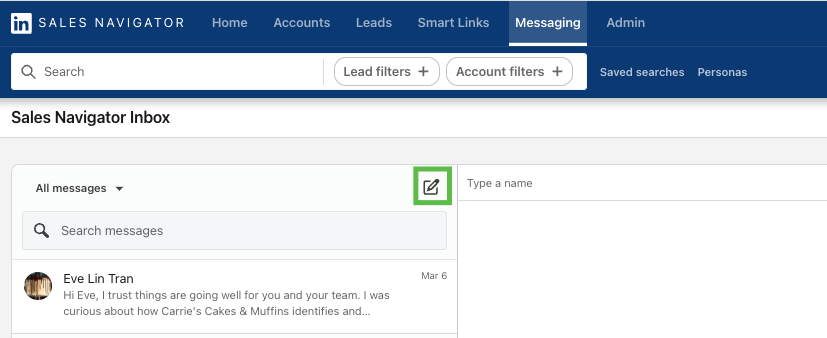
The Right Workflow: Sales Navigator + Third-Party Tool
Here's the actual process that works:
Step 1: Build your highly targeted list in Sales Navigator using advanced filters — title, company size, seniority, geography, and any relevant trigger events (recent funding, hiring activity, new role).
Step 2: Export or sync that list to your cloud-based automation tool (We-Connect, Reply.io, etc.).
Step 3: Launch a sequenced campaign with personalized connection requests, follow-up DMs, and InMail touchpoints — with smart delays and reply detection built in.
Step 4: Positive replies get handed off directly to your sales calendar.
Sales Navigator is the targeting engine. The third-party tool is the sending engine. They work together — neither replaces the other.
LinkedIn Mass Messaging Best Practices to Avoid Getting Banned
Before launching any campaign at volume, run through this checklist:
✅ Define your ICP sharply. Messaging relevance is your first line of defense against spam flags. Broad targeting = low acceptance rates = account restrictions.
✅ Segment your list. Group prospects by role, industry, company size, or pain point. Write messaging per segment — not one-size-fits-all copy.
✅ Warm up new accounts gradually. Start with 10–15 actions per day and build over 4–6 weeks. Sudden volume spikes are the fastest way to get flagged.
✅ Never pitch in the connection request. Lead with relevance — a specific observation, a mutual connection, a shared context. The ask comes later.
✅ Personalize beyond first name. Reference a recent post, a role change, company news, or a specific pain point relevant to their business. Even one personalized element outperforms pure templates.
✅ Keep it short. Longer isn't more persuasive on LinkedIn. It reads like a pitch, and pitches get skipped. Messages under roughly 300 to 400 characters, about 50 to 75 words, get meaningfully higher response rates than longer ones. Three or four sentences is usually enough: a reason you're reaching out, one relevant detail about them, and a low-friction ask.
✅ Space out follow-ups. Wait 3–5 days between touches. Follow-ups sent too quickly feel aggressive and drive down reply rates — which harms your account health score.
✅ Rotate message templates. Never send identical copy to large volumes of prospects. Vary your opening lines, value props, and CTAs across your list segments.
✅ A/B test your outreach messages. Rotating templates is a start. Testing them systematically is what tells you which one to actually keep sending.
Change one variable at a time: the opener, the CTA, or the tone. Change all three at once and you'll know something worked, not what worked.
Split your segment evenly and run both versions at the same time, not one after the other. Sending version A this month and version B next month means you're also testing seasonality and whatever else shifted in between, not just your copy.
Be clear about what you're measuring. Acceptance rate and reply rate are two different tests. A stronger connection note can lift one without touching the other, so track them separately.
Once you have a clear winner, use it. The point of testing isn't a report that sits in a spreadsheet. Roll the winning variant out to the rest of the segment, then start the next test.
✅ Use cloud-based tools. They're significantly safer for sustained campaigns than browser extensions.
✅ Monitor acceptance and reply rates weekly. Low acceptance is a targeting problem. Low reply rates are a messaging problem. Both hurt your account standing with LinkedIn's algorithm.
✅ Respond to replies within 24 hours. Fast responses signal engagement quality to LinkedIn and build the conversation momentum that actually books meetings.
The Do's and Don'ts Every B2B Team Should Follow
How Cleverly Uses LinkedIn Mass Messaging to Generate Qualified B2B Leads
Scaling LinkedIn outreach in-house is harder than it looks. Targeting, copywriting, daily management, limit monitoring, and reply handling are all separate disciplines — and getting any one of them wrong undermines the rest.
At Cleverly, we handle the entire system end-to-end. Our LinkedIn lead generation service starts with ICP-defined targeting — using Sales Navigator's advanced filters to build verified, segmented prospect lists around your exact buyer profile.
We don't spray generic messages at broad audiences. Every campaign is built around relevance.
We write personalized connection request and follow-up sequences that speak directly to each prospect's role and pain points, not templates swapped with a first name. Outreach is paced within LinkedIn's safe limits — protecting your profile while maximizing volume. Reply detection pauses sequences the moment a prospect responds, so positive conversations always get a fast, human handoff to your team.
The result isn't just a high connection count. It's qualified meetings with the right decision-makers — booked, documented, and handed directly to your calendar.
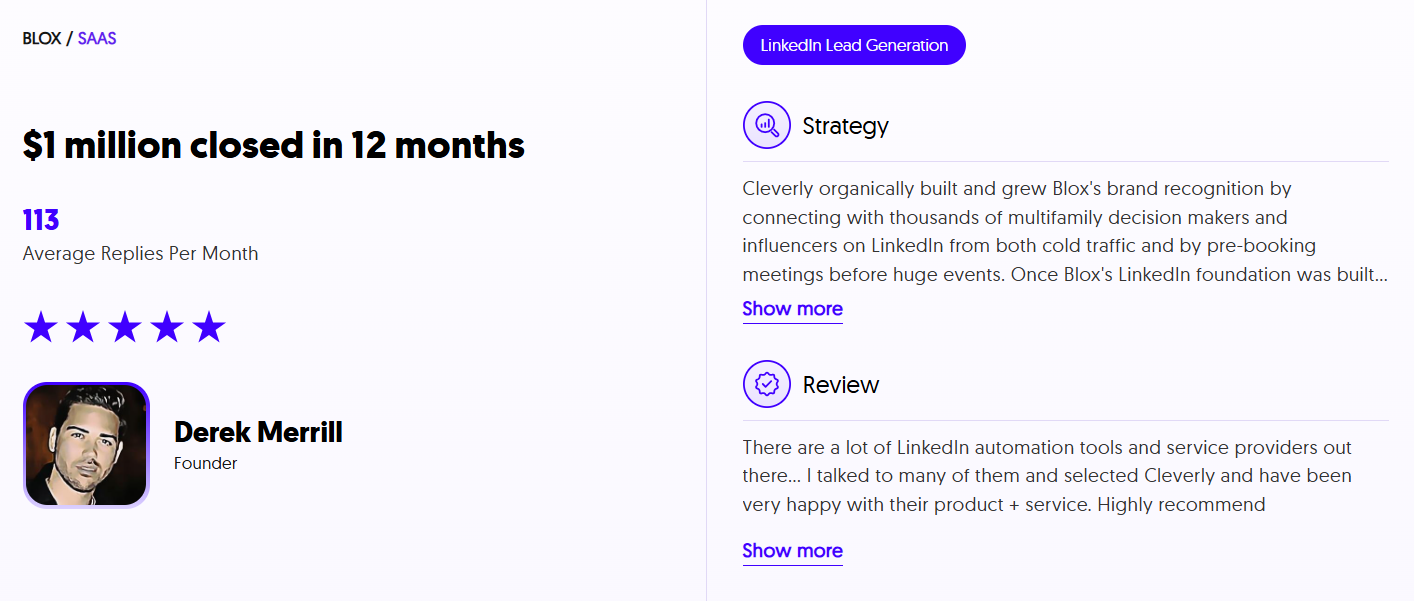
We've helped 10,000+ B2B companies generate $312M in pipeline and set 53,000+ appointments across LinkedIn, cold email, and cold calling.
If you want LinkedIn outreach done safely at scale — without risking your account or wasting time on unqualified conversations — book a strategy call with Cleverly and we'll show you exactly how we'd approach your outbound.
Conclusion
LinkedIn mass messaging works in 2026 — but only when it's built on the right foundation: sharp ICP targeting, genuine personalization, safe pacing, and consistent follow-up.
Volume without targeting is the fastest path to getting restricted and generating low-quality conversations nobody wants to have. The winning formula hasn't changed: reach fewer people with more relevant messages, and your reply rates — and LinkedIn account health — will both reflect it.
The teams consistently outperforming on LinkedIn aren't the ones sending the most messages. They're the ones treating it like a relationship channel, not a broadcast tool.
Frequently Asked Questions
Free Resource
How to Scale a Profitable Cold Call System
Get the complete guide — download it instantly now.

Free Ebook
Download the Free Guide
Enter your details to get instant access.
You're all set! 🎉
Your ebook is downloading now.
Click below if the download didn't start automatically.