Modified On :
October 14, 2026
Key Takeaways
- LinkedIn AI tools can save hours by automating profile optimization, content creation, and outreach.
- Using an AI tool for LinkedIn post creation helps you stay consistent and build authority faster.
- AI tools for LinkedIn profile optimization improve visibility in searches and attract the right audience.
- Personalization powered by AI tools for LinkedIn lead generation leads to higher response rates.
- Analytics-driven tools ensure your LinkedIn content strategy is backed by real data, not guesswork.
- The best approach is combining AI efficiency with genuine human connection for long-term results.
LinkedIn remains the #1 platform for networking and B2B lead generation, but the way people use it has changed.
With so many professionals competing for attention, standing out requires more than just a polished profile and the occasional post.
That’s where LinkedIn AI tools come in. These tools take care of the heavy lifting, helping you personalize messages at scale, create engaging posts faster, and save hours each week on manual tasks.
Instead of spending time chasing leads or rewriting content, you can focus on building real connections.
The good news? There are AI tools for almost every LinkedIn activity:
- Profile optimization – making sure your page attracts the right audience.
- Networking and content – creating posts, summaries, and updates that actually get engagement.
- Outreach and lead generation – scaling your prospecting while keeping it personal.
Let’s walk you through the 10 best AI tools for LinkedIn in 2025, breaking down how they work, their standout features, and when you should use them.
Tools for LinkedIn Profile Optimization & Audience Understanding
Your LinkedIn profile is often the first thing people see before deciding whether to connect or reply. A well-optimized LinkedIn profile doesn’t just look good, it also helps you show up in more searches, attract the right audience, and build trust quickly.
That’s where AI tools for LinkedIn profile optimization come in handy.
These LinkedIn AI tools analyze everything from your headline and summary to your target audience, so you can make a stronger impression and reach the right people.
Here are some of the best tools to start with:
1. Crystal Knows – Personality Insights for Smarter Outreach
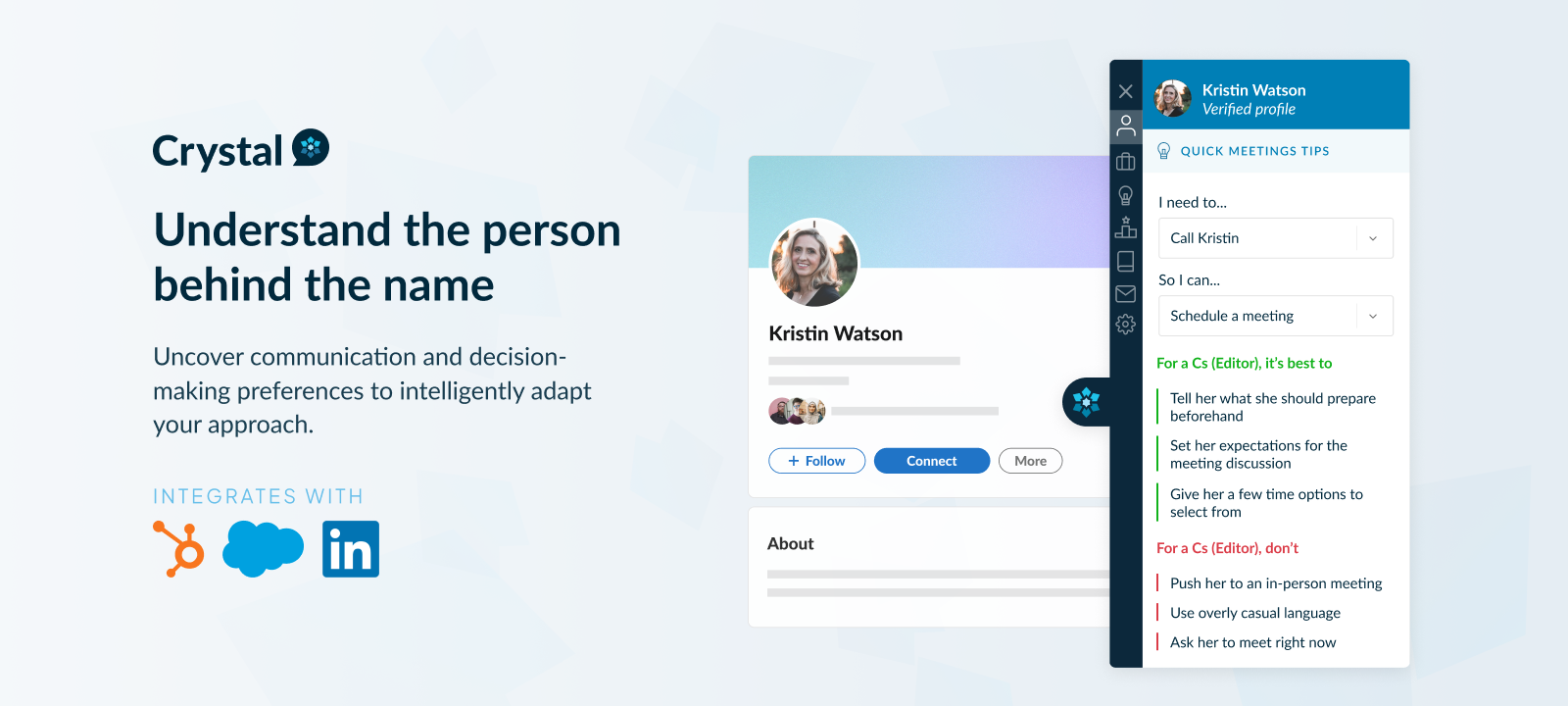
Crystal Knows helps you understand the people you want to connect with on LinkedIn by analyzing their communication style and personality.
Instead of sending generic messages, you’ll know exactly how to approach them.
Standout Features:
- AI-powered personality analysis based on LinkedIn profiles
- Tailored messaging and outreach tips
- Integration with LinkedIn and email tools
Use Case: Before reaching out to a prospect, you can check Crystal Knows to see if they prefer direct communication or a softer, relationship-focused approach. This makes your outreach more personal and effective.
2. Resume Worded – Optimize Your LinkedIn Profile for Visibility

Resume Worded acts like a LinkedIn profile coach. It reviews your profile and gives you a score, highlighting what’s strong and what needs work.
With AI-driven feedback, it suggests keywords and improvements to help you appear in more recruiter and prospect searches.
Standout Features:
- LinkedIn headline and summary analyzer
- Keyword recommendations to improve search visibility
- Actionable profile feedback with a performance score
Use Case: If you want more inbound opportunities, Resume Worded helps you fine-tune your profile so the right people can find you.
3. Zopto – AI-Based Audience Targeting
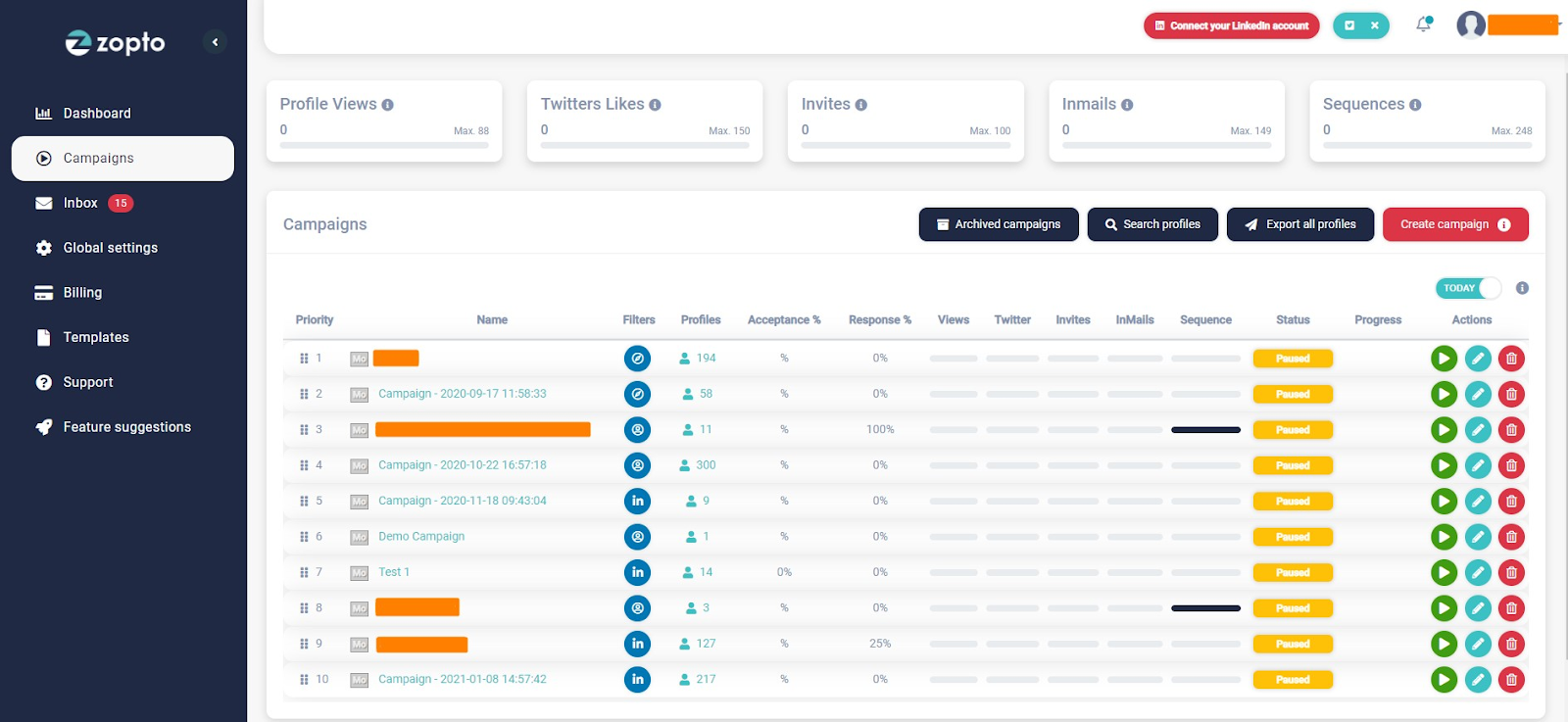
Zopto is an AI-powered LinkedIn tool that helps with more than just automation, it sharpens your audience targeting.
By filtering prospects with precision, it ensures your outreach goes to the people who matter most.
Standout Features:
- Filters by job title, seniority, location, and industry
- Automated lead segmentation and prospect list building
- AI-driven targeting recommendations
Use Case: When building a campaign, Zopto helps you create highly accurate prospect lists, making sure your LinkedIn outreach hits the right audience from day one.
🤖 Let AI Assist, Let Cleverly Deliver
AI tools can help; but our done-for-you LinkedIn lead gen service books real meetings with decision-makers for you. Start generating qualified leads from just $397/month.
LinkedIn Tools for Networking & Content Creation
Networking on LinkedIn isn’t just about sending connection requests, it’s about showing up with valuable content, joining conversations, and building trust over time.
But consistently writing posts, tracking performance, and keeping up with engagement can be overwhelming. That’s where an AI tool for LinkedIn post creation or analytics can save the day.
These LinkedIn AI tools help you brainstorm ideas, write smarter, and measure what’s actually working so you can grow your authority without burning out.
Here are a few standout tools:
4. Taplio – Create & Schedule LinkedIn Content with AI
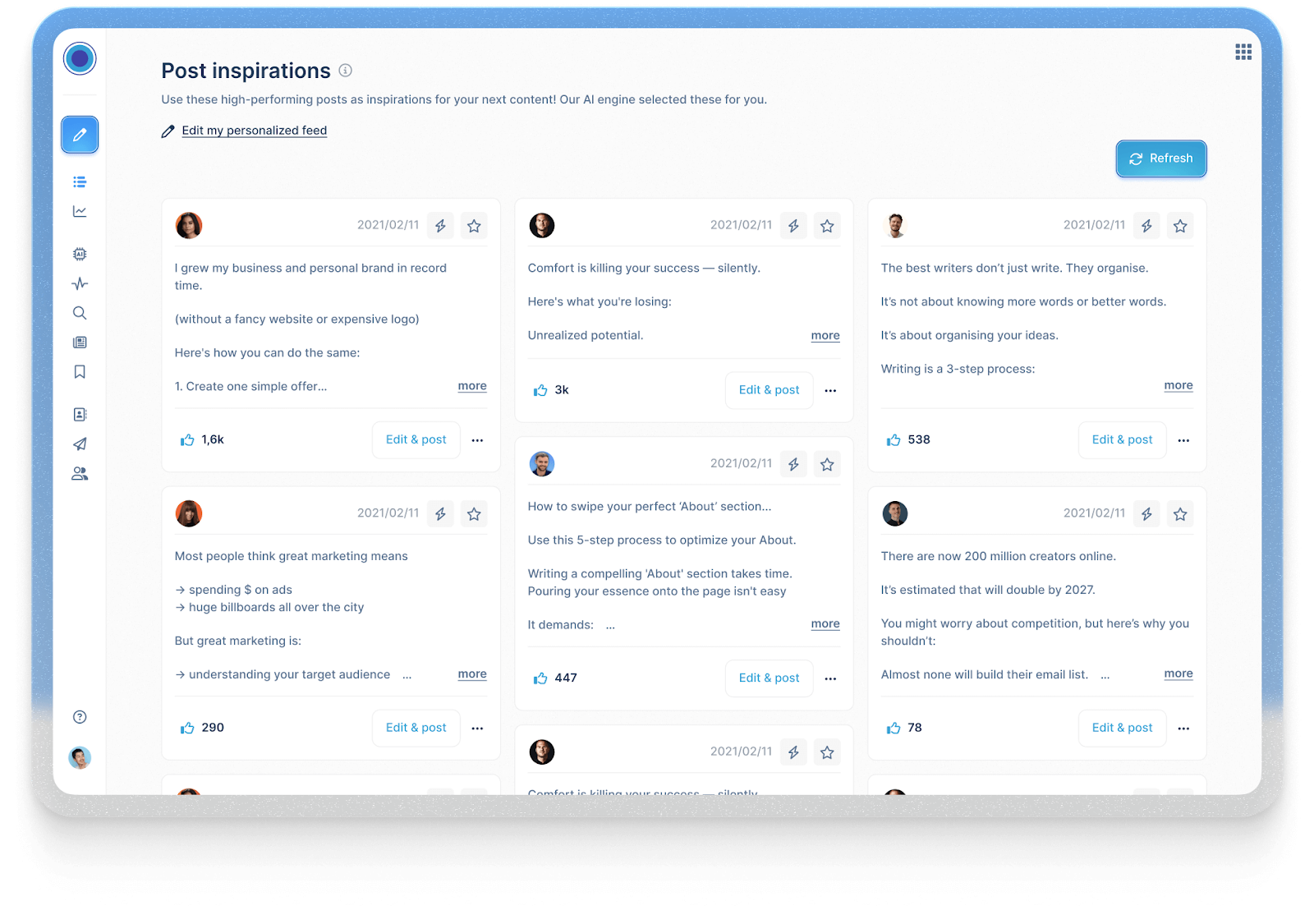
Taplio is one of the most popular AI tools for LinkedIn content creation. It helps you generate fresh post ideas, draft high-performing updates, and schedule them in advance.
On top of that, it offers LinkedIn analytics so you can see which posts resonate the most with your audience.
Standout Features:
- AI post generator that suggests hooks, content angles, and hashtags
- Built-in scheduling tool for consistency
- Analytics dashboard to track engagement growth
Use Case: If you want to build a personal brand on LinkedIn, Taplio keeps your posting consistent without the constant pressure of “what should I write today?”
5. Shield Analytics – LinkedIn Content Performance Tracking
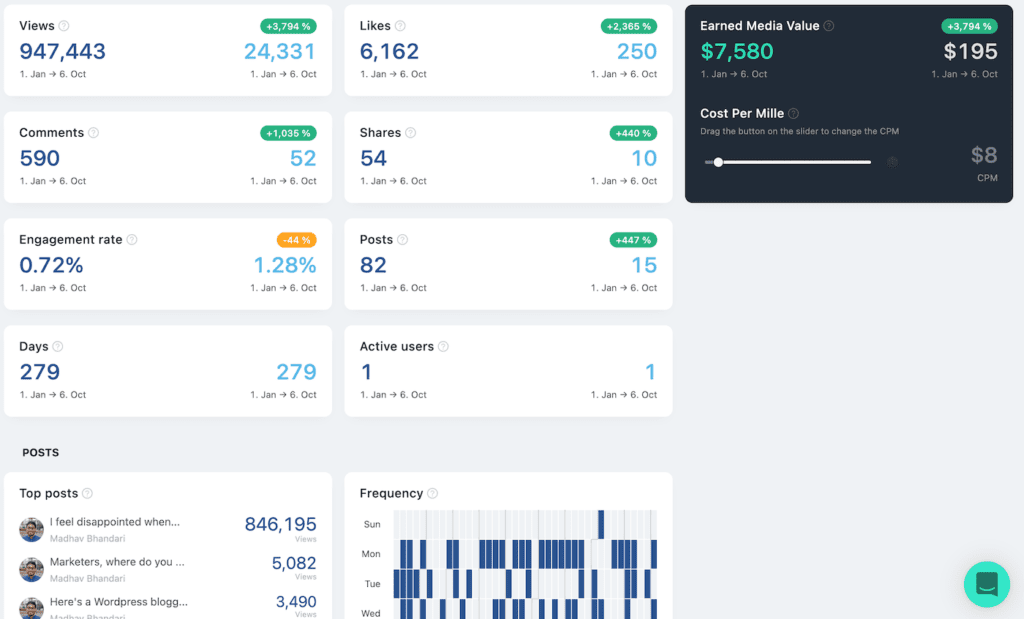
Posting content is one thing, understanding if it’s working is another.
Shield Analytics gives you deep insights into how your posts perform, who’s engaging with them, and what type of content drives the most reach.
Standout Features:
- Post-level insights (reach, likes, comments, shares)
- Audience breakdown by demographics and job roles
- Trend tracking over time for smarter decisions
Use Case: Use Shield to refine your LinkedIn strategy. For example, if your data shows that short, actionable posts get more engagement than long-form stories, you can adjust your approach accordingly.
6. Copy.ai / Jasper – Write Better LinkedIn Posts & Comments
Sometimes the hardest part of networking is knowing what to say. Tools like Copy.ai and Jasper make it easier by generating LinkedIn-ready copy.
Whether you’re crafting a thought-leadership post, a quick update, or even a comment, these AI writers provide a head start.
Standout Features:
- Pre-built templates for LinkedIn posts and replies
- Ability to match your tone and style
- AI suggestions to boost engagement with strong hooks and CTAs
Use Case: If you struggle with posting regularly, Copy.ai or Jasper can draft content that sounds natural and engaging, making it easier to keep your profile active and relevant.
AI Tools for LinkedIn Video Content
Video has quietly become the format LinkedIn wants more of. LinkedIn's own data shows total video viewership up 36% year-over-year, and video is being created at roughly twice the rate of any other post type on the platform. The algorithm notices. Native video gets prioritized over link posts, and posts with external links often see a meaningful reach penalty because LinkedIn would rather keep you on the platform than send you off it.
The catch is that most people still treat LinkedIn video like an afterthought. That's changing fast, and a few AI tools make it realistic even if you don't have a video editor on staff.
Opus Clip
Opus Clip takes a long recording, a podcast episode, a webinar, a Zoom call, and turns it into several short, LinkedIn-ready clips. It picks the strongest moments on its own, adds captions automatically, reframes the shot to keep the speaker centered, and scores each clip for how likely it is to perform well. If you already record long-form content somewhere else, this is the fastest way to get LinkedIn video out of it without extra filming.
Descript
Descript edits video the way you'd edit a Word document. You edit the transcript, cut a sentence, and the matching video and audio get cut too. It strips out filler words and dead air automatically, cleans up audio quality, and adds captions without any timeline scrubbing. Founders and consultants who record themselves talking use this the most, since it turns a rough take into something publishable in minutes.
HeyGen
HeyGen builds video using an AI avatar of you, or a stock presenter, from a script. You're not filming anything. This matters most for teams that need to publish educational or explainer content regularly and don't have time to set up a camera every week.
Why captions aren't optional
LinkedIn's own research puts the number at 79% of videos watched on mute. If your video depends on audio to make its point, most people scrolling their feed will miss it in the first two seconds. All three tools above auto-generate captions, which is one less reason to skip video because it feels like too much production work.
AI Tools for LinkedIn Content Analysis and Summarization
Creating content consistently is one problem. Knowing what to create is a different one, and it's the one most people skip.
Content analysis tools solve this by reading through your posts, or your competitors', and pulling out the patterns: which topics land, which formats get shared, which post lengths actually hold attention. Instead of guessing what to write next, you're working off your own data or someone else's proof of what already works.
Shield Analytics for pattern recognition, not just tracking
We already covered Shield for post-level tracking, but its real value shows up over time. Shield pulls your full posting history and breaks it down by format, topic, and posting time, so you can see exactly which combinations are driving impressions for your specific audience. A newer AI layer, Shield Agent, lets you ask it directly: "what's my best-performing post type this quarter?" instead of digging through a dashboard yourself. One limitation worth knowing: Shield only analyzes your own account, not competitors.
Taplio's competitor research
Taplio's Inspiration tool lets you search by keyword or drop in a competitor's profile and pull their top-performing posts, built on a database of millions of viral posts. This is where content analysis gets useful for planning, not just reviewing. You can see what's actually working for other creators in your niche before you write your next post, rather than analyzing your own results after the fact.
LinkedIn's native AI summaries
LinkedIn's built-in AI (a Premium feature) now summarizes long articles, comment threads, and profiles into short previews. It's a fast way to skim what's trending in a niche or spot a gap nobody else is covering, without reading ten posts end to end.
Kleo, with an important update
If you've seen Kleo recommended elsewhere as a free tool for LinkedIn feed analytics, that's outdated. LinkedIn forced Kleo's original free Chrome extension to shut down in mid-2025 for violating its terms of service. Kleo now operates as a paid web app (around $99/month) focused on AI content generation and scheduling rather than the free feed overlay it used to offer. Worth knowing before you go looking for it.
A simple weekly workflow
You don't need to check all of this daily. A 20-minute weekly audit works:
- Pull your top 3 performing posts from the last week (Shield).
- Check what's working for competitors in your niche right now (Taplio).
- Brief your next 3 posts based on the angle that's actually landing, not the one you feel like writing.
This turns content analysis from a nice-to-have into something that directly shapes what you publish.
LinkedIn Outreach & Lead Generation
Even with a great profile and engaging content, you still need to reach out to prospects if you want results.
The challenge? Doing it at scale without sounding robotic. That’s where AI tools for LinkedIn lead generation step in.
They speed up everything from building lead lists to writing personalized messages, while still keeping your outreach human. An AI-powered search tool can further streamline prospect discovery by helping sales teams identify relevant professionals, explore potential business opportunities, and find the right decision-makers more efficiently. For SDRs, marketers, and agencies, these LinkedIn AI tools are a game-changer.
Here are some of the best options:
7. Lusha / Apollo – Lead Enrichment & Contact Discovery

If you want to go beyond LinkedIn and get verified contact data, Lusha and Apollo are top choices.
These platforms enrich LinkedIn profiles with direct emails and phone numbers, giving you more ways to reach your prospects.
Standout Features:
- Verified business emails and direct dials
- LinkedIn profile enrichment with additional contact details
- Database search with advanced filters (industry, title, region)
Use Case: Perfect for teams that need to expand their prospect databases beyond LinkedIn and want verified contact information to boost outreach efficiency.
8. Smartwriter.ai – Personalized Outreach at Scale
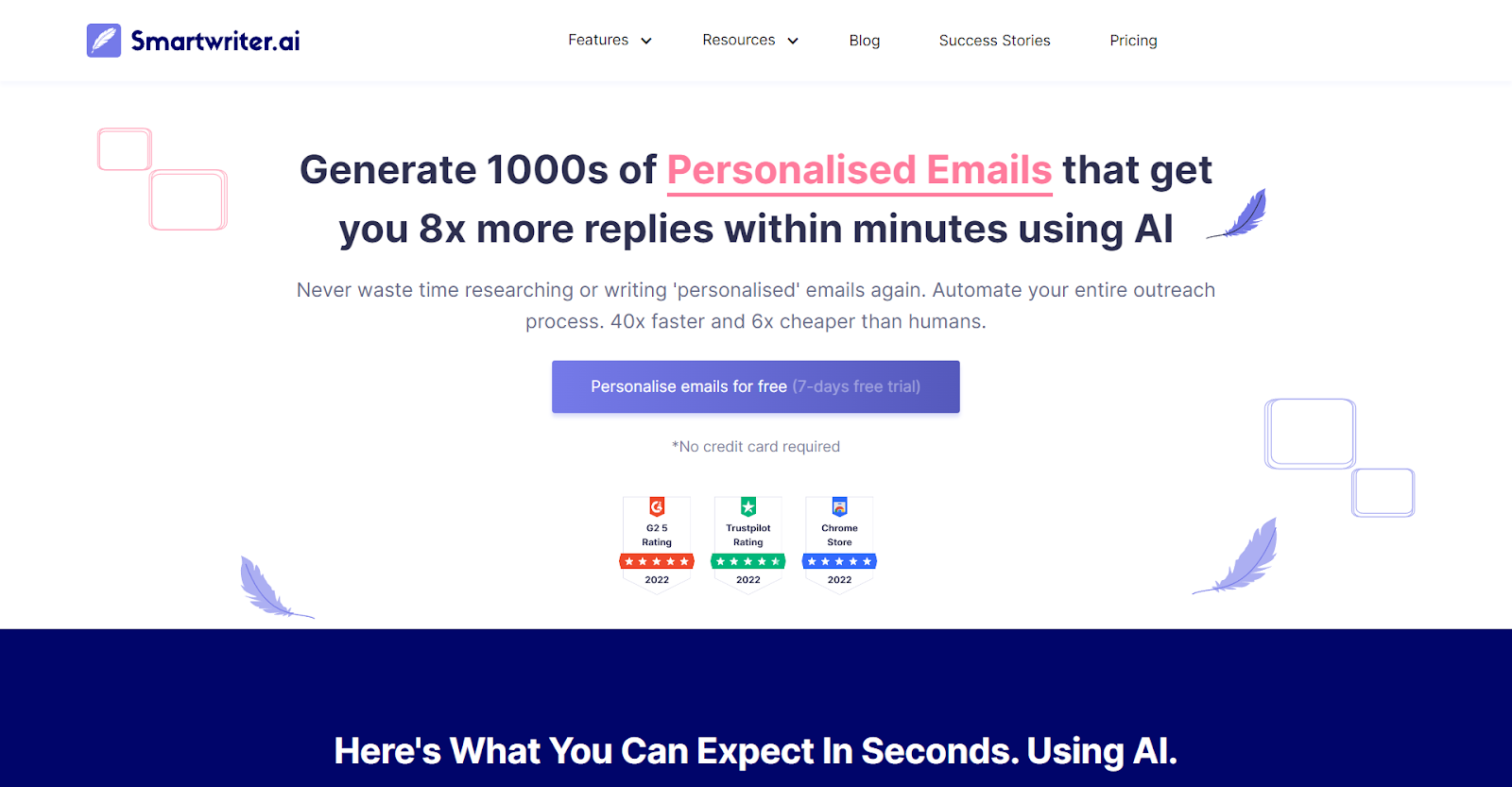
Sending the same copy-paste message rarely works anymore. Smartwriter.ai solves this by creating AI-generated icebreakers that are tailored to each prospect.
The result? Outreach that feels personal even when done at scale.
Standout Features:
- Contextual icebreakers pulled from LinkedIn activity
- Multiple message variations for A/B testing
- Integrations with LinkedIn and cold email software
Use Case: SDRs can improve response rates by using Smartwriter to generate personalized first lines for every message, without manually researching each prospect.
9. Meet Alfred – Multi-Touch Outreach Campaigns

Meet Alfred goes beyond one-off messages. It helps you build entire LinkedIn outreach workflows, connection requests, follow-ups, and message sequences…all running automatically.
Standout Features:
- Automated connection requests and follow-ups
- Multi-channel support (LinkedIn or Twitter or Email)
- Campaign sequencing and analytics dashboard
Use Case: Agencies and sales teams can run structured, multi-step campaigns that mimic natural outreach while saving hours of manual effort.
10. LeadIQ – Prospecting & Data Capture for LinkedIn
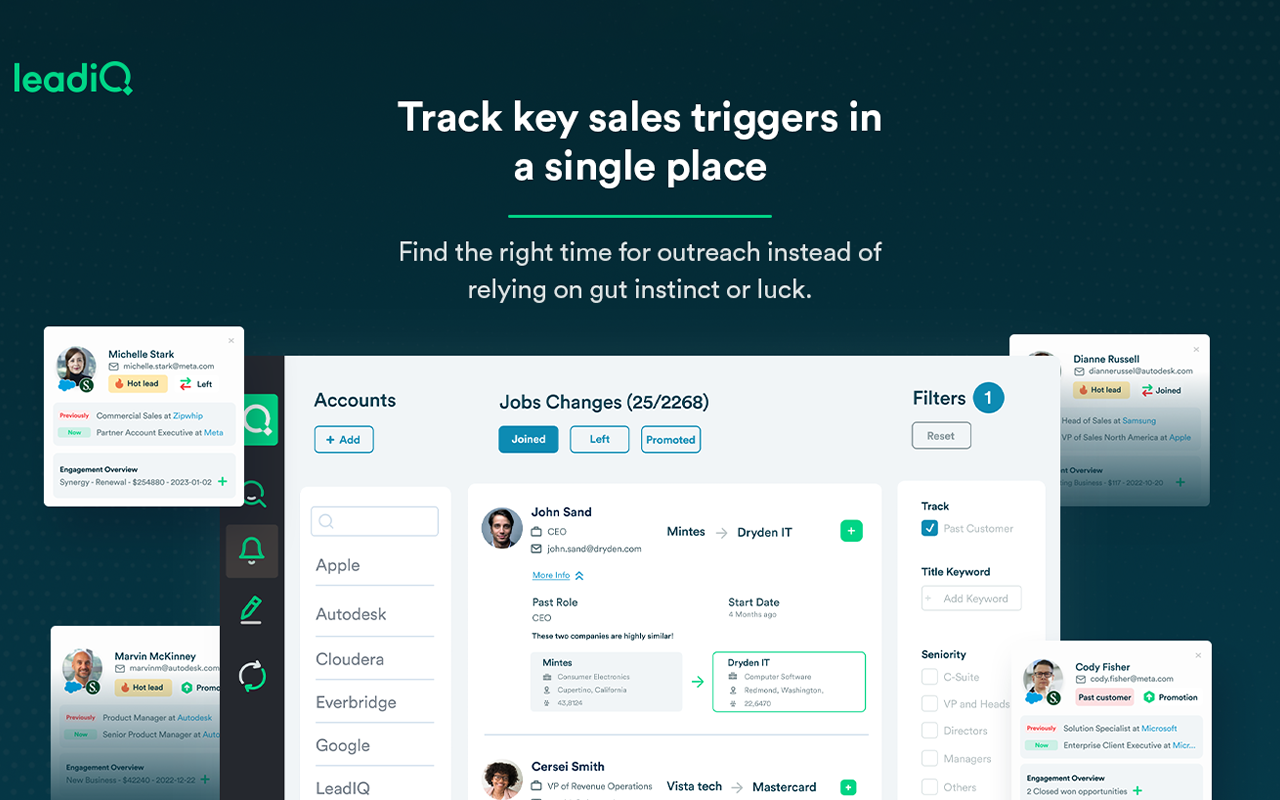
LeadIQ makes LinkedIn prospecting easier by helping you capture and organize lead data while browsing profiles.
Instead of running automated campaigns, it focuses on building cleaner lead lists and syncing them with your CRM or sales tools.
Standout Features:
- One-click capture of LinkedIn prospect data
- Automatic enrichment with company and contact details
- Direct integrations with CRMs like HubSpot and Salesforce
Use Case: Perfect for SDRs and sales teams who want to quickly save leads from LinkedIn, enrich them with verified data, and move them into outreach workflows, without risking LinkedIn automation limits.
Free AI Tools for LinkedIn
Not every team has budget for five different subscriptions. If you're starting out, here's what you can actually use for free, and where the free tier stops being enough.
LinkedIn's own built-in AI
LinkedIn has quietly built AI directly into the platform: AI-assisted post writing, profile headline and summary suggestions, and AI-drafted outreach messages. The catch is that these live behind LinkedIn Premium, not the free tier. If you're already paying for Premium, use them. If not, the third-party tools below fill the same gap for free.
Copy.ai's free plan
Copy.ai gives free users 2,000 words a month, access to 90+ templates including LinkedIn post templates, and support for 25+ languages. It's enough to draft a handful of posts weekly without paying, though the cap means it's not built for daily high-volume posting.
Canva's free tier
Canva's free plan includes LinkedIn-specific post and banner templates, plus Magic Write for drafting captions and limited free AI image generation. If you need a LinkedIn banner or a quick branded graphic to go with a post, this covers it without a Canva Pro subscription.
Grammarly's free extension
Grammarly's free Chrome extension works directly inside LinkedIn's post editor, catching grammar and spelling issues and flagging tone before you hit publish. It's a quiet background check most people already have running and forget is doing the work.
Taplio's free viral post finder
Instead of Kleo's now-discontinued free overlay, Taplio offers a free tool for finding top-performing LinkedIn posts by keyword, no paid plan required. It's a smaller slice of their full database, but it's a genuinely free way to see what's working in your niche before committing to a paid tool.
Free tools at a glance:
Free tools get you a real starting point, especially for content drafting and basic analysis. Outreach at scale and deep competitor tracking are where the paid tools, or a done-for-you service, start to pay for themselves.
🚀 Smarter Than AI Alone
We combine AI-powered targeting with human-crafted outreach to deliver consistent, high-quality B2B leads. Book your free LinkedIn strategy call today.
Best Practices When Using AI Tools on LinkedIn

AI tools can make your LinkedIn workflow faster and smarter, but only if you use them the right way. Over-relying on automation can hurt your credibility or even get your account flagged.
The key is finding a healthy balance between technology and authenticity.
Here are a few best practices to keep in mind:
1. Balance Automation with a Human Touch
Use LinkedIn AI tools to handle repetitive work like scheduling posts or generating message drafts, but always add your personal voice. A short, genuine note or comment can make a bigger impact than a perfectly automated message.
2. Don’t Over-Automate
LinkedIn is quick to detect spammy behavior. Sending too many automated connection requests or messages can trigger warnings, or worse, account restrictions. Keep your outreach thoughtful and spaced out.
3. Always Review AI-Generated Content
AI can create great ideas and drafts, but it doesn’t fully understand your tone or brand voice. Before posting anything, give it a quick review to ensure it sounds natural, accurate, and aligned with how you want to be perceived.
4. Test and Measure Performance
Not every tool or strategy will work the same for everyone. Track your performance, LinkedIn impressions, engagement rates, response rates, profile visits—and see what’s delivering results. Then tweak your approach accordingly.
The bottom line is that AI should assist your LinkedIn efforts, not replace them. The strongest results come when smart automation meets genuine human connection.
Cleverly – Done-for-You LinkedIn Lead Generation
While AI tools can make LinkedIn outreach easier, many professionals and teams don’t want to juggle multiple platforms or manage campaigns themselves. That’s where Cleverly comes in.
Instead of just giving you the tools, Cleverly runs the entire LinkedIn lead generation process for you, from building prospect lists to sending personalized outreach at scale.
What do you get:
- Done-for-you automated lead generation campaigns
- Advanced targeted prospecting to reach decision-makers
- Personalized messaging that balances scale with authenticity
If you’d rather skip the learning curve and tool management, Cleverly acts as your outsourced LinkedIn growth team.
Everything is handled for you, so you can focus on closing deals instead of running campaigns.
At Cleverly, we’ve helped 10,000+ clients generate leads with companies like:
- Amazon
- Google
- Uber
- PayPal
- Slack
- Spotify & more
The results? Over $312 Million in pipeline revenue and $51.2 Million in closed revenue through LinkedIn outreach.
And the best part, our pricing starts at just $397/mo

Conclusion
LinkedIn in 2025 is more competitive than ever, but it’s also full of opportunity. With the right LinkedIn AI tools, you can polish your profile, create content that gets attention, and run smarter outreach campaigns without burning countless hours.
But remember: tools alone don’t drive results. It’s how you use them that matters. If you want a simpler path without managing everything yourself, you can go for Cleverly’s done-for-you LinkedIn lead generation service that can make all the difference.
The takeaway? Use AI to work smarter, not harder, and if you’re ready to turn LinkedIn into a consistent source of leads, you don’t have to do it alone.
Frequently Asked Questions
Free Resource
How to Scale a Profitable Cold Call System
Get the complete guide — download it instantly now.

Free Ebook
Download the Free Guide
Enter your details to get instant access.
You're all set! 🎉
Your ebook is downloading now.
Click below if the download didn't start automatically.