Modified On :
June 27, 2026
Key Takeaways
- The right email analytics dashboard depends entirely on your use case — marketing campaigns, cold outreach, inbox team performance, and deliverability testing each require different tools.
- Core analytics go beyond opens and clicks — the best email analytics software connects engagement data to pipeline attribution, segmentation performance, and deliverability health in one view.
- Cold email outreach is analytically the most complex channel to track, requiring simultaneous monitoring of deliverability, reply rates, sequence performance, and sender domain health.
- Most B2B teams end up running a small stack — a campaign platform for nurture, a cold outreach tracker for prospecting, and optionally a rendering tool for high-volume senders.
- Done-for-you outbound removes the infrastructure burden entirely — Cleverly's cold email service includes transparent campaign-level reporting with full pipeline attribution built in.
You sent the campaign. Opens look fine. Maybe clicks are okay too. But you have no idea which subject line variant outperformed, which segment is actually engaging, or whether any of this is producing pipeline.
That's the problem with basic email analytics — the data exists, but the dashboard isn't built to drive decisions.
Open rate has been unreliable as a primary metric since Apple's Mail Privacy Protection launched, and by 2026, the shift is no longer theoretical — meaning teams still optimizing for opens are building strategies on broken signals. The ones winning are tracking reply rates, pipeline attribution, segment-level engagement, and deliverability health simultaneously.
According to Salesforce research, 72% of B2B buyers expect personalized engagement, but most teams can't deliver that without knowing which segments respond to what — and that requires more than a basic reporting tab.
What separates average email performance from consistently strong pipeline is an email analytics dashboard built around the decisions your team actually needs to make: which sequences are working, where leads are dropping off, and which sender domains are losing deliverability.
This guide breaks down the 10 best email analytics dashboards and software in 2026, organized by use case, with current pricing and honest limitations for each. Use the "Best For" label under each tool to skip to the options that match your workflow.
What to Look for in an Email Analytics Dashboard
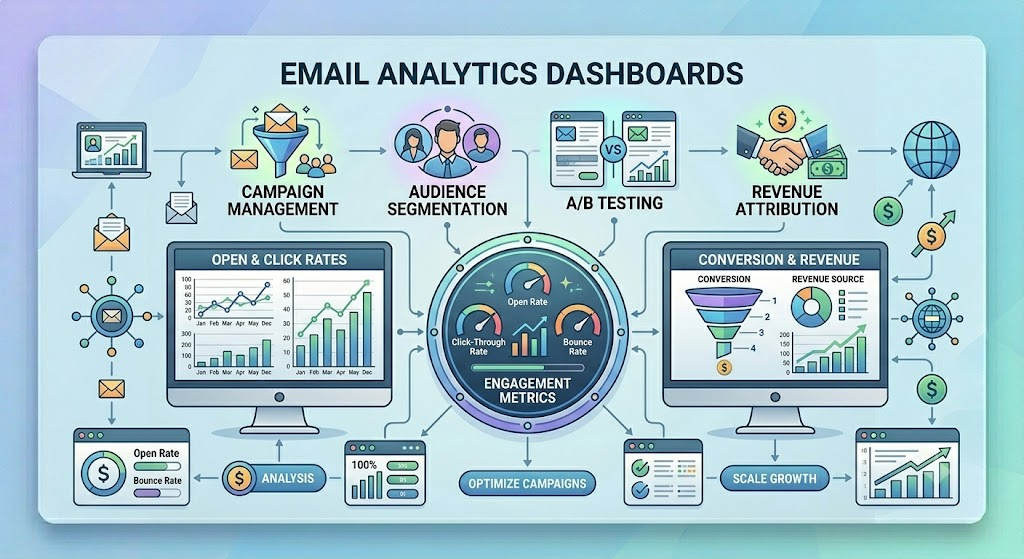
Before you start comparing platforms, you need to know what you're actually trying to track. Here's what separates a real email analytics software from a basic reporting add-on:
1. Core metrics coverage: Any serious platform should track open rate, CTR, bounce rate, unsubscribe rate, and conversion rate as a baseline. If a tool stops here, it's a reporting tab, not an analytics platform.
2. Segmentation and filtering: The ability to break down performance by audience segment, campaign type, send time, and device type is what turns aggregate data into something your team can act on. Aggregate numbers without slicing capability are mostly noise.
3. Deliverability visibility: Tracking tools that process only header data sidestep body-content privacy concerns entirely, while tools relying on tracking pixels need consent workflows front and center. Either way, your dashboard should surface domain reputation, bounce categorization, and spam rate alongside engagement metrics — because an email that doesn't reach the inbox can't produce any signal at all.
4. CRM and pipeline attribution: For B2B teams, email marketing analytics only becomes fully useful when engagement connects to pipeline — which contacts opened multiple emails, which sequence booked the most meetings, which campaign influenced a closed deal. Prioritize tools with native CRM integration or strong API flexibility if this matters to your reporting.
5. Ease of use vs. depth: A founder running solo email outreach needs a clean dashboard with automated insights. A RevOps team needs custom report builders, raw data export, and API access. Know which end of that spectrum you need before you start your evaluation.
📊 The Best Dashboard Is the One Showing More Meetings
Track every metric you want—we focus on the one that matters most: qualified appointments.
10 Best Email Analytics Dashboards & Software in 2026
The tools below are organized by use case: marketing email analytics, cold email outreach analytics, team inbox performance, and deliverability testing. Skip to the category that matches your workflow.
1. HubSpot
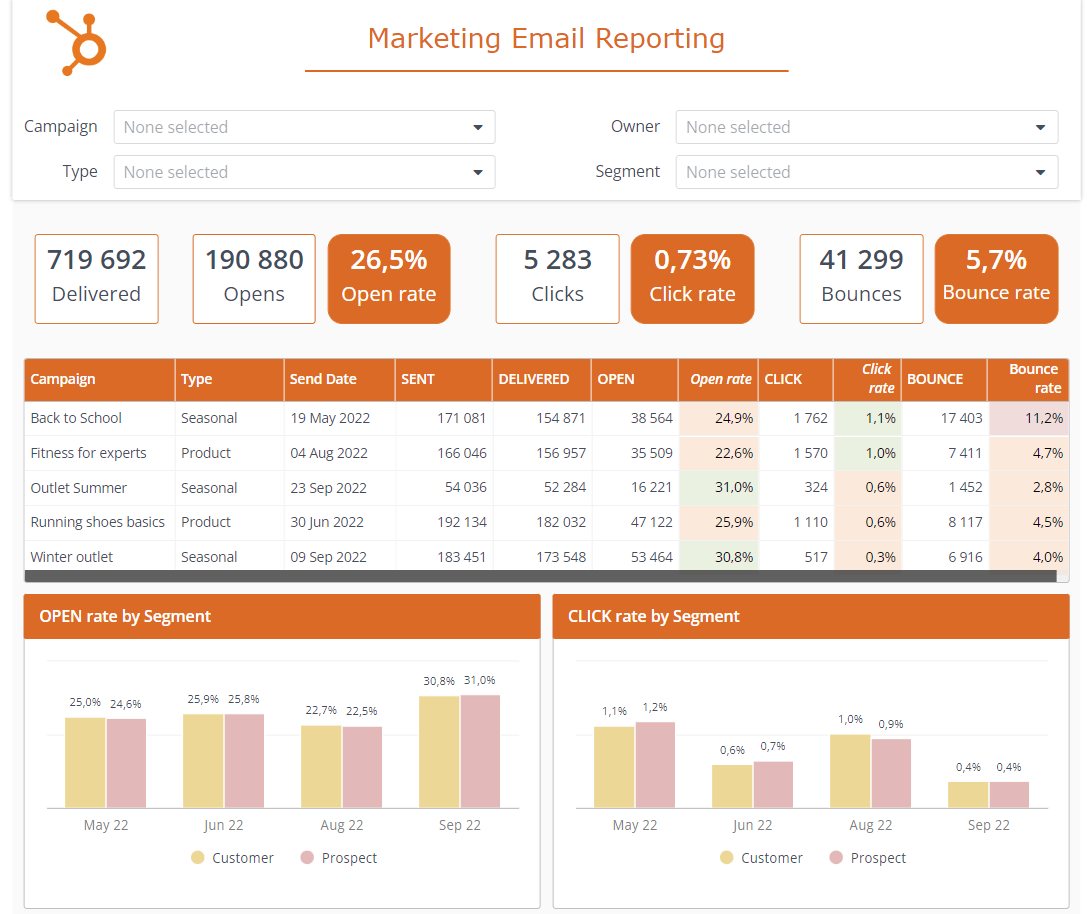
HubSpot Marketing Hub is the standard for B2B teams that want campaign analytics tied directly to revenue. Because email, CRM, website, and sales tools are all native, you can trace a closed deal back to the specific nurture sequence that warmed the lead — something disconnected tools simply can't do cleanly.
HubSpot's Marketing Hub provides comprehensive email reporting dashboards, A/B testing analytics, and contact-level engagement tracking, all connected directly to your CRM — including native CRM integration that ties every email interaction to contact records, deals, and revenue, plus multi-touch attribution reporting that shows how email influences pipeline at each funnel stage.
Analytics depth includes campaign-level reporting, email health scoring, list growth monitoring, and a custom dashboard builder with drag-and-drop widgets. The real advantage is visibility: you can see which email touched a contact three weeks before they booked a call.
Best for: B2B teams using HubSpot CRM who need email-to-pipeline attribution without a separate analytics tool
Limitation: HubSpot's analytics are strongest within the HubSpot ecosystem. Teams running a different CRM get significantly less value from the platform's most differentiated features.
Pricing: Starter is $15/month per seat with 1,000 contacts. Professional ($890/month) includes 10,000 contacts and is where real automation lives, but requires a $3,000 onboarding fee and annual commitment. Verify current pricing at hubspot.com.
2. Klaviyo
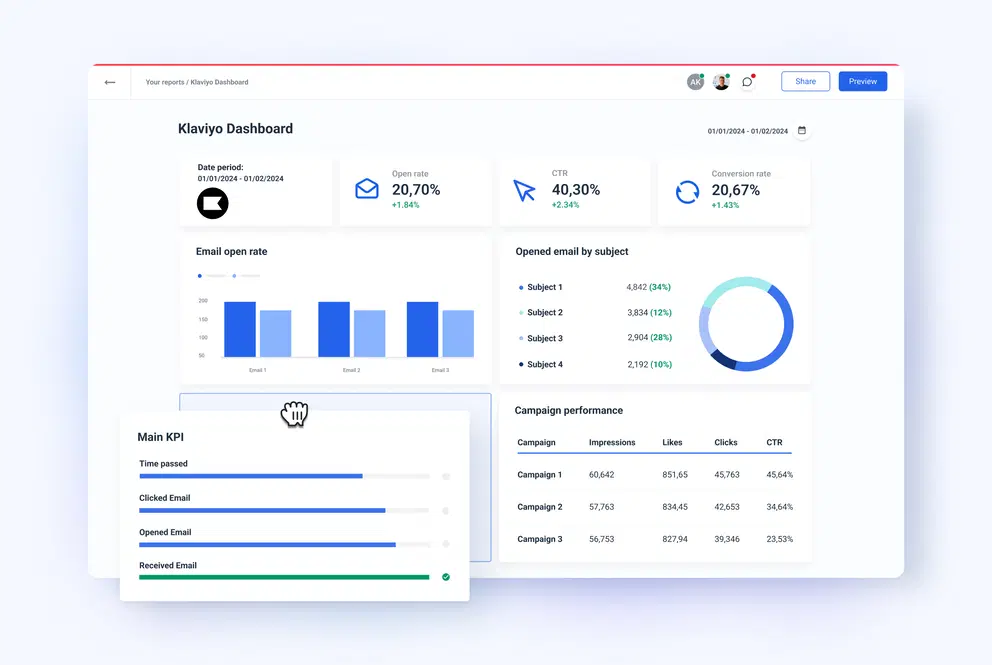
Klaviyo was built for one thing: knowing exactly which emails are driving revenue, not just opens. The platform connects email sends to purchase events with minimal setup, giving e-commerce teams direct visibility into which campaigns actually move product.
Klaviyo's predictive analytics features use machine learning to identify when customers are most likely to buy or churn, using data from the overall customer base and patterns about individual customers to predict behaviors like next order date, lifetime value, and risk of churn — data you can then use for segmentation and to create campaigns based on this behavior.
Its real-time performance dashboards, behavioral segmentation reporting, and per-flow attribution make it one of the strongest email marketing analytics dashboards for e-commerce teams. You can see not just which campaign performed, but which audience segment drove the purchase and what triggered the conversion.
Best for: E-commerce brands that need revenue attribution at the campaign and flow level.
Limitation: As of February 2025, Klaviyo bills on total active profiles rather than just emailed contacts, which increased costs for brands with large unengaged lists. Pricing also scales steeply, and the platform's depth is overkill for non-e-commerce use cases.
Pricing: Email-only at 1,000 profiles is $30/month, scaling to $150/month at 10K and $720/month at 50K. Verify current pricing at klaviyo.com.
3. ActiveCampaign
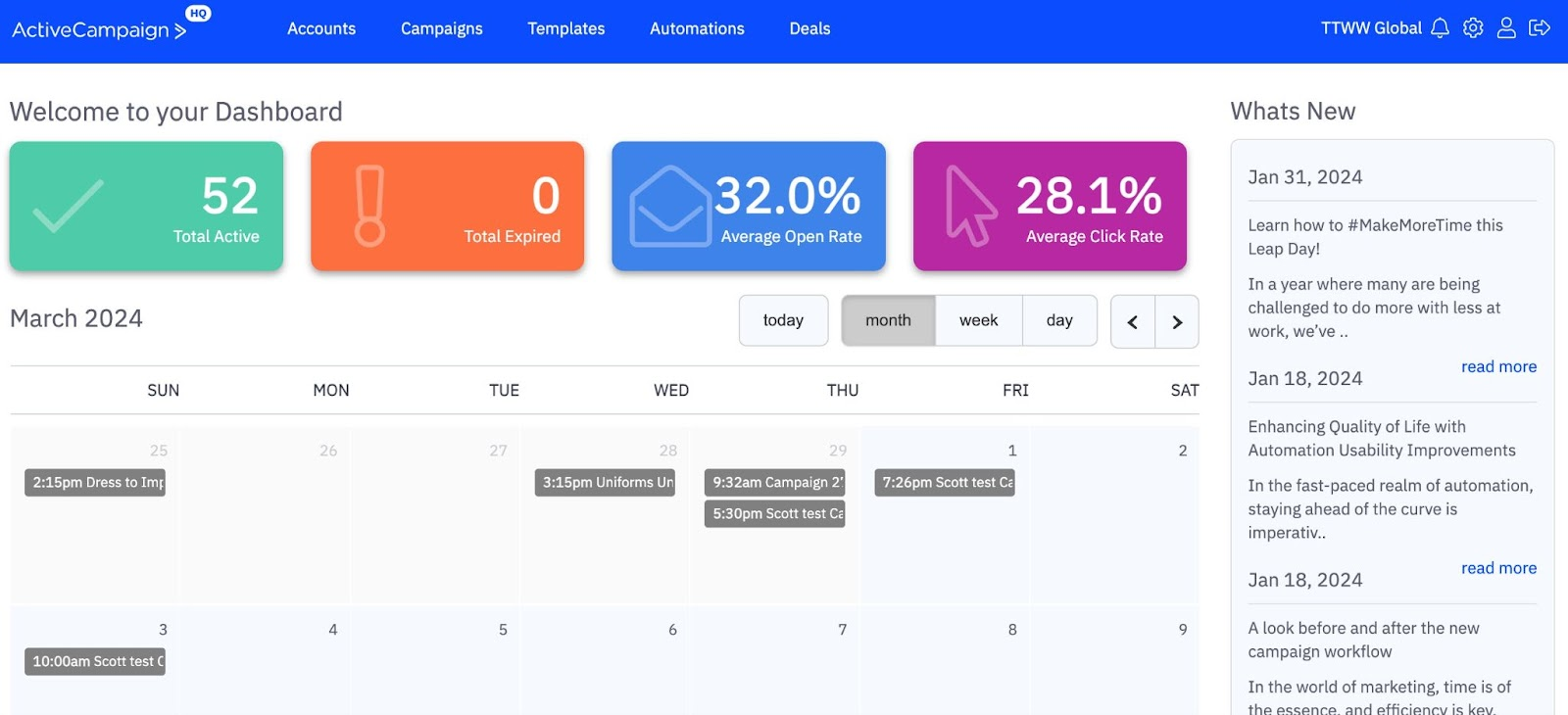
ActiveCampaign sits in a useful middle ground: more analytics depth than Mailchimp, more automation flexibility than HubSpot Starter, and built specifically for teams where email sequences are the core of their sales and nurture motion.
ActiveCampaign's click-to-open rate (CTOR) shows exactly how engaging emails are for subscribers who open them, and its hourly open trend analysis pinpoints the perfect send times based on when your audience is most active — while Google Analytics integration ties email clicks to website conversions, giving a clear picture of ROI.
Where ActiveCampaign stands out is sequence-level reporting. You can see not just which emails got opened, but where contacts are dropping off across a multi-step automation, and which automated journeys are producing the most goal completions. For teams with complex nurture flows, that visibility is hard to replicate elsewhere.
Best for: B2B teams running complex multi-step email sequences who need to track performance at the automation level
Limitation: ActiveCampaign's reports have improved since introducing goal tracking and attribution, but it still isn't up to the same experience as building reports in a platform like Klaviyo or HubSpot.
Pricing: ActiveCampaign prices start at $19/month for 1,000 contacts. Plus plan unlocks CRM and lead scoring. Verify current pricing at activecampaign.com.
4. Mailchimp
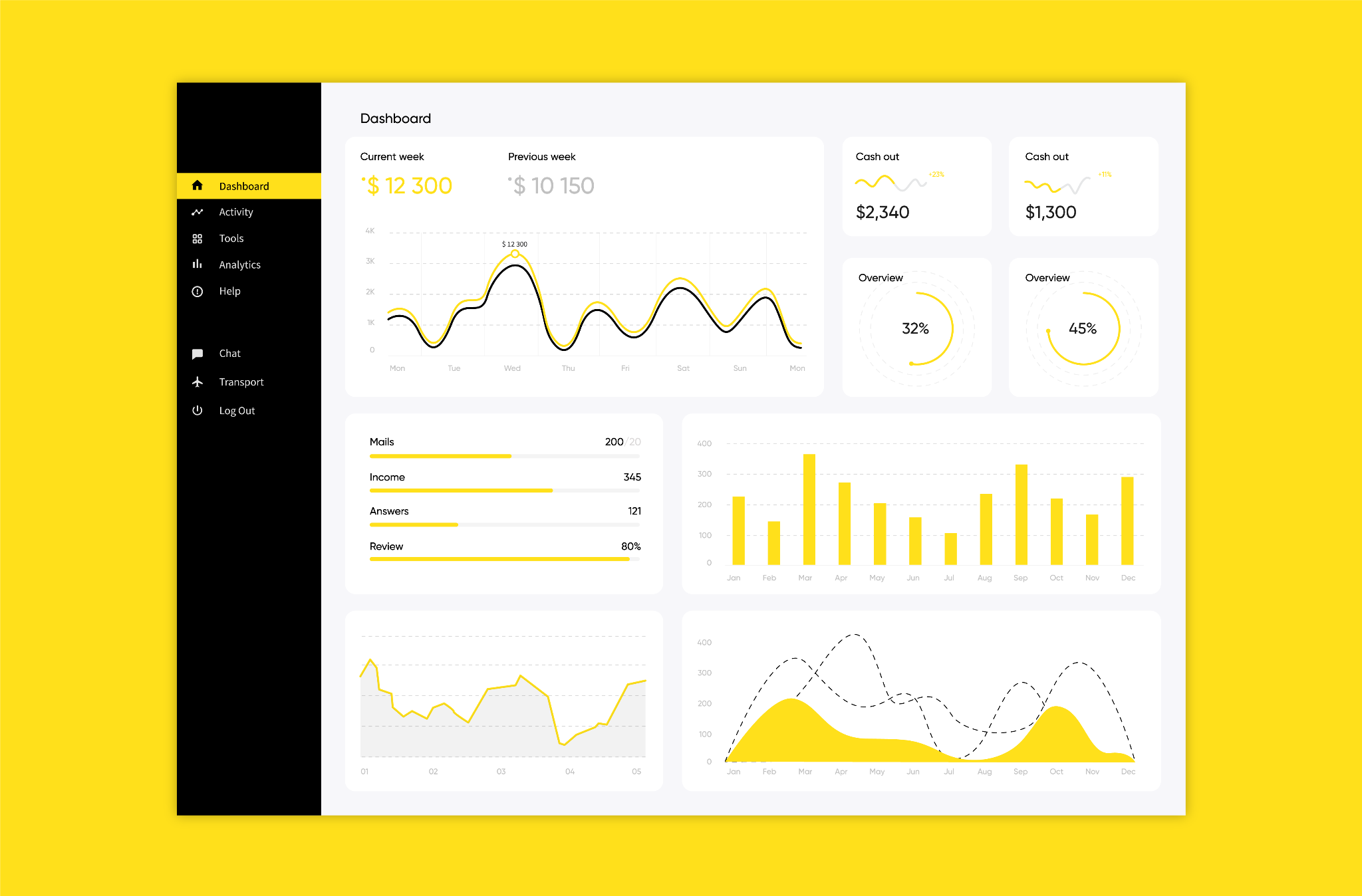
Mailchimp is the most widely used email platform globally, and its email analytics dashboard is genuinely clean and accessible. If you need to get campaign performance visibility up fast without configuration time, Mailchimp gets you there.
The analytics cover the core metrics well: open rate, click rate, bounce rate, unsubscribe rate, revenue tracking with e-commerce integrations, and A/B test performance — all presented visually without requiring a data background to interpret. The handy graph that shows campaign performance over time makes it easy to see how emails sent on a particular day impacted metrics.
Best for: Small teams and solo marketers who need reliable core metrics without a learning curve.
Limitation: Automation analytics are limited compared to ActiveCampaign or Klaviyo. Mailchimp charges for unsubscribed and inactive contacts unless you manually archive them, which can inflate your bill 10–20% over what you'd expect.
Pricing: Free tier available. At 10,000 contacts on Standard, expect $110/month. Verify current pricing at mailchimp.com.
5. Omnisend
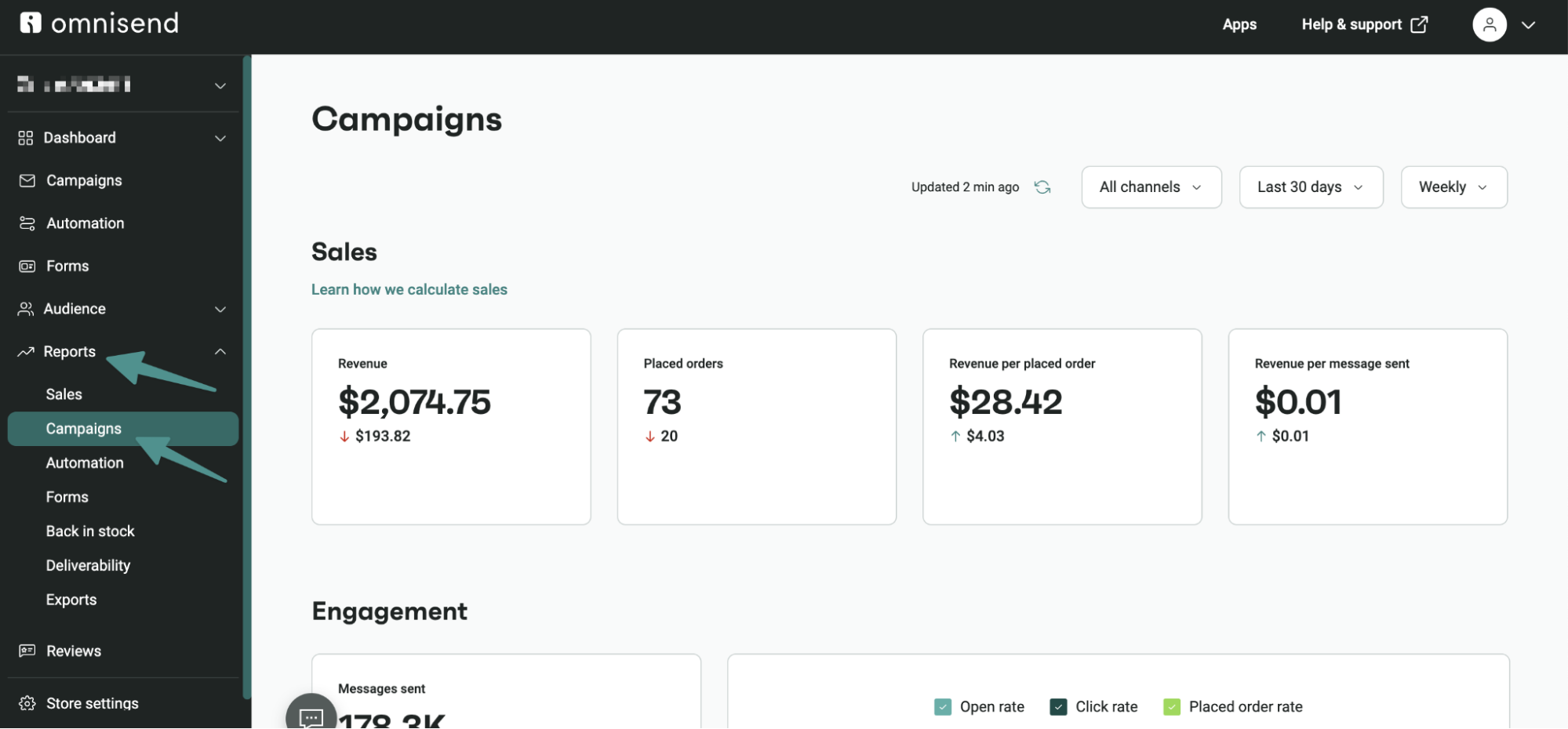
Omnisend gives you a single email marketing analytics dashboard across email, SMS, and push notifications — so instead of checking three separate tools to understand how your channels are working together, everything sits in one place with a unified revenue attribution view.
Its sales dashboard shows email-driven orders, revenue by campaign and automation, and cross-channel engagement data that shows how each touchpoint contributes to the final conversion. Omnisend's omnichannel workflows are smooth, its revenue attribution is granular, and it costs significantly less than Klaviyo at most contact tiers.
Best for: E-commerce teams running email alongside SMS and push notifications who need unified cross-channel reporting.
Limitation: Omnisend is at its best for e-commerce — non-retail use cases feel underserved by the feature set. If you're only running email without SMS or push, other platforms offer more depth for the price.
Pricing: Standard from $16/month at 1,000 contacts; at 10K contacts, Standard is $132/month and Pro is $150/month. Verify current pricing at omnisend.com.
6. MailerLite
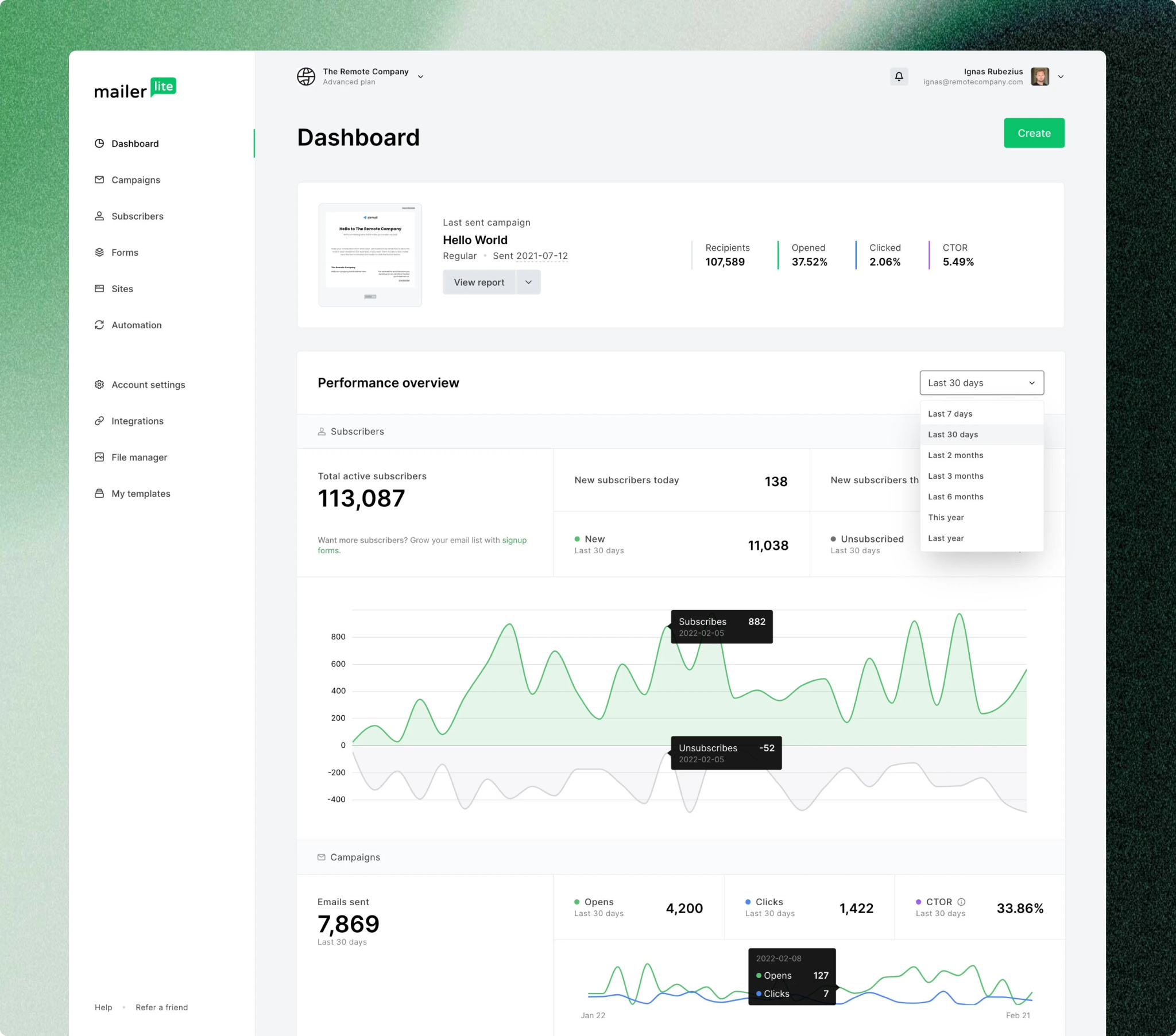
MailerLite doesn't try to do everything. It gives you clean, actionable email analytics software at a price point that makes it one of the most accessible tools on this list — without sacrificing the metrics that actually drive decisions.
MailerLite has built custom reports that let you create dashboards to track the exact metrics that matter, and its MCP server turns email marketing data into actionable insights you can use to optimize campaigns. Click maps (visual overlays showing which links in the email got clicked), e-commerce conversion tracking, and A/B test performance round out the core analytics set.
Best for: Small to mid-sized teams that need solid email analytics at a fraction of the enterprise cost.
Limitation: Teams needing sophisticated segmentation analytics, predictive modeling, or deep CRM integration will outgrow MailerLite. It's purpose-built for simplicity, not enterprise-level reporting complexity.
Pricing: Klaviyo has a free plan for up to 250 subscribers — and similarly, MailerLite offers a free plan. Paid plans start from around $9/month for Growing Business at 1,000 subscribers. Verify current pricing at mailerlite.com.
7. EmailAnalytics
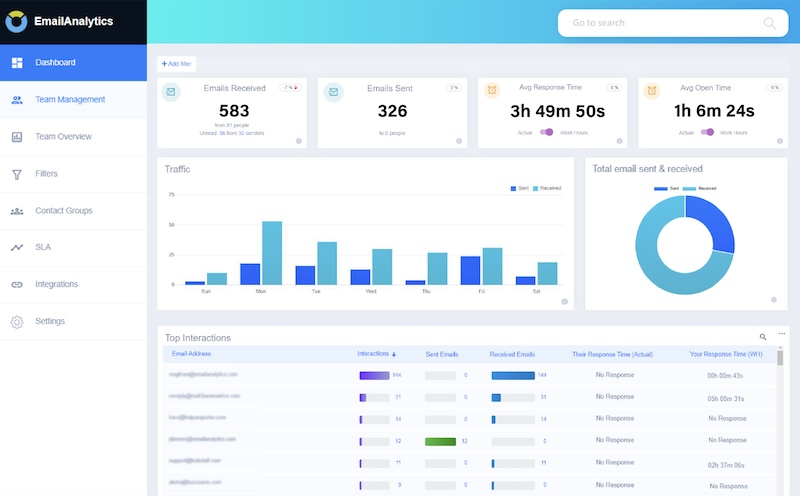
EmailAnalytics is a fundamentally different kind of tool. It's not a campaign analytics platform — it's an internal email analytics dashboard that tracks how your team manages their actual inbox: response times, email volume by rep, busiest hours, and thread lengths.
EmailAnalytics starts at $19/inbox per month with a 14-day free trial, covers Gmail and Outlook, and gives you the core metrics: emails sent and received, response times, and busiest hours. For B2B sales teams where speed-to-lead directly affects pipeline conversion, those metrics matter more than most tools measure.
The platform is particularly useful for SDR managers who need visibility into whether reps are actually following up fast enough — without having to audit individual inboxes manually. You get a clean team-level view of who's responsive and who's falling behind.
Best for: Sales and customer success teams that need to track inbox performance and response times by rep.
Limitation: This is strictly an inbox analytics tool — it doesn't track email sequences, deliverability, or campaign-level engagement. Use it alongside your campaign platform, not instead of one.
Pricing: From $19/user per month. Verify current pricing at emailanalytics.com.
8. Smartlead
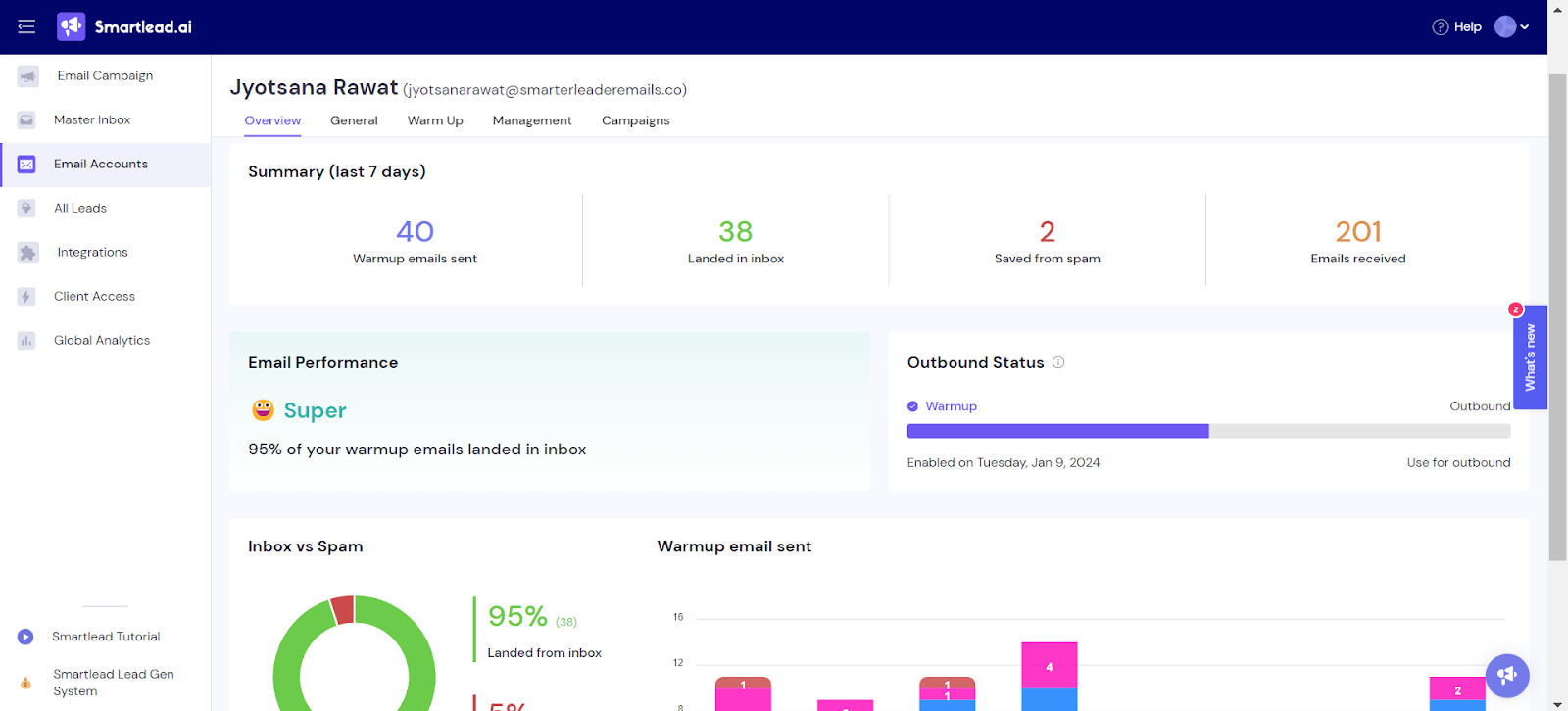
Smartlead is purpose-built for cold email outreach analytics — not marketing newsletters or drip campaigns. If you're running serious outbound prospecting sequences, it tracks the metrics that actually matter: reply rates, positive reply rates, bounce rates, and deliverability health across every sender domain in your stack.
Smartlead offers unlimited mailbox connections and warmup on all plans, white-label client portals with agency branding, a full API for custom automations and webhook workflows, and a unified inbox that aggregates replies across all client campaigns.
The analytics view covers per-campaign performance, A/B test results across subject lines and copy, and mailbox-level deliverability health monitoring — so you can see not just that a campaign is underperforming, but whether the problem is the copy, the targeting, or the sender domain.
Best for: B2B sales teams and agencies running high-volume cold email outreach across multiple sender accounts.
Limitation: Expect to budget $200–$600/month for a single-user deployment once mailboxes, domains, and verification are factored in — the headline price doesn't tell the whole story. Also email-only: no LinkedIn or multichannel capability at any tier.
Pricing: Four plans: Base at $39/month, Pro at $94, Unlimited Smart at $174, and Unlimited Prime at $379, with annual billing saving 17%. Verify current pricing at smartlead.ai.
9. timetoreply
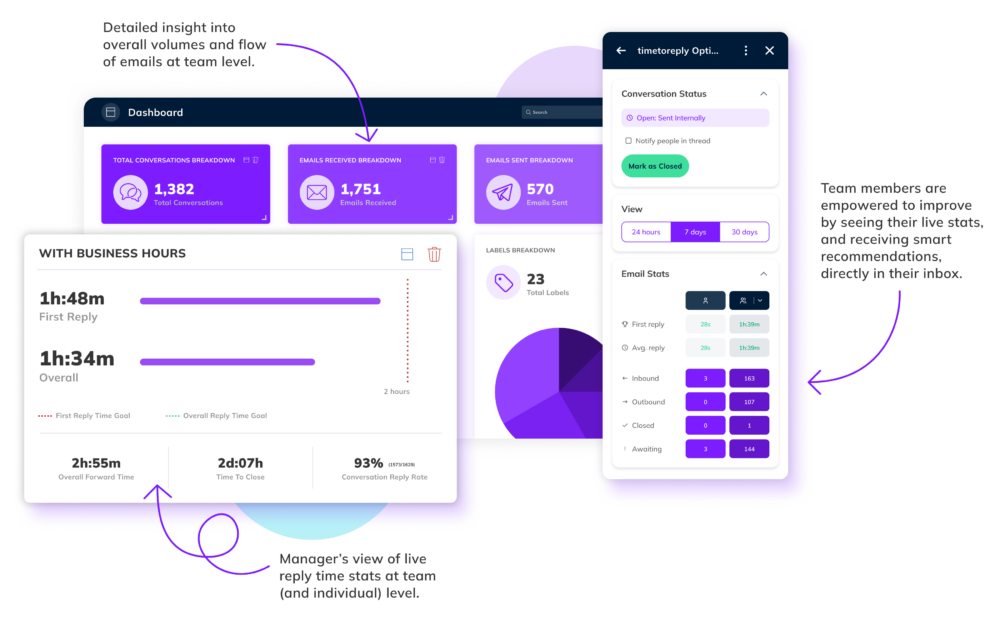
timetoreply solves one problem really well: how fast is your team actually responding to emails, and is that speed costing you pipeline? It's an internal email analytics dashboard for Gmail and Microsoft 365 that tracks first response time, SLA compliance, and rep-level benchmarks across individual and shared mailboxes.
timetoreply provides deeper operational insights for improving customer experience — particularly for customer service and sales teams where response time is a measurable revenue driver. Real outcomes reported in their case studies include responsiveness jumping from 62% to 86% and average reply times dropping from 7 hours to 2 hours.
The B2B sales use case is clear: studies consistently show that responding to a new inbound lead within 5 minutes dramatically increases conversion. timetoreply gives managers the data to know whether their team is hitting that window — and which reps are the biggest outliers.
Best for: Customer service and sales teams with SLA commitments or revenue impact tied directly to response time.
Limitation: The 15-mailbox minimum is the biggest barrier to adoption — Essentials starts at $29/mailbox per month on annual billing, so you're at $435/month before you've tracked a single email. Not built for campaign analytics or cold outreach tracking.
Pricing: From $29/mailbox per month (annual). Verify current pricing at timetoreply.com.
10. Litmus
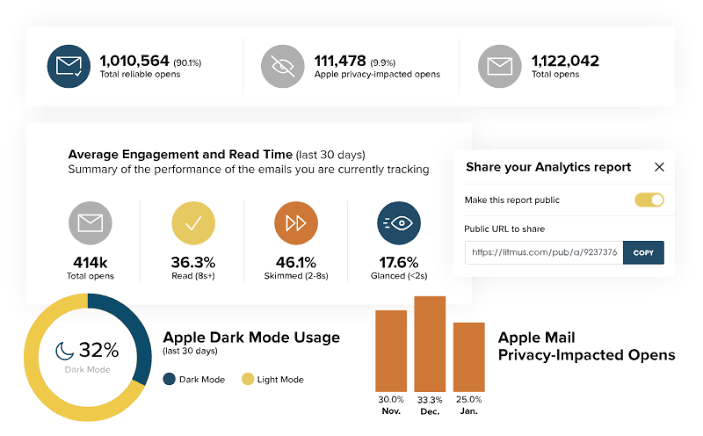
Litmus is the industry standard for pre-send email testing and post-send engagement analytics. It shows you exactly how your email renders across 90+ email clients and devices before you hit send — then gives you engagement data after, including read time, email client breakdown, and device-level performance.
Over 800,000 marketing professionals worldwide, including 80% of the Fortune 100, have relied on Litmus as a core component of their tech stack since 2005. The platform combines pre-send QA, spam filter testing, accessibility checks, and post-send analytics in a single workflow.
For a team shipping four to five campaigns per week to subscribers who include enterprise Outlook desktop users, the cost is justified by one campaign saved from a layout disaster.
Best for: Enterprise marketing teams sending visually designed emails at scale who can't afford rendering failures.
Limitation: Litmus is a testing and analytics tool, not a sending platform. You still need your existing ESP. In August 2025, Litmus completely overhauled its pricing structure, eliminating affordable plans and significantly raising rates — the Plus plan jumped from $199 to $500 per month, a 151% increase. Verify current pricing directly at litmus.com before budgeting.
Pricing: Plans vary significantly by tier and team size. Verify current pricing at litmus.com.
How to Choose the Right Email Analytics Dashboard for Your Team
Here's the honest framework for picking the right email analytics software for your situation:
Match the tool to the use case first. Marketing campaign analytics and cold email outreach analytics are fundamentally different problems. Using a marketing platform to track cold outreach gives you misleading data.
Using a cold email tool to track marketing nurture sequences misses CRM attribution entirely. Define the use case before you evaluate.
CRM integration is a priority filter for B2B teams. An email analytics dashboard that doesn't connect to your CRM is reporting, not revenue intelligence. If pipeline attribution matters to your sales team's reporting, prioritize tools with native CRM integrations (HubSpot) or strong API flexibility (ActiveCampaign, Klaviyo) before anything else.
Start with the metrics that drive decisions. Before you evaluate any tool, identify the 3–5 metrics your team actually changes behavior from. If you can't answer "what would we do differently based on this number?", the metric doesn't need to be on your dashboard — and a simpler tool will serve you better than a complex one.
Plan for a stack, not a single platform. Most B2B teams end up running more than one email analytics tool. A campaign platform (HubSpot or ActiveCampaign) for nurture emails, a cold outreach tracker (Smartlead or Cleverly's reporting) for prospecting, and optionally a rendering tool (Litmus) for high-volume senders. Define which tool owns which data before adding another dashboard to the stack.
📧 $312M+ in Pipeline Started With Better Email Campaigns
From deliverability to optimization, we build cold email systems that generate measurable pipeline—not just better reports.
How Cleverly Reports Cold Email Performance So You Always Know What's Working
Cold email outreach is analytically one of the hardest channels to track accurately. You're monitoring deliverability, reply rates, sequence performance, and meeting attribution simultaneously — across multiple sender domains, multiple ICP segments, and multiple campaign variants running in parallel.
Most in-house teams don't have the infrastructure or bandwidth to do all of that well.
At Cleverly, we run done-for-you cold email campaigns end-to-end: ICP list building, deliverability infrastructure, personalized sequence copywriting, sending, and reply handling. And every client gets transparent campaign-level reporting at every stage — not just vanity metrics, but the data that tells you whether outbound is actually working.
What we track and report: reply rate and positive reply rate by campaign and sequence, meetings booked per month with attribution to the specific sequence and ICP segment that generated each one, sender domain health and deliverability metrics, and A/B test results across subject lines and email variants.
Every meeting booked gets tagged to the campaign and segment that produced it — so when it enters your CRM, the attribution is already in place and the pipeline contribution of cold email is visible in your sales team's reporting.
The analytics advantage of working with us isn't just the reporting itself. It's that you're not building and maintaining the infrastructure required to generate that reporting — multiple sender domains, warm-up monitoring, sequence tool integrations, bounce categorization.
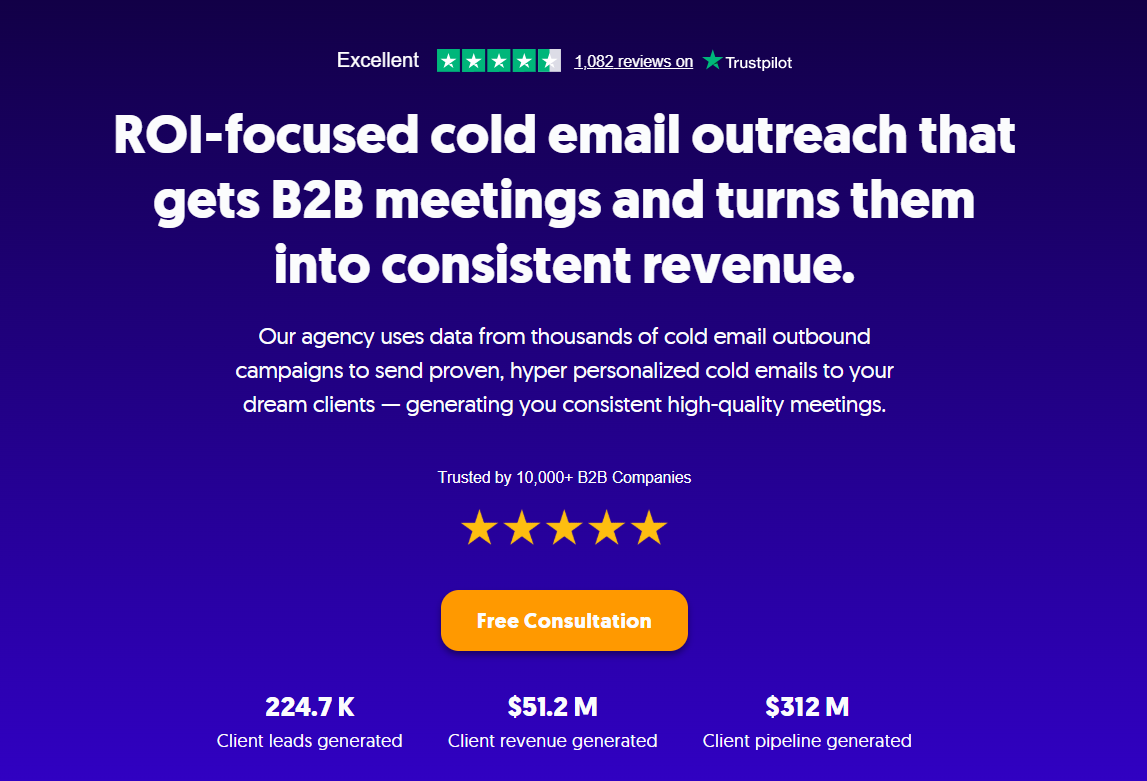
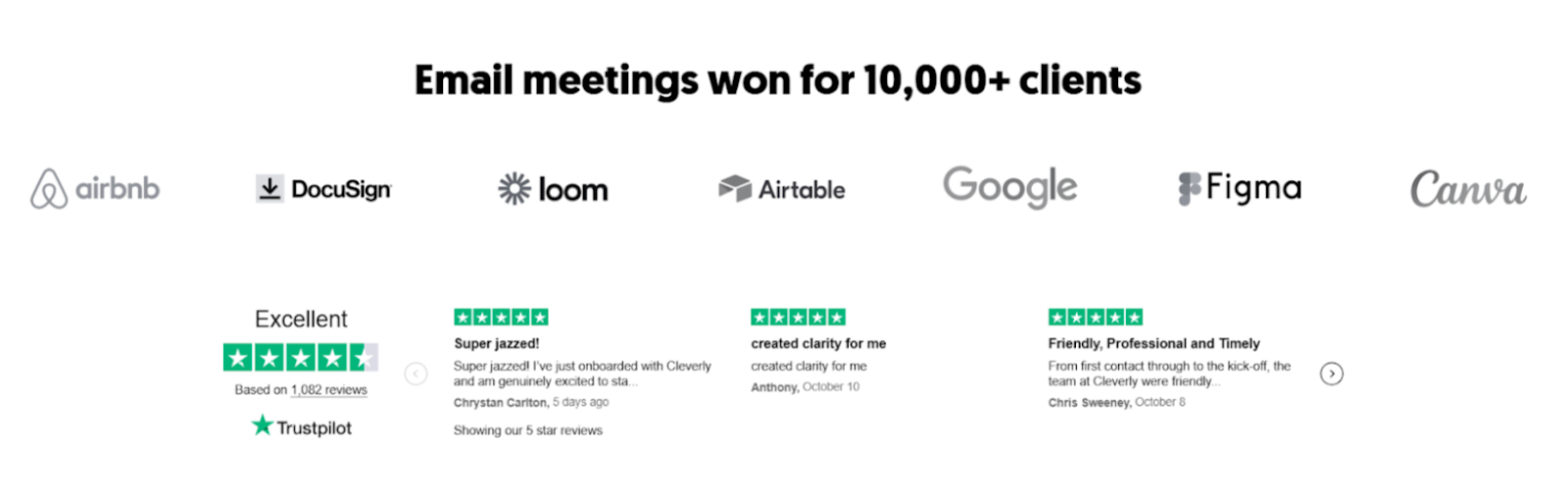
Cleverly clients get clean, actionable data without the operational overhead of managing it themselves. We've generated $312M in pipeline and set 53,000+ appointments across 10,000+ clients including eBay, Airbnb, DocuSign, Loom, and Airtable.
Want cold email performance data you can actually trust — without building the analytics infrastructure yourself? Book a strategy call with Cleverly and see how we report campaign performance end-to-end.
Conclusion
The right email analytics dashboard depends entirely on what you're measuring. Marketing campaign performance, cold email outreach, inbox response time, and pre-send deliverability are four different problems — and they need four different categories of tools to solve them properly.
For most B2B teams, the answer is a small, deliberate stack: a campaign platform like HubSpot or ActiveCampaign for nurture and marketing emails, a cold outreach tracker for outbound prospecting, and potentially a testing tool like Litmus for teams where a broken email at scale is a real business cost.
Pick based on the decisions the data needs to drive — not on feature lists or logos. The best email analytics software is the one your team actually opens and makes better sending decisions from.
Frequently Asked Questions
Free Resource
How to Scale a Profitable Cold Call System
Get the complete guide — download it instantly now.

Free Ebook
Download the Free Guide
Enter your details to get instant access.
You're all set! 🎉
Your ebook is downloading now.
Click below if the download didn't start automatically.