Table of Contents
The Nine Stages of an Outbound Workflow
Where AI Genuinely Helps at Each Stage
What Still Has to Stay Human
Choosing Your Stack Without Creating Sprawl
Build Order: What to Fix First
How to Measure Whether the Workflow Is Working
Where AI Outbound Workflows Usually Break
Build It Yourself or Have It Run for You
How Cleverly Runs This Workflow as a Managed Service
Conclusion
Frequently Asked Questions
Modified On :
October 8, 2026
Key Takeaways
- Design the workflow before you buy tools, because a tool can only fix a stage you've already identified as broken.
- AI should take over the repetitive work inside each stage. It shouldn't replace the stage or the judgment behind it.
- Fix stages in order. A weak ICP or bad data caps everything downstream, no matter how good the later tools are.
- Humans own the calls AI can't make: who your best customer is, whether your offer earns a reply, and how to handle live objections.
- Measure meetings held and rep hours per meeting, not automation coverage or send volume.
A stack nobody maintains costs more than a stack you never bought. That's where plenty of outbound programs end up. AI changed the economics of prospecting, research, and copy, so teams bought tools fast and designed the workflow later, if at all.
The numbers show the strain. Salesforce reports the average seller spends about 40% of their time selling, and Gartner's 2026 survey found AI tools save sellers 4.8 hours a week on average.
Growing GTM teams now run eight to fifteen tools across a single outbound sequence. A lot of that saved time leaks out through handoffs, credit management, and cleanup.
The fix is a better AI outbound sales workflow, not a bigger stack. AI should remove the repetitive work at each stage. It shouldn't replace the stage.
In this guide, we walk through the nine stages of outbound, where AI helps, what stays human, how to pick a stack, what to build first, and what breaks.
It's written for founders, RevOps, and sales leaders designing or rebuilding their outbound system. Each stage links to a deeper guide, so think of this as the map, not the manual.
The Nine Stages of an Outbound Workflow
Lay the full workflow out before you look at a single tool. Teams that skip this step buy software without knowing which stage they're actually fixing.
We've seen it plenty of times: a team adds an AI writing tool when their real problem is a list full of the wrong people.
The Nine Stages at a Glance
Why Order Matters
A weak stage upstream caps everything downstream. If your ICP is fuzzy, even flawless sequencing just reaches the wrong people faster. If your data is stale, your best copy bounces.
So fix in order. When results disappoint, don't ask "which tool should we add?" Ask "what is the earliest stage that's weak?" That question alone saves most teams a few thousand dollars and a few months.
An AI prospecting workflow also isn't a straight line forever. Reply data and meeting outcomes should feed back into stage 1. If the meetings that turn into deals all come from companies with 50 to 200 employees, your ICP should say so. Treat the nine stages as a loop.
🤖 Automate More. Sell More.
Cleverly combines AI with proven outbound strategy to help 10,000+ businesses generate qualified leads across LinkedIn, cold email, and cold calling.
Where AI Genuinely Helps at Each Stage
Now let's walk the stages again and name what AI actually contributes. Real AI sales automation is specific. It does a defined, repetitive job inside a stage. Anything vaguer than that is usually a demo feature.
ICP Definition and List Building
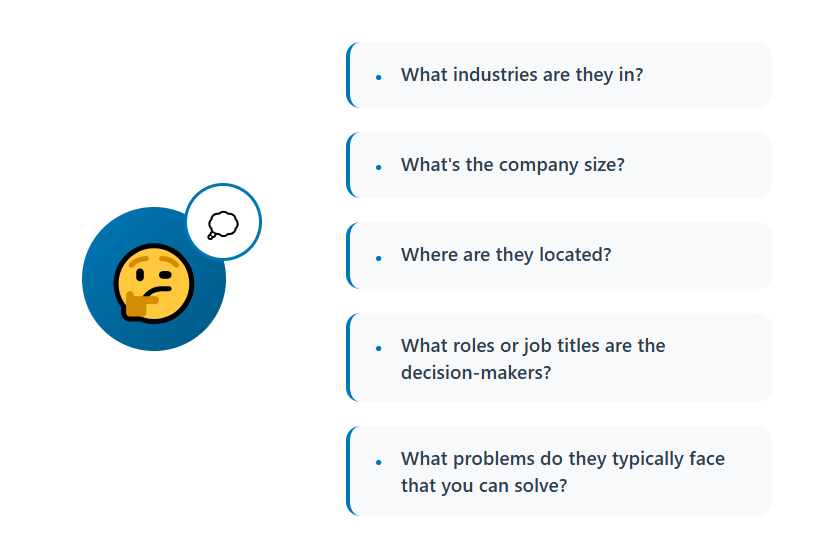
AI is good at pattern recognition across your existing customers. Feed it your closed-won deals from the last 12 to 24 months, along with firmographics and any notes on why they bought. It will surface patterns you'd miss by eye, like a shared tech stack, a hiring pattern, or a specific growth stage.
It also turns a vague profile into filterable criteria. "Mid-market SaaS companies that care about security" becomes an actual set of filters, plus a way to source matching accounts at scale.
A practical example: say your best customers are all Series B companies that just hired their first RevOps lead. AI can help you find that signal across thousands of accounts. A human would need weeks.
Pro tip: Ask AI to explain why an account matches, not just whether it does. Weak reasoning is your early warning that the criteria are off.
Data Enrichment
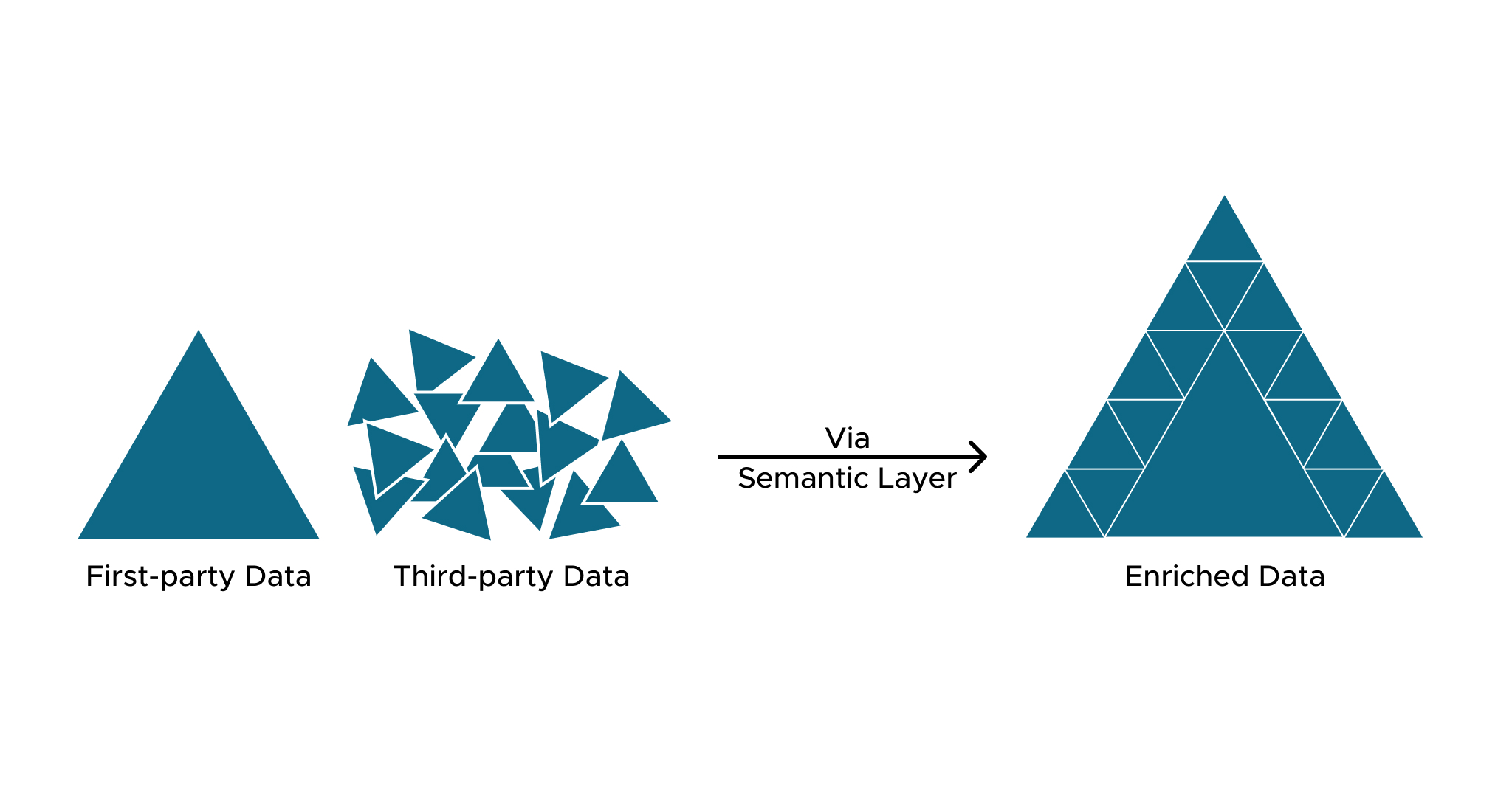
Single data providers have gaps. Waterfall logic fixes that by checking multiple providers in sequence until one returns a verified result. Coverage often lifts well beyond what any one source delivers.
AI also cuts the manual verification work that used to cap list size. Checking titles, confirming company details, and flagging mismatches no longer needs a person with a spreadsheet.
Pro tip: Verify emails before they enter a sequence, not after your first bounce. A bad bounce rate is a deliverability problem you created before sending anything.
Research and Personalization
This is where AI saves the most time per rep hour. It reads scattered public information (a funding announcement, a job posting, a podcast quote, a product launch) and turns it into a usable angle for each account.
The key word is usable. A summary of a company's About page isn't an angle. An angle is a specific reason this person might care about your offer this quarter.
Here's the difference in practice:
- Weak: "I saw your company is growing fast."
- Specific: "You posted three SDR roles this month, which usually means outbound is the next big bet."
The second one gets replies. The first one reads like a mail merge.
Pro tip: Have AI cite where each fact came from. Anything it can't source gets cut before it reaches a prospect.
Go deeper: Claude account research guide.
Scoring and Prioritization
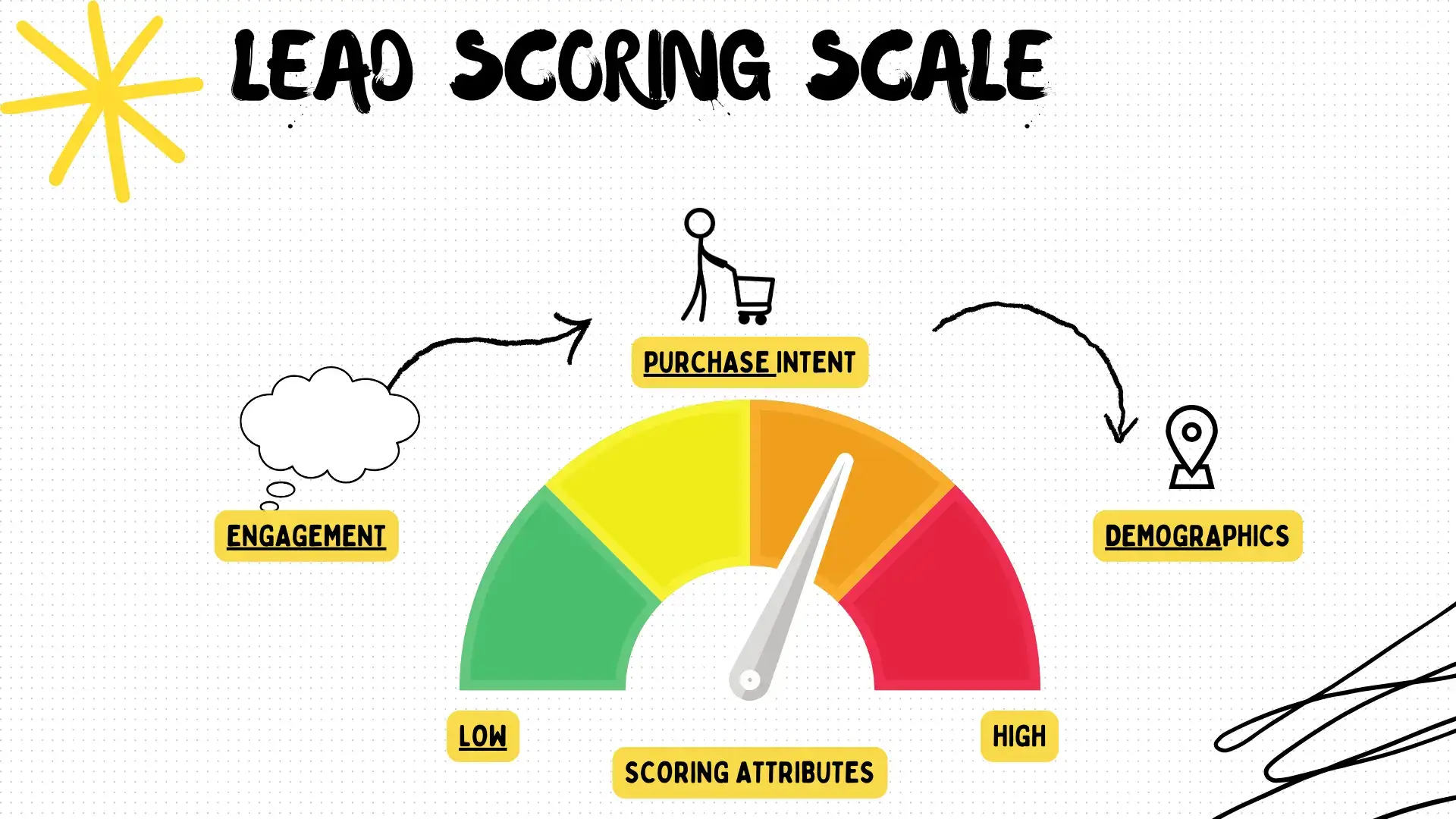
Humans score leads inconsistently. We rank the account we like or the one we recognize. AI applies the same criteria across the whole list, every time.
That consistency matters once you have volume. When you have 5,000 contacts and capacity to work 800 this month, prioritization decides your results.
Pro tip: Score on fit and timing separately. A perfect-fit account with no buying signal and a decent-fit account that just raised money need different treatment.
Sequencing and Copy
AI generates message variants at volume and adapts tone and angle per segment. That makes real testing possible, because you can run five versions instead of one and let replies decide.
It also handles the grunt work of adapting a core message across channels: a LinkedIn note, a cold email, and a call opener, all built on the same angle.
What it doesn't do is decide the offer. We'll cover that in the next section.
Reply Handling
AI can classify replies (interested, not now, wrong person, unsubscribe), pull out timing and objections, and route each one to the right next action. This is useful at volume, where a human skimming an inbox misses things.
It can also draft responses. The rule we follow is simple: AI drafts, a human approves. Unsupervised auto-replies are where outbound programs embarrass themselves, usually by answering a hot lead with something tone-deaf.
What Still Has to Stay Human
This section is what separates a useful workflow from a vendor pitch. Automated outbound sales works because people stay in the right places.
Decisions AI Can't Make
- Who your best customer actually is. AI acts on an ICP. It can't choose one. It can show you patterns in past deals, but deciding which direction to push your business is a leadership call.
- Whether your offer is differentiated enough to earn a reply. AI will happily write ten versions of a weak offer. Only a person who knows the market can say "nobody cares about this."
- When the data is wrong. Models misfire with total confidence. A person needs to notice when the list looks off, when a research summary doesn't match reality, or when scores don't match gut sense from real conversations.

Moments That Need a Person
- Complex objections. Anything that needs a read on the room, like a prospect who's skeptical because of a past bad vendor, needs a human.
- Named accounts you can't afford to get wrong. If one account is worth six figures, a person writes that message and watches that thread.
- Discovery, pricing, negotiation, and closing. These are relationship work. AI can prep a rep. It shouldn't run the call.
The Honest 2026 Model
Here's the model we believe in, and it's the one we run. AI does the repetitive parts, so people spend their time where humans win. It isn't "AI replaces SDRs."
If a vendor tells you the human column should be empty, treat that as a red flag.
🚀 Turn AI Into Pipeline
With 224.7K+ leads generated, 53,000+ meetings booked, and $312M+ pipeline, Cleverly helps B2B teams turn AI-powered outbound into real sales opportunities.
Choosing Your Stack Without Creating Sprawl
An AI lead generation system needs a stack, but a smaller one than you think. Start with categories, not brands.
The Categories You Actually Need
That's six categories. Plenty of teams run more than six tools because several tools overlap inside one category.
Buy for a Broken Stage, Not a Good Demo
Every demo looks great. Before you buy anything, name the stage you're fixing and the number you expect it to move. "Our enrichment coverage is 55% and we want 80%" is a reason. "The demo was impressive" isn't.
The market is also moving toward fewer, deeper platforms instead of many point solutions. Consolidation isn't always right, but it's worth asking whether one tool you already pay for covers a gap you're about to fill with a new one.
Integration Depth Beats Feature Lists
A tool with 40 features that doesn't sync cleanly with your CRM creates manual work. Manual work is the exact thing you bought AI to remove.
Before buying, ask:
- Does data flow both directions, or only one?
- What happens when a record changes in one tool? Does the other update?
- Who fixes it when the integration breaks?
Count the Real Cost
Subscriptions are the small part. The real number is: Subscriptions + credits + hours of whoever maintains it
An illustrative example: $600 a month in subscriptions, $400 in data credits, and 10 hours a month of a RevOps person's time at an effective $50 an hour adds $500. You're at $1,500 a month before a single meeting is booked. That's the number to compare against the cost of meetings, not the $600 sticker price.
Ask Who Owns Each Tool
Before purchase, write down one name per tool. Unowned tools decay. Credits run out, integrations break, templates go stale, and nobody notices until results slip.
The Warning Sign
If you've added tools for two quarters and meetings haven't gone up, the problem was never tooling. Go back to stages 1 and 2 and look there first.
Build Order: What to Fix First
You can't build all nine stages at once, and you shouldn't try. Each stage needs to prove itself before the next is worth adding. This is the order we recommend for sales workflow automation.
1. Start With ICP
Always. Everything downstream amplifies whatever targeting you set. Spend real time here: pull closed-won data, talk to your best customers, and write down the criteria in a form you can filter on.
2. Fix Data Quality Second
Every AI layer is capped by input accuracy. Clean titles, verified emails, and current company data come before clever personalization. A great message to a bounced address is a wasted message.
3. Get Deliverability Working Before You Scale Volume
Set up sending domains, authentication (SPF, DKIM, and DMARC), and warm-up before you scale. Gmail and Yahoo expect spam complaint rates to stay under 0.3%, and staying well under 0.1% is the safer target. A damaged domain takes weeks to recover, and the lesson is expensive.
4. Add Research and Personalization
Once targeting and data are solid, personalization actually works, because it's built on correct facts about the right people.
5. Layer In Scoring
Add scoring once you have enough volume that prioritization matters. With a few hundred contacts, you don't need it. With several thousand, you do.
6. Automate Reply Handling Last
This is the stage where mistakes are most visible, since a prospect is reading your response. Run it manually or semi-manually until you understand the patterns, then automate the classifying and drafting.
A Realistic Timeline
This is a quarter of work, not a weekend. A rough view:
Stages overlap, and your own timeline will shift. The point is that a team promising a full system in a week is promising a system that breaks in a month.
How to Measure Whether the Workflow Is Working
AI-powered outreach generates a lot of activity. Activity isn't the goal. These are the metrics worth tracking.
The Row That Matters Most
Look hard at the last row. If AI hasn't reduced the hours your team spends per booked meeting, the workflow isn't working, regardless of how many messages you send. More volume with the same hours per meeting just means you're doing more work, faster.
Measure Against Your Own Baseline
Published benchmarks make nice slides and bad targets. Your market, offer, and list are different from everyone else's. Record your pre-AI numbers first: reply rate, meetings per month, hours per meeting. Then compare against yourself.
Watch for the Classic Failure
Activity volume up, meetings flat. We see it constantly. Emails sent doubled, sequences multiplied, dashboards look busy, and the number of held meetings hasn't moved. When that happens, don't add more activity. Go back to the earliest weak stage.
Where AI Outbound Workflows Usually Break
After watching a lot of campaigns, the failures repeat. Here are the nine we see most, grouped by where they start.
Strategy Failures
1. A vague ICP. AI scales bad targeting efficiently. If your profile is "B2B companies that need growth," automation just reaches more of the wrong people. Fix: write criteria specific enough that two people would build the same list.
2. Expecting AI to fix a weak offer. It won't. It'll send the offer faster. Fix: test the offer manually with a small, hand-written batch before automating anything.
3. Personalization that says nothing. "Loved your recent post" is technically personalized and tells the reader nothing. Fix: require every personalized line to reference something specific and verifiable that connects to your offer.
Data and Infrastructure Failures
4. Bad or stale data. It caps every downstream stage. Bounces hurt your domain, wrong titles waste your best copy. Fix: verify before sending and re-verify on a schedule.
5. Ignoring deliverability until a domain is damaged. By the time you notice, you've lost weeks. Fix: monitor placement and complaint rates from day one, and scale volume gradually.
6. Tool sprawl with no owner. Half the stack goes unmaintained and quietly stops working. Fix: one named owner per tool, and an audit every quarter.
Process and Ownership Failures
7. Over-automating reply handling. Real interest gets mishandled by a bot that misreads tone. Fix: AI classifies and drafts, a human approves anything that isn't clearly routine.
8. Measuring automation coverage instead of meetings held. "We automated 80% of the workflow" isn't a result. Fix: report on held meetings and rep hours per meeting.
9. Nobody owns the system. It degrades quietly over a quarter. Lists get stale, templates get tired, and results slide with no single cause. Fix: name an owner, give them a weekly review, and give them authority to change things.
If you recognize three or more of these, don't patch them one by one. Go back to the build order and rebuild from the first weak stage.
Build It Yourself or Have It Run for You
By now you can see the workflow is real work. There are three realistic ways to get it done.
The Three Paths
The Two Deciding Questions
- Do you have someone to own this? Not "someone who could." Someone with the time and authority to run it every week.
- How soon do you need meetings? If the answer is "this quarter," building from scratch is hard to justify.
If both answers point away from building, you're in packaged or managed territory. For more on build versus buy, see our Claude Code vs AI SDRs comparison.
The third path isn't a pitch against tools. It's what you choose when the tools are the easy part and the operating is the hard part. That's what we do, which brings us to the next section.
How Cleverly Runs This Workflow as a Managed Service

Every stage in this guide still needs an owner. For most teams, that owner doesn't exist. That's why stacks decay and pipeline stays lumpy.
We run this exact workflow as a service, not a toolkit. As a B2B lead generation agency, we handle ICP definition and verified multi-source list building, research and personalization, LinkedIn outreach, cold email, cold calling, reply handling, and qualification. Qualified meetings land on your calendar through our appointment setting service.
The division of labor is the one this article argues for. AI handles the repetitive layer. Trained people handle objections, judgment, and qualification. You don't assemble a stack, manage credits, or learn deliverability lessons at your own domain's expense.
Our work so far has generated $312M in client pipeline and $51.2M in client revenue, and we optimize for qualified meetings held against criteria we agree on up front, not automation coverage or activity volume.
Want the workflow without building it? Talk to Cleverly about running outbound for you.
Conclusion
AI improves every stage of outbound, but it amplifies whatever you give it, including a weak ICP. Design the workflow first, then buy tools for the stage that's actually broken. Fix in order: ICP, data, deliverability, then research, scoring, and reply handling.
Your next step is simple. Map your own nine stages, mark the weakest ones, and fix the earliest weak one before you add anything.
The teams winning with an AI outbound sales workflow aren't the ones with the most tools. They're the ones who automated the repetitive work and kept humans where judgment matters.
Frequently Asked Questions
Free Resource
How to Scale a Profitable Cold Call System
Get the complete guide — download it instantly now.

Free Ebook
Download the Free Guide
Enter your details to get instant access.
You're all set! 🎉
Your ebook is downloading now.
Click below if the download didn't start automatically.