Table of Contents
What Is SMTP Protocol?
How Does SMTP Protocol Work? (Step-by-Step)
SMTP Protocol Example: A Real Email Journey
SMTP Commands You Should Know
SMTP Ports Explained: 25, 465, and 587
Email Protocol SMTP vs IMAP vs POP3
SMTP Authentication and Email Security
Common SMTP Errors and What They Mean
SMTP and Cold Email Outreach: Why It Matters for Deliverability
How Cleverly Handles Cold Email Infrastructure So You Don't Have To
Conclusion
Frequently Asked Questions
Modified On :
June 11, 2026
Key Takeaways
- SMTP (Simple Mail Transfer Protocol) is the standard protocol used to send and relay email between servers — it's been the backbone of email since 1982.
- SMTP only sends email; retrieving messages is handled by separate protocols (IMAP and POP3) — confusing these causes configuration failures in outreach tools.
- Port 587 with STARTTLS is the modern standard for email submission — using the wrong port can hurt deliverability before a single email is sent.
- SPF, DKIM, and DMARC are not optional extras — they're the authentication layer that determines whether your email reaches the inbox or the spam folder.
- Cold email campaigns live or die by SMTP infrastructure — domain warming, sender rotation, and proper authentication are non-negotiable for consistent inbox placement.
You hit send. The email disappears. And somewhere between your screen and your prospect's inbox, a protocol you've probably never thought about does all the heavy lifting.
That protocol is SMTP — Simple Mail Transfer Protocol. It's been running silently under every email ever sent since 1982, and yet most sales teams and marketers running cold outreach campaigns have no idea how it actually works.
That's a problem, because according to Validity's 2025 Email Deliverability Benchmark Report, the global average inbox placement rate sits at approximately 84% — meaning roughly one in six legitimate emails never reaches the inbox.
A misconfigured SMTP setup is one of the most common reasons why. Every serious cold email operation in 2026 treats deliverability as infrastructure, not an afterthought. The teams that systemize authentication, warmup, and monitoring are the ones whose campaigns consistently reach the primary inbox.
This guide breaks down exactly how SMTP protocol works — from the initial handshake to the inbox — plus the commands, ports, and authentication layers that determine whether your email lands or disappears. If you're running any kind of outbound email, this is foundational knowledge.
What Is SMTP Protocol?
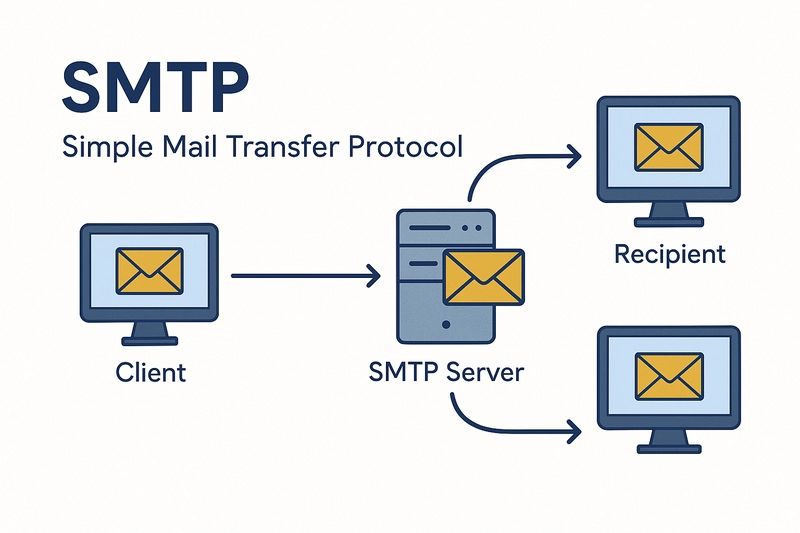
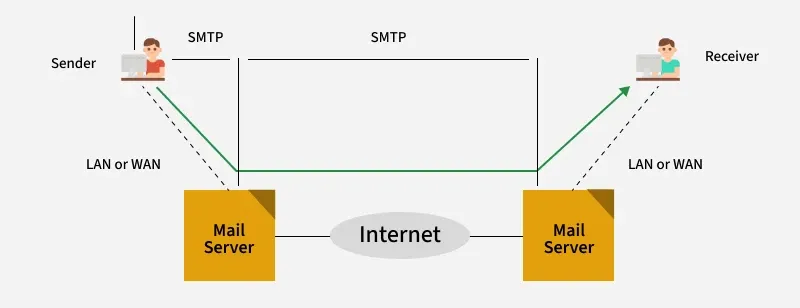
SMTP, or Simple Mail Transfer Protocol, is the standard communication protocol for sending and relaying email across the internet. When you send an email, your mail client hands it off to an SMTP server, which then routes it toward the recipient's server.
That entire handoff process — client to server to server — runs on SMTP.
It was first defined in RFC 821 back in 1982. In 1982, when Jon Postel and his colleagues finalized SMTP, they built a system fundamentally based on trust. Any server could claim to be sending mail from any address — there was no verification, no signatures, no proof of identity. For the small, collegial internet of the early 1980s, this was fine.
For the modern internet where over 300 billion emails are sent daily, it became an existential problem.
That's why, today, a correctly configured SMTP setup involves far more than just "send an email." It includes authentication layers, encryption, and reputation management that didn't exist when the protocol was born.
What SMTP Does (and Doesn't Do)
Here's the key distinction most people miss:
- SMTP = outbound only. It pushes email from sender to recipient's server.
- IMAP / POP3 = inbound. These protocols retrieve email and bring it into your client.
SMTP doesn't know what's sitting in your inbox. It doesn't sync, fetch, or organize. Its entire job is to take a message and deliver it to the right destination. Think of it as the postal worker who delivers mail — not the filing cabinet where letters are stored.
📩 Bad SMTP Setup = Emails Nobody Sees
Deliverability isn't just technical—it's the difference between pipeline and silence. We build outbound systems that actually reach inboxes.
How Does SMTP Protocol Work? (Step-by-Step)
The SMTP protocol follows a predictable sequence every time an email is sent. Understanding this sequence helps you diagnose deliverability issues before they become campaign-level problems.
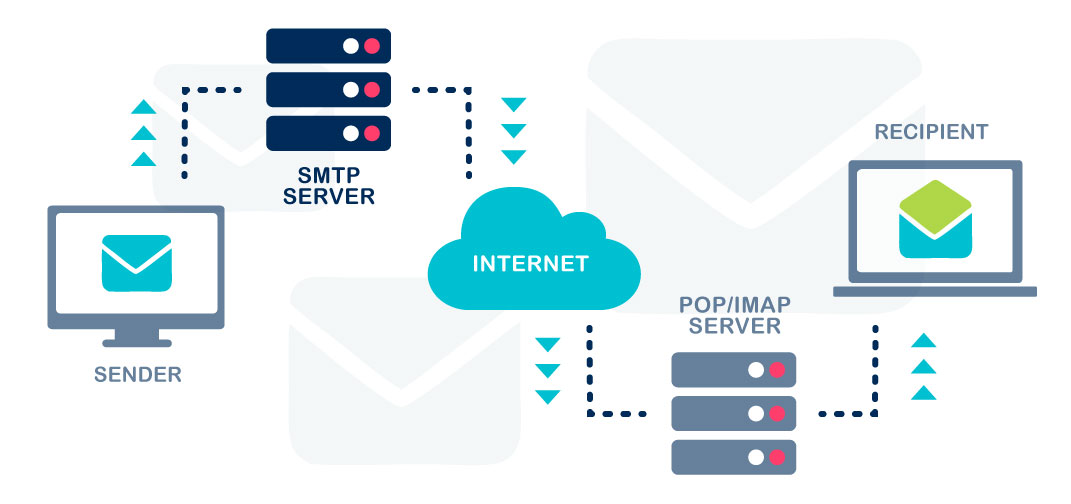
Step 1: Your client connects to the outgoing SMTP server
When you hit send, your email client (Gmail, Outlook, your cold email tool) initiates a TCP connection to your SMTP server — typically on port 587.
Step 2: The server authenticates you
Your sending tool passes credentials (username and password or an API key) to confirm you're an authorized sender on that server. Unauthenticated sends get rejected.
Step 3: DNS lookup happens in the background
Your SMTP server doesn't know where to send the email next. It looks up the recipient domain's MX (Mail Exchanger) records in DNS to find the correct receiving mail server.
Step 4: A TCP connection opens to the recipient's server
Your sending server connects to the receiving server on port 25 — the standard server-to-server relay port.
Step 5: The SMTP handshake and command exchange
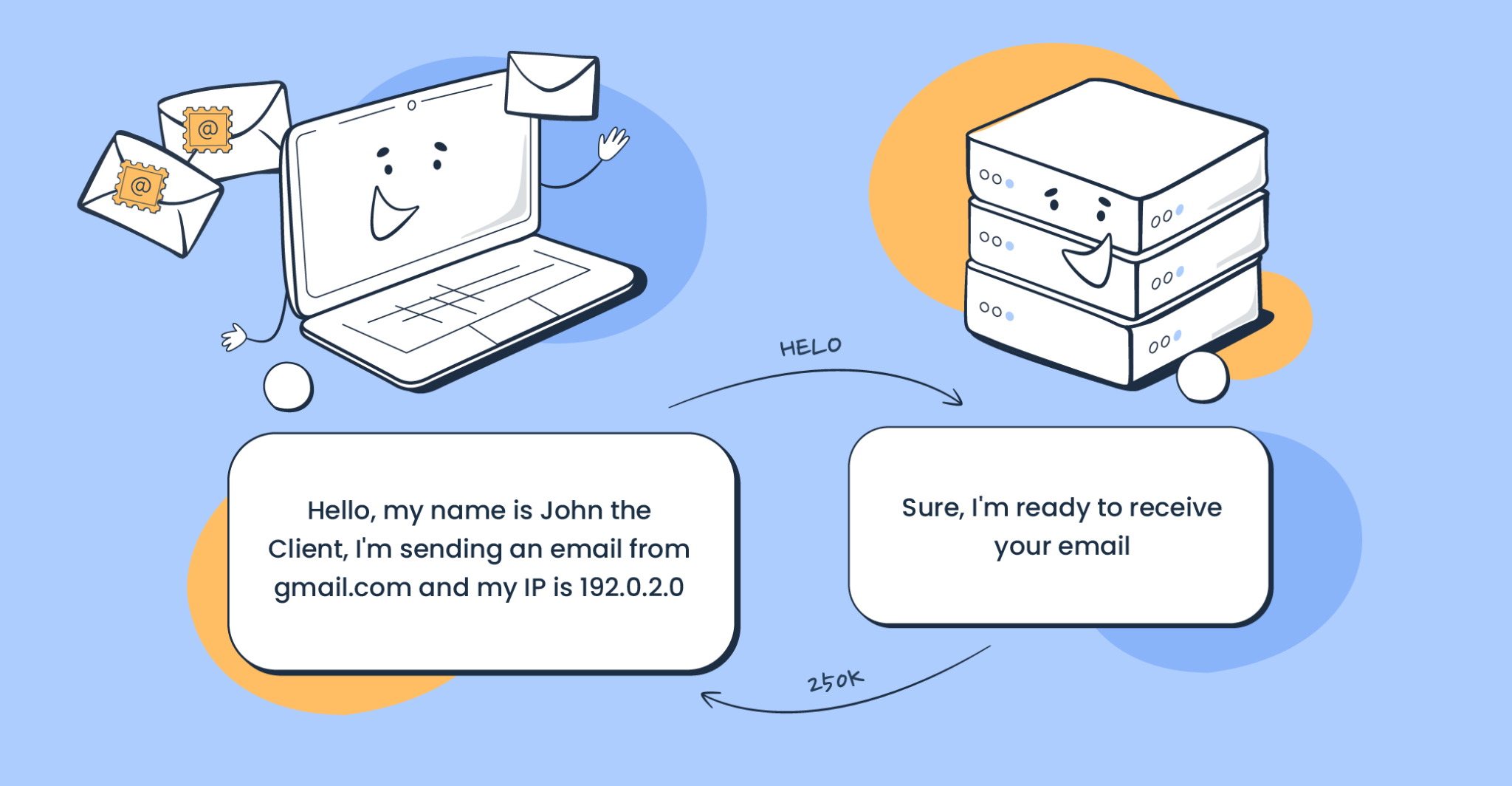
The two servers have a brief, structured conversation. Commands like EHLO, MAIL FROM, RCPT TO, and DATA are exchanged. This is where the recipient server decides whether to accept or reject the message.
Step 6: Message transfer or bounce
If everything checks out — authentication passes, the recipient address is valid, spam filters don't flag it — the message is accepted. If something fails, the sending server gets an error code and either retries (soft bounce) or gives up (hard bounce).
Step 7: The MDA delivers to the inbox
Once the receiving server accepts the message, it passes it to the Mail Delivery Agent (MDA), which routes it to the correct inbox.
Key concept: SMTP is a "push" protocol. It only moves mail forward. It never pulls, syncs, or fetches — that's IMAP and POP3's job.
SMTP Protocol Example: A Real Email Journey
Let's make this concrete. Say John at john@company.com sends an email to Sarah at sarah@business.com.
Here's what actually happens:
- John hits send in his email client
- The client connects to smtp.company.com on port 587
- John's credentials are verified
- smtp.company.com looks up the MX record for business.com — let's say it finds mail.business.com
- John's server opens a connection to mail.business.com on port 25
- The servers exchange a simplified SMTP conversation that looks like this:
→ EHLO smtp.company.com
← 250 Hello smtp.company.com
→ MAIL FROM:<john@company.com>
← 250 OK
→ RCPT TO:<sarah@business.com>
← 250 OK
→ DATA
← 354 Start mail input
→ [message headers + body]
→ .
← 250 Message accepted
→ QUIT
← 221 Bye
- mail.business.com accepts the message and delivers it to Sarah's inbox
What happens when it fails?
If sarah@business.com doesn't exist, the receiving server returns a 550 error and John's server generates a bounce notification. If the receiving server is temporarily overloaded, a 421 or 450 code is returned and delivery is retried later.
🚀 Most Companies Don't Have an Outreach Problem
They Have a Deliverability Problem. We handle infrastructure, inboxes, sending & optimization—so you get meetings, not bounce notifications.
SMTP Commands You Should Know
These are the core commands that run every SMTP protocol conversation. If you're troubleshooting deliverability or configuring an outreach tool, knowing what these do makes the difference.
Why these matter for cold email senders
Every one of these commands leaves a fingerprint. The MAIL FROM address needs to match an authenticated, warmed domain. The AUTH handshake needs to succeed or the session gets dropped. And if your RCPT TO addresses consistently bounce because your list is dirty, receiving servers flag your sending IP and domain as unreliable.
Getting these right isn't technical nitpicking — it's the foundation of inbox placement.
SMTP Ports Explained: 25, 465, and 587
Port choice is one of the most misunderstood parts of email configuration. Here's how to think about it:
Port 25 — Server-to-Server Relay
This is the original SMTP port, and it's still used today — but only for server-to-server mail relay. Most ISPs and cloud providers block port 25 for end-user clients to prevent spam. If you're configuring an outreach tool, you almost certainly should not be using port 25.

Port 465 — Legacy SSL
Port 465 was briefly used as the SMTP over SSL port in the late 1990s before being deprecated. Some older systems and providers still support it, but it's not the modern standard. Avoid it unless your provider specifically requires it.
Port 587 — The Modern Standard
Port 587 is the correct choice for email protocol SMTP submission from clients and outreach tools. It uses STARTTLS encryption, which upgrades the connection to encrypted after the initial handshake. This is what Gmail, Microsoft 365, and virtually every reputable ESP uses.
Practical guidance for outreach teams: If you're configuring cold email software, use port 587 with STARTTLS. If your tool defaults to port 25, that's a red flag worth investigating. Port mismatches frequently cause silent failures where emails appear sent but never arrive.
Email Protocol SMTP vs IMAP vs POP3
Three protocols, three jobs. Confusing them is one of the most common configuration errors in outreach tools.
How they work together
When you send a cold email, SMTP pushes it out. When your prospect opens it and replies, their reply travels via SMTP to your server.
Your IMAP client then retrieves that reply so you can see it synced across your laptop, phone, and browser.
POP3 is largely obsolete for business use. It downloads messages to a single device and removes them from the server — a problem for any team that needs access from multiple places.
If a prospect's reply isn't showing up in your outreach tool, nine times out of ten it's an IMAP configuration issue, not an SMTP one. Knowing the difference saves hours of troubleshooting.
SMTP Authentication and Email Security
Here's a painful truth: the Simple Mail Transfer Protocol was officially labeled "inherently insecure" by the Network Working Group in 2008. The protocol allows anyone with basic coding knowledge to impersonate a domain and send fraudulent emails without authorization.
That fundamental flaw is why authentication layers were bolted on afterward — and why getting them right is non-negotiable for anyone running cold email outreach in 2026.
SPF (Sender Policy Framework)
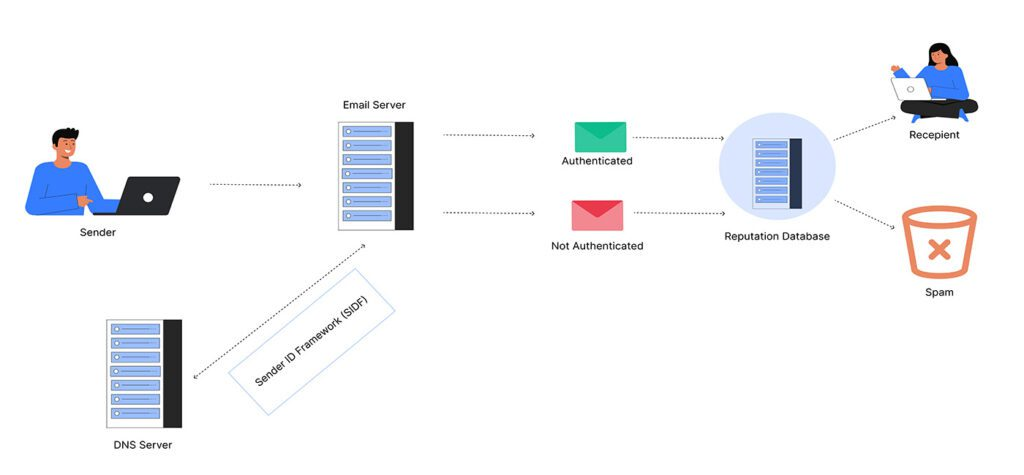
SPF lets you publish a DNS TXT record listing every IP address and mail server authorized to send email for your domain. When a receiving server gets a message claiming to be from your domain, it looks up your SPF record and checks whether the sending IP is on the list. If it's not, SPF fails.
DKIM (DomainKeys Identified Mail)
DKIM adds a cryptographic signature to your email headers, confirming the message wasn't tampered with in transit. Your mail server attaches a private key signature to each email, and receiving servers use your public key to verify authenticity. This solves a problem SPF can't: verifying that the message content hasn't been altered on its way from sender to recipient.
DMARC (Domain-based Message Authentication, Reporting and Conformance)
DMARC checks whether either SPF or DKIM results actually align with the domain your recipients see in their inbox. Each protocol handles a different piece of the trust chain, and you need all three.
Setting up SPF, DKIM, and DMARC isn't optional anymore — it's the baseline. As of 2026, all three major email providers — Google, Yahoo, and Microsoft — enforce sender authentication for bulk senders.
TLS Encryption
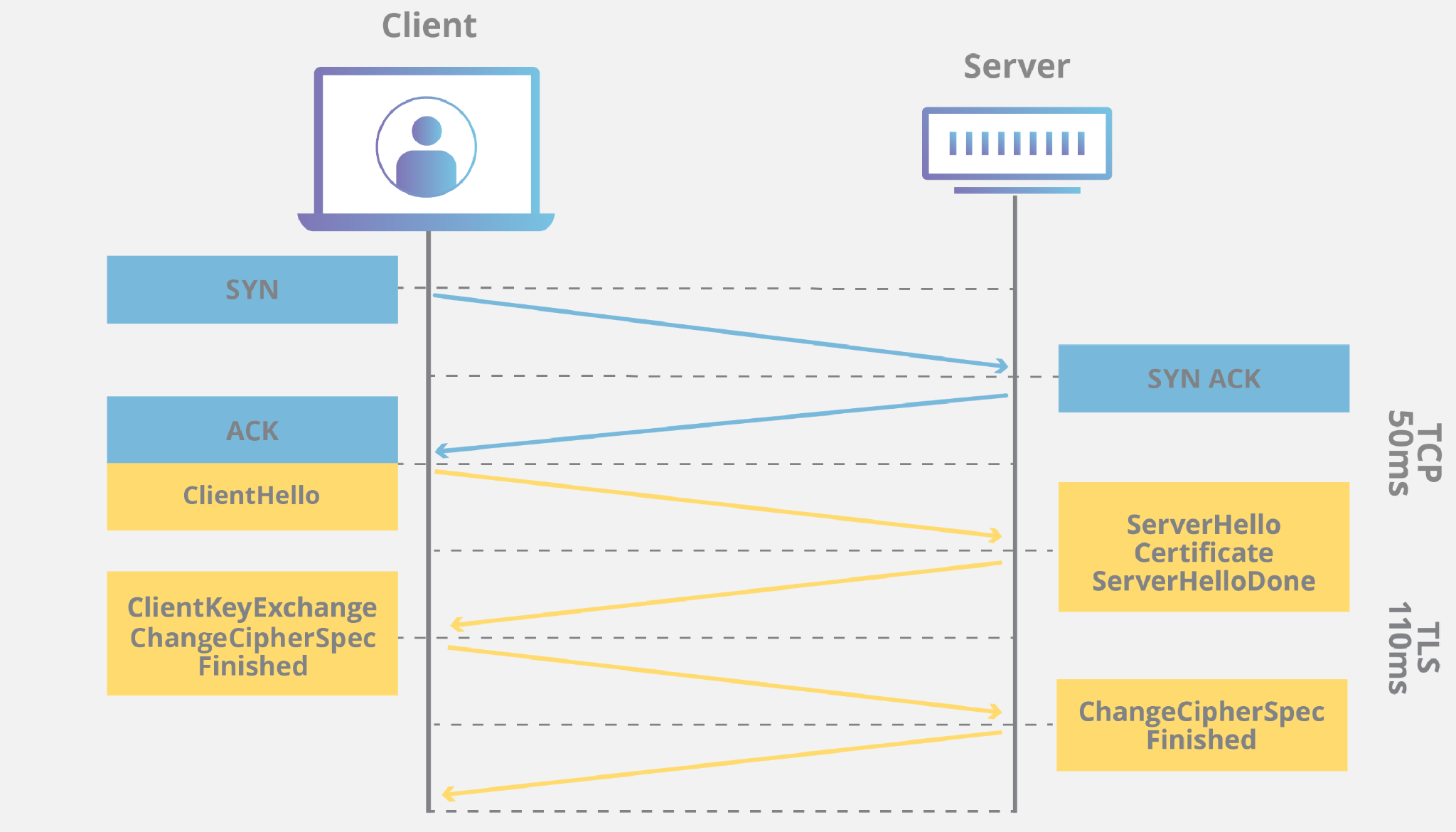
Beyond authentication, all modern SMTP connections should use TLS (Transport Layer Security). This encrypts the connection between mail servers so message content can't be intercepted in transit. If your SMTP setup isn't using TLS, your emails are traveling in plaintext — and receiving servers will penalize that.
Bottom line: Missing any one of these layers — SPF, DKIM, DMARC, or TLS — is enough to push your emails into spam or get them rejected outright, regardless of how good your copy is.
Common SMTP Errors and What They Mean
SMTP error codes follow a consistent logic: 4xx codes are temporary failures (retry); 5xx codes are permanent failures (stop and fix something).
Soft bounces vs. hard bounces
A soft bounce (4xx) means delivery failed temporarily. The sending server will retry automatically over a set time window. If retries keep failing, it eventually becomes a hard bounce.
A hard bounce (5xx) means permanent failure. The address doesn't exist, the domain is invalid, or the receiving server has permanently blocked you.
Every hard bounce you don't remove from your list damages your sender reputation. Cold email senders should target a bounce rate under 2% — anything above that starts triggering spam filters.
SMTP and Cold Email Outreach: Why It Matters for Deliverability
Your SMTP setup is the invisible variable behind every cold email campaign result you've ever seen.
You can write a perfect subject line, craft a sharp opening sentence, and hit send with confidence — and still land in spam if your infrastructure isn't right. Google, Yahoo, and Microsoft now enforce bulk sender rules requiring spam complaints under 0.3% and bounces under 2%. Violate those thresholds and your emails get moved to Junk, then rejected entirely.
Domain warming
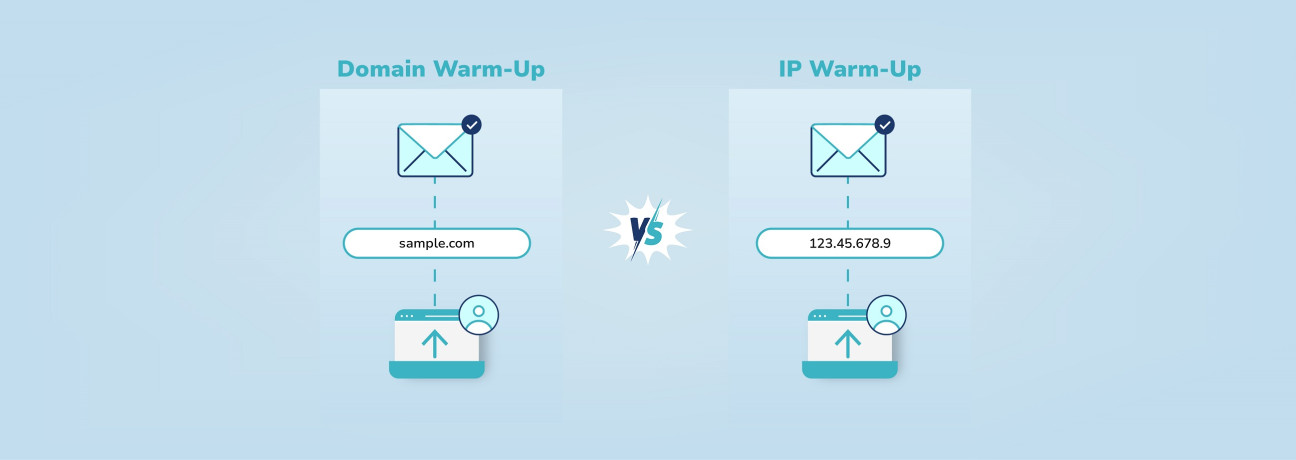
New sending domains have no reputation. If you register a domain today and start blasting 500 emails tomorrow, every major inbox provider will flag it immediately. According to 2026 cold email benchmarks, start new domains with 5-10 emails per day and gradually increase over 4-6 weeks, maintaining predictable daily volumes to build sender reputation.
Inbox rotation
Inbox rotation automatically balances sending volume across multiple email addresses, keeping individual inboxes under spam radar thresholds. Running outreach from a single inbox at high volume is a reliable way to get that inbox flagged. Distributing sends across multiple warmed inboxes keeps each one well below the risk threshold.
The connection between SMTP health and reply rates
The overall average reply rate for cold email is 3.43%, with top performers exceeding 10% reply rates. That gap between average and top performance isn't just about copy — it's about deliverability. A perfectly written email that lands in spam gets a 0% reply rate. The teams hitting double-digit reply rates are the ones who've treated their SMTP infrastructure as seriously as their messaging.
How Cleverly Handles Cold Email Infrastructure So You Don't Have To
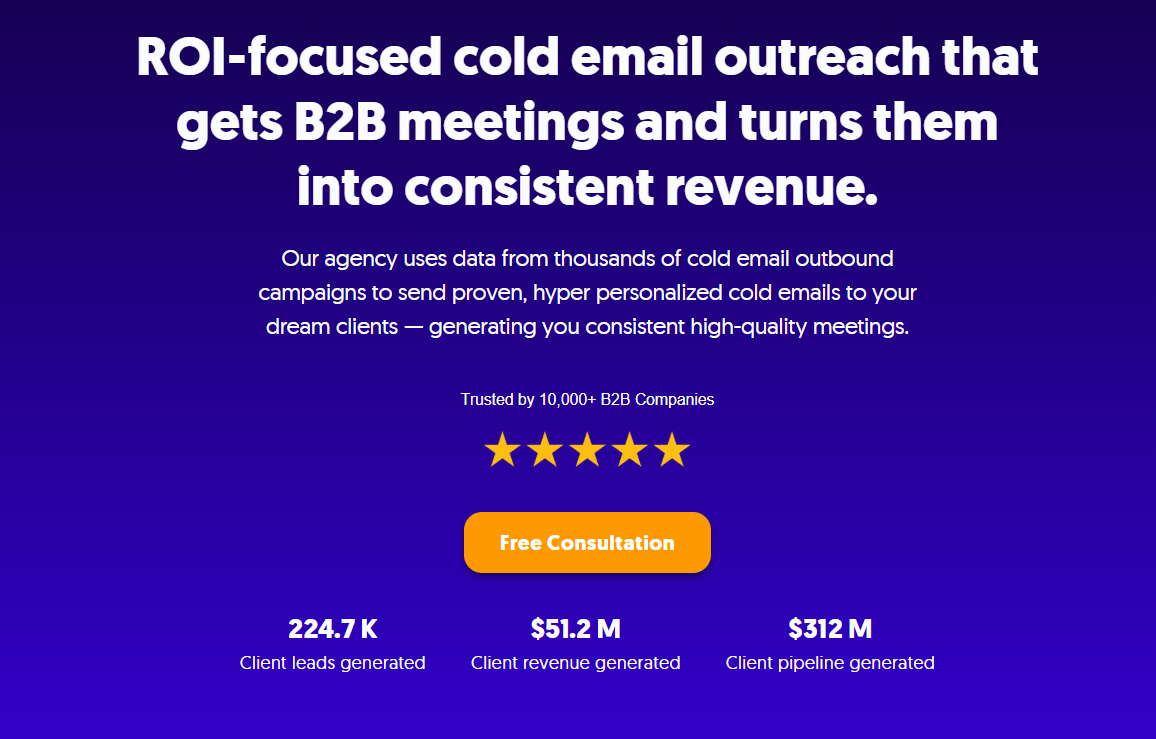
Cold email works when the technical foundation is built correctly. The problem is that most teams treat infrastructure as a one-time setup rather than an ongoing system — and deliverability quietly degrades over time without anyone noticing until reply rates crater.
At Cleverly, we handle the full cold email stack on your behalf — not just the copywriting. That means proper domain setup, SPF, DKIM, and DMARC configuration, inbox warming from day one, and sender rotation across multiple inboxes to protect your deliverability as campaigns scale.
Every technical layer that determines whether your email reaches the primary inbox gets set up and maintained by people who've done this across thousands of campaigns.
The difference between a misconfigured SMTP setup and a properly warmed, authenticated sending infrastructure isn't subtle. It's the difference between consistent inbox placement and consistent spam placement — and everything downstream (open rates, replies, meetings) follows from that.
We've helped 10,000+ B2B companies generate pipeline through cold email, generating $51.2M in closed revenue across clients like Amazon, Google, Uber, and Slack. Our cold email service runs on a performance model — you only pay for meeting-ready leads we send you.
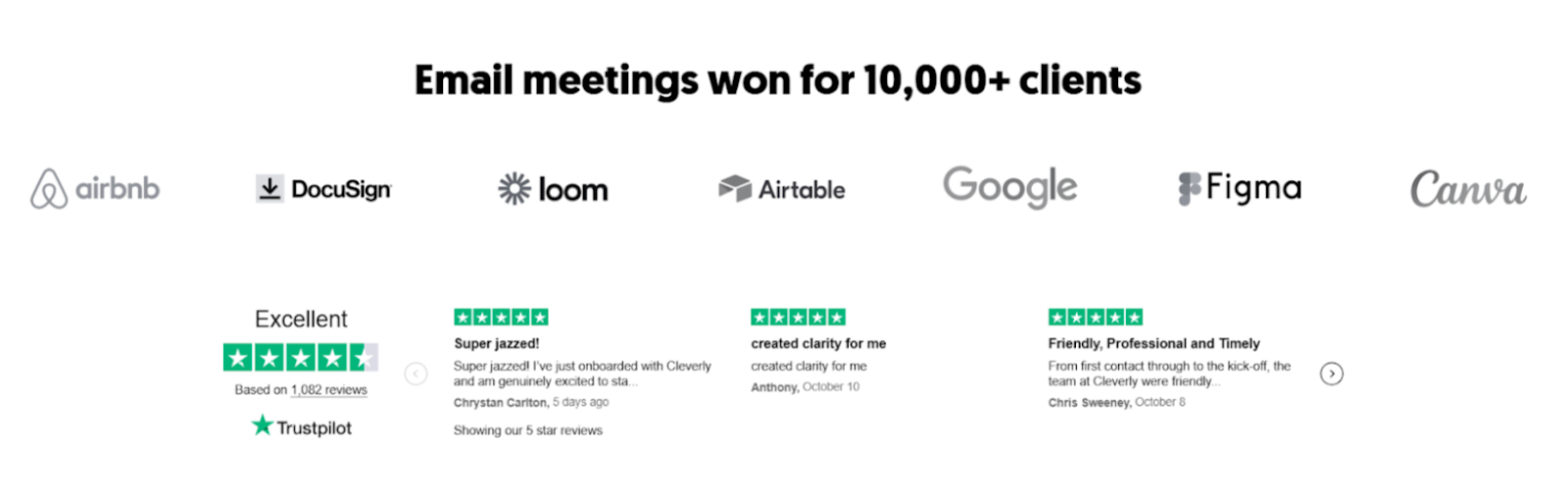
Want cold email handled the right way — from infrastructure to copy to reply management? Book a strategy call with Cleverly.
Conclusion
SMTP protocol is the invisible engine behind every email you've ever sent — and understanding how it works gives you a real edge when something breaks or when you're trying to diagnose why your cold email performance isn't where it should be.
The fundamentals matter: the right ports, proper authentication, clean lists, warmed domains. Teams that treat deliverability as infrastructure — not an afterthought — are the ones running campaigns that actually reach the inbox. Getting the protocol basics right isn't optional. It's where outbound success starts.
Frequently Asked Questions
Free Resource
How to Scale a Profitable Cold Call System
Get the complete guide — download it instantly now.

Free Ebook
Download the Free Guide
Enter your details to get instant access.
You're all set! 🎉
Your ebook is downloading now.
Click below if the download didn't start automatically.