Table of Contents
What Is Outreach.io and Who Is It Built For?
Outreach.io Pricing in 2026
Why Teams Switch Away From Outreach
Best Outreach.io Alternatives in 2026
Quick Comparison of Outreach Alternatives
How to Choose the Right Outreach.io Alternative
Or Skip the Platform Entirely and Buy the Outcome
Conclusion
Frequently Asked Questions
Modified On :
October 28, 2026
Key Takeaways
- Decide why you’re leaving before you pick a replacement. Cost, complexity, and category mismatch each point to a different tool.
- Quote-only pricing hides the real number. Compare total contract value (seats, data, onboarding, AI credits), not the per-seat sticker.
- Match the tool to your team size and CRM. Native integration and fast adoption usually beat a slightly better standalone feature set.
- If your real need is cold email volume, a full sales engagement platform was the wrong category from the start.
- Software gives you sequencing and reporting. Someone still has to build the list, protect deliverability, write the copy, and work the replies.
Search for Outreach.io alternatives and count how many of the top lists put the publisher’s own product at number one. We counted. It’s most of them.
The pressure to switch is real. Gartner found that 49% of sellers feel overwhelmed by the number of technologies their job requires, and those sellers are 43% less likely to reach quota. Salesforce’s 2026 State of Sales data, as summarized by Cirrus Insight, puts selling time at about 40% of a rep’s week.
Outreach is a capable platform. Most people searching for Outreach.io competitors aren’t looking for something better in general. They want something that fits their team, budget, or motion.
We run outbound for a living at Cleverly, so we have a stake here, and we’ll flag where that matters. Below you’ll find a short review of Outreach, what it costs, why teams leave, eight alternatives, and how to choose.
What Is Outreach.io and Who Is It Built For?
Outreach.io reviews tend to split into two camps: people who love the process control and people who feel buried by it. Both are right, because it’s a specific product for a specific buyer.
Outreach now sells under the name Outreach at outreach.ai. It positions itself as an AI agent platform for revenue teams, covering sequencing, an integrated dialer, conversation intelligence, deal and pipeline management, and forecasting.
What it does well
- Workflow depth. Multichannel sequences, tasks, account planning, and relationship maps sit in one place.
- Governance at scale. Reporting, permissions, and process enforcement work well across large teams.
- Full revenue coverage. Forecasting, including scenario planning and forecast rollups, sits in the top Amplify Pro package.
Who it’s not built for
- Small teams and founder-led sales.
- Anyone whose constraint is volume rather than process.
- Teams with no RevOps owner to run it.
One fair update: PricingSaaS recorded a new Amplify Essentials entry-tier package in late July 2026. So “enterprise only” is less true than it was. You still have to request pricing, though.
On data, Outreach’s package pages list data enrichment and AI research agents, but no standalone prospect database. Plan on a separate data source and confirm with your rep what’s included.
🔥 Outreach Software Is Only Half the Solution
Outreach.io helps automate sales activities, but your team still needs the right prospects and messaging. We’ll get those for you + qualified booked meetings.
Outreach.io Pricing in 2026
Outreach.io pricing is quote-only. Every package shows “Request pricing,” and the company describes its model as seat-based access plus consumption-based AI credits. That second part is new for many buyers. Your bill depends on seats and on how much AI work your team runs.
So, how much does Outreach.io cost?
There’s no official number, and published estimates vary a lot. Clay’s guide cites user reports of up to around $3,000 per user annually. Woodpecker’s research puts entry packages at roughly $100 to $120 per user per month. RevenueGrid notes that every public figure is an estimate that moves with negotiation and package. Treat all of it as directional.
What drives the real cost
- Seats plus credits. Extra credit packs can be bought any time if you run through your allotment.
- Onboarding. Services range from self-serve packages to full implementation and training, quoted separately.
- Add-ons. Data Sharing, Connectors, Additional Instances, and Listener Licenses are sold separately.
- Contract terms. Seat minimums and annual commitments show up in buyer reports, not on the official page. Ask for both in writing.
- Data. A contact subscription alongside the platform can rival the platform fee.
Pro tip: Ask for a three-year total contract value, not a monthly per-seat quote. Include credits, onboarding, and data in that number.
Why Teams Switch Away From Outreach
This is the section the competing lists skip. We’ll be specific and fair.
Cost at scale
Seats, credits, onboarding, and a separate data subscription stack fast. It’s the most common trigger for an evaluation, especially when headcount grows.
Complexity relative to team size
Depth that a 200-rep org needs becomes overhead for a 10-rep team. Teams often use a fraction of what they pay for.
Implementation and admin burden
Setup takes real time. Ongoing admin assumes a RevOps function that smaller teams don’t have.
Contract structure
Annual terms make it harder to scale down than up. Reported seat minimums reduce flexibility when headcount changes.
Missing data layer
No standalone prospect database means your total stack costs more than the platform price suggests.
What Outreach still does better
Workflow depth, large-team governance, and reporting remain strong. Switching has a real cost. Some teams evaluating alternatives should stay put.
🚀 What If You Could Skip the Setup Altogether?
Instead of paying for another tool and building campaigns yourself, let Cleverly run your LinkedIn, cold email, and cold calling. You get a done-for-you path from prospecting to booked meetings.
Best Outreach.io Alternatives in 2026
We organized these by use case, not strict rank. Pricing changes often, so confirm on each vendor’s page before you buy.
1) Salesloft
- Best for: Enterprise teams wanting a like-for-like swap.
- Standout: Salesloft completed its merger with Clari on December 3, 2025, adding forecasting to its engagement platform.
- Pricing: Quote only. Its pricing page now routes to a demo booking.
- Limitation: The cost profile is similar to Outreach, so it solves fit rather than budget. It’s also mid-integration with Clari’s products.
2) Apollo

- Best for: Teams that want data and sequencing in one seat-priced tool.
- Standout: Built-in contact database, published pricing, and a usable free plan.
- Pricing: Basic is $49 per seat per month billed annually ($65 monthly), Professional is $79 ($99), and Organization is $119 ($149) with a three-seat minimum.
- How credits work: An email costs 1 credit and a phone number costs 8. Unused credits expire each billing cycle.
- Limitation: Basic and Free cap daily sends at 250 and give you one mailbox per user. Data is also single-source, and workflow depth is lighter than a dedicated platform.
3) HubSpot Sales Hub
- Best for: Teams already running HubSpot CRM.
- Standout: Native CRM integration and easy adoption. Free tools cover up to two users.
- Pricing: Starter starts at $7 per seat per month billed annually ($20 monthly). Professional is $90 annual ($100 monthly) with a required one-time $1,500 onboarding fee. Enterprise is $150 with $3,500 onboarding.
- Limitation: Sequences appear at Professional, with up to 500 email sends per user per day. LinkedIn actions need a separate Sales Navigator subscription.
4) Reply.io
- Best for: Mid-market teams that want multichannel sequencing at a moderate price.
- Standout: Email, calls, and LinkedIn steps in one workflow.
- Pricing: Emelia’s October 2026 check shows Email Volume from $49 per month billed yearly ($59 monthly) based on active contacts. Multichannel is $89 per user billed yearly ($99 monthly) with one LinkedIn account included.
- Add-ons: LinkedIn is $69 per account on Email Volume. Calls and SMS are $29 per user plus usage.
- Limitation: Add-ons stack up, and the ecosystem is smaller than the market leaders’. Reply.io’s own pricing pages also list conflicting details, so get your quote in writing.
5) Groove by Clari
- Best for: Salesforce-centric teams.
- Standout: Deep Salesforce-native architecture.
- Pricing: Quote only. It’s increasingly sold as part of the broader Clari suite.
- Limitation: Value depends on being a Salesforce shop. After the Salesloft merger, Clari also owns a second engagement product, and its customer FAQ describes unifying them as a multi-year effort.
6) Mixmax
- Best for: Smaller teams that want lightweight sequencing inside Gmail.
- Standout: Built around Gmail, with multichannel sequences across email, LinkedIn, phone, and SMS. Adoption is quick.
- Pricing: Mixmax changed its page between October 12 and 19, 2026. PricingSaaS recorded one all-features plan priced by monthly recipients, starting with a free tier for 50 recipients and $29 for 100. Plans run to $89 for 1,500 and $129 for 3,000, with $9-per-member add-ons for the dialer and Salesforce Insights. Older articles show retired Copilot tiers, so check the live page.
- Limitation: Not built for large-team governance or reporting, and it’s capped by recipient volume.
7) Smartlead or Instantly

- Best for: Teams whose real need is cold email volume, not full sales engagement.
- Smartlead pricing: Base is $39 per month, Pro is $94, Unlimited Smart is $174, and Unlimited Prime is $379. Every plan includes unlimited email accounts, with no per-seat or per-mailbox fees. Verified prospect emails are a $59 add-on on Base and Pro, and included on the two Unlimited plans.
- Instantly pricing: Growth is $47 per month for 5,000 emails and 1,000 contacts. Hypergrowth is $97 for 125,000 emails, and Light Speed is $358 for 500,000. All plans include unlimited email accounts and warmup.
- Watch the data cost: Instantly’s 450M+ contact database runs on a separate Credits subscription.
- Limitation: Both are email-focused, so neither replaces a full engagement platform.
8) Lemlist
- Best for: Multichannel sequences with heavy personalization.
- Standout: Email, LinkedIn, and calls in one flow.
- Pricing: The Email plan is priced by sending volume, with unlimited users and senders. The 50,000-email tier is $69 per month ($55 on yearly billing). Multichannel Expert is $109 per user per month, with a 14-day free trial.
- What Multichannel includes: LinkedIn actions, in-app calling with 400 minutes per user, a 450M+ lead database, and 400 enrichment credits per user per month.
- Limitation: Multichannel is per seat, with up to five sending addresses per user. Enterprise is annual only with a five-seat minimum. Costs climb as headcount grows.
Quick Comparison of Outreach Alternatives
Use this table to shortlist. Prices are entry points as of October 2026 and shift often.
The biggest cost variable is whether contact data is included. A separate data subscription can rival the platform fee, so price your full stack, not just the license.
How to Choose the Right Outreach.io Alternative
Map your reason for leaving to the replacement. This is the practical payoff of the earlier section.
- Leaving over cost: Look at published-pricing platforms with data included, like Apollo, instead of another quote-only enterprise tool.
- Leaving over complexity: Pick for adoption and simplicity, even if you give up reporting depth.
- Leaving over seat minimums: Prioritize platforms priced by volume or without minimums, such as Smartlead, Instantly, or Lemlist’s Email plan.
- Real need is cold email volume: A sales engagement platform was the wrong category to begin with.
- Already on Salesforce or HubSpot: Native integration usually beats a marginally better standalone.
- Before switching at all: Cost out the migration. Moving sequences, data, and habits takes weeks and resets your reporting history.
Or Skip the Platform Entirely and Buy the Outcome
If you read the pricing sections above and thought “I don’t want to run any of this,” that’s a fair reaction. A platform gives you sequencing and reporting. It doesn’t give you a target list, warmed domains, tested messaging, or someone working replies every day.
That’s the gap Cleverly’s cold email service fills.
We build the ICP, source and verify the list from multiple data sources, set up domains and inboxes, write and test the sequences, manage deliverability, and handle replies until a meeting lands on your calendar.
It’s month-to-month with no contracts, either as a flat monthly retainer (Growth) or pay per lead (Scale).
Do the math: seats, a data subscription, sending infrastructure, and the person who runs it all, against a team that delivers meetings.
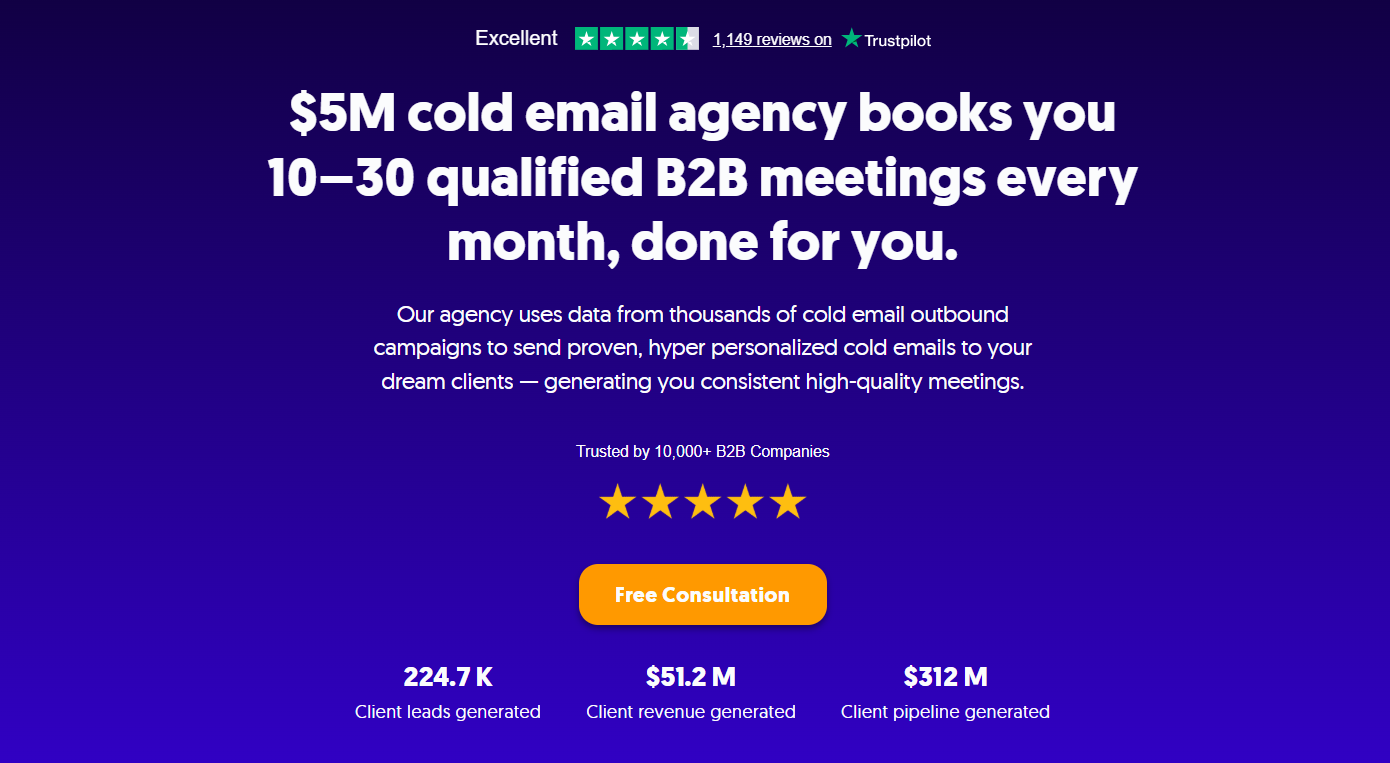
We’ve generated $312M in client pipeline and $51.2M in client revenue this way, and we optimize for one thing: qualified meetings with real decision-makers.
Comparing platforms when what you actually want is meetings? Cleverly runs the whole thing. Book a strategy call to see how.
Conclusion
Decide why you’re leaving before you decide where to go. Cost, complexity, and category mismatch point to very different answers among the Outreach.io alternatives. Salesloft is the closest swap, Apollo is the strongest value with data included, and the cold email tools are right if that was your real need all along.
Watch the costs that sit outside the platform price, especially contact data and onboarding. Then list your three biggest frustrations with Outreach and trial only the tools that fix those. If the honest answer is that nobody has time to run the platform well, switching software won’t change the outcome.
Frequently Asked Questions
Free Resource
How to Scale a Profitable Cold Call System
Get the complete guide — download it instantly now.

Free Ebook
Download the Free Guide
Enter your details to get instant access.
You're all set! 🎉
Your ebook is downloading now.
Click below if the download didn't start automatically.