Table of Contents
What Most People Get Wrong When Searching Employees on LinkedIn
How to Find Employees of a Company on LinkedIn (Baseline Method)
Advanced LinkedIn Search Strategy to Find the Right Employees
How to Use LinkedIn Sales Navigator for Better Prospecting
How to Build a Qualified Employee List (Not Just a Contact List)
From Employee Search to Lead Generation: What Changes
Tools That Improve LinkedIn Prospecting Efficiency
Common Mistakes That Kill LinkedIn Prospecting Results
How Cleverly Finds and Converts the Right Decision-Makers on LinkedIn
Frequently Asked Questions
Modified On :
March 30, 2026
Key Takeaways
- Use LinkedIn's People search with layered filters instead of relying only on the company page tab.
- Always define your ICP before building any employee list.
- Decision-makers and influencers are both important to identify and target separately.
- LinkedIn Sales Navigator gives you advanced filters, lead saving, and intent signals that free LinkedIn doesn't.
- A smaller, well-qualified list consistently outperforms a large, unqualified one.
- Personalization is what bridges the gap between a contact list and actual pipeline.
LinkedIn has over 1 billion members, and almost every professional you'd ever want to reach is on it. That's exactly why it's become the go-to platform for B2B prospecting.
But here's the thing: knowing how to look for employees on LinkedIn is the easy part.
The hard part is finding the right people - the ones who actually match your ICP, have buying authority, and are worth your outreach effort.
Most people treat LinkedIn like a directory. This guide treats it like a prospecting system. We'll walk you through how to find, qualify, and build a list of employees that actually moves your pipeline.
What Most People Get Wrong When Searching Employees on LinkedIn
If your LinkedIn searches aren't converting into conversations, the problem usually isn't LinkedIn. It's the approach.
Here's where most people go wrong when they try to find employees on LinkedIn:
- Relying only on the company "People" tab. It's a starting point, not a strategy. You're working with limited filters and no qualification layer.
- Skipping ICP definition. Jumping into search without knowing exactly who you're looking for leads to bloated, irrelevant lists.
- Using generic titles. Searching "Manager" or "Executive" pulls thousands of results that have nothing to do with your offer.
- Building lists without qualifying them. A list of 500 names isn't valuable if none of them fit your buyer profile.
- Prioritizing quantity over relevance. More contacts doesn't mean more pipeline. Relevant contacts do.
Fixing these mistakes is what separates random browsing from structured prospecting.
🔎 Right Buyers. Right Meetings.
Cleverly’s LinkedIn outreach reaches decision-makers at Amazon, Google, Uber, PayPal & more. Plans start at just $397/mo.
How to Find Employees of a Company on LinkedIn (Baseline Method)
If you're just getting started, here's the simplest way to find employees of a company on LinkedIn:
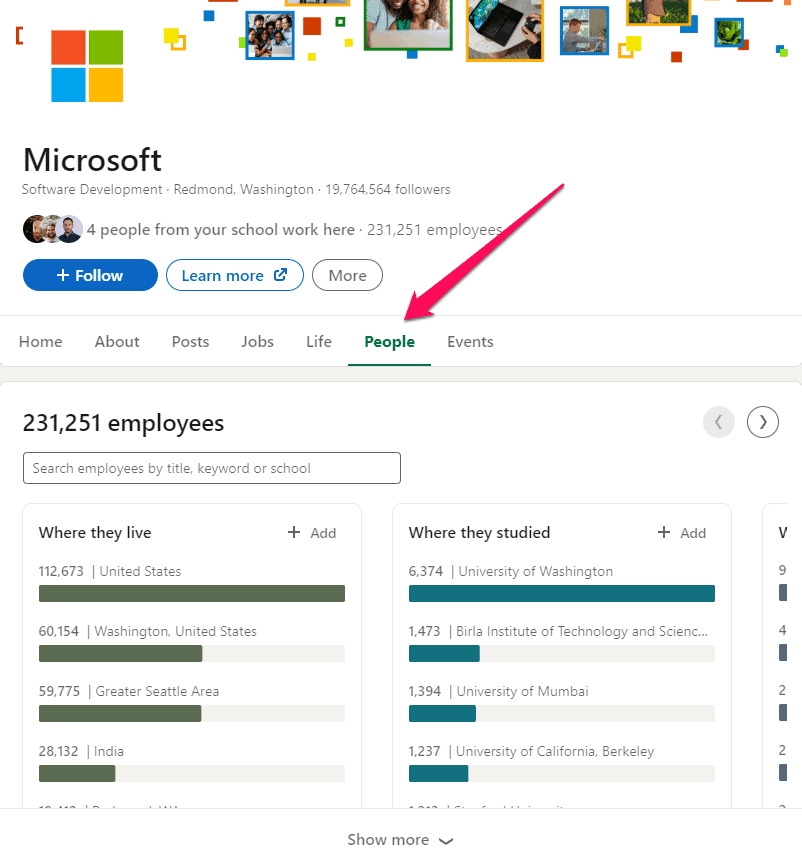
- Go to the company's LinkedIn page.
- Click the "People" tab.
- Use the search bar at the top to filter by keyword, title, or department.
- Apply location filters if geography matters to you.
- Scan profiles manually for relevant titles and roles.
This works fine for quick research or small target accounts. But it has real limits:
- You can't filter by seniority level
- Results are based on LinkedIn's algorithm, not your criteria
- There's no way to save or export the list
- You're limited to 1st and 2nd-degree connections in some views
For anything beyond surface-level research, you need a more advanced approach.
Advanced LinkedIn Search Strategy to Find the Right Employees
LinkedIn's native search is more powerful than most people use it. When you know how to search for employees on LinkedIn the right way, you can get very targeted, very fast.
Here's how to do it:
- Use the "People" filter in LinkedIn's top search bar, not just the company page.
- Add the company name under "Current Company" to anchor your search to a specific org.
- Layer in title or function filters to narrow down by role type — for example, "Head of Sales" or "VP of Marketing."
- Use keyword-based targeting in the title field to catch niche roles that don't follow standard naming conventions.
- Filter by seniority level to separate contributors from decision-makers.
For example: searching for "Demand Generation" + filtering by "Director" seniority + a target company gives you a tight, relevant list in seconds. That's a fundamentally different result than browsing the People tab.
CTA 2: 🚀 Turn LinkedIn Prospects Into Sales Calls
10,000+ companies use Cleverly to generate pipeline through LinkedIn + cold email outreach. Over $312M in pipeline generated for clients.
How to Identify Decision-Makers (Not Just Employees)
Finding employees is easy. Finding the ones who can actually say "yes" to your offer is a different skill.
When you search employees of a company for LinkedIn prospecting purposes, you're really trying to map out the buying committee. That usually includes:
- Decision-makers — the people who sign off on budget (VPs, Directors, C-suite)
- Influencers — people who don't have final say but shape the decision (team leads, senior ICs, department heads)
- End users — the people who will actually use your product or service
How you align these depends on your offer:
The goal isn't to find the most people at a company. It's to find the right 2-3 people and reach them with context. That's what moves deals.
How to Use LinkedIn Sales Navigator for Better Prospecting
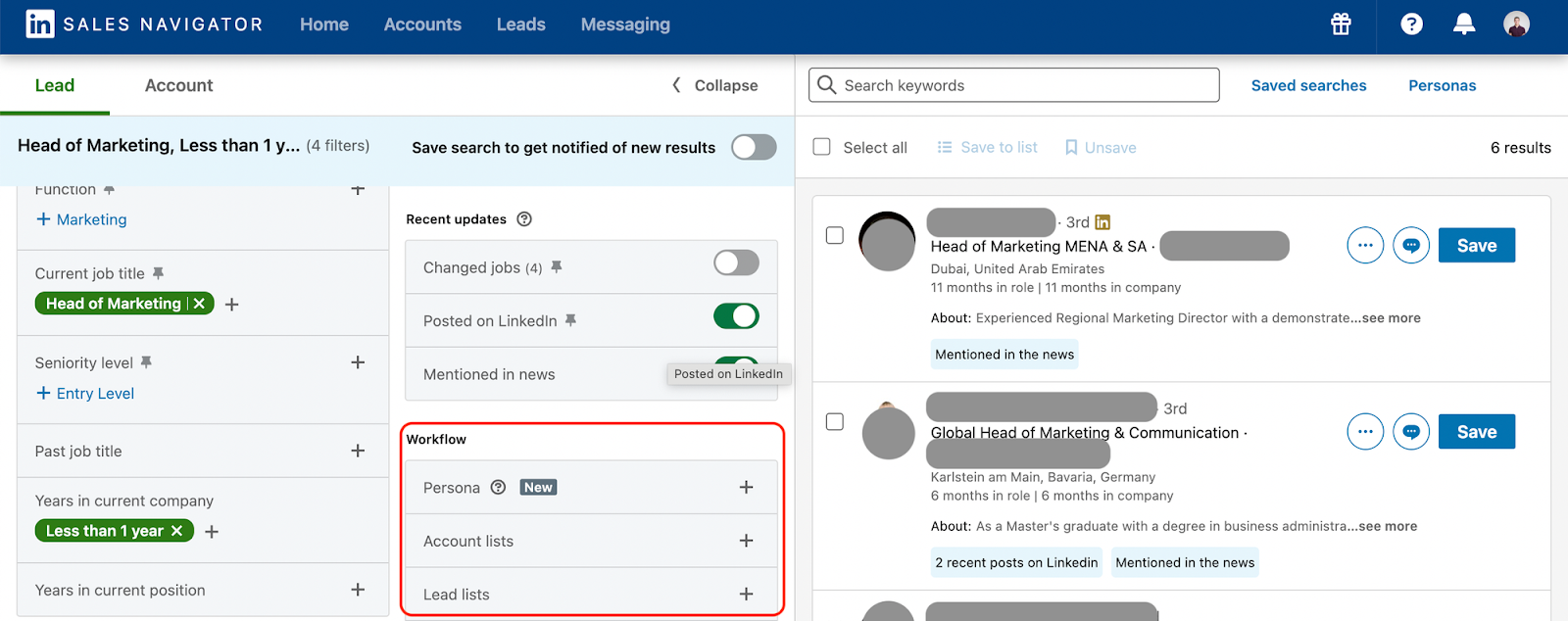
If you're serious about B2B LinkedIn lead generation, Sales Navigator is worth the investment. It gives you access to filters that free LinkedIn simply doesn't have.
Key features that make a difference:
- Advanced filters — narrow by company size, headcount growth, seniority, function, tenure, and geography all at once.
- Lead saving and account tracking — save prospects into lists and get notified when they change roles or post content.
- Intent signals — activity like recent posts, job changes, and profile updates can indicate someone is in buying mode.
- Segmented lead lists — build separate lists by persona, industry, or campaign so your outreach stays organized and relevant.
Sales Navigator also integrates directly with most CRMs, which makes handoff from prospecting to outreach much smoother. If you're running any kind of structured outbound, this tool pays for itself quickly.
How to Build a Qualified Employee List (Not Just a Contact List)
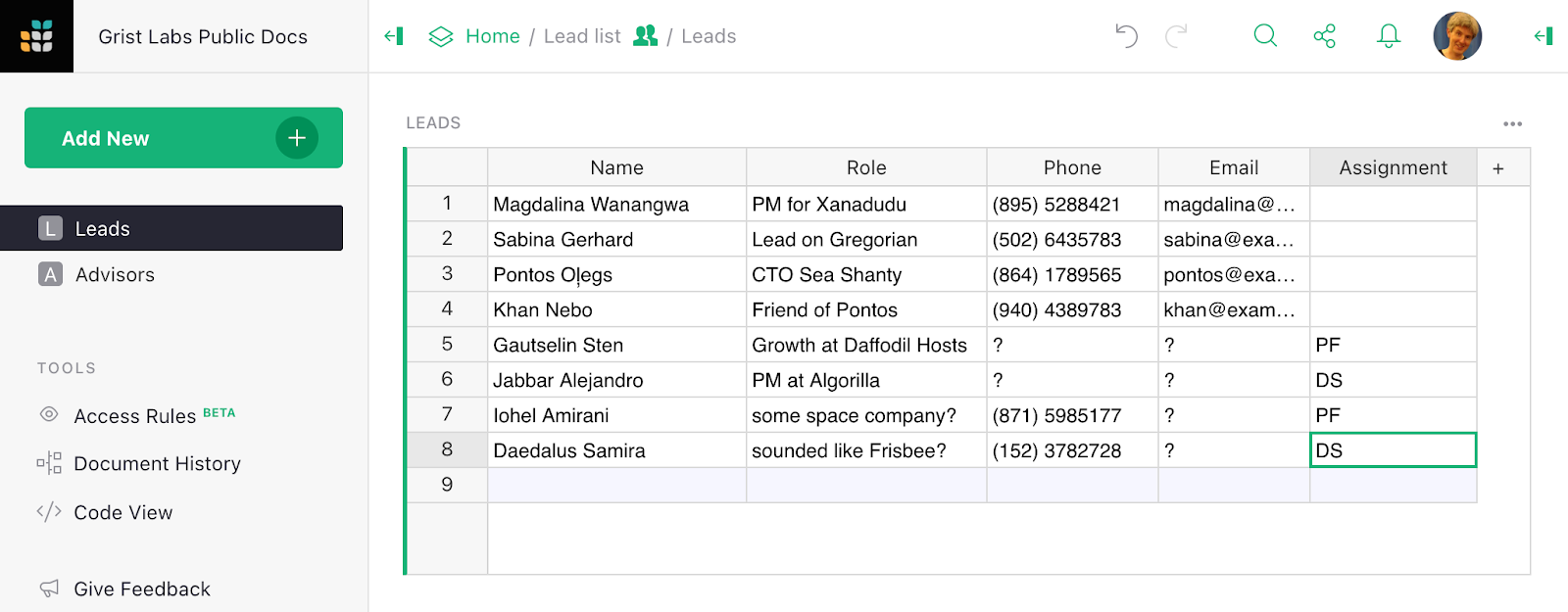
A contact list and a qualified lead list are not the same thing. One gives you names. The other gives you pipeline.
Before you start pulling names, get clear on your ICP:
- Industry and company size — who do you actually help, and at what scale?
- Role and seniority — who feels the pain your product solves?
- Geography — are there regions where your offer performs better?
- Buying signals — are there behaviors or triggers that indicate readiness?
Once your ICP is defined, build your list in segments. Group by role type, industry vertical, or company size. This makes personalization much easier later.
The golden rule: a smaller, well-qualified list will always outperform a large, unqualified one. Sending 100 relevant messages beats sending 1,000 generic ones every time.
From Employee Search to Lead Generation: What Changes
Finding employee profiles is data collection. Turning them into leads is a completely different process. And most people skip the middle step.
Here's what changes when you move from search to following best practices for LinkedIn lead generation:
- Data collection → Pipeline building. A list only has value when there's an outreach strategy behind it.
- Profile research → Personalization. Use what you find on a person's profile — their recent activity, role change, shared connections — to make your message relevant.
- Volume → Context. Generic outreach at scale doesn't work anymore. Targeted, contextualized messages to a smaller list works much better.
- One touchpoint → A sequence. A single connection request rarely converts. A planned sequence of touchpoints (connection, follow-up, value message) builds real relationships.
The gap between a list and a conversation is personalization. That's what separates prospecting that works from prospecting that just burns contacts.
Tools That Improve LinkedIn Prospecting Efficiency
You don't need a huge tech stack to prospect well on LinkedIn. But a few key tools make a real difference when you're trying to find employees on LinkedIn at scale:
- LinkedIn Sales Navigator — the most powerful native tool for filtered, segmented prospecting. Non-negotiable if you're doing serious outbound.
- Data enrichment tools (like Apollo, Clay, or Lusha) — fill in missing information like direct emails, phone numbers, and firmographic data.
- Email finder tools (like Hunter.io or Snov.io) — help you reach prospects outside of LinkedIn when needed.
- CRM syncing tools — connect your LinkedIn prospecting directly to your CRM (HubSpot, Salesforce) so leads don't fall through the cracks.
The right stack keeps your prospecting organized, speeds up your workflow, and makes sure no qualified lead gets lost between research and outreach.
Common Mistakes That Kill LinkedIn Prospecting Results
Even with the right tools and process, a few common mistakes can quietly kill your results:
❌ Targeting the wrong personas. If your ICP isn't locked in, you'll waste time on people who will never buy.
❌ Ignoring context and relevance. Reaching out without any connection to the person's role, industry, or situation feels random — because it is.
❌ Sending generic outreach. "Hi [First Name], I'd love to connect" does not work. It never did.
❌ Not refreshing your lists. People change jobs. Roles shift. An outdated list sends your messages to the wrong inboxes.
❌ No follow-up strategy. Most conversions happen on the 2nd or 3rd touchpoint. One message and done is leaving deals on the table.
These aren't hard problems to fix but they're easy to overlook when you're moving fast.
How Cleverly Finds and Converts the Right Decision-Makers on LinkedIn
Everyone knows LinkedIn is a goldmine for B2B leads. The challenge is building the system to work it consistently.
That's what we do at Cleverly.
We're the #1 LinkedIn lead generation agency, and we've helped 10,000+ clients — including teams at Amazon, Google, Uber, PayPal, Slack, and Spotify — build real pipeline through LinkedIn outreach.
How our process works:
- ICP-first targeting. We start with your ideal customer profile and build every list around it — no random bulk pulling.
- Advanced LinkedIn prospecting systems. We use data from thousands of outbound campaigns to identify what targeting, messaging, and sequencing actually converts for your market.
- Multi-channel execution. We combine LinkedIn outreach, cold email, and cold calling into one coordinated system — so you're hitting the right people across the right channels.
- Personalized outreach at scale. Our team writes proven, personalized messages that get replies — not just connection requests.
- Qualified meetings, not vanity metrics. Our dedicated response handlers manage your inbox, nurture leads, and book meetings directly on your calendar.
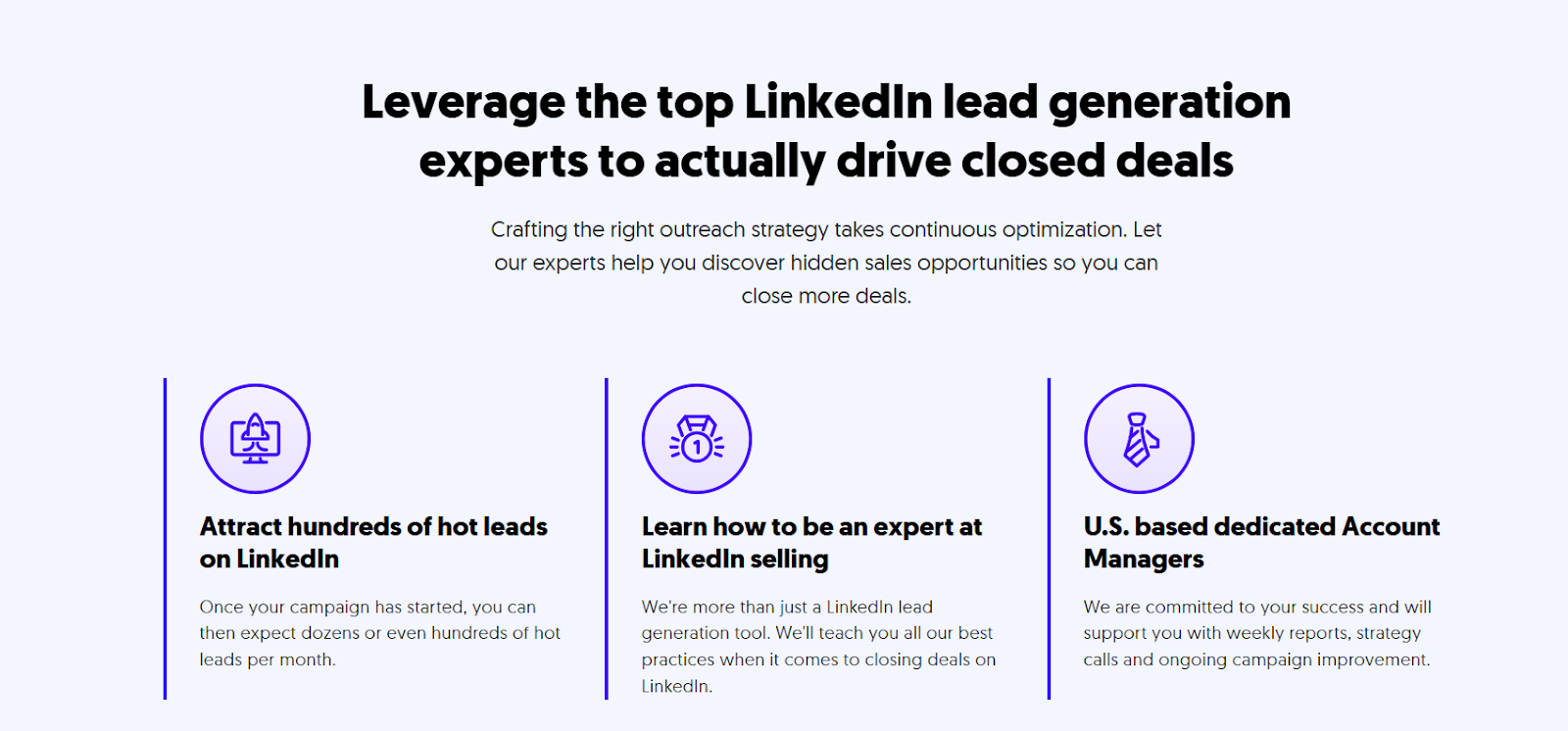
The results speak for themselves: $312 million in pipeline revenue and $51.2 million in closed revenue generated for our clients through LinkedIn outreach alone.
Ready to turn your LinkedIn into a revenue-driving machine? Book a FREE Consultation to see exactly how we build pipelines for businesses like yours. Plans start at just $397/month.
Frequently Asked Questions
Free Resource
How to Scale a Profitable Cold Call System
Get the complete guide — download it instantly now.

Free Ebook
Download the Free Guide
Enter your details to get instant access.
You're all set! 🎉
Your ebook is downloading now.
Click below if the download didn't start automatically.