Table of Contents
What Is an Endorsement on LinkedIn?
Why LinkedIn Endorsements Actually Matter
How to Endorse Someone on LinkedIn (Step-by-Step)
Should You Endorse Someone on LinkedIn? (Honest Answer)
How to Get Endorsed on LinkedIn
How to Request an Endorsement on LinkedIn
LinkedIn Endorsements vs Recommendations — Which Should You Focus On?
A Note for Sales and Outreach Professionals — Why Your Endorsements Matter More Than You Think
How Cleverly Turns LinkedIn Profiles Into Pipeline-Generating Assets
Conclusion
Frequently Asked Questions
Modified On :
May 1, 2026
Key Takeaways
- Endorsing in LinkedIn is a one-click skill validation that directly impacts your profile's search visibility — profiles with 15+ endorsed skills receive 22x more recruiter views than those with fewer than 5.
- Endorsements and recommendations serve different purposes — endorsements confirm skills at a glance, while recommendations tell your professional story in detail.
- The right people to endorse are colleagues, clients, and collaborators you've actually worked with — random endorsements dilute your own credibility.
- The best way to get endorsed is to start by endorsing others — LinkedIn reciprocity is real, and it consistently generates organic endorsements without explicit asking.
- For B2B sales reps and founders, a well-endorsed LinkedIn profile isn't vanity — it's trust infrastructure that directly improves cold outreach conversion rates.
You either ignore LinkedIn endorsements entirely or hand them out like candy without a second thought.
Neither approach is doing them any favors. A single endorsement takes five seconds to give, but its cumulative impact on profile credibility, search ranking, and professional relationships is significant.
Profiles with 15 or more endorsed skills now receive 22 times more recruiter profile views than profiles with fewer than 5 endorsements — and endorsements from senior-level connections carry 3.4x the algorithmic weight of peer endorsements.
That's not a small edge. That's the difference between being found and being invisible.
This guide covers everything you need to know about endorsing in LinkedIn — what endorsements actually are, how to give and receive them the right way, when you should (and shouldn't) endorse someone, and how to build a strategic endorsements approach that compounds over time.
What Is an Endorsement on LinkedIn?
A LinkedIn endorsement is a one-click validation from a 1st-degree connection confirming that you possess a specific skill listed on your profile.
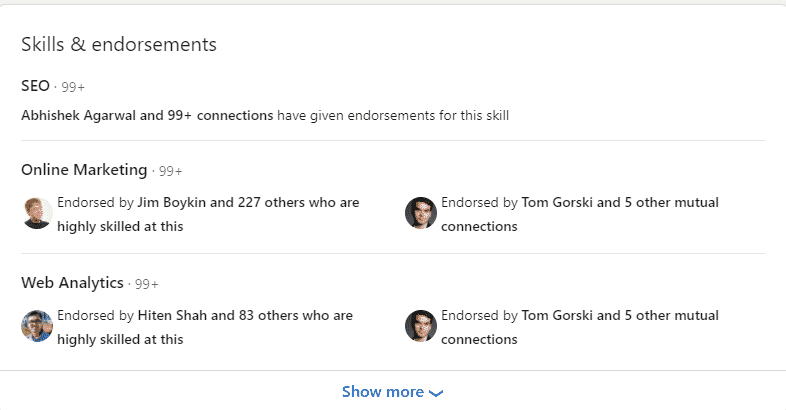
It works simply: a connection visits your LinkedIn profile, scrolls to the Skills section, and clicks the "+" icon next to any skill they want to endorse. Your name and photo then appear as social proof next to that skill — visible to anyone who views the profile.
You can be endorsed for up to 50 skills on your profile. The most endorsed skills automatically float to the top of the section, which matters because that's where attention lands first.
One thing that surprises a lot of people: endorsements are not anonymous. Anyone can click the number next to a skill and see exactly who endorsed it. That has real implications for how seriously you should take giving them.
Endorsements vs. Recommendations — What's the Actual Difference?
These two features get conflated constantly, but they serve completely different purposes.
Endorsements are one-click validations for a specific skill — quick, simple, and publicly visible in aggregate.
Recommendations are written paragraphs from colleagues detailing your work, character, and specific impact — more personal, harder to fabricate, and significantly more persuasive with recruiters and potential clients.
Both are valuable. Endorsements build discoverability and quick credibility. Recommendations build trust and depth. The best LinkedIn profiles have both working together.
🚀 Endorsements Don’t Build Pipeline
We turn LinkedIn into a meeting-booking machine. Done-for-you outreach starting at just $397/mo.
Why LinkedIn Endorsements Actually Matter
The skeptics dismiss endorsements as a meaningless vanity metric. That's a mistake.
Here's what endorsing in LinkedIn actually does for your profile and your professional presence:
Profile SEO and search ranking
LinkedIn's algorithm favors endorsed profiles when surfacing results for skill-based queries. Profiles with multiple skill endorsements and written recommendations rank higher in search results and are more likely to catch a recruiter's attention. More endorsed skills = more surface area for discoverability.
Social proof at first glance
When a recruiter, prospect, or potential partner lands on your profile, they're making a judgment call in seconds. A skills section with 99+ endorsements signals competence and trustworthiness before you've said a word. An empty one raises quiet questions.
The reciprocity effect
Endorsing someone sends them a notification. That notification reopens a dormant professional relationship without you sending a direct message. A meaningful percentage of people you endorse will return the favor — it's low-effort relationship maintenance.
Network visibility
97% of recruiters use LinkedIn to find potential candidates, and endorsements are explicitly part of what they look at when evaluating profiles. A well-endorsed profile doesn't just look good — it performs better algorithmically in the searches that matter.
Long-term compounding
Every endorsement you receive makes your profile slightly more discoverable. Over months and years, that compounds into a significantly stronger presence.
How to Endorse Someone on LinkedIn (Step-by-Step)
Exactly how to endorse people in LinkedIn — both on desktop and mobile.
Step 1 — On Desktop
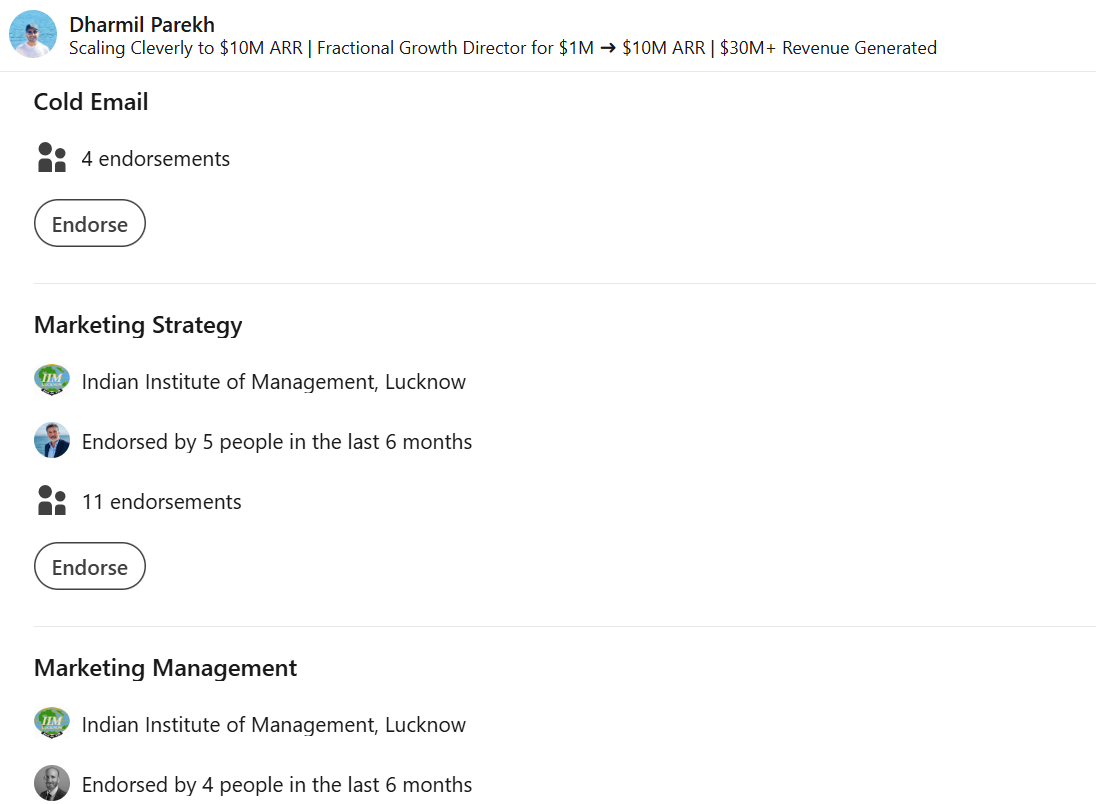
- Go to the LinkedIn profile of the 1st-degree connection you want to endorse.
- Scroll down to the "Skills & Endorsements" section on their profile.
- If they have more than three skills listed, click "Show more" to expand the full list.
- Click the "+" icon to the left of the skill you want to endorse.
- A confirmation prompt may appear — confirm your endorsement.
- Your name and photo will now appear next to that skill on their profile.
- You can endorse multiple skills in one visit — repeat the last step for each skill you want to validate.
Step 2 — On Mobile (LinkedIn App)
- Open the LinkedIn app and search for the person's profile.
- Tap their profile to open it and scroll down to the "Skills" section.
- Tap "See all" if more than three skills are listed.
- Tap the "+" icon next to the skill you want to endorse.
- Confirm if prompted — your endorsement is now live.
What Happens After You Endorse Someone
- The recipient gets a notification (email or in-app, depending on their settings).
- Your name and photo appear publicly next to the endorsed skill on their profile.
- Their most endorsed skills automatically move to the top of the section.
- You may be prompted to rate how well you know their skill — this is optional and doesn't affect the endorsement itself.
💼 More Than Likes. Real Sales Conversations.
10,000+ clients generated pipeline with Cleverly. We handle outreach, replies & booking—you close.
Should You Endorse Someone on LinkedIn? (Honest Answer)
The short answer: yes — but only when you can genuinely vouch for the skill.
Remember what we covered earlier: endorsements are not anonymous. Your name and photo are permanently attached to every endorsement you give. That matters more than most people realize.
When Endorsing Makes Clear Sense
✅ Colleagues and teammates you've worked with directly.
You've seen their skills in action. Endorsing them is both accurate and genuinely valuable to them.
✅ Clients whose results you've witnessed firsthand.
If you hired someone and they delivered, endorsing the skills that made the difference is meaningful professional recognition.
✅ Freelancers or vendors you've engaged.
You have direct basis for evaluating what they actually do well.
✅ Former managers or direct reports.
These endorsements carry particular weight because of the inherent credibility of the relationship.

When to Think Twice
❌ Connections you've never worked with or had a real professional interaction with.
Your name attached to an endorsement implies firsthand knowledge. If you don't have that, the endorsement is misleading.
❌ Skills you have no visibility into.
Endorsing someone for "Strategic Planning" when you've only interacted with them at a conference undermines the whole system — and your own credibility by extension.
❌ People who endorsed you first out of social obligation.
Reciprocating purely out of courtesy, with no actual basis to validate the skill, dilutes everyone's profile quality including yours.
The bottom line: treat an endorsement like a professional reference. Only give one if you'd be comfortable explaining why in a conversation.
How to Get Endorsed on LinkedIn
Building endorsements strategically is a slow-burn play. The teams and professionals who do it consistently end up with profiles that work harder for them over time.
Step 1 — Optimize Your Skills Section First
Before asking anyone for anything, get your own house in order.
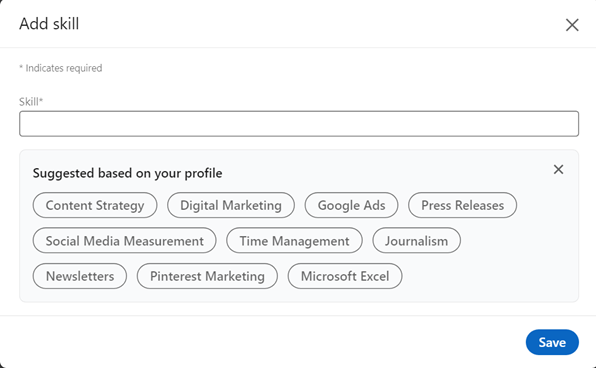
Add up to 50 skills to your profile — but prioritize the 3–5 most relevant to your current goals. Move your most critical skills to the top of the section using the reorder option.
Consider taking LinkedIn's Skill Assessment tests. Scoring in the top 30% earns a verified skill badge, which adds a layer of credibility that goes beyond endorsements alone.
Only include skills you'd actually want to be known for. A crowded skills section full of things you'd rather not be contacted about is working against you.
Step 2 — Start by Endorsing Others
This is the most consistently effective approach, and the most overlooked.
When you endorse a genuine connection, a meaningful portion of them will return the favor. Focus on colleagues, clients, and collaborators you've worked with recently — endorse 3–5 of their top skills authentically.
This is the most organic and sustainable way to build your own endorsements without explicitly asking for them.
Step 3 — Ask Directly (The Right Way)
It's completely acceptable to ask for endorsements. The key is personalizing the ask — not blasting a generic request.
Reference the specific project or collaboration you shared. Name the skill you'd like endorsed. Offer to return the favor.
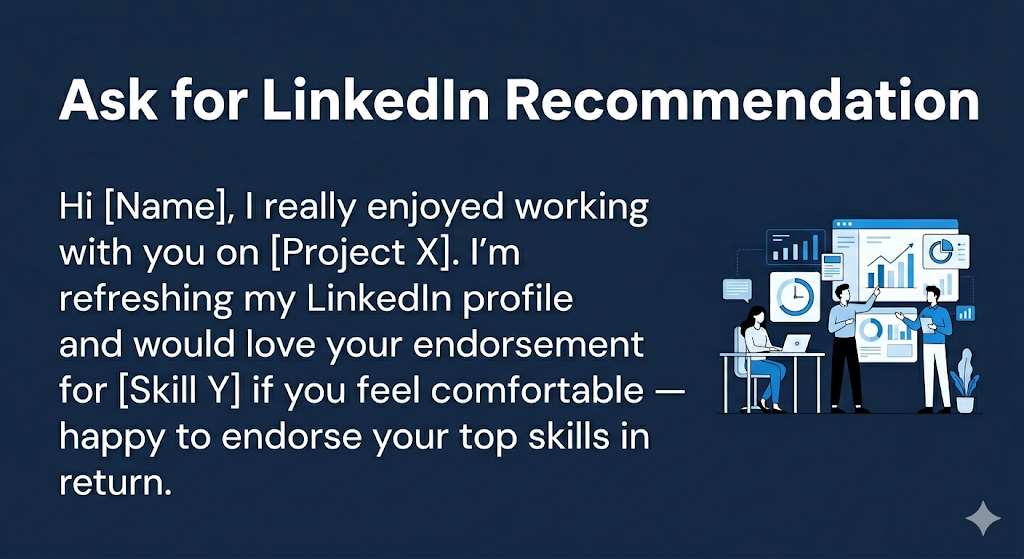
That's it. Simple, personal, and easy to respond to.
Step 4 — Build Endorsements Consistently Over Time
Connect with colleagues, clients, and collaborators as projects wrap up — not months later when the moment has passed.
Make endorsing a regular habit. A few minutes per week, endorsing people you've recently worked with, keeps your own skills section growing organically in return.
Recency matters — endorsements from active connections carry more algorithmic weight than old ones from dormant accounts. Fresh endorsements signal an active, credible professional presence.
How to Request an Endorsement on LinkedIn
Something most people don't realize: LinkedIn has no built-in "request endorsement" button the way it does for recommendations. Endorsement requests have to be made manually via direct message.
That's actually a feature, not a bug — it keeps the bar high and the signals meaningful.
Who to Ask
The right candidates for an endorsement request are 1st-degree connections you've collaborated with directly: former colleagues, clients you've delivered results for, managers or direct reports you've worked alongside.
When to Ask
Timing matters. The best moments are shortly after completing a project together, during a profile refresh or career update, or when re-engaging with a connection you want to maintain a relationship with.
Asking someone who last interacted with you three years ago and barely remembers the context is a tougher sell than asking someone who just finished a project with you last month.
What to Include in the Request Message
Keep it short. Hit these points:
- A brief, personal greeting that references your shared history
- A specific mention of the work or interaction you're drawing on
- The exact skill(s) you're requesting (keep it to 1–2 per message)
- An offer to endorse them in return
What to Avoid
Don't send mass-generic "please endorse me" messages — they're easy to ignore and do nothing for the relationship.
Don't ask for endorsements from people who don't know your work. If they can't confidently vouch for you, the endorsement isn't worth much to either of you.
One polite follow-up is fine if you don't hear back. Beyond that, let it go.
LinkedIn Endorsements vs Recommendations — Which Should You Focus On?
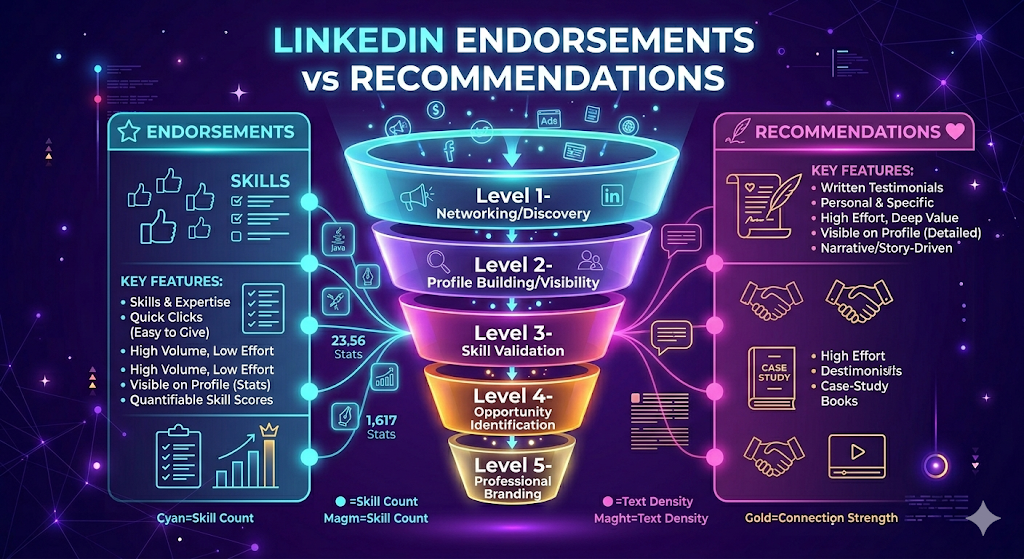
This isn't an either/or question. Both are useful — at different stages and for different audiences.
Endorsements are faster to accumulate, improve profile discoverability, and add quick social proof. They're what gets you found.
Recommendations take more effort to request and write, but carry significantly more weight with recruiters and decision-makers. They tell a story. A strong recommendation from a direct manager or senior colleague is worth twenty random endorsements from connections who've never seen your work.
👉 For job seekers: prioritize getting 2–3 strong recommendations from direct managers or senior colleagues, while building endorsements for your top skills in parallel.
👉 For B2B sales reps and founders: endorsements warm up your profile for outreach. Profiles with all-star completion status receive 12x more profile views than those without completed sections — and a well-endorsed skills section is part of what pushes you into that category.
👉 For general professionals: build endorsements consistently as a long-term credibility asset and invest in 3–5 quality recommendations from people who can speak specifically to your impact.
The ideal LinkedIn profile has both: endorsed skills that get you discovered and recommendations that get you chosen.
A Note for Sales and Outreach Professionals — Why Your Endorsements Matter More Than You Think
When a cold connection request or LinkedIn message lands in someone's inbox, the first thing most people do is check your profile.
A sparse, unendorsed skills section creates friction. A well-endorsed profile signals credibility and professional substance before you've said a word. For SDRs, sales reps, and founders running LinkedIn outreach campaigns, this matters more than it might seem.
Think about it from the prospect's perspective: if two people send them a cold connection request and they check both profiles, the one with a complete, endorsed profile looks fundamentally more credible. That credibility gap affects whether they accept the connection, whether they reply, and how seriously they take the conversation.
Endorsed skills aren't just a vanity metric — they're part of the trust infrastructure that makes cold outreach convert.
The same principle applies at the organizational level. Companies running LinkedIn campaigns consistently see better connection and reply rates when the profiles behind the outreach are credible, complete, and professionally validated.
Profile optimization — including a strong Skills and Endorsements section — is one of the foundational elements that separates average outreach performance from strong outreach performance.
A strong LinkedIn presence supports outreach. It doesn't replace it. Pairing a credible, well-endorsed profile with targeted, personalized messaging is what books qualified meetings consistently.
How Cleverly Turns LinkedIn Profiles Into Pipeline-Generating Assets
A polished LinkedIn profile is the starting line, not the finish line. Most B2B companies know they need to be active on LinkedIn — they just don't have the time or infrastructure to do it well at scale.
That's exactly where Cleverly comes in. We run fully managed LinkedIn lead generation campaigns for B2B teams — handling everything from ICP targeting and multi-source list building to personalized messaging, A/B testing, and reply management.
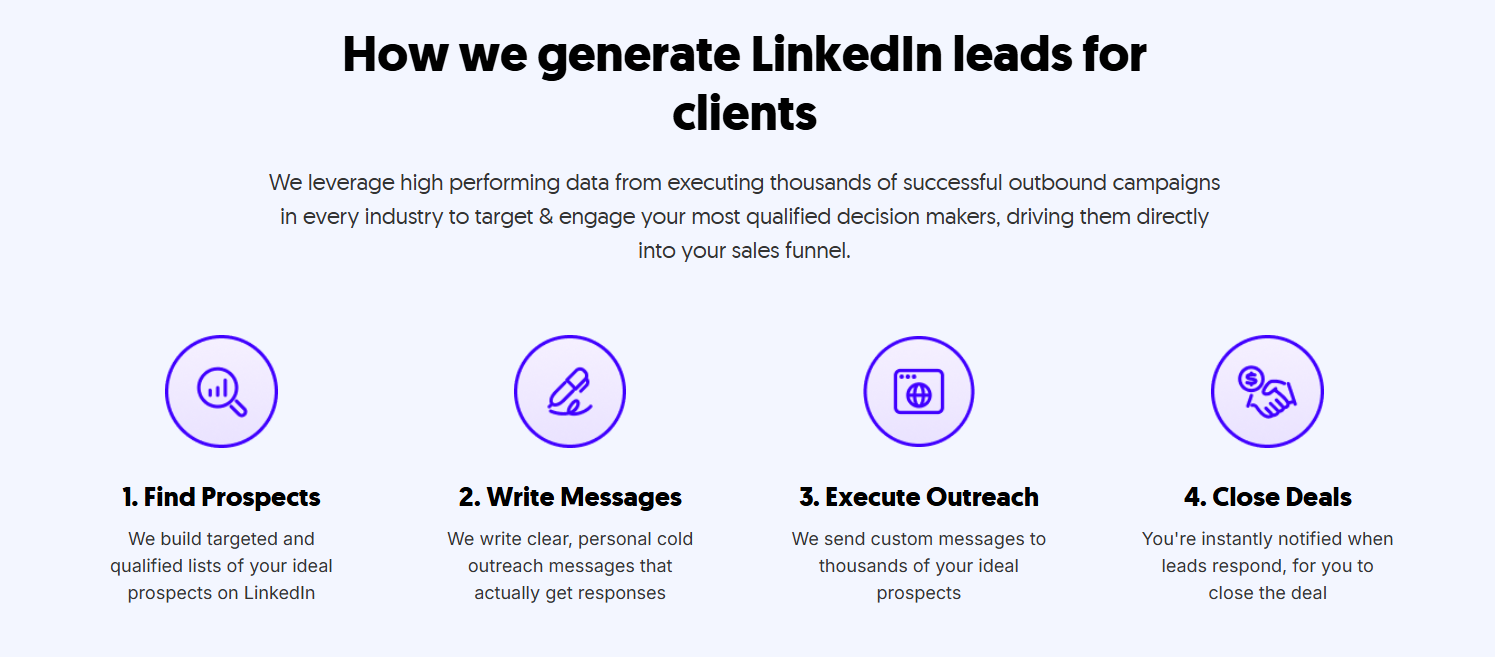
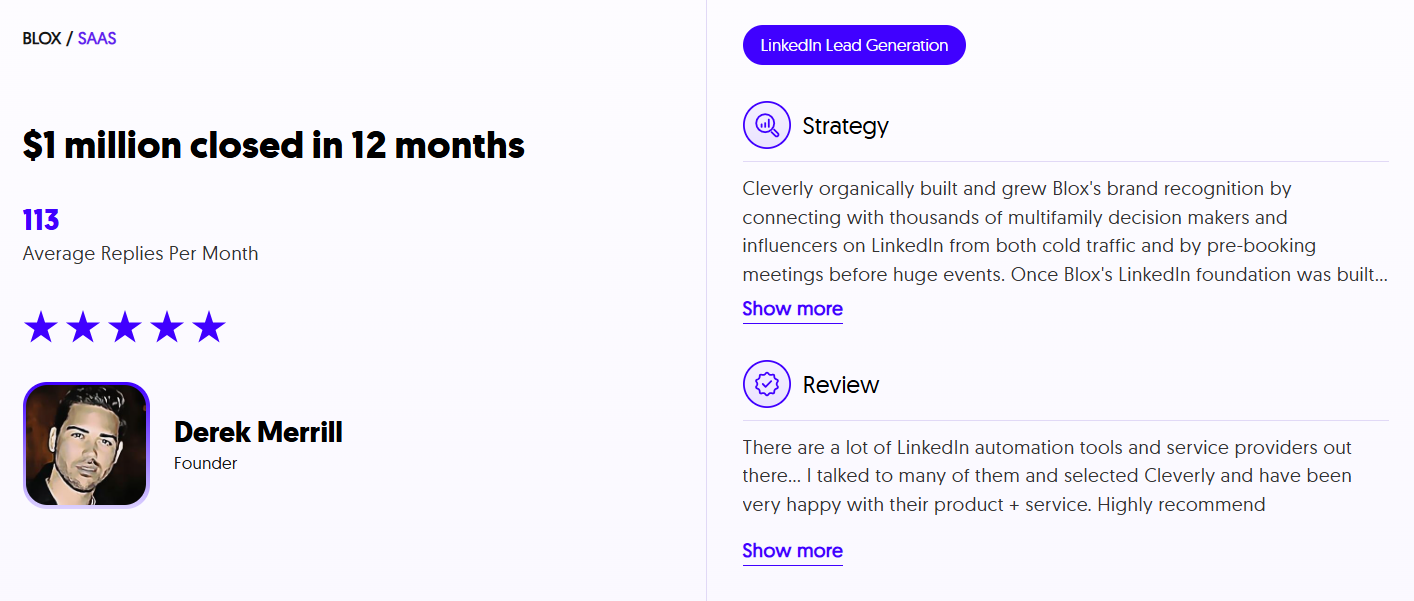
We've helped 10,000+ B2B companies generate $312M in pipeline and book 53,000+ appointments — all through done-for-you LinkedIn and cold outreach starting at just $397/month.
If you're doing outreach from a LinkedIn profile that isn't converting, the problem is usually fixable — and it starts with a free strategy call.
🤝 Book your free LinkedIn strategy call with Cleverly
Conclusion
Endorsing in LinkedIn is one of those features that rewards consistency over intensity. A few minutes per week — endorsing colleagues you've genuinely worked with, optimizing your skills section, asking the right people at the right time — compounds into a significantly stronger profile over months.
The rule that matters most: only endorse skills you can genuinely vouch for. Your name stays attached permanently, and quality always beats volume. Build your endorsements the right way, pair them with a few strong recommendations, and your profile starts working for you around the clock — whether you're job hunting, building a client base, or running outbound outreach.
Start today: endorse 3–5 colleagues for skills you've actually witnessed. Watch what comes back.
Frequently Asked Questions
Free Resource
How to Scale a Profitable Cold Call System
Get the complete guide — download it instantly now.

Free Ebook
Download the Free Guide
Enter your details to get instant access.
You're all set! 🎉
Your ebook is downloading now.
Click below if the download didn't start automatically.