Table of Contents
Why CEO Emails Are Harder to Find (And Riskier to Get Wrong)
10 Ways to Find CEO Email Addresses in 2026
How to Verify a CEO Email Before You Send
Is It Legal to Find and Email CEOs?
How to Actually Get a Reply From a CEO
How Cleverly Runs Cold Email to Executive Buyers
Conclusion
Frequently Asked Questions
Modified On :
September 21, 2026
Key Takeaways
- Finding a CEO's email address is the easy part. Verifying it before you hit send is the actual job, and it's where most outreach fails.
- Executive contact data goes stale faster than any other record type in your CRM, so a method that worked last quarter might already be pointing at a dead inbox.
- No single source gets you a reliably accurate executive email. Stacking two or three methods and cross-checking results beats trusting any one tool.
- A referral or warm introduction will always outperform a cold, sourced email address on reply rate, so it's worth checking your network before you touch a database.
- The compliance side (GDPR, CAN-SPAM) matters just as much as the sourcing side. A "found" email doesn't automatically mean a legal one to email.
If you sell to small or mid-sized companies, the CEO is often the actual buyer. Skip the gatekeepers and you skip the deal cycle. That's the appeal.
Executive inboxes are the hardest contacts to source accurately, and they're the most expensive to get wrong. B2B contact data decays at roughly 22.5% a year, and email specifically decays even faster, with recent industry tracking putting annual email decay in the 23% to 30% range as people change jobs and titles. Executives change roles, get promoted, or leave companies constantly, so their contact records rot quicker than almost anything else in a database.
The stakes are higher too. Send to enough dead executive addresses and you don't just miss a contact. You damage the sending domain you need for every future campaign, since a good 2026 bounce rate benchmark sits under 2 to 3%.
This guide covers 10 ways to find CEO email addresses, ranked by reliability, plus how to verify what you find and stay compliant while doing it.

Why CEO Emails Are Harder to Find (And Riskier to Get Wrong)
Executives aren't hiding by accident. Most companies actively shield them.
The shielding is deliberate. Assistants screen inboxes, companies set up catch-all aliases, and a lot of executive mail gets filtered before a human ever sees it. That's not a data problem you can fix with a better tool. It's a structural one.
Executive records decay faster than average. Leadership changes more often than most other roles. A CEO you found last quarter might have exited, merged with another company, or moved on entirely. The record still looks complete. It's just wrong.
Databases skew toward mid-level contacts. Most B2B data providers build their coverage around roles that turn over less and are easier to verify at scale, like marketing managers or ops leads. Executive coverage ends up thinner by comparison, since how to find company founder email questions almost always run into this same coverage gap.
Single-source tools bounce more on executives. If you're only pulling from one database or one finder tool, expect a noticeably higher bounce rate on C-suite contacts than you'd see on a mid-level list.
The deliverability math is unforgiving. Cross a couple percentage points of bounces and providers start throttling your sends. Go higher than that and you risk getting blacklisted outright.
The takeaway that should frame everything else in this guide: an unverified CEO email is worse than no email at all. A missed opportunity costs you a contact. A bad send costs you the domain.
📧 Find. Verify. Reach.
Cleverly handles list building, email verification, copy, and outreach to help B2B teams reach the right decision-makers.
10 Ways to Find CEO Email Addresses in 2026
These methods run roughly from free and manual to paid and scalable. None of them is a silver bullet on its own. Each one includes the actual steps to run it, plus reliability, cost, and where it works best.
1) Check the Company Website

This is the first move, not the last resort. Most SDRs skip straight to a paid tool and miss an address that was sitting on the site the whole time.
How to actually do it:
- Check the Contact, About, Team, and Leadership pages first. Startups and small firms list executives directly more often than you'd think.
- Look at the site footer and any "Press" or "Media" page. Companies often list a media contact email there that routes to the founder or forwards straight to their inbox.
- Check the investor relations page if the company is public or recently funded. IR pages sometimes list executive contacts for shareholder or press inquiries.
- Pull up the site's press kit or "About Us" PDF if one exists. Founders sometimes list a direct address in these that never made it onto the main site.
- If the company has a blog, check author bylines. A founder who writes posts sometimes has their email linked in the author box.
Reliability: High when it's actually there. The problem is it's rarely there past the seed stage, since companies scale their gatekeeping along with headcount.
2) Use the Company's Email Pattern
If you know one verified employee address at the company, you likely know the format the whole company uses. This costs nothing and takes seconds once you have a reference point.
How to actually do it:
- Find one confirmed email at the target company. Check a press release byline, a case study quote, a webinar registration page, or a LinkedIn post where someone tagged their work email.
- Identify the pattern: first.last@, firstinitiallast@, first@, or last.first@ are the most common formats.
- Apply the pattern to the CEO's full name as it appears on LinkedIn or the company's About page. Watch for name variations, like a CEO who goes by "Rob" publicly but is legally "Robert" in company records.
- Cross-check the domain itself. Some companies use a different domain for executive email than their main site (a legacy domain from a rebrand, for example).
- Run the guess through a free MX record checker to confirm the domain actually accepts mail before you go further.
Reliability: Moderate on its own. This is a hypothesis, not a fact, so treat step one of verification (below) as mandatory, not optional, before this address goes anywhere near a send.
3) LinkedIn Profile and Contact Info
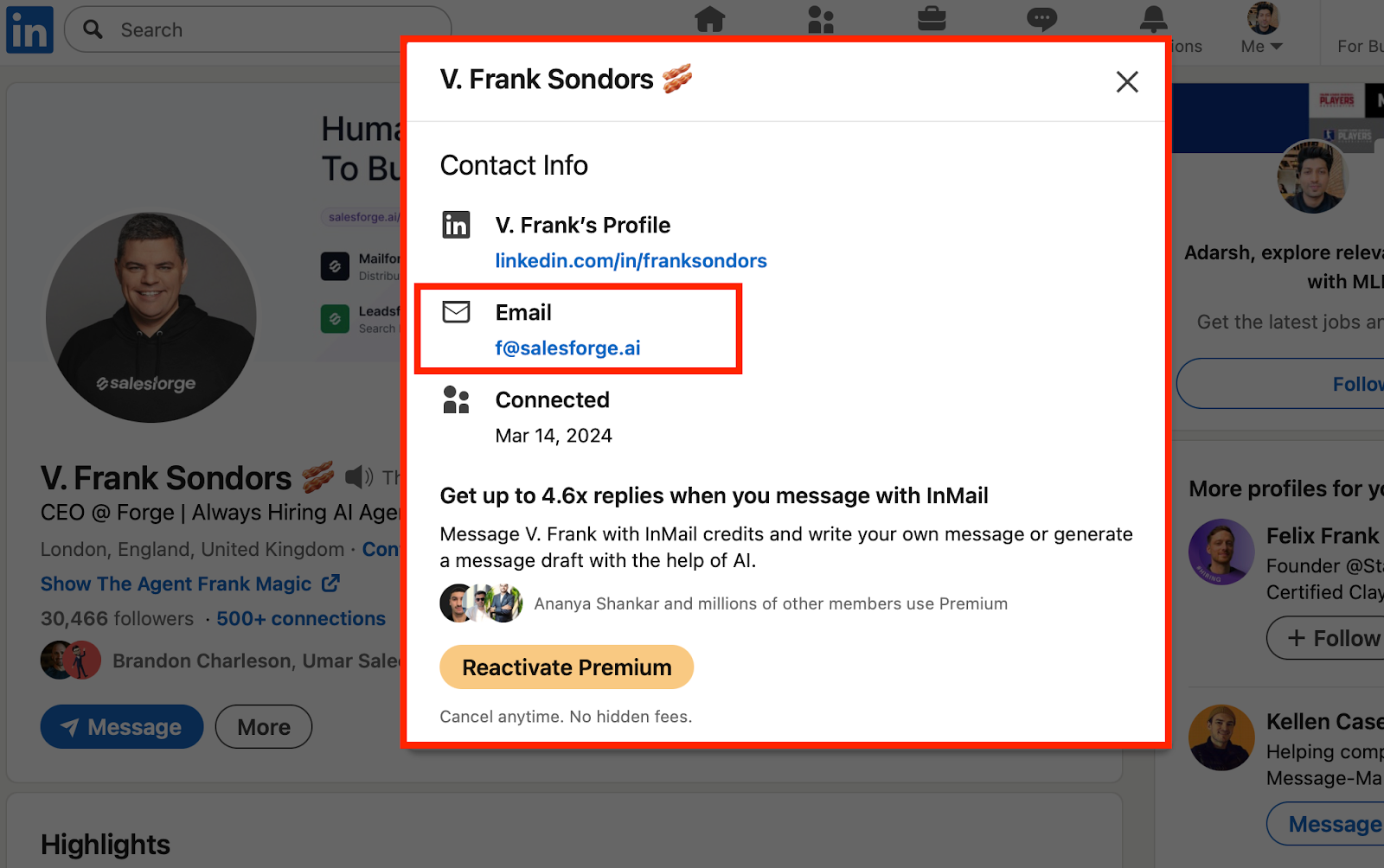
Some executives populate their contact info panel with a real email, and most SDRs never actually check.
How to actually do it:
- Open the CEO's LinkedIn profile and click the "Contact info" link directly under their name and headline.
- Look for an email field. Some executives list a personal Gmail here instead of a work address; note which one it is, since a personal address behaves differently for deliverability and often gets checked more closely.
- If there's no email listed, scan their featured section and recent posts. Founders who promote a newsletter, a Calendly link, or a personal site sometimes link an address there.
- Check their about section for a "reach me at" line, which is more common among founders who are actively building a personal brand.
- If you're a 1st or 2nd degree connection, check whether LinkedIn surfaces a shared contact who might have their direct email saved.
Reliability: Low hit rate. Most executives leave this blank. But when it's there, it's usually accurate since they entered it themselves.
4) Email Finder Tools

Tools like Hunter, Apollo, RocketReach, and Findymail take a name and a domain and return a probable or confirmed address, usually with a confidence score attached.
How to actually do it:
- Enter the CEO's full name and the company's domain (not a subdomain or a parent company domain) into the tool.
- Check the confidence score the tool returns. Most flag results as high, medium, or low confidence based on how the address was sourced.
- Cross-reference the domain the tool used against the actual domain the company sends email from. Some tools return an address on a legacy or acquired domain that no longer routes correctly.
- Run the same lookup across two different finder tools if the first result comes back low confidence. Different tools pull from different data sources, so a second lookup sometimes confirms or contradicts the first.
- Export directly into your verification tool rather than your outreach sequence. Never treat a finder tool's output as sequence-ready on its own.
Reliability: Varies a lot by company size. Strong on larger, well-indexed companies. Weakest on small or newer private firms, which is often exactly where you need a ceo founder profile contact email the most.
5) B2B Contact Databases

Apollo, ZoomInfo, Cognism, and Lusha are built for bulk executive records rather than one-off lookups, which makes them the right tool once you're building a CEO email list across dozens or hundreds of accounts rather than chasing one contact.
How to actually do it:
- Build your target list by firmographic filters first (industry, headcount, revenue band), then filter by title to isolate CEOs and founders specifically, not "executive" as a catch-all category.
- Before exporting, check the record's last verified date field if the platform shows one. A record last confirmed 8 months ago on an executive contact is a different risk than one confirmed last week.
- Ask your rep or check the platform's documentation for their re-verification cadence on executive titles specifically. Some providers refresh C-suite records more often than mid-level ones because they know the churn is higher.
- Export in smaller batches (50 to 100 contacts) rather than one bulk pull, so you can spot-check accuracy before committing your whole list to a send.
- Run a sample of 20 to 30 records through independent verification before trusting the full export. If the sample bounces high, don't send to the rest until you know why.
Reliability: Depends entirely on refresh cadence and how the provider defines "verified." Ask before you buy, and test before you scale.
6) Waterfall Enrichment Across Multiple Providers
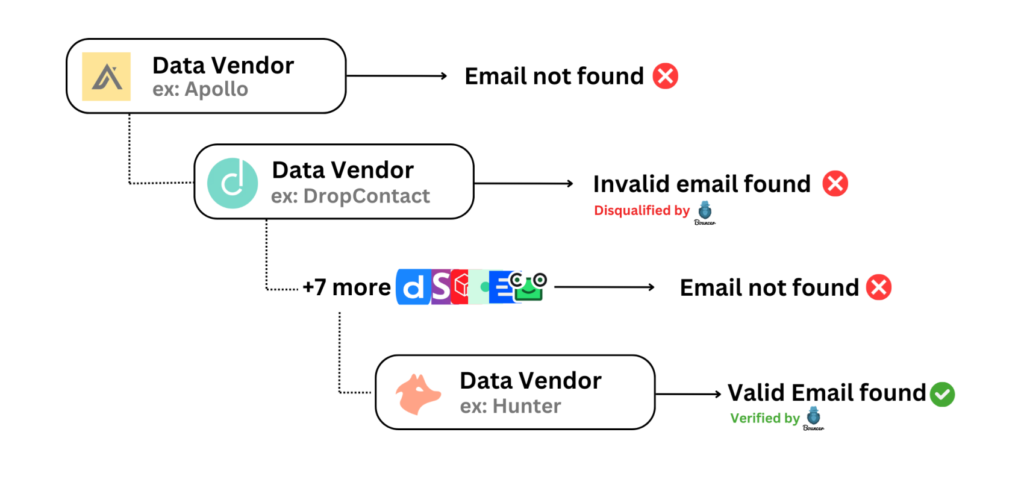
Instead of relying on one database, this method routes each contact through several sources in sequence, moving to the next provider only if the previous one fails to return a verified result. This is the approach most serious outbound teams have shifted to, since no single provider covers every company well.
How to actually do it:
- Set up an enrichment stack (either through a tool built for this, like Clay, or manually) that queries provider A first, checks for a verified result, and only queries provider B if A comes back empty or unverified.
- Order your providers by strength for your specific market. A provider strong on US tech companies might be weak on European mid-market, so the "best" order depends on who you're actually targeting.
- Cap the waterfall at 3 to 4 providers. Beyond that, the marginal accuracy gain rarely justifies the added cost per contact.
- Track which provider actually resolved each contact. Over time, this tells you which sources are worth paying for and which ones you can drop.
- Route the final output through one more independent verification pass regardless of which provider in the waterfall resolved it. Waterfall enrichment reduces gaps, it doesn't replace verification.
Reliability: Highest on this list for executive contacts specifically. Cost is the tradeoff, both in tooling and in the setup time to build the stack correctly.
7) Business Registries and Public Filings
Companies House in the UK, SEC EDGAR in the US, and their national equivalents list company officers, and this is one of the most overlooked sources for confirming you actually have the right person before you go looking for their email.
How to actually do it:
- For US public companies, search SEC EDGAR for the company's most recent 10-K or proxy statement, which lists named executive officers along with their exact titles.
- For UK companies, search Companies House by company name and pull the officer list, which includes full legal names and appointment dates, useful for catching a CEO who's actually stepped down but hasn't updated LinkedIn yet.
- For private companies without SEC filings, check state-level business registries (Secretary of State filings in the US) which sometimes list a registered agent or officer contact.
- Use the exact legal name from the filing when you move to pattern-matching or a finder tool in the next step. A registry's "Robert J. Smith" might resolve differently than the "Rob Smith" name on LinkedIn.
- Note the filing date. Executive listings in older filings may be outdated if there's been a recent leadership change not yet reflected elsewhere.
Reliability: Excellent for confirming names, titles, and whether someone is still actually in the role. Limited for surfacing the email address itself, since registries rarely list one.
8) Call the Company and Ask
This sounds basic, and that's exactly why it works. Most SDRs skip it entirely, which means it's underused enough to still convert.
How to actually do it:
- Call the company's main line, not a direct-dial number if you have one, since reception is more likely to help than an executive's direct assistant on a cold call.
- Be upfront and specific: state your name, your company, and exactly why you're asking. "I'm trying to send something to [CEO name], what's the best email to reach them?" works better than a vague request.
- If reception transfers you to an assistant, repeat the same direct framing. Assistants are used to fielding this and will often just tell you, especially if your ask sounds legitimate rather than like a sales pitch in disguise.
- If they won't give the direct address, ask whether there's a general inbox that reaches the executive team, since some companies route a monitored alias (like leadership@ or founders@) that still gets read.
- Note what you're told and treat it as a confirmed address, since it came directly from someone inside the company. This step doubles as verification, not just sourcing.
Reliability: Good, and it's one of the only methods on this list where sourcing and verification happen at the same time.
9) Newsletters, Podcasts, and Public Content

Founders who publish regularly often reply from a real, monitored address, or list one somewhere in their public content that a database would never surface.
How to actually do it:
- Check if the founder writes a Substack, newsletter, or blog. Footer sections on these often list a direct reply-to address, sometimes different from their corporate one.
- Search for podcast appearances where the founder was a guest. Show notes frequently include a contact email or a link to a page that does.
- Check conference or webinar speaker pages. Event organizers often list a direct contact email for speakers, especially at smaller industry events.
- Look for guest posts or contributed articles the founder has written elsewhere. Author bios on these sometimes include a direct email, especially on smaller industry publications.
- If they run a personal site separate from the company site, check that too. Founders sometimes keep a more accessible address on a personal domain than on the corporate one.
Reliability: Moderate hit rate, but a real advantage: the address you find this way is usually one the founder actually monitors, since they put it there for readers to reach them.
10) Warm Introductions and Mutual Connections

A referral skips the entire sourcing and verification problem at once. You're not guessing at a format or hoping a database is current. You're arriving in the primary inbox with context already attached.
How to actually do it:
- Check LinkedIn's mutual connections feature on the CEO's profile before doing anything else. A shared connection, even a distant one, is worth a message asking for an introduction.
- Check whether the company has raised funding, and if so, look up their investors. If you or your company has any connection to those same investors, that's a warm path worth pursuing.
- Check the company's customer list or case studies. If you know someone at a company that already uses this CEO's product, ask if they'd make an introduction.
- Check your own CRM or team's network for anyone who previously worked at the company or a company the CEO previously worked at. Former colleagues are often willing to make a quick intro.
- When asking for the introduction, make it easy to forward: write a short, one-paragraph blurb the connector can just copy and paste, rather than asking them to write the intro themselves from scratch.
Reliability: Highest conversion of any method here, even though it's the hardest one to scale and the slowest one to execute.
How to Verify a CEO Email Before You Send
Sourcing gets you a candidate address. Verification tells you whether it's safe to use.
Run every address through an email verification tool, no exceptions. It doesn't matter if you found the address on the company website or through a paid database. Verify it anyway.
Know your result categories. Most tools return valid, invalid, risky, or catch-all. Treat each differently:
- Valid: safe to send
- Invalid: drop it, don't send
- Risky: proceed with caution, ideally in a smaller, monitored batch
- Catch-all: the domain accepts anything, so the tool can't confirm the specific address exists
Handle catch-all domains as a separate segment. You can't confirm these the normal way, so don't treat them the same as verified contacts. Send to them separately, in smaller volumes, and watch the results closely.
Cross-check high-value contacts against a second source. If you're about to email the CEO of a target account you've spent weeks getting into, don't rely on one verification pass. Confirm it twice.
Never send to a pattern-guessed address that failed verification. This is where most bounce problems start. A guess that wasn't verified is not an acceptable risk on an executive contact.
Watch your bounce threshold. Keep campaigns under roughly 2 to 3% bounce rate. Cross that line consistently and providers start throttling delivery for everything you send, not just the campaign that caused it.
Refresh executive records on a shorter cycle than the rest of your database. Leadership data goes stale faster than average, so a quarterly refresh that's fine for a general contact list isn't fine here.
🚀 Turn Emails Into Meetings
With 224.7K+ leads generated, 53,000+ meetings booked, and $312M+ pipeline, Cleverly helps 10,000+ businesses scale cold email.
Is It Legal to Find and Email CEOs?
Short answer: usually, if you do it the right way. Longer answer below.
GDPR applies to work email addresses. A lot of people assume a professional email address isn't personal data. It is, under GDPR, even when it's a work address at a company.
Legitimate interest is the usual basis for B2B outreach, but it comes with conditions. The outreach has to be relevant to the recipient's role, you have to be transparent about who you are, and you need to make opting out fast and easy.
CAN-SPAM has its own requirements. Accurate sender information and a working unsubscribe mechanism aren't optional extras. They're the baseline.
Platform terms matter too. Most platforms, LinkedIn included, prohibit automated scraping of profile data. A method that technically finds an address can still violate the terms of the platform you found it on.
Buying an unverified "CEO email list" carries real risk, both on the compliance side and the deliverability side. A list you didn't build or verify yourself is a list you can't vouch for.
The safer path runs through licensed data providers, public filings, and company websites rather than scraped or purchased lists of unknown origin.
This is general guidance, not legal advice. If you're building executive outreach at scale, it's worth a conversation with counsel familiar with your specific markets.
How to Actually Get a Reply From a CEO
Finding the address gets you nothing if the email doesn't earn a reply. A few things matter more here than anywhere else in outbound.
Keep it short. A CEO should be able to read your email in under fifteen seconds. If it takes longer, it's getting archived, not answered.
Lead with an observation, not a pitch. Open with something specific to their business, not a description of what you sell. The value proposition can wait.
Make the ask small. A reply or a short conversation, not a demo request. The bigger the ask, the easier it is to ignore.
Reference something only real research would surface. A recent hire, a product launch, a specific comment they made publicly. Generic personalization ("I saw you're the CEO of...") reads as automated because it usually is.
Skip the formatting. Plain text consistently outperforms heavily designed emails at the executive level. This isn't the audience for a branded template.
Follow up with new value, not reminders. "Just following up" adds nothing. A new angle, a new piece of context, or a relevant update does.
Ask whether the CEO is even the right entry point. Sometimes a VP or director converts better and can actually champion the deal internally, even when the CEO is technically the final decision-maker.
How Cleverly Runs Cold Email to Executive Buyers
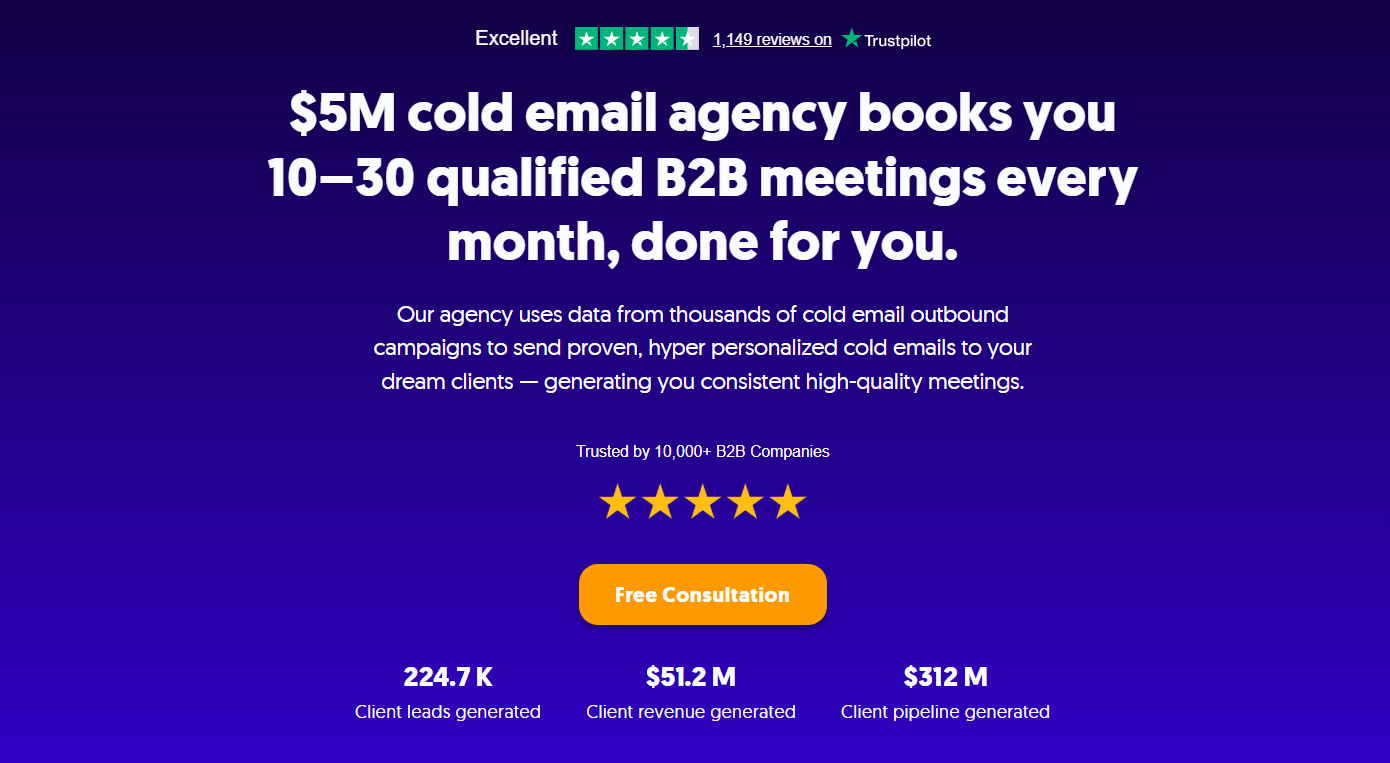
Sourcing the address is the part most guides stop at. Verification, deliverability, and messaging are what actually decide whether a CEO ever sees your email, and that's where most teams run out of time or infrastructure.
Executive data decays fast, and a single bad send can burn the sending domain you're counting on for every campaign after it. That's a real cost, not a theoretical one, especially once you're targeting a list of decision-makers you can't easily replace.
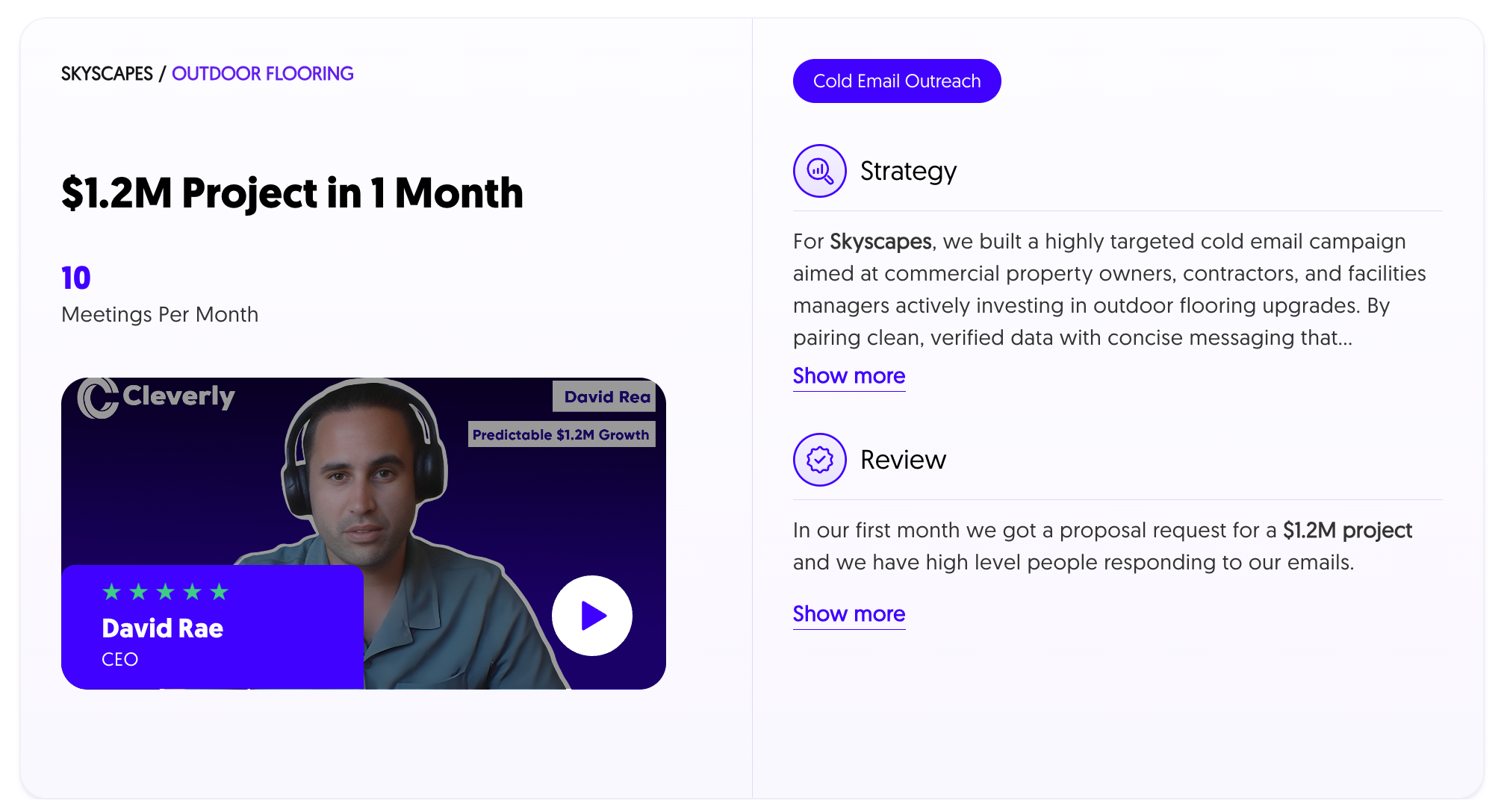
We run this end to end at Cleverly. That means defining the ICP, building verified lists through multi-source enrichment rather than single-source lookups, managing domain and deliverability infrastructure, writing sequences built for how executives actually read email, and handling replies through to booked meetings.
We're not optimizing for open rates or send counts. We're optimizing for qualified replies from the actual people who can say yes. If your team is reaching executives and not hearing back, that's usually a deliverability and messaging problem more than a sourcing one.
See how Cleverly builds and runs cold email campaigns and book a strategy call!
Conclusion
The methods that actually work stack on top of each other. Confirm the name and title from a registry or LinkedIn, source the address through enrichment, then verify it before it goes anywhere near a send queue.
Warm introductions will keep beating every sourcing method on reply rate, so exhaust your network before defaulting to cold outreach. And at the executive level, verification isn't optional. A bounce on a CEO's inbox costs you more than a missed contact ever would.
The real advantage was never in finding CEO email addresses faster than the next person. It's in reaching the ones you find with something actually worth replying to.
Frequently Asked Questions
Free Resource
How to Scale a Profitable Cold Call System
Get the complete guide — download it instantly now.

Free Ebook
Download the Free Guide
Enter your details to get instant access.
You're all set! 🎉
Your ebook is downloading now.
Click below if the download didn't start automatically.