Table of Contents
What Is Email Deliverability and Why Does It Matter for Cold Email?
The Complete Email Deliverability Checklist
Email Deliverability Checklist: Quick Reference Summary
Common Email Deliverability Mistakes to Avoid
How Cleverly Handles Email Deliverability for Cold Email Campaigns
Conclusion
Frequently Asked Questions
Modified On :
July 8, 2026
Key Takeaways
- Nearly 1 in 6 cold emails never reaches an inbox, and the cause is almost always infrastructure, not copy.
- SPF, DKIM, and DMARC aren't optional anymore. Skip any one of them and you're fighting an uphill battle before you even hit send.
- A dedicated sending domain and 4-6 weeks of warm-up protect your main domain and build the sender reputation you need to land in the inbox.
- List quality decides more than anything else. Keep bounce rates under 2% and re-verify anything older than 90 days.
- Deliverability isn't a one-time setup. It needs ongoing monitoring through tools like Google Postmaster Tools and regular blacklist checks.
The average inbox placement rate across email sits at around 83%, which means roughly 1 in 6 emails never makes it to the inbox at all.
For cold email specifically, it's worse. Fully authenticated senders with clean lists land 85% to 95% of their emails in the inbox, while unauthenticated senders land somewhere between 30% and 50%.
That gap isn't about subject lines or offers. It's about setup.
We've watched this play out with campaign after campaign. A founder writes a great cold email, sends it to a solid list, and gets almost nothing back. Nine times out of ten, the email never reached the inbox in the first place. It sat in spam, or worse, it bounced and started dragging the sender's reputation down with it.
This email deliverability checklist covers everything you need to verify before you send a single cold email: domain setup, authentication, warm-up, list hygiene, content, sending limits, and monitoring.
Whether you're launching your first cold email program or auditing one that's underperforming, work through this before your next send.
What Is Email Deliverability and Why Does It Matter for Cold Email?
Email deliverability is the rate at which your sent emails actually land in the recipient's inbox, not just get accepted by their mail server, but clear spam filters and reach the primary inbox.
Most people confuse two different metrics here:
- Delivery rate: the receiving server accepted your email. That's it. It doesn't tell you where the email ended up.
- Inbox placement rate: the email actually landed in the primary inbox, not spam or promotions.
Cold email success depends entirely on the second one. You can have a 99% delivery rate and still be sitting at 60% inbox placement, which means 4 out of every 10 emails you send are invisible to the person you're trying to reach.
Cold email is more sensitive to deliverability problems than any other type of email you'll send. You're emailing people who never opted in, so ISPs apply stricter filtering by default. Any weak signal, missing authentication, a high bounce rate, a spike in spam complaints, gets amplified fast.
Skip this checklist and here's what happens: your domain gets blacklisted, your sending account gets flagged, or your campaign quietly lives in the spam folder for weeks before anyone notices. All three take real time to recover from.
The upside: everything on this list is fixable before you send your first email. Getting it right upfront takes hours. Fixing a damaged sender reputation takes weeks.
✅ One Checklist. 15–30 More Meetings Every Month.
Our team handles deliverability, targeting, and copy—so your cold emails reach inboxes and generate qualified conversations.
The Complete Email Deliverability Checklist
Work through each section below in order before you launch. Anything marked critical isn't negotiable. Skip it, and your inbox placement will suffer no matter how sharp your targeting or copy is.
1. Domain Setup: Use a Dedicated Sending Domain
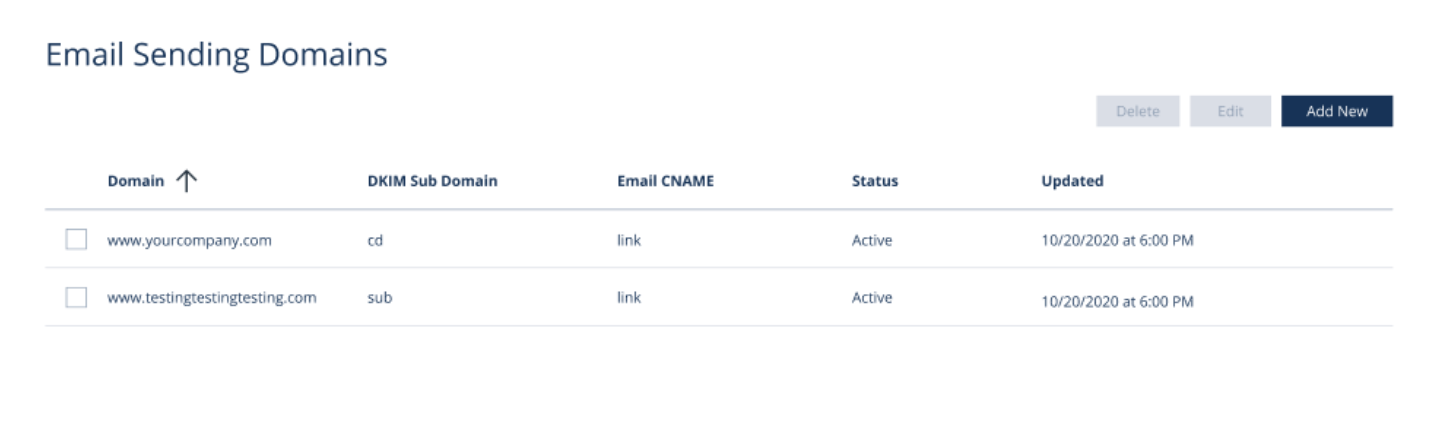
Never send cold email from your primary business domain. If yourcompany.com gets flagged or blacklisted, that damages the same domain your website, your regular business email, and your brand reputation all live on.
Instead, register a dedicated sending domain, something like tryyourcompany.com or getyourcompany.io. If it gets burned, only that domain takes the hit. Your primary domain stays untouched.
A few things to get right here:
- Register 1-3 sending domains per campaign, and use different domains for different ICP segments where it makes sense.
- Point every sending domain to a real, live webpage. ISPs treat domains with no web presence as suspicious, even a simple redirect works.
- Age your domains. Newly registered domains should sit for at least 2 weeks before warm-up starts. Domains older than 30 days are safer bets.
2. Authentication: Set Up SPF, DKIM, and DMARC
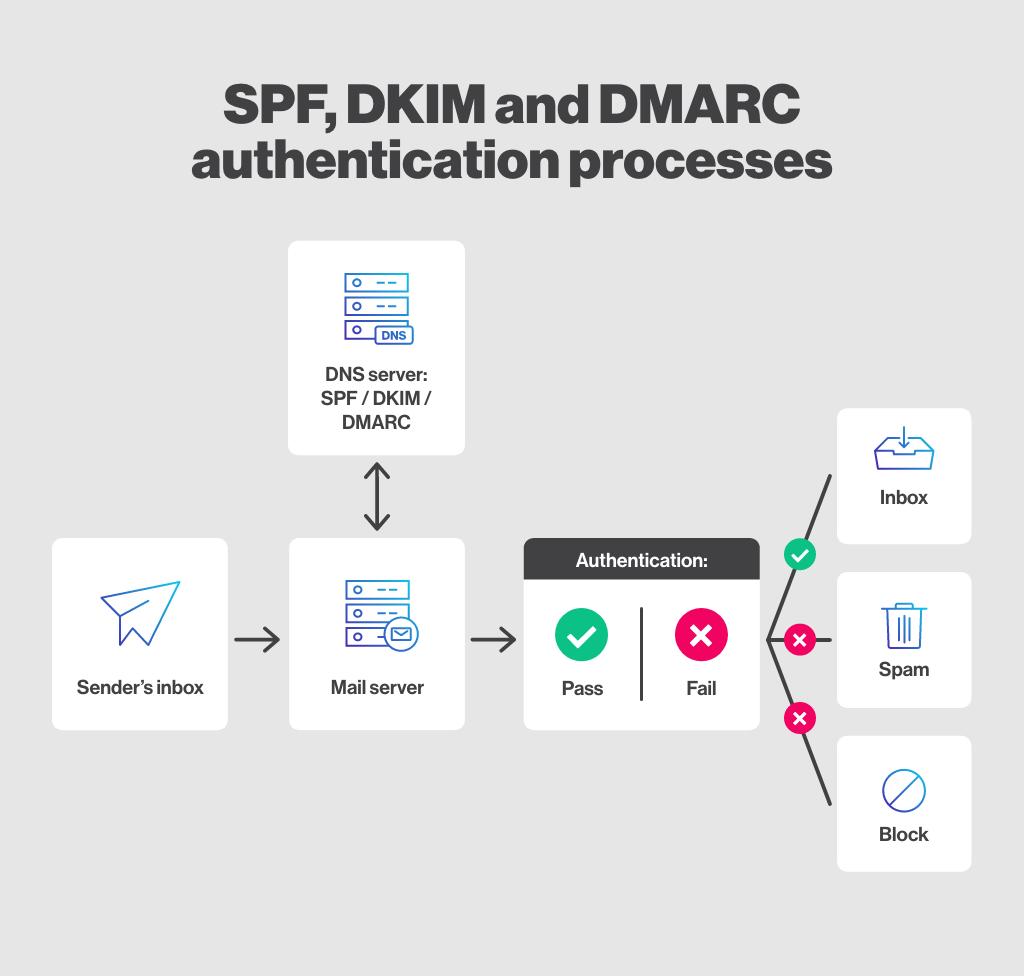
This is the technical foundation everything else depends on, and it's the email deliverability checklist SPF, DKIM and DMARC step most senders get wrong or skip entirely.
- SPF (Sender Policy Framework) is a DNS record listing which servers are allowed to send email for your domain. Without it, receiving servers have no way to confirm your email is legitimate.
- DKIM (DomainKeys Identified Mail) attaches a cryptographic signature to every outgoing email that the receiving server checks against a public key in your DNS. It proves the email wasn't altered in transit.
- DMARC (Domain-based Message Authentication, Reporting & Conformance) tells receiving servers what to do when SPF or DKIM checks fail. Start with p=none to monitor without disrupting anything, then move to p=quarantine or p=reject once you've confirmed legitimate mail is passing.
All three matter more than ever. Since Google and Yahoo's bulk sender enforcement began in February 2024, any sender dispatching 5,000 or more messages per day must have SPF, DKIM, and DMARC configured, along with one-click unsubscribe and spam complaint rates kept below acceptable thresholds.
And as of late 2025, Gmail permanently rejects non-compliant bulk mail outright with hard bounce errors instead of just filtering it to spam. That applies well below the 5,000-email threshold in practice, because most ISPs treat any commercial sender the same way.
Before you send anything, verify all three records with MXToolbox or Google Admin Toolbox.
Pro tip: Don't set DMARC to p=none and forget about it. Monitoring mode alone doesn't stop spoofing or improve your inbox placement. It just tells you what's happening.
3. Mailbox Setup: Create and Configure Sending Inboxes
Once your domain and authentication are sorted, set up the actual inboxes you'll send from.
- Use Google Workspace or Microsoft 365 mailboxes on your sending domain. Skip free providers like Gmail.com or Outlook.com entirely for cold outreach.
- Add a real sender name and profile photo to every inbox. Blank or generic-looking accounts generate more spam complaints.
- Set up a custom tracking domain that matches your sending domain. Shared tracking domains used by hundreds of other senders raise your spam risk.
- Cap it at 1-2 inboxes per domain so you're not concentrating too much volume in one place.
- Route replies from every sending account into one centralized inbox so nothing falls through the cracks.
4. Email Warm-Up: Establish Sender Reputation Before Sending Campaigns
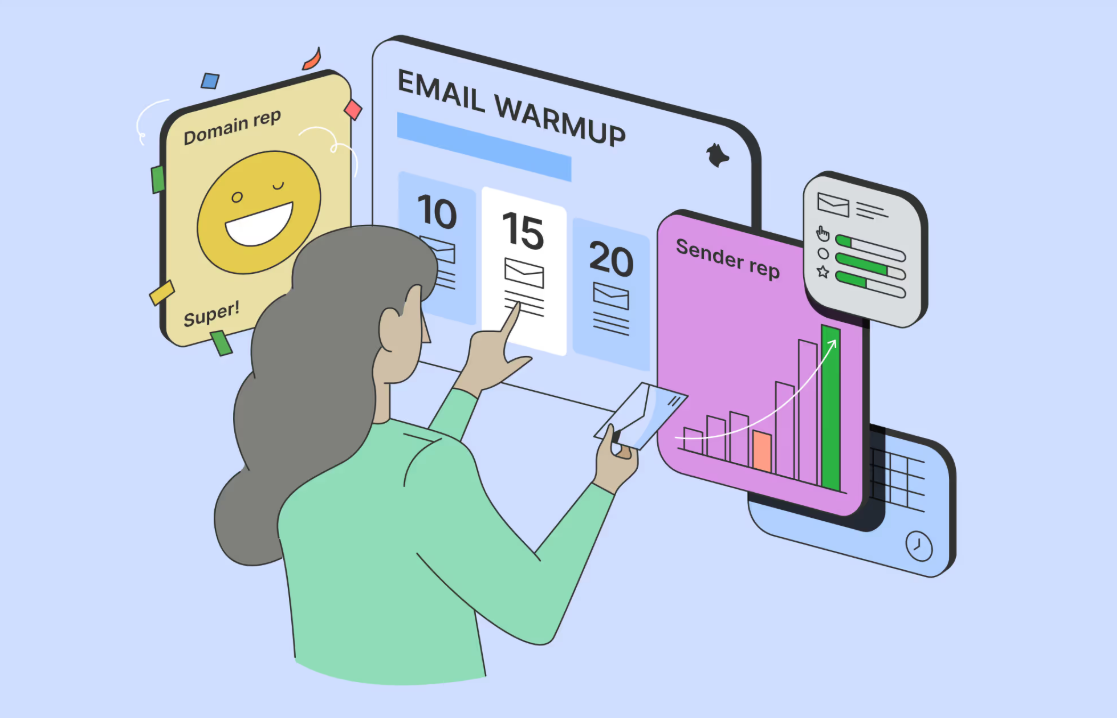
A brand new inbox has zero reputation. ISPs treat it as high-risk by default, which means your first campaign from that inbox is fighting an uphill battle from day one.
Email warm-up tools like Instantly, Lemwarm, or Mailreach send low-volume email between real inboxes and mark them as not-spam automatically, building a positive sending history over time.
Give it 4-6 weeks minimum before you launch a real campaign. Start at 5-10 emails a day and ramp up to 30-50 by the end of the warm-up period.
Red flag to watch for: if an inbox is landing in spam during warm-up, don't launch a campaign from it. Go back and check your authentication and domain setup first.
And don't stop warm-up once campaigns start. Keep it running in the background. It reinforces your reputation as your sending volume increases.
5. List Building and Verification: Send Only to Valid, Targeted Contacts
This is where most deliverability checklist for email campaigns conversations should start, honestly, because bad data undoes everything else on this list.
Build your email lists from reliable sources: Apollo, ZoomInfo, LinkedIn Sales Navigator paired with an email finder, or Clay. Skip scraped or purchased lists with no verification history.
Before you import anything into your sending tool, run it through a verification service like NeverBounce, ZeroBounce, or Millionverifier to strip out invalid, risky, and catch-all addresses.
Data decays fast. B2B contact data decays at roughly 22.5% per year, so a list sitting untouched for six months needs a fresh verification pass before you use it again.
One more thing: segment by ICP before you send. Tighter segments mean more relevant messaging, fewer spam complaints, and better reply rates. Spray-and-pray sending hurts every metric that matters here.
6. Email Content: Write Emails That Pass Spam Filters
Your first-touch email should be plain text, under 100-150 words, with exactly one CTA. No HTML, no images, no heavy formatting. Rich formatting on a cold audience reads as marketing, and spam filters know it.
A few content rules worth following on every send:
- Skip spam trigger words: "free," "guaranteed," "no risk," "limited time," "click here," "100%".
- Avoid links in your first email entirely. If you need one later in the sequence, route it through a tracking domain that matches your sending domain.
- Include a personalized first line referencing the recipient's company, role, or recent activity. Generic blasts drive up complaints, which drags down deliverability.
- Keep subject lines under 50 characters. No all caps, no excessive punctuation, nothing that reads like a marketing blast.
- Add a simple unsubscribe line like "Reply 'unsubscribe' to opt out." It's required for bulk senders under current Google and Yahoo rules, and it lowers complaint rates on its own.
7. Sending Limits and Cadence: Control Volume to Protect Reputation
Even a perfectly set up domain can get burned by sending too fast, too much.
Stick to 30-50 emails per day, per inbox. Push past 100 on a newer domain and you're significantly raising your blacklist risk.
Spread volume across multiple inboxes and domains instead of loading everything onto one account. Add random delays of 60-180 seconds between sends. Fixed-interval bulk sending looks like bot activity to ISPs, and they flag it accordingly.
Space your follow-ups 2-4 business days apart. Daily back-to-back touches drive up unsubscribes and complaints fast.
If your complaint or bounce rate spikes, pause. Google Postmaster Tools showing spam rates above 0.1% is your signal to stop and investigate before you send another email.
8. Monitoring and Testing: Verify Before Launch and Track After
Set up Google Postmaster Tools for every sending domain immediately. It's free, and it's the single most important monitoring tool you have for Gmail deliverability, showing domain reputation, spam rate, and authentication status in one place. Seven in ten senders never set this up, which means most problems go unnoticed until reply rates have already tanked.
Set up Microsoft SNDS alongside it for Outlook and Hotmail visibility.
Before your first real send, run every new domain and template through GlockApps or Mail-Tester. These tools show inbox placement across major providers and catch authentication errors before they cost you a campaign.
Check your sending domains and IPs against major blacklists (Spamhaus, Barracuda, MXToolbox) before launch, and again monthly while campaigns are active.
Watch open and reply rates by inbox, not just in aggregate. If one inbox is underperforming the others significantly, it's likely filtering to spam. Pause it and dig in before it drags down the rest of your sending pool.
Email Deliverability Checklist: Quick Reference Summary
Bookmark this table and run through it before every campaign launch.
📧 Inbox First. Pipeline Second.
From domain setup to campaign optimization, Cleverly builds cold email systems that consistently convert emails into sales opportunities.
Common Email Deliverability Mistakes to Avoid
Even experienced senders trip over these:
❌ Sending from the primary domain. This is the single highest-risk mistake on the list. One blacklisted primary domain damages every email your company sends, not just cold outreach.
❌ Skipping warm-up entirely. New inboxes with zero warm-up history land in spam at several times the rate of properly warmed ones. No warm-up means no deliverability, full stop.
❌ Sending unverified lists. Most deliverability problems trace back to bad data, not infrastructure. Even a 5% bounce rate is enough to trigger ISP-level filtering.
❌ HTML-heavy first emails. Rich formatting, images, and multiple links in a cold first touch dramatically raise your spam filter score.
❌ Setting DMARC to p=none and stopping there. That's monitoring only. It doesn't protect your deliverability until you advance to quarantine or reject.
❌ Ignoring Google Postmaster Tools. Most teams set up their domain and never check the dashboard again. By the time open rates drop, the reputation damage is already weeks old.
❌ Giving up after one email. A huge share of replies come from follow-up touches, not the first email. A single-send campaign leaves most of your pipeline unreached.
How Cleverly Handles Email Deliverability for Cold Email Campaigns
Getting deliverability right takes technical knowledge most sales and marketing teams don't have time to build, and it needs ongoing attention, not a one-time setup. That's exactly where most in-house cold email programs fall apart. Someone configures the domain once, launches a campaign, and never looks at it again until reply rates mysteriously drop.
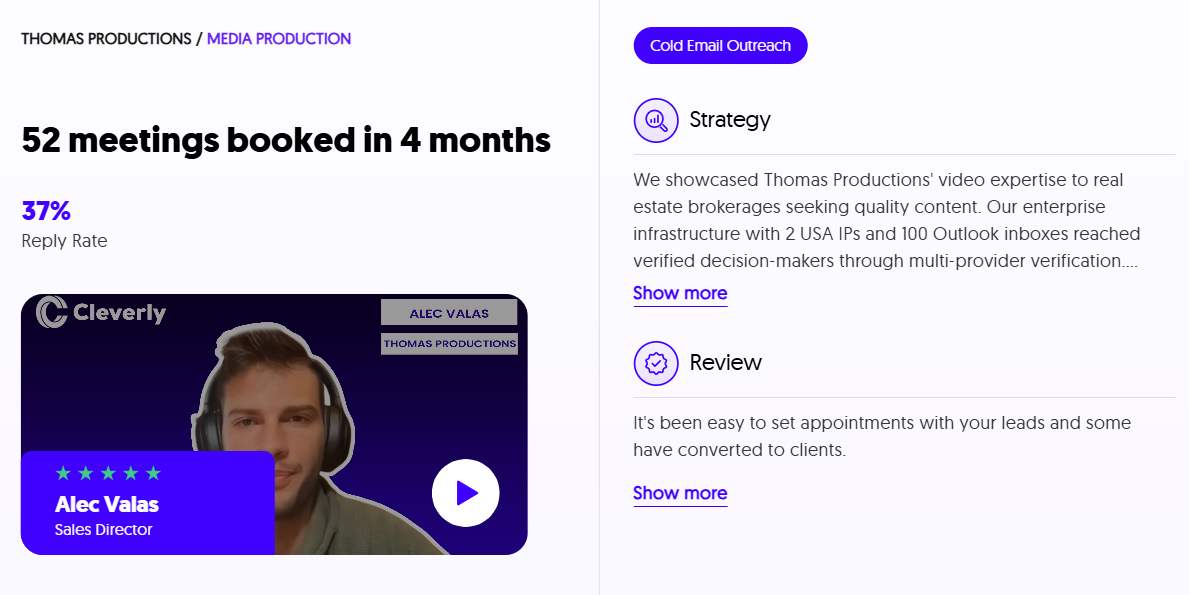
As a full-service cold email agency, we build and manage the entire infrastructure before a client's first campaign email ever goes out: dedicated domain registration, SPF, DKIM, and DMARC setup, inbox warm-up, list building and verification, and ongoing deliverability monitoring. None of it gets skipped, and none of it gets left unmonitored once campaigns are live.
What that means for clients: no domain configuration to manage, no warm-up schedules to track, no bounce handling or blacklist checks to remember. We own the entire technical layer so campaigns launch from a clean setup and stay that way. Our infrastructure work is part of why we've generated $312 million in pipeline for the 10,000+ clients we've worked with.
Beyond the infrastructure, we handle ICP targeting, sequence copywriting, and reply management too, so what lands in a client's calendar is booked meetings, not just a send report.
If you'd rather hand off the technical layer and focus on the conversations, book a strategy call with our team.
Conclusion
Email deliverability isn't a box you check once and move on from. It's an ongoing discipline that depends on the right infrastructure, clean data, and consistent monitoring, and every one of those pieces has to hold up at the same time.
The checklist above covers everything that separates campaigns that reliably land in the inbox from ones that quietly disappear into spam. Get the setup right before your first send. Recovering a damaged sender reputation takes weeks.
Preventing that damage takes a few hours upfront. Save this checklist and run through it before every new domain, every new campaign, and any time your open or reply rates drop without an obvious reason.
Frequently Asked Questions
Free Resource
How to Scale a Profitable Cold Call System
Get the complete guide — download it instantly now.

Free Ebook
Download the Free Guide
Enter your details to get instant access.
You're all set! 🎉
Your ebook is downloading now.
Click below if the download didn't start automatically.