Table of Contents
What Is a Cold Email Health Audit?
Why Deliverability Problems Sneak Up on You
What Healthy Cold Email Campaign Metrics Look Like
The Cold Email Health Scorecard: 15 Signals to Check
How to Score Your Campaign and What to Do Next
How Cleverly Manages Cold Email Deliverability So Campaigns Don't Tank
Conclusion
Frequently Asked Questions
Modified On :
June 18, 2026
Key Takeaways
- A cold email audit is a structured 15-point diagnostic that covers both technical infrastructure and behavioral sending signals — the two layers that determine inbox placement.
- Deliverability problems are gradual: open rates can drift down 10–15% over weeks before a sender realizes emails are landing in spam instead of the primary inbox.
- Critical signals — blacklisting, authentication failures, and a Google Postmaster reputation of Low or Bad — require a full sending pause before any other fix is attempted.
- Gmail now enforces a hard 0.3% spam complaint rate threshold; at scale, just three complaints per thousand sends pushes you over the limit.
- Running this scorecard monthly, and immediately after any 20%+ metric drop, is the difference between a deliverability blip and a months-long reputation recovery.
Roughly one in six cold emails never reaches the inbox. That's not a fringe problem — according to Validity's 2025 Email Deliverability Benchmark Report, the global average inbox placement rate sits at approximately 84%. And for cold outreach specifically, the gap between what you think you're sending and what prospects actually see is even wider
The harder reality: most campaigns don't fail dramatically. Inbox providers don't give warnings — they quietly reduce inbox placement while surface metrics look stable, until the cumulative damage becomes undeniable. By the time open rates collapse or replies go quiet, your domain reputation has already taken hits that take months to repair.
Fully authenticated senders are 2.7x more likely to reach the inbox than unauthenticated counterparts — yet broken SPF records, missing DMARC policies, and unmonitored complaint rates are still the norm across most outbound programs. The warning signs were there the whole time. They just weren't being tracked.
This guide is a 15-point cold email health scorecard — every signal that matters, what each one means, and what to do when you spot a problem.
If you're running cold outreach in-house, managing multiple inboxes, or trying to understand why your reply rates have been declining, this is the audit you need.

What Is a Cold Email Health Audit?
A cold email deliverability checklist has two layers, and you need to run both.
The first is technical health: whether your sending infrastructure is configured correctly. This covers domain authentication (SPF, DKIM, DMARC), dedicated domain setup, inbox warmup status, sending volume limits, and blacklist monitoring. Think of this as the foundation. If anything here is broken, no amount of great copy saves you.
The second is behavioral health: how inbox providers are responding to your actual sending patterns. This includes bounce rates, spam complaint rates, engagement trends, and your domain reputation in Google Postmaster Tools. Behavioral signals are what inbox providers use to decide whether your emails belong in the inbox or in spam — and they update in real time.
The reason both layers matter equally: a technically perfect setup can still get flagged if your sending behavior looks suspicious. And brilliant copy can't save emails that never reach the inbox because of broken authentication or a blacklisted domain.
The scorecard below maps 15 specific signals to their failure modes — so you can pinpoint what's wrong and fix the right layer instead of guessing.
🚀 See How We Generated $312M+ in Pipeline Through Cold Email
From domain setup and inbox management to copywriting and optimization, our team builds cold email systems designed to consistently land in inboxes and generate qualified meetings
Why Deliverability Problems Sneak Up on You
The most dangerous thing about email sender reputation decline is how invisible it is until it isn't.
Inbox providers don't send you a notice. They don't suspend your account. What they do is quietly begin filtering a percentage of your emails away from the primary inbox — into spam, promotions, or other folders — while your sending tool continues reporting sends as "delivered." Technically they are delivered. Just not where you intended.
The pattern we see consistently: open rates drift down 10–15% over 6–8 weeks. The sender notices but assumes it's a subject line issue. They test new copy. Nothing changes. By the time they check Google Postmaster or run a seed test, emails have been landing in spam tabs for a month.
Reputation damage is also asymmetric. A domain that took six weeks of careful warmup to build trust can be damaged significantly by 2–3 weeks of elevated bounce rates or climbing complaint rates. And the compounding effect is brutal: senders who don't catch the early signals keep sending at full volume while the reputation deteriorates — accelerating the damage with every send.
That's exactly why a structured cold email audit matters. The signals are measurable. The benchmarks exist. The fixes are known. The only question is whether you're looking at the right metrics before the problem gets out of hand.
What Healthy Cold Email Campaign Metrics Look Like
Before running the scorecard, you need a baseline. Warning signs only register if you know what normal looks like.
Here's what a healthy cold email audit benchmark table looks like:
Google requires bulk senders to stay under a spam complaint rate of 0.3% per campaign — and their recommended target for maintaining healthy inbox placement is under 0.1%. At that 0.1% threshold, you can't afford more than one complaint per thousand sends.
Keep these numbers in front of you as you work through the 15 signals below.
📧 Losing Inbox Placement Could Cost You 15–30 Meetings Every Month
Our cold email specialists audit deliverability, infrastructure, targeting, and messaging to identify the issues hurting campaign performance before revenue is impacted.
The Cold Email Health Scorecard: 15 Signals to Check
Work through each signal. Score it as healthy, warning, or critical. Fix critical signals before anything else — they require a pause in sending, not just investigation.
1. Open Rate Has Dropped 20%+ Without Copy or List Changes
A sudden or gradual cold email open rate dropping without any changes to your messaging or targeting is almost always a deliverability signal — not an engagement signal.
What to check: compare open rates week-over-week across the past 30–60 days. Then cross-reference with Google Postmaster to see if domain reputation has shifted in the same window.
The key distinction here: if clicks and replies dropped proportionally alongside opens, the problem is deliverability — emails aren't reaching the inbox. If opens dropped but replies held steady, it's more likely a subject line issue.
Action: Run a test send to seed addresses across Gmail, Outlook, and Yahoo before making any other changes. Confirm where your emails are actually landing before you touch a single word of copy.
2. Bounce Rate Climbing Above 2%
Hard bounces tell inbox providers you're working with low-quality data. Every invalid address that returns an error is a trust signal in the wrong direction.
What to check: bounce rate per inbox and per campaign over the last 30 days. Is it trending up consistently, or spiking on specific sends tied to a new list segment?
Common causes include aged contact lists not re-verified before sending, purchased or rented data, and role-based or catch-all addresses that weren't filtered out. Any of these can push a healthy bounce rate into warning territory quickly.
Action: Pause sends from affected inboxes immediately. Run the active list through an email verification tool — ZeroBounce, NeverBounce, and Millionverifier are all solid options — before resuming. Don't send a single email from a flagged inbox until the data is clean.
3. Spam Complaint Rate Approaching 0.1%
Gmail has indicated that it will start blocking mail from senders that exceed a 0.3% complaint rate threshold. But 0.3% is the cliff edge — not the target. The recommended target for optimal inbox placement is below 0.1%.
What to check: your spam complaint rate inside Google Postmaster Tools. This is the only accurate source for Gmail complaint data — your sending platform's numbers won't reflect this accurately.
Why complaint rates climb: sending to contacts who never opted in, no clear unsubscribe path, messaging that feels irrelevant to recipients, or continuing to send to a segment that's gone cold and simply isn't engaging.
Action: Add a one-click unsubscribe (List-Unsubscribe header), suppress contacts who haven't engaged in 90+ days, and audit your targeting. If a segment is generating complaints, it's a targeting problem — not a copywriting problem.
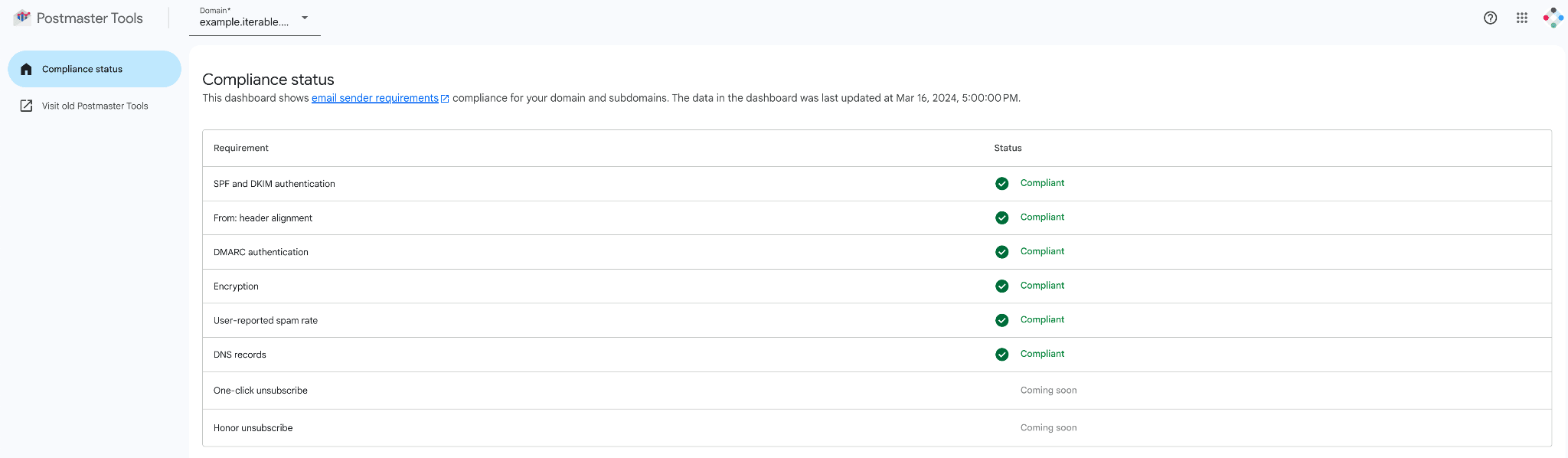
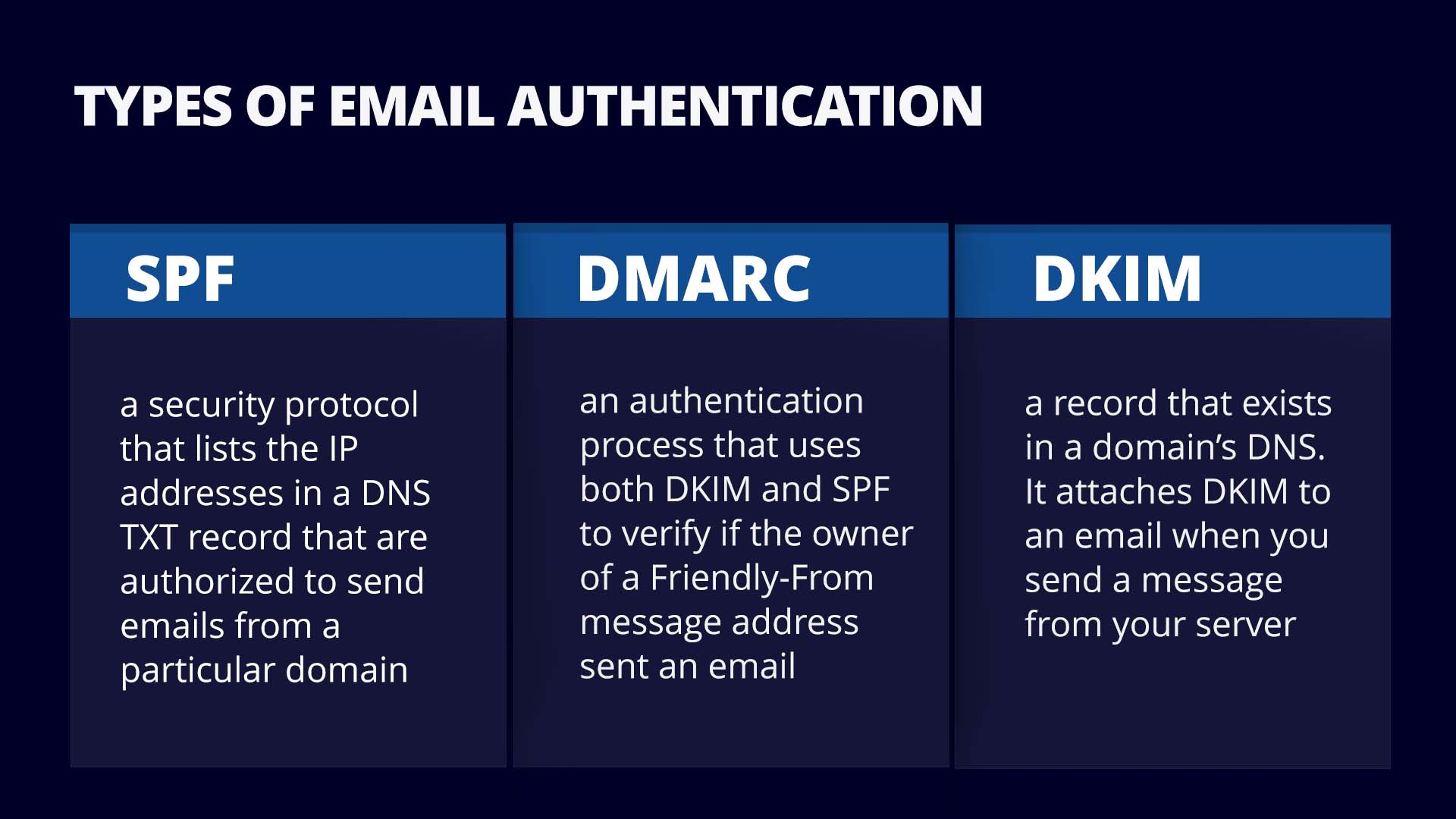
4. SPF, DKIM, or DMARC Not Passing at 100%
Authentication failures tell inbox providers your email might be spoofed or sent from an unauthorized source. Over a third of email-sending domains still have no DMARC policy — and that matters more than ever after Google's enforcement tightened significantly in November 2025.
What to check: run your sending domain through MXToolbox or mail-tester.com to verify all three records are configured correctly and passing. Do this for every domain in your rotation, not just the primary one.
Common issues: duplicate SPF records (causes a PermError), DKIM selector mismatches, DMARC policy set to "none" with no actual enforcement, or misconfigured CNAME records from your sending tool.
Action: Fix broken authentication records immediately — this is non-negotiable infrastructure. All three must pass at 100% before sending at any volume. There is no workaround.
5. Google Postmaster Domain Reputation Has Dropped
Google Postmaster Tools is the most direct window into how Gmail sees your sending domain. A reputation drop here isn't a hypothesis — it's a definitive signal that your inbox placement is actively being reduced.
What to check: log into Google Postmaster and review domain reputation over the last 30 days. The four tiers are High, Medium, Low, and Bad.
High and Good mean you're in solid shape. Medium is an early warning that requires attention. Low or Bad means active spam filtering is already happening — a percentage of your emails are going straight to the spam folder right now.
Action: A High-to-Medium drop should trigger an immediate audit of bounce rate, complaint rate, and authentication. Low or Bad requires a full sending pause and remediation before you resume. Sending more volume into a Low or Bad reputation accelerates the damage.
6. Your Domain Appears on a Blacklist
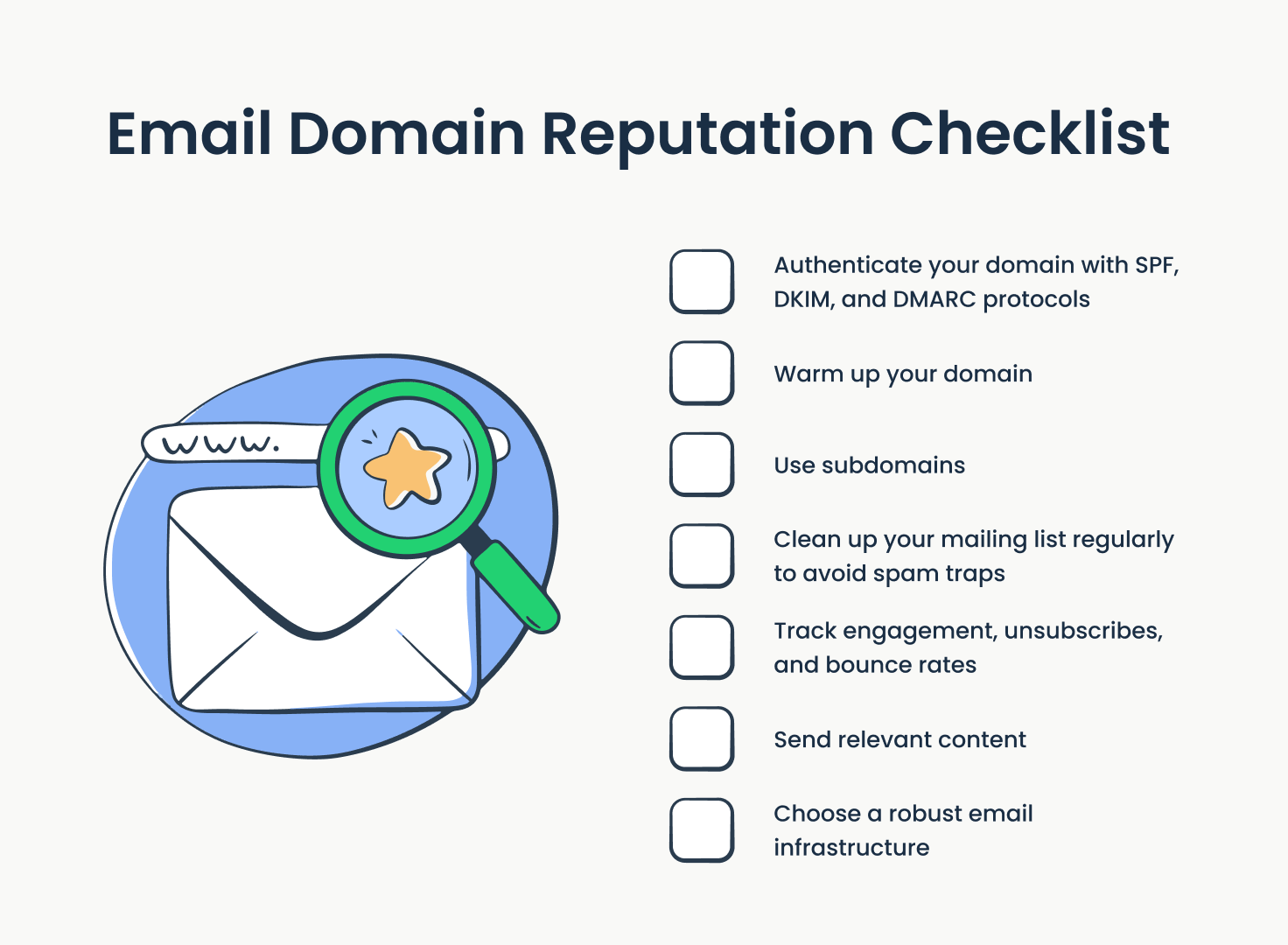
Blacklist appearances are a direct cause of cold email landing in spam folder and can happen without any warning. A spike in complaints, a spam trap hit, or a stretch of high bounce rates — any of these can trigger a listing.
What to check: run your sending domain and IP through MXToolbox Blacklist Check and Talos Intelligence. Check at a minimum once a month, and immediately any time a primary metric drops more than 20%.
Key blacklists to monitor: Spamhaus, SORBS, Barracuda, SpamCop, and Microsoft SNDS. A listing on Spamhaus in particular will tank inbox placement with most major providers.
Action: If blacklisted, identify the root cause first — bounce spike, complaint surge, spam trap hit. Remediate the underlying issue before requesting a delisting. Submitting a delisting without fixing the cause usually results in re-listing within weeks.
7. You're Sending Cold Email From Your Primary Business Domain
This is the infrastructure mistake that most early-stage outbound programs make. When you send cold outreach from yourcompany.com, any deliverability damage — bounces, complaints, a blacklist appearance — hits the same domain your entire team uses for every business email.
What to check: are your cold outreach campaigns running from your main business domain, or from dedicated sending domains set up specifically for outreach?
Best practice is to set up dedicated outreach domains — close variations of your primary domain — exclusively for cold email. These get authenticated, warmed, and monitored separately. If one takes a hit, your primary domain is protected.
Action: If you're currently sending from your primary domain, migrating to dedicated sending infrastructure should happen before you scale further. This isn't optional. It's table stakes for any serious outbound program.
8. New Inboxes Added Without a Warmup Period
New email accounts have zero sending history. Inbox providers watch early behavior on new accounts closely, and jumping straight to full send volume signals exactly the kind of behavior they filter for.
What to check: were any inboxes added to your rotation in the last 60 days without a structured warmup? Are those specific inboxes showing lower open rates or higher bounce rates compared to your seasoned accounts?
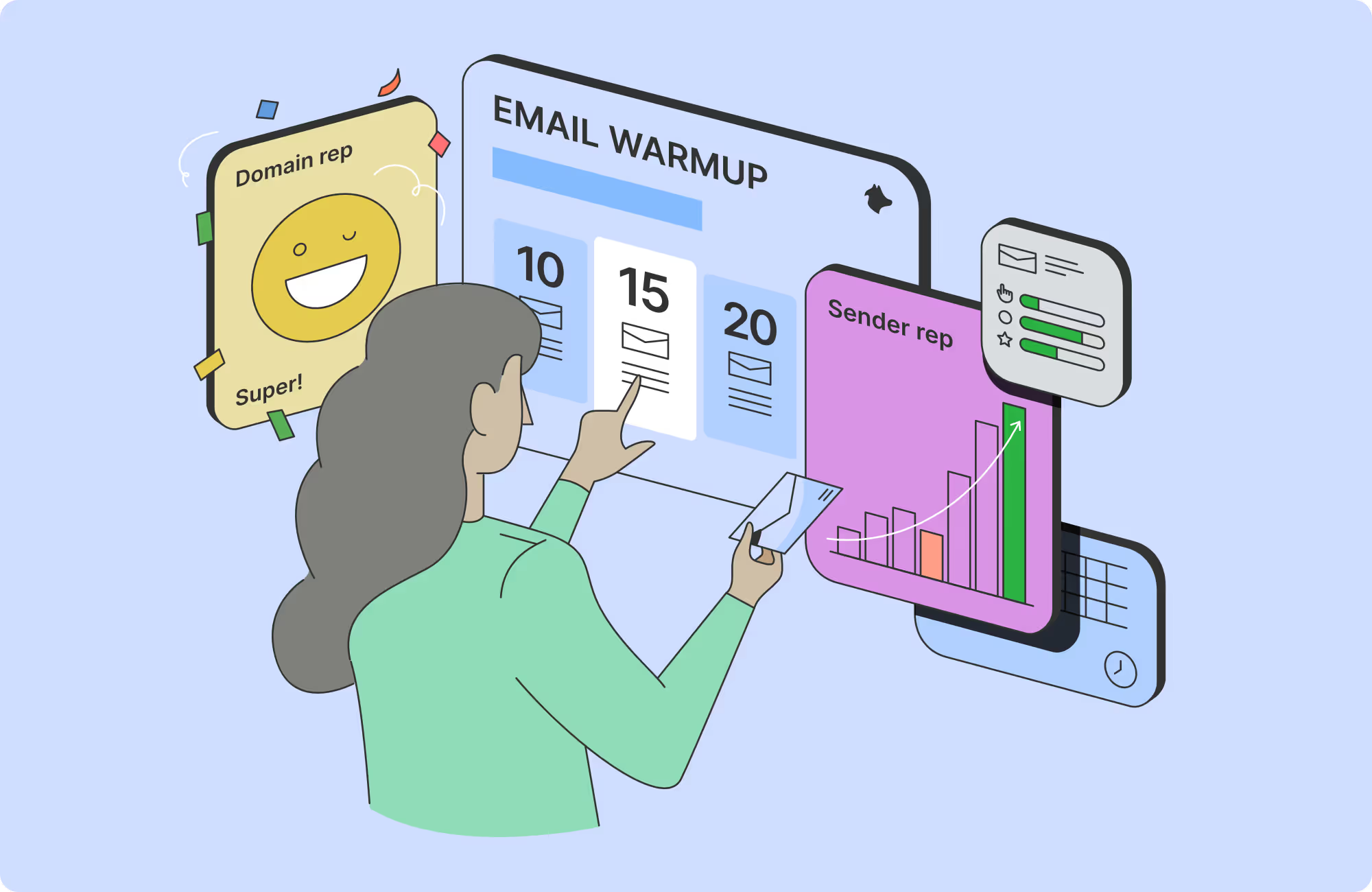
The warmup timeline that works: 3–6 weeks of gradual ramp, starting at 20–30 emails per day and increasing incrementally before reaching full volume. Skipping this step is one of the fastest ways to flag a new account.
Action: Remove un-warmed inboxes from active campaigns immediately. Run them through a structured warmup sequence before adding them back to rotation. The ramp time spent here pays off in long-term sending stability.
9. Sending Volume Spiked Without a Ramp
Even well-warmed, well-authenticated domains can trigger ISP scrutiny when volume increases too sharply. A sudden spike looks like the same pattern inbox providers associate with compromised accounts or spam runs.
What to check: review your daily send volume over the last 30 days. Did volume jump by more than 30–40% in a single week? Did it follow a period of low activity or a campaign pause?
Common scenarios where this happens: scaling a new list too aggressively, reactivating a dormant campaign without easing back in, or adding multiple new inboxes to rotation at the same time and letting them all send at full capacity immediately.
Action: Ramp volume increases gradually — no more than 20–30% per week. After any sending pause, re-enter at reduced volume before returning to previous levels. Treat your sending cadence like a muscle: gradual load, not sudden spikes.
10. List Contains High Percentages of Role-Based or Catch-All Addresses
Role-based addresses like info@, contact@, support@, and sales@ are often monitored by multiple people, filtered by front-line staff, or hit spam filters at the organizational level. Complaint rates on these are higher. Engagement rates are lower.
Catch-all domains are a different problem: they accept every email regardless of whether the specific address actually exists. Standard verification tools can't confirm these, so bounce rates from catch-all segments are unpredictable.
What to check: what percentage of your active list is role-based or catch-all? Run your list through a verification tool that flags both categories before your next send.
Action: Suppress role-based addresses from cold outreach lists entirely. Treat catch-all addresses as high-risk — send to them at reduced volume with close monitoring, and stop sending to any catch-all domain showing elevated bounce rates.
11. No Inbox Rotation Across Multiple Sending Accounts
Concentrating all your cold outreach deliverability volume on a single inbox puts your entire sending infrastructure at risk from one bad stretch. One week of elevated complaints or a bounce spike on a single account and your whole program is compromised.
What to check: how many inboxes are currently in your sending rotation, and how is volume distributed across them?
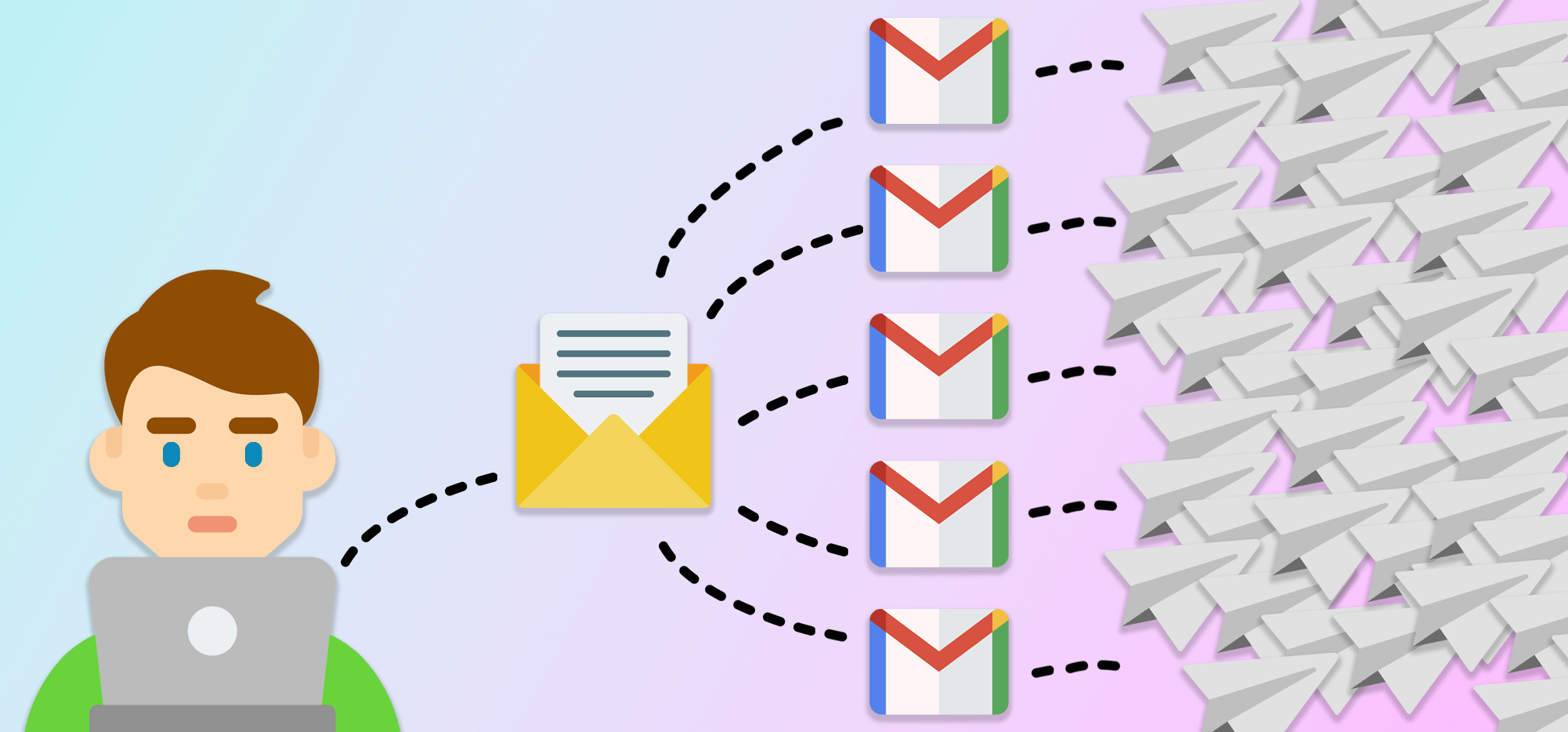
The industry best practice: distribute sends across 3–5 warmed inboxes per domain, capping at 40–50 emails per inbox per day. Rotation spreads risk and gives you faster recovery options if one account gets flagged — you can pull it from rotation, investigate, and continue sending from the remaining accounts without pausing the whole campaign.
Action: If you're running from a single inbox, set up additional sending accounts and warm them in parallel before adding them to rotation. This is infrastructure, not overhead.
12. Reply Rate Has Dropped Without Messaging Changes
A reply rate decline without any changes to copy or targeting is often a deliverability signal, not a copy problem. If emails are landing in spam or promotions tabs, prospects never see them — it doesn't matter how strong the message is.
What to check: cross-reference reply rate trends with open rate and your Postmaster data. If open rate dropped first and reply rate followed, the problem is almost certainly deliverability. If reply rate dropped while open rate held stable, that's a different issue — and it points to copy or offer alignment.
The distinction matters because the fixes are completely different. Rewriting sequences when the real problem is deliverability wastes weeks and delays the actual fix.
Action: Run an inbox placement test before rewriting anything. Confirm where emails are landing. If they're not hitting the primary inbox, fix that first — then evaluate whether the copy needs work.
13. Prospect Replies Mentioning "Spam" or Unsubscribe Requests Spiking
Direct signals from prospects — explicit spam mentions, an unusual spike in unsubscribe requests, aggressive "remove me" replies — are a leading indicator that your targeting or messaging is missing badly with a specific segment.
What to check: review reply sentiment over the last 30 days. What percentage of replies are negative, and is there a pattern tied to a specific list segment, sequence, or campaign?
A spike in negative replies from a single campaign usually points to a targeting problem: the list doesn't match your ICP, the offer is misaligned with where those prospects are in the buying journey, or the messaging assumes a pain point they don't actually have.
Action: Suppress the affected segment immediately. Audit the targeting criteria that was used to build that list before sending further. The inbox providers are watching complaint rates in real time — the faster you pull a misfiring segment, the less damage it does.
14. No Monitoring Tools or Deliverability Visibility
You can't act on warning signs you can't see. Roughly 48% of email marketers cite avoiding the spam folder as their biggest challenge — and a significant portion of those campaigns are flying blind without the tools to detect the problem early.
What to check: are you actively monitoring Google Postmaster Tools, MXToolbox, and per-inbox bounce and open rate trends? Or are you only looking at aggregate campaign data in your sending platform?
Six metrics to track per inbox, per week:
- Bounce rate
- Spam complaint rate
- Domain reputation in Postmaster
- Per-inbox open rate trend
- SPF/DKIM/DMARC pass rate
- Daily send volume per inbox
Action: Set up Google Postmaster Tools for every sending domain — it's free and gives you direct Gmail reputation data that no third-party tool replicates. Build a weekly deliverability review into your campaign management cadence. This is the check that catches problems before they compound.
15. No List Verification Before Sending
Sending to an unverified list — even one built from reputable sources — means sending to an unknown percentage of invalid addresses, spam traps, and honeypots. Data decays faster than most senders assume: job changes, domain shutdowns, and address deactivations happen constantly.
What to check: was your active list verified within the last 90 days? Any list older than 90 days without re-verification carries elevated bounce risk.
Spam traps are particularly damaging because they're maintained specifically by blacklist operators to catch senders using poor data practices. Hitting even one can trigger a blacklist appearance. You won't get a warning — you'll just see your metrics drop and have no obvious cause until you run a blacklist check.
Action: Run all lists through an email verification tool before sending. Re-verify anything that hasn't been used in 90+ days. Never send to purchased, scraped, or rented data without full verification first. The cost of verification is negligible compared to the cost of domain reputation recovery.
How to Score Your Campaign and What to Do Next
After working through the cold outreach deliverability checklist, prioritize your fixes in order of severity.
✅ Critical signals — blacklisting, authentication failures, Google Postmaster reputation at Low or Bad — require a full sending pause until resolved. These aren't issues you fix while continuing to send. Every email you send into an already-damaged reputation makes recovery longer.
✅ Warning signals — climbing bounce rate, dropping open rate trend, elevated complaint rate approaching 0.1% — trigger immediate investigation while you reduce (not stop) sending volume. Pull back to 50–60% of normal volume while you dig into the root cause.
✅ One fix at a time. This is important. If you change authentication, list quality, copy, and sending volume simultaneously, you can't isolate what actually worked. Fix the most critical layer, let it stabilize for 1–2 weeks, measure, then move to the next.
On recovery timelines: minor issues like list hygiene updates and authentication fixes can show measurable improvement within 1–2 weeks. Domain reputation recovery after a serious hit — a period at Low or Bad in Postmaster, a Spamhaus listing, a stretch of high complaint rates — takes 4–8 weeks of disciplined, lower-volume sending to rebuild.
Run this scorecard every month during active campaigns. And run it immediately any time a primary metric drops more than 20% from its stable baseline.
How Cleverly Manages Cold Email Deliverability So Campaigns Don't Tank
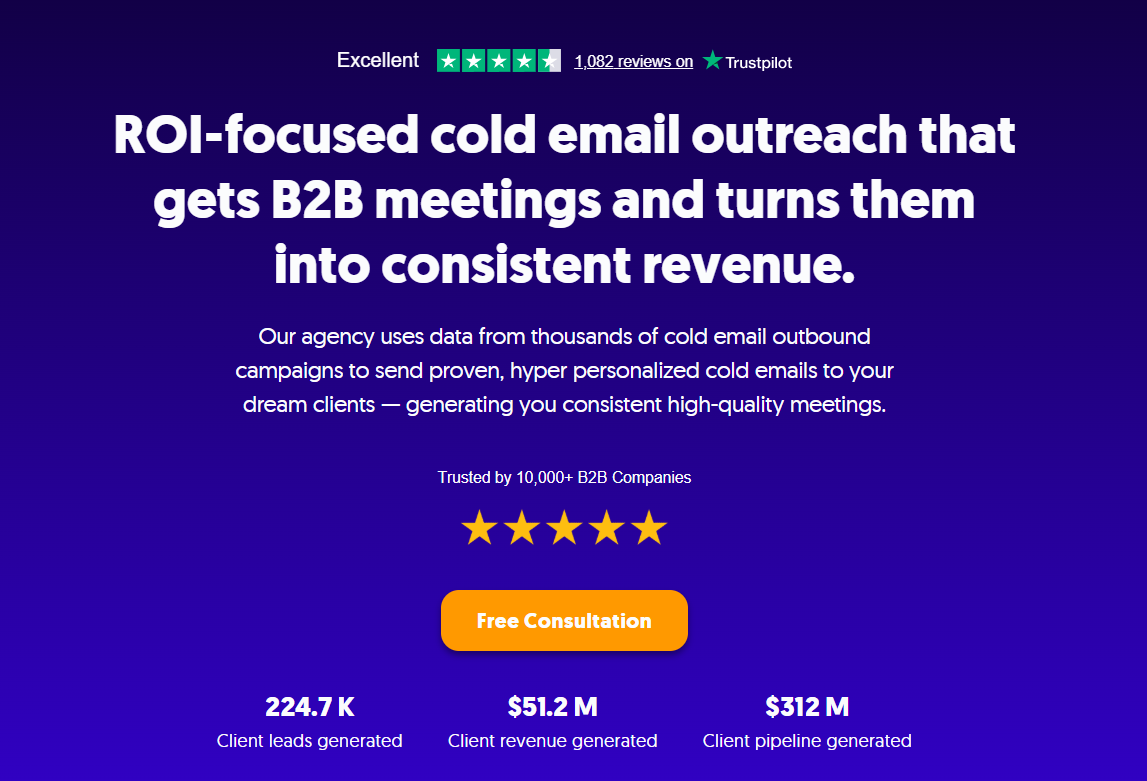
At Cleverly, we treat cold email deliverability as ongoing infrastructure — not a one-time setup task. Every campaign we run is built on the technical foundation that makes inbox placement consistent: dedicated sending domains separate from client business domains, full SPF/DKIM/DMARC configuration before the first send, structured inbox warmup before any campaign launches, and inbox rotation across multiple sending accounts so no single account carries all the risk.
What we manage on an ongoing basis mirrors exactly the 15 signals in this audit. List verification runs before every campaign send. Bounce rates and complaint rates are monitored per inbox, per week. Google Postmaster is checked for every sending domain across the portfolio. When a metric moves, we flag it and investigate before it becomes a problem — not after it's already compounded.
What clients see on the other side of that infrastructure: consistent open rates, protected sender reputation, and meetings landing on the calendar instead of a deliverability crisis landing in their inbox. We have benchmark data across thousands of campaigns, which means a 10% open rate decline gets flagged and investigated long before it becomes a 40% decline.
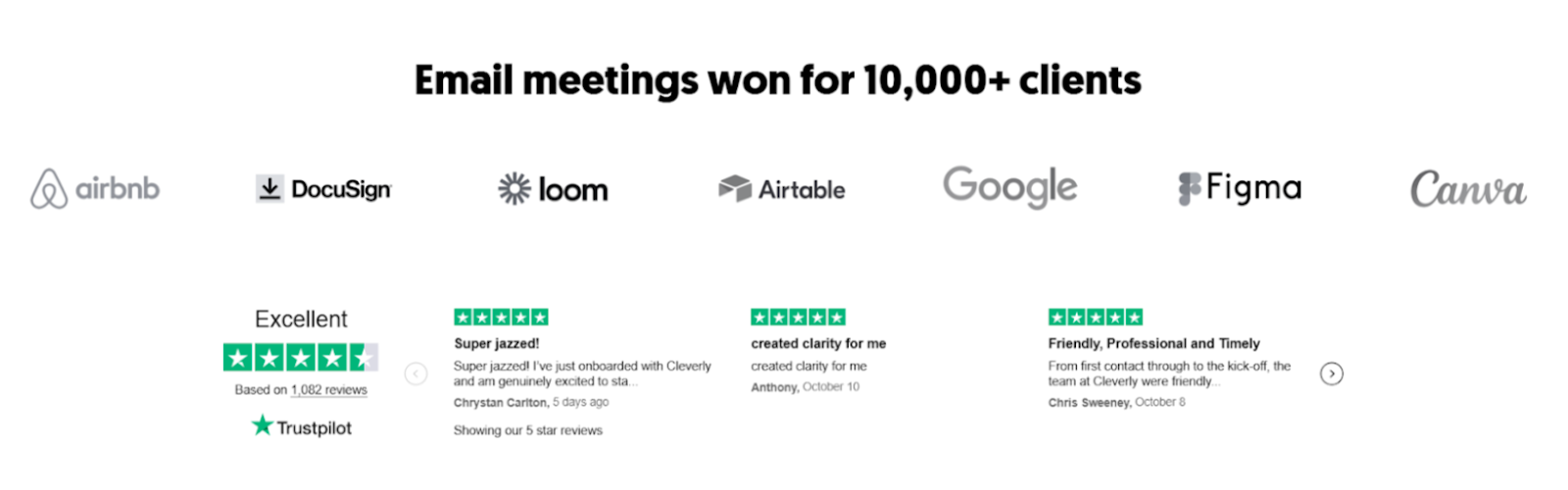
We've generated $51.2M in closed revenue and $312M in pipeline for 10,000+ clients including eBay, Airbnb, DocuSign, Loom, and Airtable — and cold email deliverability management is a core part of how those results stay consistent month over month. Cleverly is rated 4.6/5 on Trustpilot across 1,136+ reviews, and done-for-you deliverability management is a big reason clients stay.
Worried your cold email campaign is heading toward spam? Book a strategy call with Cleverly and we'll run the audit with you — and fix what's quietly killing your deliverability.
Conclusion
Cold email deliverability doesn't fail all at once. It degrades signal by signal, metric by metric, until the damage becomes impossible to ignore. Most campaigns that collapse were showing warning signs for weeks — they just weren't being tracked.
The 15-point scorecard in this guide gives you a framework to catch every early warning before it compounds into a months-long reputation recovery.
Run the audit, fix critical signals first, and build monitoring into your regular cadence. The senders who stay in the inbox aren't just the ones with the best copy — they're the ones who treat deliverability as infrastructure, not an afterthought.
Frequently Asked Questions
Free Resource
How to Scale a Profitable Cold Call System
Get the complete guide — download it instantly now.

Free Ebook
Download the Free Guide
Enter your details to get instant access.
You're all set! 🎉
Your ebook is downloading now.
Click below if the download didn't start automatically.