Table of Contents
How to Choose AI Tools for a Small Business
12 Best AI Tools for Small Business in 2026
Best Free AI Tools for Small Business
Recommended Starter Stack by Business Type
Mistakes Small Businesses Make With AI Tools
Where AI Tools Stop Helping With Getting Customers
How Cleverly Helps Small B2B Businesses Get Customers
Conclusion
Frequently Asked Questions
Modified On :
October 15, 2026
Key Takeaways
- Start with the task that eats the most hours in your week, not with the tool category that sounds most exciting.
- Add one tool at a time and give it a full month before you add the next. Otherwise you can’t tell which one is helping.
- Free tiers cost you time instead of money. Upgrade when a manual workaround costs more than the subscription.
- Keep customer data, financial records, and contracts out of free consumer chatbots and use business plans for anything sensitive.
- AI tools make existing work faster, but they don’t start new customer conversations for you.
Seventy-six percent of small businesses say they use AI. Only 14% say it is fully built into how they operate, according to the Goldman Sachs 10,000 Small Businesses Voices survey from early 2026. That gap is where half-used subscriptions live.
The U.S. Chamber of Commerce found that 58% of small businesses now use generative AI, up from 40% in 2024. Yet JPMorgan Chase Institute transaction data showed only 17.7% were paying for and consistently using AI tools at the end of 2025.
Small business owners have the most to gain from AI tools for small business and the least time to test them. So we grouped this list by the job each tool does. Pick the problem you actually have, then jump to that section.
Set your expectations early. Most small businesses need three or four tools, not twelve. Free tiers also cover more than they used to, so starting free is the sensible default.
You’ll get a simple way to choose, twelve tools by function, the best free options, starter stacks by business type, and the mistakes to avoid. This is written for owners, founders, and small teams with no dedicated ops or marketing staff.
How to Choose AI Tools for a Small Business
You don’t need a 40-point evaluation sheet. You need a short filter you can apply in ten minutes. This is the one we’d use for the best AI tools for small businesses 2026 has to offer.
Start With the Task That Costs You the Most Hours
Write down where your week goes. Invoicing, writing follow-ups, copying data between apps, and transcribing calls are common ones. Pick the biggest time sink and shop for that. Don’t start from the category that sounds most interesting.
Prefer Tools That Replace a Subscription
A new tool that replaces one you already pay for saves money and complexity. A new tool that sits on top of your stack adds both. Before you buy, ask what you can cancel.
Check the Free Tier Honestly
Many free tiers are generous enough for a small business to use indefinitely. Test the free plan with a real task from your week. A demo task tells you nothing.
Watch Per-Seat Pricing
A $20 tool looks cheap for one person. For a team of six, it’s $120 a month. Per-seat pricing scales badly as you grow, and some tools add higher per-seat prices when you move to a higher tier.
Check What It Connects To
A tool that doesn’t connect to what you already use creates manual work. Look at the integrations list for your CRM, email, calendar, and accounting software before you commit.
Match the Learning Curve to the Person Who’ll Use It
A powerful tool nobody has time to learn is just an expensive icon. Be honest about who will operate it, and how many hours they can give it.
Protect Your Data
Free consumer tiers of AI chatbots may handle your inputs under consumer terms, and those terms differ by provider. Customer data, financial records, and contracts belong in business plans with clear data protections, not in a free chatbot window. Check each provider’s data settings before you paste anything sensitive.
The Practical Rule: Adopt one tool at a time. Give it a month. Only then add another.
🤖 Let AI Handle the Busywork. You Handle Growth.
From smarter workflows to better targeting, the right tools save time. Cleverly takes prospecting and B2B outreach off your plate.
12 Best AI Tools for Small Business in 2026
Here’s the full list at a glance, followed by a closer look at each tool.
General AI Assistants
This is the category most small businesses should start with. One good assistant covers drafting, summarizing, brainstorming, and quick research, which are the tasks that quietly eat the most hours.
1) ChatGPT

ChatGPT is the assistant most owners try first. You can use it to draft emails, outline a proposal, summarize a long thread, or work through a pricing idea. It also handles image generation, voice, and analysis of files you upload. For a small business, it works like a fast first-draft partner that never gets tired.
- Best for: All-round writing, brainstorming, and quick research.
- What it does: Drafts and edits text, summarizes documents, answers questions, analyzes uploaded files, and generates images.
- Pricing: There is a free tier with usage limits. Paid plans run about $8 a month for Go, which is ad-supported, and $20 a month for Plus. Higher Pro tiers sit at $100 and $200 a month, and business plans are billed per user. Free and Go show ads in the U.S.
- Limitation: Output needs editing and fact-checking. It sounds confident even when it’s wrong.
2) Claude
Claude is strong when the document is long or the writing needs care. Owners use it to read through a vendor contract, summarize a 40-page report, or write a detailed client proposal that doesn’t sound robotic. It handles long inputs well, so you can paste in a lot of context and get a considered answer back.
- Best for: Long documents, contracts, and detailed writing.
- What it does: Reads and summarizes long files, drafts and rewrites in a natural tone, and works through multi-step questions.
- Pricing: There is a free tier. Pro is $20 a month, or about $17 a month billed annually. Higher Max tiers start at $100 a month.
- Limitation: Its built-in tool ecosystem is narrower than some rivals. For example, it has no built-in image generation. It also doesn’t replace a lawyer when you review a contract.
3) Perplexity
Perplexity works like a search engine that answers in plain language and shows its sources. If you’re researching a competitor, a regulation, or a supplier, you get a summary with links you can click and check. That makes it easier to trust than a chatbot that gives you an answer with no trail.
- Best for: Sourced research with citations.
- What it does: Answers questions with linked sources, runs deeper research reports on paid plans, and lets you choose between AI models on Pro.
- Pricing: There is a free tier with a limited number of advanced searches each day. Pro is $20 a month, or about $200 a year. Max is $200 a month.
- Limitation: It’s better for research than for producing finished work. You’ll still write the final piece elsewhere.
Marketing and Design
These tools matter most when you’re the person doing the marketing on top of everything else.
4) Canva
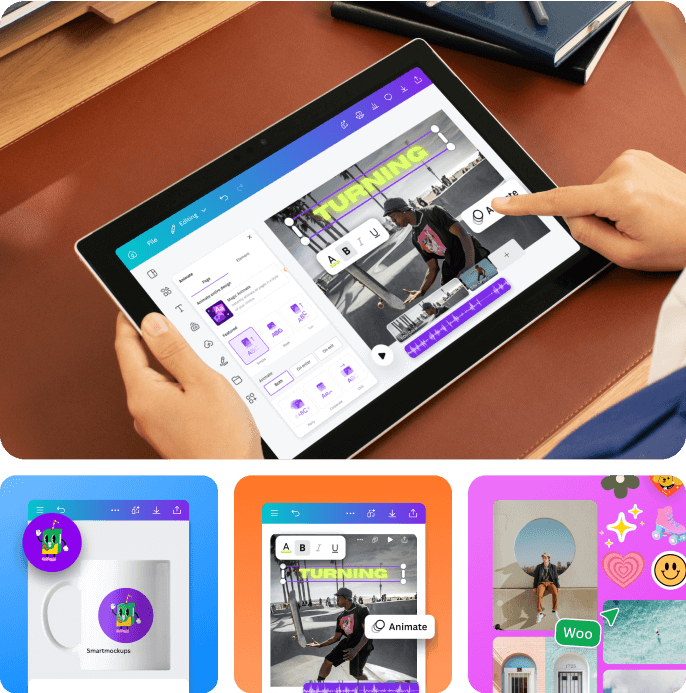
Canva is how many small businesses get decent-looking social posts, flyers, menus, and slide decks without hiring a designer. Its AI features, branded Magic Studio, handle text generation, image creation, and edits. Templates do most of the heavy lifting, so you start from something that already looks good.
- Best for: Design without a designer.
- What it does: Templates, drag-and-drop design, AI writing and image tools, and on Pro, background removal, a Brand Kit, and resizing across formats.
- Pricing: The free plan is permanent and includes a small monthly AI allowance. Pro runs roughly $12 to $18 per person a month depending on billing and region. Business is per seat.
- Limitation: AI usage allowances on free plans change often, so check the current limits before you rely on them.
5) Jasper

Jasper is built for marketing teams that publish a lot and need the copy to stay consistent. You train it on your brand voice, then use templates for ads, emails, landing pages, and blog posts. The value shows up when several people produce content and the voice has to match.
- Best for: Teams producing marketing copy at volume with brand consistency.
- What it does: Brand voice settings, marketing templates, image generation, and content workflows.
- Pricing: There’s no permanent free plan, only a 7-day trial of Pro. Pro is $69 a month per seat on monthly billing, or $59 on annual billing. Business pricing is custom.
- Limitation: It’s hard to justify unless content is a core activity. For occasional copy, a general assistant does most of the same job for less.
Sales, CRM and Lead Generation
If you sell to other businesses, this group matters most. Keep the limits in mind, though. We’ll come back to what these tools don’t do later in the article.
6) HubSpot
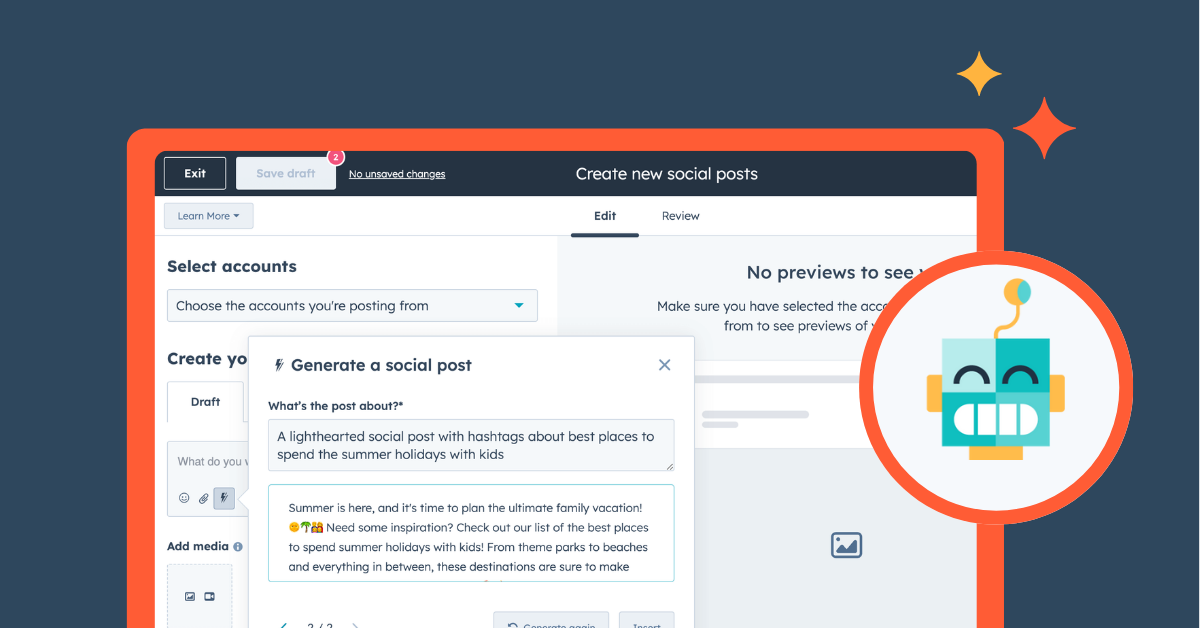
HubSpot’s free CRM is where many small businesses start. You get contact records, a deal pipeline, forms, and basic email marketing in one place. Its Breeze AI layer helps draft emails, summarize records, and prep for meetings. As you grow, you can add paid hubs for marketing, sales, and service.
- Best for: A free CRM with AI features layered on.
- What it does: Contact and deal management, forms, email marketing, a meeting scheduler, and an AI assistant that summarizes records and drafts messages.
- Pricing: The CRM tools are free with no credit card. Paid Starter plans are priced per seat and start low. Professional tiers jump much higher, with Sales Hub Professional around $90 per seat. Some Breeze AI agents use a credit system.
- Limitation: Costs climb quickly as you add hubs and seats. Higher tiers can also come with onboarding fees.
7) Apollo
Apollo combines a large B2B contact database with email sequences and basic outreach tools. You search for people by title, industry, and company size, then run sequences from the same platform. It’s a practical way for a small business to find prospects and send a first round of outreach.
- Best for: Finding B2B contacts and running basic outreach in one place.
- What it does: Contact search, email and phone data, sequences, and CRM integrations.
- Pricing: There is a free tier with limited credits. Basic is $49 per user a month on annual billing, or $59 on monthly billing. Professional is $79 annual or $99 monthly. Credits are metered and expire at the end of each billing cycle.
- Limitation: Apollo relies on a single data source, so coverage gaps have no fallback. You may find missing or outdated contacts for niche audiences.
8) Otter.ai
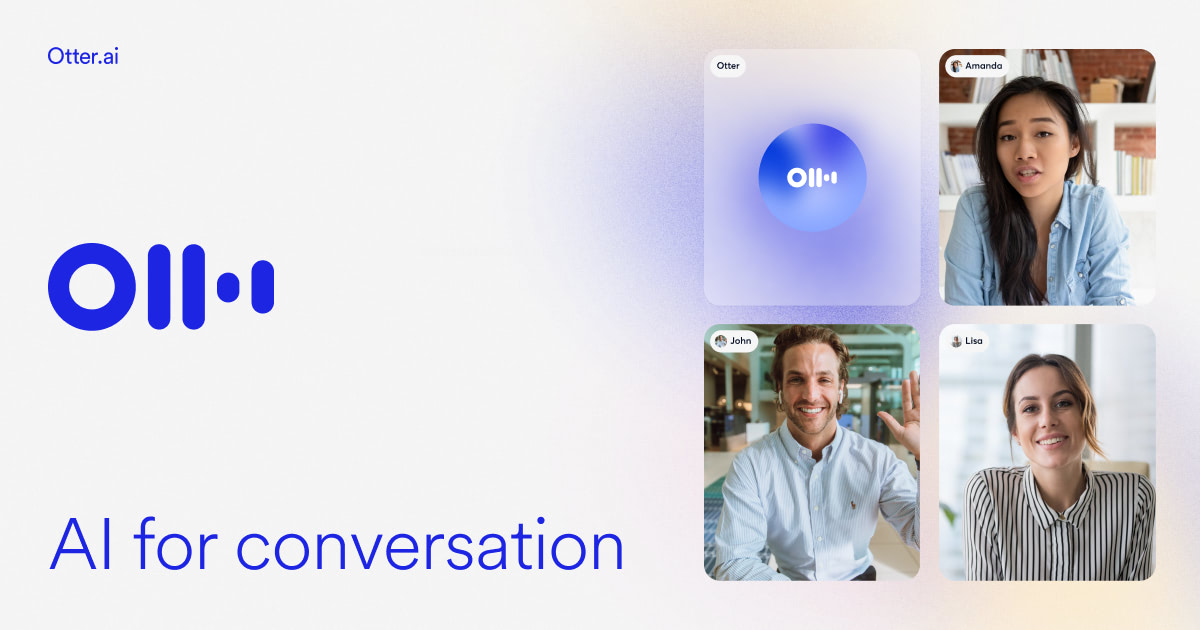
Otter joins your Zoom, Google Meet, or Teams calls, transcribes them, and writes a summary with action items. For anyone who sells or consults by phone, that means no more scribbling notes and no more forgetting what you promised. Fireflies is a close alternative. Check its current free plan before you pick between them.
- Best for: Automatic call notes and follow-up summaries.
- What it does: Live transcription, meeting summaries, action items, and searchable call history.
- Pricing: The free plan includes 300 minutes a month, with a 30-minute cap per conversation. Pro is about $16.99 a month, or $8.33 on annual billing, with 1,200 minutes. Business is per user.
- Limitation: Transcription accuracy varies with audio quality. Heavy accents, crosstalk, and poor connections cause errors.
Operations and Automation
Automation tools move information between your apps so you stop copying and pasting. They’re the quiet workhorses of a small business stack.
9) Zapier
Zapier connects the tools you already use. When a form is submitted, it can add a row to a spreadsheet, create a CRM contact, and send a Slack message. You build these “Zaps” without code. It supports thousands of apps, so there’s a good chance your tools are covered.
- Best for: Connecting the tools you already use.
- What it does: Triggers and actions across apps, with multi-step workflows on paid plans.
- Pricing: The free plan includes 100 tasks a month and two-step Zaps. Professional starts at $19.99 a month on annual billing, or $29.99 on monthly billing, for 750 tasks.
- Limitation: Task-based pricing gets expensive as workflows grow. A single workflow with several steps can use many tasks per run.
10) Make
Make does the same job as Zapier with a visual builder that suits more complex logic, such as branching, filters, and loops. Many owners find it cheaper per automation once workflows get involved. It rewards people who like to see the whole flow on a canvas.
- Best for: A lower-cost automation alternative with more complex workflow logic.
- What it does: Visual scenario builder, branching and routing logic, and access to thousands of app integrations.
- Pricing: The free plan includes 1,000 credits a month, two active scenarios, and a 15-minute minimum interval. Core is roughly $9 to $12 a month for 10,000 credits, depending on billing.
- Limitation: It has a steeper learning curve than Zapier. Complex scenarios can also use credits faster than you expect.
Customer Support
11) Tidio
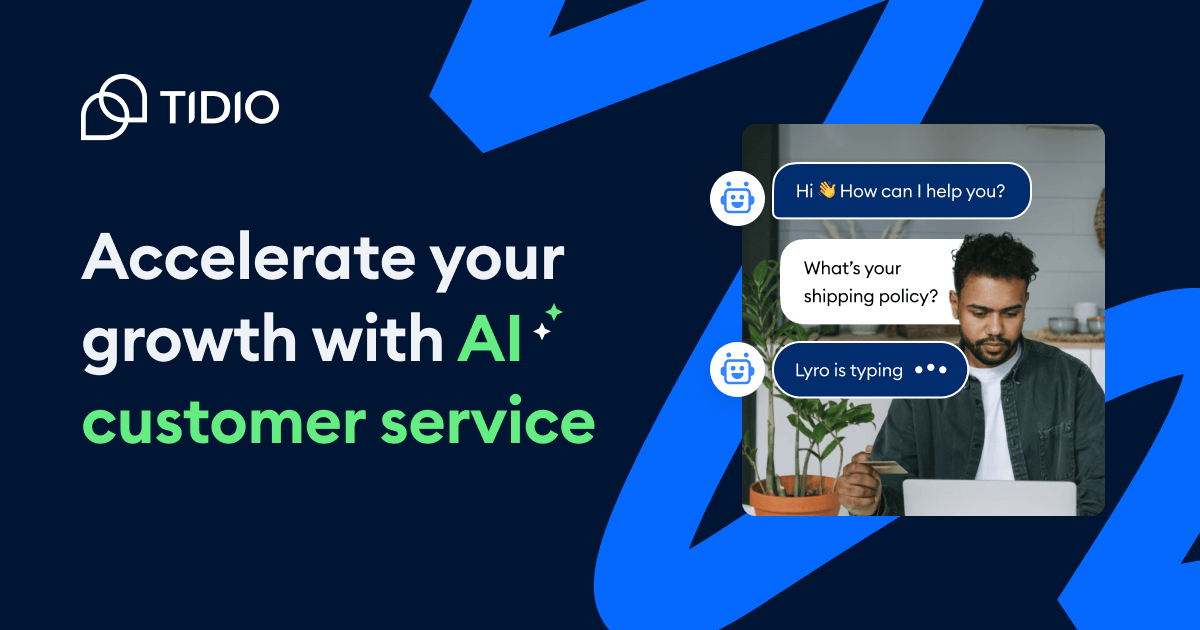
Tidio adds live chat and an AI support agent, called Lyro, to your website. It answers common questions, captures contact details, and hands off to you when needed. For a small site that gets the same ten questions all day, it can take a real load off your inbox.
- Best for: AI chat and support automation for small sites.
- What it does: Live chat, a helpdesk, chatbot flows, and an AI agent that answers from your knowledge base.
- Pricing: The free plan covers 50 billable conversations a month. Starter is $29 a month, or about $24 on annual billing, for 100 conversations. Growth starts at $59 monthly. The Lyro AI agent and Flows are separate add-ons, and the free plan includes only a one-time Lyro allowance.
- Limitation: Free conversation caps are reached quickly on busier sites. The add-ons can push the real monthly cost well above the headline price.
Finance and Admin
12) Wave
Wave gives very small businesses free invoicing and double-entry bookkeeping. You can send professional invoices, track income and expenses, and see where you stand without paying for accounting software. It suits freelancers and service businesses with simple books.
- Best for: Free invoicing and bookkeeping for very small businesses.
- What it does: Unlimited invoicing, expense and income tracking, basic reports, and optional payments and payroll.
- Pricing: The Starter plan is free. Pro is about $16 a month on annual billing, or $19 on monthly billing. Card payment processing fees apply when customers pay through Wave. Recent reports say automatic bank feeds and collaborator access moved to Pro in June 2026, so confirm what Starter includes today.
- Limitation: It’s lighter than full accounting software, and you may outgrow it as complexity rises.
Best Free AI Tools for Small Business
A genuinely workable zero-cost stack exists, and most owners underestimate how far it goes. The best free AI tools for small business now cover the basics of writing, design, customer records, and admin.
What You Can Get for Free
Here’s a practical zero-cost lineup from the tools above.
What Free Tiers Usually Cap
Free plans tend to hold back the same four things: volume, seats, advanced features, and integrations. You’ll hit these limits in roughly that order. Volume usually bites first.
The Honest Trade-Off
Free plans cost you time instead of money. You’ll copy data by hand, wait for allowances to reset, and work around missing features. That’s a fair trade when your time is cheap or your volume is low. It stops being fair when the workaround takes an hour a week.
The Data Caution
Do not put customer personal data, financial records, or contracts into free consumer-tier chatbots. Use business plans with clear data controls for that work. Free tiers are great for drafts, ideas, and public information.
When to Upgrade
Upgrade when one of these happens:
- You hit an allowance every month.
- You add a second user.
- A manual workaround costs more time than the subscription costs money.
🚀 Turn More Prospects Into Paying Clients
AI tools help you work faster. Cleverly helps you reach the right buyers with done-for-you LinkedIn, cold email, and cold calling.
Recommended Starter Stack by Business Type
Most owners don’t want twelve options. They want to know what to buy. These are four starter stacks for AI tools for small business automation and daily work. The monthly costs are our rough estimates from current list prices, and they will drift as vendors change plans.
In every stack, start with the first three tools. Add the fourth only after a month of steady use.
Solo Service Business
Stack: a general assistant, Canva, Wave, and a scheduling tool. The scheduler built into HubSpot’s free tools works fine here.
- Free tier: about $0 a month.
- Paid tier: roughly $50 to $55 a month for an assistant, Canva Pro, and Wave Pro.
Small B2B Service Firm
Stack: a general assistant, HubSpot CRM, Apollo, and Otter.ai.
- Free tier: about $0 a month. Apollo’s free credits will run out quickly if you prospect actively.
- Paid tier: roughly $85 to $115 per user a month, depending on billing choices and HubSpot’s Starter seat price.
Local or Retail Business
Stack: Canva, Tidio, Wave, and review management. Google Business Profile lets you read and reply to reviews for free.
- Free tier: about $0 a month.
- Paid tier: roughly $55 to $65 a month. Add about $39 a month if you want the Lyro AI agent in Tidio.
Content-Led Business
Stack: a general assistant, Jasper, Canva, and an automation tool.
- Free tier: about $0 a month for an assistant, Canva Free, and Make Free. Jasper has no free plan, so skip it until content volume justifies the cost.
- Paid tier: roughly $100 to $135 a month with Jasper, Canva Pro, and Zapier or Make.
Before you buy Jasper, try a general assistant with a saved brand-voice prompt for a month. For many content-led businesses, that does most of the job at a fraction of the price.
Mistakes Small Businesses Make With AI Tools
We see the same mistakes again and again. Most of them are about process, not technology.
Buying Tools Before Finding the Costly Task
Owners buy a tool because a friend raved about it, then look for a use. Flip it. Find the task that costs you the most hours first.
Stacking Overlapping Subscriptions
Two assistants, two design tools, and two automation platforms is a common sight. Pick one per job and cancel the rest.
Signing Annual Plans Before Testing
Annual billing saves money only if you keep using the tool. Run the free tier or a monthly plan for at least a month first.
Letting Nobody Own the Tool
A tool without an owner is unused by month two. Name one person responsible for it, even if that person is you.
Putting Sensitive Data in Consumer-Tier AI
Customer details, financial records, and contracts don’t belong in free chatbots. Use business plans with clear data protections, or keep that work out of AI entirely.
Automating a Broken Process
Automation makes a messy process faster, not better. Fix the process by hand first, then automate it.
Judging Tools on Features Instead of Hours Saved
A long feature list feels impressive. Hours saved is the only number that pays your bills. Track it for a month.
Adding Several Tools at Once
If you add three tools in the same week, you can’t tell which one helped. One at a time is slower on paper and faster in practice.
Where AI Tools Stop Helping With Getting Customers
AI tools are genuinely good at making existing work faster. They write the draft, design the graphic, summarize the call, and move the data. Used well, they give you back real hours every week.
But there’s a gap. Most AI marketing tools for small businesses speed up work you’re already doing. They don’t generate consistent new customer conversations on their own.
Look at what each tool in a typical stack actually does:
None of these bring new prospects into the top of your funnel. For B2B service businesses, that gap is usually the real constraint, more than any tooling choice.
Here’s the honest point. Software makes outreach easier. It doesn’t make it happen. Someone still has to define the audience, build the list, write and test the messages, send them every week, and answer the replies. If you’re also delivering the work, that someone is often nobody.
That’s the gap we’ll turn to next.
How Cleverly Helps Small B2B Businesses Get Customers

This section applies to small businesses that sell to other businesses. If you run a retail shop or sell to consumers, skip ahead.
We see the same pattern with small B2B firms. Owners set up the CRM, the copy tool, and the automations, then find there’s no time left for outreach because they’re busy delivering the work.
A B2B lead generation agency closes that gap by running the outreach for you.
Cleverly handles it end to end. We define your ideal customer profile, build verified lists, and run LinkedIn outreach, cold email, and cold calling. We then manage replies through to booked meetings. You buy no tools, learn no software, and run no campaigns yourself.
We measure success by qualified meetings held with real decision-makers, not by messages sent or tools covered. Across our clients, that approach has produced $312M in pipeline and $51.2M in closed revenue.
Running a B2B service business and short on new inquiries? Cleverly can handle the outreach. Book a call to find out more.

Conclusion
The best AI tools for small business are the ones that remove your most expensive hour, not the ones with the longest feature list. Start free, adopt one tool at a time, and give each one a month before you add the next. Keep sensitive data out of consumer tiers.
Your next step is simple. List the three tasks that ate the most time this month, then pick one tool for the worst of them. And before you add a twelfth subscription, remember that tools make the work faster, but somebody still has to do the work.
Frequently Asked Questions
Free Resource
How to Scale a Profitable Cold Call System
Get the complete guide — download it instantly now.

Free Ebook
Download the Free Guide
Enter your details to get instant access.
You're all set! 🎉
Your ebook is downloading now.
Click below if the download didn't start automatically.