Table of Contents
What Is Lead Routing in B2B Sales?
Why Lead Routing Directly Impacts Revenue
Lead Routing in Salesforce: How Assignment Rules Actually Work
How AI Is Changing Lead Routing for Sales Teams
Automated Lead Routing vs Manual Assignment
How Cleverly Designs Lead Routing That Converts, Not Just Assigns
Conclusion
Frequently Asked Questions
Modified On :
September 3, 2026
Key Takeaways
- Lead routing assigns incoming leads to the right sales rep based on territory, deal size, expertise, or other predefined criteria.
- Fast, accurate routing can increase conversion rates by up to 391% by ensuring leads get immediate follow-up from qualified reps.
- Most successful teams use hybrid routing models that combine geography, account ownership, rep skills, and lead characteristics.
- Automated lead routing eliminates manual assignment delays and works 24/7, but only if your CRM data is clean and up-to-date.
- AI for lead routing in sales teams improves accuracy by analyzing behavioral patterns and predicting which reps are most likely to close specific leads.
- Poor routing causes missed follow-ups, bad buyer experiences, and lost revenue before your team even gets a chance to sell.
Your sales team just landed 50 fresh leads. Sounds like a win, right?
Not if those leads sit in limbo for hours while your reps figure out who should follow up. Not if your best closer gets stuck with bottom-funnel prospects while junior reps fumble high-value accounts. And definitely not if hot leads go cold because nobody responded fast enough.
This is where lead routing makes or breaks your pipeline.
We've helped over 10,000 companies optimize their B2B lead generation process, and we've seen firsthand how poor routing kills conversion rates.
The good news? Getting lead routing right isn't complicated. It just requires the right system, clear rules, and smart automation.
In this guide, we'll walk you through everything you need to know about lead routing, from basic definitions to advanced strategies that modern sales teams actually use.
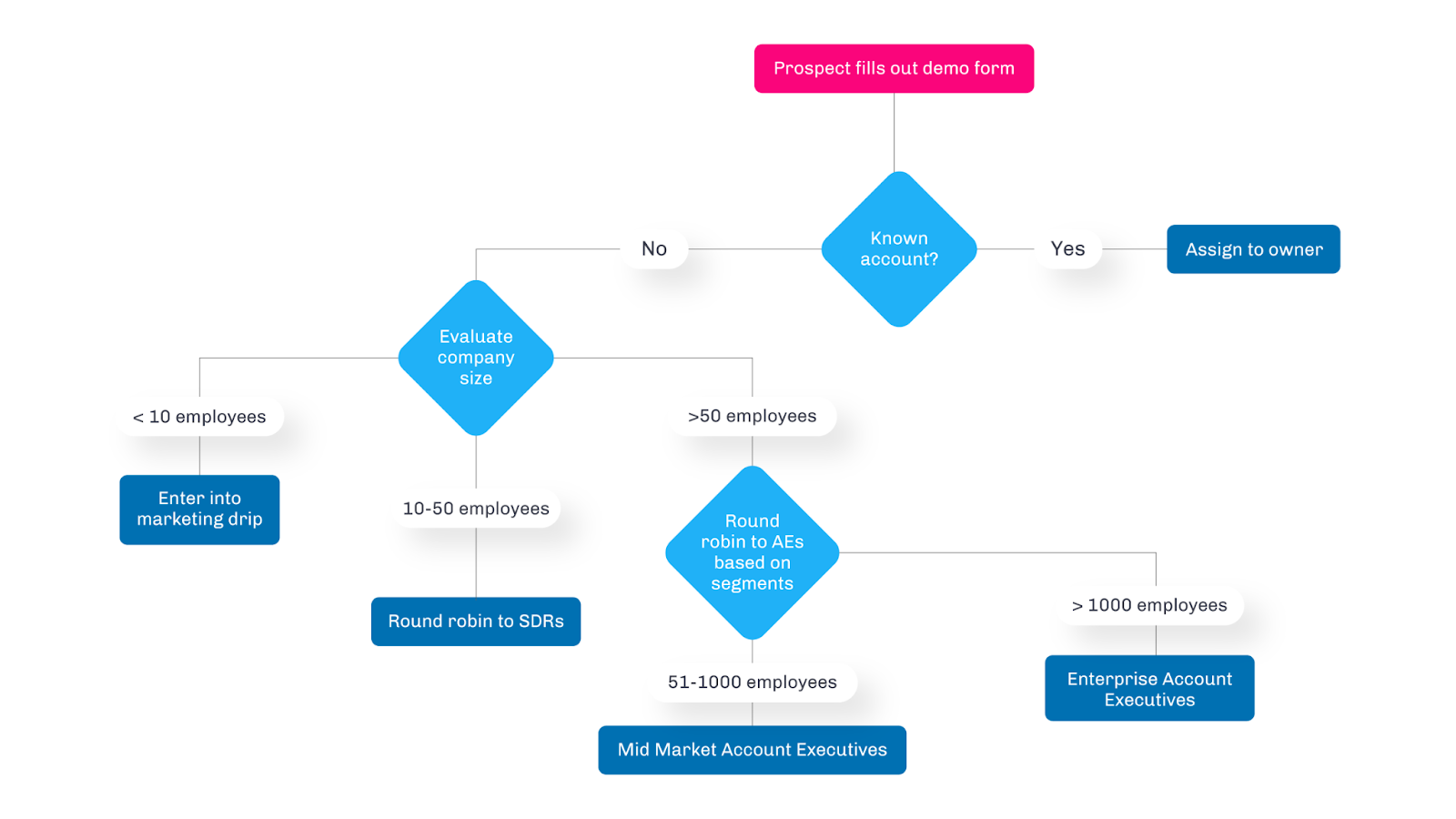
What Is Lead Routing in B2B Sales?
Lead routing It's the process of automatically or manually assigning incoming leads to the right sales rep based on predefined rules.
When a lead comes in, routing ensures it lands with the rep who's best equipped to close it.
Here's how it fits into your sales process:
- Lead capture: A prospect fills out a form or downloads content.
- Lead qualification: You score or vet the lead based on fit and intent.
- Lead routing: You assign that qualified lead to a specific rep.
Most teams nail the first two steps but fumble the handoff. And that's expensive. Fast routing can increase conversion rates by up to 391%, while slow or messy routing kills deals before they start.
Common routing failures we see:
- Leads sitting unassigned for hours (or days)
- High-value accounts going to inexperienced reps
- Geographic mismatches where reps can't serve the lead's time zone
- Round-robin systems that ignore rep capacity or expertise
Lead routing isn't just an admin task. It's a revenue lever. Route leads poorly, and your conversion rates tank. Route them smart, and you turn more prospects into pipeline faster.
Check This: What “Good Lead Quality” Actually Means in B2B
Why Clean CRM Data Is a Prerequisite for Lead Routing
Routing rules only do what your data lets them do.
Every rule you build, whether it's "if country = Canada, route to Toronto" or "if employee count is over 500, assign to Enterprise," depends on a field being filled in correctly. If that field is blank, mislabeled, or formatted differently than your rule expects, the lead doesn't route. It just sits there. Or worse, it lands with the wrong rep and nobody notices until the deal has already gone quiet.
Here's where this breaks down most often:
- Country and region fields: A prospect types "USA," "United States," and "U.S." into three different forms. If your territory rule only matches one variation, two out of three leads never reach the right rep.
- Company name mismatches: "Acme Inc," "Acme Incorporated," and "Acme" look like three separate accounts to your CRM, even when they're the same buyer. Account-based routing can't send a lead to the right AE if it doesn't recognize the account in the first place.
- Missing firmographic data: Industry, employee count, and job title are the fields most routing rules lean on. When a form skips them, or a rep never fills them in, the lead drops into a default queue instead of the rep who's actually equipped for it.
Duplicates cause a quieter kind of damage.
When the same lead enters your CRM twice, once from a form fill and once from a LinkedIn download, routing usually treats them as two separate records. That splits the conversation history across two reps, sends both of them chasing the same person, and makes your team look uncoordinated from the buyer's side.
The scale of this problem is bigger than most teams assume. Validity's 2025 State of CRM Data Management report found that 37% of CRM users had lost revenue directly because of poor data quality, and separate industry benchmarking puts a 1% duplicate rate as the target most high-performing data teams are working toward, a bar most companies aren't close to hitting.
The fix has to happen before routing, not after:
- Validate at the point of entry. Standardize dropdowns for country, industry, and company size instead of leaving them as free text.
- Run deduplication on a schedule, not just when someone notices two reps are working the same account.
- Enrich incomplete records before they hit your routing engine, so a rule checking "industry" actually has something to check.
Get this right, and your routing rules can finally do the job they were built for. Skip it, and even the smartest logic ends up guessing.
🚀 From Routing to Revenue
We send meeting-ready leads with clear intent and attribution across channels—helping sales teams close faster, not chase.
Why Lead Routing Directly Impacts Revenue
Speed matters. A lot. Studies show that responding to a lead within 5 minutes makes you 100x more likely to connect than waiting 30 minutes. But speed only works if the right person is reaching out.
Poor lead routing creates three major revenue killers:
- Missed follow-ups:
When leads aren't clearly assigned, they fall through the cracks. No one thinks it's their job, so no one reaches out. The lead moves on to a competitor who actually responded. - Bad buyer experiences:
Nothing screams "we're disorganized" like getting passed between three different reps or receiving irrelevant outreach. Poor routing confuses prospects and damages trust before your team even gets a chance to sell. - Mismatched rep assignments:
Your top closer shouldn't waste time on tire-kickers, and your junior SDR shouldn't fumble a six-figure enterprise deal. When lead routing ignores rep skills, experience, or current workload, everyone loses.
This gets even more critical in hybrid sales motions.
If you're running both inbound and outbound (like we do with our LinkedIn, cold email, and cold calling campaigns), routing complexity explodes.
Inbound leads need instant response. Outbound prospects require strategic timing and personalization. Mix them up, and your conversion rates nosedive.
Smart lead routing ensures every lead gets the right rep, at the right time, with the right context. That's how you protect revenue.

Common Lead Routing Models Used by B2B Teams
There's no one-size-fits-all approach to automated lead routing. Most teams pick a model based on their sales structure, then tweak it as they scale. Here are the main options:
Round-robin routing
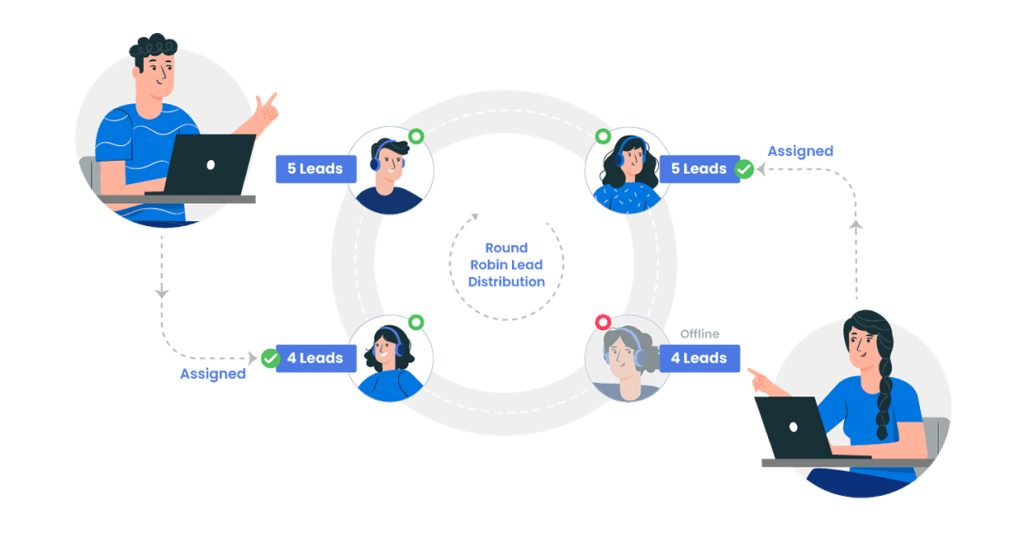
Leads get distributed evenly across your team in rotation. Simple, fair, and easy to set up.
The problem? It ignores context. Your enterprise specialist might get a small business lead. Your West Coast rep might get assigned an East Coast prospect. Equal distribution doesn't mean smart distribution.
Territory-based routing
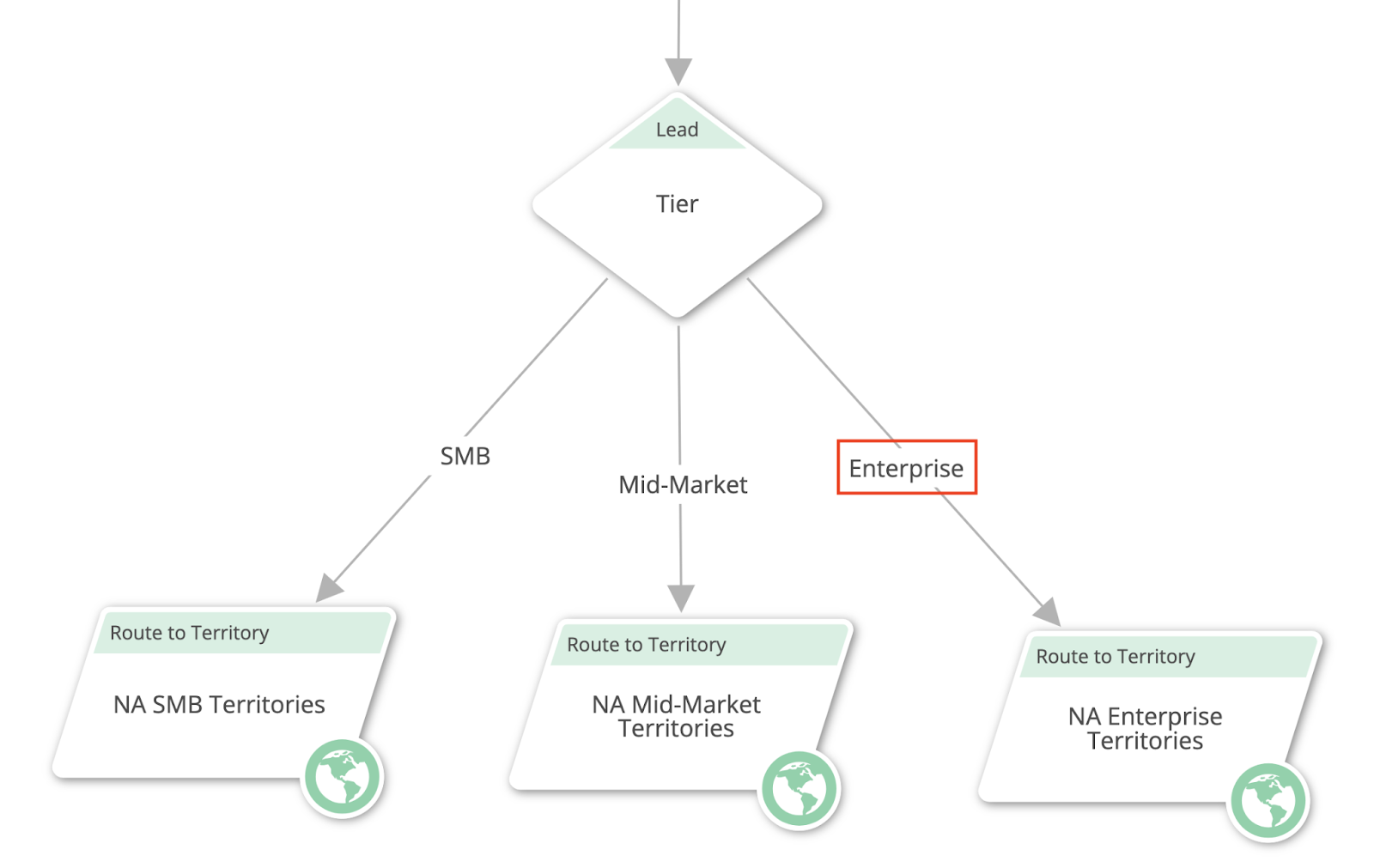
This assigns leads based on geography, industry, or company size. A SaaS company in California goes to your West Coast rep. A healthcare lead goes to your healthcare specialist.
Works well when territories are clearly defined, but breaks down if leads don't fit neat categories or if one territory consistently outperforms others.
Account-based routing
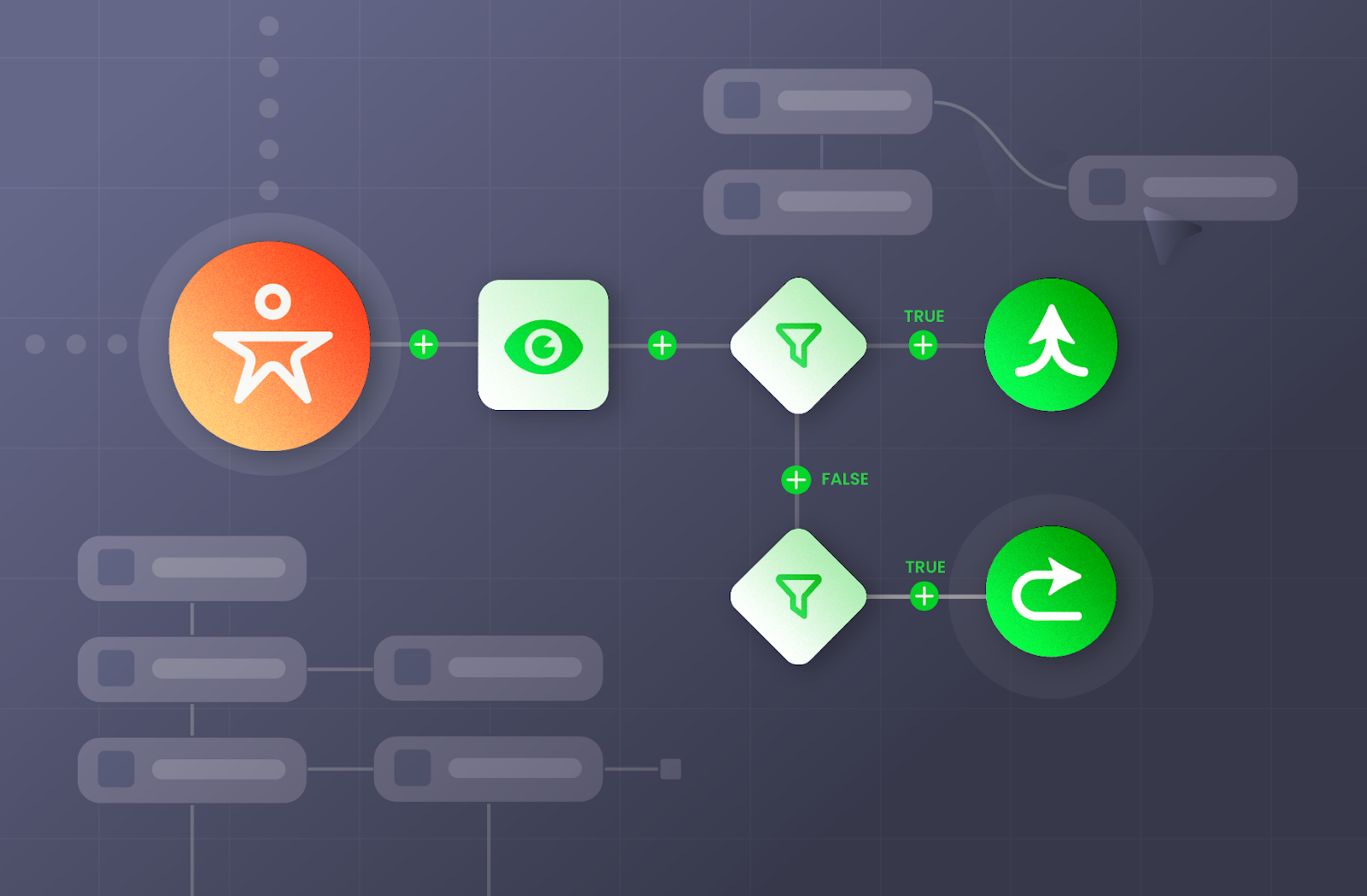
Perfect for ABM strategies. Leads from target accounts automatically go to assigned account executives. If someone from Amazon fills out a form, your Amazon AE gets notified instantly.
This requires tight CRM hygiene and clear account ownership, but it's gold for enterprise sales.
Skill-based routing
Matches leads to reps based on expertise, seniority, or past performance. High-value enterprise leads go to your closers. Technical prospects go to reps with product knowledge.
The challenge? Defining "skill" objectively and keeping those definitions updated as reps grow.
Most successful teams use a hybrid model. You might route by territory first, then by deal size, then by rep availability.
At Cleverly, we help clients set up routing rules that match their actual sales motion, whether that's inbound leads from LinkedIn campaigns or qualified appointments from our cold calling system.
The key with automated lead routing is starting simple and adding complexity only when it improves results.
Priority routing
Priority routing ranks leads by score first, then sends the highest-scoring leads straight to your strongest closers before anyone else gets a shot at them.
This only works if your lead scoring model is solid. If the score is built on stale fit criteria or missing intent data, priority routing just sends bad leads to your best reps faster than before. For teams that already have a working scoring model in place, though, this is one of the highest-leverage routing upgrades available.
Product-based routing
If you sell more than one product or service, product-based routing assigns leads based on which one a prospect showed interest in. A lead who downloaded a whitepaper on your enterprise tier goes to a rep who specializes in that tier. A lead asking about your entry-level plan goes somewhere else entirely.
This model earns its complexity once your product line diverges enough that reps genuinely need different expertise to sell each one. If your reps can competently sell everything in the catalog, this adds overhead without adding results.
Both models depend on data you may not have yet. Priority routing needs a working lead score on every record. Product-based routing needs a reliable way to capture product interest at the point of capture, not a guess made after the fact. Build those data points first, or these models will underperform the simpler ones you already have running.
Learn More About: B2B Lead Scoring
Lead Routing in Salesforce: How Assignment Rules Actually Work
Most B2B teams running Salesforce start with what's already built in. That usually means Lead Assignment Rules, and increasingly, Flow.
Native Assignment Rules work off a simple structure. You define criteria (industry, state, lead source), and Salesforce checks each new lead against them in order, top to bottom, until it finds a match. The first rule that matches wins. If nothing matches, the lead drops into a default owner or queue.
The catch is that Salesforce only allows one active assignment rule at a time. You can build multiple entries inside that rule, but all your routing logic has to live in a single ordered list. Once that list grows past a dozen or so entries, it gets hard to maintain and easy to break.
Flow-based routing is where most teams end up once assignment rules get too rigid. Flow lets you build more complex logic (checking multiple fields together, branching on lead score) without writing Apex code. Salesforce has also been phasing out Workflow Rules and Process Builder in favor of Flow, so if your team is still on either of those, migrating is worth planning for.
Setting up a queue for unassigned leads is a step teams skip and then regret. When a rule doesn't find a match, the lead needs somewhere to land that someone is actually watching, not a black hole. A simple "Unrouted Leads" queue with an alert to your sales ops channel catches the leads your rules missed before they go cold.
Where native Salesforce routing hits its ceiling:
- No workload or capacity balancing between reps.
- No SLA timers or escalation if a lead sits too long unworked.
- Limited ability to combine lead score with territory and account ownership in one clean rule.
- No visibility into how long routing itself is taking, which makes bottlenecks hard to catch.
This is usually the point where teams add a dedicated routing tool on top of Salesforce. Platforms like LeanData, LeadAngel, and Distribution Engine plug into the same lead and account objects but add round-robin fairness, capacity awareness, and SLA tracking that native rules and Flow weren't built to handle. For a fuller rundown of options, see our breakdown of lead routing software.
If you're routing under 50 leads a month on straightforward criteria, native assignment rules or a Flow are usually enough. Once you're routing on five or more variables, or your team has grown past a handful of reps, that's typically the point a dedicated tool starts paying for itself.
Lead Routing Best Practices for Modern Sales Teams
Good routing isn't about building the most complex system. It's about matching leads to reps in a way that actually drives conversions. Here's what works:
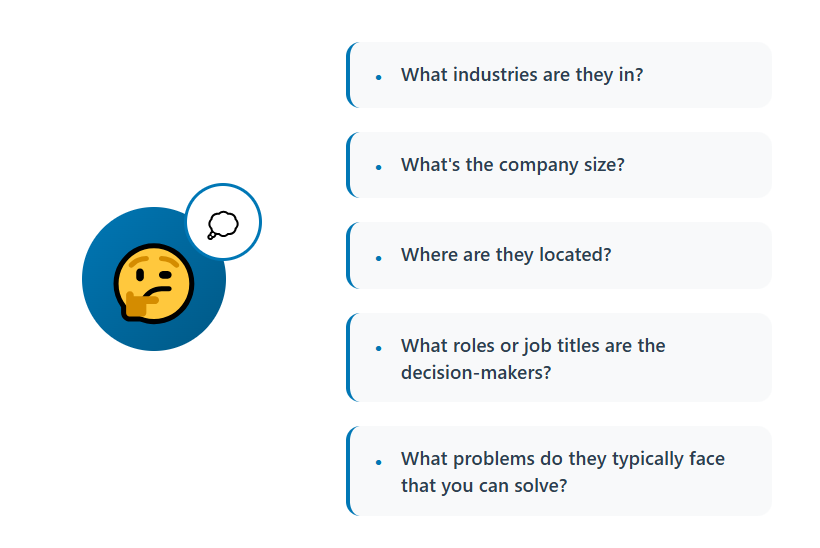
Start with your ICP and sales motion
Your routing rules should reflect who you're selling to and how you sell. If you're targeting enterprise accounts with long sales cycles, route by account ownership. If you're running high-volume outbound (like our cold calling or LinkedIn campaigns), prioritize speed and capacity.
Define clear ownership upfront
Nothing kills deals faster than confusion over who owns what. Decide whether SDRs qualify and pass to AEs, or if AEs handle leads end-to-end. Document it. Make it visible in your CRM. At Cleverly, our cold calling system includes rigorous SDR training specifically to ensure clean handoffs and clear ownership.
Set response time SLAs
Speed-to-lead matters, but only if your team knows what "fast" means. Set clear SLAs like "all inbound leads contacted within 5 minutes" or "outbound follow-ups within 2 hours." Track compliance and hold reps accountable.
Let data improve your rules
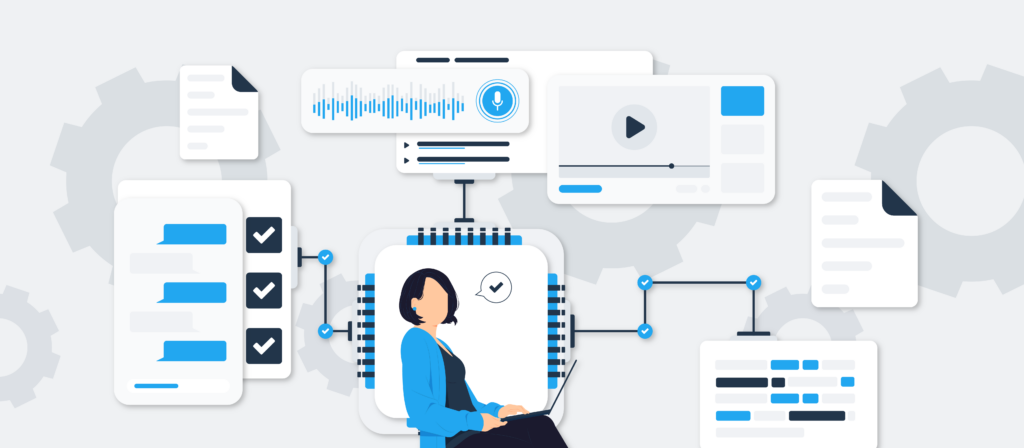
Lead routing best practices aren't static. Review your routing performance monthly. Which rules are working? Which reps are converting best with certain lead types? Adjust based on what the pipeline tells you, not what sounds good in theory.
Keep it simple at first
Don't build a 15-rule routing waterfall on day one. Start with 2-3 core criteria (geography, deal size, lead source). Add complexity only when you have data proving it improves outcomes.
Smart routing doesn't require perfection. It requires clarity, speed, and continuous improvement based on real results.
Explore Further: How to Build High-Converting B2B Buyer Personas That Drive Revenue
🔥 Route Better Leads to Sales
Cleverly delivers LinkedIn, cold email, and cold calling leads that are already qualified—so routing actually works.
How AI Is Changing Lead Routing for Sales Teams
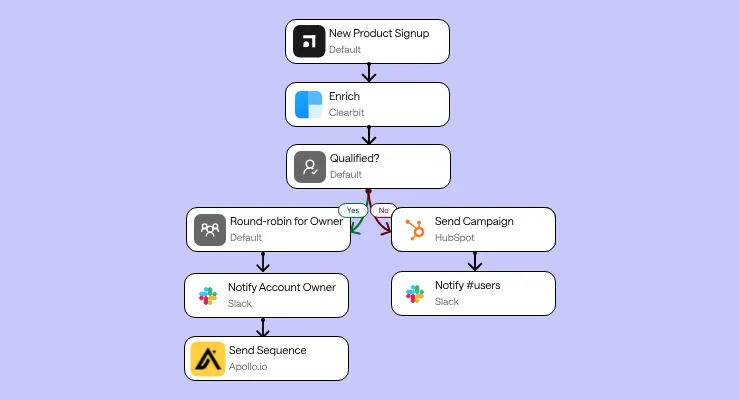
Traditional routing uses fixed rules. AI flips that by learning which leads convert and routing them accordingly.
AI for lead routing in sales teams analyzes patterns humans miss. It looks at behavioral signals (website visits, email engagement, content downloads), intent data (what they're searching for), and historical conversion data (which rep types close similar deals).
Then it routes based on probability of success, not just static criteria.
Predictive routing vs rule-based routing
Rule-based says "if lead is from California, route to West Coast team." Predictive says "this lead behaves like leads that convert best with Sarah, so route to Sarah."
The difference? Context. AI considers dozens of variables simultaneously while traditional rules handle maybe 3-5.
Where AI actually helps:
- Prioritization: Scoring leads by likelihood to convert, so hot prospects get instant attention.
- Smart rep matching: Pairing leads with reps who've closed similar profiles before.
- Capacity balancing: Routing around rep workload and availability in real-time.
At Cleverly, we've booked over 53,000 appointments and generated $312M in pipeline. That volume of data shows us which signals predict conversions. AI for lead routing in sales teams works best when you have that kind of historical data to train on.
When AI makes sense (and when it doesn't):
AI routing pays off for high-volume sales teams with complex ICPs and diverse rep specializations. If you're getting 500+ leads monthly with varied characteristics, AI can genuinely improve conversion rates.
But if you're getting 20 leads a month with straightforward criteria? Rule-based routing works fine. Don't overcomplicate what doesn't need fixing.
AI for lead routing in sales teams is powerful, but it's not magic. It still requires clean data, clear success metrics, and humans who know how to interpret what the AI recommends.
Automated Lead Routing vs Manual Assignment
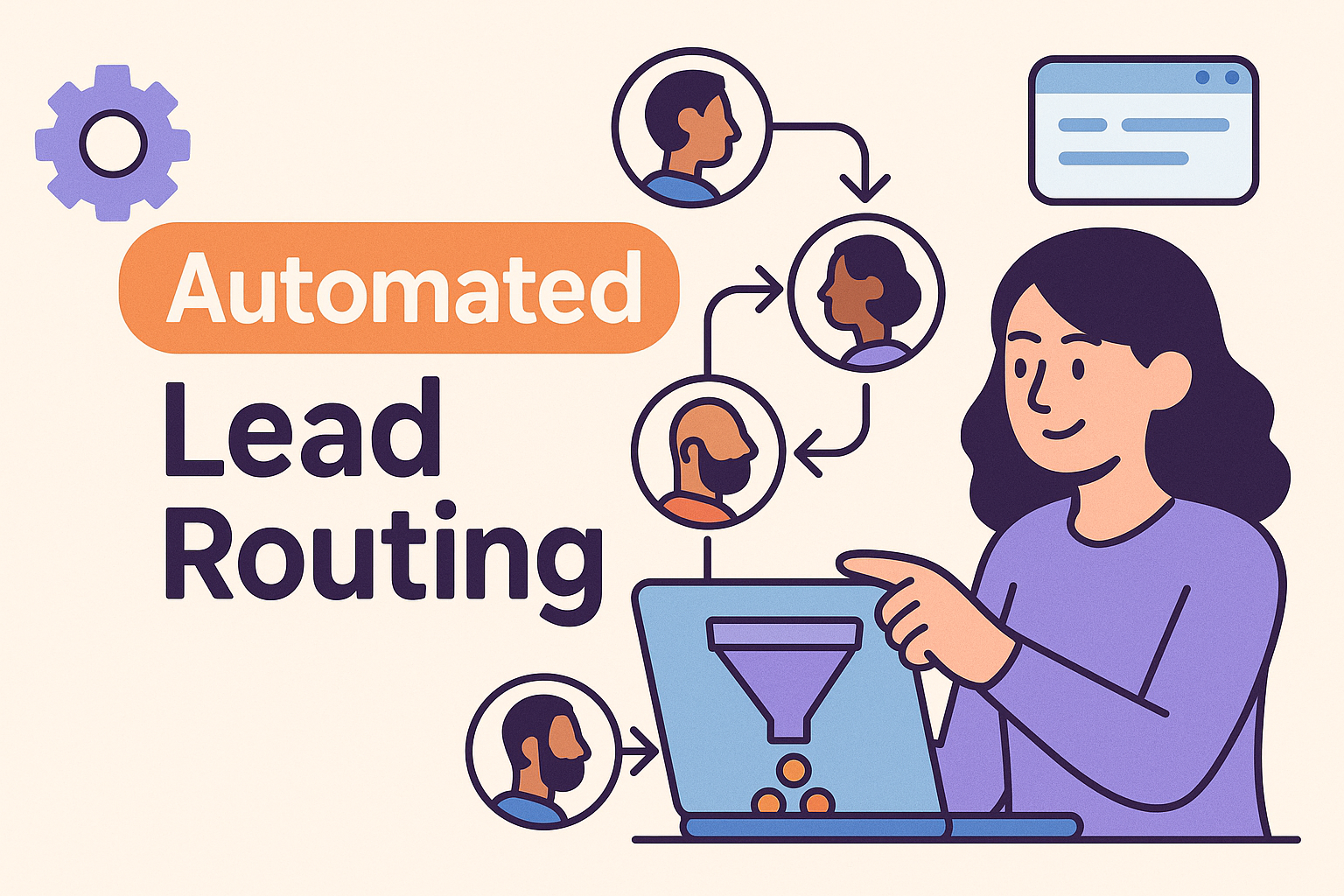
As your lead volume grows, manual assignment becomes a bottleneck. Here's when automation makes sense and when human judgment still matters.
The best systems blend automation with human oversight. Automate the obvious stuff (geography, company size, lead source). Flag edge cases for manual review. Let reps request reassignments when automation misses context.
Automated lead routing isn't about removing humans from the equation. It's about letting humans focus on selling instead of spreadsheet management.
Popular Lead Routing Software & Tools
Once you've outgrown manual assignment or a single Salesforce rule, the tooling decision usually comes down to three categories:
- Native CRM routing: Assignment rules and Flow in Salesforce, or workflows in HubSpot. Free, already available, and enough for straightforward routing needs.
- Dedicated routing platforms: Tools built specifically for lead distribution, offering round-robin, territory logic, SLA tracking, and lead-to-account matching out of the box.
- Adjacent tools that support routing: Data enrichment platforms that keep the fields your rules depend on accurate, plus workflow automation tools that connect routing to the rest of your stack, like Slack alerts and calendar booking.
What to look for when evaluating a dedicated tool:
- CRM fit: Does it work natively inside Salesforce or HubSpot, or does it require a separate interface your reps have to check?
- SLA tracking: Can it flag or escalate leads that haven't been worked within your target response window?
- Reporting: Can you see routing performance by rule, by rep, and by lead source, not just overall volume?
Native routing is usually enough if you're under 100 leads a month with two or three criteria driving your rules. A dedicated tool starts paying off once you're managing multiple territories, need capacity-aware round-robin, or your reps are losing time manually reassigning leads that fell through the cracks.
How Cleverly Designs Lead Routing That Converts, Not Just Assigns
Most lead generation agencies focus on volume. We focus on what happens after the lead comes in.
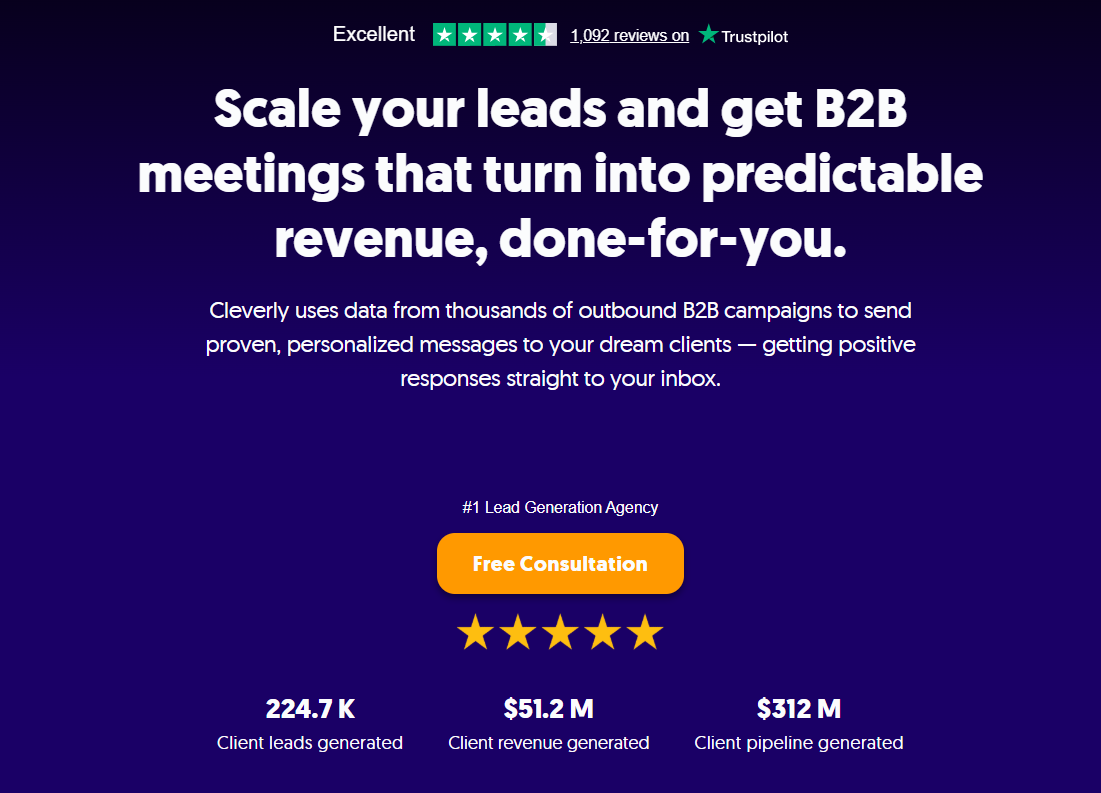
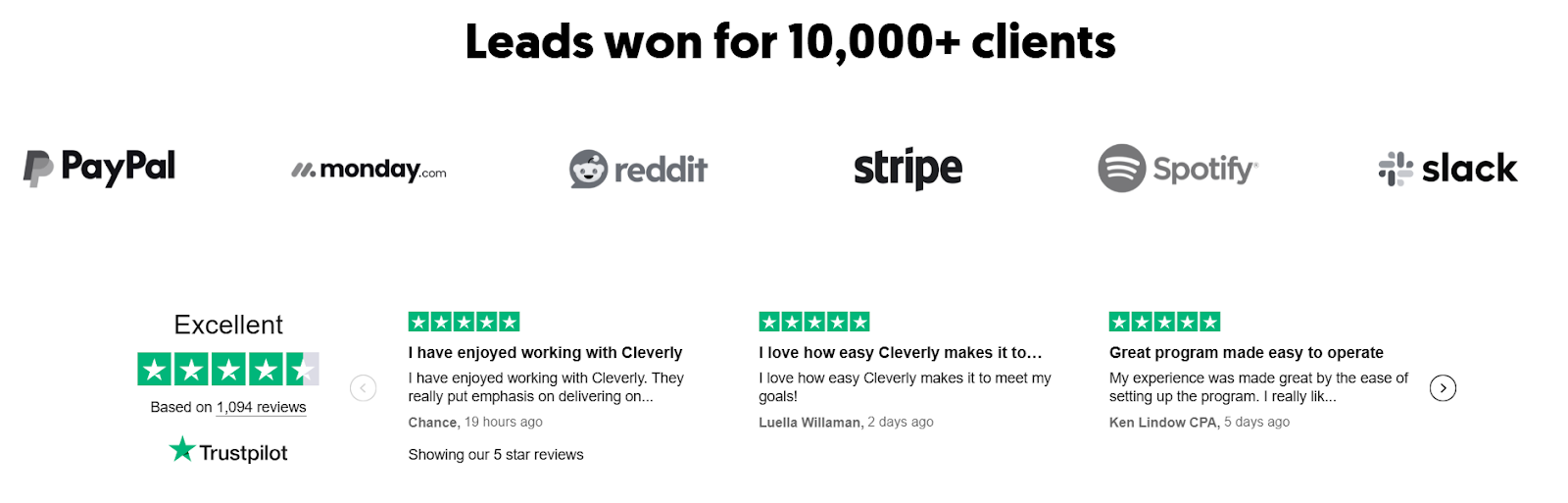
At Cleverly, we've generated $312M in pipeline and $51.2M in closed revenue for over 10,000 clients including Amazon, Google, Uber, PayPal, Slack, and Spotify. That doesn't happen by accident. It happens because we route based on what actually drives conversions.
Here's how we think about routing differently:
- ICP-first assignments: We match leads to reps who understand their industry, pain points, and buying process.
- Channel-specific handling: LinkedIn conversations need different skills than cold email follow-ups or cold calling appointments.
- Intent-based prioritization: High-intent prospects get routed to experienced closers, not junior SDRs still learning the ropes.
- Pipeline quality over speed: Fast routing matters, but accurate routing matters more.

Our cold calling system books 10-30 qualified appointments monthly because we've placed no-accent appointment setters, trained them rigorously, and built routing logic that ensures the right SDR handles each conversation.
We've made over 1M cold calls and set 53K appointments by treating routing as a revenue strategy, not an admin task.
Whether you're running LinkedIn outreach (starting at $397/month), cold email campaigns (pay only for meeting-ready leads), or our guaranteed cold calling system, we design routing that improves reply-to-meeting rates and show rates, not just assignment speed.
Want to see how smarter routing converts more pipeline?
Book a strategy call today!
Conclusion
Lead routing isn't just about getting leads into someone's inbox. It's about getting the right leads to the right reps at the right time so those conversations actually convert.
The teams that treat routing as a revenue system see faster follow-ups, better buyer experiences, and higher conversion rates. The ones that treat it as an ops afterthought? They watch leads go cold while reps scramble to figure out who owns what.
Your routing strategy should match your sales motion. If you're running outbound campaigns, inbound forms, or a mix of both, your routing rules need to reflect how you actually sell, not just how leads happen to arrive.
The bottom line: Better lead routing means faster follow-up and better conversations. And better conversations mean more closed deals.
Start simple. Set clear rules. Let data improve your system over time. And if you need help designing a routing strategy that actually converts, we've done it 10,000+ times and we'd be happy to show you how.
Frequently Asked Questions
Free Resource
How to Scale a Profitable Cold Call System
Get the complete guide — download it instantly now.

Free Ebook
Download the Free Guide
Enter your details to get instant access.
You're all set! 🎉
Your ebook is downloading now.
Click below if the download didn't start automatically.