Table of Contents
How LinkedIn X-Ray Search Works (In Simple Terms)
How to Do a LinkedIn X-Ray Search (Step-by-Step)
LinkedIn X-Ray Search vs LinkedIn Sales Navigator
Limitations of LinkedIn X-Ray Search
How Cleverly Uses X-Ray Search as Part of LinkedIn Lead Generation
Conclusion
Frequently Asked Questions
Modified On :
September 10, 2026
Key Takeaways
- LinkedIn X-ray search uses Google to bypass LinkedIn's search limits and find prospects with unlimited searches for free.
- Basic formula is site:linkedin.com/in plus Boolean operators like quotes, AND, OR, and minus signs for exclusions.
- X-Ray only shows public profiles, so you'll miss 30-40% of prospects with private settings.
- Combine job titles, locations, and company names to build hyper-targeted prospect lists.
- X-Ray is great for initial prospecting but requires manual verification and doesn't include contact enrichment.
- Most effective when paired with data verification tools, CRM systems, and personalized outreach strategies
LinkedIn X-Ray search lets you find public LinkedIn profiles through Google instead of relying only on LinkedIn’s internal search filters. For B2B sales teams, it is a practical way to research decision-makers by job title, company, industry, skill, and location.
The method starts with a simple Google operator: site:linkedin.com/in. Add the characteristics of your ideal buyer, and Google returns LinkedIn profile pages that match those terms.
X-Ray search is free and useful for focused research, but it is not a complete replacement for Sales Navigator. Google only displays profiles it has indexed, so results may be incomplete or outdated.
This guide shows you how to build accurate search strings, troubleshoot missing results, and turn the profiles you find into a qualified prospect list.
What Is LinkedIn X-Ray Search?
LinkedIn X-Ray search is a research method that uses Google or another search engine to find publicly indexed LinkedIn pages. A searcher combines LinkedIn’s profile URL structure with job titles, company names, locations, skills, and Boolean operators to narrow the results.
It does not access private LinkedIn data or override profile visibility settings. It only returns pages and information that the search engine has indexed.
LinkedIn Native Search vs X-Ray Search
Why Sales Teams Love This Method
Linkedin X-ray search has become a go-to strategy in sales and recruiting guides for one simple reason: it works.
You can find prospects by job title, location, company, industry, and even specific keywords in their profile. All without hitting LinkedIn's search walls or paying for expensive subscriptions.
Also Check: How to Build a LinkedIn Lead Engine (Without Paying for Ads)
🔍 Skip the Search. Start the Conversations.
Cleverly runs done-for-you LinkedIn outreach - turning precise targeting into booked sales meetings. Plans start at $397/mo.
How LinkedIn X-Ray Search Works (In Simple Terms)
X-ray search linkedin isn't magic. It's just using Google or Bing to do the heavy lifting instead of LinkedIn's search bar. Here's the breakdown:
Search Engines Index LinkedIn Profiles
Google and Bing crawl and index public LinkedIn profiles constantly. That means millions of profiles are sitting in Google's database, ready to be searched.
When you use X-ray search LinkedIn, you're telling Google: "Hey, only show me results from LinkedIn that match these specific criteria."

The Magic Formula: site:linkedin.com/in
This is the core command you'll use for every X-ray search LinkedIn query: site:linkedin.com/in
This tells Google to only search LinkedIn profile URLs (the /in part means individual profiles, not company pages).
Example:
- site:linkedin.com/in "sales manager" "San Francisco"
This searches for LinkedIn profiles containing "sales manager" and "San Francisco" in the profile text.
Boolean Logic Made Simple
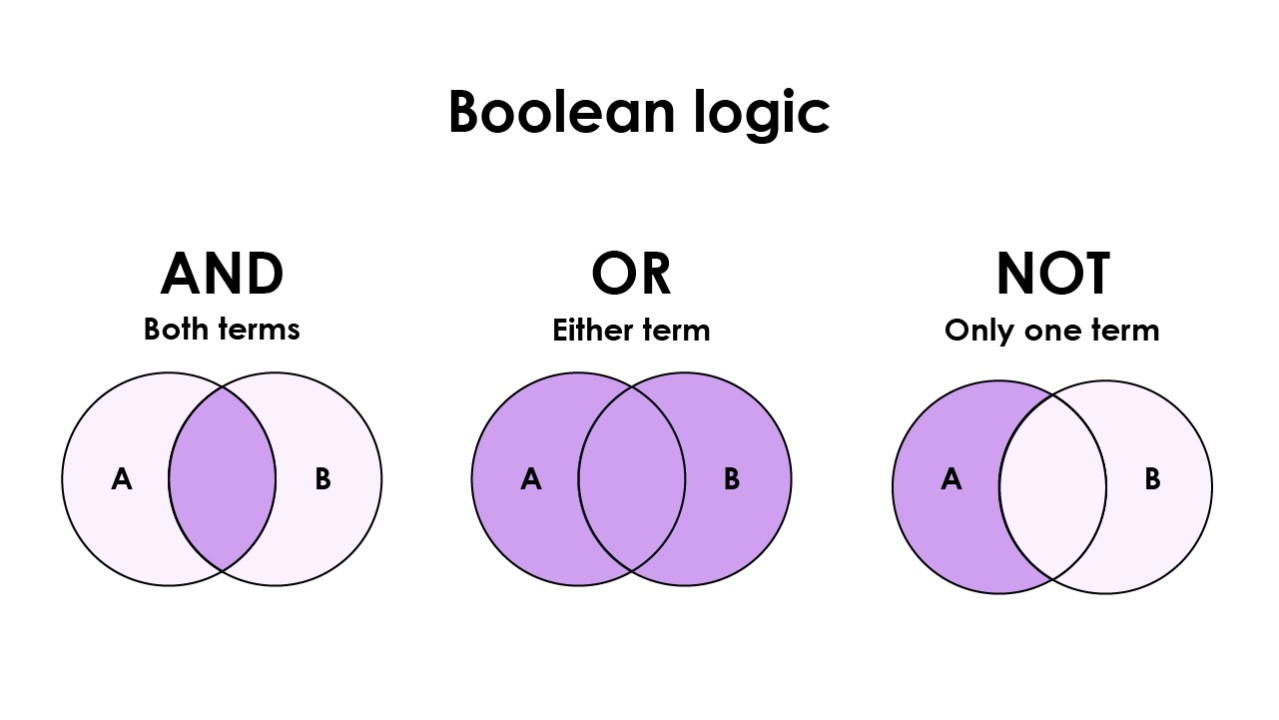
Boolean operators are just fancy words for AND, OR, and NOT. They help you get super specific.
- Quotes (" "): Search exact phrases like "VP of Sales"
- AND: Combines requirements (both must appear)
- OR: Either term can appear
- Minus sign (-): Excludes terms you don't want
Example:
- site:linkedin.com/in "marketing director" AND "SaaS" -recruiter
This finds marketing directors in SaaS, but excludes recruiters from results.
Why Your Results May Vary
X-ray search linkedin results depend on two things:
- Profile visibility: Only public profiles show up. If someone's profile is set to private, Google can't index it.
- Geography: Google personalizes results based on your location. Searching from New York might show different profiles than searching from London.
Now let's get into the actual search formulas you can use today.
Check This: Best LinkedIn Email Finder Tools to Get Verified Emails
How to Do a LinkedIn X-Ray Search (Step-by-Step)
Ready to build your first search? Here's exactly how to do a LinkedIn X-ray search that pulls qualified leads.
Step 1: Start with the Basic Structure
Every LinkedIn X-ray search starts with this foundation: site:linkedin.com/in + your search criteria
That's it. You're telling Google to search LinkedIn profiles only.
Step 2: Add Job Title

Want to find CEOs? Marketing managers? Add the job title in quotes for exact matches.
Example:
- site:linkedin.com/in "Chief Marketing Officer"
This finds profiles with that exact title.
Pro tip: Use OR to cast a wider net:
- site:linkedin.com/in ("CMO" OR "Chief Marketing Officer")
Step 3: Layer in Company Names
Targeting specific companies? Add them to your search.
Example:
- site:linkedin.com/in "sales director" "Salesforce"
This finds sales directors who work (or worked) at Salesforce.
Want multiple companies?
- site:linkedin.com/in "VP of Sales" ("HubSpot" OR "Marketo" OR "Pardot")
Step 4: Add Location Filters
Narrow by city, state, or region.
Example:
- site:linkedin.com/in "product manager" "Austin, Texas"
Or use broader regions:
- site:linkedin.com/in "CFO" "United States"
Step 5: Use Exclusions to Clean Up Results
This is where how to do a LinkedIn X-ray search gets powerful. Use the minus sign (-) to exclude irrelevant profiles.
Example:
- site:linkedin.com/in "VP of Marketing" -recruiter -"looking for"
This removes recruiters and people actively job hunting.
Common exclusions we use:
- -recruiter (filters out talent scouts)
- -"seeking opportunities" (removes job seekers)
- -assistant (excludes assistants if you want decision-makers only)
Step 6: Refine Without Breaking Your Query
If you're getting too many or too few results, tweak one variable at a time.
Too many results? Add more exclusions or get more specific with job titles.
Too few results? Remove location filters or use OR logic for job titles.
Example refinement:
- Start: site:linkedin.com/in "Director of Sales"
- Refine: site:linkedin.com/in ("Director of Sales" OR "Sales Director") "San Francisco" -recruiter
LinkedIn X-Ray Search Templates for B2B Prospecting
The strongest X-Ray searches combine a profile path, a decision-maker role, and one or two qualification signals. Copy one of these strings into Google and replace the example terms with criteria from your ideal customer profile.
Find SaaS sales leaders in the United States
site:linkedin.com/in ("VP of Sales" OR "Head of Sales") "SaaS" "United States"
Find marketing executives at target companies
site:linkedin.com/in ("CMO" OR "VP of Marketing") ("Company A" OR "Company B" OR "Company C")
Find finance decision-makers and exclude recruiters
site:linkedin.com/in ("CFO" OR "Finance Director") "United Kingdom" -recruiter -jobs
Find operations leaders with a specific technology
site:linkedin.com/in ("VP Operations" OR "Head of Operations") "Salesforce"
Find cybersecurity executives in a specific region
site:linkedin.com/in ("CISO" OR "Chief Information Security Officer") "New York"
Find founders within a defined market
site:linkedin.com/in (Founder OR Co-Founder OR CEO) "B2B software" "Austin"
Run several narrow searches instead of one oversized query. Google may ignore parts of a long string, especially when it contains too many titles, locations, and exclusions.
How to Search LinkedIn Profiles by Country or Region
The most reliable way to target a location is to include the country, city, state, or region as an exact phrase in the search string.
For example:
site:linkedin.com/in "Sales Director" "Toronto, Ontario"
You can also test country-specific LinkedIn subdomains, such as uk.linkedin.com/in or de.linkedin.com/in, but they should not be your only location filter. LinkedIn profile URLs and Google indexing patterns change, and many profiles still appear under the main linkedin.com/in path.
For broader territory searches, group several locations with OR:
site:linkedin.com/in "VP of Sales" ("London" OR "Manchester" OR "Birmingham")
Check the location displayed on each profile before adding it to your prospect list. A matching city name may appear in someone’s education, previous employment, or profile content rather than their current location.
Read More: LinkedIn Prospecting Tactics That Work
🚀 LinkedIn Leads, Done Right
Join 10,000+ companies using Cleverly to reach real decision-makers on LinkedIn—and turn searches into pipeline.
LinkedIn X-Ray Search vs LinkedIn Sales Navigator
LinkedIn X-Ray search and Sales Navigator solve different prospecting problems. X-Ray search is useful for free, focused research across publicly indexed profiles. Sales Navigator is designed for repeatable prospecting with LinkedIn filters, saved searches, account lists, lead alerts, and fresher profile data.
When LinkedIn X-Ray Search Wins
Use LinkedIn X-ray search when you:
- Need unlimited searches without hitting caps
- Want to avoid subscription costs
- Have time to manually build and refine queries
- Target public profiles and don't need InMail
When Sales Navigator Wins
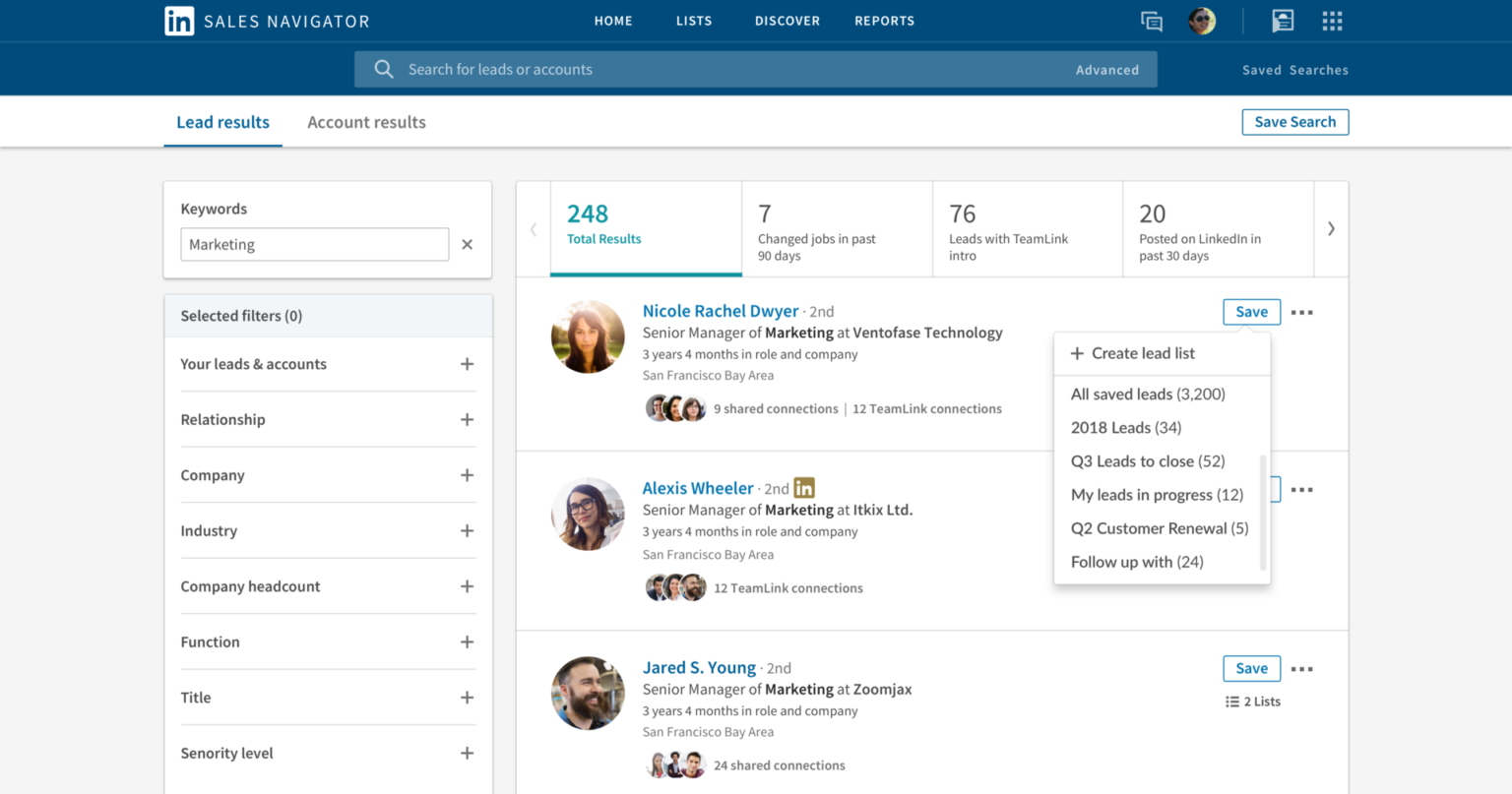
Sales Navigator is better when you:
- Need real-time data and profile freshness
- Want built-in CRM integration (Salesforce, HubSpot, etc.)
- Value convenience over cost
- Need InMail credits to reach prospects directly
- Require advanced filters like company headcount growth or technologies used
If your team runs prospecting every week, follow these Sales Navigator best practices to create cleaner searches and avoid bloated lead lists.
The Hybrid Approach (What We Actually Do)
Here's the truth: you don't have to choose one.
We use LinkedIn X-ray search for broad prospecting and initial list building. Then we verify top prospects in Sales Navigator or through our proprietary data tools before outreach.
This combo gives you the volume of X-Ray search with the accuracy of Sales Navigator, without paying for unlimited seats.
At Cleverly, we've generated $312 million in pipeline revenue using a mix of LinkedIn X-ray search, Sales Navigator, and our own lead verification systems. Our clients get the best of both worlds without managing the tools themselves.
Explore: LinkedIn Lead Generation Strategies To Consistently Generate 30+ Leads Per Month
Limitations of LinkedIn X-Ray Search
Linkedin X-ray search is powerful, but it's not perfect. Here's what you need to know before building your entire lead gen strategy around it.
Profile Visibility Restrictions
Linkedin X-ray search tool techniques only surface public profiles. If someone has their LinkedIn set to private or limited visibility, Google can't index it.
What this means:
- You're missing a portion of your target market.
- Senior executives often have restricted profiles.
- Privacy-conscious prospects won't appear in results.
At Cleverly, we estimate you'll access about 60-70% of your total addressable market through X-Ray alone. The rest requires Sales Navigator or other data tools.
Why Some LinkedIn Profiles Do Not Appear in Google
A LinkedIn profile can be active and still remain absent from Google X-Ray results. Search engines only display pages they have discovered, indexed, and chosen as relevant for your query.
Common reasons include:
- The member has restricted public profile visibility.
- Google has not indexed the profile yet.
- The profile contains little public information.
- The job title or company changed after Google last crawled the page.
- Your search string is too restrictive.
- Google has removed or deprioritized an older result.
If a qualified buyer does not appear, simplify the query by removing one filter at a time. Search for the person’s title and company first, then confirm the current details directly on LinkedIn.
Treat the Google snippet as a discovery signal, not a verified contact record. Confirm the person’s role, employer, and location before starting outreach.
Incomplete or Outdated Data
Google doesn't update LinkedIn profiles in real-time. There's often a lag between when someone updates their profile and when Google re-indexes it.
Common issues:
- Job titles that changed months ago
- Outdated company information
- Profiles that no longer exist but still show in search
Pro tip: Always verify key details before outreach. A quick manual check saves embarrassing "congrats on your new role" messages to someone who left that job six months ago.
Manual Effort Required
Unlike a LinkedIn X-ray search tool with automation, basic X-Ray searches are completely manual.
You have to:
- Build Boolean queries from scratch
- Copy/paste results into spreadsheets
- Manually verify each profile
- Find contact information separately
For one-off searches? Fine. For building lists of 500+ prospects weekly? That's a time drain.
Why X-Ray Alone Isn't Scalable for Teams
Here's where LinkedIn X-ray search hits a wall:
- No CRM integration: You can't sync results directly to Salesforce or HubSpot.
- No automation: Every search is manual, every export is manual.
- No team collaboration: Hard to share lists or track who's contacting whom.
- No enrichment: You still need emails, phone numbers, and company data.
If you're a solo founder doing occasional prospecting, X-Ray works great. If you're a sales team running daily outreach campaigns, you need more infrastructure.
The Real-World Solution
Most high-performing teams use LinkedIn X-ray search as one piece of a larger system, not the entire system.
At Cleverly, we combine X-Ray prospecting with:
- Proprietary data enrichment tools
- Email verification systems
- CRM automation
- Multi-channel outreach (LinkedIn + email + calls)
That's how we've helped 10,000+ clients generate $312 million in pipeline revenue. We handle the entire lead generation process so you don't have to jerry-rig a LinkedIn X-ray search tool setup on your own.
How Cleverly Uses X-Ray Search as Part of LinkedIn Lead Generation
Linkedin X-ray search finds profiles. But booked meetings? That requires a system.
As a LinkedIn lead generation agency, we've helped 10,000+ clients generate $312 million in pipeline revenue. Here's what we do differently:
✅ We don't rely on X-Ray alone. We combine X-Ray prospecting with proprietary data enrichment, email verification, and ICP validation. Every lead gets verified before outreach.
✅ We turn searches into strategy. X-Ray shows us who exists in your market. We analyze patterns in job titles, company sizes, and industries, then use those insights to refine targeting across LinkedIn, email, and cold calls.
✅ We handle the entire process. Prospecting, personalized messaging, multi-touch sequences, response handling, and meeting booking. You get qualified calls on your calendar. We do everything else.
The results speak for themselves:
- $312 million in pipeline revenue generated
- $51.2 million in closed revenue
- Clients include Amazon, Google, Uber, PayPal, Slack, and Spotify
Our LinkedIn services start at just $397/month!
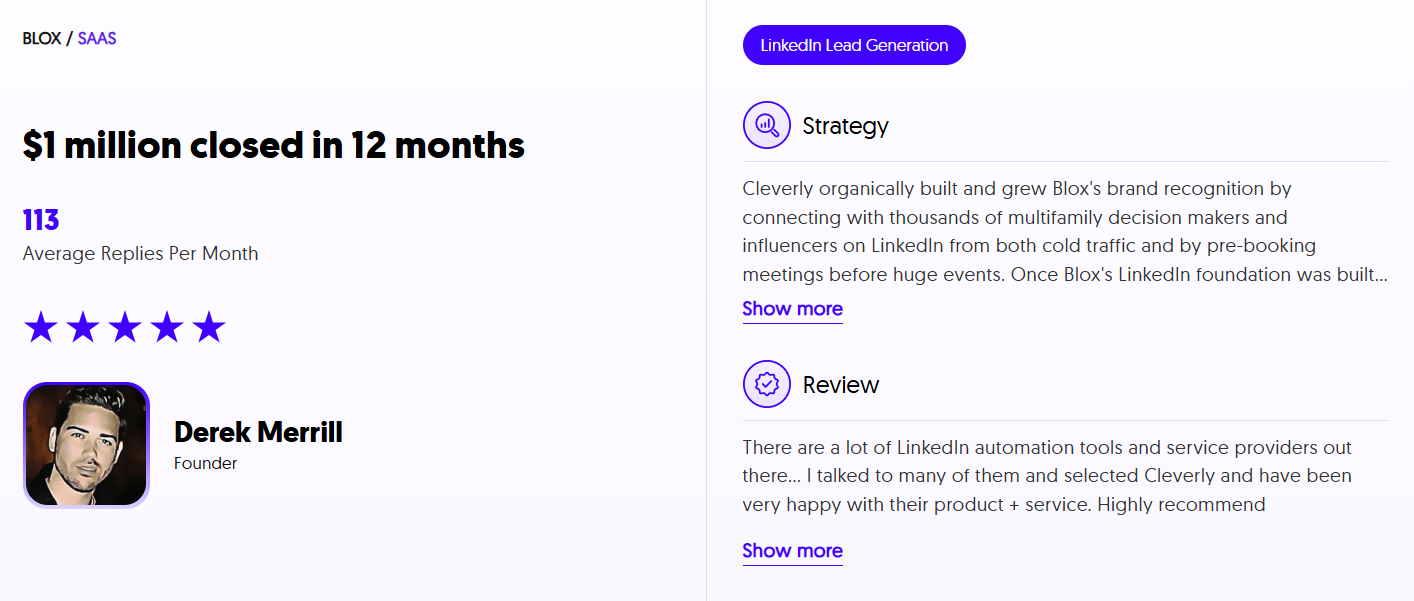
Ready to turn X-Ray searches into revenue? Let Cleverly handle your LinkedIn lead generation while you focus on closing deals.
Book a strategy call with Cleverly →
Conclusion
LinkedIn X-Ray search is a useful way to find public LinkedIn profiles through Google. A focused string can help you research a market, test an ICP, or locate decision-makers who are difficult to find through a basic LinkedIn search.
Its limits matter. Google results may be incomplete, outdated, or influenced by profile visibility settings. Verify every prospect before outreach, and do not treat a search result as a current contact record.
For occasional research, X-Ray search may be all you need. For consistent pipeline generation, combine it with clear qualification rules, verified contact data, and a repeatable LinkedIn outreach process.
Frequently Asked Questions
Free Resource
How to Scale a Profitable Cold Call System
Get the complete guide — download it instantly now.

Free Ebook
Download the Free Guide
Enter your details to get instant access.
You're all set! 🎉
Your ebook is downloading now.
Click below if the download didn't start automatically.