Table of Contents
What Is Lead Data Enrichment?
Why Lead Data Enrichment Matters for SDR Teams
Types of Lead Data You Should Be Enriching
How SDR Teams Enrich Lead Data at Scale (Step-by-Step Process)
Lead Scoring with Data Enrichment
Best Lead Data Enrichment Tools for SDR Teams
How to Use Clay for Lead Enrichment, Scoring, and Routing
Common Mistakes in Lead Data Enrichment
How Cleverly Uses Lead Data Enrichment to Drive Qualified Meetings
Conclusion
Frequently Asked Questions
Modified On :
September 21, 2026
Key Takeaways
- Lead data enrichment turns raw contact info into complete profiles with firmographics, tech stack, and intent signals that drive personalized outreach.
- Enriched data can boost reply rates 3-4x by giving SDRs real context like recent funding rounds or hiring signals instead of generic messaging.
- Focus on 5-8 high-impact fields like job title, company size, and intent data - over-enriching creates noise, not results.
- Combine enrichment with lead scoring to automatically prioritize hot leads based on fit and timing signals.
- Refresh your data quarterly or monthly- stale enrichment wastes SDR touches on outdated contacts.
- Automate enrichment via APIs so leads are qualified before they hit your SDRs' queue, not after.
Your SDRs lose selling time when they have to research basic account details, correct CRM records, and discover that a contact no longer works at the company. Lead enrichment moves part of that research upstream so reps begin with a record they can evaluate and act on.
What we see daily at Cleverly - teams that enrich lead data before outreach book 3x more meetings than those who don't.
Why? Because they're actually reaching the right person, at the right company, with context that matters.
Whether you're running outbound on LinkedIn, cold email, or picking up the phone, incomplete data kills your conversion rates before your SDRs even get a chance to pitch.
We've helped generate $312M in pipeline revenue for 10,000+ clients, and the teams that win all have one thing in common: they treat lead data enrichment like fuel, not an afterthought.
Let's break down exactly how high-performing SDR teams do it.
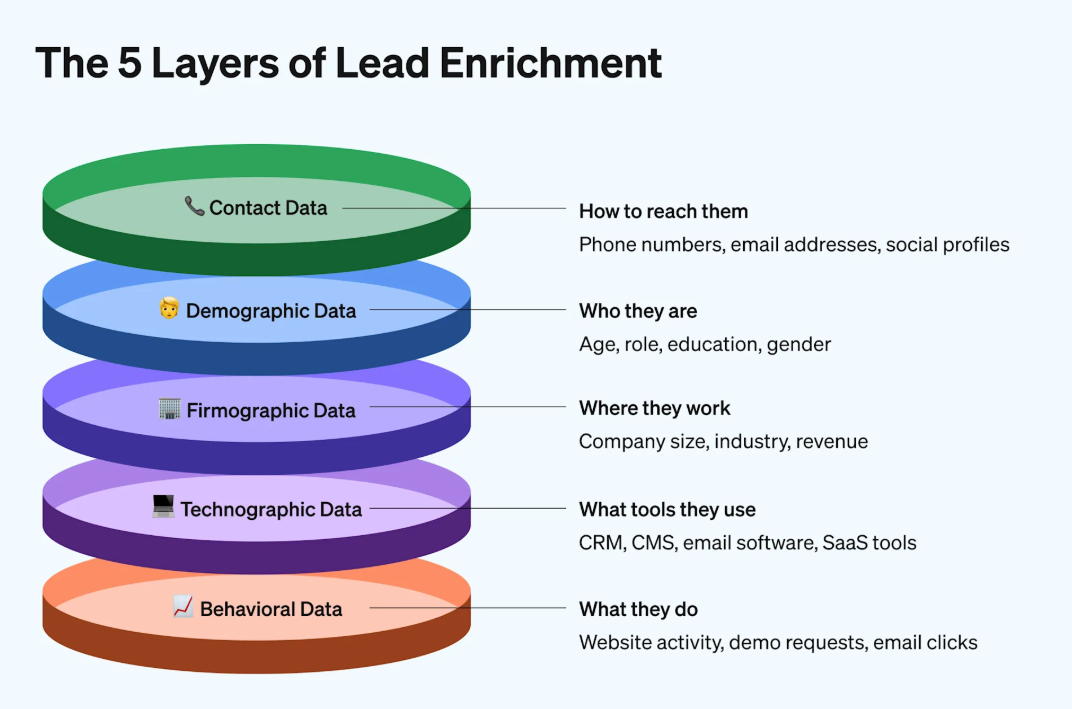
What Is Lead Enrichment?
B2B lead enrichment is the process of adding, correcting, and refreshing information about a business contact and the company they work for. A basic record may contain only a name and email address. An enriched record can include the contact’s role, seniority, company size, industry, location, technology stack, account history, buying signals, and verified contact details.
The goal is not to fill every available CRM field. It is to collect the information needed to answer four operating questions:
- Does this account match the ideal customer profile?
- Is this person relevant to the buying process?
- Is there a credible reason to contact them now?
- Which rep, sequence, or nurture path should receive the lead?
B2B lead enrichment can support inbound and outbound motions. For inbound leads, enrichment can complete a short form submission before qualification and routing. For outbound prospects, it can help teams identify suitable accounts, find the right buyers, verify contact details, and prepare relevant messaging.
First-Party vs. Third-Party Enrichment Data
Lead Enrichment vs. Related Data Processes
These four processes work together, but they solve different problems.
Lead enrichment adds information. It completes a partial record with details such as seniority, employee count, industry, location, or technology usage.
Lead qualification applies eligibility rules. It determines whether the person or company fits the minimum conditions required to become a viable prospect.
Lead scoring assigns priority. It uses fit, intent, and engagement signals to determine which qualified leads deserve attention first.
Lead routing assigns ownership. It sends the lead to the correct representative, campaign, territory, or follow-up sequence.
A useful operating sequence is enrichment first, qualification second, scoring third, and routing fourth. If a team scores or routes a lead before completing the fields required by its rules, the result will be inconsistent even if the automation works exactly as configured.
🔥 Enriched Data. Better Conversations.
Cleverly powers LinkedIn, cold email, and cold calling with enriched, intent-driven data—so every outreach hits the right buyer.
Why Lead Enrichment Matters for SDR Teams
Your SDRs aren't struggling because they can't write good emails or handle objections. They're struggling because they're working with incomplete information.
When you know how to enrich lead data correctly, everything downstream gets easier.
Better personalization drives actual replies
Generic outreach gets ignored. But when your SDR can reference a recent funding round, a new hire, or a specific tech stack gap, response rates jump.
Two relevant data points can be more useful than 20 decorative fields. A recent role change and an active hiring pattern may support a credible message, while a long list of generic company facts usually adds no value.
Faster qualification means more at-bats

Enriched data lets your SDRs qualify leads before they ever pick up the phone. Company size wrong? Tech stack doesn't fit? Skip it and move to the next one.
No more discovery calls that should've been filtered out in the first 30 seconds. Your team spends time on leads that can actually close.
Check These: Best AI Lead Qualification Tools for Faster B2B Conversions
Higher connect and meeting rates across all channels
Direct dials get you live conversations. Verified emails land in the inbox, not spam. Knowing who reports to whom helps you navigate gatekeepers.
At Cleverly, our LinkedIn and cold email outreach campaigns consistently hit higher meeting rates because we start with enriched data, not guesswork.
Stop wasting touches on leads that don't fit
Your SDRs only have so many touches before a lead goes cold. Burning those touches on someone who can't buy, doesn't have budget, or isn't even in the right department kills your pipeline. Data enrichment helps you focus firepower where it counts.
Learning how to enrich lead data isn't complicated, but skipping it costs you meetings every single day.
Types of Lead Data You Should Be Enriching
Not all lead data enrichment is created equal. You don't need to enrich 50 fields on every lead. You need the data points that help your SDRs decide who to call, what to say, and when to reach out.
Here's what actually moves the needle:
Firmographic data

This is your baseline filter. Company size, industry, revenue range, funding stage, and location tell you if a lead even belongs in your pipeline.
If you're selling to Series A SaaS companies with 20-100 employees, enriching for company size and funding round saves your SDRs from chasing enterprise accounts or bootstrapped startups that don't fit.
Contact-level data
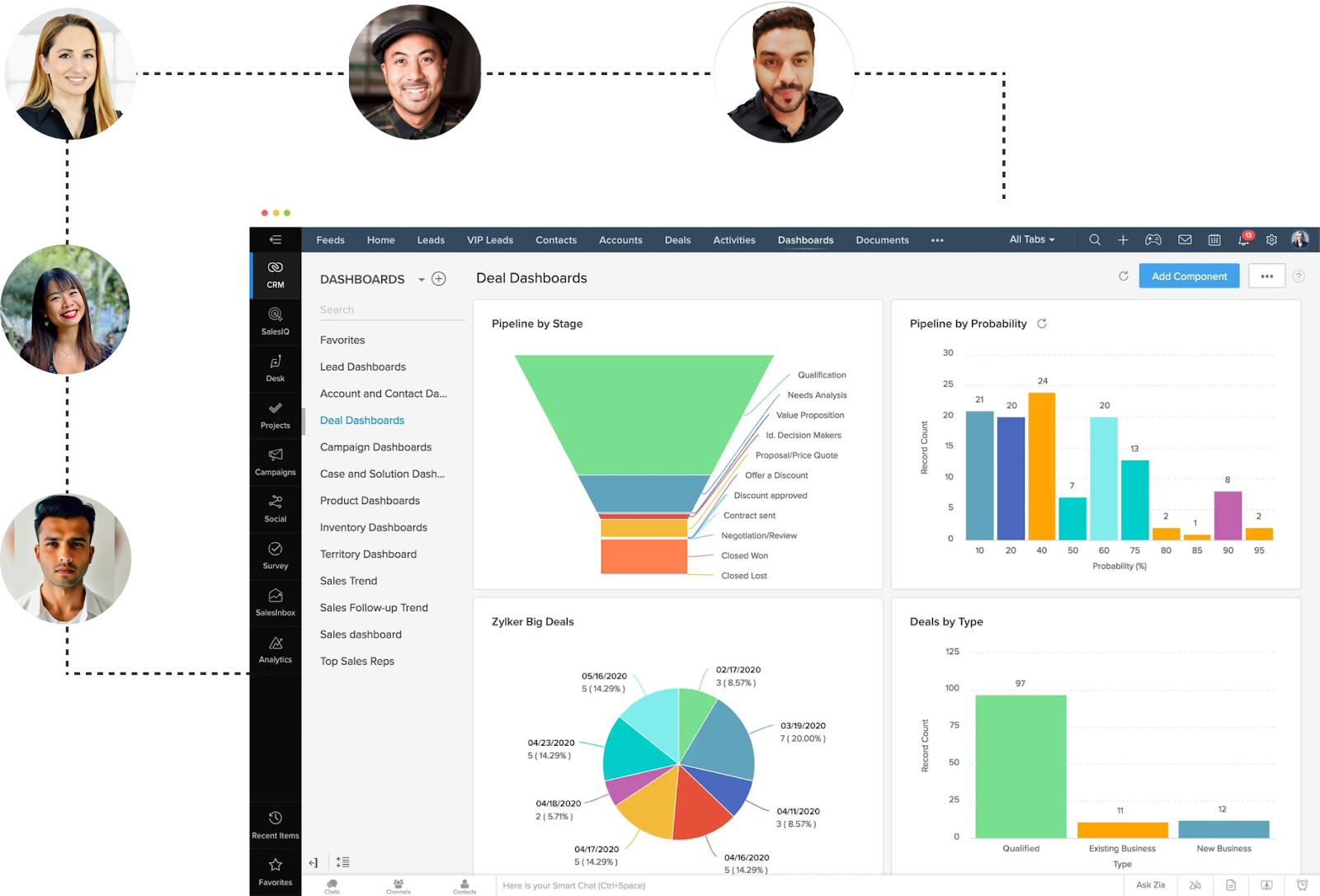
Job title alone isn't enough anymore. You need seniority level, department, and how long they've been in the role. A VP of Sales who just started 3 months ago has different priorities than one who's been there 3 years.
Enriching contact data helps your SDRs tailor messaging and know who actually has buying authority.
Technographic data

What tools is the company already using? If you're selling a CRM alternative and they just renewed Salesforce for 3 years, that's a dead end.
But if they're using 5 different point solutions that you can consolidate, that's your opening line. Tech stack signals are gold for personalization and qualifying fit.
Intent and behavioral data
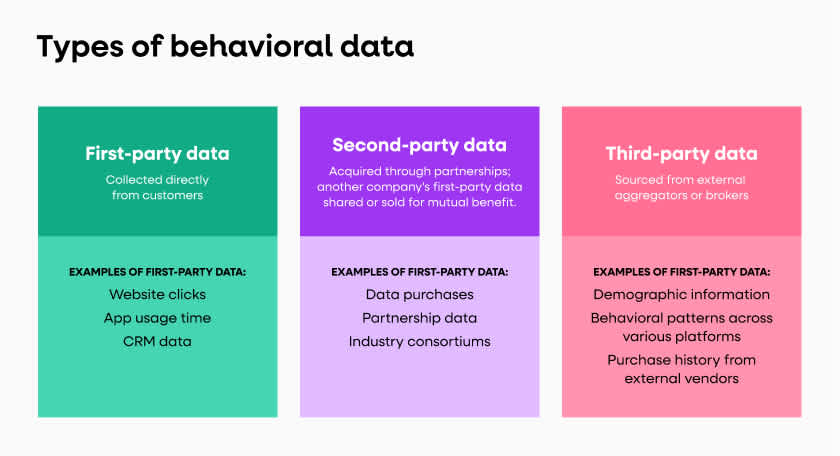
Website visits, content downloads, job postings, funding announcements, leadership changes. This is timing data.
A company that just posted 3 SDR roles and downloaded your competitor comparison guide is showing intent. Lead data enrichment that includes behavioral signals helps your team prioritize hot leads over cold ones.
Phone and email validation
Enriching contact info with direct dials and verified email addresses cuts down on bounces and connects you with the right person faster.
Our cold calling system includes verified phone data because wasting time on disconnected numbers kills SDR momentum.
Focus your lead data enrichment on the fields that help you qualify faster and personalize better. Everything else is noise.
Read More: Smart Ways to Use AI for B2B Lead Generation
🚀 From Data to Booked Meetings
We enrich, target, and execute across channels to deliver meeting-ready leads you only pay for - turning SDR effort into real pipeline.
How SDR Teams Enrich Lead Data at Scale (Step-by-Step Process)
Knowing how to integrate data enrichment with lead generation isn't theoretical. High-performing teams follow a repeatable process that turns raw contact lists into qualified, ready-to-work leads.
Here's the exact workflow:
Step 1: Define your ICP and qualification criteria
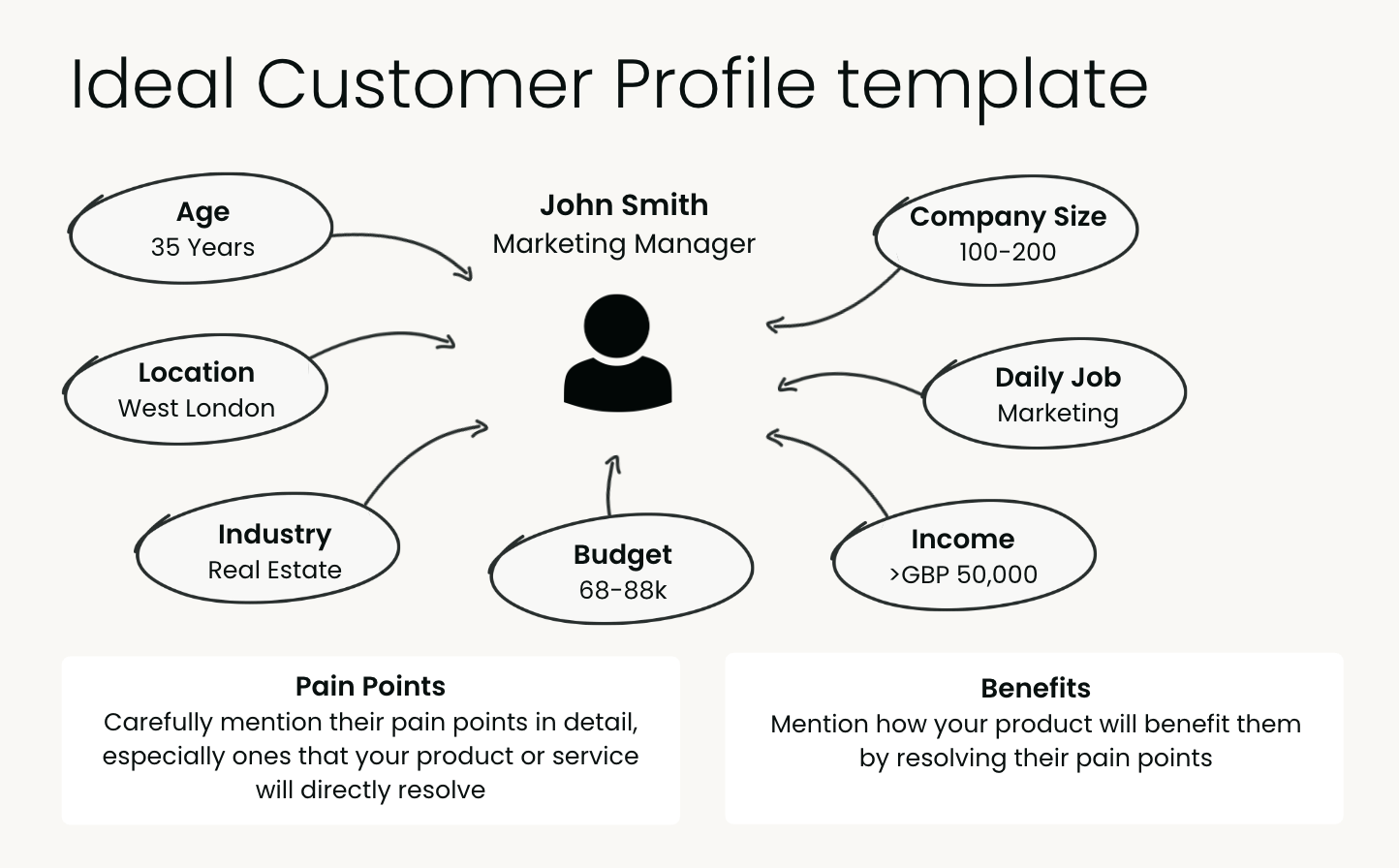
Before you enrich anything, get crystal clear on what makes a lead qualified. Company size? Industry? Tech stack? Budget signals? Write down the 5-8 data points that determine whether a lead is worth your SDRs' time. This becomes your enrichment checklist.
Step 2: Source leads from multiple channels

Pull leads from LinkedIn, webinar signups, inbound forms, intent platforms, or scraped lists. At this stage, you've got names and maybe emails. That's it. The goal here is volume of the right accounts, not perfect data yet.
Learn More: Ways To Increase Your Inbound B2B Leads (Proven Framework)
Step 3: Enrich via tools and APIs
Run your lead list through enrichment tools like Clearbit, ZoomInfo, Apollo, or Clay. Most platforms let you enrich in bulk via API or CSV upload, and using a scraper API can further help automate data collection and enrich your prospect lists with valuable information.
To streamline recruitment-based targeting, you can also leverage a dedicated jobs API to identify companies currently expanding their teams. This step fills in firmographics, contact details, tech stack, and intent signals automatically.
When you learn how to integrate data enrichment with B2B lead generation workflows, this becomes a one-click process, not manual research.
Step 4: Verify and clean the data
Enrichment tools aren't perfect. Run email verification (NeverBounce, ZeroBounce) to catch invalid addresses. Check phone numbers for accuracy. Remove duplicates and outdated job titles. This step prevents your SDRs from burning touches on bad data.
Step 5: Push enriched leads into your CRM before routing to SDRs
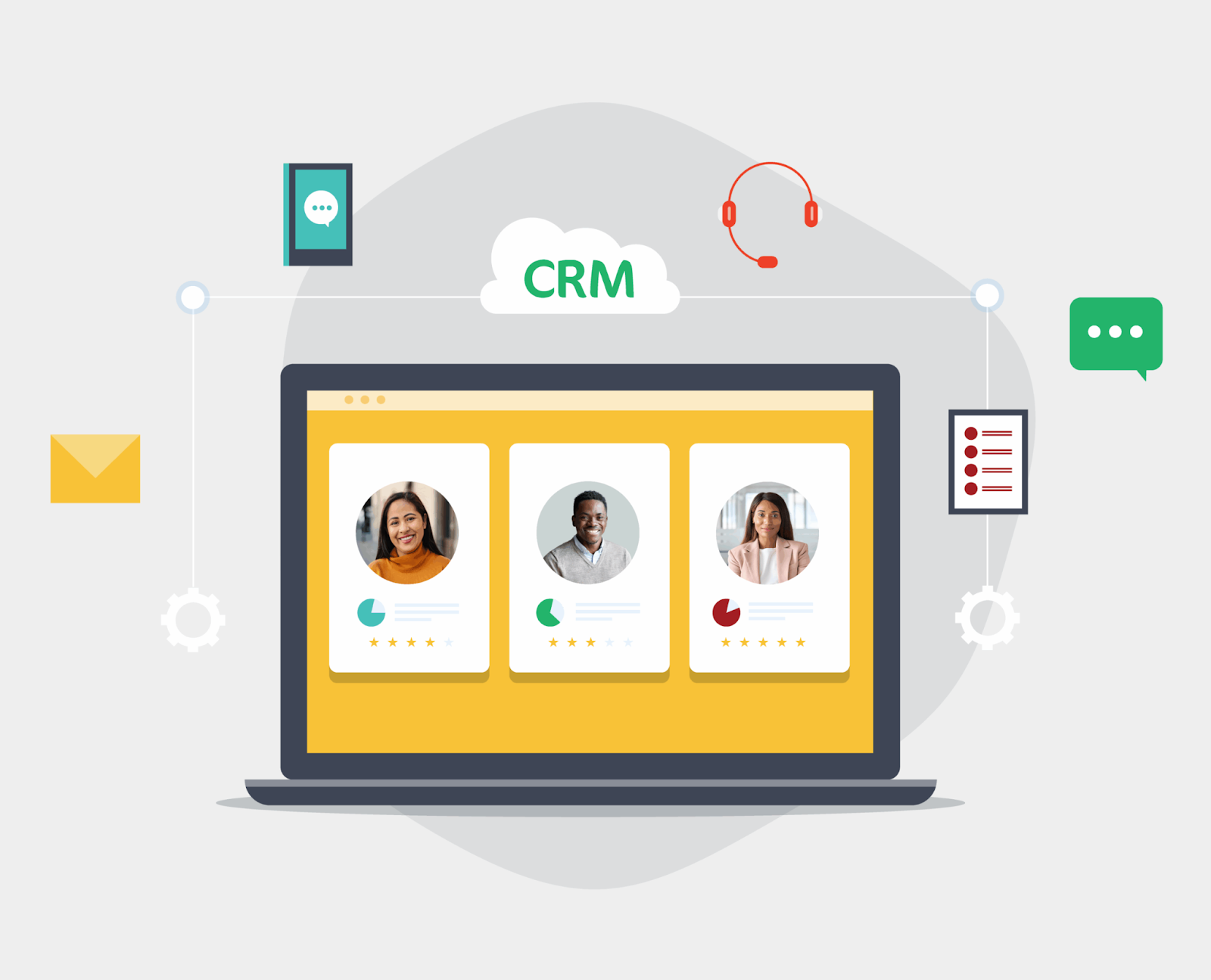
Here's where lead data enrichment pays off. Before your SDRs ever touch a lead, the enriched data should already be in Salesforce, HubSpot, or whatever CRM you use.
Set up routing rules based on enriched fields like company size, industry, or intent score so the right leads land with the right rep. Your SDRs should open a lead record and see everything they need to personalize outreach immediately.
Step 6: Ongoing refresh and decay management
Lead data goes stale fast. People change jobs. Companies get acquired. Funding rounds close. Set up automated refresh cycles (quarterly or monthly) to re-enrich your database before outreach campaigns.
Tools like Clay and Zapier can trigger re-enrichment when a lead re-engages or hits a certain activity threshold.
When you nail how to integrate data enrichment with lead generation, your SDRs stop doing research and start booking meetings.
At Cleverly, we handle enrichment, verification, and CRM integration as part of our cold email and LinkedIn lead gen services so your team can focus on conversations, not data hygiene.
Lead Scoring with Data Enrichment
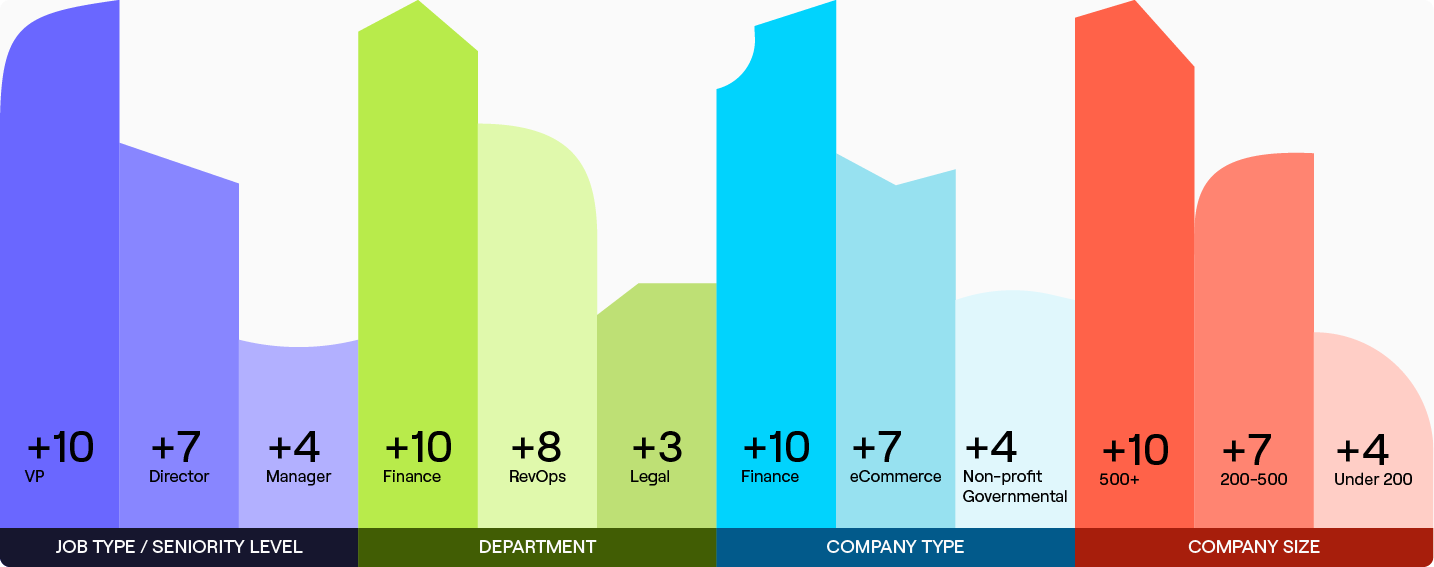
Lead scoring with data enrichment is how top SDR teams decide who to call first. Without enriched data, you're scoring leads on guesswork.
With it, you're prioritizing based on fit and timing.
How enrichment fuels better scoring models
Basic lead scoring uses surface-level signals like form fills or email opens. But when you layer in enriched firmographic, technographic, and intent data, your scores actually predict who's ready to buy.
A lead that matches your ICP, uses complementary tools, and just visited your pricing page three times should score higher than someone who downloaded one ebook six months ago.
Firmographic and intent-based scoring in action
Here's a simple scoring model using enriched data:
- Company size 50-500 employees: +20 points
- Director level or above: +15 points
- Uses competing tool in tech stack: +10 points
- Visited pricing page in last 7 days: +25 points
- Recent funding announcement: +15 points
A lead hitting 60+ points gets routed to your best SDR for same-day outreach. A lead under 30 points goes into a nurture sequence.
Lead scoring with data enrichment lets you make these calls automatically instead of having SDRs manually research every lead.
SDR prioritization using enriched scores
Your SDRs have 100 leads in their queue. Which 20 do they call today? Enriched scoring answers that question. High scores mean high intent and strong fit. Low scores mean the timing isn't right or the lead doesn't match your ICP.
When you integrate scoring with enriched data, SDRs stop wasting time on leads that aren't ready and focus energy where it counts.
At Cleverly, our cold calling system uses enriched data to pre-qualify leads before our appointment setters ever dial. That's how we guarantee 10-30 qualified calls per month. We're not calling blind.
Common mistakes in enrichment-driven scoring
- Don't over-complicate it.
Teams that score on 30 different data points end up with models that don't work. Stick to 5-8 high-impact fields that actually correlate with closed deals. - Don't ignore data decay.
A lead scored 6 months ago with stale enrichment data isn't accurate anymore. Re-enrich and re-score regularly. - Don't let scoring replace human judgment.
A low score doesn't mean a lead is bad. It means they're not a priority right now. SDRs should still work the list, just in the right order.
Lead scoring with data enrichment only works if the data going in is accurate and the scoring model reflects what actually drives pipeline in your business.
How B2B Lead Enrichment Works
Place before the existing tool-specific discussion.
A reliable enrichment workflow can be built in six steps.
1. Define the decision the data must support
Start with a specific sales or marketing decision. You may need to identify enterprise accounts, find the right decision-maker, route leads by territory, personalize outbound messages, or prioritize companies showing buying signals.
This keeps the workflow focused. Collecting data without a defined use creates expensive CRM clutter.
2. Select the minimum required fields
Choose only the fields needed to make that decision. A B2B SaaS company might need company size, industry, headquarters, job title, seniority, technology stack, and recent hiring activity. A territory-based sales team may need only location, employee count, and account ownership.
Mark each field as required, helpful, or optional. Required fields should receive the strictest validation.
3. Choose the source order
Decide which provider should be checked first for each field and what should happen when that provider returns no result. This is often called waterfall enrichment.
The order should reflect accuracy, coverage, cost, and geographic strength. A provider that performs well for U.S. software companies may be a poor first choice for small European manufacturers.
4. Normalize and validate the results
Standardize values before writing them to the CRM. For example, “VP Sales,” “Vice President of Sales,” and “Sales VP” should map to the same seniority and department categories.
Validation should also check email status, conflicting company details, missing values, duplicate records, and suspicious changes to previously verified fields.
5. Apply qualification, scoring, and routing rules
Once the record is complete, evaluate it against the ideal customer profile. Assign a score based on fit and relevant buying signals, then route it to the appropriate owner or campaign.
A high score should have an operational consequence. It might trigger same-day sales follow-up, a tailored outbound sequence, or assignment to a senior account executive.
6. Monitor downstream outcomes
Do not judge enrichment by the number of fields added. Measure whether enriched records improve decisions and campaign results.
Track field coverage, accuracy, match rate, duplicate rate, verified-email rate, routing accuracy, reply rate, meeting rate, and opportunity creation. Review the results by provider and segment because average performance can hide weak data in important markets.
Best Lead Data Enrichment Tools for SDR Teams
The right lead data enrichment tool depends on your team size, budget, and data needs. Here's what SDR teams actually use to enrich at scale.
1. Apollo and ZoomInfo: All-in-one enrichment platforms
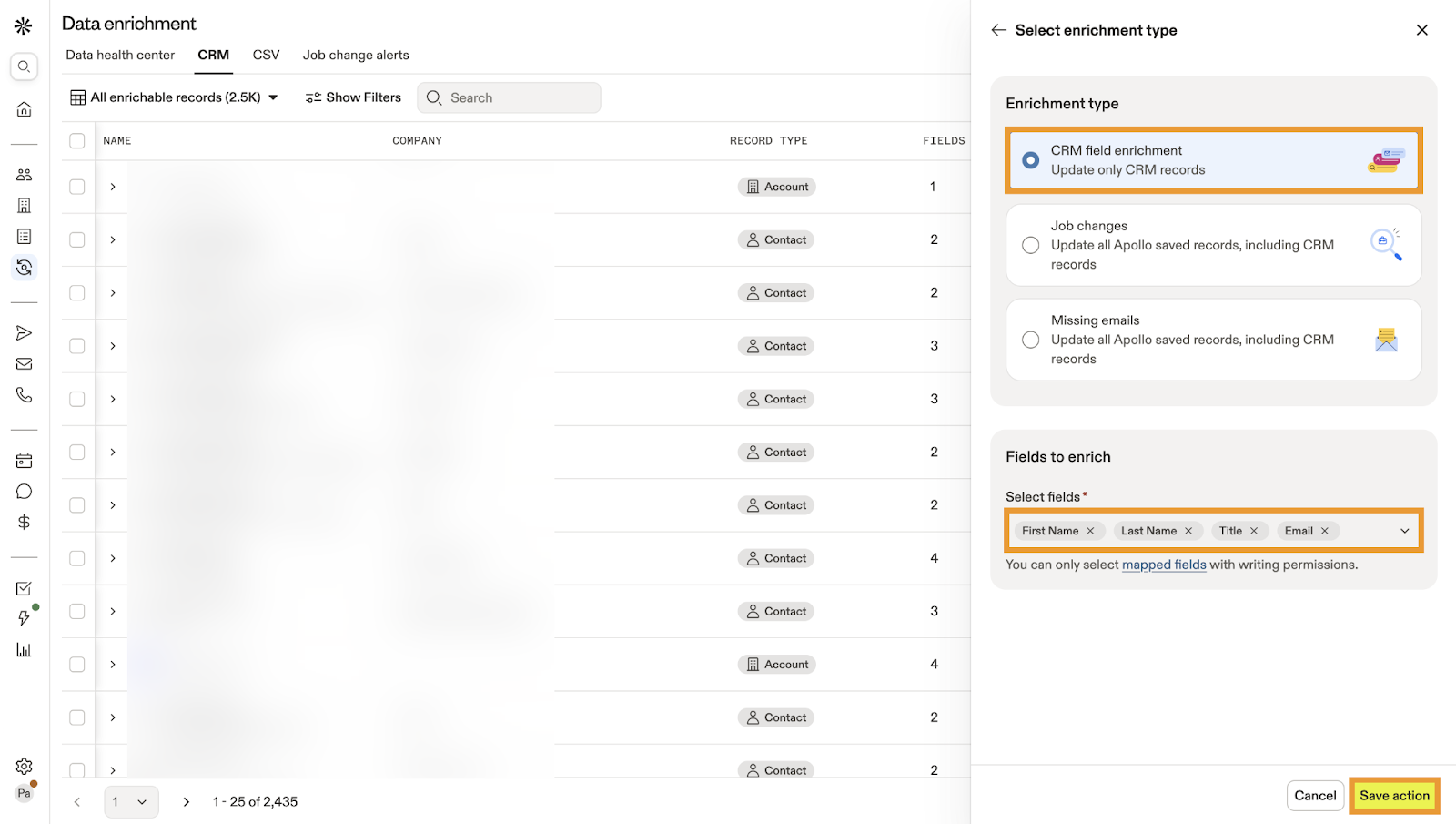
These are your one-stop shops. You get contact data, firmographics, technographics, and intent signals all in one place. Apollo is more affordable and startup-friendly. ZoomInfo has deeper data coverage for enterprise accounts.
Both let you enrich, score, and export leads directly into your CRM. Good fit if you want everything under one roof without stitching together multiple tools.
2. Breeze Intelligence and Cognism: CRM Enrichment and Global B2B Data
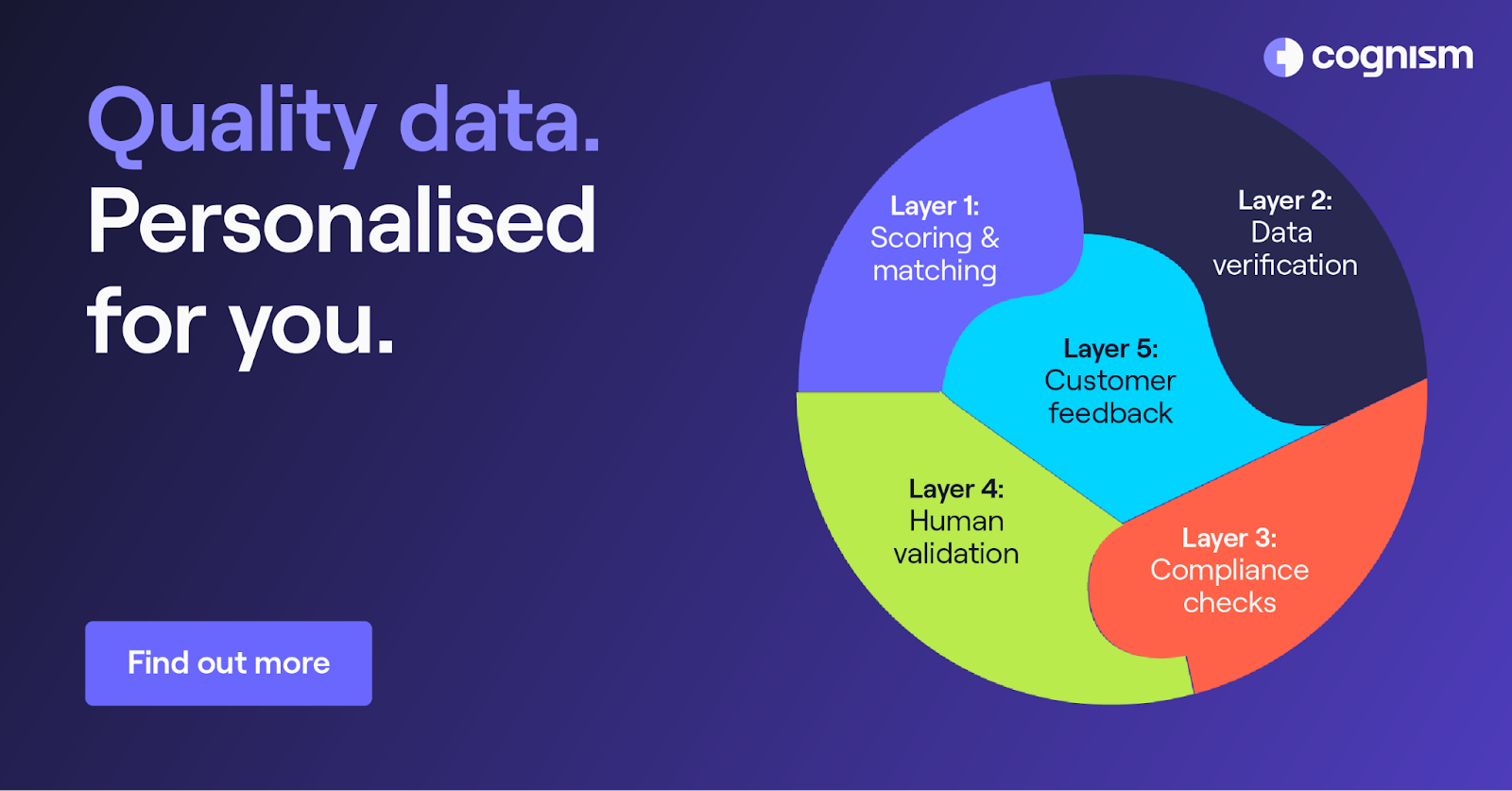
HubSpot’s Breeze Intelligence applies technology developed from the Clearbit acquisition to enrichment and buyer-intent workflows inside HubSpot. It is most relevant to teams that want enrichment connected directly to their HubSpot records and forms.
Cognism focuses on B2B contact and company data, CRM enrichment, international coverage, and compliance processes. Evaluate it based on the markets, fields, and contact types your team needs rather than treating “compliant data” as a guarantee that every planned use is lawful.
Product capabilities, packages, and credit models change. Confirm current field coverage, integrations, permitted uses, and pricing directly with each vendor before publication.
Know More Here: Proven Methods to Find Someone's Phone Number (Free + Paid)
3. Clay: Multi-source enrichment workflows

Clay connects many enrichment providers and workflow actions inside one table-based environment. Its current product FAQ says the marketplace includes more than 170 enrichment tools, although availability, coverage, and credit costs differ by provider.
Do not use the provider count as evidence of accuracy. Test the specific enrichment sources against a representative sample from your market.
When to use single-source vs multi-source stacks
- Single-source (Apollo, ZoomInfo): Start with a single provider when it supplies acceptable coverage and accuracy for your target market. Add a second source or waterfall only when measured gaps justify the added cost and workflow complexity.
- Multi-source (Clay + multiple APIs): You need deep coverage, you're selling to hard-to-reach industries, or you're optimizing for the highest possible contact rate. You're willing to trade setup time for better data accuracy.
Most SDR teams start with one tool and add layers as they scale.
At Cleverly, we handle lead data enrichment as part of our LinkedIn, cold email, and cold calling services so you don't have to manage tools, APIs, or data refresh cycles yourself.
How to Use Clay for Lead Enrichment, Scoring, and Routing
Clay can act as the orchestration layer between a lead source, multiple enrichment providers, qualification logic, and the CRM. Instead of enriching every record in the same way, teams can build conditional workflows that spend more research effort on accounts that meet their initial criteria.
A practical Clay workflow looks like this:
- Import leads from a CRM, form, event list, LinkedIn search, or CSV.
- Standardize company domains and remove obvious duplicate records.
- Enrich company-level fields such as industry, employee count, location, funding, and technology usage.
- Stop processing accounts that fail the minimum ICP requirements.
- Find relevant contacts only within the accounts that remain.
- Verify work email addresses before adding them to an outbound campaign.
- use AI-assisted research for narrowly defined tasks, such as classifying a company’s business model or summarizing a recent hiring signal.
- Assign fit and intent scores using transparent rules.
- Route qualified records to the appropriate campaign, representative, or CRM queue.
- Record the source and enrichment date for fields that affect sales decisions.
For example, a B2B SaaS company could first identify software businesses with 50 to 500 employees. It could then find sales or revenue leaders, check whether each company uses a competing platform, verify the contact’s email, and assign a higher score to accounts with recent sales hiring activity. Only the records that pass those checks would enter a personalized outbound sequence.
The important part is the order of operations. Enriching every possible field for every imported record wastes credits and makes the workflow harder to audit. Apply inexpensive exclusion rules early, then reserve deeper research for the accounts that remain.
Lead Enrichment for B2B SaaS
B2B SaaS teams often need more than standard contact details because product fit depends on company maturity, technical environment, and buying context. Useful enrichment fields may include:
- Employee count and estimated growth
- Business model and target market
- Current technology stack
- Funding stage
- Relevant hiring activity
- Geographic coverage
- Department size
- Decision-maker seniority
- Product or website activity
- CRM engagement history
Suppose a company sells sales software to growing SaaS businesses. Employee count can identify companies within the target range, but it does not prove readiness. Recent sales hiring, use of an adjacent platform, and visits to a pricing or integration page provide stronger context.
The team can combine those signals to separate a broadly suitable account from one that deserves immediate attention. That produces more useful prioritization than treating every company in the correct industry as equally valuable.
How to Enrich Conference and Event Leads
Conference leads often arrive with inconsistent information. Badge scans may include a name, email, company, and little else. Some records contain personal email addresses, abbreviated company names, or job information that was entered months before the event.
Start by matching each attendee to a verified company domain. Add firmographic data such as industry, size, location, and business model. Then verify the person’s current role and seniority before assigning the record to sales.
Event context should remain part of the record. Note the event, session, booth interaction, stated interest, and follow-up consent where available. That information can be more useful for the opening message than a long list of generic company facts.
Finally, score leads using both fit and event behavior. A strong ICP match who requested a product discussion should receive different follow-up from an attendee who entered a giveaway and had no sales conversation.
How to Measure Lead Enrichment Quality
Add after the use-case sections.
Lead enrichment quality should be measured by whether the resulting data can be trusted and acted upon.
Track these core measures:
- Match rate: The percentage of submitted records that can be matched to the correct person or company.
- Field coverage: The percentage of records for which a required field is populated.
- Accuracy: The percentage of checked values that are correct.
- Freshness: How recently time-sensitive fields were verified.
- Email validity: The percentage of supplied email addresses that pass verification.
- Conflict rate: How often providers return different values for the same field.
- Routing accuracy: The percentage of leads assigned to the correct owner or workflow.
- Downstream performance: Reply, meeting, opportunity, and conversion rates for enriched records.
Review these measures separately by market, company size, and provider. A source can appear accurate overall while producing weak results for a specific country or industry.
When an enriched field changes a major decision, preserve its source and verification date. This gives the revenue operations team a way to investigate errors instead of guessing why a lead was scored or routed incorrectly.
Common Mistakes in Lead Data Enrichment
Even teams that invest in enrichment tools mess this up. Here's what kills ROI:
❌ Over-enriching without qualification logic
Enriching 40 fields on every lead doesn't make your SDRs more effective. It creates noise. Focus on the 5-8 data points that actually help you qualify and personalize.
More data isn't better if it doesn't change what your SDRs do with the lead.
❌ Relying on one data provider
No single tool has 100% coverage. ZoomInfo might have the email, but Apollo has the direct dial. Using only one source means you're working with incomplete data and don't even know it.
High-performing teams waterfall enrichment or spot-check across multiple providers.
❌ Not refreshing data regularly
People change jobs. Companies pivot. Funding rounds close. If you're working off enriched data from 6 months ago, you're calling the wrong person at the wrong company.
Set up automated refresh cycles or your lead data enrichment becomes a liability, not an asset.
❌ Enriching without CRM governance
Enriched data is worthless if it doesn't flow into your CRM correctly or if fields aren't standardized. Your SDRs need clean, consistent data in one place. No governance means duplicates, mismatched fields, and reps ignoring the enrichment entirely because they don't trust it.
Fix these four things and your enrichment actually drives pipeline instead of sitting unused in a spreadsheet.
How Cleverly Uses Lead Data Enrichment to Drive Qualified Meetings
Most lead generation agencies hand you a list and wish you luck. We don't work that way.
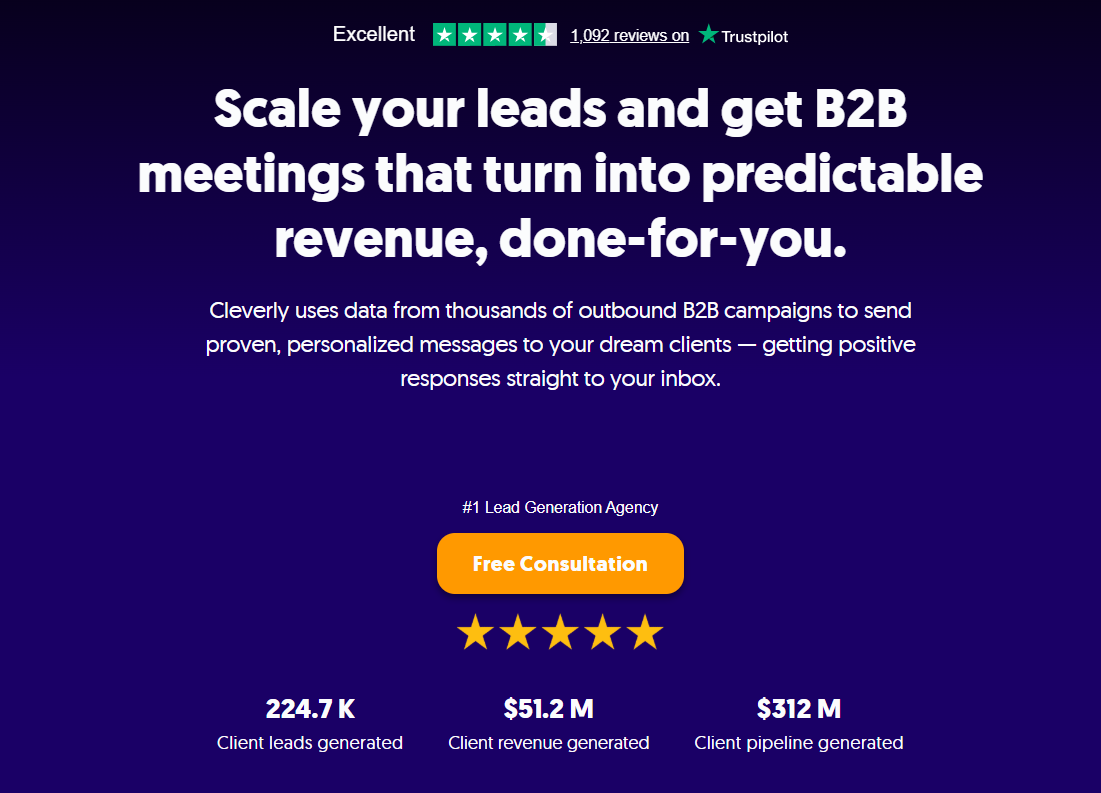
At Cleverly, enrichment isn't a side feature. It's baked into every campaign we run. Before our SDRs send a single LinkedIn message, cold email, or pick up the phone, we've already enriched, verified, and scored your leads.
…That's how we've generated $312M in pipeline revenue for 10,000+ clients including Amazon, Google, Uber, and PayPal.
📢 Our LinkedIn and cold email services start at just $397/month, and every lead we touch goes through our enrichment process. No spraying and praying. Just targeting the right person, at the right company, with messaging that actually lands.
For cold email, you only pay for meeting-ready leads we send you. No fluff, no unqualified contacts.

📢 Our cold calling system takes it further. We place a no-accent appointment setter, train them in 2 weeks, write breakthrough scripts, and include all the data, tech, and power dialer setup.
Every lead gets enriched before we dial so your calendar fills with qualified sales calls, not tire kickers. We've made over 1M cold calls and set 53K appointments because we don't waste time on bad data.
We guarantee 10-30 qualified sales calls every month, or we replace the SDR. Half the cost of in-housing, zero data headaches.
If you want a lead generation agency that actually understands how enrichment drives meetings, not just vanity metrics, let's talk.
🔥 Book a free SaaS growth strategy session →
Conclusion
Lead data enrichment isn't something you do once and forget. It's a system. The teams booking the most meetings aren't just using better tools.
They're running tighter processes, refreshing data consistently, and making sure enrichment actually flows into how their SDRs work every day.
You can have the best data in the world, but if your SDRs don't know how to enrich lead data, when to re-score, or how to prioritize based on intent signals, you're still losing deals to teams that do.
The best SDR teams win because they combine accurate data, smart qualification logic, and relentless execution.
At Cleverly, that's exactly how we've helped clients generate $312M in pipeline. We handle the enrichment, the outreach, and the follow-up so your team can focus on closing.
If you're ready to stop guessing and start booking qualified meetings, we're here to help.

Frequently Asked Questions
Free Resource
How to Scale a Profitable Cold Call System
Get the complete guide — download it instantly now.

Free Ebook
Download the Free Guide
Enter your details to get instant access.
You're all set! 🎉
Your ebook is downloading now.
Click below if the download didn't start automatically.