Table of Contents
What Is Gmelius and Who Is It For?
Gmelius Features: What the Chrome Extension Adds Inside Gmail
Gmelius Pricing in 2026
Gmelius Pros and Cons: Our Review Findings
What Users Say: Gmelius Reviews and Ratings
Best Gmelius Alternatives in 2026
Where Gmelius Fits in a Sales Workflow (And Where It Does Not)
How Cleverly Fills the Inbox Gmelius Helps You Manage
Final Verdict: Is Gmelius Worth It in 2026?
Frequently Asked Questions
Modified On :
October 13, 2026
Key Takeaways
- Gmelius adds team features to Gmail instead of replacing it. You skip the migration, but you inherit Gmail’s limits and the extension’s performance.
- The product changed. The cheapest plan now has no shared inbox, so older reviews and pricing posts can mislead you.
- Price the caps, not just the seat. Conversation and automation limits decide when you outgrow a tier.
- Gmelius manages conversations you already have. It does not start new ones, and tracking and campaigns are closed to new users.
- Trial it on a real shared inbox. Slowness is the most repeated complaint, and only your own traffic can confirm it.
Gmelius sells a simple idea: keep working in Gmail, and let the Gmelius Chrome extension add shared inboxes, assignments, and boards on top. It’s easy to like. The details are where buyers get surprised.
This Gmelius review goes through the live product, including where it falls short, so you know what you’d actually be buying in 2026.
The details matter because public information is messy. Gmelius pricing reads differently on G2, Capterra, and Gmelius’s own site. Ratings run from 4.7 on Capterra (43 reviews) to 4.4 on G2 (776) to 2.9 on Trustpilot (5).
Two features that many Gmelius reviews praise, email tracking and campaigns, are now closed to new users.
Our take: the Gmail-native convenience is real, but it comes with usage caps, an AI-heavy plan structure, and slowdown complaints worth testing. Gmelius is a shared inbox tool, not an outbound sending platform.
Below we cover features, pricing, pros and cons, user sentiment, each Gmelius alternative worth a look, and a clear verdict for support teams, agencies, and small businesses.
What Is Gmelius and Who Is It For?
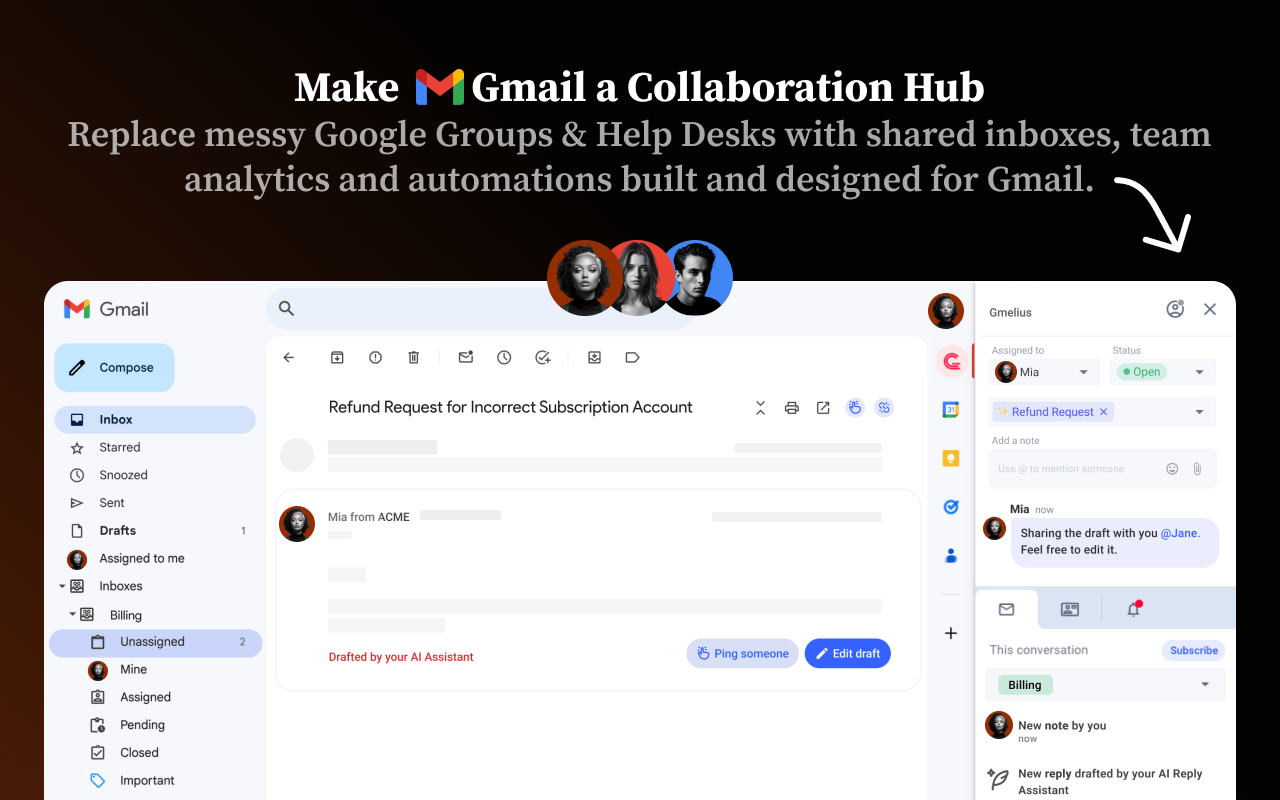
Gmelius is a Gmail and Google Workspace layer. It adds shared inboxes, shared labels, Kanban views, automation rules, SLA timers, and analytics inside Gmail. The pitch is simple: nothing new to learn, no separate helpdesk, no migration. Your team keeps working in the inbox it already knows.
The company has shifted focus. Gmelius now describes itself as a Gmail-native platform for building AI agents, and launched its Meli AI assistant in March 2026. That matters for buyers, because the plans are now built around that AI layer. Many Gmelius reviews online describe the older, simpler product.
Who it fits
- Small support teams that live in Gmail and want assignment and ownership without a help desk.
- Agencies that handle several client mailboxes.
- Ops teams that manage shared addresses like info@ or billing@.
Who it does not fit
- Outlook-based teams. Gmelius is Gmail and Google Workspace only. Its site currently shows an early-access waitlist for an Outlook integration, so treat Outlook as “not yet.”
- Multichannel support operations that need chat, SMS, and social in one queue.
- Anyone who wants a full helpdesk with ticketing, a knowledge base, and customer portals.
How it compares to Google’s own shared inboxes
Google offers two free routes. A Workspace admin can create a shared inbox where delegates can read, send, and delete messages. The older Collaborative Inbox in Google Groups adds basic assignment and status. Neither gives you boards, automation rules, or SLA reporting. If your needs are simple, that may be enough. We cover this in the alternatives section.
Your P.S. Could Be the Best Part
A great postscript can earn one more look. Cleverly’s cold email experts craft personalized messages that give B2B prospects a reason to reply.
Gmelius Features: What the Chrome Extension Adds Inside Gmail
Gmelius mainly runs as a browser extension on top of Gmail. Every plan lists a browser extension, a web app, and mobile apps delivered as a PWA. There is also a Google Workspace Marketplace add-on. The Gmelius Chrome extension is where most of the day-to-day work happens.
Pro tip: check the permissions before you install. The Marketplace consent screen asks to read, create, send, and permanently delete Gmail messages, plus Calendar access. That’s typical for this category, but your admin should review it. On security, Gmelius lists SOC 2 Type II, GDPR and CCPA readiness, and Google OAuth sign-in on every plan.
Shared Inboxes and Email Assignment
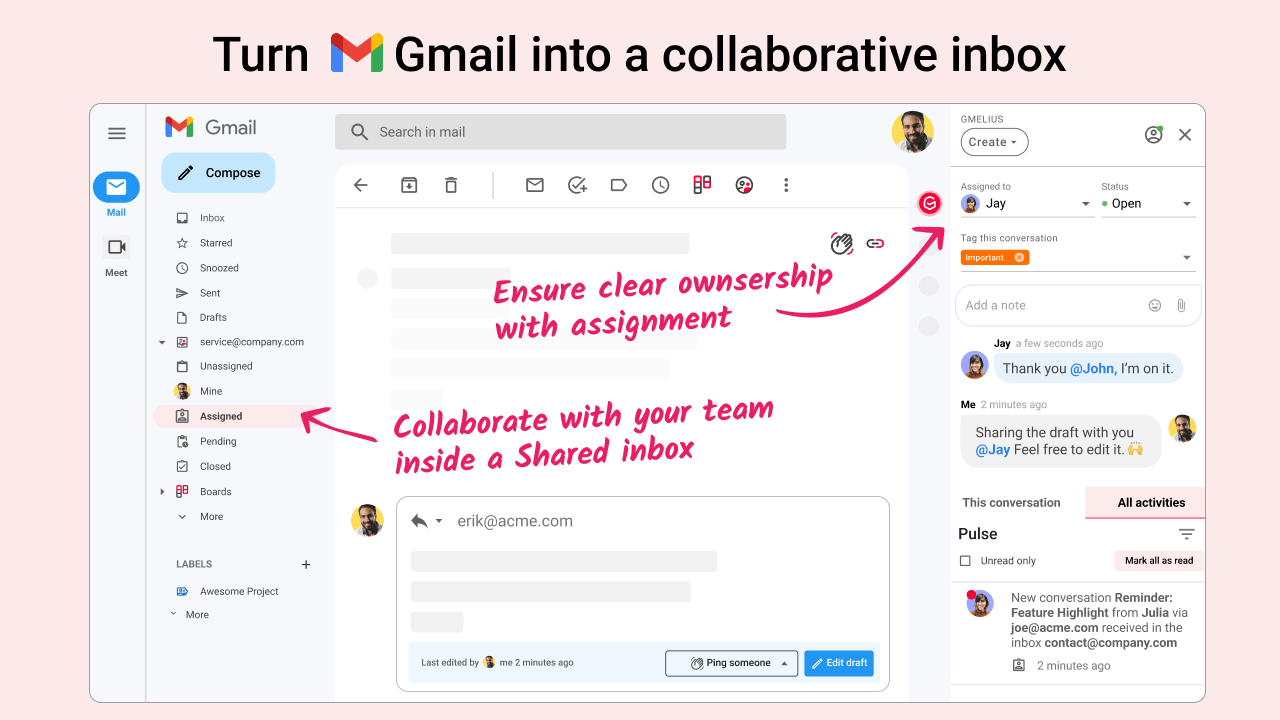
This is the main reason people buy it. Team members open a shared address like support@ from their own Gmail accounts, with assignments, notes, and collision detection. That means two people don’t answer the same thread.
Shared inboxes, assignments, and collision detection start on Growth, not on the Meli plan. Round-robin and load-balanced assignment are also on Growth and above.
Trial check: route one real address through it for a week. Watch how fast a thread’s status updates after someone replies.
Meli and the AI Assistants
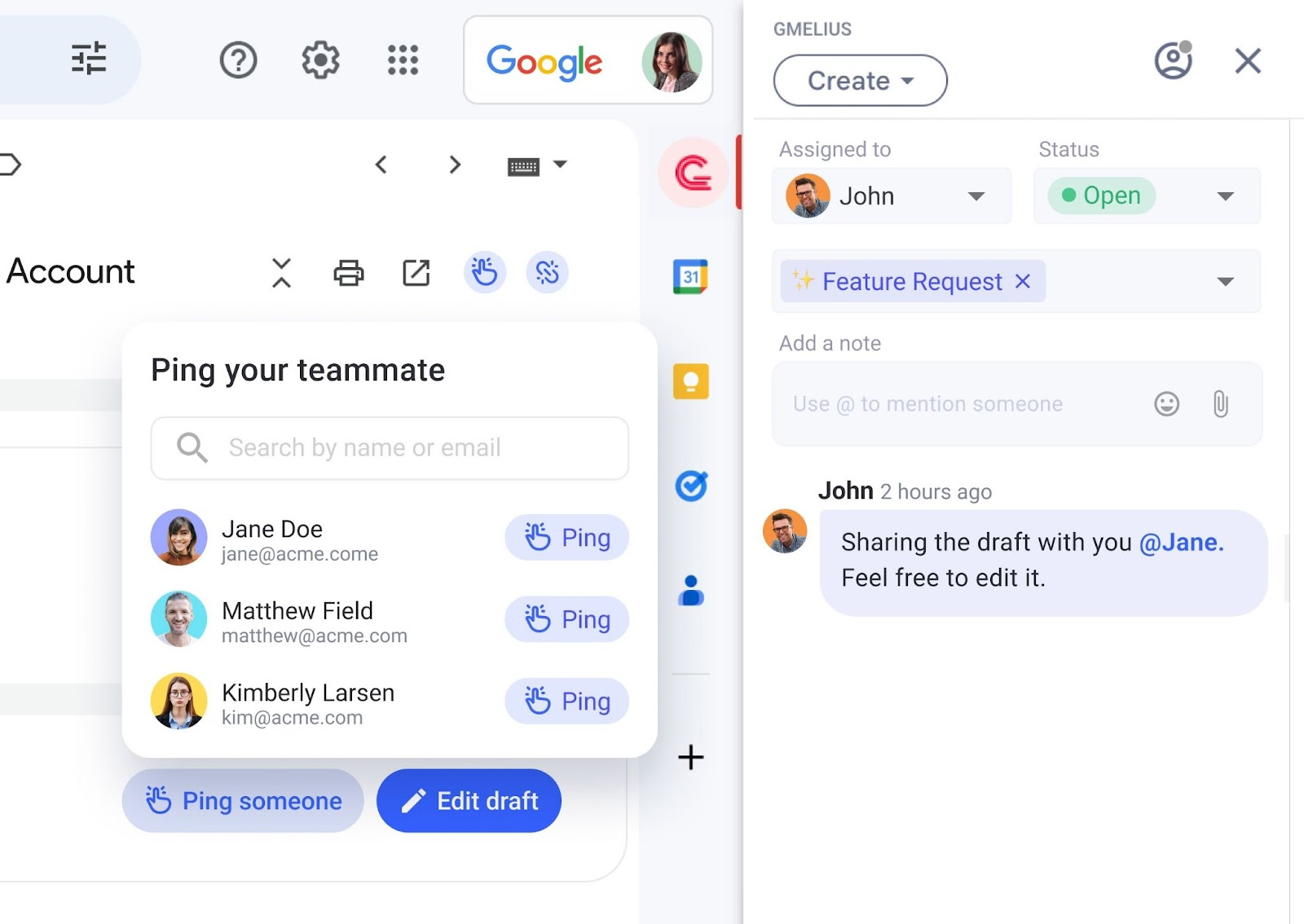
Meli drafts replies, sorts email, schedules meetings, and follows up. Growth adds sentiment analysis and an automation architect. AI dispatching sits on Pro. You stay in control. Every AI draft lands in your inbox for review, and nothing sends without approval. You can also switch the reply assistant off. If you only want a shared inbox, know that you’re paying for this layer too.
Kanban Boards Built From Email Threads
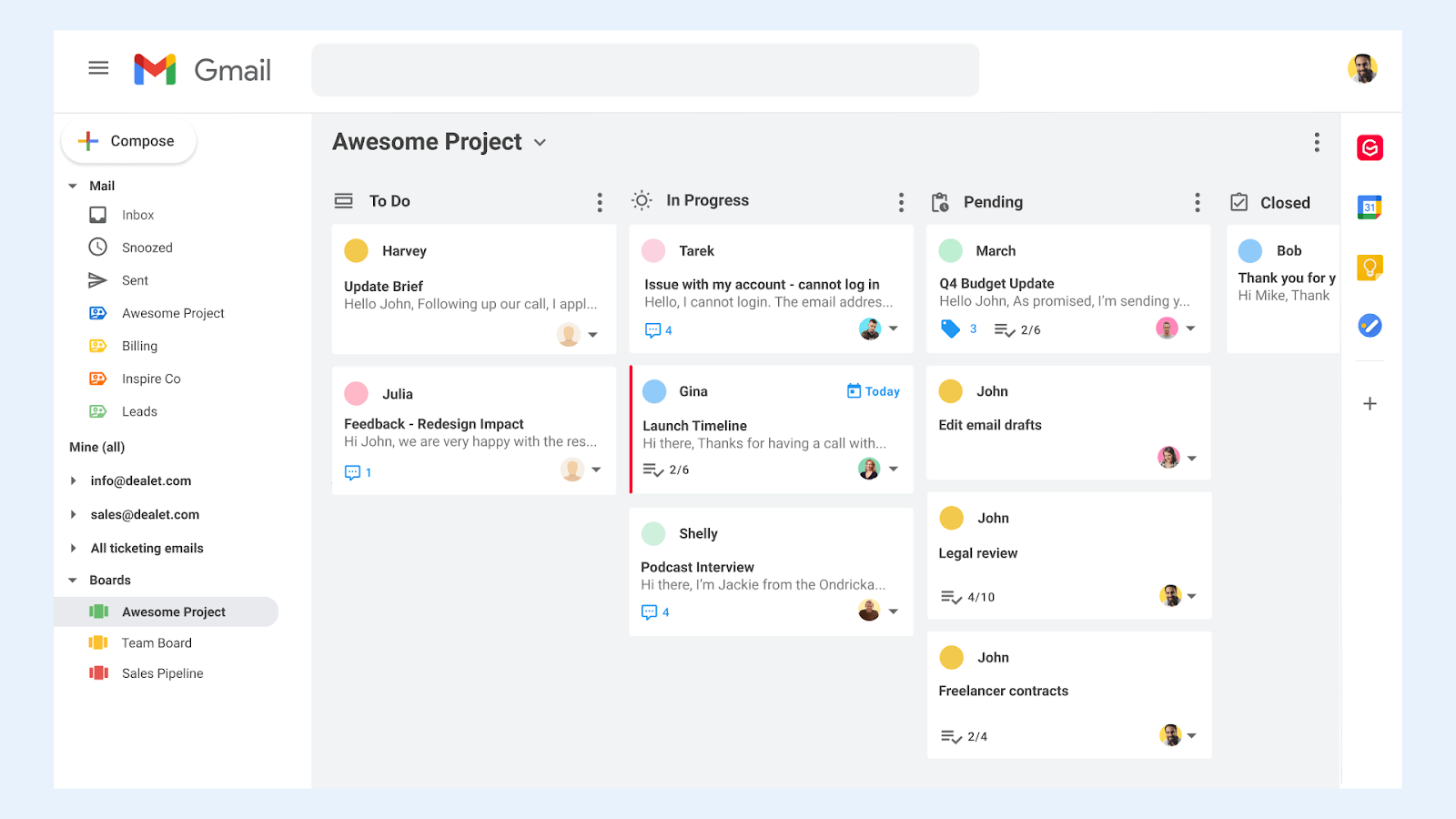
Kanban board views are included from Growth up. Threads become cards on a board. That suits light workflow, like tracking client requests or hiring conversations that already live in email. It doesn’t replace a project tool for work with no email attached. One G2 reviewer also disliked that a card’s preview text shows the first email, not the latest reply.
Email Templates and Shared Snippets
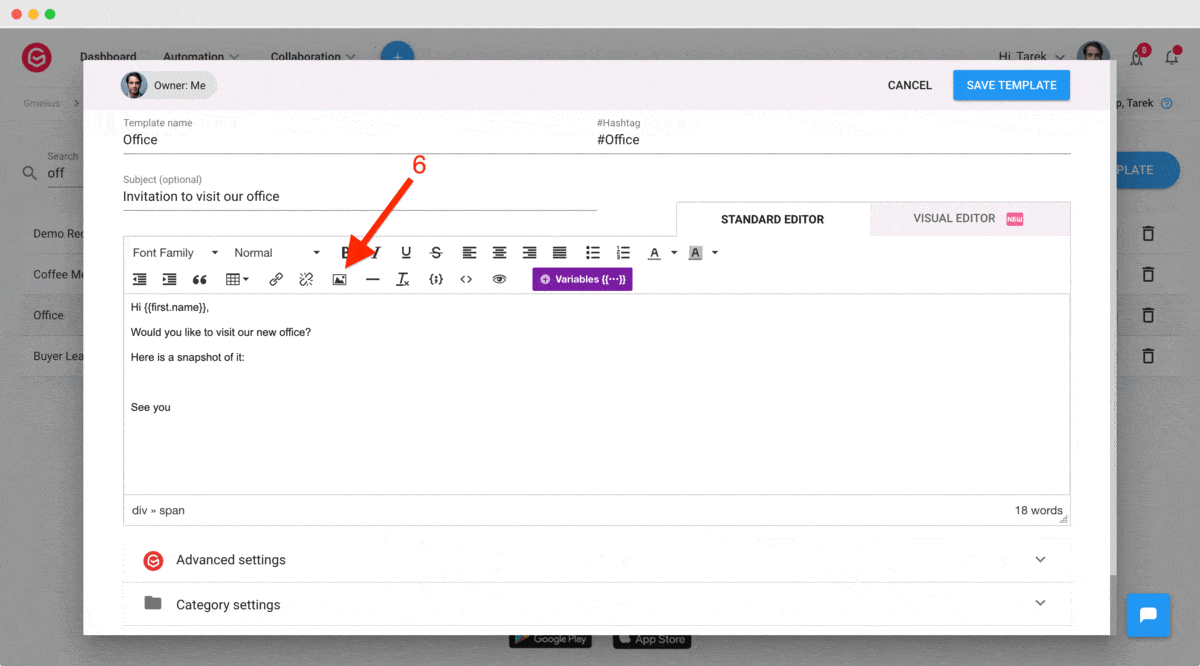
Templates support variables for names and custom fields, HTML editing, categories, and team sharing. They can also add labels, Cc, or Bcc automatically. They’re strong for repeated replies. They are not a substitute for sequenced outbound.
Rule-Based Automation
Auto-responders, tagging, and notifications are on every plan, but rule executions are capped: up to 10,000 a month on Growth and 100,000 on Pro. SLA rules and routing sit on Growth and above. Reviewers flag a steeper learning curve than the marketing suggests. One review quoted by Woodpecker says automation and sequences took longer to set up and train the team.
Trial check: build one routing rule and one SLA rule on day one. If they take more than an hour, plan for onboarding time.
Email Tracking and Sequences
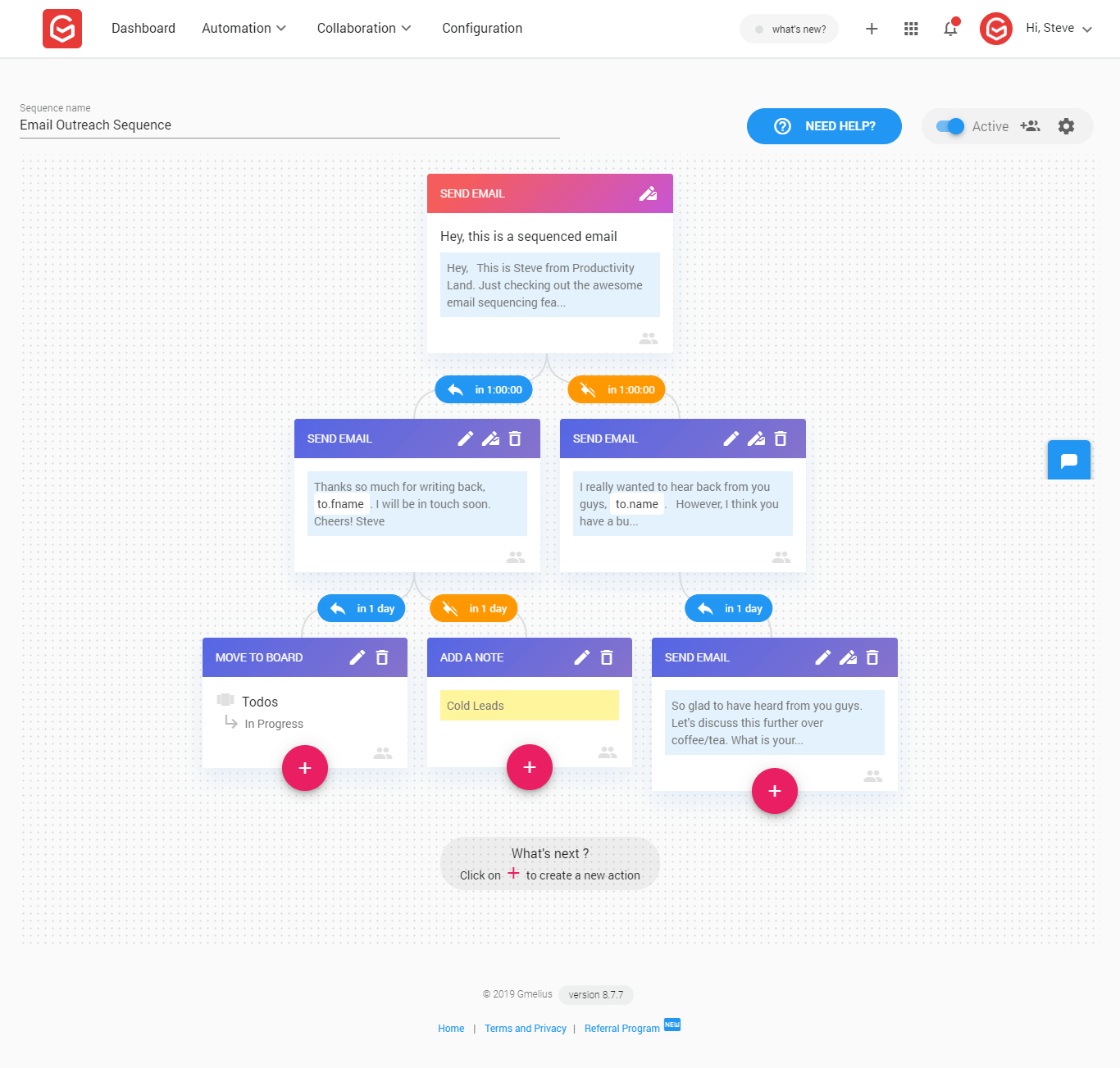
This is where older reviews are most out of date. On Gmelius email tracking, the help center says tracking has been discontinued and is not available for new users, citing data protection laws such as GDPR.
Mail merge is also closed. Email Campaigns are labeled deprecated and unavailable to new users. G2 still lists email tracking as a feature, which shows how stale some listings are.
Sequences are less clear. The template page still mentions sequences and multi-stage campaigns. But they don’t appear in the current plan comparison. We couldn’t confirm that new accounts get them. Ask Gmelius sales in writing before you count on them. Even when campaigns were live, the help center capped them at 1,250 emails a day for Google Workspace accounts. This was always light sequencing for a shared inbox, not a cold email platform.
Meeting Scheduling
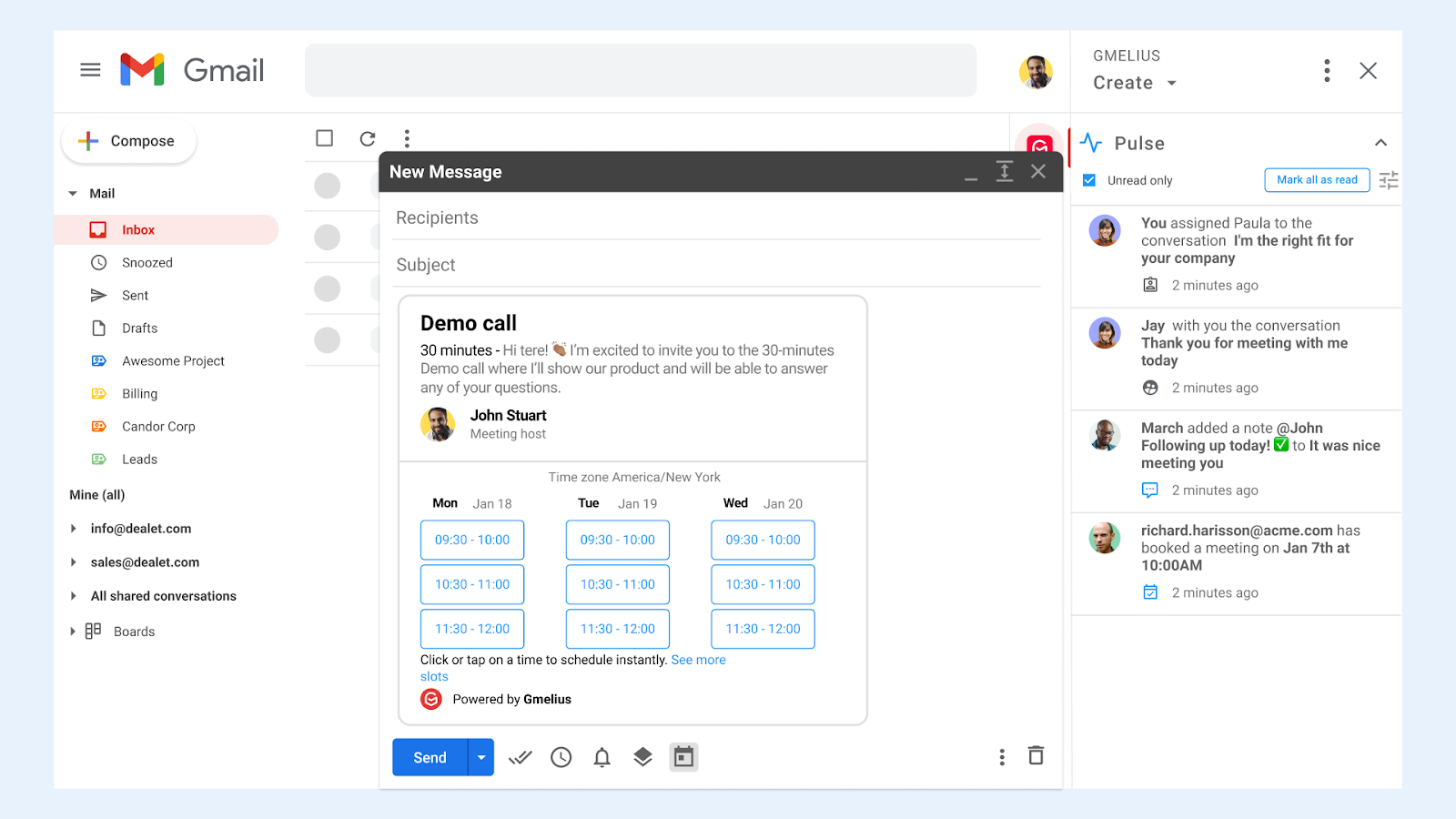
Older plan pages listed a meeting scheduler. We couldn’t find a standalone scheduling-links feature on the current grid. Scheduling now runs through Meli’s meeting assistant on every plan. If you rely on public booking pages, keep your standalone scheduler.
Reporting and SLA Tracking
Growth includes conversation, team performance, productivity, SLA, and tag reports, with a 3-month window. Pro extends the window to 12 months and adds business hours and CSV exports. That’s useful for support teams proving response times. It’s mostly irrelevant for sales use.
Integrations
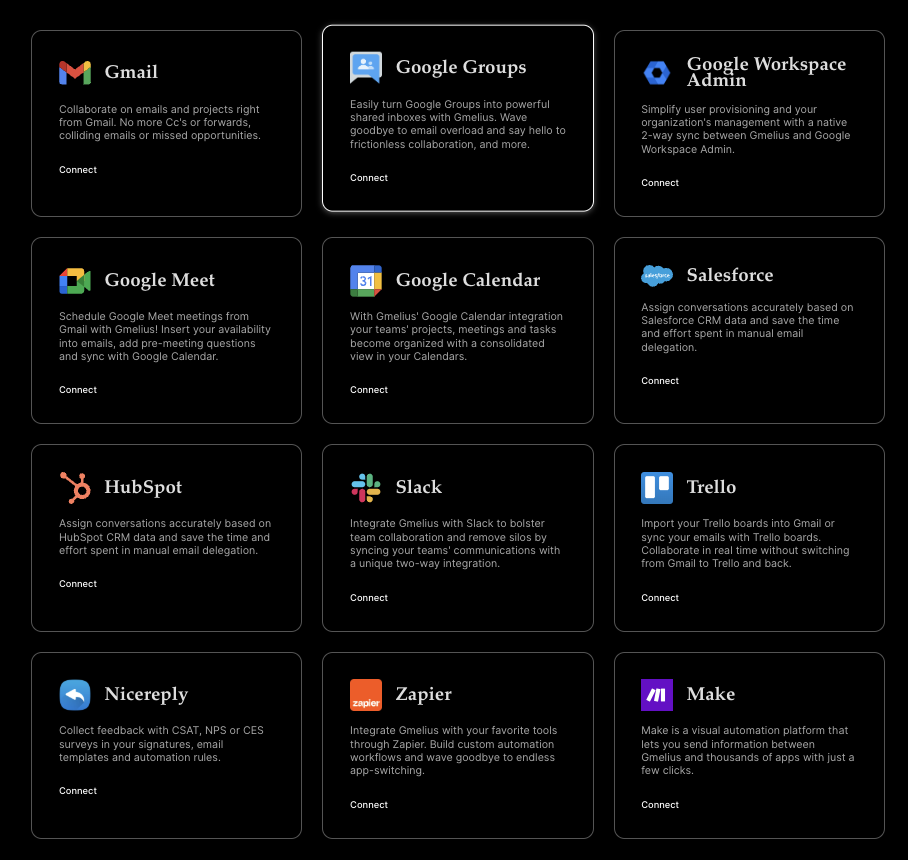
Growth lists Slack, Zapier, Make, Relay.app, Google Calendar, Meet, Google Groups, and API access. HubSpot, Salesforce, Nicereply, and Workspace Admin sit on Pro and above. Trello has its own integration page, but its tier isn’t shown on the grid. We found no native Asana or Pipedrive integration on the plan grid. Pipedrive works through Zapier. If a CRM sync matters, plan for Pro.
Gmelius Pricing in 2026
We read the plans directly from gmelius.com in October 2026. Confirm them again before you buy, because this is the most volatile part of the product. Third-party pages disagree with each other, as the intro showed.
The official plans are Meli at $19, Growth at $25, and Pro at $40 per user per month on annual billing. Monthly billing costs $21, $33, and $50. Enterprise is a custom quote with a 50-user minimum.
The caps you’ll hit first
A conversation is any Gmail thread added to a Gmelius workspace, such as a shared inbox, shared label, or a primary inbox with AI assistants. For example, a support@ inbox that gets 350 new threads a day is about 10,500 a month. That’s over Growth’s limit. The pricing page doesn’t say whether caps count per subscription or per user. Ask before you buy.
What sits behind Pro and Enterprise
Pro adds AI dispatching, CRM integrations, webhooks, advanced team analytics, custom permissions, teams, and Gmail and Drive backups. Enterprise adds bespoke AI, custom integrations, no caps, provisioning, and a HIPAA BAA. Pro trials are by request through sales.
Trial and billing details
- New signups get Growth for 7 days, plus a free 30-minute onboarding call.
- You pay by credit card to continue, or the account is suspended. The FAQ doesn’t say a card is needed to start.
- Everyone on a team must be on the same plan.
- Nonprofits can get 30% off for 5 to 19 users and 50% off for 20 or more, on annual billing.
What a five-person team pays per year
- Meli ($19 / $21): $1,140 (annual billing) , $1,260 (monthly billing).
- Growth ($25 / $33): $1,500 (annual billing) , $1,980 (monthly billing).
- Pro ($40 / $50): $2,400 (annual billing) , $3,000 (monthly billing).
How the seat price compares
Prices below are on annual billing for five users. Feature sets differ, so this is a rough guide.
Pro tip: ask for your renewal price in writing. One long-time customer’s June 2026 Trustpilot review says their annual price tripled at renewal. It’s a single account, but it’s a reason to read the terms.
One Last Line. One More Reply.
Don’t leave your follow-up to chance. Let Cleverly handle your targeting, email copy, and campaign optimization to turn cold prospects into real sales conversations.
Gmelius Pros and Cons: Our Review Findings
We weighed recent evidence most. Several public reviews date from 2018 to 2021, so we leaned on the live pricing page, the help center, and newer feedback.
Pros
- Almost no adoption friction. It lives inside Gmail, so people don’t learn a new interface.
- Core shared inbox features are well documented. Assignment, notes, and collision detection are standard on Growth.
- Boards add light workflow. You get email-tied task tracking without another subscription.
- Good for agencies. Teams can invite users from different Gmail or Workspace domains.
- Automation can save real time once configured, with templates and routing included.
- Competitive seat price against Hiver and Front at the entry tier.
Cons
- Performance is the most repeated complaint. G2’s own summary notes slow loading, filter and automation glitches, and mobile limits.
- Extension conflicts. One GetApp reviewer needed support to resolve Chrome extension bugs.
- Mobile is a PWA, not a full match for desktop. Reviewers mention missing functionality.
- Tracking and campaigns are closed to new users. Sequences are unconfirmed.
- The entry plan has no shared inbox, and conversation caps can force an upgrade.
- Gmail and Google Workspace only, with Outlook still a waitlist.
- Steeper automation learning curve than the marketing implies.
What Users Say: Gmelius Reviews and Ratings
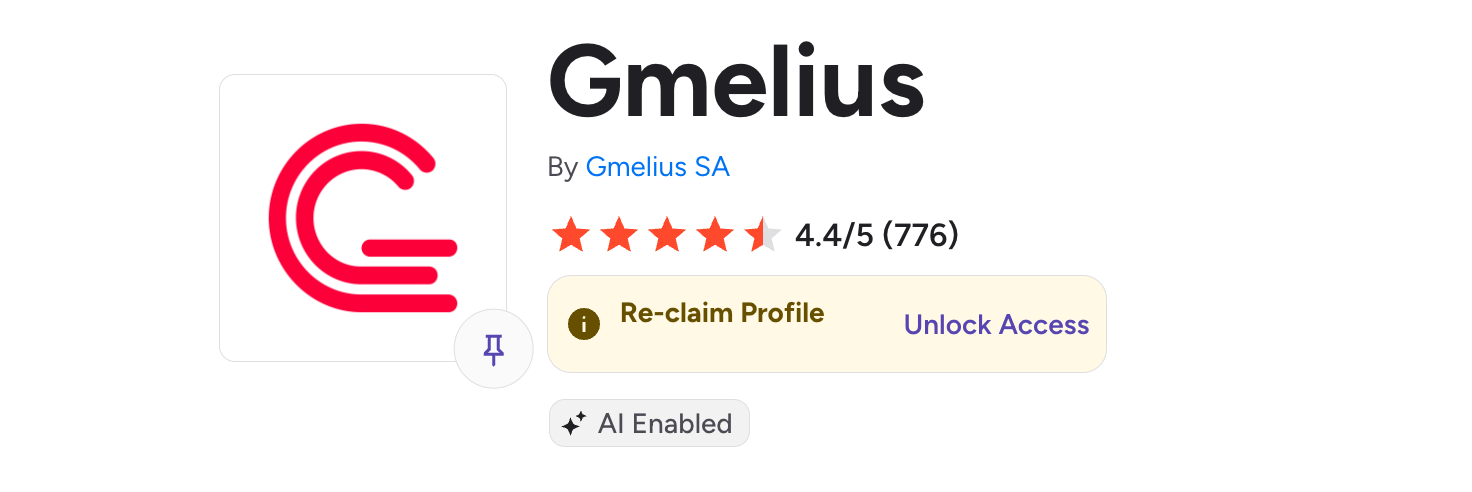
G2 - 4.4 / 5 (776 reviews)
Capterra and GetApp - 4.7 / 5 (43 reviews)
Trustpilot - 2.9 / 5 (5 reviews)
The gap is mostly sample size. Capterra’s high score rests on a small, older set. G2 has far more volume, and the sentiment is more mixed. Trustpilot’s five reviews are too few to treat as a verdict.
Consistent praise: Gmail-native convenience and ease of use. One July 2023 reviewer on SoftwareFinder said it “feels like a natural extension” of Gmail. Support also scores well. G2 shows 8.7 out of 10 for quality of support from 496 ratings.
Consistent criticism: slowdown, extension conflicts, and mobile gaps. A small-business reviewer on G2 wrote that “Gmelius can be extremely slow to load emails,” reporting waits of more than 10 seconds to open one.
Billing complaints are a small sample. A June 2026 Trustpilot reviewer on Gmelius since 2020 praised the shared inbox, saying it’s “sometimes slow for an email to update”. They also reported a 3x price rise at renewal without notice, and said Gmelius pointed to its terms. An older 2021 review described an unexpected charge. Two accounts don’t make a pattern, but they do make a reason to read the renewal terms.
On recency: much of this feedback predates recent performance work. Gmelius’s changelog lists load-time improvements and better processing for large data sets, but the entries we could access weren’t dated. We can’t tie those fixes to specific reviews.
Best Gmelius Alternatives in 2026
Hiver
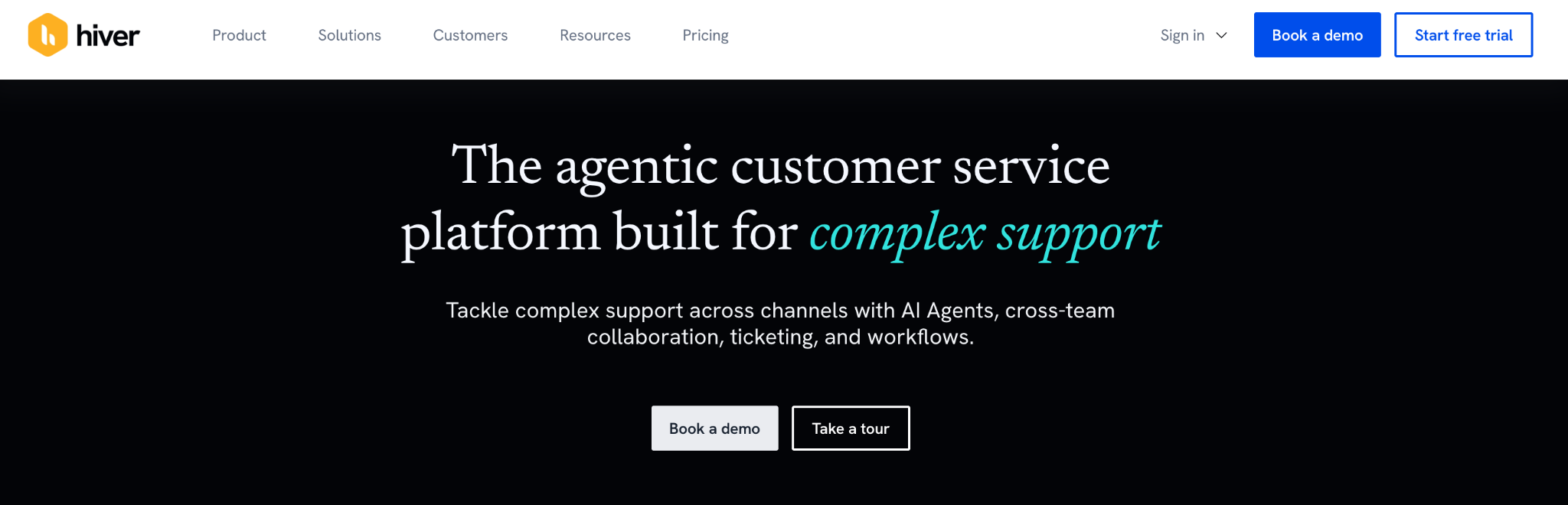
Best for: Google Workspace teams that want the longest-established Gmail-native option. Hiver lists a free plan, Growth at $25, and a 7-day trial of its top plan. Pro is $55 and Elite is $85 on annual billing. Limitation: it’s now positioned as a full customer service platform, and per-seat costs climb quickly at Pro and Elite. It scores 4.6 on G2 from 1,296 reviews.
Front
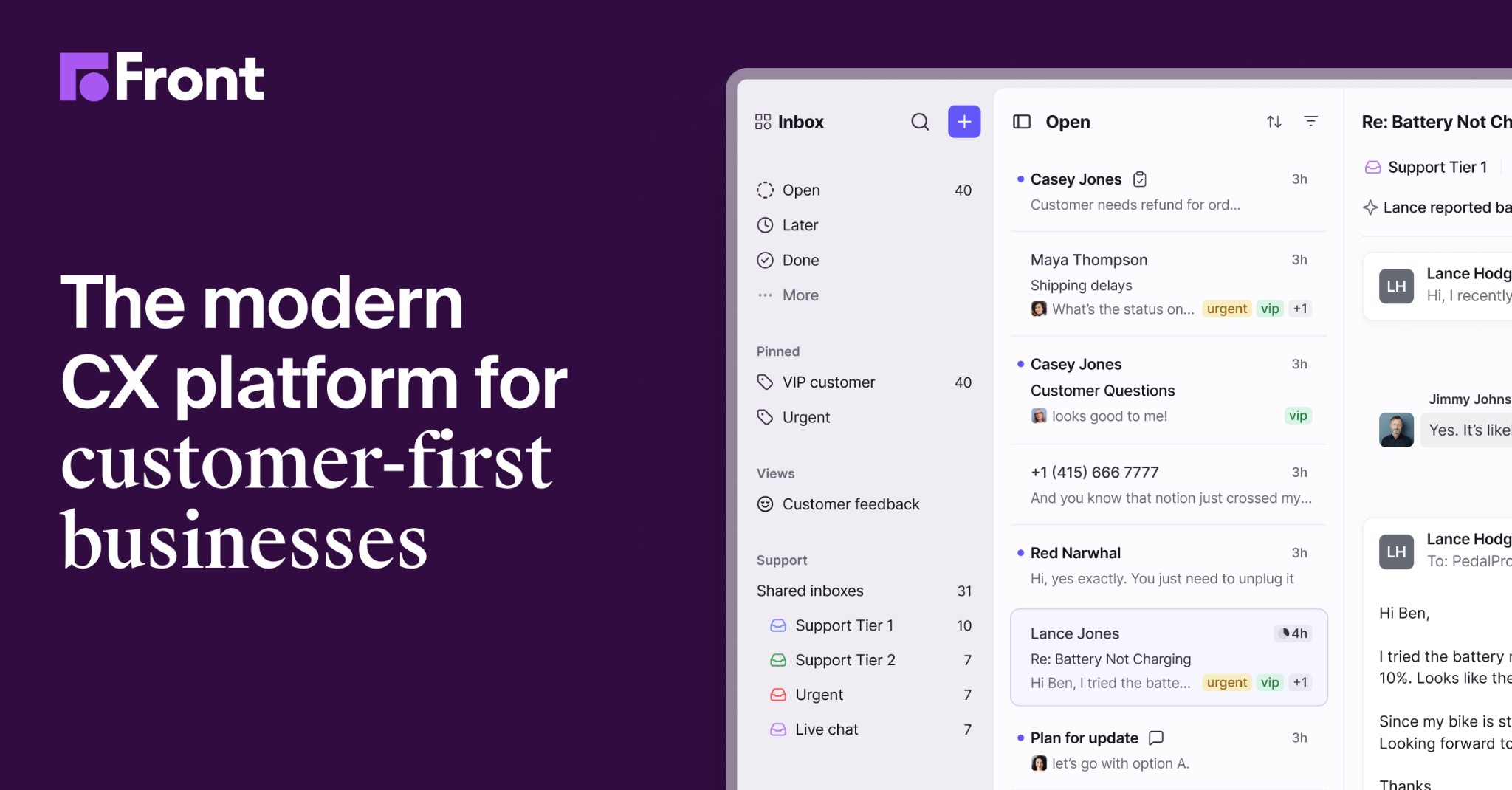
Best for: larger operations handling email alongside chat, SMS, and social. Starter is $25, Professional is $65, and Enterprise is $105 per seat on annual billing. Limitation: Starter is capped at 10 seats and one channel type, and AI features are typically paid add-ons. It’s heavier and more expensive than an inbox layer. G2 shows 4.6 from 2,515 reviews.
Missive
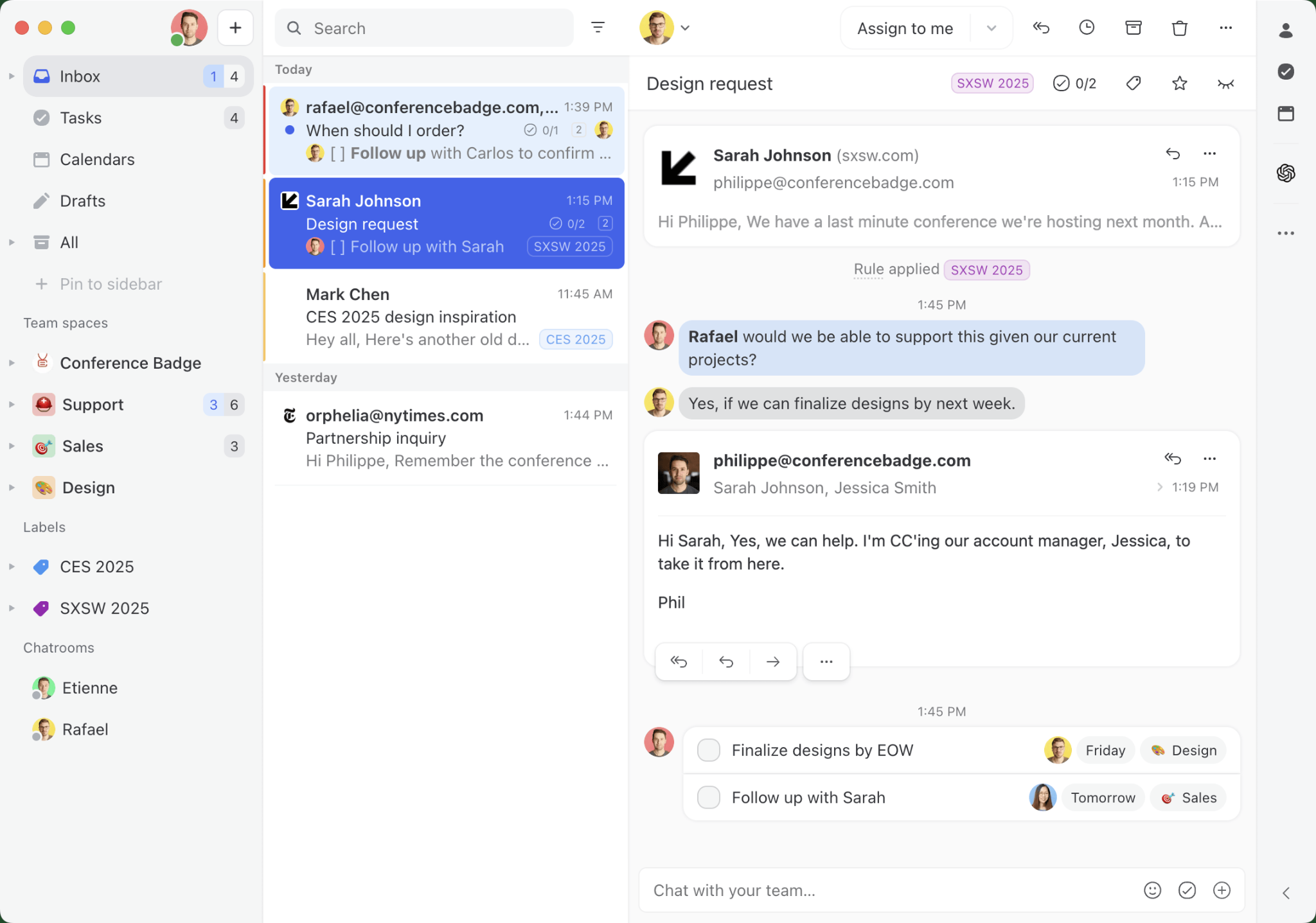
Best for: teams on mixed email providers or those who want built-in team chat. Plans run $14, $24, and $36 per user on annual billing, but the $14 Starter caps at 5 users and leaves out rules and AI. There’s a 30-day trial with no credit card required.
Limitation: it works beyond Gmail, so it feels less Gmail-native.
Drag
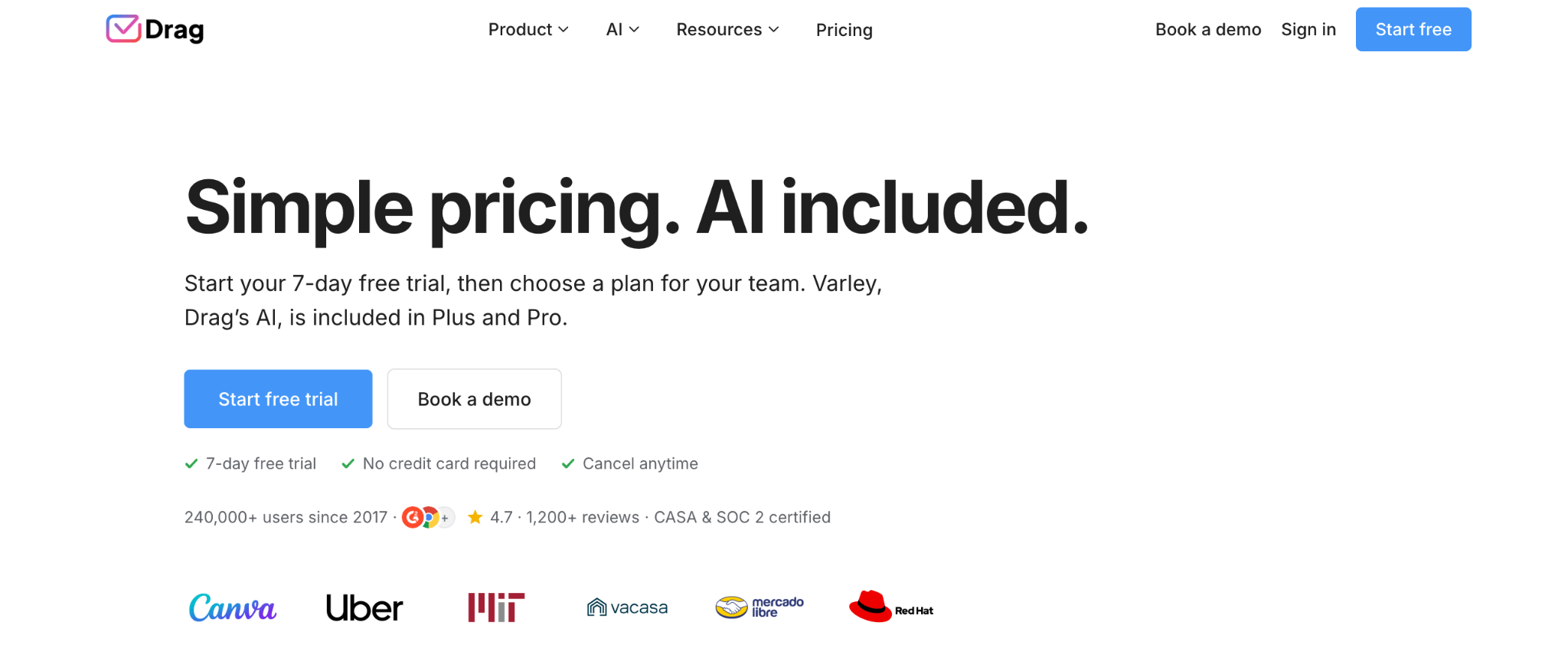
Best for: teams that want boards and shared inboxes at a lower price. Starter is $12, Plus is $18, and Pro is $24 on annual billing. Starter includes boards and 10 automation rules, and Plus adds AI assistants, unlimited rules, and sequences. The 7-day trial needs no credit card.
Limitation: it’s Gmail-focused and smaller, with 4.5 on G2 from 261 reviews. Drag is also a direct Gmelius competitor, so read its comparison pages with that in mind.
Help Scout
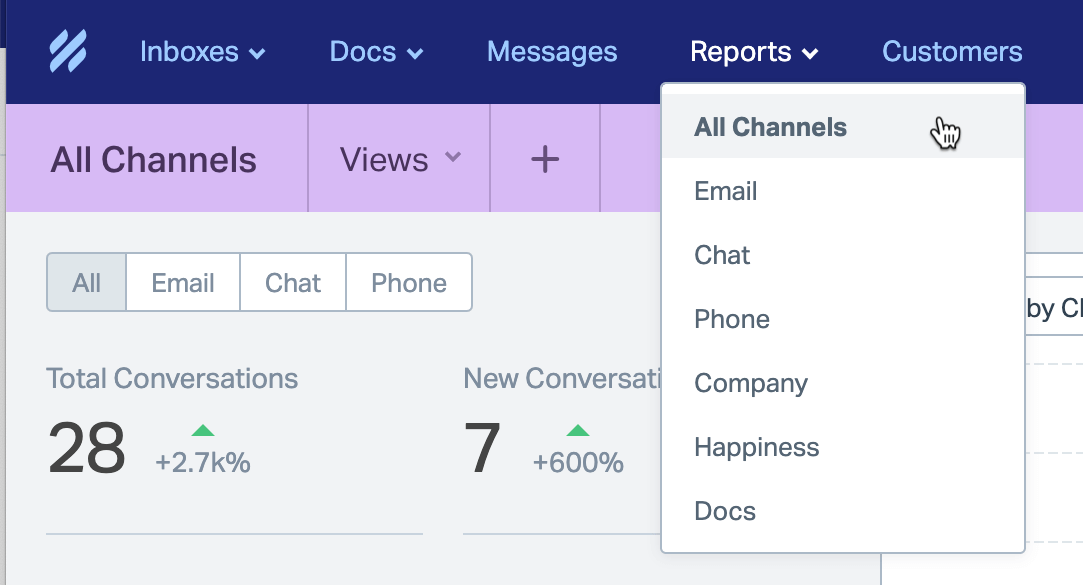
Best for: teams that want a proper helpdesk rather than an inbox layer. Published per-user pricing runs $25, $45, and $75 monthly across Standard, Plus, and Pro, with a 10-user minimum on Pro.
Limitation: it moves you out of Gmail. Help Scout has also switched between per-user and contact-based pricing, so confirm which model applies to you.
Google’s Native Shared Inbox
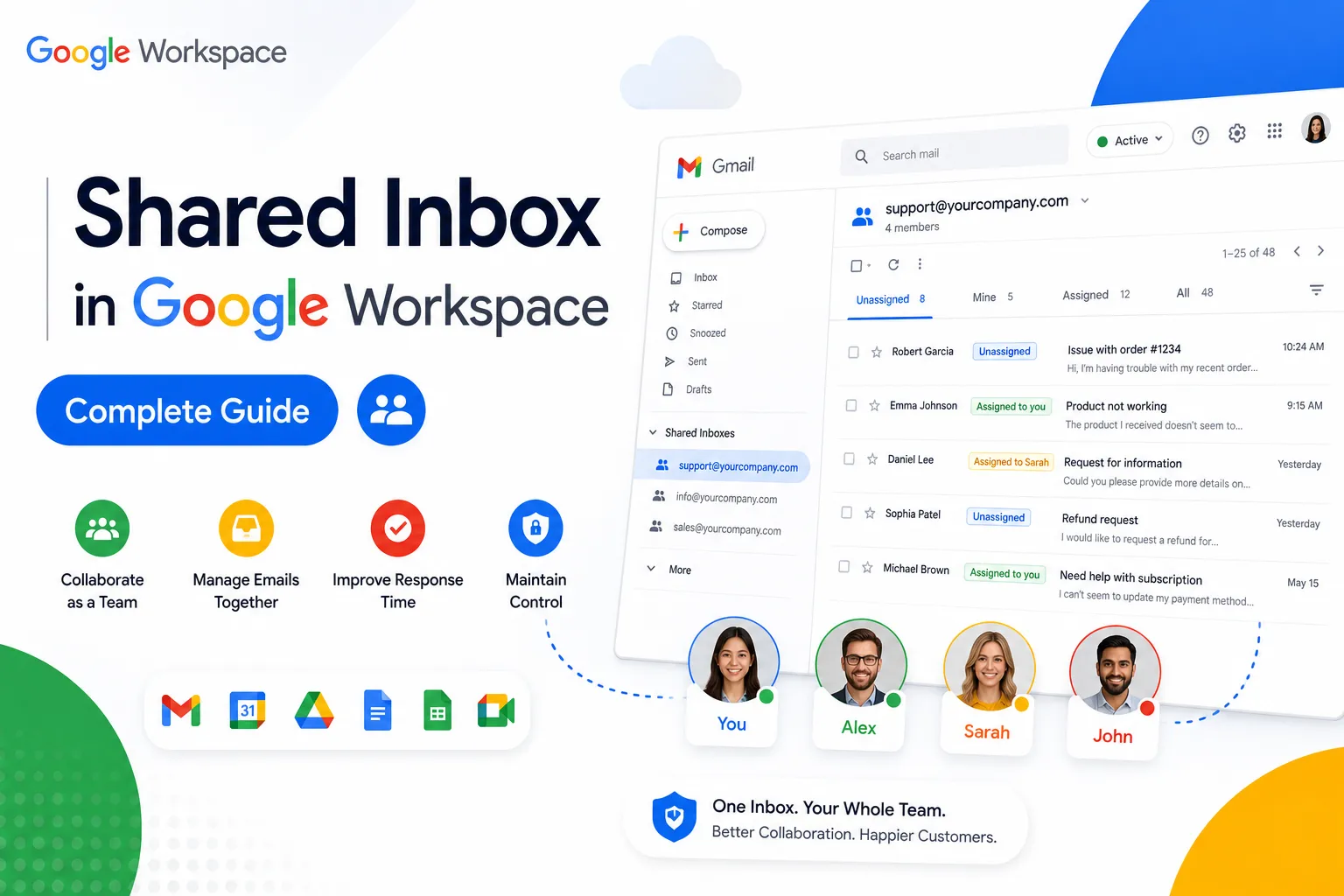
Best for: teams whose needs are simpler than they assume. Admins can create a shared inbox with delegates who read, send, and delete messages. Google’s Collaborative Inbox in Groups adds basic assignment and status.
Limitation: no boards, automation rules, or SLA reporting, and the newer inbox is rolling out in phases. Many readers don’t need a paid tool at all.
Where Gmelius Fits in a Sales Workflow (And Where It Does Not)
Gmelius manages conversations a team already has. It isn’t built to start new ones.
Where it helps sales teams
- A shared sales@ inbox with clear owners.
- Assigning inbound enquiries and speeding up first response.
- Seeing who owns what on a board.
- Tracking response times against SLAs.
Where it falls short for outbound
Using Gmelius for cold outreach has real gaps. The plan grid and feature pages show no domain rotation, no warm-up, and no deliverability tooling. Gmelius email tracking is closed to new users. Campaigns are deprecated, and sequences are unconfirmed. Volume sending isn’t practical.
The primary domain risk
Gmelius sends through your connected Google account. For most teams, that means outreach goes out from your primary Workspace domain. Complaints or blocks then hit the domain your invoices, client replies, and support email depend on. Read our guide on doing professional outreach without using your personal or primary domain before you try this.
The practical split: use Gmelius for inbound and reply management. Use a dedicated setup for outbound.
How Cleverly Fills the Inbox Gmelius Helps You Manage

Gmelius is good at what happens after an email lands. It sorts, assigns owners, and keeps response times tight. None of that creates conversations. We see the pattern often. A team buys inbox tooling to handle volume, then finds the real constraint is that not enough qualified conversations are arriving.
That’s the gap Cleverly fills.
We’re a fully done-for-you B2B lead generation agency. We run the whole outbound motion: ICP definition, verified multi-source list building, LinkedIn outreach, cold email, cold calling, and reply handling through to booked meetings.
Cold email runs on separate managed infrastructure and dedicated sending domains. Your primary Google Workspace domain stays clean for the client and inbound email Gmelius is managing.
We optimize for qualified meetings held, not messages sent or inbox volume. That approach has generated $312M in pipeline and $51.2M in closed revenue for clients. Teams choose done-for-you outbound because deliverability, data, copy, and ongoing optimization are a full-time job.
Got the inbox sorted but not enough coming into it? See what Cleverly can do for your pipeline. Book a call.
Final Verdict: Is Gmelius Worth It in 2026?
Gmelius is a good fit for small Google Workspace teams that want shared inboxes without leaving Gmail or paying help desk prices. We couldn’t verify the performance complaints ourselves, so they’re the first thing to test. They are the most consistent theme in the feedback we reviewed.
Choose it if:
- You’re a small team on Google Workspace.
- You want assignment and ownership inside Gmail.
- You value zero migration over a full helpdesk.
Look elsewhere if:
- You use Outlook or mixed providers.
- You run multichannel support.
- You plan serious outbound sending.
Check one thing before buying: your real monthly conversation volume against the plan cap, and whether caps count per subscription or per user.
If Gmelius looks right, trial it on a real shared inbox for a week, not a test account. That’s the only way to see how it behaves on your traffic. Keep outbound separate, and let this tool do what it’s good at: keeping the conversations you already have organized.
Frequently Asked Questions
Free Resource
How to Scale a Profitable Cold Call System
Get the complete guide — download it instantly now.

Free Ebook
Download the Free Guide
Enter your details to get instant access.
You're all set! 🎉
Your ebook is downloading now.
Click below if the download didn't start automatically.