Table of Contents
Why Business Emails Fail — The Core Problem
Subject Line Mistakes That Kill Open Rates
Content and Copy Mistakes That Kill Engagement
Deliverability and Technical Mistakes That Block the Inbox
List Management Mistakes That Erode Performance Over Time
Strategy and Planning Mistakes That Prevent Results
How Cleverly Avoids Every One of These Mistakes in Cold Email Outreach
Conclusion
Frequently Asked Questions
Modified On :
June 29, 2026
Key Takeaways
- Most email campaigns don't fail because of one catastrophic mistake — they fail because of multiple small ones stacking up: weak subject lines, poor authentication, stale lists, and no clear goal all compound into declining performance.
- Domains without proper SPF, DKIM, and DMARC authentication see inbox placement rates drop to 44%, compared to 89% for fully authenticated senders — this is the single highest-impact fix for most teams.
- Sending to unsegmented lists is leaving serious performance on the table: segmented campaigns drive 30% more opens and 50% more clicks than unsegmented sends.
- Hiding your unsubscribe link doesn't reduce unsubscribes — it increases spam complaints, which is far more damaging to your sender reputation and long-term inbox placement.
- Email still delivers $36–$42 for every $1 spent — but only when the fundamentals are right. The channel isn't the problem. Execution is.
Email marketing returns $36–$42 for every $1 spent — no other channel comes close. And yet, the average B2B professional receives 120–150 emails per day. The inbox is crowded, filters are stricter than they've ever been, and the tolerance for bad email has dropped to near zero.
The result? Campaigns that looked fine six months ago are now seeing open rates slip, click-through rates stagnate, and reply rates trend toward nothing. And in most cases, the cause isn't the audience or the offer. It's the execution.
Senders without proper authentication see inbox placement drop to 44%, compared to 89% for fully authenticated domains. Segmented campaigns deliver 30% more opens and 50% more clicks than unsegmented ones, with 77% of total email ROI coming from segmented, targeted, and triggered sends.
Meanwhile, 55% of replies to cold email campaigns come from follow-up emails, not the first message — meaning most teams stop their sequences too early and leave the majority of their potential pipeline untouched.
This guide breaks down the most common email marketing mistakes by category — subject lines, content and copy, deliverability and technical setup, list management, and strategy — and gives you specific guidance on what to fix and how.
Whether you're running marketing nurture sequences, cold outreach, or both, these are the mistakes that are costing you opens, conversions, and pipeline right now.
Why Business Emails Fail — The Core Problem
Before fixing anything, you need to know what category of mistake you're dealing with. Most common email mistakes fall into one of two buckets:
1. Mistakes that prevent the email from being seen — deliverability failures, poor authentication, damaged sender reputation, or being routed to spam before the reader ever makes a choice.
2. Mistakes that prevent the email from being acted on — weak subject lines, content written for the sender instead of the reader, too many CTAs, and no clear goal per email.
Fixing the wrong category first produces no improvement. You can write the best email in the world, but if it's landing in the spam folder, it doesn't matter. And you can have perfect inbox placement, but if your subject line is vague and your body copy is self-centered, you're still at zero conversions.
There's also a compounding effect that most teams underestimate. A weak subject line reduces opens. Lower opens signal poor engagement to inbox algorithms. Poor engagement hurts sender reputation. Damaged sender reputation reduces inbox placement. And so it continues, quietly, until the channel stops working.
Gmail and Yahoo's deliverability enforcement continues to tighten through 2026–2027, making authentication, low spam complaint rates, and one-click unsubscribe non-negotiable for consistent inbox placement. Mistakes that were tolerated in 2022 now have measurable, lasting consequences.
The good news: most email failures are systematic, not situational. They repeat across campaigns and can be identified and fixed at the process level rather than campaign by campaign.
📧 One Deliverability Mistake Can Cost You 15–30 Meetings a Month
We optimize inbox placement, copy, and targeting so your emails reach buyers—not spam folders.
Subject Line Mistakes That Kill Open Rates
Subject lines are the gatekeeper. A campaign with a poor subject line has a 0% conversion rate regardless of what's inside. These are the email marketing mistakes to avoid at the subject line level.
Writing Vague or Misleading Subject Lines
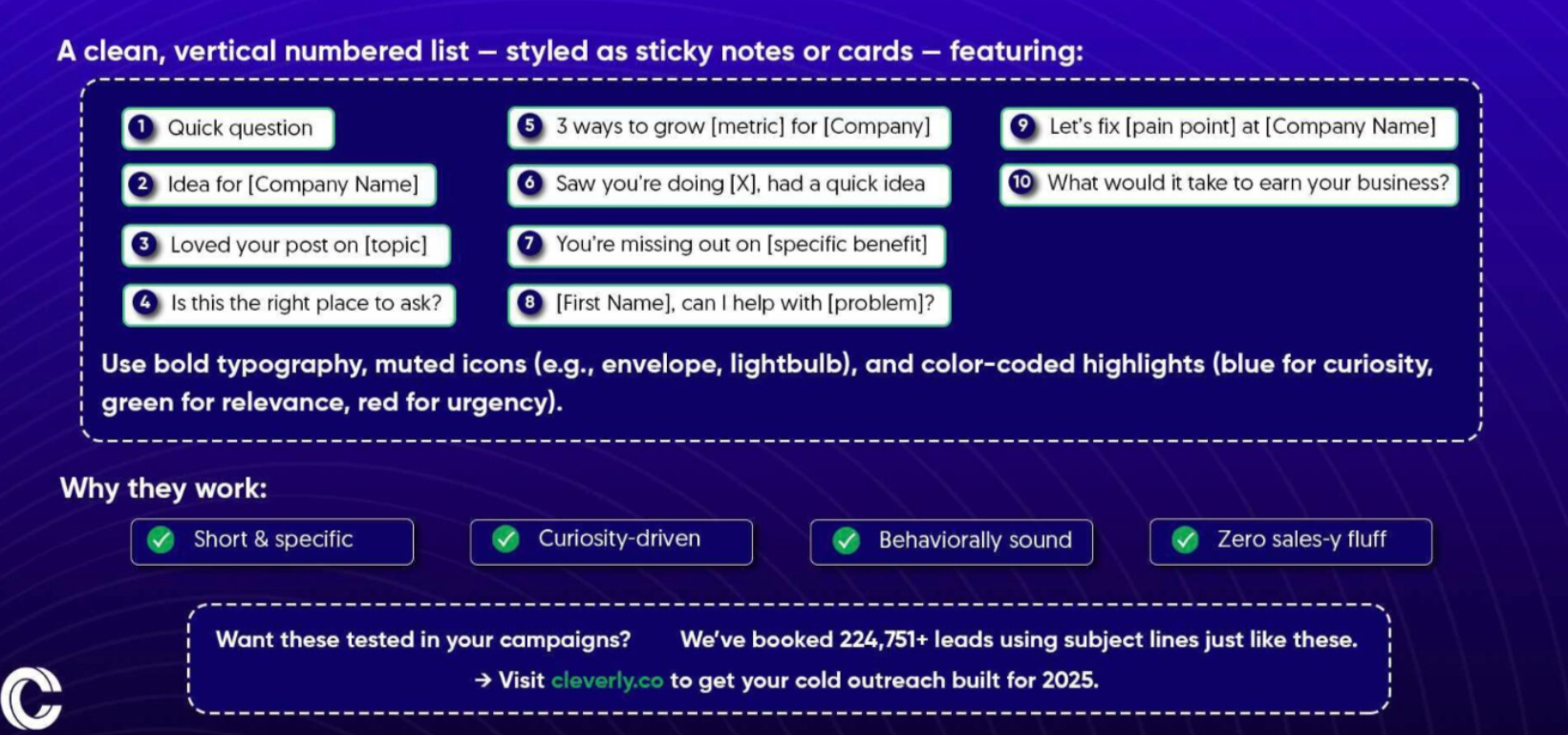
"Just checking in." "Quick update." "Important news." These are the subject lines that trained readers to ignore you. There's no specific promise of value, no reason the reader should open this email over the 149 others sitting next to it.
Misleading subject lines are worse. A subject line that over-promises relative to the body — "You won't believe this" leading into a routine product update — destroys trust immediately and increases unsubscribes on every email that follows. The reader feels deceived, and that feeling carries over to the next send.
The fix is simple: write subject lines that make a specific, honest promise about what's inside. "3 mistakes killing your email open rate" earns the open. "Important email update" earns the archive.
A useful test: if you removed the subject line and handed the email to someone cold, would the subject line accurately represent what they're about to read? If not, rewrite it.
Writing Subject Lines That Are Too Long
Subject lines should stay between 30–50 characters for maximum impact — the most compelling words need to appear first so even a truncated line communicates the core reason to open.
Mobile dominance in email is growing, with 65% of opens happening on mobile in 2025 heading toward 75% by 2030. Designing subject lines for desktop display lengths is a mistake that affects the majority of your audience. What you see when you hit send is not what most of your list sees.
Paste every subject line into a mobile preview tool before sending. The part of the subject line that disappears before the reader decides whether to open is often the part that carries the most meaning.
Using Spam Trigger Words and Aggressive Formatting
Spam filters in 2026 evaluate intent, not just keywords — but certain words and formatting patterns still increase the likelihood of spam folder routing. Excessive use of "free," "guaranteed," "act now," all-caps words, excessive exclamation points, and misleading "Re:" prefixes on cold outreach all contribute.
A single metric governs inbox placement more than any other: spam complaint rate. Gmail, Microsoft, and Yahoo enforce strict thresholds — best practice is below 0.1%, with 0.3% as the hard ceiling before deliverability craters across your entire sending domain. VerifiedEmail
A high spam complaint rate is the fastest way to damage sender reputation. And spam complaints come from subject lines that feel like promotional flyers, not from real people who have something specific to say.
The fix: write subject lines that sound like they belong in an email between two colleagues. If it would feel out of place in a professional conversation, it probably shouldn't be in your subject line.
Content and Copy Mistakes That Kill Engagement
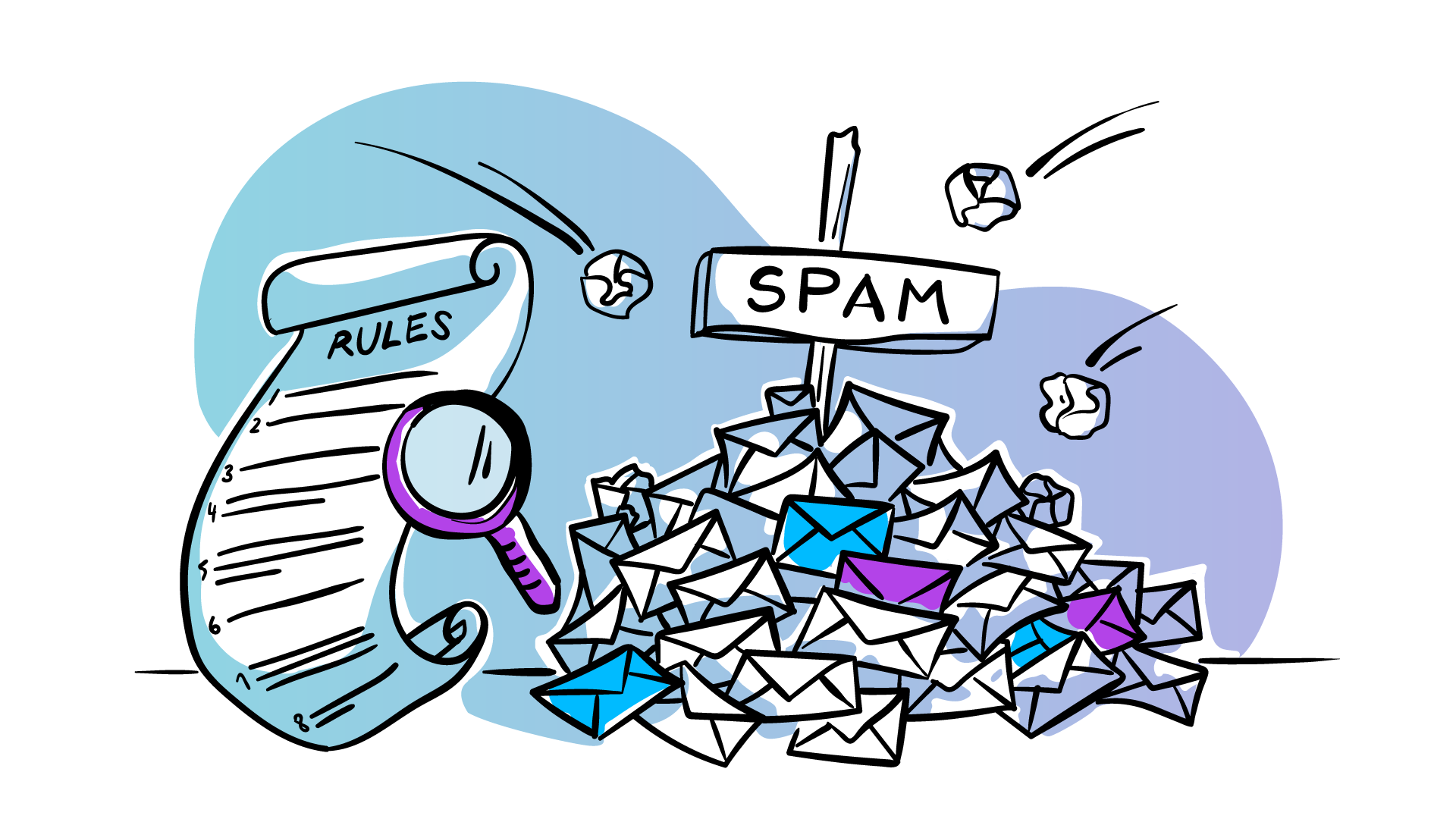
Getting into the inbox is only half the battle. These are the common mistakes in email marketing that cause readers to close the email without clicking, replying, or taking any action at all.
Writing for the Sender, Not the Reader
This is the most widespread business email mistake, and it's everywhere. Emails written entirely about the sender's company, product, or news — with no connection to what the reader actually cares about or what problem they're trying to solve.
Every reader has an unspoken question when they open an email: "Why does this matter to me, right now?" An email that doesn't answer that question in the first two sentences has already lost the read. The cursor is hovering over "delete."
The fix: start every email from the reader's perspective — their problem, their situation, their goal — and position your product or company as the solution to a problem they already have. You're not the subject of the email. You're the answer to their question.
A practical test: read the first paragraph and count how many times "we," "our," and the company name appear versus "you" and "your." If the ratio favors the sender, rewrite it from the reader's side.
Including Too Many CTAs
Multiple calls-to-action in a single email dilute focus. When the reader has three or four things they could do next, the cognitive load of choosing reduces the likelihood they'll do any of them.
Research consistently shows that emails with a single, clear CTA produce higher click-through rates than emails with multiple competing options. The clarity of one obvious next step outperforms the "more choices = more conversions" assumption every time.
Every business email should have one job and one CTA that matches that job. If you have multiple things to say or offer, send multiple emails in sequence rather than combining them. The sequence does more than the kitchen-sink single send.
The exception: newsletter formats where multiple content items each have their own link are a structurally different product — but even here, one primary CTA should be visually dominant.
Using AI-Generated Content Without Editing
AI writing tools can accelerate production, but unedited AI-generated copy has recognizable patterns. Overly formal sentence structure, generic metaphors, filler phrases like "in today's fast-paced world" — readers pick up on these signals and interpret them as "no human thought specifically about me when they wrote this."
The deeper problem: AI generates content based on patterns from average emails, which means it produces average emails. Business emails that drive action are almost always specific, unexpected in some way, and clearly written by someone who knows the reader's situation.
Use AI to generate drafts or overcome blank-page resistance, then rewrite the opening and the ask in a specific, human voice. Those are the two parts readers notice most — and they should never go out without a meaningful edit pass.
A useful test: could this email have been sent to anyone in your industry without changing a word? If yes, it's not specific enough to convert.
Ignoring Mobile Optimization
With 65% of opens happening on mobile in 2025 and trending upward, an email designed only for desktop display creates layout breaks, text too small to read, and buttons too small to tap — which makes the experience frustrating enough to close before reading.
Mobile optimization requirements: single-column layout that reflows correctly on small screens, minimum 14–16px body font, CTA buttons at least 44px tall so they can be tapped reliably, and alt text on images for clients that block images by default.
The preview text is also often overlooked on mobile, but it displays prominently before the reader opens — treat it as a second line of subject copy that either reinforces the open decision or gets wasted on default filler text.
Test every campaign across mobile clients before sending. Most ESPs have built-in mobile previews, and tools like Litmus render across 100+ clients to catch display issues before they affect real opens.
🚀 10,000+ Companies Fixed Their Outbound With Cleverly
Our cold email experts build campaigns that generate replies, qualified meetings, and measurable pipeline—not just opens.
Deliverability and Technical Mistakes That Block the Inbox
Technical mistakes are the most damaging category of email marketing mistakes because they operate invisibly. Campaigns look normal in the dashboard while emails route to spam or get rejected before the reader ever sees them.
Skipping Email Authentication (SPF, DKIM, DMARC)
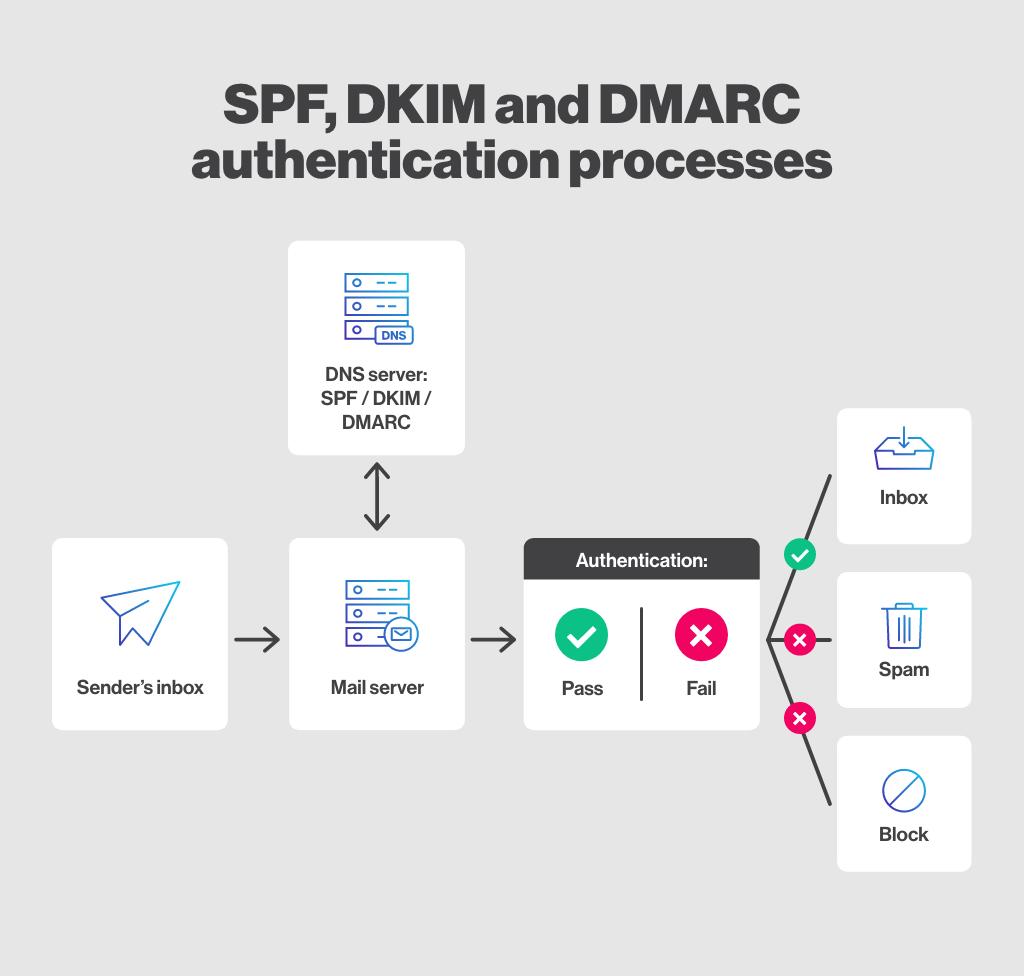
SPF, DKIM, and DMARC are the technical standards that prove to receiving mail servers that your emails are legitimate — not spoofed or phishing attempts. They're the foundation that everything else rests on.
Google and Yahoo's DMARC authentication requirements have been fully enforced since Q1 2024, permanently altering the deliverability landscape. Senders without proper authentication see inbox placement rates drop to 44%, compared to 89% for fully authenticated domains.
The fix: verify that SPF, DKIM, and DMARC records are correctly configured for every sending domain. Most ESPs provide step-by-step setup guides, and tools like MXToolbox let you verify authentication status in minutes. This is a one-time setup with ongoing impact on every campaign you ever send.
For cold email specifically, authentication is even more critical. Sending cold outreach from an unauthenticated domain at volume results in domain blacklisting — often permanently.
Hiding or Removing the Unsubscribe Link
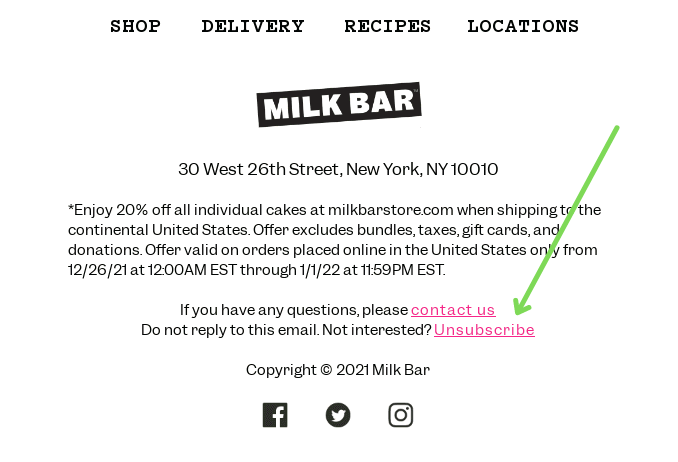
Hiding the unsubscribe link doesn't reduce unsubscribes. It increases spam complaints. A reader who can't find the unsubscribe option reports the email as spam. A reader who can find it simply leaves the list. One of these outcomes damages your sender reputation. The other cleans it.
Gmail and Yahoo both implemented requirements around easy-to-find unsubscribe options and spam complaint thresholds below 0.3% — the unsubscribe rate roughly doubled in 2025 partly because Gmail made the unsubscribe button more prominent, which actually helps senders maintain cleaner lists.
Make the unsubscribe link visible, functional, and easy to find in every email. Treat an unsubscribe as a list health improvement. You're removing a contact who doesn't want to be there, which protects deliverability for every contact who does.
A preference center is worth considering for audiences who might want less frequency rather than no emails at all — it captures some contacts who would otherwise unsubscribe entirely.
Sending From a Poorly Warmed or Shared Domain
Sending high-volume email from a new domain without warming it, or from a shared IP address with other senders whose behavior you can't control, exposes your deliverability to factors entirely outside your control.
Domain warm-up: new sending domains need 4–8 weeks of gradually increasing send volume — starting around 20–50 emails per day and scaling up — before sending at full volume. Jumping straight to high volume from a new domain triggers spam filters immediately.
For cold email outreach specifically, always use a separate subdomain from your primary company domain. If the cold sending volume generates any spam complaints, you protect the main domain's reputation and keep your marketing emails unaffected.
Also Check: How to Successfully Outsource Your Email Marketing
List Management Mistakes That Erode Performance Over Time
List quality degrades over time regardless of how well it was built initially. These are the common mistakes in email marketing at the list management level that quietly undermine performance without triggering an obvious alert.
Sending to an Unsegmented List
Sending the same email to every contact on your list — regardless of their role, industry, stage, or engagement history — is the fastest way to produce mediocre metrics across all segments. The message is too generic to be relevant to any specific person.
Segmented campaigns deliver 30% more opens and 50% more clicks than unsegmented sends, and 77% of total email ROI comes from segmented, targeted, and triggered campaigns. The improvement comes entirely from relevance — not from sending more.
At minimum, segment by source (inbound vs. outbound), engagement level (active vs. dormant), and ICP profile (industry, company size, role). Even two or three segments receiving tailored messaging will dramatically outperform a single blast to the full list.
Buying Email Lists
Purchased lists contain contacts who never consented to receive email from your business. They're more likely to mark your emails as spam, which damages sender reputation, and they violate GDPR, CAN-SPAM, and most major email compliance frameworks.
The short-term logic is seductive: a large list seems like a fast path to scale. The long-term reality: bounce rates exceeding 3% trigger deliverability penalties from Gmail, Outlook, and Yahoo, eventually resulting in spam folder placement even for valid contacts — yet 39% of senders rarely or never conduct list hygiene.
Build the list through legitimate opt-in mechanisms — gated content, newsletter sign-ups, event registrations, and cold outreach that earns a positive reply before adding to the nurture list. A smaller, permission-based list consistently outperforms a larger purchased one, both in engagement and in deliverability.
Not Cleaning Inactive Contacts Regularly
B2B contact data decays at 18–25% annually as people change roles and companies restructure. Continuing to send to inactive or invalid addresses produces hard bounces, soft bounces, and low engagement signals that hurt inbox placement for your entire list — not just the inactive segment.
The engagement threshold: contacts who haven't opened or clicked in 90–180 days (depending on your send frequency) should move to a re-engagement sequence before being removed. Keeping them in the active list as silent non-engagers continuously signals poor engagement to inbox algorithms.
Run a list hygiene audit quarterly. Remove hard bounces immediately. Send a re-engagement campaign to long-term inactive contacts. Archive those who don't respond. A smaller, actively engaged list delivers better inbox placement for every campaign than a large, stale one.
Strategy and Planning Mistakes That Prevent Results
These are the highest-level email marketing mistakes to avoid — the ones that make every campaign less effective before the first word is written, because the strategic foundation is wrong.
❌ No Clear Goal Per Email
Every business email should have one specific goal: a reply, a click, a download, a booking, a purchase. Every element of that email — subject line, body, CTA — should be built to drive that single action.
Emails without a defined goal produce unfocused copy, multiple competing CTAs, and no clear way to measure whether the email worked. If you can't answer "what do I want the reader to do after reading this?" before you start writing, you're not ready to write it.
Define the one goal of the email first. Then write the subject line to earn the open for that goal, the body to build the case for it, and the CTA to make taking that action the obvious next step. In that order.
❌ Inconsistent Sending Frequency
Inconsistent sending — three emails this week, nothing for three weeks, then four in a row — disrupts audience expectations and produces both engagement drops and unsubscribe spikes when the cadence suddenly accelerates.
Inbox algorithms reward consistent sender behavior. Regular sending at predictable intervals builds a positive engagement history with email providers that supports inbox placement over time. A reliable, regular email that readers expect is worth more than bursts of irregular communication that feel like interruptions.
Define a sending cadence appropriate for your audience and content volume, and stick to it. The discipline matters more than the frequency.
❌ No Testing or Optimization Cadence
Email campaigns that aren't systematically tested don't improve. They repeat the same mistakes at the same performance level until the list exhausts or the team gives up on the channel.
What to test: subject line style (question vs. statement vs. data point), send day and time, email length, CTA copy and placement, personalization variables, and content format (plain text vs. HTML). Each variable tested consistently produces compounding improvements over time.
The discipline: test one variable at a time, against a meaningful sample size, with a consistent measurement window. Testing two variables simultaneously makes it impossible to attribute the performance difference to the right cause.
A/B split testing and spam testing email campaigns before distribution leads to a 28% higher return — so building that testing habit into every send has a measurable impact on full-year performance.
How Cleverly Avoids Every One of These Mistakes in Cold Email Outreach
Cold email amplifies every email marketing mistake. A weak subject line means zero opens from a cold list. Poor authentication means domain blacklisting. No segmentation means generic copy that converts no one. And inconsistent follow-up means most of the potential pipeline never gets touched.
We've built Cleverly specifically to address these failures at every layer of cold email execution — not just the copy, but the infrastructure, the list, and the sequences that drive actual meetings.
Here's what that looks like in practice: before the first send goes out, we handle domain authentication and warm-up so deliverability is protected from day one. Every list is built against your ICP with no purchased contacts, cleaned before it enters any sequence, and segmented by relevant dimensions so the messaging is specific enough to actually convert.
Sequences are multi-touch and structured — not two emails and done — because 55% of cold email replies come from follow-up emails, not the first message. Every email in every sequence has one CTA, one ask, and one clear reason the reader should respond.
What our clients don't have to manage: sender infrastructure, domain health monitoring, list cleaning, deliverability troubleshooting, sequence optimization, or copywriting iteration. We handle all of it so the only thing you're doing is taking the meetings.
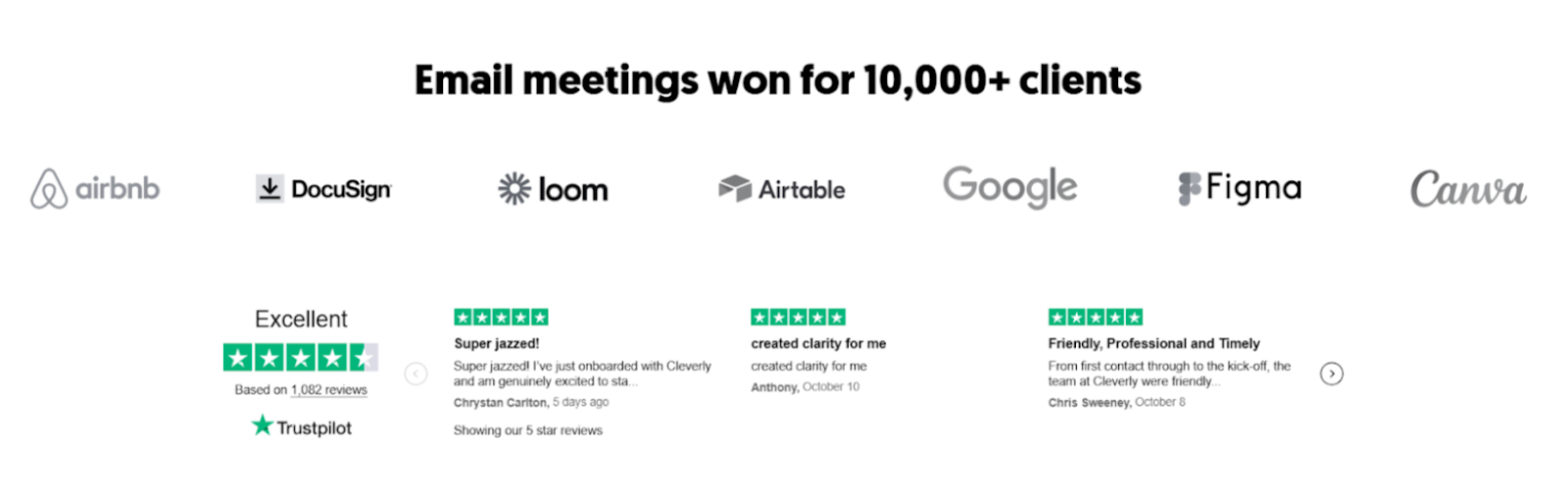
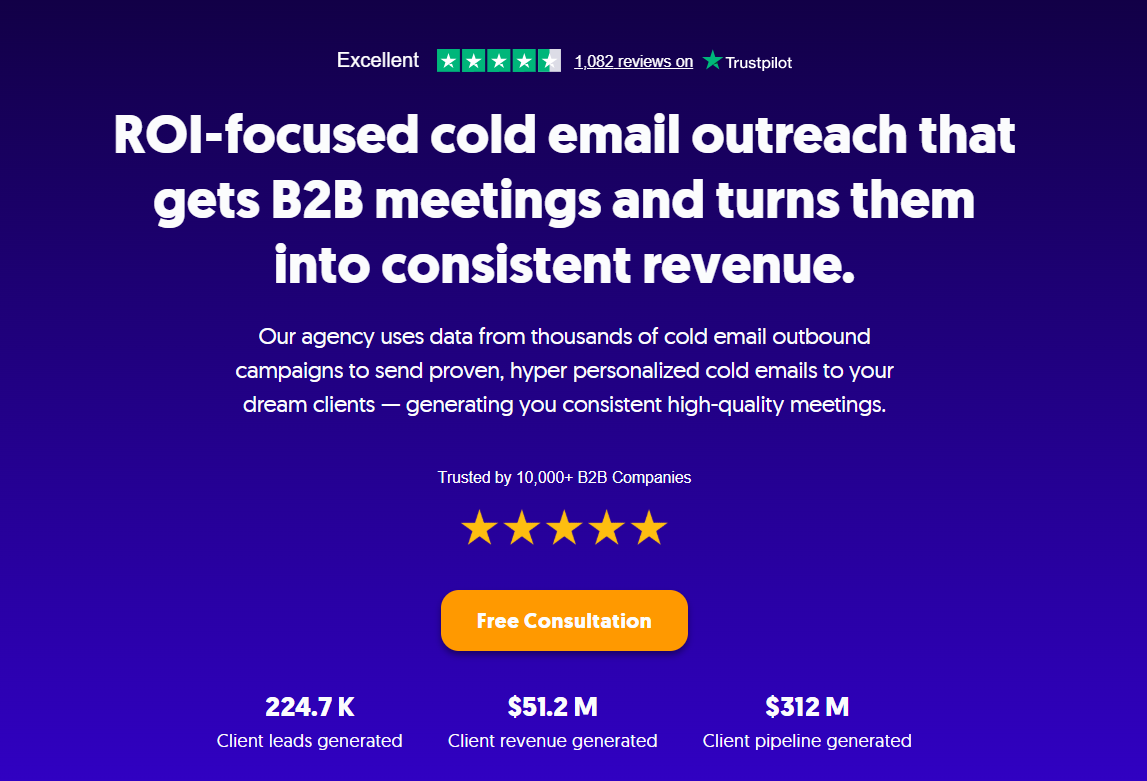
We've done this for 10,000+ clients — including eBay, Airbnb, DocuSign, Loom, and Airtable — generating $312M in pipeline and $51.2M in closed revenue, with a 4.6/5 rating on Trustpilot across 1,136+ reviews.
Want cold email outreach that avoids every one of these mistakes from day one? Book a strategy call with Cleverly and see how we build campaigns that actually land in the inbox and convert.
Conclusion
The performance problems showing up in your email dashboard — declining open rates, stagnant click-throughs, a list that stopped responding — are almost never audience problems. They're execution problems.
Subject lines that don't earn opens, copy written for the sender instead of the reader, technical setup that quietly routes emails to spam, lists that haven't been cleaned in months, and campaigns launched without a clear goal all produce the same symptoms. And they all have the same solution: fix the fundamentals.
You don't need to rebuild everything at once. Identify which category of mistake is producing your biggest performance gap — deliverability, content, or strategy — and fix that first. Get the technical foundation right, write for the reader, send to a clean segmented list at a consistent cadence, and test one variable per campaign.
Email performance improves systematically when those things are in place. The channel works. It just needs to be run correctly.
Frequently Asked Questions
Free Resource
How to Scale a Profitable Cold Call System
Get the complete guide — download it instantly now.

Free Ebook
Download the Free Guide
Enter your details to get instant access.
You're all set! 🎉
Your ebook is downloading now.
Click below if the download didn't start automatically.