Table of Contents
Why Most People Are Using ChatGPT Wrong
Choosing the Right ChatGPT Plan and Model
How to Prompt ChatGPT More Effectively
Tips for Using ChatGPT for Writing
ChatGPT Features Worth Using in 2026
What Not to Outsource to ChatGPT
Common ChatGPT Mistakes to Avoid
How Cleverly Uses ChatGPT-Assisted Workflows in B2B Outreach
Conclusion
Frequently Asked Questions
Modified On :
August 20, 2026
Key Takeaways
- Output quality tracks prompt quality almost exactly. The gap between a mediocre answer and a genuinely useful one is rarely the model, it's what you fed it.
- Structuring a prompt around role, task, context, and format catches most of the weak spots before you even hit send.
- Constraints do more work than instructions. Telling ChatGPT what to avoid often improves output faster than telling it what to include.
- Features like Deep Research, Agent Mode, and Projects solve different problems than basic chat, and picking the wrong one wastes a lot of time.
- Confidence isn't accuracy. Anything ChatGPT states as fact, especially numbers, names, or quotes, needs a second check before it goes anywhere public.
You type a question. You get an answer. You skim it, decide it's "close enough," and rewrite half of it anyway. If that's your routine with ChatGPT, you're not doing anything wrong exactly, you're just leaving most of the tool on the table.
The scale here is hard to overstate. ChatGPT crossed 1 billion weekly active users in June 2026, up from 900 million in February and 400 million a year earlier. And yet only about 5% of weekly users ever paid for Plus or Pro, which means most people are working with a fraction of what the tool can actually do.
On the business side, 80%+ of organizations now use AI in at least one business function, up sharply from a couple years ago. Adoption isn't the bottleneck anymore. Skill is.
This guide covers how to use ChatGPT effectively in 2026: picking the right plan and model, prompting frameworks that actually change output, writing habits worth building, features most people never touch, and the mistakes quietly wasting your time. If you use ChatGPT regularly for work, this is built for you.
Why Most People Are Using ChatGPT Wrong
ChatGPT doesn't look anything up by default. It generates a response based on patterns learned from training data, pulling in live web results only when search is explicitly triggered. That distinction matters more than people think.
The mechanism: no context in, no relevance out. A vague prompt gets a vague answer no matter how capable the model behind it is. You can be on the most advanced model available and still get generic output if you ask a generic question.
Most ChatGPT habits stop at one-shot, keyword-style prompts. Type a phrase, take the first response, move on. That's the search engine mental model applied to a completely different kind of tool, and it caps your results long before the model does.
The fix isn't a better subscription or a smarter model. It's input quality. Everything below is built around that one idea.
🤖 Use AI Smarter. Generate More Pipeline.
Cleverly combines AI with proven LinkedIn, cold email, and cold calling strategies to generate 15–30 qualified meetings every month.
Choosing the Right ChatGPT Plan and Model
Picking a plan matters more in 2026 than it used to, because the gap between tiers has widened.
Free works fine for occasional, casual use, quick questions, one-off tasks. But regular work use runs into message caps, limited model access, and missing features fast.
Paid tiers unlock deeper reasoning models, higher usage limits, agent capabilities, task scheduling, and custom GPTs, the features that actually move output quality, not just volume.
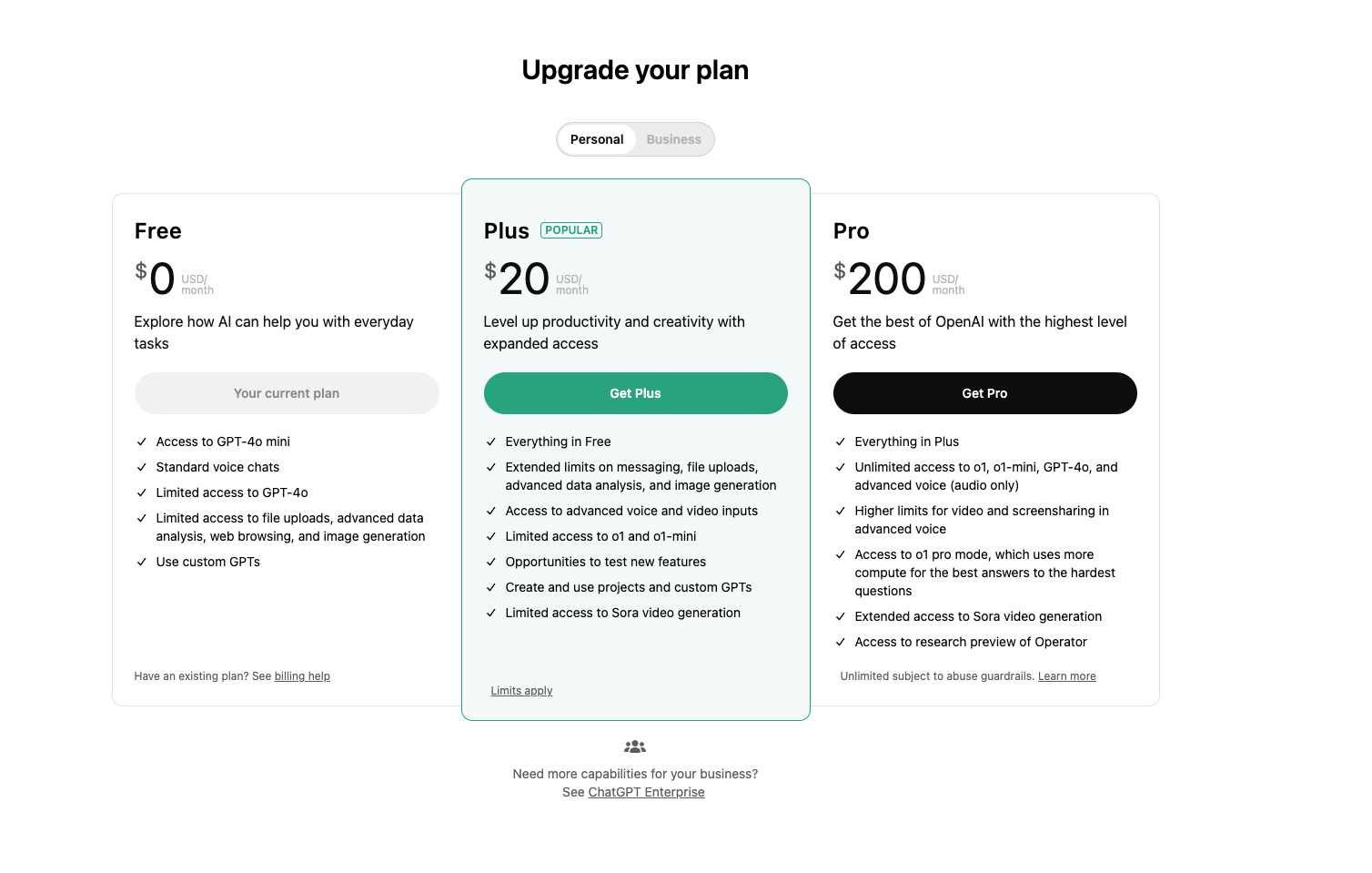
As of publishing, the general shape of the lineup looks like this: Free at $0 with ads, Go at $8 a month, Plus at $20 a month, and two Pro tiers at $100 and $200 a month, with Business priced per seat on annual or monthly billing.
Plus is where most regular users land, since it includes the flagship reasoning model along with Deep Research runs, agent capabilities, and full access to the core model suite.
A quick note before you subscribe: OpenAI has changed this lineup multiple times in the past year alone, splitting Pro into two tiers and adjusting what each plan includes. Check ChatGPT’s official pricing directly before committing, since anything written here can go stale within a quarter.
Which Model Should You Actually Use?
Model choice matters as much as plan choice.
- Faster, lighter models: best for quick, explicit tasks. Summarize this. Rewrite that sentence. Format this list.
- Reasoning-focused models: best for complex, multi-step, or strategic work. Building a campaign plan, working through a tricky argument, debugging logic across a long document.
Using a reasoning model for a one-line task wastes time waiting on output you didn't need slowed down. Using a fast model for a strategic problem gets you a shallow answer dressed up as a finished one. Match the model to the task, not the other way around.
How to Prompt ChatGPT More Effectively
Prompt quality is the single biggest lever you have on output quality. Here are the frameworks that consistently move the needle.
Give It a Role First
Assigning a persona before the task primes tone, perspective, and relevance in one move. Even a single line, "You are a senior copywriter reviewing this for a SaaS client," shifts the register of the response noticeably. Skip this step and you get a generic, on-the-fence answer that tries to please everyone and lands for no one.
Use a Structured Framework: Persona, Task, Context, Format
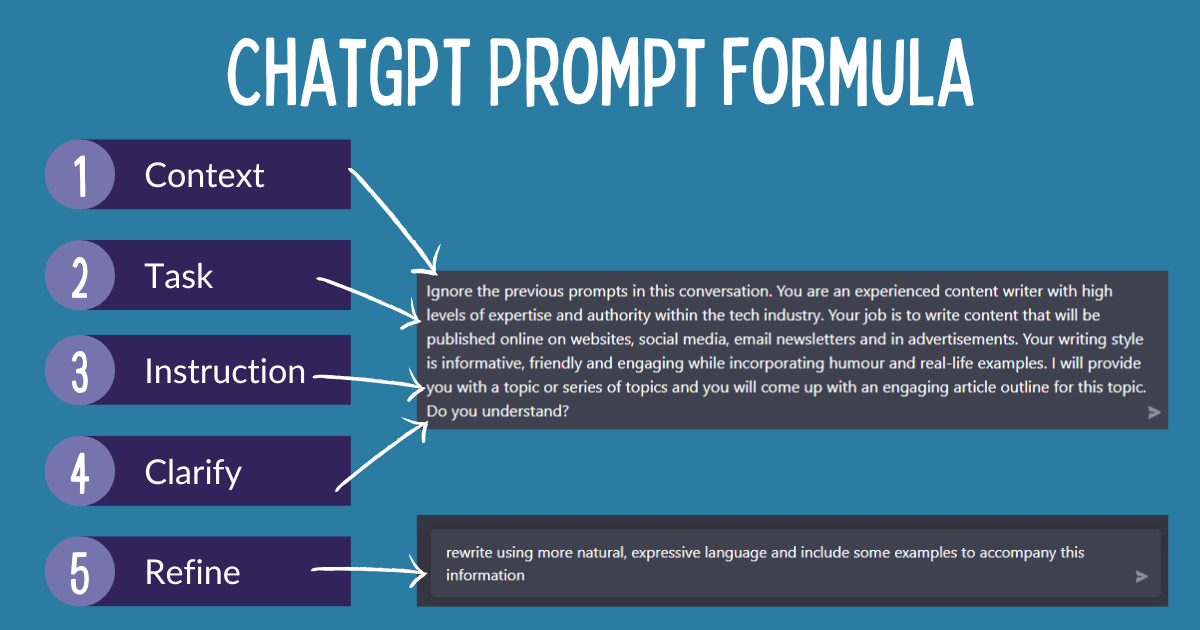
This is the backbone of effective ChatGPT prompting:
- Persona: who should it act as
- Task: the specific action you want done
- Context: the background needed to make the output relevant
- Format: how you want the output structured (length, style, layout)
Most weak prompts are missing two or three of these four elements. Context is the one people skip most often, and it's usually the one that matters most. Without it, ChatGPT is guessing at your audience, your goals, and your constraints all at once.
Add Constraints, Not Just Instructions
Telling ChatGPT what not to do prevents generic, padded, or off-tone output faster than piling on more instructions does. A few examples:
- Word or character limits
- Tone restrictions ("no corporate language, write like a person")
- Structural bans ("no bullet points, write in full paragraphs")
Constraints work because they narrow the space of acceptable answers. Instructions expand what it might try. Constraints cut what it can't.
Prompt in Layers Instead of All at Once
Break complex requests into steps. Outline first. Then draft one section. Then refine. Asking for a finished 2,000-word piece in a single prompt means you find every problem at the end, when a full rewrite is your only option.
Layered prompting catches issues early. You correct the outline before it becomes a flawed draft, and you fix one section's tone before it repeats across the whole piece.
Use the "Poke Holes" Method
Instead of asking ChatGPT to "improve" something, ask it to identify the three biggest weaknesses and explain why each one is a problem. "Improve this" tends to produce a softened, generic rewrite. "What are the three weakest parts of this and why" produces specific, actionable critique you can actually act on.
🚀 AI Helps. Great Outreach Converts.
With 53,000+ meetings booked and $312M+ in pipeline generated, Cleverly helps 10,000+ businesses turn smarter automation into predictable growth.
Tips for Using ChatGPT for Writing
These habits specifically cut down on generic, obviously-AI-generated output.
Set the Style Early in the Conversation
A short style brief at the start of a conversation, tone, sentence length, banned phrases, persists through everything that follows without you repeating it every message. Set it once. Reference it if the model drifts.
Use It as an Editor, Not Just a Writer
Asking ChatGPT to sharpen something you already wrote tends to outperform asking it to write from scratch. The idea and the point of view are yours. The execution, tightening, cutting, restructuring, gets refined by the model. That division of labor produces better work than handing over the whole task.
Ask for Multiple Versions on High-Stakes Lines
For subject lines, openers, or calls to action, ask for three or four distinct versions instead of one. This surfaces angles you wouldn't have landed on alone, and comparing options is a faster way to find the strongest line than iterating on a single one.
ChatGPT Features Worth Using in 2026
Most people are still stuck in the basic chat-and-respond loop. These features go well past that.
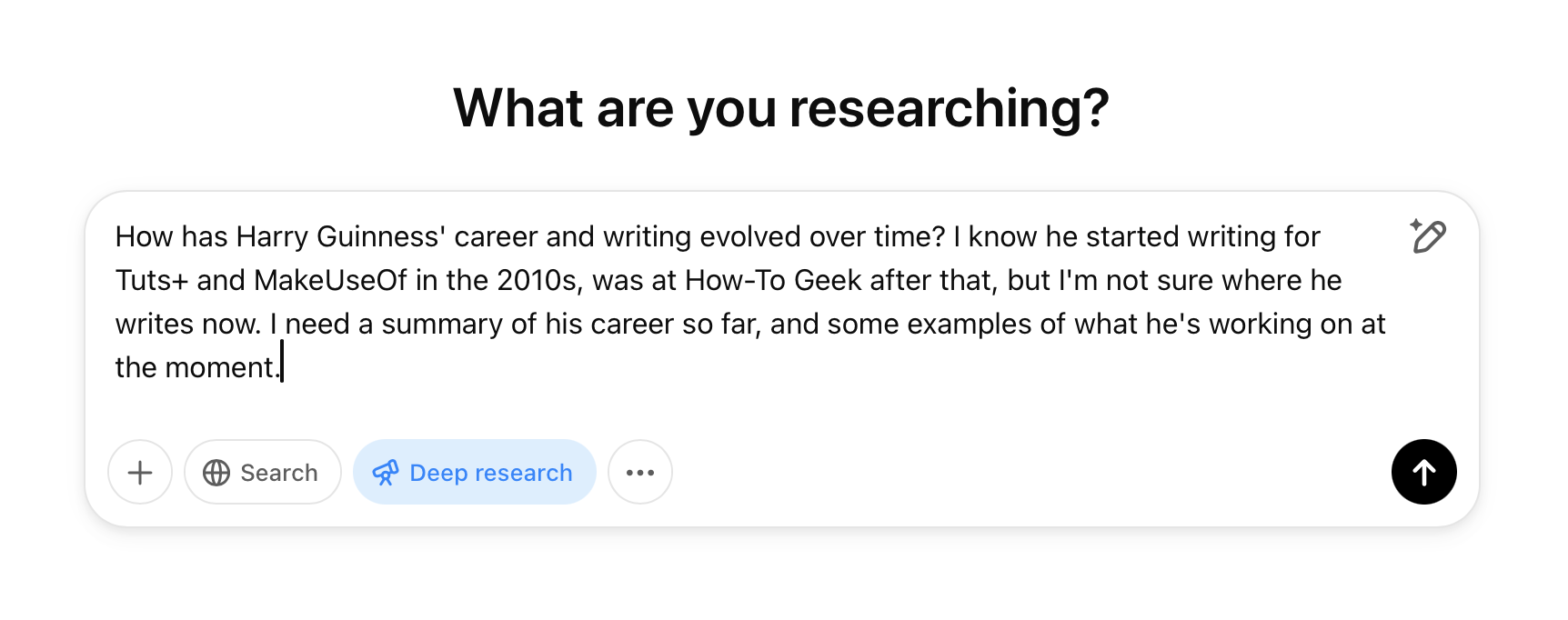
Deep Research
Deep Research synthesizes multiple online sources into a structured, cited report. It's built for competitive research, market analysis, or background research on a company or topic before a meeting or pitch. It still requires manually verifying key claims against the sources it cites. Treat the output as a strong first pass, not a finished, fact-checked document.
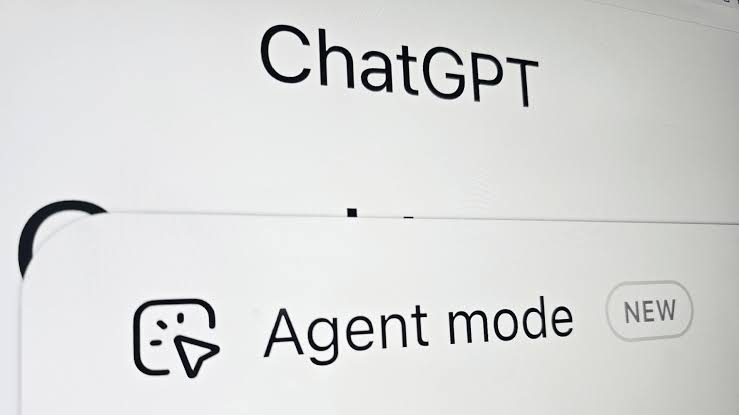
Agent Mode
Agent Mode lets the model autonomously navigate the web and complete multi-step tasks without you directing every step. It works best with a specific, narrow deliverable rather than an open-ended request. "Research this" produces generic, unfocused results. "Find X and summarize Y in this format" doesn't. The specificity you'd apply to a human assistant applies here too.
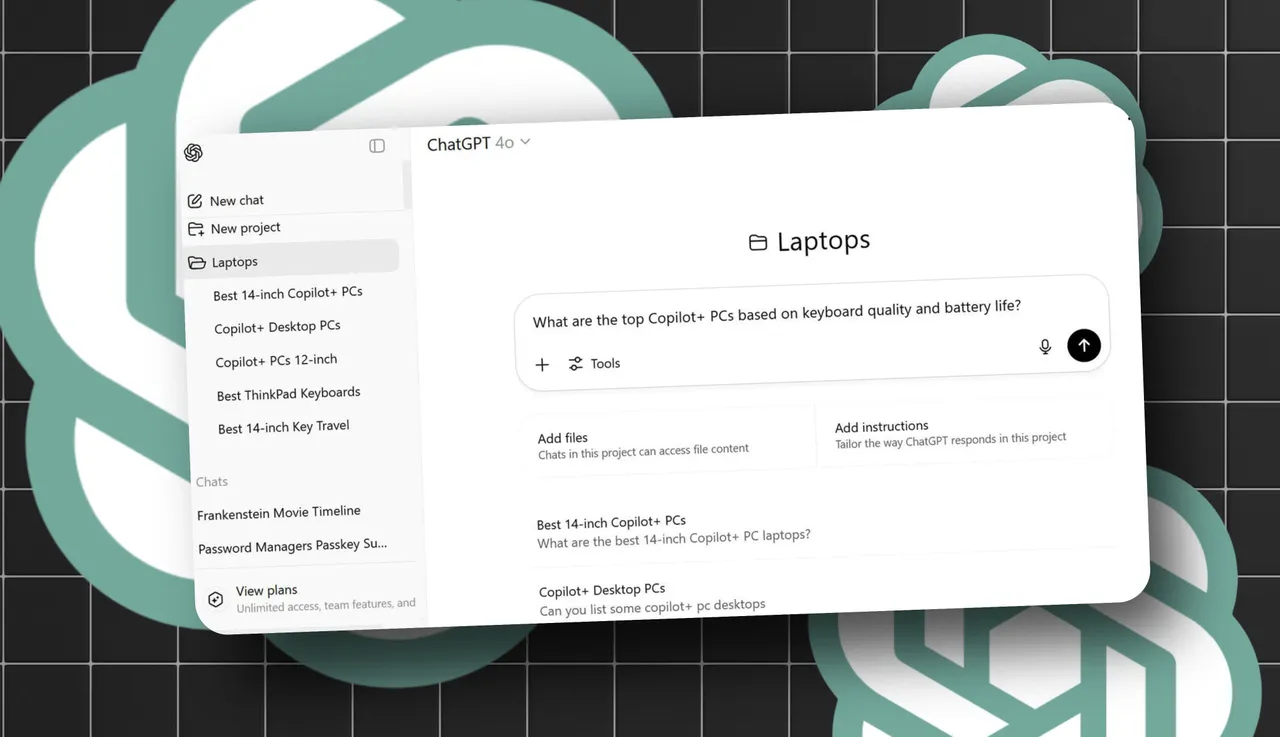
Projects and Custom GPTs
Projects give persistent memory and custom instructions inside a defined workspace, removing the need to re-explain context every session. Custom GPTs go a step further, building a version trained specifically on your documents, style guides, or internal knowledge. If you're repeating the same context in every conversation, one of these two features is the fix.
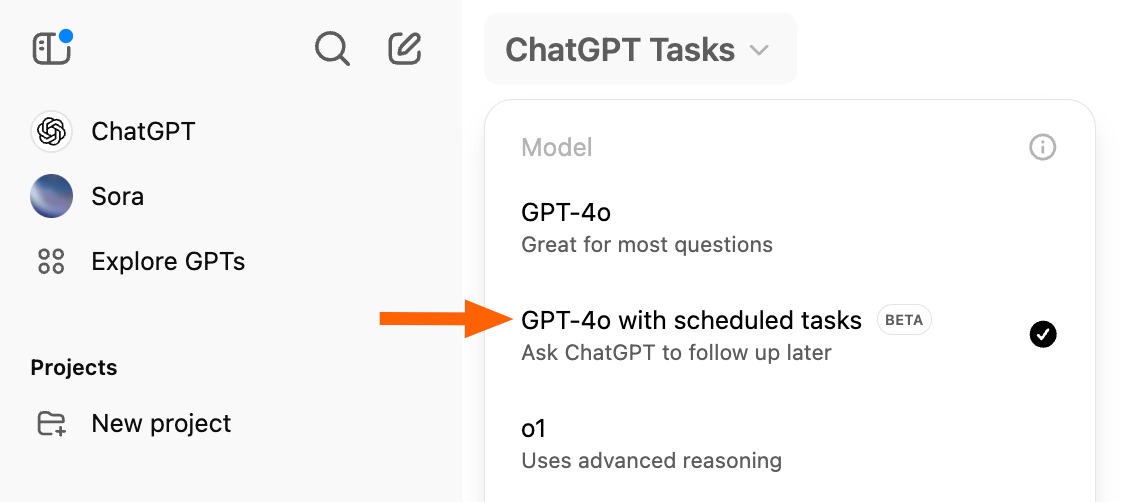
Scheduled Tasks
Set recurring prompts that run automatically on a schedule instead of triggering them manually every time. This is useful for recurring digests, competitive monitoring, or standing research requests you'd otherwise forget to run.
What Not to Outsource to ChatGPT
There are ChatGPT rules worth setting for yourself regardless of how good the model gets:
- Final decisions and unique strategic judgment. Anything that requires context only you have shouldn't be handed off wholesale.
- Specific facts, statistics, and quotes. ChatGPT can present incorrect information with total confidence, and there's no visual cue that separates a verified fact from a plausible-sounding guess.
- Sensitive or confidential information. Review your data handling settings before pasting anything proprietary into a conversation.
Always verify claims against a primary source before publishing or sending anything built on them. This one rule prevents most of the embarrassing mistakes that show up in AI-assisted work.
Common ChatGPT Mistakes to Avoid
- Treating it like a search engine with short, keyword-only prompts.
- One-shot prompting and accepting the first response without iterating.
- Skipping role and context, leaving the model to guess at your audience and purpose.
- Taking output at face value without verifying specific claims.
- Sharing sensitive data without checking the platform's data usage policy.
- Staying on a free or limited tier for regular, serious work and hitting avoidable feature limits.
Most of these aren't knowledge gaps. They're habits carried over from other tools that don't map onto how ChatGPT actually works.
How Cleverly Uses ChatGPT-Assisted Workflows in B2B Outreach

ChatGPT can draft and iterate on outreach copy fast, but a first draft is a starting point, not a finished campaign. Someone still has to apply judgment, targeting, and follow-through on top of it.
At Cleverly, we use AI-assisted drafting to speed up copy iteration on LinkedIn, cold email, and cold calling campaigns, then layer human review, ICP-specific targeting, and full campaign management on top.
That order matters. AI-generated copy without proper targeting and follow-up still produces generic outreach, no matter how polished the sentences read. The tool speeds up execution. It doesn't replace strategy.
This approach fits companies that want outreach copy sharpened by AI tools but still managed and executed by people who understand deliverability, targeting, and what actually gets a reply.
Cleverly's teams have used this workflow across campaigns that have generated $312M in pipeline for clients, applying the speed of AI drafting without skipping the strategic work that determines whether a message ever gets opened.
Want outreach that combines AI-speed drafting with real campaign strategy? Book a strategy call with Cleverly to see how it works for your pipeline.
Conclusion
Output quality with ChatGPT is almost entirely a function of prompt quality. Role, context, task, and format turn a vague answer into something you can actually use, and that shift matters more than which model version you're running.
The 2026 features, Deep Research, Agent Mode, Projects, Tasks, go far beyond basic chat and are worth learning properly rather than ignoring in favor of the default chat window.
None of this replaces judgment. Always verify specific claims before you use them anywhere public, since confidence from the model is never the same thing as accuracy. ChatGPT compresses the time it takes to get to a solid first draft. The verification, the judgment calls, and the follow-through are still entirely on you.
Frequently Asked Questions
Free Resource
How to Scale a Profitable Cold Call System
Get the complete guide — download it instantly now.

Free Ebook
Download the Free Guide
Enter your details to get instant access.
You're all set! 🎉
Your ebook is downloading now.
Click below if the download didn't start automatically.