Table of Contents
What Does It Mean to Buy a LinkedIn Account?
Why People Buy LinkedIn Accounts (and the Problem Underneath)
Is Buying LinkedIn Accounts Legal? What The Rules Actually Say
Where People Buy LinkedIn Accounts
How Much Does a LinkedIn Account Cost in 2026?
What to Watch Out For: The Risks of Buying LinkedIn Accounts
Red Flags to Check Before You Pay Any Seller
Buy vs Rent vs Real Team Seats vs Done-for-You: Which Fits Your Situation?
Safer Ways to Scale LinkedIn Outreach Past the Weekly Limits
How Cleverly Helps B2B Teams Get More LinkedIn Meetings Without Buying Accounts
Conclusion
Frequently Asked Questions
Modified On :
November 11, 2026
Key Takeaways
- To buy LinkedIn accounts means paying a seller for login access to a profile someone else created. You get access, not ownership.
- Prices run from a few dollars for throwaway accounts to a few hundred dollars a month for rentals. The real cost per surviving account is usually much higher than the sticker price.
- It is not a crime in most places, but it breaks LinkedIn’s User Agreement. Enforcement runs from restrictions to permanent removal.
- The common failure modes are bans, resold logins, reclaimed accounts, lost data and damage to your real profile.
- Real team seats, gradual warm-up and extra channels add outreach capacity without the risk.
LinkedIn used to allow roughly 700 connection requests a week. Today it is closer to 100 for most accounts, on a rolling seven-day window. Some mature profiles report a bit more.
If you run outbound, that ceiling hurts fast, and it is why so many people start searching for ways to buy LinkedIn accounts.
LinkedIn is not a soft target for this. Its Community Report says 99.7% of the fake accounts it stopped from July to December 2025 were caught before any member reported them. Whatever a seller promises you, the platform is actively hunting the exact thing you would be buying.
This guide covers what a bought account is, where the market sits, what it costs, what can go wrong and what to do instead. Our stance is simple. Buying or selling accounts breaks LinkedIn’s rules. We cover it so you can decide with full information.
It is written for SDR leaders, founders, agencies and recruiters who need more volume and want the real picture before spending a dollar.
What Does It Mean to Buy a LinkedIn Account?
When you buy a LinkedIn account, you pay a seller for login access to a profile that someone else created. The account is not tied to your identity, your face or your work history.
That is access, not ownership. The original creator, the seller or LinkedIn can still take the account back at any time, and you have no real claim if they do.
This is also different from buying followers, likes or post engagement. Those are fake signals on a profile you own. A bought account is a whole identity you do not own.
Fresh, Phone-Verified and Bulk Accounts
These are the entry-level products, and they are cheap for a reason.
- Fresh accounts: brand new, no history, thin trust. Cheap because there is nothing behind them.
- Phone-verified accounts (PVAs): tied to a phone number, so sellers pitch them as slightly more resilient than fresh ones.
- Bulk packages: dozens of accounts sold as raw material. They are the easiest for LinkedIn to flag because they tend to share signals.
Aged, ID-Verified and Sales Navigator Accounts
Sellers charge more for anything that looks like real history.
- Aged accounts: months or years of activity, with connections that belong to a stranger’s old network. Those people connected with someone else, not with you.
- ID-verified accounts: the profile passed LinkedIn’s identity check, which sellers market as a trust signal. The identity belongs to someone who is not you.
- Premium or Sales Navigator accounts: extra filters and InMail credits, and the highest price in the market.
Be careful with the marketing language. Sellers describe these as more durable. That is a sales claim, not a safety guarantee.
Rented Accounts
With a rental, you pay monthly for a profile that stays with the provider. Some are described as real people’s profiles and some as built personas. LinkedIn’s rules treat both as violations.
The catch shows up when you stop paying. The profile, its network and any warm-up you did disappear with it.
🔗 More LinkedIn Accounts. More Things to Manage.
Buying accounts can create more problems than pipeline.Cleverly helps you scale LinkedIn outreach without managing extra accounts yourself.
Why People Buy LinkedIn Accounts (and the Problem Underneath)
There are four real reasons we see:
- Volume ceiling: one profile cannot send enough requests.
- New geographies: you want a profile that looks local.
- Offer testing: you want to test messaging without risking a main profile.
- Multiple personas or clients: agencies want a separate profile per client or segment.
Here is the volume math. Sources disagree on the exact cap because LinkedIn does not publish one. Most put it near 100 requests a week, and some mature accounts report up to 150. Using 100 as the baseline, ten profiles give you about 1,000 requests a week on paper.
On paper is the key phrase. If one profile gets a handful of replies a month, ten profiles do not give you ten times the result when they target the same people. Your list runs out, prospects see ten different strangers pitching the same offer, and your acceptance rate drops.
Acceptance rate is what matters here. Our own LinkedIn benchmark data puts a healthy connection acceptance rate at 30 to 45%, and says dropping below 20% can get an account restricted to around 50 requests a week. More accounts sending to the same pool pushes you toward that bad zone.
That is the problem underneath. You do not have an accounts problem. You have a capacity problem, and there are cleaner ways to add capacity (we get to them below).
Is Buying LinkedIn Accounts Legal? What The Rules Actually Say
Illegal and against the rules are two different things. In most places, buying a LinkedIn account is not a crime. It does break LinkedIn’s User Agreement and its Professional Community Policies.
The rules that matter here:
- One account per person
- A real name and accurate information
- No false identity
- No sharing, selling or transferring an account
Enforcement usually moves in steps. LinkedIn restricts the account, asks for ID to restore access, then removes it permanently if you cannot pass the check. A buyer cannot pass an ID check for someone else’s identity, which is why a restriction is often the end of the account.
You may also have seen the lawsuits. LinkedIn has sued scraping providers such as Proxycurl and ProAPIs over fake accounts used to pull data. Those cases target the sellers and scrapers, not the buyers. They do show how seriously the platform treats the whole ecosystem.
Legal exposure also varies by country and industry. If you work in a regulated space like finance or healthcare, get legal review before you go anywhere near this.
🚀 Scale Outreach Without Buying Accounts
Skip the account headaches and campaign setup. Let Cleverly handle LinkedIn prospecting, messaging, and follow-ups for you.
Where People Buy LinkedIn Accounts
This section describes the market by seller type. It does not rank or recommend sellers. We do not endorse any of these sources, and we do not use affiliate links.
Forums, Telegram and Freelance Listings
This is the cheapest and least accountable end of the market. You get the seller’s word and nothing else. If the original owner reclaims the account, you have no recourse.
General Digital-Goods Marketplaces
Here, LinkedIn accounts sit next to gaming accounts and software keys. Buyer protection is generic, and quality depends entirely on the individual seller.
Specialist Account Sellers and Rental Providers
You will see higher prices, more detail per listing and sometimes replacement guarantees. Read those guarantees closely. They are often narrow, such as covering failure before first login only, and refunds may come as store credit.
Many of these sellers are also crypto-only. That removes your chargeback options if something goes wrong.
Agencies That Bundle Profiles Into a Service
Some LinkedIn outreach agencies include warmed profiles in their packages. That is a different model from an agency that runs outreach through your own account.
In the first, you rent someone else’s identity inside the service. In the second, your real name and your real profile do the talking. The difference matters for risk, which we cover later.
How Much Does a LinkedIn Account Cost in 2026?
The short answer: from a few dollars for a throwaway to a few hundred dollars a month for rentals. The figures below come from seller and vendor pages and are not independently verified.
Price Ranges by Account Type
The Real Cost per Surviving Account
The price tag is the smallest number. Use this formula instead:
Cost per surviving account = (purchase price + replacements + setup time + lost campaign days) ÷ accounts still working at 90 days
Here is a worked example. Every number below is an assumption for illustration, not a survival rate from any seller.
You buy 10 accounts at $100 each: $1,000
Setup takes 2 hours per account at $50 an hour: $1,000
Assume 3 get restricted within 90 days and you replace them: $300 to buy, $300 to set up
Each restricted account sits idle for about 7 days, and we value an idle account day at $15: $315
Total: $2,915
Assume all 10 are working at day 90 (7 originals plus 3 replacements)
That works out to about $292 per surviving account, almost three times the sticker price. It also ignores the harder costs, like a flagged cluster reaching a real profile or lost conversations.
Now run the same capacity through real seats. Say you already have 10 SDR, AE and founder profiles on payroll. Spend 2 hours at $50 an hour tuning each one: $1,000 total, or about $100 per working profile. Add a Sales Navigator licence per seat if you want one. No replacements, no idle days and no ban risk from a borrowed identity.
What to Watch Out For: The Risks of Buying LinkedIn Accounts
Most of the cost of a bought account shows up after the purchase.
Bans, Restrictions and Damage to Your Main Profile
LinkedIn restriction usually means you lose access until you prove who you are. A buyer cannot prove an identity that belongs to someone else, so the account is effectively gone.
The bigger issue is linkage. LinkedIn can connect accounts through shared signals, such as a common network, shared devices and similar login patterns. If a cluster of accounts gets flagged, a real profile connected to that cluster can get pulled into the review. Your SDR’s real profile, or your founder’s, ends up in the blast radius of a $100 account.
Scams, Resold Logins and Reclaimed Accounts
The failure modes are predictable:
- The account is never delivered.
- The same credentials are sold to several buyers.
- The original owner reclaims the account.
- The profile is already burned by earlier spam.
Some accounts are also compromised, meaning the logins were stolen. That brings data exposure with it, and your team’s activity runs through a profile someone else can still access.
If the payment was crypto-only, there is no refund route.
Identity, Data Protection and Legal Exposure
Accounts tied to real identities raise identity-misuse questions. If you message contacts in the EU or UK from a borrowed identity, you also raise data protection questions. Regulated industries like finance and healthcare face extra scrutiny.
This is not legal advice. If any of this applies to you, talk to a lawyer first.
Lost Trust and Lost Data
Think about the prospect who finds out the “VP of Sales” who messaged them was a made-up persona. You do not just lose that deal. You lose the trust of everyone they talk to.
There is a data cost too. If the account is removed, the conversations, leads and notes inside it go with it. Do not store anything there that you cannot afford to lose.
Red Flags to Check Before You Pay Any Seller
If you are going to evaluate sellers anyway, ask these questions first:
- Where did the account originate, and in which country was it registered?
- What verification level does it have?
- What credentials are included (email, phone, recovery access)?
- How old is it, and what is its history?
- Are the guarantee terms in writing?
- What payment protection do you have?
- How is it delivered?
Watch for these scam signals:
- Prices far below the market range
- No stated policy of any kind
- Telegram-only contact
- Urgency tactics like “only 3 left”
Be clear on what this checklist does. It reduces fraud risk. It does not make a purchase safe or allowed.
Buy vs Rent vs Real Team Seats vs Done-for-You: Which Fits Your Situation?
Now match it to your real problem:
- More volume: use your real seats and add channels. Buying fixes the wrong thing.
- New geography: a local team member, partner or advisor with a real profile beats a fake local persona. Cold email also reaches new regions without a profile.
- Testing offers: test from a real secondary profile, like an AE or founder. Cold email is also a cleaner place to test messaging.
- Multiple personas or clients: each client or persona should run on a real profile owned by a real person.
We will not pretend there is a clean winner on speed. Buying and renting are the fastest to start. They also fail the hardest, and they carry the rules and data risks above.
Safer Ways to Scale LinkedIn Outreach Past the Weekly Limits
The honest answer is that most volume problems are solved with seats you already have. “Safer” is relative here. No outreach method is risk-free, but real profiles with sensible pacing carry far less risk than bought ones.
Put Your Whole Team on LinkedIn
Map every SDR, AE and founder profile to a segment. One person takes one industry, another takes another, and nobody overlaps.
The math works. Ten real profiles at sensible weekly volumes give you similar capacity to ten bought ones, with none of the identity risk.
We have seen this work at scale.
Our VIRC Insurance campaign ran across 14 employee profiles and booked 307 meetings in three months. Every profile belonged to a real person, so every message came from a name prospects could verify.
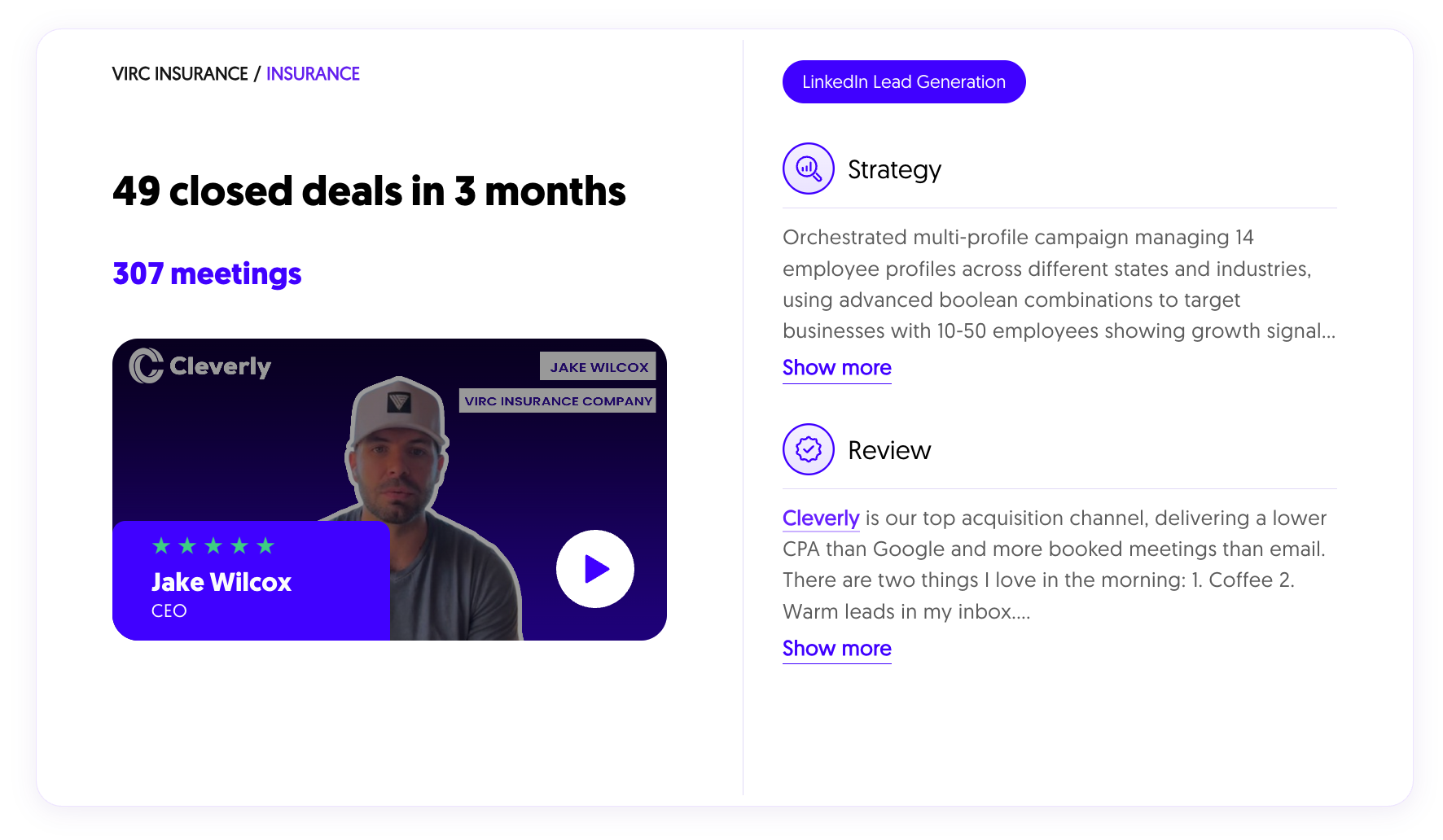
You can read more in our case studies.
Use Sales Navigator or Recruiter Where It Fits
Sales Navigator adds filters, InMail credits and lead saving. It helps you find better prospects and reach people outside your network. It does not meaningfully raise your weekly invite cap.
If you recruit, a Recruiter licence on a consultant’s own profile is the route with no enforcement risk. Check LinkedIn’s official pricing page before you budget for either tool.
Warm Up Gradually and Keep Volume Sensible
On a real profile, ramp slowly. Start low, increase each week and mix in genuine activity like comments and posts. A profile that jumps from zero to its maximum overnight looks nothing like a person.
Burst sending also looks automated. Fifty identical messages sent at the same time of day stand out. Vary your timing and your wording.
Watch your acceptance rate as you scale. We use 30 to 45% as the healthy range for outreach, and anything under 20% means you should fix targeting before adding volume.
Add Channels Instead of Accounts
When LinkedIn is capped, add reach somewhere else. Cold email and cold calling both extend your reach without bending any rules.
Our rule of thumb: use LinkedIn for small, high-value lists where personalization pays off. Use cold email for large lists.
If this is where you are headed, our cold email outreach service is built for it.
How Cleverly Helps B2B Teams Get More LinkedIn Meetings Without Buying Accounts
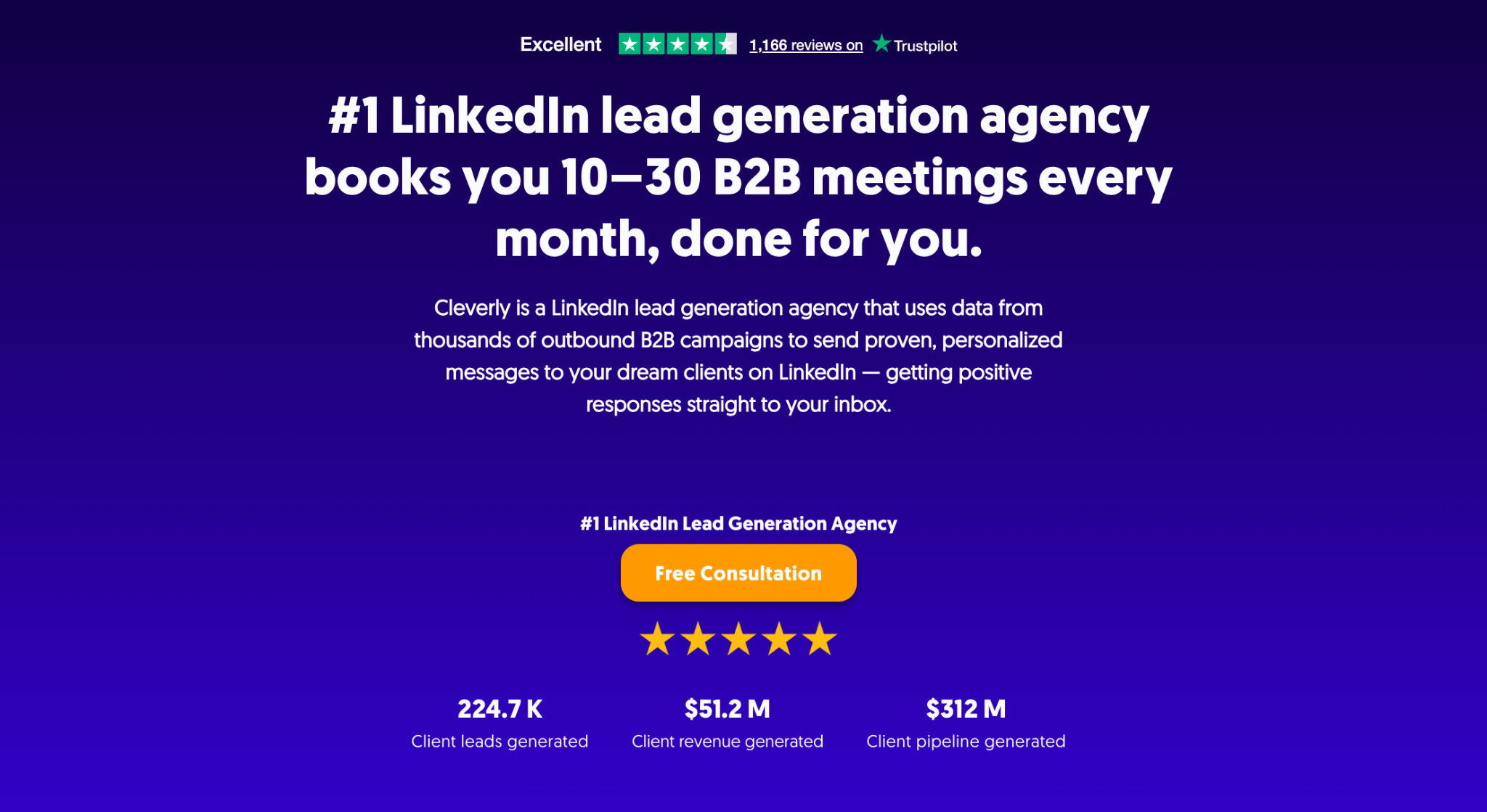
If you want more meetings from LinkedIn, not more logins, that is the exact problem we solve.
Our LinkedIn lead generation service is fully done for you. We find your prospects, write the messages, run the outreach and handle responses, so qualified leads land on your calendar. We book you 10 to 30 B2B meetings a month.
Companies hand this to us because the hard part is everything behind the send button. Targeting, copy testing, pacing and reply handling all need an owner, and a tool alone does not give you one. Your real profile does the talking, and a U.S.-based account manager sends weekly reports.
The same VIRC Insurance campaign closed 49 deals in three months, and across our clients we have helped generate $51.2M in closed revenue.
When LinkedIn caps are the limit, we also add cold email.
Want more LinkedIn meetings without risking your account? Book a free consultation.
Conclusion
You can buy a LinkedIn account. It breaks the rules, costs more than the sticker price suggests and puts real profiles at risk. The cheap ones fail fastest, and the expensive ones still belong to someone else.
The real constraint is capacity, and there are cleaner ways to add it. Before you spend money on accounts, audit the seats you already have. Count your real profiles, assign them segments and see how much room is left.
Frequently Asked Questions
Free Resource
How to Scale a Profitable Cold Call System
Get the complete guide — download it instantly now.

Free Ebook
Download the Free Guide
Enter your details to get instant access.
You're all set! 🎉
Your ebook is downloading now.
Click below if the download didn't start automatically.