Modified On :
May 28, 2026
Key Takeaways
- SalesFlow is a cloud-based LinkedIn automation tool that runs sequences of connection requests, follow-ups, and InMails without a Chrome extension, making it safer than most browser-based alternatives.
- The platform holds a 4.3/5 rating on G2 and a 4.1/5 on Capterra — decent overall scores, but consistent complaints around UI, reliability, and analytics depth appear across both platforms.
- The core single-user plan is priced at $99/month on monthly billing, or $79/month billed annually — steep for solo users relative to what competitors offer at the same price.
- SalesFlow works well for individual SDRs with straightforward LinkedIn outreach needs. It gets complicated for teams and agencies needing a shared inbox, deeper segmentation, or predictable team pricing.
- If you want LinkedIn outreach or cold email fully managed — strategy, copy, targeting, and meeting delivery — a done-for-you agency like Cleverly eliminates the tool management entirely.
SalesFlow is a cloud-based LinkedIn automation platform. The "cloud-based" part is important — it means your campaigns run on SalesFlow's servers, not through a Chrome extension running on your local browser. That matters for account safety.
SalesFlow automates connection requests, follow-ups, and InMails, while supporting multichannel email outreach alongside LinkedIn campaigns. It works with both LinkedIn Basic and Sales Navigator accounts.
The core use case is simple: instead of manually sending 30 connection requests a day and following up with every accepted connection, you build the sequence once and let it run. Your reps focus on the conversations that come back, not the mechanical outreach work.
SalesFlow also offers a done-for-you managed service option for teams that want fully outsourced outreach — including ICP discovery, profile setup, copywriting, and reporting.
The G2 score sits at 4.3/5. Positive feedback centers on time savings and LinkedIn integration. Concerns around UI and reliability appear consistently across reviews.
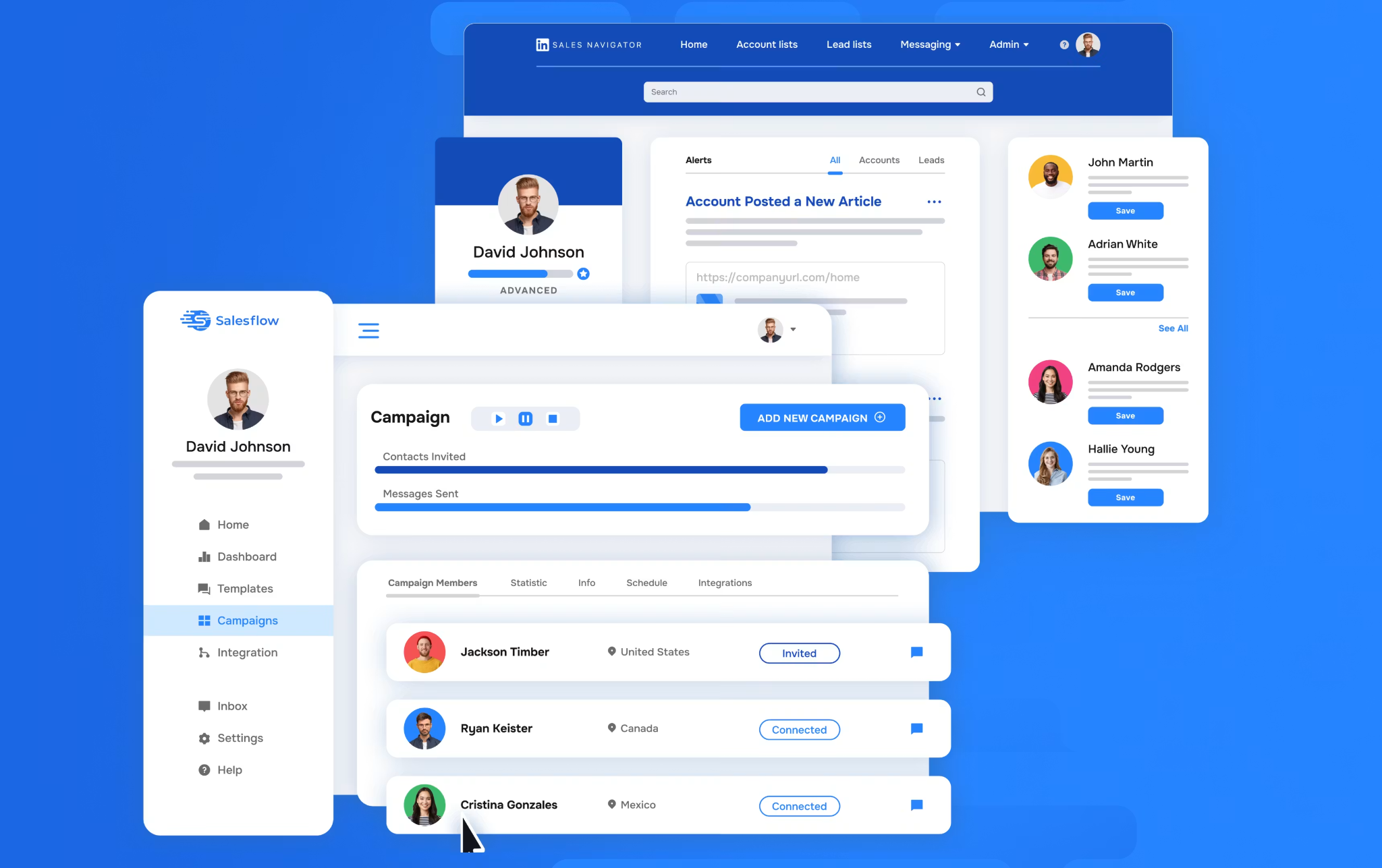
SalesFlow Key Features
Here's a breakdown of what you actually get inside the platform
Campaign builder (Multichannel Dynamic Outreach)
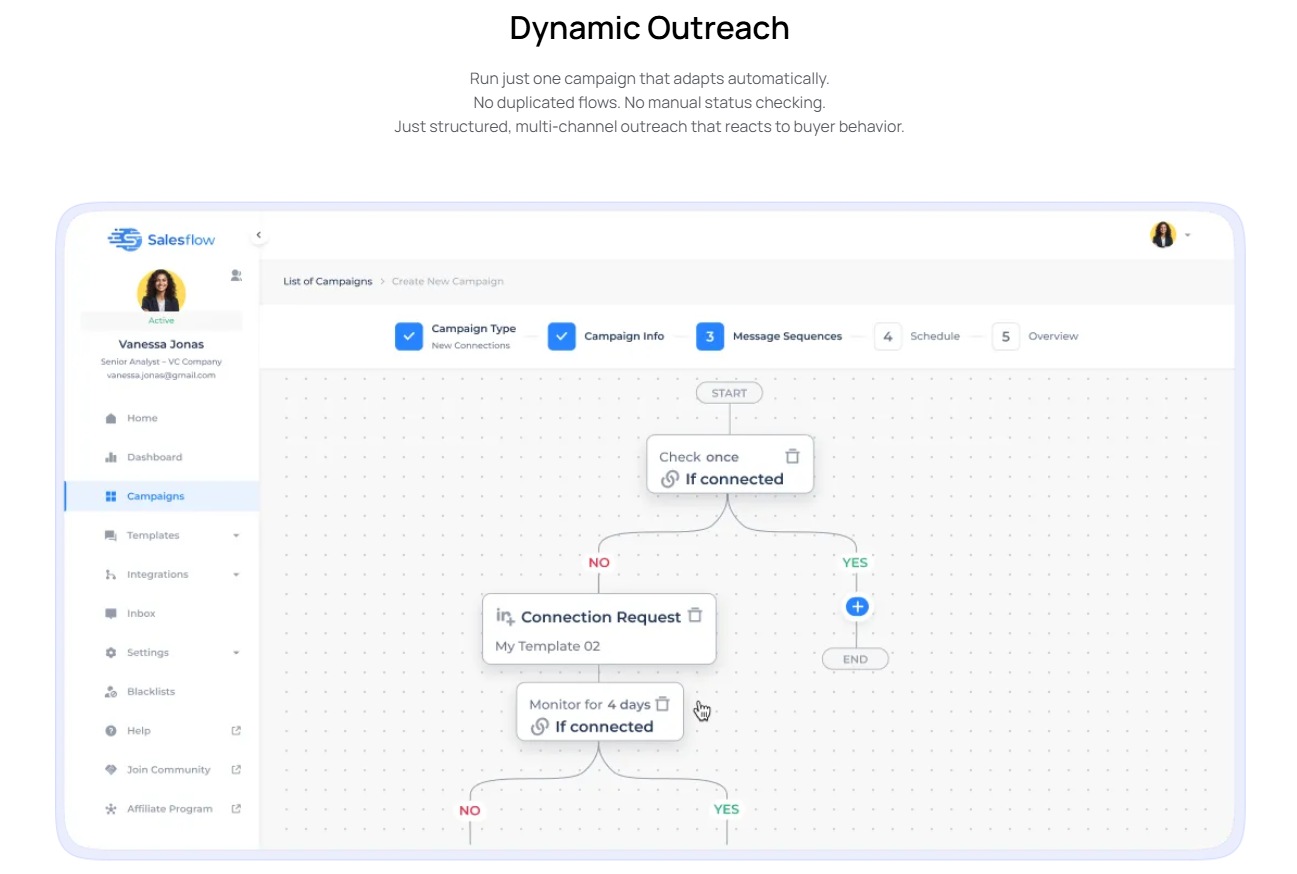
The campaign builder is the core of SalesFlow. You can automate connection requests, follow-up messages, profile visits, post likes, and skill endorsements — essentially the full range of actions a rep would take manually on LinkedIn.
The core plan includes 400 LinkedIn invites, up to 2,000 follow-up messages, and 800 Open InMails per month. Sequences are multi-step, with configurable time delays between each action. Reply detection pauses the sequence automatically when a prospect responds, so you're not sending follow-ups to someone who already replied.
Campaign scheduling by day of week and working hours is included, which is useful for staying within LinkedIn's safe activity windows.
Unified Inbox
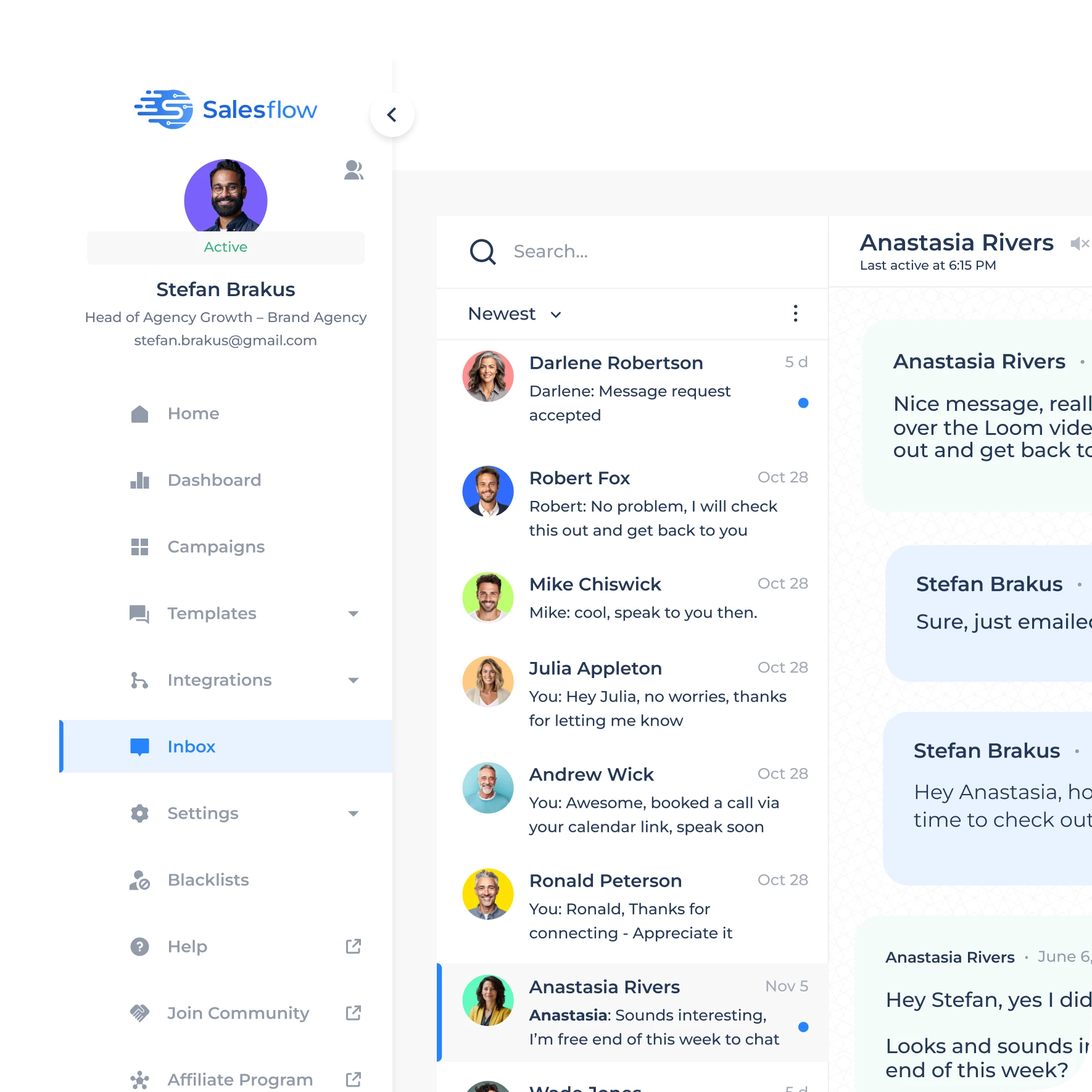
The smart inbox centralizes LinkedIn conversations from active campaigns so you're not bouncing between tabs to manage replies. AI reply detection flags positive responses, and filters and tags help organize and prioritize leads.
One important limitation: the inbox is scoped to individual accounts only. There's no shared inbox across multiple connected accounts.
For agencies managing several client profiles, this means switching accounts manually to reply on a client's behalf — which adds friction at scale.
Analytics & Reporting
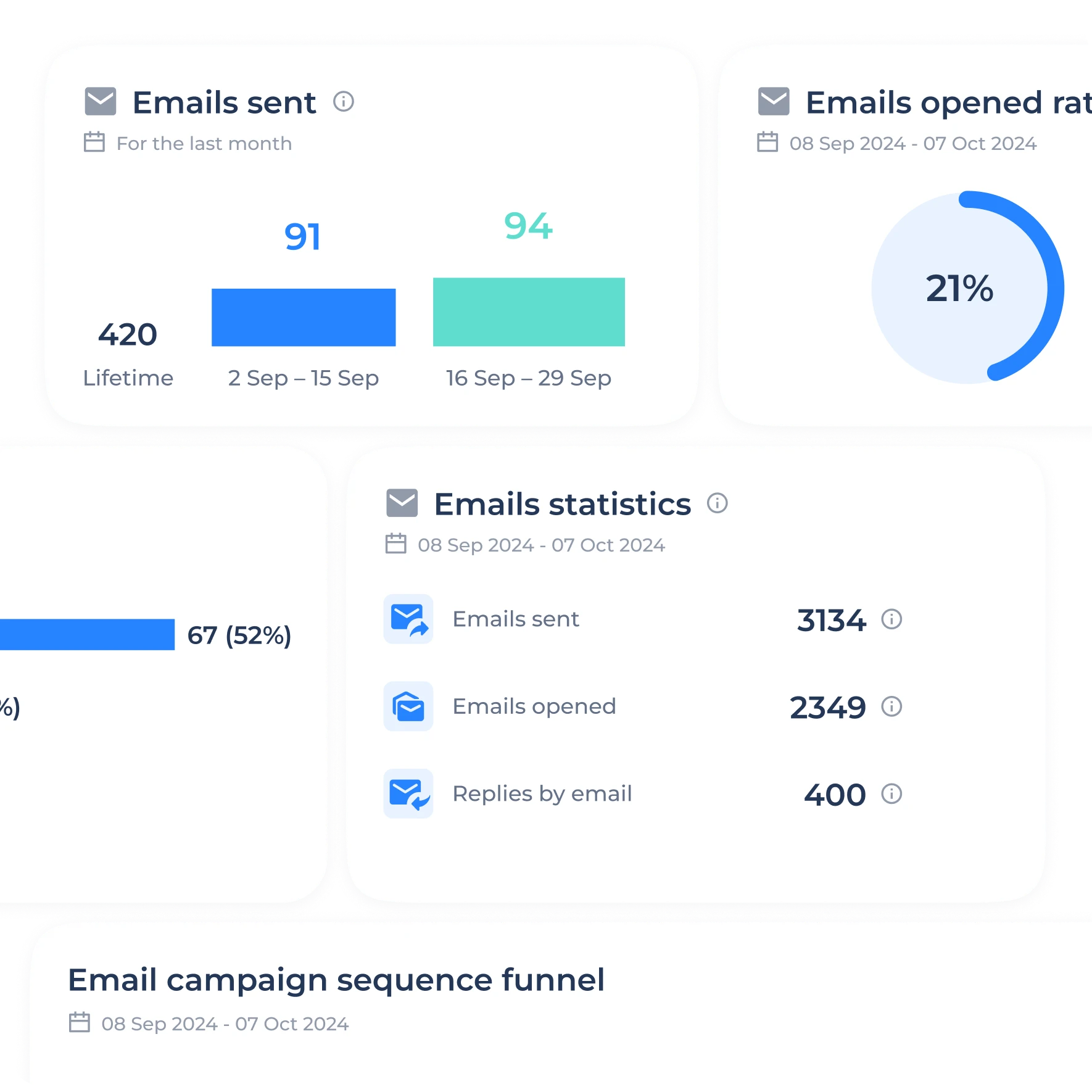
The reporting dashboard tracks invites sent, acceptance rate, follow-up replies, and email opens/replies, with a visual funnel view and date range filters covering the last 7, 14, or 30 days.
The limitation that keeps coming up in reviews: analytics lack deep segmentation. There's no granular breakdown by industry, title, or ICP tier — which means you're working with high-level averages instead of actionable data.
If you're running multiple campaigns across different audiences, you lose the signal you need to optimize.
Multi-Account / Team Management
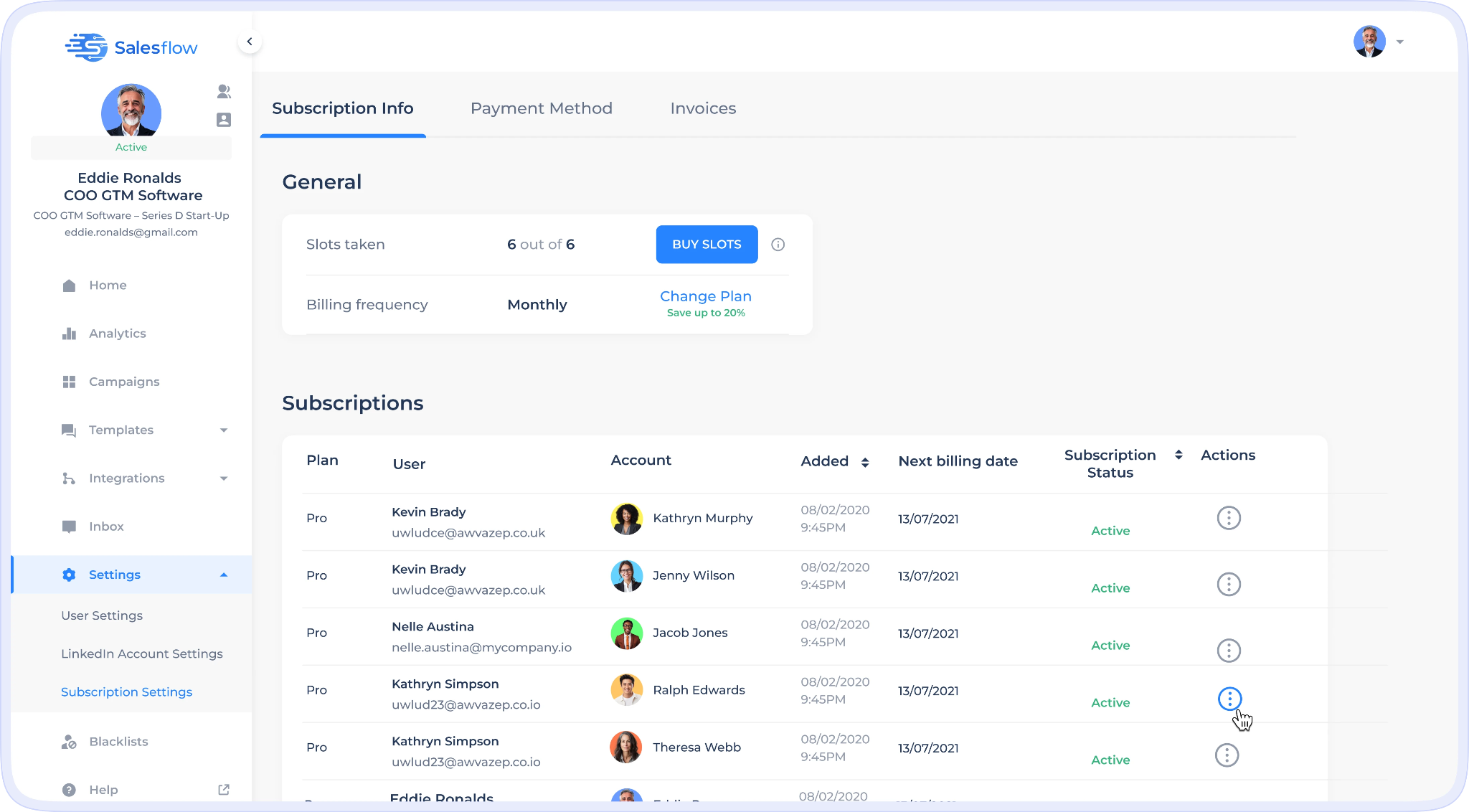
SalesFlow lets you connect multiple LinkedIn accounts under one plan, which is relevant for agencies. Each seat comes with an additional cost, and without a shared inbox, account management is functional but limited compared to dedicated agency tools like HeyReach.
If you're managing three to five clients, the constant account-switching becomes a real operational pain point. The absence of a unified inbox is the single biggest structural limitation for agency users.
Agency-specific features (Pro tier and up)
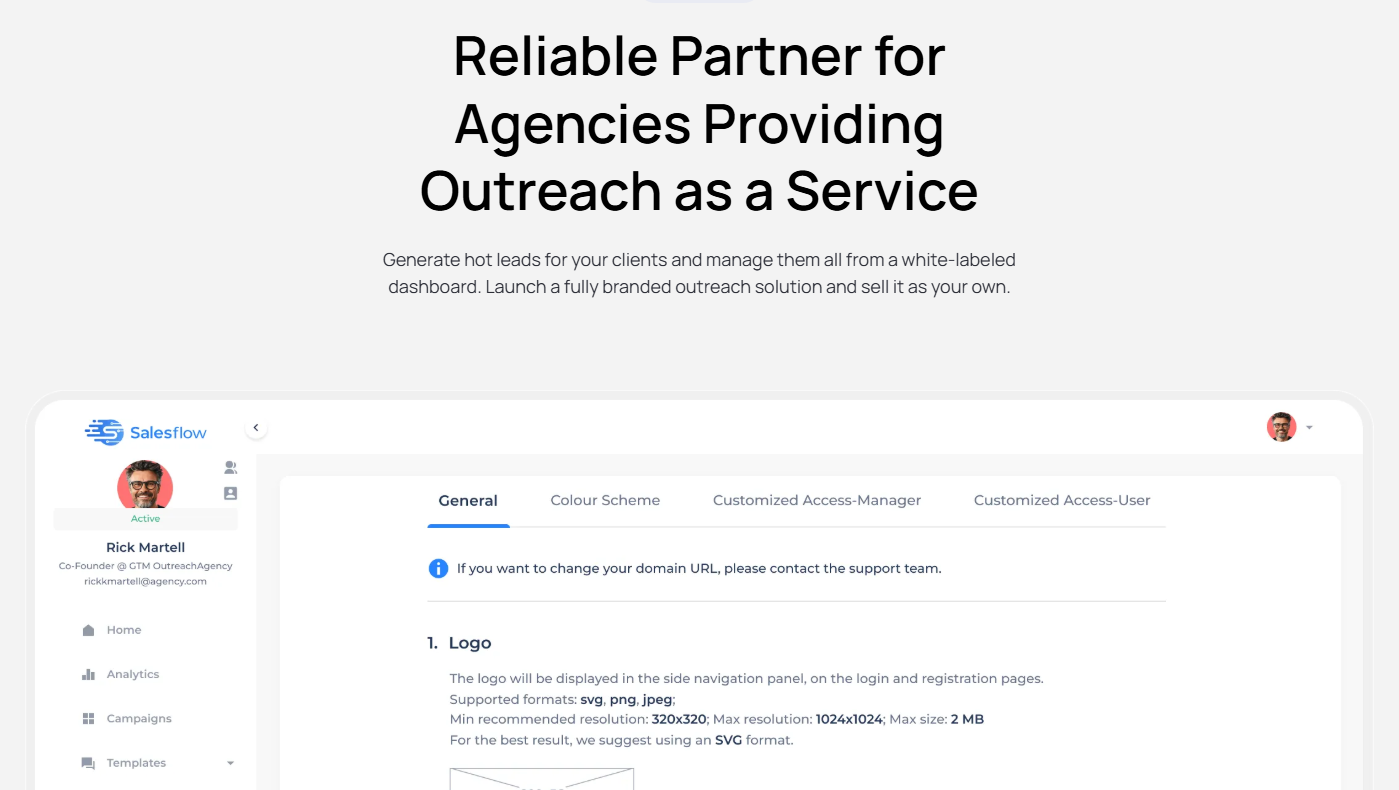
- White-labeled dashboard with private client inbox and detailed reports
- You can launch a fully white-labeled outreach solution and sell it as your own. No dev team needed.
- Admin panel for unlimited clients
- Dedicated IP settings
- API for custom dashboards
- Dedicated agency support team
Safety / Compliance Layer
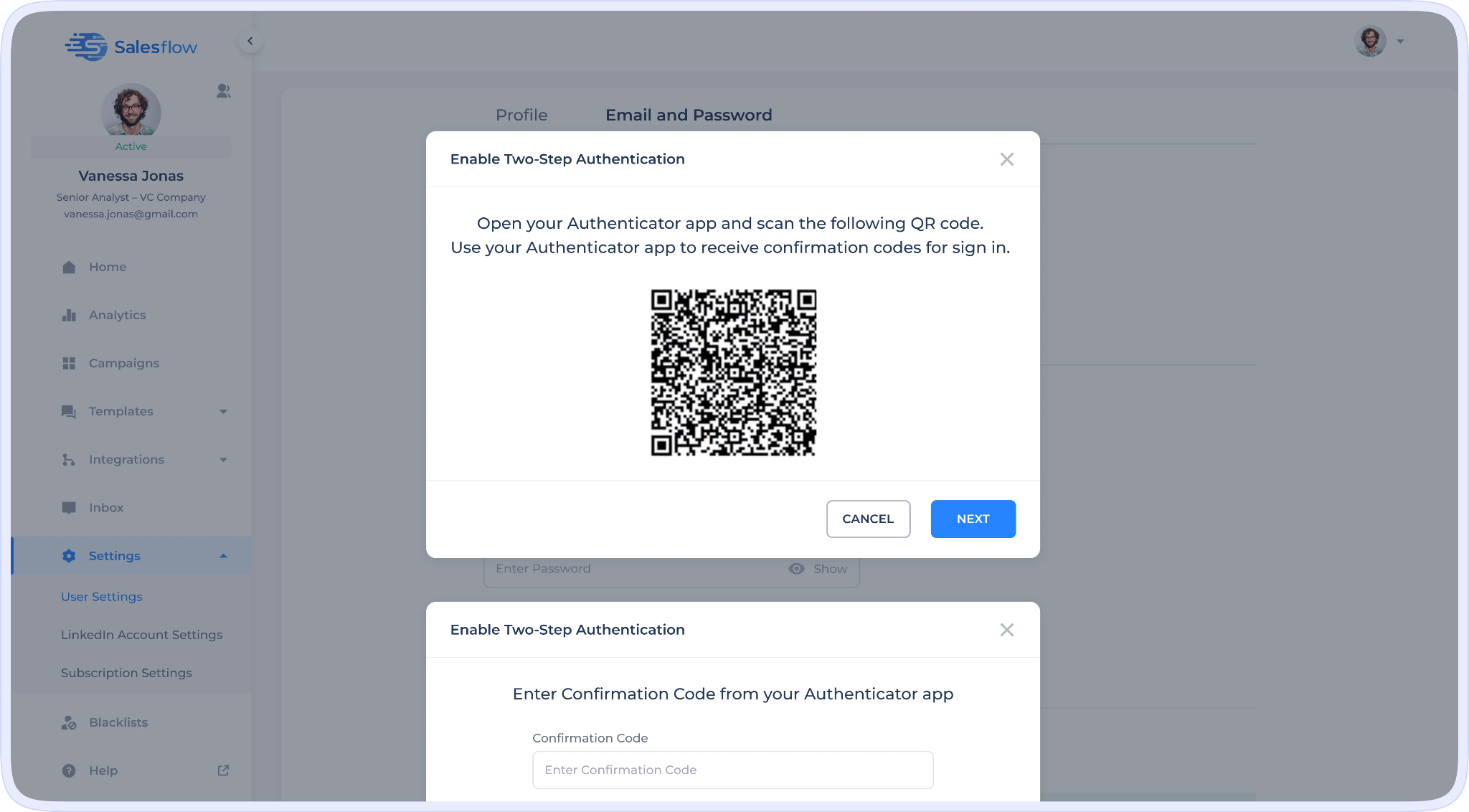
- Cloud-based execution from dedicated IPs ("Compliance First: Our software is fully aligned with guidelines, maintaining a near 0% ban rate").
- Auto-withdrawal of pending connection requests.
- Randomized action timing.
- Reviewers' guidance still recommends 1-2 weeks of manual warm-up before enabling automation on a fresh LinkedIn account — there is no built-in automated warm-up.
🚀 Tools Still Need Someone to Run Them
Instead of managing software, let us run outbound for you. LinkedIn outreach fully done-for-you starting at $397/mo.
SalesFlow Pricing
Agency and Enterprise require an annual commitment (billed monthly). The 30% annual discount applies to Basic/Starter/Pro 12-month commits.
Done-for-You / Managed Service
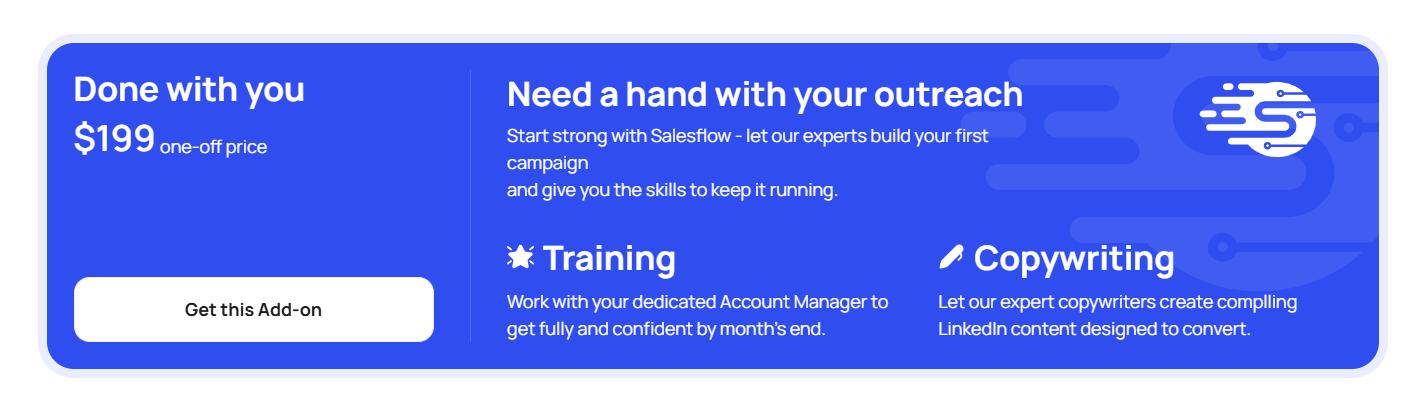
One-time "Done-with-You" setup — $199: A SalesFlow campaign manager develops your LinkedIn lead-gen strategy, sets up your first campaigns, and helps with initial execution.
Integrations
- Native CRM: HubSpot (real-time bi-directional sync), Salesforce, Pipedrive
- Workflow: Zapier (two-way), Google Sheets, webhooks (three event triggers)
- API: Documented public API at mvc.salesflow.io/api (token-based authentication, member-list and webhook endpoints)
- Search/data source: LinkedIn Basic + LinkedIn Sales Navigator + LinkedIn Recruiter Lite search URLs, CSV import
- Partners: Sendspark (dynamic personalized video), Warmly (intent data — Warmly Business & Enterprise tiers ship with 1 free SalesFlow seat and 20% off additional seats)
SalesFlow Pros and Cons
💼 Why Buy Another Tool When You Can Buy Pipeline?
We handle targeting, messaging, outreach & booking end-to-end. You get qualified meetings without the operational headache.
What Do Real Users Say About SalesFlow?
Across G2, Capterra, and independent reviews, the user experience breaks into two distinct camps.
The positive patterns: The most common praise is how much time SalesFlow saves on LinkedIn prospecting. Users report scaling from dozens to hundreds of prospects without adding manual work. One G2 reviewer noted a "large uplift in connections, messages replied to, and meetings booked." Setup is generally praised as straightforward for users who stick to basic campaigns.
A consistent highlight: "SalesFlow has allowed me to automate outreach while keeping it personal. It helps me book meetings while focusing on other tasks." Another user reported: "Because of Salesflow automation, we were able to 4x qualified pipeline with hardly any maintenance work."
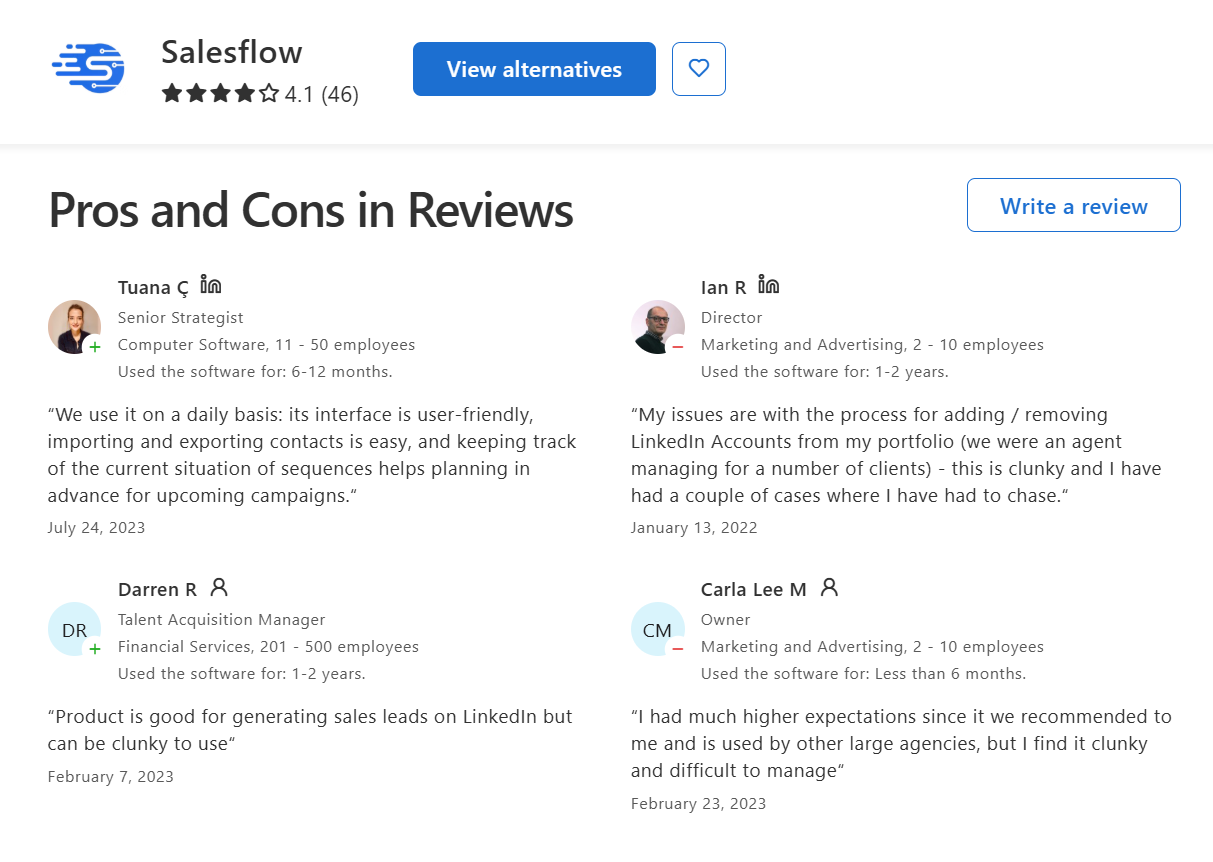
The negative patterns: Capterra reviews flag bugs frequently. One reviewer described the software as "good for generating leads but clunky to use, with too many bugs and difficulties dealing with support." The most critical reviews call out hostile customer support interactions — a few go into significant detail about unprofessional experiences with the team.
Data accuracy concerns and missing features for advanced users also surface regularly, alongside complaints that the design could be smoother and that analytics don't go deep enough.
The overall picture: SalesFlow works well when it works. The problem is the inconsistency — both in platform reliability and in support quality when something goes wrong.
Who Is SalesFlow Best For?
Best fit:
- Individual SDRs running LinkedIn-first outreach with straightforward sequence needs.
- Small sales teams comfortable with manual account-switching.
- Teams that want a done-for-you managed service without hiring an internal SDR.
- Users who prioritize cloud-based safety and CRM sync over advanced analytics.
Not ideal for:
- Agencies managing 5+ client LinkedIn accounts who need a shared inbox.
- Teams that need granular analytics and ICP-level segmentation to optimize campaigns.
- Budget-conscious buyers — cheaper alternatives exist with comparable core features.
- Companies running high-volume multi-channel sequences with conditional branching logic.
SalesFlow was built for the volume era of LinkedIn outreach. If your playbook is built around scale and you're running a straightforward agency operation, it's a fair choice. But teams that need deep personalization, advanced analytics, or reliable account management will likely outgrow it quickly
Best SalesFlow Alternatives in 2026
The most common reasons teams switch: pricing compounds quickly for agencies, analytics lack depth, there's no shared inbox, and the UI creates ongoing friction. Here are the tools that win on specific use cases.
HeyReach
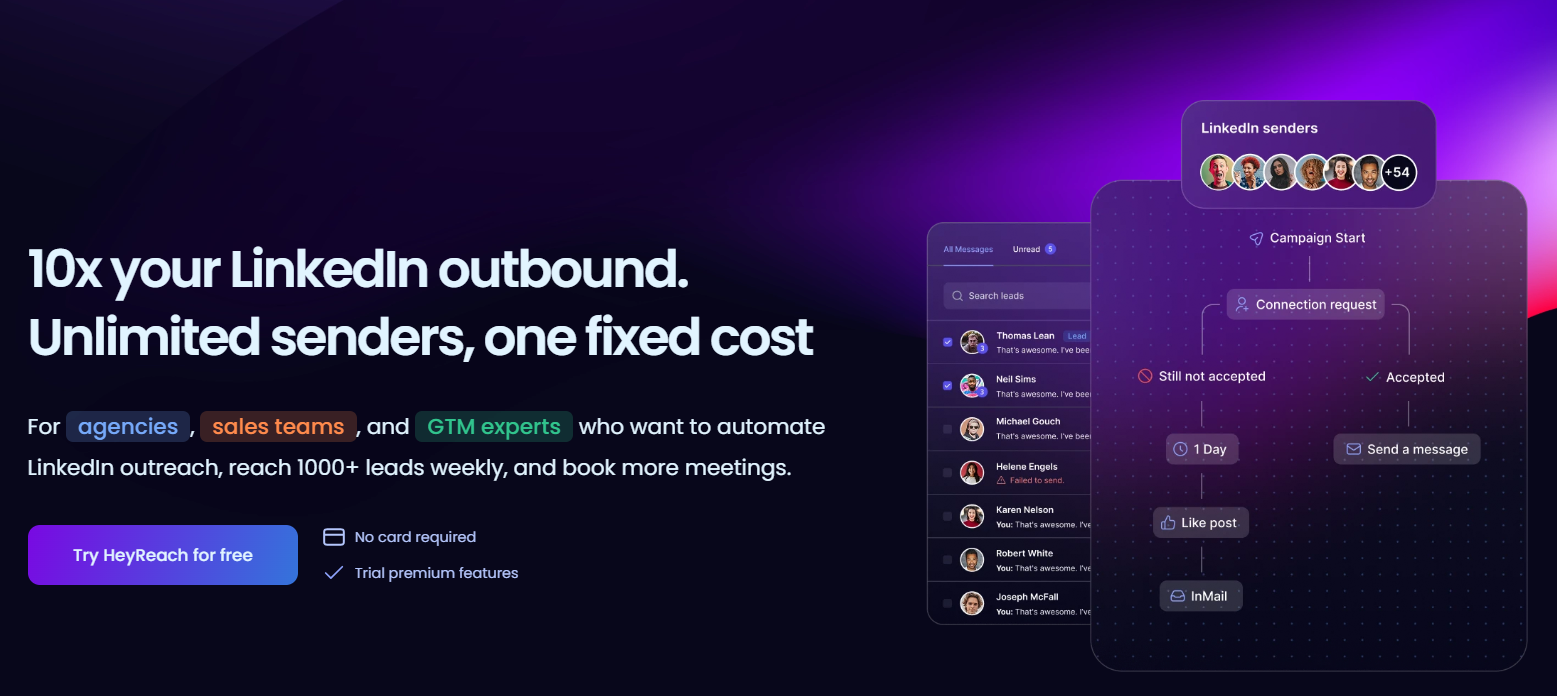
HeyReach starts at $79/month for 3 LinkedIn senders and scales to $199/month for unlimited senders — a fundamentally different pricing model than SalesFlow's per-seat structure.
The real differentiator for agencies: a unified inbox that aggregates conversations from all connected LinkedIn accounts into a single view, which is the feature agencies care about most. You can reply on behalf of clients without switching accounts. Role-based workspaces let you manage multiple clients securely from one dashboard.
HeyReach wins for agencies running multiple LinkedIn accounts at scale — it's built specifically for that use case in a way SalesFlow isn't.
Best for: Agencies managing multiple LinkedIn accounts. Transparent pricing that actually gets cheaper as you scale.
Expandi
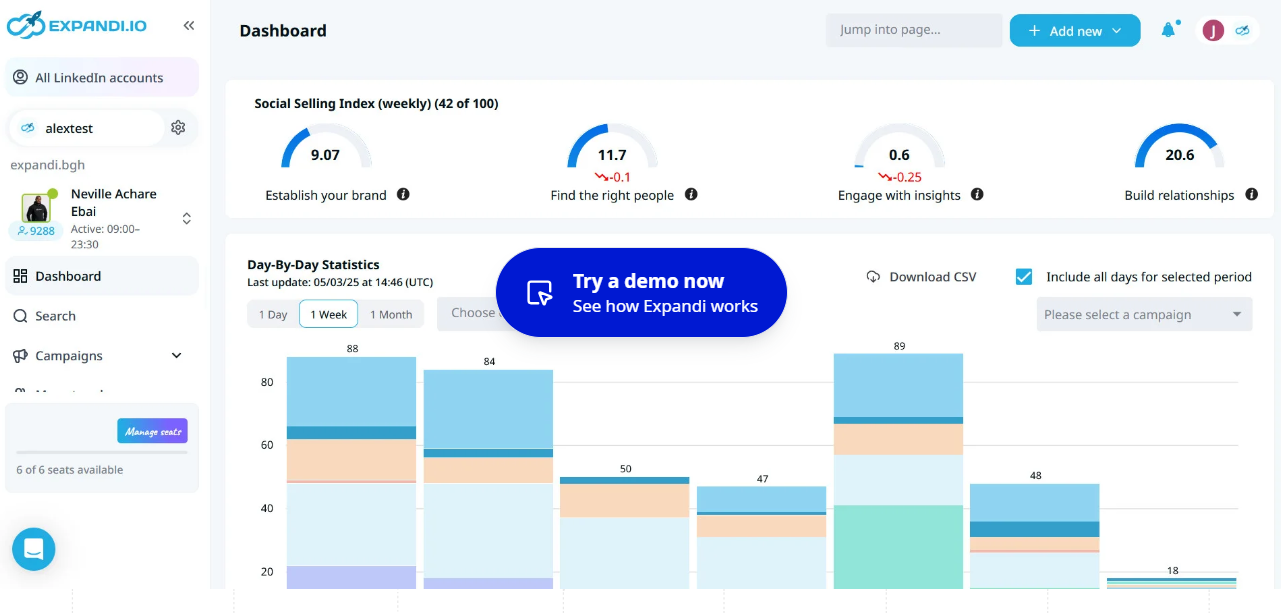
Expandi is priced at $99/month per LinkedIn account, with agency or custom pricing for larger teams. It matches SalesFlow on price at the single-user level, but it's a different product in terms of what you get.
Expandi assigns a dedicated IP address per user — a meaningful safety feature for high-volume outreach. It's known for advanced personalization, including dynamic image and GIF personalization inside LinkedIn messages, which drives higher reply rates in cold outreach.
Expandi wins for solo power users who want deep LinkedIn-specific features and strong account safety.
Best for: Individual SDRs or small teams prioritizing personalization and account protection over team features.
Dripify
Dripify charges $39 to $79 per LinkedIn account per month — significantly cheaper than SalesFlow at comparable feature levels for individual users.
The UI is consistently praised as the easiest of any LinkedIn automation tool — drag-and-drop campaign building with a clean interface. Daily connection limits are deliberately conservative, which protects account health without requiring manual configuration. For someone who just wants LinkedIn automation without the complexity, Dripify delivers.
Best for: Solo users or small teams that want simple, affordable LinkedIn automation without paying enterprise-tier prices.
Lemlist

Lemlist is priced at $99/user/month and is the only platform that orchestrates LinkedIn, email, and phone from a single sequence builder with native CRM sync.
The key advantage over SalesFlow: conditional logic. Sequences branch based on prospect behavior — if they open your email but don't reply, the next step changes. If they connect on LinkedIn but go quiet, the sequence adjusts. For teams running complex multi-channel campaigns, that level of control is hard to replicate.
Best for: Sales teams running sophisticated multi-channel sequences with conditional branching and strong CRM requirements.
Skylead
Skylead is priced at $100/seat/month. Its edge is native email sending alongside LinkedIn outreach in a single workflow — smart sequences that automatically switch between LinkedIn and email based on which channel gets a response.
For teams that want multichannel at a flat, predictable cost without managing separate email and LinkedIn tools, Skylead is worth evaluating. The per-seat pricing is less compelling than HeyReach for agencies, but the native multichannel logic is tighter than most competitors.
Best for: Teams that want LinkedIn and email in one tool at a predictable flat cost.
When an Agency Beats DIY Tools
LinkedIn tools like SalesFlow handle the mechanics — automating sequences, firing off connection requests, managing follow-ups. But the mechanics are actually the easy part.
What drives results is the strategy underneath it: who you're targeting, how you're positioning your offer, how your sequences are written, and whether your deliverability infrastructure can hold up under volume. Those aren't platform problems. They're execution problems. And no tool solves them for you.
The signal that it's time to stop managing tools in-house: low reply rates despite solid volume, no dedicated SDR to optimize sequences week over week, and a team that's spending more time troubleshooting the platform than actually selling.
A LinkedIn + cold email outreach agency handles the parts that actually move the needle — ICP targeting, verified list building, domain warm-up, multi-touch sequence copy, A/B testing across subject lines and messaging angles, and meeting delivery. You get qualified pipeline, not a dashboard to manage.
At Cleverly, we run done-for-you LinkedIn lead generation and cold email outreach for B2B companies that want results without the operational overhead.
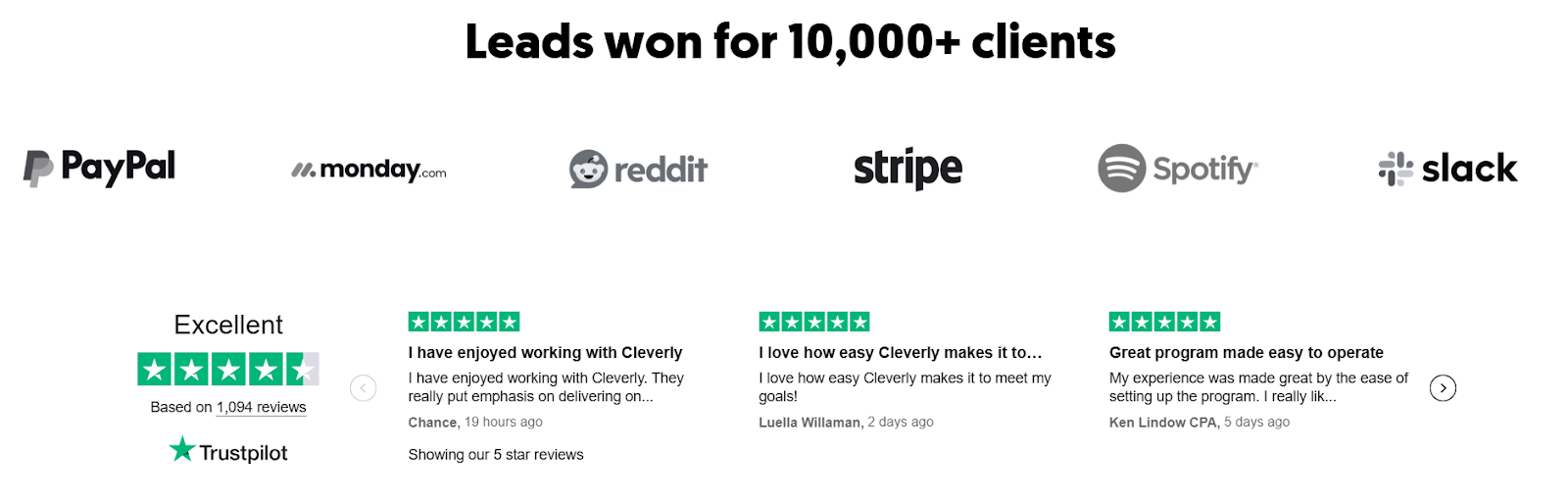
That means personalized multi-touch sequences, full deliverability infrastructure, and verified prospecting — handled by a team that's done this across 10,000+ clients and generated over $312M in pipeline. You don't pay for impressions. You get meetings with the right people.
When you're spending $99/month on a tool and still managing targeting, copy, deliverability, and optimization yourself, the real cost is a lot higher than the subscription. We take all of that off your plate.
Ready to hand off cold email and start getting qualified meetings?
Book a strategy call with Cleverly.
Final Verdict — Is SalesFlow Worth It in 2026?
SalesFlow.io reviews tell a consistent story: it's a capable tool that works well in a narrow set of scenarios and shows its limitations quickly outside of them.
For a single SDR running straightforward LinkedIn sequences with a clean ICP and a CRM to sync into — SalesFlow works. The cloud-based safety, campaign builder, and CRM integrations are genuine strengths. The platform includes 400 LinkedIn invites, 2,000 follow-up messages, and 800 Open InMails per month at the single-user level — enough volume for most individual outreach programs.
The problems surface when you try to scale it. Billing friction, account disconnections, analytics gaps, and a support experience that some users describe as hostile make SalesFlow a tough sell for teams that need reliable performance at volume. Agencies specifically will hit the wall of the missing shared inbox fast.
The best alternative by use case:
- Agencies with multiple accounts → HeyReach (shared inbox, unlimited senders at $199/month)
- Budget-conscious solo users → Dripify ($39–$79/month, clean UI)
- Multi-channel power users → Lemlist ($99/month, LinkedIn + email + phone with conditional logic)
- Safety-first individual outreach → Expandi ($99/month, dedicated IP, advanced personalization)
Bottom line: SalesFlow is worth a 7-day trial if you're a single-user LinkedIn outreacher looking for something cloud-based with solid CRM sync. If you're running a team or an agency, you'll likely outgrow it before you've gotten your ROI.
Frequently Asked Questions
Free Resource
How to Scale a Profitable Cold Call System
Get the complete guide — download it instantly now.

Free Ebook
Download the Free Guide
Enter your details to get instant access.
You're all set! 🎉
Your ebook is downloading now.
Click below if the download didn't start automatically.