Table of Contents
What to Look for in Sales Territory Mapping Software
Quick Comparison Table — 8 Best Sales Territory Mapping Software
8 Best Sales Territory Mapping Software in 2026 (Ranked and Reviewed)
How to Choose the Right Sales Territory Mapping Software
Territory Mapping Shows You Where — Cleverly Fills It With Pipeline
Conclusion
Frequently Asked Questions
Modified On :
August 13, 2026
Key Takeaways
- Territory mapping tools solve for boundaries and balance, not pipeline. A well-mapped territory with no active outreach behind it still produces flat numbers.
- The right tool depends on your use case first, not your budget. Field routing, enterprise compensation design, and simple visualization are three different problems with three different best-fit platforms.
- CRM integration quality matters as much as mapping features. A territory tool is only as good as the account, deal, and rep data flowing into it.
- Multi-variable balancing (revenue potential, account count, workload) consistently outperforms simple geographic splitting, especially for teams managing uneven account density.
- Free and low-cost tools work for basic visualization, but teams that need scenario modeling or route optimization should expect to pay for that depth.
One rep is drowning in accounts while another is sitting on empty roads. That imbalance isn't a talent gap. It's usually a sales territory mapping software gap.
The data backs this up. Research cited by Harvard Business Review found that optimized territory design can lift revenue by 2 to 7% without adding a single new hire.
This guide covers platforms built for exactly this problem, ranked and reviewed with real features, pricing, and limitations. Territory mapping spans more ground than people expect.
Some tools are built for field reps who need a daily route. Others are built for RevOps teams tying territory design to compensation. And some are just for a small team that needs a clean map, fast.
If you're in sales ops, RevOps, or leading a rep team responsible for dividing up accounts, regions, or verticals, this one's for you.
What to Look for in Sales Territory Mapping Software
Before comparing tools, it helps to know what actually separates a good platform from one that looks good in a demo.
Native, two-way CRM integration
Your territory data is only as useful as what's flowing into it. If the tool can't sync account, deal, and rep data both ways with your CRM, you'll end up manually reconciling spreadsheets within a month.
Multi-variable territory balancing
Simple geographic splitting (state lines, zip codes) is the easiest approach and usually the worst one. Better platforms balance territories using account count, revenue potential, and workload together, so no rep ends up with a "big" territory that's actually thin on real opportunity.
Route optimization for field reps
If your team is knocking on doors or visiting accounts in person, static boundaries aren't enough. You need daily or weekly route planning that accounts for drive time, not just a colored map.
Scenario modeling
Before rolling out a territory change and disrupting a quarter of relationships, you want to test a few configurations first. This is a mapping software for sales territories feature that separates operational tools from planning tools.
Mobile access
Field reps need maps and routes on their phone, not just on a desktop dashboard back at the office.
Pricing model and free tier availability
Smaller teams should check whether a free tier or trial exists before committing to an annual contract, since several vendors here require one.
🎯 Map Your Territory. Fill Your Pipeline.
Our LinkedIn, cold email, and cold calling campaigns generate 15–30 qualified meetings every month with your ideal buyers.
Quick Comparison Table — 8 Best Sales Territory Mapping Software
8 Best Sales Territory Mapping Software in 2026 (Ranked and Reviewed)
Each platform below is reviewed on what it's best for, its key features, its real limitations, and current pricing.
1) Maptive — Best Overall for Complete Territory Mapping and Analytics
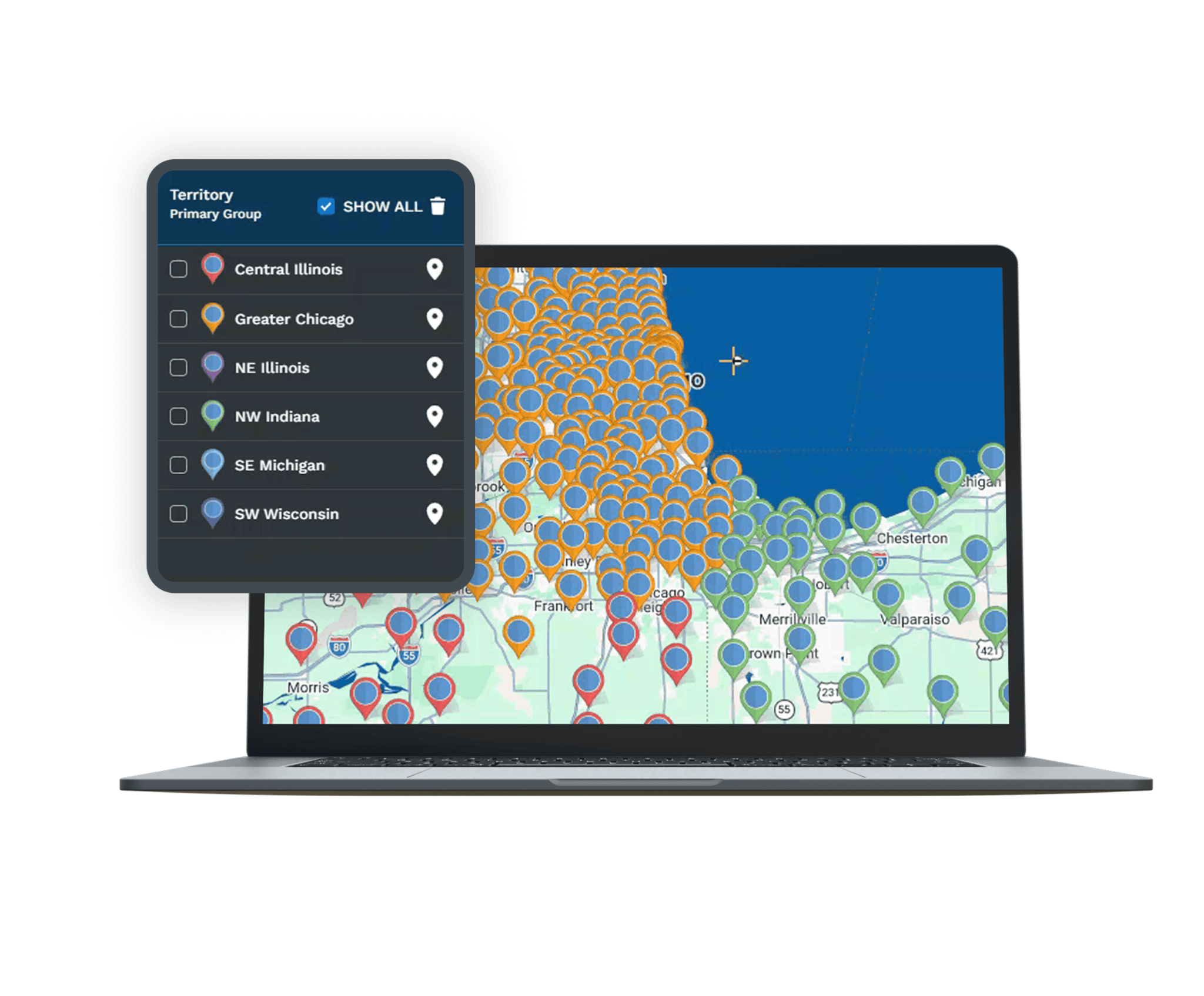
Maptive is the most feature-dense platform on this list, and it's built from the ground up as a geographic data visualization tool rather than a CRM with mapping bolted on.
Teams import thousands of customer, prospect, or account records from Excel or Google Sheets and get color-coded, clustered, heat-mapped territories almost instantly, with demographic overlays layered on top.
Best For - Teams that want mapping, route design, and territory analytics in one platform, without needing a data analyst or GIS specialist on staff.
Key Features
- Heat maps and demographic overlays for deeper territory analysis.
- Intuitive route design and customization tools.
- Territory analytics that go beyond simple geographic boundaries.
Pricing - One-time, short-term access (45 Day Pass) - $250, Pro - $1,250 / year, Team - $2,500 / year, Enterprise - Custom
2) Badger Maps — Best for Field Sales Route Optimization
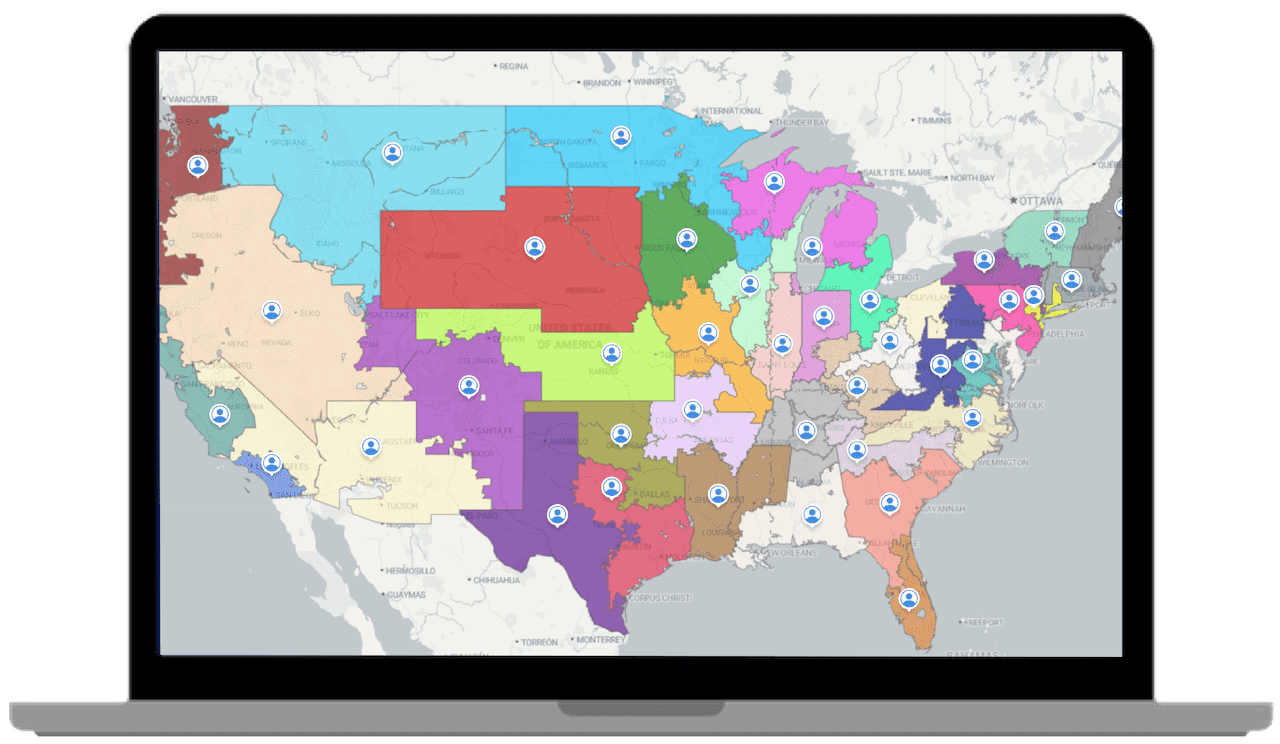
Badger Maps has built its whole product around one job: helping field reps visit more accounts in less time. Its signature "Lasso" tool lets a rep circle customers on a map and instantly generates the most efficient route through all of them, factoring in up to 120 stops at once. Reps consistently report cutting weekly route planning down from hours to minutes.
Best For - Field sales reps who need daily route planning layered on top of territory visualization.
Key Features
- Mobile-first design built for planning visits and finding nearby customers.
- Route optimization that reduces windshield time.
- Activity logging tied directly to visits.
Limitations
- Less suited to enterprise-level territory design or compensation-linked balancing than dedicated planning tools.
- Primarily built for field reps, so it's less relevant for inside sales teams.
- Deeper territory tools (balancing, lead routing, analytics) are sold as separate paid add-ons, not included in the base plan.
Pricing - $58/user/mo billed annually for the Business plan and $ 95/mo for the Enterprise plan.
3) Salesforce Maps — Best for Native Salesforce Territory Planning
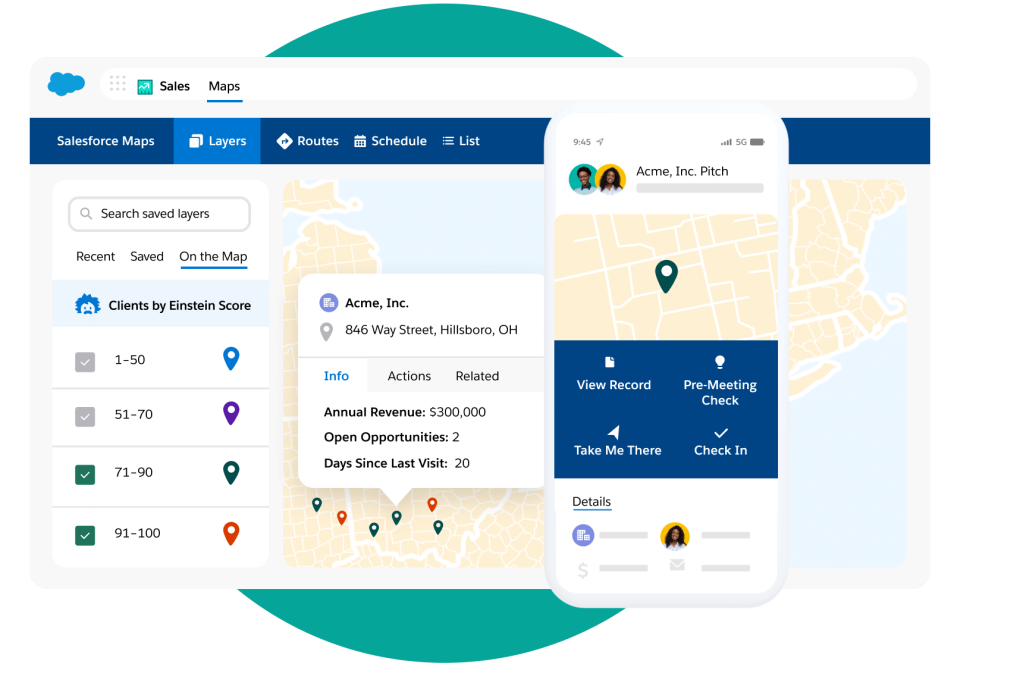
If your team already lives inside Salesforce, Salesforce Maps brings AI-powered territory planning directly into that workflow instead of forcing reps into a separate tool. It evolved from the acquired MapAnything technology and is built specifically to work with the account and opportunity data already sitting in your CRM.
Best For - Teams already running Salesforce who want territory planning built into their existing CRM rather than layered on top.
Key Features
- AI-powered territory planning, alignment, and optimization.
- Native integration with Salesforce CRM data.
- Territory visualization directly inside the existing CRM workflow.
Limitations
- Only makes sense for teams already on Salesforce.
- Priced as an add-on, which increases total CRM cost.
Pricing - Basic $75/user/mo, Advanced $125/user/mo. Both are billed annually.
4) Spotio — Best for Field Sales Activity Tracking + Territory Management
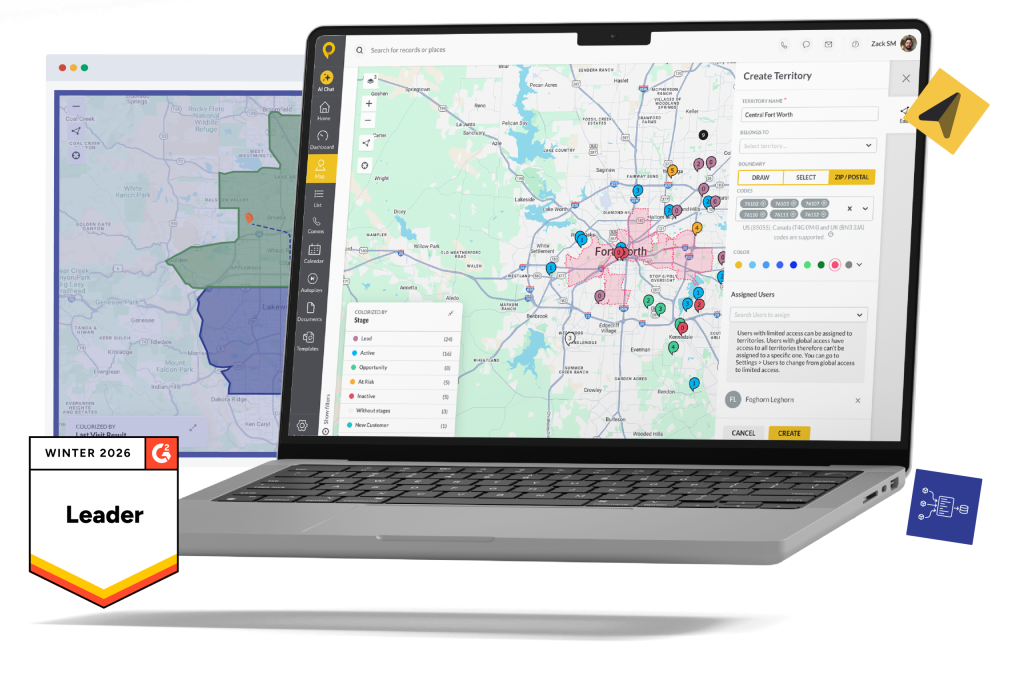
Spotio combines territory boundaries with visit logging and rep visibility, which makes it a fit for managers who want to see not just where a territory ends, but what's happening inside it day to day.
Best For - Field sales teams that need territory boundaries plus visit tracking and manager visibility into rep activity.
Key Features
- Territory creation tools with boundary drawing at multiple geographic levels.
- Visit logging and lead tracking tied to territory assignments.
- Manager visibility into rep movement and activity.
Limitations
- Geared toward field sales, so it's less relevant for remote or inside sales teams.
- Requires a minimum of 5 users on an annual contract, and per-user pricing adds up fast for larger teams.
- Several core field features (engagement tools, AI coaching, lead filtering) are sold as separate add-on modules.
Pricing - They have three plans - B2C, B2B and Custom. You can fill in the form details for custom plans as Spotio has moved toward custom quotes.
5) Xactly AlignStar — Best for Enterprise Territory Design Tied to Compensation
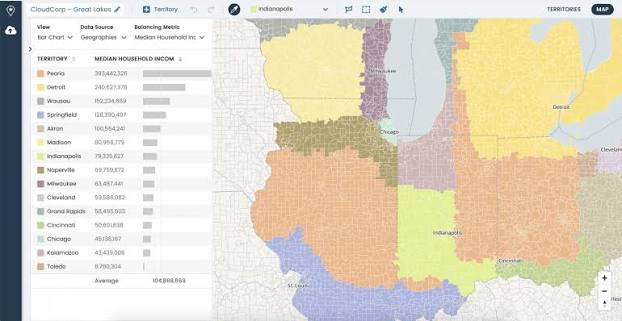
AlignStar is built for a different problem than most tools on this list: territory design that has direct downstream effects on quota and comp. It's the pick for organizations where a territory redraw isn't just a mapping exercise, it's a compensation conversation.
Best For - Enterprise sales organizations that need territory planning connected to quota and compensation, not just geography.
Key Features
- Territory balancing that accounts for quota implications.
- Scenario modeling to test configurations before rollout.
- Built for operations teams managing large-scale, complex territory design.
Limitations
- Enterprise-focused, which likely means more complexity and cost than smaller teams need.
- Pricing isn't published.
Pricing - Custom
6) eSpatial — Best for Sophisticated Multi-Variable Territory Balancing
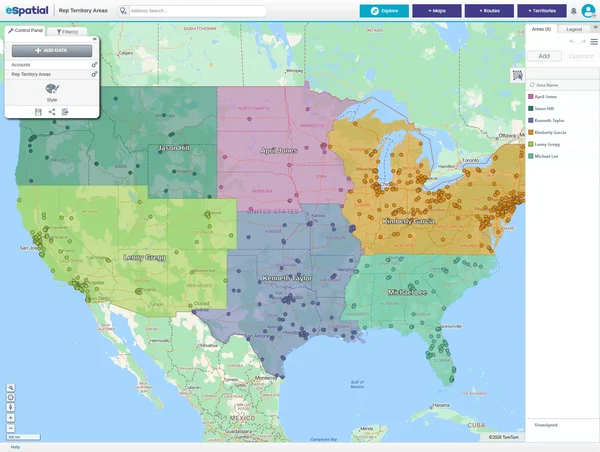
eSpatial leans into the idea that geography alone is a weak way to build territories. Its balancing logic factors in account count and revenue potential alongside location, with mapping layered on top rather than as the whole product.
Best For - Teams that need to balance territories using multiple data variables, not just geographic lines.
Key Features
- Territory balancing based on account count, revenue potential, and other custom variables.
- Mapping and visualization built on top of that balancing logic.
Limitations
- Requires more analytical setup than simpler visualization tools.
Pricing - Mapping Pro ($1,495 / per year), Professional Territory Manager ($7,995 / per year), Advanced Territory Manager ($14,995 / per year)
7) Maptitude — Best for Territory Design and Balancing
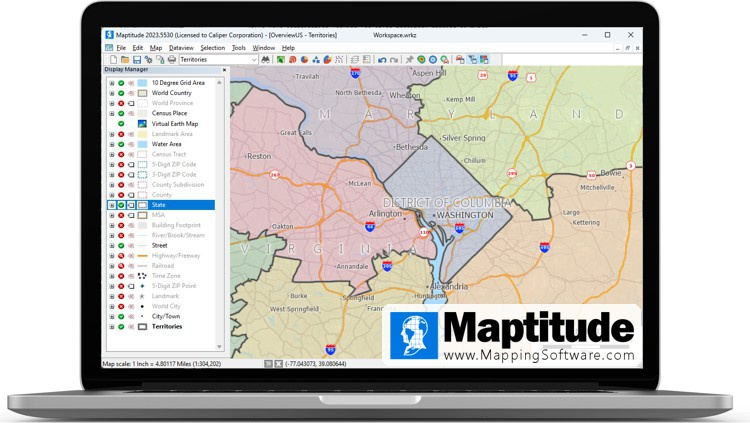
Maptitude focuses on the design and rebalancing side of territory management, aimed at sales ops teams that need to adjust territories as account data shifts rather than just draw a map once a year.
Best For - Sales ops teams designing and redesigning territories based on shifting account data.
Key Features
- Territory design and balancing tools.
- Mapping and geographic visualization for planning changes.
Limitations
- Less field-rep-focused than Badger Maps or Spotio, with fewer route optimization and mobile activity tracking features.
- Fewer publicly documented user limitations than other tools on this list; check recent reviews before committing.
Pricing - $795 with no subscription fees required for the core software. Includes a free country data package valued at $695
8) BatchGeo — Best Free Option for Simple Territory Visualization
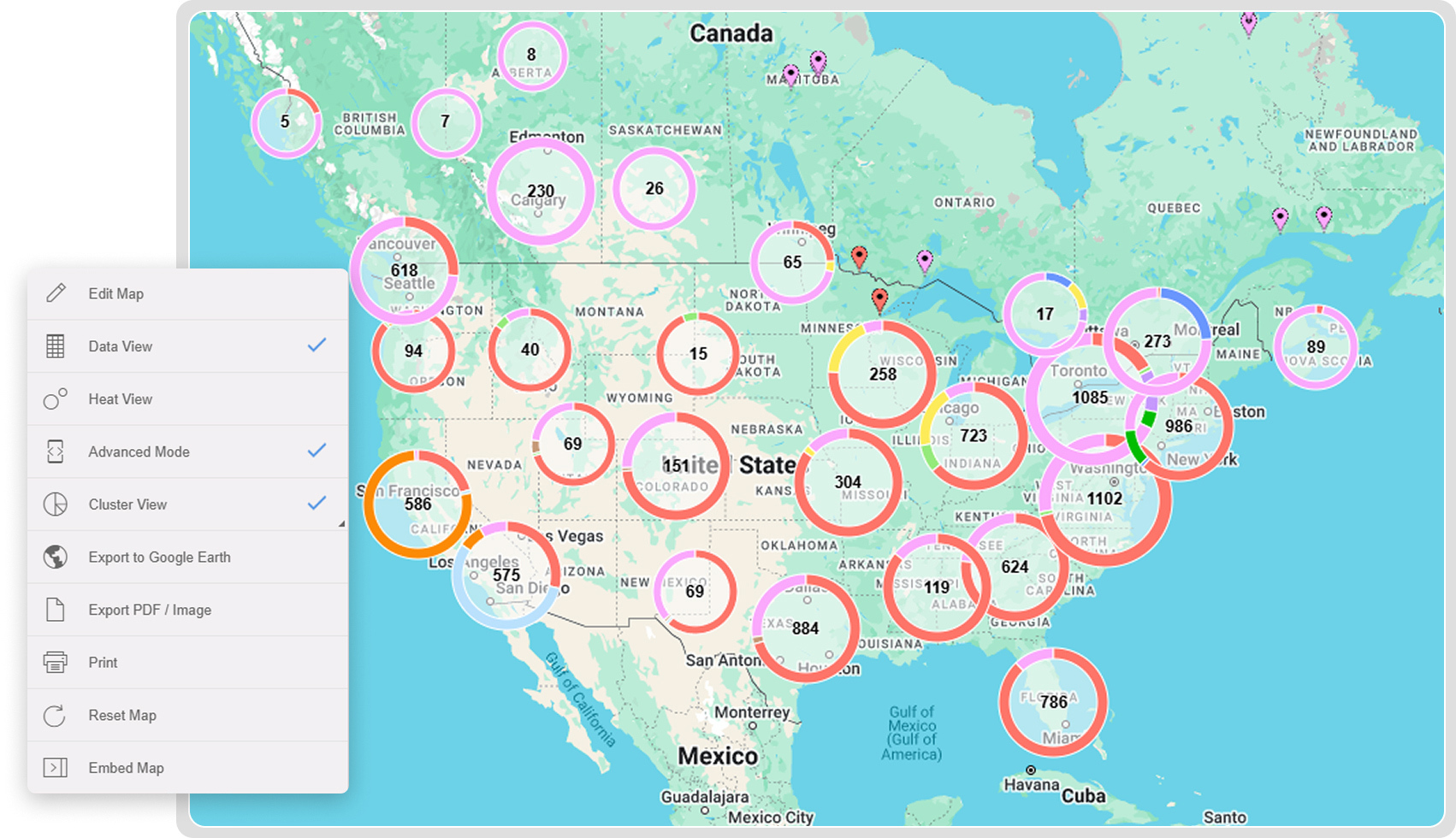
BatchGeo is the tool for teams that just need to turn a spreadsheet into a shareable map, without full territory balancing or route planning. It's fast to set up and doesn't require any GIS background.
Best For - Small teams or early-stage territory planning that just needs basic mapping, not full balancing or routing.
Key Features
- Converts spreadsheet data into a shareable map in minutes.
- Free tier for basic mapping needs.
- Simple, low-setup interface.
Limitations
- Free tier caps out at a limited number of data points (historically around 150 rows), so it's not built for larger account lists.
- No route optimization, scenario modeling, or CRM-native integration.
- Best treated as a visualization tool, not a full territory management platform.
Pricing - BatchGeo offers a free tier and a Pro plan starting at US$99.00 per month
🚀 Better Coverage. More Qualified Meetings.
With 53,000+ meetings booked and $312M+ in pipeline generated, Cleverly helps 10,000+ businesses turn smarter targeting into predictable revenue.
How to Choose the Right Sales Territory Mapping Software
The honest answer is: it depends on which problem you're actually solving.
- Field sales teams prioritizing route efficiency → Badger Maps or Spotio
- Teams already on Salesforce → Salesforce Maps, for native integration without adding another tool to the stack
- Enterprise orgs tying territory to compensation → Xactly AlignStar
- Teams needing sophisticated, multi-variable balancing → eSpatial or Maptitude
- Small teams or simple visualization needs → BatchGeo's free tier
Whatever you shortlist, confirm CRM integration quality before you sign anything. A tool with great mapping features and weak sync to your account and deal data will leave you back in spreadsheets within a quarter.
Territory Mapping Shows You Where — Cleverly Fills It With Pipeline

Territory mapping software answers a real and necessary question: who owns which accounts and regions. What it doesn't do is generate the outreach needed to actually fill those territories with pipeline.
A perfectly balanced territory with zero active outbound behind it still produces the same flat numbers as a poorly mapped one.
That's the gap Cleverly works in.
As a B2B lead generation agency, we run targeted LinkedIn outreach, cold email, and cold calling campaigns aligned to whatever territory or account segmentation your team has already built. If your sales ops team has drawn the map, we handle the execution inside it.
We've generated $312M in pipeline and $51.2M in closed revenue for clients across every B2B industry, working alongside sales ops teams that have already done the hard work of defining who owns what. Mapping is the plan. Outreach is what actually moves accounts through it.
Ready to put pipeline behind your territories? Book a free strategy call with Cleverly.
Conclusion
The right territory mapping tool depends on whether your priority is field rep routing, enterprise territory design, or simple visualization on a budget. None of these platforms are universally "best." They're built for different jobs, and picking the wrong one means paying for depth you don't need or missing depth you do.
CRM integration quality should weigh just as heavily in your decision as mapping features themselves. Free tools like BatchGeo work fine for basic visualization, but real balancing and route optimization require a paid platform built for it.
And no matter which tool you choose, remember what it can't do for you: territory mapping defines where reps should focus, but it's still on your team to generate and convert pipeline within those boundaries.
Frequently Asked Questions
Free Resource
How to Scale a Profitable Cold Call System
Get the complete guide — download it instantly now.

Free Ebook
Download the Free Guide
Enter your details to get instant access.
You're all set! 🎉
Your ebook is downloading now.
Click below if the download didn't start automatically.