Table of Contents
What Does Introducing Someone on LinkedIn Mean?
When You Should (and Shouldn't) Introduce Someone on LinkedIn
How to Introduce Someone on LinkedIn (Step-by-Step)
LinkedIn Introduction Message Examples
How to Share Someone’s LinkedIn Profile
What to Do When the Two People Are Not Connected to You
Best Practices for LinkedIn Introductions That Build Trust (and Common Mistakes to Avoid)
How Cleverly Uses LinkedIn Relationships to Create Warm Opportunities
Conclusion
Frequently Asked Questions
Modified On :
August 3, 2026
Key Takeaways
- Always ask permission from both parties before making any LinkedIn introduction.
- Use LinkedIn's introduction feature for formal requests or group messages for direct connections.
- Keep introduction messages short, neutral, and focused on clear mutual value.
- Step back after making the introduction and let both parties engage directly.
- Quality beats quantity: only introduce people when there's genuine relevance.
- Warm introductions have 70% higher response rates than cold outreach.
To introduce someone on LinkedIn, first ask both people whether they are open to connecting. Once they agree, start a group message, explain who each person is, and state the specific reason a conversation could be useful.
That sounds simple, but the details matter. An unexpected introduction can create an awkward obligation. A vague message leaves both people wondering why they were connected. A strong introduction protects everyone’s time and gives the conversation a natural starting point.
Cleverly manages LinkedIn outreach across a wide range of B2B industries, where introductions, referrals, and mutual connections often shape whether a conversation begins.
The strongest introductions share three characteristics: both people expect the message, the reason for connecting is specific, and neither person feels pressured to respond.
This guide explains how to introduce two people on LinkedIn using the current messaging workflow. It also includes templates for referrals, hiring, partnerships, mutual-connection requests, and other professional situations.
Let's get started.
What Does Introducing Someone on LinkedIn Mean?
Introducing someone on LinkedIn usually means connecting two professionals through a private message. You can start a group chat with both people, send one person the other person’s profile, or ask a mutual connection to make the introduction for you.
These are different from sending a standard connection request. An introduction adds context from someone both parties know, explaining who each person is and why the conversation may be useful.
LinkedIn’s current messaging system allows you to start a group chat with two or more first-degree connections. Each participant can see the shared conversation and continue without the person who made the introduction. (LinkedIn Help)
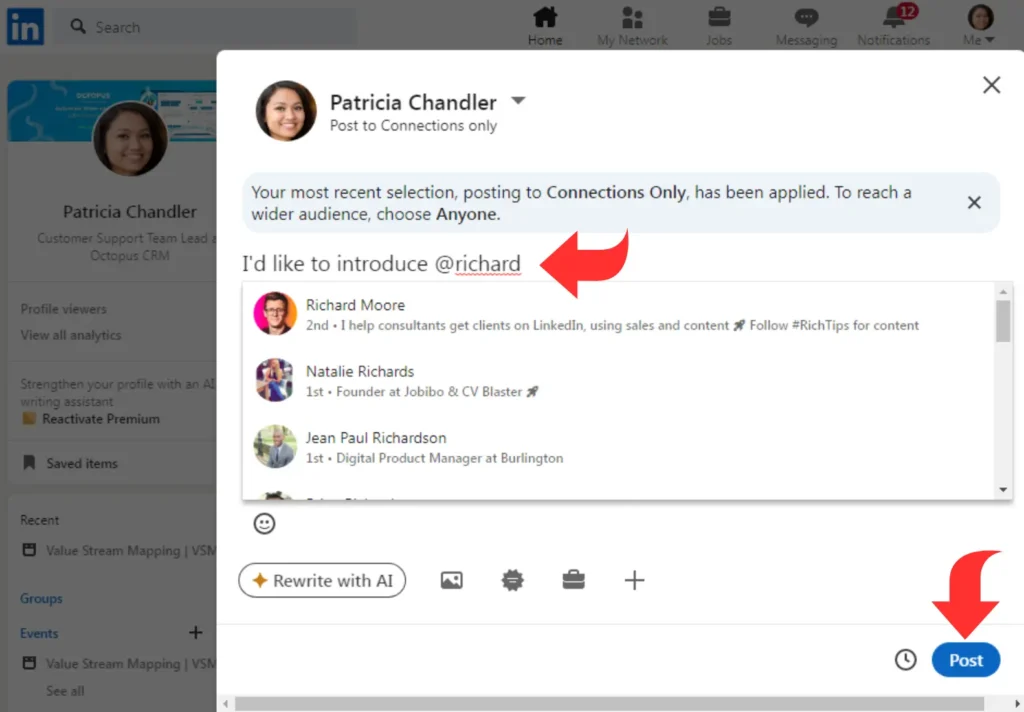
Why warm introductions beat cold outreach
The numbers tell the story. A warm introduction can reduce uncertainty because the recipient knows who connected you and why. That does not guarantee a response. The outcome still depends on the strength of the mutual relationship, the relevance of the request, and whether both people agreed to the introduction.
When you introduce people on LinkedIn with context and credibility, you're transferring trust from your existing relationship to the new connection.
We've seen this firsthand while managing outreach for over 10,000 clients. Strategic introductions combined with targeted messaging consistently outperform generic cold outreach by 3-5x in meeting conversion rates.
The key is knowing when to leverage your network versus when to reach out directly.
Read More: How to Build a LinkedIn Lead Engine (Without Paying for Ads)
🤝 Turn Intros Into Meetings
Cleverly runs done-for-you LinkedIn outreach that converts warm introductions into booked sales calls. Plans start at just $397/mo.
When You Should (and Shouldn't) Introduce Someone on LinkedIn
Knowing how to introduce people on LinkedIn starts with understanding when an introduction actually makes sense.
Best use cases for LinkedIn introductions
1. Sales introductions: When a prospect could genuinely benefit from your contact's product or service, a warm introduction cuts through the noise. We use this strategy constantly at Cleverly, where targeted introductions help our clients book qualified meetings with decision-makers at companies like Amazon, Google, and PayPal.
2. Hiring and recruiting: Connecting talented professionals with hiring managers creates value for both sides. If you know someone actively looking and have a contact with an open role, an introduction can fast-track the process.
3. Partnerships and referrals: When two businesses or professionals could create mutual value, facilitating that connection strengthens your network and positions you as a connector.

When introductions can backfire
Making unsolicited introductions without context damages your credibility with both parties. Here's when to hold back:
- You don't know both people well enough to vouch for them.
- One person hasn't given you permission to share their contact information.
- The value proposition is unclear or one-sided.
- You're introducing too frequently and becoming known as a spam connector.
Always get permission first
Before you introduce someone on LinkedIn, ask both parties if they're open to connecting.
A simple "Would you be open to an introduction to [name] who does [relevant context]?" respects everyone's time and inbox.
This permission-based approach maintains trust in your network and ensures introductions are welcomed rather than tolerated.
Use the Double Opt-In Introduction
A double opt-in introduction means both people agree before you put them in direct contact. It protects privacy, prevents awkward group messages, and confirms that the potential value is mutual.
Use this process:
- Ask Person A whether they would like to meet Person B.
- Ask Person B separately and provide equivalent context.
- Confirm that both have agreed.
- Create the shared message.
- State why the conversation may help each person.
- Step away.
Permission from only one person is not enough. The fact that someone is your LinkedIn connection does not mean they have agreed to receive referrals, pitches, or surprise introductions.
Check These: High-Converting LinkedIn InMail Templates to Boost Your Outreach Success
How to Introduce Someone on LinkedIn (Step-by-Step)
The cleanest approach is a double opt-in introduction. Ask each person separately whether they are open to meeting, then create a shared message only after both agree.
Step 1: Confirm Why the Introduction Makes Sense
Write down the reason in one sentence before contacting either person. If the value is vague, the introduction will probably feel vague too.
A credible reason usually involves:
- A shared business challenge
- Complementary expertise
- A relevant job opening
- A potential partnership
- A customer or service-provider referral
- A common professional interest
Avoid making an introduction solely because two people work in the same broad industry. “You both work in technology” gives them no reason to respond.
Step 2: Ask Each Person for Permission
Contact each person separately. Explain who you want to introduce, why you think the conversation could help, and make declining easy.
Permission message:
Hi [Name], I know [Other Person], who [brief relevant context]. You are both working on [shared challenge or topic], so I thought a conversation might be useful. Would you be open to an introduction? No problem if the timing is not right.
Do not add both people to a message before they agree. A surprise group chat transfers the social burden to the recipients and can make a well-intended introduction feel like an obligation.
Step 3: Choose the Right LinkedIn Introduction Method
For most professional introductions, a group chat is the simplest option because both people receive the same context and can continue the conversation directly.
Step 4: Start a LinkedIn Group Chat
According to LinkedIn’s current group-chat instructions, you can start a conversation with two or more first-degree connections.
On desktop:
- Click Messaging at the top of the LinkedIn homepage.
- Click the Compose icon.
- Enter both recipients’ names in the Type a name field.
- Select each person to add them to the chat.
- Write the introduction.
- Review the names and message, then click Send.
On mobile:
- Tap the Messaging icon.
- Tap the Compose icon.
- Enter both names in the To field.
- Select both recipients.
- Write the introduction and tap Send.
LinkedIn allows up to 50 people in a group chat, but a professional introduction should usually include only the two people being introduced. A crowded message thread turns a personal introduction into a broadcast.
Step 5: Write the Introduction
A useful LinkedIn introduction contains four elements:
- Each person’s name and relevant role
- The specific point of overlap
- Why a conversation may help both people
- A low-pressure handoff
Basic introduction example:
Hi Priya and Marcus,
Priya leads customer success at Acme, where her team is rebuilding its enterprise onboarding process.
Marcus advises SaaS companies on onboarding and recently completed a similar project for a team moving upmarket.
You are both thinking about reducing time to value for larger customers, so I thought comparing notes could be useful. I’ll let you take it from here if the timing makes sense.
The message gives both people enough context to respond without turning either person into a product being pitched.
These principles also apply when you write a LinkedIn message: provide context, make the relevance clear, and keep the next step low pressure.
Step 6: Step Out of the Conversation
Once the introduction is complete, let both people decide what happens next. You do not need to propose a meeting, chase their replies, or ask whether the introduction “worked.”
Follow up only when one of the participants asks you for help or when a time-sensitive detail genuinely requires clarification.
Also Check: LinkedIn Personal Branding - How to Build Authority & Attract Opportunities
🚀 LinkedIn, Done For You
Join 10,000+ companies using Cleverly to start high-quality LinkedIn conversations that turn into pipeline—not noise.
LinkedIn Introduction Message Examples
The best introduction message changes with the reason for connecting. Use the following examples as starting points, then replace the placeholders with specific context.
How to Introduce Two People on LinkedIn
Hi [Name 1] and [Name 2],
I wanted to introduce you because you are both working on [specific shared subject].
[Name 1] is focused on [relevant responsibility or project], while [Name 2] has experience with [related challenge or expertise].
I thought a conversation could be useful, so I’ll let you both take it from here.
How to Ask Someone for an Introduction on LinkedIn
Hi [Mutual Contact],
I noticed that you know [Target Person]. I have been following their work on [specific subject], which connects closely with [brief context about your work].
Would you feel comfortable introducing us? I would like to ask them about [specific reason], and I can send you a short forwardable note to make it easy.
No pressure if you do not know them well or would rather not make the introduction.
Before approaching the intermediary, review how to network effectively on LinkedIn without treating every relationship as a shortcut to a prospect.
Forwardable Introduction Request
Make the intermediary’s job easier by supplying a message they can review and forward.
Hi [Target Person],
I would like to introduce you to [Your Name], [role] at [company]. They are working on [specific project or challenge] and thought your experience with [relevant subject] could provide useful perspective.
[Your Name], [Target Person] has [brief relevant credential or context].
I’ll let you both decide whether it makes sense to continue the conversation.
How to Introduce Someone to a Hiring Manager
Hi [Hiring Manager] and [Candidate],
I wanted to connect you regarding the [Job Title] opening at [Company].
[Candidate] has [specific relevant experience] and recently [relevant accomplishment]. [Hiring Manager] leads [team or function] and is hiring for someone who can [specific requirement].
The background appears relevant to the role, so I thought a direct conversation could be useful. I’ll let you take it from here.
Avoid promising that the candidate is perfect for the role. Your credibility supports the introduction, but the hiring manager still needs to evaluate the fit independently.
How to Introduce a Potential Client to a Service Provider
Hi [Client] and [Provider],
[Client] is currently evaluating how to [specific business objective].
[Provider] works with [relevant customer type] on that problem and has experience with [specific related work].
I thought an initial conversation could help you determine whether there is a fit. I’ll leave the next step with you both.
This message should not conceal a commercial relationship. If you may receive a referral fee, disclose it before or during the introduction.
How to Introduce Potential Business Partners
Hi [Name 1] and [Name 2],
I am connecting you because your work appears complementary.
[Name 1] helps [audience] with [service or product], while [Name 2] works with the same market on [related service or product].
There may be a useful partnership or referral angle around [specific opportunity]. I thought it was worth putting you in the same conversation, with no expectation attached.
How to Introduce a New Colleague
Hi [Colleague 1] and [Colleague 2],
I wanted to introduce you because your work overlaps on [project, customer, or responsibility].
[Colleague 1] owns [responsibility], and [Colleague 2] will be working on [related responsibility].
It would be useful for you to compare notes on [specific topic]. I’ll leave you to coordinate from here.
How to Introduce Alumni on LinkedIn
Hi [Name 1] and [Name 2],
You both studied [program or subject] at [Institution] and now work in [related field].
[Name 1] is focused on [specific area], while [Name 2] has been working on [related subject].
The shared background and current overlap made the introduction seem useful. I’ll let you take it from here.
How to Share Someone’s LinkedIn Profile
If you do not want to create a group chat immediately, send one person the other person’s LinkedIn profile with a short explanation.
Depending on the device and current LinkedIn interface, the profile menu may include an option such as Send profile in a message. If that option is unavailable, copy the public profile URL and paste it into your message.
Use this message:
Hi [Name],
I mentioned [Other Person] earlier. Here is their LinkedIn profile: [profile link].
They work on [relevant subject], and I think the overlap with your work on [specific topic] could make a conversation useful. If you are interested, I’m happy to check with them and make an introduction.
Sharing a profile is not the introduction itself. Wait for interest before creating a group conversation or giving either person additional contact details.
What to Do When the Two People Are Not Connected to You
LinkedIn group chats require the participants to be your first-degree connections. If one person is outside your network, use one of these approaches:
- Ask a mutual connection to contact them first.
- Send an InMail if your account allows it.
- Send a personalized connection request with honest context.
- Ask the interested party to connect directly and mention your name.
- Move the introduction to email after receiving permission to share addresses.
Do not imply that a mutual connection has endorsed you if they have only agreed to pass along a message. There is a meaningful difference between “Alex suggested I contact you” and “I noticed Alex is a mutual connection.”
This guide explains how to connect with someone on LinkedIn when a direct introduction is not available.
Best Practices for LinkedIn Introductions That Build Trust (and Common Mistakes to Avoid)
Knowing how to introduce someone on LinkedIn is one thing. Doing it in a way that strengthens your professional reputation is another.
Best practices for successful LinkedIn introductions:
1. Keep it short and value-driven. Your introduction message should take 30 seconds to read. Get to the point quickly: who these people are, why they should connect, and what the potential value is. Nobody has time for a three-paragraph backstory.
2. Never oversell either party. Resist the urge to hype up your contacts with exaggerated claims. Saying someone is "the best in the industry" or "will definitely solve all your problems" sets unrealistic expectations. Stick to factual, relevant credentials.
3. Skip the pressure and expectations. Phrases like "I'm sure you'll want to work together" or "This should be a perfect fit" add unnecessary weight to the introduction. Let both parties evaluate the opportunity without your assumptions attached.
4. Use a professional, neutral tone. You're facilitating a connection, not selling. Keep your language straightforward and unbiased. Think of yourself as the LinkedIn equivalent of a mutual friend at a networking event who makes a quick introduction then steps aside.
This approach has helped us facilitate thousands of successful connections while managing LinkedIn outreach for clients across every industry. Clean, professional introductions build long-term trust in your network.
Common mistakes that damage your credibility:
1. Making introductions without permission is the fastest way to annoy both parties and look unprofessional. Always ask first. An unsolicited intro feels like spam, even when it's well-intentioned.
2. Being vague or overly promotional leaves people confused about why they're being connected. "You two should definitely meet!" with no context wastes everyone's time. On the flip side, a sales pitch disguised as an introduction is transparent and off-putting.
3. Introducing irrelevant connections because you're trying to be helpful actually does the opposite. If there's no clear, mutual benefit, don't force it. Quality over quantity applies to introductions just as much as it does to LinkedIn lead generation overall.
4. Treating introductions like sales pitches destroys trust fast. Your contacts aren't leads for you to distribute. They're professionals who deserve respect and context. When you introduce someone on LinkedIn with integrity, both parties remember you as a valuable connector.
Strong introductions support your reputation because LinkedIn personal branding is shaped as much by how you treat your network as by what you publish.
How Cleverly Uses LinkedIn Relationships to Create Warm Opportunities
Strategic introductions are powerful, but what if you could systematically turn LinkedIn connections into qualified meetings at scale?
That's exactly what we do at Cleverly. We've mastered LinkedIn lead generation by combining warm relationship-building with targeted outreach that actually gets responses.
What makes our approach different:
- $312 million in pipeline revenue generated for 10,000+ clients through strategic LinkedIn outreach.
- $51.2 million in closed deals by connecting the right people at the right time.
- Trusted by industry leaders including Amazon, Google, Uber, PayPal, Slack, and Spotify.
We don't spam inboxes or send generic templates. We build genuine relationships, facilitate meaningful introductions, and book meetings with decision-makers who actually want to talk.
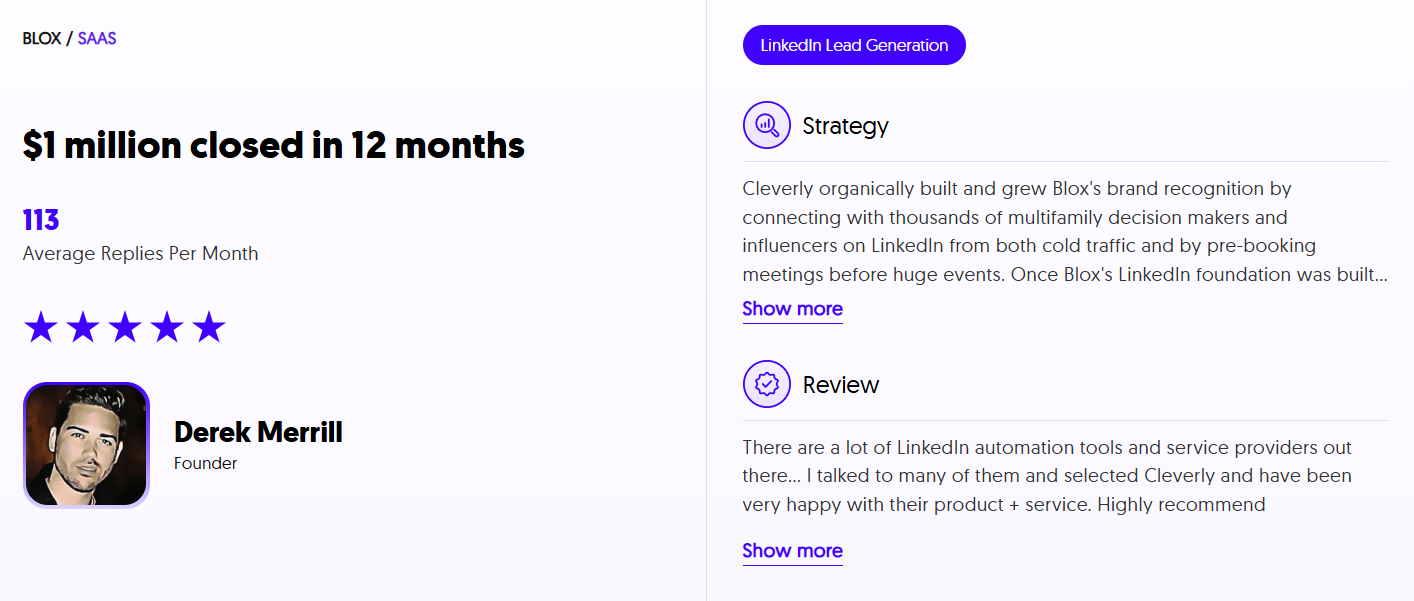
Our LinkedIn services start at just $397/month.
Ready to turn your LinkedIn network into a consistent lead generation engine?
🚀 Let's talk and help you book more qualified meetings without the guesswork!
Conclusion
Learning how to introduce someone on LinkedIn isn't about making as many connections as possible. It's about making the right ones with intention and respect.
When you prioritize trust over volume, every introduction you make strengthens your professional reputation. Both parties benefit, and you become known as someone who facilitates genuine value, not just another person flooding inboxes.
The formula is simple: permission +relevance equals successful introductions.
Ask before you connect people. Make sure there's clear mutual benefit. Keep your message short and neutral. Then step back and let the relationship develop naturally.
Master this approach, and you'll build a network that actually works for you. People will trust your judgment, welcome your introductions, and remember you as a valuable connector in their professional circle.
Now go make some meaningful introductions.
Frequently Asked Questions
Free Resource
How to Scale a Profitable Cold Call System
Get the complete guide — download it instantly now.

Free Ebook
Download the Free Guide
Enter your details to get instant access.
You're all set! 🎉
Your ebook is downloading now.
Click below if the download didn't start automatically.